
50% cashback until September 34, 2025, plus a 10-gün ücretsiz trial
PR
Sunucular
XServer Review [2025 Latest]: A Thorough Guide to Speed, Pricing, Pros, and Cons
Yayınlandı: 2025.05.08
Güncellendi: 2025.05.08
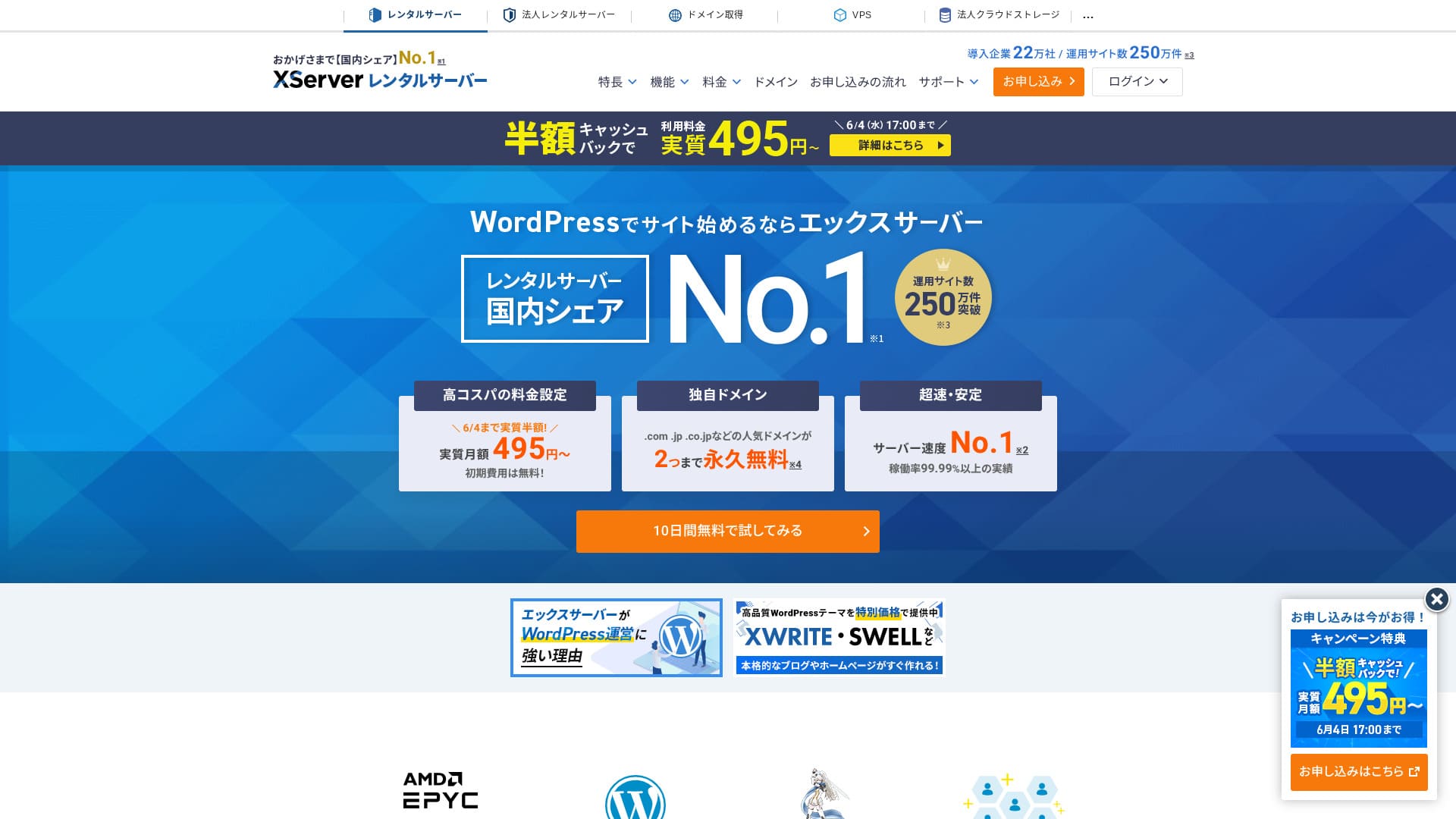
XServer mevcut birçok barındırma hizmeti arasında özellikle popülerdir ve Japonya barındırma pazarında 1 numaralı paya sahiptir. Kişisel bloglardan kurumsal web sitelerine kadar her boyuttaki site için tercih edilmiştir.

XServer is what we recommend to individuals, corporations, and sole proprietors using WordPress for the first time because it offers:
- An easy way to get started with WordPress
- Japonya'da pazar payına göre 1 numara olan hizmetin verdiği güven ve tam destek
- A reasonable price despite its high-performance sunucu environment
That is why. There is a good chance you will be satisfied. You can try it ücretsiz for 10 gün.
A major competitor is ConoHa WING. Its flexible priser, which lets you get started on an hourly basis, is even stronger than XServer in that respect. Consider both.
| Server tür | Shared hosting |
| Speed (TTFB) | 130ms |
| Recommended plan and contract term | Standart 12 months |
| Ücretsiz trial / money-back guarantee | 10-gün ücretsiz trial |
| Monthly price (with a 12-month contract) | 880 yen |
| Initial administrative fee | Ücretsiz |
| Ücretsiz domains | 2 ücretsiz forever |
| Support | Telefon, e-posta ve sohbet (hafta içi 10:00-18:00) |
| Uptime | 99.99% |
| Server storage | 500GB |
| Number of databases | Unlimited |
| Security measures | Website defacement alerts, SECOM security diagnosis, and WAF, access restrictions from overseas IP addresses, limits on mass comments and trackbacks, restrictions on comments and trackbacks from overseas IP addresses, antivirus, spam filters, and high-performance spam filtering |
| SSL | Ücretsiz dedicated SSL, optional dedicated SSL |
| Backup / restore | 14 günlük otomatik yedekleme ücretsizdir ve geri yükleme de ücretsizdir |
| Number of email accounts | Unlimited |
| Email security | POP over SSL, SMTP over SSL, IMAP over SSL, DKIM, DMARC |
| Server / website migration service | 33,000 yen |
| WordPress preinstalled | Yes |
| CDN | None |

Hikaru Ono
XServer, WordPress'e başlamayı kolaylaştırdı. Bunun da ötesinde, kontrol panelinin kullanımı kolaydır ve sunucu hızlı, kararlı ve geniştir.
It is a high-quality hosting service you can keep using for a long time.
XServer compared with other companies
- Overall rating★★★★★
- Server speed ★★★★☆
- Pricing ★★★★☆
- Stability ★★★★★
- Ease of getting started with WordPress* ★★★★★
- Alan adı yönetimi ve SSL kurulumu gibi işlemler* ★★★★★
* These ratings reflect my own experience using the service.

21 Recommended WordPress Hosting Services for Individuals: Comparison and How to Choose
21 Recommended WordPress Hosting Services for Individuals: Comparison and How to Choose
serverfield.org
- Data based on market research as of November 4, 2025, arranged in order of speed
- Aylık fiyatlar, WordPress'i destekleyen en ucuz planın ilk yıl maliyetidir
- Speed is the Time to First Byte measured on demo sites under the same conditions
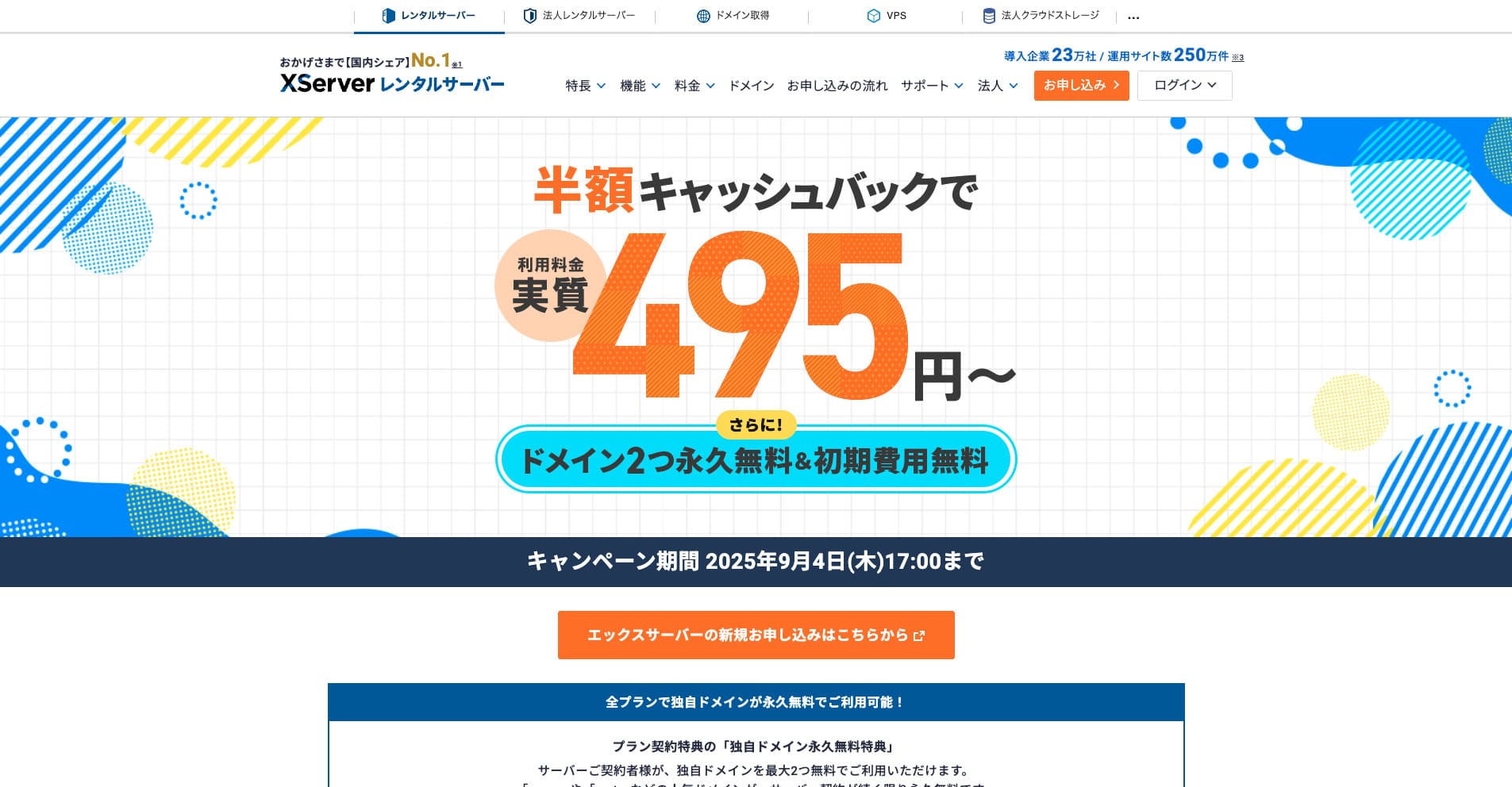
“XServer” yurt içi pazar payında 1 numara olan, köklü ve yüksek hızlı bir barındırma hizmetidir. Hem bireyler hem de şirketler arasında popülerdir. Dürüst olmak gerekirse, ciddi bir dezavantajı yoktur; kararlılık, özellikler ve destek konularında mükemmeldir. Nakit iade ile efektif olarak 495 yen'den başlayan fiyatlarla kullanabilirsiniz.
Introduction: Why XServer is chosen

Yurt içi pazar payında 1 numara: Bireylerden büyük şirketlere kadar herkesin güvendiği bir barındırma hizmetinin gerçek gücü
XServer has continued to lead the hosting industry for many years, and its track record and reliability are rock solid. It is used not only by individual users but also by corporate websites and large-scale e-commerce sites. That broad support itself can be seen as proof of XServer's reliability.
Why is it chosen by so many users? The answer lies in the high-quality services that XServer sunar ve kullanıcı ihtiyaçlarına yanıt vermek için devam eden çabalarını gösterir. Sıradan bir barındırma hizmeti olmanın ötesinde, web sitelerinin büyümesini destekleyen bir ortak olarak birçok kullanıcının güvenini kazanmıştır.
99.99% uptime: the reliability that supports stable site operation
Bir web sitesini işletirken en önemli unsurlardan biri kararlılıktır. İçeriğiniz ne kadar çekici olursa olsun, sunucu çökerse kullanıcılar sitenizi görüntüleyemez. XServer boasts an impressive uptime of 99.99%, making it possible to operate a site stably with almost no downtime.
Bu yüksek çalışma süresi (uptime), en son teknoloji ve gelişmiş sistem tasarımı ile desteklenmektedir. Sunucu kesinti süresini en aza indirmek için kapsamlı önlemler yürürlüktedir, bu da kullanıcıların gönül rahatlığıyla sitelerini işletmeye odaklanmalarını sağlar.

A Beginner's Guide to Understanding Hosting Uptime and SLAs
A Beginner's Guide to Understanding Hosting Uptime and SLAs
serverfield.org
Fast page delivery that can also help SEO: speed that improves user experience

Website display speed has a major impact on user experience. If a site loads slowly, users leave, and the site's reputation also declines. XServer delivers a comfortable browsing experience by providing a fast sunucu environment.
This fast delivery is also effective for SEO. Search engines such as Google use site speed as one of their evaluation criteria. By using XServer, you can run your site from a stronger position in SEO terms as well.
When we actually measured XServer, it proved to be very fast.

Hosting Speed Comparison Across 18 Providers: Kinsta Is the Fastest [2025 Latest]
Hosting Speed Comparison Across 18 Providers: Kinsta Is the Fastest [2025 Latest]
serverfield.org
Excellent compatibility with WordPress: easy setup even for beginners
Bloglar ve web siteleri oluşturmak için temel CMS olan WordPress, şununla son derece iyi çalışır: XServer. With the easy installation feature, even beginners can set up WordPress in just a few clicks.
In addition, XServer includes its own features for maximizing WordPress performance. The environment is set up so that WordPress sites can be run more comfortably, allowing even beginners to use it with confidence.
Five strengths of XServer: why it stands above competitors

The reason XServer has led the industry for so many years and continues to be supported by so many users lies in its outstanding technical capabilities and its ongoing evolution to meet user needs. Here, we explain in detail the five strengths that allow XServer to outperform other companies, using specific functions and specifications.
Olağanüstü sunucu performansı: Konforlu site görünümü ve kararlı çalışma
One of the biggest strengths of XServer olağanüstü sunucu performansıdır. En son donanımı yüksek hızlı işleme teknolojisiyle birleştirerek, web sitesi yükleme hızını önemli ölçüde artırır ve kullanıcılara rahat bir gezinme deneyimi sunar.
- Latest CPUs and large memory:
- XServer is equipped with the latest generation of high-performance CPUs and a large amount of memory. This allows it to maintain stable processing power even when many accesses arrive at once and prevents site speed from dropping. It uses 4th-generation AMD EPYC processors and an all-NVMe environment.
- In particular, it can maintain responsive performance even during peak traffic periods.
- High-speed storage:
- For storage, it uses fast NVMe. Compared with hosting environments marketed as all-SSD or pure-SSD, it delivers up to 32 times the read performance, greatly improving website display speed.
- Thanks to NVMe, even heavy content such as images and videos can be delivered quickly, which contributes to improving the overall performance of the website.
- High-speed network:
- XServer yüksek hızlı ağ hatları kullanarak verilerin sunucu ile kullanıcılar arasında sorunsuz hareket etmesini sağlar. Sonuç olarak, trafik artışlarında bile web siteleri stres olmadan görüntülenebilir.
- Its high-quality network infrastructure also supports global access and provides a comfortable browsing experience to users around the world.
- “KUSANAGI” teknolojisi ile WordPress hızlandırma:
- XServer WordPress'i hızlandırmasıyla bilinen bir teknoloji olan “KUSANAGI”yi kullanır. KUSANAGI, WordPress ekran hızını önemli ölçüde artırır ve web sitesi işletimini daha konforlu hale getirir.
- KUSANAGI kullanarak yalnızca WordPress sayfalarının daha hızlı yüklenmesini sağlamakla kalmaz, aynı zamanda sunucu yükünü azaltabilir ve kararlı çalışmayı sürdürebilirsiniz.
A strong support sistem: replies within 24 hours for peace of mind, even for beginners
XServer 24 saat içinde yanıt vermek üzere tasarlanmış bir destek sistemine sahiptir. Telefon, e-posta, sohbet ve diğer yöntemlerle gelen soruları kabul ederek yeni başlayanların bile güvenle kullanabileceği bir hizmet sunar.
- Email replies within 24 hours:
- XServer answers email inquiries within 24 hours. Even when trouble occurs, you can quickly receive support aimed at solving the problem.
- Phone, email, and chat support:
- Telefon, e-posta ve sohbet dahil olmak üzere birden fazla kanal aracılığıyla yanıt verir, böylece kullanıcılar kendilerine en uygun şekilde destek alabilirler. Telefon desteği hafta içi 10:00 - 18:00 saatleri arasında mevcuttur.
- Clear and courteous assistance:
- The support staff are not only knowledgeable but also careful to explain things in a clear and easy-to-understand way. The environment is set up so that even beginners can ask questions comfortably.
- Long experience and accumulated know-how:
- XServer has extensive know-how gained from many years of operation. Because of that, it can respond quickly and accurately to a wide variety of issues.
- Ayrıca geniş bir SSS bölümü sunar, böylece birçok sorun önce SSS kontrol edilerek çözülebilir.
Strong compatibility with WordPress: Quick Start, easy installation, and dedicated features
XServer is highly compatible with WordPress and is equipped with abundant features for building and running WordPress sites.
- WordPress Quick Start:
- WordPress Hızlı Başlangıç, yeni bir sunucu sözleşmesine kaydolurken kullanılabilen bir özelliktir. Başvuru sürecinde gerekli bilgileri girerseniz, başvuru tamamlandığında WordPress zaten yüklenmiş olacaktır. Tamamen yeni başlayanlar bile WordPress'i hemen başlatabilir.
- Enkel WordPress-installasjon:
- It includes an easy installation feature that completes the WordPress setup in just a few clicks. Even beginners can launch a WordPress site in very little time.
- Discount benefits for the XWRITE WordPress theme:
- XServer aboneleri XWRITE WordPress temasını özel bir fiyatla satın alabilirler. XWRITE, şirket içi ekip tarafından geliştirilen ve bakımı yapılan yüksek kaliteli bir temadır, bu da güzel web siteleri oluşturmayı kolaylaştırır.
- Proprietary features that maximize WordPress performance:
- XServer includes proprietary features that maximize WordPress performance. Examples include X Accelerator, which optimizes caching, and XPageSpeed, which compresses files to speed things up. These features improve WordPress page speed and make site operation more comfortable.

For store sites, company websites, and affiliate sites, XWRITE is a highly regarded WordPress theme
For store sites, company websites, and affiliate sites, XWRITE is a highly regarded WordPress theme
serverfield.org
Robust security measures: protect your site from unauthorized access and DDoS attacks
XServer takes a variety of security measures to ensure the safety of websites.
- Measures against unauthorized access:
- It has measures in place to detect and block unauthorized access. This reduces the risk of your website being damaged by malicious access.
- Ayrıca güvenlik duvarları ve sızma tespit sistemleri (IDS/IPS) gibi güvenlik önlemleri de uygulamaktadır.
- WAF (Web Application Firewall):
- By adopting WAF, it can defend against attacks aimed at web applications. This helps protect websites from attacks that exploit vulnerabilities.
- DDoS protection:
- It has measures in place to detect and defend against DDoS attacks. This reduces the risk of your website going down because of a distributed denial-of-service attack.
- Automatic backup feature:
- To prepare for unexpected trouble, a 14-gün automatic backup feature is included as standart. Using backup data, you can restore your website quickly.
Esnek plan tasarımı: kişisel kullanımdan iş kullanımına kadar geniş kapsam
XServer kişisel kullanımdan iş kullanımına kadar geniş bir ihtiyaç yelpazesini kapsayan planlar sunar.
- Standart plan:
- Bu plan, kişisel bloglar ve portföy siteleri gibi küçük web sitelerini işletmek için idealdir. Gerekli işlevleri sağlamaya devam ederken maliyetleri düşük tutar.
- İş plan:
- Daha büyük miktarda sunucu depolama alanı sağladığı için bu plan, kurumsal siteler ve e-ticaret siteleri gibi büyük web sitelerini çalıştırmak için idealdir. Yüksek performans ve kararlılığı bir araya getirerek iş kullanımına uygun hale getirir.
- Flexible plan changes:
- Kaydolduktan sonra planınızı değiştirebilirsiniz. Hem yükseltmeler hem de düşürmeler desteklenir. Yükseltmeler anında yansıtılır. Düşürmeler yalnızca sunucu kullanım süresinin sona erdiği ay içinde talep edilebilir.
- Long-term contract discounts:
- It offers discounts that reduce the monthly fee when you sign a long-term contract. This makes it possible to use XServer daha düşük bir maliyetle. Özellikle kampanya fiyatları mevcut olduğunda ilk sözleşme dönemi çok daha ucuz hale gelebilir.
A thorough analysis of XServer's reputation: what reviews reveal

XServer is a hosting service used by many people, but how do users actually feel about it? In this section, we thoroughly analyze online reviews and reputation to reveal the real picture of XServer. We will look not only at positive reviews but also at negative ones and examine both its advantages and disadvantages objectively.
Olumlu incelemeler: kullanıcıların XServer hakkında övdüğü noktalar
Şununla ilgili olumlu incelemelerde özellikle şu noktalar sıkça öne çıkmaktadır: XServer.
- “The display speed is fast, and the site feels much smoother.” Many users praise XServer for its page speed. In particular, users who migrated from other hosting services often say that “the site became dramatically faster.” Shorter page load times improve the user experience and can also lower bounce rates.
- Examples:
- “Even sites with lots of images now display without stress.”
- “Sayfa yüklemesi daha önce kullandığım sunucuya göre iki katından fazla hızlandı.”
- “SEO için hızlı bir sunucu seçtim ve şuna geçmek XServer turned out to be the right decision.”
- Examples:
- “The support is polite, so even beginners can use it with confidence.” Destek sistemi XServer özellikle yeni başlayanlar tarafından son derece yüksek puan almaktadır. Birçok kullanıcı, uzmanlık bilgisine sahip olmasalar bile sorular özenle yanıtlandığı için sunucuyu gönül rahatlığıyla kullanabildiklerini belirtiyor. Telefon, e-posta ve sohbet gibi yardım istemek için çeşitli yollar sunması da onu kullanışlı hale getirmektedir.
- Examples:
- “I had absolutely no knowledge of hosting, but thanks to support I was able to configure everything without problems.”
- “When I contacted them because I did not know how to set something up, they explained it carefully.”
- “I am grateful that they are available 24/7, so I can ask questions even late at night.”
- Examples:
- “It runs stably, and the site almost never goes down.” The stability of XServer is rated extremely highly by users. It boasts a strong 99.99% uptime, and because sites rarely go down, users can operate their sites with confidence.
- Examples:
- “The site never stops displaying, and I can run it stably.”
- “The site does not go down even during periods when traffic increases.”
- “Daha önce kullandığım sunucuda sitem sık sık çöküyordu, ancak şuna geçtikten sonra bu durum durdu: XServer.”
- Examples:
- “WordPress'in kurulumu kolaydı ve hemen bir blog başlatabildim.” Kolay WordPress kurulum özelliği, yeni başlayanlar için son derece kullanışlıdır. Uzmanlık bilginiz olmasa bile, sadece birkaç tıklamayla WordPress yükleyebilir ve hemen bir blog veya web sitesi başlatabilirsiniz. Ek olarak, XServer includes WordPress acceleration features, making comfortable bkayıt operation possible.
- Examples:
- “It was my first time using WordPress, but I installed it easily.”
- “Even without WordPress knowledge, I was able to start a bkayıt immediately.”
- “WordPress also loads quickly, so I can write articles without stress.”
- Examples:
- “The price is high, but it offers value that justifies it.” The priser of XServer diğer birçok ana bilgisayardan biraz daha yüksektir, ancak birçok kullanıcı fiyatına eşit değer sunduğunu düşünmektedir. İnsanlar sıklıkla yüksek performansın, kararlılığın ve güçlü destek sisteminin aylık ücreti aşan bir değer sağladığını belirtmektedir.
- Examples:
- “It maliyets more than other hosts, but it is worth it.”
- “It is a little expensive, but when I consider the stability and support, I am glad I chose XServer.”
- “I recommend it to people who want to use a high-quality sunucu even if it maliyets a bit more.”
- Examples:
Negative reviews: puan where users still hope to see improvement
On the other hand, the following negative comments can also be found about XServer.
- “The monthly fee is high compared with other hosts.” Some users say that the price of XServer is somewhat high compared with other hosting services. However, that does not mean the price fails to match the quality. A more accurate statement is simply that there are cheaper hosts than XServer. Maliyetleri mümkün olduğunca düşük tutmak isteyen kullanıcılar için aylık ücret bir endişe kaynağı olabilir. Bununla birlikte, uzun vadeli sözleşme indirimlerini kullanmak maliyeti azaltabilir.
- Examples:
- “I think the priser is on the high side compared with other hosting services.”
- “Başlangıç maliyeti biraz can acıtıcı.”
- “If it were a little cheaper, maybe even more people would use it.”
- Examples:
- “Plan changes can take time in some cases.” Some users say that changing plans can take time. For people who want a quick change, especially when traffic suddenly increases, that may be a source of frustration.
- Examples:
- “I requested a plan change, but it took time before it was reflected.”
- “When I wanted to change plans immediately, it felt a little inconvenient.”
- “I wish the plan change process were a bit smoother.”
- Examples:
- “Some plans may be more powerful than necessary.”XServer yüksek performanslı barındırma sağlar, ancak plana bağlı olarak küçük web siteleri için aşırı olabilir. Kişisel bloglar veya küçük portföy siteleri gibi az trafiği olan siteler için daha düşük maliyetli bir plan yeterli olabilir. Plan seçerken sitenizin ölçeğine uygun olanı seçmek önemlidir.
- Examples:
- “For a personal bkayıt, I ended up choosing a plan that was too high-spec.”
- “I chose an expensive plan, but I feel it is wasteful because I do not use many resources.”
- “For a small site, a cheaper plan would have been enough.”
- Examples:
A summary of XServer's strengths and weaknesses based on user reviews
Taking all of these reviews together, it is fair to say that XServer has the following advantages and disadvantages.
- Advantages:
- Fast display speed
- Stable operation
- A strong support sistem
- Excellent compatibility with WordPress
- Strong security measures
- Disadvantages:
- Pricing is somewhat high
- Plan changes can take time in some cases
- Some plans may be more powerful than necessary
A thorough check of XServer's drawbacks: what to know before signing up

XServer birçok avantaja sahiptir, ancak bazı dezavantajları da beraberinde getirir. Bu dezavantajları önceden anlamak, kaydolduktan sonra pişmanlık duymanızı önlemeye ve daha akıllıca bir seçim yapmanıza yardımcı olabilir. Bu bölümde, XServer'ın zayıf yönlerini kapsamlı bir şekilde inceliyor ve sözleşme yapmadan önce bilmeniz gereken noktaları ayrıntılı olarak açıklıyoruz.
Fiyatlandırma: Neden hem başlangıç maliyetini hem de aylık ücretleri dikkatlice karşılaştırmanız gerekiyor?
The priser of XServer bütçe dostu barındırma hizmetlerinden biraz daha yüksek belirlenmiştir. Özellikle başlangıç maliyetleri ve aylık ücretler bir sözleşme düşünülürken önemli unsurlardır, bu nedenle önceden dikkatlice karşılaştırılmaları gerekir.
- Initial maliyet:
- Monthly fees:
- The monthly price of XServer plana göre değişiklik gösterir. Bireyler için Standart planda bile, sözleşme süresi kısaysa aylık maliyet 1.000 yen'i aşmaktadır. İş odaklı planlar daha da pahalı hale gelebilir.
- To keep monthly maliyets down, you can use long-term contract discounts or choose a longer contract period. Also, during campaign periods, monthly charges may be discounted, so it is worth checking regularly.
- Price comparison with other companies:
- The priser of XServer is somewhat high compared with other hosting services. The difference is especially noticeable when you compare it with lower-priced hosts such as Lolipop! or Sakura Rental Server.
- If price is your top priority, you need to compare it carefully with other hosts. That said, cheaper hosts can be weaker in performance, stability, or support, so the decision should be made on a total-value basis.
- Yalnızca fiyata bakmak yerine, size en uygun ana bilgisayarı seçebilmek için sunucu performansını, kararlılığını ve desteğini kapsamlı bir şekilde karşılaştırın.
- Ways to keep maliyets down:
- Take full advantage of long-term contract discounts
- Sign up during campaign periods
- Choose a plan that matches the specifications you actually need and avoid overbuying
Plan changes: downgrading can take time
With XServer, you can change your plan after signing up, but the procedure can take time in some cases. However, upgrades are reflected immediately, so if you urgently need to move up because traffic has increased, that generally will not be a problem.
- How to change plans:
- You can change your XServer planını Xserver Hesabınızdan değiştirin. Hizmet menüsündeki “Plan Değişikliği” menüsünden başvurun.
- Puan to watch when changing plans:
- When moving to a higher plan, you need to pay the difference in price at the time of application.
- When moving to a lower plan, submit the request between the 1st and the 20th of the month in which your usage term expires.
XServer ve diğer ana bilgisayarların kapsamlı bir karşılaştırması: En uygun olanı bulmak

XServer yüksek performanslı ve kararlı bir barındırma hizmeti olarak popülerdir, ancak diğer birçok cazip seçenek de mevcuttur. Bu bölümde, okuyucuların kendilerine en uygun ana bilgisayarın hangisi olduğuna karar vermeleri için net kriterlere sahip olmaları adına XServer'ı sıklıkla onunla birlikte düşünülen iki hizmet olan ConoHa WING ve HETEML ile karşılaştırıyoruz.
ConoHa WING: Hız ve fiyat-performans oranıyla popüler
ConoHa WING, GMO Internet Grubu tarafından sunulan bir barındırma hizmetidir; hızı ve fiyat-performansı ile popülerdir. Özellikle WordPress odaklı tasarlanmıştır, bu da daha hızlı WordPress siteleri isteyen kullanıcılar için iyi bir seçenek olmasını sağlar.
- Advantages of ConoHa WING:
- Outstanding speed: ConoHa WING, yüksek performanslı bir sunucu ortamını kendi hızlandırma teknolojisiyle birleştirerek mükemmel bir hız elde eder.
- No initial fee: ConoHa WING has no setup fee, so it is easy to start using.
- Regular plans billed by the hour: ConoHa WING, saatlik bazda kullanılabilen planlar sunar. Fiyatlandırma saat başına 2,2 yen'den başlar, bu da düşük maliyetle denemeyi kolaylaştırır.
- Designed specifically for WordPress: Because it is built with WordPress in mind, anyone can get a WordPress site started easily.
- WING Pack discount: If you use the WING Pack bundled with a WordPress theme, the theme price is discounted.
- Disadvantages of ConoHa WING:
- No ücretsiz trial period: Ücretsiz deneme sürümü yoktur. Nasıl hissettirdiğini hiçbir maliyet olmadan test edemediğiniz için, bazı kullanıcılar kaydolup daha sonra kendilerine uygun olmadığını düşünebilirler.
- Støttesistem: ConoHa WING'in destek sisteminin bazen şuna kıyasla biraz daha zayıf olduğu söylenir: XServer.
- Comparison with XServer:
- Display speed: ConoHa WING, şununla aynı seviyede sayfa hızı sunar: XServer. However, in our own measurements, XServer was faster.
★ Hosting Speed Comparison Across 15 Providers: Which One Is Really Fast? [2024 Latest] - Pricing: ConoHa WING can keep initial maliyets low if you use its hourly plan, but if you continue using that hourly plan for a long time, it may end up maliyeting more than XServer.
- Støttesistem:XServer offers phone and chat support in addition to email replies within 24 hours. ConoHa WING also has a solid support setup, but XServer's reputation in this area is stronger.
- Ease of use: As a long-established hosting service, XServer has a large amount of information available online and is widely regarded as easy for beginners to use.
- Display speed: ConoHa WING, şununla aynı seviyede sayfa hızı sunar: XServer. However, in our own measurements, XServer was faster.

ConoHa WING Anmeldelse: Why 750,000 Users Choose It and What Testing Showed About Its Speed, Pros, and Cons
ConoHa WING Anmeldelse: Why 750,000 Users Choose It and What Testing Showed About Its Speed, Pros, and Cons
serverfield.org
HETEML: appealing original features for creators
HETEML, GMO Pepabo, Inc. tarafından sunulan bir barındırma hizmetidir ve içerik üreticilerine yönelik geniş özellik yelpazesiyle öne çıkar. Özellikle birden fazla alan adı işletmek veya sunucu ayarlarını ayrıntılı olarak özelleştirmek isteyen kullanıcılar için son derece uygundur.
- Advantages of HETEML:
- Ayrılmış sunucu yapısının güveni: HETEML, web sunucusunu e-posta sunucusundan ayırır. Bu sayede, web sitenizi veya blogunuzu çalıştıran web sunucusundaki erişim artsa bile e-posta hizmeti etkilenmez. Bu, bilgi talebi e-postalarının gönderilmesini ve alınmasını kararlı tutmaya yardımcı olur ki bu da iş kullanımı için güven vericidir.
- A basit one-plan structure: HETEML has only one plan, so there is no need to worry about choosing among multiple options.
- Unlimited transfer volume: HETEML allows unlimited data transfer, so even sites with high traffic can be run with peace of mind. (Some plans have transfer limits.)
- Version control with Git: It supports Git-based version control, allowing you to manage the history of changes made to your website.
- Disadvantages of HETEML:
- The monthly fee is high: HETEML is basit because it has just one plan, but its monthly price is higher than XServer.
- WordPress installation at signup: HETEML bir WordPress kurulum özelliğine sahiptir, ancak yeni bir sözleşme sırasında WordPress'i otomatik olarak kuran bir işlev sunmaz. Sunuculara veya WordPress'e yeni başlayan kullanıcılar için bu durum bir WordPress blogu başlatmayı daha zor hissettirebilir.
- Comparison with XServer:
- Pricing:XServer offers lower-priced plans than HETEML.
- Stability: HETEML, ayrılmış sunucu tasarımı sayesinde kararlı hissettiriyor. Ancak hem HETEML hem de XServer achieve 99.99% uptime, the difference is not large.
- Ease of use:XServer provides an interface that beginners can use more easily, while HETEML may require somewhat more specialized knowledge.

HETEML Hosting Anmeldelse and Pricing [2025 Latest]: Fordeler og ulemper Seen Through User Feedback
HETEML Hosting Anmeldelse and Pricing [2025 Latest]: Fordeler og ulemper Seen Through User Feedback
serverfield.org
Comparison table: XServer, ConoHa WING, and HETEML
Which should you choose? Pick based on your needs
After comparing the characteristics of XServer, ConoHa WING ve HETEML arasından en iyi barındırma hizmeti kendi ihtiyaçlarınıza bağlıdır.
- People who should choose XServer:
- People who value stability and reliability
- People who want generous support
- People who value quality more than price
- People who should choose ConoHa WING:
- Sunucu veya WordPress kullanma deneyimi olmayan kişiler
- People who prioritize display speed
- People who want to try it casually on an hourly basis
- People who should choose HETEML:
- People who run sites that receive many inquiries
- People who want to use Git-based version control
Her barındırma hizmetinin hem avantajları hem de dezavantajları vardır. Web sitenizin boyutunu ve amacını ve bütçenizi göz önünde bulundurun ve size en uygun barındırma hizmetini seçin.
Start your website with XServer right now in six steps
Let's start your website with XServer!
- STEP.1Resmi XServer web sitesine gidin
Click “Try it first! 10 gün ücretsiz!”
“İlk kez gelen müşteriler” seçeneğinden “10 günlük ücretsiz deneme yeni başvuru” bölümüne geçin.
- STEP.2Choose your application details
Sunucu kimliğini olduğu gibi bırakabilirsiniz.
Bir plan seçin. Standart plan önerilir. Trafik artar ve kaynak yetersizliği yaşarsanız, planı daha sonra yükseltin.
Be sure to check “Use” for WordPress Quick Start. Bunu kullanmazsanız WordPress kurulumu daha zor hale gelir. (Artık 10 günlük ücretsiz deneme sürümünü kullanamayacaksınız, ancak yine de bu seçeneği kullanmak daha iyi bir tercihtir.)
You will see “Please confirm before applying,” so check the details there. Then click “Confirmed.”
12 aylık bir sözleşme önerilir. 12 ay veya daha uzun süreli bir sözleşmeyle özel bir alan adını da ücretsiz olarak kullanabilirsiniz.
Kaydetmek istediğiniz özel alan adının metnini girin. İstediğiniz herhangi bir karakter dizisi olabilir. Kayıtlı bir alan adını daha sonra değiştirmek maliyetlidir ve kurulumu zorlaştırır, bu nedenle alan adınızı dikkatlice seçin.
★ Alan adı nedir? Çevrimiçi adres olarak rolü ve nasıl alınacağı
Enter your WordPress information.
- Bkayıt title: anything is fine
- Username: anything is fine
- Password: make it as complex as possible
- Email address*: your everygün email address is convenient
Kullanıcı adı ve şifre WordPress'e giriş yaparken gereklidir. Bunları bir kenara not edin. WordPress ile oluşturduğunuz web sitesine giriş yapmak için onlara ihtiyacınız olacak.
The custom domain setting is the important domain that becomes your site URL. Choose the wording carefully.
You can change the site name later. If you have not decided yet, just enter a temporary name for now.
Choose a WordPress theme. For iş websites, Lightning is recommended. For bkayıts, Cocoon is recommended. (This site uses Cocoon.)
- STEP.3Enter your Xsunucu Account information
Enter your email address, name, address, and other required details.
Prepare your credit card and enter the payment information.
Anmeldelse the “Terms of Use” and “Handling of Personal Information.” If you agree, check the boxes and click “Next.”
Ekranda gösterilen doğrulama kodunu girin. Kayıtlı e-posta adresinize bir doğrulama kodu gönderildi, bu yüzden orayı kontrol edin.
- STEP.4Confirm your application
Başvuru ayrıntılarını ve Xserver Hesap bilgilerinizi tekrar kontrol edin. Her şey doğruysa “SMS / telefon doğrulamasına geç” seçeneğine tıklayın.
The application details will then be confirmed using your phone number.
Enter the phone number to use, choose SMS or automated voice call as the method for receiving the code, and click “Get verification code.” After receiving it, enter the code.
“【Xserver】■Önemli■ Sunucu hesabı kurulumu tamamlandı” başlıklı e-postayı aldığınızda başvurunuz tamamlanmış olur.
Click “Apply,” and all application steps are finished. Your WordPress website will be created right away.
- STEP.5Initial WordPress setup
Az önce aldığınız e-posta WordPress giriş bilgilerinizi içermektedir.
Yönetici paneli URL'sine tıklayın. Gelen giriş ekranında daha önce not ettiğiniz kullanıcı adı ve şifreyi girin, ardından “Giriş yap” seçeneğine tıklayın.
* “Bu siteye ulaşılamıyor” uyarısı görüyorsanız DNS ayarları henüz yayılmamıştır. Bu durumda yapabileceğiniz tek şey beklemektir, bu nedenle her saat başı tekrar giriş yapmayı deneyin.
★ DNS ve ad sunucuları (name server) nelerdir?
Kalıcı bağlantılarınızı ayarlayın. WordPress yönetim ekranında “Ayarlar” ve ardından “Kalıcı Bağlantılar” seçeneğine gidin. “Yazı ismi” seçeneğini seçin, ardından “Değişiklikleri Kaydet” seçeneğine tıklayın.
If you choose “Post name,” you will be able to enter any string you like into the URL when publishing an article. We recommend using a short string that gives readers an idea of the content of the article. If it is too long, some readers may start to worry that the site looks suspicious.
- STEP.6Install plugins
Go back to the WordPress admin dashboard, open “Plugins,” then “Add New,” and install the plugins you need.
When you find the plugin you want by searching, click “Install Now” and then “Activate.” After that, follow the instructions for each plugin.
Be sure to install security and backup plugins.
- Five WordPress security plugins that strengthen protection and how to choose one
- Five powerful WordPress backup plugins that help you recover your data
Once the plugins are in place, your WordPress website is ready to go!
Ofte stilte spørsmål about XServer

When people consider using XServer, they naturally have many questions and concerns. In this section, we summarize common questions and their answers in a clear way so that even beginners can use XServer with confidence.
Q1. How do I cancel XServer?
XServer can be canceled by following the steps below.
- XServer kontrol paneline giriş yapın.
- İlk olarak, resmi web sitesinden "Xserver Hesabınıza" giriş yapın: XServer website.
- Open "Contract Information."
- "Xserver Hesabınıza" giriş yaptıktan sonra hızlı menüden "Sözleşme Bilgileri" seçeneğini seçin.
- Click "Cancel."
- Click "Cancel" at the bottom of the page.
- Click "Submit Cancellation Request."
- Sunucu kimliğinin doğru olduğundan emin olun. Ardından "İptal Talebini Gönder" seçeneğine tıklayın. Bundan sonra, sunucu alanında "İptal" yazıyorsa iptal işlemi başarıyla tamamlanmıştır.
Notlar:
- İptal prosedürünü tamamladığınızda sunucuda depolanan veriler silinecektir. Gerekli verileri önceden yedekleyin.
- Sözleşme süresi içinde iptal ederseniz, kalan süre için ücret iadesi yapılmaz, ancak sözleşme süresinin sonuna kadar sunucuyu kullanmaya devam edebilirsiniz.
Q2. Will I receive a refund or prorated billing when I cancel?
XServerdoes not, as a general rule, provide refunds or prorated billing when you cancel.
- Cancellation during the contract term:
- Even if you cancel before the end of the contract term, the fee for the remaining period will not be refunded.
- Prorated monthly charges:
- Prorated monthly billing is also not available.
- For example, even if you cancel in the middle of a month, you will still be charged the full fee for that month.
Soru 3. XServer ile XServer Business arasındaki fark nedir?
XServer and XServer Business her ikisi de Xserver Inc. tarafından sunulan barındırma hizmetleridir, ancak hedef kullanıcıları ve hizmet içerikleri bakımından farklılık gösterirler.
- XServer:
- Bireylerden küçük ve orta ölçekli işletmelere kadar geniş bir kullanıcı kitlesine hitap eden bir barındırma hizmetidir.
- It includes plenty of features that make WordPress easy to start, such as easy installation and acceleration features.
- It is available at a relatively affordable price.
- XServer Business:
- It is a hosting service aimed mainly at large enterprises and users who operate large-scale websites.
- It offers even higher stability, stronger security measures, and more specialized support.
- Its priser is set higher than XServer's.
Main differences:
Which should you choose?
- XServer:
- You want to run a personal bkayıt or a small website
- You want to get started with WordPress easily
- You want to use a service with relatively affordable priser
- XServer Business:
- You want to operate a corporate website or a large-scale site
- You want stronger stability and security
- You want specialized support
Q4. How can I check the remaining storage in my current plan?
The remaining storage space (disk space) in your XServer plan can be checked by following the steps below.
- XServer "Sunucu Paneli"ne giriş yapın.
- İlk olarak, resmi web sitesinden "Sunucu Paneli"ne giriş yapın: XServer website.
- Check the account data.
- Check the "Disk Usage" and "Available Space" shown in the account data section of the "Server Panel."
Notlar:
- Disk space is used by website data, email data, and similar content.
- If usage exceeds the amount included in your contract, problems may occur, such as your website no longer displaying.
- Check disk usage regularly, and if it looks like you will run short of space, consider changing your plan.
Q5. Are there any hosting services you recommend besides XServer?
Besides XServer, there are many other hosting services worth recommending.
- ConoHa WING:
- If you want very fast display speed, ConoHa WING is a strong choice.
- There is no initial fee, and hourly plans are also available.
- heteml:
- For sites such as corporate websites that receive many inquiries, heteml is recommended because it uses separated sunucu environments.
- Lolipop!:
- If you want to use a hosting service at a low price, Lolipop! is recommended.
- It is easy to use even for beginners.
- mixhost:
- Hızlı ve kararlı bir sunucu ortamı istiyorsanız mixhost önerilir.
- Because it also has sunucus overseas, it is a good choice if you are considering publishing a site for people outside Japan.
Puan for choosing a hosting service:
- The size and purpose of your website:
- En iyi sunucu, kişisel bir blog veya kurumsal bir web sitesi olması gibi amacınıza bağlı olarak farklılık gösterir.
- The features you need:
- Check whether it includes the features you need, such as easy WordPress installation, SSL certificates, and backup functionality.
- Pricing:
- Başlangıç maliyetlerini, aylık ücretleri, sözleşme sürelerini ve ilgili koşulları karşılaştırın.
- Støttesistem:
- If you are a beginner, it is reassuring to choose a hosting service with strong support.
- Display speed:
- Your website's display speed has a major impact on the user experience.
Bu öğelerin ötesinde sorularınız veya net olmayan bir durum varsa resmi web sitesini kontrol edin: XServer website or support pages, or contact them directly.
Sammendrag: XServer is recommended for these people
"XServer" pazar payına göre Japonya'da 1 numaralı köklü yüksek hızlı barındırma hizmetidir. Hem bireyler hem de işletmeler arasında popülerdir. Dürüst olmak gerekirse, gerçek bir dezavantajı yoktur; kararlılığı, özellikleri ve desteği mükemmeldir. Nakit iade kampanyası ile efektif olarak 495 yen'den başlayan fiyatlarla kullanabilirsiniz.
50% cashback through September 34, 2025, plus a 10-gün ücretsiz trial

XServer is supported by many users as a high-performance and stable hosting service. Based on what we have covered so far, this section briefly summarizes the kinds of people for whom XServer is especially well suited.
- Who XServer is recommended for:
- Hızlı ve kararlı bir sunucu isteyen kişiler: XServer, güncel teknoloji ve yüksek kaliteli bir sunucu ortamı aracılığıyla hızlı ekran hızı ve kararlı çalışma sunar. Ekran hızına değer veren kişilere ve site kararlılığı isteyen kişilere önerilir.
- People who want to use WordPress comfortably: XServer, WordPress ile son derece iyi çalışır ve kolay kurulum ile hızlandırma özellikleri gibi rahat bir WordPress kullanımı için geniş bir özellik yelpazesi içerir. WordPress ile bir blog veya web sitesi başlatmak isteyen kişiler için önerilir.
- Beginners who want strong support: XServer, 24 saat içindeki yanıtlar da dahil olmak üzere güçlü bir destek sistemine sahiptir. Sunucu kurulumu konusunda tedirgin olan yeni başlayanlar ve bir sorun oluştuğunda hızlı bir şekilde destek almak isteyen kişiler için önerilir.
- People looking for a trustworthy sunucu for iş use: XServer yüksek güvenilirlik ve kararlılık sunar, bu nedenle kurumsal web siteleri, e-ticaret siteleri ve diğer iş amaçları için güvenle kullanılabilir. İş için kullanacakları bir sunucu arayan kişilere önerilir.
- People who want a high-quality sunucu even if it maliyets a little more: XServer'ın fiyatları biraz yüksektir, ancak karşılığında yüksek performanslı, kararlı bir hizmet sunar. Fiyat biraz daha yüksek olsa bile yüksek kaliteli bir sunucu isteyen kişilere önerilir.
- On the other hand, who XServer is not recommended for
- People who want to keep maliyets as low as possible: XServer is somewhat expensive. If you want to keep monthly fees down, other low-maliyet hosting services are a better fit.
XServer birçok avantaja sahip mükemmel bir barındırma hizmetidir, ancak herkes için mutlaka en iyi seçim olmayacaktır. Bu makalede açıklanan noktaları referans olarak kullanın ve web sitenizin boyutunu, amacını, bütçesini ve ilgili faktörleri göz önünde bulundurarak size en uygun barındırma hizmetini seçin.
Complete comparison of 32 WordPress hosting services: recommendations for individuals, corporations, and overseas use

“WordPress başlatmak istiyorum” diye düşünüp “WordPress önerileri” için arama yaptığınızda, bireyler ve şirketler veya küçük işletmeler için seçeneklerden denizaşırı sunuculara ve düşük maliyetli sunuculara kadar gerçekten her türlü makaleyi bulursunuz. Dürüst olmak gerekirse,
- Which site should I read?
- I just want to choose a sunucu in a basit, easy-to-understand way.
- Show me how to start WordPress right now.
Tam olarak böyle hissetmiyor musunuz? İşte bu yüzden bu makale bireyler, şirketler, yerel ve denizaşırı kullanım için 32 barındırma hizmeti arasından özenle seçilmiş bir dizi öneri sunmaktadır. Barındırma hizmetlerini her gün kullanan bir uygulama geliştirme şirketinin SEO uzmanı tarafından açıklanmıştır.