WING Pack ile ilk ay ücretsiz ve 2 alan adı sonsuza kadar ücretsiz
PR
Sunucular
ConoHa WING Review: Why 750,000 Users Choose It, and a Hands-On Look at Its Speed, Pros, and Cons
Yayınlandı: 2025.06.27
Güncellendi: 2025.06.27
Rating: 5.0
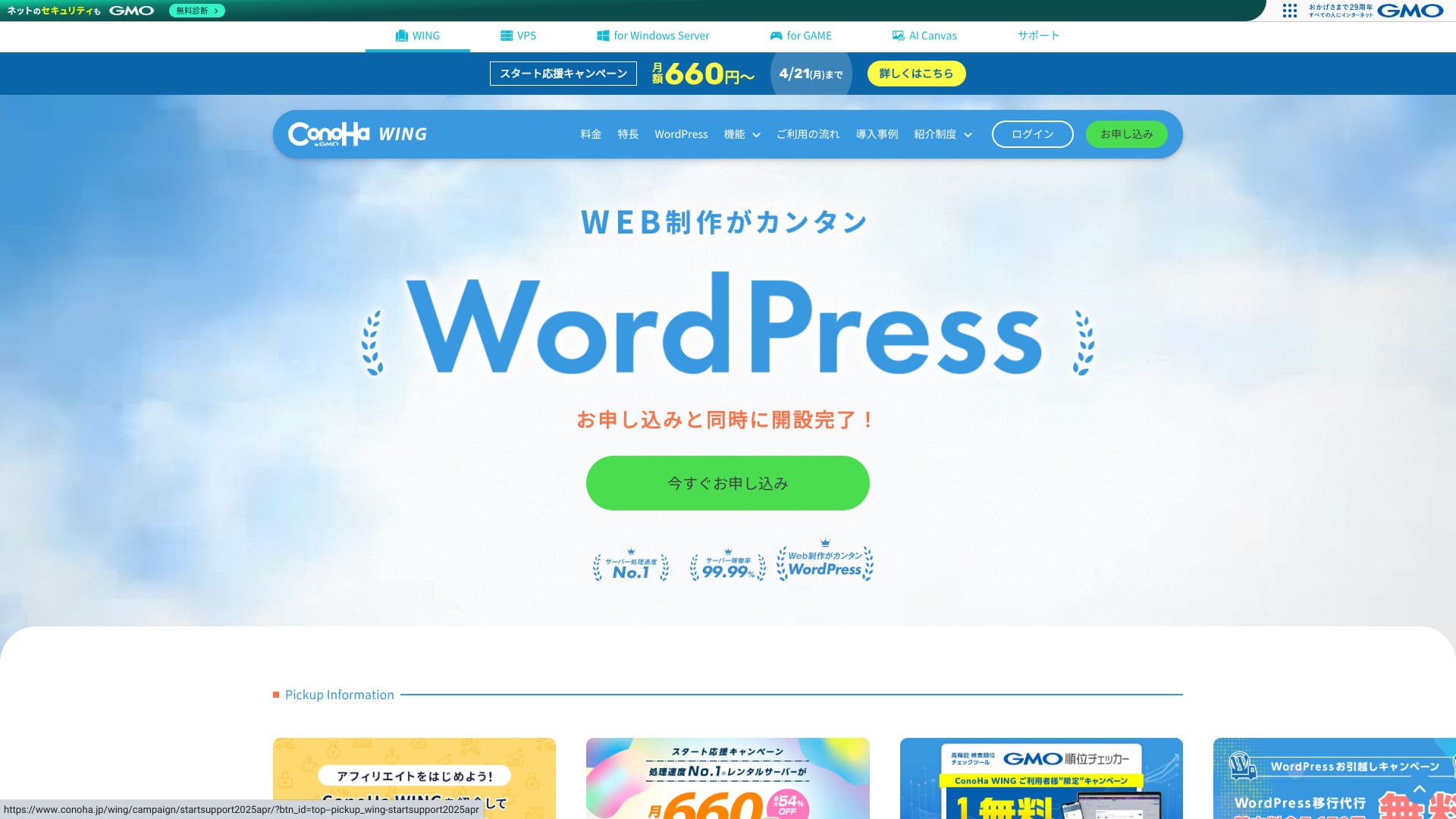
ConoHa WING , GMO Internet Group tarafından sunulan, saygın bir barındırma hizmetidir. Özellikle WordPress siteleri işletmek isteyen blog yazarları ve satış ortaklığı pazarlamacıları arasında popülerdir.
| Server tür | Shared hosting |
| Speed (TTFB) | 160ms |
| Recommended plan and term | Basic, 12 months |
| Ücretsiz trial / refund policy | First month ücretsiz |
| Monthly price (12-month contract) | 971 yen |
| Initial setup fee | Ücretsiz |
| Ücretsiz domains | 2 domains ücretsiz forever |
| Support | Telefon, e-posta ve sohbet (hafta içi 10:00-18:00) |
| Uptime | 99.99% guarantee |
| Storage | 300GB |
| Number of databases | Unlimited |
| Security | WAF / directory access restrictions / IP access restrictions / vulnerability scanning / spam comment and trackback restrictions / overseas comment and trackback restrictions / overseas access restrictions |
| SSL | Ücretsiz SSL / Alpha SSL / Quick Authentication SSL / Organization Validation SSL / EV SSL |
| Backups / restore | 14-gün automatic backups / ücretsiz restores |
| Email accounts | Unlimited |
| Email security | Virus scanning / spam filtering |
| Server / website migration service | WordPress migration service from 7,678 yen Ücretsiz migration tool available |
| WordPress preinstall | Yes |
| CDN | None |

Hikaru Ono
ConoHa WING ile sunucuya kaydolduğum anda WordPress'i başlatabildim. Artık ConoHa Pencil olarak adlandırılan yapay zeka aracı Blog Creator beklediğinizden daha iyi. Herkesin yüksek kaliteli içerik oluşturmasına olanak tanıyor.
We also use it on this site.
- Data based on market research as of November 4, 2025, arranged in order of speed
- Aylık fiyatlar, WordPress'i destekleyen en ucuz planın ilk yıl maliyetidir
- Speed is the Time to First Byte measured on demo sites under the same conditions
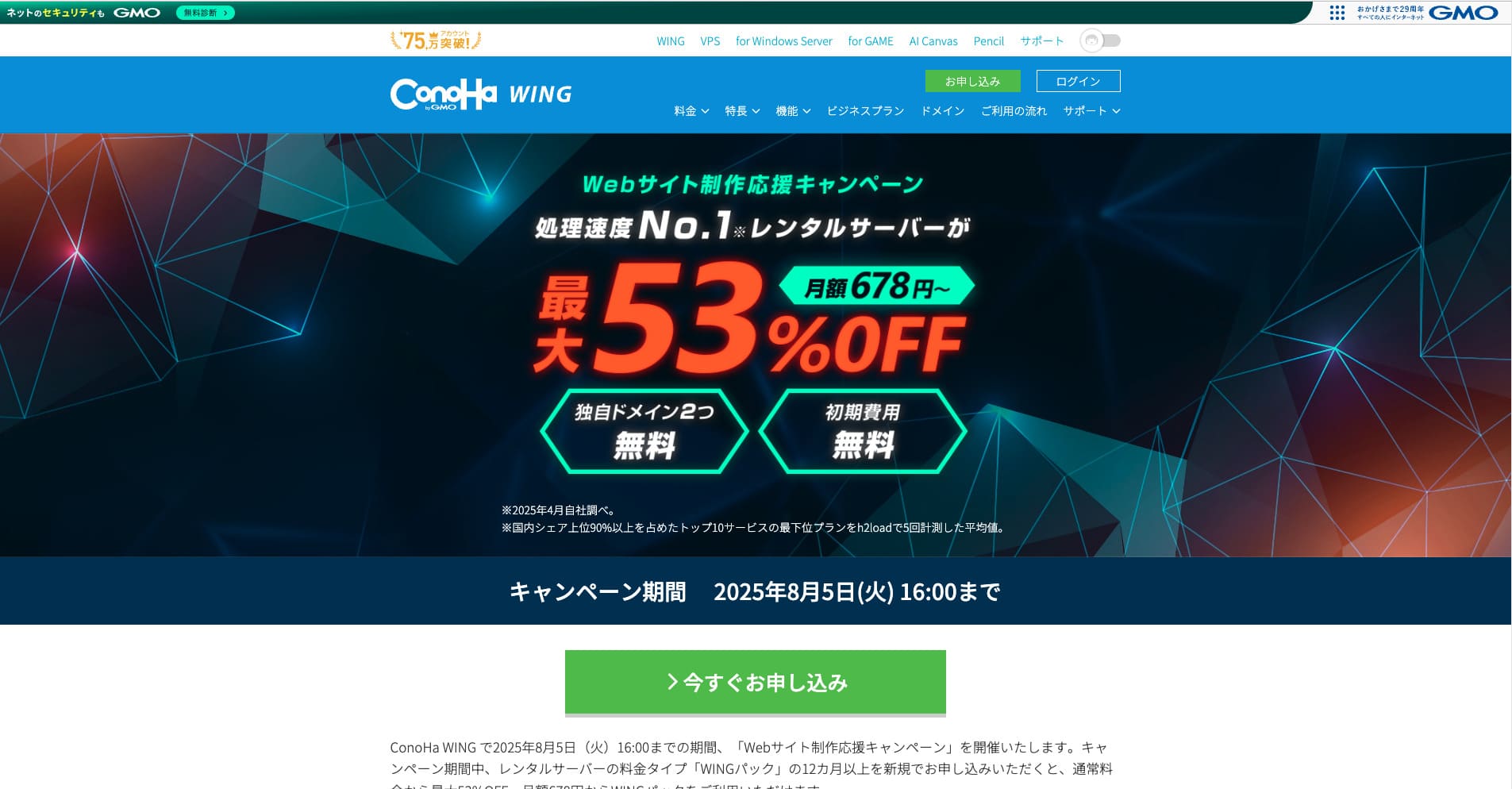
ConoHa WING is a fast hosting service from the GMO Internet Group that we also use in our company. It supports Easy WordPress Setup, so even complete beginners can go live quickly.

WordPress-ilgili reviews
Easy WordPress setup
ConoHa WING; kaydolurken tek bir akışta WordPress'in kendisini, özel bir alan adını, ücretsiz SSL'yi ve hatta Cocoon gibi popüler bir temayı alıp yapılandırabilir. Sizi beş dakika kadar kısa bir sürede yayına alabildiği için FTP veya DNS bilginiz olmasa bile güvenle başlayabilirsiniz.
Kolay Kurulum, gereken adım sayısını önemli ölçüde azaltır ve hatta bir WordPress temasını otomatik olarak kurabilmesi, onu birçok rakibinden daha iyi kılar. Daha önce hiç WordPress veya blog çalıştırmamış olsanız bile, yine de güvenle WordPress'i başlatabilirsiniz. Kaydolduğunuz halde WordPress'i çalıştıramadığınız için zaman kaybetme konusunda endişelenmenize gerek yoktur.
Easy Setup also includes a pre-migration test feature. It makes it easier to move from another hosting provider to ConoHa WING and greatly reduces the risk of problems during migration.
Hikaru Ono
Beginner-friendly and practical features like Easy Setup are not available on every host. In reality, you mostly see them only on major providers. Even among those, ConoHa WING felt especially easy to use.
How to start a website with ConoHa WING
- Step 1: Resmi ConoHa WING sitesini ziyaret edin ve "Hemen bir hesap oluşturun" seçeneğine tıklayın.
- Step 2: Create your ConoHa account by setting an email address and password.
- Step 3: Bir plan seçin. En iyi değeri ve ücretsiz alan adlarını istiyorsanız, standart kullandıkça öde fiyatlandırması yerine WING Pack'i seçin.
- Step 4: Sunucu adınızı, sözleşme sürenizi ve alan adı, site başlığı, kullanıcı adı ile şifre dahil olmak üzere WordPress Kolay Kurulum detaylarını girin.
- Step 5: Complete the payment and identity verification steps, then wait for setup to finish.
- Step 6: WordPress'te oturum açın ve yayınlamaya başlayın.
Running multiple sites (unlimited domains and databases)
Tek bir ConoHa WING sözleşmesiyle, istediğiniz kadar alan adı, alt alan adı ve MySQL (MariaDB) veritabanı ekleyebilirsiniz. Bu, birden fazla blogu ve ticari siteyi birlikte yönetebileceğiniz anlamına gelir. Örneğin, tek bir sözleşme altında kurumsal bir site ve bir blog çalıştırabilirsiniz.
Sınırsız alan adı ve veritabanı büyük bir avantajdır. Daha düşük maliyetli barındırma hizmetleri ve daha ucuz planlar genellikle kaç alan adı veya veritabanı kullanabileceğiniz konusunda sınırlamalar getirir.
Because the inode limit, in other words the file-count limit, is not publicly disclosed, it is wise to test in advance if one site is going to grow to tens of thousands of pages.
Hikaru Ono
İlk web sitenizi veya blogunuzu açıyorsanız, bir alan adı ve bir veritabanının yeterli olduğunu düşünebilirsiniz. Ancak daha sonra birden fazla site isteme olasılığınız varsa veya şirketiniz birden fazla site işletmeye karar verebilecekse, sınırsız alan adı ve veritabanı sunan bir sunucu öneririm.
Performance and specs review
Ölçümlerimiz: hız incelemesi ve arkasındaki teknoloji
PageSpeed Insights kullanarak ConoHa WING'i ölçtük. Bu, hız ve kullanıcı deneyimini ölçmek için Google tarafından sağlanan en iyi bilinen araçlardan biridir.
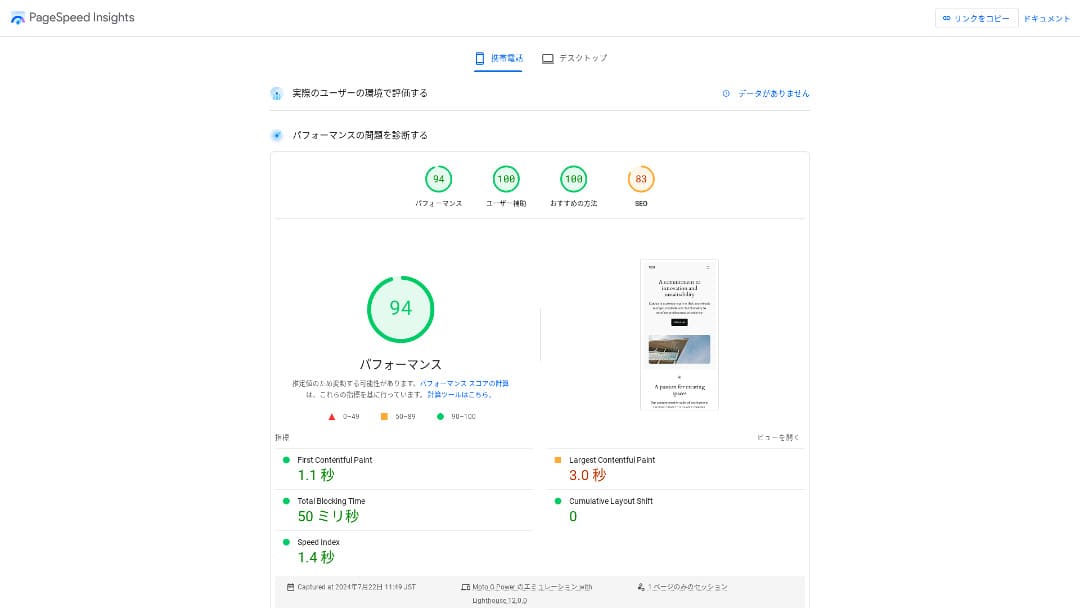
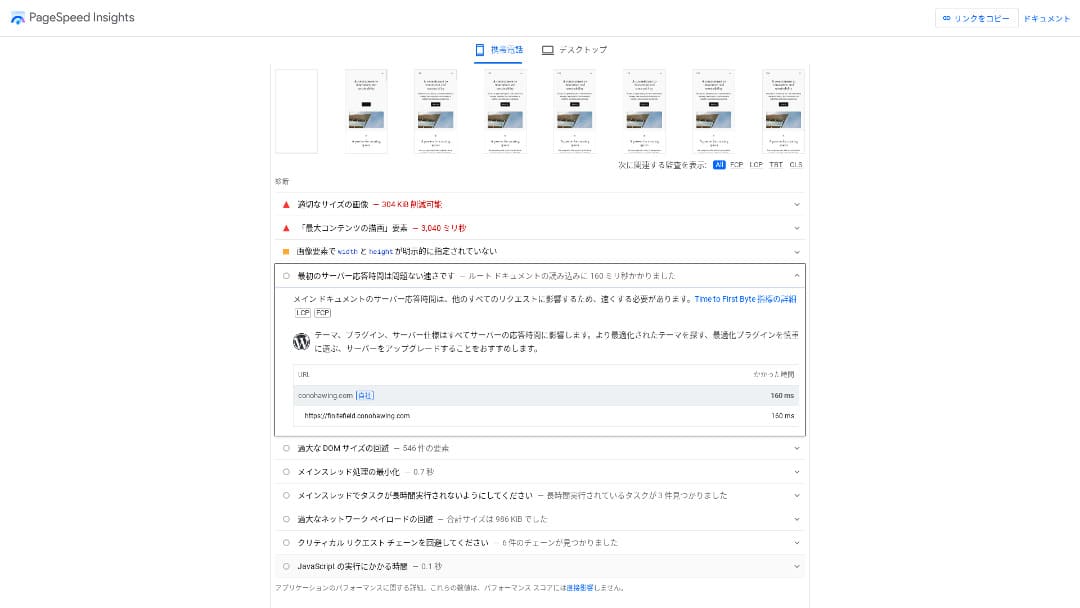
Sunucu yanıt hızının temel göstergelerinden biri olan TTFB 160 ms idi. Bu değer, Google'ın TTFB'yi 200 ms'nin altında tutma önerisini rahatça karşılamaktadır, bu nedenle hızlı bir sunucu olarak değerlendirilebilir. Genel olarak 94 puan da oldukça yüksekti.
You should reduce your sunucu response time under 200ms.Improve Server Response Time
Hikaru Ono
ConoHa WING is a fast sunucu, but there are some ultra-fast providers that deliver even better numbers.
İlgili article: Rental Server Speed Comparison: Which One Is Really Fastest?
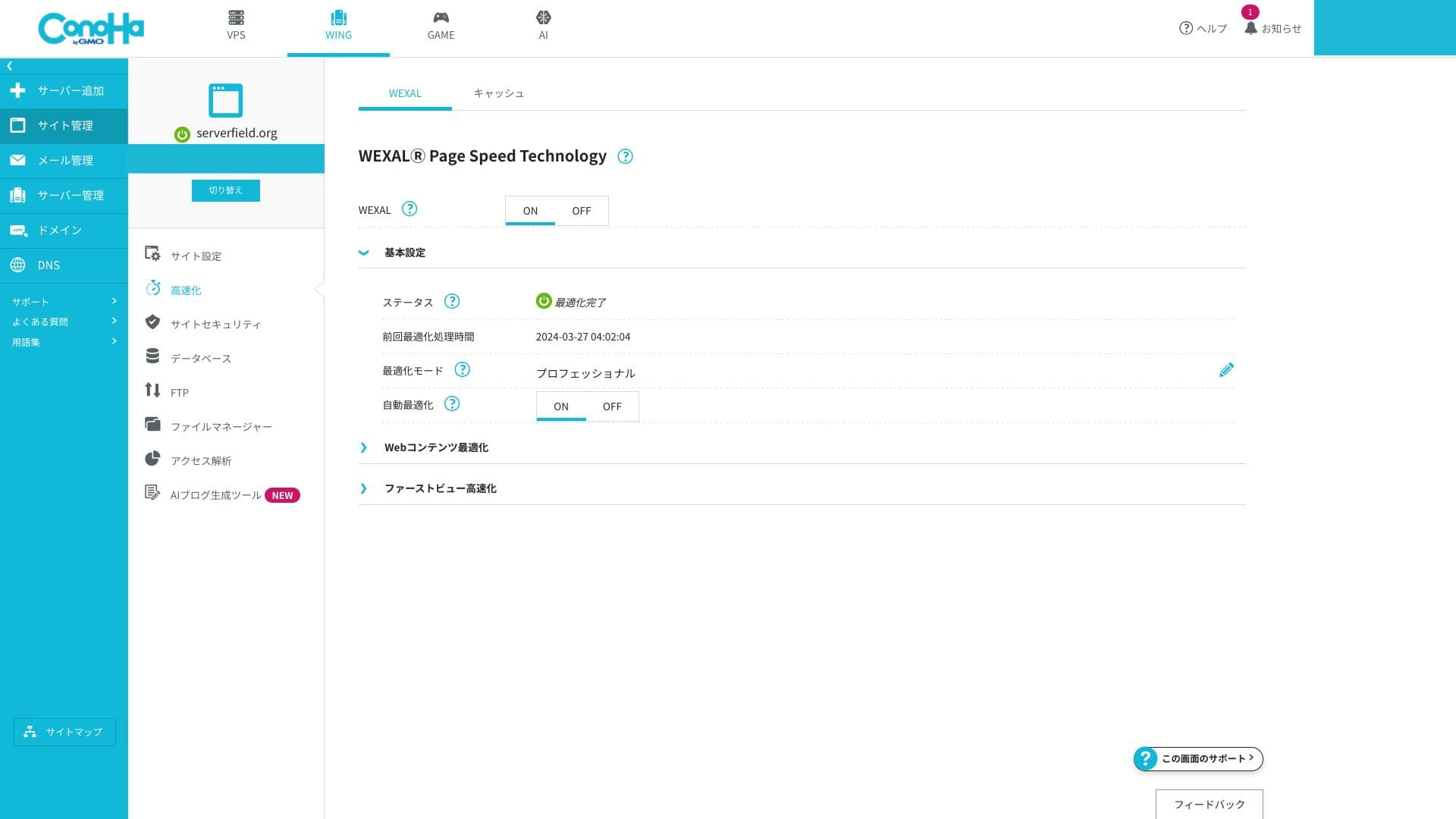
WEXAL Page Speed Technokayıty
WEXAL, sitenizi tek bir tıklamayla optimize etmenizi sağlar. Yapay zeka tabanlı hızlandırma teknolojisini kullanır ve aboneler bunu hiçbir ek ücret ödemeden kullanabilir.
LiteSpeed LSAPI
Bu, PHP'yi işleyen yürütme motorudur. Genellikle geleneksel FastCGI'dan yaklaşık %20 daha hızlı olduğu tanımlanır. Bu durum, WordPress gibi dinamik sayfaların yanıtını hızlandırır. Japon kiralık barındırma sağlayıcılarının LSAPI'yi standart bir özellik olarak sunması hala nadirdir ve karşılaştırma testleri sonuçları da ConoHa WING'i daha hızlı yerel seçenekler arasına yerleştirmektedir.
HTTP/2
HTTP/2, tek bir TCP bağlantısı üzerinden birden fazla isteği paralel olarak işleyebilen bir iletişim standardıdır. Görsel ağırlıklı sayfalarda bile algılanan hızı artırır. Ekstra kurulum gerektirmeden etkinleştirildiği için yeni başlayanlar bile bundan otomatik olarak yararlanır.
Hikaru Ono
2025 itibarıyla, büyük Japon barındırma sağlayıcıları genellikle varsayılan olarak HTTP/2'yi desteklemektedir. Bu açıdan ConoHa WING benzersiz değildir, ancak tamamen piyasa standartlarıyla uyumludur.
SSD RAID10
Bu yapılandırma, verileri birden fazla SSD'ye yazarken aynı zamanda kopyalayarak okuma ve yazma hızını hata toleransı ile dengeler. Her plan bunu kullandığı için I/O gecikmeleri nedeniyle sayfaların yavaşlama olasılığı daha düşüktür.
Resource limits
| Plan | SSD | Memory | vCPU | Typical scale |
|---|---|---|---|---|
| Basic | 300GB | 8GB | 6 cores | Personal to mid-sized bkayıts |
| Standart | 400GB | 12GB | 8 cores | Multiple sites and small e-commerce stores |
| Üst düzey | 500GB | 16GB | 10 cores | High-traffic media and larger sites |
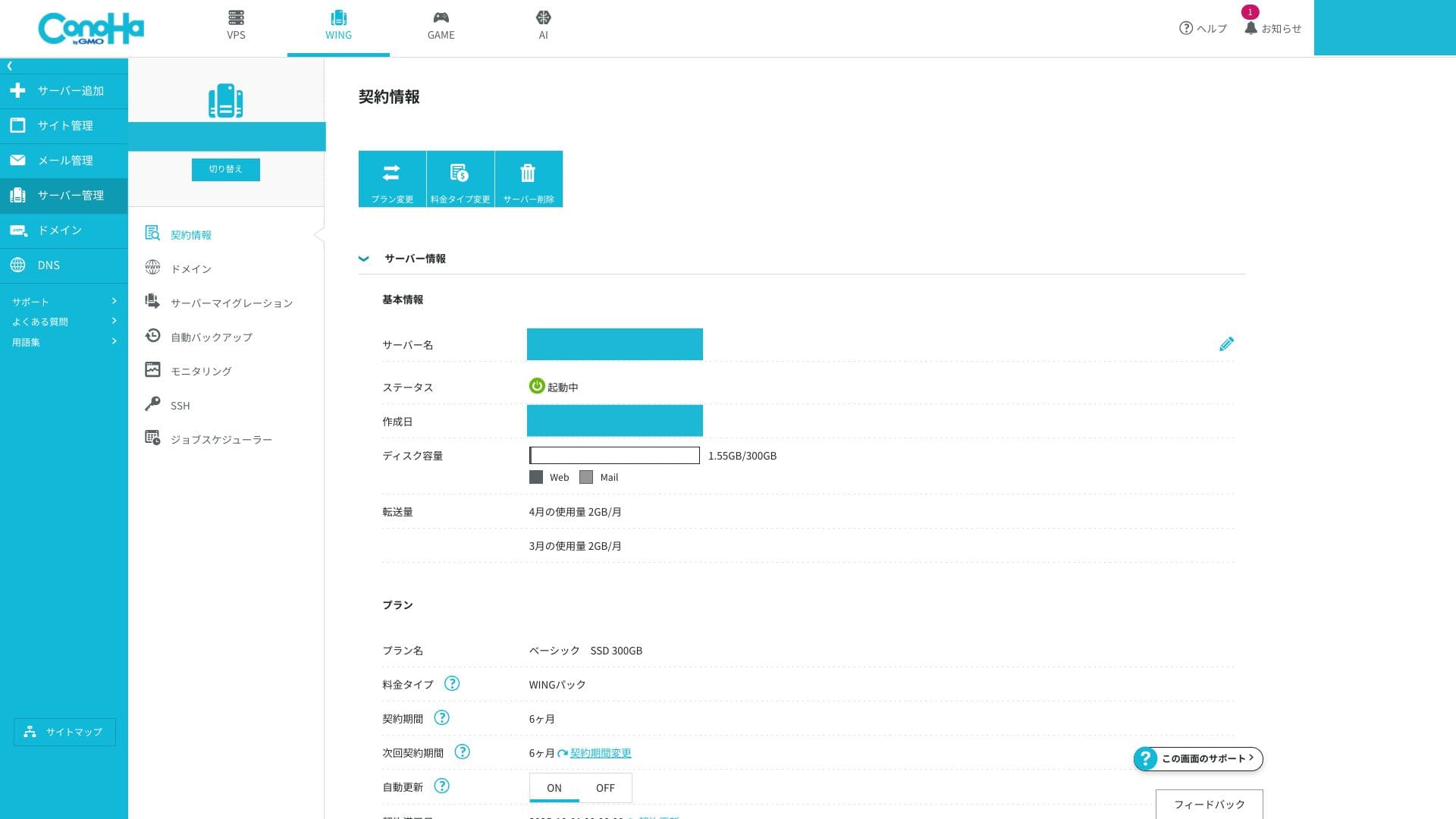
Kaynak sınırları Basic planda bile fazlasıyla yeterlidir. Bu site dahil kendi sunucu kullanımımıza bakarsanız yalnızca 1,55 GB kullanıyoruz. Yeni bir bloga başlıyorsanız Basic planı tamamen yeterlidir.
The memory and vCPU limits affect both processing speed and resistance to traffic spikes. If traffic is still low, they are rarely a problem. When access grows and you begin to see issues, that is the time to move up to a higher-spec plan.
You can check whether you are actually running into problems from the ConoHa WING control panel.
How to check sunucu monitoring
- Step 1: Kontrol paneline giriş yapın.
- Step 2: Open "Server Management" and click "Server Monitoring."
- Step 3: Kaynaklarınızın zorlanıp zorlanmadığını görmek için izleme ayarlarını ve mevcut grafikleri inceleyin.
Unlimited data transfer
ConoHa WING does not publish a monthly transfer cap. Even if your site suddenly goes viral, you do not need to worry about extra data-transfer charges. Of course, because it is shared hosting, control measures may be applied if you monopolize bandwidth to an extreme degree.
İlgili article: What Traffic and Data Transfer Mean: Managing and Optimizing Web Traffic
Uptime SLA 99.99%
ConoHa WING, %99,99 oranında bir SLA içerir. Bu, aylık kesinti süresinin izin verilen 4,32 dakikayı aşması durumunda size geri ödeme yapan bir kalite garanti programıdır. Paylaşımlı bir barındırma hizmetinin bir SLA'yi bu kadar net bir şekilde belirtmesi alışılmadık bir durumdur ve bu da ticari kullanım için gerçek bir güvenilirlik sağlar.
Hikaru Ono
Dürüst olmak gerekirse, resmi sitelerini dikkatlice arasanız bile pek çok sunucu çalışma sürelerini veya SLA'lerini açıkça belirtmez. Bu açıdan ConoHa WING öne çıkıyor. Kararlılığa açıkça öncelik verir ve düzgün bakım ile sağlam güvenlik sayesinde yüksek bir çalışma süresi oranına ulaşır.
İlgili article: How to Understand Server Uptime and SLA
Uptime drops when an actual sunucu outage occurs. Information about those outages is visible only to subscribers.
How to check outage information
- Step 1: Kontrol paneline giriş yapın.
- Step 2: Sağ üst köşedeki bildirimler alanını açın.
- Step 3: Click the outage information tab to review current incident reports.
Fiyatlandırma ve maliyet incelemesi
Initial fee and monthly pricing
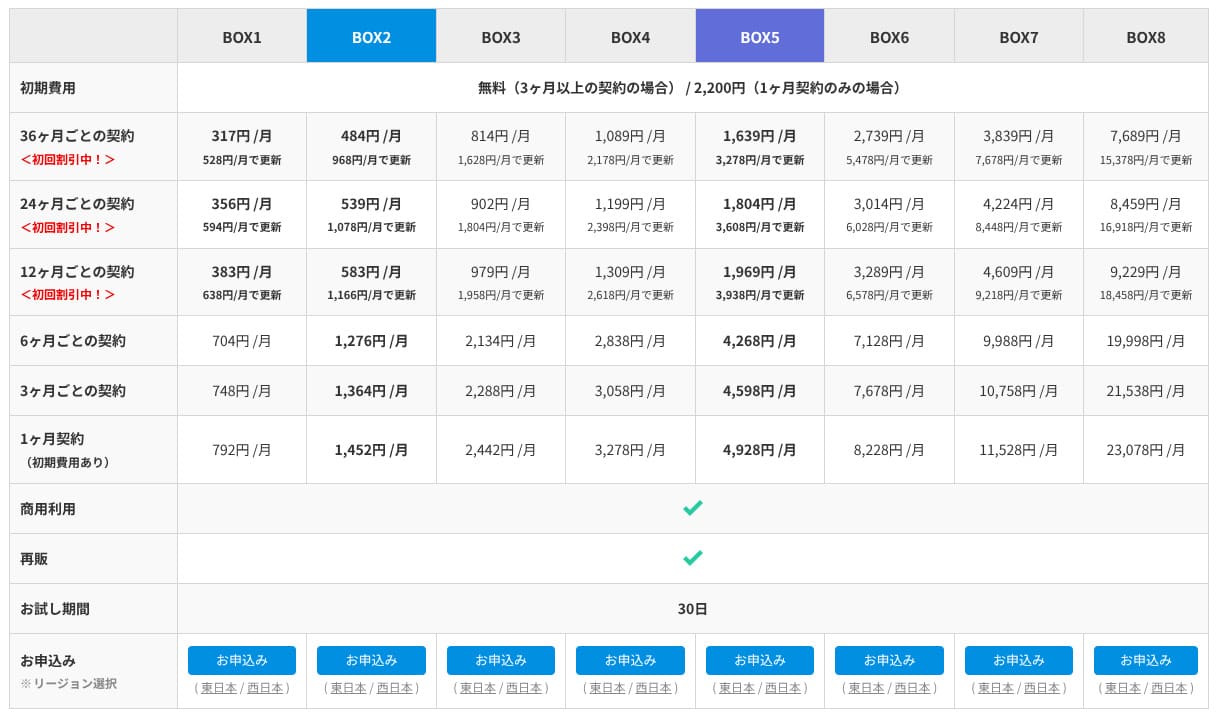
ConoHa WING hem normal kullandıkça öde fiyatlandırmasını hem de daha uzun vadeli WING Pack'i sunar. Normal fiyatlandırmayla geçici olarak başlamak daha kolaydır ancak benim önerdiğim WING Pack'tir. Daha ucuzdur, iki adet ücretsiz alan adı içerir ve kaydolurken Kolay WordPress Kurulumu'nu kullanırsanız, WordPress kurulumunuzu ve alan adı bağlantınızı tek seferde tamamlar.
That said, because WING Pack is a long-term contract of three months or more, you should remember that payments are not refunded after you sign up. I recommend the 12-month term, where the price drops noticeably.
- ConoHa
- Kinsta
- Xsunucu İş
- wpx
- LOLIPOP
- Star Rental Server
- Rakko Server
- XServer
- Colorful Box
- Shin Rental Server
- Little Server
- CORESERVER
- DreamHost
- Bluehost
- Sakura
- Namecheap
- Shin Ücretsiz
- XREA
- Value Server
- HOSTINGER
- KAGOYA
- SiteGround
- Hostgator
- IONOS
- Onamae.com
- ABLENET
- mixhost
- GoDaddy
- iCLUSTA+
- MuuMuu Server
- WADAX
- WebARENA
- Heteml
- CPI Rental Server

































Domain
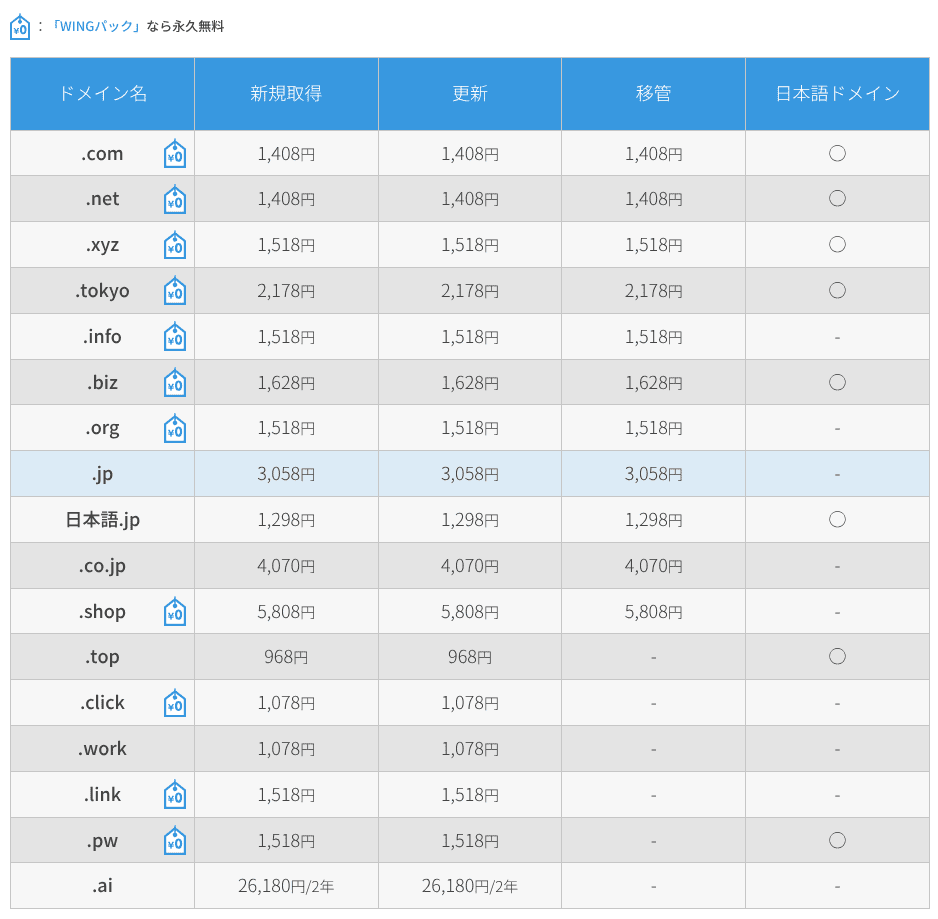
ConoHa WING, özel alan adlarını doğrudan kaydetmenize ve yenilemenize olanak tanır, ayrıca diğer alan adı kayıt kuruluşlarından transferleri de destekler. .com, .net ve .xyz gibi önemli TLD'ler dahildir. WING Pack ile kaydolursanız, sunucu sözleşmeniz aktif olduğu sürece iki özel alan adı ücretsiz kalır.
Hikaru Ono
Depending on the domain itself, this can save you several thousand yen per year. That is another reason I recommend WING Pack at the time of sign-up.
- ConoHa WING
- Onamae.com
- XsunucuDomain
- MuuMuu Domain
- Value Domain
- Shin Domain
- Star Domain






İlgili article: What a Domain Is and How to Get One as Your Address on the Internet
How to register or transfer a domain
- Step 1: Kontrol paneline giriş yapın.
- Step 2: Open the Domain section and click "+ Domain."
- Step 3: From there, you can register a new domain, manage renewals, or start a transfer. Clicking each domain lets you review its detailed status.
SSL
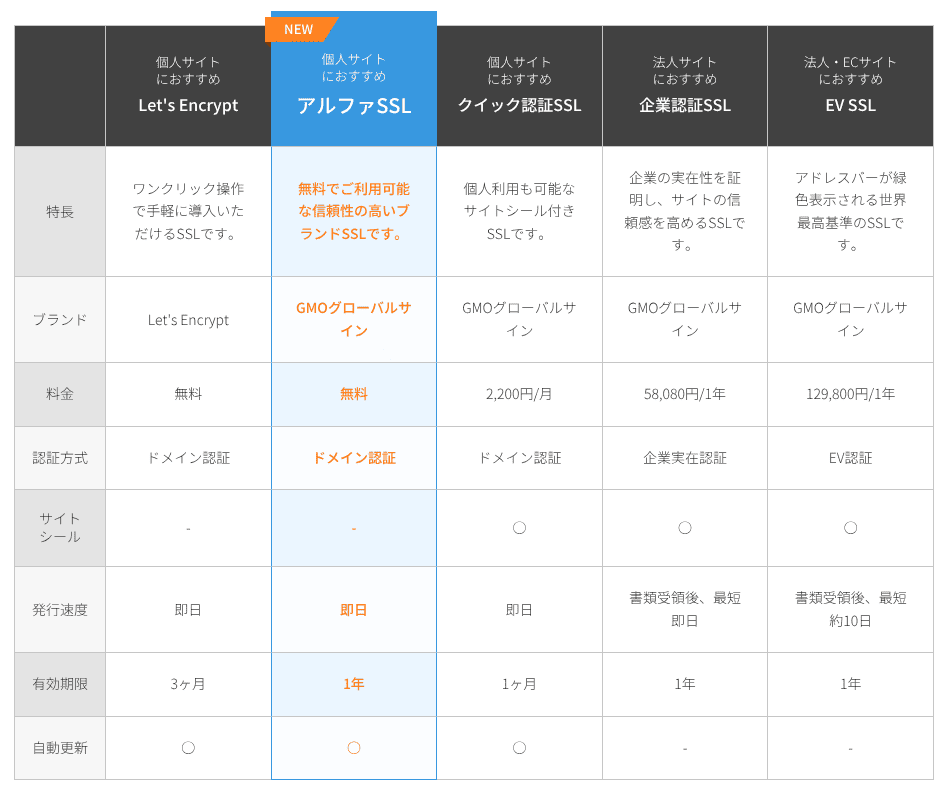
SSL kullanmak yalnızca güvenliği değil, aynı zamanda güveni de etkiler. ConoHa WING, Let's Encrypt'i ücretsiz bir SSL seçeneği olarak destekler ve sunucu sözleşmeniz aktif olduğu sürece GMO GlobalSign'ın ücretli Alpha SSL sertifikası da hiçbir ek ücret ödemeden kullanılabilir.
Payment methods
You can pay by credit card, bank transfer, online payment services such as Amazon Pay and PayPal, Pay-easy, and convenience-store payment.
Banka havalesi, çevrimiçi ödeme, Pay-easy ve market ödemeleri için ConoHa, ConoHa Charge adı verilen ön ödemeli sistemi kullanır. Bu durum, kredi kartı kullanmayan şirketlere ve bireylere esneklik sağlar ancak hizmetin durmaması için bakiyenizi dikkatle takip etmeniz gerekir. Otomatik yükleme iyi bir fikirdir.
Hikaru Ono
Compared with many other hosts, ConoHa WING offers a wide range of payment methods, which makes it easy to use not only for individuals but also for companies and sole proprietors.
- ConoHa
- Kinsta
- Xsunucu İş
- wpx
- LOLIPOP
- Star Rental Server
- Rakko Server
- XServer
- Colorful Box
- Shin Rental Server
- Little Server
- CORESERVER
- DreamHost
- Bluehost
- Sakura
- Namecheap
- Shin Ücretsiz
- XREA
- Value Server
- HOSTINGER
- KAGOYA
- SiteGround
- Hostgator
- IONOS
- Onamae.com
- ABLENET
- mixhost
- GoDaddy
- iCLUSTA+
- MuuMuu Server
- WADAX
- WebARENA
- Heteml
- CPI Rental Server


































There is no built-in function for issuing quotations or invoices. However, if you buy a ConoHa card by bank transfer through the ConoHa Shop, invoices can be issued there.
Ease of use and support
Bkayıt Creator, now ConoHa Pencil
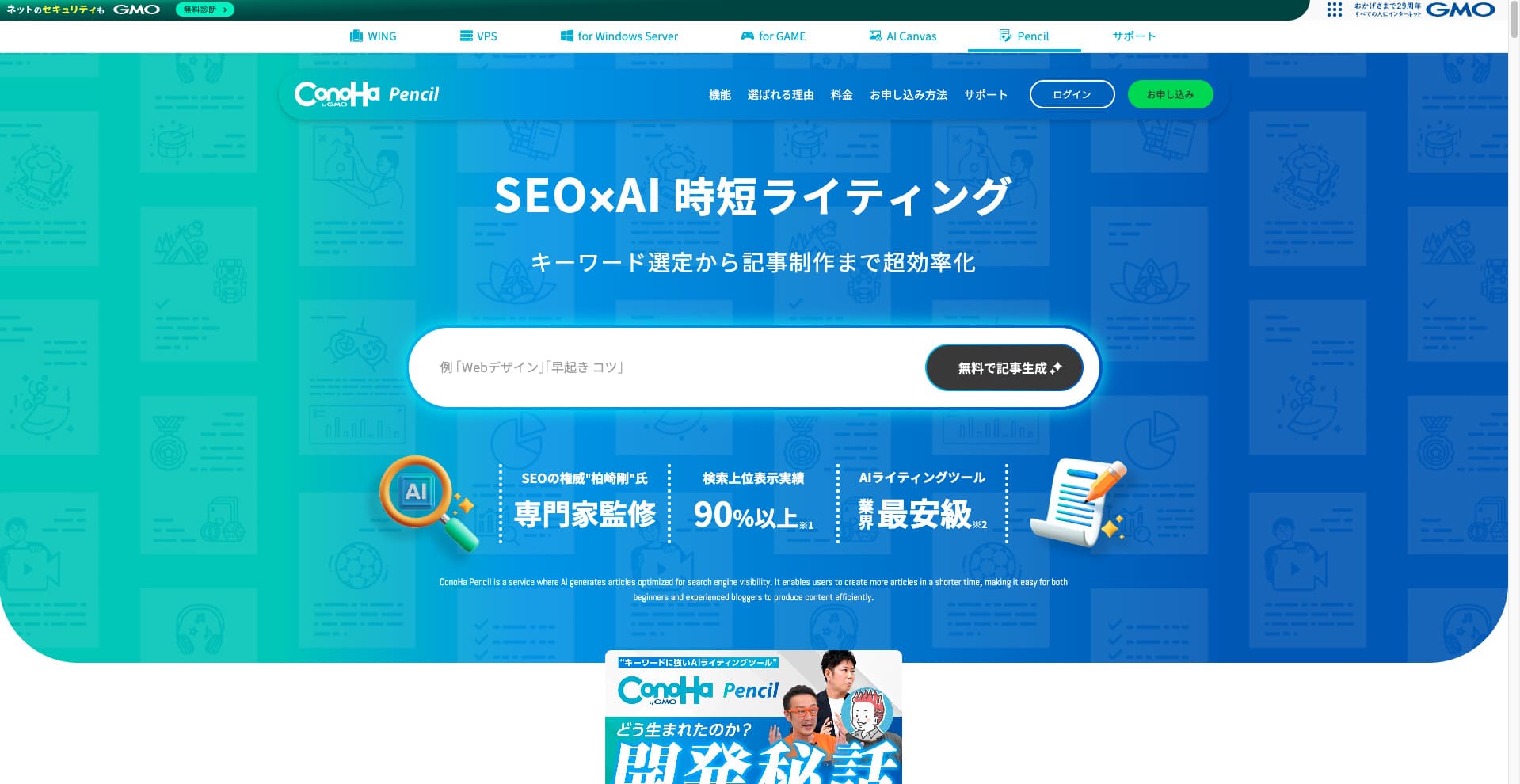
ConoHa WING daha önce Blog Creator adlı yapay zeka yazma aracını sunuyordu. Bu ürün artık güncellendi ve ConoHa Pencil olarak yeniden adlandırıldı. Temel kullanım şekli aynıdır.
Yapay zeka ile makale başlıkları, alt başlıklar ve gövde metinleri oluşturabilen veya bunları yeniden yazabilen ücretli bir araçtır. Bunu kullanmak, daha önce bir blog veya web sitesi için hiç makale yazmamış olsanız bile, SEO açısından güçlü ve okuyucuların takip etmesi kolay makaleler oluşturabileceğiniz anlamına gelir.
Hikaru Ono
Blog Creator kullandığınızda, makalenizin sıralamaya girmesi sadece ChatGPT gibi genel bir yapay zekaya doğrudan yazmanıza kıyasla daha olasıdır. ConoHa Pencil'ın da aynı etkiye sahip olmasını bekliyorum ve hatta şu anda doğruluğun daha da iyi olması gerekir.
İlgili article: ConoHa Pencil Review: Can This AI Writing Tool Really Produce Bkayıt Posts?
Control panel
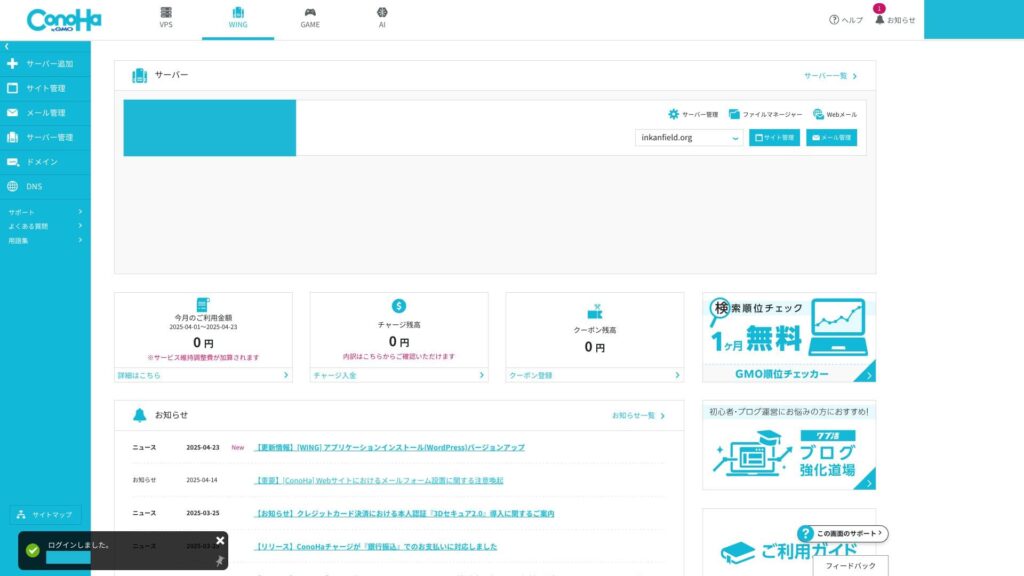
ConoHa WING kontrol paneli; sunucu ayarlarını, e-postaları, alan adlarını, SSL'yi ve WAF'ı tek bir ekrandan yönetmenizi sağlayan tescilli bir yönetim arayüzüdür. Görsel olarak anlaşılırdır ve ilk kez kullananlar için bile gezinmesi kolaydır.
- Top ekran
- Contract and payment
- WordPress
- Domain
- Backup
- DB
- FTP
- File yöneticisi
- Access analytics
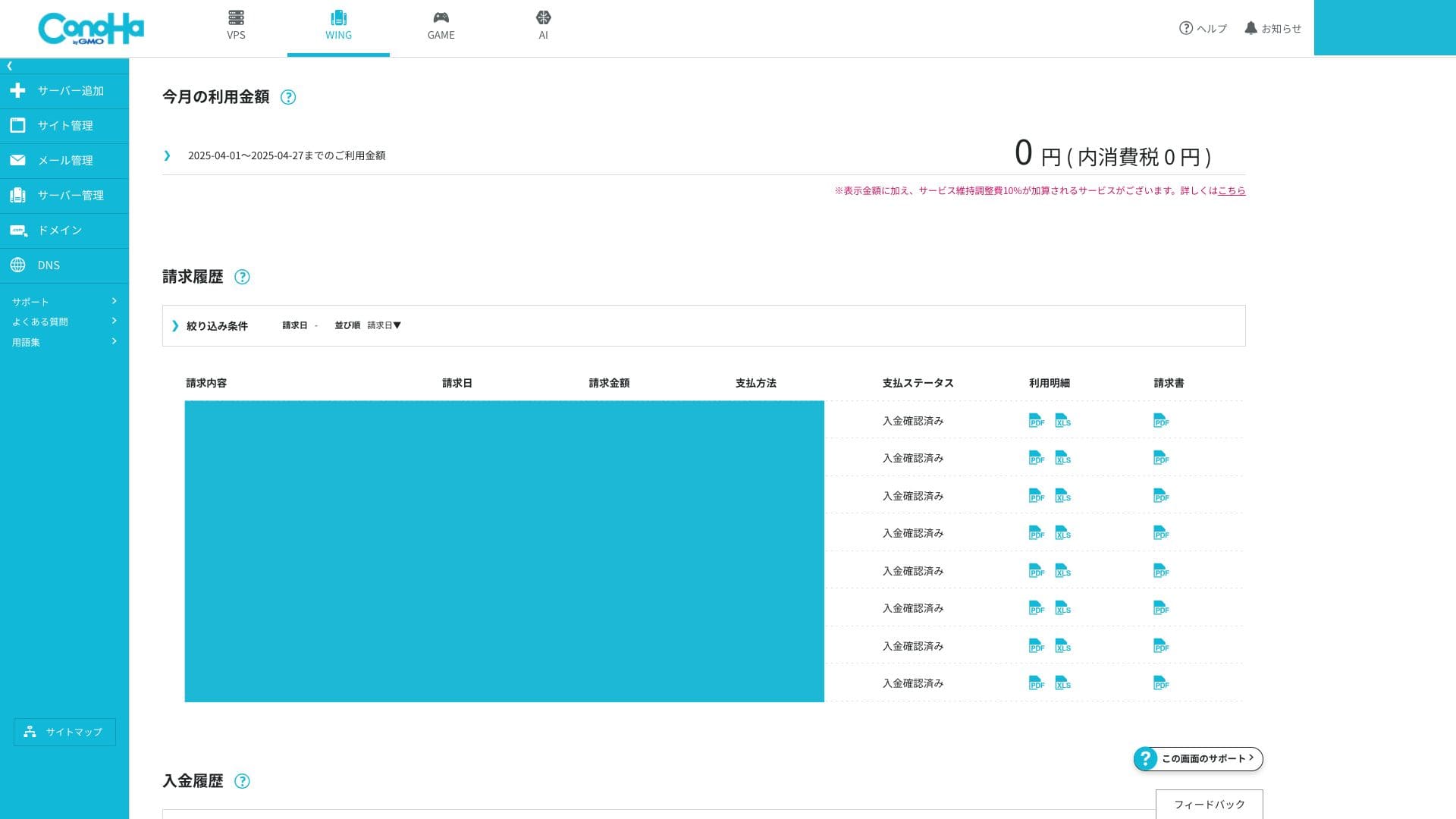
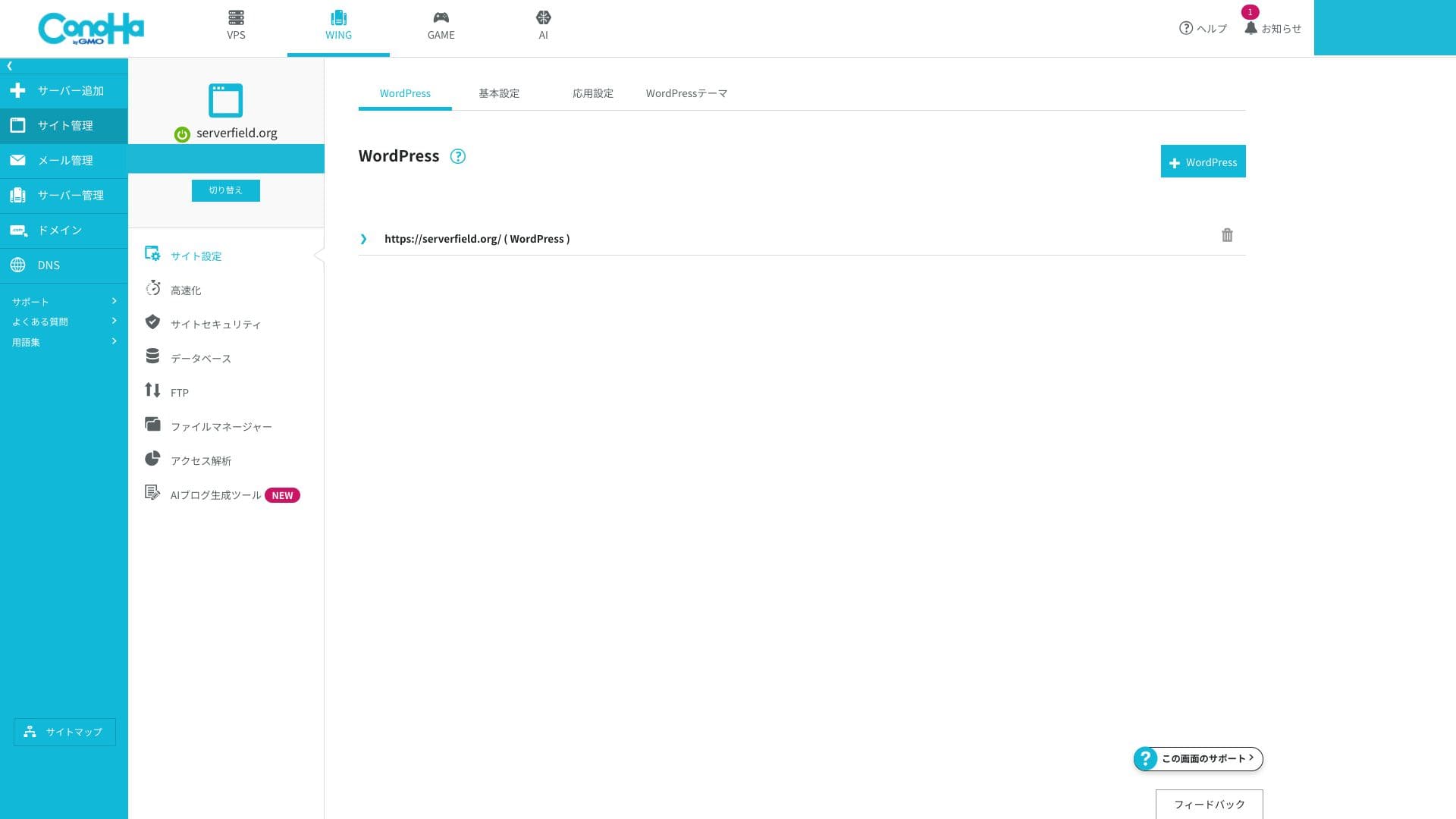
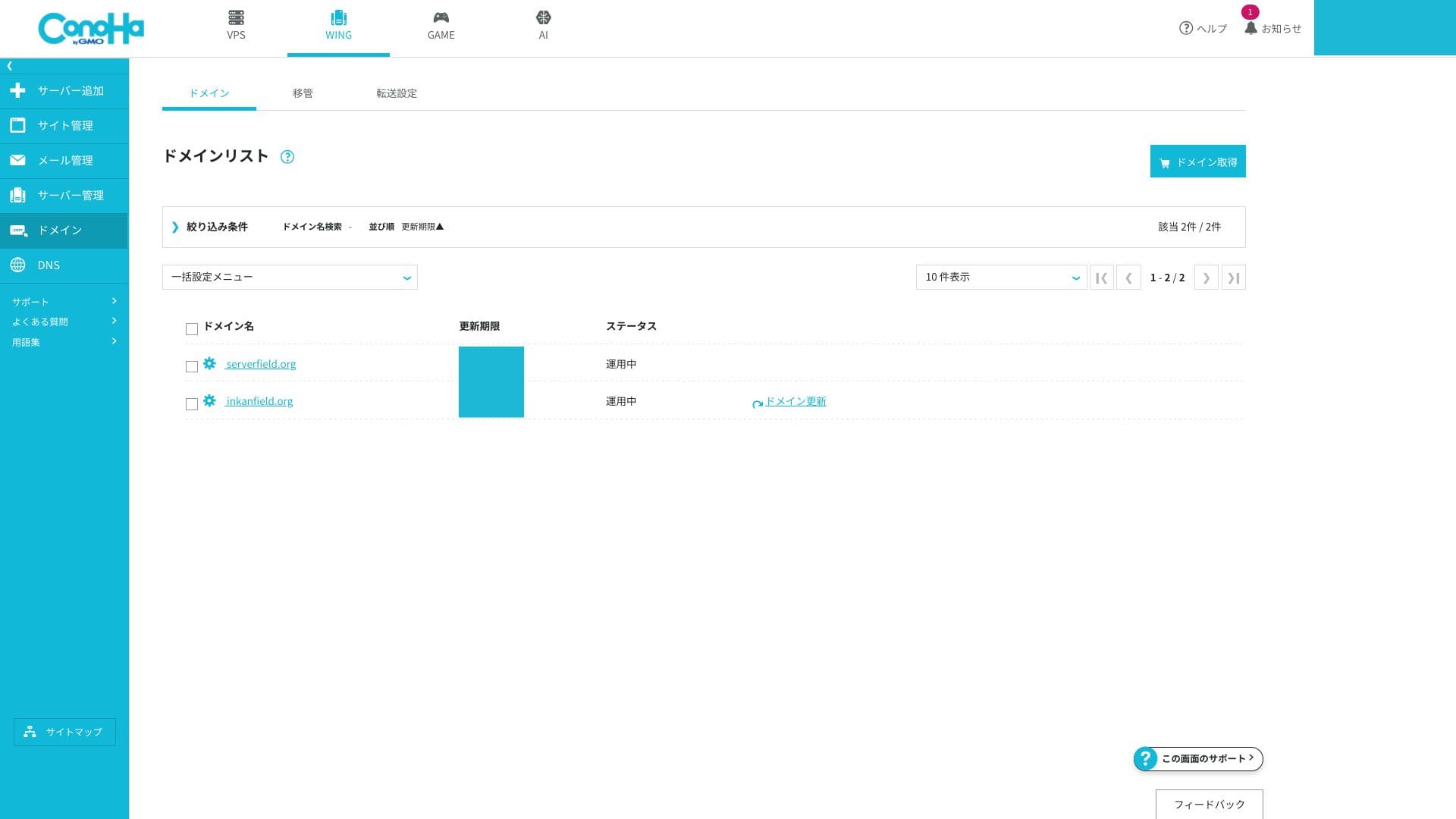
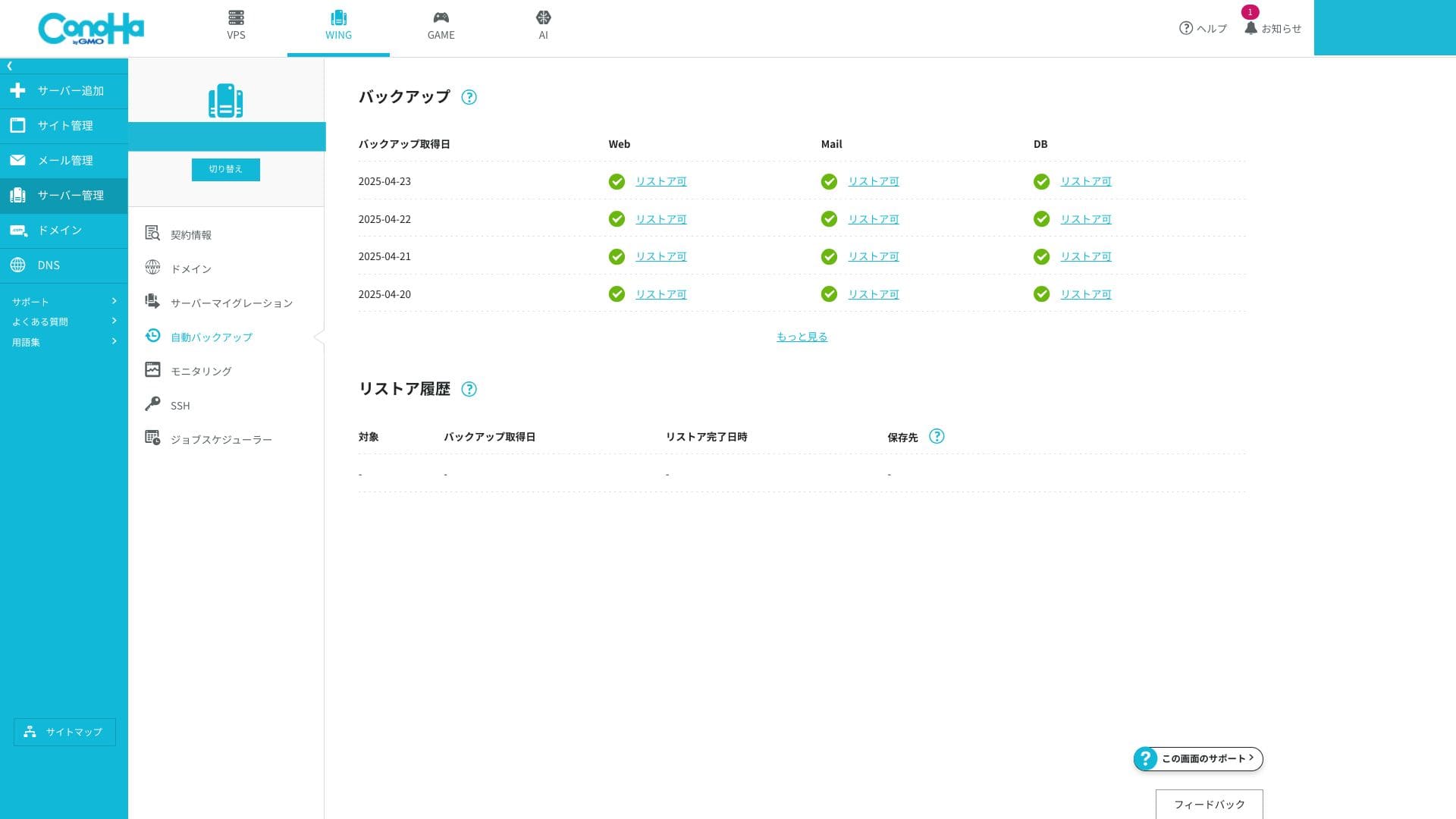
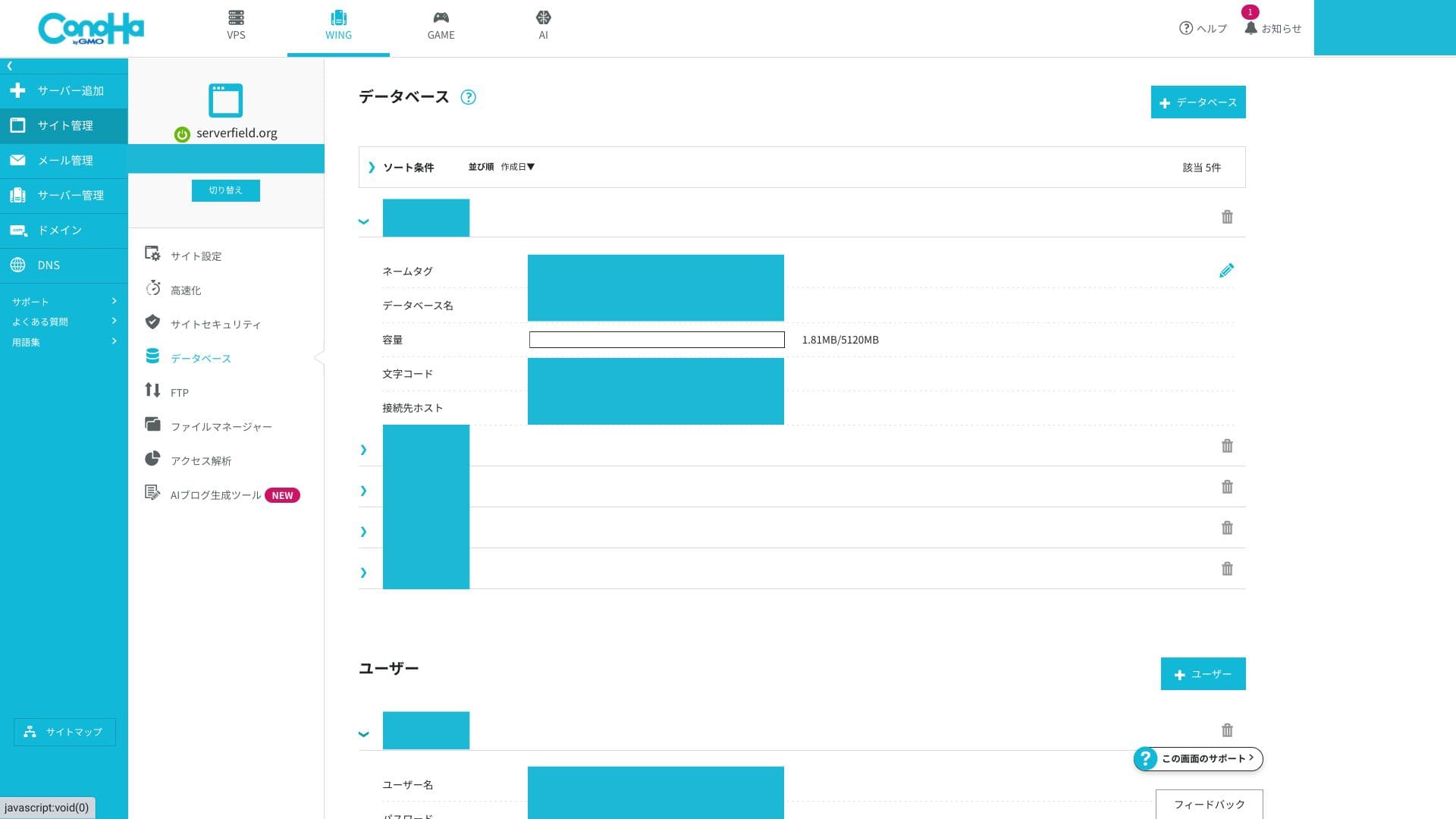
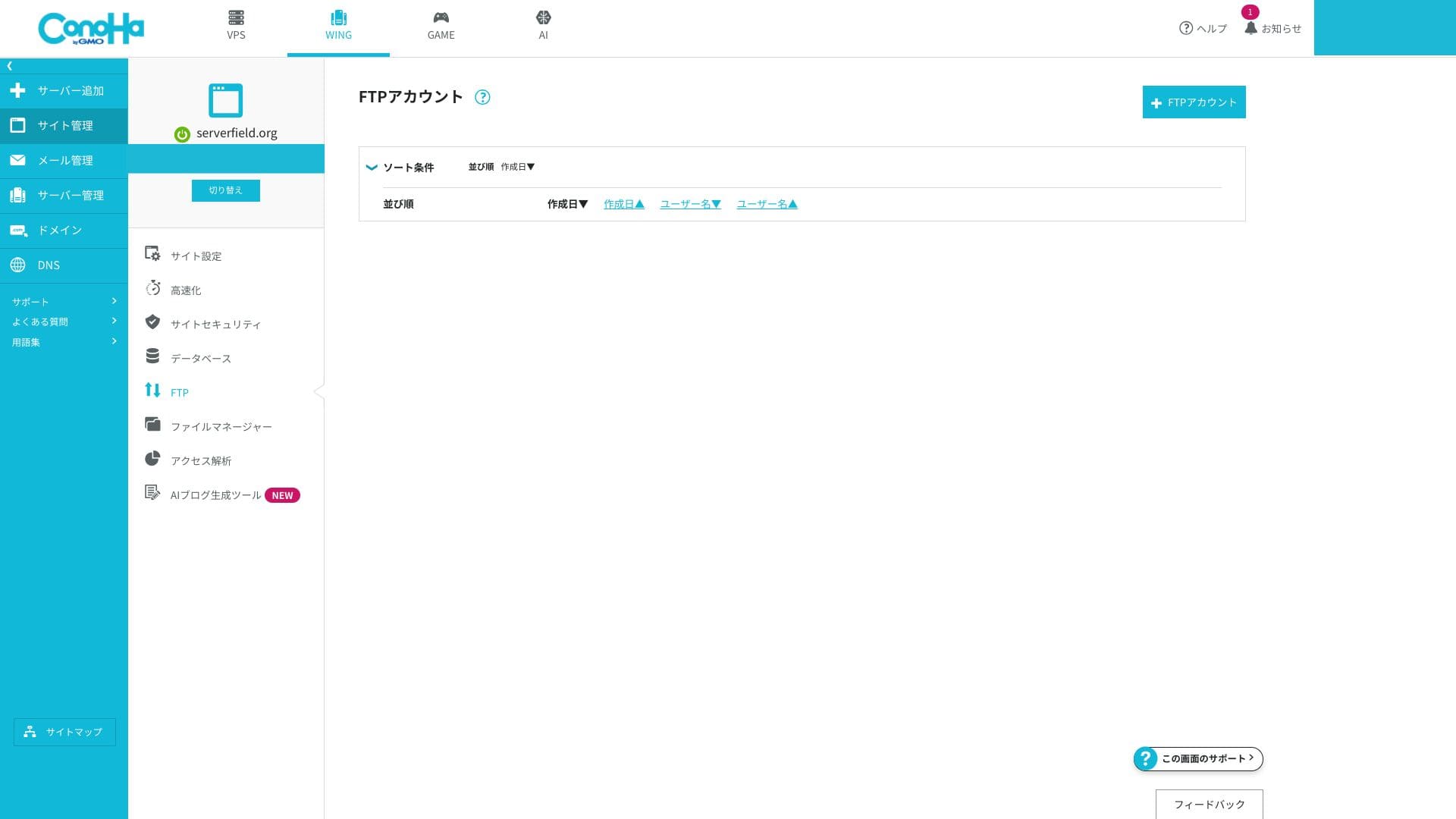
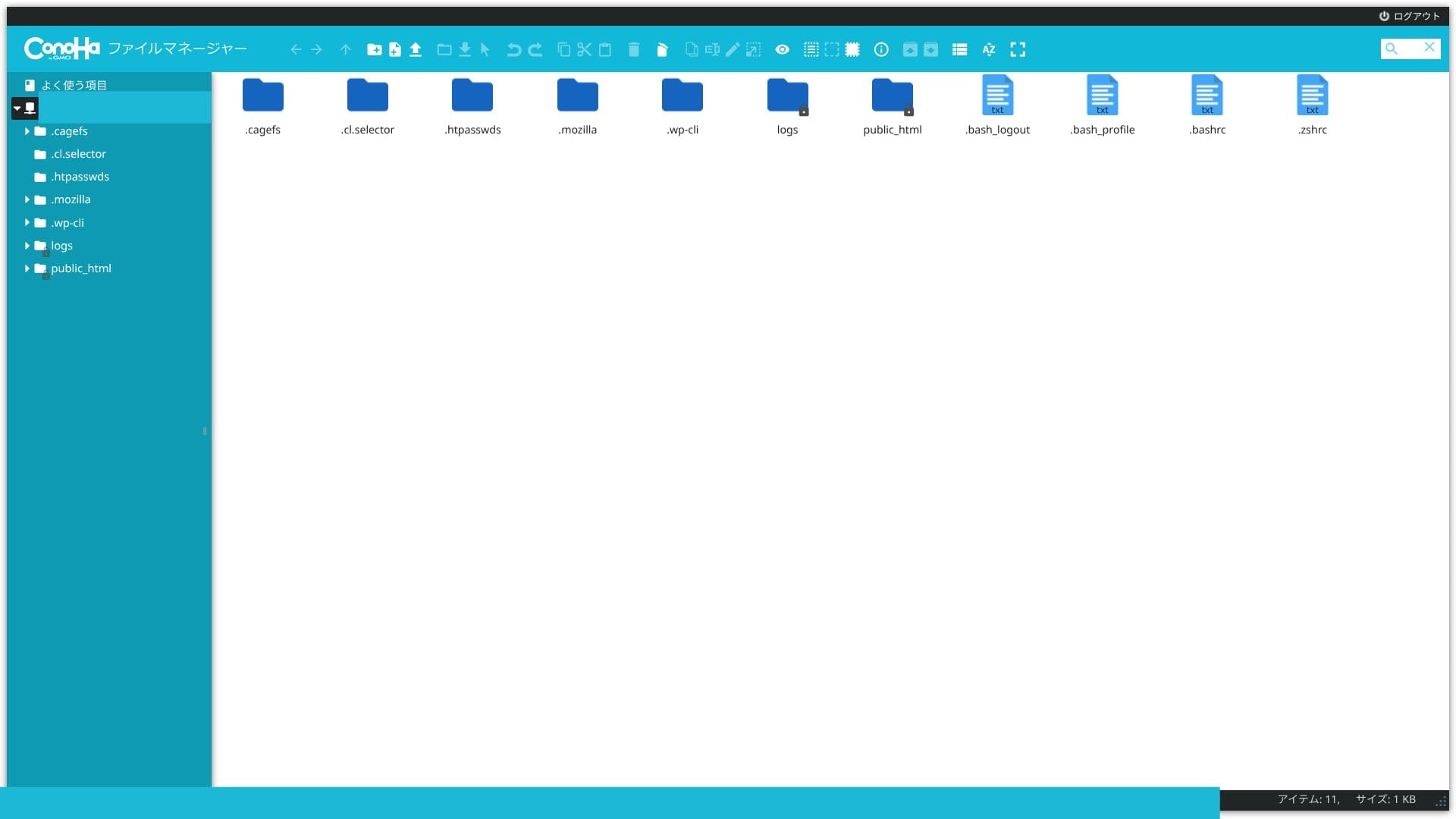
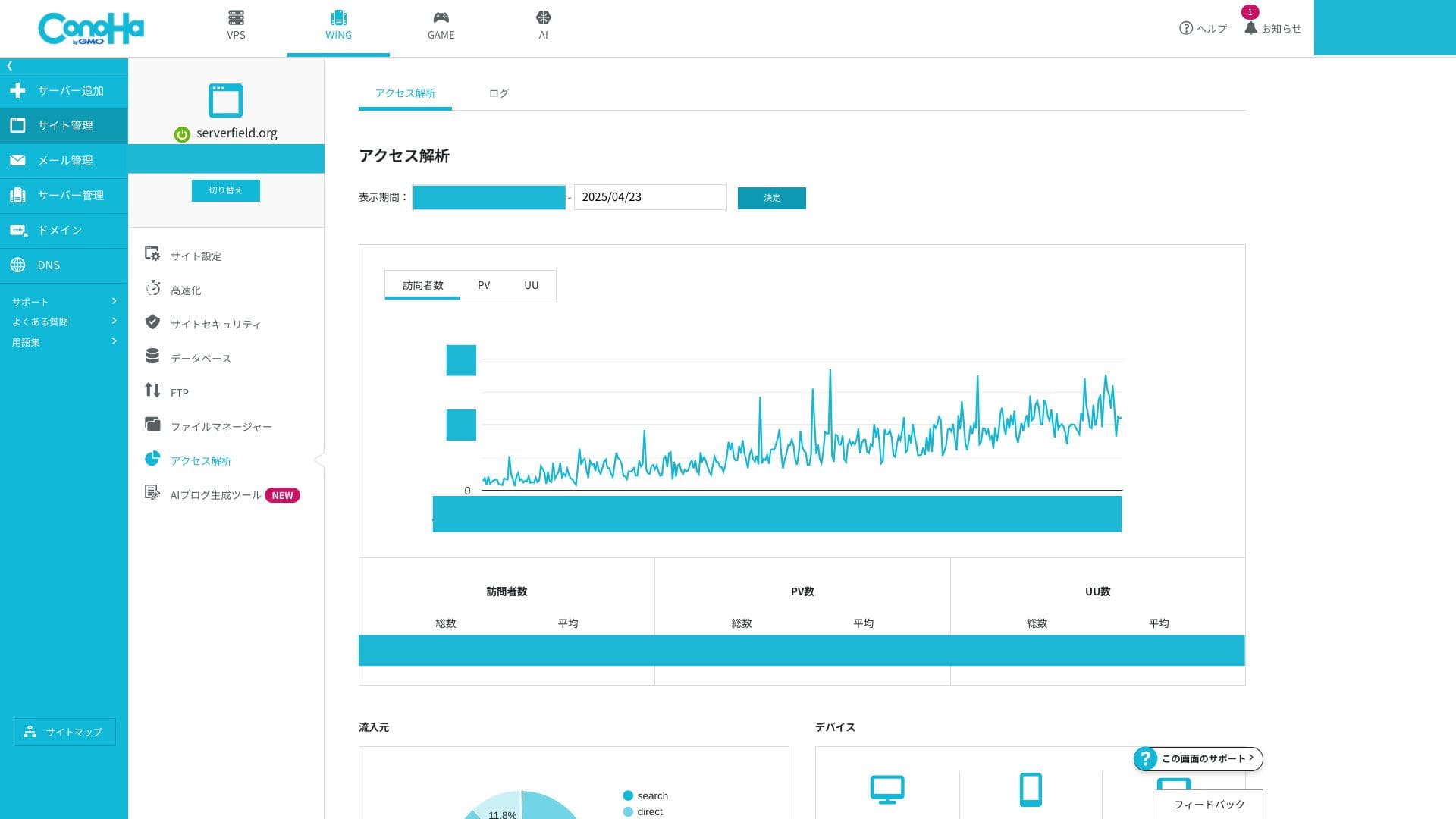
cPanel kullanmaya alışkınsanız, terminoloji ilk başta yabancı gelebilir. Ancak cPanel içindeki birçok işlevi yönetebilen herkes, ConoHa WING kontrol paneline çok hızlı bir şekilde alışabilmelidir.
Support sistem
Telefon ve sohbet desteği hafta içi 10:00 - 18:00 saatleri arasında gerçek zamanlı olarak sunulmaktadır. E-posta desteği günün 24 saati talepleri kabul eder ancak yanıtlar yalnızca hafta içi 10:00 - 18:00 saatleri arasında işleme alınır. Sitenizin mutlaka gece veya tatil günlerinde kapsanması gerekiyorsa, gece geç saatlerdeki ve hafta sonu sorunlarını kendi başınıza çözmeniz gerekebileceğini bilmelisiniz.
Hikaru Ono
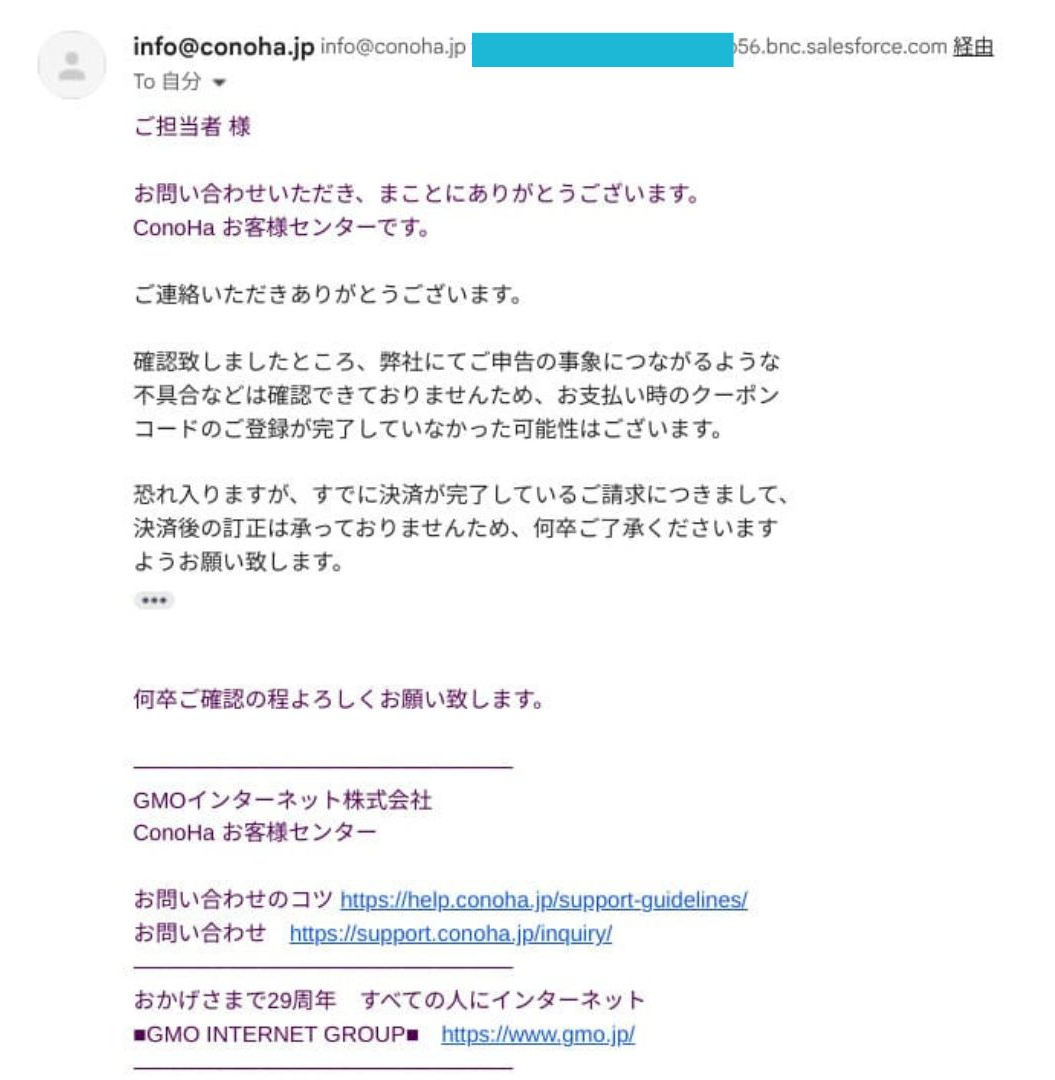
This is from real experience. When I entered a discount coupon during renewal, it was not reflected correctly and the renewal completed anyway. When I requested support, I was told that they could not correct payments after settlement.
Kılavuzlar ve SSS
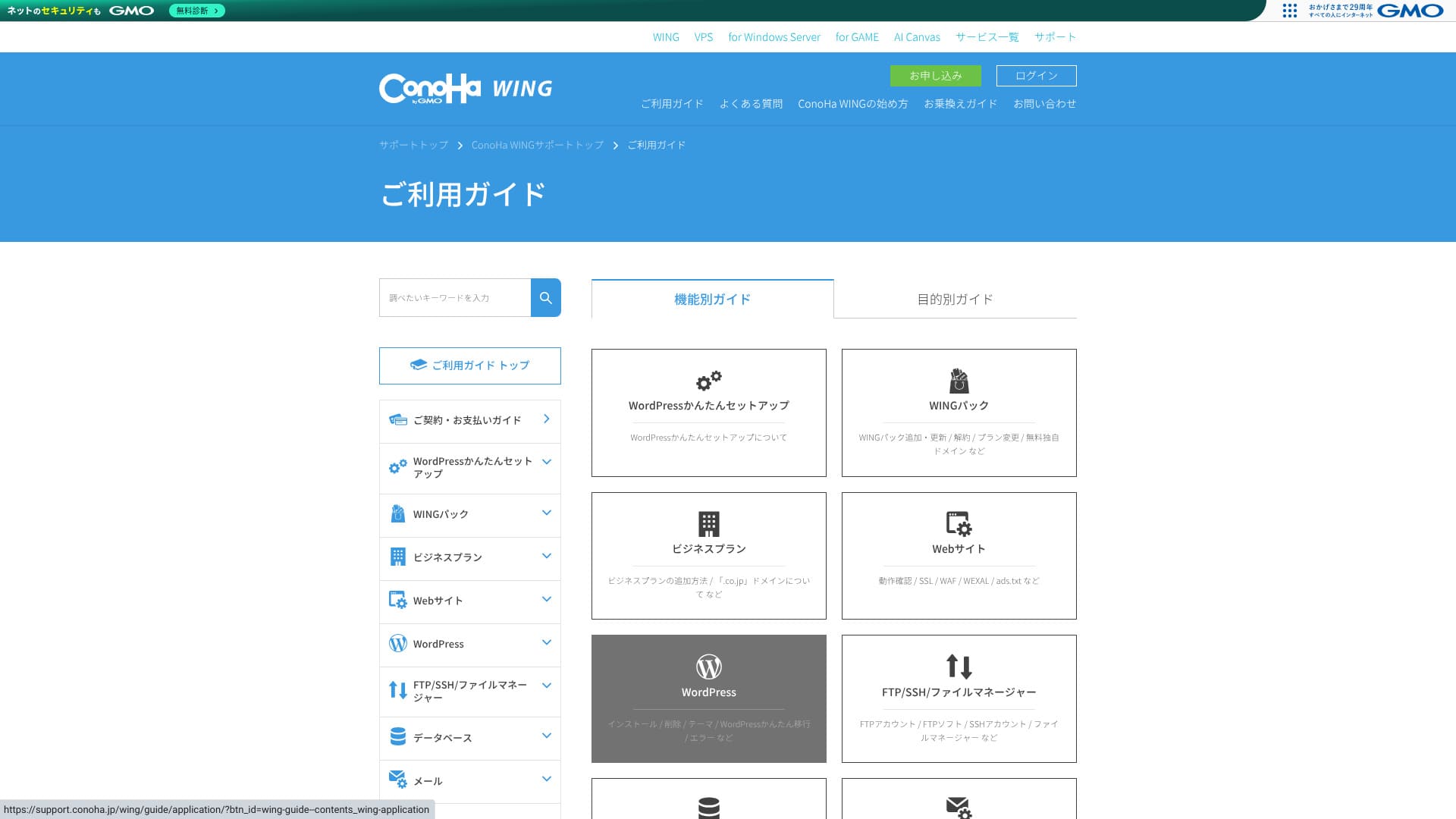
Resmi bilgi tabanı son derece kapsamlıdır. Görseller içerir ve anahtar kelime araması tam olarak ihtiyacınız olan makaleyi bulmanızı kolaylaştırır. Bu da sorunları kendi başlarına çözmek isteyen yeni ve orta düzeydeki kullanıcılar için büyük bir yardımcı olmasını sağlar.
Email features
ConoHa WING can handle not only your website but also your iş email operasyonlar in one package.
Unlimited email addresses and multi-domain operation
Her bir özel alan adı için hiçbir ek ücret ödemeden ve sayı sınırı olmadan e-posta adresleri oluşturabilirsiniz. Kontrol panelinden sadece birkaç tıklamayla tanımlanabilirler, bu nedenle karmaşık e-posta sunucusu yapılandırmalarıyla uğraşmanıza gerek kalmaz.
Because you can add as many addresses as you need for departments or individual staff members, it is also safe for companies in a growth phase.
You can centrally manage email for multiple domains under one contract. That makes it a strong fit for e-commerce operators or production companies that separate domains by brand.
Mailbox kapasite
Her bir adrese 10 MB ile yaklaşık 20 GB arasında istediğiniz miktarı serbestçe tahsis edebilir ve bu ayarları istediğiniz zaman değiştirebilirsiniz. Bu, kullanım senaryosuna göre ince ayar yapmanızı sağlar ve tek bir kullanıcının çok fazla kapasite tüketmesini engellemeye yardımcı olur.
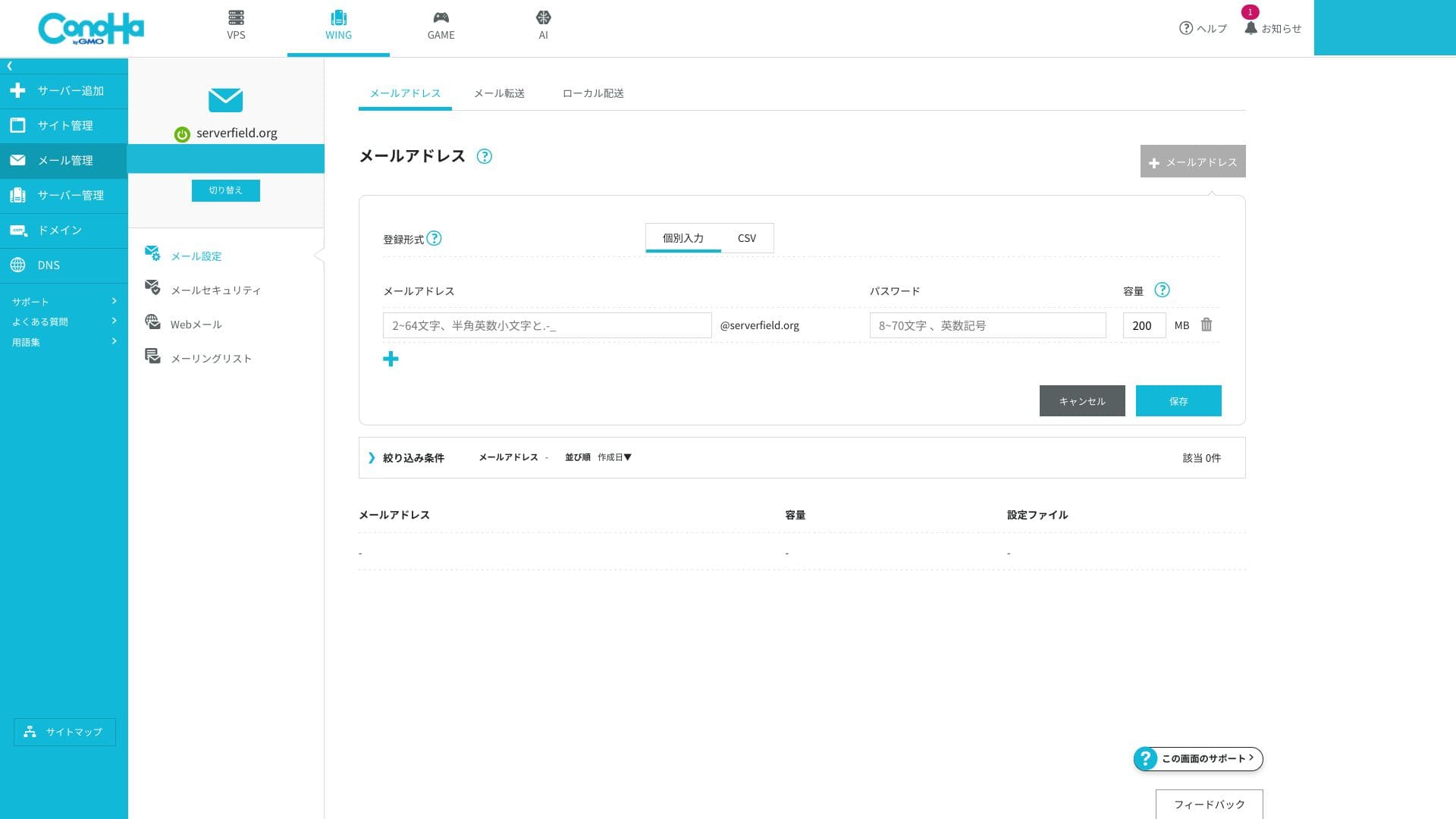
E-posta depolama alanı sunucunun genel SSD kapasitesiyle paylaşıldığından, büyük hacimli e-postalar saklamayı planlıyorsanız kalan depolama alanını takip etmeniz gerekir. E-posta kullanımınız yoğunsa daha yüksek bir plana geçin.
Webmail and client connections
ConoHa WING, e-postaları kontrol etmek ve göndermek için tarayıcı tabanlı bir arayüz sunar ve arayüzü akıllı telefonlarda bile kolayca kullanılabilir.
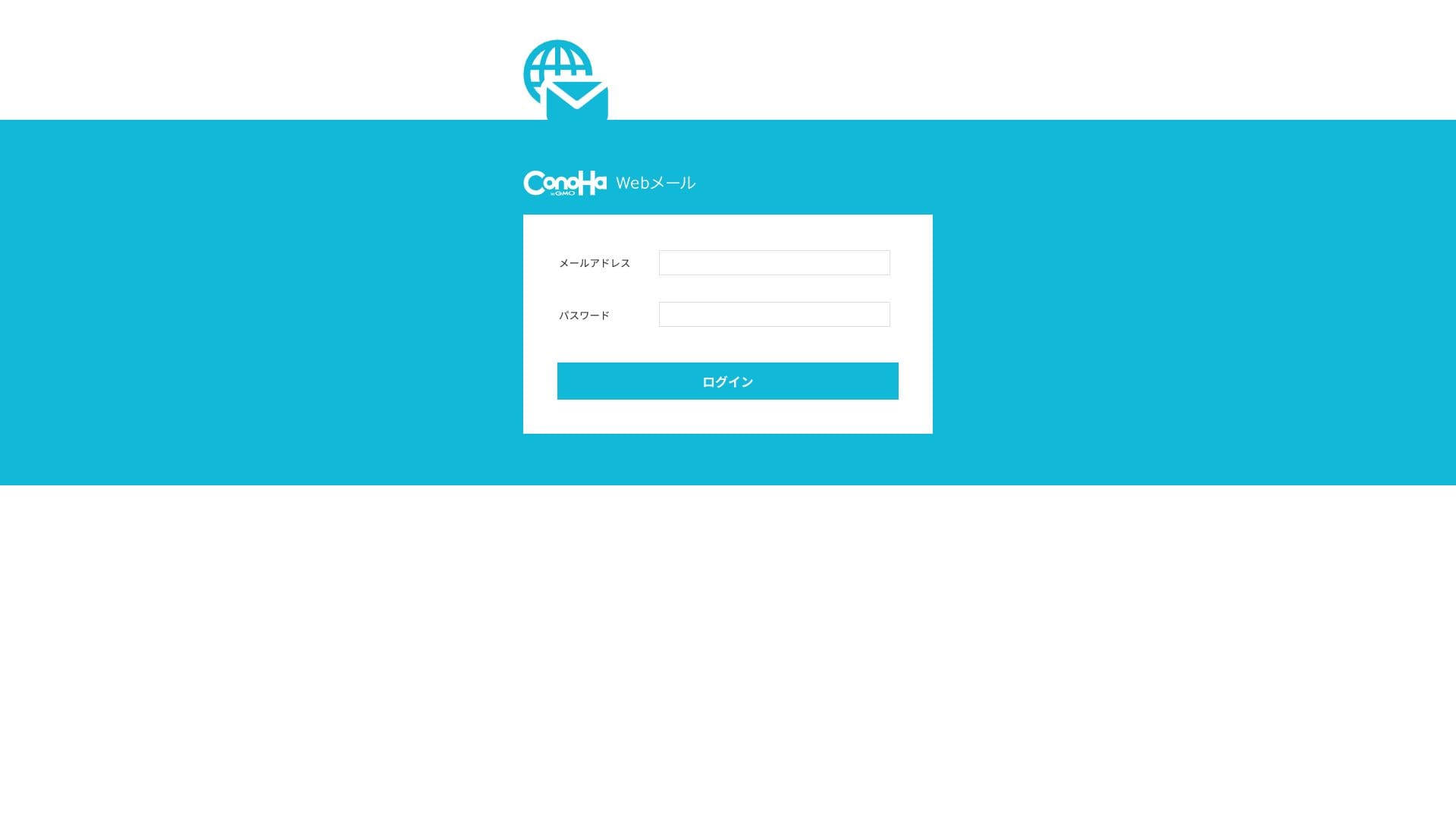
Ayrıca e-posta göndermek ve almak için kullanılan standart iletişim protokollerini de destekler, böylece Outlook ve Gmail gibi harici istemcilerden bağlanabilirsiniz. IMAP ve TLS desteklenir ve şifreli iletişim standarttır, bu da ofis dışında olsanız bile e-postaları güvenle yönetmenizi sağlar.
Security measures (SPF, DKIM, DMARC, spam, and viruses)
Bunlar, sahte e-postaları önleyen ve Gmail gibi hizmetlerde spam klasörüne düşmenizi engelleyen gönderen alanı doğrulama teknolojileridir. SPF og DKIM standart olarak yapılandırılmıştır ve DMARC da GUI üzerinden tek bir tıklamayla uygulanabilir. ConoHa WING, Gmail'in yönergelerine uyduğunu açıkça belirtmektedir.
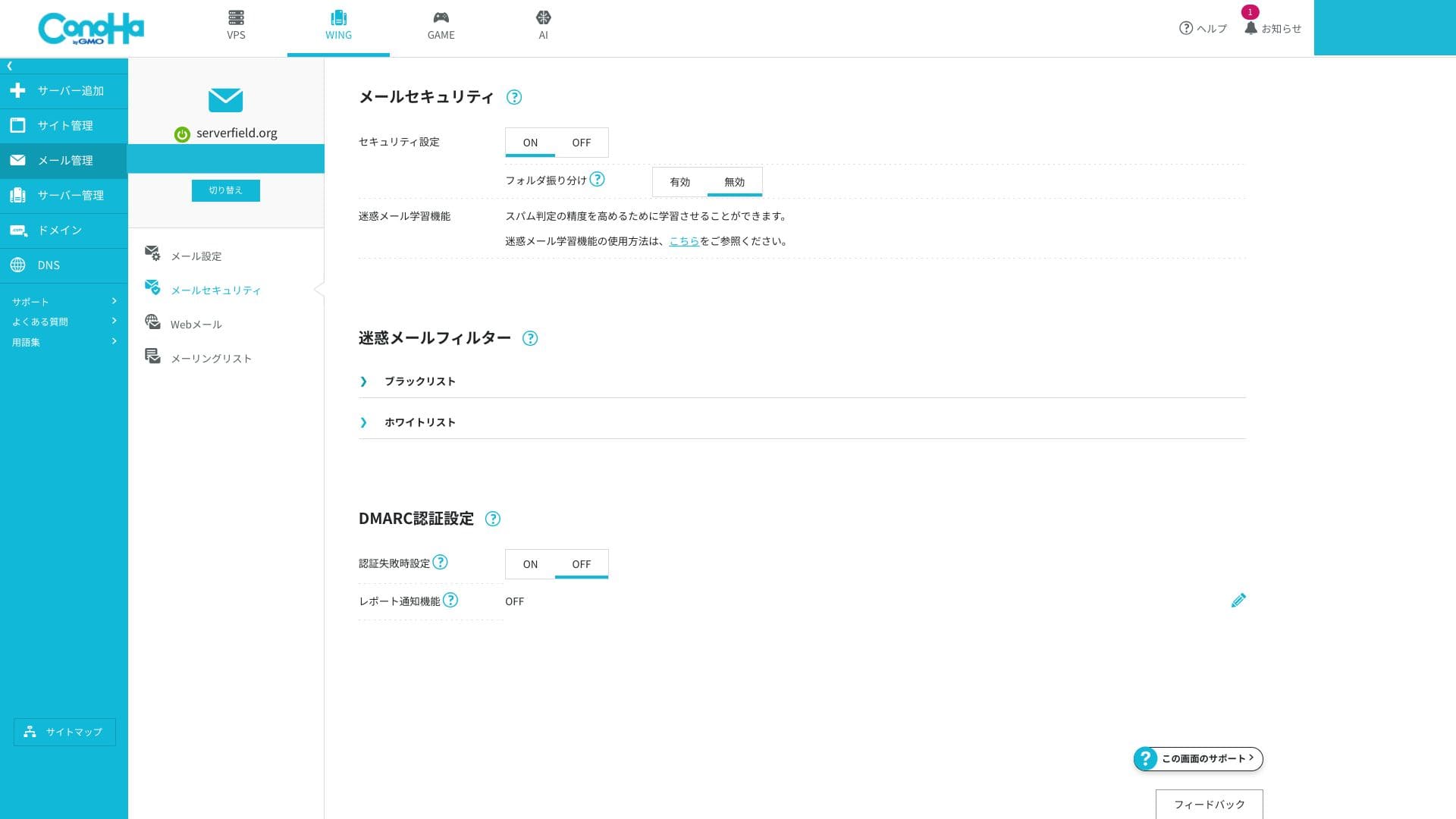
Sunucu tarafı spam ve kötü amaçlı yazılımları engeller ve şüpheli iletileri otomatik olarak özel bir önemsiz klasörüne ayırır. Bu ücretsiz olarak etkinleştirilebildiği ve virüs tespit edilen iletiler otomatik olarak atıldığı için genel güvenlik düzeyi yüksektir.
Çok ayrıntılı özel filtreleme kuralları oluşturma yeteneği sınırlıdır, bu nedenle ciddi e-posta pazarlama gereksinimleriniz varsa, bunun yanında harici bir özel hizmeti düşünmeye değer.
Helpful features (forwarding, auto-replies, overseas IP restrictions, mailing lists, and more)
You can forward incoming mail to another address and send automatic replies when you are away. There is also a setting that blocks email sending and receiving from overseas IP addresses, which helps reduce the risk of account compromise.
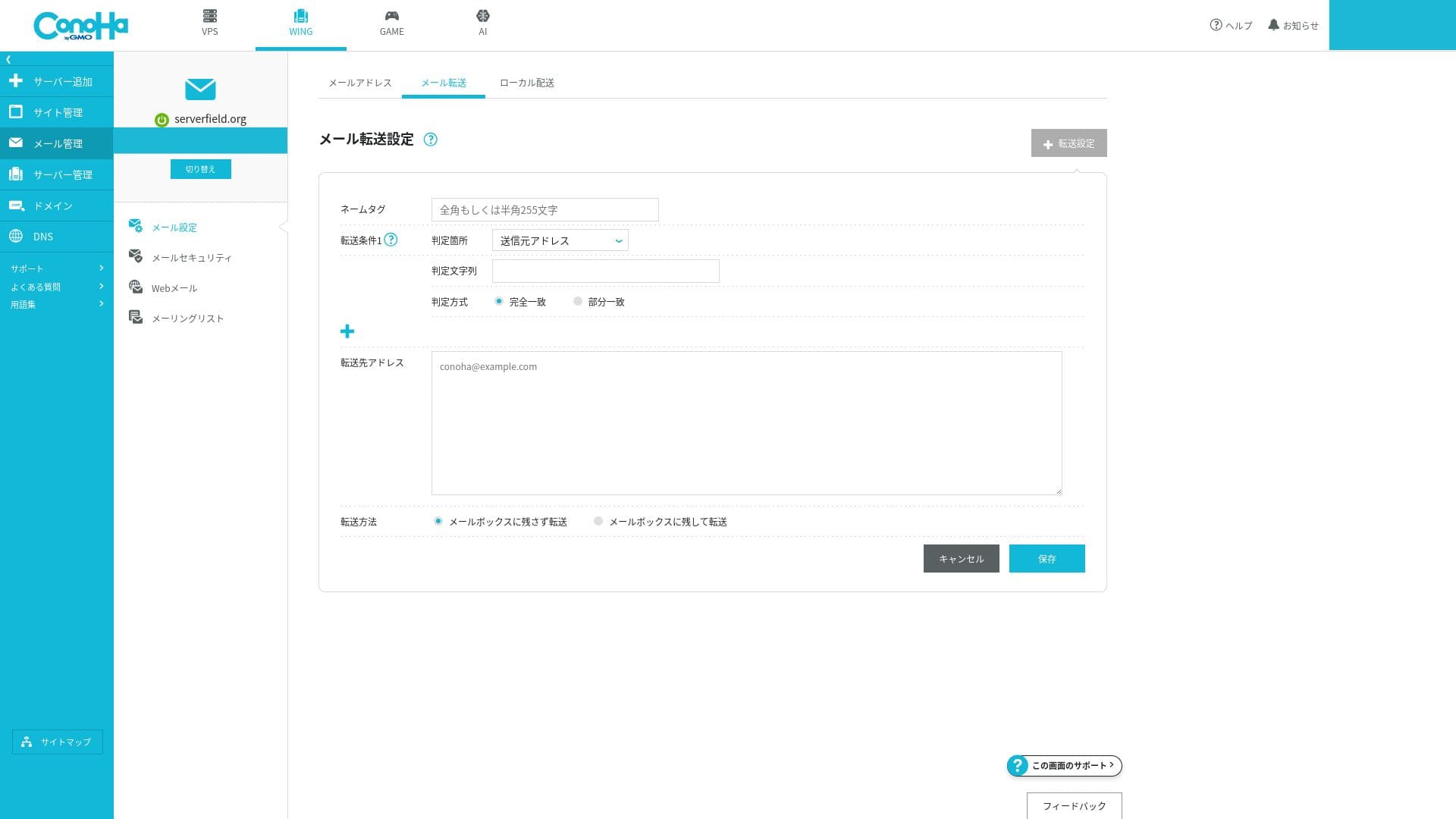
Because all of these can be turned on or off easily from the GUI, even beginners can operate mail securely.
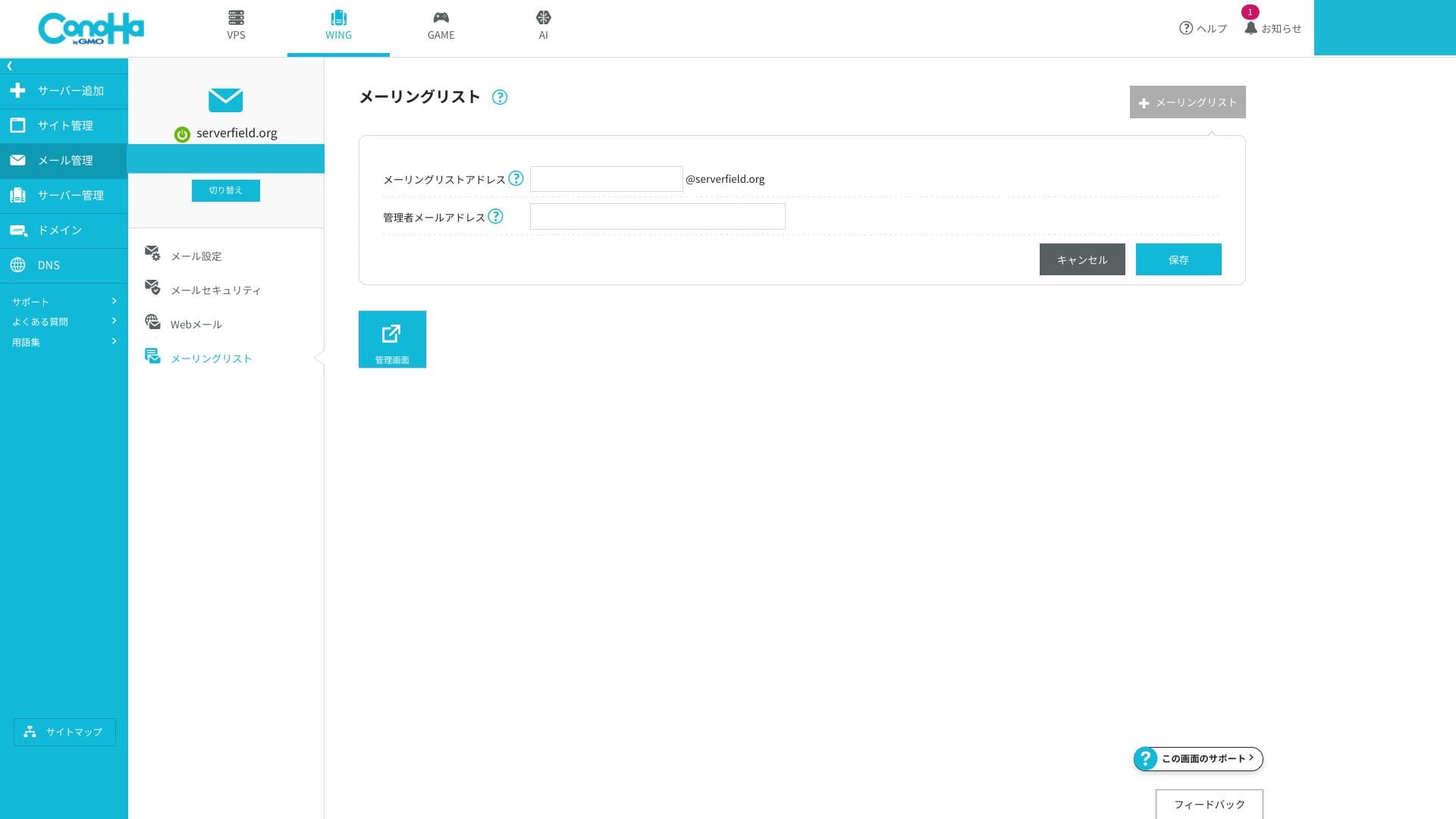
You can also create mailing lists easily.
Overall email assessment
ConoHa WING'in e-posta özellikleri, küçük bir şirket veya şahıs şirketi için ticari e-postaları uygun maliyetli bir şekilde yönetmek istediğiniz durumlar için mükemmel bir eşleşmedir. Ekstra çaba sarf etmeden özel bir alan adının güvenilirliğini ve gönderici alanı doğrulamasını sağlama yeteneği büyük bir avantajdır. Öte yandan, kurumsal düzeyde spam kontrolüne veya e-posta yönetimine ihtiyacınız varsa, özel bir e-posta hizmeti daha uygun olabilir.
| Evaluation item | Strength | Concern / issue |
|---|---|---|
| Number of addresses | Unlimited and easy to issue | — |
| Kapasite management | Flexible setting from 10MB to 20GB | Toplam sunucu SSD kapasitesiyle paylaşılır |
| Authentication technokayıty | Standart olarak SPF ve DKIM, GUI üzerinden desteklenen DMARC | No kurumsal-oriented S/MIME certificate management |
| Threat protection | Spam filtering and virus blocking included | Advanced rule customization is limited |
Hikaru Ono
Yüzlerce posta kutusu çalıştırmanız gerekiyorsa veya kurumsal düzeyde spam kontrollerine ihtiyaç duyuyorsanız, ConoHa WING'i özel bir e-posta SaaS çözümü ile birleştirmek daha güvenli olacaktır.
Security and backups
WAF and WordPress security
ConoHa WING, bir web uygulaması güvenlik duvarı olan WAF sağlar. SQL enjeksiyonu ve XSS dahil olmak üzere ondan fazla saldırı türünü bir GUI aracılığıyla engelleyebilir. Kullanımı ücretsizdir, kontrol panelinden günlükleri görüntüleyebilir ve istisnaları yapılandırabilirsiniz.
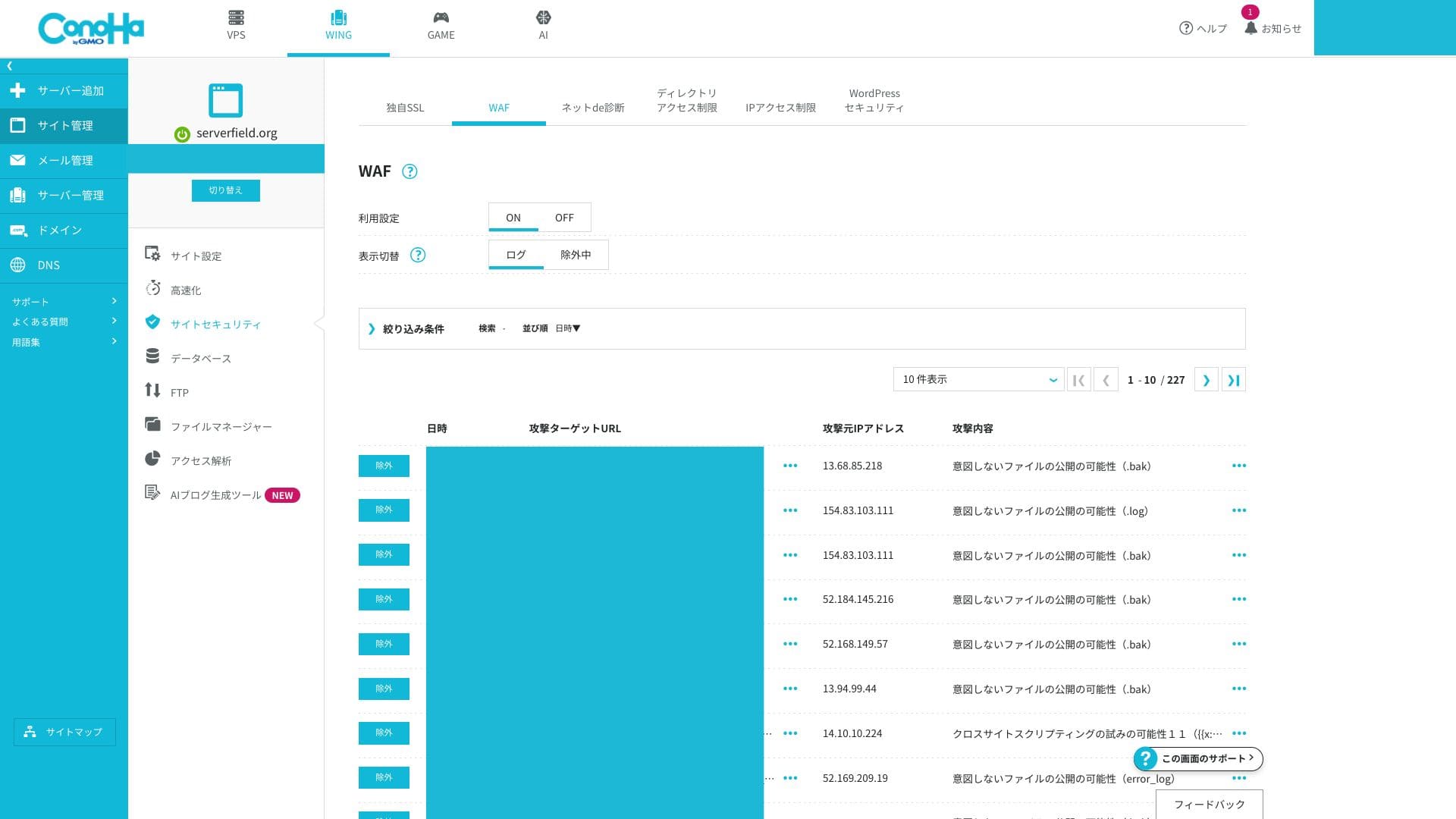
Advanced users who want to build very fine-grained custom rules may find it a little limited.
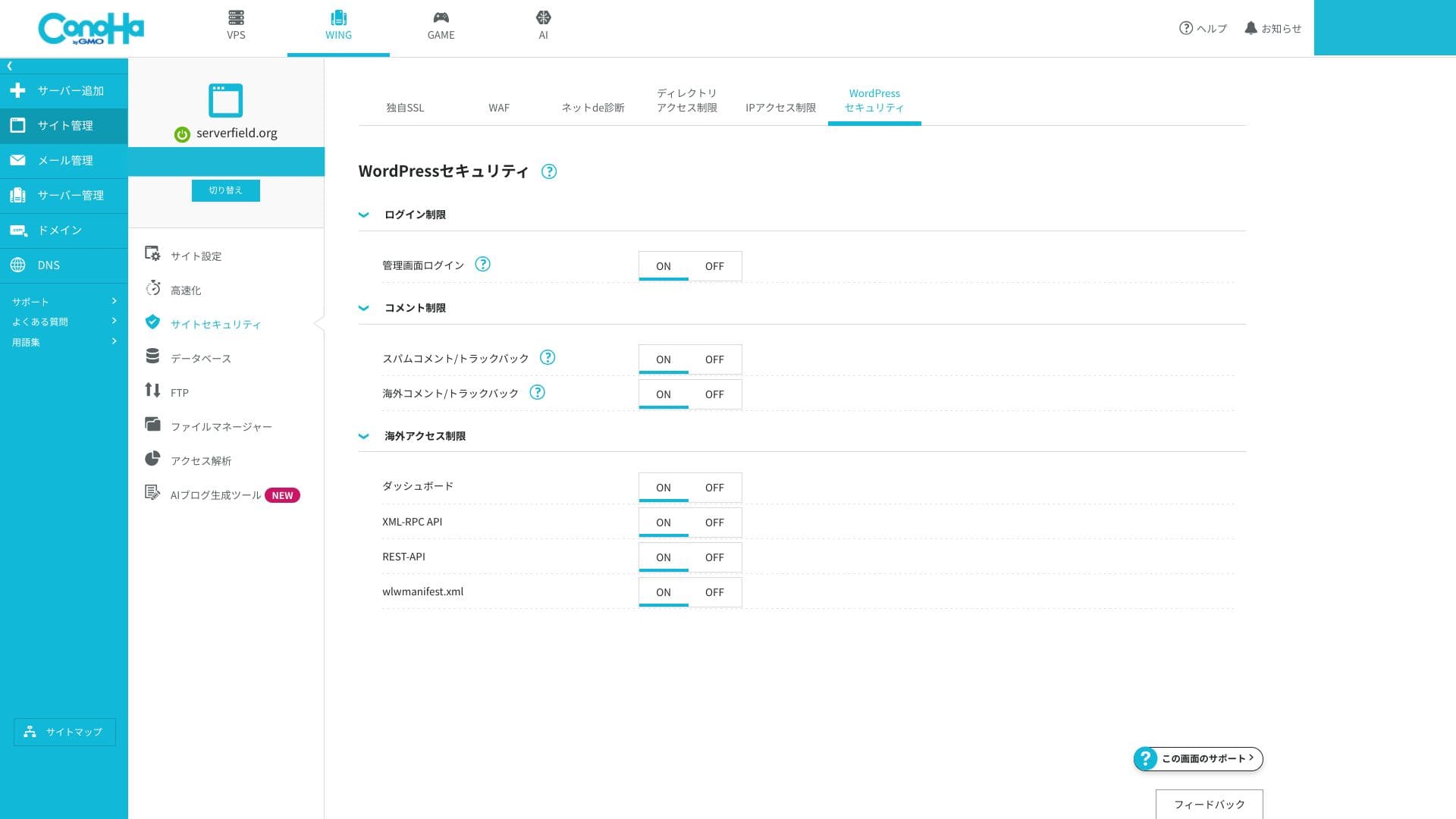
WordPress güvenlik ayarlarını da ayrıntılı olarak yapılandırabilirsiniz. Giriş denemesi sınırları ve XML-RPC devre dışı bırakma işlemleri, ekstra eklenti eklemeden ekrandan etkinleştirilebilir; bu da sitenizi daha hafif tutarken temel özellikleri güçlendirmenizi sağlar.
Automatic backups
ConoHa WING, 14 gün boyunca otomatik yedeklemeleri içerir. Web verilerini, veritabanlarını ve e-postaları her gün otomatik olarak kaydeder ve kontrol panelinden tek bir tıklamayla bunları geri yükleyebilirsiniz. Ücretsiz geri yüklemeler hala nispeten nadirdir.
Verilerin saklanması 14 gün sürdüğü için aylık anlık görüntülere ihtiyacınız varsa bunu harici bir yedeklemeyle birleştirmelisiniz. WordPress de bu amaç için size bolca eklenti seçeneği sunar.
How to restore a backup file
- Step 1: Kontrol paneline giriş yapın.
- Step 2: Open "Server Management" and choose "Automatic Backup."
- Step 3: Select the backup you want to restore and run the restore action.
İlgili article: Five Powerful WordPress Backup Plugins for Recovering Your Data
Other feature reviews
GMO Rank Denetleyici
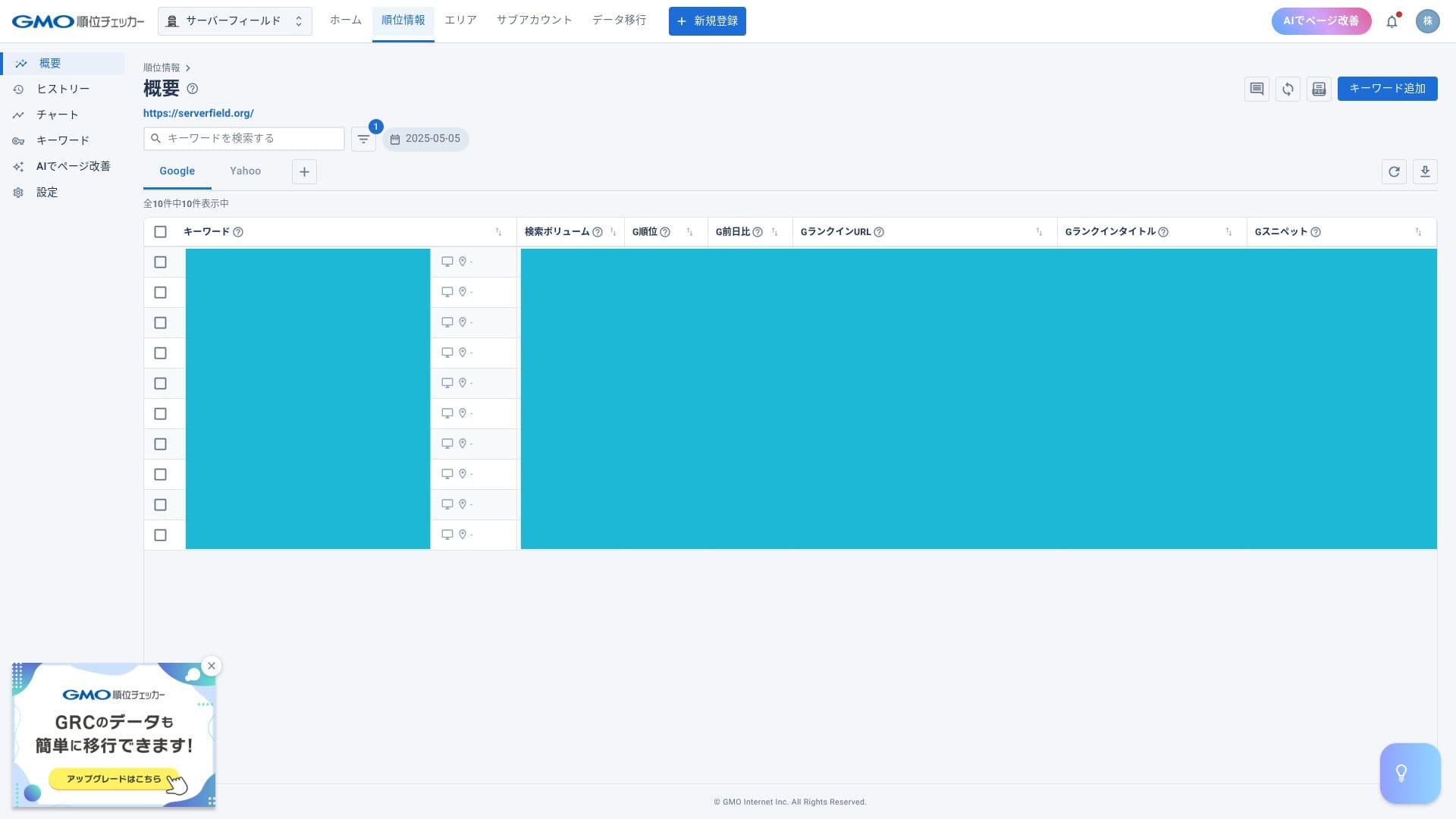
ConoHa WING, GMO Rank Checker'ı bir ay ücretsiz og ardından indirimli bir fiyata kullanmanıza olanak tanır. GMO Rank Checker, belirli anahtar kelimelerin günlük sıralamasını otomatik olarak ölçer. Anahtar kelimeleri manuel olarak kontrol etmekten daha fazla bilgi toplar ve bunu daha hızlı yapar. Ayrıca sıralama değişikliklerini grafikler ve benzeri görseller aracılığıyla incelemenize olanak tanır.
Hikaru Ono
İndirimli fiyat yalnızca abonelere özeldir. Sunucuya kaydolduktan sonra kontrol panelinden başvurabilirsiniz.
How to access GMO Rank Denetleyici
- Step 1: Kontrol paneline giriş yapın.
- Step 2: Bildirimler alanını açın.
- Step 3: ConoHa WING aboneleri için GMO Rank Checker hakkındaki yayın bildirimini arayın ve oradan devam edin.
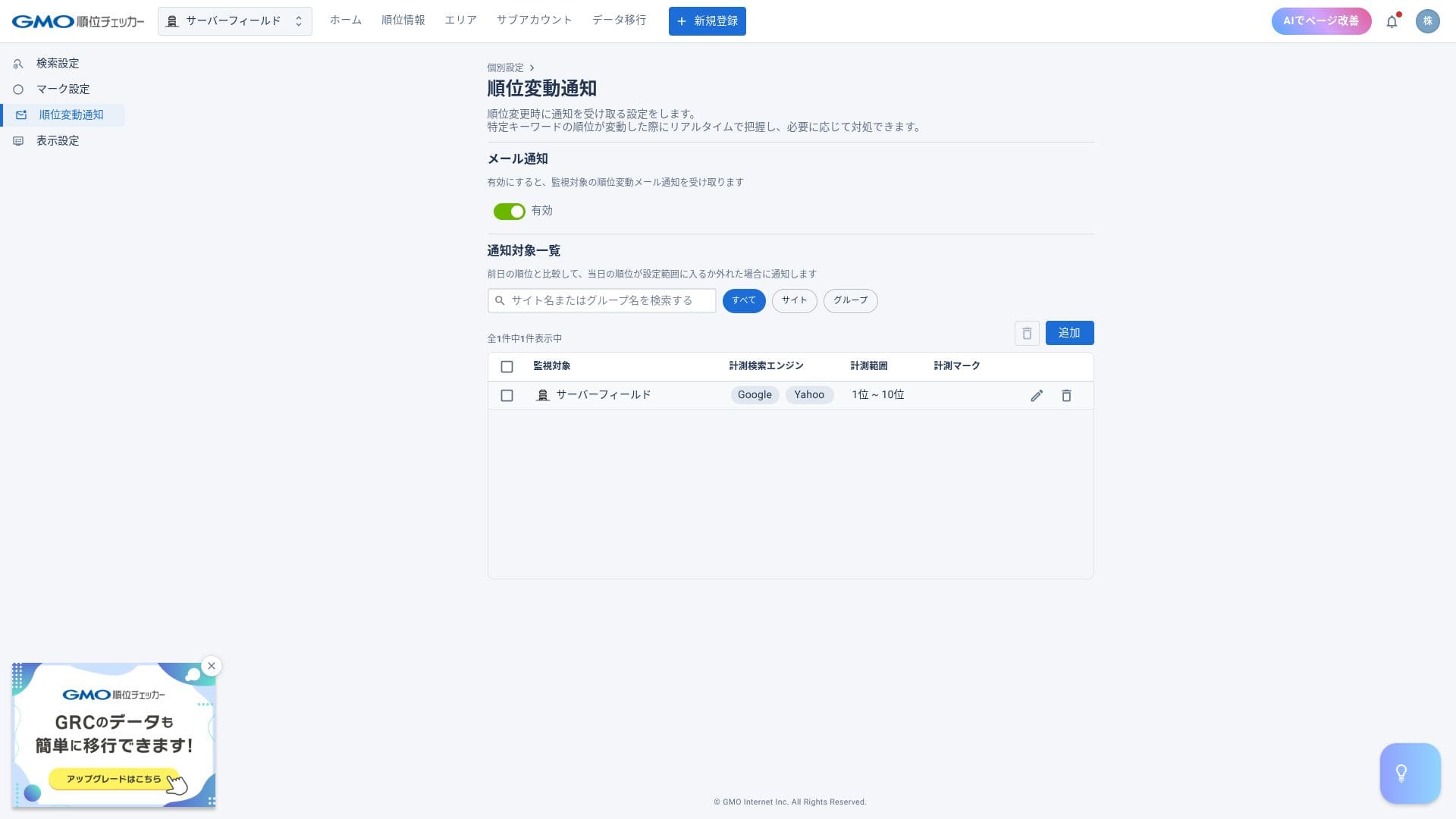
Bir sıra takip edici ile belirli anahtar kelimelerin konumlarını kontrol edebilir ve sıralamalar değiştiğinde e-posta uyarıları alabilirsiniz.
Server migration
Belirli bir sunucuda barındırılan site sayısı arttığında, ConoHa WING sunucu taşıma işlemi gerçekleştirebilir, diğer bir deyişle sizi başka bir sunucuya taşıyabilir. Tek bir sunucuda daha fazla kullanıcı biriktikçe, yüksek yük ve daha yavaş sayfa dağıtımı olasılığı artar.
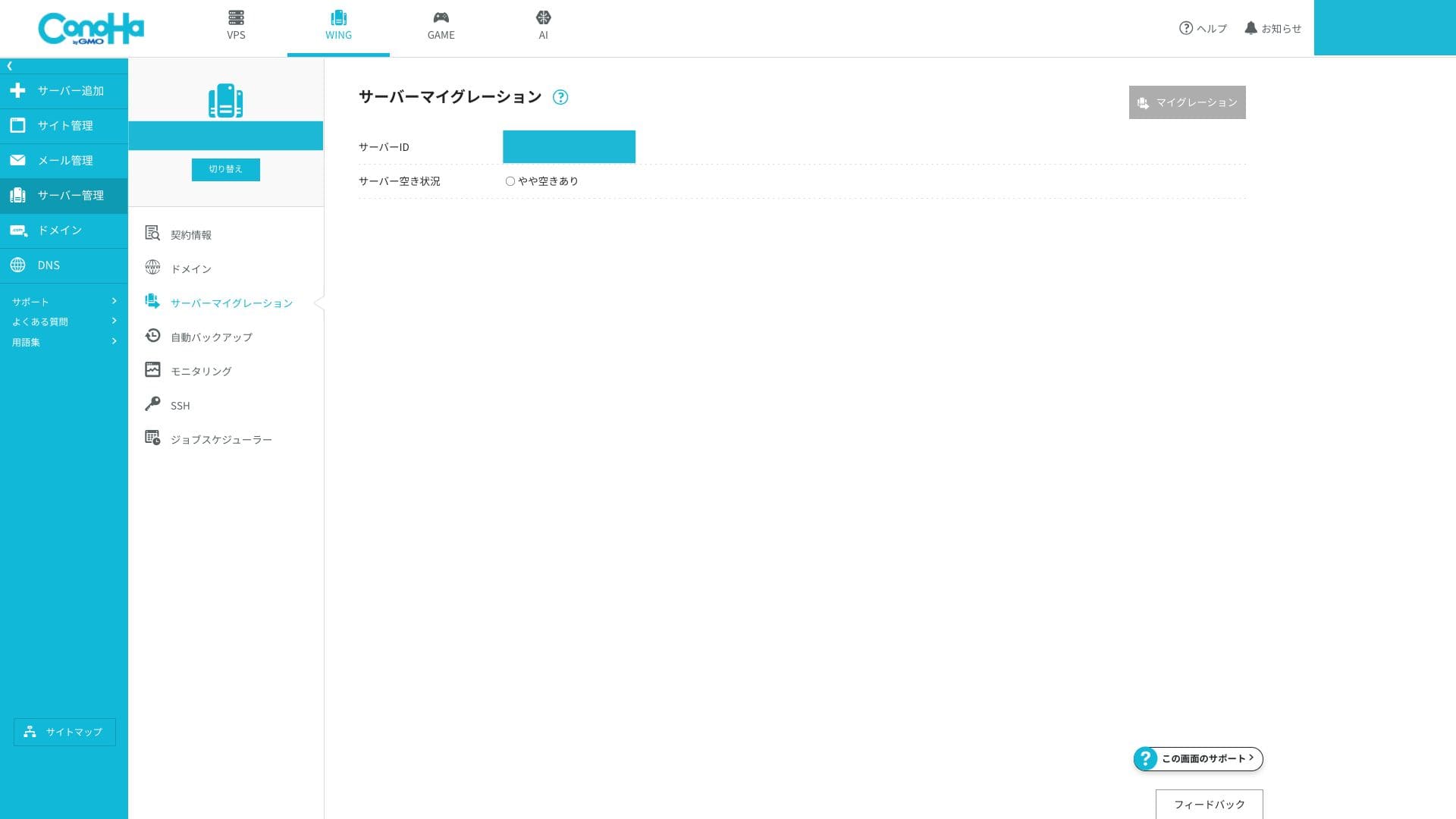
Üzerinde daha az hesap bulunan bir sunucuya geçebilirseniz bu sorunu çözebilirsiniz. Bu taşıma işleminin ücretsiz yapılabilmesi gerçekten takdir edilecek bir durumdur.
Summary
ConoHa WING, geniş bir yurt içi kullanıcı kitlesine sahip, iyi yorumlar alan bir barındırma hizmetidir. Önemli noktalar aşağıdadır.
- Fast: LSAPI, HTTP/2, and SSD RAID10 combine to deliver top-class perceived speed in Japan.
- Affordable: Two domains, SSL, and backups are all included, and 678 yen per month on a 36-month contract is exceptionally competitive.
- Easy: Easy WordPress Setup and the one-panel UI let you go live in around five minutes.
- Safe: Ücretsiz WAF, 14 günlük yedeklemeler ve %99,99 SLA, ticari kullanım için bile güvence sağlar.
- Cautions: WING Pack sözleşmenin ortasında iptal edilemez, telefon desteği yalnızca hafta içi mesai saatlerinde mevcuttur ve inode sınırı kamuya açık olarak belirtilmemiştir.