Five WordPress Security Plugins and How to Choose Them

What does it take to protect your WordPress site?
In this article, we introduce everything from robust plugins trusted by security professionals to essential tips for protecting your site, so you can defend it from hackers.
Check these security measures now so you can operate your site with peace of mind.
Complete Comparison of 32 WordPress Hosting Services for Individuals, Companies, and Overseas Use

“WordPress başlatmak istiyorum” diye düşünüp “WordPress önerileri” araması yaptığınızda, kişisel barındırmayı, şirketler ve küçük işletmeler için olan seçenekleri, yurt dışı barındırmayı ve düşük maliyetli sunucuları kapsayan her türlü makaleyle karşılaşırsınız. Dürüst olmak gerekirse,
- which site should you trust?
- sadece basit ve anlaşılır bir cevap istiyor olabilirsiniz.
- you may want to get started with WordPress right away.
İşte tam da bu yüzden bu makale bireyler, şirketler, yurt içi kullanım ve yurt dışı kullanım için 32 barındırma sağlayıcısı arasından önerilen seçenekleri özenle seçmektedir. Her gün barındırma kullanan bir uygulama geliştirme şirketindeki SEO sorumlusu tarafından açıklanmaktadır.
Why WordPress security matters
WordPress dünyadaki en popüler içerik yönetim sistemidir, ancak bu popülerlik onu siber saldırılar için kolay bir hedef haline getirdiğinden güvenlik önlemleri site sahipleri için kaçınılmaz bir sorumluluktur.
Fortunately, strong security plugins and the right operating practices can protect your site from these threats.
Essential security plugins
1. SiteGuard WP Plugin
SiteGuard WP Plugin is one of the plugins used to strengthen the security of WordPress sites. It mainly targets the Japanese market and also offers strong Japanese-language support.
Eklenti, sitenin güvenlik düzeyini artıran birçok özellik sunar ve özellikle Japonca WordPress sitelerinin yöneticileri arasında popülerdir.
2. Wordfence Security
Wordfence Security dramatically strengthens WordPress site security with comprehensive malware scanning and real-time threat defense.
Düzenli güncellemeleri ve geniş güvenlik özellikleri seti, her seviyedeki kullanıcının ona güvenmesini sağlar.

3. Sucuri Security
Sucuri Security offers a comprehensive toolkit for strengthening website security, including malware removal and prevention, blacklist monitoring, and attack blocking. It is particularly well regarded for its fast response when a site comes under attack.
However, it has not yet been localized into Japanese.
4. Solid Security
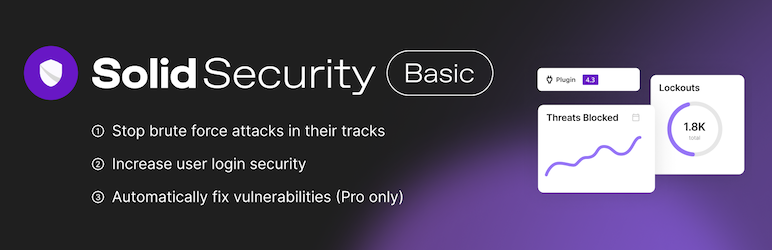
Daha önce iThemes Security ve ondan da önce Better WP Security olarak bilinen Solid Security, 30'dan fazla güvenlik önlemi sunar ve bir sitenin zayıf noktalarını kapsamlı bir şekilde kapsar.
In particular, it has strong features for reinforcing user-authentication security, such as two-factor authentication and password hardening.
5. All In One WP Security & Firewall
Bu eklenti, sezgisel bir arayüz ve adım adım güvenlik seviyesi ayarları sunarak yeni başlayanlardan ileri düzey kullanıcılara kadar herkesin güvenlik önlemlerini uygulamasını kolaylaştırır. Geniş kapsamlı özellikleri arasında kullanıcı hesabı koruması, güvenlik duvarı ayarları ve kaba kuvvet saldırısı koruması yer alır.
Additional tips for strengthening WordPress security
Keep everything updated
By keeping WordPress, plugins, and themes up to date, you fix security vulnerabilities and reduce the risk of attack.
Use strong passwords
Use strong, hard-to-guess passwords for administrator accounts and database access.
Enable two-factor authentication
Adding two-factor authentication to administrator accounts greatly reduces the risk of unauthorized access.
Back up the site regularly
By backing up site data regularly, you can recover quickly from data loss or unauthorized access.
Use an SSL certificate
By using an SSL certificate and moving the site to HTTPS, you strengthen data encryption and improve user safety.
Summary
WordPress site security is not just about installing plugins. It is important to pay attention to every aspect of site operation and keep applying measures continuously.
Use the plugins and tips introduced above to protect your site from security threats.
Güvenli bir web sitesi, güven ve itibarın temelidir. Bugünden itibaren bu güvenlik önlemlerini uygulamaya koyun ve sitenizi korumak için ilk adımı atın.