
14-gün ücretsiz trial
PR
Sunucular
wpX Speed Review: Speed Tests, Pros and Cons, and Comparisons with Other Hosts
Yayınlandı: 2025.04.18
Güncellendi: 2025.04.18
Rating: 4.0
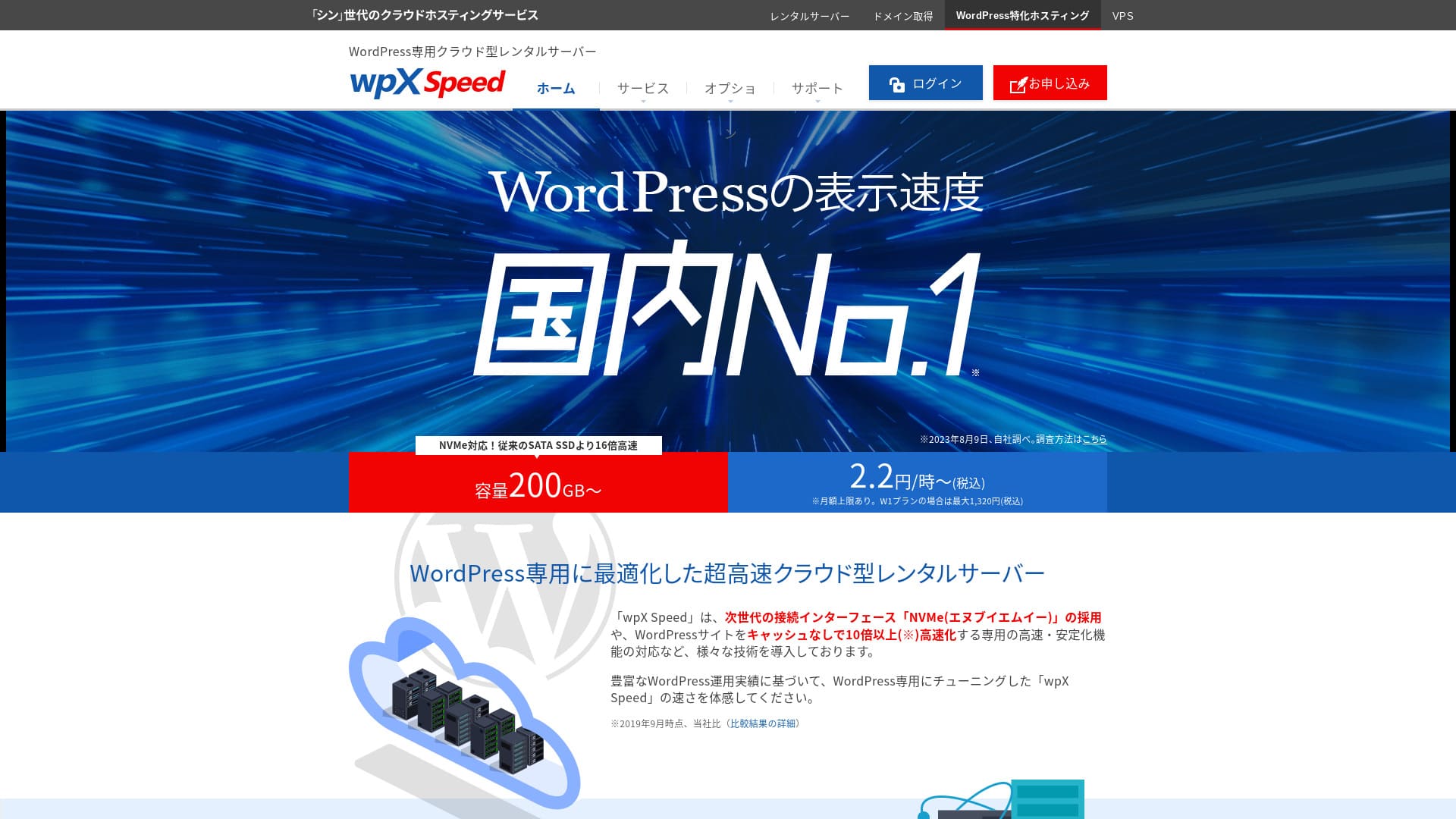
wpX SpeedShinCloud Co., Ltd. tarafından işletilen ve ani viral trafiği yönetecek şekilde oluşturulmuş ultra hızlı bir bulut sunucusudur. Trafik keskin bir şekilde artsa bile, otomatik ölçeklendirme özelliği sitenin çökmesini önler.

I recommend wpX Speed to individuals, companies, and sole proprietors using WordPress for the first time because:
- ölçümlerimizdeki en hızlı ikinci sunucudur
- it can withstand viral traffic thanks to auto scaling and reserved resources
- it has a reassuring pay-only-for-what-you-use pricing sistem
That is why. I believe you will be satisfied. You can try it ücretsiz for 14 gün.
A competing sunucu is ConoHa WING. It can also be started on an hourly basis, and its lower pricing is stronger than wpX Speed in that respect. Consider it as well.
★ ConoHa WING Review: Why 750,000 Users Choose It, Tested Through Speed, Pros, and Cons
| Server tür | Shared sunucu |
| Display speed (TTFB) | 40ms |
| Recommended plan and billing term | W1, 12 months |
| Trial / money-back guarantee | 14 gün |
| Monthly fee (12-month plan) | 2.2 yen per hour*, up to 1,320 yen* |
| Initial setup fee | Ücretsiz |
| Ücretsiz domain | None |
| Support | Telefon ve e-posta (hafta içi 10:00-18:00) |
| Uptime | Not disclosed |
| Server storage | 200GB* |
| Number of databases | Unlimited |
| Security measures | WAF, yurt dışı IP adreslerinden erişim kısıtlamaları, giriş denemesi sınırları, toplu yorum ve geri bildirim kısıtlamaları, yurt dışı IP adreslerinden gelen yorum ve geri bildirim kısıtlamaları |
| SSL | Ücretsiz custom SSL, custom SSL |
| Backup / restore | 7 gün of automatic backups ücretsiz of charge, restore ücretsiz of charge |
| Number of email accounts | Unlimited |
| Email security features | SMTP-AUTH, IMAP |
| Server / website migration service | None |
| WordPress pre-installation | None |
| CDN | None |

Hikaru Ono
wpX Speed, başvuru sürecinden WordPress kurulumuna kadar sorunsuz bir şekilde ilerlememi sağlayan bir sunucuydu. Hızlı bir sunucu ortamı sunduğu için şirketler ve iş kullanımı için tavsiye ederim.
Because you can scale up across eight plans, it is a service you can keep using for the long term.
wpX Speed Compared with Other Servers
- Overall rating★★★★☆
- Server speed ★★★★★
- Pricing ★★★☆☆
- Stability ★★★★☆
- Ease of getting started with WordPress* ★★★★☆
- Alan adı yönetimi ve SSL kurulumu gibi işlemler* ★★★★★
* Based on my actual experience using it.

Comparison of 21 Recommended WordPress Hosting Services for Individuals and How to Choose
Comparison of 21 Recommended WordPress Hosting Services for Individuals and How to Choose
serverfield.org
- November 4, 2025 market research data, arranged by speed
- Aylık ücretler, WordPress çalıştırabilen en ucuz planın ilk yıl maliyetidir
- Speed is the Time to First Byte value from demo sites measured under the same conditions
6 Key Features Behind wpX Speed's Reputation

No. 2 in Display Speed in Our Independent Testing
In our independent testing on this site, wpX Speed ekran hızında ikincilik için XServer Business ile berabere kaldı.
Google recommends keeping sunucu response time (TTFB) under 200ms. wpX Speed measured 40ms. It can be evaluated as an ultra-fast sunucu.
Server response times need to be kept under 200 milliseconds.
https://developers.google.com/server/speed/docs/insights/Server?hl=ja
Sunucu hızı yüksekse, sayfalar hızlı yüklenir ve ziyaretçiler bekletilmez. Ayrıca SEO'da güçlü performans göstermeyi ve ziyaretçileri ürün satışlarına yönlendirmeyi kolaylaştırır.
★ Is It Really Fast? We Compared 11 Hosting Services in a Speed Ranking
Auto-Scale Feature That Automatically Boosts Performance
wpX Speed is strong against sudden traffic spikes thanks to its auto-scaling feature. If the plan currently in use cannot process a sudden increase in traffic, the plan is automatically upgraded and processing is increased by adding more CPU and cores.
Because it can respond flexibly, even a 503 error caused by a sudden surge in traffic is not something to fear.
★ What Is a 503 Error? Web Congestion, How to Avoid It, and Emergency Responses
Of course, automatic plan upgrades can put pressure on your budget. The auto-scaling feature can be turned on or off, and you can freely decide the conditions and budget for plan changes, so it can be used within a reasonable range.
Reserved Resources That Deliver Consistent Stability
wpX Speed keeps resources reserved, so your site display remains stable.
Genel olarak, paylaşımlı barındırmada bir site çalıştırdığınızda, aynı sunucudaki başka bir siteye olan trafik artışı kendi sitenize erişimi zorlaştırabilir. Bu durum, CPU ve çekirdekler gibi kendi sitenize ayrılan kaynakların azalması nedeniyle gerçekleşir.
But because wpX Speed keeps resources reserved, it is not affected by other sites. In other words, reserved resources eliminate a major weakness of shared hosting.
Hourly Pricing with No Waste
wpX Speed uses hourly pricing. You pay only for what you use. There is no waste.
- W1 plan: 2.2 yen/hour (monthly cap: 1,320 yen)
- W2 plan: 4.4 yen/hour (monthly cap: 2,640 yen)
- W3 plan: 8.8 yen/hour (monthly cap: 5,280 yen)
Fiyatlandırma saatlik olsa da aylık bir tavan sınır da belirlenmiştir, bu nedenle ayın gün sayısı az veya çok olsun aylık yükünüz değişmez.
Because the pricing is hourly, you can try it easily and inexpensively even without a formal trial period.
You Can Use the WAF Security Feature
wpX Speed can use a WAF. A WAF is a modern security measure. Together with firewalls and other protection, it helps stop attacks that older security measures could not prevent.
Düşük maliyetli barındırma hizmetlerinde WAF genellikle ücretli bir seçenektir. Ancak wpX Speed, you can enable it ücretsiz of charge.
7 Günlük Yedekleme ile Gönül Rahatlığı
wpX Speed yedi günlük yedekleme özelliği ile birlikte gelir.
Backups are extremely important. Even if you have security measures such as a WAF, data can still be tampered with in an attack, and you can also accidentally delete data yourself. If you have backup data, you can restore the site to the exact state it was in before the trouble occurred.
On some hosting services, backups are a paid option. But with wpX Speed, they are ücretsiz. It is a good deal.
wpX Speed's Weak Email Features Are a Drawback

wpX Speed has weak email functionality.
DKIM kimlik doğrulamasını kullanamaz. DKIM kimlik doğrulaması, bir e-postanın meşru bir gönderici tarafından gönderilip gönderilmediğini ve üzerinde oynanıp oynanmadığını doğrulayan bir teknolojidir.
If your company wants to use email for iş, I recommend considering a separate email service.
Comparing wpX Speed with Two Similar Servers
ConoHa WING
ConoHa WING is also a sunucu that can use hourly pricing. It starts at 2.2 yen per hour. Unlike wpX Speed, it also offers discounts through long-term contracts called WING Packs. You can start more cheaply than with wpX Speed.
Ancak otomatik ölçeklendirme ve ayrılmış kaynaklara sahip iş planını seçerseniz, fiyat saat başına 3,1 yen'e yükselir (aylık tavan: 1.815 yen).
İş odaklı bir sunucu istiyorsanız, wpX Speed daha uygun fiyatlı bir öneridir.

ConoHa WING Review: Why 750,000 Users Choose It, Tested Through Speed, Pros, and Cons
ConoHa WING Review: Why 750,000 Users Choose It, Tested Through Speed, Pros, and Cons
serverfield.org
XServer
Xsunucu is also a fast sunucu that uses NVMe SSD, just like wpX Speed. It is run by the same company. XServer is cheaper to use. Like wpX Speed, it also has reserved resources, so it is not affected by other sites.
However, it does not have an auto-scaling feature like wpX Speed. For that reason, wpX Speed is better at handling sudden traffic spikes. If you regularly run events or campaigns and have a high chance of sudden traffic surges, I recommend wpX Speed.

XServer Review [2025 Latest]: Thoroughly Explained Speed, Pricing, Pros, and Cons
XServer Review [2025 Latest]: Thoroughly Explained Speed, Pricing, Pros, and Cons
serverfield.org
Start Your Website with wpX Speed in 7 Steps
Let's start a website with wpX Speed!
- STEP.1Resmi wpX Speed web sitesine erişin
Resmi sitenin ana sayfasında en alttaki “Başvur” seçeneğine tıklayın. Eğer bir Shin Hesap Kimliğiniz yoksa “Yeni Başvuru” seçeneğine tıklayın.
- STEP.2Enter customer information
Bu sözleşme bilgisidir. Sunucu kimliği için istediğiniz herhangi bir karakter dizisini girin.
I recommend the W1 plan. If traffic increases and the specs become insufficient, upgrade the plan.
Next, enter your registration details such as your email address and name.
Next is the payment method. I recommend paying by credit card. It lets you start building your website right away.
Finally, review the Terms of Use and the handling of personal information. Check the box to agree to the “Terms of Use” and the “Handling of Personal Information,” then click “Proceed to confirm your application details.”
If everything looks fine after you review the application details, complete identity verification.
Sunucu kurulumunun tamamlandığını onaylayan e-postayı aldığınızda, sunucu başvurunuz tamamlenmiş olur.
- STEP.3Apply for a domain and add the domain
Yönetim ekranına giriş yapın.
“Sözleşme Yönetimi” altındaki “Sözleşmeyle İlgili” bölümünde “Ek Başvurular” seçeneğine tıklayın. Kullanım Koşullarını ve kişisel verilerin işlenmesini okuyun, ardından “Kabul Et” seçeneğine tıklayın.
Click “Apply to obtain a new domain” and enter the domain you want. If it is available, a button to apply for that domain will appear, so click it.
Click “Confirm application details” and proceed to domain payment. Once payment is complete, domain acquisition is finished.
Yönetim ekranındaki “Sunucu Yönetimi” altından “Alan Adı Yönetimi” ve ardından “Alan Adı Ayarları Ekle” seçeneğine gidin. Az önce aldığınız alan adını girin, “Alan Adı Ekle (Onayla)” seçeneğine tıklayın ve ardından “Alan Adı Ekle (Tamamla)” seçeneğine tıklayın.
This completes adding the domain.
- STEP.4Install WordPress
Kontrol paneline giriş yapın. “Sunucu Yönetimi” altından “WordPress ile İlgili” ve ardından “Yeni Kurulum” seçeneğine gidin. Aşağıdaki öğeleri yapılandırın.
- Site address: Select the domain you added earlier
- WordPress ID: Anything is fine.
- Bkayıt title: Anything is fine. You can easily change it later.
- Email address: Use an email address you normally use. If you are a company, a company email address is recommended.
- Custom SSL: Check “Use custom SSL.” Check “Enable redirect ayarlar to https://”.
After entering everything, click “Next.” Review the details again, and then click “Confirm (Install WordPress).”
- STEP.5Initial WordPress ayarlar
Kayıt in to WordPress.
“Bu siteye ulaşılamıyor” uyarısı görüyorsanız DNS ayarları henüz yayılmamıştır. Bu durumda yapabileceğiniz tek şey beklemektir, bu nedenle her saat başı tekrar giriş yapmayı deneyin.
★ What Are DNS and Name Servers?
Kalıcı bağlantı ayarlarını yapılandıralım. WordPress yönetim ekranından “Ayarlar” ve ardından “Kalıcı Bağlantılar” seçeneğine gidin. “Yazı ismi” seçeneğini seçin. Seçtikten sonra “Değişiklikleri Kaydet” seçeneğine tıklayın.
“Yazı ismi” seçeneğini seçtiğinizde, bir makale yayınlarken URL alanına istediğiniz herhangi bir karakter dizisini girebilirsiniz. Okuyucuların makale içeriğini tahmin etmelerine yardımcı olacak kısa bir karakter dizisi kullanmak en iyisidir. Çok uzun olursa, bazı kişiler kendilerini rahatsız hissedebilir ve sitenin şüpheli göründüğünü düşünebilir.
- STEP.6Install plugins
WordPress yönetim ekranına geri dönün, “Eklentiler”i açın ve ihtiyacınız olan eklentileri yüklemek için “Yeni Ekle” seçeneğine gidin.
Once you find the plugin you want by searching, click “Install Now” and then “Activate.” After that, follow the instructions for each plugin.
Be sure to install security and backup plugins.
- 5 WordPress Security Plugins That Strengthen Protection and How to Choose Them
- 5 Powerful WordPress Backup Plugins That Help You Recover Your Data
Once the plugins are installed, your WordPress website is fully ready!
Summary
wpX Speed, otomatik ölçeklendirme özelliği ve ayrılmış kaynakları sayesinde kararlılık konusunda mükemmeldir. Saatlik fiyatlandırması başlamayı kolaylaştırdığından, ilginizi çekiyorsa önce 14 gün boyunca denemenizi öneririm.
32 WordPress Barındırma Sağlayıcısının Tam Karşılaştırması: Bireyler, İşletmeler ve Uluslararası Siteler için Öneriler

WordPress'e başlamaya karar verip "en iyi WordPress barındırma" araması yaptığınızda, kişisel ve kurumsal seçeneklerden yurt dışı ve düşük maliyetli sunuculara kadar her türlü makaleyi bulursunuz. Dürüst olmak gerekirse,
- Which site should I trust?
- I want to choose a sunucu in a basit, easy-to-understand way.
- Please show me how to start WordPress right away.
Don't you feel that way? In this article, Bireyler, işletmeler, yurt içi ve yurt dışı kullanımlar için 32 barındırma sağlayıcısı arasından önerileri özenle seçtim. Bu açıklama, her gün barındırma sunucuları kullanan bir uygulama geliştirme şirketindeki SEO uzmanından gelmektedir.