30-gün money-back guarantee available
PR
Sunucular
WADAX Review: Phone Support Until 10 PM. Is It a Good Server for Busy İşes?
Yayınlandı: 2025.04.18
Güncellendi: 2025.04.18
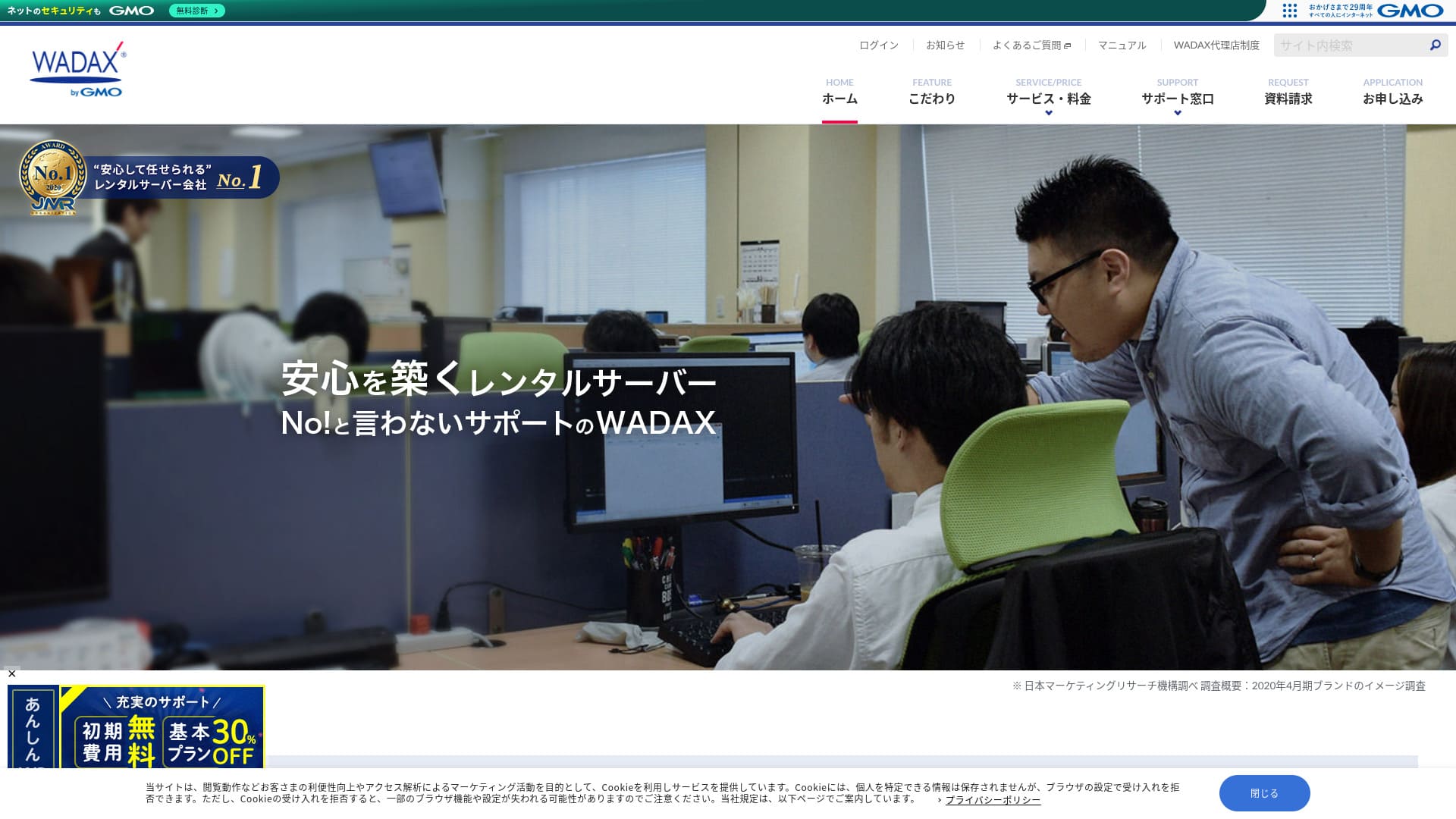
A support sistem that caters to users is a key feature of this iş-oriented sunucu.
WADAX ortaya çıkabilecek sorunları hızlı bir şekilde çözmeye yardımcı olan, 365 gün destek sunan güvenilir bir sunucudur.İşletme odaklı bir sunucudan bekleneceği üzere, Secom ortaklığıyla sağlam bir güvenlik kurulumuna sahiptir.
Even so, it has drawbacks. In this article, I explain WADAX's features and how to get started with WordPress.
32 WordPress Barındırma Sağlayıcısının Tam Karşılaştırması: Bireyler, İşletmeler ve Uluslararası Siteler için Öneriler

WordPress'e başlamaya karar verip "en iyi WordPress barındırma" araması yaptığınızda, kişisel ve kurumsal seçeneklerden yurt dışı ve düşük maliyetli sunuculara kadar her türlü makaleyi bulursunuz. Dürüst olmak gerekirse,
- Which site should I trust?
- I want to choose a sunucu in a basit, easy-to-understand way.
- Please show me how to start WordPress right away.
Don't you feel that way? In this article, Bireyler, işletmeler, yurt içi ve yurt dışı kullanımlar için 32 barındırma sağlayıcısı arasından önerileri özenle seçtim. Bu açıklama, her gün barındırma sunucuları kullanan bir uygulama geliştirme şirketindeki SEO uzmanından gelmektedir.
WADAX Reputation: Detailed Support is a Key Feature for İşes

| Server Tür | Shared Server |
| Load Time (TTFB) | Unmeasured |
| Recommended Plans and Contract Periods | WP Standart 12 Months |
| Trial & Money-Back Guarantee | 30-Gün Money-Back Guarantee |
| Monthly Fee (12-Month Contract) | 1,540 yen |
| Initial Administrative Fee | Ücretsiz |
| Ücretsiz Domain | None |
| Support | Weekgün 9:00 AM - 10:00 PM, Saturgün & Sungün 9:00 AM - 6:00 PM |
| Uptime | 99.9% |
| Server Kapasite | 50GB |
| Number of Databases | 20 |
| Security Measures | WAF / KYUBI (WordPress Vulnerability Diagnostic) / Web Virus Check / Periodic Security Diagnosis (Vulnerability Diagnosis) / Intrusion Detection and Prevention (IPS) / Dos/DDoS Attack Defense |
| SSL | Shared SSL / FTP over SSL / Quick Authentication SSL / Kurumsal Authentication SSL / EV SSL / SecomTrust Sistems for Web SR3.0/for Web EV |
| Backup and Restore | Ücretsiz Backup / Ücretsiz Restore |
| Number of Email Account Creation | Unlimited |
| Email Security Measures | SpamAssassin spam filter / POP over SSL / SMTP over SSL / SMTP AUTH / SMTP submission port / IMAP / IMAP over SSL / Virus Check |
| Server/Website Migration Service | No service included Ücretsiz Migration Tool Available |
| Easy WordPress Installation | None |
| CDN | Ücretsiz |
Four Features of WADAX

24/7 Support
WADAXYılın her günü, 365 gün destek alabilirsiniz. Bu, Haziran 2024 itibarıyla olan destek sistemidir.
- Phone: Weekgün 9:00-22:00, Saturgün & Sungün 9:00-18:00
- Form: 24 hours, 365 gün (response within 24 hours, generally)
- Chat: 24 hours, 365 gün (live chat, weekgün 9:00-17:00)
Her gün destek alabilirsiniz ve ayrıca hafta içi 22:00'ye kadar da destek alabilirsiniz.Given that many support centers at hosting companies close their support at 6 PM,WADAXmükemmel destek sistemi açıktır.
Bu kulağa bariz gelebilir, ancak sunucu sorunları yalnızca hafta içi 09:00 ve 18:00 saatleri arasında gerçekleşmez. Sorunlar her an ortaya çıkabilir. Bu yüzden desteğin her gün mümkün olduğunca uzun süre kullanılabilir olmasını istersiniz.
WADAXIsn’t that great?
Robust Security in Collaboration with Secom
WADAX has built a strong security framework in partnership with Secom. It protects data from hacking, unauthorized tampering, eavesdropping, and DoS attacks.
Sadece dahili olarak ellerinden gelenin en iyisini yapmakla kalmayıp, aynı zamanda sağlam bir güvenlik oluşturmak için diğer şirketlerin becerilerinden de yararlanmalarını takdir ediyorum - bu bana samimiyet ve güven hissi veriyor.
Ability to Utilize High-Speed Delivery CDN
WADAXYüksek hızlı dağıtım CDN'inden yararlanabilirsiniz. Bir CDN kullanmak, web sitesini görüntüleyen kullanıcıya en yakın sunucudan akıllı telefonuna veya bilgisayarına web sitesi verilerini gönderir, bu da daha sorunsuz bir web sitesi görünümü sağlar.
★ CDN nedir? Sunucu kümesi kullanarak hızı ve performansı artırır.
Many hosting companies offer a CDN only as a paid option. With WADAX, you can use it for ücretsiz, which is a good deal.
Affordable Pricing for İş Servers
WADAXOur secure WP sunucu is offered at a low price as a iş sunucu. Compare it to iş sunucus.
- Initial Administrative Fee
- Sign up for a 12-month contract.
- Domain registration fee for one year's worth of expenses.
- A plan that lets you use WordPress.
It’s considerably cheaper than other services, isn’t it?
Sunucunun kullanım amacı,If your main website operation is using WordPress, WADAX will be sufficient.
A Disadvantage of WADAX’s Secure WP Server is the Lack of Uptime Guarantee

WADAX's Anshin WP Server has çalışma süresi (uptime) garantisi yoktur ve çalışma süresi oranı açıklanmamıştır. Uptime reflects sunucu stability. When that figure is not disclosed, it naturally leaves some concern about whether your website will remain consistently available.
That said, WADAX's Otasuke Cloud Server guarantees 99.9% uptime. It is a different service, but it is still run by the same company, so it is hard to imagine the uptime being extremely low.
Even when considering support and security measures, you shouldn’t feel too anxious about it.
Comparing WADAX’s Competitor Servers (2 Companies)
iCLUSTA+
iCLUSTA+ byGMOIt’sWADAXsunucuyu kullanmak için yaklaşık aynı tutar. %100 çalışma süresi (uptime) garantisi sunduğu için web sitenizi hiçbir endişe duymadan işletebilirsiniz.
However,destek sistemi WADAX kadar kapsamlı değildir.Telefon desteği yalnızca Pazartesi - Cuma günleri 10:00 - 18:00 saatleri arasında sunulacaktır ve genel destek yanıt süreleri dahilinde kalacaktır. Desteğin hafta içi 22:00'ye kadar verilmesi daha güven verici olurdu.WADAXthat way, there would be a greater sense of security if it were available until 10:00 PM on weekgün.
Bünyenizde sunucu konularında yetkin bir çalışanınız yoksa, WADAX'ı öneririz.

iCLUSTA+ İncelemeleri【2024 Son】Aylık 1.000 Yen'den Başlayan Kurumsal Sunucuların Detaylı Açıklaması
iCLUSTA+ İncelemeleri【2024 Son】Aylık 1.000 Yen'den Başlayan Kurumsal Sunucuların Detaylı Açıklaması
serverfield.org
Sakura Rental Server İş
Sakura Rental Server İş %99,99 çalışma süresi (uptime) kaydına ve çalışma süresi garantisine sahip kararlı bir sunucudur. 600GB'lık cömert depolama alanı ile hem web sitesi işlemlerini hem de e-posta işlemlerini tek bir sağlayıcıya emanet edebilirsiniz.
However, it is not as inexpensive as WADAX's Anshin WP Server. It maliyets nearly 10,000 yen more. If you plan to use another company's service for email operasyonlar, WADAX is the better choice.

Sakura Rental Server Reviews & Ratings【Scary Slow?】Great for Individual İşes◎Pricing Pros & Cons Explained
Sakura Rental Server Reviews & Ratings【Scary Slow?】Great for Individual İşes◎Pricing Pros & Cons Explained
serverfield.org
7 Steps to Start Your WordPress Website with WADAX Now
Let’s start a website with WADAX!
- STEP.1Resmi WebsiteWADAXAccess it
Scroll down to the bottom of the homepage and click “Apply”.
- STEP.2Service Selection
Sözleşme planı WP Standart olarak kalır.
We recommend a 12-month contract, which offers a lower monthly fee.
No options are needed. Click “Next”.
- STEP.3Domain Name Usage Selection
Yeni bir alan adı ediniyorsanız “Yeni Bir Alan Adı Edin” seçeneğini seçin. İstediğiniz karakter dizisini girin ve “.com” veya “.co.jp” gibi bir üst düzey alan adı seçin.
Domain names are important. Take your time and make a careful decision.
★ Alan adı nedir? İnternetteki adres olarak rolü ve nasıl alınacağı.
- STEP.4Customer Information Girdi
For first-time applicants, click “Continue.”
- Company Information
- Customer Information
- Payment Information
Please enter it.
Please review all of the application details and click “Next.”
Başvuru ayrıntıları onay ekranı yeniden görünecektir, bu nedenle lütfen belirtildiği gibi devam edin. Başvurunun tamamlandığını gösteren ve hizmeti kullanmaya başlamanız için sizi yönlendiren bir bildirim e-postası alacaksınız.
- STEP.5WordPress Installation
Kontrol paneline giriş yapın.
“Sözleşmeler” menüsünden “WordPress” seçeneğine gidin. Ekran değişecektir. WP Tool'un “Yükle” bölümünden “WordPress Yükle” seçeneğine tıklayın.
WordPress kurulum ayarlarını yapalım.
- Installation path: As is
- Website title: Enter the title of the homepage.
- Plugin theme set: None
- Website language: Japanese
- Version: As is
- Username: Anything is OK.
- Password: Anything is OK. Make it as complex as possible.
- Email address: Enter your usual email address. If you’re a corporation, a company email is recommended.
- Database: As is
- Automatic update ayarlar: As is
Once you’ve entered all the information, click “Install.” If you see “Installation complete,” the WordPress installation is complete.
- STEP.6WordPress Plugin Installation
WordPress kurulumu tamamlandı ekranında görünen “Eklenti Kur” seçeneğine tıklayın.
Enter the necessary plugins.
If you find a plugin you want to install, search for it and click “Install Now” and “Activate.” Afterwards, proceed according to the instructions for each plugin.
It is essential to install security and backup plugins.
- Top 5 WordPress Plugins to Enhance Security and How to Choose Them
- Top 5 Strongest WordPress Backup Plugins for Data Recovery
With the plugins installed, you’re ready to launch your WordPress homepage!
- STEP.7Other WordPress Ayarlar
Kalıcı bağlantı ayarlarını yapın. WordPress yönetim panelindeki “Ayarlar” bölümünden “Kalıcı Bağlantı Ayarları” seçeneğine gidin. “Yazı İsmi” seçeneğini seçin. Ardından, “Değişiklikleri Kaydet” seçeneğine tıklayın.
When you choose “Post Name,” you can enter your desired string in the URL when posting articles. It’s recommended to use a short string that represents the content of the article, as this makes it easier for readers to find your homepage. Too long a string can make people worry that it’s unsafe.
You’re now ready to start your WordPress homepage.
Summary
WADAXThis is a iş-oriented sunucu that offers telephone support until 10:00 PM on weekgün.It’s suitable for işes that want thorough support.
WADAXAnshin WP sunucusu ile uygun bir fiyatla başlayabilirsiniz. Lütfen deneyin.
32 WordPress Barındırma Sağlayıcısının Tam Karşılaştırması: Bireyler, İşletmeler ve Uluslararası Siteler için Öneriler
WordPress'e başlamaya karar verip "en iyi WordPress barındırma" araması yaptığınızda, kişisel ve kurumsal seçeneklerden yurt dışı ve düşük maliyetli sunuculara kadar her türlü makaleyi bulursunuz. Dürüst olmak gerekirse,
- Which site should I trust?
- I want to choose a sunucu in a basit, easy-to-understand way.
- Please show me how to start WordPress right away.
Don't you feel that way? In this article, Bireyler, işletmeler, yurt içi ve yurt dışı kullanımlar için 32 barındırma sağlayıcısı arasından önerileri özenle seçtim. Bu açıklama, her gün barındırma sunucuları kullanan bir uygulama geliştirme şirketindeki SEO uzmanından gelmektedir.