Ücretsiz ilk kurulum, 9 aya kadar ücretsiz sunucu kullanımı ve 30 günlük para iade garantisi.
PR
Sunucular
iCLUSTA+ İncelemesi [2024 Sürümü]: Aylık 1.000 Yen Civarından Başlayan Kurumsal Sunucular İçin Kapsamlı Bir Kılavuz
Yayınlandı: 2025.04.18
Güncellendi: 2025.04.18
Güvenle sırtınızı yaslayabileceğiniz, uygun fiyatlı bir kurumsal sunucu.
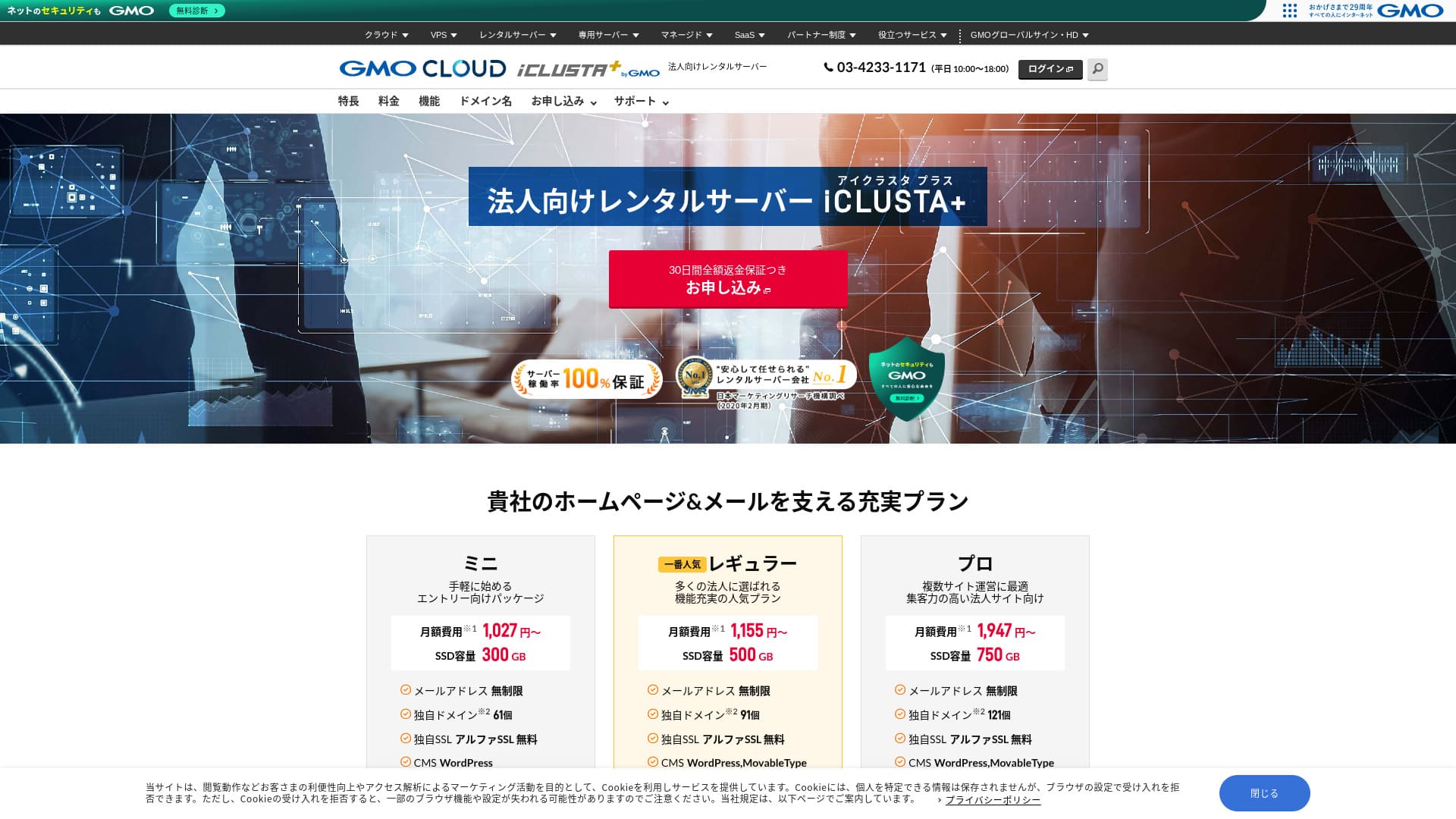
GMO GlobalSign Holdings K.K. operates iCLUSTA+ byGMO işletmeler için özellikle değerli olan özellikler ve teknik niteliklerle doludur. Bireyler de kullanabilir. Ancak, işletmelerin sıklıkla ihtiyaç duyduğu pratik gereksinimleri karşılayan kapsamlı hizmeti, bir şirketin sunucu seçerken onu önde gelen bir aday haline verir. Mükemmel fiyat-performans oranı sunduğu için küçük işletmeler bile kolayca benimseyebilir.
Bununla birlikte, dezavantajları da yok değildir ve son derece işlevsel, ultra yüksek özellikli bir sunucu arıyorsanız, diğer seçenekleri de değerlendirmek için hala alan vardır. Bu makalede, şunun itibarını ve özelliklerini açıklıyorum: iCLUSTA+ byGMO honestly, and I also walk you through how to get started with WordPress in a clear, easy-to-follow way.
32 WordPress Kiralık Sunucusunun Tam Karşılaştırması: Bireyler, İşletmeler ve Yurt Dışı Kullanım İçin Öneriler

Eğer "WordPress'e başlamak istiyorum" diye düşünüp "önerilen WordPress barındırma" araması yaparsanız, kişisel kullanım ve işletmeler veya küçük şirketler için sunuculardan yurt dışı barındırma ve düşük maliyetli sunuculara kadar uzanan çok geniş bir yelpazede makale bulursunuz. Dürüst olmak gerekirse,
- It is hard to know which site to trust.
- I want to choose a sunucu in a basit, easy-to-understand way!
- I want to know how I can start WordPress right away.
Tam olarak böyle hissetmiyor musunuz? Bu nedenle bu makale, 32 kiralık sunucu şirketi arasından önerilen seçenekleri özenle seçip tanıtıyor: bireysel kullanım, kurumsal kullanım, yurt içi kullanım ve yurt dışı kullanım. Bu açıklama, her gün kiralık sunucular kullanan bir uygulama geliştirme şirketinin SEO uzmanı tarafından yazılmıştır.
iCLUSTA+ Reviews: Affordable İş Servers Starting at Around ¥1,000 per Month
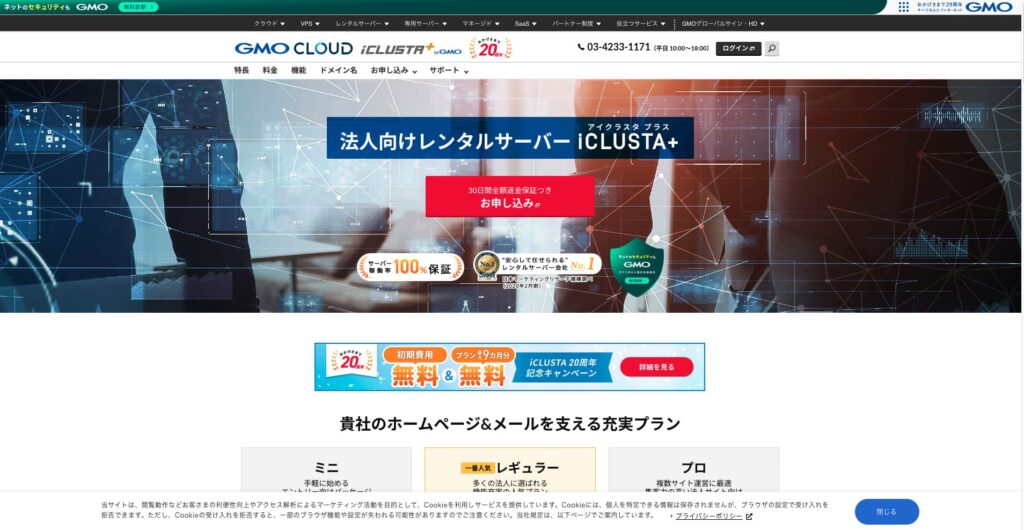
“iCLUSTA+ byGMO”, GMO GlobalSign Holdings K.K.'nin 25 yıllık deneyimiyle desteklenen bir sunucudur. Kullanımı bütçe dostudur. Buna rağmen, %100 çalışma süresi garantisi sunacak kadar kararlıdır; bu da maliyetleri düşük tutmak isteyen küçük ve orta ölçekli işletmeler ile şirketler için önerilen bir seçenek olmasını sağlar.

| Server types | Shared sunucu |
| Load time (TTFB) | Not measured |
| Recommended plans and contract periods | Mini 12 months |
| Trial period & Money-back guarantee | 30-gün money-back guarantee |
| Monthly fee (12-month contract) | 1,027 yen |
| Initial setup fee | 5,500 yen |
| Ücretsiz domain | None |
| Support | İş hours are 10:00 AM to 6:00 PM weekgün. Email support is available 24 hours a gün, 365 gün a year. |
| Uptime | 100% guaranteed |
| Server kapasite | Web 180GB / Mail 120GB |
| Database Count | Unlimited |
| Security Measures | Intrusion Prevention Sistem (IPS) / Overseas Web Access Restriction Function / GMO Cyberattack NetdeDiagnosis |
| SSL | Dedicated SSL Certificates AlphaSSL / GlobalSign One-Click SSL / GlobalSign Corporate Authentication SSL / GlobalSign EV SSL |
| Backup/Restore | Remote Backup to Distant Locations for 7 Generations (¥770 per month*) / Ücretsiz Restore |
| Number of Email Accounts | Unlimited |
| Email Security Measures | POP over SSL / SMTP over SSL / SMTPAuth / STARTTLS / Email Filters / Spam Filters / Email Virus Removal Service / DKIM Ayarlar |
| Server/Website Migration Service | Full Migration ¥33,000 |
| WordPress Pre-installed | None |
| CDN | None |
Five Key Features of iCLUSTA+

100% Uptime Guaranteed
iCLUSTA+ byGMO has stability as its biggest strength. An SLA guarantees a 100% uptime ücret. You will naturally want to know the track record. It is published on this page.
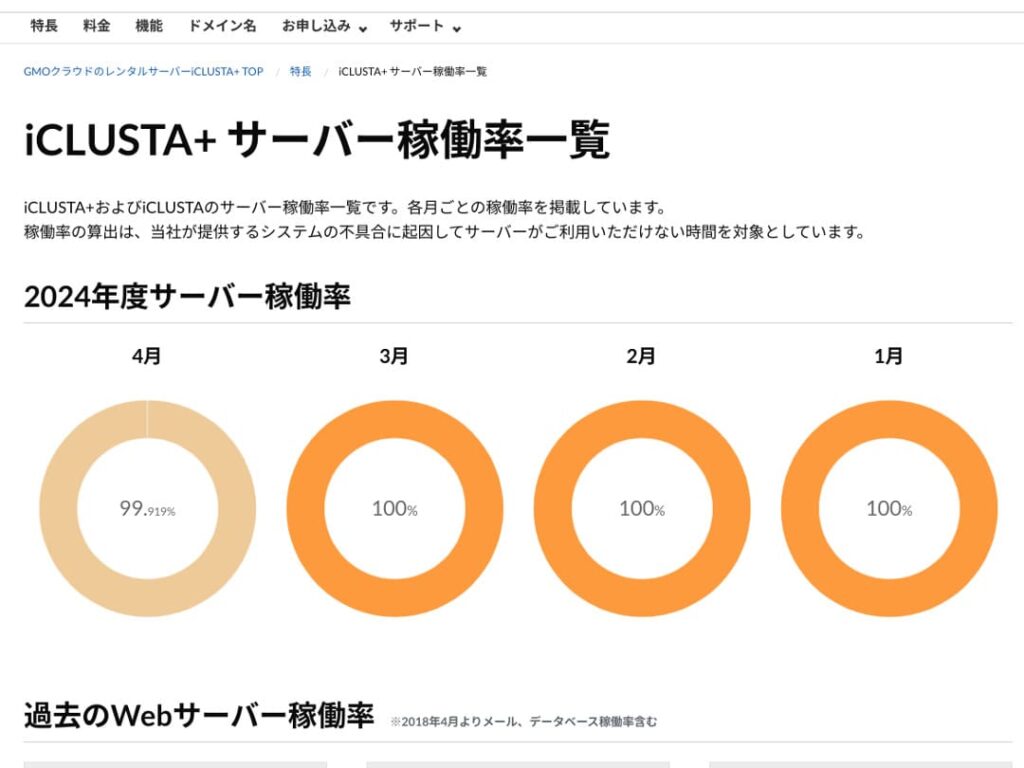
“Nisan ayında %99,919” diye düşünebilirsiniz ancak dürüst olmak gerekirse performansı konusunda şeffaf olan ve bu yönüyle güven veren bir sunucudur. Aslında Nisan 2024 boyunca 30 gün içinde kesinti süresi yaklaşık 35 dakikaydı. Kesinti kesintidir ama minimum düzeydedir.
Furthermore, because the SLA guarantees 100% uptime, in April 2024, 10% of the usage fee is refunded based on the conditions. This small refund also reflects the company’s commitment to honesty.
★ Beginner’s Guide: Understanding Rental Server Uptime and SLAs
Ücretsiz Telefon Desteği ve Mesai Saatleri Dışı E-posta/FAKS Desteği
iCLUSTA+ byGMO tüm planlarda ücretsiz telefon desteği sunar. Bu destek Pazartesi'den Cuma'ya saat 10:00 ile 18:00 arasında mevcuttur. Akşamlar, hafta sonları ve resmi tatiller de dahil olmak üzere bu saatler dışındaki zamanlarda, teknik e-posta desteği her zaman aktiftir.
Teknik e-posta desteği, mesai saatleri dışındaki sunucu kullanımıyla ilgili sorunlara yönelik taleplerle ilgilenir. Bu, sunucuyu kullanırken teknik bir sorunla karşılaştığınızda çaresiz kalmayacağınız anlamına gelir.
Quote and Invoice Generation Available
İşletmeler muhasebe açısından fatura ve teklif talep edebilirler; iCLUSTA+ byGMO offers a solution. allows you to receive a quote via the quote formwithin the quote form.
Additionally, invoices can be issued when you sign up for new contracts, such as bank transfers and direct debits.
Receipts are stored according to the payment basis for each payment, such as those from ATMs.
Comprehensive Email Functionality
iCLUSTA+ byGMO boasts a comprehensive suite of email features.
You can have an unlimited number of email addresses. Furthermore, kaydolurken web ve e-posta kapasitesini serbestçe belirleyebilirsiniz. Web kapasitesi ilgili web sitesi içeriği içindir. E-posta kapasitesi için Mini Plan 119 GB'a kadar alan ayırmanıza olanak tanır.
Ancak, birden fazla alan adı kullanmak ve e-posta listeleri oluşturmak aylık 220 ¥ ücrete tabidir. Dahili toplu e-posta dağıtımı için e-posta listeleri kullanmayı planlıyorsanız bu ek maliyete dikkat edin.
Ücretsiz AlphaSSL SSL
iCLUSTA+ byGMOoffers ücretsiz use of AlphaSSL. When it comes to ücretsiz Let’s Encrypt SSL, that’s a well-known name. AlphaSSL is a more reliable SSL certificate that typically maliyets 6,600 yen per month.
★ SSL and TLS: The Encryption Mechanism to Protect Information and Its Benefits
Honestly Presented iCLUSTA+’s Drawbacks

iCLUSTA+ byGMO is a good sunucu for işes, but it does have some drawbacks.
A 10% surcharge for basic charges will occur.
iCLUSTA+ byGMO incurs a surcharge fee in addition to the base fee. Currently 10%, but this may change in the future. Given the current global economic situation, there are understandable concerns about potential price increases.
Backups are a paid option
iCLUSTA+ byGMO incurs charges for backups.
Mini plan için aylık ücret 770 yendir. Açıkçası, tek bir sunucu olsa bile başka bir sunucu kiralama maliyetine göre pahalıdır. Sınırsız depolama kapasitesiyle 7 nesile kadar yedekleme sunması, teknik özellikler açısından etkileyicidir.
Ancak web siteniz için WordPress'i seçerseniz, yedekleme ve geri yükleme için hiçbir maliyeti olmayan WordPress eklentileri yükleyebilirsiniz.
★ Data Recovery: Top 5 WordPress Plugins
iCLUSTA+ byGMO'yu iki rakip sunucuyla karşılaştırma
KAGOYA JAPAN
KAGOYA JAPAN also iCLUSTA+ byGMO like , işletmeler tarafından desteklenen kararlı ve yoğun olarak kullanılan bir sunucu sunar.
KAGOYA JAPAN’s WP Server Grade 1 Plan can be used for a monthly fee of 440 yen. It has backup functionality, making it more affordable to start than iCLUSTA+ sunucu maliyets.
Ancak, Lite 1 Çekirdek/4GB planının 100 Mbps bant genişliği sınırı vardır ve bu durum sunucu hızı hakkında bazı belirsizlikler yaratır. Ayrıca ücretsiz, özel bir SSL olan Let’s Encrypt'i kullanır. It’s a relief that iCLUSTA+ offers AlphaSSL.
It’s a choice of two companies to carefully consider price and features.

KAGOYA JAPAN İtibarı! 61.000 İşletme Kullanıyor, WordPress'e Özel Sunucuların Fiyat-Performans Oranını İnceliyoruz
KAGOYA JAPAN İtibarı! 61.000 İşletme Kullanıyor, WordPress'e Özel Sunucuların Fiyat-Performans Oranını İnceliyoruz
serverfield.org
XServer İş
A major domestic sunucu provider, Xsunucu İş is offered by iCLUSTA+ byGMO. iCLUSTA+ ile karşılaştırıldığında daha yüksek bir fiyata sahiptir. İlk kurulum maliyeti 16.500 ¥'dir. 12 aylık bir sözleşmeyle aylık ücret 4.180 ¥'dir; bu da iCLUSTA+'ın maliyetinin neredeyse dört katıdır.
%99,99 çalışma süresi garantisine sahiptir ve yüksek hızlı 10 Gbps hatta bağlanır. Bu, web sitelerini ve e-postaları sorunsuz bir şekilde görüntülemek için gereken özellikleri sunar ve ayrıca 14 günlük otomatik yedekleme işlevini içerir. iCLUSTA+ byGMO doesn’t require you to pay extra fees like .
However, iCLUSTA+ byGMO is not like bünyesinde ücretsiz, özel bir SSL kullanabilirsiniz. Ücretli bir bulut SSL'i tercih ederseniz, aylık maliyeti 880 yen olacaktır. SSL son yıllarda web siteleri için standart bir güvenlik önlemi haline gelmiş olup bu nedenle son derece değerlidir. Sonuç olarak, bünyesinde sunulan ücretsiz alpha SSL iCLUSTA+ byGMO is a significant advantage.
If you’re looking to cut maliyets, you can definitely start by considering iCLUSTA+.

XServer Business İtibarı ve İnceleme! En Son Hız, Fiyatlandırma ve Özellikleri Kapsamlı Şekilde Doğruluyoruz
XServer Business İtibarı ve İnceleme! En Son Hız, Fiyatlandırma ve Özellikleri Kapsamlı Şekilde Doğruluyoruz
serverfield.org
7 Steps to Start Your WordPress Website with iCLUSTA+ Right Now
Start your website with iCLUSTA+!
- Step 1iCLUSTA+ byGMO Kiralık Sunucu Resmi Web Sitesini Ziyaret Edin
Click “Sign Up with Full Money-Back Guarantee”
- STEP.2Server Application
Choose a plan. iCLUSTA+ Mini is recommended. You can upgrade to a higher plan with more specifications later if needed. Let’s start with the cheapest mini plan.
The contract period is advantageous at 24 months, but you can also start with a one-month payment.
Disk kapasitesini olduğu gibi bırakabilirsiniz. Web siteleri genellikle çok fazla disk alanı kullanmaz. E-posta kullanmayı planlıyorsanız, e-posta kapasitesini azaltmak yerine mümkün olan en yüksek değeri atamak daha iyidir.
Select MySQL as an option service. MySQL, the database for WordPress, is necessary to start using WordPress.
★ What is a Database? An essential component for WordPress in management and operation
Click “Next”.
Choose a domain name. Let’s select “Register a new domain name”. Enter the desired domain name string and search for it.
★ Alan Adı Nedir? Web adresi olarak rolü ve nasıl alınacağı
“.com” ve “.co.jp” gibi uzantılara sahip alan adlarını seçebilirsiniz. Satın alma ve yenileme maliyeti alan adı uzantısına göre değişiklik gösterir. Eğer bir işletmeyseniz, mümkün olduğunca “.co.jp” tercih etmenizi öneririz. Bireyler için “.com” or “.net” önerilir. Bunlar yaygın olarak bilinen alan adları olduğundan daha az şüphe uyandırır ve insanların erişmesini kolaylaştırır.
Check the desired domain and click “Proceed to Apply”.
Click “Next”. Enter your customer information. Select “Continue” for “First-time Customers”.
Enter details such as company name, name, and address. Also, enter payment information. Credit card payments are recommended for quickly creating your website.
Read and agree to the privacy policy and personal information matters. If you agree, click “Proceed to Next”.
Review the application details and submit your application.
For first-time users, set up your email address and password. Agree to the terms of service and privacy policy and click “Next”.
- Step 3Database Creation and WordPress Installation
PlanManager veritabanından “Örnek Ekle” seçeneğine tıklayın. Ardından aşağıdaki bilgileri ayarlayın:
- Instance Ayarlar: Version – Leave as is
- Instance Ayarlar: Password – Automatically generated
- Instance Ayarlar: Comment – Leave blank
- Admin User: Leave as is
- New Database: Database Name – Leave as is
Click “Save,” and you’ll see “Instance created” displayed.
Ardından, WordPress kurulumuna geçin. PlanManager'da sırasıyla “Uygulamalar” ve ardından “Uygulama Yükleyici” seçeneklerine tıklayın.
WordPress'i seçin ve “Kurulum Ayarlarına İlerle” seçeneğine tıklayın. Aşağıdaki gibi yapılandırın:
- Installation Directory: Anywhere is fine
- MySQL Database: Select the instance and database you created earlier. The table prefix can remain as is.
- PHP Version: Leave as is
- Terms of Service: If you agree, check “Accept.”
After entering all information, click “Start Installation.”
Kurulum tamamlandıktan sonra ilk kuruluma geçin. “İlk Ayarlara İlerle” seçeneğine tıklayın. Aşağıdakileri ayarlayın:
- Site Title:
- Username: Anything you like, but be aware that changing it later can be time-consuming.
- Password: Make it as complex as possible – you can easily change it later.
- Email Address: Your usual email. For işes, we recommend using a corporate email address for website management.
- Display in Search Engines: Check this box if you want to make your site visible in search engines.
After entering all information, click “Install WordPress.”
WordPress'e giriş yapmak için e-posta adresinizi ve şifrenizi kullanacağınızı unutmayın. Bunları not ettiğinizden emin olun. After reviewing the registration details, click “Create.”
- Step 4WordPress Basic Setup
“Listeye Git” seçeneğine tıklayın. WordPress kurulumlarının bir listesini göreceksiniz. Yakın zamanda WordPress kurduğunuz alan adının yanındaki “Giriş” bağlantısına tıklayın.
Açılan WordPress giriş ekranında kurulum sırasında belirlediğiniz kullanıcı adını/şifreyi girin ve “Giriş” seçeneğine tıklayın.
WordPress'e giriş yaptıktan sonra kalıcı bağlantılarınızı ayarlayalım. WordPress yönetici panelindeki “Ayarlar” bölümünden “Kalıcı Bağlantı Ayarları” sekmesine gidin. “Yazı ismi” seçeneğini belirleyin. Ardından “Değişiklikleri Kaydet” seçeneğine tıklayın.
Using “Post name” allows you to enter any string you like in the URLs when you publish articles. It’s recommended to use a short string that represents the content of the article, as this makes it easier for readers to find the page when they visit your homepage. Too long a URL might make visitors nervous.
- STEP.5Plugin Installation
Return to the WordPress administration panel and proceed to “Plugins” > “Add New” to install the necessary plugins.
When you find a plugin you want to install via search, click “Install Now” and then “Activate.” Afterward, follow the instructions for each plugin.
It is essential to install security and backup plugins.
- Top 5 WordPress Plugins to Enhance Security and How to Choose Them
- Top 5 WordPress Backup Plugins to Retrieve Your Data
Now that you’ve installed the plugins, you’re completely prepared for your WordPress website!
Summary
“iCLUSTA+ byGMO”, GMO GlobalSign Holdings K.K.'nin 25 yıllık deneyimiyle desteklenen bir sunucudur. Kullanımı bütçe dostudur. Buna rağmen, %100 çalışma süresi garantisi sunacak kadar kararlıdır; bu da maliyetleri düşük tutmak isteyen küçük ve orta ölçekli işletmeler ile şirketler için önerilen bir seçenek olmasını sağlar.
Ücretsiz ilk kurulum, 9 aya kadar ücretsiz sunucu kullanımı ve 30 günlük para iade garantisi.
iCLUSTA+ byGMO işletmeler için bir kiralık sunucudur. Aylık ücretleri 1.000 ¥ seviyesinden başlatabilir, aynı zamanda %100 çalışma süresi ve kararlılık sağlayabilirsiniz; bu da maliyetleri düşürmek isteyen işletmeler için oldukça caziptir. Özellikle harcamaları en aza indirmek isteyen işletmeler için denemelerini şiddetle tavsiye ederiz.
32 WordPress Kiralık Sunucusunun Tam Karşılaştırması: Bireyler, İşletmeler ve Yurt Dışı Kullanım İçin Öneriler
Eğer "WordPress'e başlamak istiyorum" diye düşünüp "önerilen WordPress barındırma" araması yaparsanız, kişisel kullanım ve işletmeler veya küçük şirketler için sunuculardan yurt dışı barındırma ve düşük maliyetli sunuculara kadar uzanan çok geniş bir yelpazede makale bulursunuz. Dürüst olmak gerekirse,
- It is hard to know which site to trust.
- I want to choose a sunucu in a basit, easy-to-understand way!
- I want to know how I can start WordPress right away.
Tam olarak böyle hissetmiyor musunuz? Bu nedenle bu makale, 32 kiralık sunucu şirketi arasından önerilen seçenekleri özenle seçip tanıtıyor: bireysel kullanım, kurumsal kullanım, yurt içi kullanım ve yurt dışı kullanım. Bu açıklama, her gün kiralık sunucular kullanan bir uygulama geliştirme şirketinin SEO uzmanı tarafından yazılmıştır.