7 Ekim 2025 tarihine kadar, başlangıç ücreti (normalde 16.500 yen ile 385.000 yen arası) ücretsizdir ve sunucu taşıma hizmeti de ücretsizdir
PR
Sunucular
XServer Business İncelemesi [2025 En Yeni]: Hız, Ücretlendirme ve Özelliklerin Kapsamlı Testi
Yayınlandı: 2025.05.13
Güncellendi: 2025.05.13
Rating: 5.0
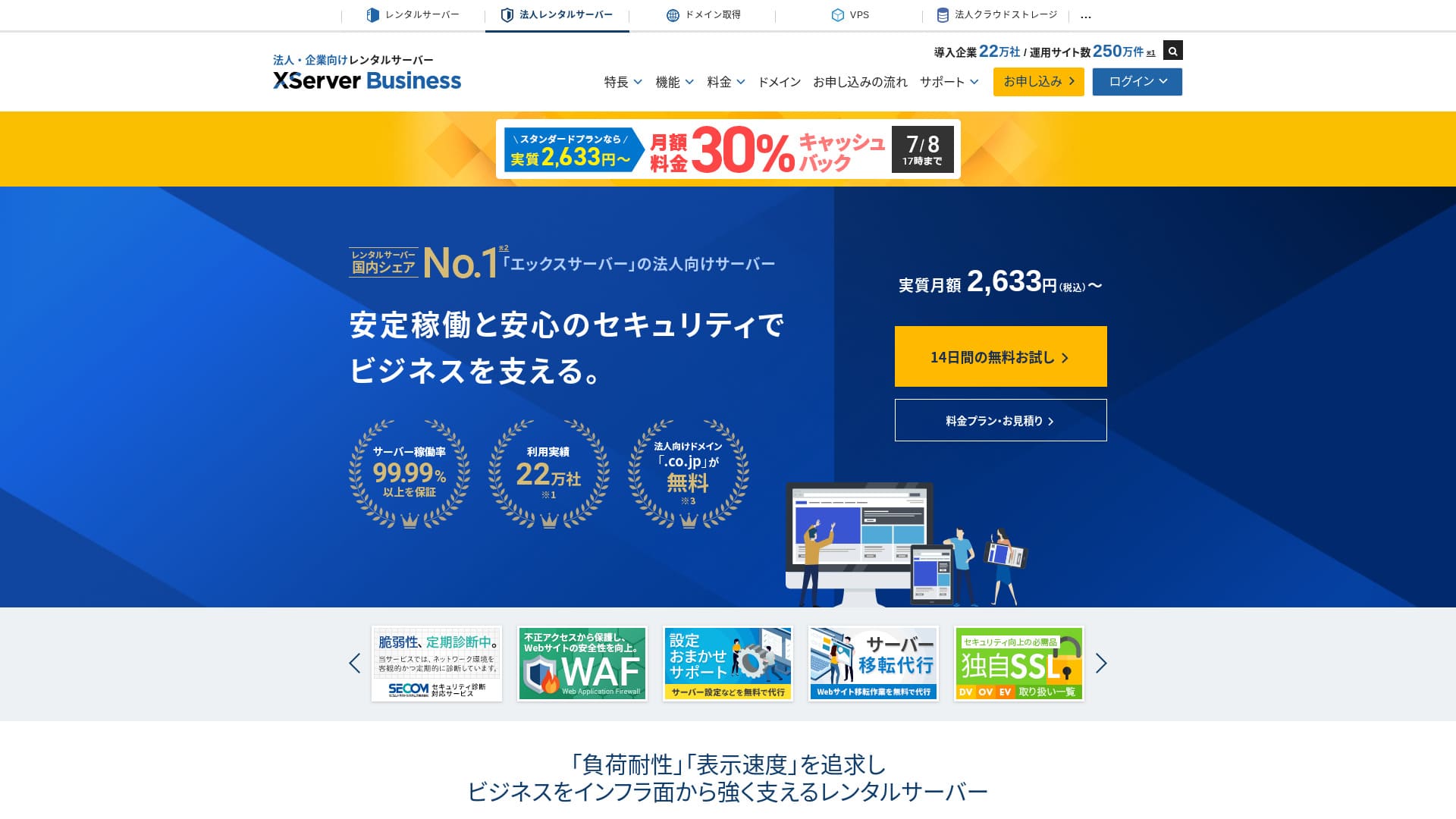
XServer Businessis an ultra-fast iş hosting service run by Xsunucu Inc.Hem hızlı hem de yüksek kapasiteli olduğu için, e-postaların yanı sıra WordPress web siteleri ve açılış sayfalarını çalıştırmak için çok konforludur.
| Server tür | Shared hosting / Managed dedicated sunucu (virtual) / Managed dedicated sunucu (physical) |
| Speed (TTFB) | 40ms |
| Recommended plan and term | Shared Standart 12 months |
| Ücretsiz trial / money-back guarantee | 10-gün ücretsiz trial |
| Monthly price (12-month term) | 2,926 yen |
| Initial setup fee | 16,500 yen |
| Ücretsiz domains | Two ücretsiz forever |
| Support | Telefon ve e-posta (hafta içi 10:00-18:00) |
| Uptime | 99.99% guarantee |
| Storage | 700 GB |
| Number of databases | Unlimited |
| Sikkerhetstiltak | WAF / website tamper alerts / Secom security diagnostics |
| SSL | Ücretsiz dedicated SSL / Cloud SSL / speed-validated SSL / QuickSSL Üst düzey |
| Backups / restore | 14 gün of automatic backups / ücretsiz restores |
| Email accounts | Unlimited |
| Email security measures | Antivirus / spam filter / high-performance spam filter / POP over SSL / SMTP over SSL / IMAP over SSL / DKIM / DMARC |
| Server / website migration service | Ücretsiz full-service migration(first time only, up to 10 sites) |
| WordPress preinstalled | Yes |
| CDN | None |

Hikaru Ono
XServer Businesssunucuya kaydolduğunuzda WordPress'i başlatmanıza olanak tanır, bu da onu yeni bir web sitesi oluşturan şirketler için harika bir seçenek haline getirir. Başka bir sunucuda zaten bir site işleten işletmeler de güvenle kullanabilir çünkü profesyonel taşıma ücretsiz olarak dahildir.
Uzun vadede kullanmaya devam edebileceğiniz yüksek kaliteli bir sunucudur.
- Data based on market research as of November 4, 2025, arranged in order of speed
- Aylık fiyatlar, WordPress'i destekleyen en ucuz planın ilk yıl maliyetidir
- Speed is the Time to First Byte measured on demo sites under the same conditions
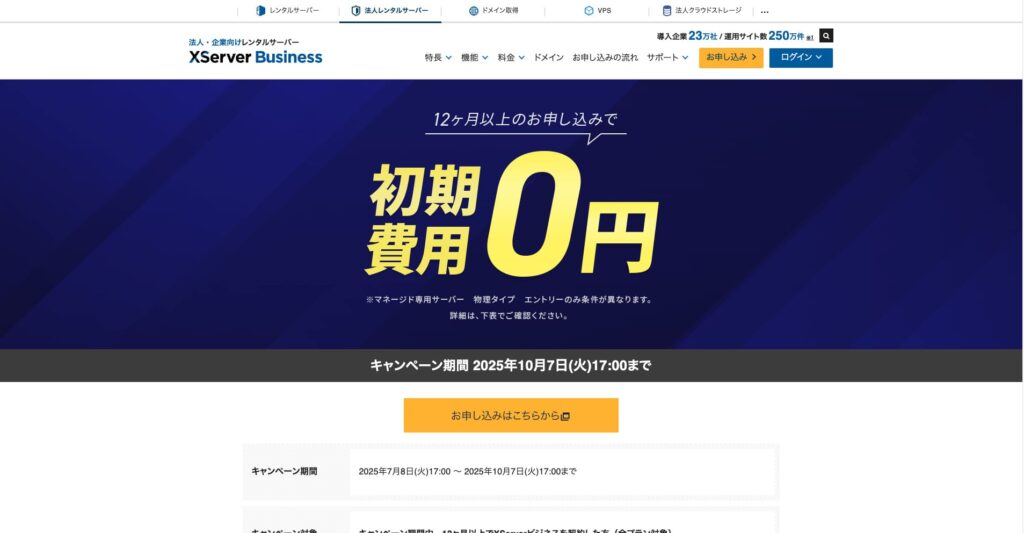
"XServer Business" Japonya'da 1 numaralı pazar payına sahip şirket olan Xserver Inc.'in kurumsal barındırma hizmetidir. Ölçümlerimizde hız açısından 2. sırada yer aldı. Yeni bir sunucuya taşınmanız gerektiğinde en iyi seçeneklerden biridir ve taşıma işlemi de ücretsizdir.

WordPress-relatert anmeldelse
Enkel WordPress-installasjon
XServer Businesskontrol panelinden sadece birkaç tıklamayla WordPress 6.8'i kuran Kolay WordPress Kurulumunu destekler. Veritabanı ve PHP ayarlarını otomatik olarak yapar ve aynı zamanda SSL'i etkinleştirir, böylece ilk kurulum için gereken iş yükü neredeyse sıfırdır.
Hikaru Ono
Even without an in-house IT department, you can start WordPress reliably and without trouble.
XServer Business ile web sitenizi başlatalım
- STEP.1Resmi XServer Business web sitesini ziyaret edin
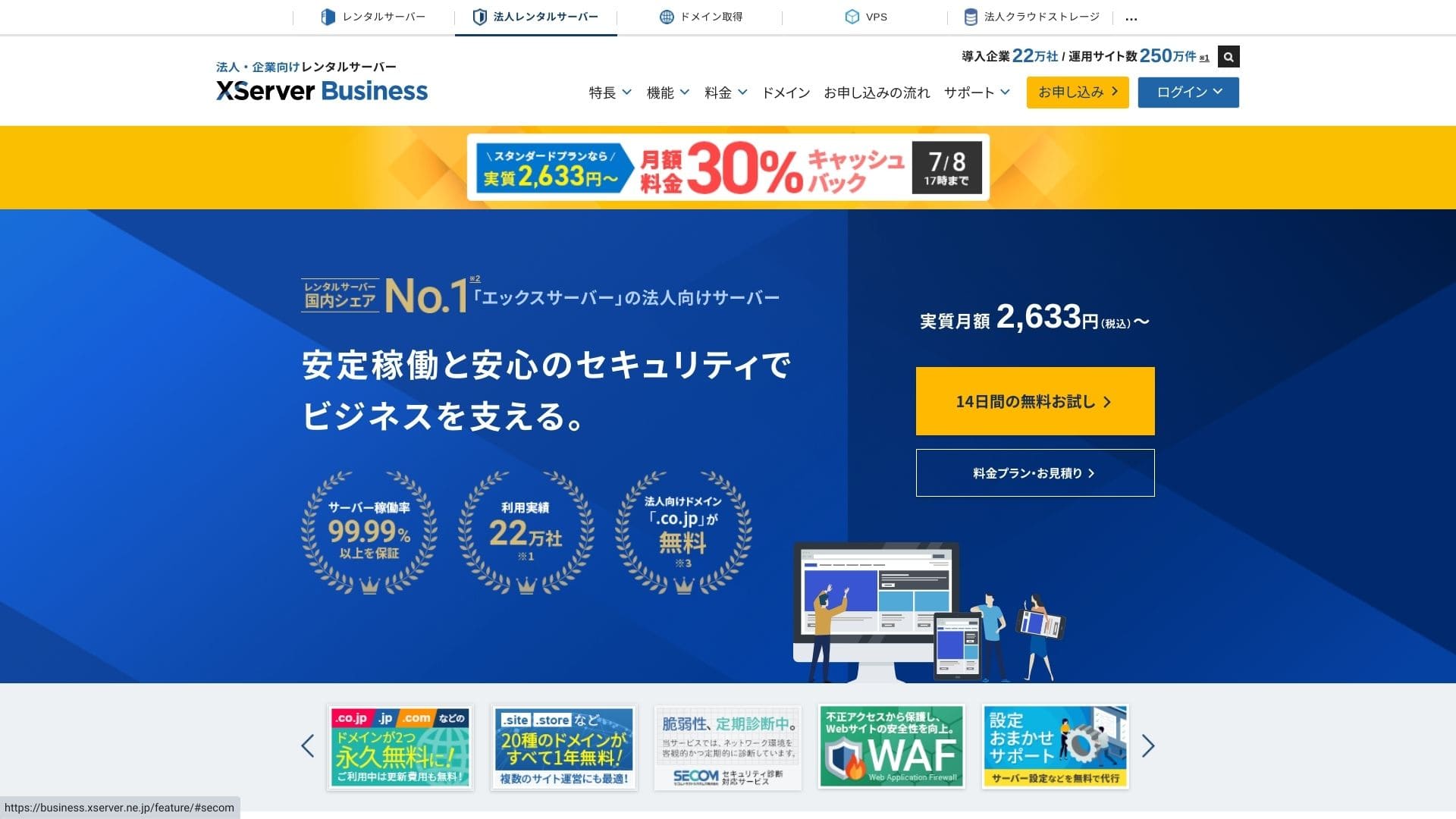
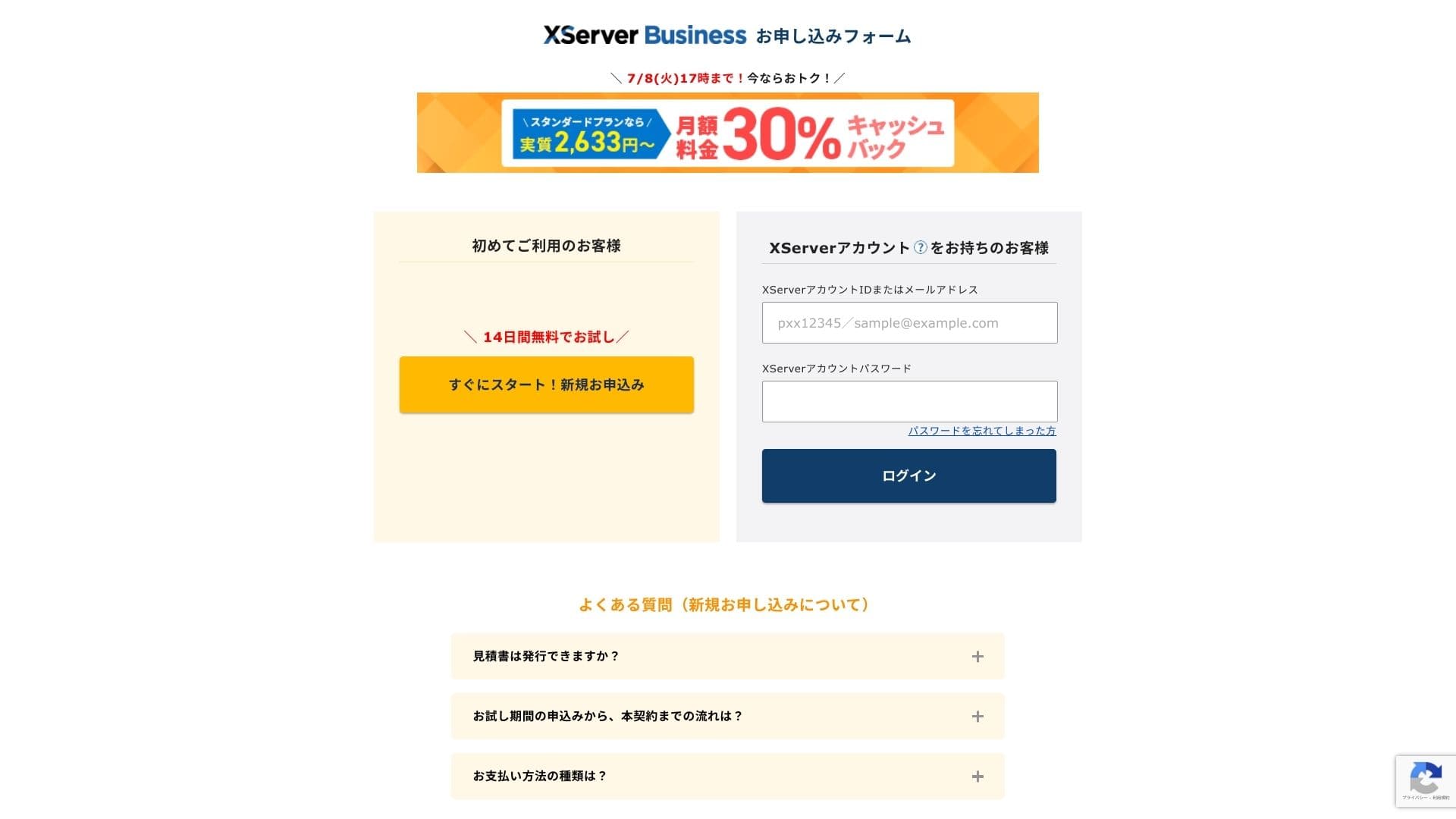
Ana sayfadaki "14 günlük ücretsiz deneme" seçeneğine tıklayın. Ardından, "İlk kez gelen müşteriler" altındaki "Şimdi başlayın! Yeni başvuru" seçeneğine tıklayın.
- STEP.2Choose your application details
Sunucu kimliğini olduğu gibi bırakabilirsiniz. Paylaşımlı sunucuyu seçin, ardından bir plan belirleyin. Standart planı öneririm. Trafik artarsa ve özellikler yetersiz kalırsa, daha sonra yükseltebilirsiniz.
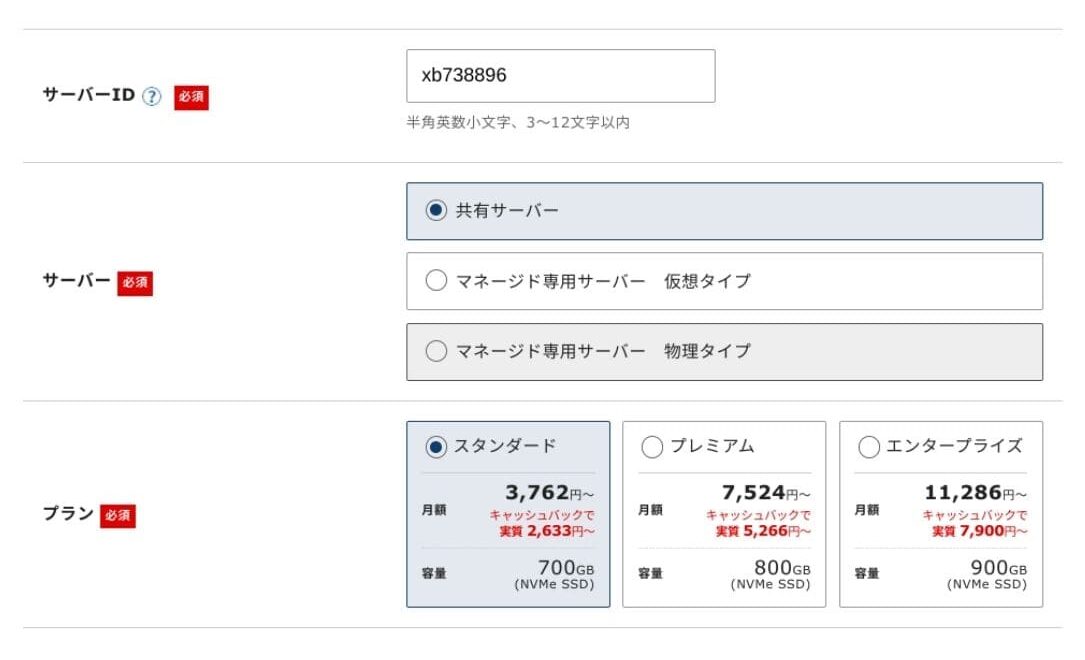
Click "Proceed to customer information entry."
- STEP.3Xserver Hesabınızı oluşturun ve müşteri bilgilerinizi girin
Enter your email address, name, address, and the other required details.
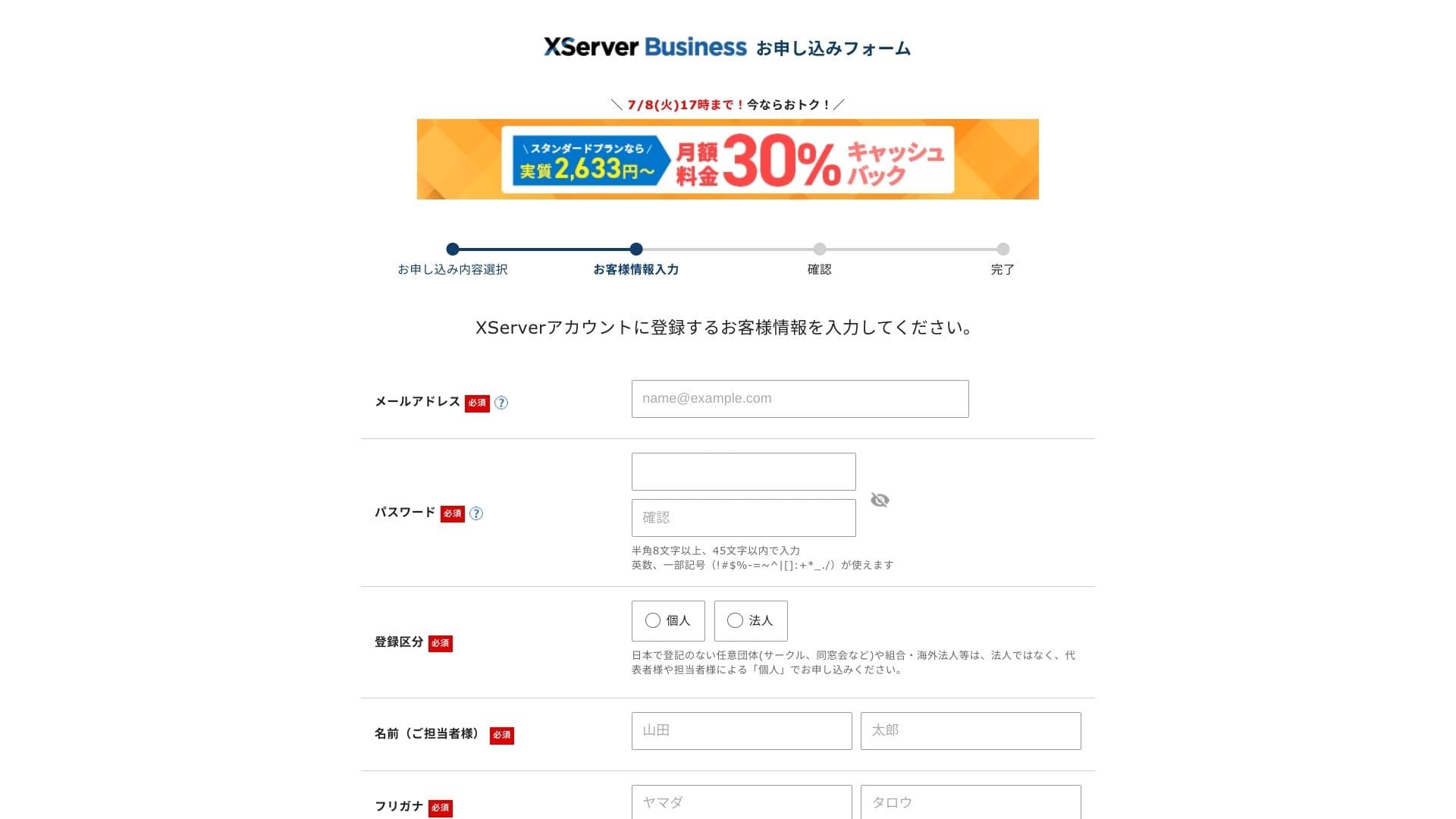
Anmeldelse the Terms of Use and the Handling of Personal Information. If you agree, check the box and click "Next."
Ekranda gösterilen doğrulama kodunu girin. Kayıt olduğunuz e-posta adresine bir doğrulama kodu gönderilecektir, bu yüzden önce o mesajı kontrol edin.
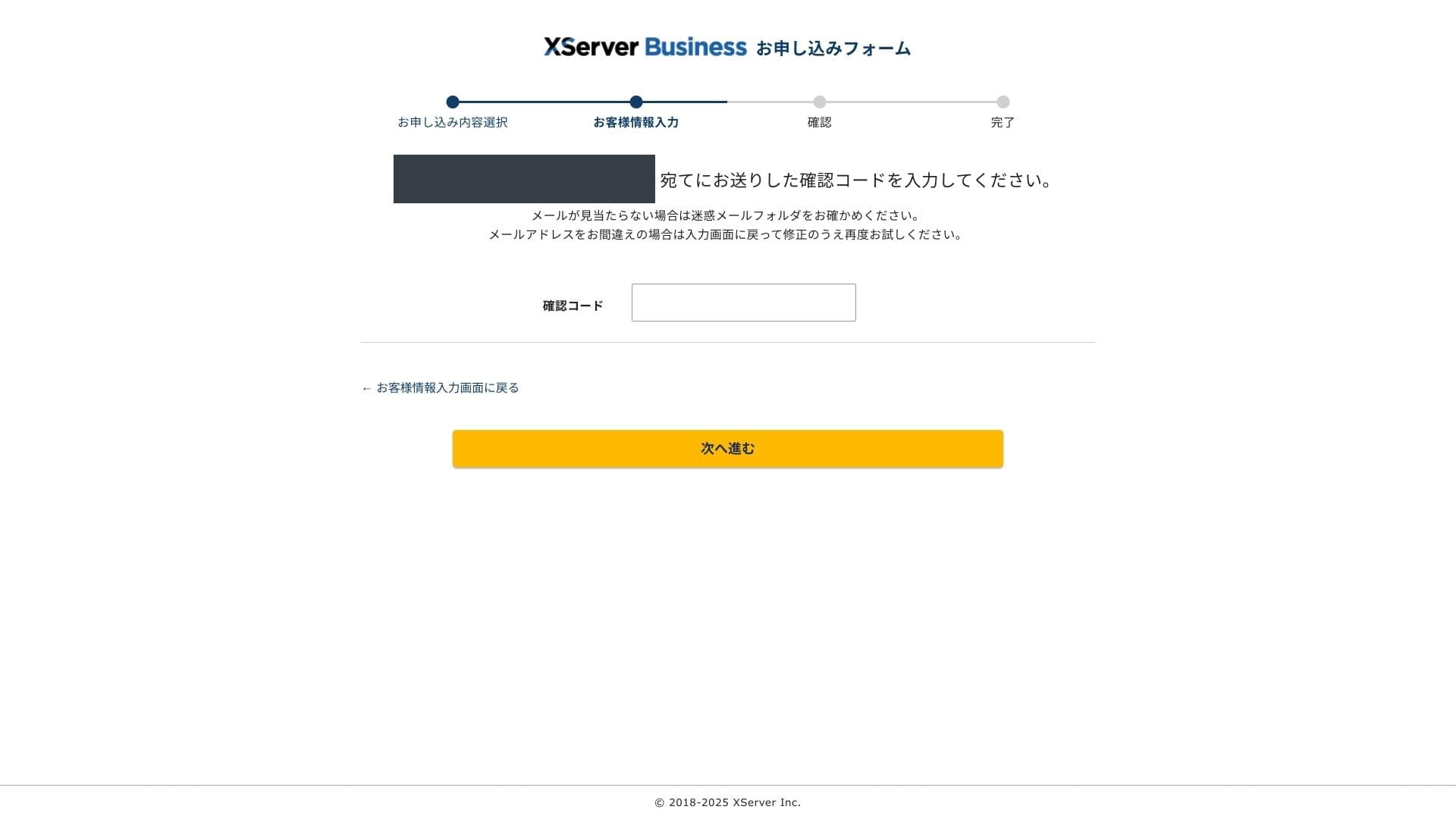
- STEP.4Anmeldelse
Başvuru ayrıntılarınızı ve Xserver Hesap bilgilerinizi bir kez daha inceleyin. Her şey doğru görünüyorsa "SMS / telefon doğrulamasına geç" seçeneğine tıklayın.
Your application details will be reviewed again using your phone number.
Enter the phone number to use, choose either SMS or an automated voice call to receive the verification code, and click "Get verification code." Once you receive it, enter the code.
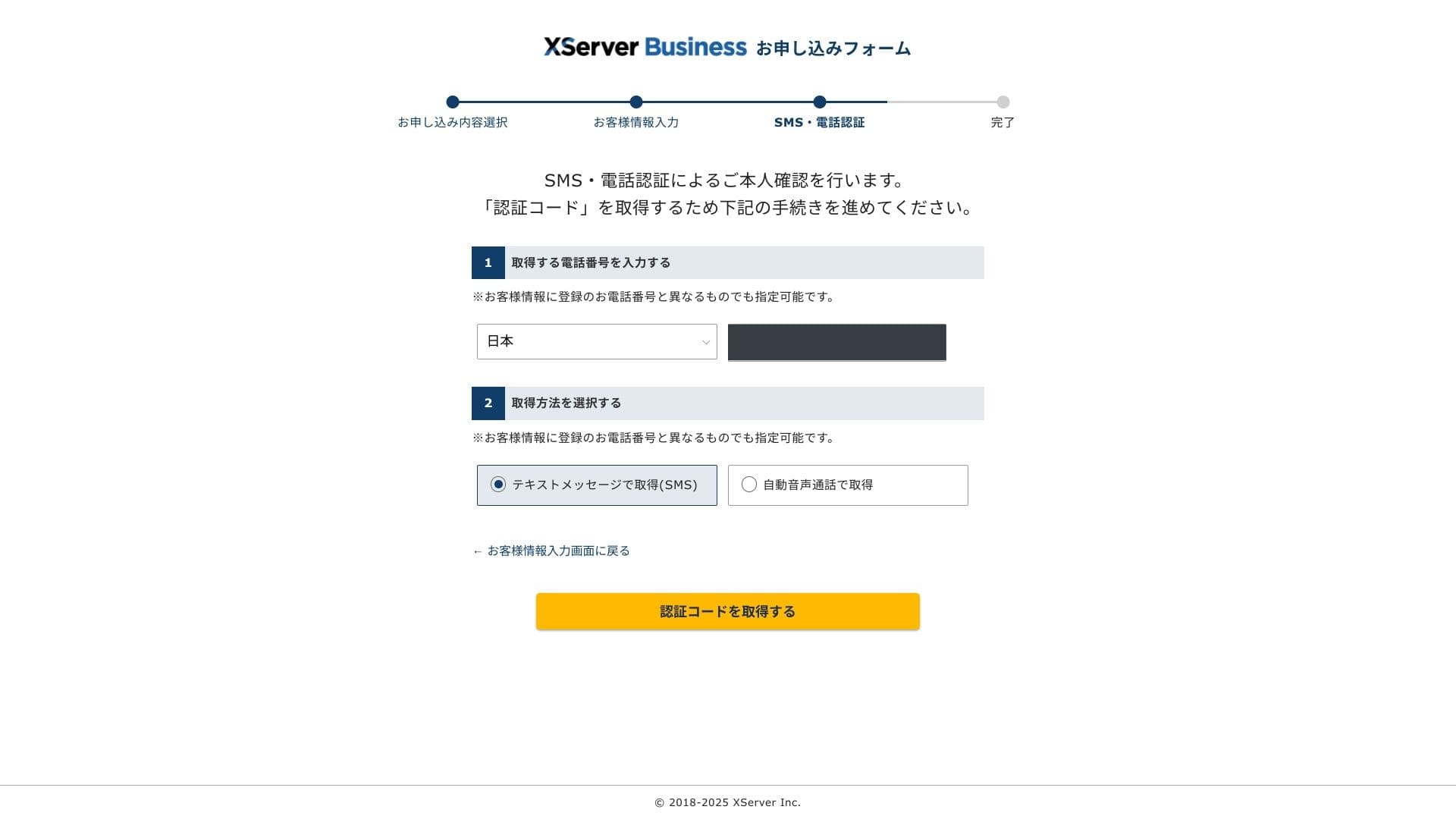
When you see "Your application has been completed," the application is finished.
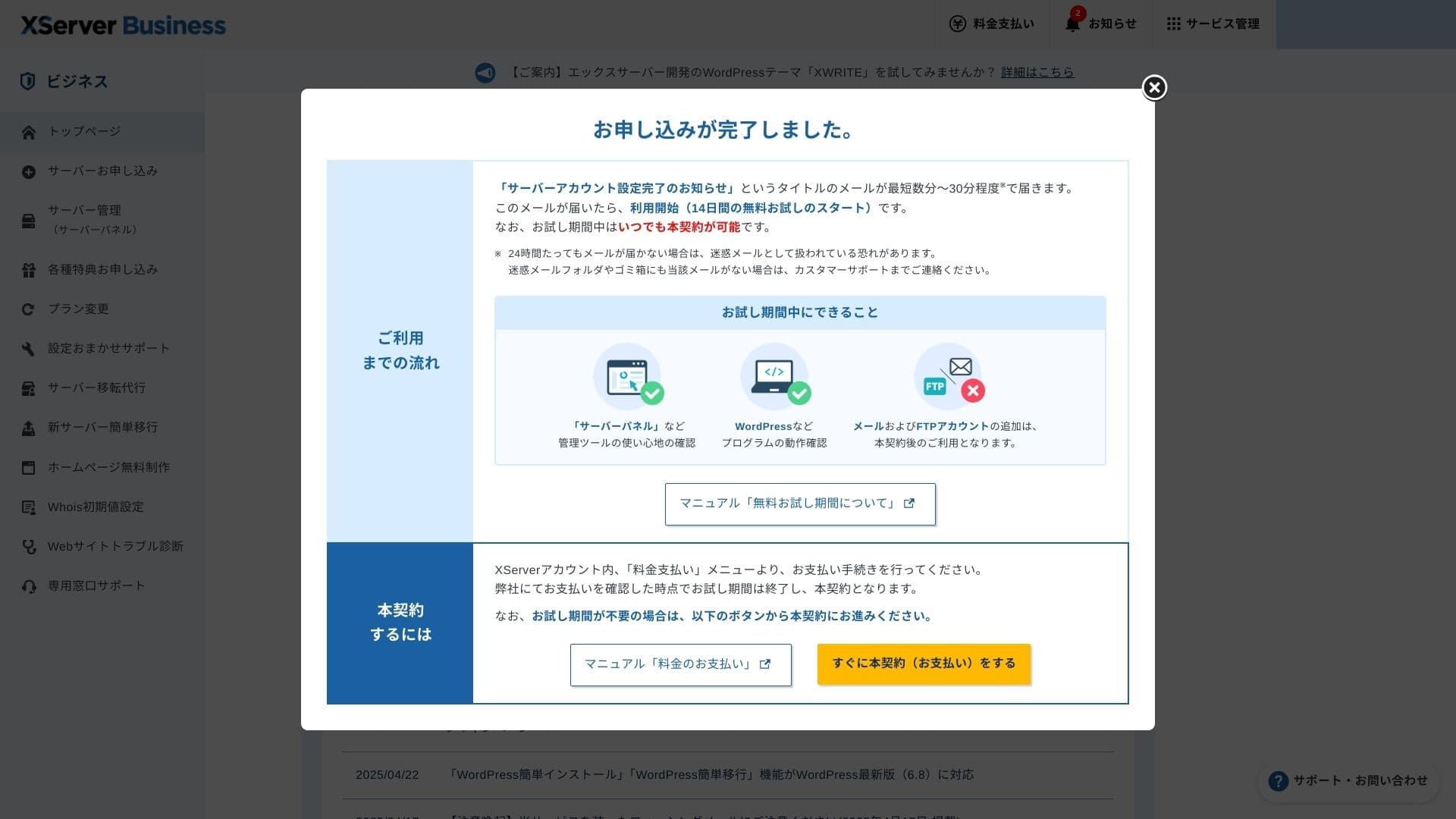
Bu sayfa göründüğünde, ödemeyi "Şimdi ücretli sözleşmeye devam et" seçeneğinden tamamlayın. Ücretli sözleşmeyi tamamlamazsanız, bir yıllık ücretsiz alan adı avantajını veya e-posta özelliklerini kullanamazsınız.
- STEP.5Get your custom domain and configure it
Xserver Hesabı yönetim ekranından Sunucu Paneline giriş yapın. Alan adınızı Alan Adı bölümünden alın. Bir yıllık ücretsiz avantajını kullanmak iyi bir fırsattır.
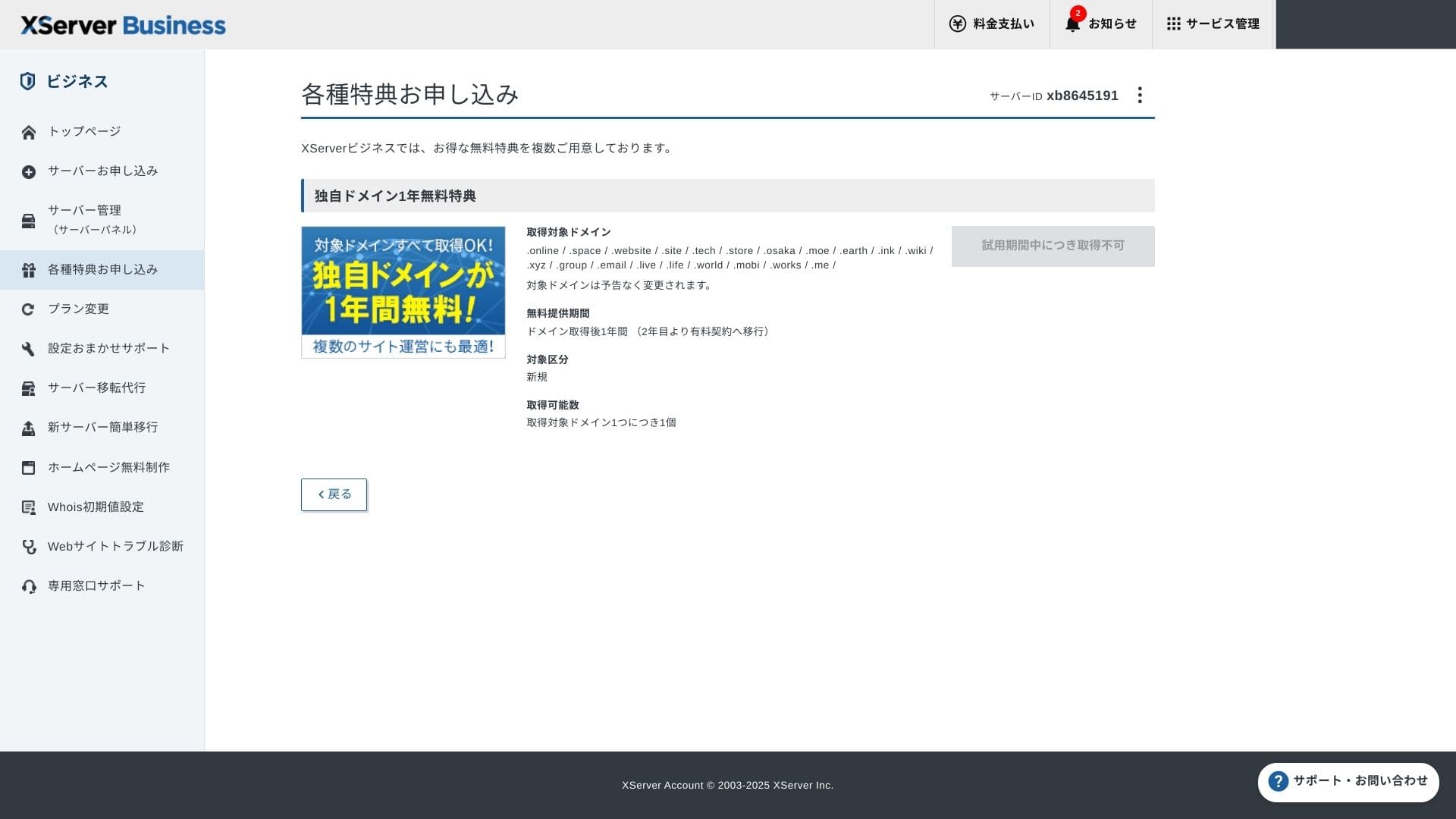
Özel alan adınızı alın. Yönetim ekranındaki Özel teklifler için başvur bölümünden Kalıcı ücretsiz özel alan adı avantajı seçeneğini seçin ve ardından Bu avantajı kullan seçeneğine tıklayın.
Choose New registration as the category. Enter any string you want for the domain name. Your domain matters, so think carefully before deciding.
★ Alan adı nedir? İnternetteki adres olarak rolü ve nasıl edinileceği
İstediğiniz alan adını arayın ve seçin. "Seçilen alan adını almak için başvur" seçeneğine tıklayın. Başvuru ekranındaki başvuru ayrıntılarını inceleyin. Kullanım Koşullarını ve Kişisel Verilerin İşlenmesini kabul etmek için kutucuğu işaretleyin, ardından "Başvurunuzu gönderin" seçeneğine tıklayın.
Ardından, alan adını yapılandırın. Yönetim ekranından "Sunucu Yönetimi" seçeneğini seçin. Bu, Sunucu Panelini açar. "Alan Adı" altından "Alan Adı Ayarları" seçeneğine tıklayın. "Alan Adı Ayarı Ekle" seçeneğine tıklayın, edindiğiniz özel alan adını girin ve "İncelemeye Devam Et" seçeneğine tıklayın.
İnceleme ekranındaki ayrıntıları kontrol edin ve "Ekle" seçeneğine tıklayın. Tamamlanma ekranı göründüğünde, alan adı kurulumu tamamlanmıştır.
- STEP.6Install WordPress and complete the initial setup
From WordPress in the Server Panel, choose Easy WordPress Installation.
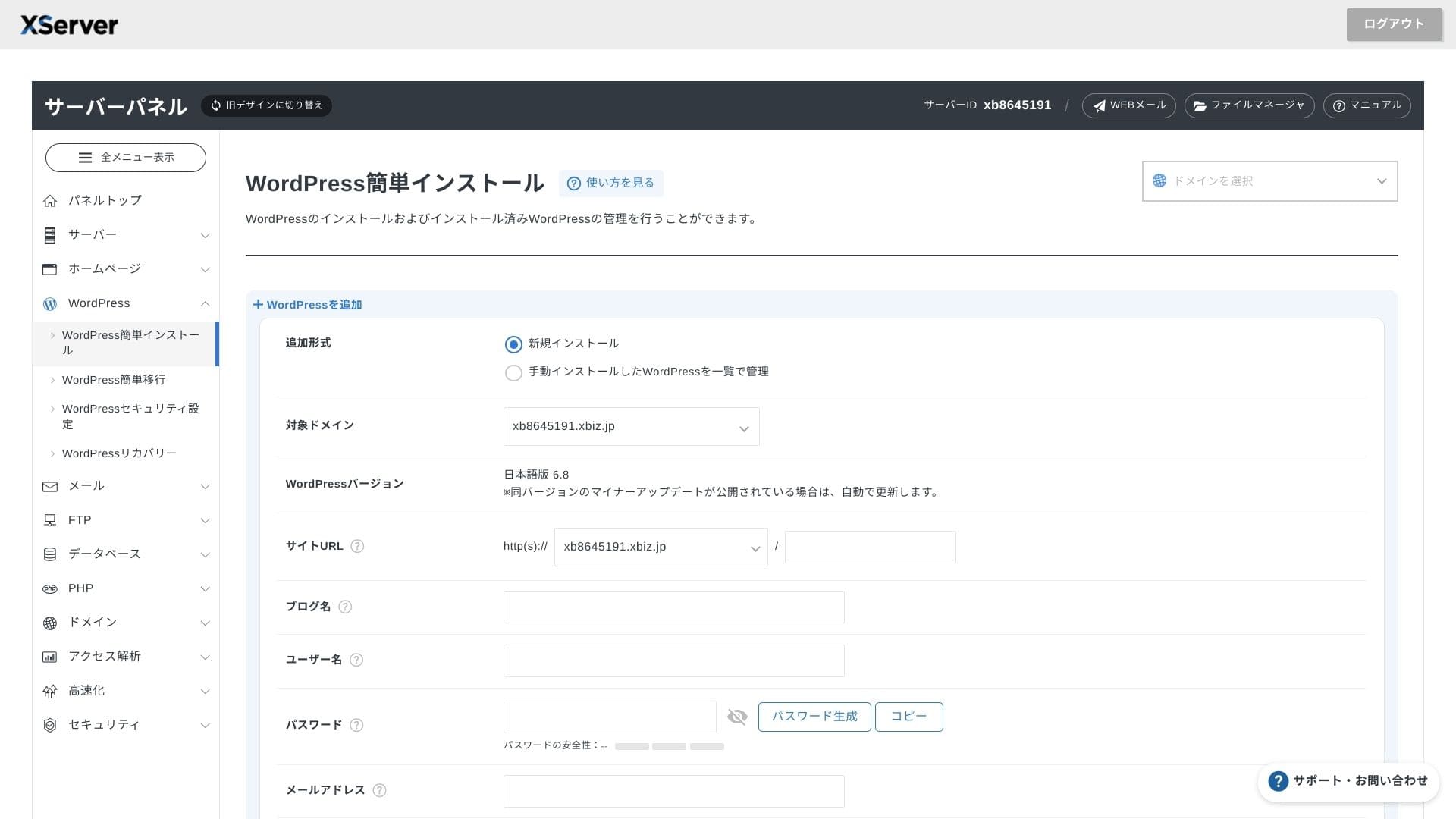
WordPress Kurulumu seçeneğine tıklayın ve WordPress için kurulum ayarlarını girin.
- Site URL: Select the domain name you obtained earlier
- Site title: The title of your website
- Username: Any username for WordPress kayıtin
- Password: A WordPress kayıtin password, preferably as complex as possible
- E-posta adresi: Normalde kullandığınız e-posta adresini kullanın. Bir iş sitesi için şirket e-postası önerilir
- Database: Generate the database automatically
Her şeyi girdikten sonra "İncelemeye Devam Et" seçeneğine tıklayın ve ardından "Yükle" seçeneğine tıklayın. Tamamlanma ekranı göründüğünde kurulum tamamlanmıştır.
Ardından, ilk WordPress kurulumunu gerçekleştirin. WordPress kurulumu tamamlanma ekranında Yönetici paneli URL'sine tıklayın. Gelen giriş ekranında daha önce not ettiğiniz kullanıcı adı ve şifreyi girin ve Giriş yap seçeneğine tıklayın.
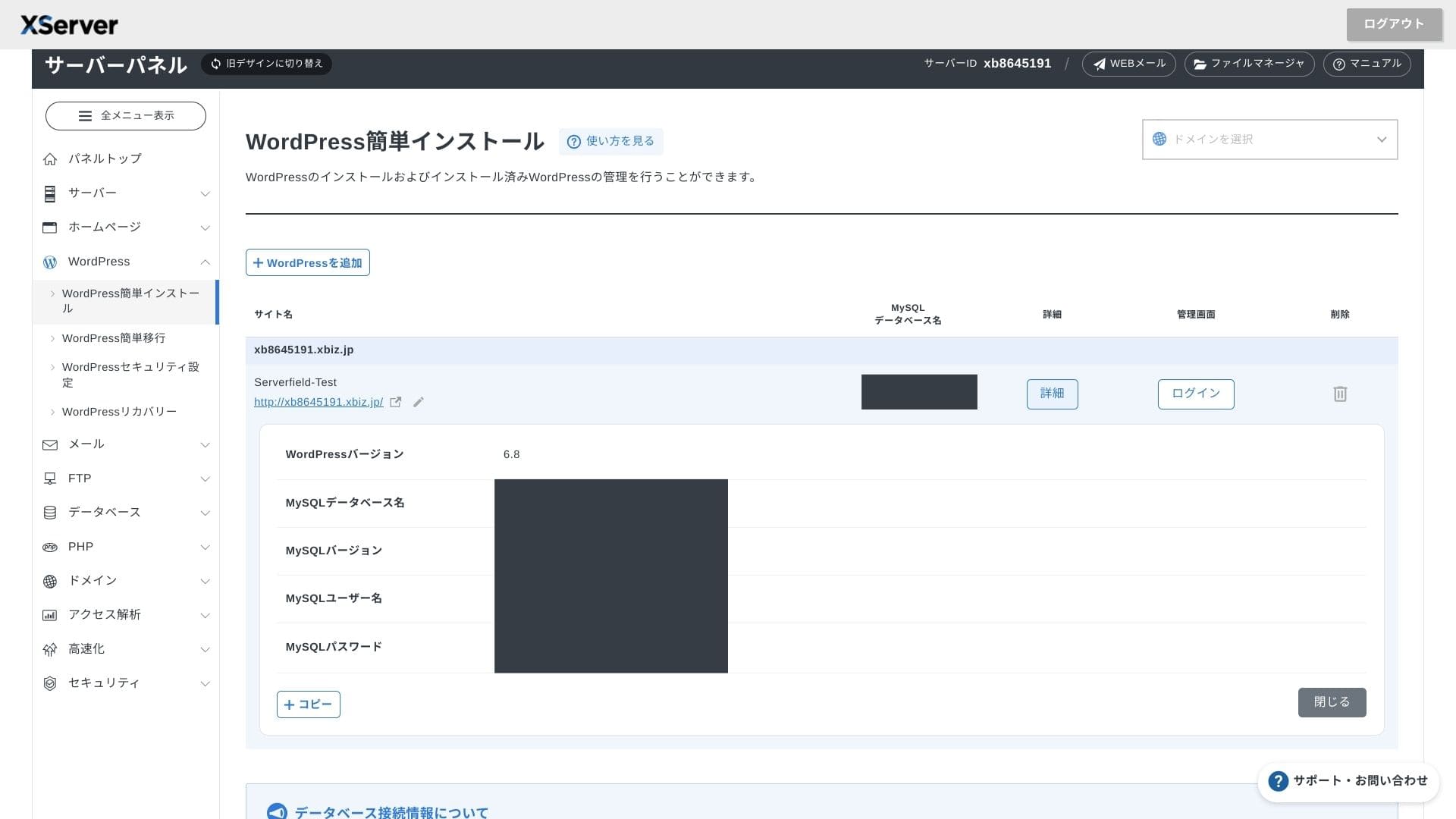
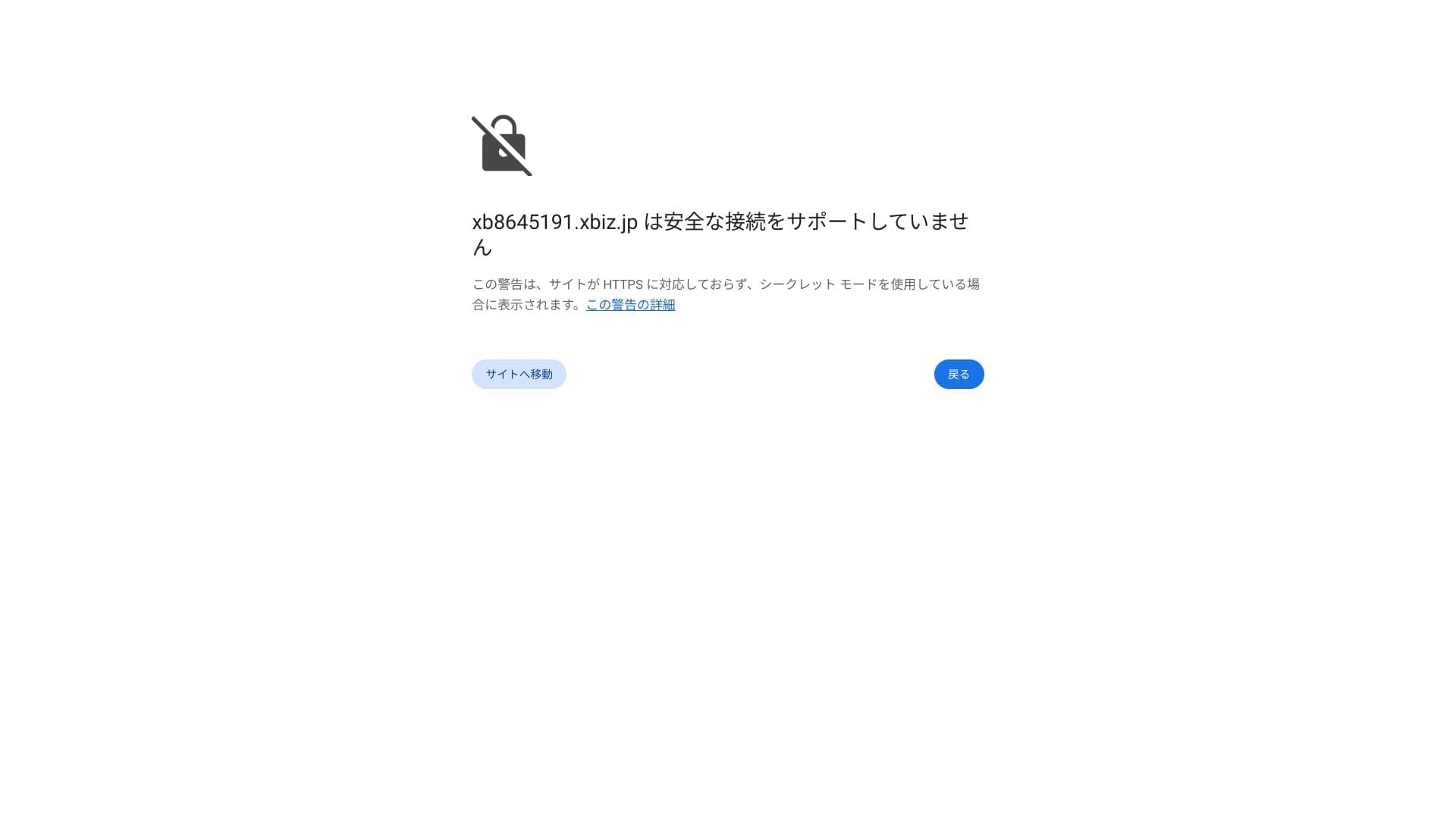
Güvenli bağlantı desteklenmiyor şeklinde bir uyarı görüyorsanız DNS ayarları henüz yayılmamıştır. Bu durumda tek yapabileceğiniz beklemektir, bu yüzden yaklaşık bir saatte bir tekrar giriş yapmayı deneyin.
★ DNS ve ad sunucuları (nameserver) nelerdir? Alan adınızı ve sunucunuzu bağlama
Kalıcı bağlantılarınızı ayarlayın. WordPress yönetim ekranında Ayarlar'a ve ardından Kalıcı Bağlantılar'a gidin. Yazı ismi seçeneğini seçin ve Değişiklikleri Kaydet'e tıklayın.
If you choose Post name, you will be able to enter any string you want in each article URL. I recommend a short string that helps readers imagine the article content. If the URL is too long, some people may feel uneasy and wonder whether the site is unsafe.
- STEP.7Install plugins
WordPress yönetim ekranına geri dönün, Eklentiler'i açın, ardından Yeni Ekle'ye tıklayın ve ihtiyacınız olan eklentileri yükleyin.
When you find the plugin you want through search, click Install Now and then Activate. After that, follow the instructions for each plugin.
Be sure to install security and backup plugins.
- 5 security-focused WordPress plugins and how to choose them
- 5 powerful WordPress backup plugins to recover your data
Once the plugins are in place, your WordPress website is ready to go.
Drift av flere nettsteder
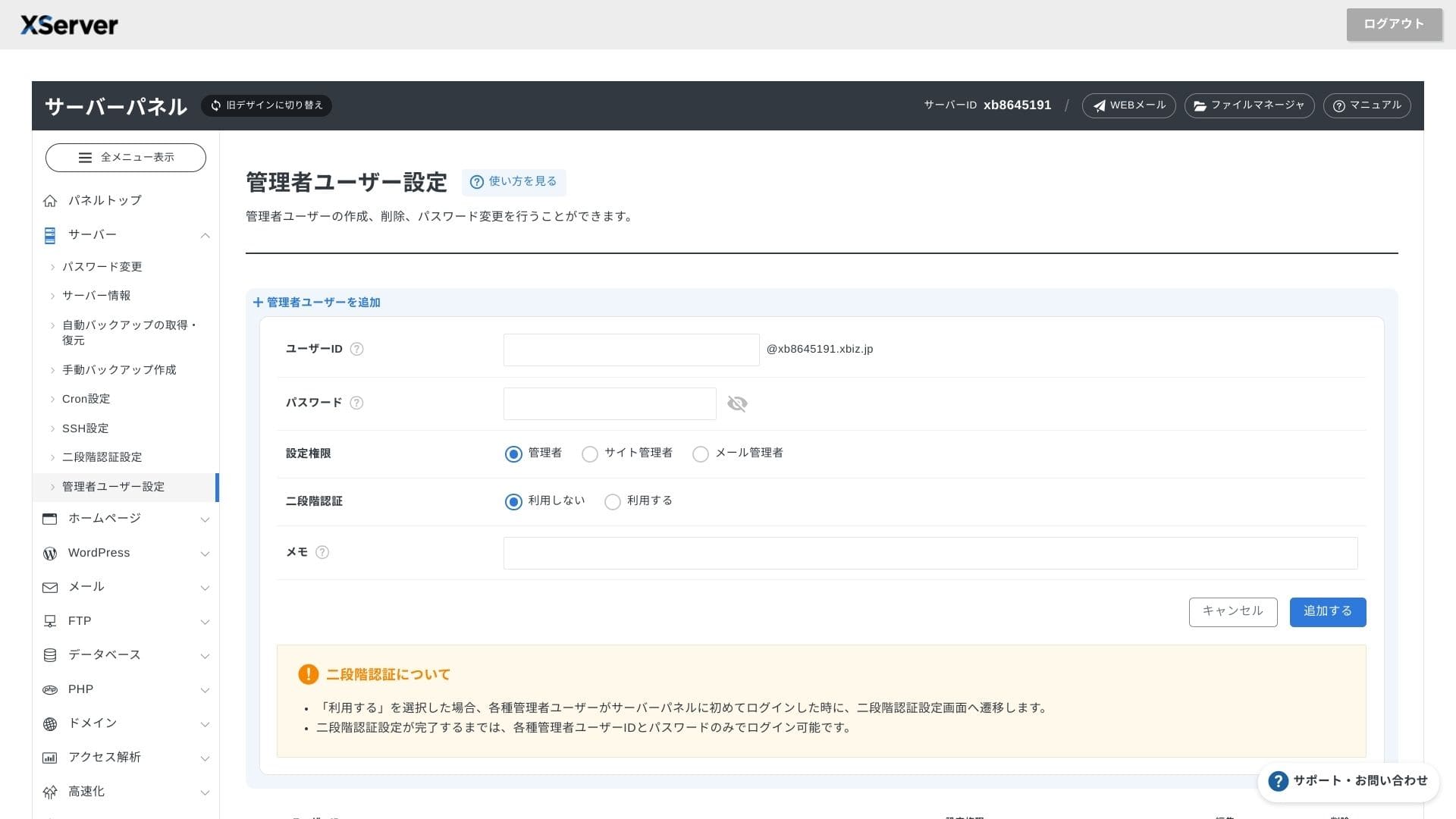
Çoklu alan adı, alt alan adları ve e-posta hesapları sınırsız olduğundan; kurumsal bir siteyi, işe alım sayfalarını, kampanya açılış sayfalarını ve daha fazlasını tek bir sözleşme altında merkezi olarak yönetebilirsiniz. Yönetici yetkilerini departmanlara göre bölme yeteneği de iş kullanımı için uygundur.
Migrering av WordPress-nettsteder
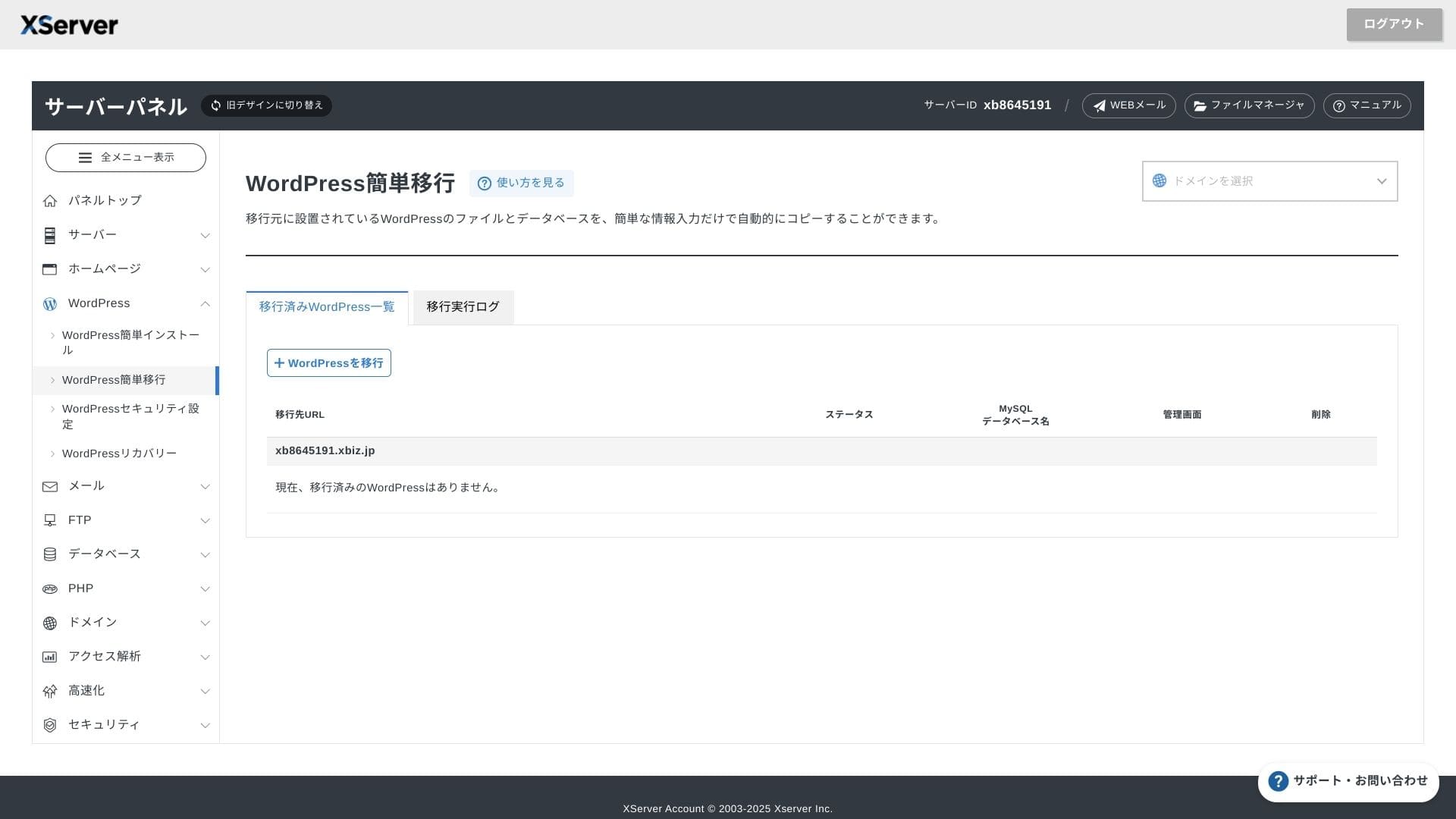
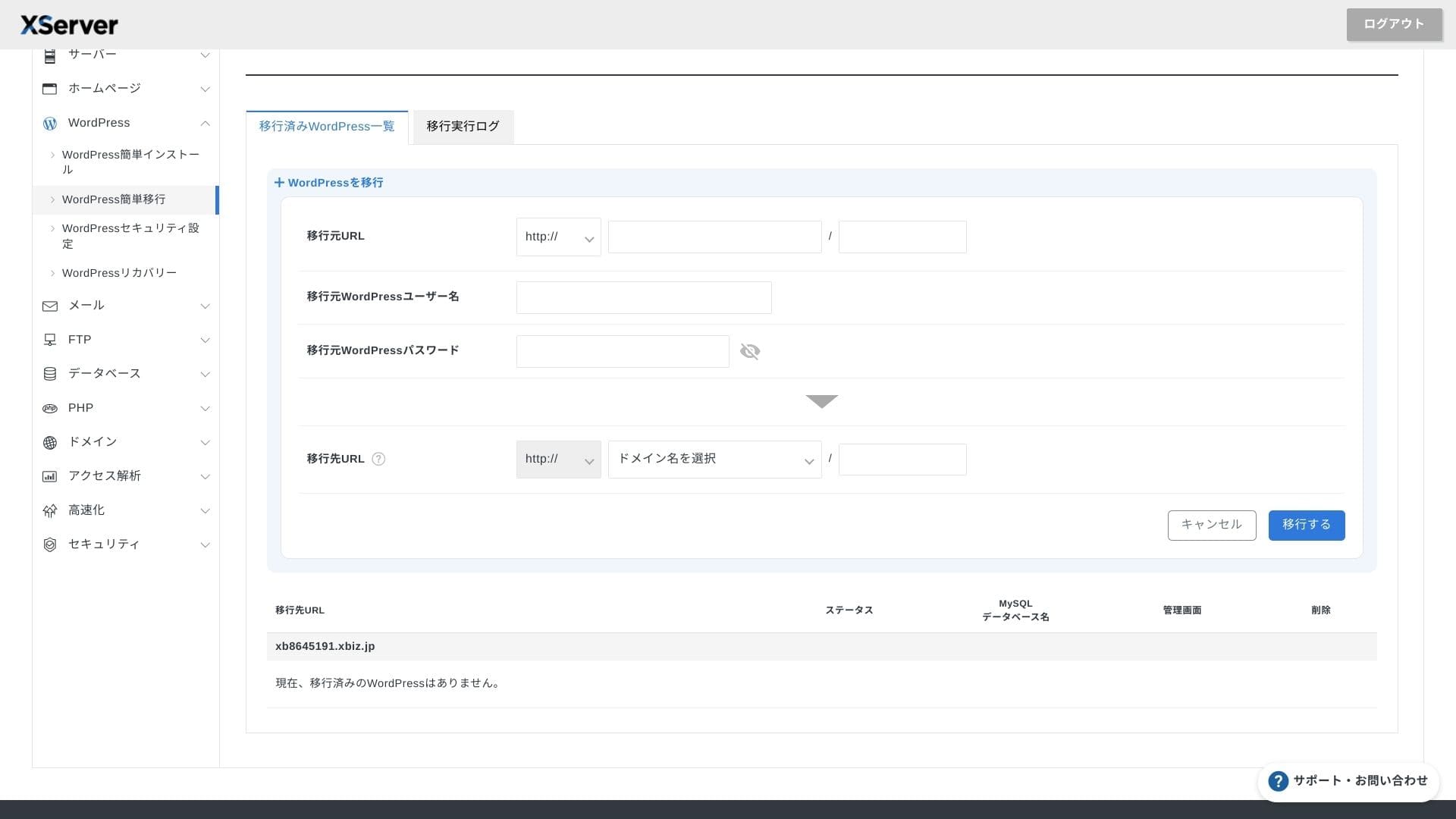
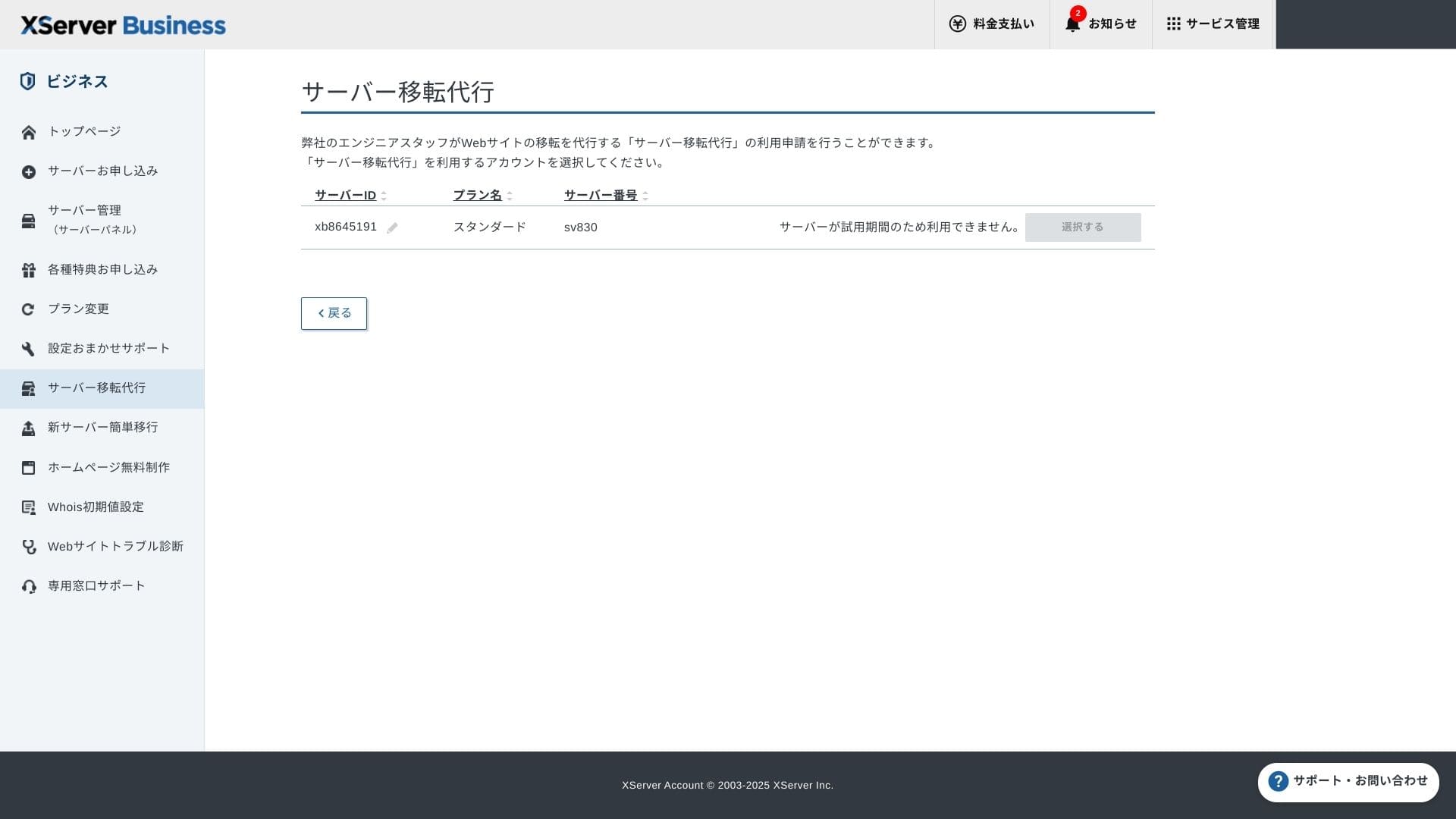
Hem yalnızca eski sunucu URL'sini, kimliğini ve şifresini girerek sitenizi kopyalayan Kolay WordPress Taşımayı hem de mühendislerin sizin için her şeyi hallettiği sunucu taşıma hizmetini (ilk kez ücretsiz) kullanabilirsiniz.
Hikaru Ono
Sunucular ve alan adları konusunda rahatsanız, Kolay WordPress Taşımayı kullanmak ve kurulumu kendiniz yapmak daha sorunsuzdur çünkü yönetilen taşıma hizmetini beklemek zorunda kalmazsınız.
Özellikle, yönetilen taşıma hizmeti DNS geçişini de üstlenir; bu nedenle, halihazırda trafiği olan ve taşıma sırasında DNS hatalarından kesinlikle kaçınmak isteyen işletmelere özellikle tavsiye ederim.
Anmeldelse av ytelse og spesifikasjoner
Ytelsesvurdering basert på våre målinger
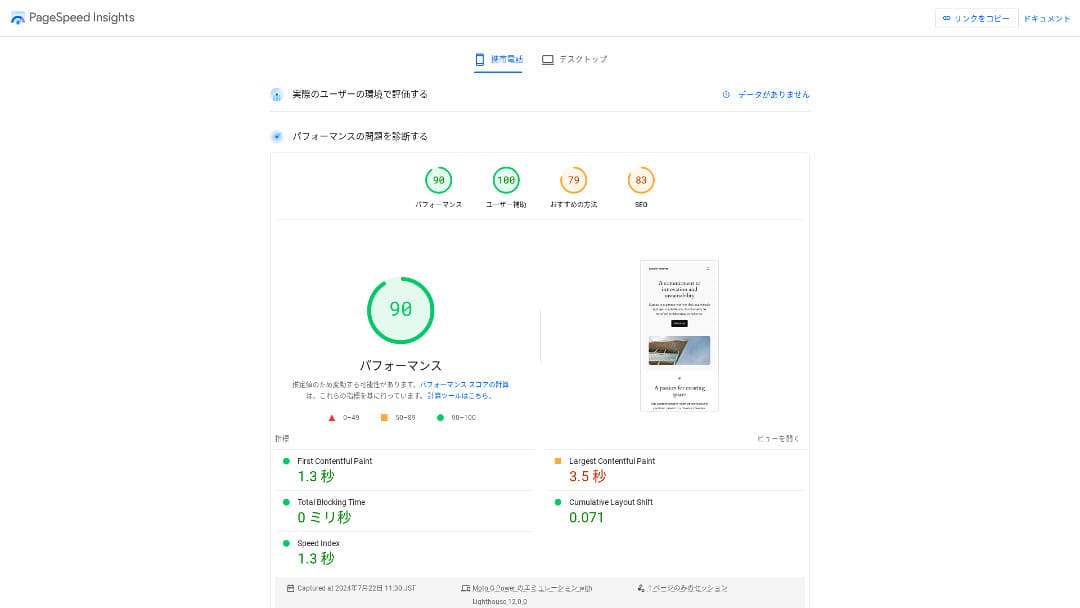
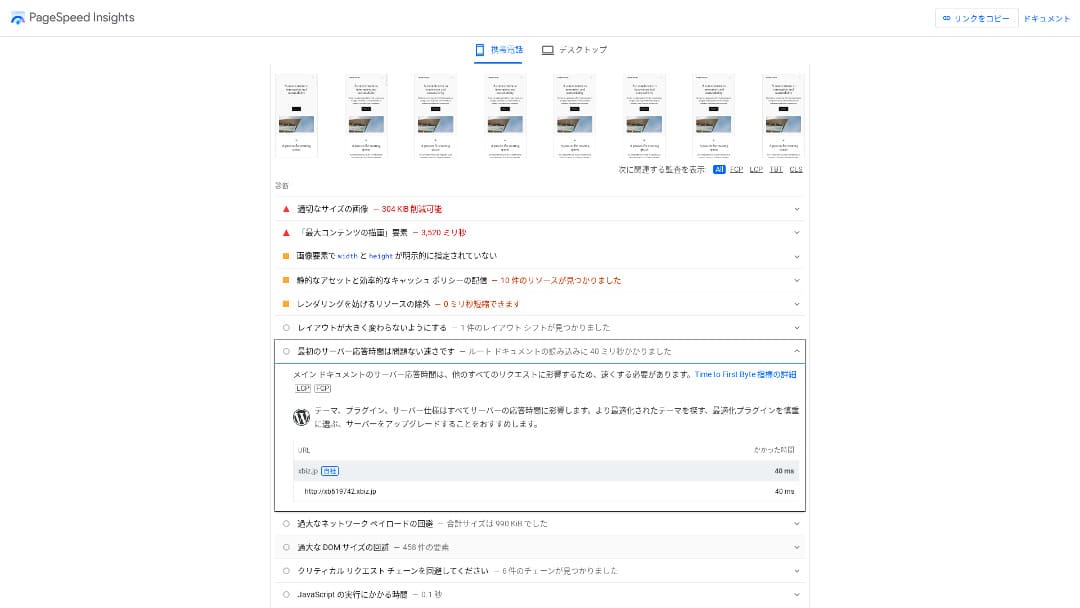
XServer Businesspowered a WordPress site that we measured at a TTFB (Time to First Byte, in other words the response speed before the page begins showing content) of 40 ms.
Bu, Google'ın beklediği 200 ms sunucu yanıt süresinden çok daha hızlıdır, dolayısıyla yüksek trafikli kurumsal web siteleri ve iş siteleri için mükemmel bir seçenektir.
You should reduce your sunucu response time under 200ms.
Improve Server Response Time
Ölçtüğümüz 18 sunucu arasında en hızlı ikinci sunucuydu. (Kinsta 1 numaraydı.)
Hikaru Ono
Yurt içindeki en hızlı sunucudur. 0,1 saniyenin bile trafiği ve satışları etkilediği kurumsal siteler ve e-ticaret siteleri için bu hız büyük bir avantajdır.
10 Gbps hızında doğrudan bağlı yerel bir omurga ve NVMe RAID10 depolama kullanır. Resmi karşılaştırmalı değerlendirmeye göre, geleneksel SSD depolamadan 17 kat daha hızlıdır.
Diskkapasitet
In autumn 2024, the three shared plans were expanded to 700 GB / 800 GB / 900 GB (all NVMe). Even if you launch many landing pages with lots of photos and videos, you still have plenty of headroom.
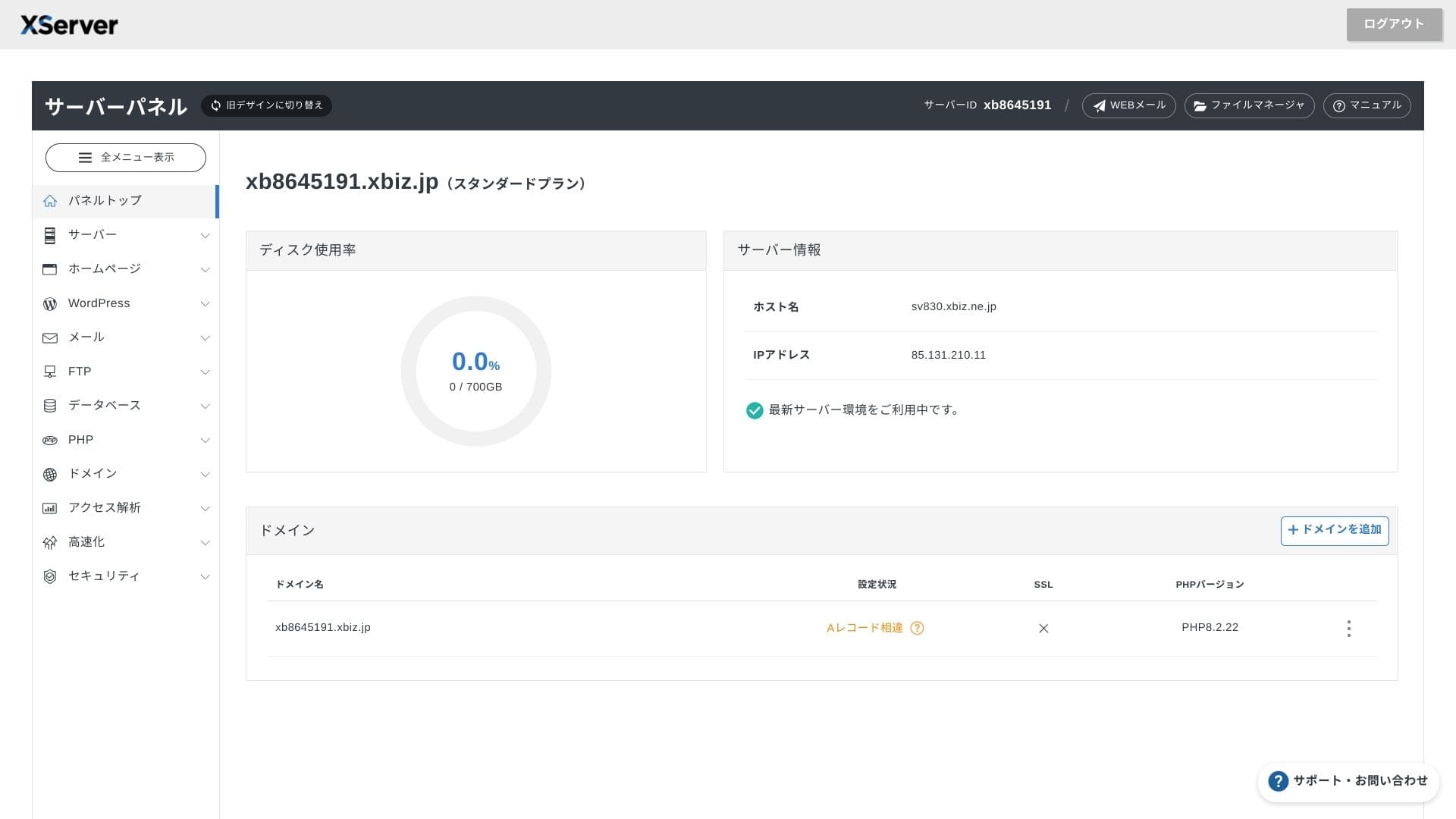
Finans ve sağlık sektörlerinde, e-postaların genellikle bir denetim izi olarak yedi yıl veya daha uzun süre saklanması gerekir ve satış departmanları büyük ekleri işlemeye eğilimlidir. Mevcut depolama alanı çok büyük olduğundan, eski verileri sürekli silmek zorunda kalmadan bu postaları güvenle saklayabilirsiniz.
You can also build on-premises-style storage such as WebDAV or Nextcloud and manage internal documents securely over a VPN connection.
Hikaru Ono
XServer Businesstek başına operasyon ekibinizin iş yükünü azaltırken, gelecekteki iş büyümesi için de yeterli alan bırakabilir.
Overføringsvolum
XServer Businessnormal kullanım aralıklarında aktarım sınırı olmadan kullanılabilir. Resmi belgeler, aktarım hacmi ücreti olmadığını açıkça belirtmektedir.
★ What are traffic and data transfer volumes? Managing and optimizing web traffic
Serverstabilitet og oppetid
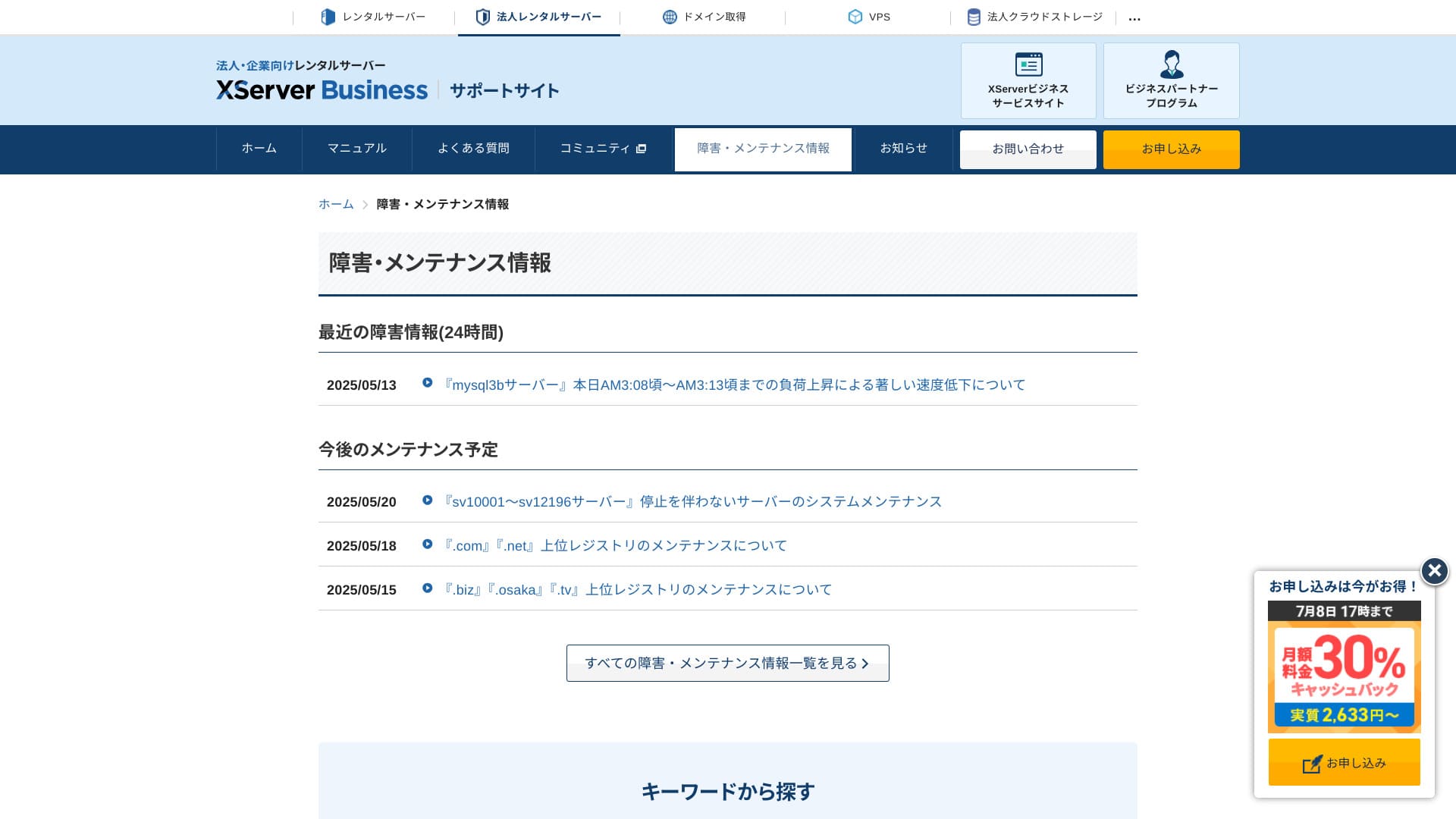
Paylaşımlı planda bile aylık %99,99 SLA bulunur, yani garanti karşılanmazsa geri ödeme alırsınız. Hem yüksek kararlılık hem de SLA ile tam da işletmelerin ihtiyaç duyduğu hizmettir.
Sunucu kesintileri ve bakım bilgileri resmi sitede açıkça yayınlandığı için herkes bunları istediği zaman kontrol edebilir.
Hikaru Ono
A company that shares this information openly instead of hiding it is easier to trust.
Pris og kostnad
Startgebyr og månedspris
XServer Business12 aylık sözleşmeli Standart plan için aylık 4.180 yen ücret alır. 8 Temmuz'a kadar devam eden %30 nakit iade kampanyasıyla efektif maliyet 2.926 yen'dir. Telefon desteği, sohbet desteği ve yönetilen hizmetlerin dahil olduğu düşünüldüğünde, bunun makul bir seviye olduğunu görüyorum.
- XServer Business
- Kinsta
- wpx
- Lolipop!
- Star Server
- Rakko Server
- XServer
- ConoHa
- ColorfulBox
- Shin Rental Server
- Little Server
- CORESERVER
- DreamHost
- Bluehost
- Sakura
- Namecheap
- Shin Free Server
- XREA
- Value Server
- Hostinger
- KAGOYA
- SiteGround
- HostGator
- IONOS
- Onamae.com
- ABLENET
- mixhost
- GoDaddy
- iCLUSTA+
- MuuMuu Server
- WADAX
- WebARENA
- Heteml
- CPI Rental Server


































Pris på domener
XServer Businessücretsiz bir alan adı (.com veya .net gibi) ve ayrıca sonsuza kadar ücretsiz olan ikinci bir alan adı (.blog, .online veya .site arasından seçilen) içerir. Kalıcı ücretsiz özel alan adı avantajı; yeni kaydı, diğer şirketlerden transferleri, zaten edinilmiş bir alan adını değiştirmeyi ve uygun alan adını değiştirmeyi destekler.
Hikaru Ono
Because these domains are meant for long-term iş use, this ücretsiz benefit is not something to overlook.
- XServer Domain
- Onamae.com
- MuuMuu Domain
- Value Domain
- Shin Domain
- Star Domain
- Colorful Domain
- Rakko Domain








Kostnad for SSL-sertifikat
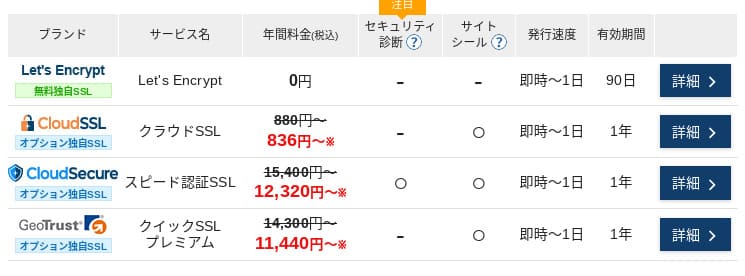
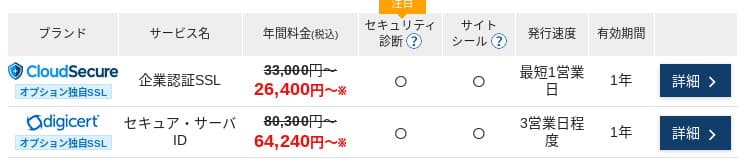
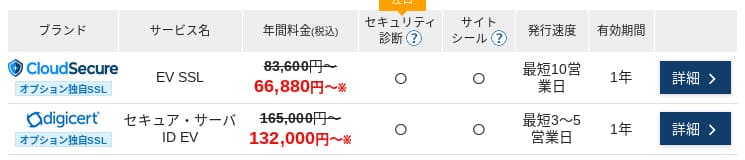
Let's Encrypt ile alan adı doğrulamalı SSL ücretsizdir. Ücretli alan adı doğrulamalı SSL yıllık 836 yen'den, kurum doğrulamalı SSL (OV) yıllık 26.400 yen'den ve EV yıllık 66.000 yen'den başlayan fiyatlarla sunulmakta olup, hepsine resmi tek noktadan sipariş aracılığıyla ulaşılabilir.
Prices can vary depending on the campaign.
Betalingsmetoder
XServer Businesssupports credit cards, bank transfer, Pay-easy, convenience store payment, and invoice billing. It can also issue PDF quotations and invoices, so adoption is smooth even for companies that need internal approval.
Hikaru Ono
Because many domestic hosting services do not support invoice payments, this is one of XServer Business's strengths.
- XServer Business
- Kinsta
- wpx
- Lolipop!
- Star Server
- Rakko Server
- XServer
- ConoHa
- ColorfulBox
- Shin Rental Server
- Little Server
- CORESERVER
- DreamHost
- Bluehost
- Sakura
- Namecheap
- Shin Free Server
- XREA
- Value Server
- Hostinger
- KAGOYA
- SiteGround
- HostGator
- IONOS
- Onamae.com
- ABLENET
- mixhost
- GoDaddy
- iCLUSTA+
- MuuMuu Server
- WADAX
- WebARENA
- Heteml
- CPI Rental Server


































Brukervennlighet og støtte
Kontrollpanelets brukervennlighet
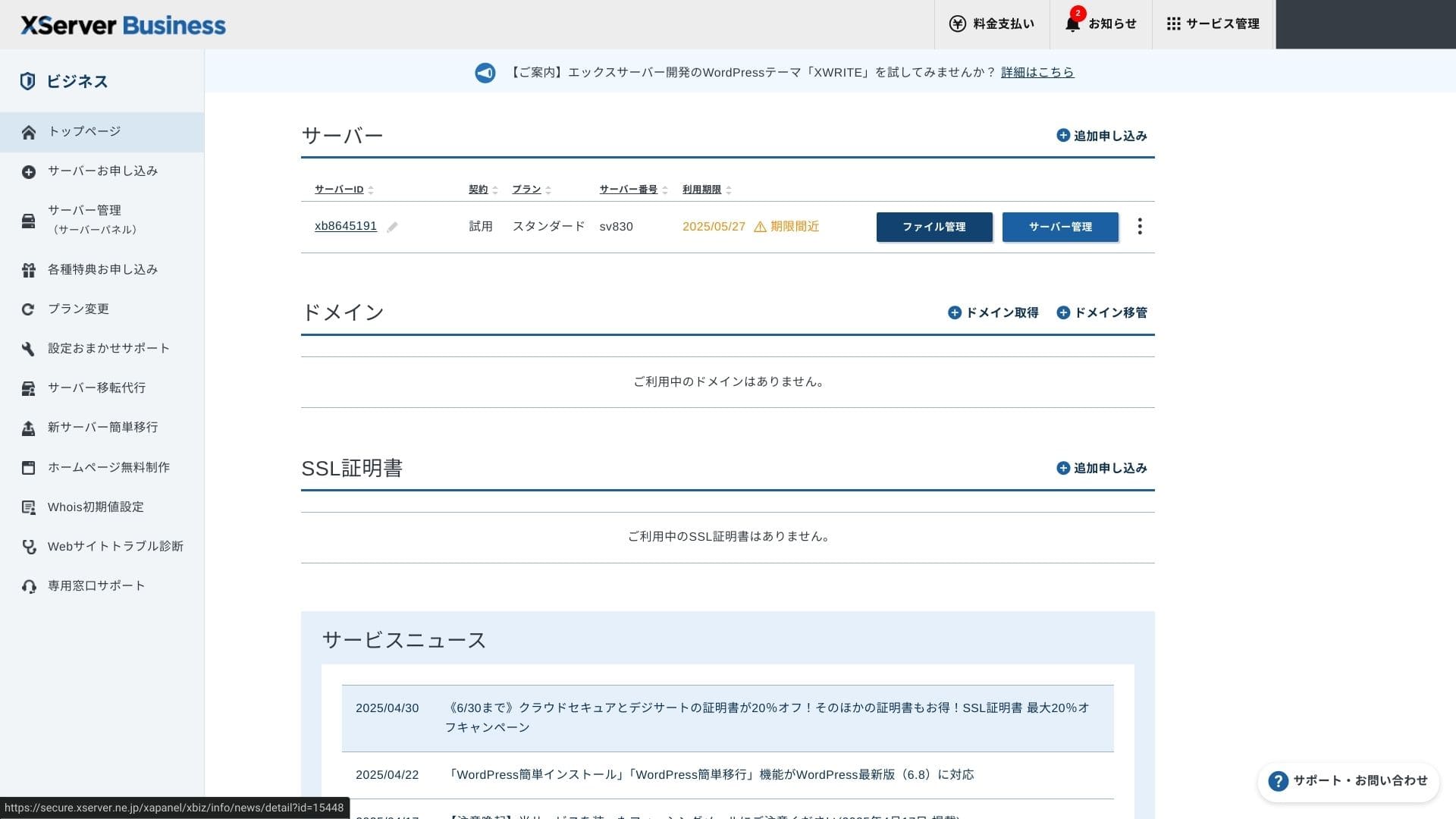
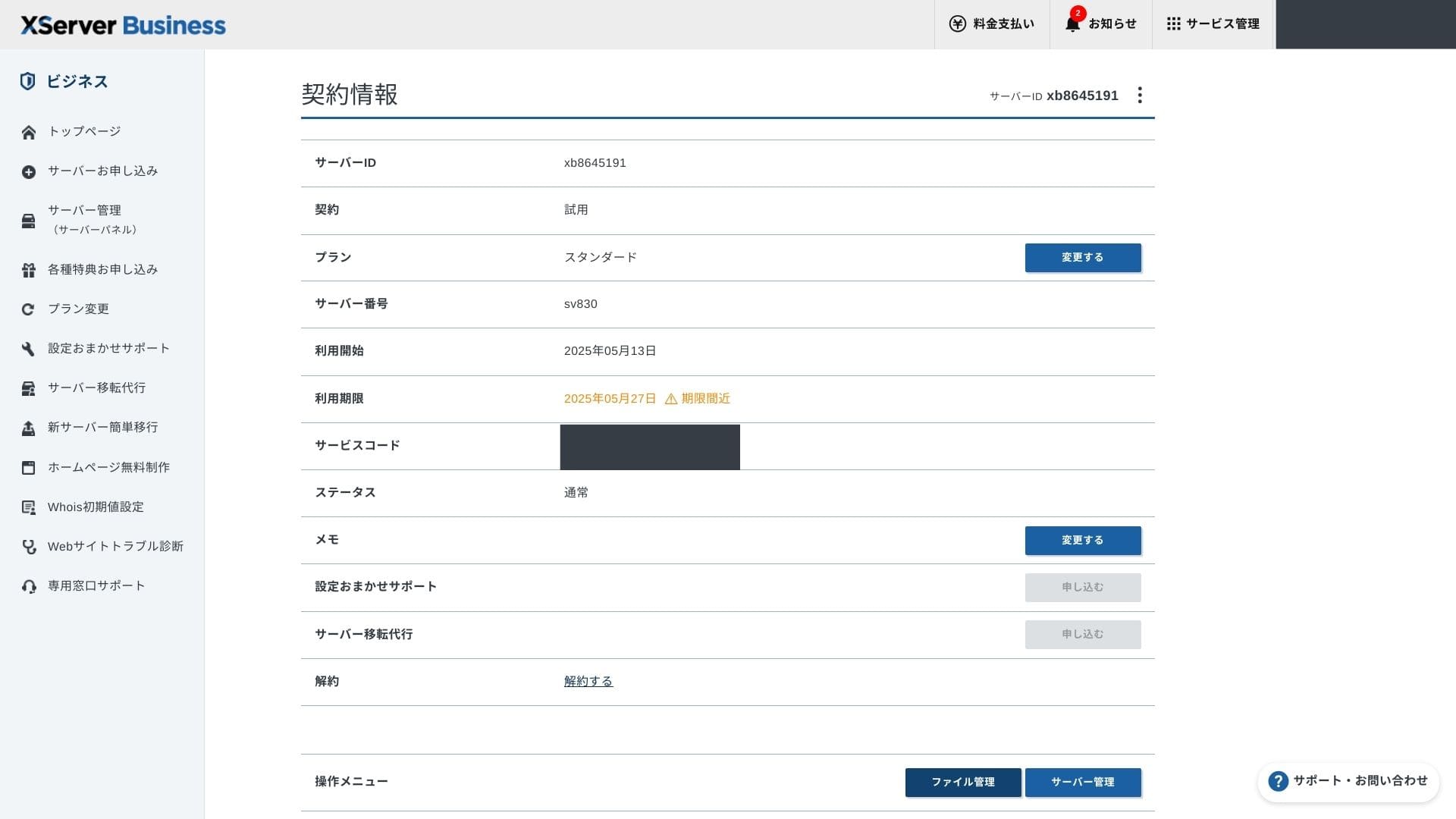
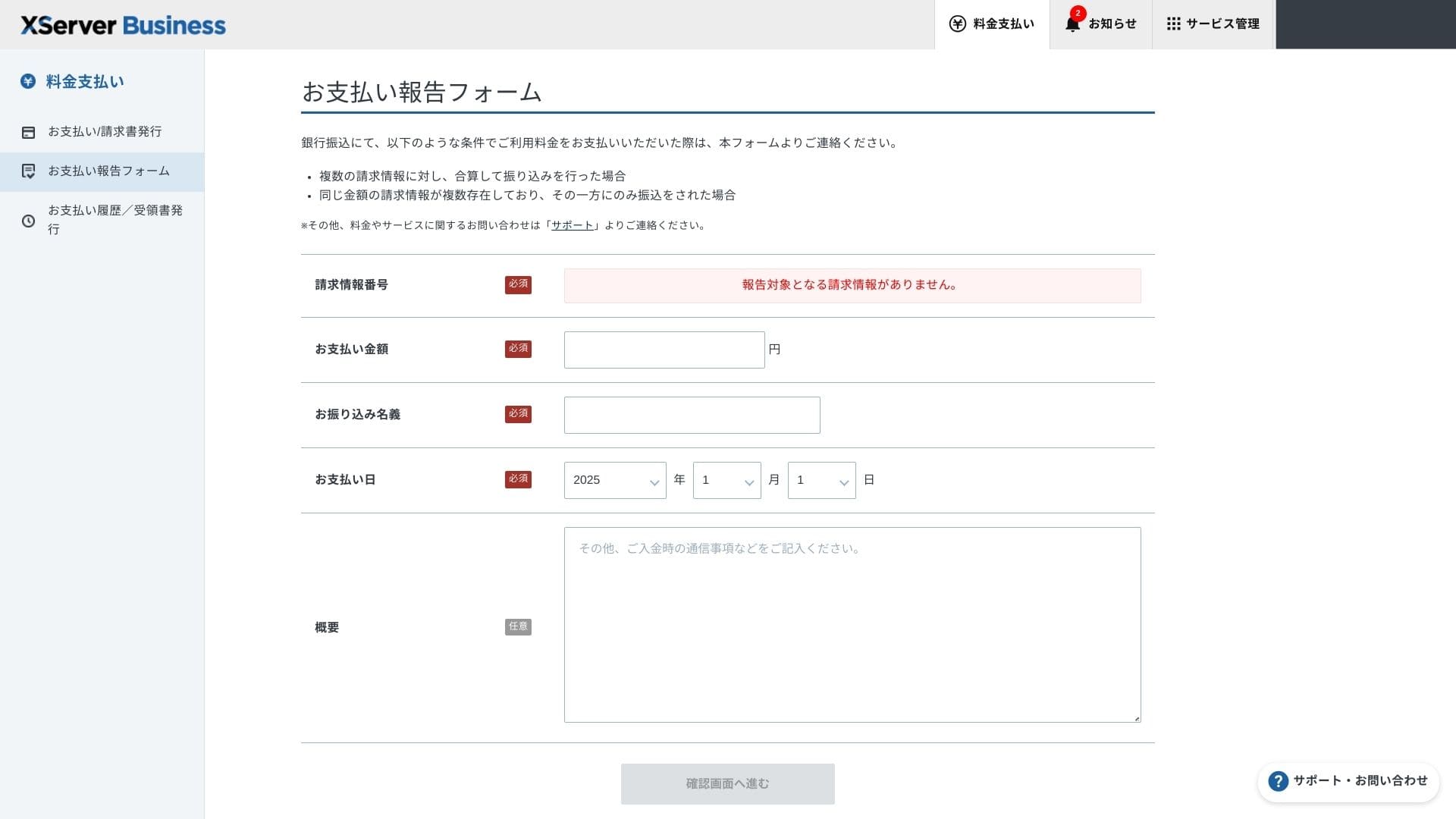
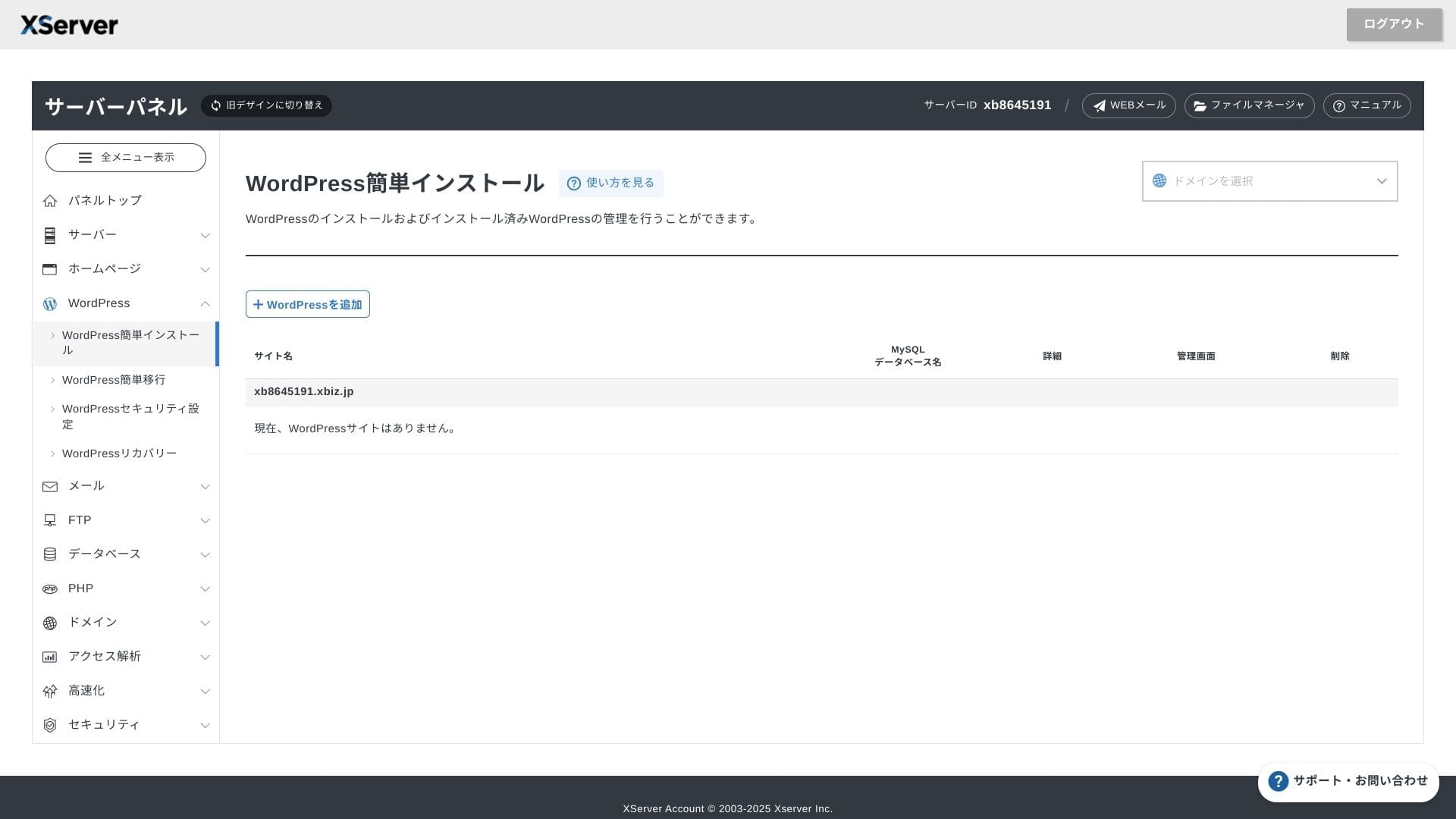
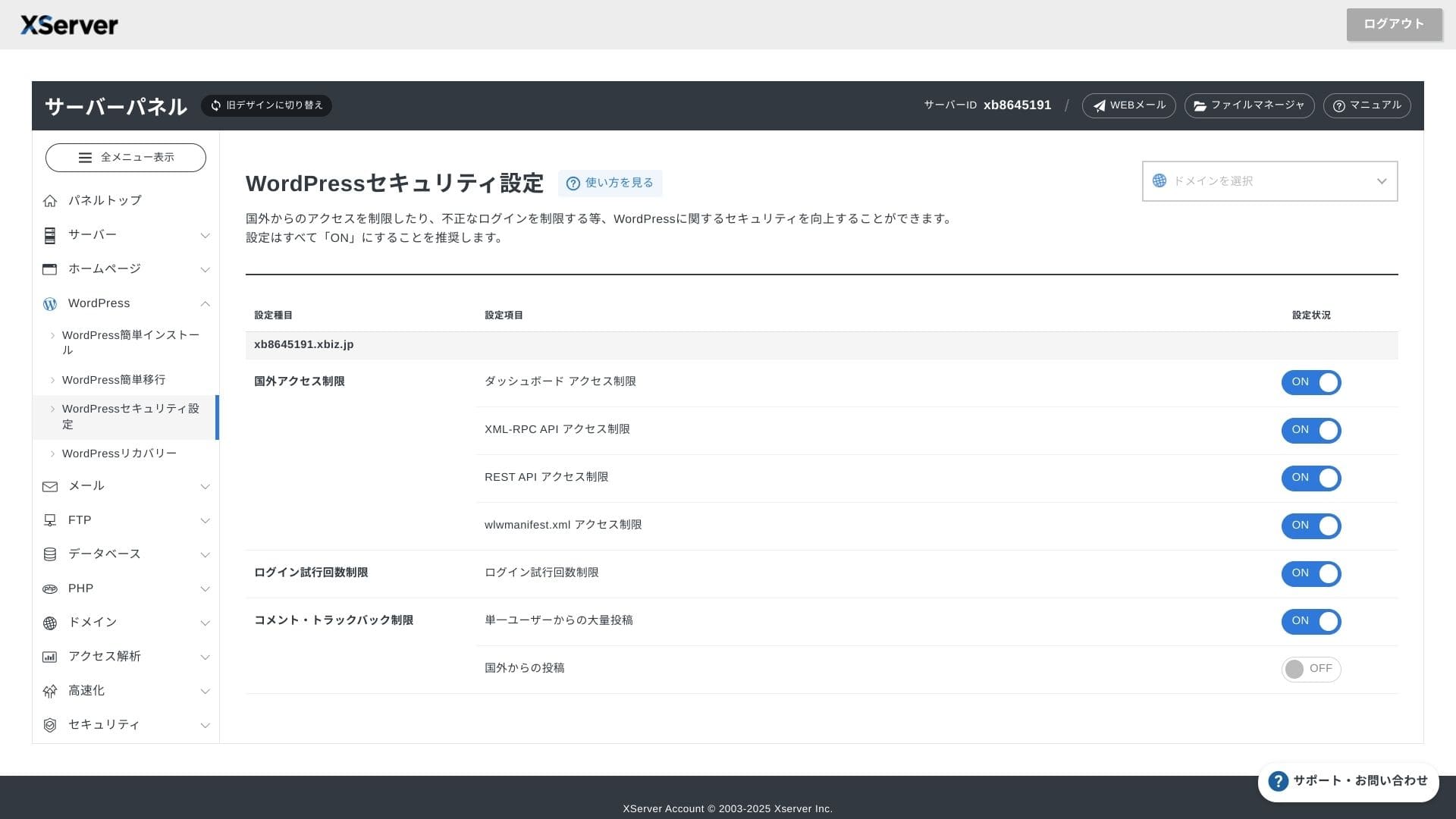
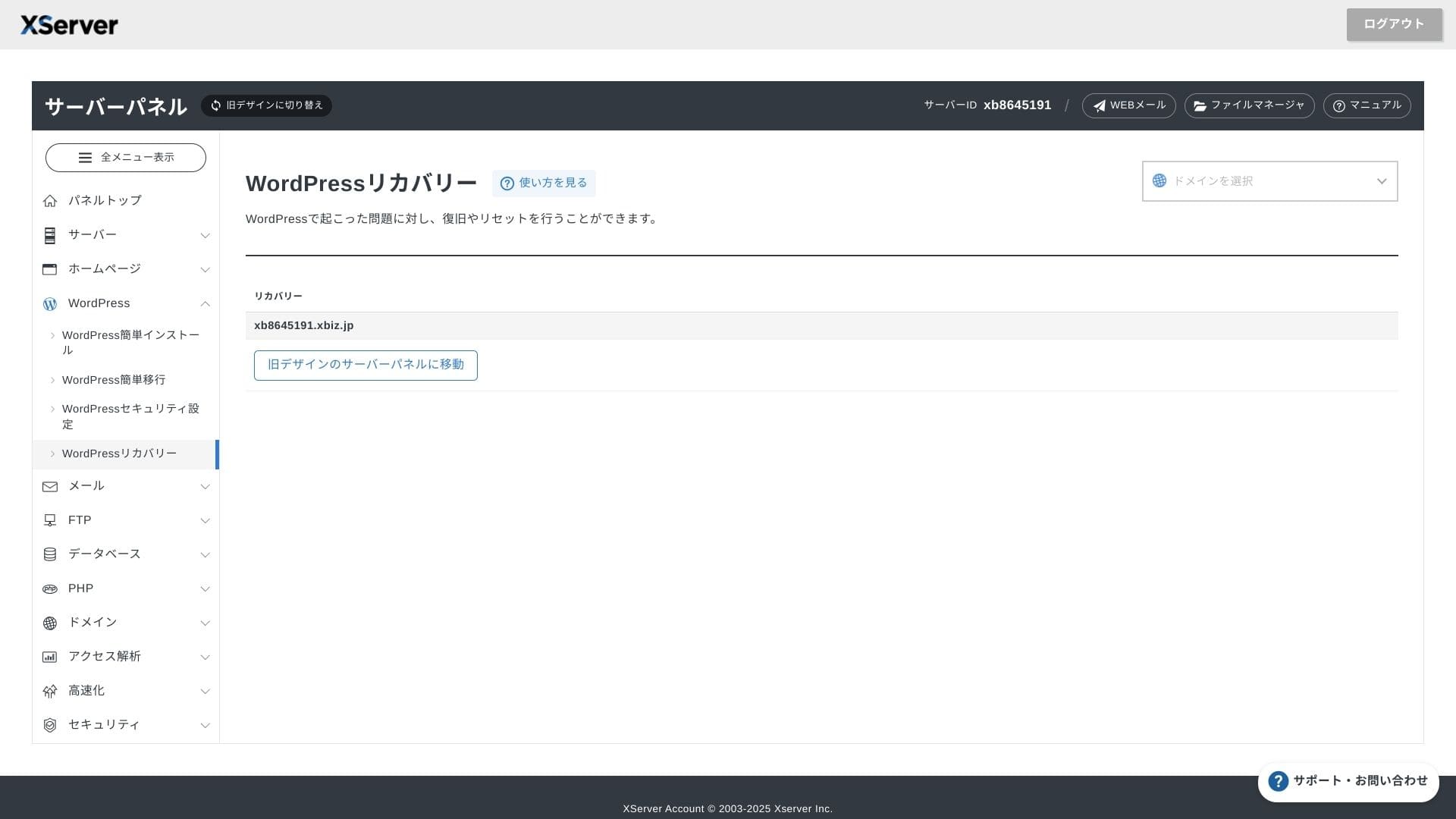
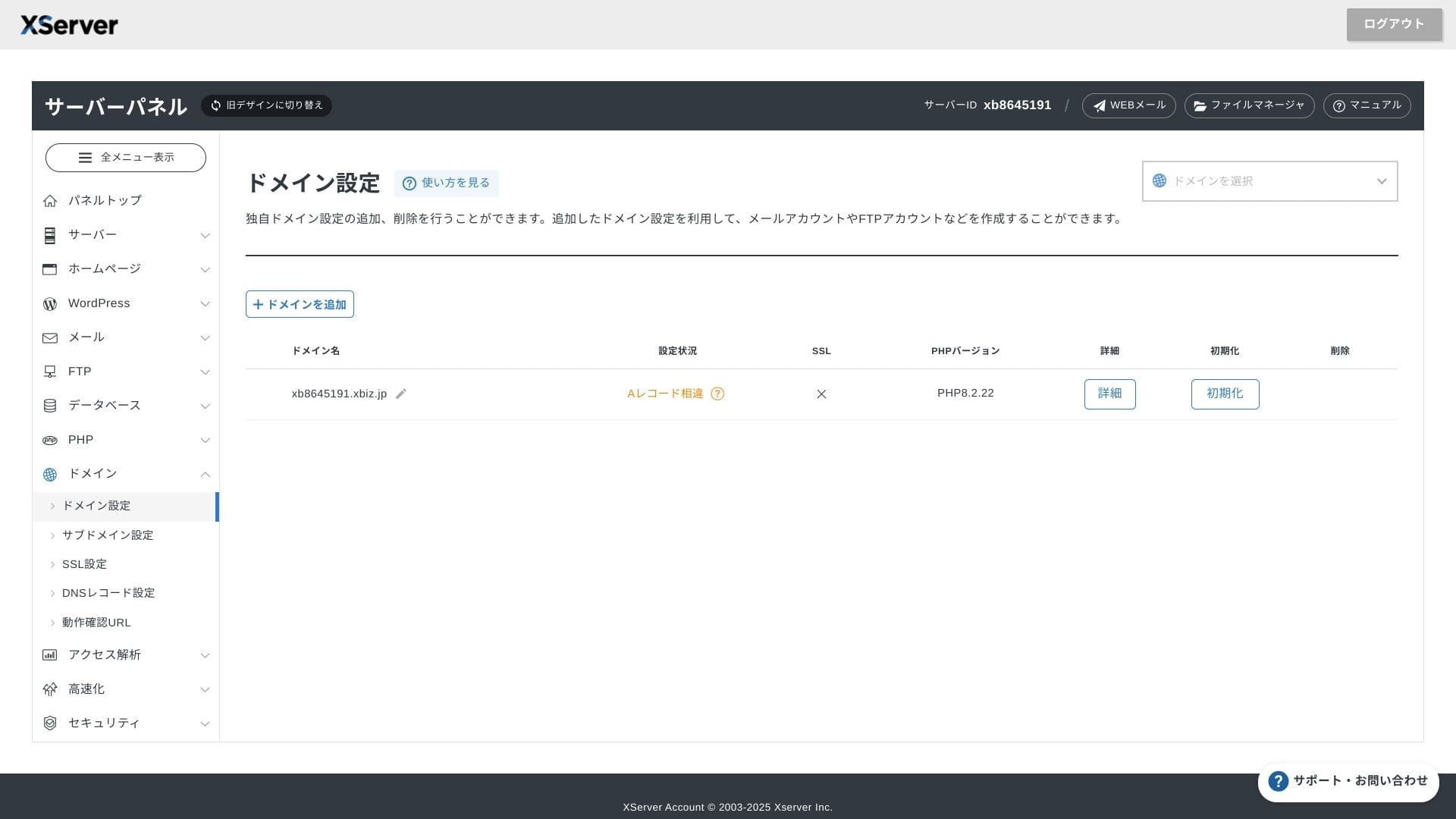
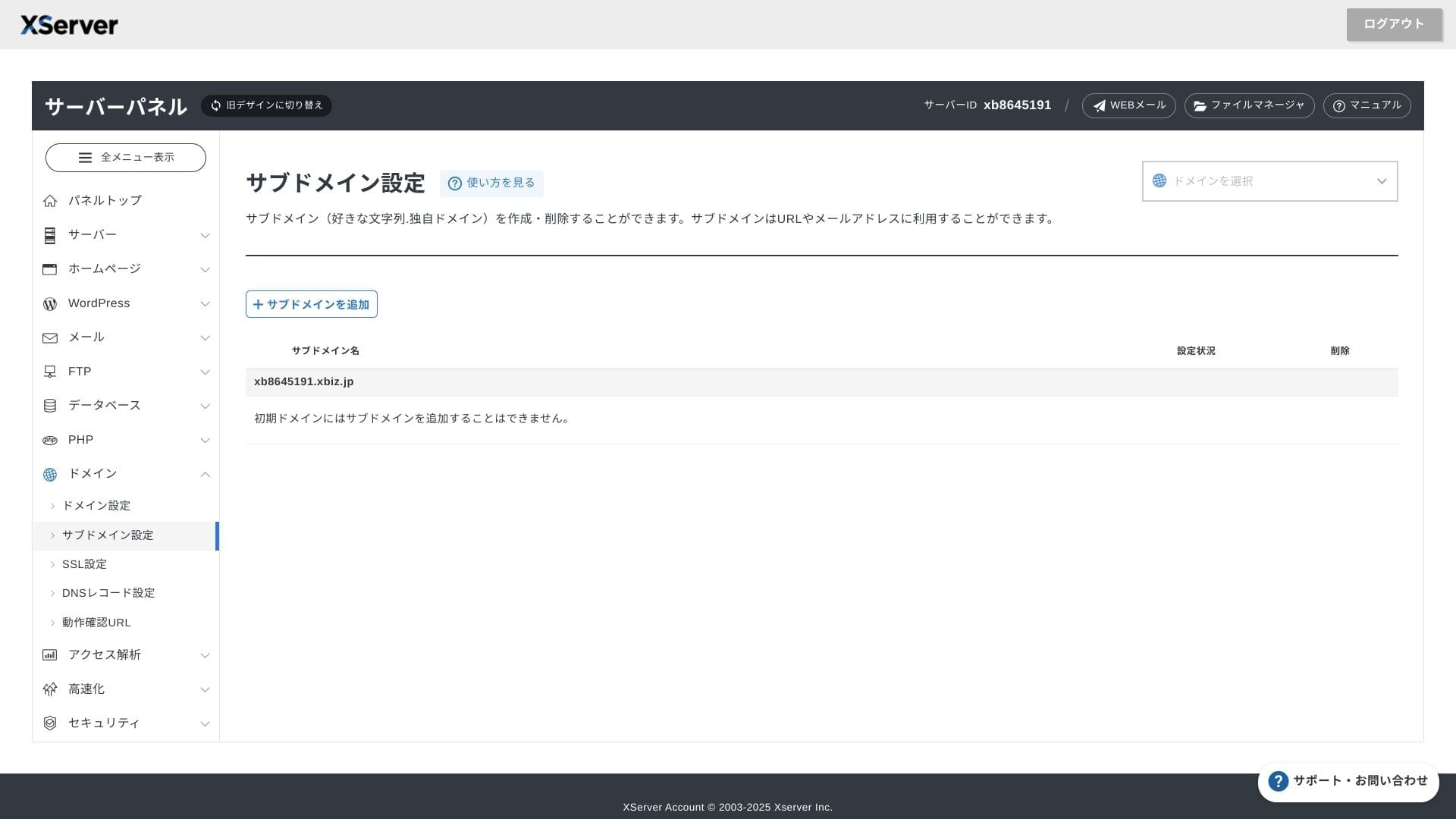
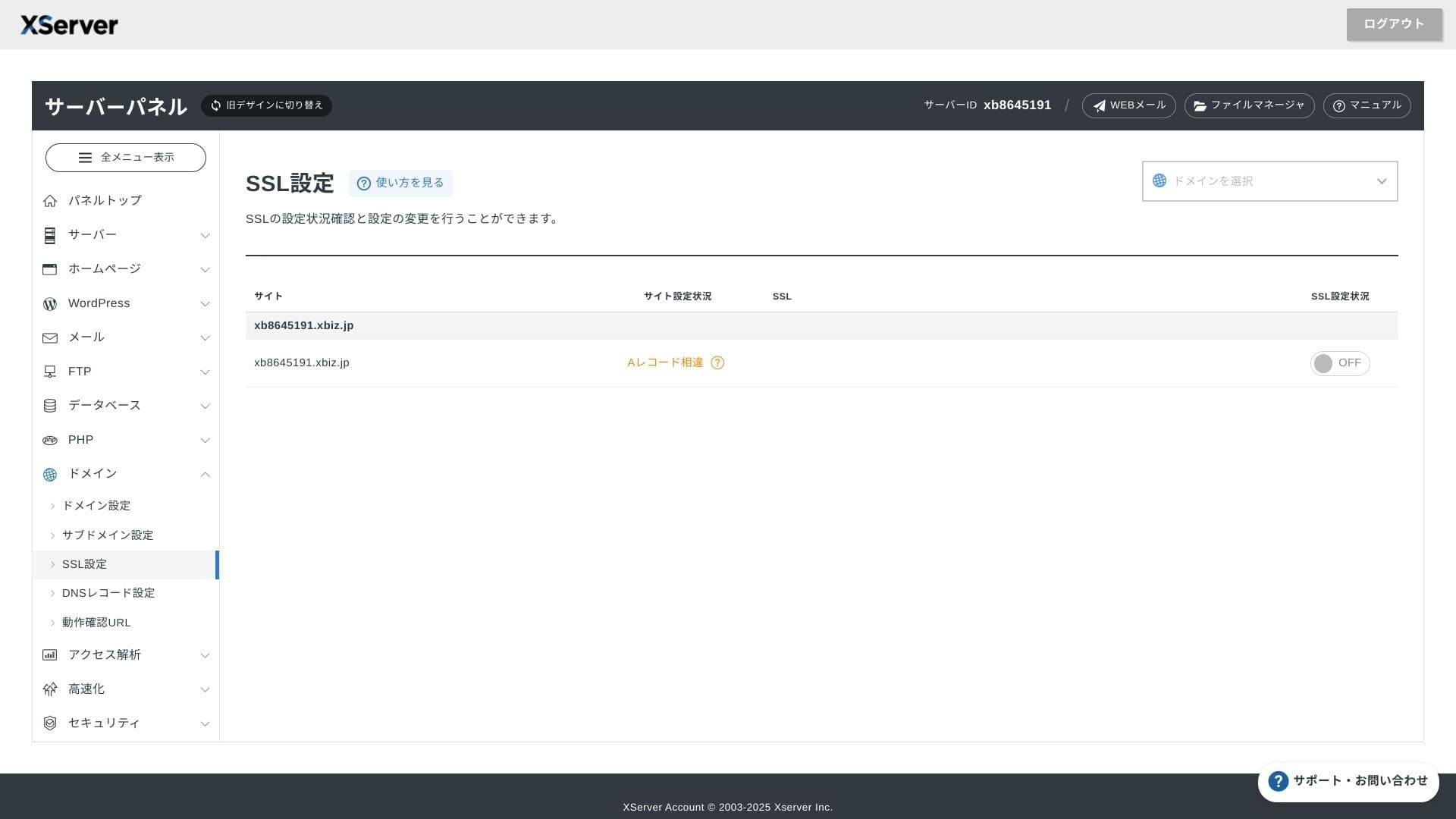
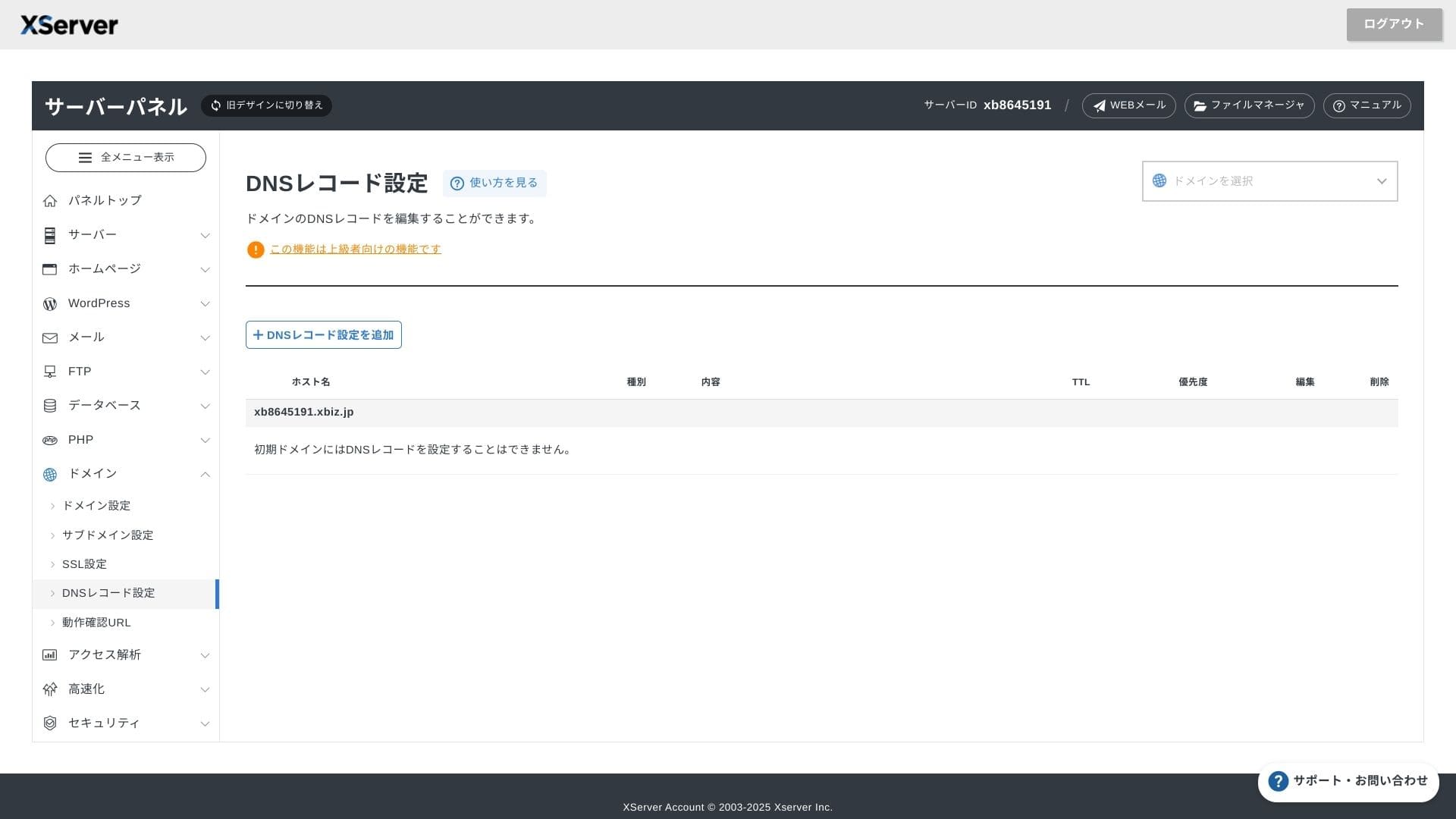
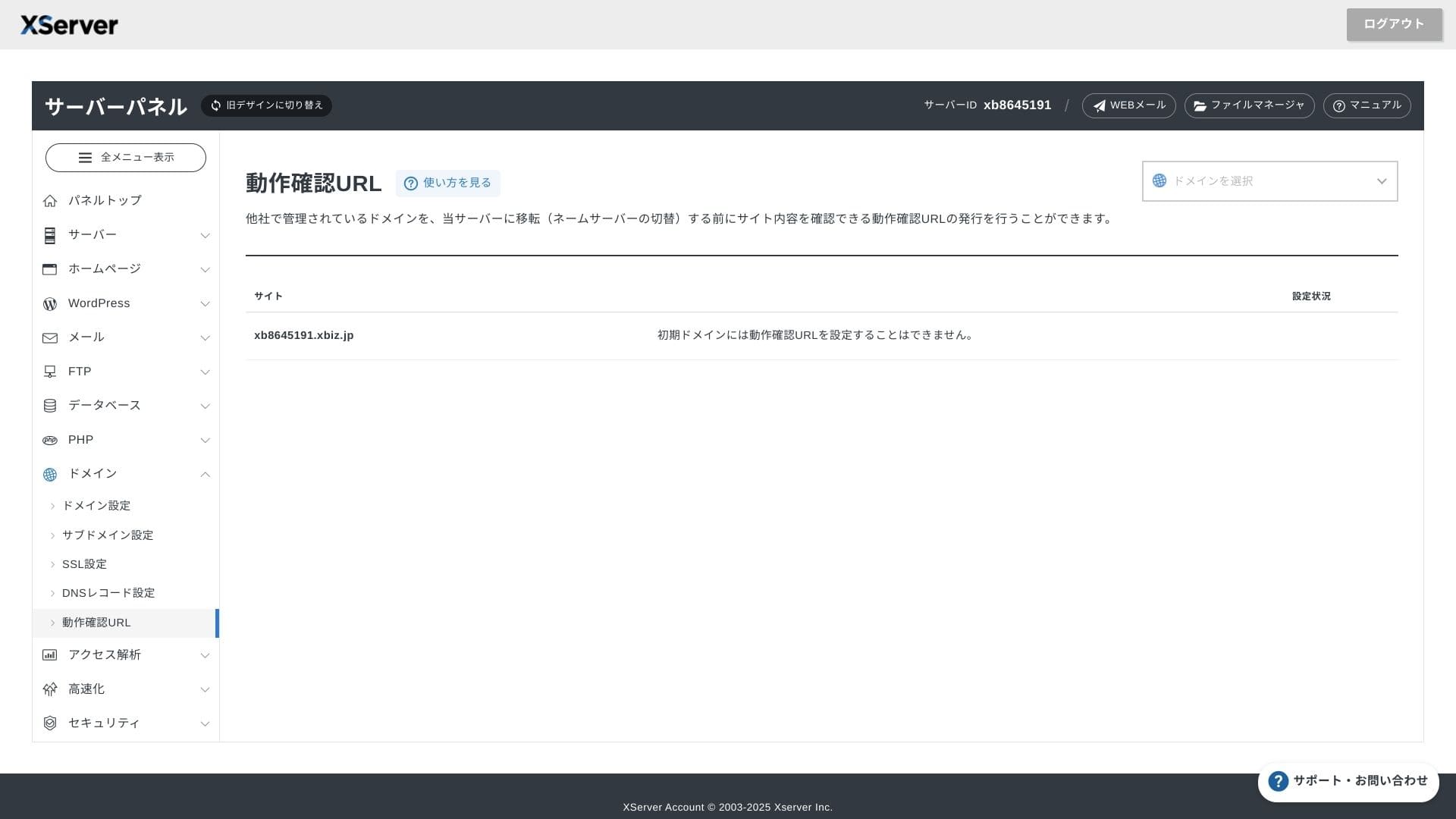
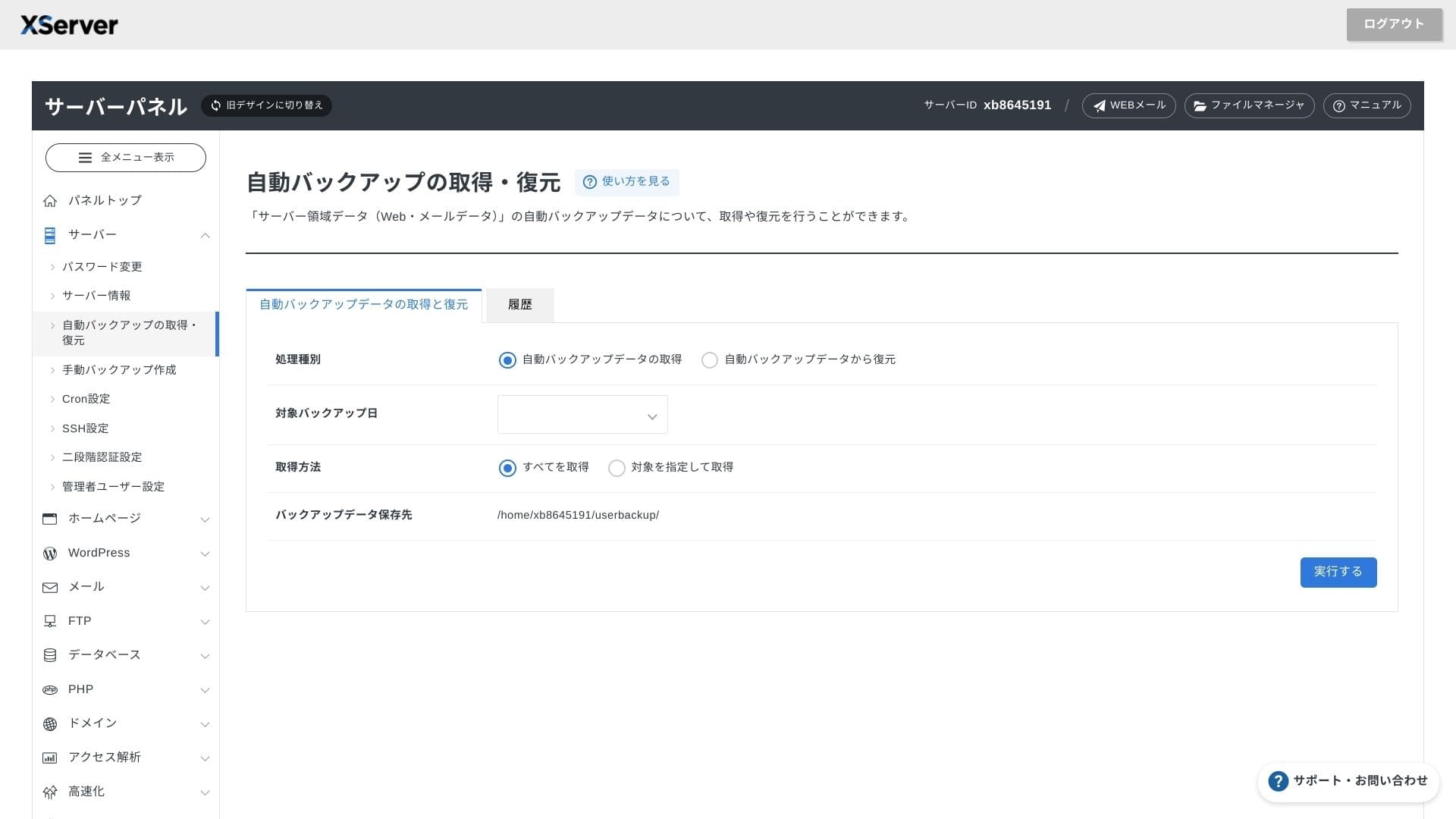
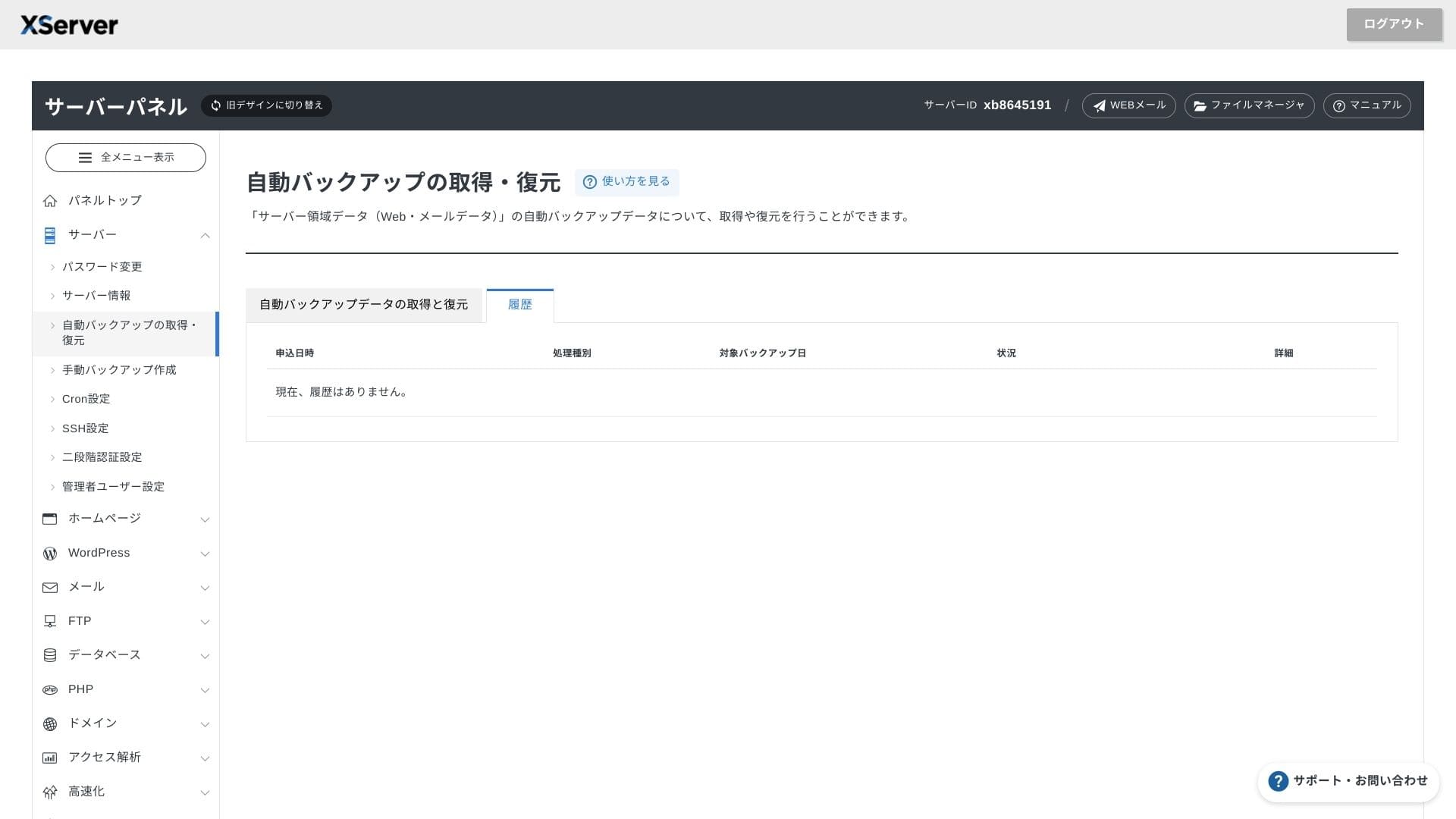
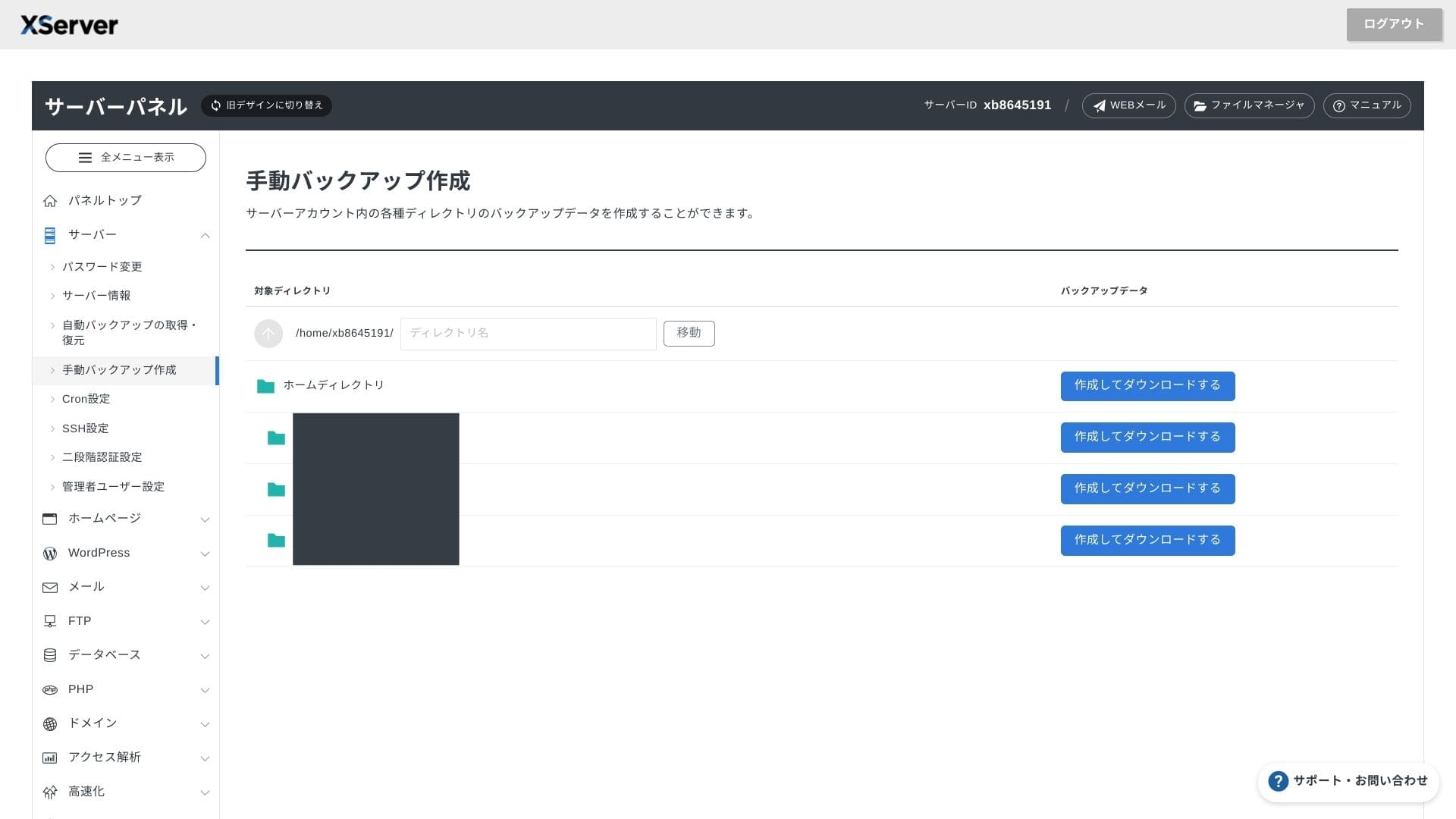
XServer Businessdosya işlemleri, SSL ayarları ve e-posta ayarlarının hepsinin tek tıklamayla yapılması için kendi arayüzünü kullanır. Resmi belgelerde kurulumun 24 saat içinde tamamlandığı açıkça belirtildiğinden, lansman takviminizi planlamak kolaydır.
Hikaru Ono
Sunucu paneli yeniden tasarlandı ve artık kullanımı daha da kolay.
- Ana sayfa ekran
- Billing
- WordPress
- Domain
- Backup
Støttesistem
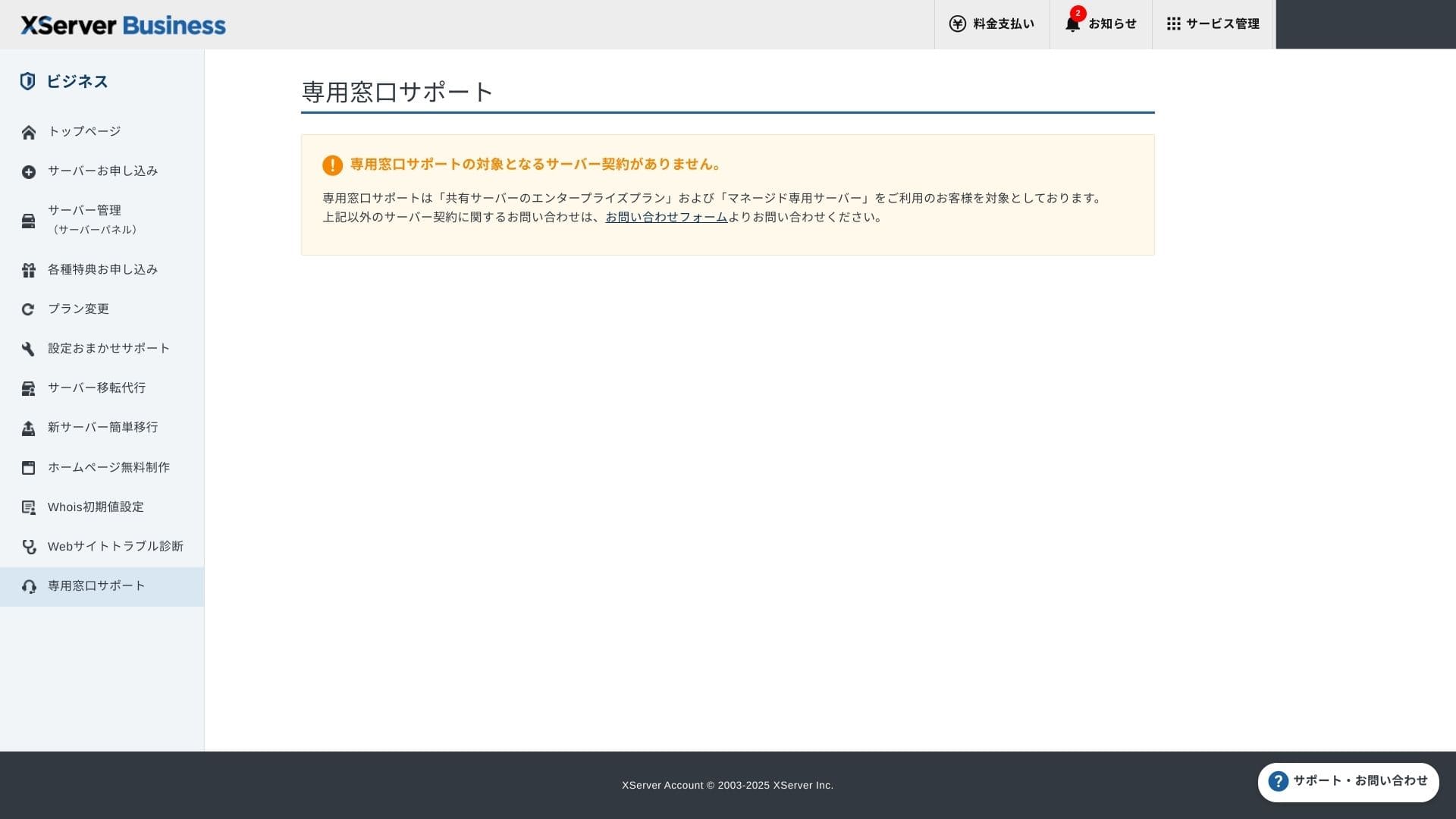
Hafta içi 10:00 - 18:00 saatleri arasında telefon, e-posta ve sohbet yoluyla destek sunulmaktadır. Kurumsal (Enterprise) paylaşımlı plan ve yönetilen (managed) sunucu planları ayrıca özel destek masalarıyla birlikte gelir, böylece daha da özenli ve hızlı yardım alabilirsiniz.
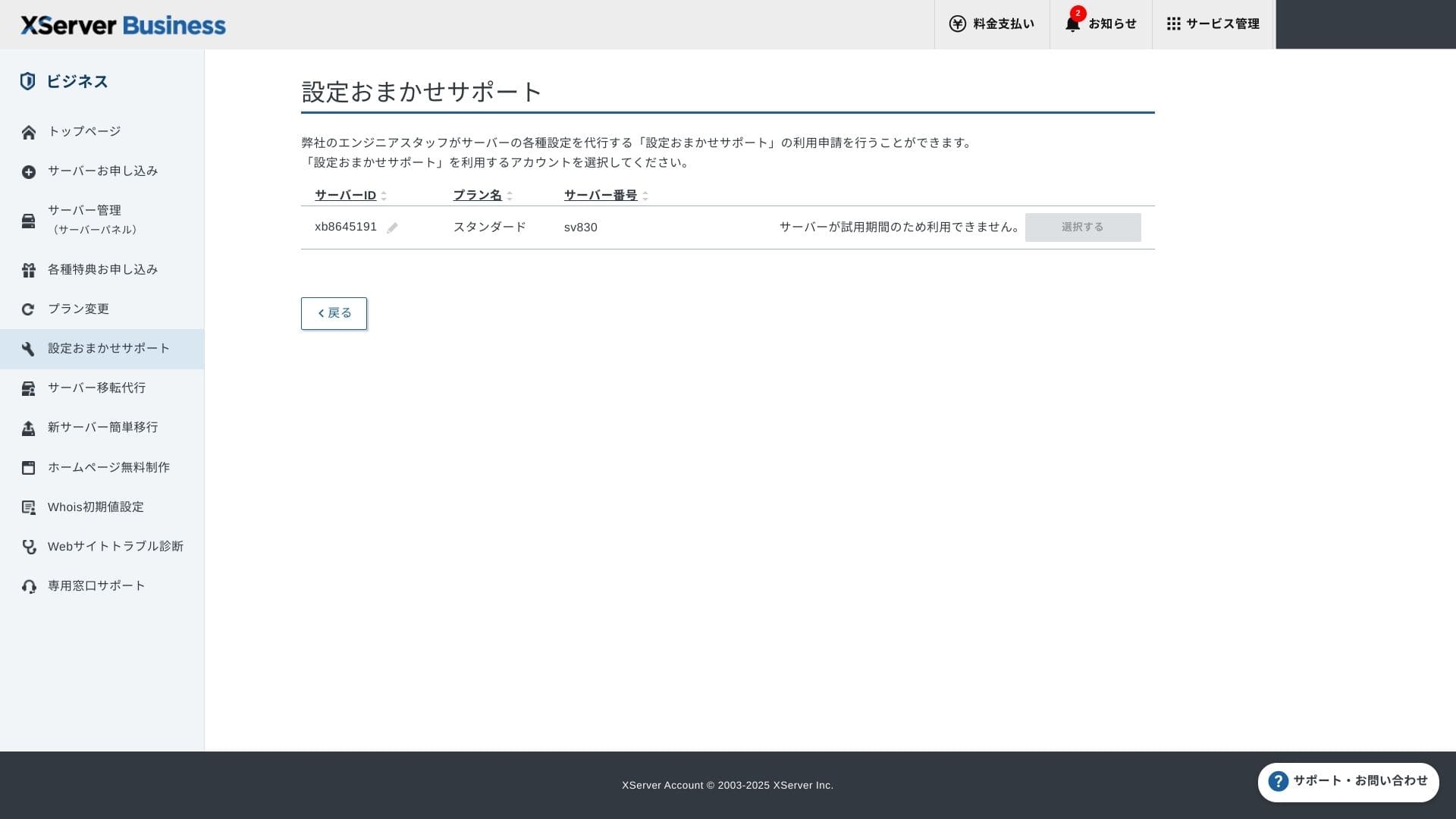
Setup support ücretsiz ve sınırsızdır; DNS değişikliklerinden Cron ayarlarına kadar her şeyi talep edebilirsiniz. Bu, özel bir IT personeli olmayan şirketler için bile güven vericidir.
Administrerte tjenester
Yönetilen sunucu taşıma hizmeti ilk seferinde ücretsizdir. Hem statik HTML sitelerini hem de CMS sitelerini birebir kopyaladığı için, gece geç saatlerde veya hafta sonu kesinti yaşamak istemeyen projeler için güçlü bir geçmişe sahiptir.
Manualer og vanlige spørsmål
Resmi PDF kataloğu, ödeme yöntemlerinden plan yükseltme prosedürlerine kadar her şeyi kapsar ve araması oldukça kolaydır. Birçok kullanıcının destekle iletişime geçmeden önce sorunları kendi başlarına çözebileceğini düşünüyorum.
E-postfunksjoner
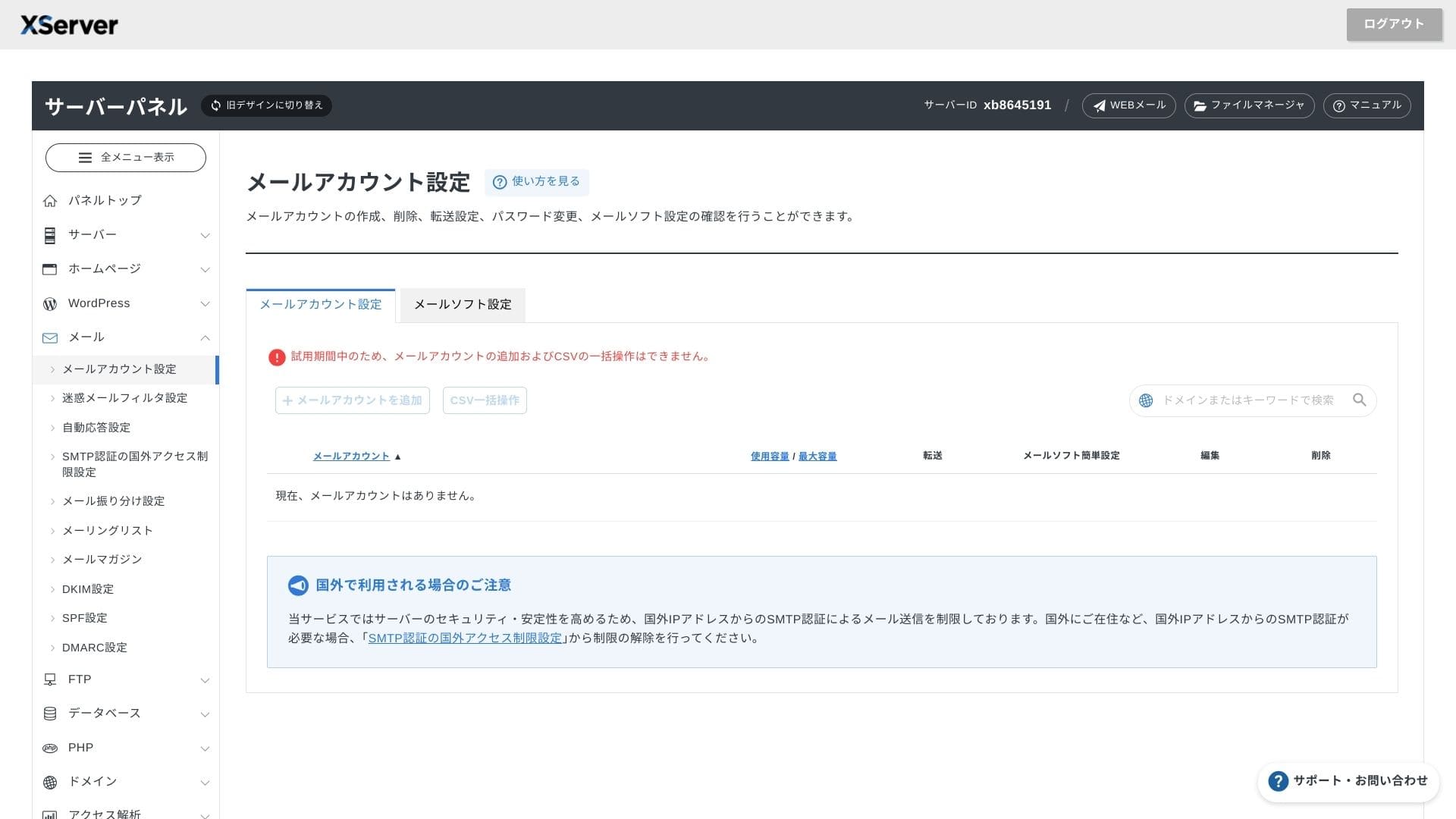
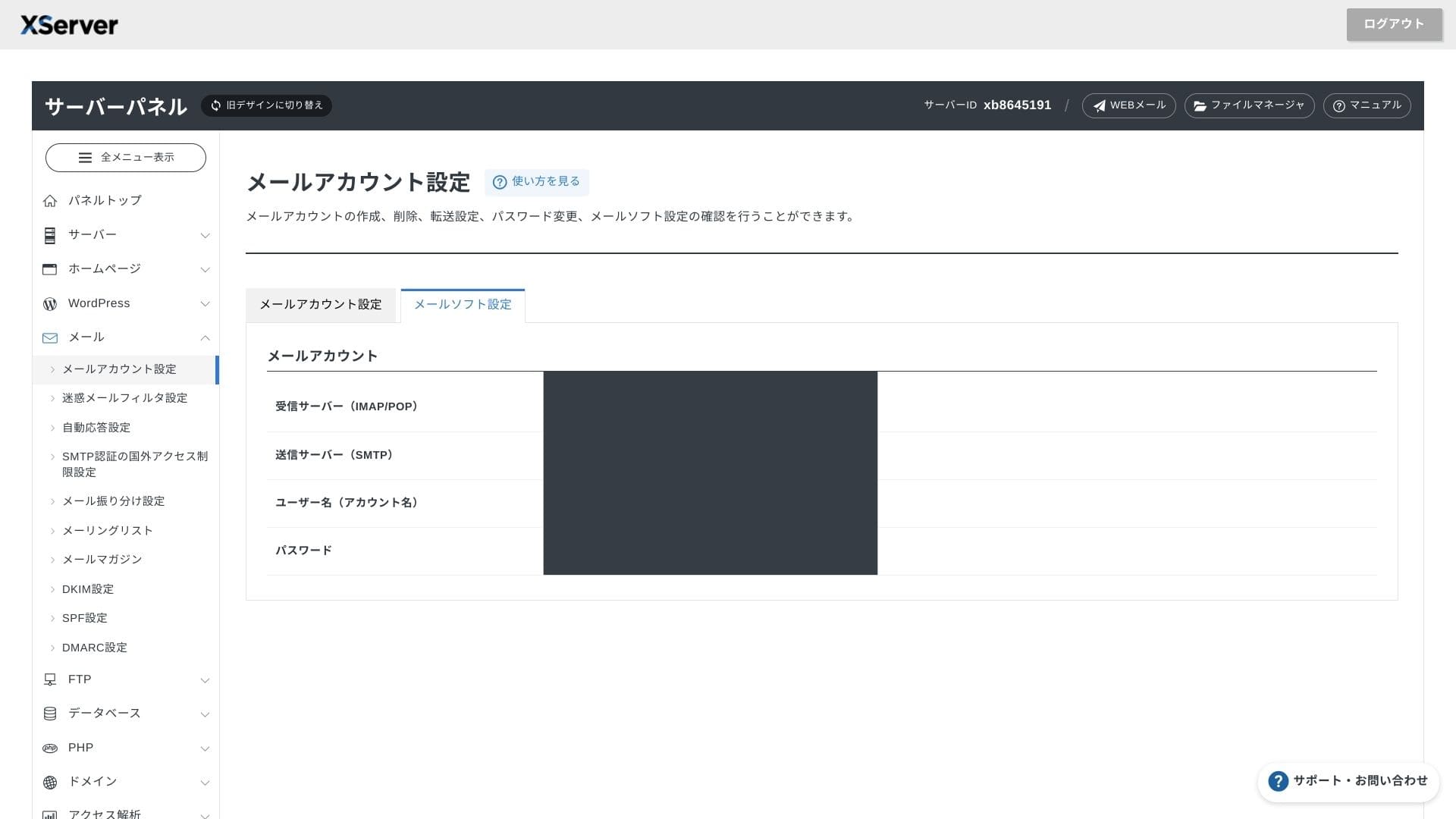
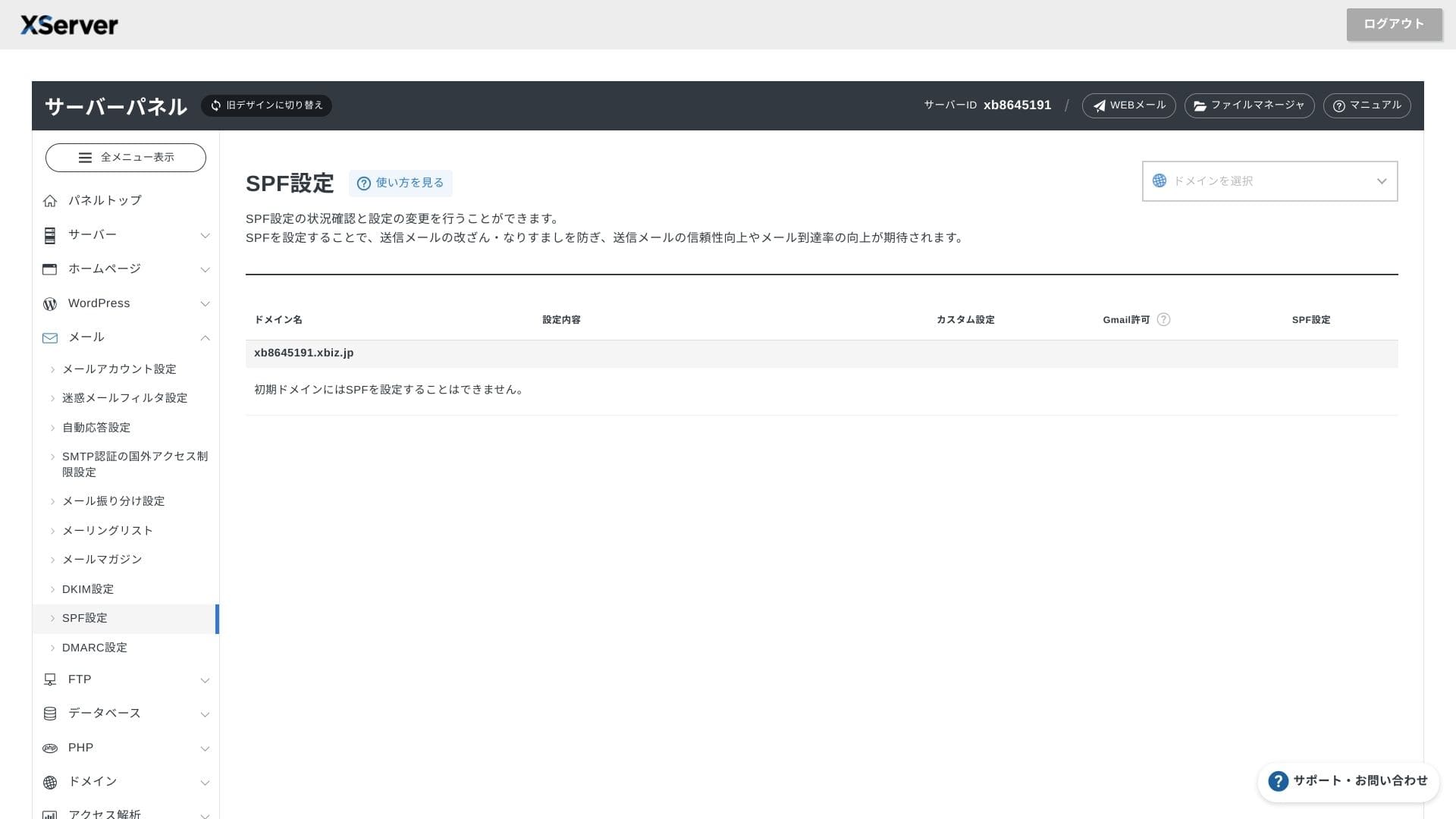
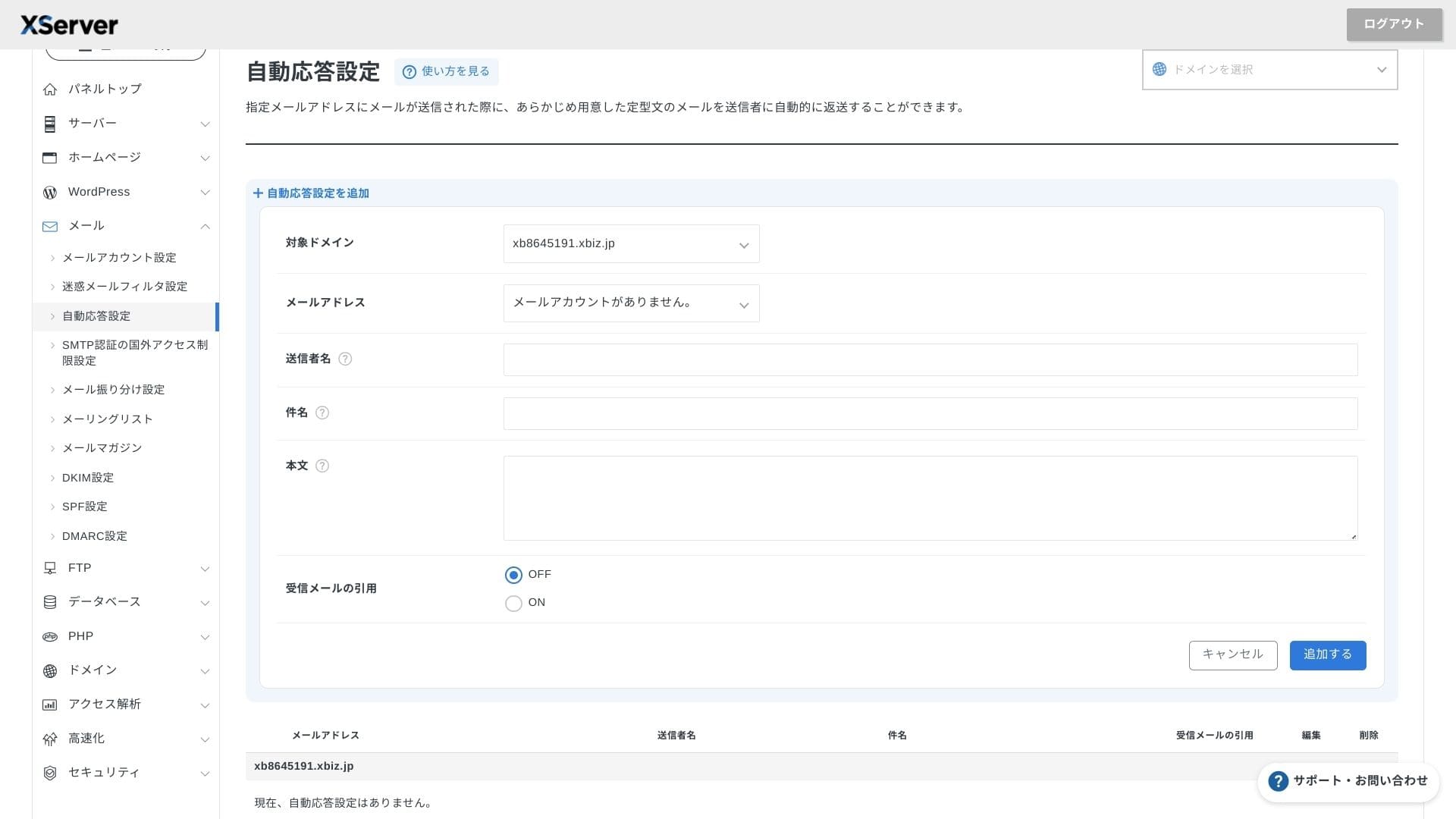
XServer Businesssınırsız hesap sunar ve web posta arayüzü 2025 baharında yenilenerek akıllı telefonlarda bile konforlu hale getirilmiştir. Ayrıca 1.000 hesaba kadar ücretsiz, yüksek performanslı Cloudmark Authority tabanlı bir spam filtresi içerir ve şirket %99'un üzerinde etkili bir algılama oranı bildirmektedir.
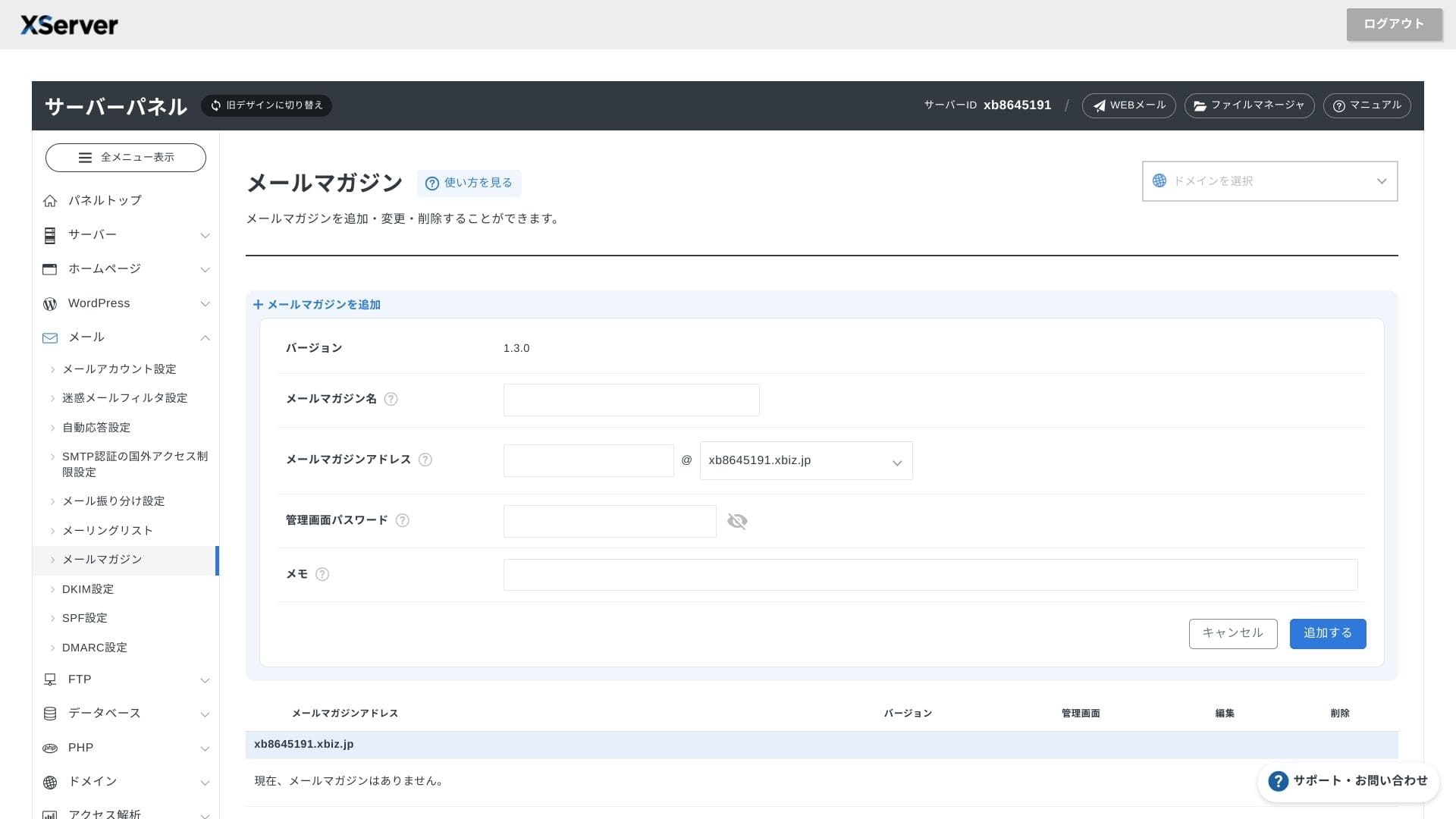
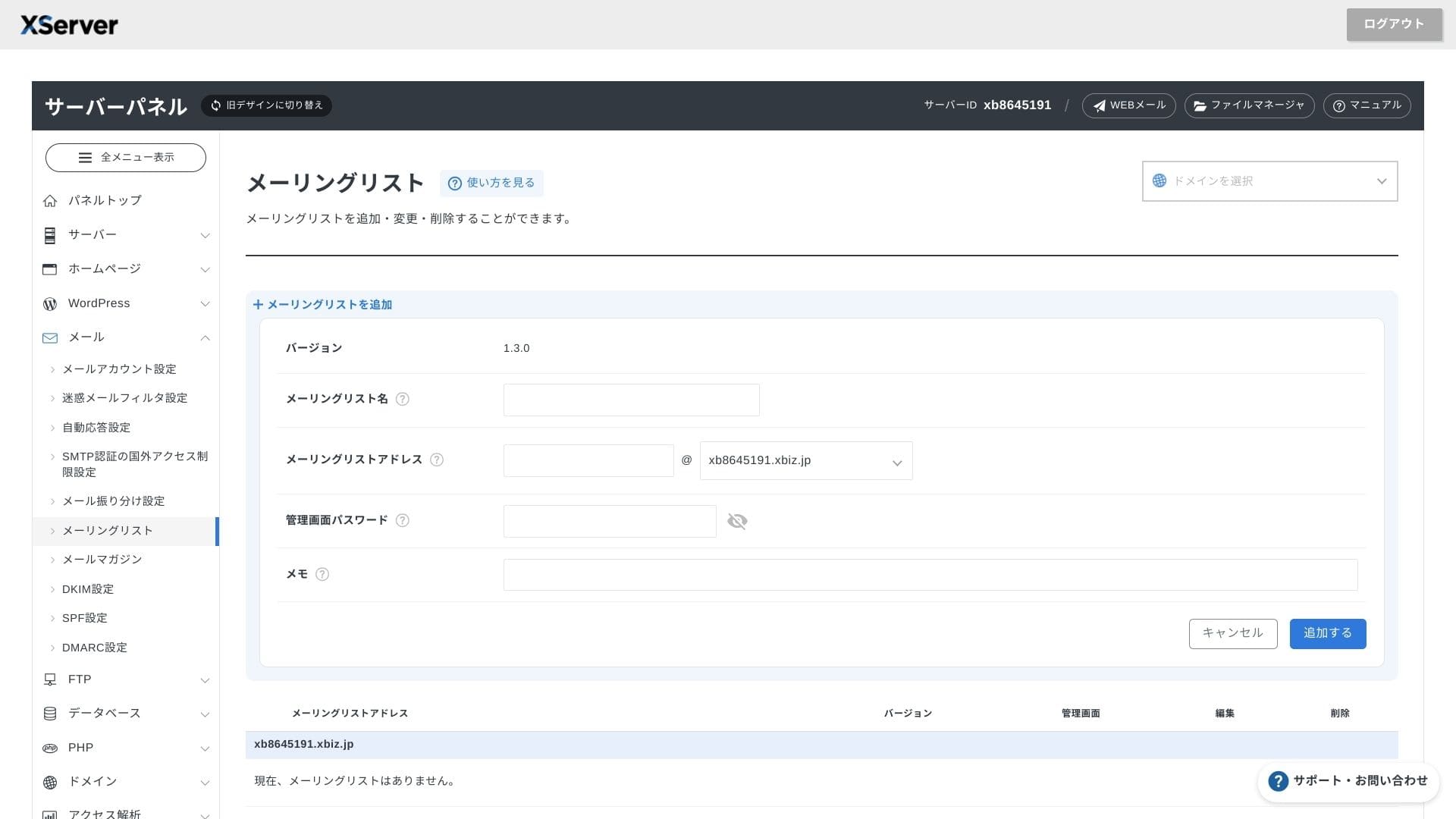
It is also easy to create newsletters and mailing lists. You can quickly send updates to customers or messages to a specific department inside your company.
Hikaru Ono
Bir kurumsal sunucudan bekleneceği üzere, e-posta özellikleri son derece güçlüdür.
Sikkerhet og sikkerhetskopier
Sikkerhetstiltak
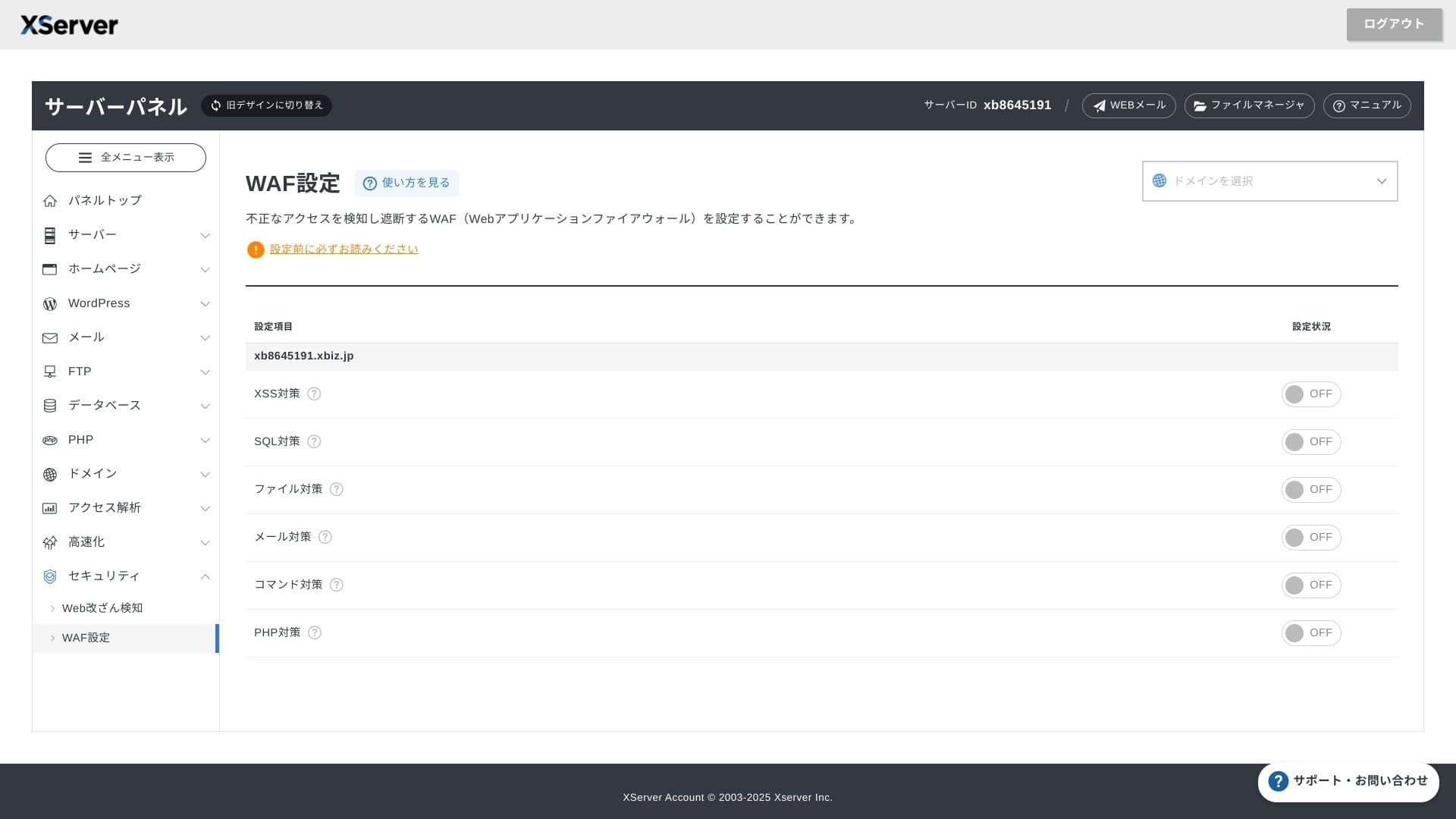
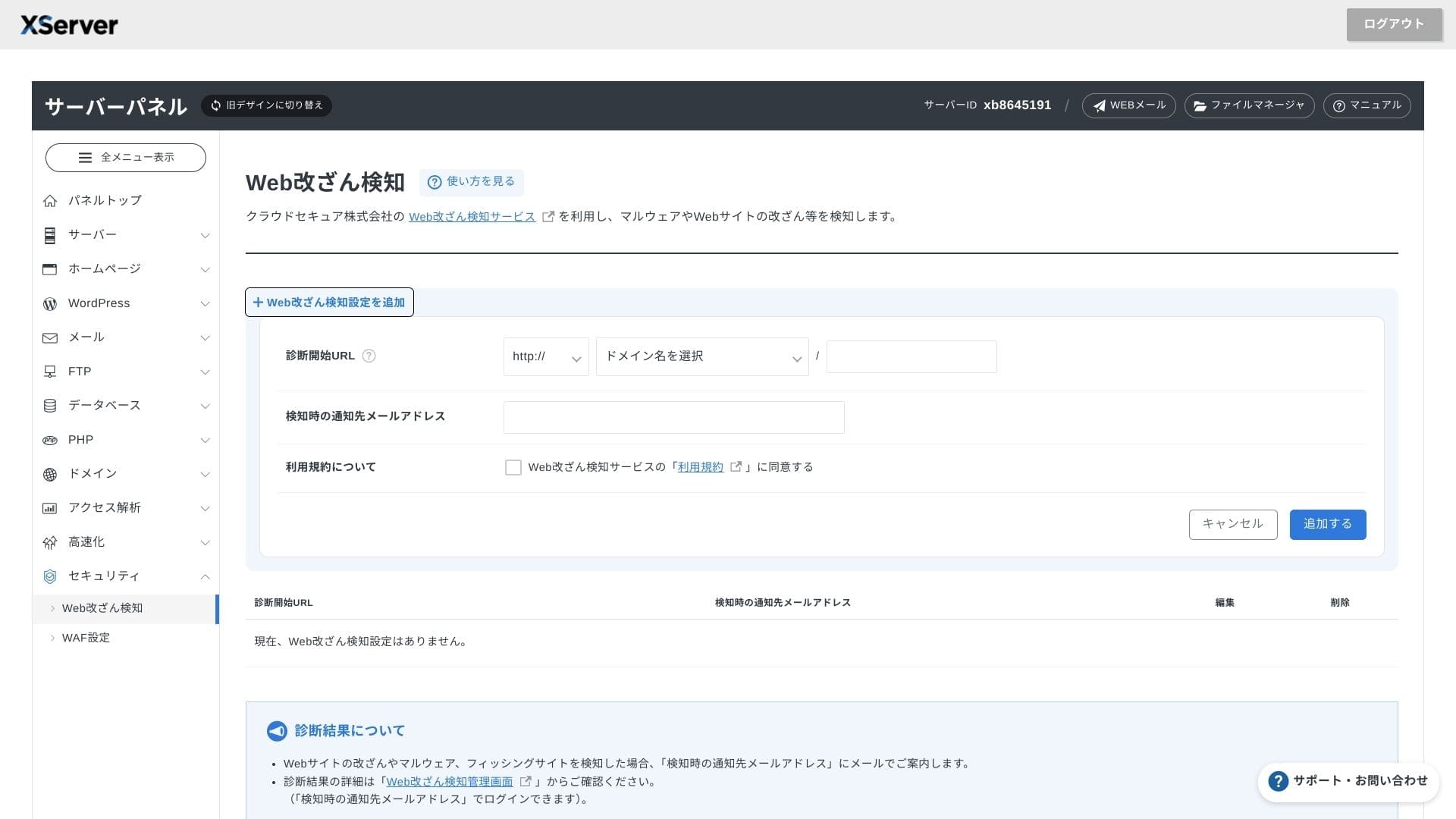
WAF ve web sitesi yetkisiz değişiklik tespiti standart olarak gelir. Güvenlik açığı saldırılarını ve yetkisiz dosya değişikliklerini otomatik olarak engeller ve olağan dışı bir durum olduğunda e-posta bildirimleri gönderir. Secom tarafından gerçekleştirilen harici bir güvenlik teşhisi de yılda bir kez ücretsiz olarak sunulur.
Using website tamper detection helps you avoid situations where you fail to notice a problem and let it grow worse.
Automatiske sikkerhetskopier
On every plan, web, mail, and database data from the past 14 gün her gün otomatik olarak yedeklenir. Panelden tek tıkla ücretsiz olarak geri yükleyebilirsiniz, bu da hatalar veya kötü amaçlı yazılım bulaşmalarından sonra kurtarma maliyetlerini azaltır.
Sammenligning med konkurrerende bedriftssunucue
Sammendrag
XServer Businesshız, güvenlik ve operasyonel desteği tek noktadan hizmet olarak sunan, iş odaklı bir kiralık sunucudur.
- Birden fazla site işletmek ve altyapı dış kaynak kullanımı yapmak isteyen küçük ve orta ölçekli işletmeler
- People handling DX work on top of other duties who feel nervous about configuration mistakes
- Teams expecting future traffic growth but not wanting AWS-düzeyi operating maliyets
Bu durumlarda getiri, aylık fiyat farkını kolayca aşabilir. Öte yandan, yalnızca tek bir statik sayfaya ihtiyacınız varsa veya root erişimi gerektiren özel bir platform çalıştırmak istiyorsanız bunun yerine daha ucuz bir paylaşımlı sunucu veya VPS düşünebilirsiniz.
Günün sonunda, akıllıca olan yaklaşım hem personel maliyetini hem de kesinti riskini paraya dönüştürmek ve ardından şuna karar vermektir: XServer Businessis worth its monthly fee.
"XServer Business" Japonya'da 1 numaralı pazar payına sahip şirket olan Xserver Inc.'in kurumsal barındırma hizmetidir. Ölçümlerimizde hız açısından 2. sırada yer aldı. Yeni bir sunucuya taşınmanız gerektiğinde en iyi seçeneklerden biridir ve taşıma işlemi de ücretsizdir.
7 Ekim 2025 tarihine kadar, başlangıç ücreti (normalde 16.500 yen ile 385.000 yen arası) ücretsizdir ve sunucu taşıma hizmeti de ücretsizdir