
Try it on ücretsiz hosting
PR
Sunucular
XREA İncelemesi [2025 Son]: Ücretsiz Barındırmada WordPress Kullanmanın Artıları ve Eksileri, Ayrıca Diğer Ücretsiz Sunucularla Karşılaştırmalar
Yayınlandı: 2025.04.18
Güncellendi: 2025.04.18
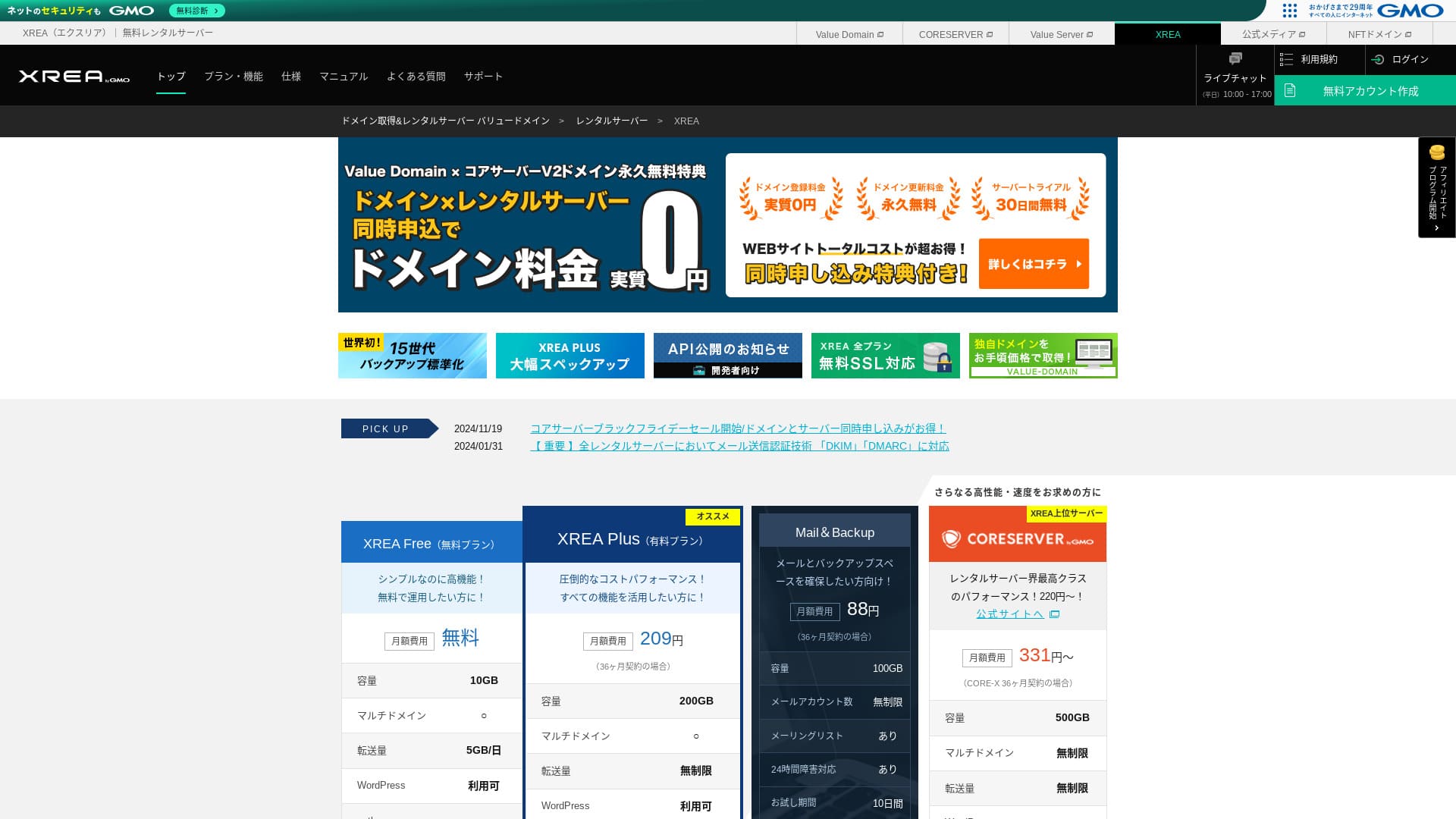
XREA GMO Digirock, Inc. tarafından işletilmektedir ve ücretsiz barındırma sunmaktadır. Tipik ücretsiz barındırma hizmetlerinden farklı olarak, canlı sohbet desteği de sağlar.

XREA is recommended for people looking for ücretsiz hosting because:
- You can use WordPress for ücretsiz
- You can get chat support
- It comes with 15 generations of backups
That is why. You will olası be satisfied. Since it is ücretsiz, be sure to give it a try.
A competing sunucu is Star Rental Server. Ücretsiz olarak da kullanılabilir, ancak yükseltilmiş ücretli planlarındaki özellikler şundan daha iyidir: XREA. Please consider it as well.
| Server tür | Shared sunucu |
| Display speed (TTFB) | Not measured |
| Recommended plan and contract term | Ücretsiz |
| Trial / money-back guarantee | None |
| Monthly fee (12-month contract) | Ücretsiz |
| Initial setup fee | Ücretsiz |
| Ücretsiz domain | None |
| Support | Email and chat (10:00-17:00) |
| Uptime | Not disclosed |
| Storage | 10GB |
| Number of databases | 5 |
| Security measures | None |
| SSL | Ücretsiz SSL, shared SSL |
| Backup / restore | 15 generations of backups ücretsiz, restores ücretsiz |
| Number of email accounts | 100 |
| Email security measures | POP over SSL, IMAP over SSL, SMTP over SSL, virus scanning |
| Server / website migration service | None |
| WordPress preinstallation | None |
| CDN | None |

Hikaru Ono
Kontrol paneli kullanılabilirliği açısından XREA bana biraz alışılmadık geldi. Bu sadece benim kişisel izlenimim. Yine de, detaylı resmi kılavuzlara bakarak çalışan herkes onu kullanabilir.
Ücretsiz bir sunucu için size fazlasıyla yeterli özellik ve destek sunar.
XREA Compared with Other Servers
- OverallRating★★★☆☆
- Server speed Not measured
- Pricing ★★★★★
- Stability ★★★☆☆
- Ease of getting started with WordPress* ★★★☆☆
- Alan adı yönetimi ve SSL kurulumu gibi işlemler* ★★★☆☆
* Based on my personal experience using it.

How to Choose from 21 Recommended WordPress Hosting Services for Individuals
How to Choose from 21 Recommended WordPress Hosting Services for Individuals
serverfield.org
- November 4, 2025 market-research data, by speed sorted
- Aylık ücretler, WordPress çalıştırabilen en ucuz planın ilk yıl maliyetidir
- Speed is the Time to First Byte measured on demo sites under the same conditions
XREA Review and Five Key Features

A No-Maliyet Server That Can Also Run WordPress
XREA is a ücretsiz sunucu. There is no monthly fee and no initial administrative fee.Öyle olsa bile, yine de WordPress kullanabilirsiniz. Maliyetleri mutlak minimuma indirmek isteyen kişiler için mükemmeldir. Aşağıdaki koşullar altında yerel sunucularla karşılaştırdık.
- Initial setup fee
- 12-month sunucu contract
- Maliyet of one year of domain fees
- Cheapest plan that can use WordPress
There are major differences in features and specifications, but a price that stays around one-tenth as much is still appealing.
Comes with Chat Support
XREA comes with chat support.
Most ücretsiz sunucus offer little to no support. XREA ile sorun yaşadığınızda yardım alabilirsiniz, böylece sunucu deneyimi olmayan kişiler bile güvenle kullanabilir.
Hafta içi 10:00 - 17:00 saatleri arasında canlı sohbet desteği mevcuttur. E-posta desteği de sağlanmaktadır.
Comes with 15 Generations of Backups
XREA can retain as many as 15 generations of backups. That is extremely generous. Even paid sunucus often make backups a paid option or charge a separate restoration fee.
For example, LOLIPOP requires an additional paid option maliyeting 330 yen per month on its lower-tier plans before you can use backups.
Yedeklemeler önemlidir. Web sitenize kötü amaçlı yazılım bulaşsa veya yanlışlıkla verileri silseniz bile, bir yedeğiniz varsa kurtarabilirsiniz. Yedekleme olmadan, çabalarınızla oluşturduğunuz her şey yok olabilir.
With 15 generations of backups, you can run your website with peace of mind.
You Can Create Five WordPress Sites
XREA lets you create up to five WordPress sites.
Note: WordPress Nedir? Web Sitesi Başlatma Sistemi ve Dikkat Edilmesi Gereken Noktalar
Şirket web sitenizin yanına bir hobi blogu eklemek gibi birçok kullanım yolu vardır. Sunucuya kaydolduğunuzda bir sitenin yeterli olduğunu düşünmüş olabilirsiniz, ancak zaman geçtikçe yeni bir iş üstlenebilir veya yeni hobiler edinebilirsiniz.
Sizi başka bir sunucuya kaydolma zahmetinden kurtarır ve hiçbir maliyeti de yoktur.
You Can Use Ücretsiz Custom SSL
XREA lets you use ücretsiz custom SSL. Some ücretsiz sunucus do not provide ücretsiz custom SSL because of feature limitations.
SSL is essential security for a website. It is reassuring that even a ücretsiz sunucu provides it.
Note: What Are SSL and TLS? The Mechanism and Benefits of Protecting Information Through Encryption
The Drawbacks of XREA, Told Honestly

Ücretsiz sunucular caziptir, ancak dezavantajları da vardır, bu nedenle kullanmadan önce bunları kontrol ettiğinizden emin olun. Finansal yük küçük olsa bile yine de zaman ve emek harcarsınız.
Ads Are Displayed
XREA automatically displays ads at the top of your website. Because ads appear in the most visible part of the page, it is difficult to use for a corporate website. They may also clash with your company's atmosphere.
People who want to earn advertising revenue, such as through affiliate pazarlama, probably do not want ads displayed that do not contribute to their own profit.
To hide the ads, you need to use the paid plan XREA Plus. If you are going to use XREA Plus, it is better to consider other paid sunucus as well.
The Transfer Allowance Is Low
XREA has a low transfer allowance. As a result, as traffic grows, the website becomes harder to display. Publishing a website that people cannot actually view defeats the purpose.
Note: What Are Traffic and Transfer Volume? Managing and Optimizing Web Traffic
Uptime Is Not Disclosed
What is quite worrying is that its uptime is not disclosed. We cannot judge in numerical terms how stable it is. Sunucu kararlı değilse, web sitesi de güvenilir şekilde görüntülenemez. İnsanların görüntüleyemediği bir web sitesi amacına ulaşamaz.
Note: A Beginner's Guide to Understanding Hosting Uptime and SLAs
Yüksek çalışma süresi kıstası olan %99,99 veya daha yüksek çalışma süresine (uptime) sahip bir sunucu kullanmak güven vericidir. %99,99 seviyesinde, sunucu 365 günlük bir sözleşme süresi boyunca toplamda bir saatten daha az çalışamaz durumda olur. Zamanın geri kalanında web siteniz düzgün bir şekilde görüntülenebilir.
Compare XREA with Two Competing Servers
Shin Free Server
Shin Ücretsiz Server is a ücretsiz sunucu that does not display ads. That makes it easier to use even for things like corporate websites. Its transfer allowance is on an entirely different scale, so you do not need to worry about running short.
However, unlike XREA, it has no support. You need the skill to solve problems on your own while checking the manual and searching the web.

Shin Free Server İncelemesi ve Dezavantajları [2025 En Yeni]: Ücretsiz Barındırma Üzerinde WordPress Başlatma
Shin Free Server İncelemesi ve Dezavantajları [2025 En Yeni]: Ücretsiz Barındırma Üzerinde WordPress Başlatma
serverfield.org
Star Server Free
Star Server Ücretsiz is a ücretsiz sunucu run by a long-established domestic hosting company.
However, it has more drawbacks than XREA, such as ads being displayed on smartphones and the lack of support. Because its transfer allowance is not published, it becomes worrying whether it will remain visible as traffic grows.

Star Server Review [2024 Latest]: Astonishingly Low Prices and a Thorough Look at the Real Pros and Cons
Star Server Review [2024 Latest]: Astonishingly Low Prices and a Thorough Look at the Real Pros and Cons
serverfield.org
Start a WordPress Website on XREA in 7 Steps
Let's start a website with XREA!
- STEP.1Resmi siteye erişin
Click "Create Account" on the top page.
- STEP.2Register as a Value Domain user
Bu kullanıcı hesabı oluşturma ekranıdır. Bir kullanıcı adı, şifre ve e-posta adresi girin. Ayrıntıları gözden geçirin ve "Kaydol" seçeneğine tıklayın.
After completing email verification, register your user information such as your name and address. It is easier if you complete SMS verification as well. Click "Review entered information," then after checking the membership agreement and privacy policy, click "Register user."
Onay ekranı tekrar görünür, bu nedenle kullanıcı kaydını tamamlamak için "Tamam" seçeneğine tıklayın.
Once you have selected a domain, make sure to check "Install WordPress at the same time."
Click "Next."
- STEP.3Sign up for XREA
Value Domain'e giriş yapın, "Sunucu" menüsünden "XREA" seçeneğini seçin, "Yeni bir XREA hesabı oluştur" seçeneğine tıklayın ve ardından "XREA Al (Ücretsiz)" seçeneğine tıklayın.
You can use any string you like for the desired account name.
Bir yıl boyunca ücretsiz olarak bir .shop alan adı kullanabilirsiniz. Güçlü bir tercihiniz yoksa, .shop alan adı kullanın. Ancak ikinci yıldan itibaren .shop alan adını yenilemek yıllık 5.440 yen tutarındadır ve bu oldukça pahalıdır.
We recommend well-known domains such as .com and .net. Their renewal fees are also reasonable, at under 2,000 yen.
Note: Alan Adı Nedir? İnternetteki Adres Rolü ve Nasıl Edinileceği
Sunucu ve yedekleme kullanım koşullarını kontrol edin, ardından "Kaydol" seçeneğine tıklayın. Hesabınız oluşturulacaktır.
If you did not get a .shop domain: Get a domain through Value Domain
At the top of the Value Domain page, select "Domain Registration." Enter any string you like and search, and available domains will be displayed.
Alan adını ve sözleşme süresini kontrol edin. Bir yıl uygundur. Zaten XREA için başvurduğunuzdan, "Sunucu kullanma" seçeneğini işaretleyin. Kayıt ayrıntılarını gözden geçirin ve "İleri" seçeneğine tıklayın.
Choose a payment method, check that you have reviewed the terms of use, and click "Confirm application." That completes the domain acquisition.
XREA kontrol panelini açın, "Alan Adı Ayarları"nı seçin ve "Yeni alan adı ayarı oluştur" seçeneğine tıklayın. Daha önce edindiğiniz alan adını girin ve "Yeni alan adı ayarı oluştur" seçeneğine tıklayın. Bu, alan adını XREA üzerinde ayarlar.
- STEP.4Create a database
Create a database so that you can use WordPress.
Note: Veritabanı Nedir? WordPress İçin Gerekli Yönetim ve İşletim Sistemi
XREA kontrol paneline giriş yapın. Menüden "Veritabanı" ardından "MsSQL" seçeneğine gidin ve "Yeni veritabanı oluştur" seçeneğine tıklayın.
- Database name: Anything is okay
- Password: Anything is okay. Make it as complex as possible
- Character encoding: Leave it as is
- Memo: You do not need to write anything
After entering the above, click "Create new database" and the database will be created.
- STEP.5Install WordPress
XREA kontrol panelinde "Site Ayarları"nı açın ve WordPress'i yüklemek istediğiniz alan adına tıklayın. Ekran değiştiğinde "WordPress" seçeneğine tıklayın.
Specify the installation path. If CMS Install is not clickable, interact with the installation URL once and it will become clickable.
When you can proceed with installation, configure WordPress as follows.
- Database name: The database name you created earlier
- Username: Anything is okay. It is difficult to change later
- Password: The password you created when making the database
- Database host name: localhost
- Table prefix: Anything is okay.
Once you have entered everything, click "Submit" and then "Run installation."
Now configure the WordPress information further.
- Site title: Anything is okay. You can change it later
- Username: Anything is okay. It is difficult to change later
- Password: Anything is okay. Make it as complex as possible
- Database host name: Your everygün email address
- Search engine visibility: Anything is okay. Check it if you want everyone to be able to find it
Kullanıcı adı ve şifreyi WordPress'e giriş yaparken kullanırsınız. Bunları mutlaka bir kenara not edin.
Kurulum tamamlandığında "Giriş yap" seçeneğine tıklayın.
- STEP.6Configure SSL
XREA kontrol panelinde "Site Ayarları"ı açın. "Yeni site ayarı oluştur" seçeneğine tıklayın.
WordPress'i yapılandırdığınız alan adını açın, SSL altından "Ücretsiz SSL" seçeneğini seçin ve "Yeni site ayarı oluştur" seçeneğine tıklayın.
- STEP.7Install plugins
WordPress yönetim ekranına dönün ve ihtiyacınız olan eklentileri yüklemek için "Eklentiler" ardından "Yeni Ekle" seçeneğine gidin.
When you find a plugin you want to install by searching, click "Install Now" and then "Activate." After that, proceed according to the instructions for each plugin.
Be sure to install security and backup plugins.
- How to Choose Five WordPress Plugins That Strengthen Security
- Five Powerful WordPress Backup Plugins That Let You Recover Your Data
Once you have installed the plugins, your WordPress website is ready.
Summary
Ücretsiz barındırma hizmetini kullanarak XREA lets you create a WordPress website by paying only for the domain. It does have drawbacks, but few things are as welcome as something ücretsiz. Use it wisely.
Complete Comparison of 32 WordPress Hosting Services: Recommendations for Individuals, Companies, and Overseas Use

“WordPress'e başlamak istiyorum” diye düşünüp “önerilen WordPress barındırma” araması yaptığınızda, bireysel kullanıcılar ve şirketler veya küçük işletmeler için seçeneklerden yurt dışı sunucularına ve ucuz sunuculara kadar her türlü makaleyi bulursunuz. Dürüst konuşmak gerekirse,
- Which site should I look at?
- I want to choose a sunucu in a basit, easy-to-understand way!
- Please show me how to start WordPress right away.
Have you ever felt that way? That is why this article bireysel kullanıcılar, şirketler, yurt içi kullanım ve yurt dışı kullanım için 32 barındırma hizmeti arasından en iyi seçimleri özenle yapmaktadırve bunları tanıtıyor. Açıklama, her gün barındırma hizmetleri kullanan bir uygulama geliştirme şirketinin SEO yöneticisinden gelmektedir.