Currently closed to new applications other than migrations
PR
Sunucular
Ücretsiz Shin Sunucu İncelemesi ve Dezavantajları [2025 Son]: Ücretsiz Bir Sunucu ile WordPress'i Başlatın
Yayınlandı: 2025.04.18
Güncellendi: 2025.04.18
Rating: 3.0
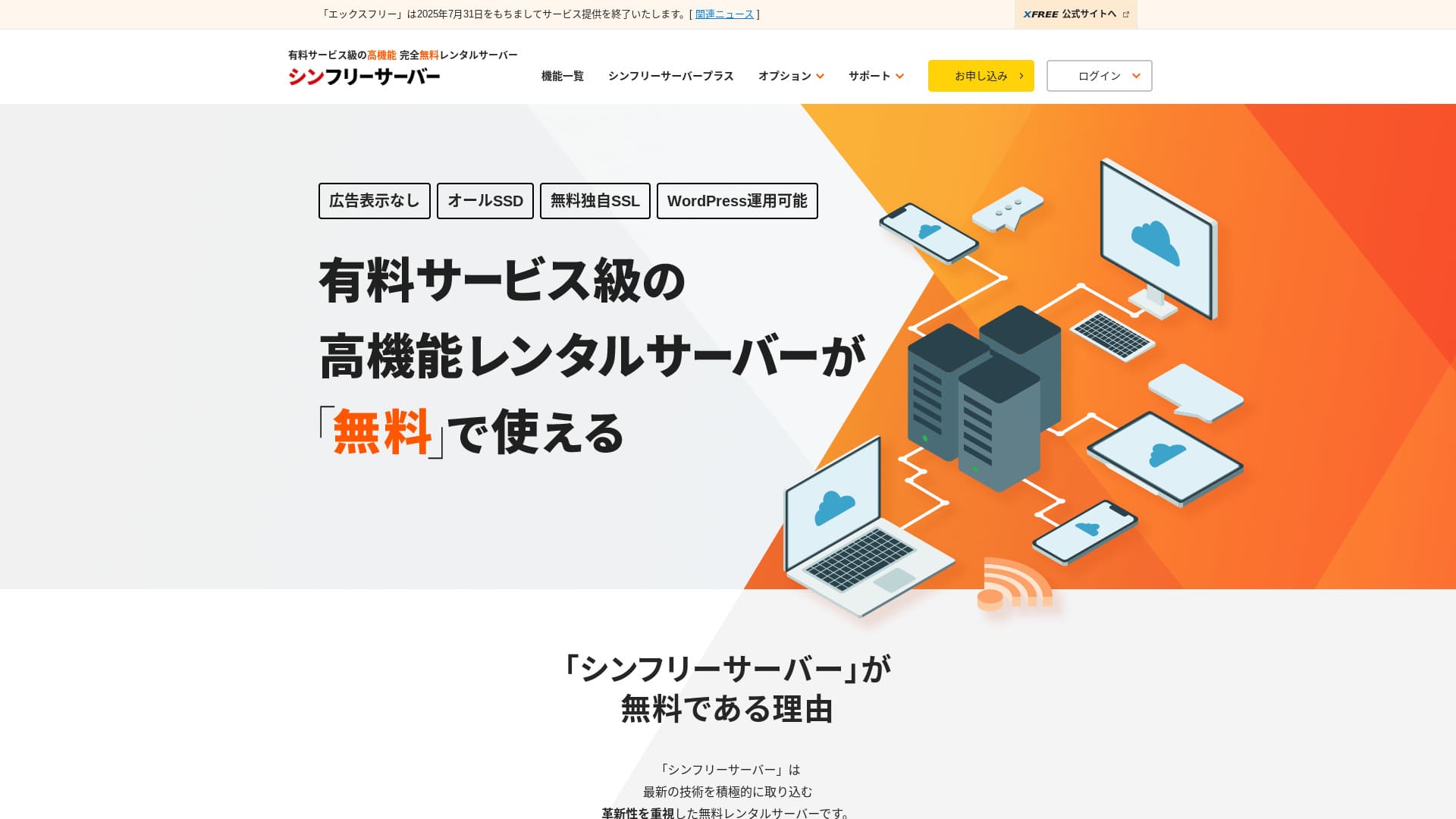
Shin Free Server ShinCloud Co., Ltd. firmasına ait ücretsiz bir sunucudur. Birçok ücretsiz sunucunun aksine reklam göstermez.

Shin Free Server is recommended for people looking for a ücretsiz sunucu because:
- No ads despite being a ücretsiz sunucu
- You can create five WordPress sites
- A high-security WAF is available
That is why. You will olası be satisfied.
A competing sunucu is Star Rental Server. It offers stronger plans after you scale up than Shin Free Server. Please consider it as well.
| Server tür | Shared sunucu |
| Display speed (TTFB) | Not measured |
| Recommended plan and contract term | — |
| Trial / money-back guarantee | — |
| Monthly fee (12-month contract) | Ücretsiz |
| Initial setup fee | Ücretsiz |
| Ücretsiz domain | None |
| Support | None |
| Uptime | Not disclosed |
| Storage | 10GB |
| Number of databases | 5 |
| Security measures | WAF |
| SSL | Ücretsiz custom SSL |
| Backup / restore | 14-gün automatic backups ücretsiz, restoration ücretsiz |
| Number of email accounts | None |
| Email security measures | None |
| WordPress preinstallation | None |
| Server / website migration service | None |
| CDN | None |

Hikaru Ono
Ücretsiz Shin Sunucusu şu anda yalnızca başka bir sunucudan taşıma yapıldığında kullanılabilir.
If you are looking for a ücretsiz sunucu, Star Rental Server is recommended.
Diğer Sunucularla Karşılaştırmalı Ücretsiz Shin Sunucusu
- OverallRating★★★☆☆
- Server speedNot measured
- Pricing★★★★★
- Stability★★★☆☆
- Ease of starting WordPress★★★★☆
- Alan adı yönetimi ve SSL kurulumu gibi işlemler★★★☆☆

How to Choose from 21 Recommended WordPress Hosting Services for Individuals
How to Choose from 21 Recommended WordPress Hosting Services for Individuals
serverfield.org
- November 4, 2025 market-research data,by speed sorted
- Aylık ücretler, WordPress çalıştırabilen en ucuz planın ilk yıl maliyetidir
- Speed is the Time to First Byte measured on demo sites under the same conditions
“Shin Free Server”, ShinCloud Co., Ltd. şirketinin ücretsiz kiralık sunucusudur. Ücretsiz olmasına rağmen işletmecinin reklamlarını göstermez. Özellikler veya destek açısından ücretli sunucular düzeyinde değildir, ancak kullanımı rahat kalmaya devam etmektedir.
Ücretsiz Shin Sunucusunun Kullanıcı İncelemeleri ve Dört Temel Özelliği

No ads
While ads are common on ücretsiz sunucus, Shin Ücretsiz Server does not display them.
That means ads will not hurt the atmosphere of a company website, nor will they reduce your own advertising revenue.
You Can Create Five WordPress Websites
Shin Ücretsiz Server can create up to five databases, so you can create five WordPress websites.
Note: Veritabanı Nedir? WordPress'in Yönetim ve Operasyonlar İçin Neden Ona Bağımlı Olduğu
Besides a company website, you can create a bkayıt or websites across multiple genres.
Ücretsiz SSL is available
Shin Ücretsiz Server supports ücretsiz SSL.SSL is now a standart security measure. If it is not configured, people may see your website as suspicious, so it is indispensable when building a website.
Note: What Are SSL and TLS? How They Protect Information Through Encryption and Their Benefits
A high-security WAF is available
Shin Ücretsiz Server can use a WAF. This is advanced security.It is advanced enough that some paid sunucus offer it only as a paid option.
This is also provided for ücretsiz.
Elbette WAF sağlamayan sunucularda bile WordPress güvenlik eklentileri kurarak bir güvenlik duvarı oluşturabilirsiniz. Yine de bu süreç zahmetlidir ve sunucunun bunu sizin yerinize halletmesi daha güvenli hissettirir.
Note: What Are WordPress Plugins? Their Types and Important Cautions
Ücretsiz Shin Sunucusunun dürüstçe belirtilen dezavantajları

Shin Ücretsiz Server has many advantages, but unfortunately it also has drawbacks.
No support
First, Shin Ücretsiz Server offers no support.No matter how difficult the problem is, you have to solve it on your own.
XREA, başka bir ücretsiz sunucu, sohbet desteğiyle birlikte gelir. Bununla karşılaştırıldığında, bu durum hayal kırıklığı yaratıyor.
No backup feature
There is also no backup feature.You must build your own backup sistem, for example by using WordPress plugins.
Zahmetli olduğu için yedeklemeleri atlar ve ardından verileri yanlışlıkla silerseniz ya da verileriniz tahrif edilirse, şimdiye kadar harcadığınız tüm çaba boşa gidecektir.
If you still choose Shin Ücretsiz Server, be sure to install a WordPress backup plugin.
Note: 5 Powerful WordPress Backup Plugins That Help You Recover Your Data
Uptime not disclosed
Shin Ücretsiz Server does not disclose its uptime.Bu, sunucunun kararlılığının bilinmediği ve kullanıcıların bunu tam olarak anlayamayacağı anlamına gelir.
Sunucu kararlılığı, web sitenizin güvenilir şekilde erişilebilir kalıp kalmayacağını doğrudan etkiler. Tekrarlanan sorunlar sitenizi sürekli erişilemez hale getiriyorsa bu durum amacına ulaşmamış demektir. Bir şirket web sitesi için bu durum imajınıza zarar verebilir, hatta toplantıların veya iş fırsatlarının kaybedilmesine yol açabilir.
Note: A Beginner’s Guide to Understanding Hosting Uptime and SLAs
Ücretsiz Shin Sunucusunun benzer iki sunucuyla karşılaştırılması
We compared domestic ücretsiz sunucus similar to Shin Ücretsiz Server. Each has its own strengths, so compare them carefully.
XREA
XREA is a ücretsiz sunucu that includes 15 generations of automatic backups.It also offers chat support. Even if you have no experience with WordPress or websites, you can start running a website with confidence.
However, it lacks expensive security measures such as a WAF, and it displays ads.
Ücretsiz Shin Sunucusu ile karşılaştırıldığında, birinin diğerinden açıkça daha iyi olduğunu söylemek zordur.

XREA İncelemesi [2025 En Yeni]: Ücretsiz Planda WordPress Kullanmanın Avantajları ve Dezavantajları, Ayrıca Diğer Ücretsiz Sunucularla Karşılaştırmalar
XREA İncelemesi [2025 En Yeni]: Ücretsiz Planda WordPress Kullanmanın Avantajları ve Dezavantajları, Ayrıca Diğer Ücretsiz Sunucularla Karşılaştırmalar
serverfield.org
Star Server Ücretsiz
Star Server Ücretsiz is also a well-known ücretsiz sunucu in Japan.Shin Ücretsiz Server offers more storage than Star Server Ücretsiz, making it a better value.
| Comparison item | Shin Free Server | Star Server Ücretsiz |
|---|---|---|
| Main feature | Ücretsiz | Ücretsiz |
| Trial / money-back guarantee | None | None |
| Uptime | Not disclosed | Not disclosed |
| Storage | 10GB | 2GB |
| First-year sunucu maliyet | 0 yen | 0 yen |

Star Rental Server İncelemesi [19 Aralık 2024'te Yayınlandı]: Ücretsiz Planlardan İtibaren Kullanabileceğiniz Yüksek Değerli Bir Sunucunun Avantajları ve Dezavantajları
Star Rental Server İncelemesi [19 Aralık 2024'te Yayınlandı]: Ücretsiz Planlardan İtibaren Kullanabileceğiniz Yüksek Değerli Bir Sunucunun Avantajları ve Dezavantajları
serverfield.org
7 Adımda Ücretsiz Shin Sunucusu ile Web Sitesi Başlatın
As of December 2024, Shin Ücretsiz Server is not accepting applications except for sunucu migrations.
Ücretsiz Shin Sunucusu ile Bir Web Sitesi Başlatalım!
- STEP.1Resmi web sitesini ziyaret edin
Ana sayfada aşağı kaydırın ve sayfanın ortasındaki “Ücretsiz sunucu hesabı oluştur” seçeneğine tıklayın.
- STEP.2Register a Shin Account
Click “Start now! New signup,” then enter your membership information such as your name and address. If everything is correct, check that you agree to the Terms of Use and the handling of personal information. Then click “Next.”
E-posta doğrulamasını tamamladıktan ve başvuru detaylarını inceledikten sonra “Bu bilgilerle kaydolun ve sunucu başvurusuna geçin” seçeneğine tıklayın.
Sunucu kimliğini kontrol edin, Kullanım Koşulları ve kişisel verilerin işlenmesi kutularını işaretleyin, ardından “Başvuru detaylarını incele” seçeneğine tıklayın.
Review the application details again and click “Apply” to register your Shin Account. A confirmation email will arrive.
Once you have selected the domain, check “Install WordPress at the same time.”
Click “Next.”
- STEP.3Acquire a Domain with Shin Domain
Shin Hesabınızda oturum açın ve “Alan adı al” seçeneğine tıklayın.
Acquire the domain you want. I recommend well-known domains such as “.com” and “.net.” Their renewal fees are also reasonable, at under 2,000 yen.
Note: Alan Adı Nedir? İnternetteki Adres Rolü ve Nasıl Edinileceği
Enter the domain you want in “Enter the domain name you want to obtain,” search for it, tick the checkbox for the domain you want, and click “Proceed to acquisition.”
Choose your payment information and click “Review application details.” Then enter your credit card information and so on.
Review the application details, agree to the Shin Domain Terms of Use and the handling of personal information, and click “Apply.” You will receive an email with the application details. Once it arrives, you are done.
- STEP.4Register the Domain
Ücretsiz Shin Bulut sunucu paneline giriş yapın.
“Alan adı ayarları” seçeneğini seçin, “Alan adı ekle”ye tıklayın, edindiğiniz alan adını girin ve “Ekle” seçeneğine tıklayın.
- STEP.5Install WordPress
Ücretsiz Shin Bulut sunucu panelinde “WordPress” > “Kolay WordPress Kurulumu” bölümüne gidin ve “Yeni kurulum” seçeneğine tıklayın.
Set up WordPress.
- Target domain:The domain you registered earlier
- Site URL:Same as the target domain
- Bkayıt name:Anything is fine. You can easily change it later
- Username:Anything is fine, but changing it later is troublesome
- Password:Anything is fine, but make it as complex as possible
- Email address:Your everygün email address
- Automatic cache deletion:ON is recommended
- Database:Set it to generate automatically
- Theme:Cocoon is recommended. This site also uses Cocoon.
- Theme option:Check “Install child theme”
Once you have filled everything in, click “Install.”
Kullanıcı adı ve şifre WordPress'e giriş yaparken kullanılır. Bunları bir yere not ettiğinizden emin olun.
Once installation is complete, click “Kayıt in.”
- STEP.6SSL Ayarlar
Sunucu panelinde “Alan Adı” bölümünden “SSL ayarları” seçeneğini açın.
Open the domain you configured for WordPress and switch the SSL setting status slider to “ON.” It will be reflected in about an hour.
- STEP.7Install Plugins
WordPress yönetim ekranına geri dönün, “Eklentiler” ve ardından “Yeni Ekle” bölümünü açıp ihtiyacınız olan eklentileri kurun.
Search for the plugins you want, click “Install Now,” and then “Activate.” After that, follow each plugin’s instructions.
Be sure to install security and backup plugins.
- How to Choose 5 WordPress Plugins That Strengthen Security
- 5 Powerful WordPress Backup Plugins That Help You Recover Your Data
Once you have installed the plugins, your WordPress website setup is complete.
Summary
“Shin Free Server”, ShinCloud Co., Ltd. şirketinin ücretsiz kiralık sunucusudur. Ücretsiz olmasına rağmen işletmecinin reklamlarını göstermez. Özellikler veya destek açısından ücretli sunucular düzeyinde değildir, ancak kullanımı rahat kalmaya devam etmektedir.
Currently closed to new applications other than migrations
Ücretsiz Shin Sunucusu, reklamsız ücretsiz bir sunucudur. Kullanımı rahattır. Şirket web sitelerinden hobi bloglarına kadar pek çok şekilde kullanılabilir.However, because there is no support, you should read the manual carefully and solve issues on your own when you run into trouble.
32 WordPress Barındırma Hizmetinin Tam Karşılaştırması: Bireysel Kullanıcılar, Şirketler ve Yurt Dışı Kullanım için Öneriler

WordPress'i başlatmak isteyip “önerilen WordPress barındırma” araması yaptığınızda, bireysel ve kurumsal veya küçük işletme seçeneklerinden yurt dışı sunucularına ve ucuz sunuculara kadar her türlü makale karşınıza çıkar. Dürüst olmak gerekirse,
- which site should I read?
- I want to choose a sunucu in a basit, easy-to-understand way!
- Tell me how to start WordPress right now.
Do you ever feel that way? So, this articlebireysel kullanıcılar, şirketler ve yurt içi ile yurt dışı kullanım için 32 barındırma hizmeti arasından önerileri özenle seçmektedirve bunları tanıtıyor. Her gün kiralık sunucuları kullanan bir uygulama geliştirme şirketinin SEO yöneticisi tarafından açıklanmaktadır.