
50% cashback until August 6, 2025, plus a 10-gün ücretsiz trial
PR
Sunucular
Shin Rental Server İncelemesi [2025 En Yeni]: Hız ve Ücretlendirmenin Uygulamalı Analizi
Yayınlandı: 2025.04.18
Güncellendi: 2025.04.18
Rating: 4.0
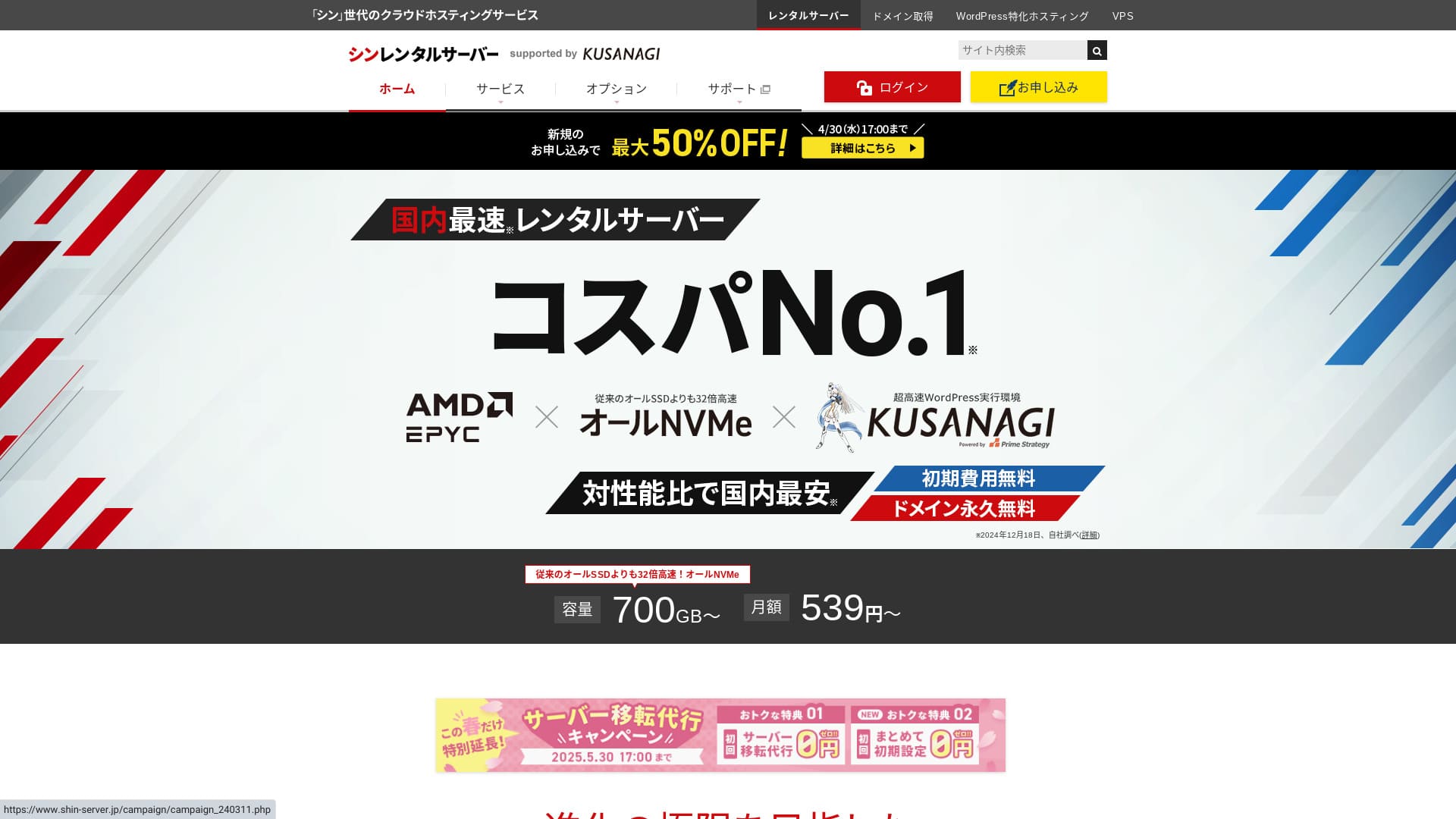
Shin Rental Server is operated by ShinCloud Co., Ltd. and lets you start WordPress at an affordable price.

We recommend Shin Rental Server to individuals, companies, and sole proprietors using WordPress for the first time because:
- It meets Google's recommended speed target.
- You can start WordPress easily.
- Campaigns are frequent and the pricing is inexpensive.
That is why. You will olası be satisfied. You can try it ücretsiz for 10 gün.
A competing service is ColorfulBox. Its region-based automatic backup sistem is even stronger than Shin Rental Server's. Consider it as well.
★ Colorful Box İncelemesi [2025 En Yeni]: WordPress'e Olağanüstü Fiyat-Performans Oranıyla Başlayın
| Server tür | Shared hosting |
| Response speed (TTFB) | 200ms |
| Recommended plan and term | Basic, 12 months |
| Trial / ücretsiz period | 10-gün ücretsiz trial |
| Monthly price (12-month contract) | 880 yen |
| Initial setup fee | Ücretsiz |
| Ücretsiz domain | One ücretsiz forever |
| Support | Telefon ve e-posta (hafta içi 10:00-18:00) |
| Uptime | Not disclosed |
| Storage | 700GB |
| Number of databases | Unlimited |
| Security measures | SECOM güvenlik teşhisi, WAF, ads.txt, giriş denemesi sınırları, yurt dışı IP adreslerinden erişim kısıtlamaları, toplu yorum ve geri bildirim sınırları, yurt dışı IP adreslerinden yorum ve geri bildirim kısıtlamaları, antivirüs, spam filtresi |
| SSL | Ücretsiz dedicated SSL, optional dedicated SSL |
| Backup / restore | 14 gün of automatic backups for ücretsiz, ücretsiz restore |
| Number of email accounts | Unlimited |
| Email security | POP over SSL, SMTP over SSL, IMAP over SSL, DKIM, DMARC |
| Server / website migration service | None |
| WordPress preinstalled | Yes |
| CDN | None |

Hikaru Ono
Shin Kiralık Sunucu başvurusunu yaparken WordPress'i kolayca başlatabildim. Kampanyalar çok sık yürütüldüğünden resmi siteyi düzenli olarak kontrol etmenizi öneririm.
Şimdiye kadarki en iyi fırsat ya %50 para iadesi ya da sunucu ücretinde %50 indirim oldu. Değerlendirirken bunlardan biri mevcutsa şanslısınız.
Shin Rental Server vs. Other Services
- Overall rating★★★★☆
- Server speed ★★★★☆
- Pricing ★★★★☆
- Stability ★★★★☆
- Ease of starting WordPress* ★★★★★
- Alan adı yönetimi, SSL kurulumu ve ilgili işlemlerin kolaylığı* ★★★★★
* These ratings reflect my own hands-on experience using the service.

Complete Comparison of 21 Recommended WordPress Hosting Services for Individuals
Complete Comparison of 21 Recommended WordPress Hosting Services for Individuals
serverfield.org
- Based on market research as of November 4, 2025, sorted by speed
- Aylık fiyat, WordPress'i çalıştırabilen en ucuz planın ilk yıl maliyetidir
- Speed is the Time to First Byte measured on demo sites under the same conditions
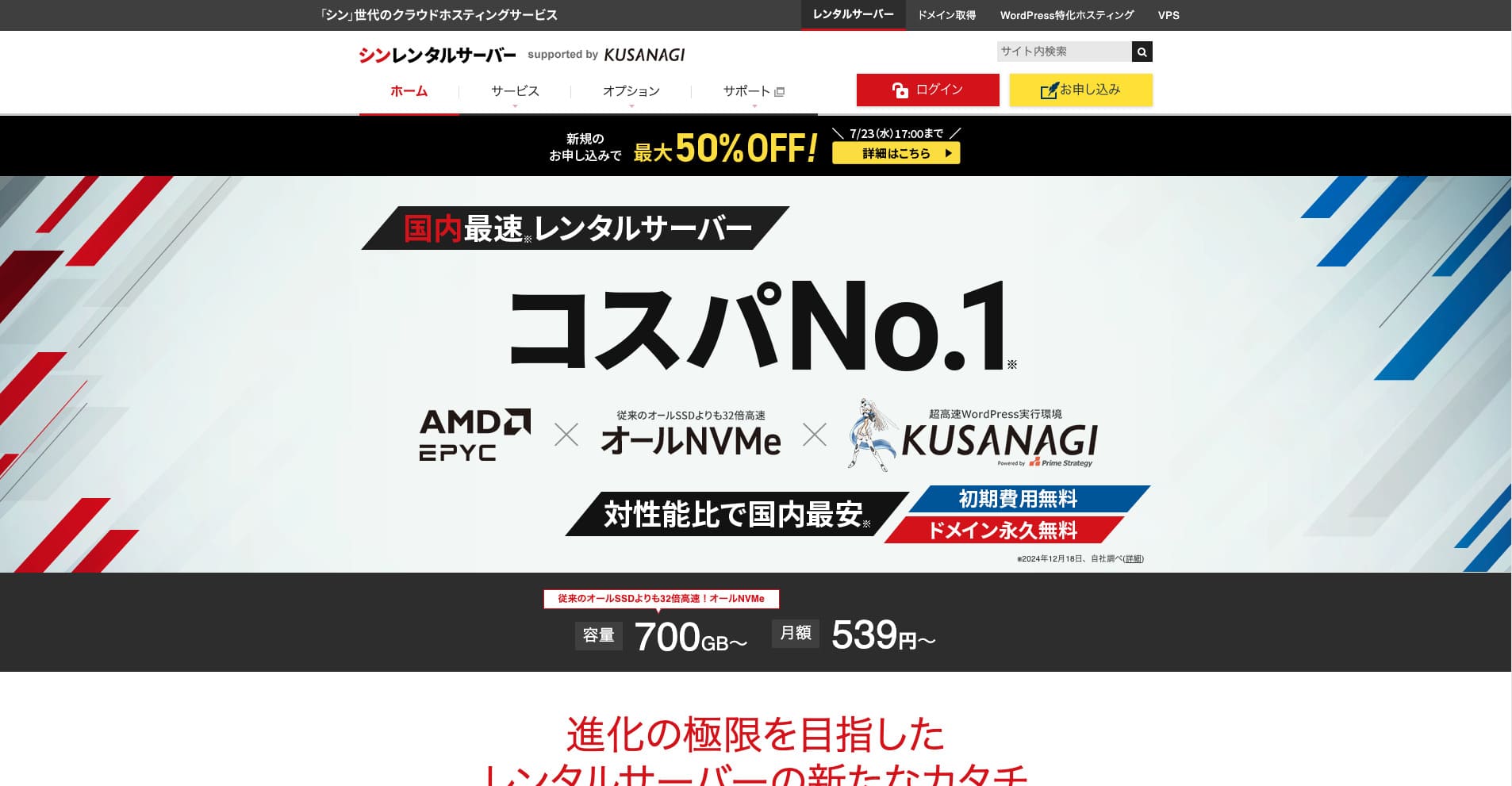
Shin Rental Server, ShinCloud Co., Ltd. şirketinin yüksek hızlı kiralık sunucusudur. Uygun fiyatı bireysel kullanıcılar için bile cazip kılmaktadır. Bunun da ötesinde, düzenli kampanyalar düzenler; bu nedenle kaydolmak için en iyi zaman bir kampanyanın aktif olduğu zamandır.
Shin Rental Server Reviews and Six Key Features

It Meets a Sufficiently Strong Page Speed Standart
Shin Rental Server, according to this site's independent testing, meets a sufficiently strong standart for page speed.
Google has publicly said that sunucu response times should ideally stay under 200 ms. Shin Rental Server clears that benchmark, making it a fast host. Page speed is unlikely to become a problem, so you can use it with confidence.
Server response time should be kept under 200 milliseconds.
https://developers.google.com/server/speed/docs/insights/Server?hl=en
★ Verified: Comparing Eight Hosting Services in a Speed Ranking
You Can Start WordPress Easily
Shin Rental Server WordPress'i başlatmayı kolaylaştırır. Sunucuya kaydolduğunuzda alan adı edinimini ve DNS kurulumunu tamamlayan bir “WordPress Hızlı Başlangıç” özelliği içerir. Bununla birlikte, you can build a WordPress website in about 10 minutes.
★ Alan Adı Nedir? İnternetteki Adres Olarak Rolü ve Nasıl Kaydedileceği
★ What Are DNS and Name Servers? Connecting a Domain and a Server
You will not run into the problem of finally trying to launch a website only to find it too difficult to get started. Anyone can begin using WordPress with confidence.
The Pricing Is Low
Shin Rental Serverhas low pricing. Let's compare it with major domestic hosts under the following conditions.
- Initial setup fee
- A 12-month sunucu contract
- İlk yıl alan adı maliyeti
- The cheapest plan that can run WordPress
Looking at the comparison table, LOLIPOP and Sakura Rental Server are cheaper. However, the cheapest LOLIPOP plan that supports WordPress does not include automatic backups. Once you compare that puan, you can see how strong Shin Rental Server's overall value really is.
Every service has strengths and weaknesses, but even when compared with companies that compete on value for money, Shin Rental Server stands up well.
Security Is Solid
Shin Rental Server is well equipped with security features such as WAF. WAF özelliğine sahip olmak, sunucuyu en son siber saldırılara karşı daha dayanıklı hale getirir. Because it is such a useful feature, cheaper hosts sometimes offer it only as a paid option.
With Shin Rental Server, it is included for ücretsiz.
It Has Automatic Backups
Shin Rental Server otomatik yedeklemeler içerir. Saklama süresi 14 gündür.
Yedeklemeler sayesinde verileriniz yanlışlıkla değiştirilse veya bir siber saldırı sonucu tehlikeye girse bile sitenizi geri yükleyebilirsiniz. Güvenliği ne kadar güçlendirirseniz güçlendirin, hiç kimse mutlak güvenliği garanti edemez. Bu yüzden yedeklemeler önemlidir, ancak verileri her gün manuel olarak kaydetmek zahmetlidir.
Shin Kiralık Sunucusu (Shin Rental Server) ile her şey her gün otomatik olarak saklanır, bu yüzden kolaydır.
Email Features Are Strong
Shin Rental Server has strong email features. Sınırsız e-posta hesabı oluşturabildiğiniz için büyük bir şirketin posta sunucusu olarak bile hizmet verebilir.
Business Planı, KOBİ'ler ve Şirketler İçin Güçlü Bir Değer Sunuyor
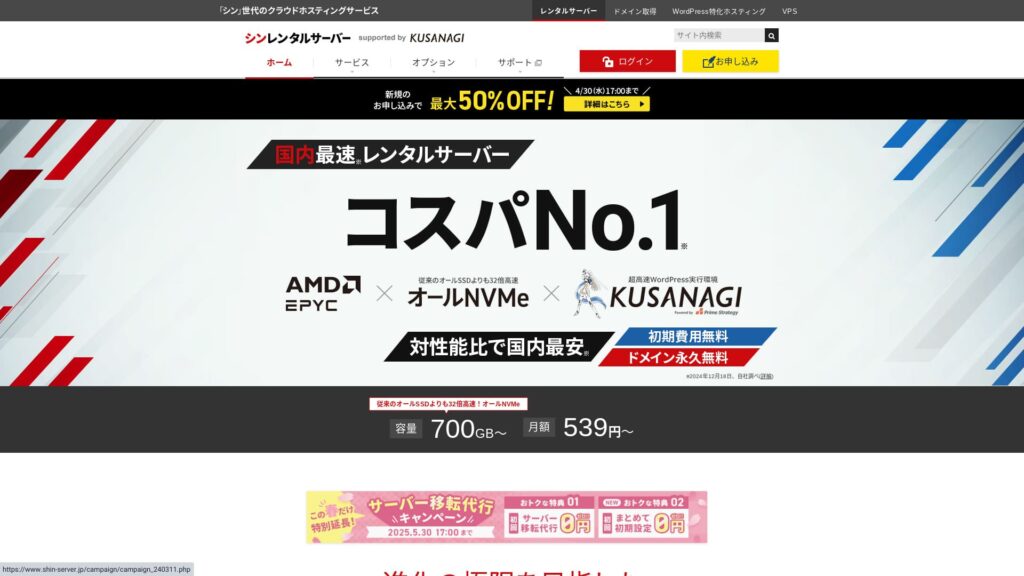
Shin Rental Server ShinCloud Co., Ltd. firmasının yüksek hızlı ve uygun fiyatlı sunucusudur. Ayrıca bir iş planı da sunar. İş planı, garantili kaynaklar aracılığıyla kararlılığı korur.
14 Mayıs 2025'e kadar %50 para iadesi (cashback), 30 Mayıs'a kadar ücretsiz sunucu taşıma hizmeti ve 10 günlük ücretsiz deneme sürümü
Shin Rental Server küçük ve orta ölçekli şirketlerin yanı sıra kurumsal firmalar için de bir iş planı sunar. Belirleyici özelliği, ödenen paranın karşılığını fazlasıyla verirken işletmelerin ihtiyaç duyduğu kararlılığı güçlendirmesidir.
İş planı (business plan) iki şekilde güçlendirilmiştir.
- Guaranteed resources: CPU ve bellek değerleri garanti altına alınarak, aynı sunucuyu paylaşan diğer sitelerde trafik arttığında sitenizin etkilenmesi önlenir.
- Two custom domains ücretsiz forever: Sunucu sözleşmeniz aktif kaldığı sürece, web sitesi işletimi ve e-posta kullanımı için gerekli iki özel alan adı sonsuza kadar ücretsiz kalır.
12 aylık bir sözleşmeyle aylık 963 yenden başlayan fiyatlarla kullanabilirsiniz, bu da onu işletme odaklı sunuculara ve diğer şirketlerin iş planlarına kıyasla uygun fiyatlı kılar.
The Drawback of Shin Rental Server: Uptime Is Not Disclosed

Hayal kırıklığı yaratan tek nokta şudur ki Shin Rental Server does not publish its uptime. Bu, sunucunun kararlılığını tam olarak bilemeyeceğiniz anlamına gelir. Sunucu kararsızsa, web siteniz de güvenilmez bir şekilde görüntülenecektir.
Bir web sitesi ancak düzgün ve istikrarlı bir şekilde görüntülendiğinde rolünü yerine getirir. Bu açıdan düşünüldüğünde, kararlılığı değerlendirememek bir miktar tedirginlik yaratır.
★ Beginner-Friendly Guide to Hosting Uptime and SLAs
Compare Shin Rental Server with Two Similar Services
mixhost
mixhost offers strong features, much like Shin Rental Server. Hem depolama kapasitesi hem de veri aktarımı sınırsız olduğu için büyük miktarda veri içeren bir web sitesi oluşturmak istediğinizde faydalıdır.
However, its overall pricing is more expensive than Shin Rental Server. The first year is cheap, but it becomes more expensive from the second year onward. If price matters most, I recommend Shin Rental Server.
mixhost İncelemesi [2025 En Yeni]: Küresel Erişime ve Mükemmel Güvenliğe Sahip Hızlı Bir Sunucunun Kapsamlı Analizi
mixhost İncelemesi [2025 En Yeni]: Küresel Erişime ve Mükemmel Güvenliğe Sahip Hızlı Bir Sunucunun Kapsamlı Analizi
serverfield.org
Colorful Box
ColorfulBox is priced very close to Shin Rental Server. Its specs and features are also well developed. It has a region-based backup sistem in place, managing risk so that data loss is less olası even in a large-scale disaster.
Sekiz plana ayrıldığı ve planları özgürce değiştirebildiğiniz için maliyetleri düşük tutabilir veya gerektiğinde teknik özellikleri yükseltebilirsiniz.
The drawbacks are similar as well, such as the fact that uptime is not publicly disclosed.

Colorful Box İncelemesi [2025 En Yeni]: WordPress'e Olağanüstü Fiyat-Performans Oranıyla Başlayın
Colorful Box İncelemesi [2025 En Yeni]: WordPress'e Olağanüstü Fiyat-Performans Oranıyla Başlayın
serverfield.org
Start a WordPress Website with Shin Rental Server Right Now in 7 Steps
Let's launch a website with Shin Rental Server.
- STEP.1Resmi Shin Kiralık Sunucusunu ziyaret edin
From the plan list, click “Apply” for the Basic plan. You can upgrade your plan at any time, so I recommend starting with the lowest-priced Basic plan first.
“Hemen başlayın! Yeni başvuru” kısmından “10 günlük ücretsiz deneme yeni başvurusu” bölümüne ilerleyin.
- STEP.2Choose your application details
Sunucu kimliği olduğu gibi bırakılabilir.
Standart planı seçin. Rezerve edilmiş plan, diğer kullanıcıların trafiğinin kendi sitenize erişimi zorlaştırmasını önleyecek önlemler içerir, ancak bir web sitesine yeni başlarken bu durum nadiren geçerlidir.
Choose a plan. The Basic plan is recommended. If traffic increases and the specs become insufficient, you can upgrade later.
Check “Use” for WordPress Quick Start.Bu olmadan WordPress kurulumu çok daha zor hale gelir. (Artık 10 günlük ücretsiz deneme sürümüne hak kazanamazsınız. Yine de kullanmak daha iyidir.)
A message saying “Please confirm before applying” will appear. Review the details, then click “Confirmed.”
12 aylık bir süre önerilir. 12 ay veya daha uzun süreli bir sözleşmeyle, özel bir alan adını da ücretsiz olarak kullanabilirsiniz.
Edinmek istediğiniz özel alan adı için istediğiniz karakter dizisini girin. İstediğiniz herhangi bir diziyi seçebilirsiniz. Özel bir alan adını daha sonra değiştirmek maliyetlidir ve yeniden yapılandırması zahmetlidir, bu yüzden dikkatli seçin.
★ Alan Adı Nedir? İnternetteki Adres Olarak Rolü ve Nasıl Kaydedileceği
Enter your WordPress information.
- Bkayıt title: Anything is fine
- Username: Anything is fine
- Password: Make it as complex as possible
- Email address*: Your everygün email address is convenient
WordPress'e giriş yaparken kullanıcı adı ve şifre gereklidir.Bunları bir yere not edin. WordPress ile oluşturacağınız web sitesine giriş yapmak için bunlara ihtiyacınız olacak.
The custom domain setting is important because it becomes your site URL. Choose the string carefully.
The site name can be changed later. If you have not decided yet, enter a temporary name for now.
Choose a WordPress theme. If you are building a iş website, Lightning is recommended. If you are starting a bkayıt, Cocoon is recommended. (This site uses Cocoon.)
Check and install the “CloudSecure WP Security” plugin. It can strengthen your security.
★ What Is a WordPress Plugin? Types of Extra Features and What to Watch Out For
- STEP.3Enter your Shin account information
Enter your email address, name, address, and other details.
Prepare a credit card and enter the payment information.
Review the Terms of Use and the Handling of Personal Information. If you agree, check the box and click “Next.”
Ekrana doğrulama kodunu girin. Kod kaydettiğiniz e-posta adresine gönderilmiştir, oradan kontrol edin.
- STEP.4Confirmation
Review your application details and Shin account information once again. If everything is correct, click “Proceed to SMS / phone verification.”
Your application details will then be confirmed using your phone number.
Enter the phone number to use, choose either SMS or automated voice call for receiving the verification code, and click “Get verification code.” Once you receive it, enter the code.
Once the confirmation email arrives, your application is complete.
Click “Apply” to complete the full application. Your WordPress website will be created right away.
- STEP.5Initial WordPress setup
Daha önce aldığınız e-posta WordPress giriş bilgilerinizi içermektedir.
Yönetici URL'sine tıklayın. Açılan giriş ekranında daha önce not ettiğiniz kullanıcı adını ve şifreyi girip “Giriş yap” seçeneğine tıklayın.
“Bu siteye ulaşılamıyor” uyarısı görüyorsanız, DNS ayarlarının yönlendirilmesi henüz tamamlanmamıştır. Yapabileceğiniz tek şey beklemektir, bu nedenle saatte bir giriş yapmayı deneyin.
★ What Are DNS and Name Servers?
Kalıcı bağlantılarınızı ayarlayın. WordPress yönetim ekranında “Ayarlar” ve ardından “Kalıcı Bağlantılar” bölümüne gidin. “Yazı ismi” seçeneğini seçin ve ardından “Değişiklikleri kaydet” seçeneğine tıklayın.
When you choose “Post name,” you can enter any string you like in the URL when publishing articles. Short strings that help readers imagine the article content are recommended because they are easier for visitors to read. If a URL is too long, some people may start to worry that the site looks suspicious.
- STEP.6Install plugins
WordPress yönetici ekranına dönün, “Eklentiler” ve ardından “Yeni Ekle” bölümüne gidin ve ihtiyacınız olan eklentileri kurun.
When you find a plugin you want through search, click “Install Now” and then “Activate.” After that, proceed according to each plugin’s instructions.
Be sure to install plugins for security and backups.
- Five WordPress Plugins That Strengthen Security and How to Choose One
- Five Powerful WordPress Backup Plugins That Help You Recover Your Data
Once you have installed your plugins, your WordPress website is fully ready to go!
Summary
Shin Rental Server ShinCloud Co., Ltd. firmasının yüksek hızlı kiralık sunucusudur. Uygun fiyatlandırması onu bireysel kullanıcılar için bile cazip kılmaktadır. Bunun da ötesinde, düzenli kampanyalar yürütmektedir, bu nedenle kaydolmak için en iyi an bir kampanyanın aktif olduğu zamandır.
50% cashback until August 6, 2025, plus a 10-gün ücretsiz trial
Shin Rental Server offers excellent value for money. Although its uptime is not published, its specs and functions are extremely strong. Because it is also easy to get started with WordPress, I can recommend it wholeheartedly.
32 WordPress Barındırma Hizmetinin Tam Karşılaştırması: Bireyler, Şirketler ve Uluslararası Kullanım için En İyi Seçimler

WordPress'e başlamak istediğiniz için “WordPress önerisi” araması yaptığınızda, bireysel barındırmadan küçük işletme planlarına, yurt dışı sunuculardan ucuz seçeneklere kadar her türlü makaleyi bulursunuz. Dürüst olmak gerekirse, sonunda şunu düşünmüyor musunuz:
- Which site should I look at?
- Basit ve anlaşılması kolay bir şekilde sunucu seçmek istiyorum.
- Please show me how to start WordPress right now.
That is exactly why this article introduces carefully selected recommendations from 32 hosting services for individuals, companies, domestic use, and international use. Bu durum, her gün barındırma hizmeti kullanan bir uygulama geliştirme şirketindeki SEO yöneticisi tarafından açıklanmaktadır.