
İlk satın alımda %55'e varan indirim, artı ekstra %25 indirim ve 30 günlük para iade garantisi
PR
Sunucular
mixhost Review [2025 Latest]: A Thorough Guide to Fast Hosting with Global Reach and Strong Security
Yayınlandı: 2025.07.13
Güncellendi: 2025.07.13
Rating: 4.0
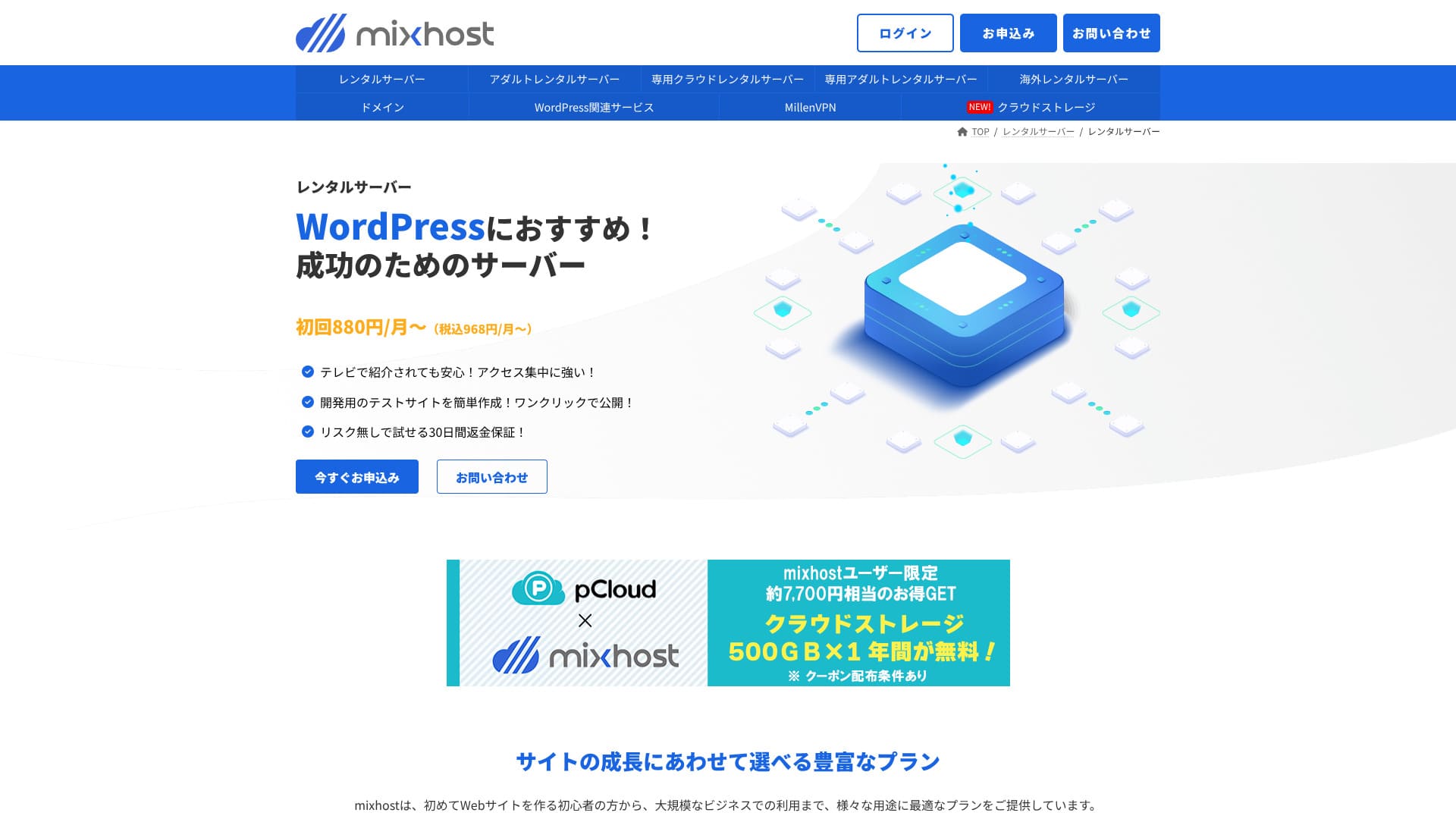
mixhost AzPocket Inc. tarafından işletilmektedir. Sağlam bir destek sistemine sahip, düşük maliyetli bir barındırma hizmetidir. Yurt dışı sunucuları, VPN'ler ve bulut depolama gibi alanlarda da güçlüdür ve sunucuyla ilgili geniş bir hizmet yelpazesi sunar.

Here is why I recommend mixhost to people who already use WordPress and to people who want to build a site for an overseas audience.
- Its backup infrastructure is highly stable
- It offers a broad range of support options
- It also operates overseas sunucus
İşte bu yüzden tavsiye ediyorum. Çoğu kullanıcının memnun kalacağını düşünüyorum ve 30 günlük para iade garantisiyle geldiği için güvenle deneyebilirsiniz.
One competing sunucu is ColorfulBox. Its flexible plans that can start on an hourly basis are even more appealing than mixhost's in some cases, so it is worth comparing as well.
★ ColorfulBox İncelemesi [2025 Son]: Olağanüstü değere sahip bir sunucuda WordPress'i başlatın
| Server tür | Shared hosting / dedicated cloud hosting |
| Speed (TTFB) | 150 ms |
| Recommended plan and term | Shared hosting Hafif, 12 months |
| Trial / money-back guarantee | 30-gün money-back guarantee |
| Monthly price (12-month term) | 594 yen |
| Initial administrative fee | Ücretsiz |
| Ücretsiz domain | 1 domain ücretsiz for life |
| Support | |
| Uptime | 99.99% guarantee |
| Storage | 100 GB |
| Number of databases | Unlimited |
| Security measures | WAF / DDoS protection / malware detection and cleanup |
| SSL | Ücretsiz custom SSL |
| Backup / restore | Standart plan ve üzeri, 14 gün boyunca otomatik yedeklemeleri içerir |
| Number of email accounts | Unlimited |
| Email security | — |
| WordPress preinstall | Yes |
| Server / website migration service | 10,890 yen |
| CDN | None |
| Data center | San Jose, West Coast, United States |

Hikaru Ono
mixhost sunucuya kaydolduğum anda WordPress'i başlatmayı kolaylaştırdı. Ayrıca performans ve güvenlikle ilgili geniş bir seçenek yelpazesi sunduğundan, gelecekte büyüme hedefiyle bir site işletmek isteyen kişilere uygundur.
Pricing was revised in 2025, making it easier to get started.
mixhost competitor comparison
- Overall rating★★★★☆
- Server speed ★★★★☆
- Pricing ★★★★☆
- Stability ★★★★★
- Ease of getting started with WordPress* ★★★★★
- Alan adı yönetimi ve SSL kurulumu gibi işlemler* ★★★☆☆
* These ratings reflect my hands-on experience.

How to compare 10 recommended overseas hosting services and choose one
How to compare 10 recommended overseas hosting services and choose one
serverfield.org
- Data based on market research as of November 4, 2025, arranged in order of speed
- Aylık fiyatlar, WordPress'i destekleyen en ucuz planın ilk yıl maliyetidir
- Speed is the Time to First Byte measured on demo sites under the same conditions
WordPress-ilgili reviews
Easy WordPress installation
mixhost kaydınız tamamlandıktan sonra 90 saniye gibi kısa bir sürede sitenizi hazır hale getirebilen çok hızlı bir kurulum akışı olan “WordPress Hızlı Başlangıç” özelliğini sunar. Sunucu sözleşmesini, WordPress kurulumunu ve SSL kurulumunu tek seferde halleder. Yeni başlayanların takılmaya meyilli olduğu adımları ortadan kaldırarak hemen makale yazmaya başlamanızı sağlar.
Manuel olarak veritabanı oluşturmanıza veya yapılandırma dosyalarını düzenlemenize gerek yoktur ve ilk yönetici paneli girişiniz için oturum açma bilgileri otomatik olarak düzenlenir.
Hikaru Ono
Sunucu sözleşmesi için başvurduğum andan itibaren yaklaşık beş dakika içinde WordPress kullanmaya başlayabildim.
Let's launch a website with mixhost!
- STEP.1mixhost resmi sitesini ziyaret edin
Click "Apply Now."
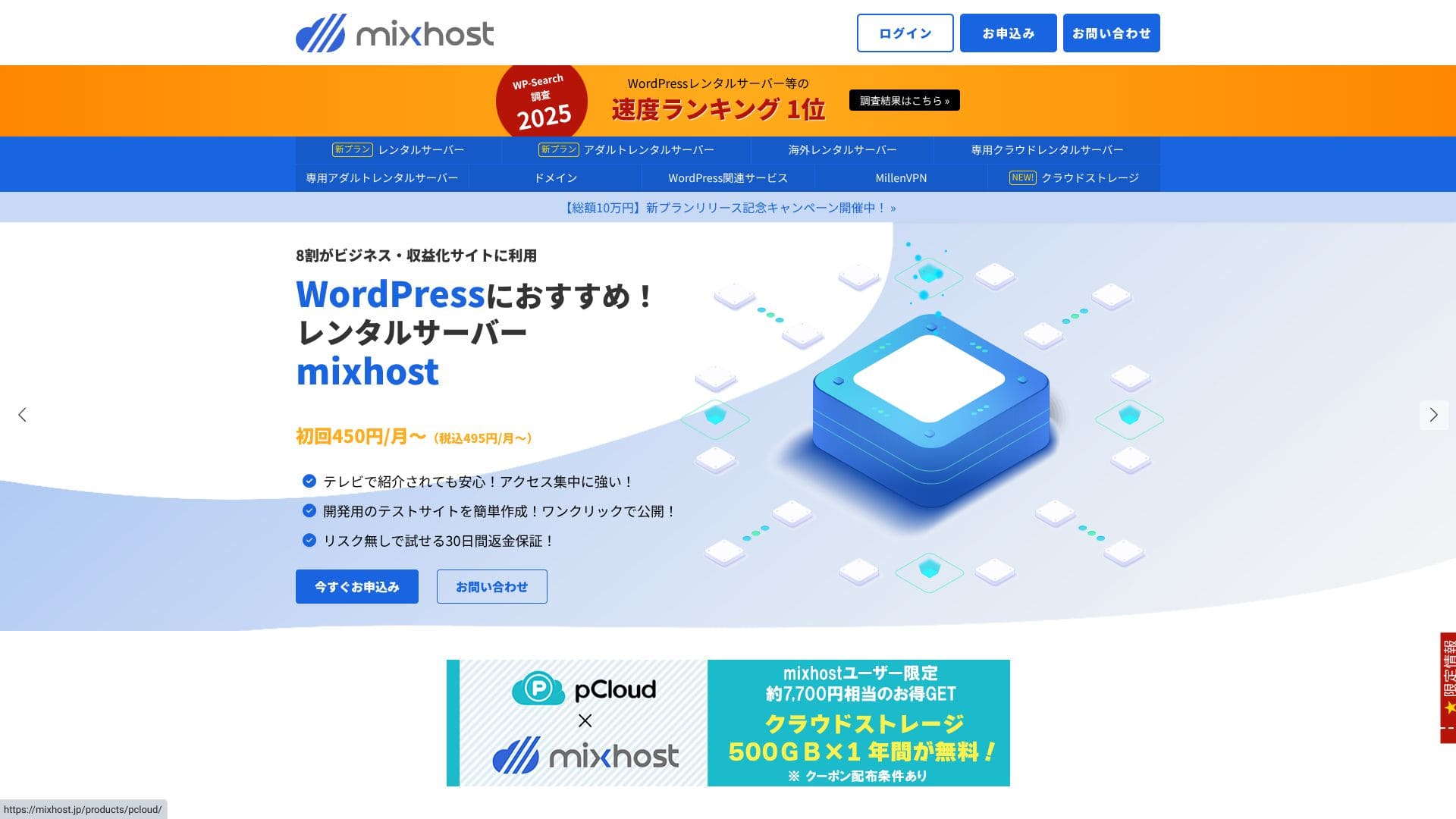
- STEP.2Sunucuya kaydolun ve bir alan adı alın
Bir plan seçin. Light planını öneririm. İhtiyacınız olduğunda dilediğiniz zaman daha yüksek bir plana geçiş yapabilirsiniz.
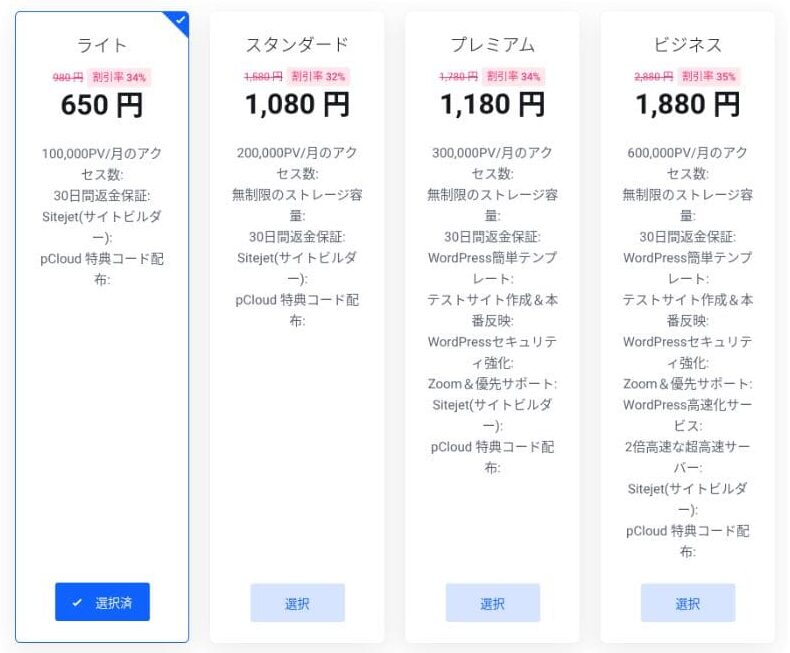
I recommend the 12-month billing term.
This is the primary domain setup step. Decide on your domain name, enter any string you like into "Enter the domain you want," search for the domain, and if it is available, click "Add to cart."
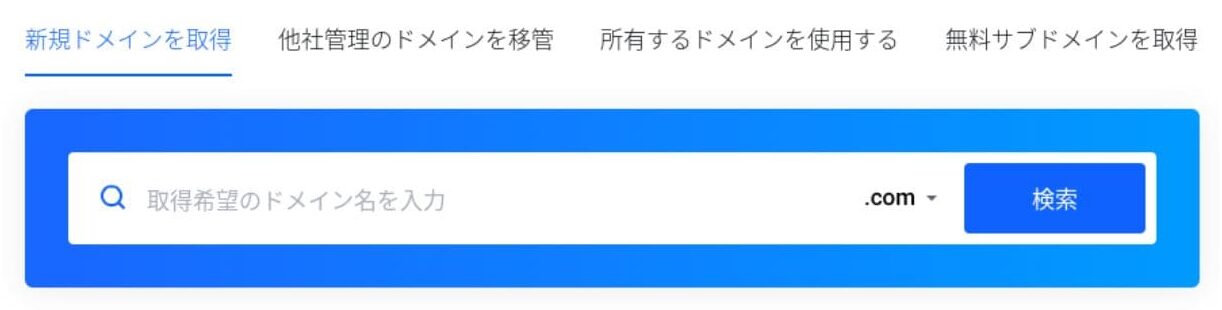
mixhostalso lets you install WordPress on a subdomain. You can choose "Get a ücretsiz subdomain" if you want to use a subdomain instead.
★ Alan adı nedir? İnternetteki adres rolü ve nasıl alınacağı
There is also a Whois privacy service as a domain add-on. If you do not want your name, address, and other registrant details to be made public, click "Add to cart."
For "WordPress Quick Start," make sure you choose "Use it."Bunu kullanmak, bir WordPress sitesi başlatmayı önemli ölçüde kolaylaştırır. Bir siteyi daha da kolay oluşturmak istiyorsanız "Kolay WordPress Şablonu"nu seçin. Bir WordPress teması da kurulacaktır.
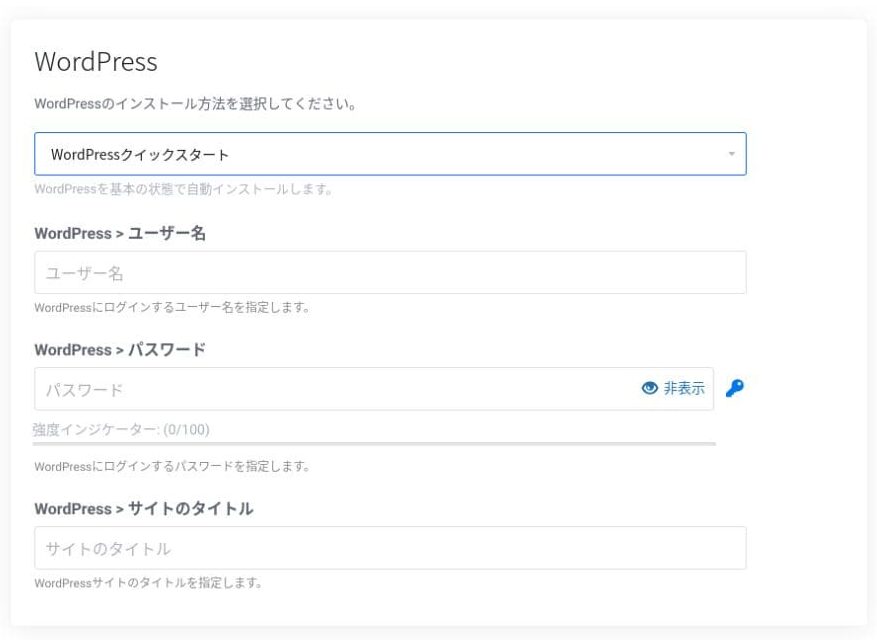
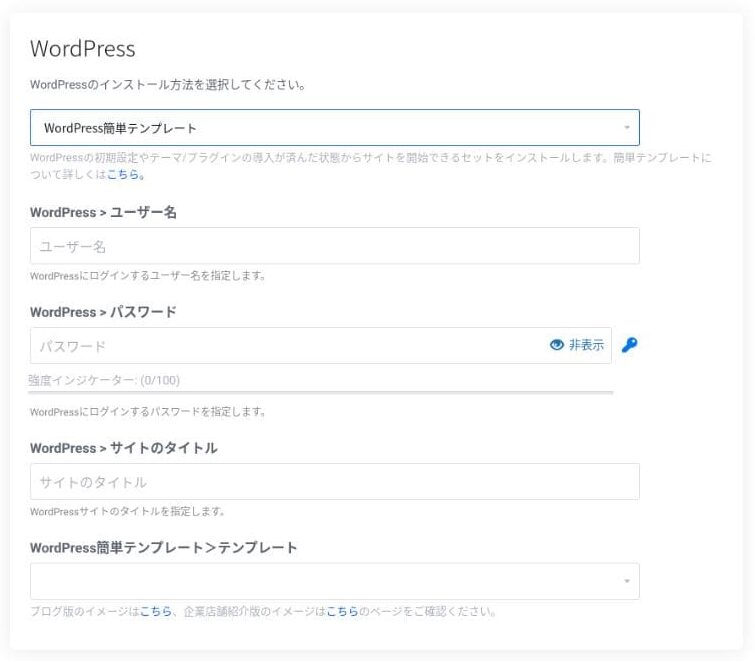
Enter the information needed for WordPress.
- Site title: anything is fine
- Username: anything is fine
- Password: make it as strong as possible
You can change the site name later, so if you have not decided yet, enter something temporary.
Your WordPress username and WordPress password are important.Bunları bir yere not edin. Oluşturduğunuz WordPress sitesine giriş yapmak için bunlara ihtiyacınız olacak.
Enter your member information and payment method.
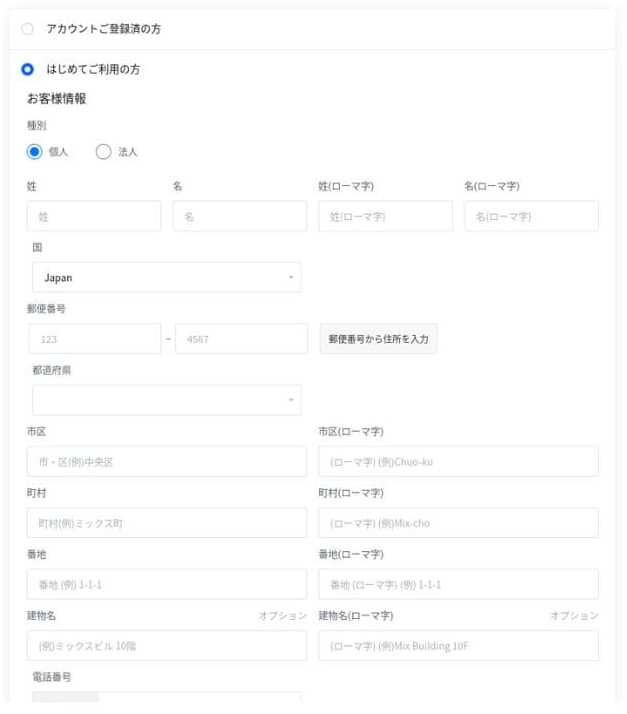
If everything looks correct, review the terms of service and click "Apply."
WordPress kurulumu başvurunuzla aynı anda başlar. Kurulum tamamlandığında bir bildirim e-postası alırsınız.
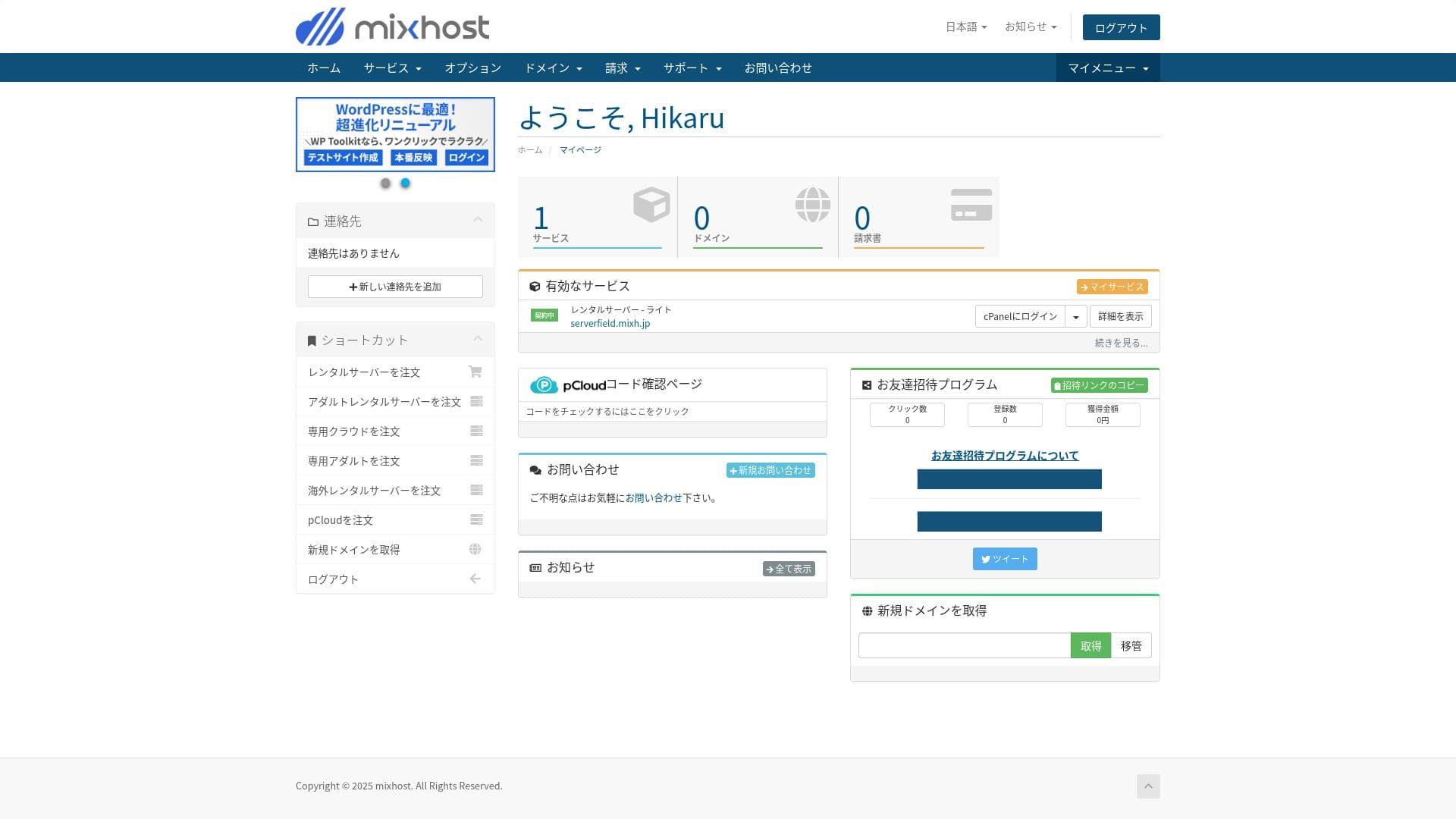
Hesap kontrol panelinize giriş yaptığınızda aşağıdaki ekranı görürsünüz.
- STEP.3Initial WordPress ayarlar
Kayıt işlemi tamamlandıktan sonra "https://edindiginiz-alan-adi/wp-admin/" adresine erişin. Bu adres sizi WordPress yönetim ekranına yönlendirecektir.
Sunucu kaydı sırasında belirlediğiniz kullanıcı adı ve şifreyi kullanarak WordPress'e giriş yapın. "Bağlantınız gizli değil" mesajını görürseniz bir süre bekleyin. DNS yönlendirmesi henüz tamamlanmamıştır, bu nedenle birkaç saatte bir tekrar deneyin.
★ DNS ve ad sunucuları nedir? Alan adları ve sunucular nasıl bağlanır
WordPress'e giriş yaptıktan sonra kalıcı bağlantılarınızı ayarlayın. WordPress yönetim ekranında "Ayarlar" ve ardından "Kalıcı Bağlantılar" bölümüne gidin. "Yazı ismi" seçeneğini seçin ve ardından "Değişiklikleri Kaydet" seçeneğine tıklayın.
Using "Post name" lets you enter any string you like in the URL when you publish an article. I recommend using a short string that gives readers a clear idea of the article content. If it is too long, some readers may worry that the site looks untrustworthy.
- STEP.4Install plugins
WordPress yönetim ekranına geri dönün, "Eklentiler" ve ardından "Yeni Ekle" bölümünü açıp ihtiyacınız olan eklentileri kurun.
When you find the plugin you want through search, click "Install Now" and then "Activate." After that, follow the instructions for each plugin.
Make sure you install plugins for security and backups.
- Five WordPress security plugins that can strengthen your site and how to choose them
- Five powerful WordPress backup plugins to recover your data
Once the plugins are in place, your WordPress site is ready to go!
Running multiple sites
Standard ve daha üstü planlarda depolama alanı, veritabanları ve e-posta hesapları sınırsızdır. cPanel içindeki “WordPress Yöneticisi” üzerinden birden fazla siteyi tek bir yerden yönetebilir ve tek bir tıklamayla her birinin yönetim paneline giriş yapabilirsiniz.
Hikaru Ono
Alan adı ve veritabanı sayısı sınırsız olduğundan, Light planı bile birden fazla site çalıştırmanıza olanak tanır.
Performance and specs review
Our measurements: speed review and why it is fast
mixhost hızlı bir sunucudur. TTFB değeri (İlk Bayta Ulaşma Süresi, yani sayfanın ana içeriğini görüntülemeye başlama hızı) 150 ms olarak ölçülmüştür.
Google'ın önerdiği sunucu hızından daha hızlı olduğu için güvenle kullanabilirsiniz.
You should reduce your sunucu response time under 200ms.Improve Server Response Time
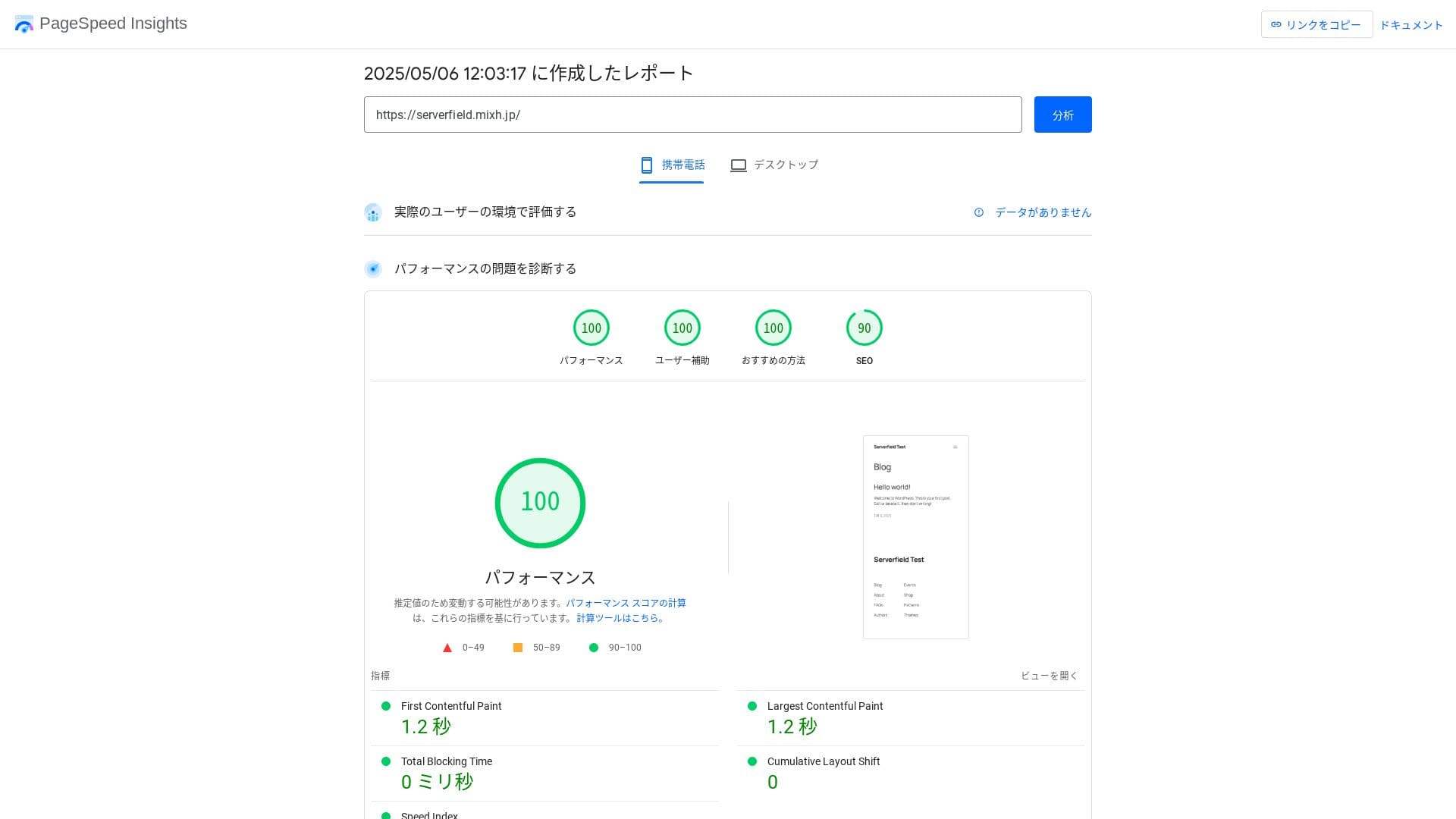
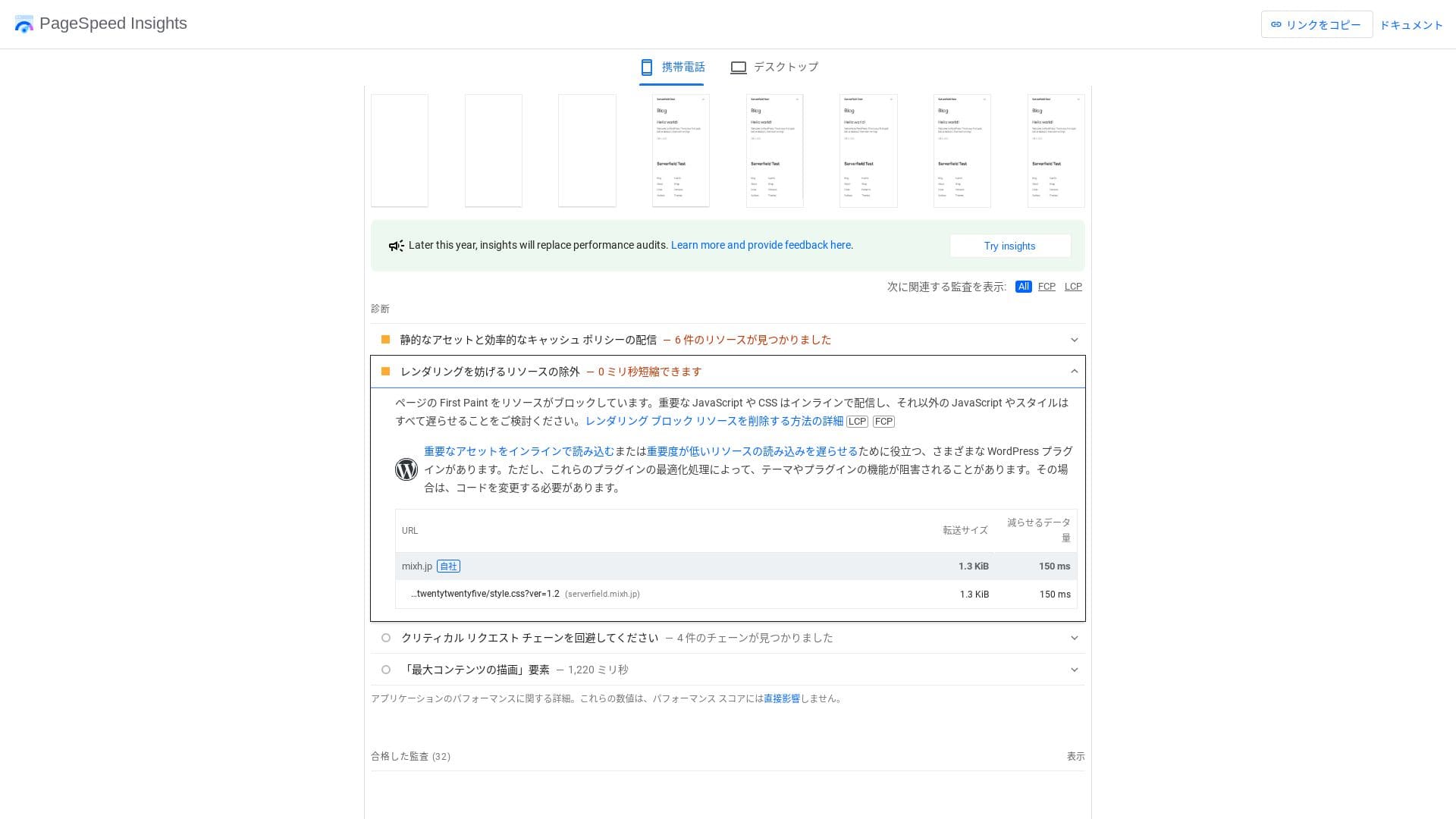
Rakip sunucularla karşılaştırıldığında bile hızlıdır.
★ Rental hosting speed comparison across 16 companies: Which one is truly fast? [2025 latest edition]
LiteSpeed Web Server
mixhost uses a combination of LiteSpeed Web Server, NVMe SSD, and HTTP/3. The company states that this can be up to 84 times faster than an Apache environment. By working together with the WordPress plugin “LiteSpeed Cache,” it can keep response times stable even during traffic spikes.
LiteSpeed, Apache ile uyumlu ticari bir web sunucusudur. Önbellek işleme hızı yüksektir ve HTTP/3 gibi en son protokolleri mümkün olan en kısa sürede destekler.
Storage kapasite
Nisan 2025'te sunulan Light planı 100 GB içerir ve diğer planlar yedekli bulut depolama alanında sınırsız kapasite sağlar. Sadece bir web sitesi veya blog başlatıyorsanız, 100 GB fazylesiyle yeterlidir. Bu sitenin kendisi yalnızca 2 GB civarında bir alan kullanmaktadır.
Hikaru Ono
mixhost lets you upgrade your plan. As a rule of thumb, if you are using around 80% of your storage, it is time to upgrade.
Sadece WordPress kurulumu yaklaşık 100 MB kullanır, dolayısıyla Light planının depolama alanının %1'ini bile tüketmez.
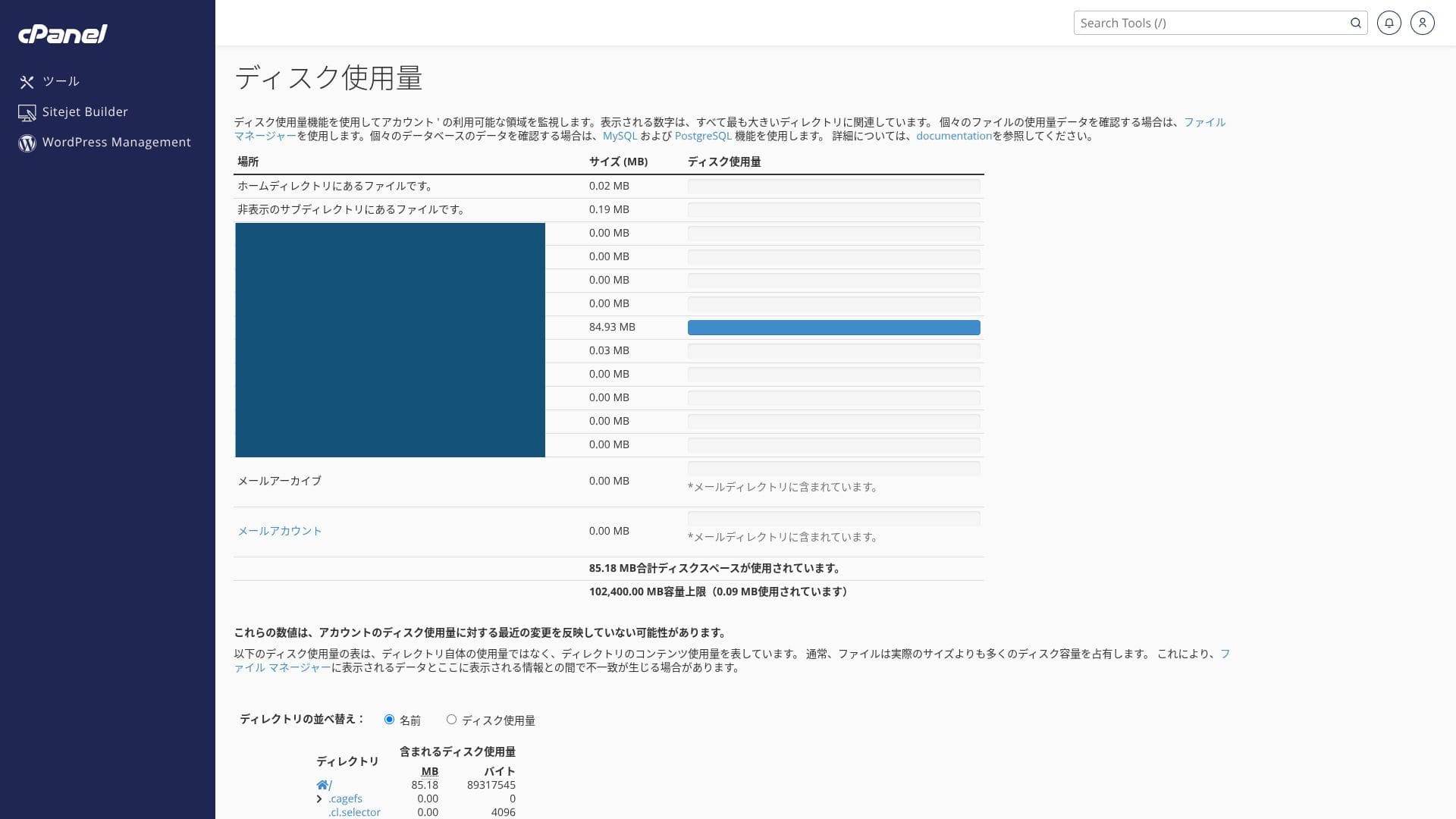
It uses NVMe SSD. This is a data transfer method that is several times faster than conventional SATA SSDs, and it greatly reduces read and write time for database-driven CMSs.
Data transfer
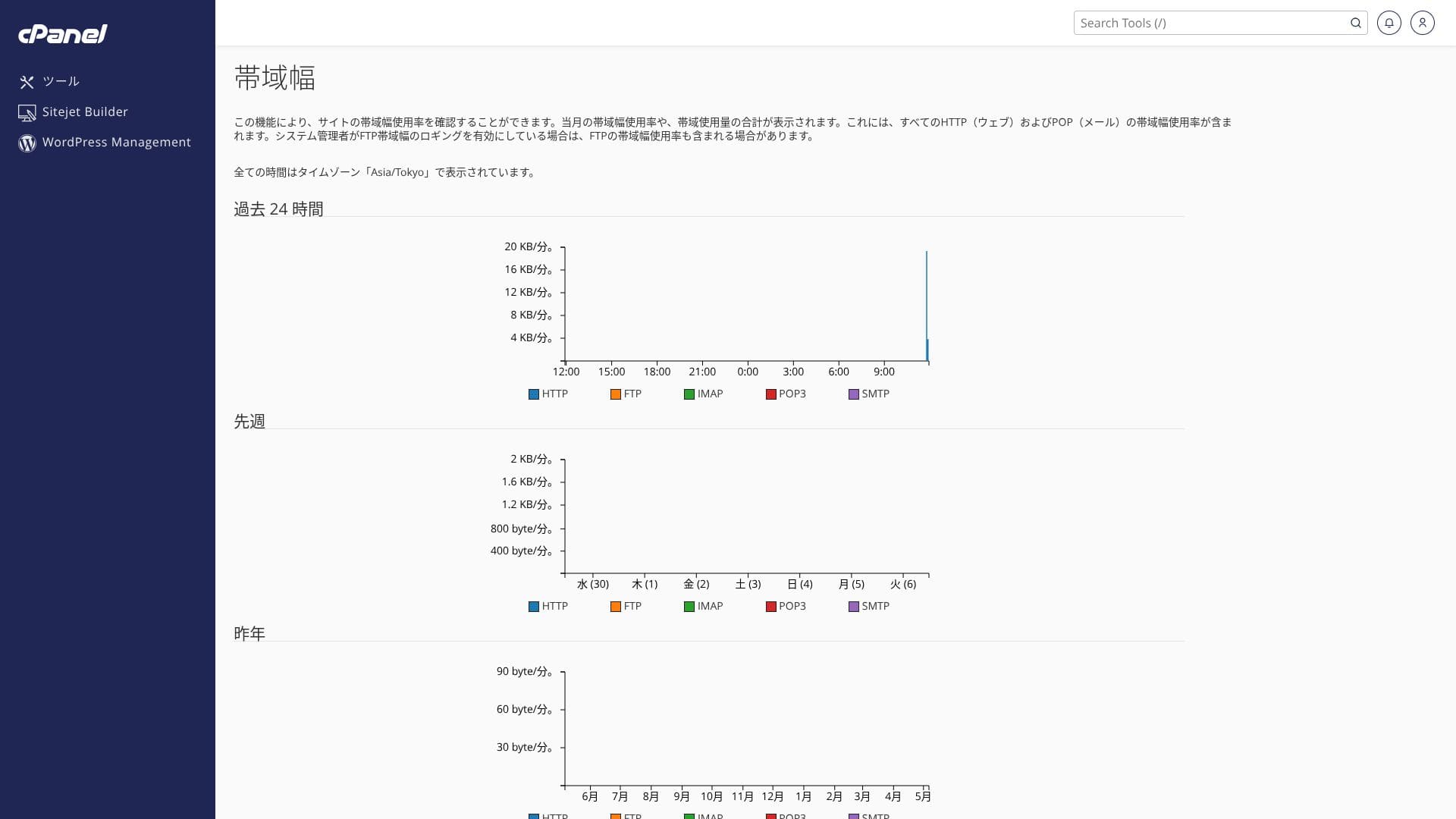
mixhost oldukça cömert veri aktarımı destekler. Veri aktarımı, sunucunun harici olarak gönderip alabildiği toplam veri miktarıdır ve sayfa görüntülemeleri arttıkça kullanım da artar. Light planı aylık 50 GB, Standard aylık 100 GB, Premium aylık 200 GB ve Business aylık 800 GB alan sunduğundan fazlasıyla yer vardır.
It can handle sudden spikes in attention. You can check your transfer usage from “Service details” in your account page, and recent usage can be checked from “Bandwidth” in cPanel.
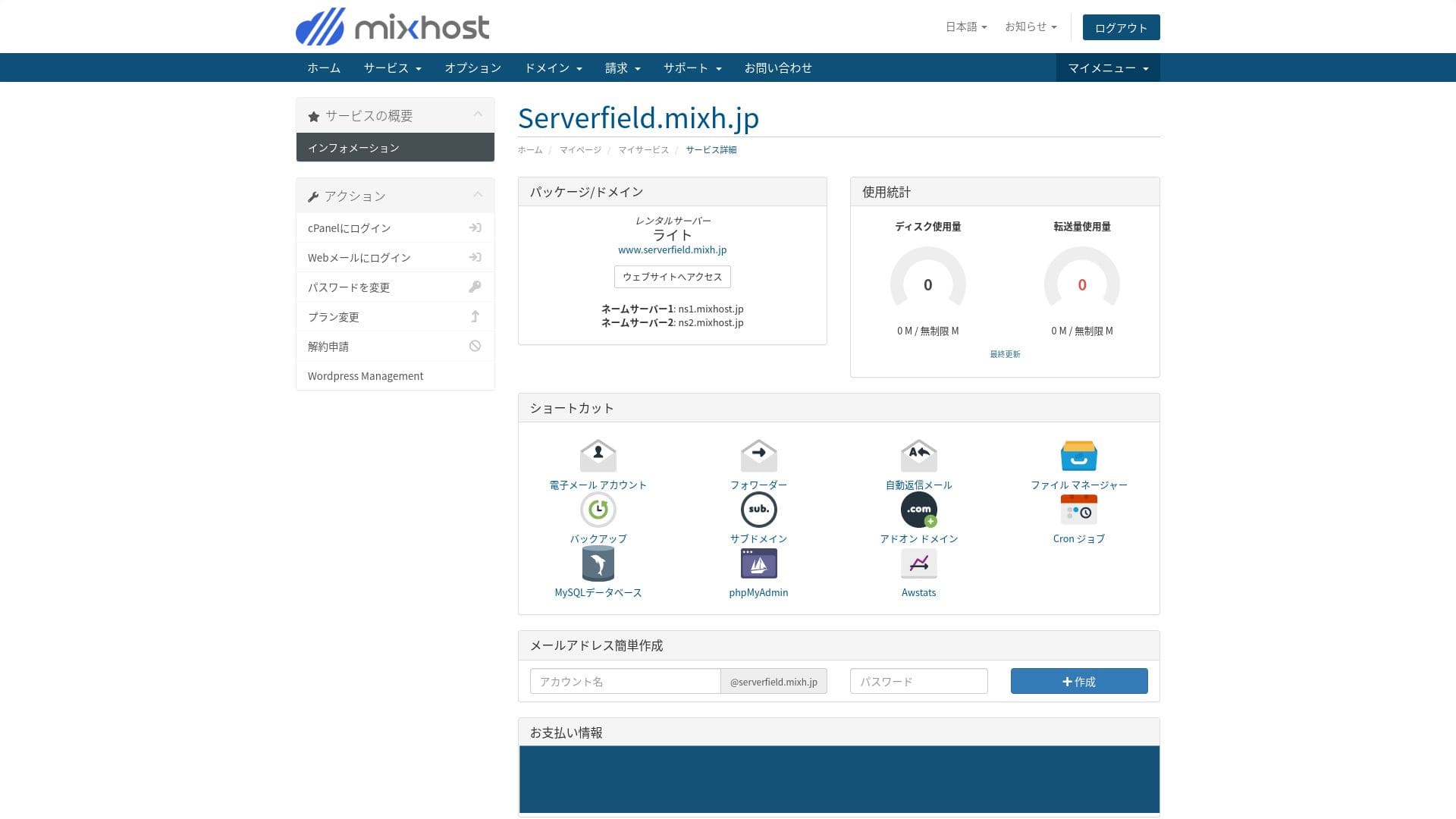
Hikaru Ono
To be honest, every domestic hosting company, including mixhost, secures more than enough transfer kapasite, so there is no need to worry too much about it.
★ What are traffic and data transfer? Managing and optimizing web traffic
Server stability and uptime
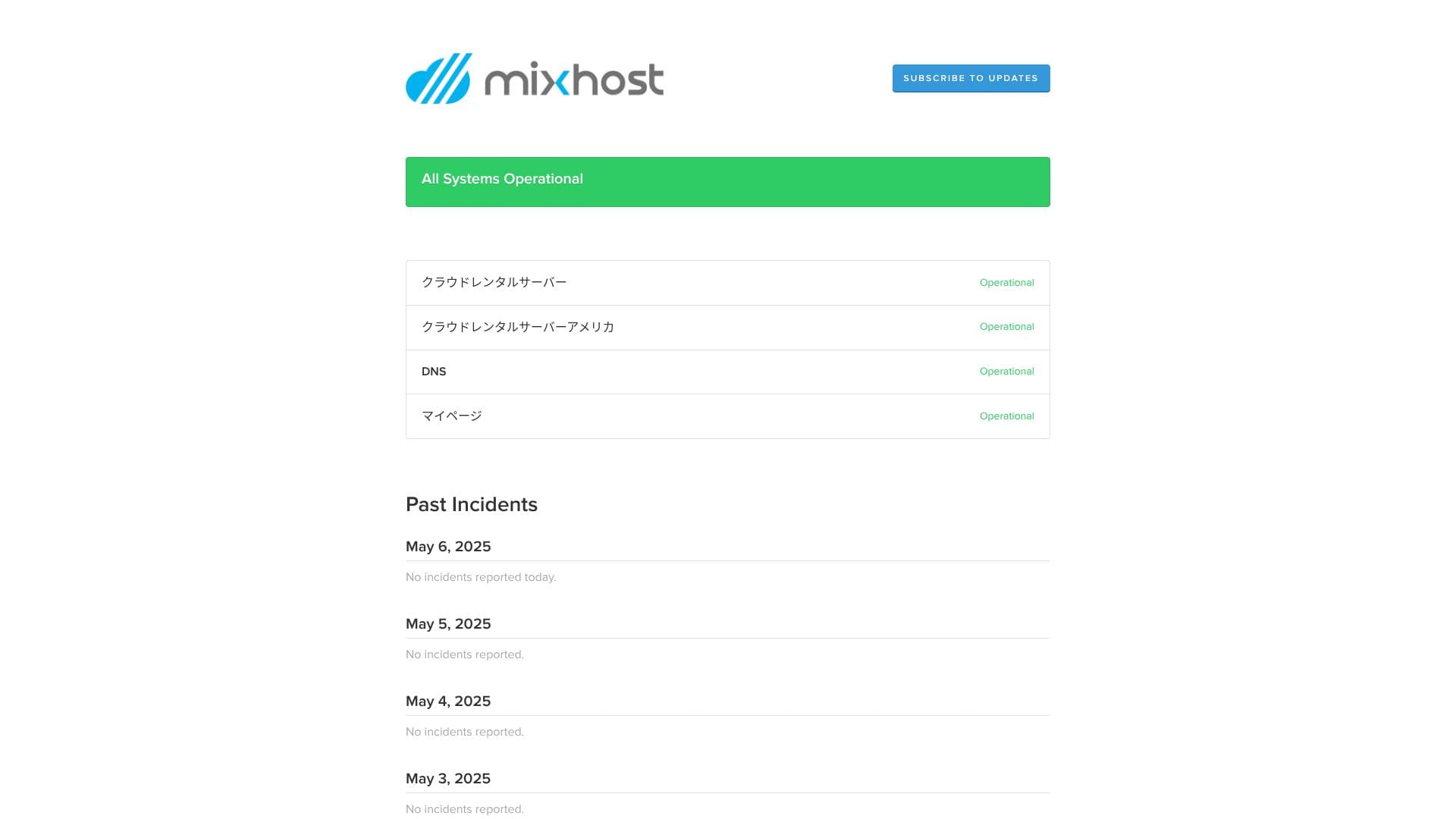
mixhost guarantees 99.99% uptime. If it falls below 99.99%, users receive a refund.
Birden fazla sunucu üzerine inşa edilmiş yedekli bir bulut sunucu ortamı kullanır. Bir sunucu arızalansa bile trafik otomatik olarak diğer sunucuya geçer, bu nedenle kararlılık son derece yüksektir. Bu da sitenizi gönül rahatlığıyla işletmenizi sağlar.
Sunucu kesintisi ve bakım bilgilerini kamuya açık olarak paylaşması dürüstlüğün iyi bir göstergesidir.
Fiyatlandırma ve maliyet incelemesi
Initial fees and monthly pricing
mixhost hiçbir planda başlangıç ücreti talep etmez. Sözleşme süresi uzadıkça aylık fiyatlandırma ucuzlar. Uygun fiyatlı Light planında, ilk 12 aylık sözleşme vergi dahil aylık 594 yendir. 36 aylık bir sözleşmede vergi dahil aylık 495 yene düşer ki bu mükemmel bir değerdir.
Kayıt fiyatı düşüktür ancak yenileme sırasında fiyatın standart ücrete döneceğini unutmayın. Light planında, 12 aylık yenileme oranı vergi dahil aylık 968 yendir.
- mixhost
- Kinsta
- XServer Business
- wpx
- Lolipop!
- Star Rental Server
- Rakko Server
- XServer
- ConoHa
- Colorful Box
- Shin Rental Server
- Little Server
- CORESERVER
- DreamHost
- Bluehost
- Sakura
- Namecheap
- Shin Free
- XREA
- Value Server
- HOSTINGER
- KAGOYA
- SiteGround
- Hostgator
- IONOS
- Onamae.com
- ABLENET
- GoDaddy
- iCLUSTA+
- MuuMuu Server
- WADAX
- WebARENA
- heteml
- CPI Rental Server


































Domain pricing
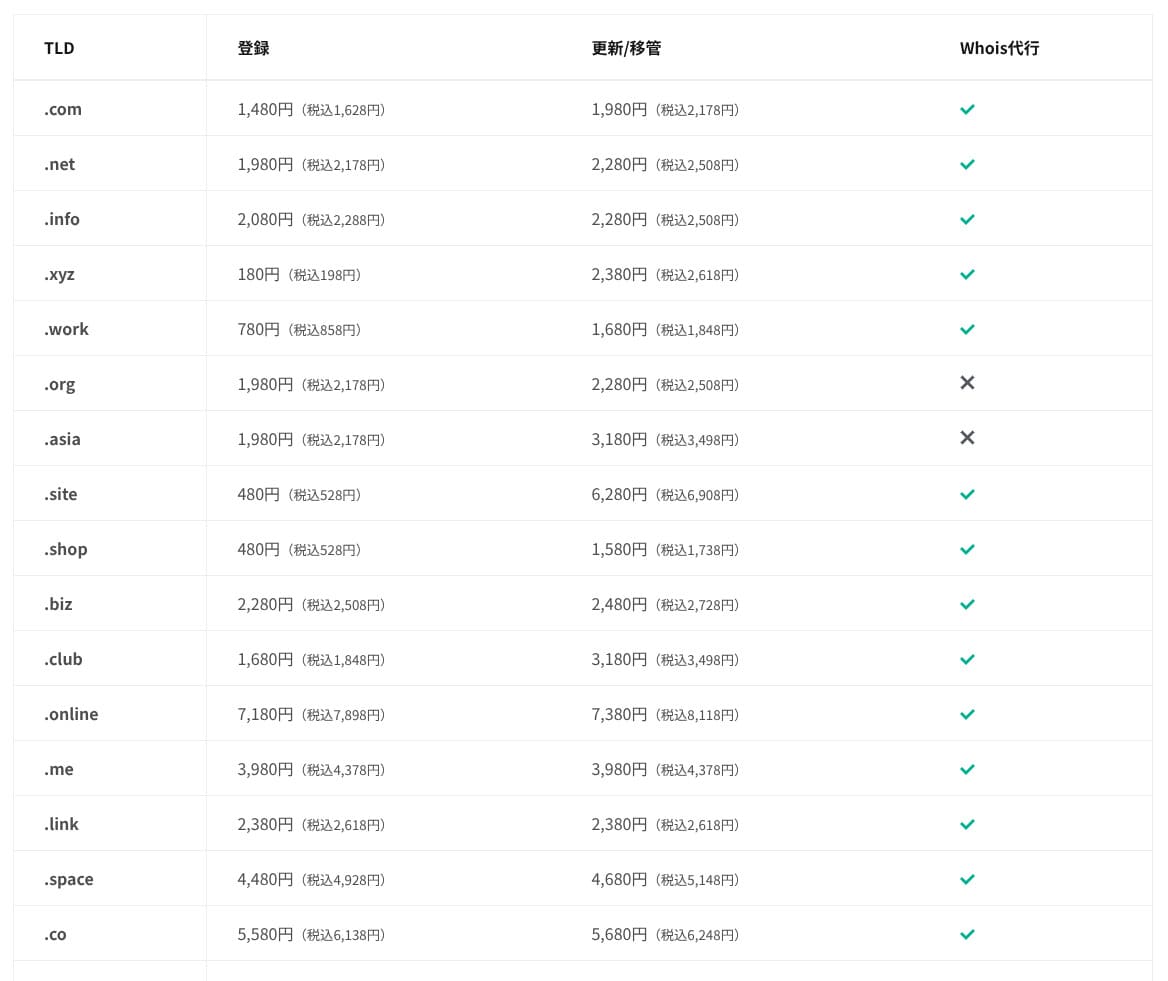
Standard ve daha üstü planlarda, .com ve .net gibi 11 alan adı türünden biri ilk yıl için ücretsizdir. Devam eden yenileme maliyetleri, tipik tescil kuruluşlarının sunduğu oranlardan biraz daha yüksektir.
Hikaru Ono
XServer veya ConoHa WING ile uzun vadeli bir sözleşme imzaladığınızda, sunucu sözleşmesi aktif kaldığı sürece iki alan adını ücretsiz kullanmaya devam edebilirsiniz. Bu bakımdan mixhost, bu hizmetlere kıyasla dezavantajlıdır.
- mixhost
- Onamae.com
- XServer Domain
- MuuMuu Domain
- Value Domain
- Shin Domain
- Star Domain
- Colorful Domain
- Rakko Domain








SSL certificate maliyets
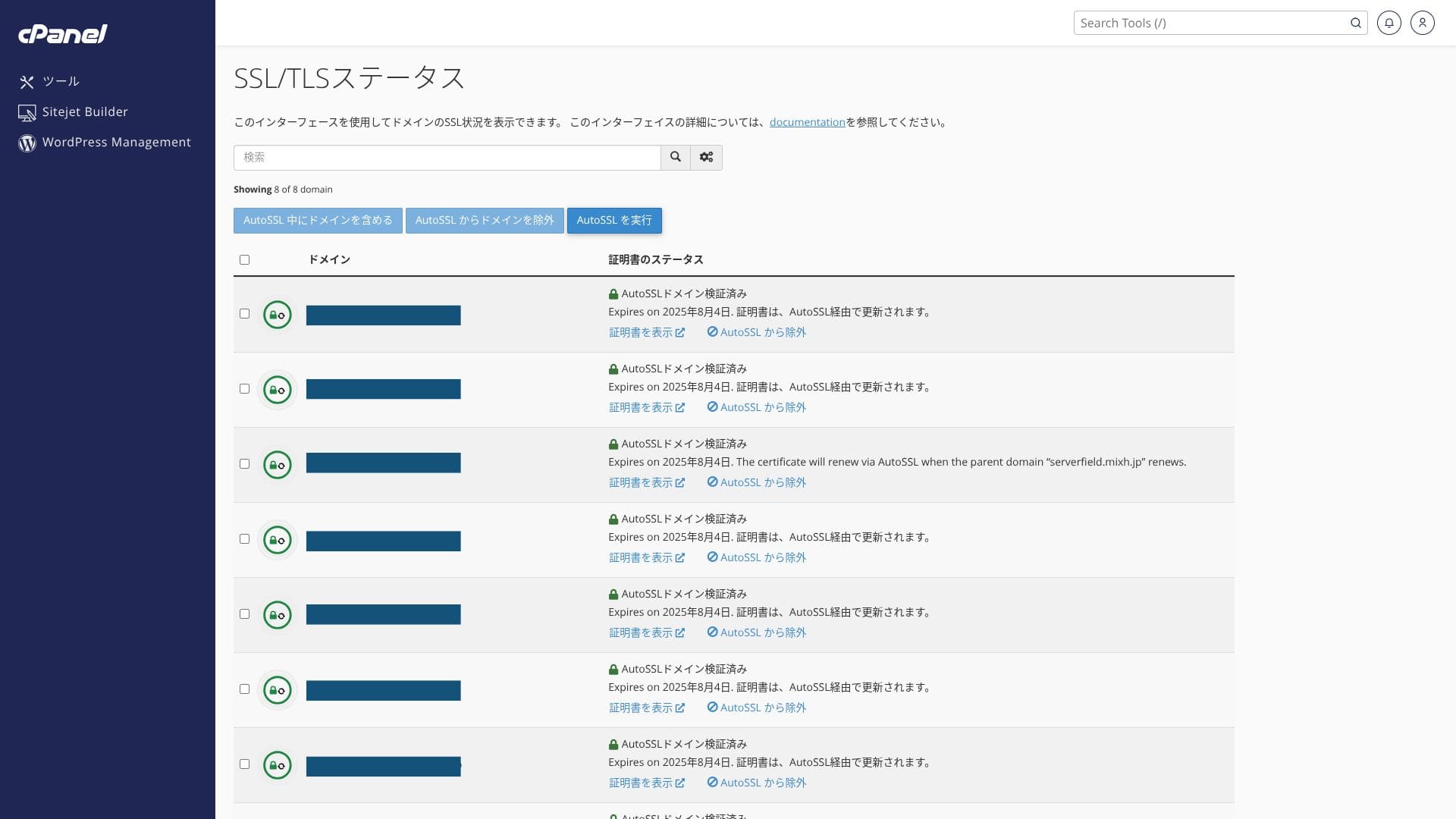
Standart olarak Let's Encrypt aracılığıyla ücretsiz özel SSL içerir. Sertifika, cPanel'deki “AutoSSL” işlevi tarafından 24 saat içinde otomatik olarak yenilendiğinden ekstra bir maliyeti yoktur.
The WordPress site installed at the time of signup already had SSL/TLS configured from the start. There is no need for the account holder to set up SSL during signup. You only need to configure SSL later when you add a domain after the initial contract.
SSL ayarları cPanel'deki “SSL/TLS Durumu” içindeki “AutoSSL” üzerinden çalıştırılabilir.
Payment methods
mixhost accepts credit cards, PayPal, and bank transfer.
- mixhost
- Kinsta
- XServer Business
- wpx
- Lolipop!
- Star Rental Server
- Rakko Server
- XServer
- ConoHa
- Colorful Box
- Shin Rental Server
- Little Server
- CORESERVER
- DreamHost
- Bluehost
- Sakura
- Namecheap
- Shin Free
- XREA
- Value Server
- HOSTINGER
- KAGOYA
- SiteGround
- Hostgator
- IONOS
- Onamae.com
- ABLENET
- GoDaddy
- iCLUSTA+
- MuuMuu Server
- WADAX
- WebARENA
- heteml
- CPI Rental Server


































PayPal ile ödeme yapmak istiyorsanız, sistem sınırlamaları nedeniyle 36 aylık sözleşmelerin otomatik olarak yenilenemeyeceğini unutmayın.
PayPal ile bir yıldan uzun bir sözleşme süresi sipariş ederken dikkat edilmesi gereken önemli notlar
Ease of use and support review
Ease of use of the control panel
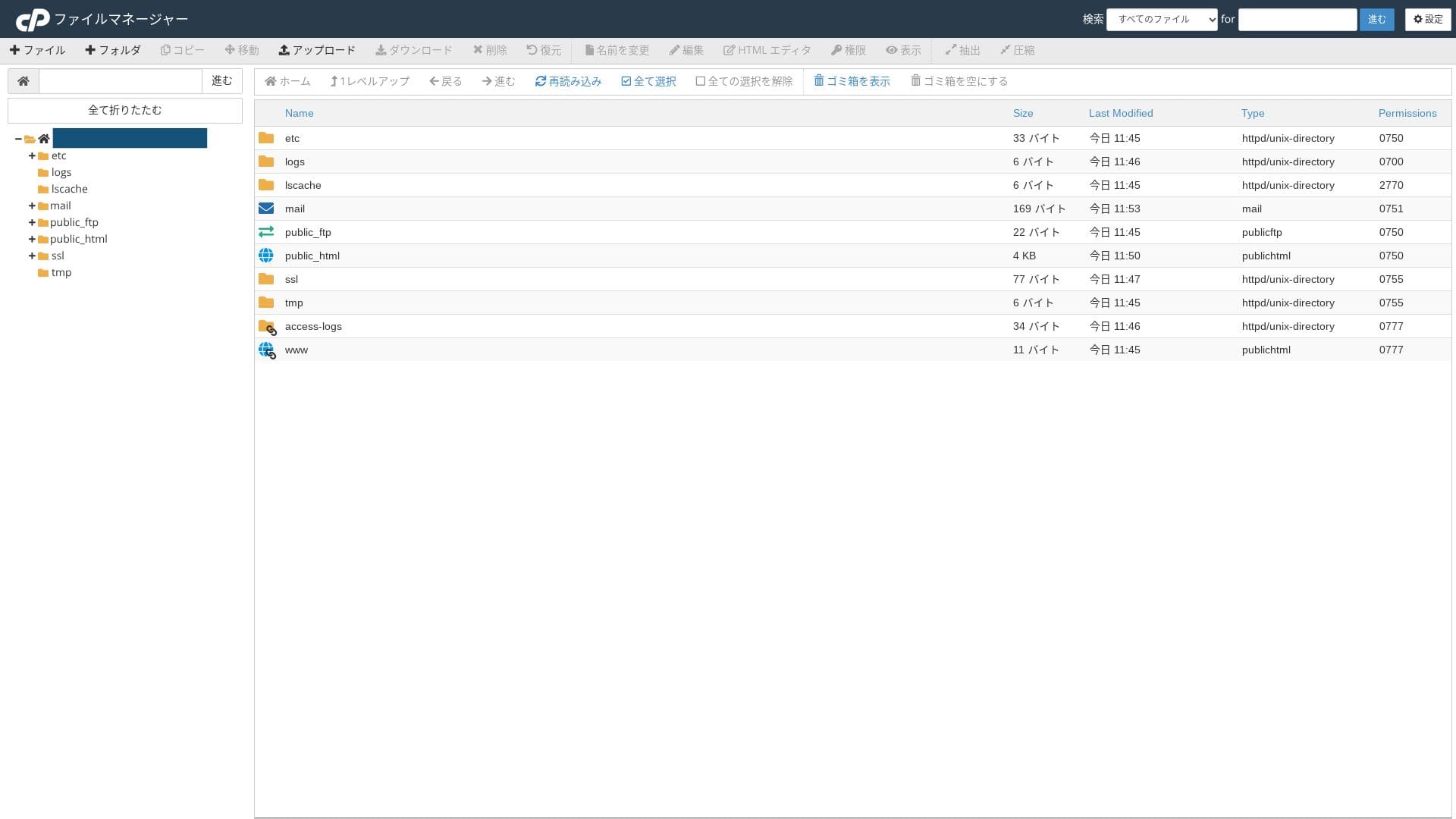
mixhost'un kendi kontrol panelinin yanı sıra sektör standardı olan cPanel'i kullanır. E-posta ayarlarını, SSL tanımlamalarını ve uygulama kurulumunu bir grafik kullanıcı arayüzü (GUI) üzerinden gerçekleştirebilirsiniz.
- Ana sayfa
- My Services
- WordPress
- Domains
- Backups
- Bandwidth
- Email Accounts
- Cron
- DB
- File Manager
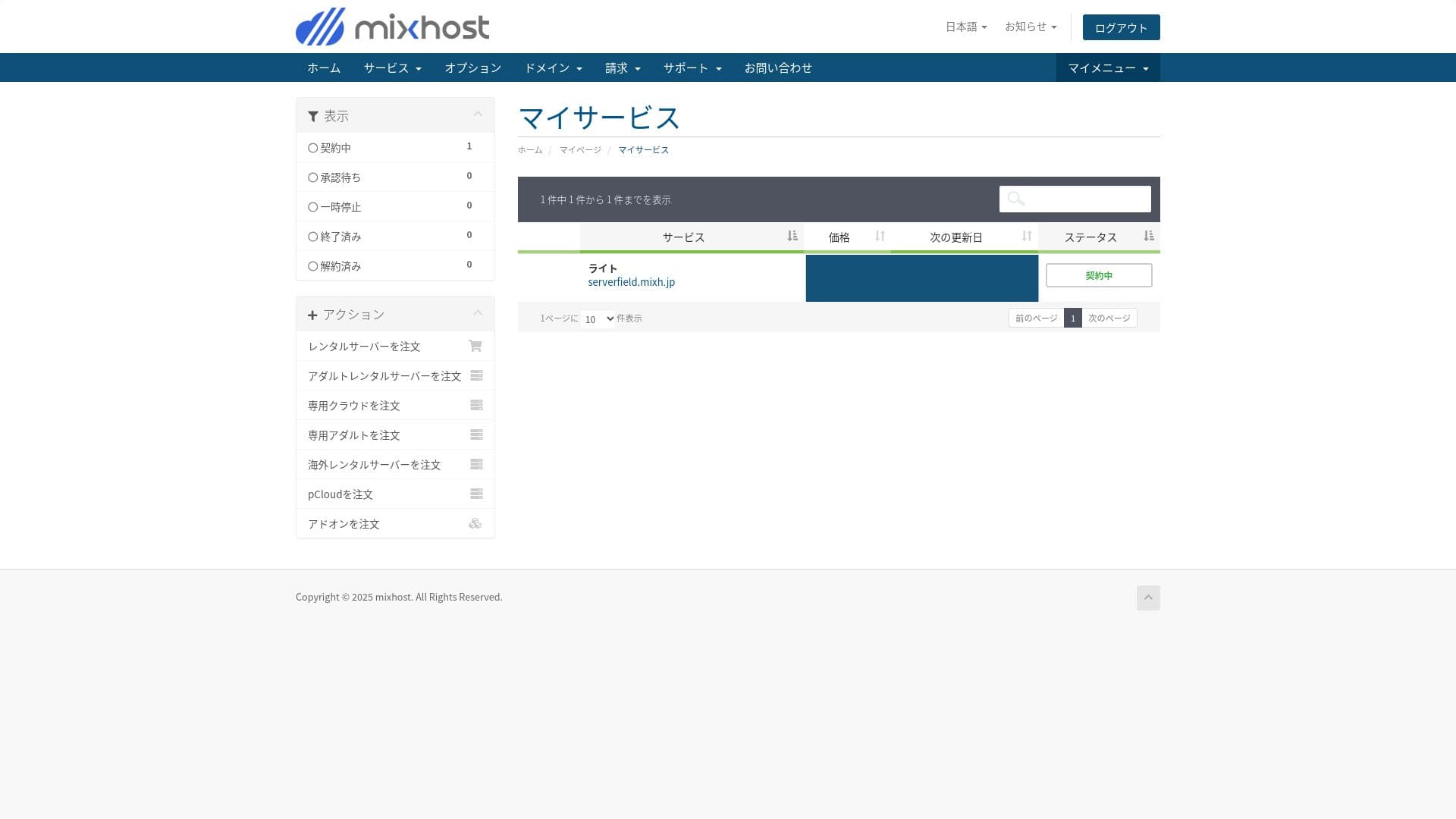
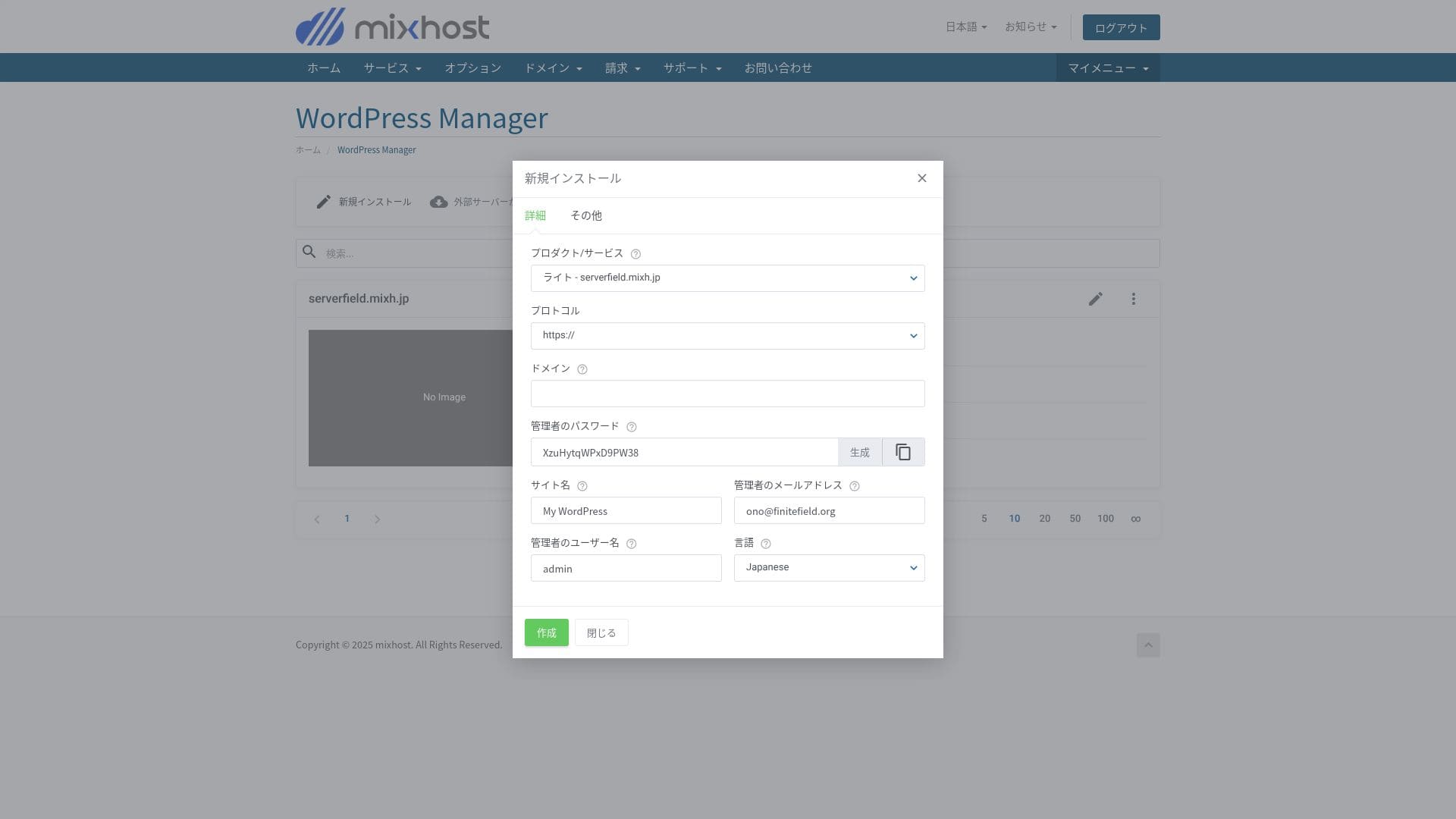
WordPress'i mixhost kontrol panelindeki "WordPress Yöneticisi"nden kurabilirsiniz.
Light planı yedekleme içermez, bu nedenle burada ekran görüntüsü yoktur. Bunun yerine bir WordPress yedekleme eklentisi kullanın.
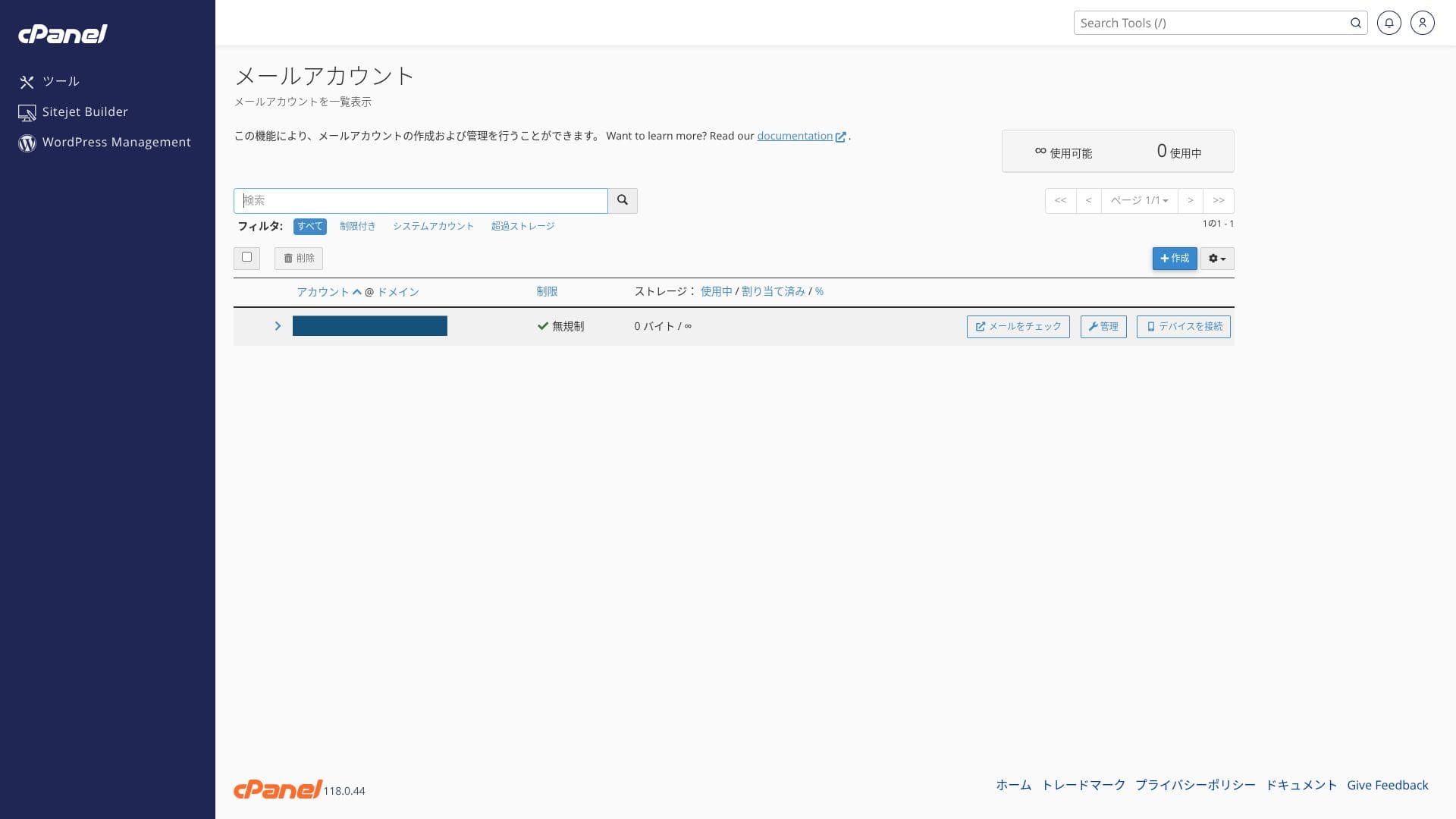
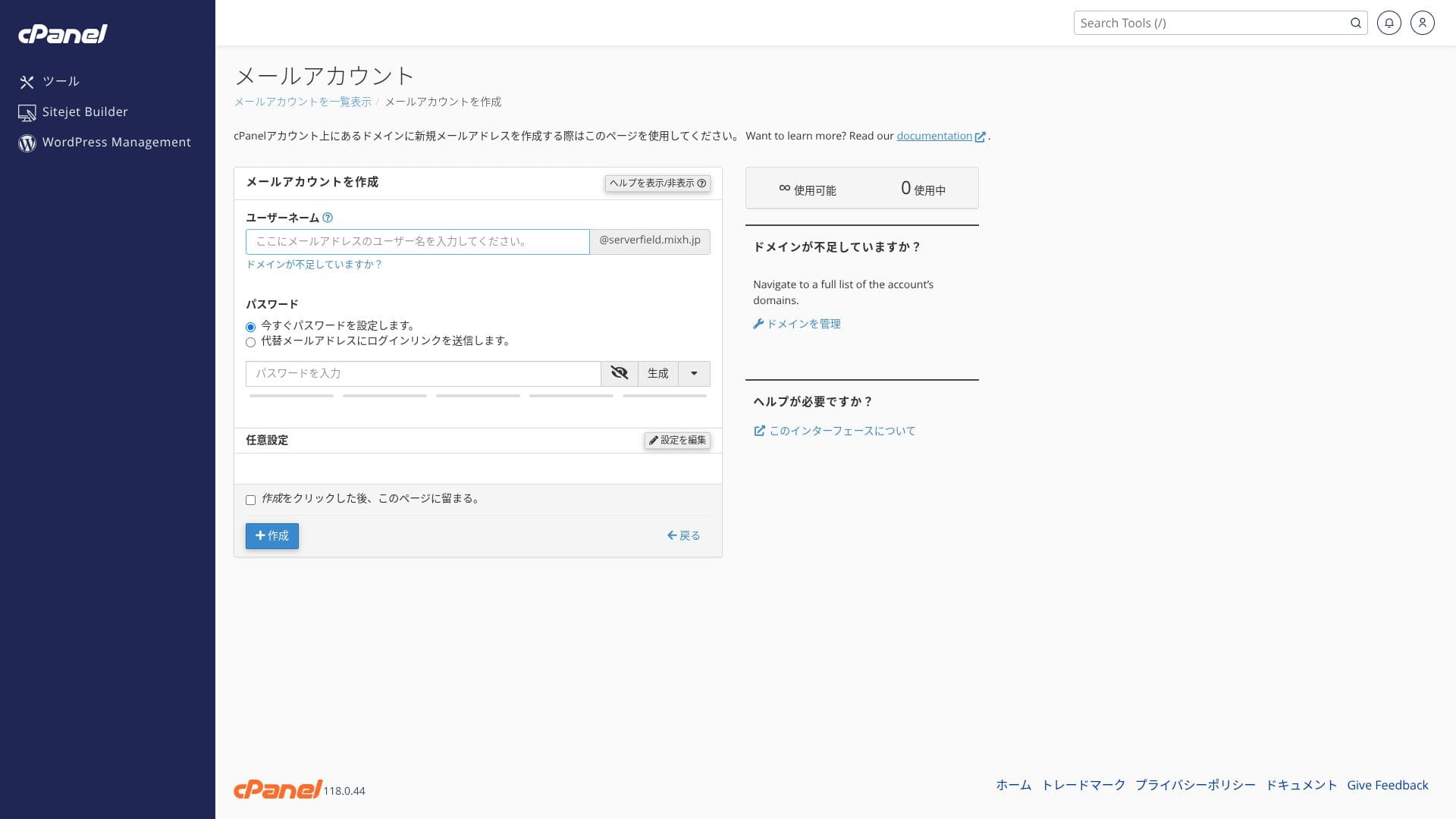
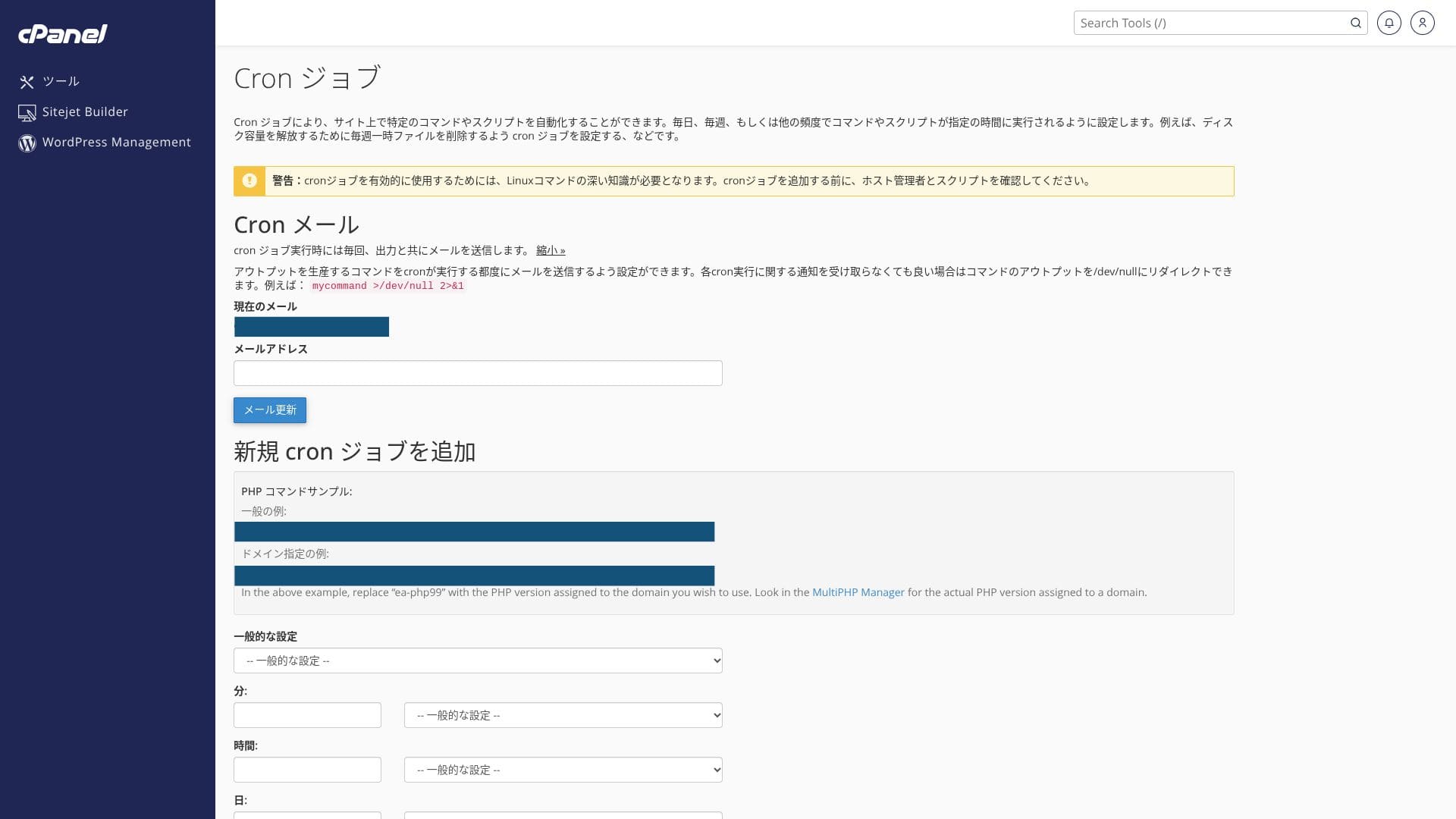
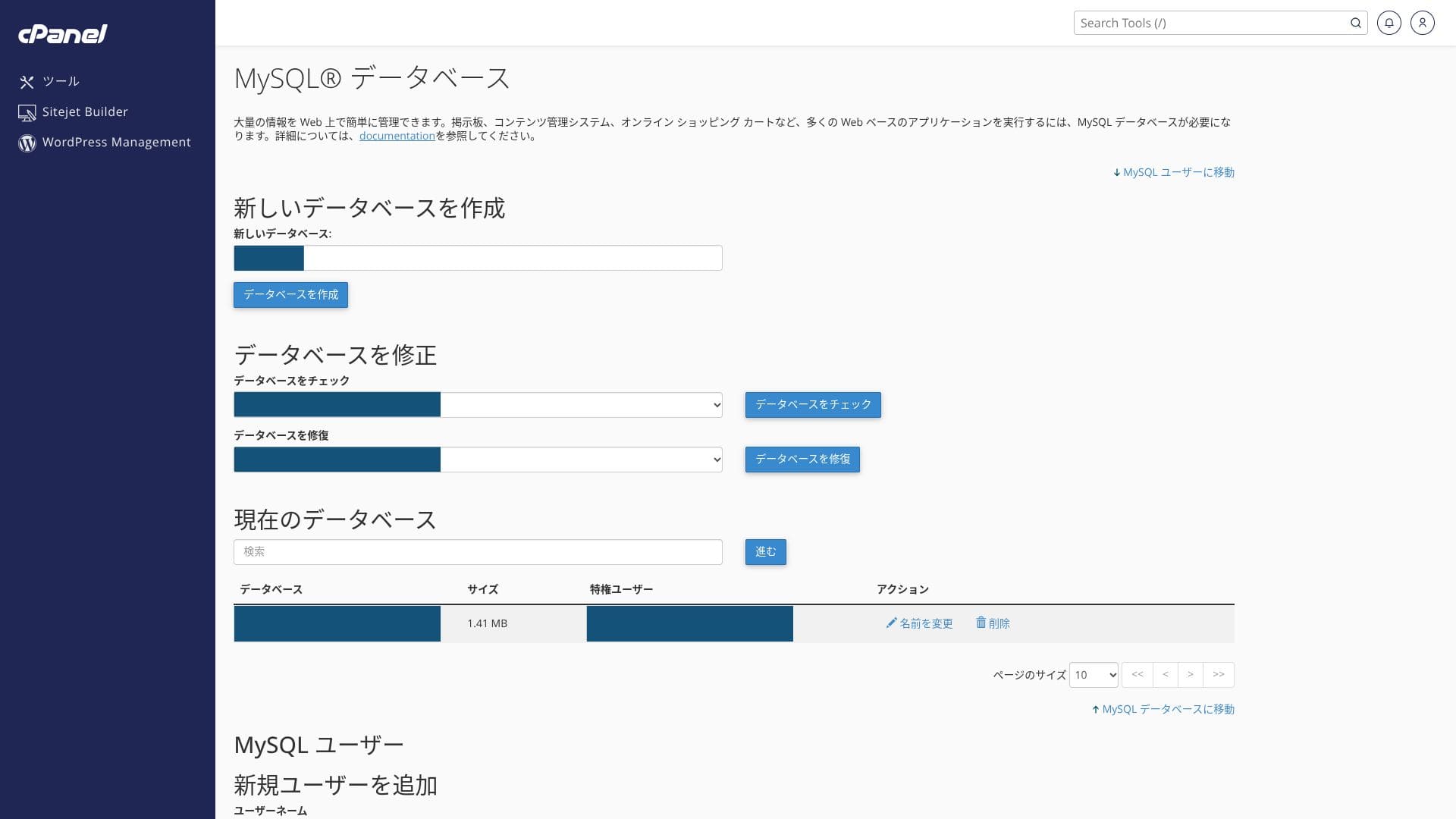
Hikaru Ono
Because you use both the proprietary control panel and cPanel, you may feel unsure of where to click at first.
Support structure
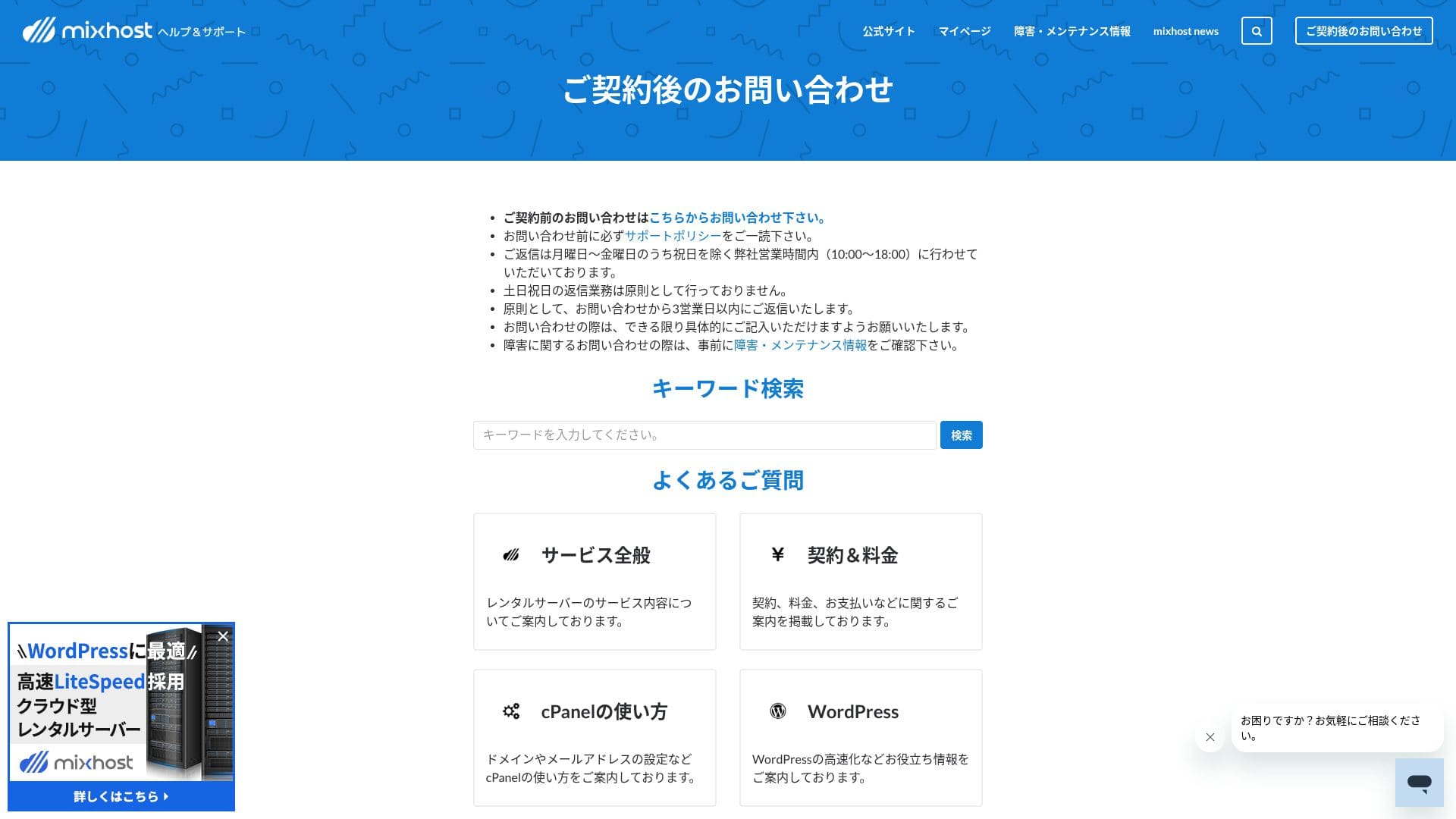
Tüm planlar e-posta ve sohbet desteği içerir. Premium ve üzeri planlarda ayrıca ayda iki Zoom destek oturumu eklenir ve bu planlara alt planlara kıyasla öncelik verilir.
Managed services
Profesyonel personel, yılda bir kez ücretsiz WordPress taşıma ve SSL aktivasyon desteği gibi teknik olarak zorlu işleri ücretsiz veya düşük bir maliyetle destekleyebilir.
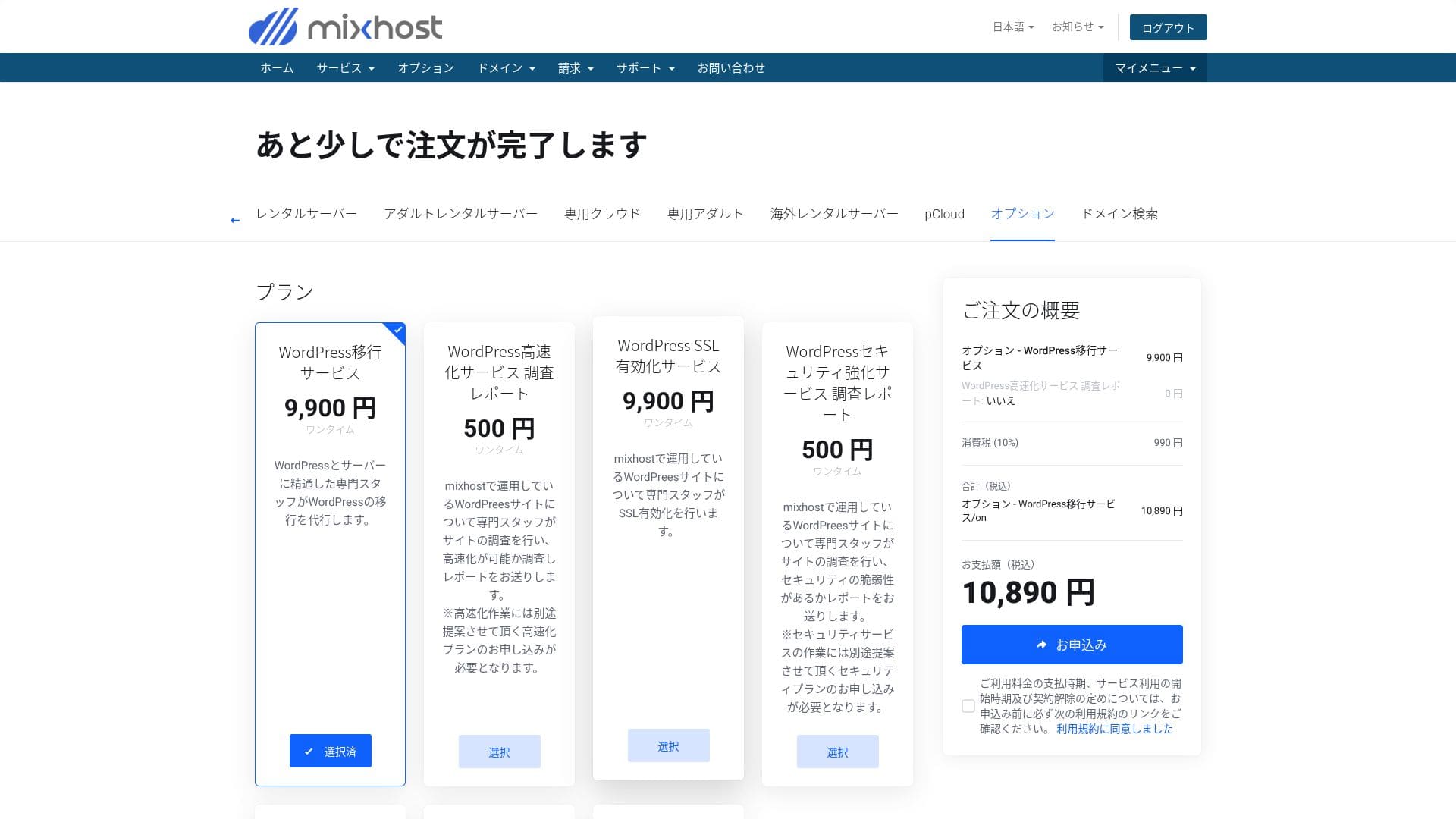
- WordPress migration service: 10,890 yen per site
- Speed investigation: 550 yen per request, speed tuning plan: from 9,900 yen per month
- Security investigation: 550 yen per request, spot plan: 21,890 yen per month, maintenance plan: 10,890 yen per month
- SSL activation service: 10,890 yen per site
Hikaru Ono
You can migrate WordPress yourself using tools. But if you are anxious about it or you do not have the time, make active use of the managed services.
Kılavuzların ve SSS'lerin kalitesi
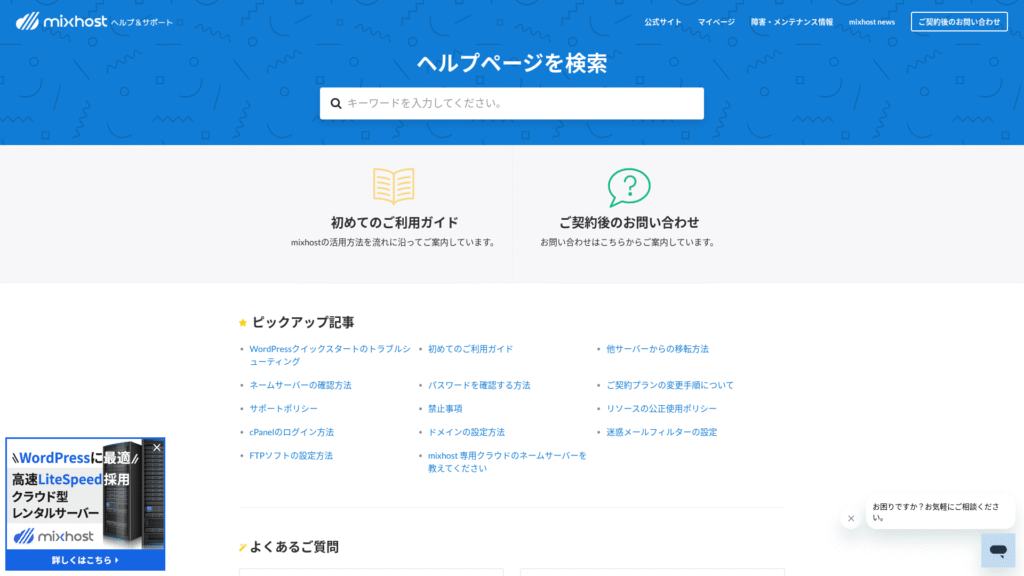
Resmi yardım merkezi Japonca dilinde çok sayıda makale yayınlamaktadır. Çoğu durumda, anahtar kelime aramasını kullanarak bir hatanın çözümünü bulabilirsiniz.
Email feature review
mixhost giden e-posta limiti düşüktür. Bu, günlük iş e-postaları ve gelen soruları yanıtlamak için sorunsuz çalıştığı anlamına gelir, ancak bülten dağıtımı için ayrı bir hizmet kullanmak daha güvenlidir.
| Item | All plans | Notlar |
|---|---|---|
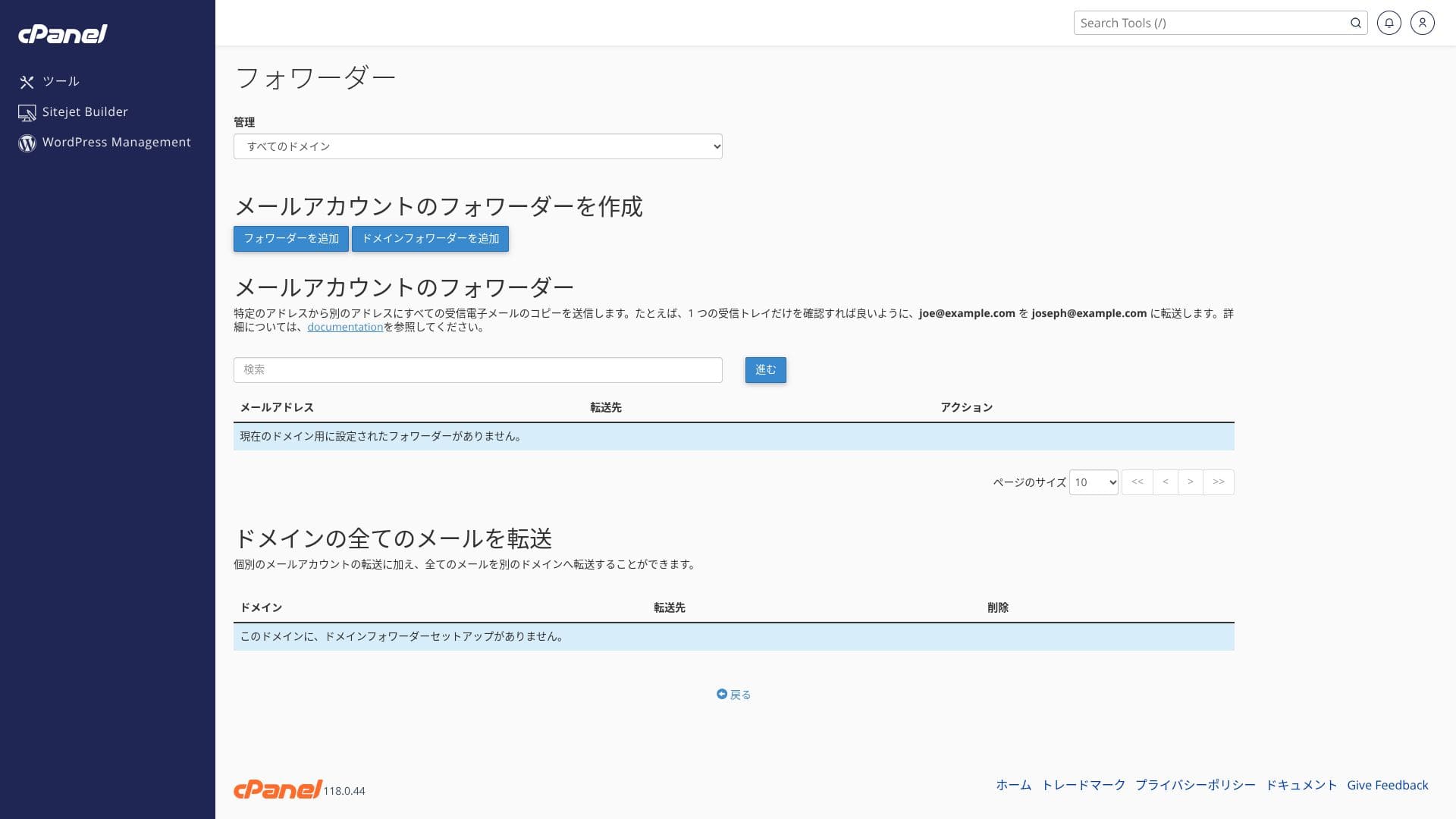
| Number of email accounts | Unlimited | Available on both custom domains and subdomains |
| Receiving protocols | IMAP / POP3 (SSL/TLS) | Outlook, Gmail uygulaması ve diğerlerinde yapılandırılabilir |
| Sending protocol | SMTP (587 / 465, SSL supported) | Supports STARTTLS and SMTPS |
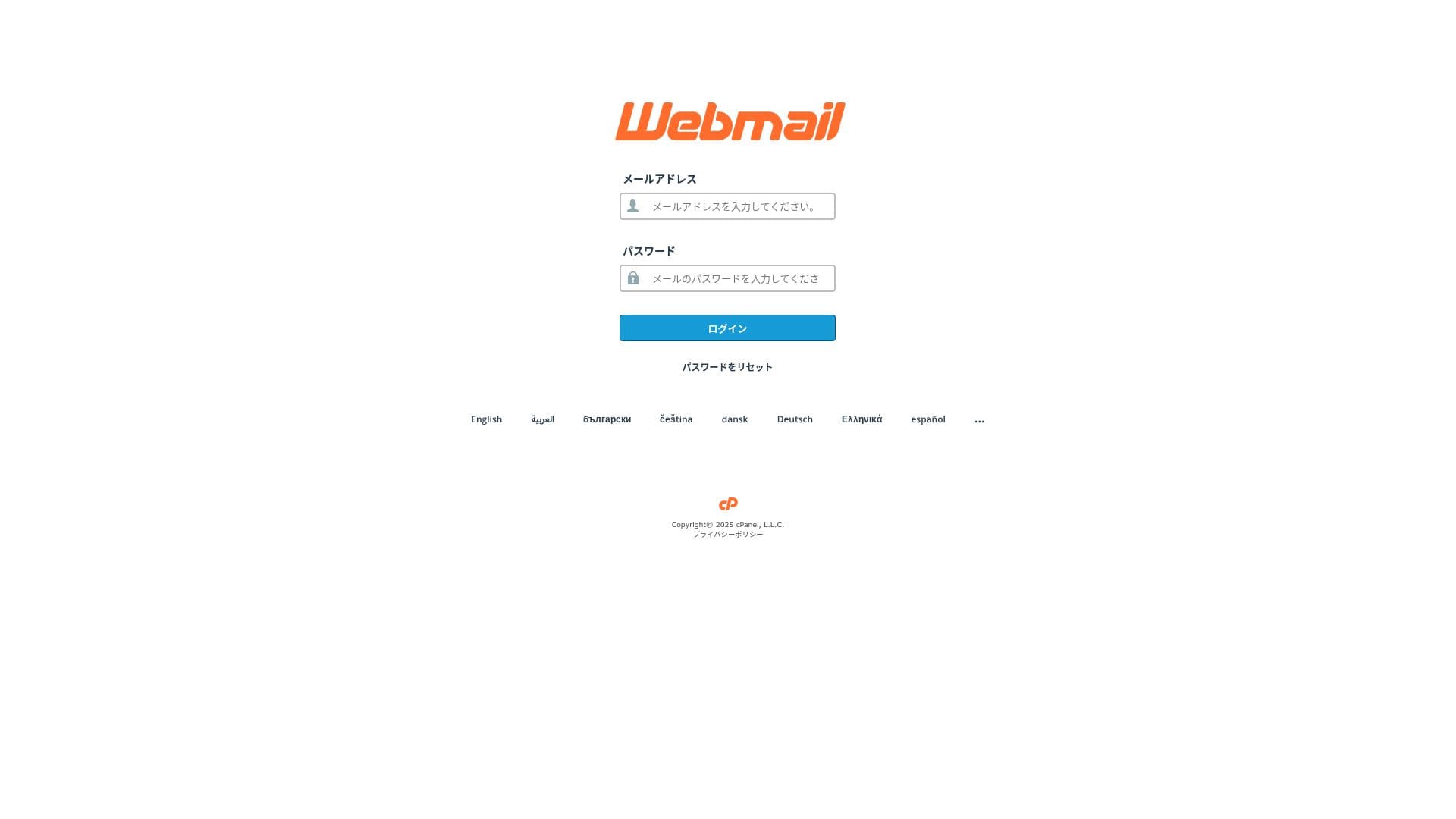
| Webmail | Roundcube | Browser-based email client included |
| Spam filtering | SpamAssassin | Threshold can be adjusted in cPanel |
| Virus filtering | ClamAV | Yalnızca Standard ve üzeri planlarda mevcuttur |
| Plan | Per hour | Per 24 hours |
|---|---|---|
| Light | 50 emails | 100 emails |
| Standard ve üzeri | 100 emails | 1,000 emails |
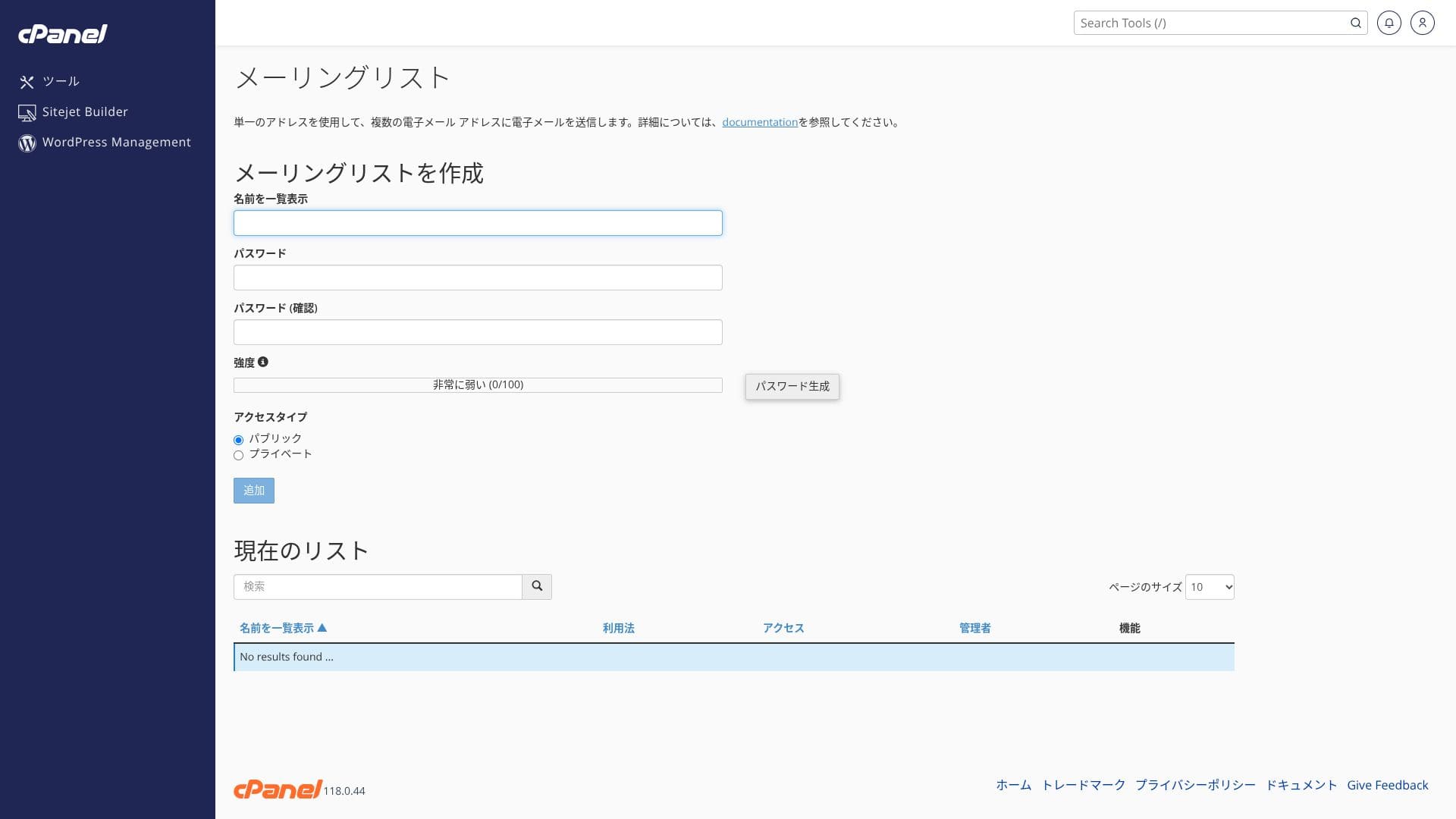
Üst sınırlar adil kullanım politikasıyla tanımlanmıştır. Her biri günde yaklaşık 20 e-posta gönderen 30 çalışanın toplamda yaklaşık 600 e-posta göndermesi gibi normal kurum içi ticari işlemler için fazlasıyla alan vardır. Ancak büyük ölçekli toplu gönderimler için uygun değildir.
- Ücretsiz özel SSL ile şifrelenmiş SMTP ve IMAP, dış ağlarda bile dinlenme riskini azaltır.
- cPanel provides a setup wizard for SPF, DKIM, and DMARC records, which makes anti-spoofing measures easy.
- Sunucunun kendisi yapay zeka destekli WAF ve DDoS koruması ile çalışır ve e-posta hizmeti de aynı yedekli bulut altyapısı üzerinde çalışır, böylece olası bir sorunda otomatik yük devretme (failover) gerçekleşir. Hizmet ayrıca %99,99 çalışma süresi garantisi sunar.
Hikaru Ono
Kurulum maliyeti sıfır olduğundan ve SSL ile spam önleme önlemleri standart olarak dahil edildiğinden, IT uzmanı olmayan küçük ve orta ölçekli şirketlerin bile bunu rahatlıkla yönetebileceğini düşünüyorum.
Security and backup review
Security measures
mixhost standart olarak DDoS koruması ve ücretsiz SSL ile birlikte gelir. Premium ve üzeri planlarda ayrıca yapay zeka destekli bir WAF ve otomatik kötü amaçlı yazılım temizleme özelliği bulunur. WAF (Web Uygulaması Güvenlik Duvarı), SQL enjeksiyonu gibi web uygulamalarına özgü saldırıları gerçek zamanlı olarak engelleyen bir savunma mekanizmasıdır.
Hikaru Ono
Light planının güvenliği daha yüksek planlar kadar güçlü olmadığından, WordPress güvenlik eklentilerini kurduğunuzdan emin olun.
Five WordPress security plugins that can strengthen your site and how to choose them
Automatic backup feature
Light hariç tüm planlarda, son 14 güne ait günde bir yedek başka bir bölgede saklanır. Bunu cPanel'deki “JetBackup” bölümünden tarihe göre kendiniz geri yükleyebilirsiniz.
Hikaru Ono
Yedekleme içermeyen Light planını seçerseniz, bir WordPress yedekleme eklentisi kurduğunuzdan emin olun.
Other features
pCloud
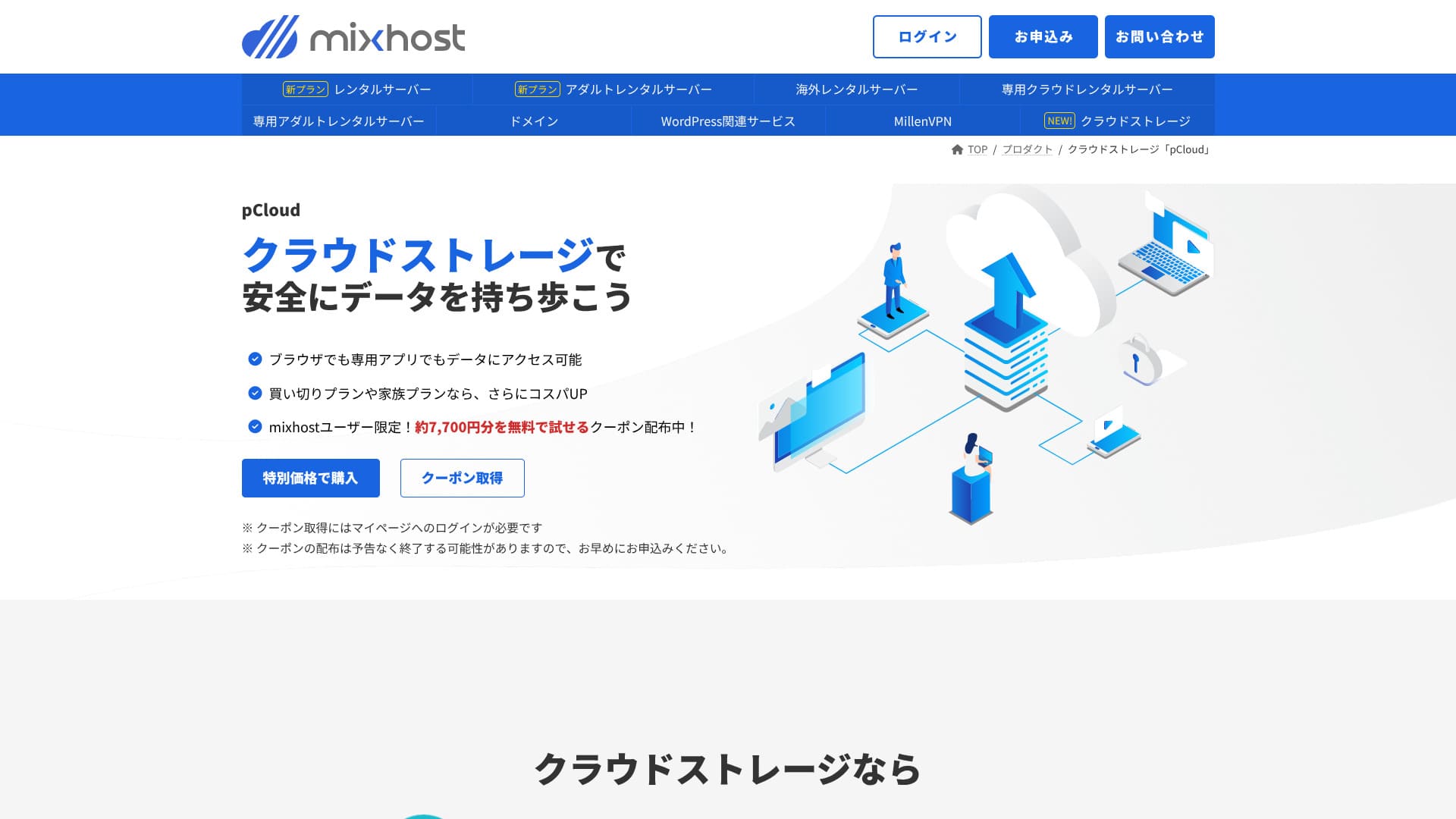
pCloud is a cloud storage service used by 21 million people.
mixhost kullanıcıları, yaklaşık 7.700 yen değerindeki 500 GB alanı bir yıl boyunca ücretsiz denemelerini sağlayan bir kupon alabilirler. Büyük dosyaları paylaşmak ve ekip iş birliği için oldukça kullanışlıdır.
Sitejet
Ekstra bir ücret ödemeden sürükle-bırak yöntemiyle web sitesi oluşturmanıza olanak tanıyan kodsuz bir yapıcı olan “Sitejet”i kullanabilirsiniz. Ayrıca yapay zeka ile metin oluşturma ve görsel düzenleme özelliklerini içermesi, küçük işletmeler için açılış sayfaları (landing page) oluşturmayı uygun hale getirir.
Hikaru Ono
It lets you build a website even more easily than WordPress.
Use Sitejet
- STEP.1Kontrol panelinden "cPanel"e giriş yapın
- STEP.2Click "Click to get started" in Sitejet

- STEP.3Click "Try Sitejet" in Sitejet Builder
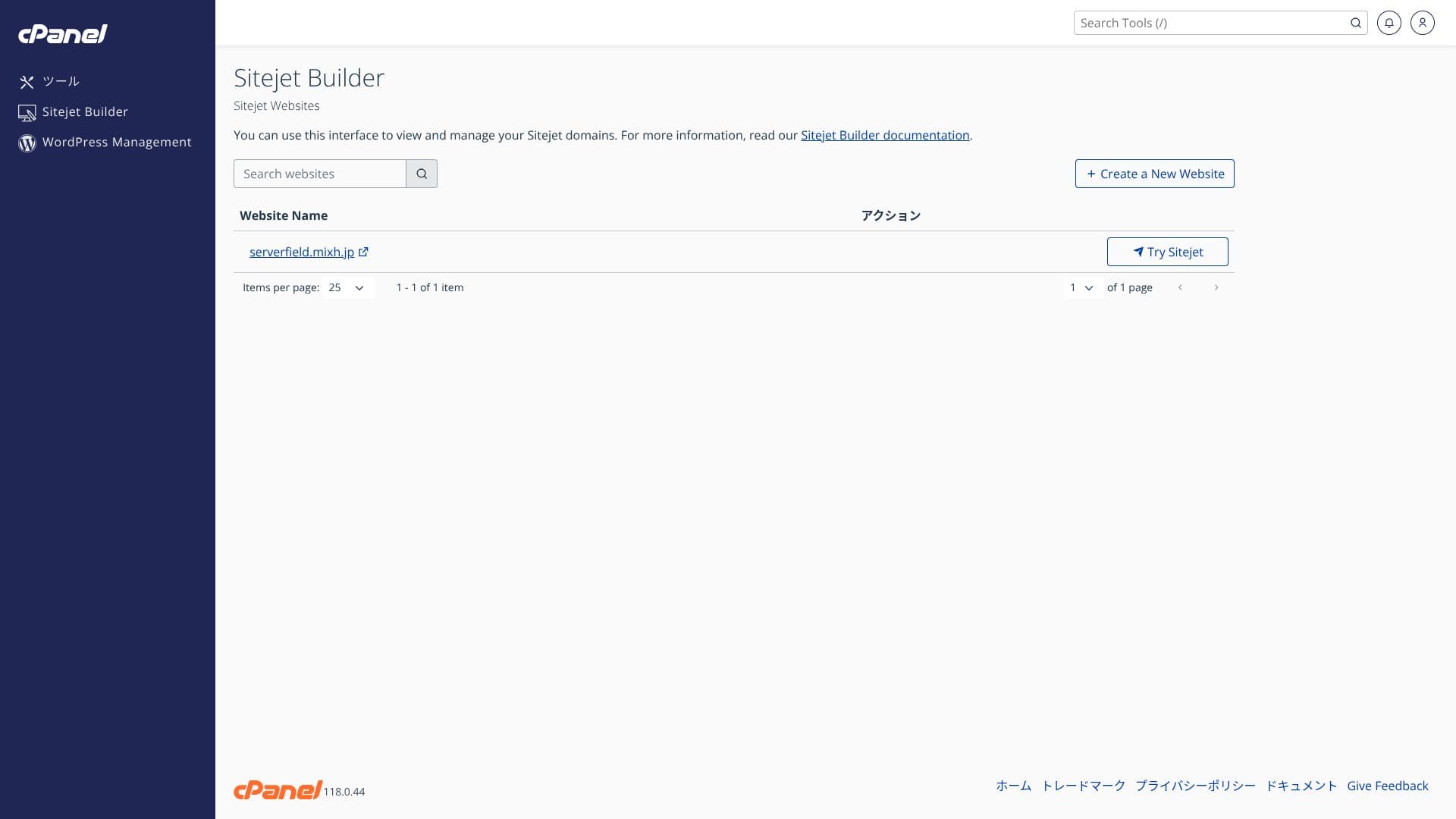
- STEP.4Kullanmak istediğiniz şablonu seçin

Overseas hosting
San Jose, ABD Batı Yakası konumunu seçmenize olanak tanıyan yurt dışı barındırma seçeneği, küresel e-ticaret siteleri ve İngilizce medya siteleri için düşük gecikmeli bir kurulum sunar. Fiyatlandırma, yurt içi Standard planından yaklaşık 330 yen daha yüksektir.
Hikaru Ono
Very few Japanese hosting companies operate overseas sunucu locations. Because you can still receive Japanese-language support, I recommend it to people looking for an overseas sunucu.
Summary
“mixhost” AzPocket Inc. firmasının bulut tabanlı ve yüksek hızlı bir sunucusudur. Yurt dışında kurulu sunucular da sunduğundan, özellikle uluslararası kitlelere yayın yapan bireyler için caziptir. Sunucuya kaydolduğunuzda WordPress önceden kurulmuş olarak gelir, bu nedenle başlamak oldukça kolaydır.
İlk satın alımda %55'e varan indirim, artı ekstra %25 indirim ve 30 günlük para iade garantisi
mixhost is ideal for users who want strong value, high speed, and attentive support at the same time.
- Bireysel blog yazarları ve satış ortaklığı (affiliate) pazarlamacıları: Quick Start and LiteSpeed Cache help you build a site that is fast and SEO-friendly from the moment it goes live.
- Küçük ve orta ölçekli işletmeler ve e-ticaret operatörleri: Ücretsiz özel SSL ve otomatik yedeklemeler güvenlik konusunda içinizin rahat etmesini sağlarken, sınırsız e-posta kurum içi bilgi paylaşımını merkezileştirmeye yardımcı olur.
- Production companies and developers: Birden fazla siteyi tek bir yerden yönetebilir, test etmeyi ve yayınlamayı kolaylaştıran hazırlık (staging) aşamalarına uygun iş akışlarını kullanabilirsiniz.
Light planı yedekleme içermediğinden, kurumsal ve ticari kullanım için Standard veya üzerini öneririm. 30 günlük para iade garantisinden yararlanın ve kendi web sitenizde veya blogunuzda gerçek hızı ve yönetim ekranlarının kullanılabilirliğini deneyin.
Compare 10 overseas hosting services

When choosing overseas hosting, many people are unsure which provider to pick because of language barriers and cultural differences.
This article thoroughly compares 10 carefully selected overseas hosting companies from around the world and explains each service’s features, pricing plans, and real-world usability.
Yeni başlayanların güvenle seçim yapmasına yardımcı olan karar noktalarından, teknik kullanıcıların aradığı gelişmiş özelliklere kadar geniş bir ihtiyaç yelpazesini kapsar.