10-gün ücretsiz trial
PR
Sunucular
CPI Rental Server İncelemesi: Şirketler İçin %100 Çalışma Süresi Garantisi Gerçekten O Kadar Kararlı mı? Ücretlendirme ve Özelliklere Kapsamlı Bir Bakış
Yayınlandı: 2025.04.18
Güncellendi: 2025.04.18
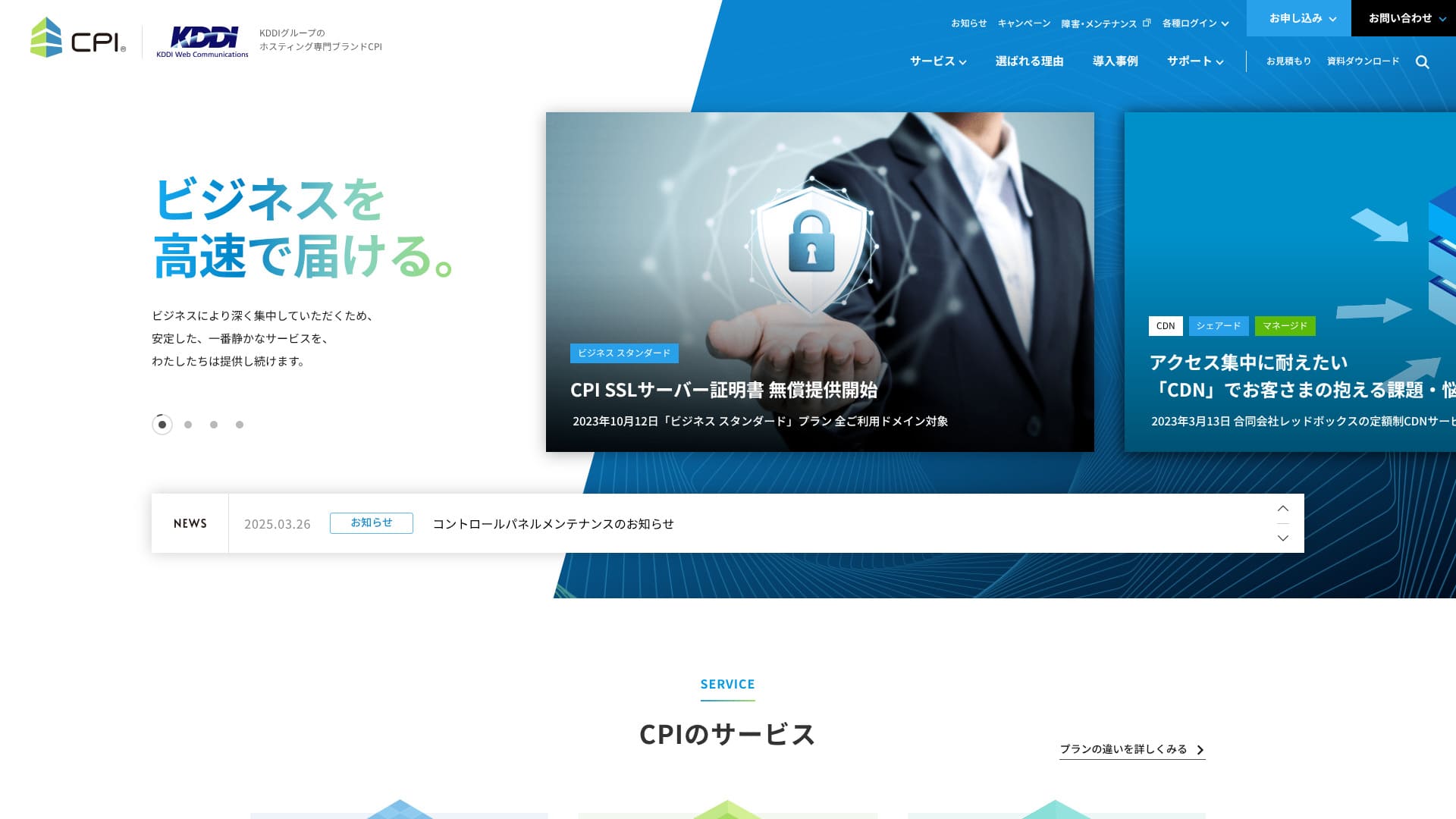
Olağanüstü kararlılık sağlar ve işletmenizi sessizce ama güçlü bir şekilde destekler.
CPI , KDDI Grubu tarafından işletilen ve %100 çalışma süresi garantisi sunan son derece kararlı bir sunucudur. Bireyler tarafından kullanılabilir ancak iş odaklı özellikler ve hizmetler bütününü sunduğu için kullanıcılarının %95'i kurumsal müşterilerdir.
Mükemmel bir sunucu olmasına rağmen dezavantajları da vardır. Bu makalede şunun özelliklerini açıklıyorum: CPI and how to get started with WordPress.
WordPress Kiralık Sunucu 32 Şirket Tam Karşılaştırması! Bireyler, Şirketler ve Yurt Dışı İşletmeleri İçin Öneriler

"Eğer 'WordPress'e başlamak istiyorum' diye düşünüp 'WordPress önerilen' araması yaparsanız, kişisel ve kurumsal/küçük işletme sunucularından yurt dışı sunucularına ve ucuz sunuculara kadar çok geniş bir makale yelpazesi bulacaksınız. Açıkçası, ...
- Which website is good to look at?
- Bir sunucuyu basit ve kolay bir şekilde seçmek istiyorum!
- I want to know how to start WordPress right away!
Don't you?Bu nedenle, bu makale bireyler, şirketler, yurt içi ve yurt dışı için 32 kiralık sunucu şirketinden önerileri özenle seçip tanıtmaktadır.Her gün kiralık sunucular kullanan bir uygulama geliştirme şirketinden bir SEO uzmanı tarafından açıklanmaktadır.
CPI Rental Server: Stable Servers for İşes

| Server Types | Paylaşımlı barındırma / Yönetilen özel sunucu / Kök (root) erişimli özel sunucu |
| Load Time (TTFB) | Not Measured |
| Recommended Plans and Contract Periods | Shared Plan İş Standart 12 Months |
| Trial & Money-Back Guarantee | 10-Gün Ücretsiz Trial |
| Monthly Fee (12-Month Contract) | 4,840 Yen |
| Initial Office Fee | Ücretsiz |
| Ücretsiz Domain | None |
| Support | Phone & Email (Weekgün 10:00-18:00) 24/7 support available for an additional 990 yen per month |
| Uptime Guarantee | 100% guaranteed |
| Server Kapasite | Web 300GB / Email 200GB |
| Number of Databases | 5 |
| Security Measures | WAF / Web Tampering Bildirim (Paid) |
| SSL | Ücretsiz CPI SSL Server Certificate |
| Backup/Restore | 30-generation backups / Ücretsiz restoration |
| Number of email accounts | Unlimited |
| Email Security Measures | Virus Check / Spam Email Check / Spam Email Subject Display / Spam Email Automatic Sorting / STARTTLS / Email Sending Prevention Active! gate |
| Server/Website Migration Service | Partial migration assistance available at no extra maliyet / Full Service 283,800 Yen |
| One-click WordPress installation | ◯ |
| CDN | Paid |
5 Features of CPI

100% Uptime Guaranteed
CPI%100 çalışma süresi garanti eder. Sunucu son derece kararlı olduğu için,you can avoid issues where your site becomes unavailable.Especially when iş websites or service sites display instability, it can negatively impact iş.
However,CPIthere's no need to worry like that.
★ Mutlaka bilinmeli! Sunucu çalışma süresini ve SLA'yi anlayın.
IfCPIshould you experience issues with your web services or email services while using it, you will receive a refund based on the uptime percentage.
Web ve e-posta sunucuları: Risk çeşitlendirmesi
CPIweb sunucularını ve e-posta sunucularını ayırarak risklerin dağıtıldığı bir sistem sunmaktadır. Bu, bir sunucudaki sorunların diğer hizmeti etkilememesini sağlar.bir sunucudaki sorunların diğer hizmeti etkilememesini sağlar.
Örneğin, web sitenizin trafiğinin aniden arttığını varsayalım. Web sunucusu bir yüke maruz kalabilir ve bu da web sitenizin görüntülenmesini geçici olarak yavaşlatabilir. Ancak e-posta sunucunuzu dağıttıysanız, bu tür durumlarda e-posta almak zorlaşmayacaktır.
İşletmeler için, müşterilerle birincil iletişim aracı olan e-posta kararsız hale gelirse, bu durum güvenilirlik sorunlarına yol açabilir. Bu nedenle,CPI
30-generation backups
CPIoffers 30 generations of backups. With backups, even if a problem occurs, you can restore the backup data and return to the state before the problem.trouble, you can restore the backup data and return to the state before the trouble.
Siber saldırılar nedeniyle kazara veri silinmesi veya verilerin tahrif edilmesi gibi hatalar bir gün gerçekleşebilir. CPI ile 30 nesli kapsayan büyük miktarda yedek veri saklayabilirsiniz. Bu nedenle, sorunu geç fark etseniz bile genellikle orijinal durumuna geri yükleyebilirsiniz.
High-security WAF equipped
CPIbir WAF dahil olmak üzere en son güvenlik özelliklerine sahiptir. Ücretsiz olarak kullanılabilir. WAF, web uygulamalarının açıklarını hedef alan saldırıları önleyen bir güvenlik önlemidir.
Uygun fiyatlı sunucularda WAF'lar ücretli bir seçenek olarak sunulabilir, CPIis standardly equipped and a great deal.
Desteği seçenek olarak yılda 365 gün, günde 24 saate güçlendirilebilir.
CPIseçenek olarak 24 saat, 365 gün destek ile güçlendirilebilir.CPIgenellikle pazartesiden cumaya 10:00 ile 18:00 saatleri arasında e-posta desteği sağlar.
Aylık 990 yen ücret ve "24 saat 365 gün TEL ve e-posta desteği" ile 24 saat 365 gün e-posta desteği alabilirsiniz. Telefon desteği Eylül 2021'den bu yana askıya alınmıştır. Ancak bazı durumlarda, şuradan alınan destek: CPI may be provided by phone.&thatCPImay be provided by phone.
If a problem arises with your company's website operation or email management, it must be resolved as quickly as possible.This option allows you to have CPI resolve your issues, even if there isn't anyone in-house who is knowledgeable about it.
CPI has a higher pricing structure which is a disadvantage.

CPIis designed for iş usedue to its highly functional and feature-rich services, the pricing is somewhat higherAşağıdaki koşullara göre diğer kurumsal sunucularla karşılaştırılmıştır.
- Initial administrative fees
- Server contract for 12 months
- Domain maliyet for 1 year
- The cheapest WordPress-compatible plan
Karşılaştırıldığında, iş odaklı sunucular için daha yüksek fiyat aralığına girmektedir. İş odaklı sunucular için güvenilir bir hizmet istiyor ancak sunucu maliyetlerini de düşük tutmak istiyorsanız, diğer sunucu sağlayıcılarını göz önünde bulundurmalısınız.
Comparing 2 Servers Similar to CPI
Xsunucu İş
Xsunucu İşisCPIve yaklaşık aynı fiyata kurumsal sunucular için kullanılabilir.CPIhas only one shared sunucu plan, butXsunucu İşhas three types.Bu nedenle, planı işletmenizin veya faaliyet sitenizin büyümesine göre ayarlayabilmeniz caziptir.is attractive.
However, CPI is superior in automatic backups and test environment setup.Günlük işlevsellik ve gönül rahatlığı için,CPIis a better choice.
Sakura Rental Server İş
Sakura Rental Server İşismore affordable than CPIa iş sunucu.
However,Sakura Rental Server İşdoes not offer special support plans or anything like that.CPIprovides options with 24/7 support.The feeling of reassurance that you can contact for urgent support with CPI is superior.

Sakura Kiralık Sunucu İncelemesi: Gerçekten yavaş veya güvenilmez mi? Kişisel ve ticari kullanım için fiyatlandırma, güçlü yönler ve dezavantajlar
Sakura Kiralık Sunucu İncelemesi: Gerçekten yavaş veya güvenilmez mi? Kişisel ve ticari kullanım için fiyatlandırma, güçlü yönler ve dezavantajlar
serverfield.org
Start Your WordPress Website with CPI in 5 Steps
CPI Kullanarak Web Sitesi Kurmaya Başlayın!
- STEP.1CPI resmi web sitesini ziyaret edin
Resmi web sitesinin ana sayfasında "Şimdi Başvur" seçeneğine tıklayın.
- STEP.2Contract Application
First, the contract period. A 12-month contract with a lump-sum payment is recommended. There are no initial fees. Check the box for "Agree to the CPI Service Terms and Conditions and Other Terms and Conditions" and "Privacy Policy."
Domain Selection. If you're using a new domain, enter the string you want and search. If you can acquire it, proceed to "Select Options."
★ Alan Adı Nedir? İnternetteki Bir Adres Olarak Rolü ve Edinme Yöntemi
SSL Sunucu Sertifikası. Ücretsiz CPI SSL kullanmanızı öneririz. SSL en temel internet güvenliğidir, bu nedenle bunlardan birine başvurduğunuzdan emin olun.
★ What is SSL and TLS? The Mechanism and Benefits of Encrypting Information
Apply for the necessary services from the following options.
- Website Defacement Bildirim
- External Backup Service
- Email Misdelivery Prevention (Active! gate)
- Webmail (Active! mail)
- Cloud-based Groupware (iQube+)
- 24/7 365-gün TEL & Email Support
Click "Proceed to Plan Contract Information."
Enter the plan contract details, such as company name and contact email address.
Review all contents and apply.
You will immediately receive an order confirmation email after application. Then, an invoice will arrive.
CPI sunucuyu kuracaktır, bu yüzden lütfen bir süre bekleyin. Kontrol paneli için giriş kimlikleri ve şifreler e-posta ile gönderilecektir.
- STEP.3WordPress Installation
From the "Web" and "Public Website" in the control panel, go to "Easy Installation" and then "WordPress."
Specify the installation directory. Check the box for "Agree to the following terms" and click "Install."
Four URLs will be displayed, so select one and click it.
"Hadi Başlayalım!" seçeneğine tıklayın ve aşağıdaki WordPress ayarlarını yapın.
- Database Name: As is
- Username: Anything is OK
- Password: Anything is OK. Can be easily changed later
- Database Host Name: As is
- Table Prefix: As is
Click "Submit" and perform "Install Execution."
Further, register WordPress management information.
- Site Title: Anything is OK. Can be easily changed later
- Username: Anything is OK.
- Password: Anything is OK. Make it as complex as possible
- Email Address: Your usual email address. Company email is recommended for işes
- Allow Search Engines: Don't check if you want to keep it private
Once you have entered the management details, click "Install WordPress." Giriş yaparken kullanacağınız için kullanıcı adını ve şifreyi not ettiğinizden emin olun.
"Başarılı!" ibaresi görüntülendiğinde "Giriş Yap" seçeneğine tıklayın ve kullanıcı adınız ile şifrenizle giriş yapın.
- STEP.4WordPress Initial Ayarlar
Kayıt in to WordPress.
※ "Bu siteye erişilemiyor" şeklinde bir uyarı mesajı görüntülenirse, DNS ayarları henüz yansıtılmamış demektir. Bu durumda yapmanız gereken tek şey beklemektir, bu nedenle her saat başı tekrar giriş yapmayı deneyin.
★ What is DNS / a name sunucu?
Kalıcı bağlantıyı ayarlayın. WordPress yöneticisindeki "Ayarlar" bölümünden "Kalıcı Bağlantılar"a gidin. "Yazı ismi" seçeneğini seçin, ardından "Değişiklikleri Kaydet" seçeneğine tıklayın.
When you use "Post name," you can choose any string you like for each article URL. A short string that helps readers imagine the article content is recommended. If it is too long, some readers may feel uneasy and think, "Could this be a risky site?"
- STEP.5Plugin Installation
WordPress yönetici ekranına dönün, "Eklentiler" ve ardından "Yeni Ekle" bölümüne gidin ve ihtiyacınız olan eklentileri kurun.
Once you find the plugin you want by searching, click "Install Now" and then "Activate." After that, proceed according to the instructions for each plugin.
Be sure to install security and backup plugins.
- 5 recommended WordPress security plugins and how to choose them
- 5 en iyi WordPress backup plugins to retrieve your data
Once the plugins are installed, your WordPress website is ready to go!
Summary
CPI , %100 çalışma süresi garantisi sunan, ticari kullanıma uygun kararlı bir sunucudur. Fiyatlandırma biraz yüksek olsa da, kurumsal sitelerin ihtiyaç duyduğu yedekleme özelliklerini, güvenlik özelliklerini ve ticari kullanıma hazır yetenekleri size sunar.
Please try it out.
WordPress Rental Server 32 Company Complete Comparison! Recommended for Individuals, Corporations, and Overseas Use
"WordPress başlatmak istiyorum" diye düşünüp "Önerilen WordPress" araması yaptığınızda, kişisel kullanımdan kurumsal/küçük ve orta ölçekli işletmelere, yurt dışı sunucularına ve ucuz sunuculara kadar birçok farklı makale bulursunuz. Dürüst olmak gerekirse,
- Which site should I look at?
- Bir sunucuyu basit ve net bir şekilde seçmek istiyorum!
- Tell me how to start WordPress right now.
Don't you think so? Therefore, this article willBireyler, şirketler ve yurt içi/yurt dışı kullanım için 32 kiralık sunucu şirketi arasından önerileri özenle seçin ve bunları tanıtıyor. Her gün kiralık sunucu kullanan bir uygulama geliştirme şirketinden bir SEO uzmanı açıklayacaktır.