
Free .co.jp domain + 12 months of V2 plan sunucu fees free + free initial fee until August 31, 2025, plus a 30-gün free trial
PR
Sunucular
Core Server İncelemesi [2025 Sonu]: Fiyat, Hız, Artılar ve Eksiler İçin Kapsamlı Rehber
Yayınlandı: 2025.04.18
Güncellendi: 2025.04.18
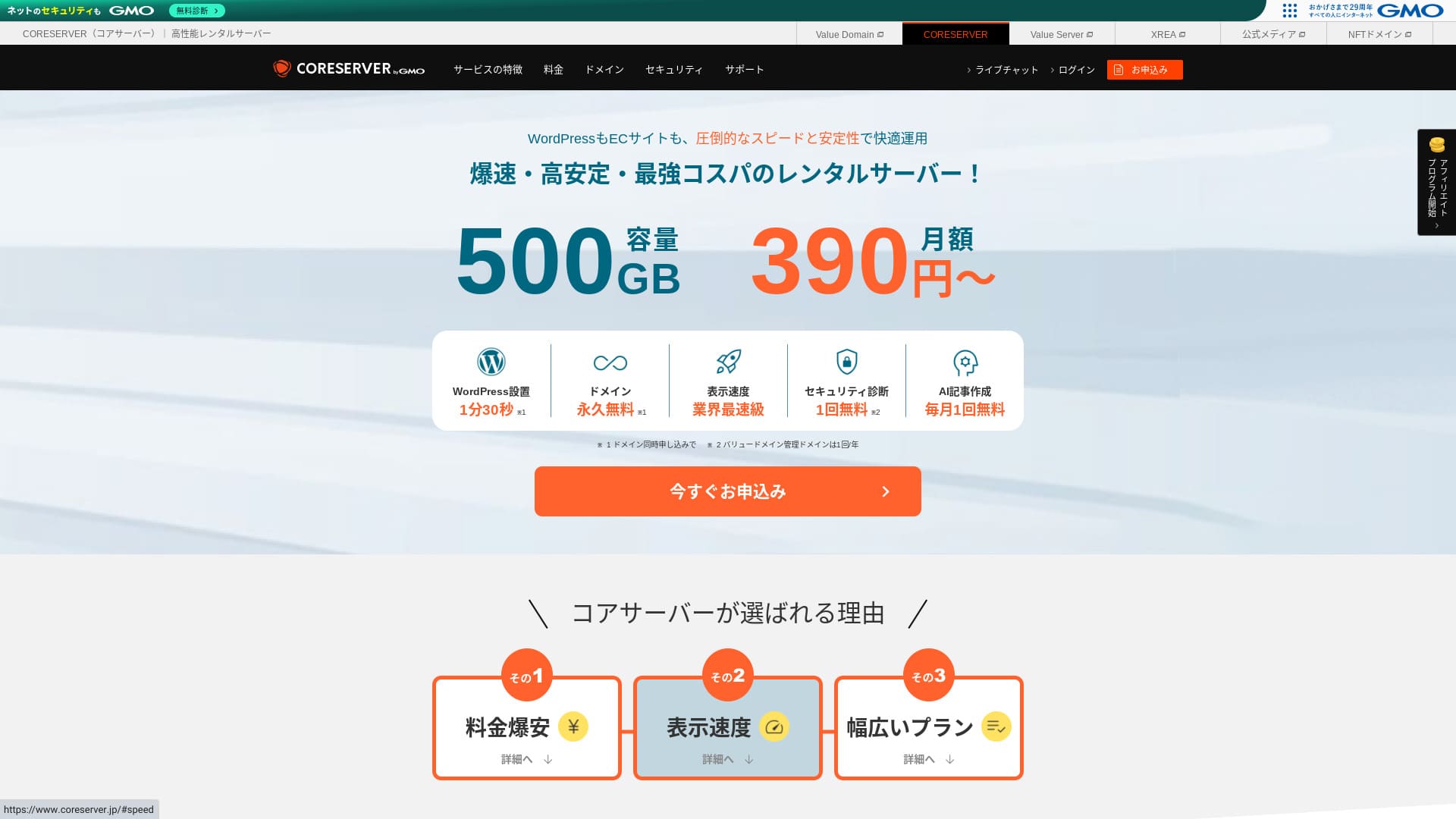
Core Server , GMO Digirock, Inc. tarafından işletilen bir kiralık sunucudur ve en büyük güçlerinden biri sunduğu geniş plan yelpazesidir.

Core Server is a service I recommend to individuals, companies, and sole proprietors using WordPress for the first time because:
- Geniş plan yelpazesi sayesinde doğru sunucuyu bulabilirsiniz
- It includes an AI article-writing tool
- Its email service is inexpensive yet highly capable
That is why. You will likely be satisfied. You can try it free for 10 gün.
A competing sunucu is LOLIPOP. It offers even more peace of mind than Core Server because its uptime is publicly disclosed. Please consider it as well.
Note: Lolipop! Review [2025 Edition]: What Speed Tests Revealed, Plus the Pros and Cons
| Server type | Shared sunucu |
| Display speed (TTFB) | 210ms |
| Recommended plan and contract term | CORE-MINI 12-month contract |
| Trial / money-back guarantee | 30-gün free trial |
| Monthly fee (12-month contract) | 264 yen |
| Initial setup fee | Free |
| Free domain | None |
| Support | İş hours: 10:00-12:00, 13:00-17:00 Phone callback (CORE-B, CORE-C, CORE-Z), email, chat |
| Uptime | Not disclosed |
| Storage | 250GB |
| Number of databases | 10 |
| Security measures | WAF, IPS/IDS |
| SSL | Free SSL |
| Backup / restore | 15 generations of backups free, restoration free |
| Number of email accounts | 200 |
| Email security measures | POP/POS, SMTP/SMTPS, IMAP/IMAPS, virus checking, spam filtering, DKIM/DMARC |
| WordPress preinstallation | None |
| Server / website migration service | None |
| CDN | None |

Hikaru Ono
To be honest, I felt that Core Server’s control panel will divide opinion. If you already have experience using servers, you should have no trouble handling it. If you choose a V2 plan, you can also get started with WordPress more easily.
Even so, please do not worry too much. It comes with top-class official manuals that are very thorough and even include videos.
Core Server Compared with Other Hosting Services
- Overall rating★★★☆☆
- Server speed ★★★☆☆
- Pricing ★★★★☆
- Stability ★★★★☆
- Ease of getting started with WordPress* ★★★☆☆
- Alan adı yönetimi ve SSL kurulumu gibi işlemler* ★★★☆☆
* Based on my actual experience using it.

How to Choose from 21 Recommended WordPress Hosting Services for Individuals
How to Choose from 21 Recommended WordPress Hosting Services for Individuals
serverfield.org
- November 4, 2025 market-research data, sorted by speed
- Aylık ücretler, WordPress çalıştırabilen en ucuz planın ilk yıl maliyetidir
- Speed is the Time to First Byte measured on demo sites under the same conditions
“Core Server”, GMO Digirock, Inc. tarafından işletilen yüksek hızlı bir kiralık sunucudur. Bireylerin kullanması kolay, uygun fiyatlı bir V1 planı ile konfor ve performansa odaklanan bir V2 planı sunar. Geniş plan yelpazesiyle size en uygun sunucuyu bulabilirsiniz.
Core Server Reviews and Four Key Features

A Server with Standard-Level Speed
Core Server produced a standard level of page speed in our own independent test on this site.
According to Google, a sunucu response time of 200ms or less is recommended. Core Server fell just short at 210ms. So while I would not call it a high-speed sunucu, it can still be regarded as a sunucu that is slightly faster than standard.
Server response time should be kept under 200 milliseconds.
https://developers.google.com/sunucu/speed/docs/insights/Server?hl=en
Test sırasında hız optimizasyonu için özel olarak herhangi bir ayar uygulamadım. Buna rağmen bu sonuç ortaya çıktı. İnce ayarlara çaba harcarsanız, bunu daha da hızlı hale getirmek mümkün olmalıdır.
Note: Rental Server Speed Comparison Across 15 Services: This One Was Truly Fast [2024 Edition]
V1 ve V2 Arasındaki Fark, En İyi Planı Bulmanıza Yardımcı Olur
Core Server has seven plans when you break them down in detail, so you can find the one that suits you best. Let’s compare the main differences.
| Plan | Price | Allowed load | Support |
|---|---|---|---|
| Core-Mini | 3,168 yen | 1.25 | Email / chat |
| Core-A | 6,336 yen | 2.5 | Email / chat |
| Core-B | 12,672 yen | 10 | Phone / email / chat |
| Core-C | 39,600 yen | 40 | Phone / email / chat |
| Core-X | 6,336 yen | 18 | Email / chat |
| Core-Y | 10,296 yen | 54 | Email / chat |
| Core-Z | 26,136 yen | 144 | Phone / email / chat |
The V1 Core-Mini plan is inexpensive. However, its allowed load is not large. As simultaneous access increases, it becomes more likely that a 503 error will occur.
Note: What Is a 503 Error? How to Avoid Web Congestion and Respond in an Emergency
V2 Core-X planı Core-Mini'den daha pahalıdır ancak izin verilen yükü önemli ölçüde artar. Performansa daha fazla odaklanan düşük maliyetli bir plan olarak mükemmeldir. “Maliyetleri mümkün olduğunca düşük tutmak istiyorum ancak özelliklerden taviz vermek istemiyorum” diye düşünen kullanıcılara öneririm.
Unlimited Traffic Transfer
Core Server offers unlimited data transfer. Even if more and more people access your website and data transfer increases, you will not run short on transfer volume. That helps you avoid a situation where your website cannot be displayed because of transfer limits.
Note: What Are Traffic and Data Transfer? Managing and Optimizing Web Traffic
However, restrictions may be applied when sunucu load becomes high.
Toplam sunucu yükü, sunucunun maksimum işleme kapasitesinin %80'ini aşarsa, yükün %20 veya daha fazlasını oluşturan hesaplara veya en yüksek yüke sahip ilk beş hesaba kısıtlamalar getirebiliriz.Frequently Asked Questions: About Load Restrictions | Core Server
The AI Writing Tool “Value AI Writer” Is Available at a Discount
Core Server lets you use “Value AI Writer” at a discounted price. “Value AI Writer” is an AI tool made by GMO and specialized in creating blog articles. If you use Core Server, the price is more than 20% lower than buying it on its own.
It is specialized for SEO and also has stronger integration with WordPress, so it makes mass-producing articles easier than using AI in a general way.
Email Is Also Easy to Use Thanks to Sender Domain Authentication
Core Server is also easy to use for email. It supports sender domain authentication.
Because it supports DKIM and DMARC, companies can send email to customers more smoothly.
Core Server Drawbacks and How to Avoid Them, Honestly Explained

Core Server is capable, but it also has drawbacks. Some of them cannot be prevented or dealt with by the user after signing up.
Uptime Is Not Publicly Disclosed
Core Server does not disclose its uptime. Since sunucunun ne kadar kararlı olduğunu sayısal olarak kavrayamazsınız, that is a slight concern. If a blog or website cannot be displayed, it fails to serve its purpose. Seen that way, sunucu uptime is extremely important.
If you want more peace of mind, choose a sunucu that discloses its uptime.
Note: A beginner's guide to hosting uptime and SLAs
Still, one good thing about Core Server is that its official site publishes the past 10 hours of WordPress response-speed data.
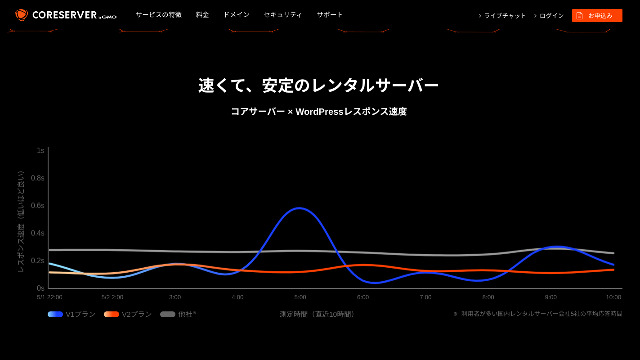
Sunucu kararlılığını buradan kaba bir şekilde değerlendirebilirsiniz. Grafikte daha aşağıda hafif bir eğri çizen V2 planları kararlı ve hızlı görünmektedir.
Only Some Plan Changes Are Allowed
Core Server sadece bazı plan değişikliklerine izin verir. Bu, sunucu kapasiteniz veya veri aktarımınız yetersiz kaldığında, başka bir şirketin sunucusuna geçmeniz veya aynı şirketten başka bir sunucu kiralamanız gerekebileceği anlamına gelir.
Only the following two plan changes are possible.
- From Core-X to Core-Y or Core-Z
- From Core-Y to Core-Z
You cannot downgrade a plan.
Compare Core Server with Two Similar Hosting Services
Core Server'ı benzer özelliklere sahip iki barındırma hizmetiyle karşılaştıralım. Küçük ayrıntılara da bakmak, kaydolduktan sonra pişman olmanızı önlemeye yardımcı olacaktır.
Lolipop!
LOLIPOP is a sunucu that is about as inexpensive as Core Server. What it does better than Core Server is that it discloses its uptime. On top of that, its uptime is 99.99%, which is at the highest level in the hosting industry. Its stability is beyond complaint, so not only individuals but also companies are likely to be satisfied with it.
However, when you compare the cheapest plan that can run WordPress, Core Server is the better deal. I recommend choosing based on how you weigh price against peace of mind.

Lolipop! Review [2025 Edition]: What Speed Tests Revealed, Plus the Pros and Cons
Lolipop! Review [2025 Edition]: What Speed Tests Revealed, Plus the Pros and Cons
serverfield.org
Star Server
Star Rental Server de düşük fiyat aralığında rekabet eden bir sunucudur.
The Star Server Light plan can be used even more cheaply than Core Server. However, while Core Server’s Core-Mini lets you create 10 WordPress sites, the Star Server Light plan allows only one.
Core Server is stronger in features and specs. Incidentally, neither service discloses uptime, so some concern remains about stability in both cases.

Star Server Review [2024 Latest]: Astonishingly Low Prices and a Thorough Look at the Real Pros and Cons
Star Server Review [2024 Latest]: Astonishingly Low Prices and a Thorough Look at the Real Pros and Cons
serverfield.org
Start a WordPress Website on Core Server in 7 Steps
Let’s start a website with Core Server!
- STEP.1Access the official Core Server website
Scroll down the top page and click “Apply” for the pricing plan you want to use.
- STEP.2Apply for the Server and Get a Domain
Lütfen doğru planı seçtiğinizi onaylayın. Sunucu hesap adı (başlangıç alan adı) istediğiniz herhangi bir şey olabilir. Bu başlangıç alan adını web sitenizin alan adı olarak kullanmayacaksınız. Kullanabilirsiniz ancak önermiyorum.
At this puan, you cannot select simultaneous WordPress installation yet, but after choosing your domain, you will be able to check it. Be sure to use it. It makes starting a WordPress website dramatically easier.
Bu sunucuda kullanacağınız alan adı için de başvurma seçeneğinin altından “Ücretsiz bir alan adı alın” seçeneğini belirleyin. Ardından istediğiniz herhangi bir metni girin. .com ve .net gibi mevcut üst düzey alan adlarından istediğinize tıklayın.
You can choose root domains such as “.com” and “.co.jp.” Acquisition and renewal fees differ depending on the root domain. If you are unsure which one to choose, I recommend “.co.jp” whenever possible for companies. For individuals, I recommend “.com” or “.net.” Since many people are familiar with these domains, they are less likely to seem suspicious and tend to be easier for users to access.
Note: Alan Adı Nedir? İnternette Adres Olarak Rolü ve Nasıl Alınır?
Once you can choose the domain, check “Install WordPress at the same time.”
Click “Proceed.”
- STEP.3Enter User Information
Kullanıcı bilgileri giriş ekranı görüntülenecektir. “Kullanıcı kaydı” seçeneğine tıklayın, kullanım türünüz ve adınız gibi bilgileri girin, girilen ayrıntıları onaylayın ve “Kaydol ve devam et” seçeneğine tıklayın.
Complete the required SMS verification and then click “Confirm application.”
Answer the survey or skip it, and then click “Go to the control panel.”
- STEP.4Install WordPress
In the management information of the control panel, “Core Server (1),” which you applied for earlier, is displayed. Click it and proceed to the “New Control Panel.”
Ondan sonra, “Araçlar” bölümünden “Uygulama Kurulumu” seçeneğini seçin ve “WordPress Blog” seçeneğine tıklayın.
Click “+ Install this application” and choose a domain. The domain you applied for earlier will appear in the pull-down menu, so select it.
You can leave the version settings as they are.
Use the following settings for WordPress.
- Admin username: Anything is fine.
- Admin password: Make it as complex as possible. You can easily change it later.
- Administrator email: Düzenli olarak kullandığınız bir e-posta adresi. Şirketler için, web sitesini yöneten kişinin iş e-posta adresini öneririm.
- Website title: Anything is fine. You can easily change it later.
- Website tagline: This is the subtitle. Anything is fine. You can easily change it later.
Yönetici kullanıcı adı ve yönetici şifresi WordPress'e giriş yaparken kullanılır. Bunları kaydettiğinizden emin olun.
You can leave the “Advanced” settings as they are.
Her şey girildikten sonra “+ Kur” seçeneğine tıklayın. WordPress kurulduktan sonra, ekranda gösterilen ve sonu “wp-admin/” ile biten URL'ye tıklayın. Bu, WordPress yönetici ekranınızın URL'sidir.
- STEP.5Initial WordPress Setup
Açılan WordPress giriş ekranında, kurulum sırasında belirlediğiniz kullanıcı adını ve şifreyi girip “Giriş Yap” seçeneğine tıklayın.
If a warning says “This site can’t be reached,” the DNS settings have not propagated yet. There is nothing you can do except wait, so try logging in again every few hours.
Note: What Are DNS and Name Servers?
WordPress'e giriş yaptıktan sonra kalıcı bağlantıları ayarlayın. WordPress yönetici ekranında “Ayarlar” ve ardından “Kalıcı Bağlantılar” bölümüne gidin. “Yazı ismi” seçeneğini seçin ve “Değişiklikleri Kaydet” seçeneğine tıklayın.
When you choose “Post name,” you can enter any string you like in the URL when publishing an article. I recommend a short string that helps readers imagine the content of the article because it makes the website easier to understand. If it is too long, some people may feel uneasy and think, “Could this be a dangerous site?”
- STEP.6Install Plugins
WordPress yönetici ekranına dönün, “Eklentiler” ve ardından “Yeni Ekle” bölümüne gidin ve ihtiyacınız olan eklentileri kurun.
Once you find the plugin you want to add, click “Install Now” and then “Activate.” After that, proceed according to the explanation for each plugin.
Be sure to install security and backup plugins.
- How to Choose Five WordPress Plugins That Strengthen Security
- 5 Powerful WordPress Backup Plugins That Help You Recover Your Data
Once you have installed the plugins as well, your WordPress website is fully ready to go!
Summary
“Core Server”, GMO Digirock, Inc. tarafından işletilen yüksek hızlı bir kiralık sunucudur. Bireylerin kullanması kolay, uygun fiyatlı bir V1 planı ile konfor ve performansı ön planda tutan bir V2 planı sunar. Çok sayıda plan seçeneğiyle en iyi eşleşmeyi bulmak kolaydır.
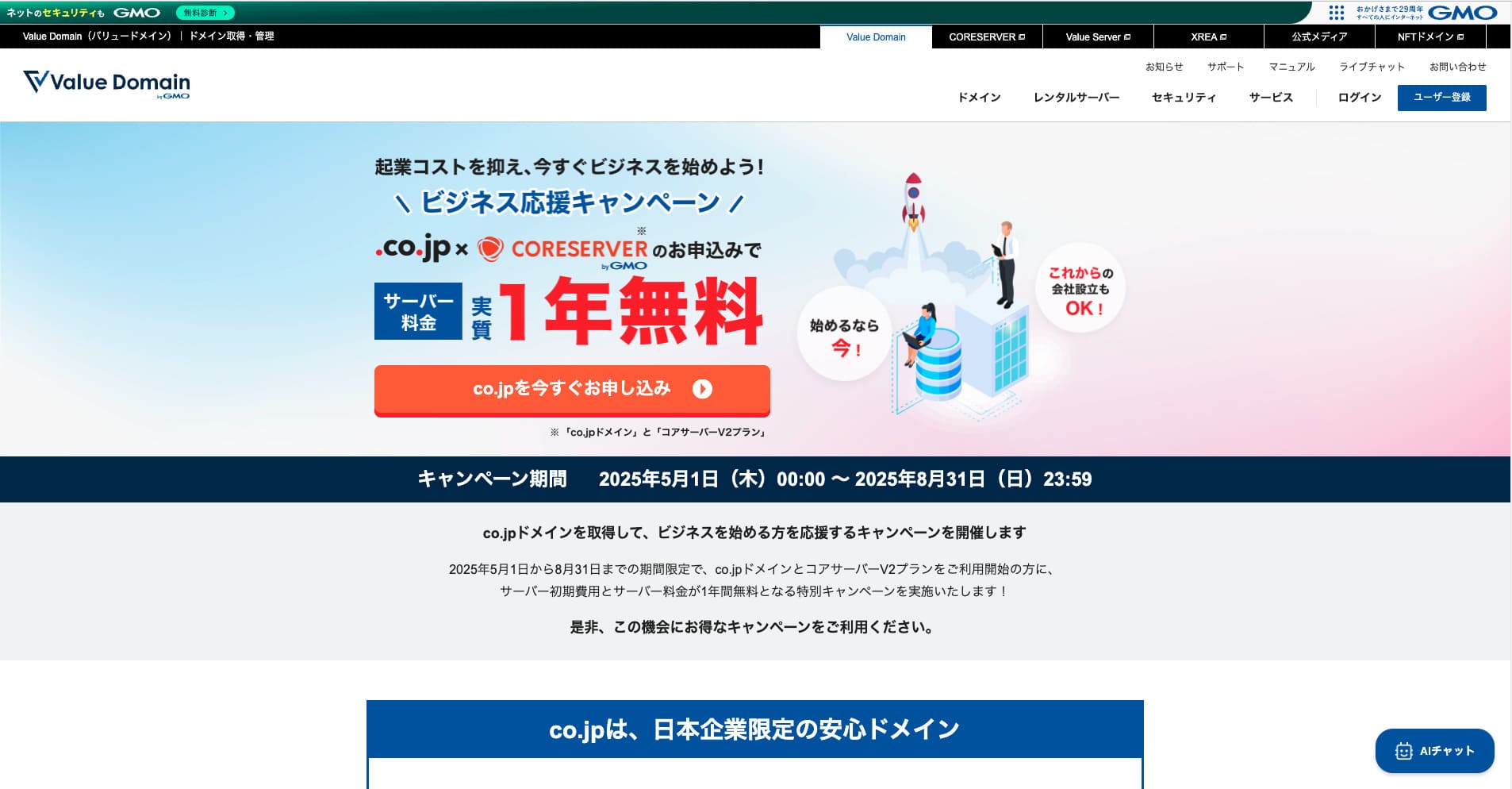
Free .co.jp domain + 12 months of V2 plan sunucu fees free + free initial fee until August 31, 2025, plus a 30-gün free trial
Core Server offers a wide variety of plans. I recommend the V1 Core-Mini plan, but if you are planning a website that aims for tens of thousands of page views per month, I recommend the performance-focused Core-X.
Complete Comparison of 32 WordPress Hosting Services: Recommendations for Individuals, Companies, and Overseas Use

“WordPress başlatmak istiyorum” diye düşünüp “önerilen WordPress barındırma” araması yaptığınızda, bireyler ve küçük işletmeler için barındırmadan yurt dışı hizmetlerine ve düşük maliyetli seçeneklere kadar her türlü makale karşınıza çıkar. Dürüst olmak gerekirse şunu düşünebilirsiniz:
- Which site should I read?
- Basit ve anlaşılması kolay bir şekilde sunucu seçmek istiyorum.
- Please show me how to start WordPress right away.
That is exactly why this article introduces carefully selected recommendations from 32 hosting services for individuals, companies, domestic use, and overseas use. Her gün barındırma hizmetleri kullanan bir uygulama geliştirme şirketinin SEO yöneticisi tarafından açıklanmaktadır.