Improve SEO and UX with Core Web Vitals: a Practical Guide to Faster Sites

Website loading speed has a major impact on both SEO and UX. Core Web Vitals are key web-performance indicators proposed by Google, and their importance is only increasing in 2024 and beyond. A slow site frustrates users, lowers rankings, and increases abandonment.
This article covers practical techniques from the basics of Core Web Vitals to explanations of the major metrics LCP, FID, and CLS, along with how to measure them using tools such as PageSpeed Insights and Search Console and how to improve them in concrete ways.
Start optimizing Core Web Vitals now to improve SEO and UX and turn your website into a stronger success.

What are Core Web Vitals? A detailed look at their effect on SEO and UX
Why Core Web Vitals matter in 2024 SEO and modern UX
Core Web Vitals are website performance indicators proposed by Google. They measure three aspects of how users experience a web page: loading speed, interactivity, and visual stability. In other words, they evaluate whether a site is actually delivering a good user experience.
In 2024 SEO, Core Web Vitals have become even more important. Google increasingly emphasizes user-centered search experiences and tends to rank sites that deliver a comfortable web experience more highly. In practical terms, optimizing Core Web Vitals is now essential SEO work.
Web sitesi sahiplerinin arama sonuçlarında daha iyi sıralanabilmeleri ve genel olarak daha iyi bir kullanıcı deneyimi sunabilmeleri için Core Web Vitals'ı iyileştirmelerini kesinlikle öneriyoruz.Core Web Vitals, sıralamaları belirlerken Google'ın temel sıralama sistemlerinin diğer sayfa deneyimi sinyalleriyle birlikte göz önünde bulundurduğu faktörlerden biridir.
Core Web Vitals ve Google Arama sonuçları
Güçlü bir UX, kullanıcı memnuniyetini artırır ve daha iyi dönüşüm oranları, daha fazla geri dönen ziyaretçi ve daha güçlü bir marka imajı aracılığıyla iş başarısını doğrudan destekler.
Understand the three main metrics: LCP, FID, and CLS
Core Web Vitals consist of the following three metrics. Let’s look at what each one represents in concrete terms.
- LCP (Largest Contentful Paint): the time it takes until the main visual content on the page, such as a large image, video, or text block, is displayed. Because it represents when users can recognize the main content, it is a crucial indicator of loading speed. The target value is 2.5 seconds or less.
- FID (First Input Delay): Bir kullanıcının bir bağlantıya tıklamak veya bir düğmeye basmak gibi ilk etkileşimi ile tarayıcının yanıtı arasındaki süre. Sayfanın kullanıcı eylemine ne kadar hızlı yanıt verdiğini ölçer. Hedef değer 100 milisaniye veya daha azdır.
- CLS (Cumulative Layout Shift): how much unexpected layout movement occurs while the page is being displayed. For example, if an image loads late and suddenly pushes text downward, that is layout shift. A high CLS can cause accidental clicks and damages UX. The target value is 0.1 or less.
The close relationship between Core Web Vitals and user experience
Core Web Vitals are closely tied to user experience.
Örneğin, bir e-ticaret sitesinde ürün görsellerinin görünmesi çok uzun sürerse veya düğmeler tıklandığında yavaş yanıt verirse, kullanıcılar hayal kırıklığına uğrayıp ayrılabilir. Öte yandan, sayfalar hızlı yüklendiğinde ve etkileşimler sorunsuz hissettirdiğinde, kullanıcılar rahatça alışveriş yapabilir ve satın alma olasılıkları daha yüksektir.
What happens when Core Web Vitals are poor? Ranking risk and higher abandonment
Poor Core Web Vitals can hurt Google rankings. In particular, if you want to rank for competitive keywords, optimization is indispensable.
Sites with poor Core Web Vitals also tend to have higher abandonment rates. When pages are slow or hard to interact with, users feel stress and leave.
Daha yüksek bir terk etme oranı dönüşüm oranlarını düşürebilir ve marka algısına zarar verebilir. Örneğin, aylık bir milyon sayfa görüntülemesi olan bir site terk etme oranında yüzde 10'luk bir artış görürse, bunun sonucunda ortaya çıkan yıllık kayıp kolayca on milyonlarca yene ulaşabilir.
Ücretsiz araçlarla Core Web Vitals nasıl ölçülür

Measure Core Web Vitals with Google PageSpeed Insights
PageSpeed Insights, Google tarafından sağlanan ücretsiz bir web sayfası analiz aracıdır. Sadece bir URL girerek Core Web Vitals dahil birçok performans göstergesini ölçebilirsiniz. Hem mobil hem de masaüstü performansını analiz edebilir ve iyileştirme için somut öneriler sunar, bu da onu son derece pratik hale getirir.
- Open the PageSpeed Insights website.
- Enter the URL you want to analyze and click the analyze button.
- Kısa bir süre bekledikten sonra, hem mobil hem de masaüstü için skorları ve ayrıntılı analiz sonuçlarını göreceksiniz.
- Review both field data and lab data to understand the current situation. Field data is based on measurements from real users, while lab data is collected in a simulated environment used by PageSpeed Insights.
Use Search Console to identify pages with problems
Google Search Console, web sitesi sahipleri için ücretsiz bir araçtır. Core Web Vitals raporu, site genelindeki performansı anlamanıza yardımcı olur. Sorunlu URL'leri listelediği için hangi sayfaların iyileştirilmesi gerektiğini belirleyebilir ve neye öncelik vereceğinize karar verebilirsiniz.
- Kayıt in to Google Search Console.
- Choose Core Web Vitals from the menu on the left.
- Mobil veya masaüstü raporlarından birini seçin.
- Click a problematic URL to review detailed information.
How to use the Chrome “Web Vitals” extension for real-time measurement
The Chrome extension called Web Vitals is a convenient tool that lets you measure Core Web Vitals in real time while browsing a page.
Chrome Web Mağazası'ndan ücretsiz olarak yükleyebilirsiniz. Yükleme tamamlandıktan sonra, Chrome araç çubuğunda Web Vitals simgesi görünür. Bir sayfa açtığınızda, simge LCP, FID ve CLS değerlerini gösterir, böylece performans değişikliklerini gerçek zamanlı olarak izleyebilirsiniz.
It is especially useful for debugging pages during geliştirme.
Use Lighthouse for deeper performance analysis
Lighthouse, web sayfası kalitesini denetlemek için açık kaynaklı otomatik bir araçtır. Chrome DevTools'a yerleşiktir ve Core Web Vitals dahil birçok performans göstergesini ölçebilir.
Performansın ötesinde bir sayfayı erişilebilirlik, SEO ve en iyi uygulamalar gibi açılardan da değerlendirebilir. Lighthouse'u geliştirici araçlarından çalıştırabilir veya bir Node.js modülü olarak kullanabilirsiniz. Ayrıntılı raporlar oluşturduğu için iyileştirilecek somut alanları bulmak için mükemmeldir.
Advanced measurement with the web-vitals npm package
web-vitals is a JavaScript library for measuring Core Web Vitals. It is provided as an npm package and can be embedded directly into JavaScript code.
web-vitals kullanmak daha ayrıntılı ölçüm verileri toplamanıza ve özel analizler yapmanıza olanak tanır. Geliştiriciler için Core Web Vitals'ı daha derinlemesine anlamanın ve daha uygun iyileştirmeler tasarlamanın yararlı bir yoludur.
Analyze Core Web Vitals and performance in detail with GTmetrix
GTmetrix is a powerful tool for analyzing web-page performance. It measures a wide range of indicators, including Core Web Vitals, and provides detailed reports for identifying performance problems. Because it also incorporates PageSpeed Insights and Lighthouse data, it enables analysis from multiple angles.
GTmetrix sadece yükleme hızını değil, aynı zamanda sayfa boyutunu, istek sayısını, şelale (waterfall) grafiklerini ve daha fazlasını gösterir. Bu, darboğazları belirlemenize ve etkili iyileştirmeler seçmenize yardımcı olur. Ücretsiz sürüm genellikle yeterliyken, ücretli sürüm daha derin analiz ve izleme özellikleri ekler.
- Open the GTmetrix website.
- Enter the URL you want to analyze and click Analyze.
- Kısa bir süre bekledikten sonra sonuçları gözden geçirin.
- Use the Summary tab to check the major performance indicators, including Core Web Vitals.
- Use the Performance tab to review detailed analysis and identify improvements.
- Use the Structure tab to find structural issues in the page.
- Use the Waterfall tab to visualize resource loading and locate bottlenecks.
GTmetrix; PageSpeed Insights ve Lighthouse'tan farklı bir bakış açısı sunduğundan, bunları birlikte kullanmak daha etkili performans optimizasyonu sağlar. Özellikle darboğazları tam olarak belirlemeniz ve somut düzeltmeleri düşünmeniz gerektiğinde yararlıdır.
★ Learn GTmetrix in one minute: how to use it and what to check
How to improve Core Web Vitals
Improve LCP with image optimization and by removing render-blocking resources
The main ways to improve LCP are as follows.
- Optimize images: reducing image file sizes shortens load time. Using next-generation formats such as WebP and compressing images to the right size can reduce file size significantly.
- Remove render-blocking resources: if resources such as CSS and JavaScript block page rendering, LCP can worsen. Removing unnecessary resources or applying deferred loading can reduce that blocking effect.
- CDN kullanın: içeriği dünyaya dağıtılmış sunuculardan sunarak, içerik dağıtım ağı yükleme sürelerini kısaltabilir.
Improve FID with JavaScript optimization and fewer unnecessary tasks
The main ways to improve FID are as follows.
- Optimize JavaScript: when JavaScript processing takes too long, FID can worsen. Optimizing code and avoiding unnecessary script execution can improve responsiveness.
- Reduce unnecessary tasks: long-running tasks reduce tarayıcı responsiveness. Breaking tasks into smaller pieces or using Web Workers for background processing can improve FID.
- Optimize third-party scripts: if external service scripts are hurting FID, review how they load or consider alternatives.
Improve CLS with image sizing and font optimization
The main ways to improve CLS are as follows.
- Görsel boyutlarını belirtin: Görseller üzerinde genişlik ve yükseklik ayarlandığında tarayıcı, yüklemeden önce doğru miktarda alan ayırabilir ve düzen kaymasını önleyebilir.
- Optimize font loading: if fonts take too long to load, text rendering can be delayed and create layout shift. Using properties such as font-display can improve CLS.
- Reserve space for ads and embedded content: ads and embeds can also trigger layout shift, so define their dimensions appropriately in advance.
Specific techniques you can apply right away

Image optimization en iyi practices
Image optimization is a major factor in improving LCP. Here are some concrete techniques.
- Use WebP: WebP is a next-generation image format developed by Google. It usually offers smaller file sizes than JPEG or PNG while maintaining strong visual quality, so use it where tarayıcıs support it.
- Use image-compression tools: tools such as TinyPNG and ImageOptim can significantly reduce file size while preserving acceptable quality.
- Duyarlı görseller kullanın: srcset ve sizes kullanarak her cihazın ekran boyutuna daha iyi uyan görseller sunabilirsiniz.
- Use lazy loading: delaying the loading of images outside the viewport can speed up the initial display. The loading=\"lazy\" attribute makes this easy to implement.
On WordPress, image optimization can often be improved easily by installing a plugin.
★ Five WordPress plugins that dramatically improve speed and the measures that matter
Use tarayıcı caching effectively
Tarayıcı önbelleğe almayı kullandığınızda, önceden yüklenmiş olan kaynaklar tarayıcıda saklanabilir ve sonraki ziyaretlerde yeniden kullanılabilir. Bu, yükleme hızını önemli ölçüde artırabilir.
Önbelleğe almayı etkinleştirmek için sunucu tarafında uygun HTTP başlıklarını ayarlamanız gerekir. Örneğin, kaynakların ne kadar süreyle geçerli kalacağını tanımlamak için Cache-Control başlıkları kullanılabilir.
Speed up delivery with a CDN
CDN veya İçerik Dağıtım Ağı, dünyaya yayılmış dağıtık bir sunucu ağıdır. Bir CDN kullanarak içeriği kullanıcıya daha yakın sunuculardan sunabilir ve yükleme süresini azaltabilirsiniz.
The impact is especially large for sites with many visitors coming from overseas.
★ CDN nedir? Dağıtık bir sunucu ağıyla hızı ve performansı artırın
Optimize JavaScript and CSS
Reducing the file size of JavaScript and CSS and optimizing how they load can improve both LCP and FID.
- Minify files: removing unnecessary spaces and comments reduces file size.
- Defer loading: if JavaScript or CSS blocks rendering, delaying those resources can speed up the initial view.
- Kod bölme: Büyük JavaScript dosyalarını daha küçük parçalara ayırmak ve yalnızca ihtiyaç duyulanı yüklemek, ilk indirme hacmini azaltır.
Improve sunucu response time
Server response speed directly affects LCP. The following measures are effective for improving response time.
- Choose a fast sunucu: using high-performance hosting can improve response speed.
- Sunucu tarafı önbelleğe almayı kullanın: veritabanı sorgularını ve API yanıtlarını önbelleğe almak sunucu yükünü azaltabilir ve yanıt hızını artırabilir.
- Optimize the database: optimizing queries reduces the time needed to retrieve data.
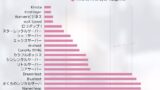
We measured sunucu speed directly to find out which hosting services are actually fast.
Core Web Vitals ve mobil uyumluluk
Mobil tarama her yıl büyümeye devam ediyor, bu da mobil uyumluluğun artık isteğe bağlı olmadığı anlamına geliyor. Core Web Vitals mobilde de önemlidir ve mobil performans optimizasyonu hem SEO hem de UX'i doğrudan destekler.
Why mobil-first indexing makes mobil optimization essential
Google mobil öncelikli indeksleme kullanır, yani bir sayfanın mobil sürümü sıralamaları belirlemede birincil faktör olarak kabul edilir.
Google continues to recommend that webmasters create mobil-friendly content.Google, mobil desteğini ne kadar iyi sunduğunu belirlemek için bir sitenin hem masaüstü hem de mobil sürümleri olmak üzere dizine eklenen tüm içeriğini değerlendirir.
Rollout of mobil-first indexing
Başka bir deyişle, mobildeki zayıf Core Web Vitals sıralamaları olumsuz etkileyebilir. Mobil cihazlarda da hızlı ve konforlu bir web deneyimi sunmak ve duyarlı tasarımı benimsemek önemlidir.
Duyarlı (responsive) tasarımla en iyi mobil deneyimi sunun
Duyarlı (responsive) tasarım, birçok ekran boyutunu desteklemek için tek bir HTML kaynağı kullanan bir web tasarımı yaklaşımıdır. Düzeni ve içeriği ekrana göre ayarlamak için CSS medya sorgularını (media queries) kullanarak bilgisayarlar, tabletler ve akıllı telefonlar genelinde en uygun görüntüyü sağlayabilirsiniz.
If you can support both environments with one site, you can keep canonical URLs, avoid complex redirects, and make shared web addresses simpler.
Duyarlı web tasarımı ve medya sorgularının gücü
Duyarlı tasarım, mobil uyumluluk için temel bir gerekliliktir ve aynı zamanda Core Web Vitals'ın iyileştirilmesine yardımcı olur.
Should you consider AMP for ultra-fast delivery?
AMP, or Accelerated Mobil Pages, is a framework for displaying mobil pages at high speed.
Özel AMP HTML kullanarak ve JavaScript yürütmesini kısıtlayarak, sayfa yükleme hızını dramatik bir şekilde artırabilir. AMP sayfaları ayrıca Google'ın önbellek sunucuları aracılığıyla sunularak daha da hızlı bir görüntüleme sağlayabilir.
However, AMP has functional limitations, so it is not suitable for every website.
AMP itself does not directly strengthen SEO rankings.
Bir sitenin geçerli ve görüntülenebilir AMP sayfaları içerip içermemesi, arama sonuçlarındaki sıralamaları hiçbir şekilde etkilemez.Fark şudur ki, bir site AMP sayfaları içerdiğinde, arama sonuçlarına bir AMP simgesi eklenebilir.
Eight tips for implementing AMP on client websites
The latest on Core Web Vitals and what comes next

Google algorithm updates and Core Web Vitals
Google algoritmalarını düzenli olarak günceller ve Core Web Vitals da bu gelişen ortamın bir parçasıdır. Güncel kalabilmek ve algoritma değişikliklerine uyum sağlayabilmek için Google'ın resmi blogunu ve geliştirici belgelerini kontrol etmeye devam etmeniz önemlidir.
Looking ahead, the importance of web-performance metrics is expected to increase even further.
Web-performance metrics to watch beyond Core Web Vitals
There are many web-performance metrics beyond Core Web Vitals. For example, TTI (Time to Interactive) and TBT (Total Blocking Time) have also been suggested as indicators that may matter more in future updates to Core Web Vitals.
It is important to understand these metrics as well so that you grasp the bigger picture of web performance.
Frequently asked questions about Core Web Vitals
What are the target values for Core Web Vitals?
- LCP: 2.5 seconds or less
- FID: 100 milliseconds or less
- CLS: 0.1 or less
If you meet these target values, the page is considered good.
What if improving Core Web Vitals is difficult?
Improving Core Web Vitals can require changes to site structure and technical knowledge. If it is difficult to improve things on your own, consider consulting a web-performance specialist or consultant.
How do Core Web Vitals relate to other SEO measures?
Core Web Vitals, SEO'nun önemli bir unsurudur, ancak diğer SEO çalışmalarıyla birleştirildiğinde en etkilidir. İçerik SEO'su, anahtar kelime stratejisi ve bağlantı inşası da daha güçlü genel sonuçlar elde etmek için dengeli bir şekilde uygulanmalıdır.
Summary
Core Web Vitals are essential performance indicators for modern websites. To deliver an excellent user experience and win strong rankings in SEO, it is important to understand and optimize the three metrics of LCP, FID, and CLS.
En son gelişmeleri izlemeye devam edin ve gelişen web teknolojilerine uyum sağlayın. Web sitesi başarısına yol açan şey budur. Şimdi harekete geçin ve hem kullanıcılar hem de arama motorları için daha iyi çalışan bir site oluşturmak amacıyla Core Web Vitals optimizasyonunu kullanın.