Understand Speed Improvements in One Minute: How to Use GTmetrix and What to Check
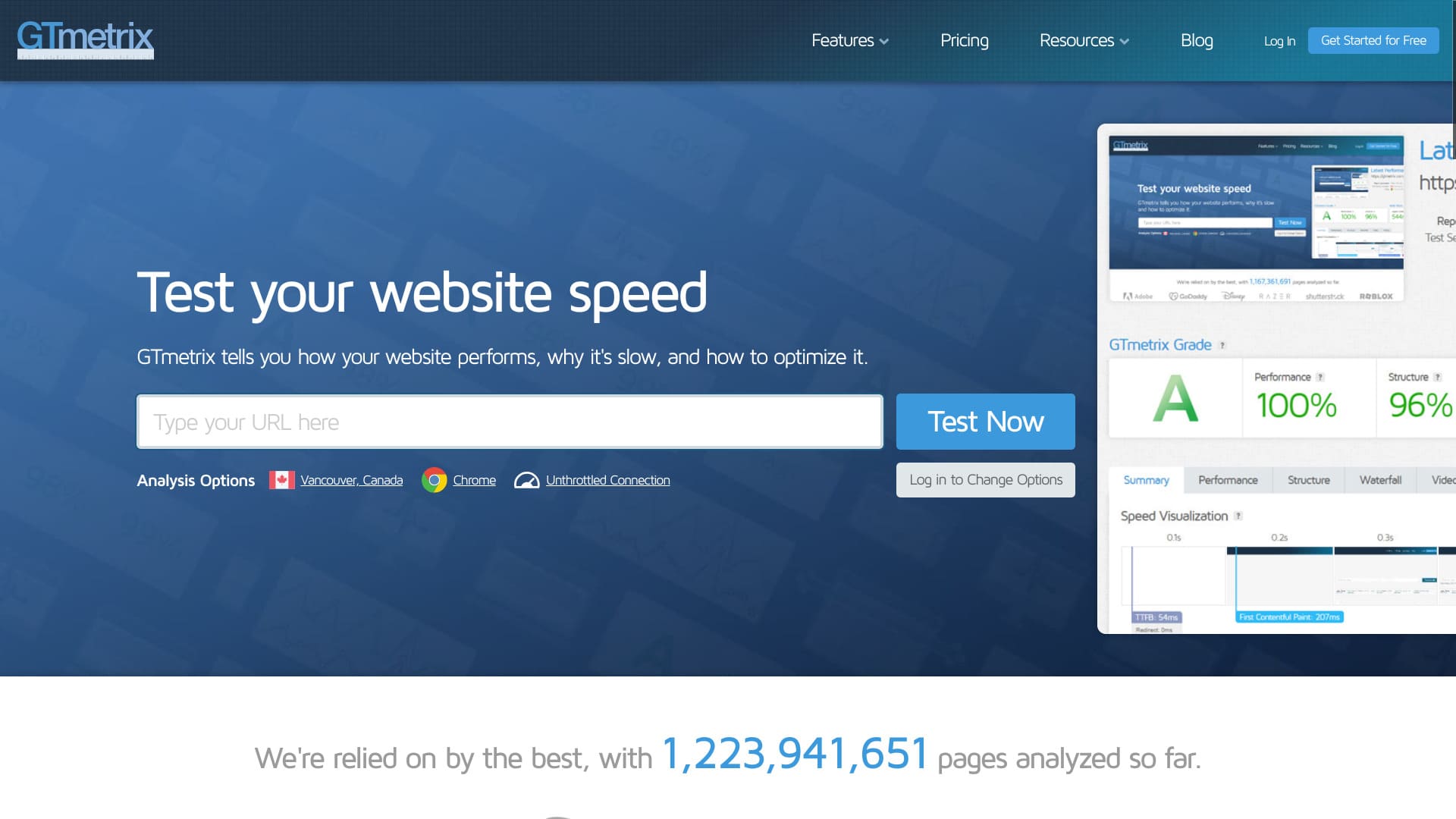
Find the issues slowing down your website right now.
GTmetrix is a tool that measures website speed and analyzes the problems affecting your site. If you use it well, you can improve the user experience of your website. That leads to better traffic performance and higher revenue.
You can see what an actual measurement looks like.
In this article, I thoroughly explain GTmetrix'in nasıl kullanılacağı ve kontrol etmeniz gereken noktalar.
How to use GTmetrix
- STEP.1Resmî GTmetrix web sitesini ziyaret edin
İlk olarak resmî GTmetrix web sitesine gidin.
- STEP.2Create a ücretsiz account
Ücretsiz bir hesap oluşturun. Ayrıntılı analiz sonuçlarını görüntülemek için hesap kaydetmeniz gerekir. Ekranın sağ üst köşesindeki “Get Started for Free” seçeneğine tıklayın.
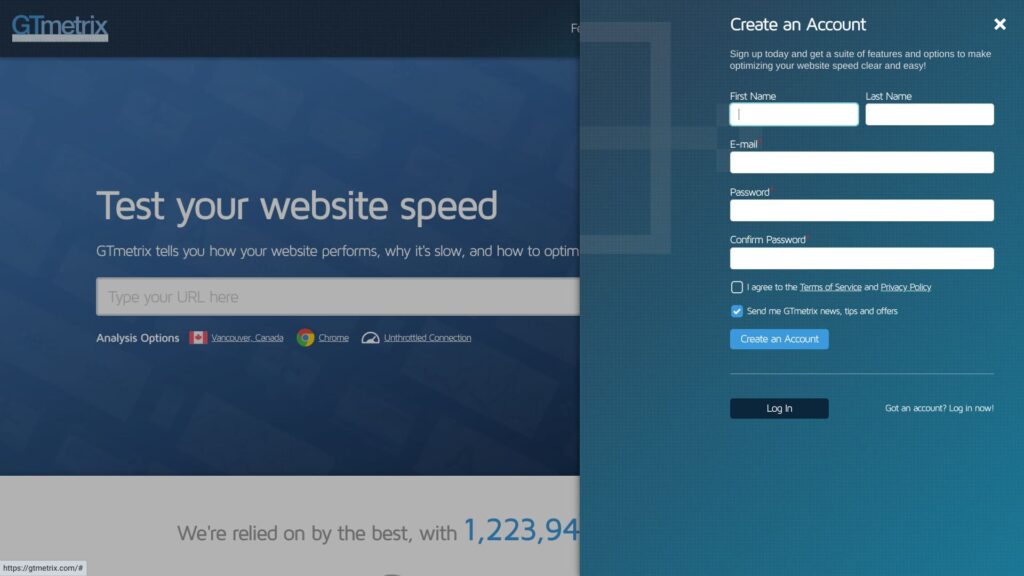
- Name
- Email address
- Password
Check the box to agree to the Terms of Service and Privacy Policy.
Click “Create an Account.” That completes your ücretsiz account registration.
- STEP.3Enter your website URL and run the test
Enter your website URL in the “Analyze Performance of:” field.
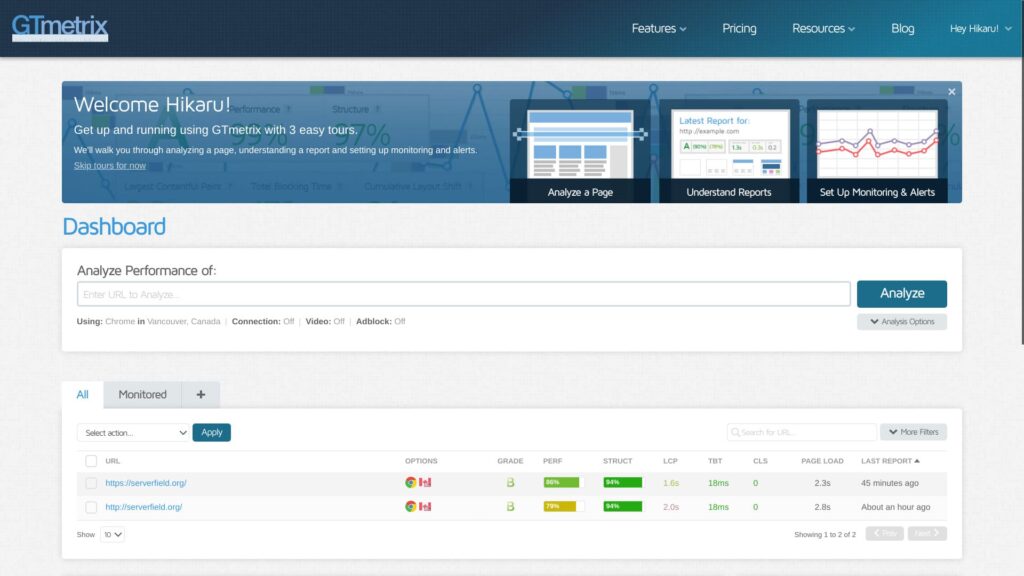
Bu noktada, URL'yi “https://” ile başlayarak girin. Girmezseniz, site “http://” ile ölçülebilir ve bu da sonucu değiştirir. HTTPS adresleri sadece daha güvenli olmakla kalmaz, aynı zamanda daha hızlı iletişim sağlar.
★ What Are SSL and TLS? The Mechanism and Benefits of Protecting Information Through Encryption
- STEP.4Analiz sonuçlarını inceleyin
Analiz sonuçları görüntülenecektir.
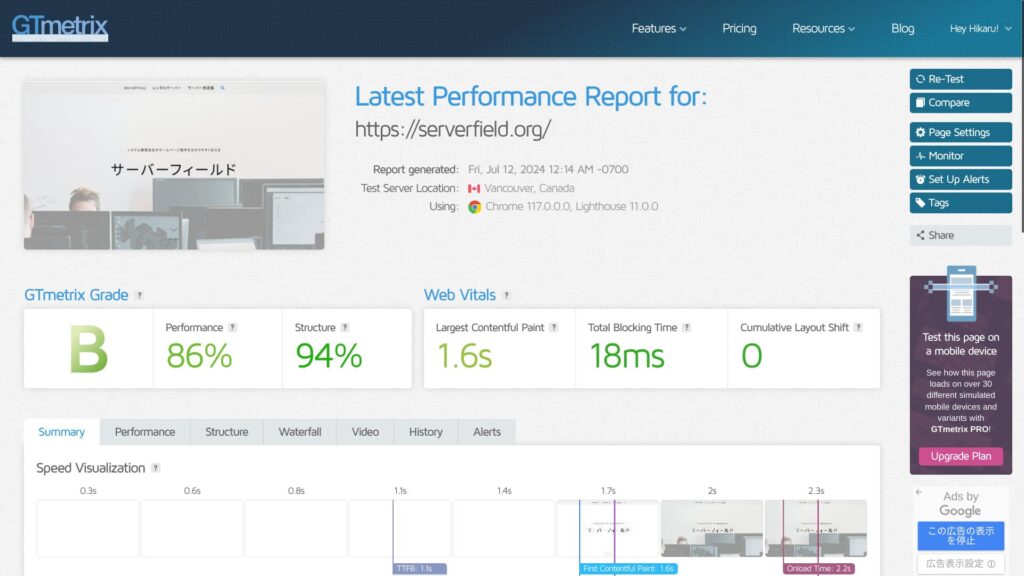
You can review many kinds of analysis sonuçlar, but the important part of using GTmetrix is making improvements. To do that, you need to identify the problems. Scroll down and look at Summary's Top Issues.
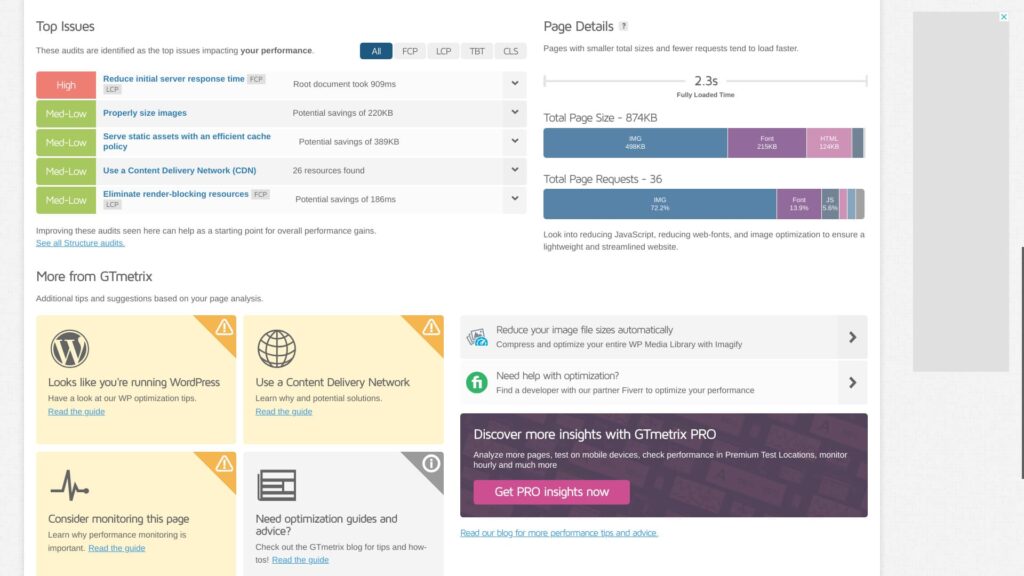
Make sure the improvable issues are listed there. In particular, items marked “High” are the ones where improvements will have the strongest impact.
- STEP.5Apply the improvements
Address the issues listed in Summary's Top Issues.
- STEP.6Run the test again
After making improvements, run the test again. İyileştirme ve analizi tekrarlamak için yeniden test sonuçlarını kullanın. Your website's display speed will improve little by little.
GTmetrix checkpuan
GTmetrix birçok analiz sonucu gösterir. İlk olarak hangilerine bakacağınızı merak edebilirsiniz. Aşağıdaki iki noktayı kontrol ederek başlayın.
Use Largest Contentful Paint in Web Vitals as your speed metric
In Web Vitals, check “Largest Contentful Paint” as your speed metric.
LCP measures how long it takes for the largest content element on your page, such as a hero image or heading text, to become visible within your visitors’ viewport.For a good user experience, aim for an LCP of 1.2 seconds or less.
Learn more.
GTmetrix
In many cases, the largest content on a page is an image. Once the biggest visual element on the page appears, website visitors feel that the page has loaded. If it appears smoothly, they can browse the site comfortably without frustration.
If LCP is slow, the page feels slow to load, which increases stress for visitors.
When improving your site with GTmetrix, use this LCP value as a benchmark and work on lowering it.
Find problems in Summary's Top Issues
If you see Reduce initial sunucu response time, consider moving to a faster sunucu
"İlk sunucu yanıt süresini azaltın" ifadesi, sunucunun bir isteği ilk aldığı andan istemciye, yani kullanıcının tarayıcısına ilk baytı döndürdüğü ana kadar geçen süreyi kısaltmak anlamına gelir.
This is called “Time to First Byte (TTFB).”
It is an important factor that shows whether your sunucu is fast or slow. If this result is poor, consider moving to a different sunucu.
32 WordPress Kiralık Sunucusunun Tam Karşılaştırması: Kişisel, Kurumsal ve Yurt Dışı Kullanım için Öneriler

"WordPress'e başlamak istiyorum" diye düşünüp "WordPress önerileri" araması yaptığınızda, kişisel kullanım hizmetlerinden şirketler ve küçük işletmeler için sunuculara, yurt dışı ve düşük maliyetli seçeneklere kadar her türlü makaleyi görürsünüz. Dürüst olmak gerekirse,
- Which site should I read?
- Sadece basit ve net bir şekilde sunucu seçmek istiyorum.
- Show me how to start WordPress right away.
Do you ever feel that way? This article introduces bireyler, işletmeler, yurt içi kullanım ve yurt dışı kullanım için 32 kiralık sunucu arasından özenle seçilmiş öneriler. Kiralık sunucularla her gün çalışan bir uygulama geliştirme şirketinin SEO sorumlusu tarafından açıklanmaktadır.
Optimize images for Properly size images
“Properly size images” means setting the size of the images used on a webpage appropriately.
You need to optimize image size and image quality. Make good use of WordPress plugins.
For example, try adding Imagify, a well-known plugin for image optimization. It also supports conversion to the next-generation WEBP image format.
★ Five WordPress plugins that dramatically improve speed and other performance tips
Use caching for Serve static assets with an efficient cache policy
"Statik varlıkları etkin bir önbellek politikasıyla sunun" ifadesi, görseller, CSS ve JavaScript dosyaları gibi statik varlıkların etkin bir önbellek politikasıyla sunulması anlamına gelir. Bu, sayfa yükleme hızını artırmaya ve sunucu yükünü azaltmaya yardımcı olur.
★ What Is Cache? Use Temporary Data Storage to Speed Up Websites
Önbellek kullanarak hızı önemli ölçüde artırabilirsiniz. Sunucunuz önbelleğe alma özelliği sunuyorsa bu özelliği açın. Sunmuyorsa bunun yerine bir WordPress eklentisi kullanın. WP Super Cache buna bir örnektir.
★ Five WordPress plugins that dramatically improve speed and other performance tips
Benefits of registering a ücretsiz GTmetrix account
You can use GTmetrix without registering. However, if you register, more features become available.
You can choose the test location
If you register a ücretsiz account, you can choose the location where the test is run. Ücretsiz hesapla kullanılabilen yedi konum bulunmaktadır.
- Hong Kong
- London, United Kingdom
- Mumbai, India
- San Antonio, Texas, United States
- Sydney, Australia
- São Paulo, Brazil
- Vancouver, Canada
The default setting is Vancouver.
By choosing a location, web sitenizin kullanıcılarının yoğunlaştığı bölgelerdeki gerçek hız sonuçlarını anlayabilirsiniz. More accurate information leads to better improvements.
You can choose the network profile, such as LTE or broadband
If you register a ücretsiz account, you can choose a connection tür such as LTE or broadband.
Hızı gerçek kullanıcılarınızın güvendiği aynı bağlantı türlerini kullanarak test ederseniz, hız iyileştirmelerine yatırım yapmaya devam edip etmeyeceğinize veya bu çabaları duraklatıp duraklatmayacağınıza karar vermek daha kolay hale gelir.
Summary
GTmetrix'in nasıl kullanılacağını açıkladım. GTmetrix sadece hızı ölçmek için bir araç değildir. Hızı artırmak için bir araçtır. İyileştirmelerinizin temeli olarak analiz sonuçlarını kullanın.
İyileştirilmesi gereken unsurlar arasında sunucunun kendisi görünüyorsa, farklı bir sunucuya geçmeyi düşünün.
32 WordPress Kiralık Sunucusunun Tam Karşılaştırması: Kişisel, Kurumsal ve Yurt Dışı Kullanım için Öneriler
"WordPress'e başlamak istiyorum" diye düşünüp "WordPress önerileri" araması yaptığınızda, kişisel kullanım hizmetlerinden şirketler ve küçük işletmeler için sunuculara, yurt dışı ve düşük maliyetli seçeneklere kadar her türlü makaleyi görürsünüz. Dürüst olmak gerekirse,
- Which site should I read?
- Sadece basit ve net bir şekilde sunucu seçmek istiyorum.
- Show me how to start WordPress right away.
Do you ever feel that way? This article introduces bireyler, işletmeler, yurt içi kullanım ve yurt dışı kullanım için 32 kiralık sunucu arasından özenle seçilmiş öneriler. Kiralık sunucularla her gün çalışan bir uygulama geliştirme şirketinin SEO sorumlusu tarafından açıklanmaktadır.