mixhost Review [2025 Latest]: A Thorough Guide to Fast Hosting with Global Reach and Strong Security
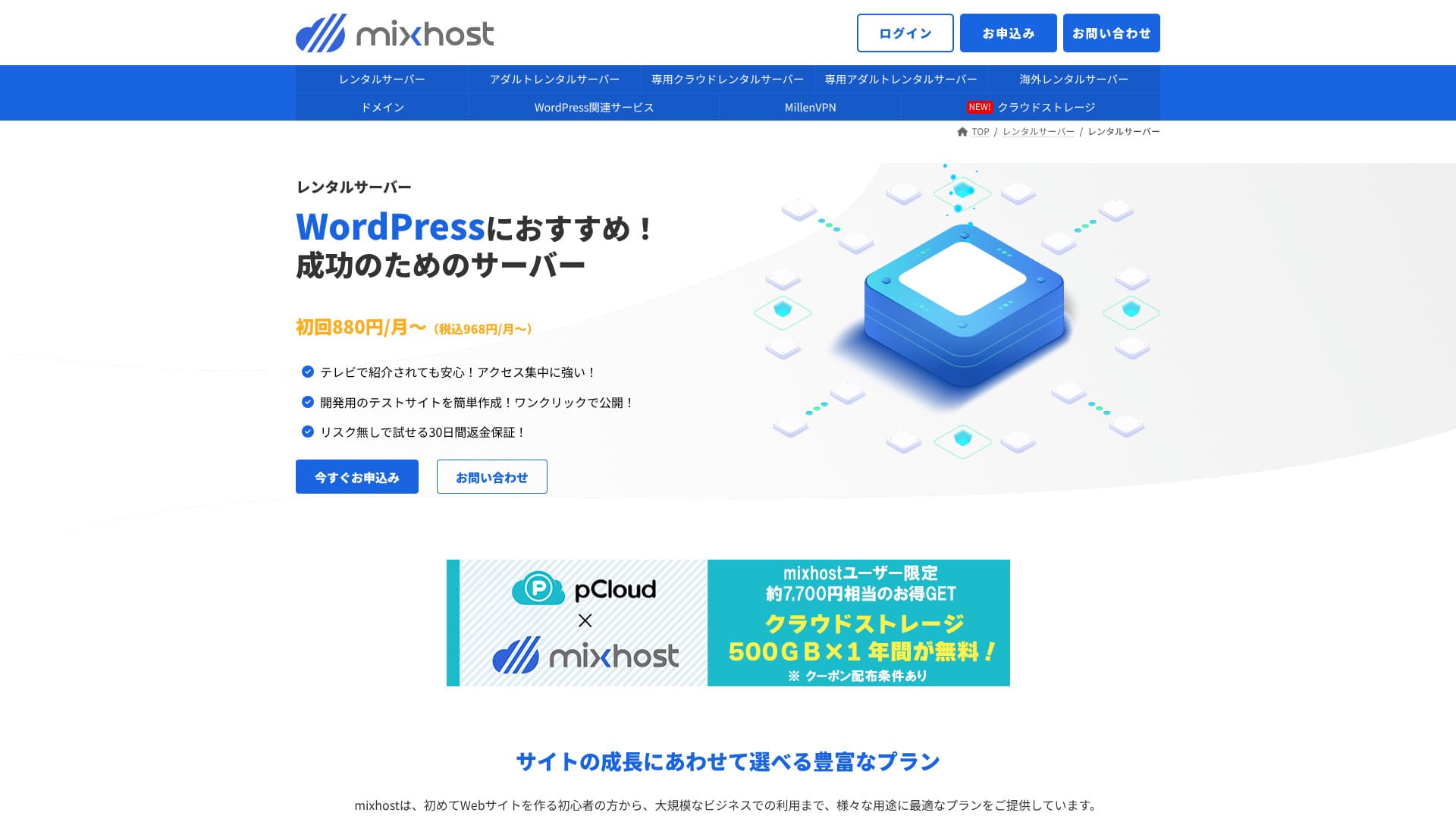
mixhost is operated by AzPocket Inc. It is a low-cost hosting service with a solid support system. It is also strong in areas such as overseas servers, VPNs, and cloud storage, and it offers a wide range of server-related services.

Here is why I recommend mixhost to people who already use WordPress and to people who want to build a site for an overseas audience.
- Its backup infrastructure is highly stable
- It offers a broad range of support options
- It also operates overseas servers
That is why I recommend it. I think most users will be satisfied, and you can try it with confidence because it comes with a 30-day money-back guarantee.
One competing server is ColorfulBox . Its flexible plans that can start on an hourly basis are even more appealing than mixhost's in some cases, so it is worth comparing as well.
★ ColorfulBox Review [2025 Latest]: Start WordPress on a server with outstanding value
| Server type | Shared hosting / dedicated cloud hosting |
| Speed (TTFB) | 150 ms |
| Recommended plan and term | Shared hosting Light, 12 months |
| Trial / money-back guarantee | 30-day money-back guarantee |
| Monthly price (12-month term) | 594 yen |
| Initial administrative fee | Free |
| Free domain | 1 domain free for life |
| Support | |
| Uptime | 99.99% guarantee |
| Storage | 100 GB |
| Number of databases | Unlimited |
| Security measures | WAF / DDoS protection / malware detection and cleanup |
| SSL | Free custom SSL |
| Backup / restore | Standard plan and above include automatic backups for 14 days |
| Number of email accounts | Unlimited |
| Email security | — |
| WordPress preinstall | Yes |
| Server / website migration service | 10,890 yen |
| CDN | None |
| Data center | San Jose, West Coast, United States |

mixhost made it easy to start WordPress right when I signed up for the server. It also offers a wide range of options related to performance and security, so it fits people who want to run a site with future growth in mind.
Pricing was revised in 2025, making it easier to get started.
mixhost competitor comparison
- Overall rating ★★★★☆
- Server speed ★★★★☆
- Pricing ★★★★☆
- Stability ★★★★★
- Ease of getting started with WordPress* ★★★★★
- Operations such as domain management and SSL setup* ★★★☆☆
* These ratings reflect my hands-on experience.

- Data based on market research as of November 4, 2025, arranged in order of speed
- Monthly prices are the first-year cost of the cheapest plan that supports WordPress
- Speed is the Time to First Byte measured on demo sites under the same conditions
| Hosting service (plan) | Speed | Monthly price | WordPress Preinstalled | Uptime | Support (hours) |
|---|---|---|---|---|---|
| Average and recommended | 222.2ms | 1,109 yen | Yes | 99.99%+ | 24/7 or better |
| Kinsta
| 30ms | 30 USD (4,525 yen) | Yes | 99.9% | Chat (Japanese support, 24/7) / Email |
【Hostinger】
 (Premium) (Premium) | 31ms | 439 yen | No | 99.9% | Chat (24/7) |
XServerビジネス
 (Shared hosting) (Shared hosting) | 40ms | 2,926 yen | Yes | 99.99% | Phone / Email (weekdays 10:00-18:00) |
wpX Speed
 (W1) (W1) | 40ms | 1,320 yen | No | Not disclosed | Phone / Email (10:00-18:00) |
LOLIPOP
 (Light) (Light) | 80ms | 495 yen | Yes | 99.99% | Email / Chat (weekdays 10:00-18:00) |
スターレンタルサーバー
 (Free) (Free) | 90ms | 418 yen | No | Not disclosed | No |
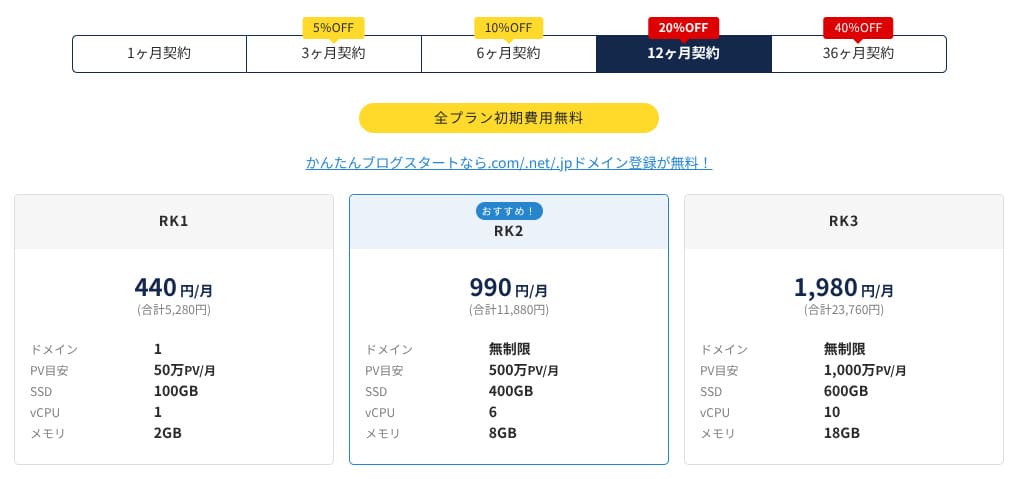
| Rakko Server(RK1) | 120ms | 440 yen | Yes | Not disclosed | Email (weekdays 10:00-19:00) |
エックスサーバー
 (Standard) (Standard) | 130ms | 770 yen | Yes | 99.99% | Phone / Email / Chat (weekdays 10:00-18:00) |
| mixhost
(Light) | 150ms | 594 yen | Yes | 99.99% | Email (weekdays 10:00-18:00) |
ConoHa WING
 (Basic) (Basic) | 160ms | 941 yen | Yes | 99.99% | Phone / Email / Chat (weekdays 10:00-18:00) |
| ColorfulBox
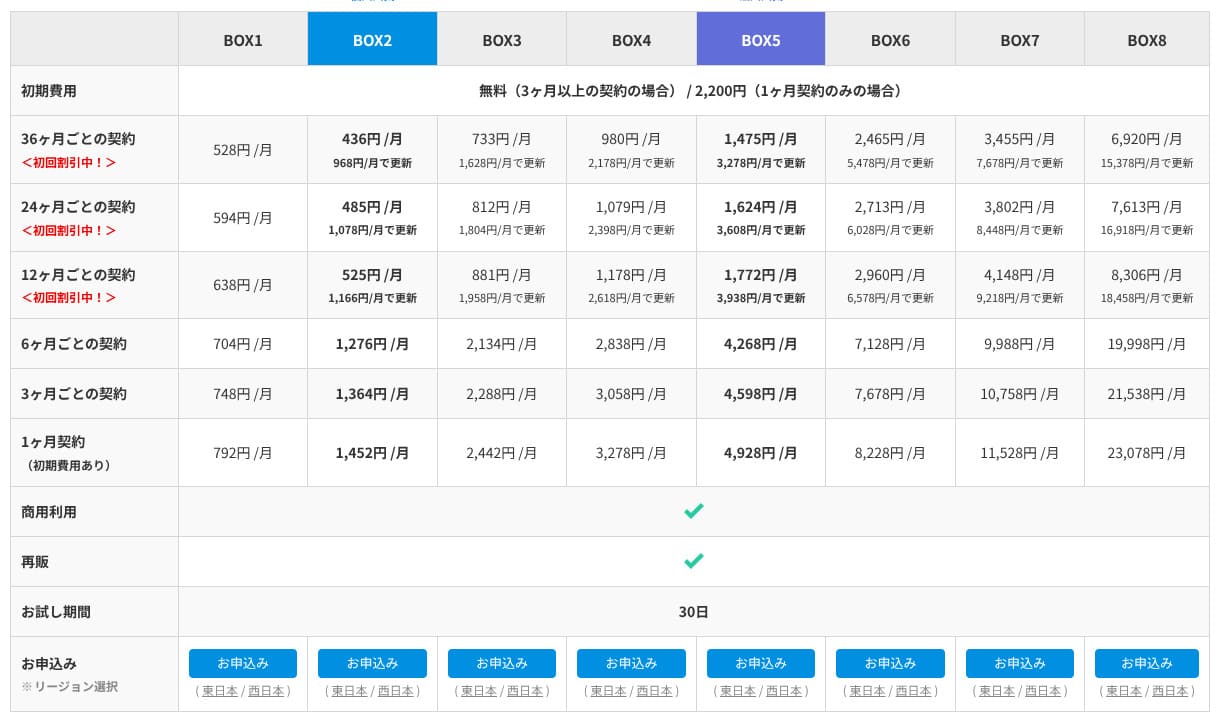
(BOX1) | 190ms | 383 yen | Yes | Not disclosed | Phone (24-hour reception) / Chat / LINE / Email (weekdays 09:30-12:00, 13:00-17:30) |
シンレンタルサーバー
 (Basic) (Basic) | 200ms | 985 yen | Yes | Not disclosed | Phone / Email (10:00-18:00) |
リトルサーバー
 (Mini) (Mini) | 200ms | 165 yen | No | Not disclosed | Email (business hours not disclosed) |
CORESERVER
 (MINI) (MINI) | 210ms | 264 yen | Yes | Not disclosed | Email / Chat (10:00-12:00, 13:00-17:00) |
| DreamHost(WordPress Starter) | 400ms | 2.99 USD (461 yen) | No | 100% | Chat (24/7) / Email / Phone callback |
| Bluehost(Basic) | 420ms | 4.99 USD (769 yen) | No | 100% | Chat (24/7) |
さくらのレンタルサーバ
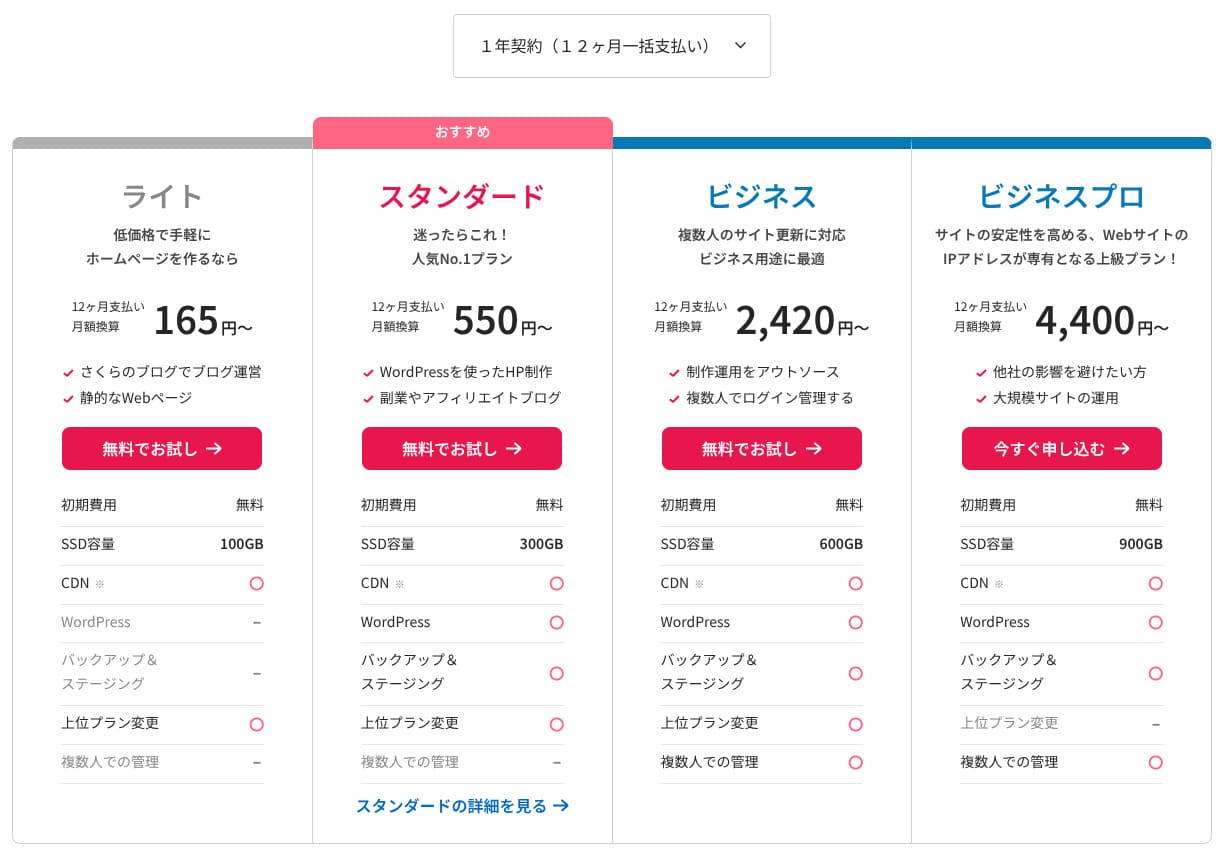
 (Standard) (Standard) | 440ms | 550 yen | No | 99.99% | Chat / Email / Phone / Callback reservation (10:00-18:00) |
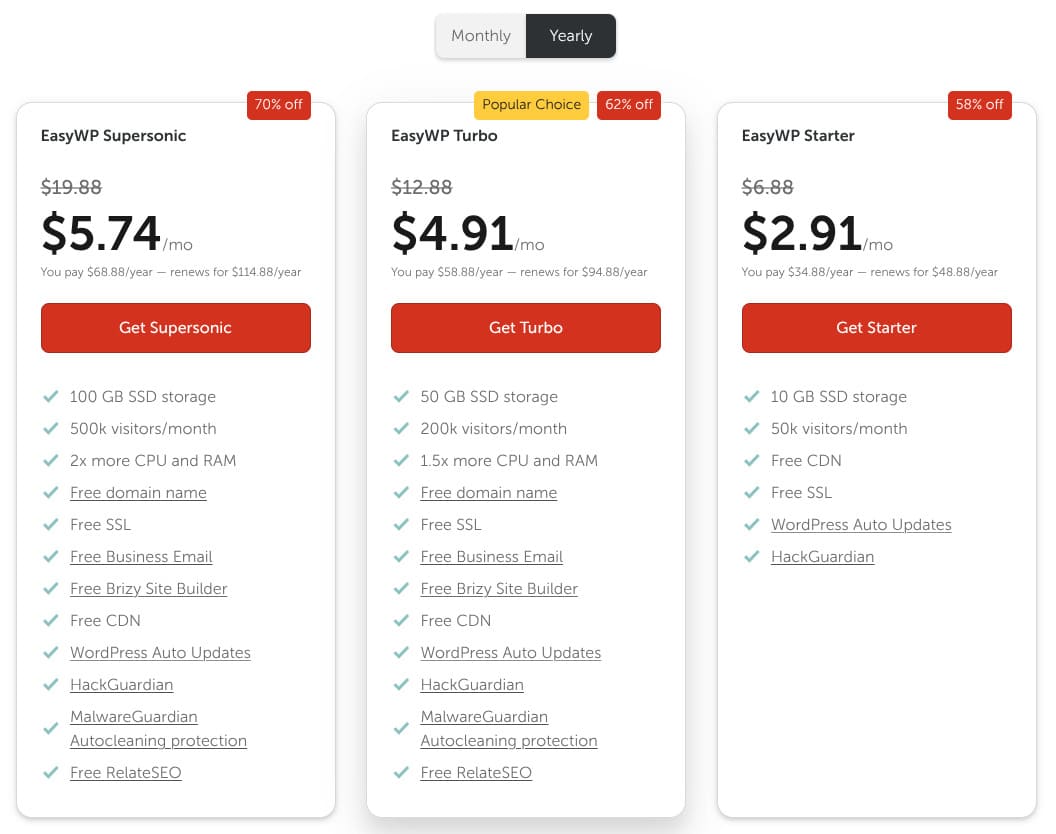
| Namecheap(EasyWP Supersonic) | 440ms | 9.88 USD (1,523 yen) | No | 99.9% | Chat (24/7) |
| Shin Free Server | — | Free | No | Not disclosed | No |
XREA
 (Free) (Free) | — | Free | No | Not disclosed | No |
Value Server
 (Eco) (Eco) | — | 220 yen | No | Not disclosed | Email / Chat (weekdays 10:00-17:00) |
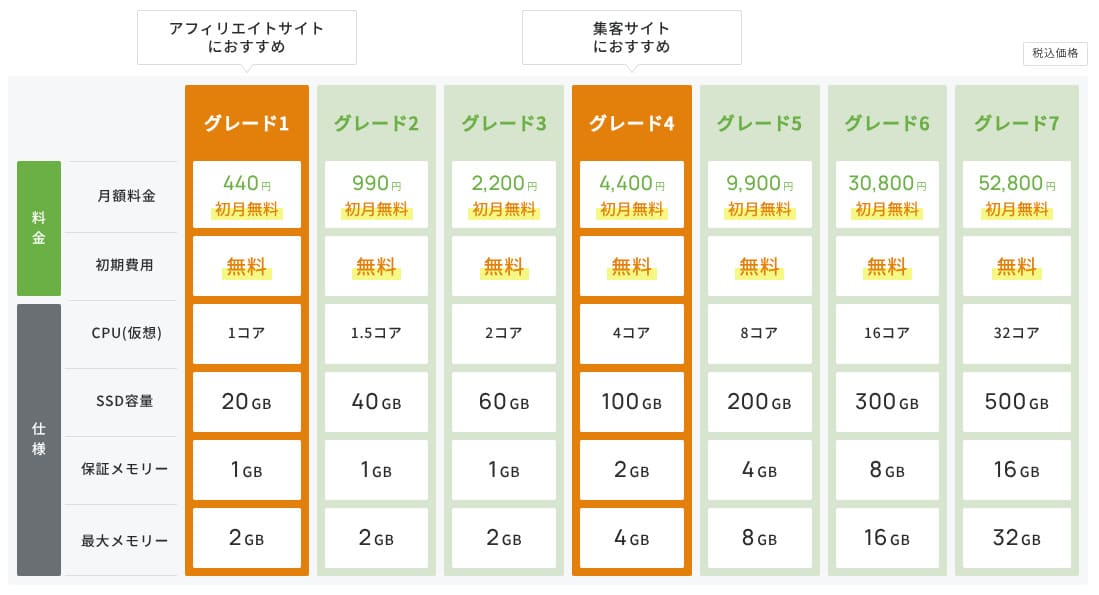
| KAGOYA JAPAN(Grade 1) | — | 440 yen | Yes | 99.999% | Phone / Email (weekdays 10:00-17:00) |
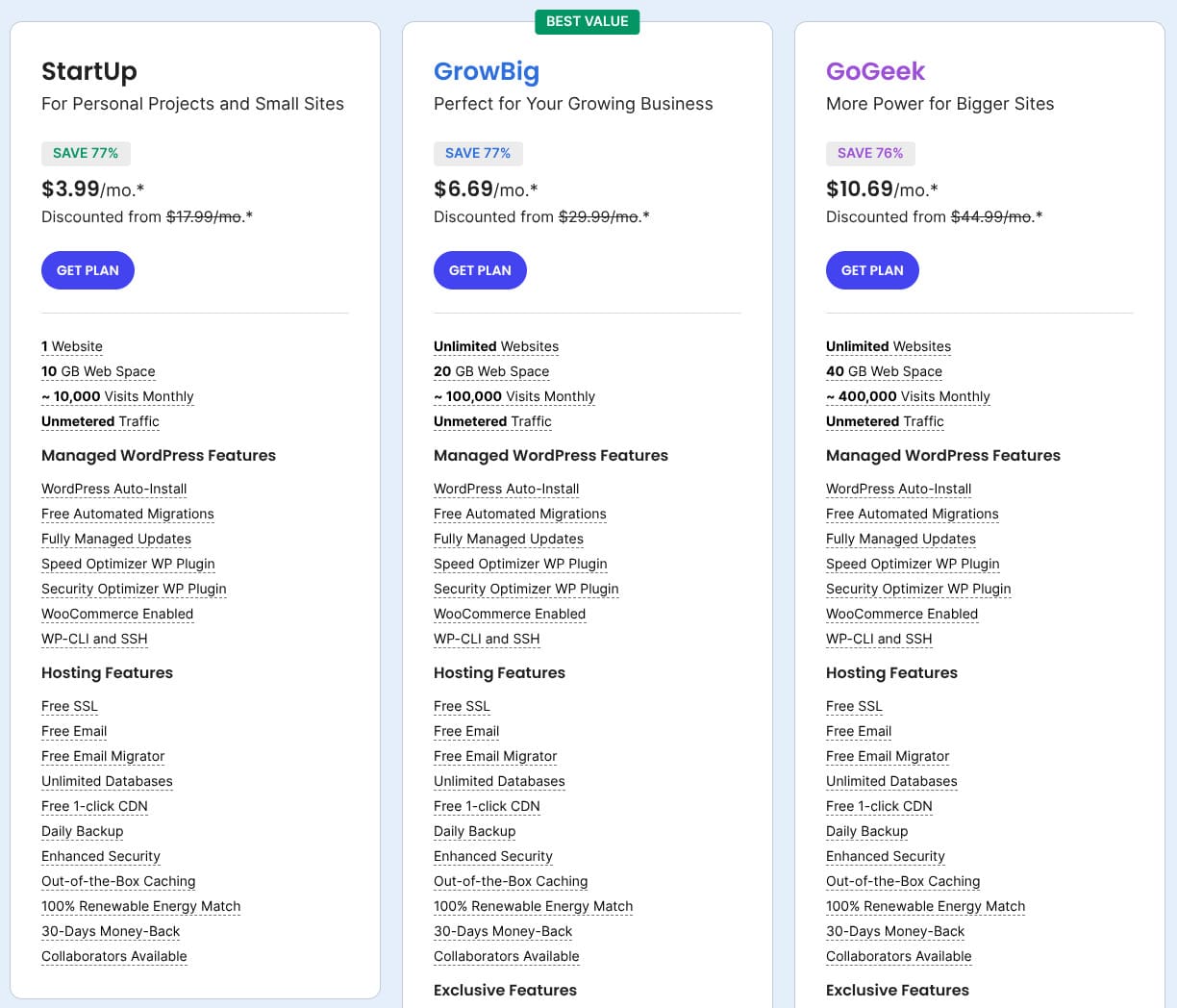
| SiteGround(StartUp) | — | 3.99 USD (615 yen) | No | 99.99% | Chat (24/7) / Email / Phone |
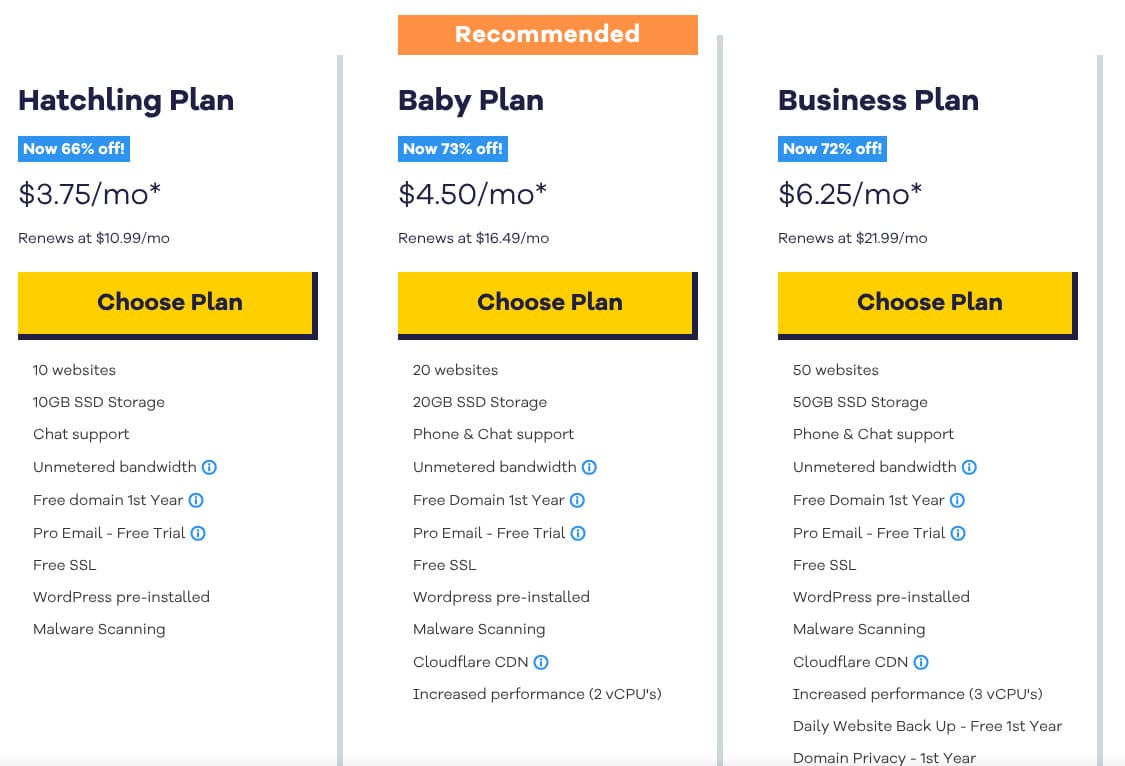
| Hostgator(Baby) | — | 4.45 USD (686 yen) | No | 99.9% | Phone / Chat (24/7) |
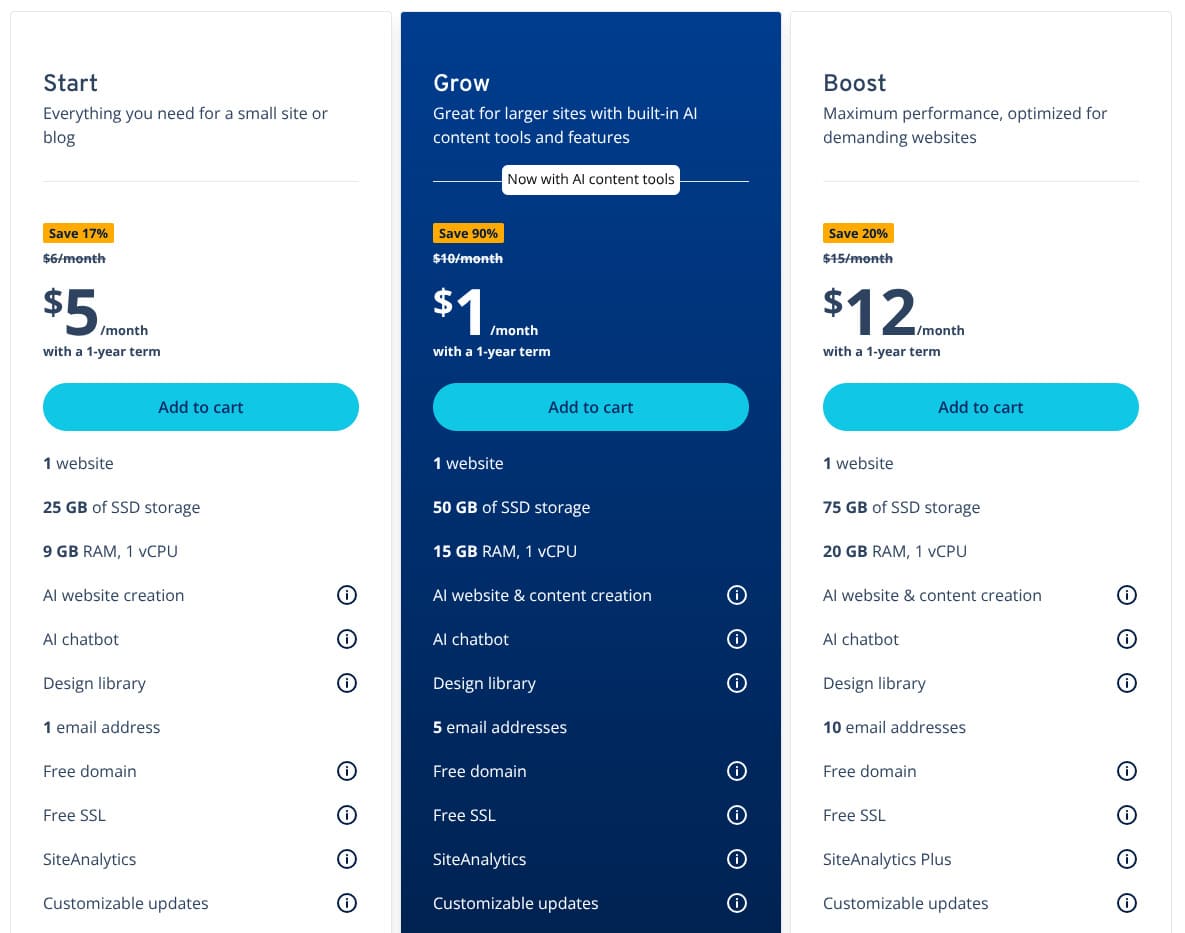
| IONOS(Start) | — | 1.00 USD (154 yen) | No | 99.98% | Phone / Email / Chat (24/7) |
onamae.com Rental Server
 | — | 2,398 yen | No | 99.99% | Phone / Email / Chat (weekdays 10:00-18:00) |
ABLENET RentalServer
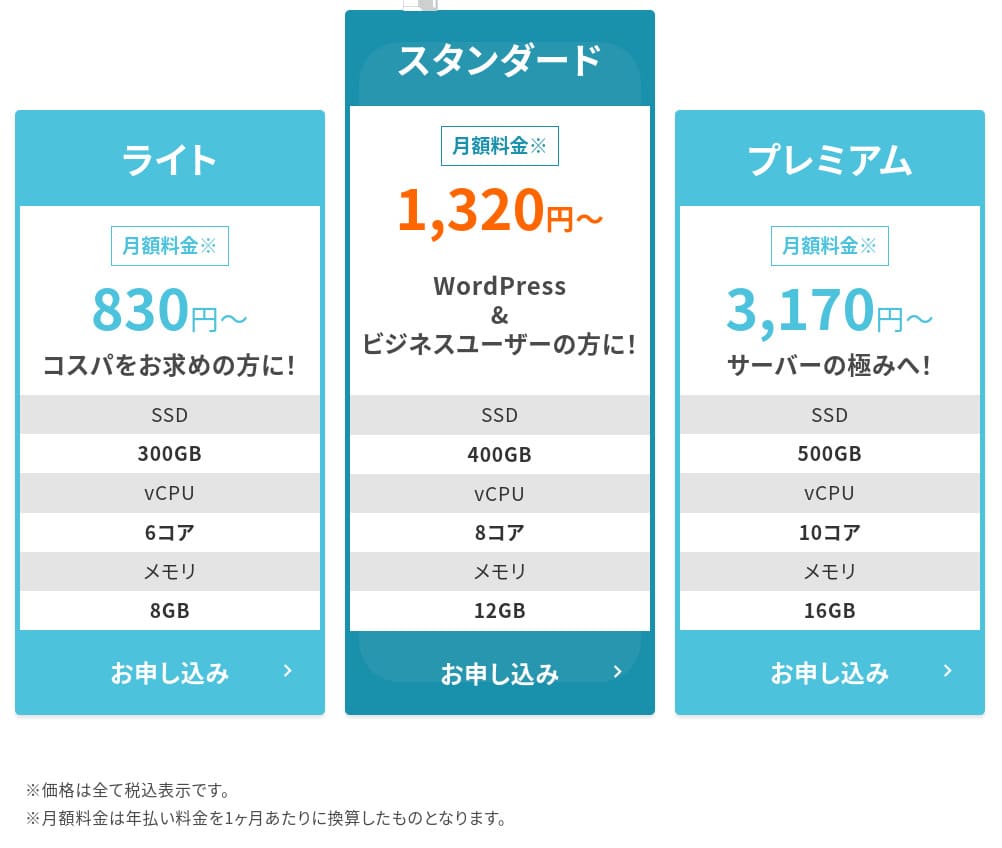
 (Light) (Light) | — | 830 yen | No | 99.99% | Email (business hours not disclosed) |
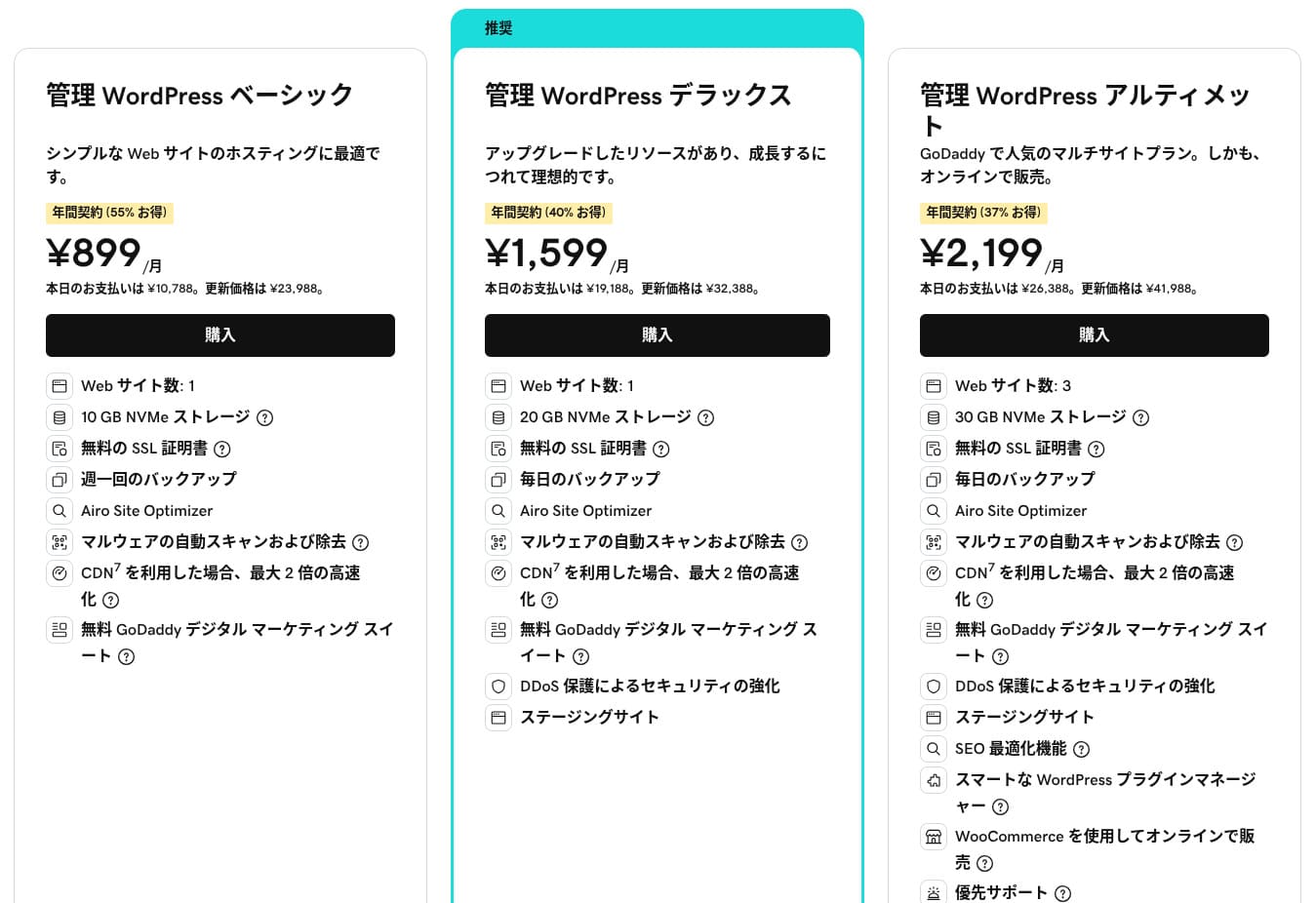
| Godaddy(Basic) | — | 899 yen | Yes | 99.9% | Chat (24/7) / Phone (weekdays 10:00-17:00) |
iCLUSTA+ byGMO
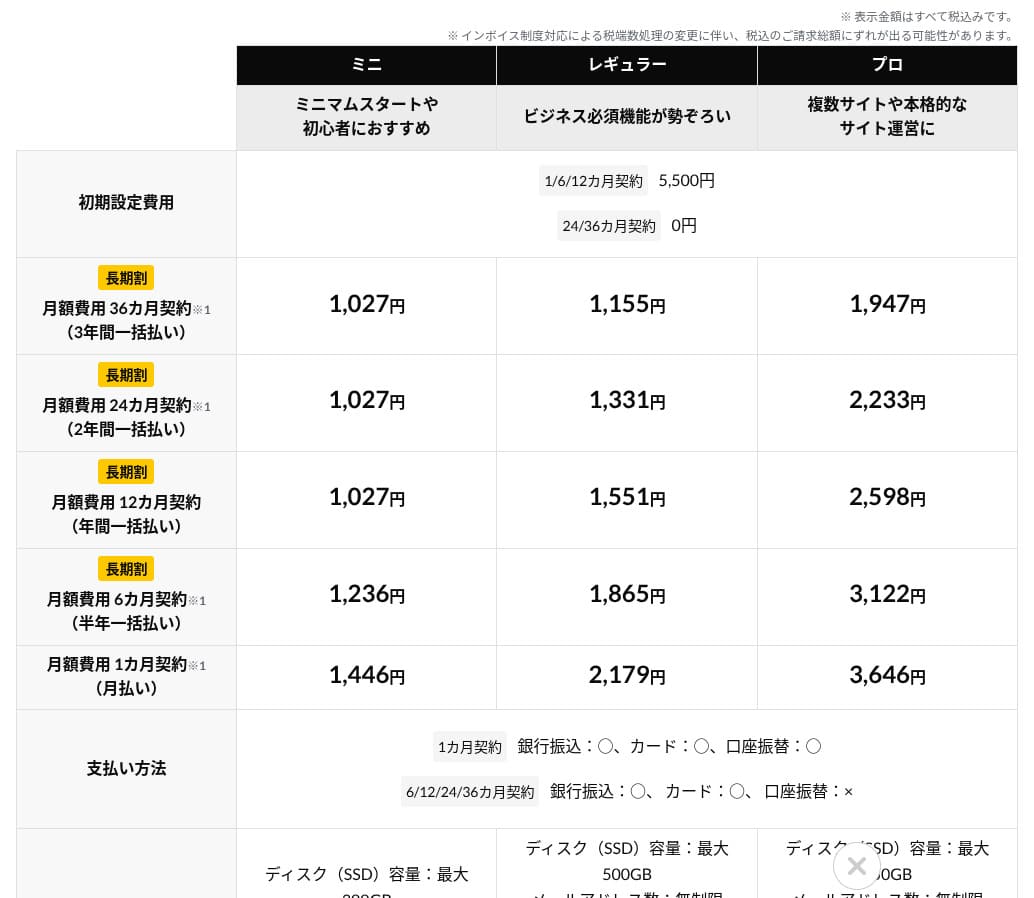
 (Mini) (Mini) | — | 1,027 yen | No | 100% | Phone (weekdays 10:00-18:00) Email support is available 24/7 |
ムームーサーバー
 | — | 1,430 yen | No | 99.99% | Email / Chat (9:30-13:00, 14:00-17:30) |
WADAX
 (WP Standard) (WP Standard) | — | 2,200 yen | No | 99.9% | weekdays 09:00-22:00, weekends 09:00-18:00 |
| WebARENA SuiteX | — | 1,997 yen | No | 100% | Email / Chat (weekdays 09:30-17:00) |
heteml
 | — | 2,035 yen | No | 99.99% | Phone / Email (weekdays 10:00-18:00) |
CPI
 (Shared) (Shared) | — | 4,840 yen | No | 100% | Phone / Email (weekdays 10:00-18:00) |
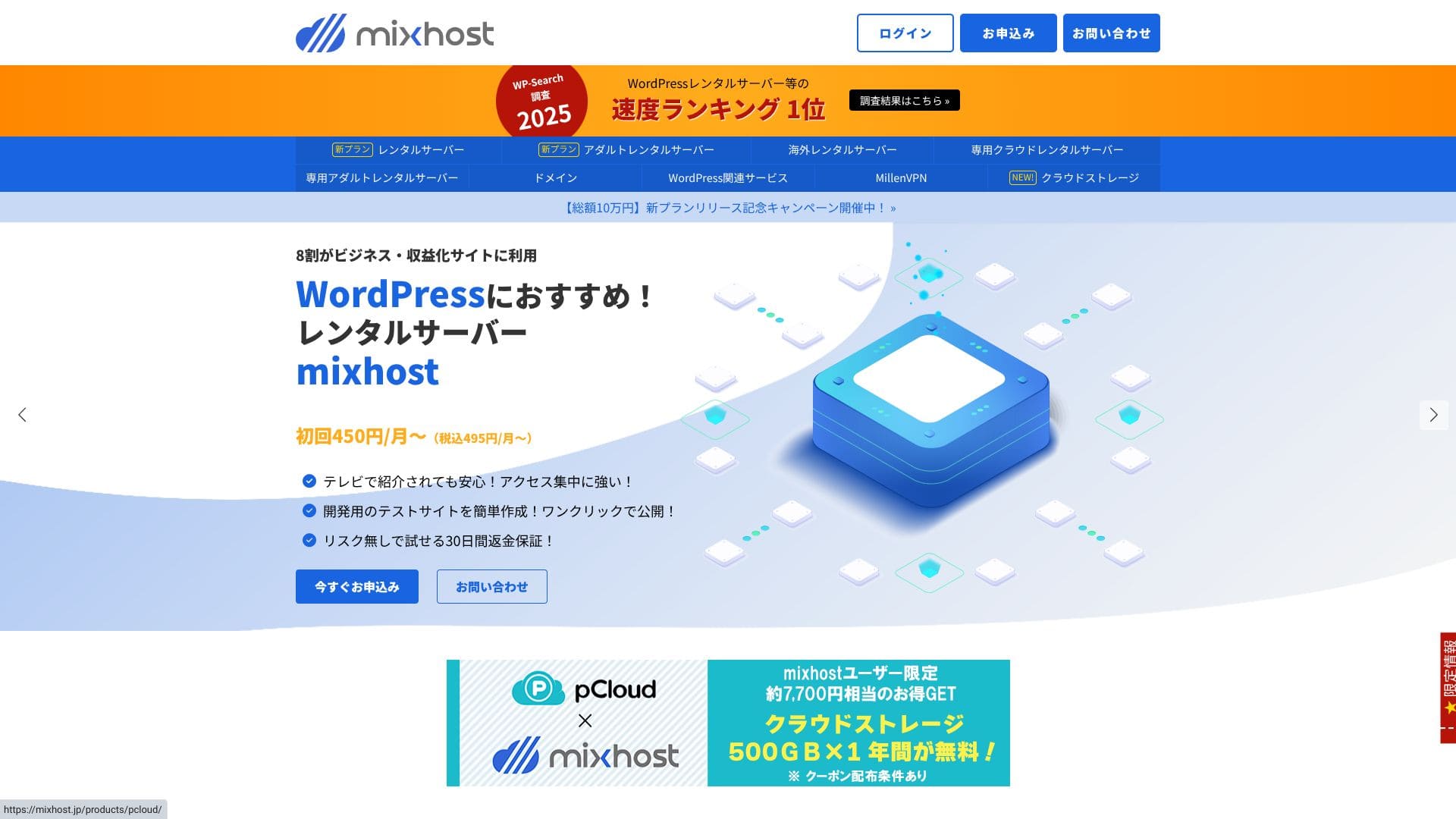
“mixhost” is a cloud-based high-speed server from AzPocket Inc. It also offers servers installed overseas, so it is especially attractive for individuals who publish internationally. WordPress is preinstalled when you sign up, which makes it easy to get started.
WordPress-related reviews
Easy WordPress installation
mixhost offers “WordPress Quick Start,” a very fast setup flow that can complete a site in as little as 90 seconds after your signup is finished. It handles the server contract, the WordPress installation, and the SSL setup all at once. It removes the places where beginners tend to get stuck and lets you start writing articles right away.
There is no need to create a database manually or edit configuration files, and the login information for your first admin-screen sign-in is issued automatically.
I was able to start using WordPress in about five minutes from the time I applied for the server contract.
- STEP.1
Click "Apply Now."
- STEP.2Sign up for the server and get a domain
Choose a plan. I recommend the Light plan. You can upgrade to a higher plan whenever you need to.
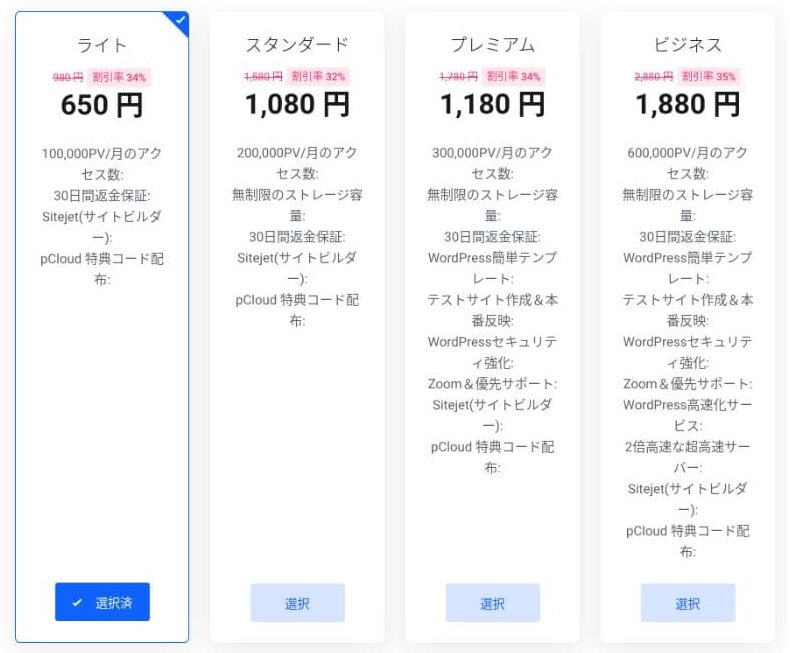
I recommend the 12-month billing term.
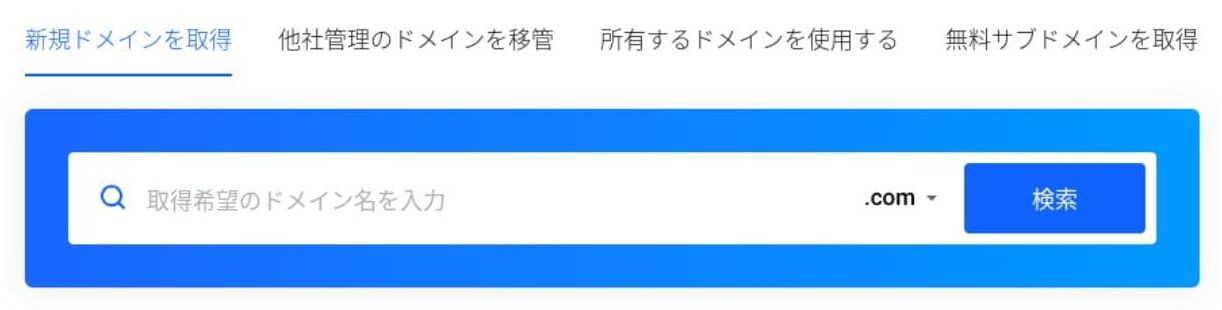
This is the primary domain setup step. Decide on your domain name, enter any string you like into "Enter the domain you want," search for the domain, and if it is available, click "Add to cart."
mixhost
also lets you install WordPress on a subdomain. You can choose "Get a free subdomain" if you want to use a subdomain instead.★ What is a domain? Its role as an address on the internet and how to get one
There is also a Whois privacy service as a domain add-on. If you do not want your name, address, and other registrant details to be made public, click "Add to cart."
For "WordPress Quick Start," make sure you choose "Use it."Using it makes starting a WordPress site dramatically easier.If you want to build a site even more easily, choose the "Easy WordPress Template." A WordPress theme will also be installed.
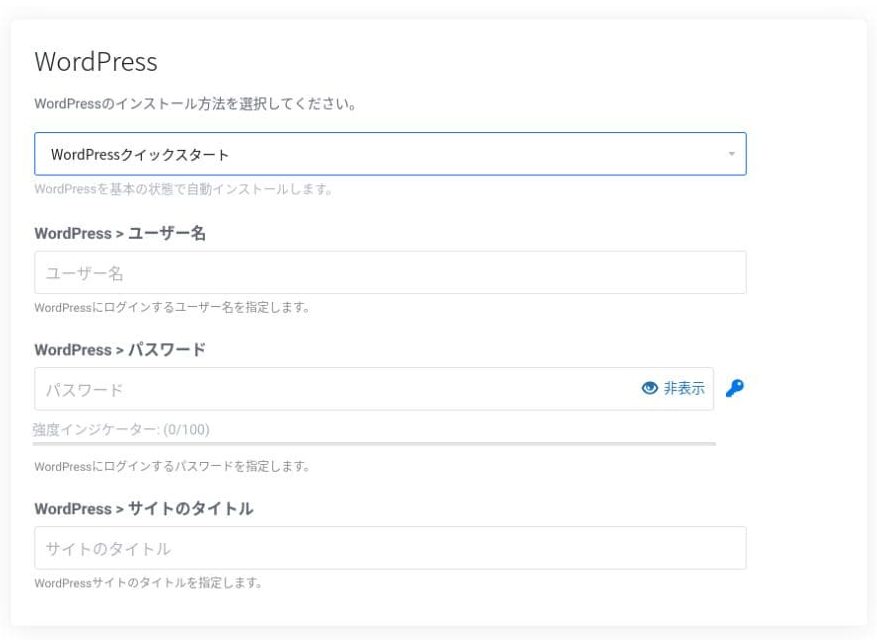
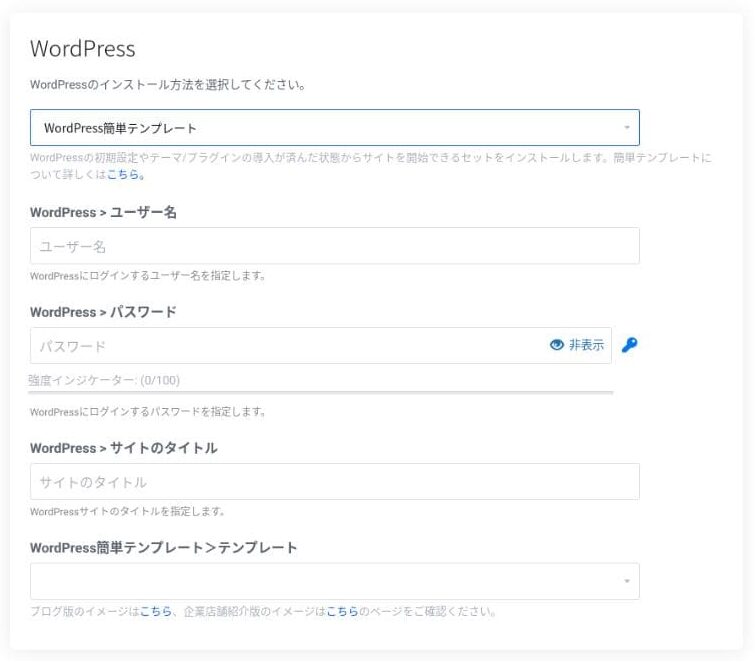
Enter the information needed for WordPress.
- Site title: anything is fine
- Username: anything is fine
- Password: make it as strong as possible
You can change the site name later, so if you have not decided yet, enter something temporary.
Your WordPress username and WordPress password are important.Write them down. You will need them to log in to the WordPress site you created.
Enter your member information and payment method.
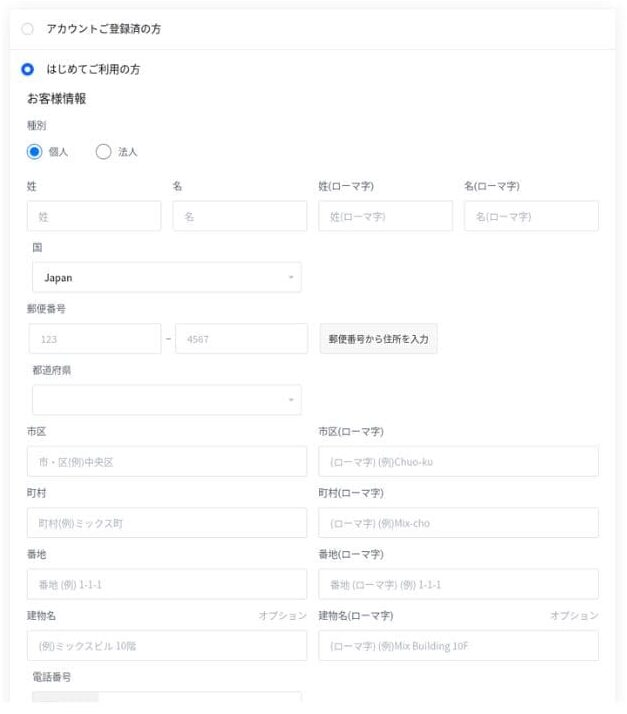
If everything looks correct, review the terms of service and click "Apply."
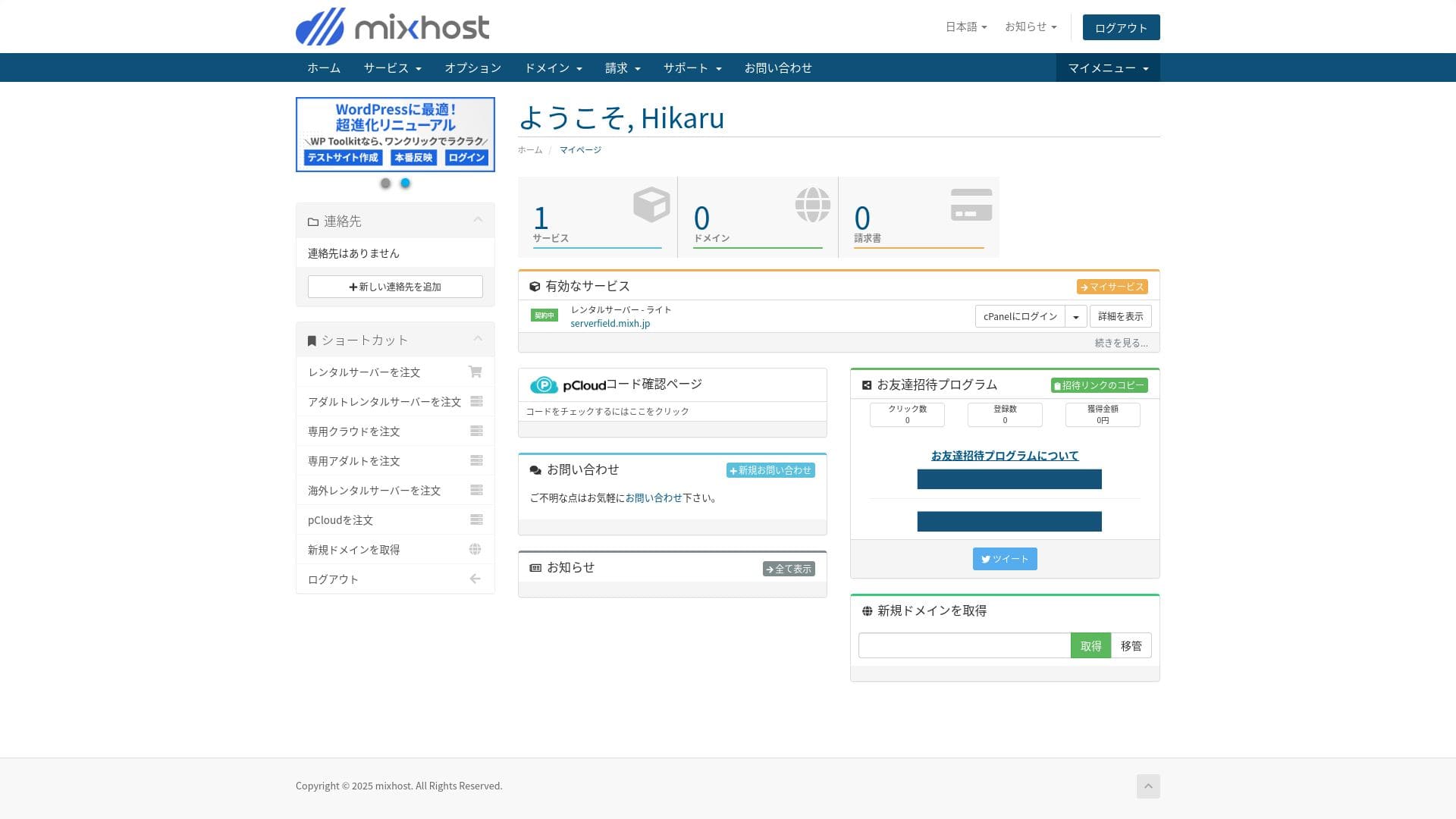
WordPress installation starts at the same time as your application. Once the installation is complete, you will receive a notification email.
When you log in to your account dashboard, you will see the following screen.
- STEP.3Initial WordPress settings
After the signup is complete, access "https://your-acquired-domain/wp-admin/". It will take you to the WordPress admin screen.
Log in to WordPress using the username and password you set during server signup. If you see a message saying "Your connection is not private," wait a while. DNS has not finished propagating yet, so try again every few hours.
★ What are DNS and name servers? How domains and servers are connected
After logging in to WordPress, set up your permalinks. Go to "Settings" and then "Permalinks" in the WordPress admin screen. Choose "Post name" and then click "Save Changes."
Using "Post name" lets you enter any string you like in the URL when you publish an article. I recommend using a short string that gives readers a clear idea of the article content. If it is too long, some readers may worry that the site looks untrustworthy.
- STEP.4Install plugins
Go back to the WordPress admin screen, open "Plugins," then "Add New," and install the plugins you need.
When you find the plugin you want through search, click "Install Now" and then "Activate." After that, follow the instructions for each plugin.
Make sure you install plugins for security and backups.
- Five WordPress security plugins that can strengthen your site and how to choose them
- Five powerful WordPress backup plugins to recover your data
Once the plugins are in place, your WordPress site is ready to go!
Running multiple sites
On Standard and higher plans, storage, databases, and email accounts are unlimited. From “WordPress Manager” inside cPanel, you can manage multiple sites in one place and sign in to each admin screen with a single click.
Even the Light plan allows you to run multiple sites because the number of domains and databases is unlimited.
Performance and specs review
Our measurements: speed review and why it is fast
mixhost is a fast server. Its TTFB (Time to First Byte, in other words, the speed at which the page begins displaying its main content) was 150 ms.
Because it is faster than the server speed Google recommends, you can use it with confidence.
You should reduce your server response time under 200ms.
Improve Server Response Time
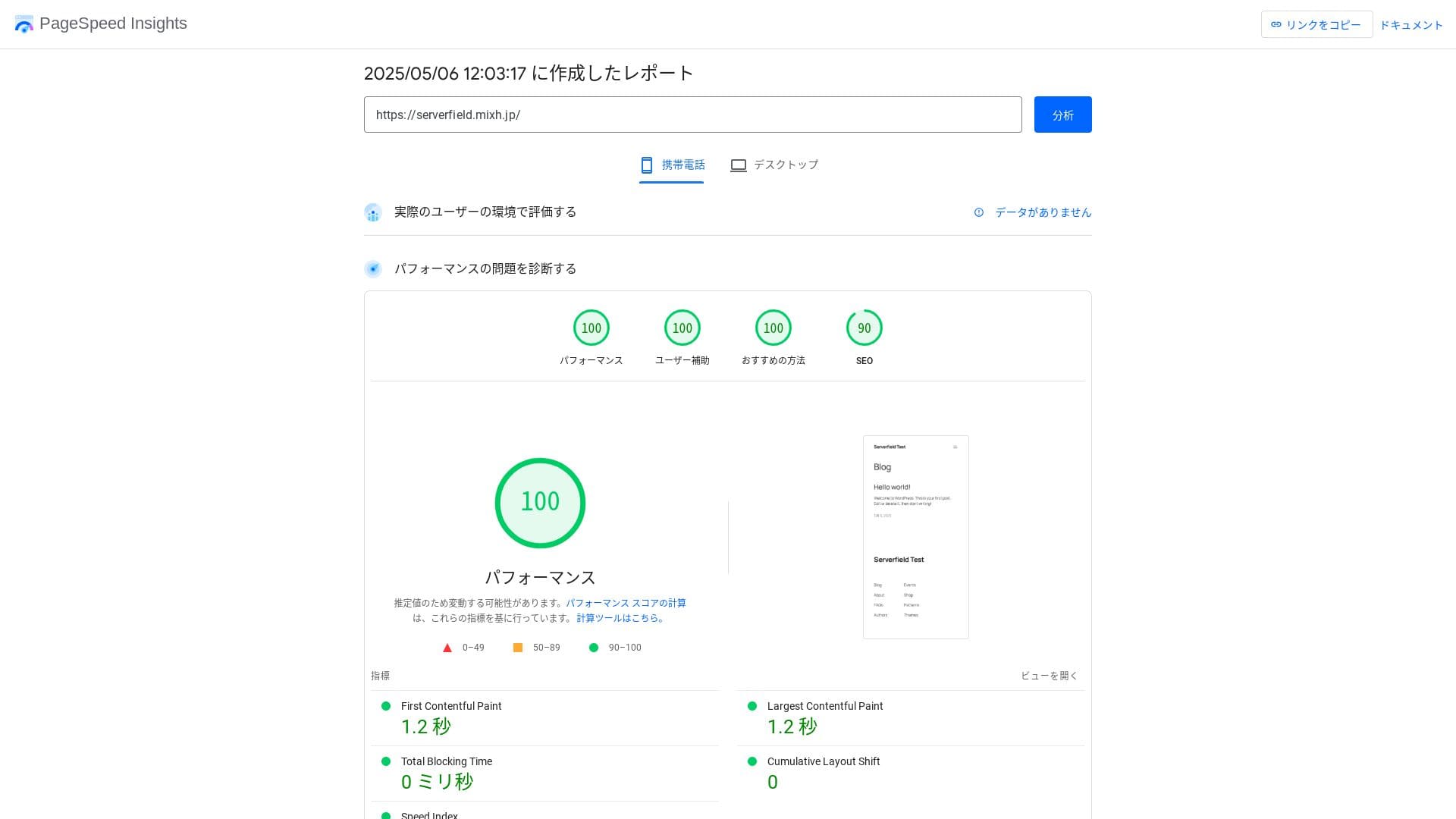
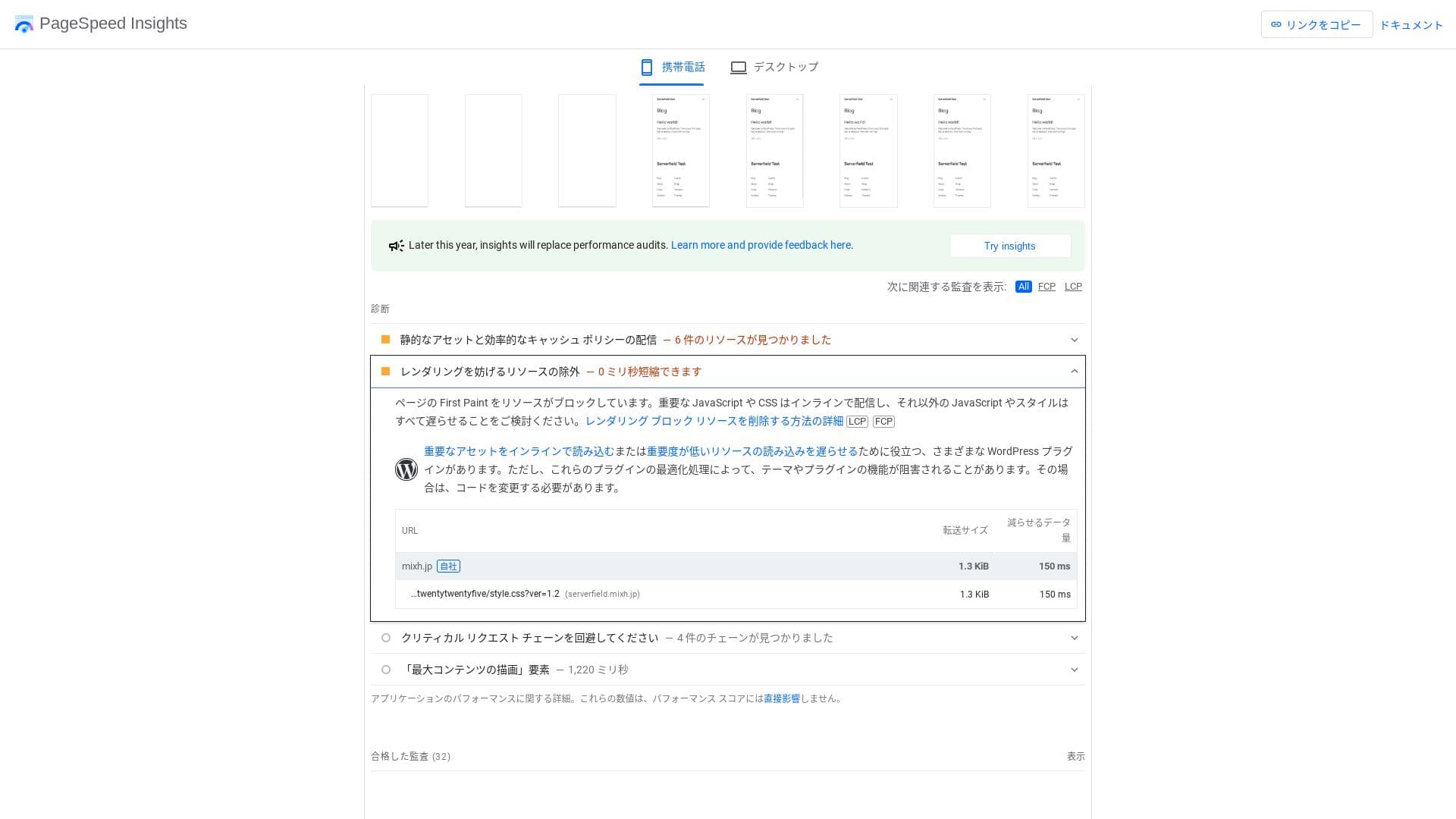
It is fast even when compared with competing servers.
★ Rental hosting speed comparison across 16 companies: Which one is truly fast? [2025 latest edition]
LiteSpeed Web Server
mixhost uses a combination of LiteSpeed Web Server, NVMe SSD, and HTTP/3. The company states that this can be up to 84 times faster than an Apache environment. By working together with the WordPress plugin “LiteSpeed Cache,” it can keep response times stable even during traffic spikes.
LiteSpeed is a commercial web server that is compatible with Apache. Its cache processing is fast, and it supports the latest protocols such as HTTP/3 as quickly as possible.
Storage capacity
The Light plan introduced in April 2025 includes 100 GB, and the other plans provide unlimited capacity on redundant cloud storage. If you are just starting a website or blog, 100 GB is more than enough. This site itself uses only around 2 GB.
mixhost lets you upgrade your plan. As a rule of thumb, if you are using around 80% of your storage, it is time to upgrade.
Simply installing WordPress uses only about 100 MB, so it does not even consume 1% of the Light plan’s storage.
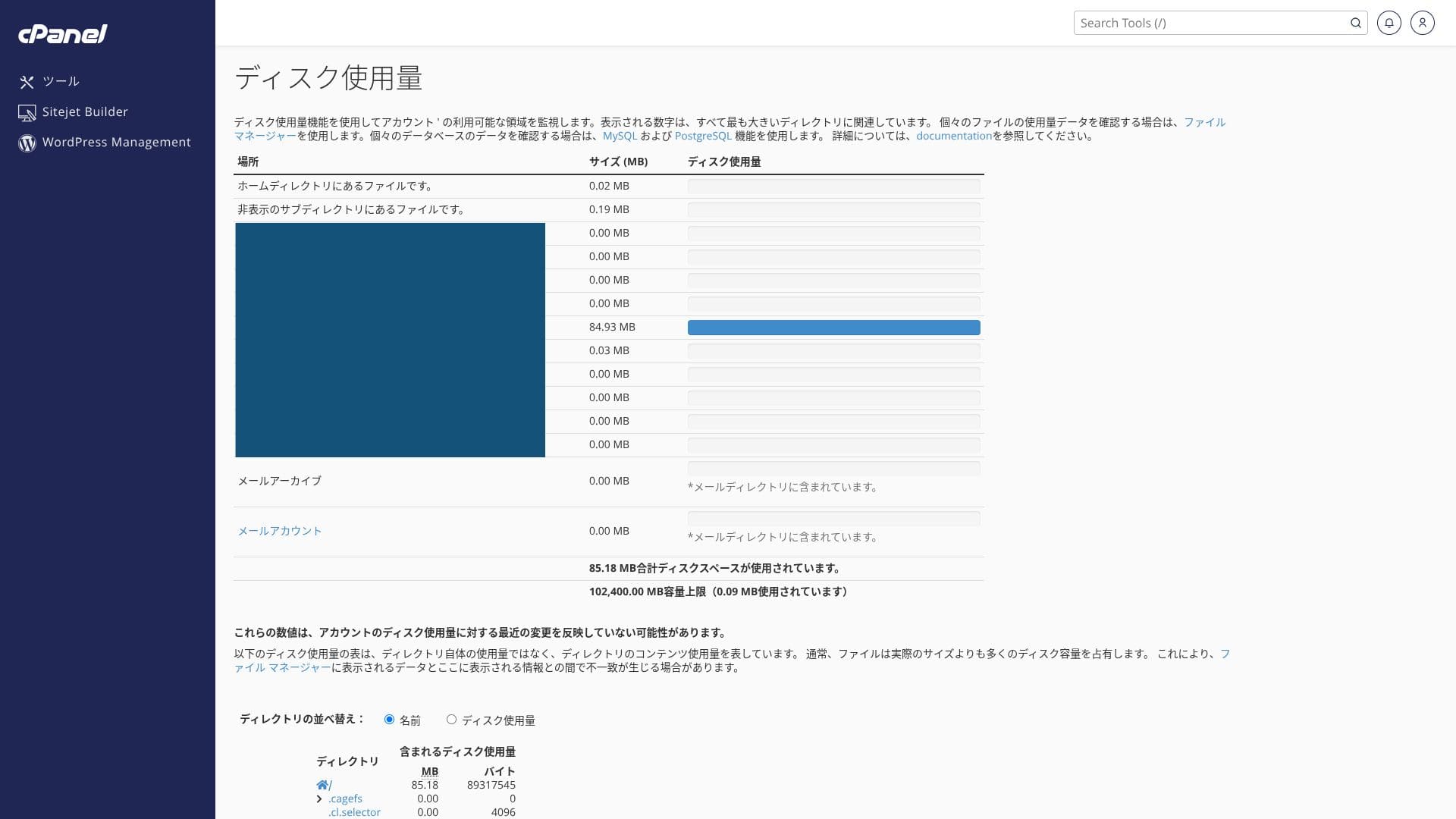
It uses NVMe SSD. This is a data transfer method that is several times faster than conventional SATA SSDs, and it greatly reduces read and write time for database-driven CMSs.
Data transfer
mixhost supports very generous data transfer. Data transfer is the total amount of data the server can send and receive externally, and usage rises as page views increase. The Light plan allows 50 GB per month, Standard 100 GB per month, Premium 200 GB per month, and Business 800 GB per month, so there is plenty of room.
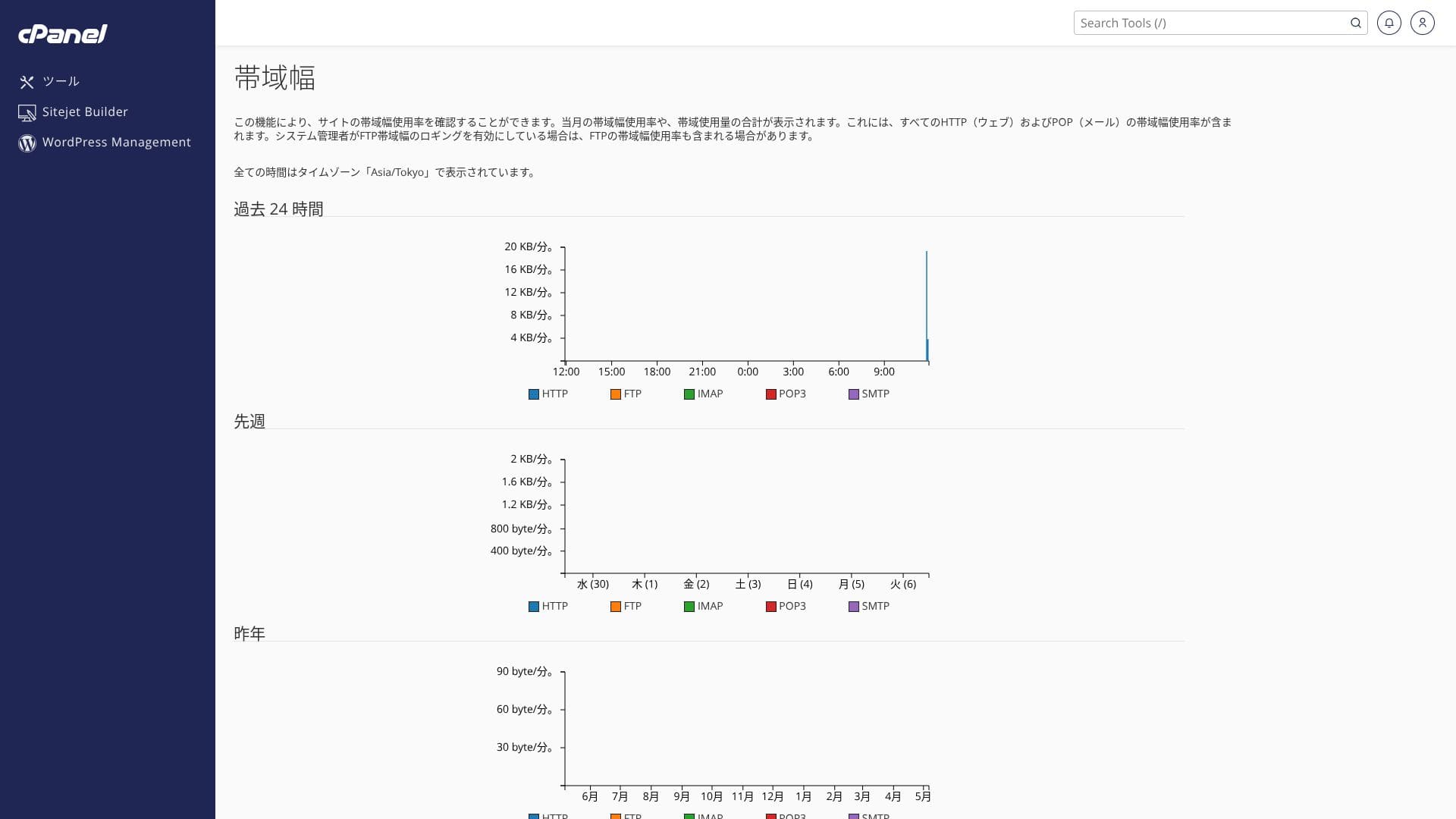
It can handle sudden spikes in attention. You can check your transfer usage from “Service details” in your account page, and recent usage can be checked from “Bandwidth” in cPanel.
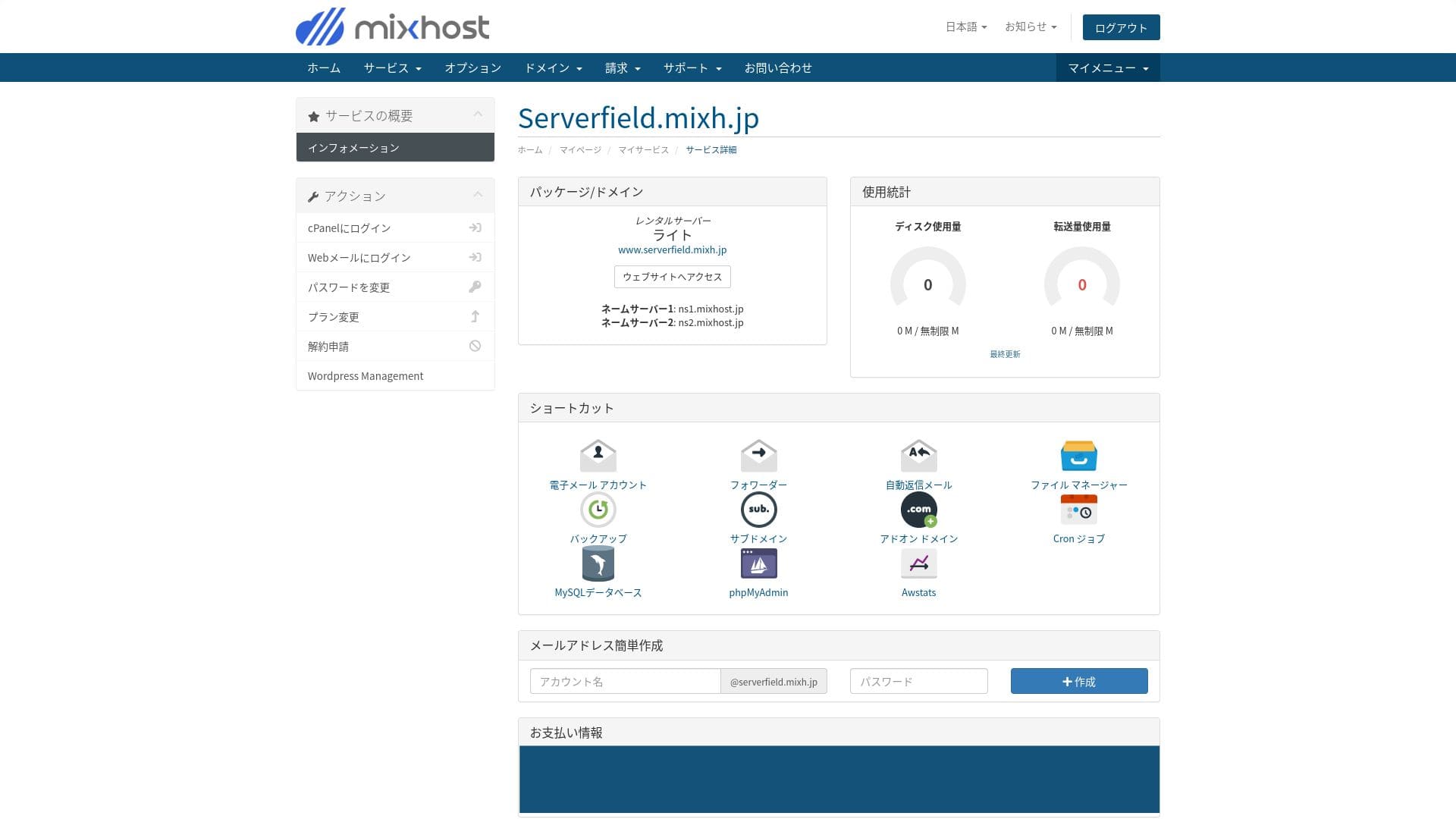
To be honest, every domestic hosting company, including mixhost, secures more than enough transfer capacity, so there is no need to worry too much about it.
★ What are traffic and data transfer? Managing and optimizing web traffic
Server stability and uptime
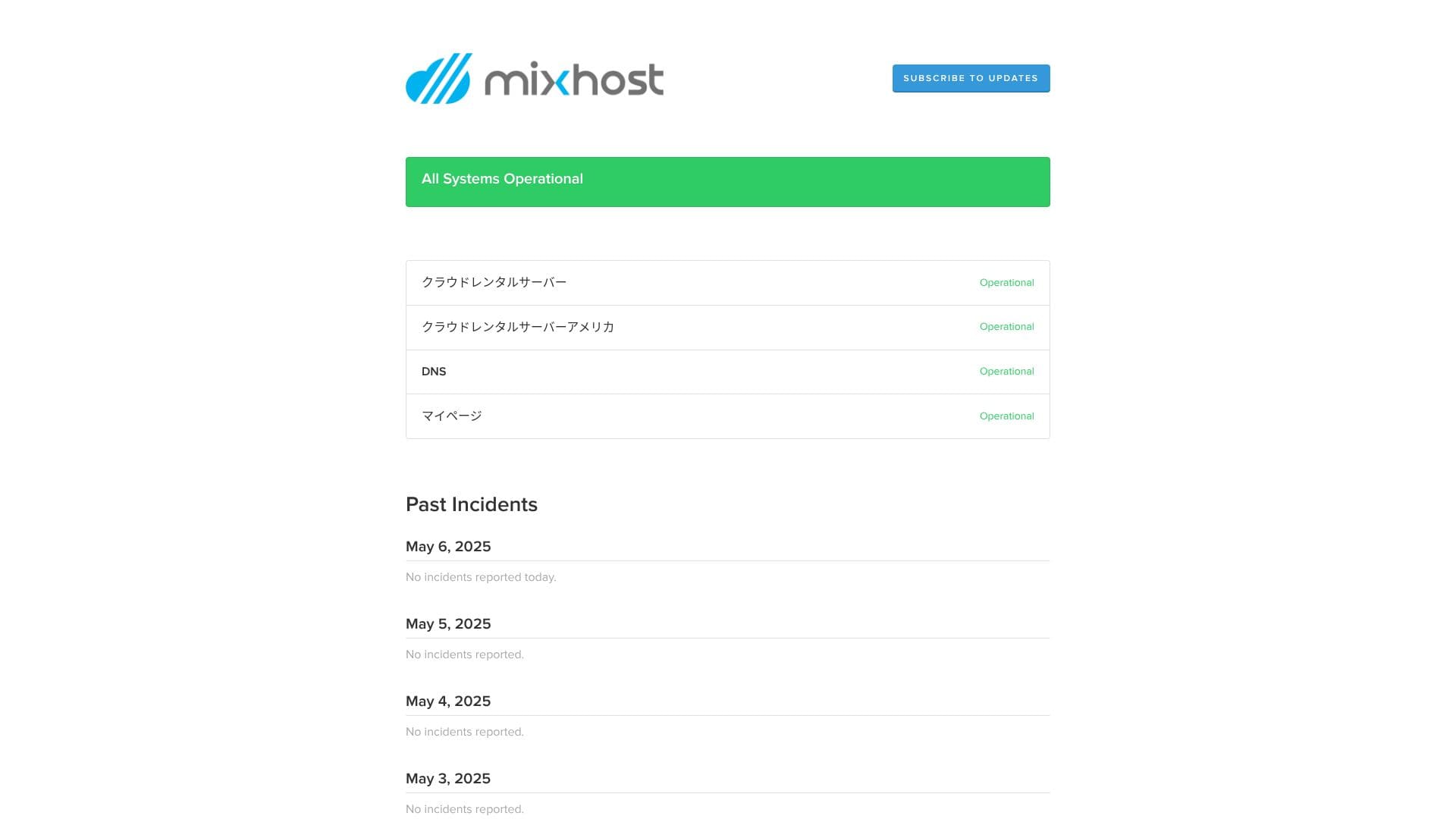
mixhost guarantees 99.99% uptime. If it falls below 99.99%, users receive a refund.
It uses a redundant cloud server environment built on multiple servers. Even if one server fails, traffic switches automatically to another server, so stability is extremely high. That allows you to operate your site with peace of mind.
It publicly discloses server outage and maintenance information, which is a good sign of honesty.
★ A must-read for beginners: Understand rental server uptime and SLAs
Pricing and cost review
Initial fees and monthly pricing
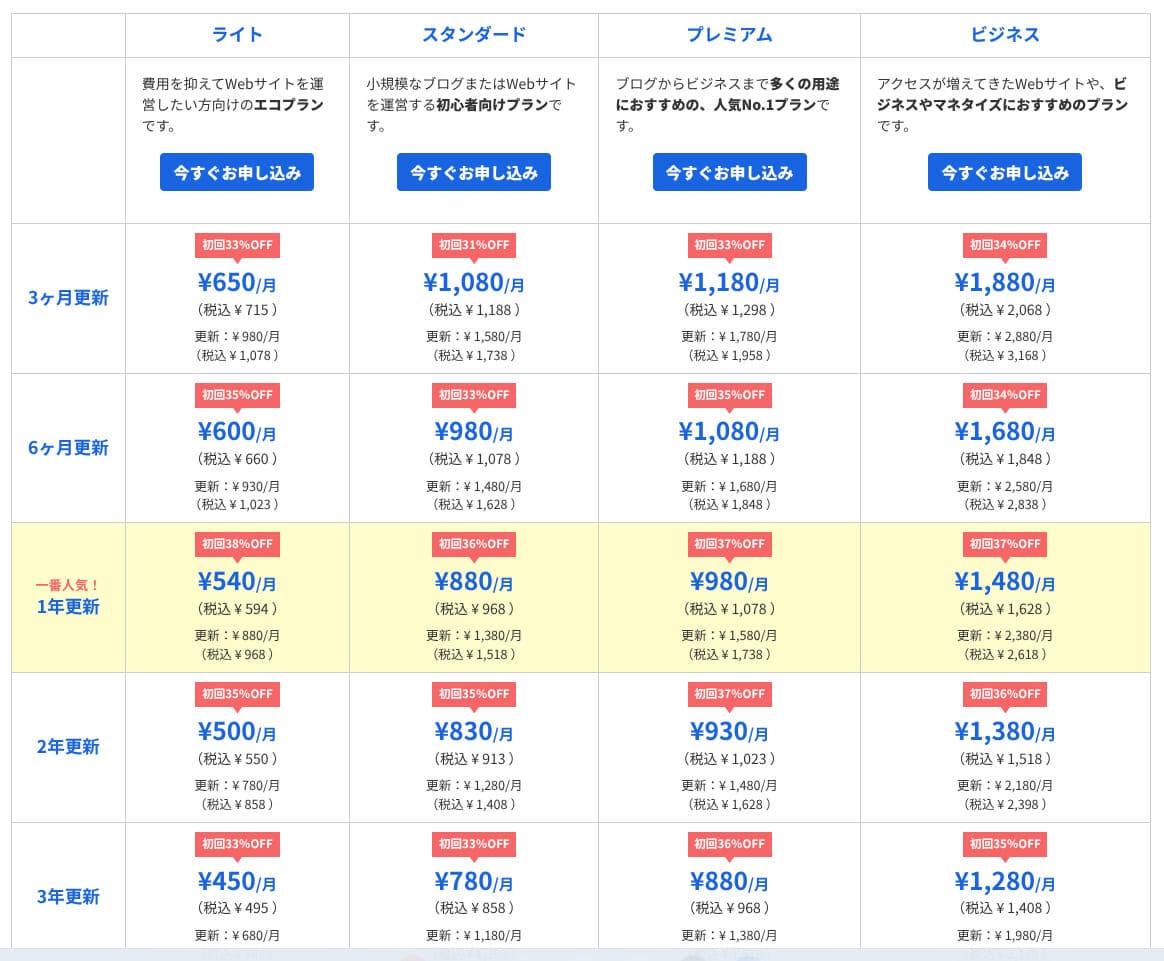
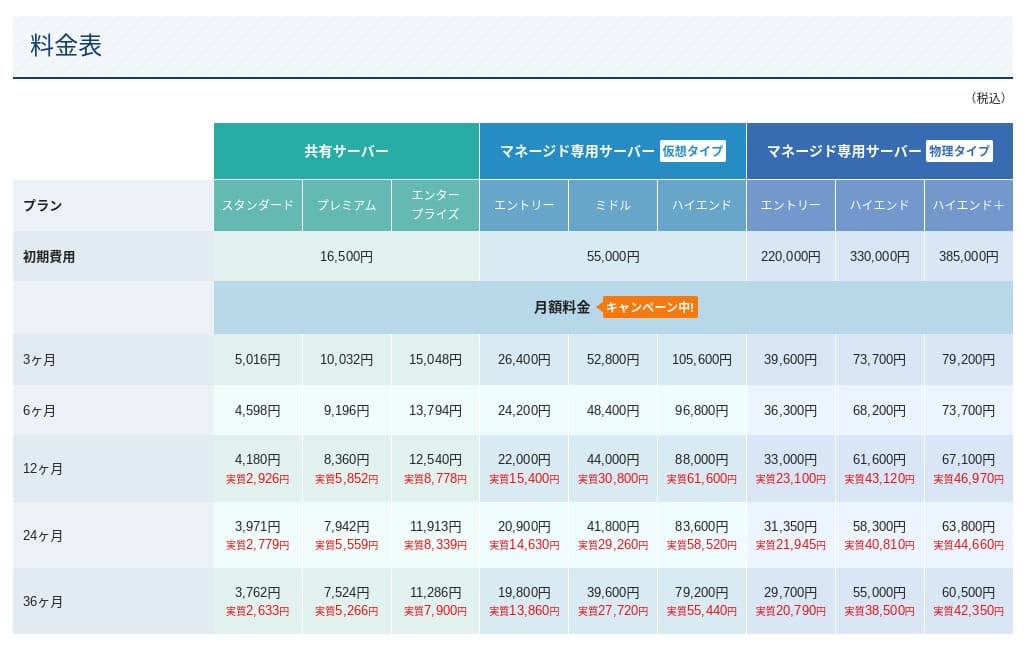
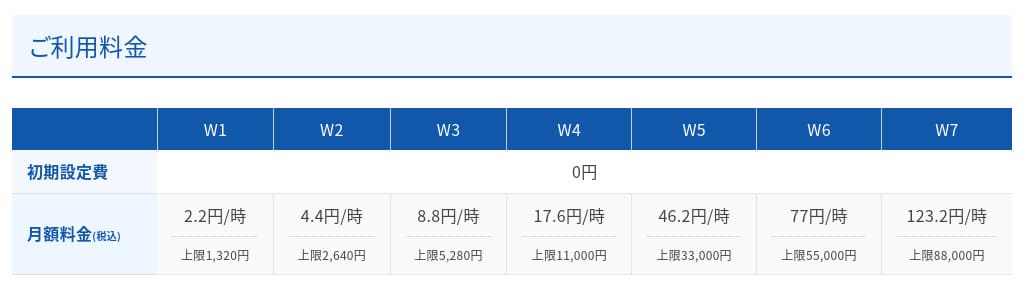
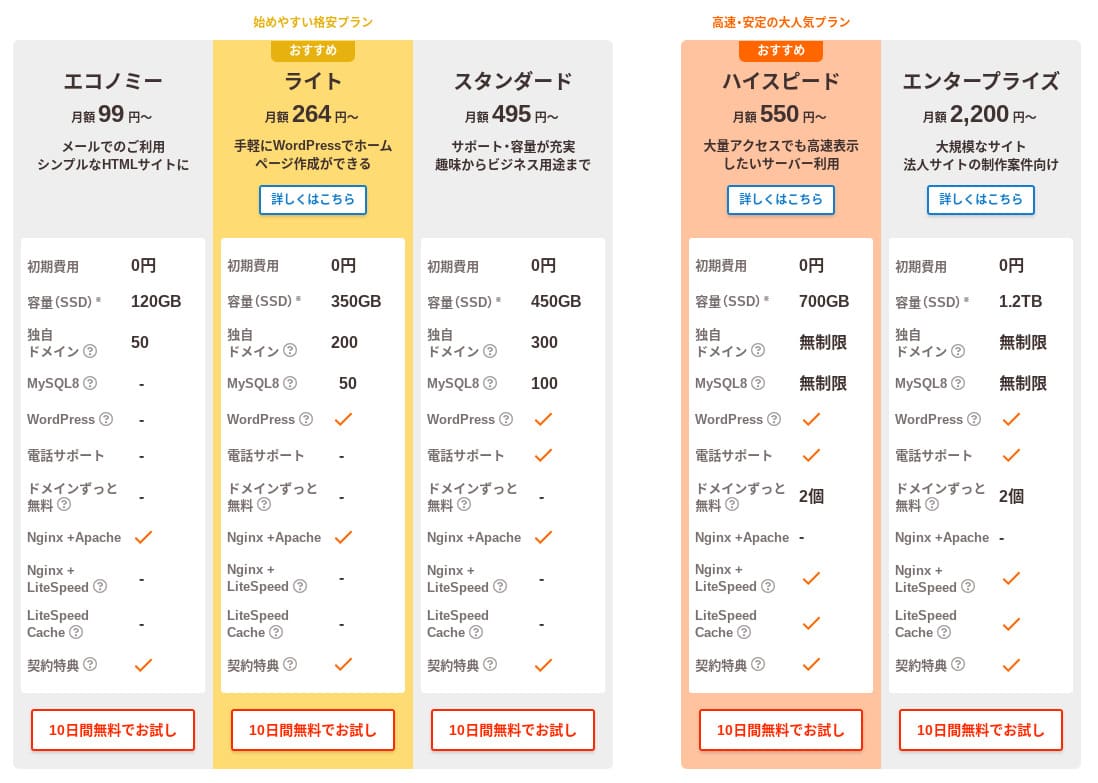
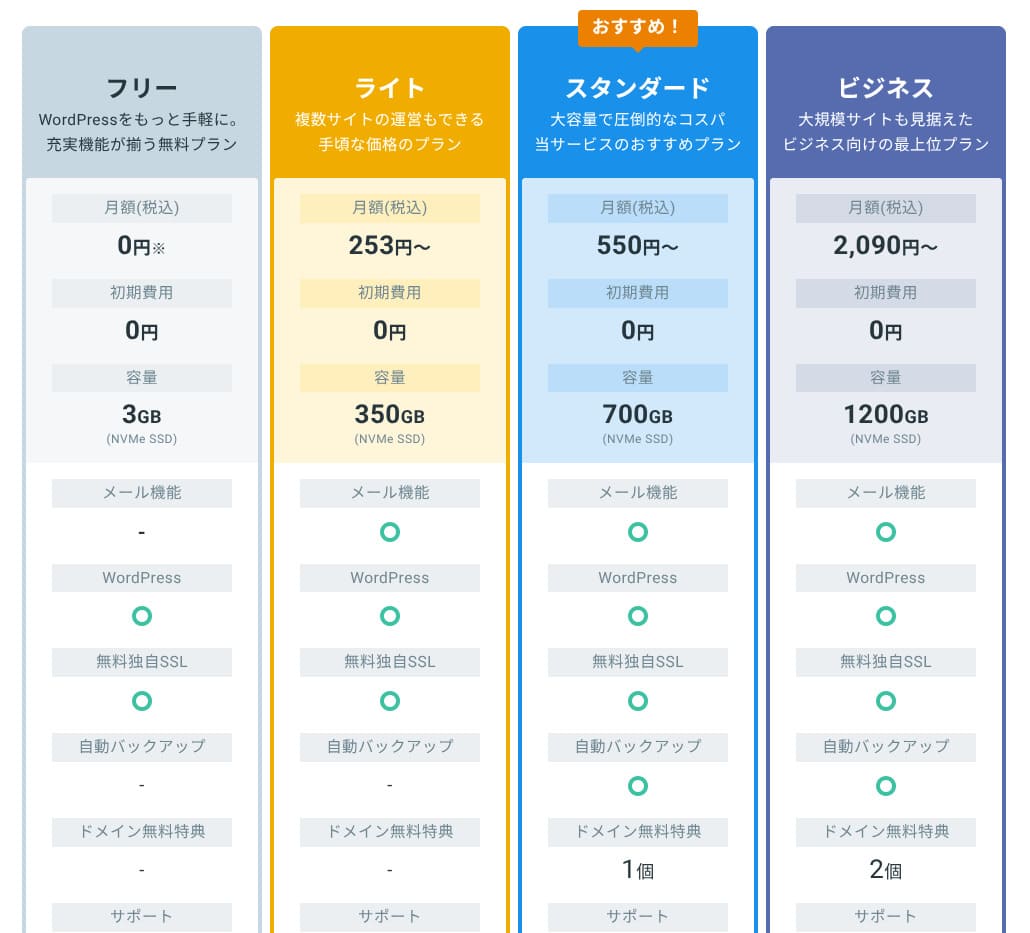
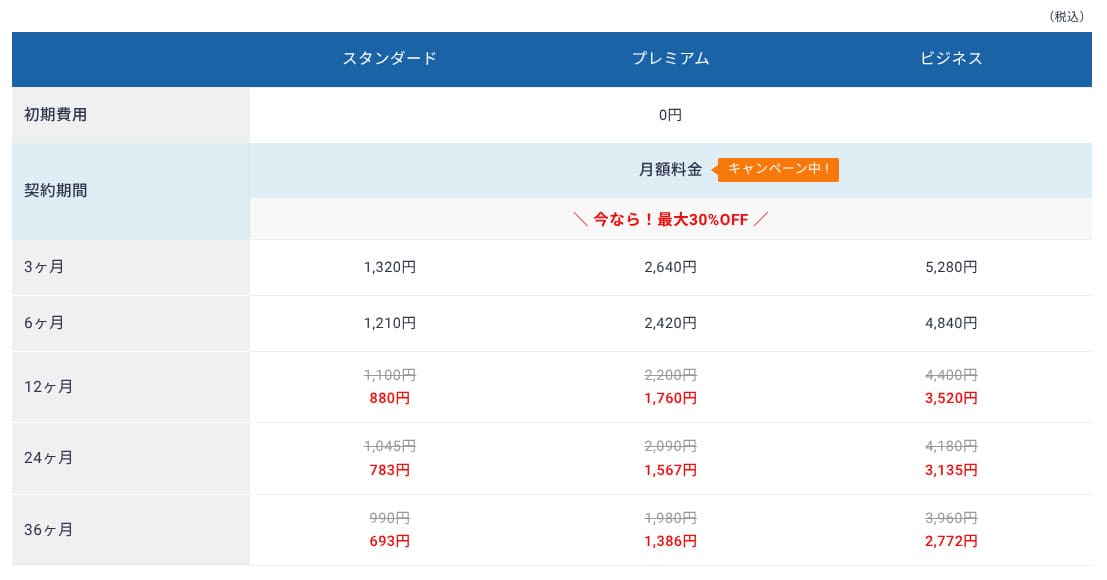
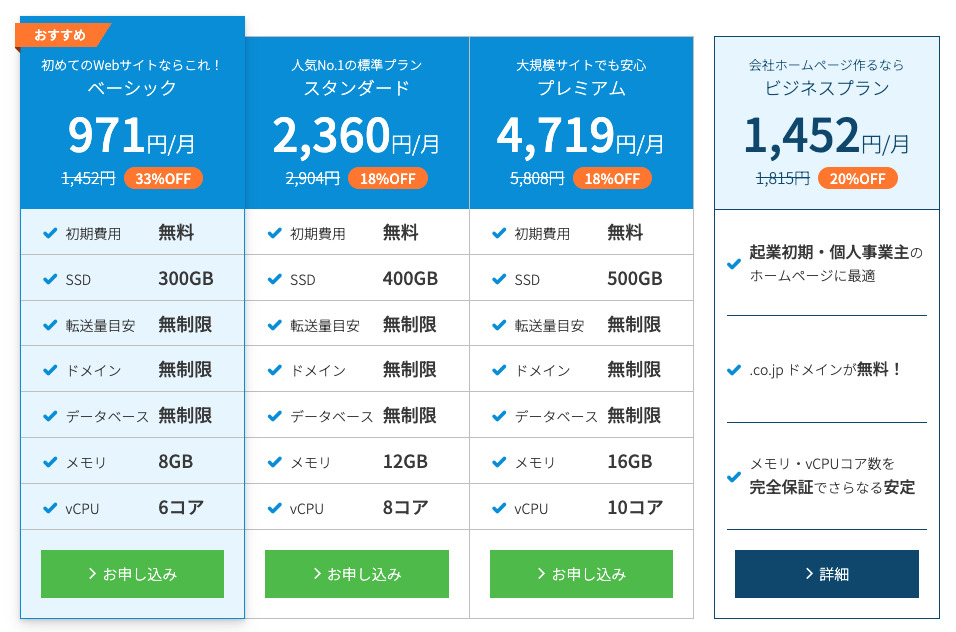
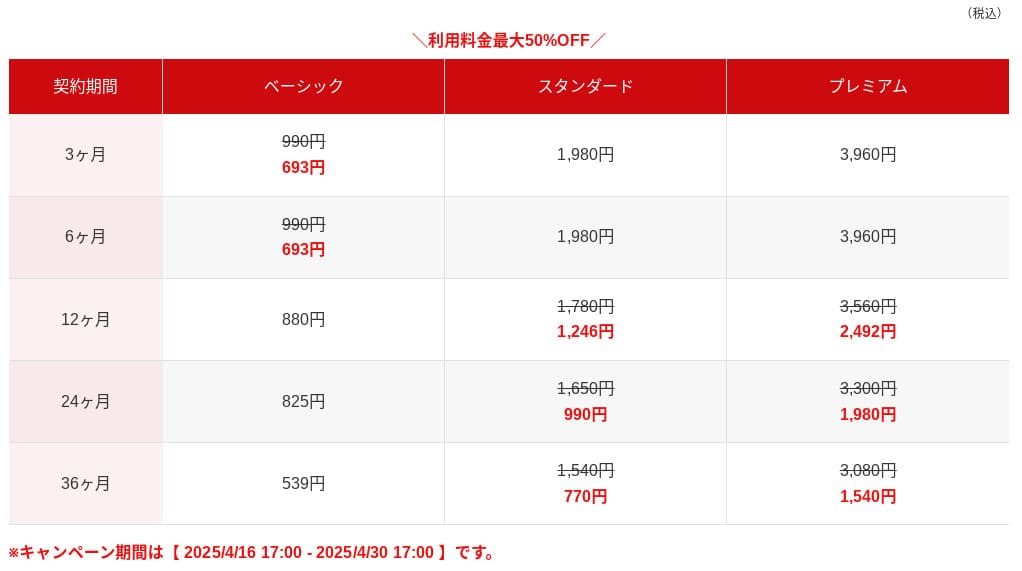
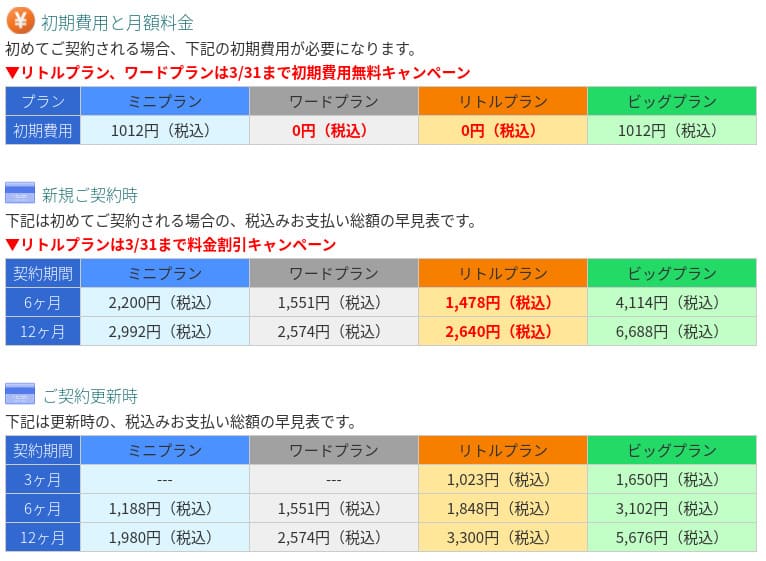
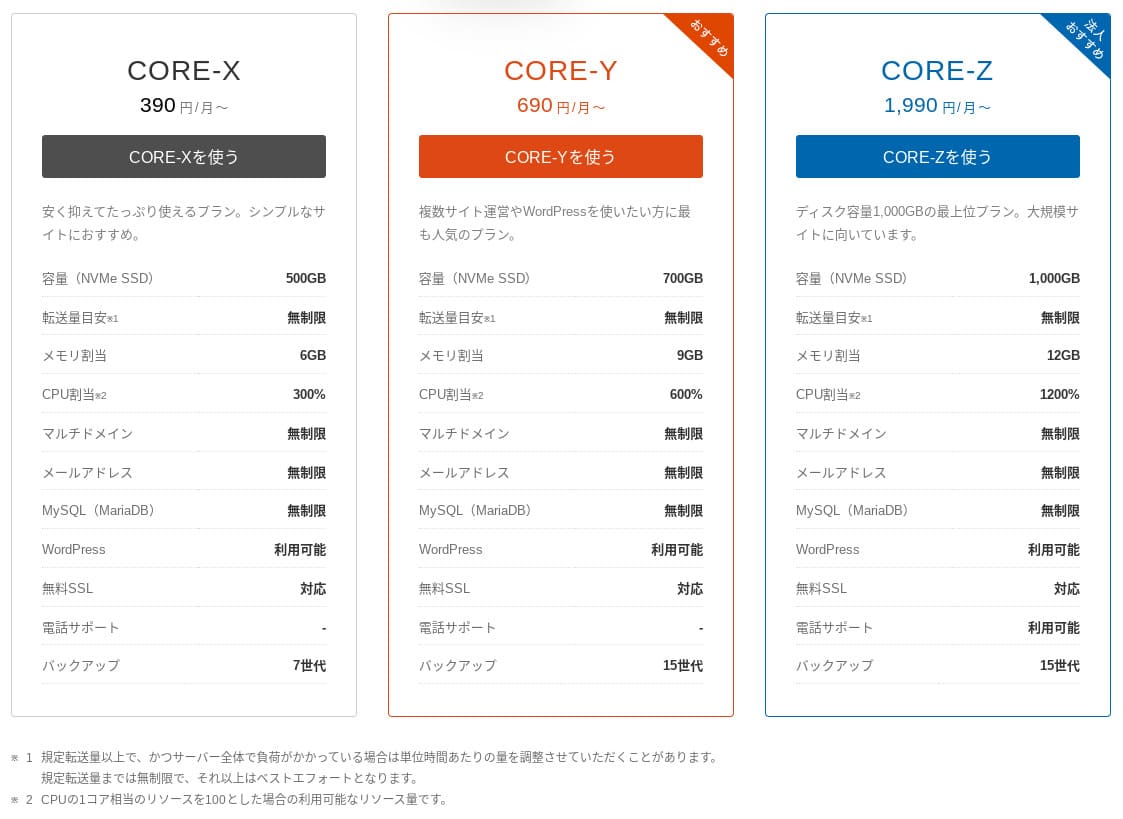
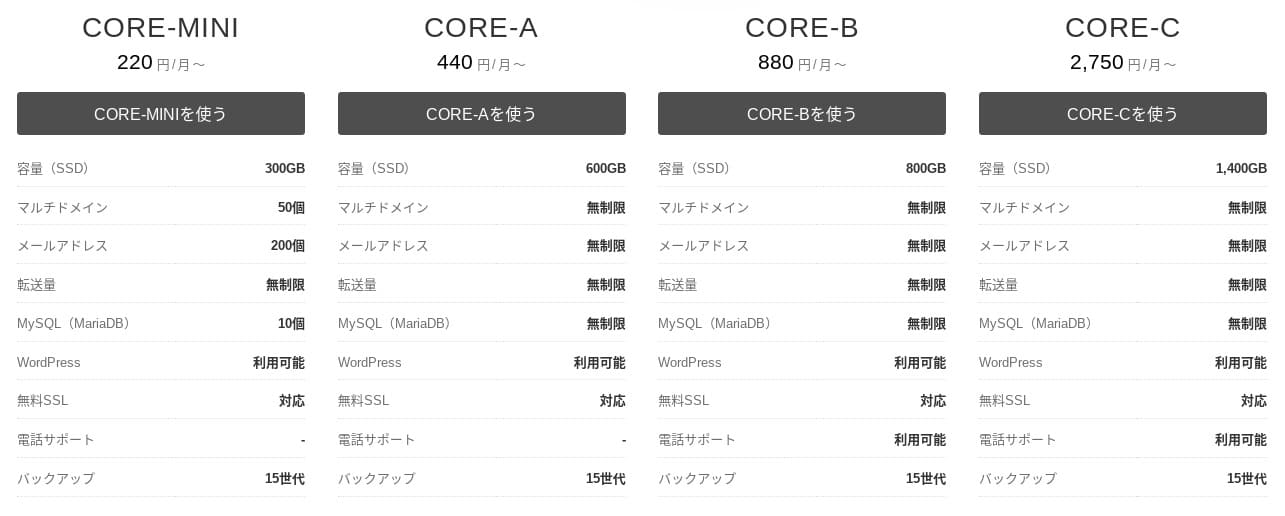
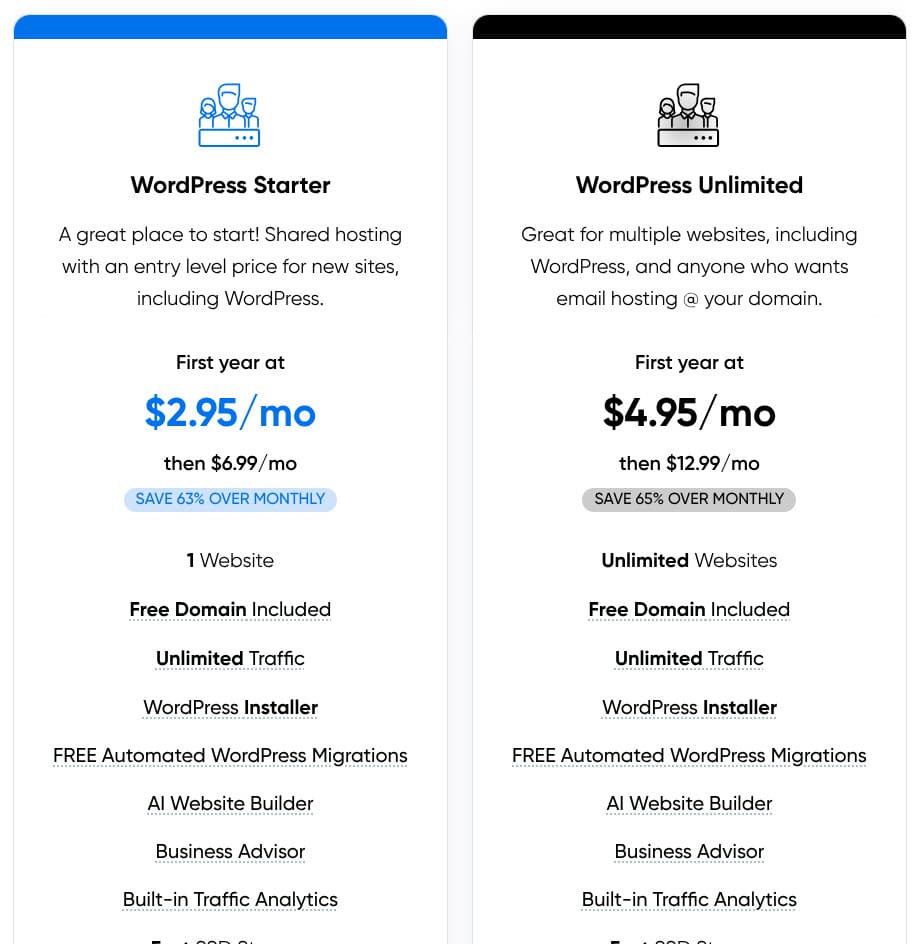
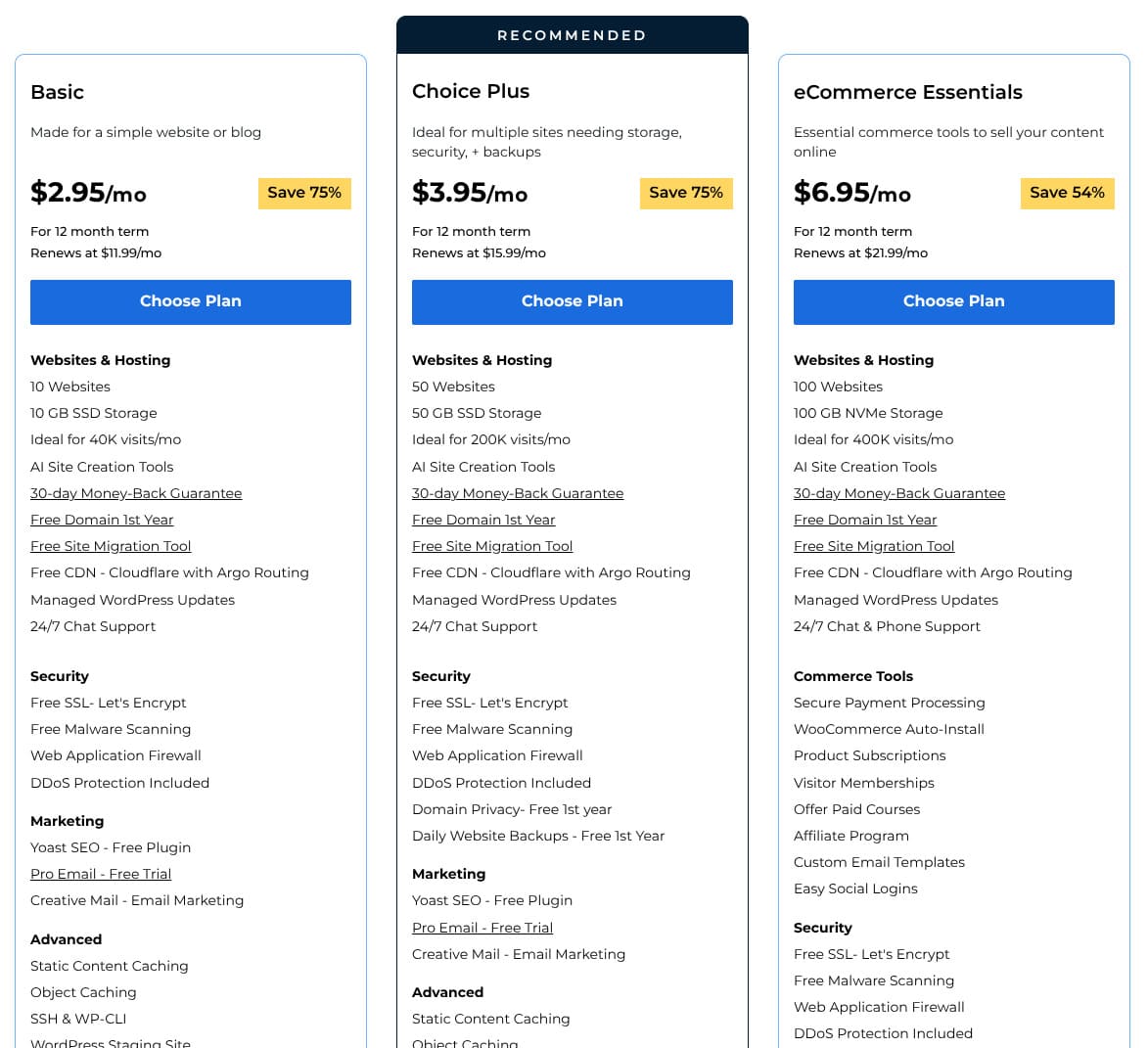
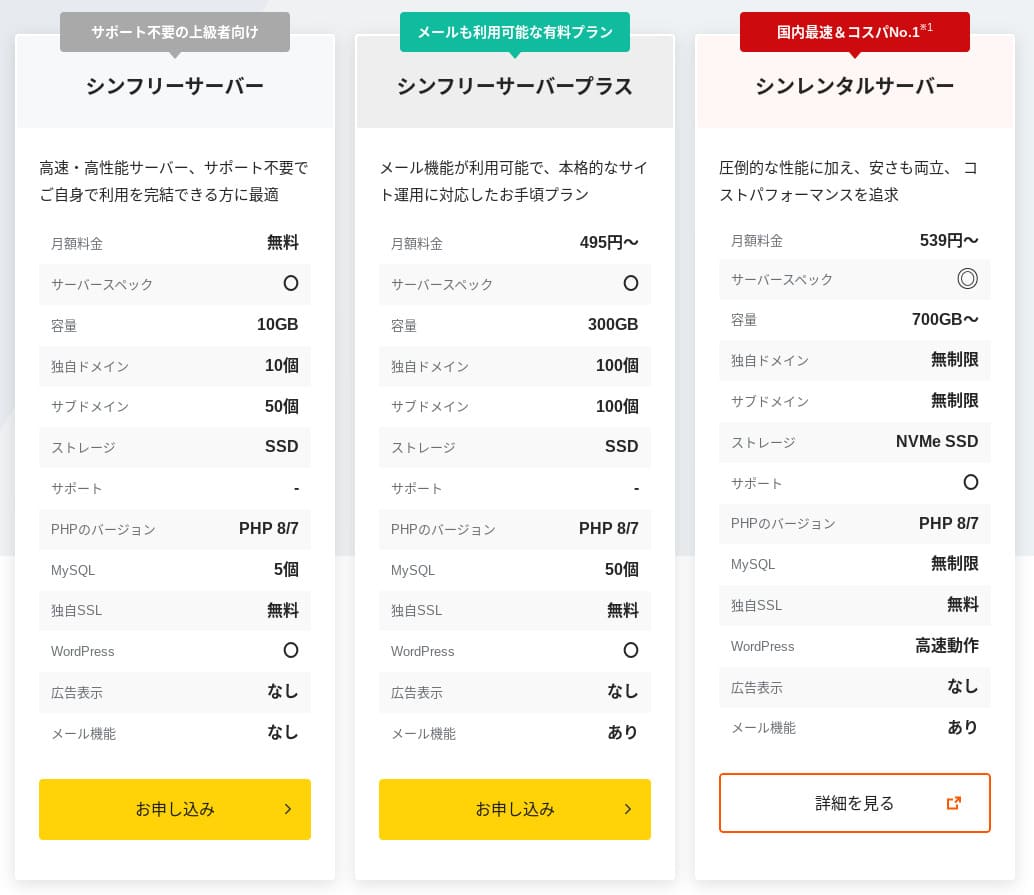
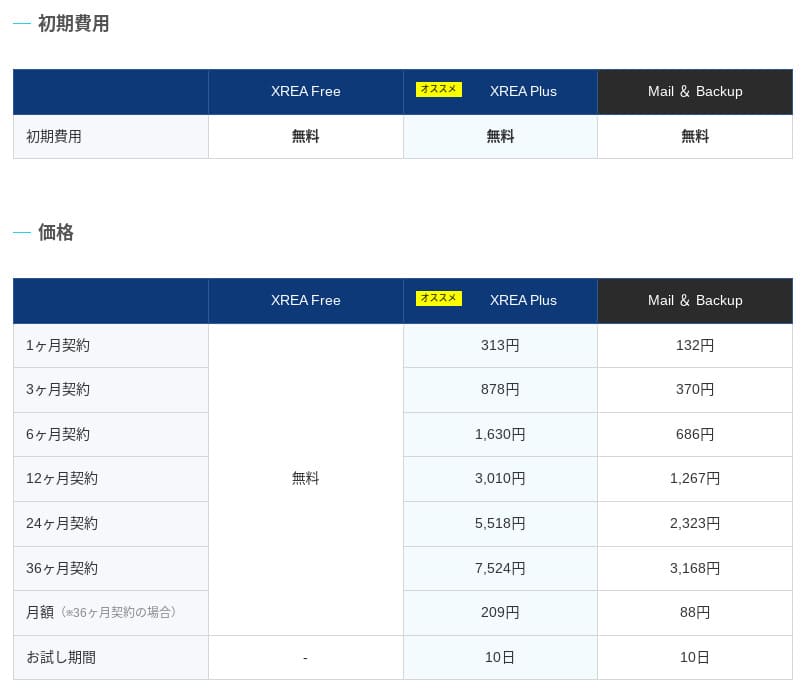
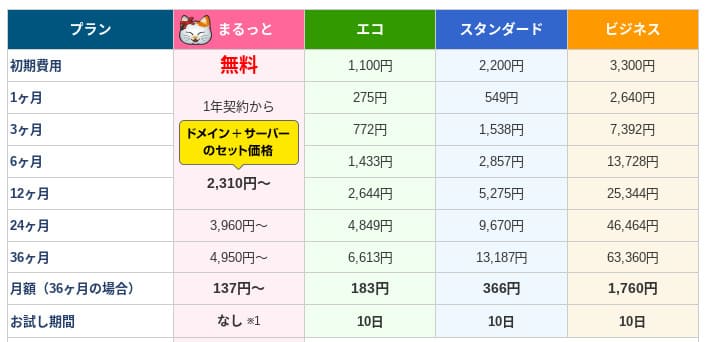
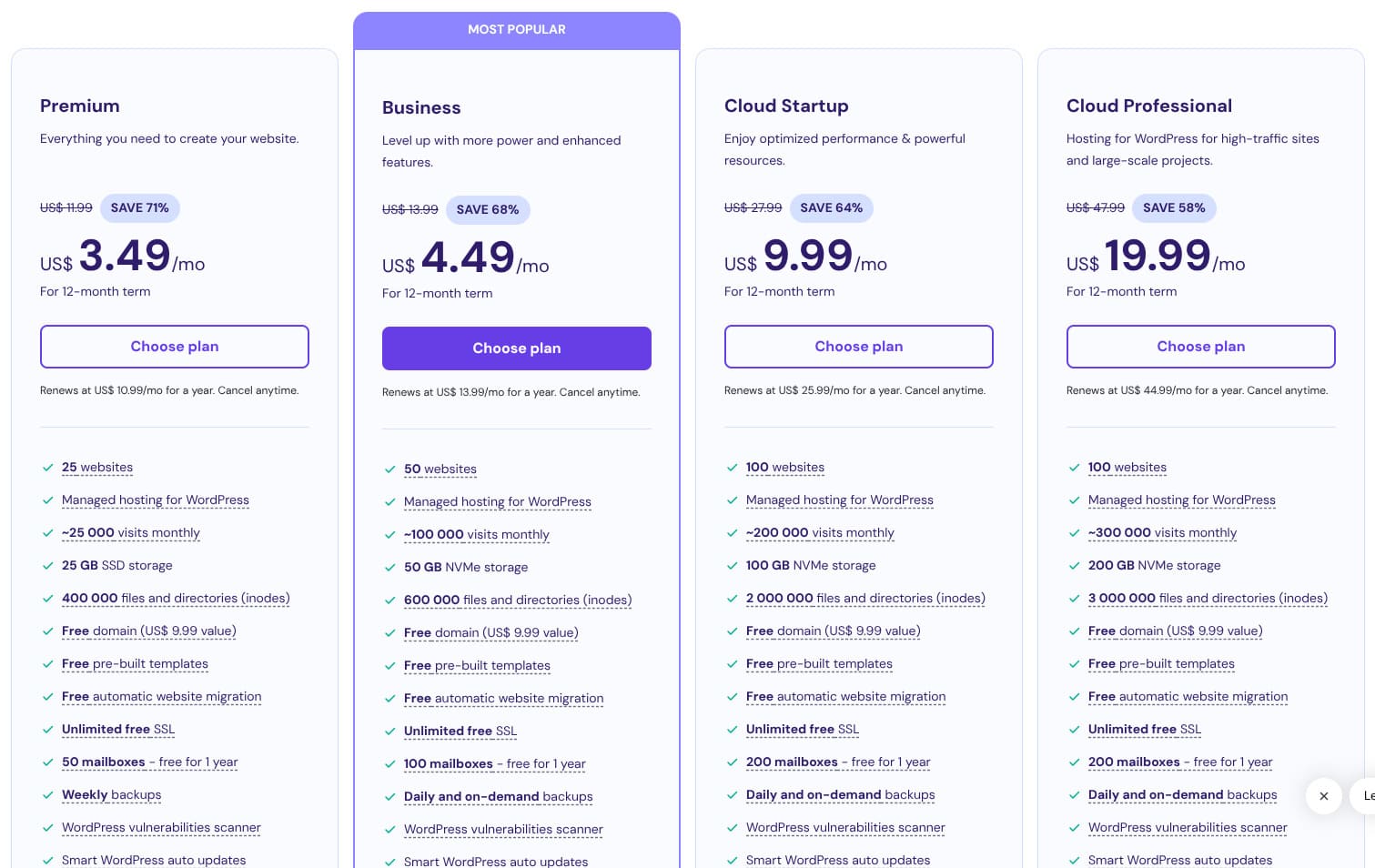
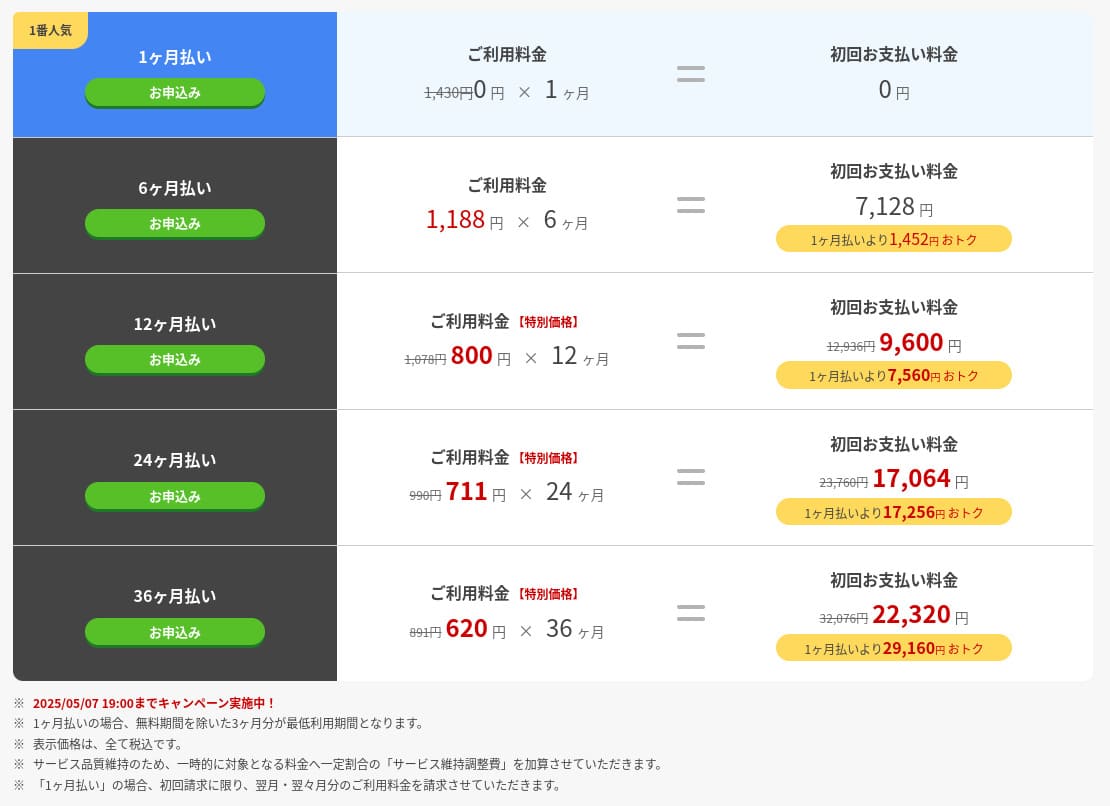
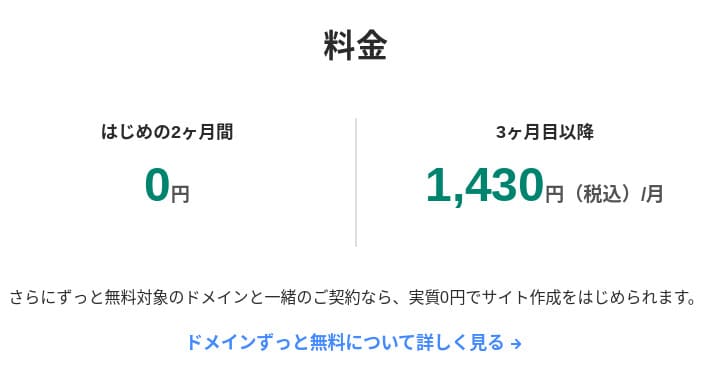
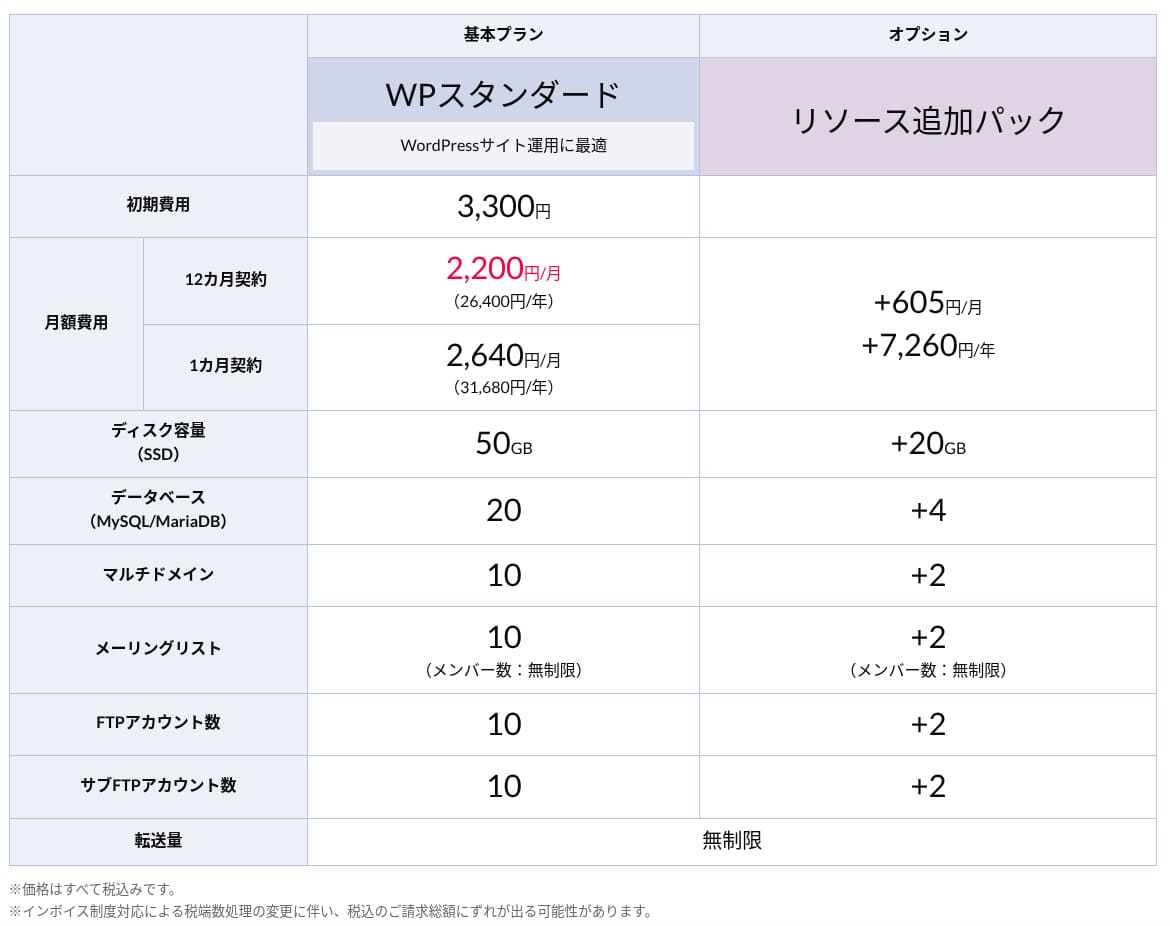
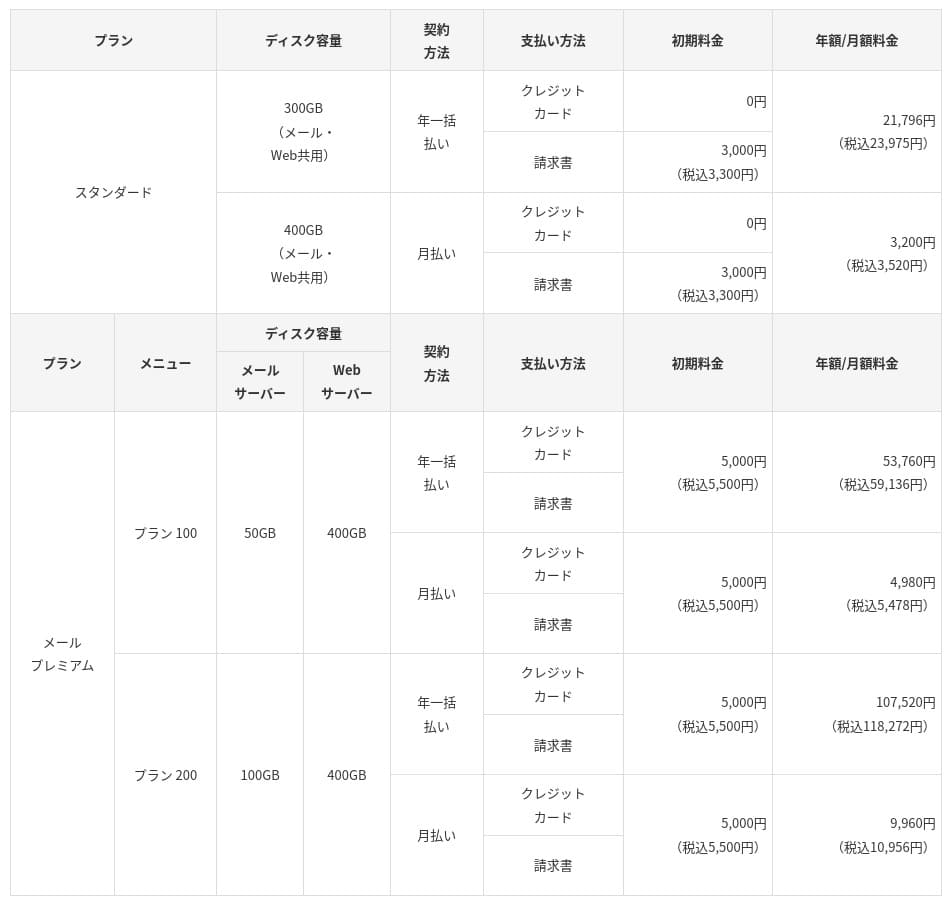
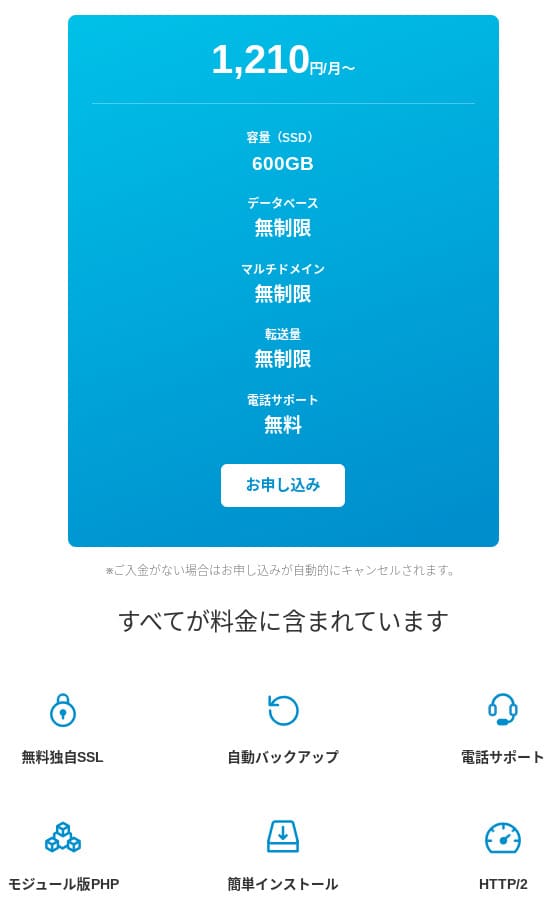
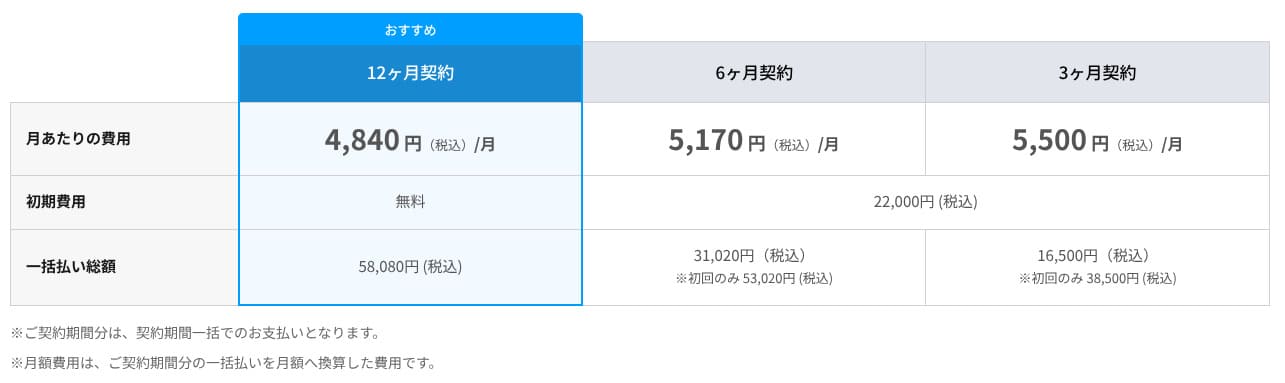
mixhost charges no initial fee on any plan. Monthly pricing gets cheaper as the contract term gets longer. On the affordable Light plan, the initial 12-month contract costs 594 yen per month including tax. On a 36-month contract, it drops to 495 yen per month including tax, which is excellent value.
The signup pricing is low, but remember that the price returns to the standard rate at renewal. On the Light plan, the 12-month renewal rate is 968 yen per month including tax.
- mixhost
- Kinsta
- XServer Business
- wpx
- Lolipop!
- Star Rental Server
- Rakko Server
- XServer
- ConoHa
- Colorful Box
- Shin Rental Server
- Little Server
- CORESERVER
- DreamHost
- Bluehost
- Sakura
- Namecheap
- Shin Free
- XREA
- Value Server
- HOSTINGER
- KAGOYA
- SiteGround
- Hostgator
- IONOS
- Onamae.com
- ABLENET
- GoDaddy
- iCLUSTA+
- MuuMuu Server
- WADAX
- WebARENA
- heteml
- CPI Rental Server
Domain pricing
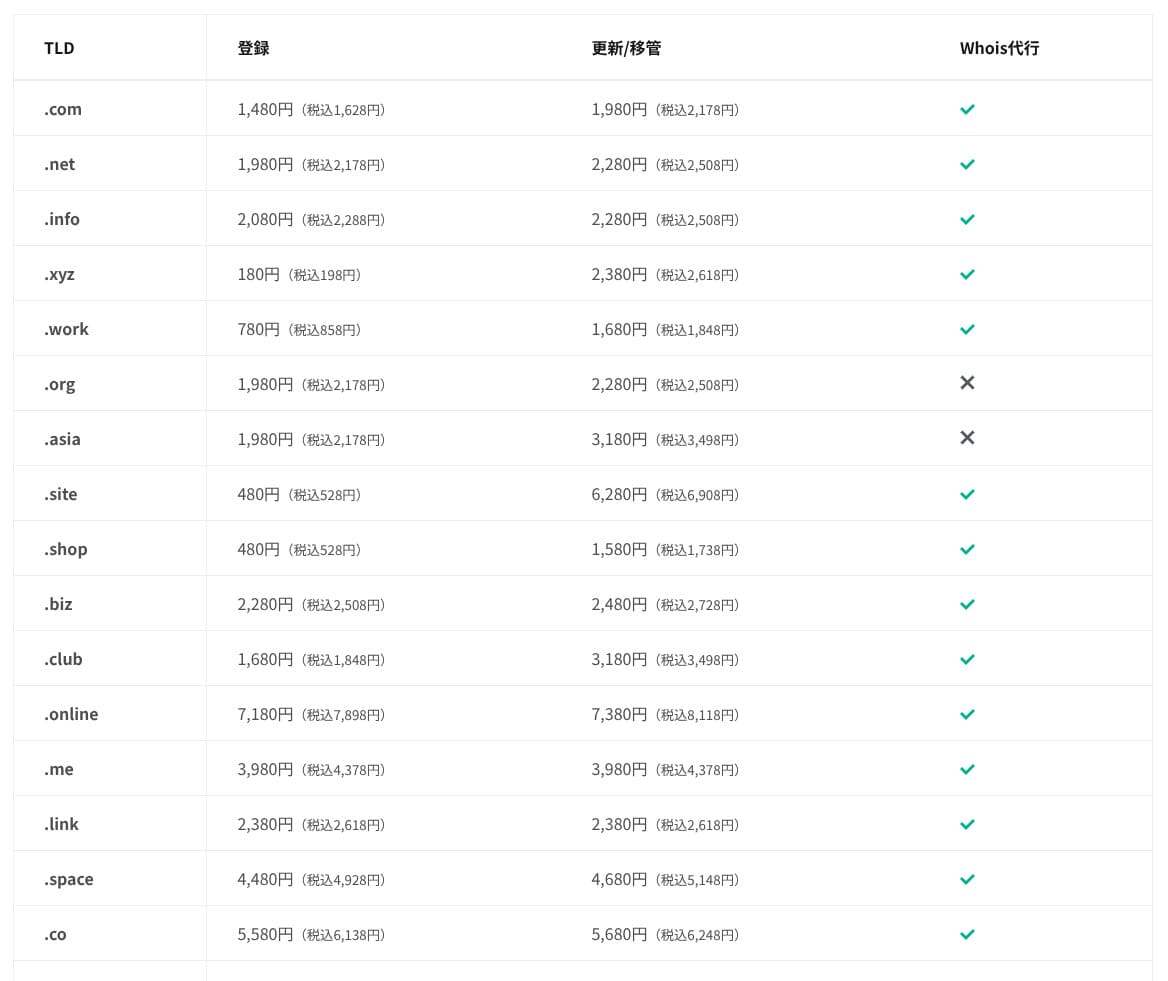
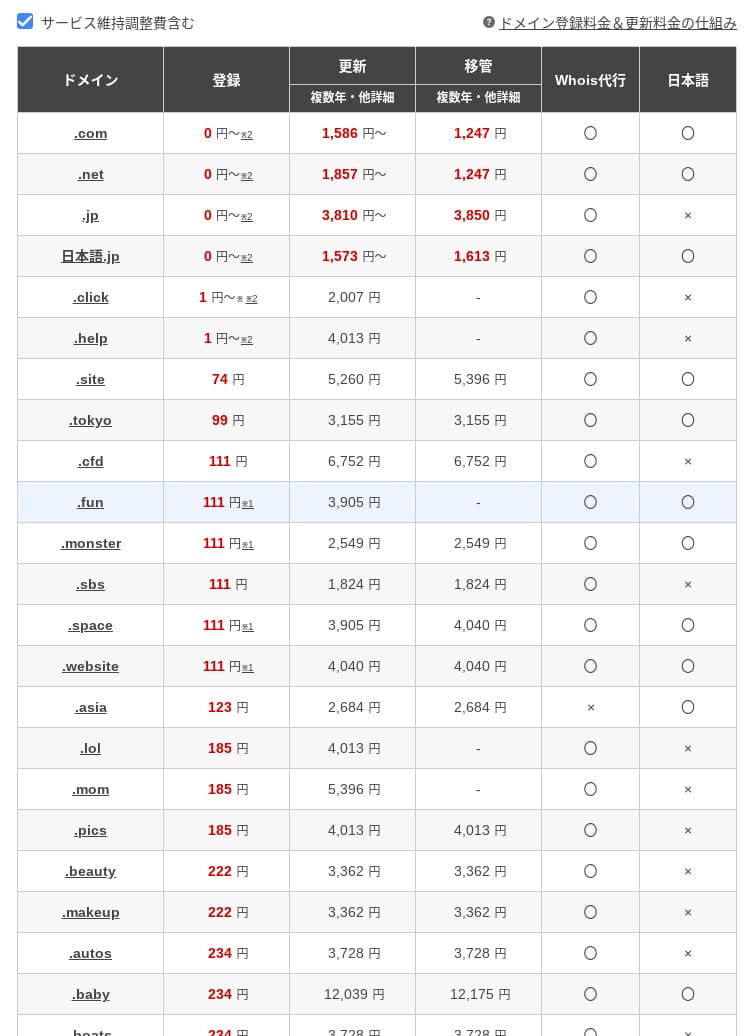
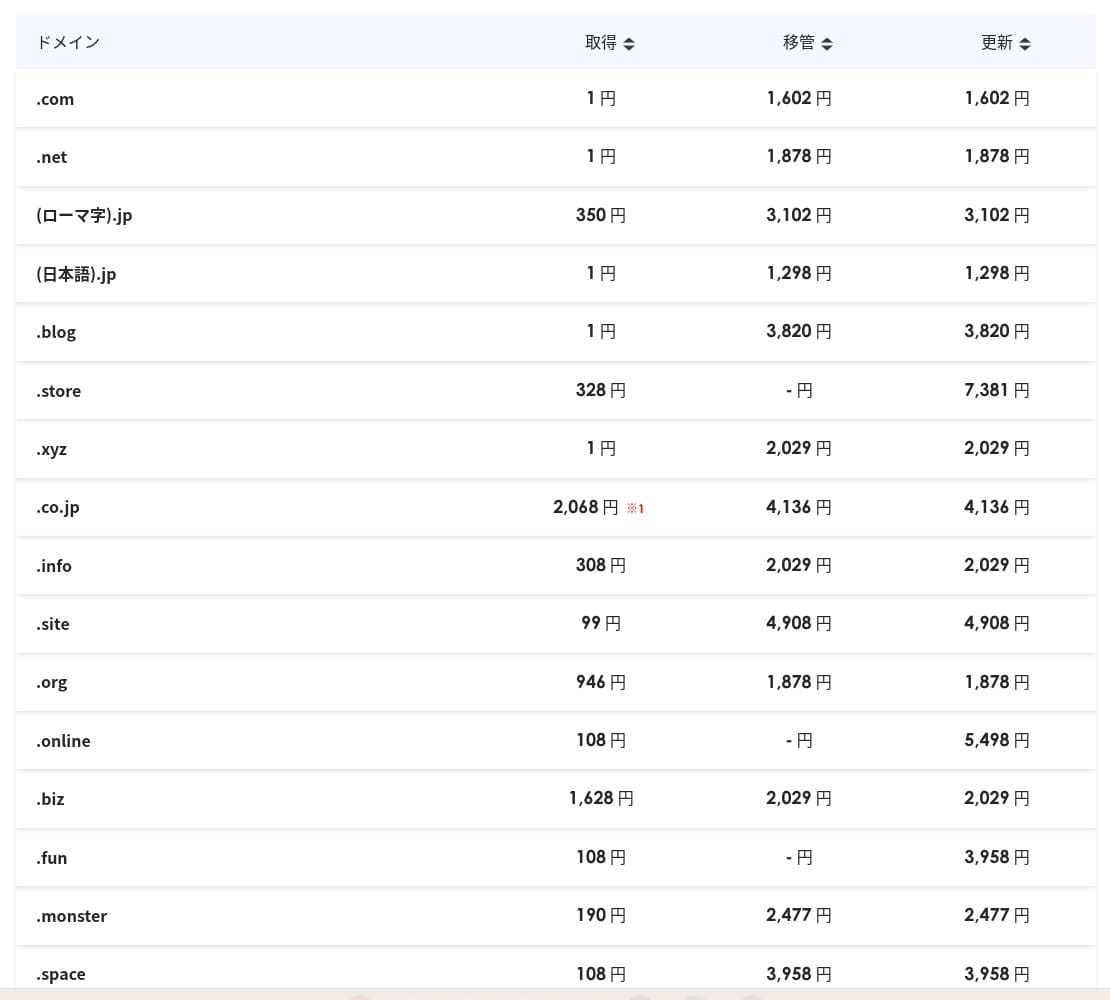
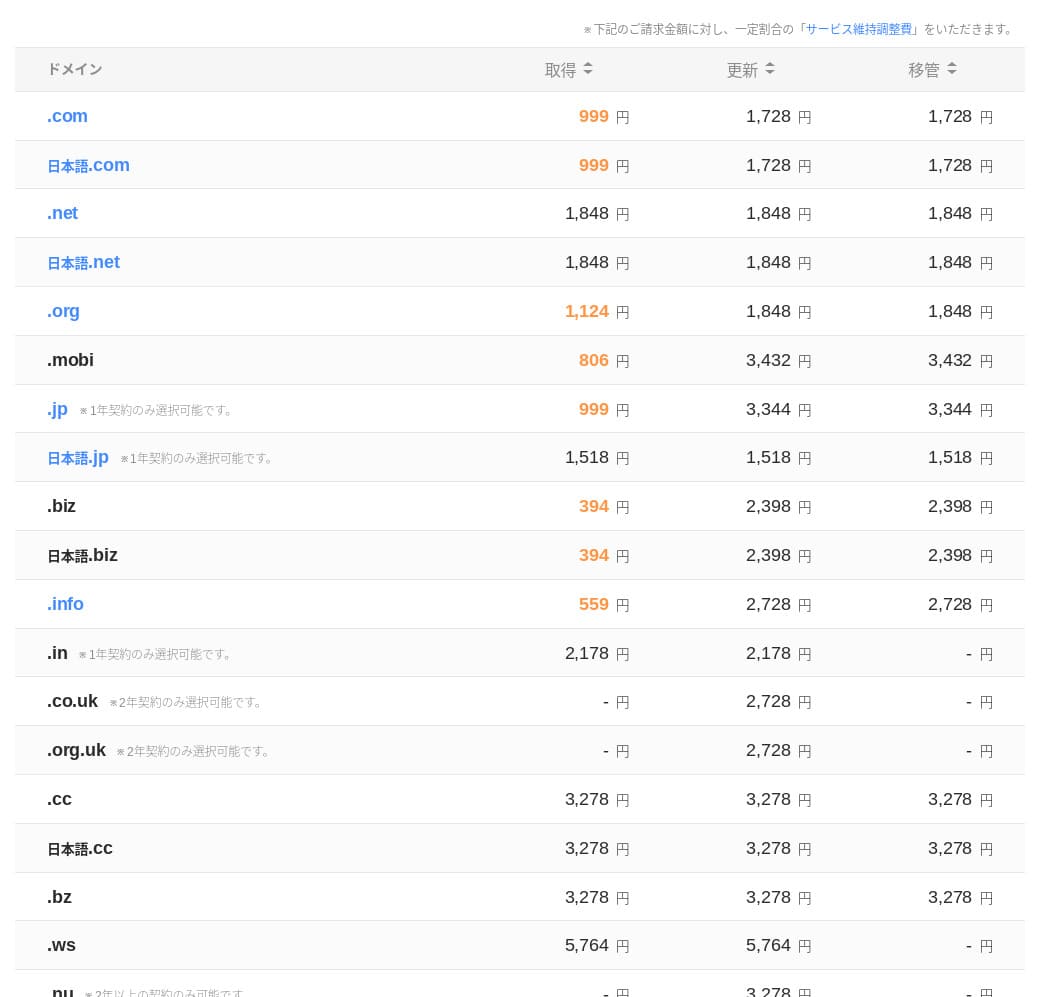
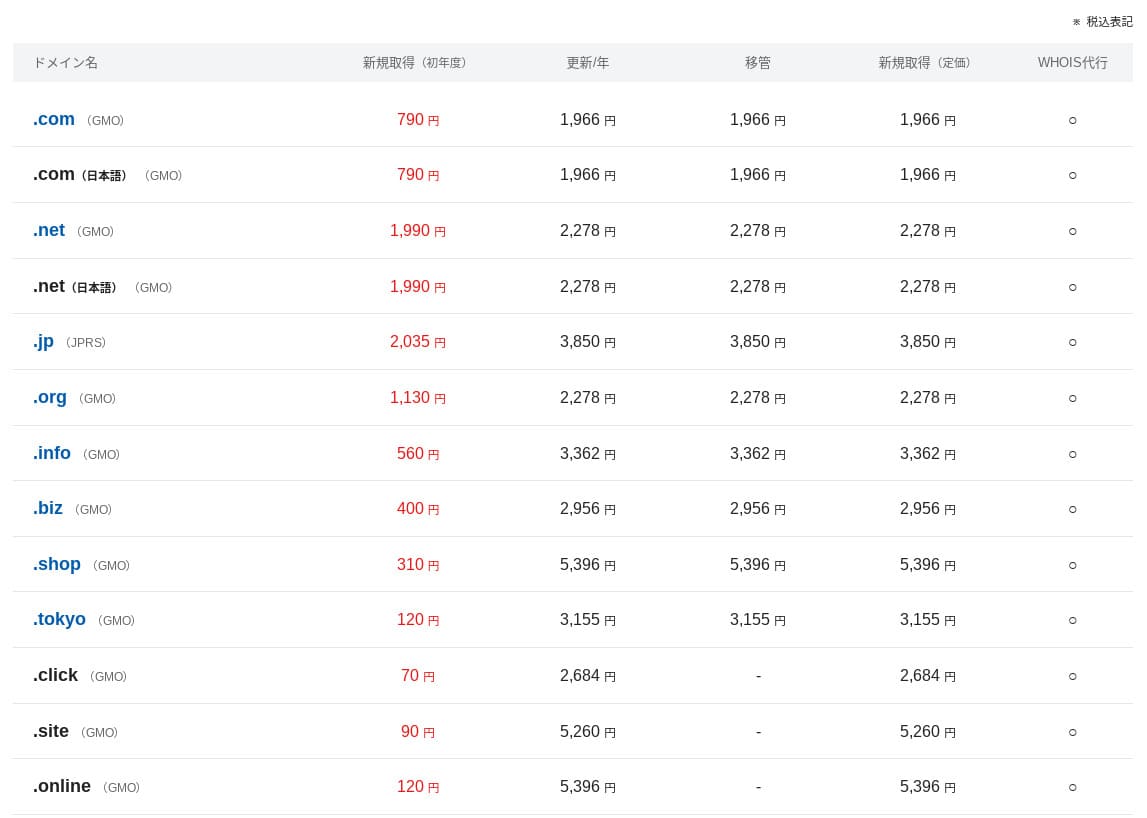
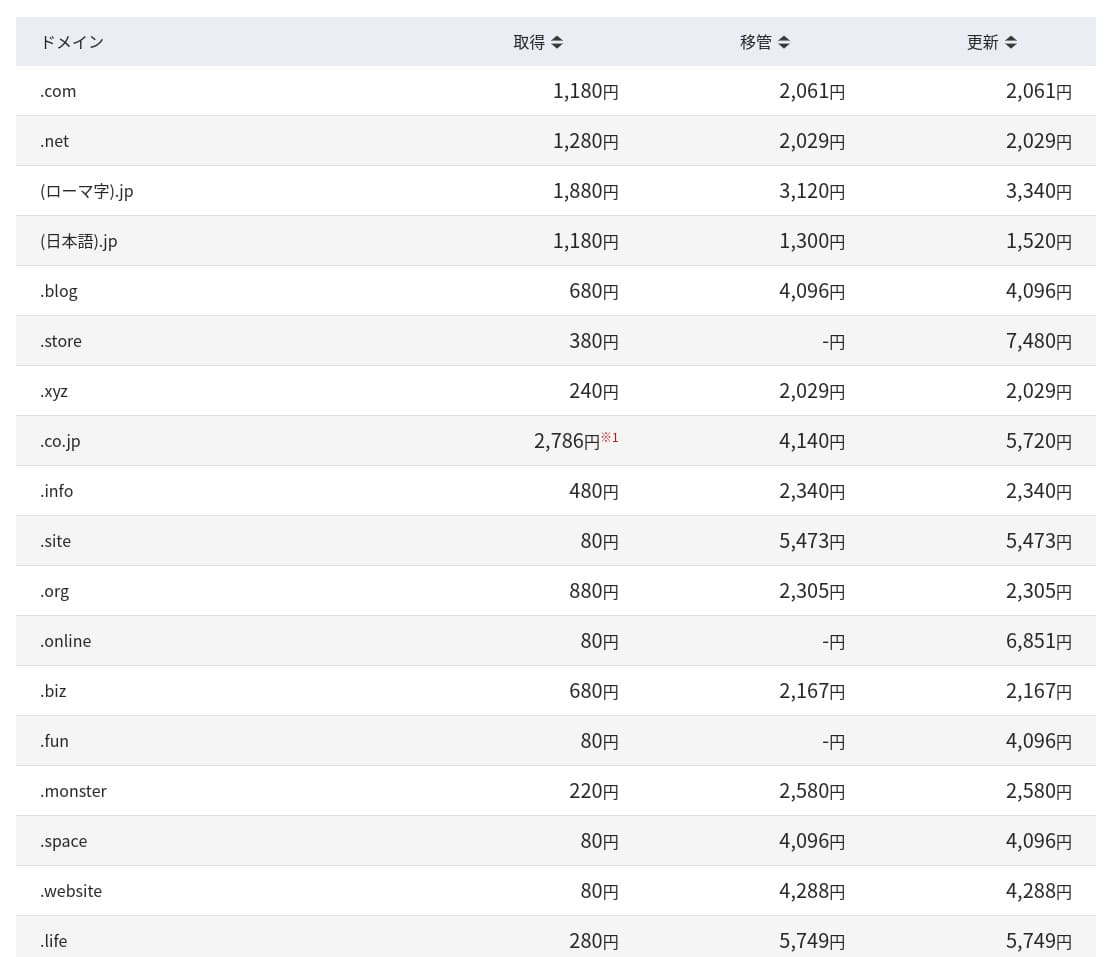
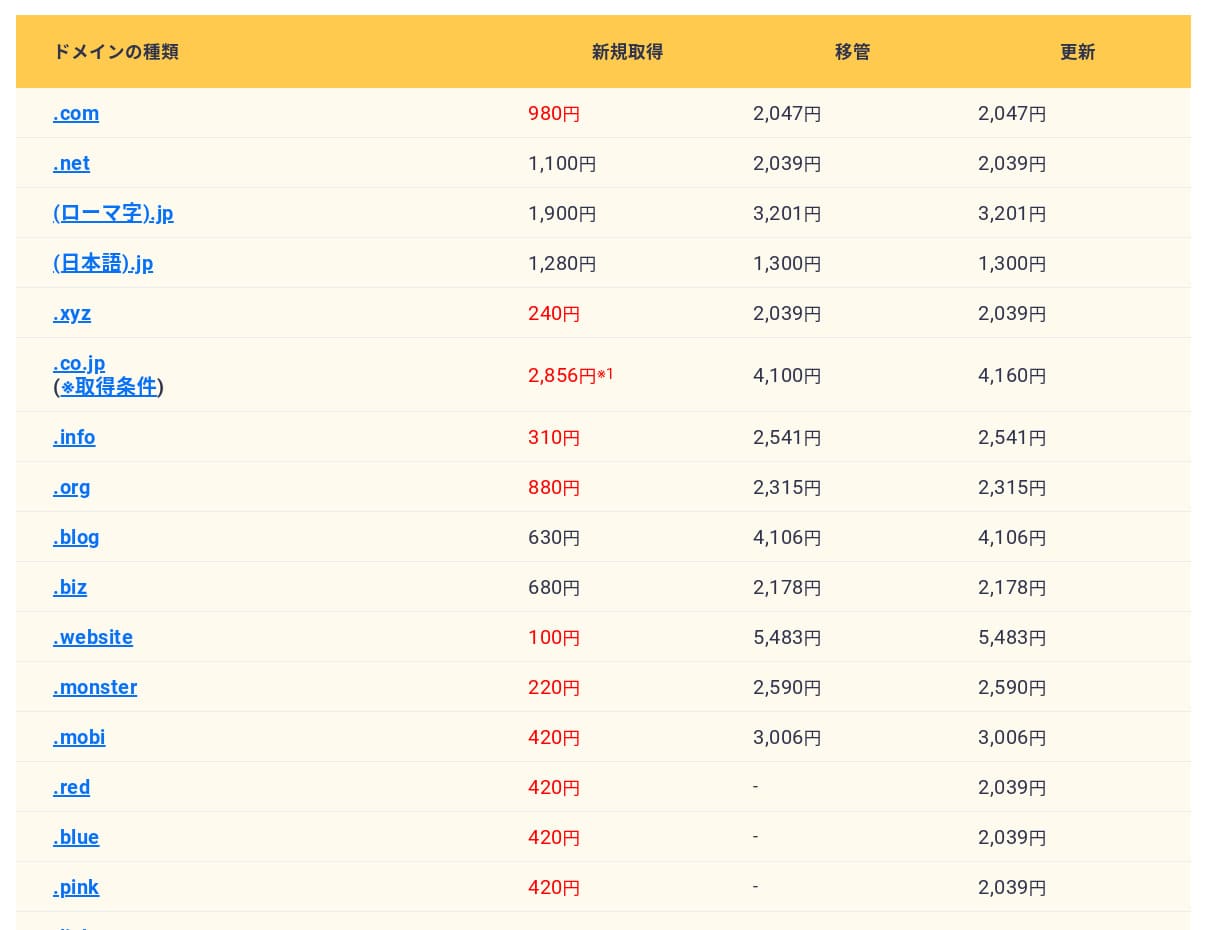
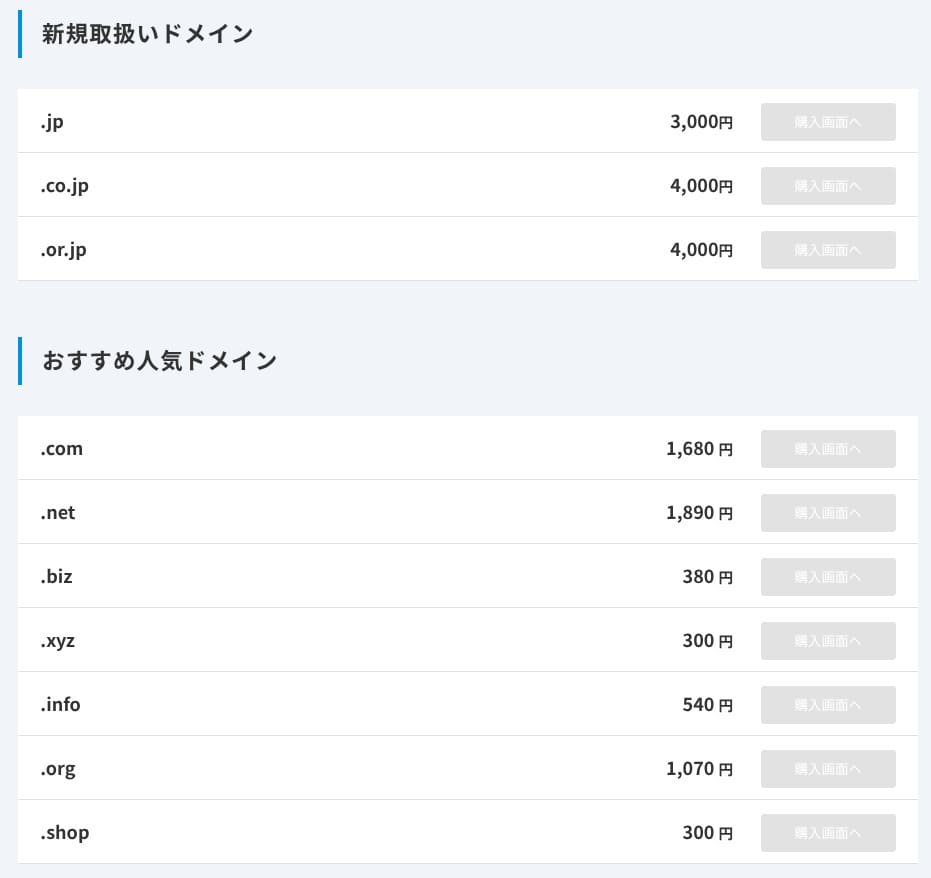
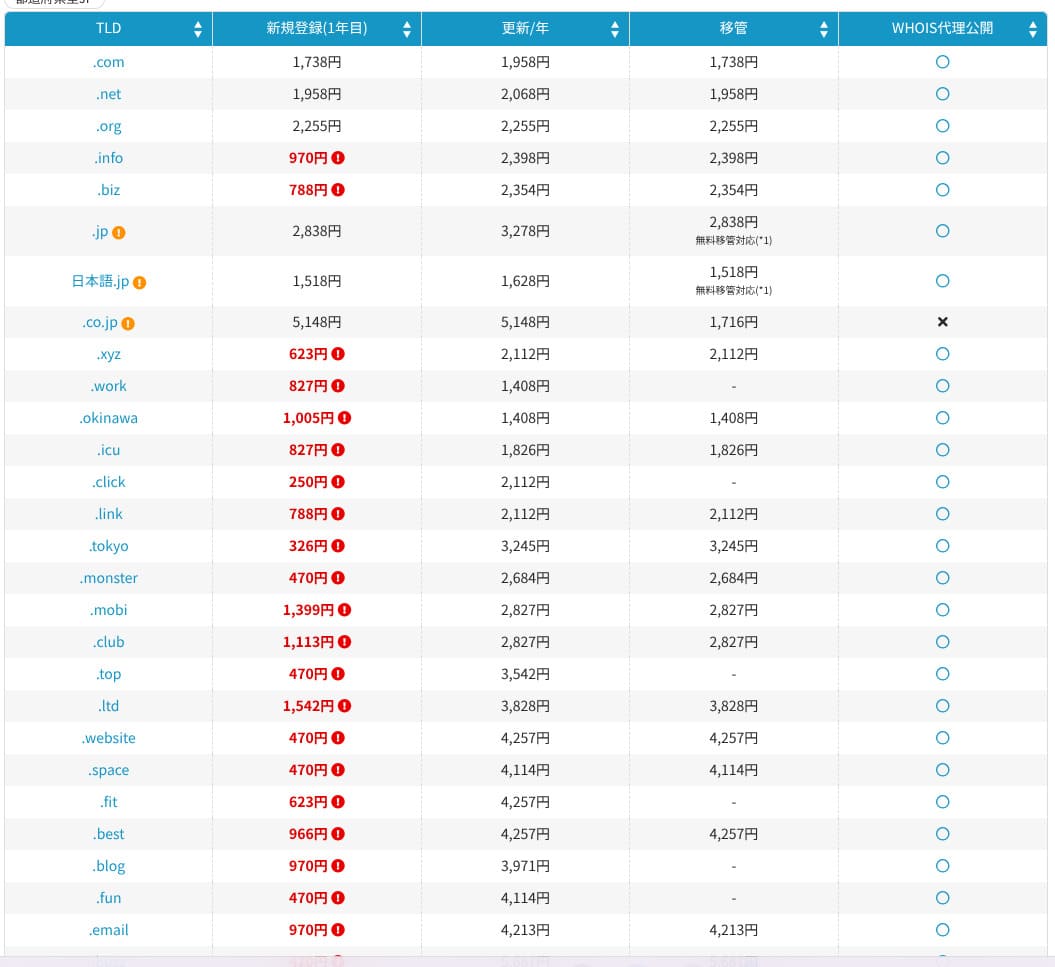
On Standard and higher plans, one domain from 11 types such as .com and .net is free for the first year. Ongoing renewal costs are slightly higher than the rates offered by typical registrars.
When you sign a long-term contract with XServer or ConoHa WING, you can keep using two domains for free for as long as the server contract remains active. In this respect, mixhost is at a disadvantage compared with those services.
- mixhost
- Onamae.com
- XServer Domain
- MuuMuu Domain
- Value Domain
- Shin Domain
- Star Domain
- Colorful Domain
- Rakko Domain
SSL certificate costs
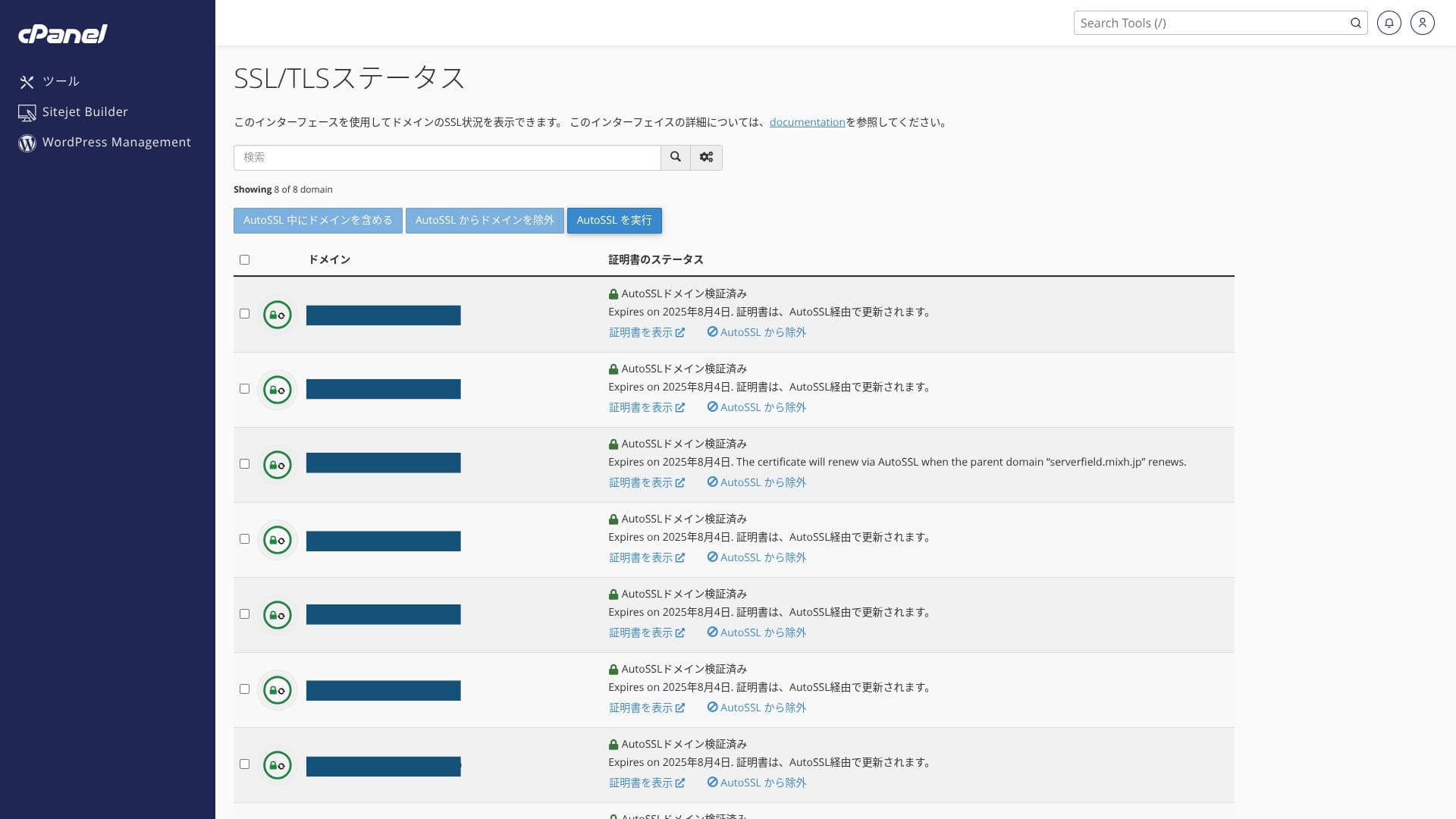
It includes free custom SSL through Let’s Encrypt as standard. Because the certificate is renewed automatically within 24 hours by the “AutoSSL” function in cPanel, there is no extra cost.
The WordPress site installed at the time of signup already had SSL/TLS configured from the start. There is no need for the account holder to set up SSL during signup. You only need to configure SSL later when you add a domain after the initial contract.
SSL settings can be run from “AutoSSL” inside “SSL/TLS Status” in cPanel.
Payment methods
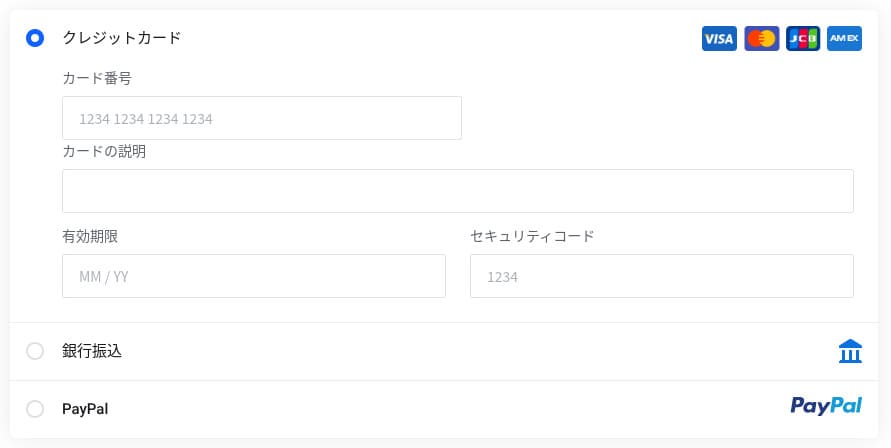
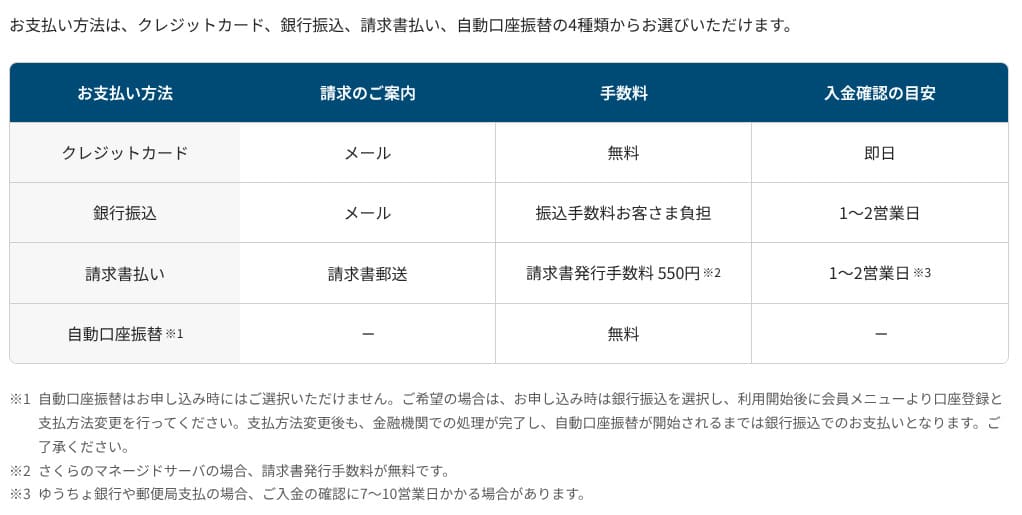
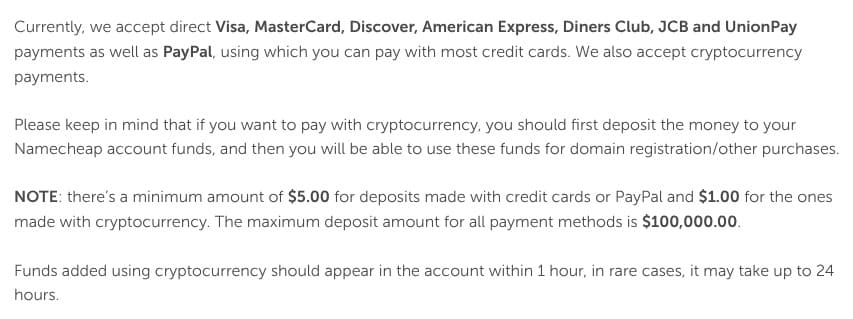
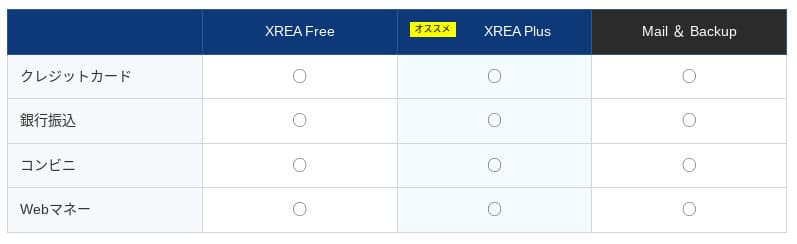
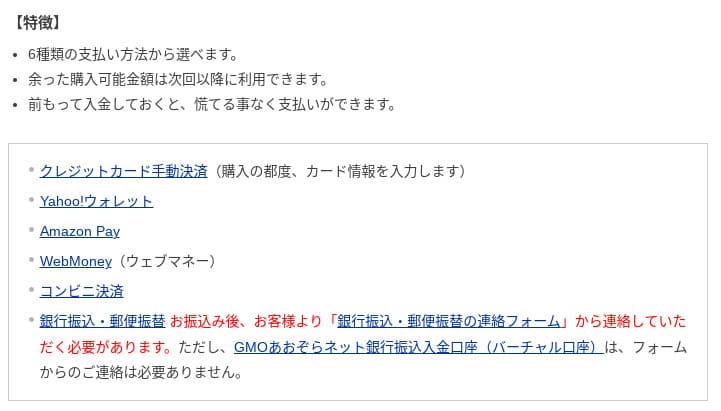
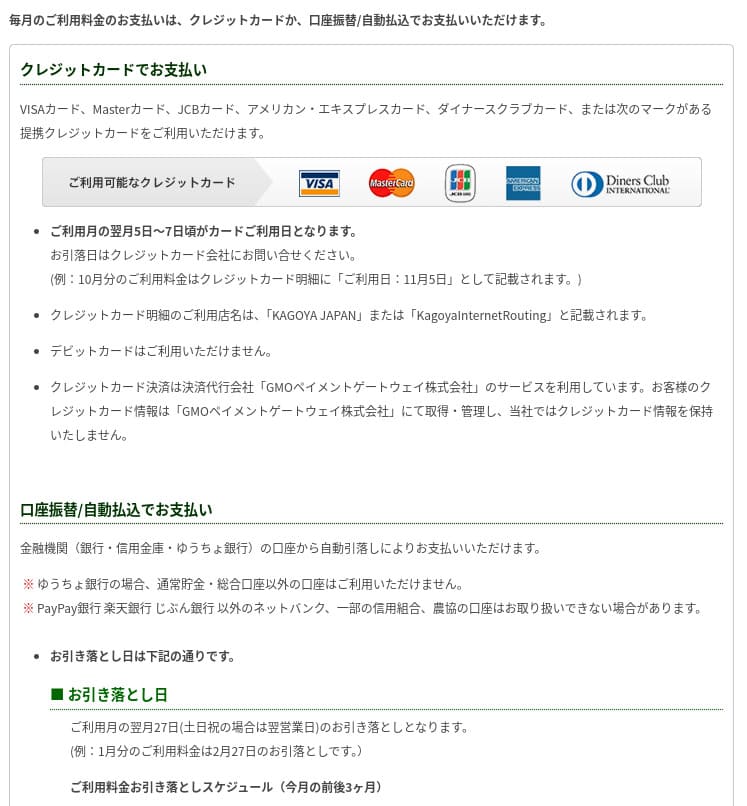
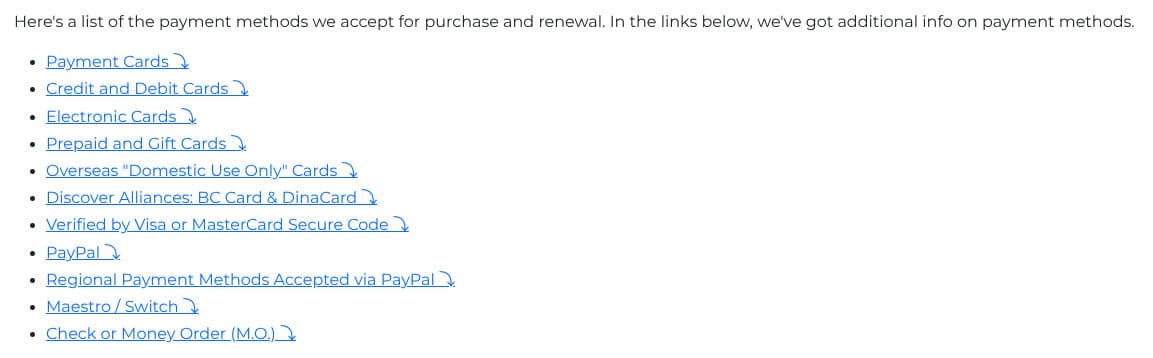
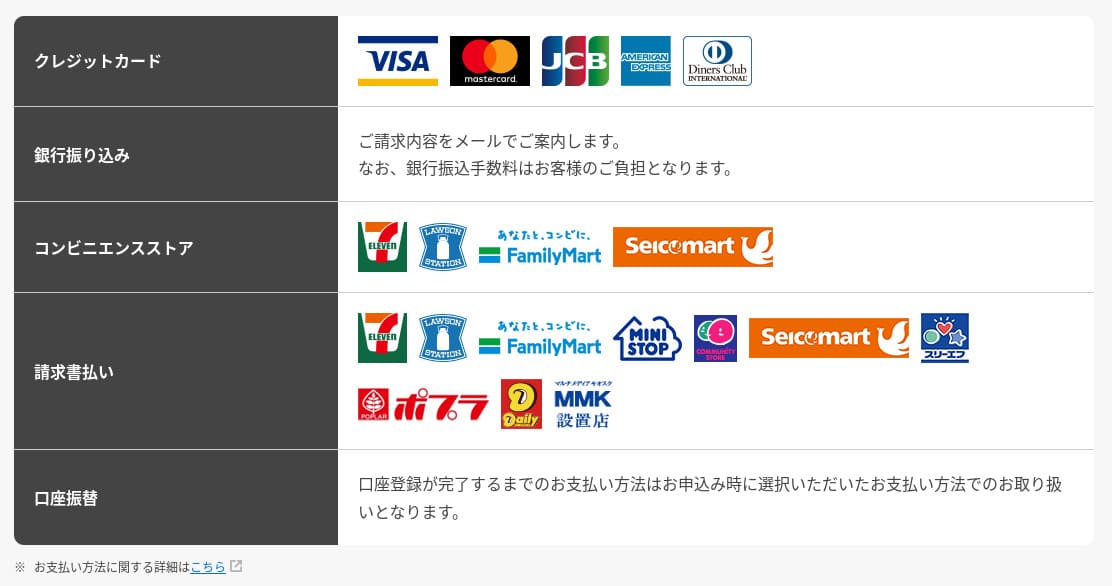
mixhost accepts credit cards, PayPal, and bank transfer.
- mixhost
- Kinsta
- XServer Business
- wpx
- Lolipop!
- Star Rental Server
- Rakko Server
- XServer
- ConoHa
- Colorful Box
- Shin Rental Server
- Little Server
- CORESERVER
- DreamHost
- Bluehost
- Sakura
- Namecheap
- Shin Free
- XREA
- Value Server
- HOSTINGER
- KAGOYA
- SiteGround
- Hostgator
- IONOS
- Onamae.com
- ABLENET
- GoDaddy
- iCLUSTA+
- MuuMuu Server
- WADAX
- WebARENA
- heteml
- CPI Rental Server
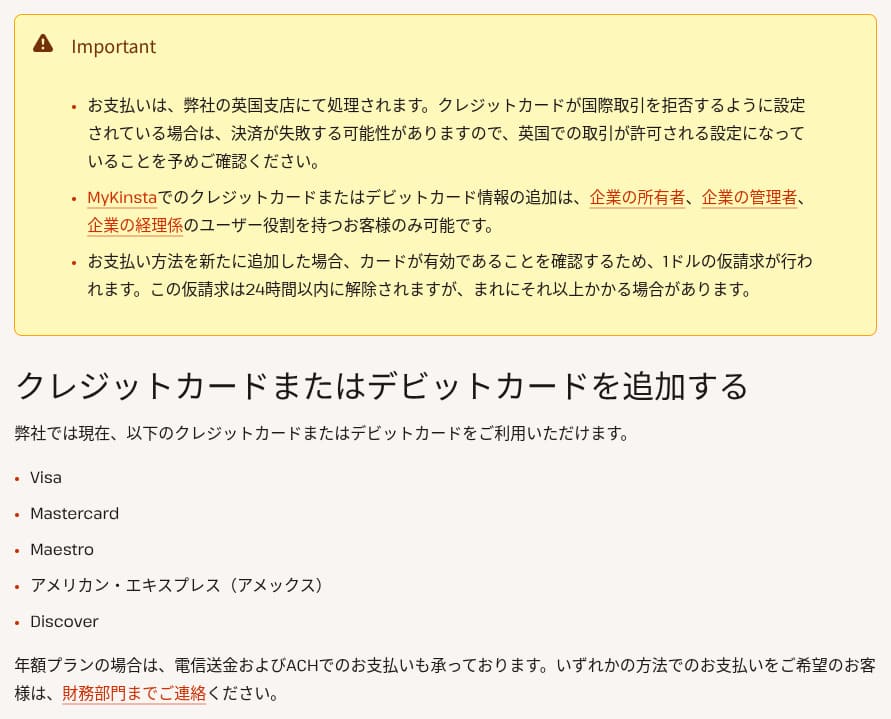

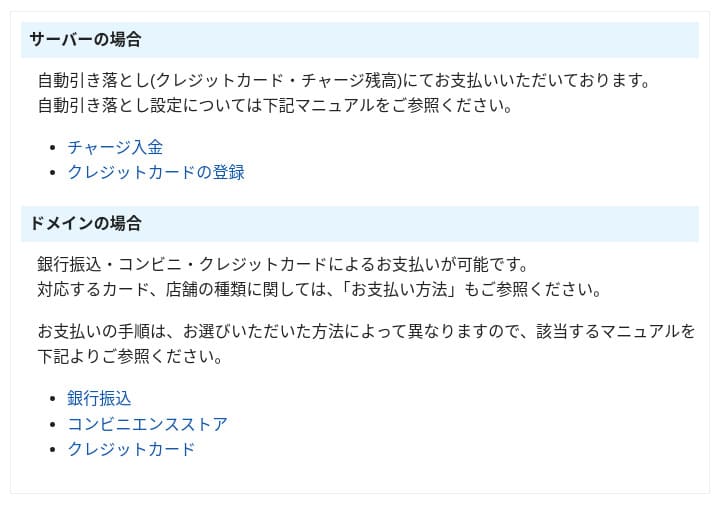




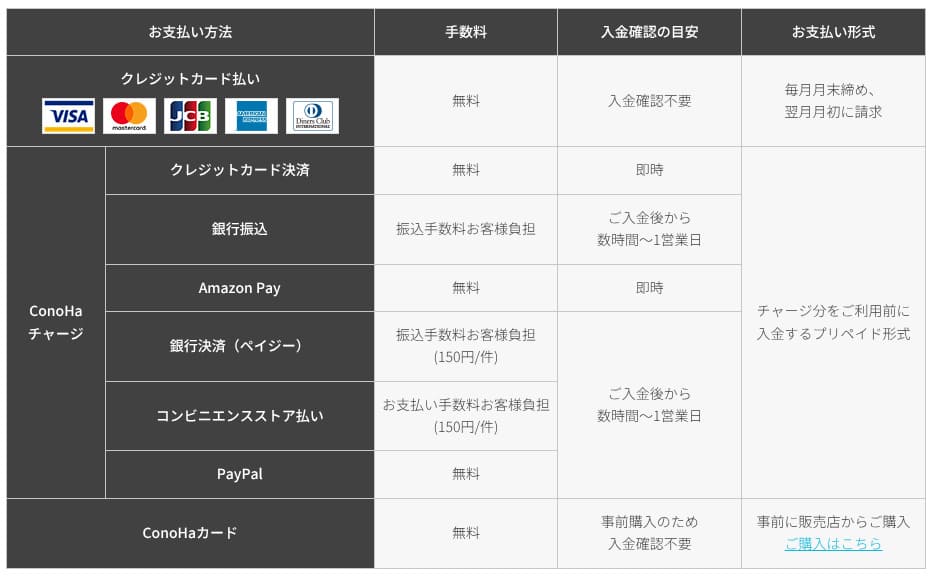
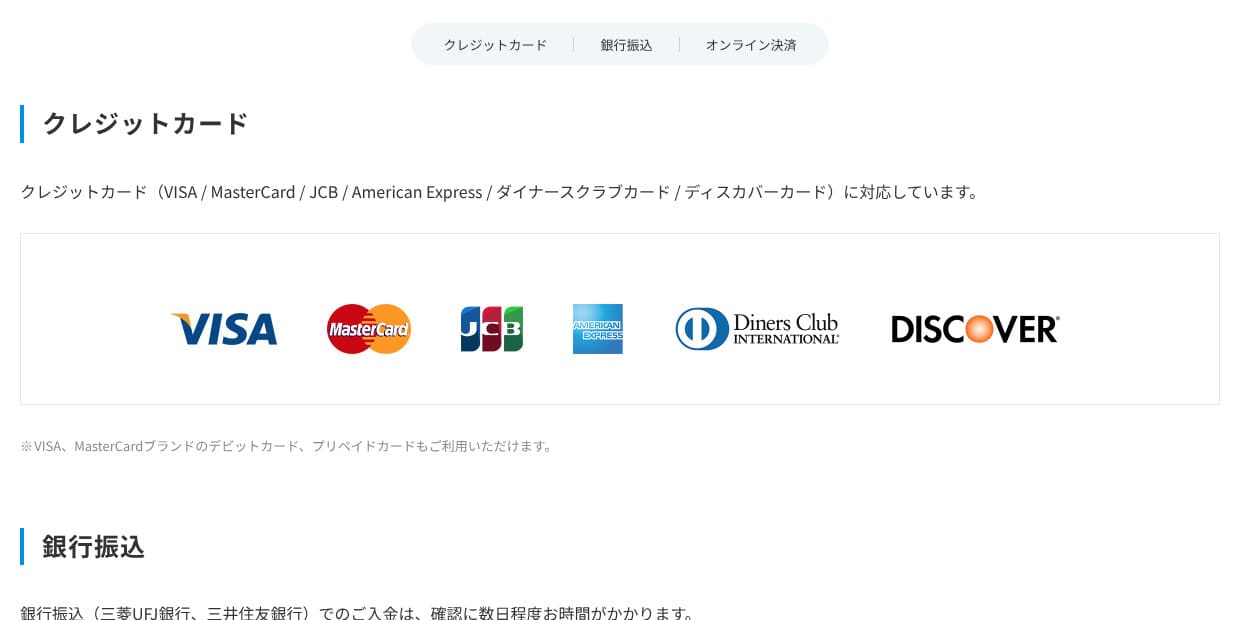

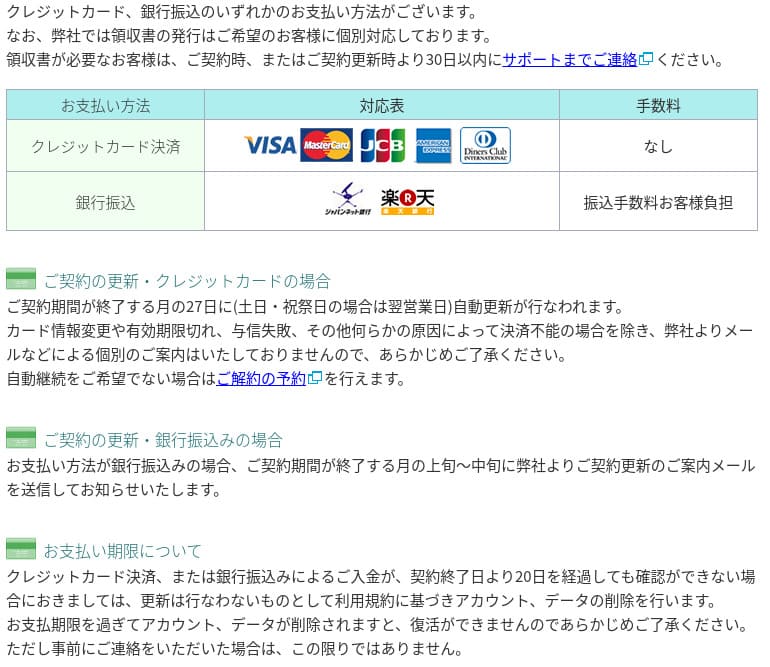
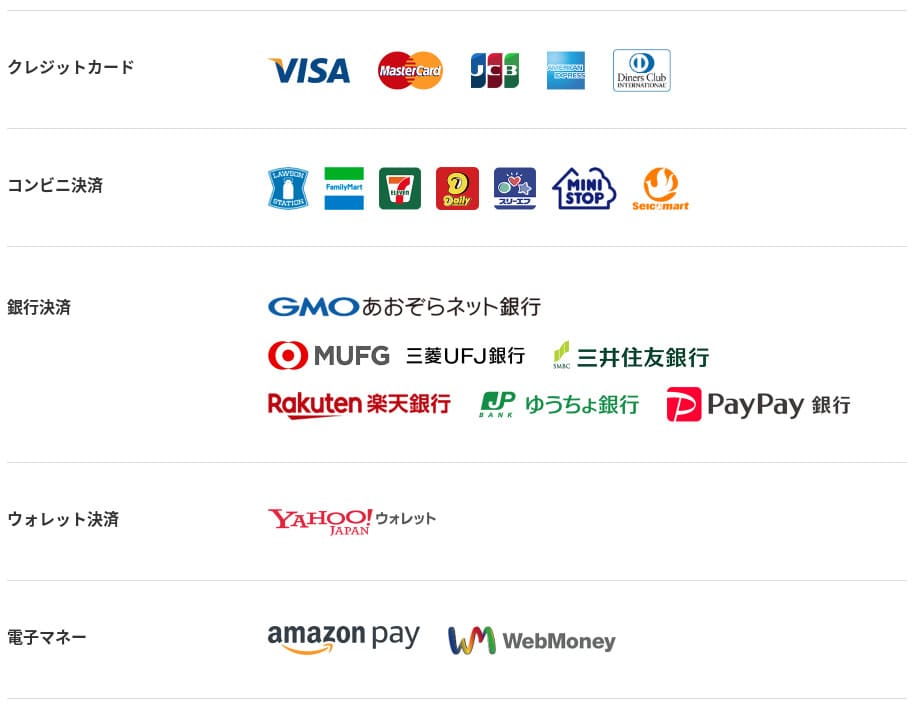
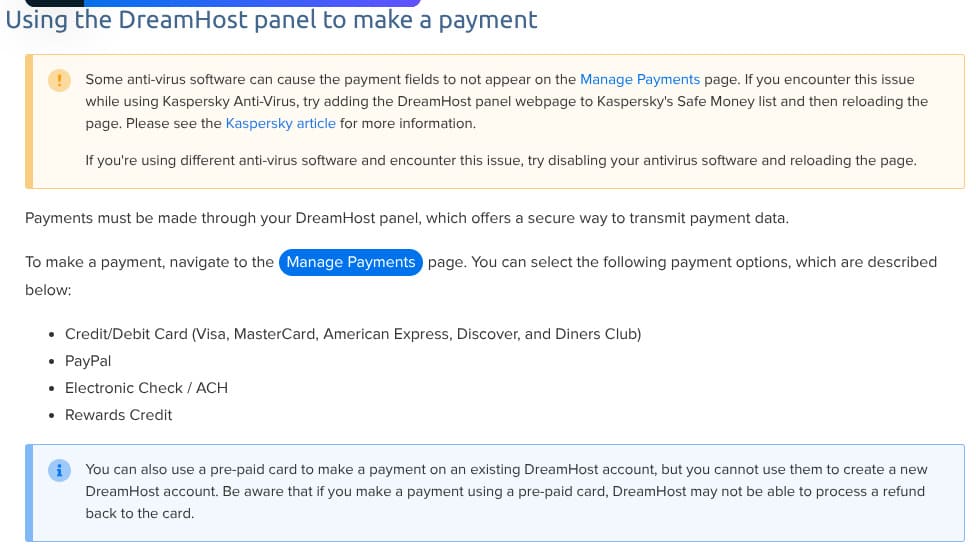
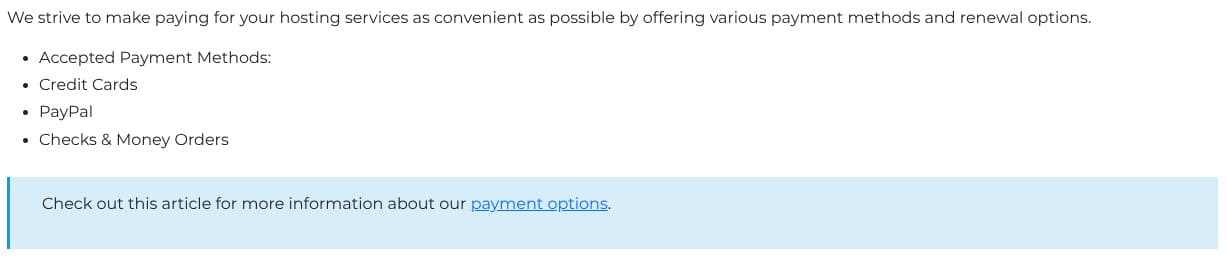





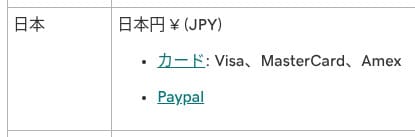
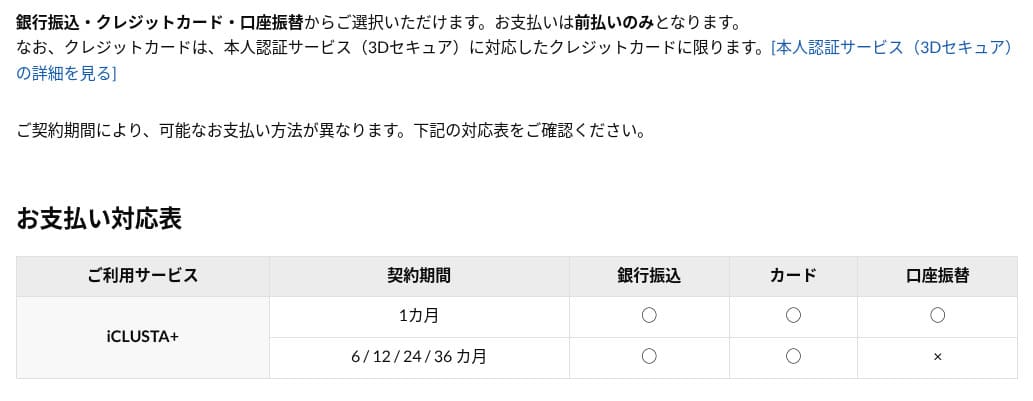
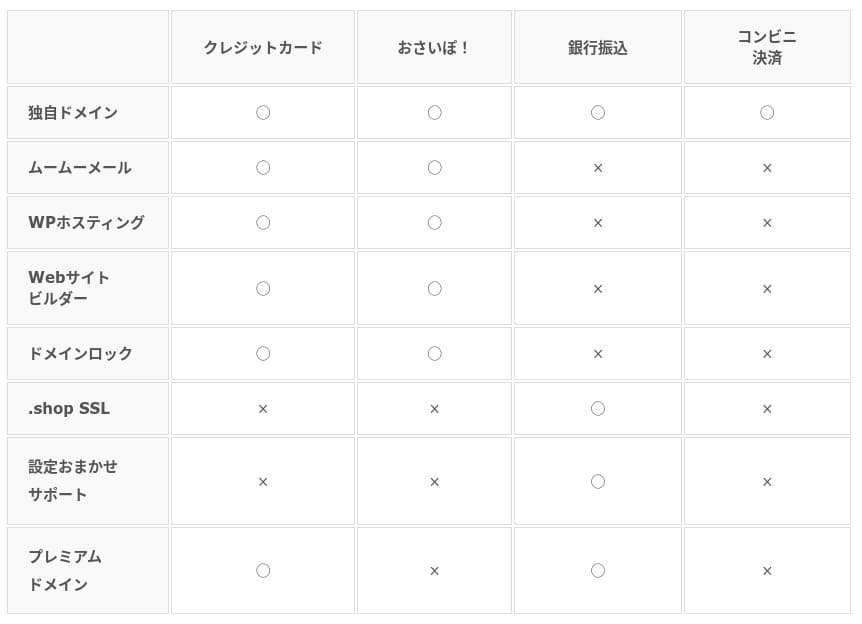
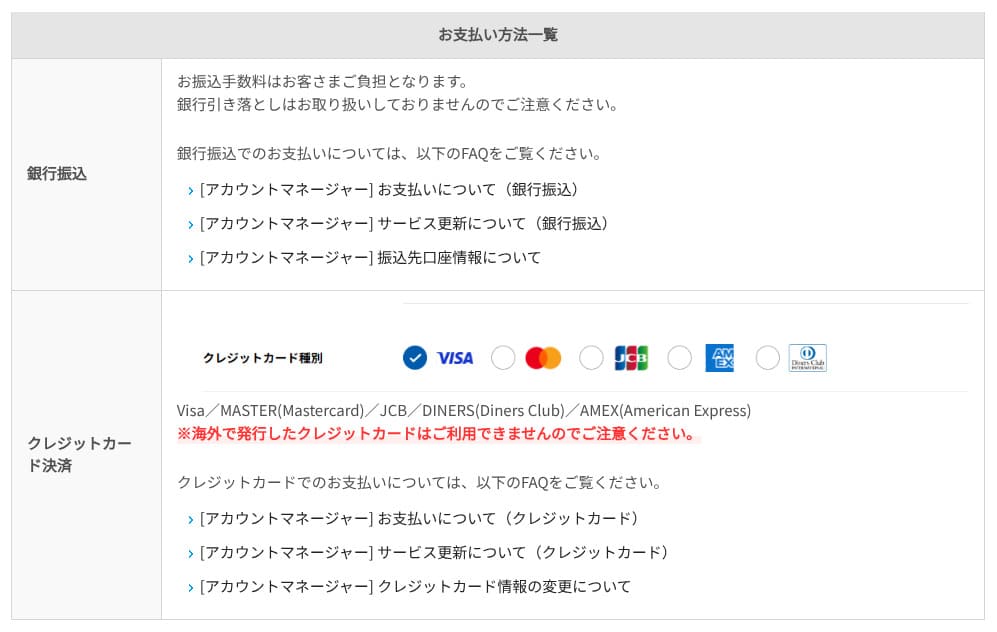
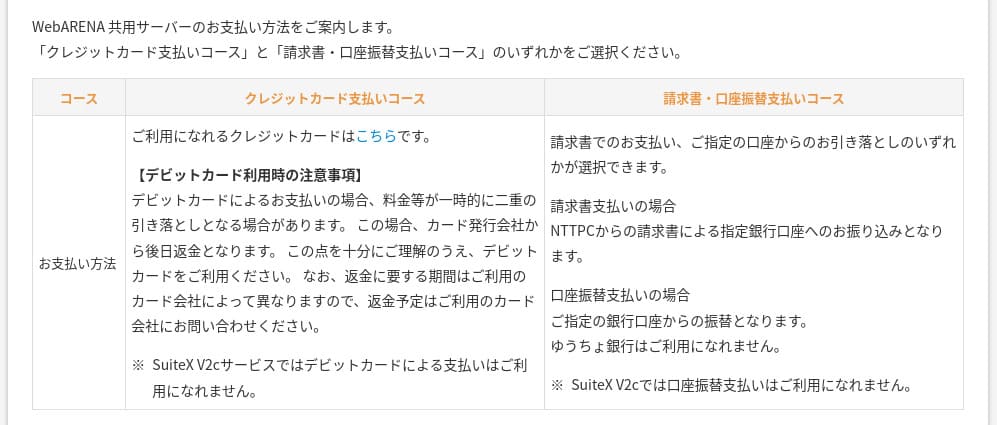
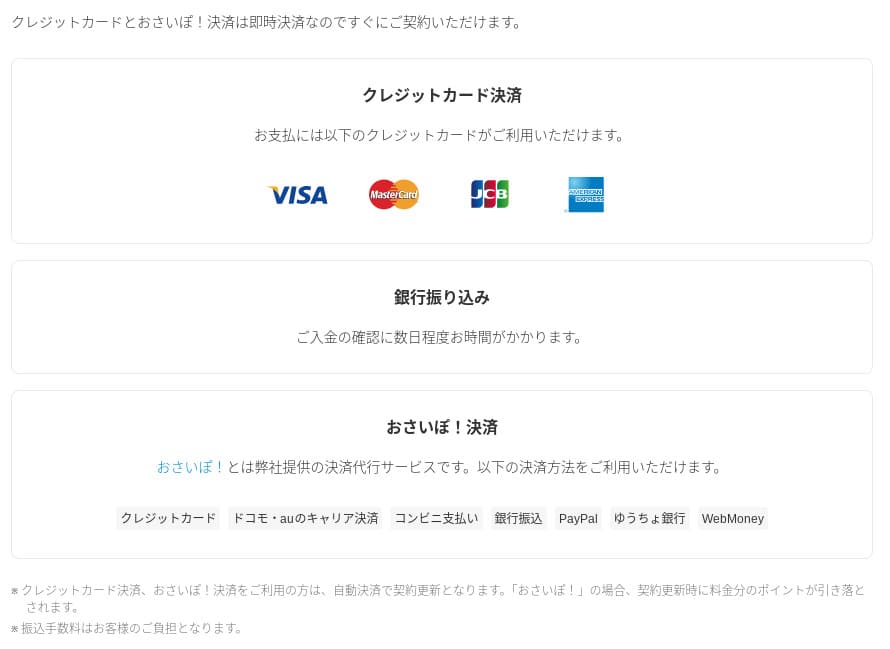
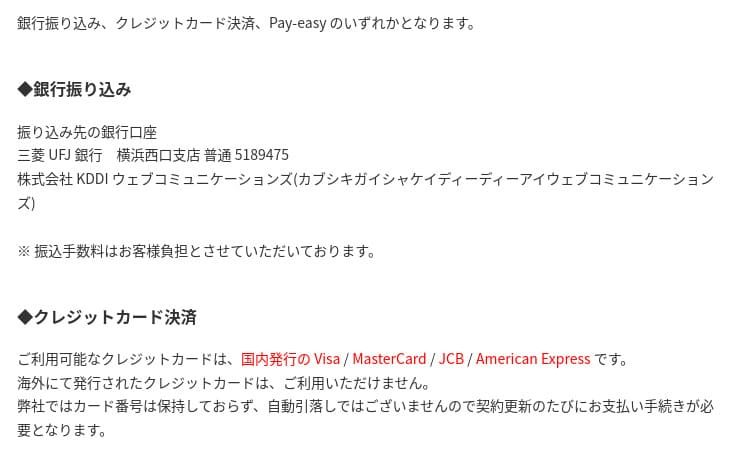
If you want to pay with PayPal, note that a 36-month contract cannot be renewed automatically because of system limitations.
Important notes when ordering a contract term longer than one year with PayPal
Ease of use and support review
Ease of use of the control panel
It uses the industry-standard cPanel alongside mixhost’s own control panel. You can handle email settings, SSL issuance, and app installation through a GUI.
- Home
- My Services
- WordPress
- Domains
- Backups
- Bandwidth
- Email Accounts
- Cron
- DB
- File Manager
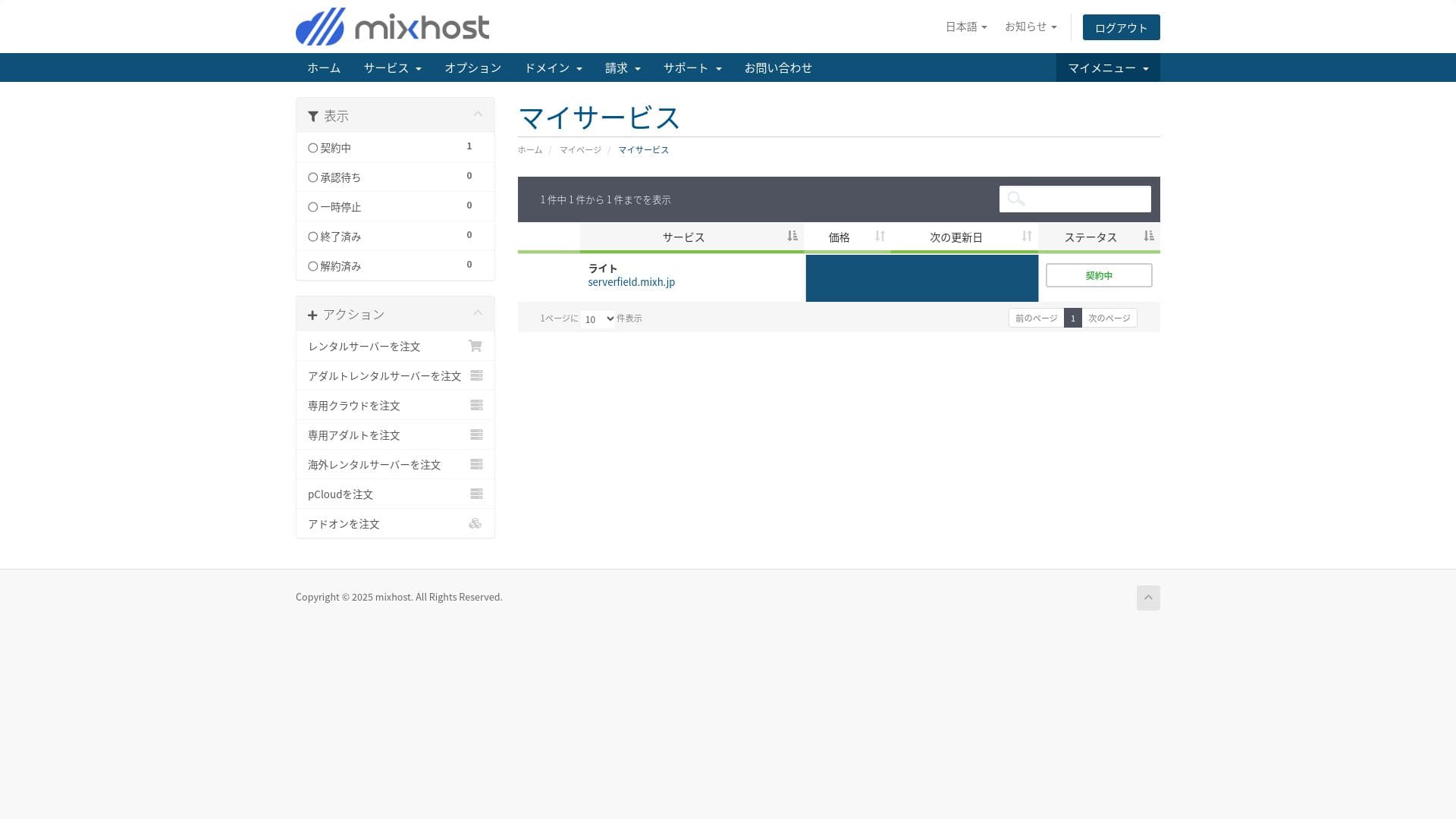
You can install WordPress from the "WordPress Manager" in mixhost's control panel.
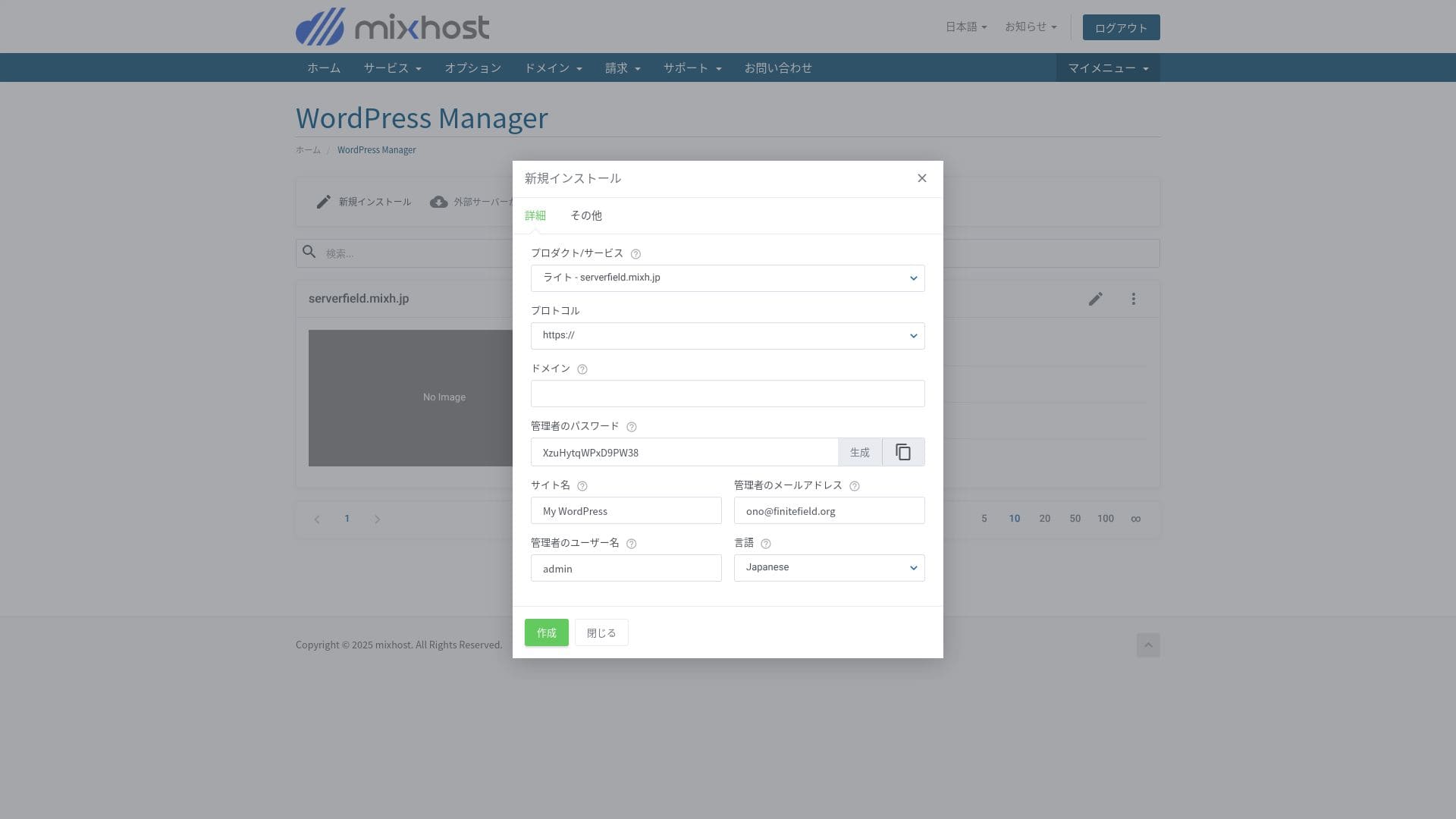
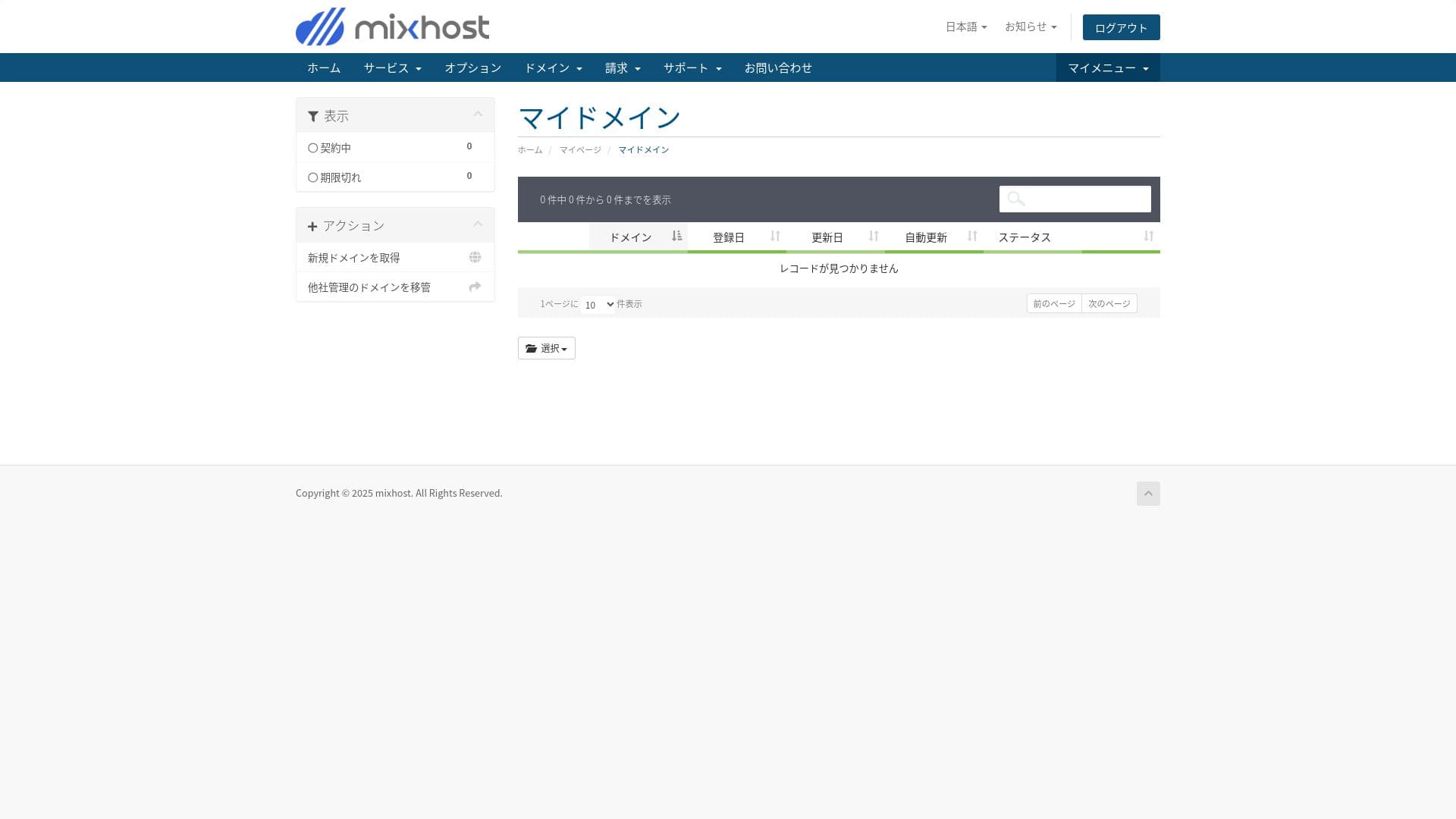
The Light plan does not include backups, so there is no screenshot here. Use a WordPress backup plugin instead.
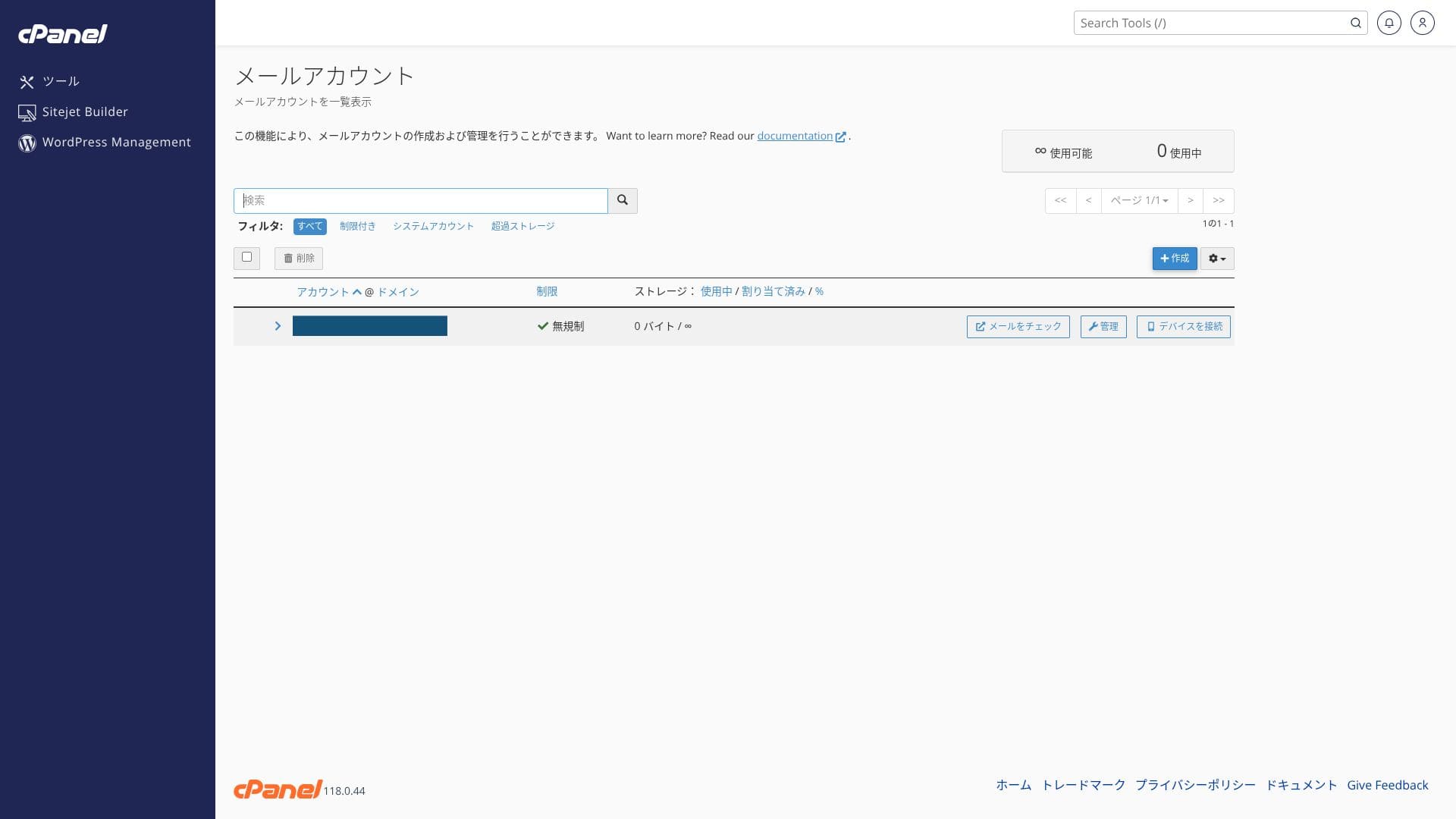
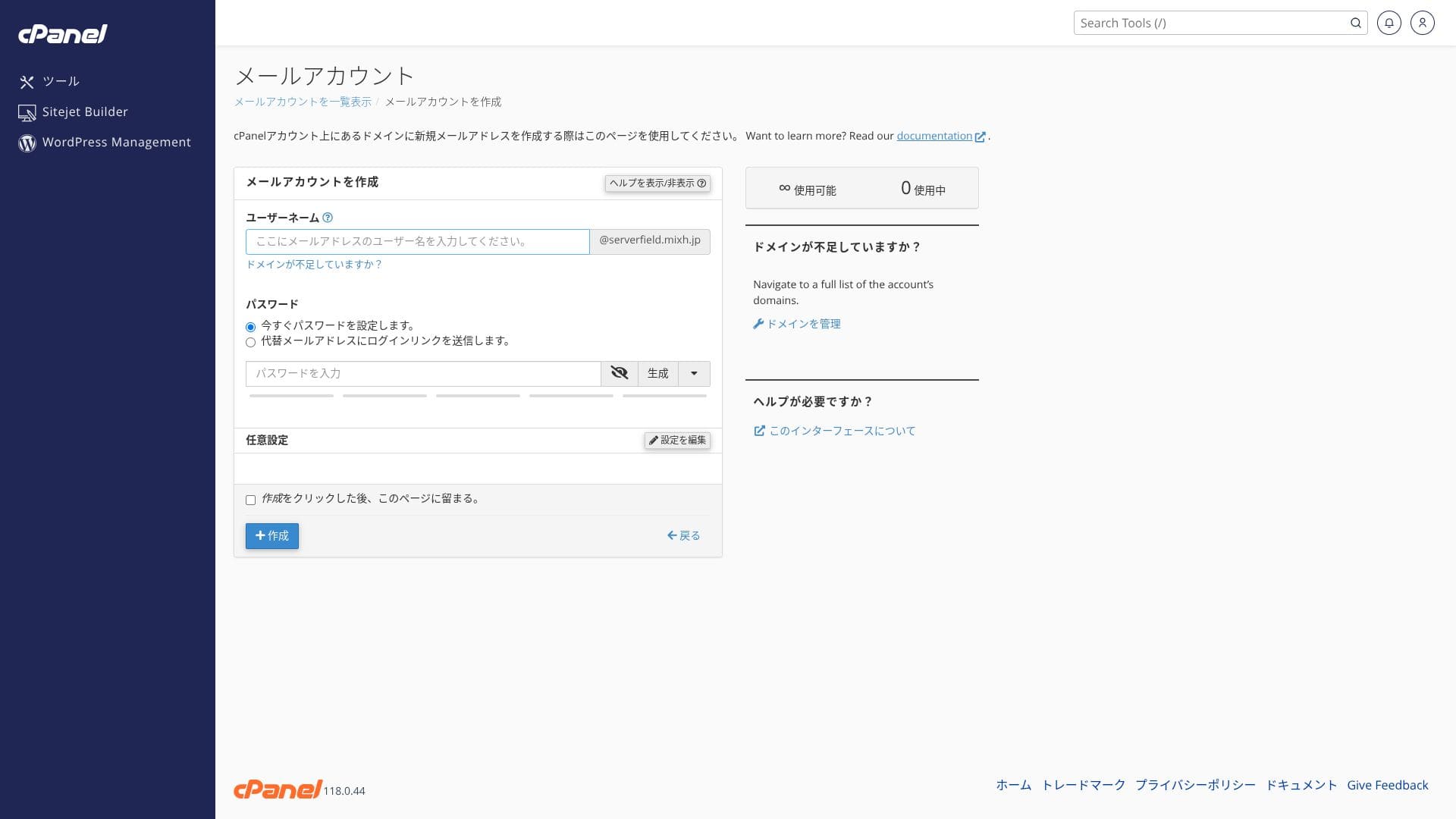
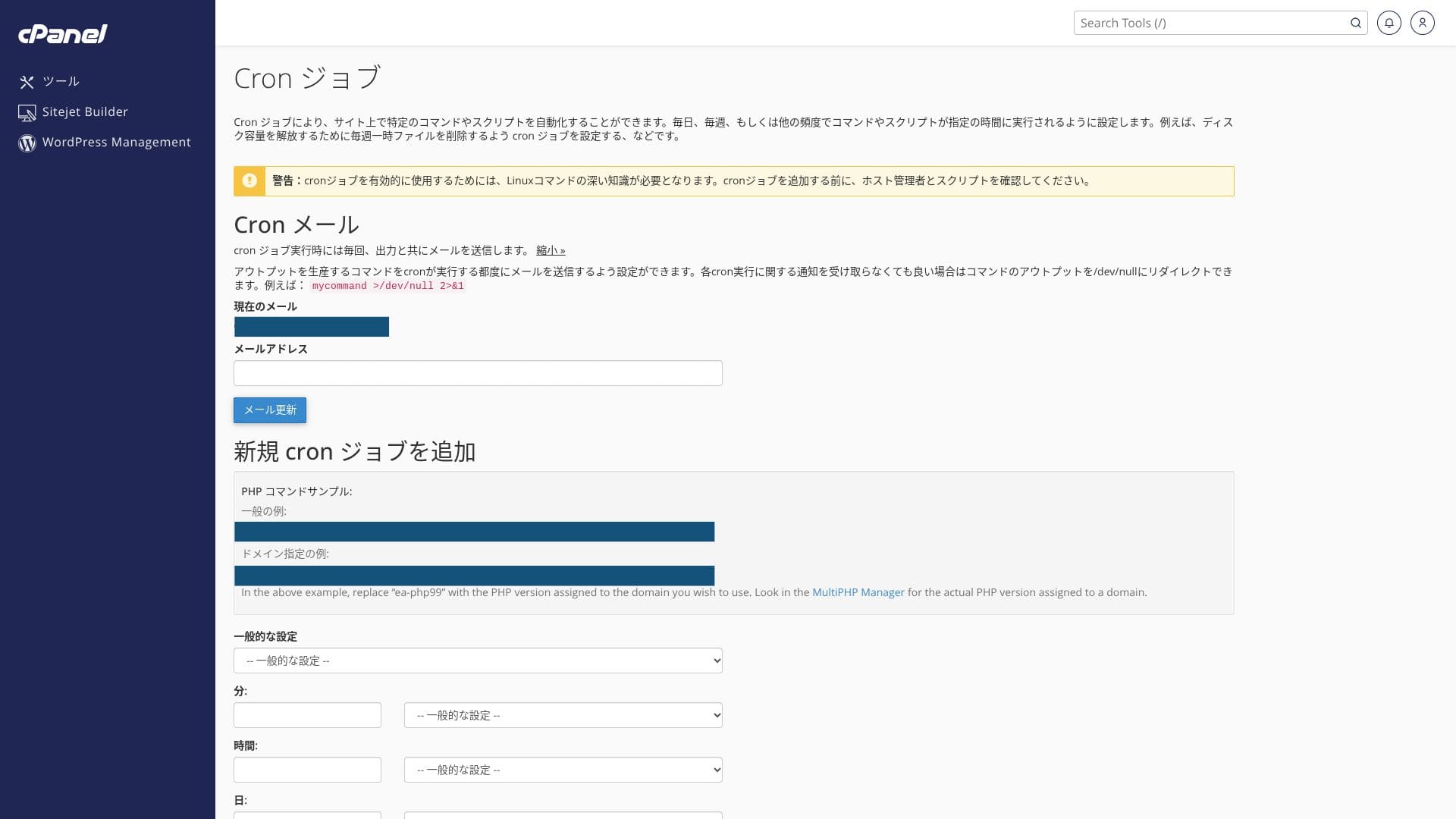
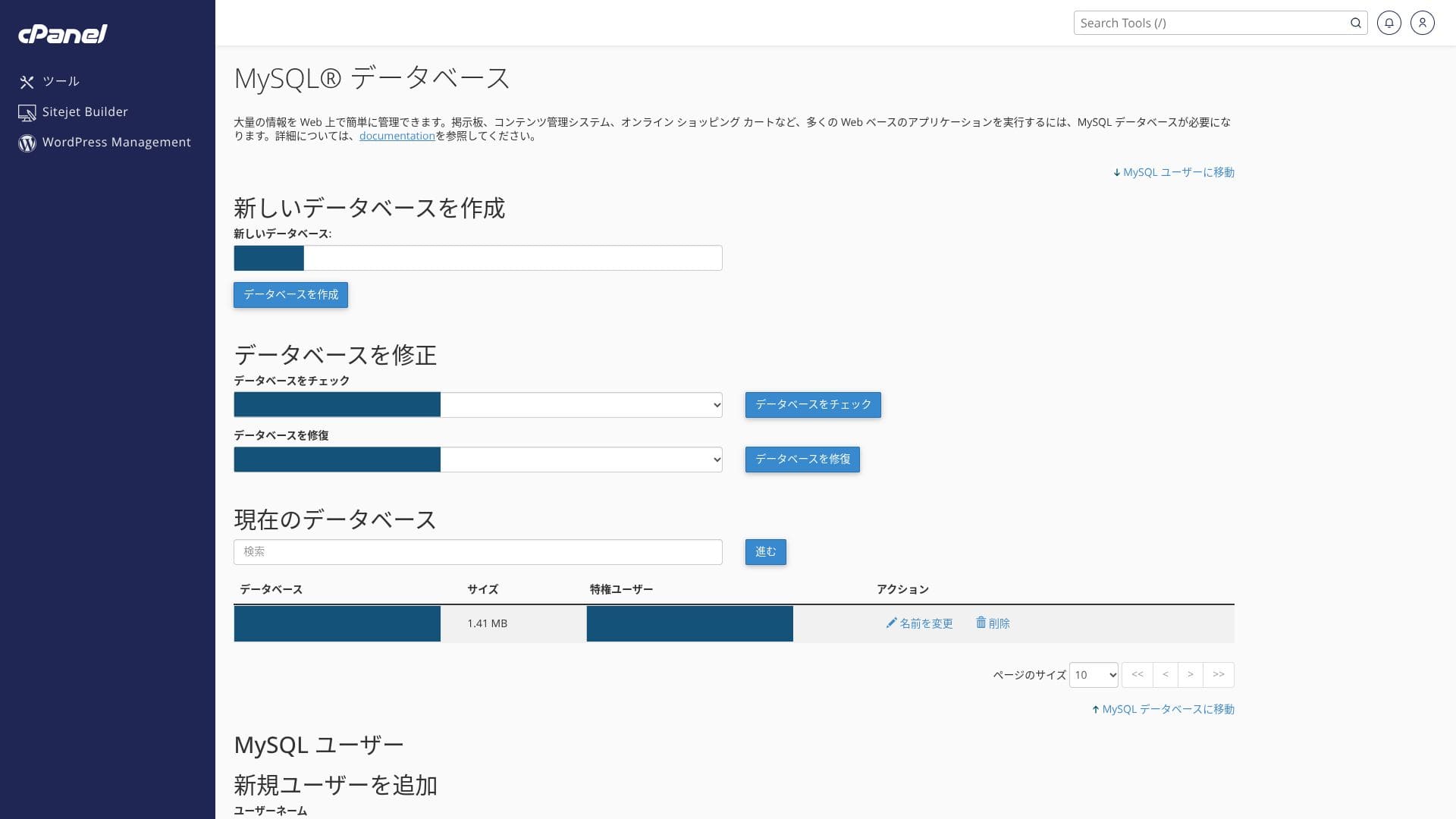
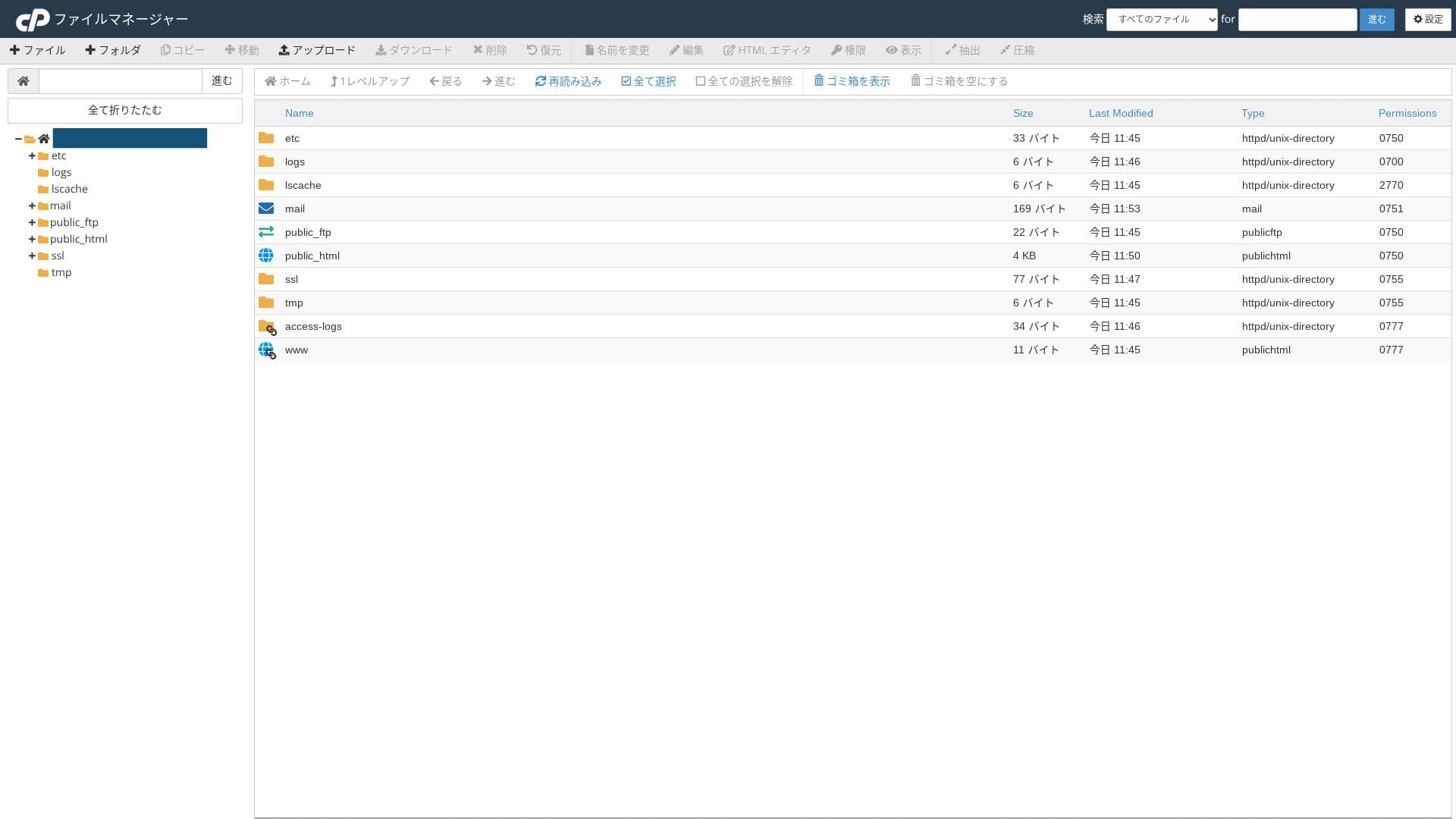
Because you use both the proprietary control panel and cPanel, you may feel unsure of where to click at first.
Support structure
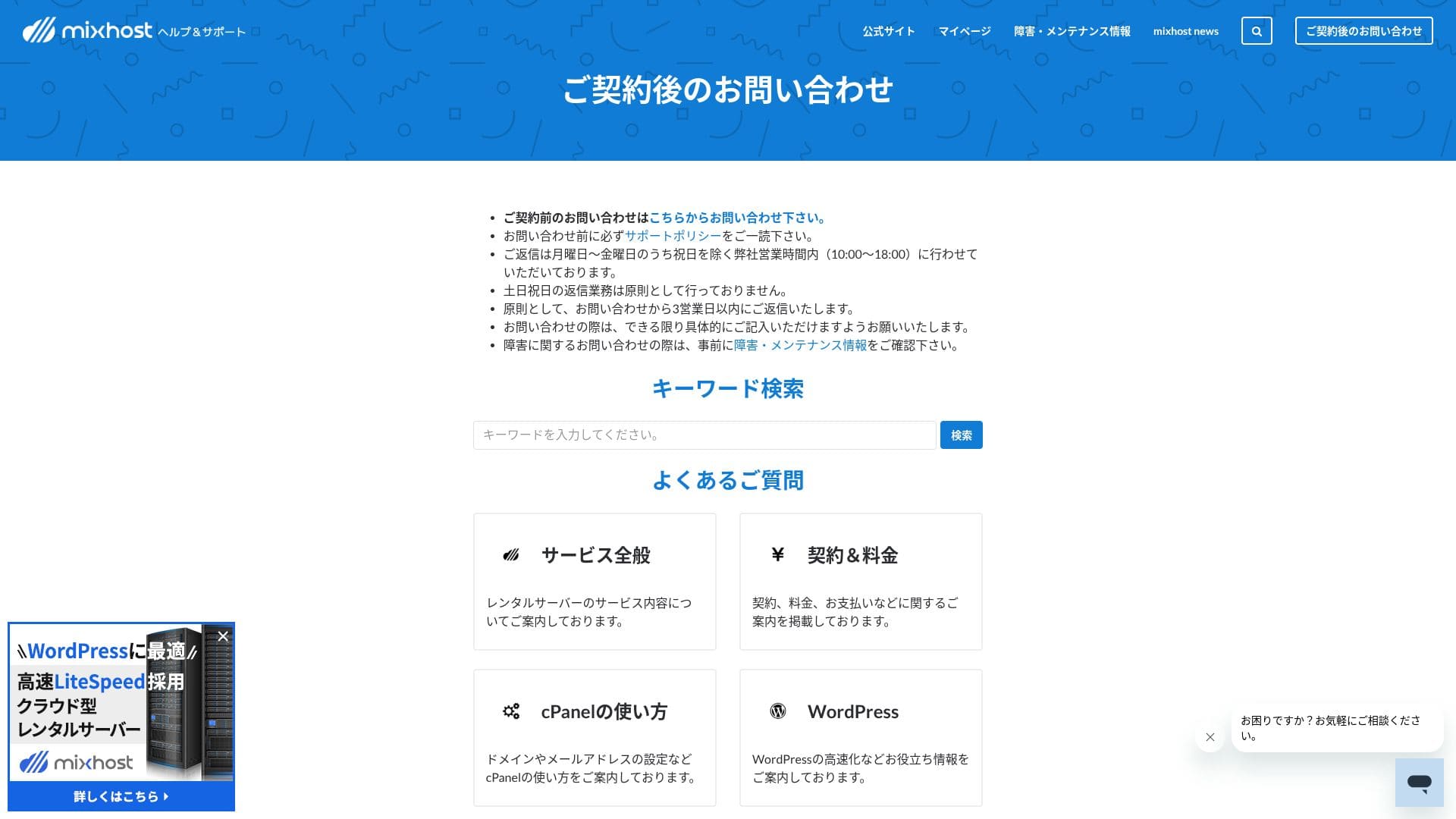
All plans include email and chat support. Premium and above also add two Zoom support sessions per month, and those plans are prioritized over the lower plans.
Managed services
Professional staff can support technically demanding work such as one free WordPress migration per year and SSL activation support either free of charge or at a low cost.
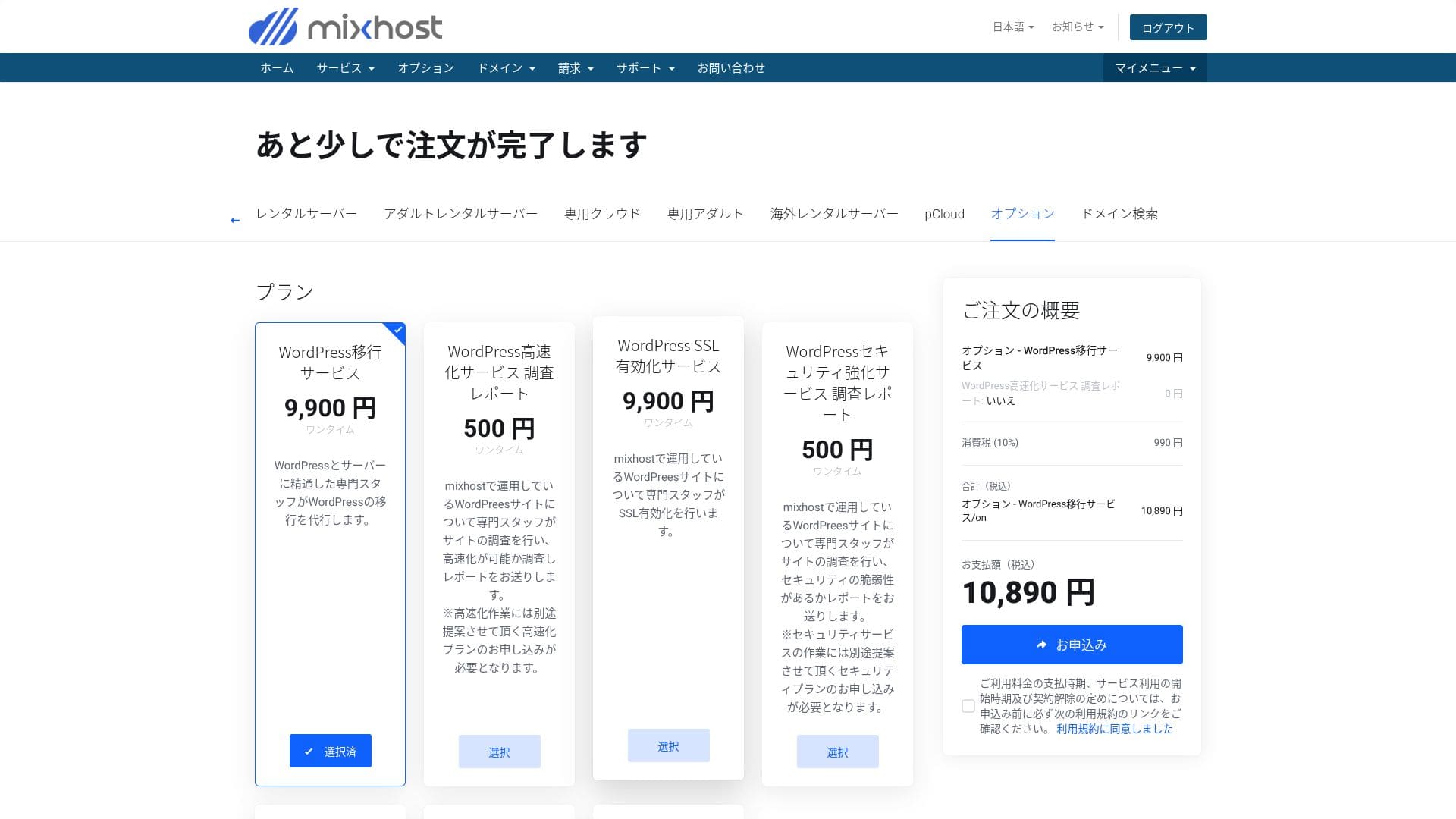
- WordPress migration service: 10,890 yen per site
- Speed investigation: 550 yen per request, speed tuning plan: from 9,900 yen per month
- Security investigation: 550 yen per request, spot plan: 21,890 yen per month, maintenance plan: 10,890 yen per month
- SSL activation service: 10,890 yen per site
You can migrate WordPress yourself using tools. But if you are anxious about it or you do not have the time, make active use of the managed services.
Quality of manuals and FAQ
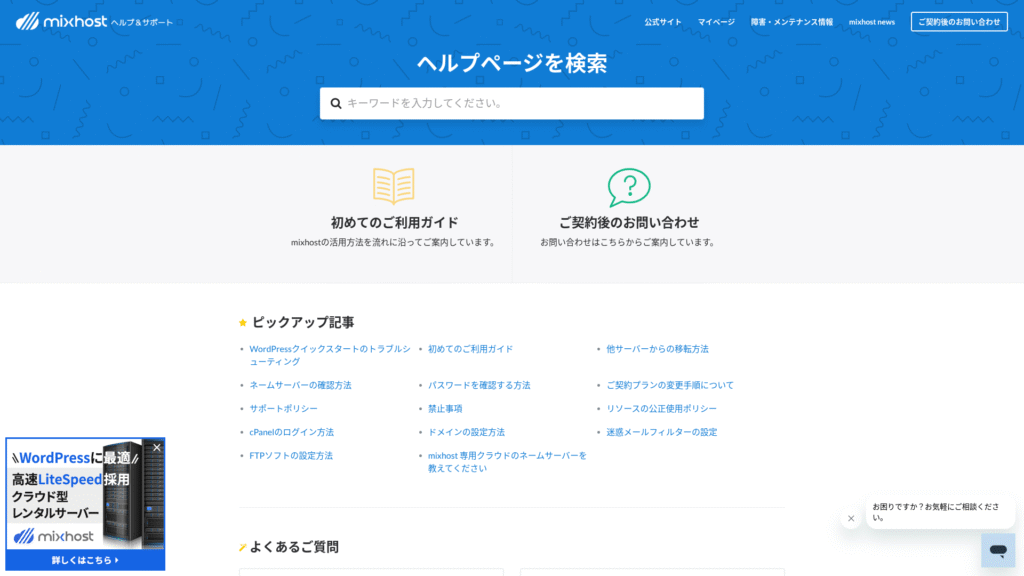
The official help center publishes a very large number of articles in Japanese. In most cases, you can find the fix for an error by using the keyword search.
Email feature review
mixhost has a low outbound email limit. That means it works fine for everyday business email and handling inquiries, but it is safer to use a separate service for newsletter distribution.
| Item | All plans | Notes |
|---|---|---|
| Number of email accounts | Unlimited | Available on both custom domains and subdomains |
| Receiving protocols | IMAP / POP3 (SSL/TLS) | Can be configured in Outlook, the Gmail app, and others |
| Sending protocol | SMTP (587 / 465, SSL supported) | Supports STARTTLS and SMTPS |
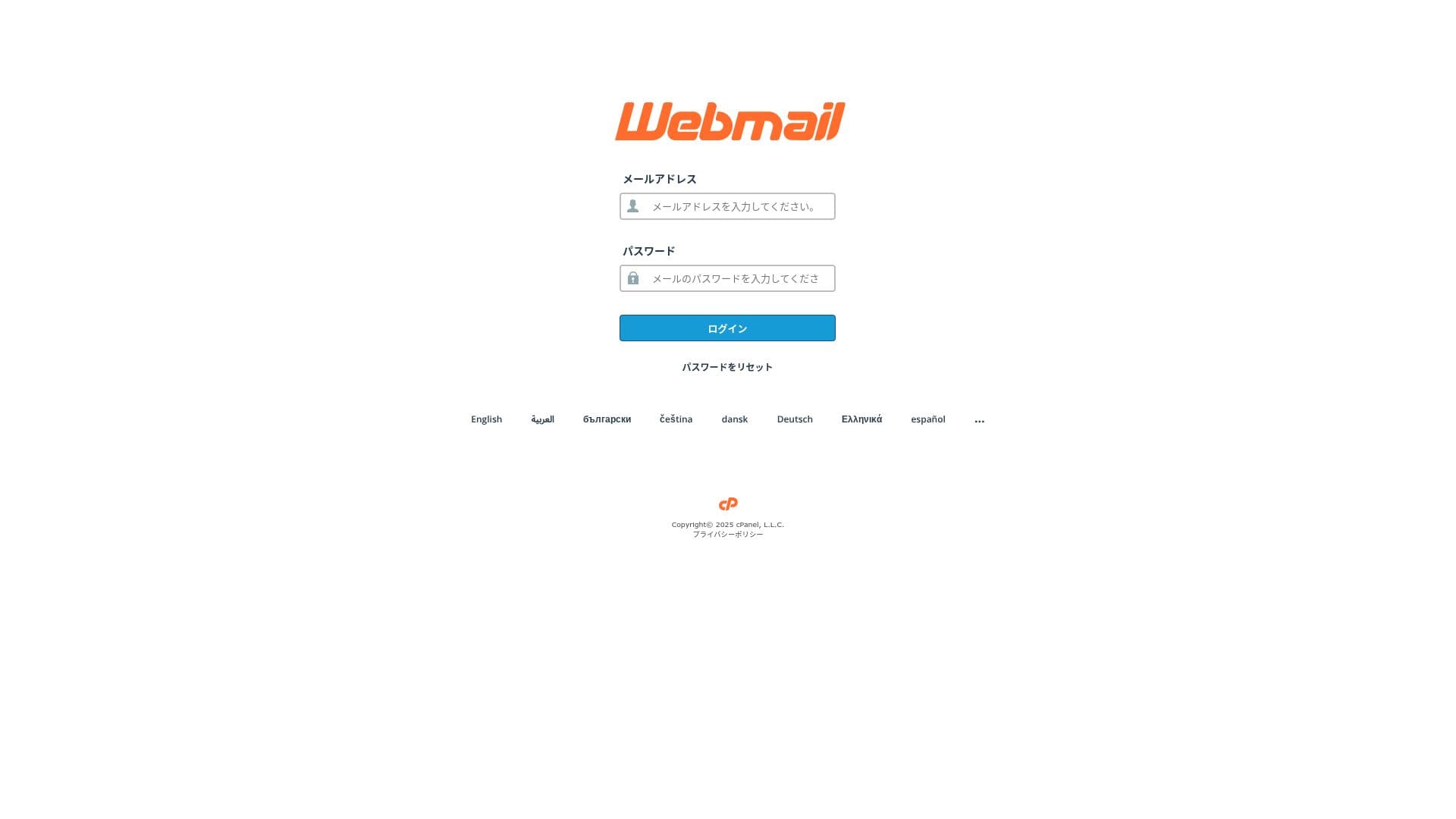
| Webmail | Roundcube | Browser-based email client included |
| Spam filtering | SpamAssassin | Threshold can be adjusted in cPanel |
| Virus filtering | ClamAV | Available only on Standard and above |
| Plan | Per hour | Per 24 hours |
|---|---|---|
| Light | 50 emails | 100 emails |
| Standard and above | 100 emails | 1,000 emails |
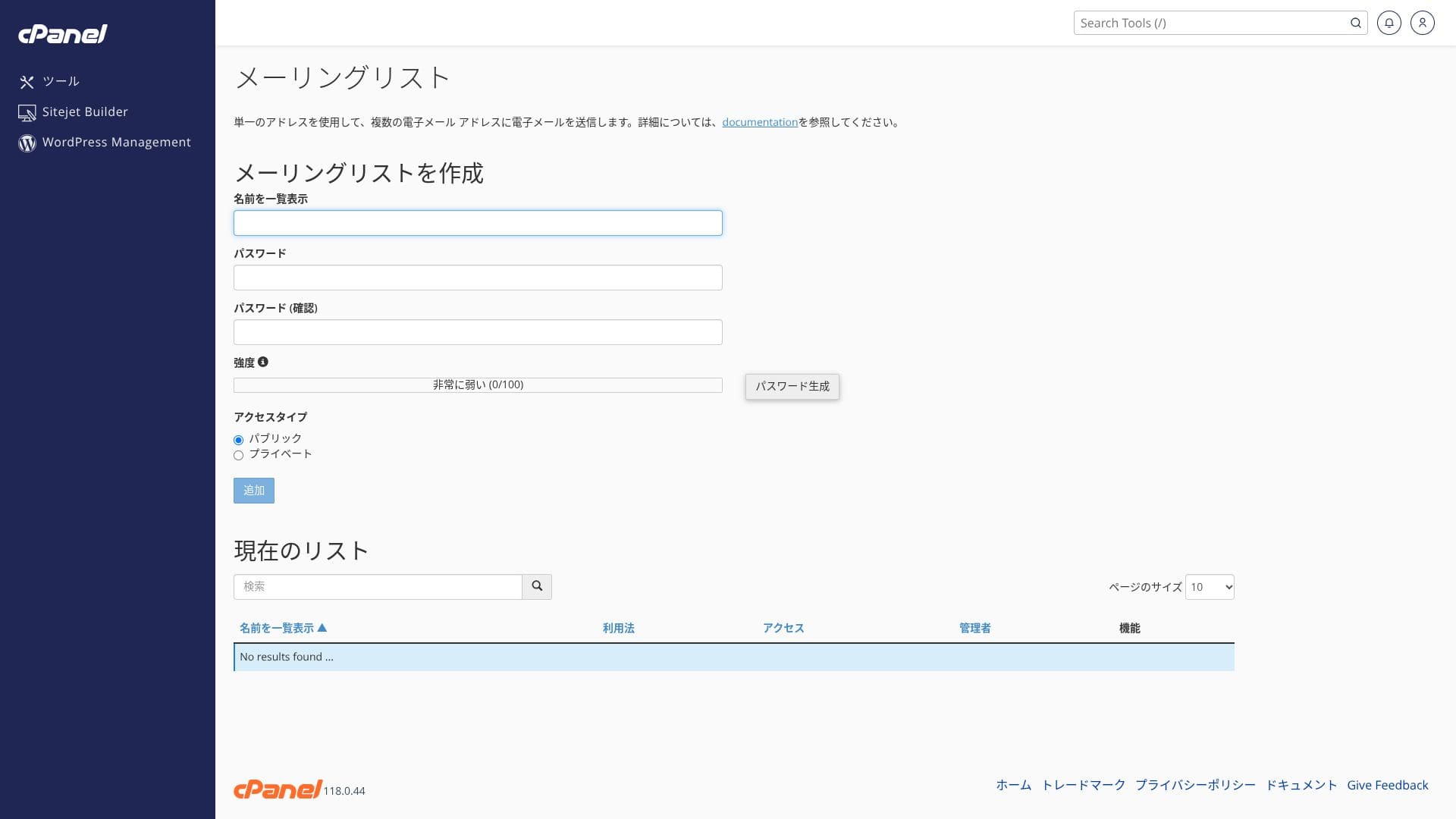
The upper limits are defined by the fair-use policy. For normal in-house business operations, such as 30 employees sending around 20 emails per day each, which is about 600 emails in total, there is plenty of room. However, it is not suitable for large-scale bulk distribution.
- SMTP and IMAP encrypted with free custom SSL reduce the risk of eavesdropping even on outside networks.
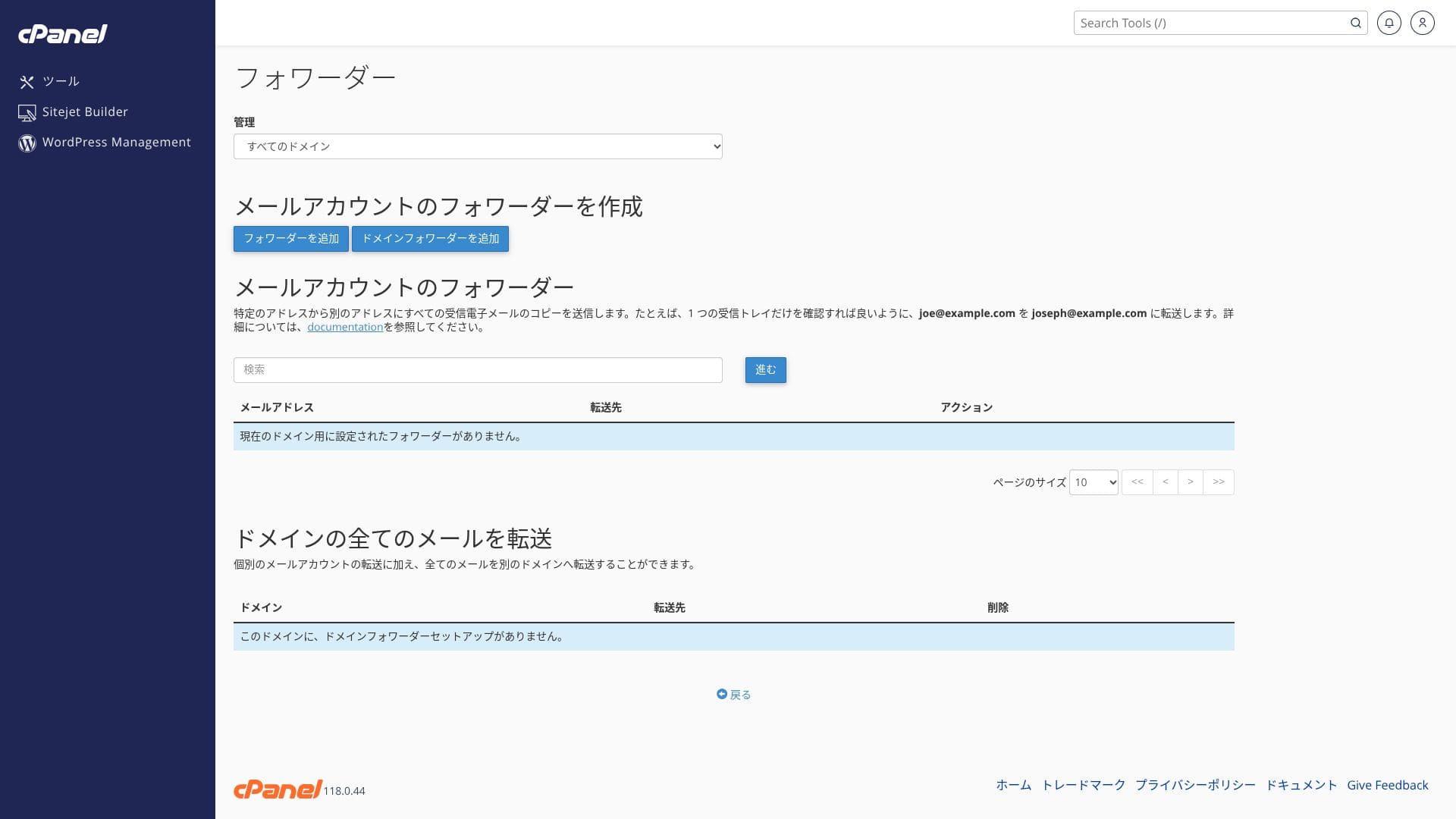
- cPanel provides a setup wizard for SPF, DKIM, and DMARC records, which makes anti-spoofing measures easy.
- The server itself runs with AI-powered WAF and DDoS protection, and the email service runs on the same redundant cloud infrastructure, so failover happens automatically during trouble. The service also carries a 99.99% uptime guarantee.
Because the setup cost is zero and SSL and anti-spam measures are included as standard, I think even small and midsize companies without an IT specialist can handle it comfortably.
Security and backup review
Security measures
mixhost comes standard with DDoS protection and free SSL. Premium and above also include an AI-powered WAF and automatic malware removal. A WAF (Web Application Firewall) is a defense mechanism that blocks attacks specific to web applications, such as SQL injection, in real time.
Because the Light plan is not as strong on security as the higher plans, make sure you install WordPress security plugins.
Five WordPress security plugins that can strengthen your site and how to choose them
Automatic backup feature
On every plan except Light, one backup per day for the past 14 days is stored in another region. You can restore it yourself by date from “JetBackup” in cPanel.
If you choose the Light plan, which does not include backups, make sure you install a WordPress backup plugin.
Other features
pCloud
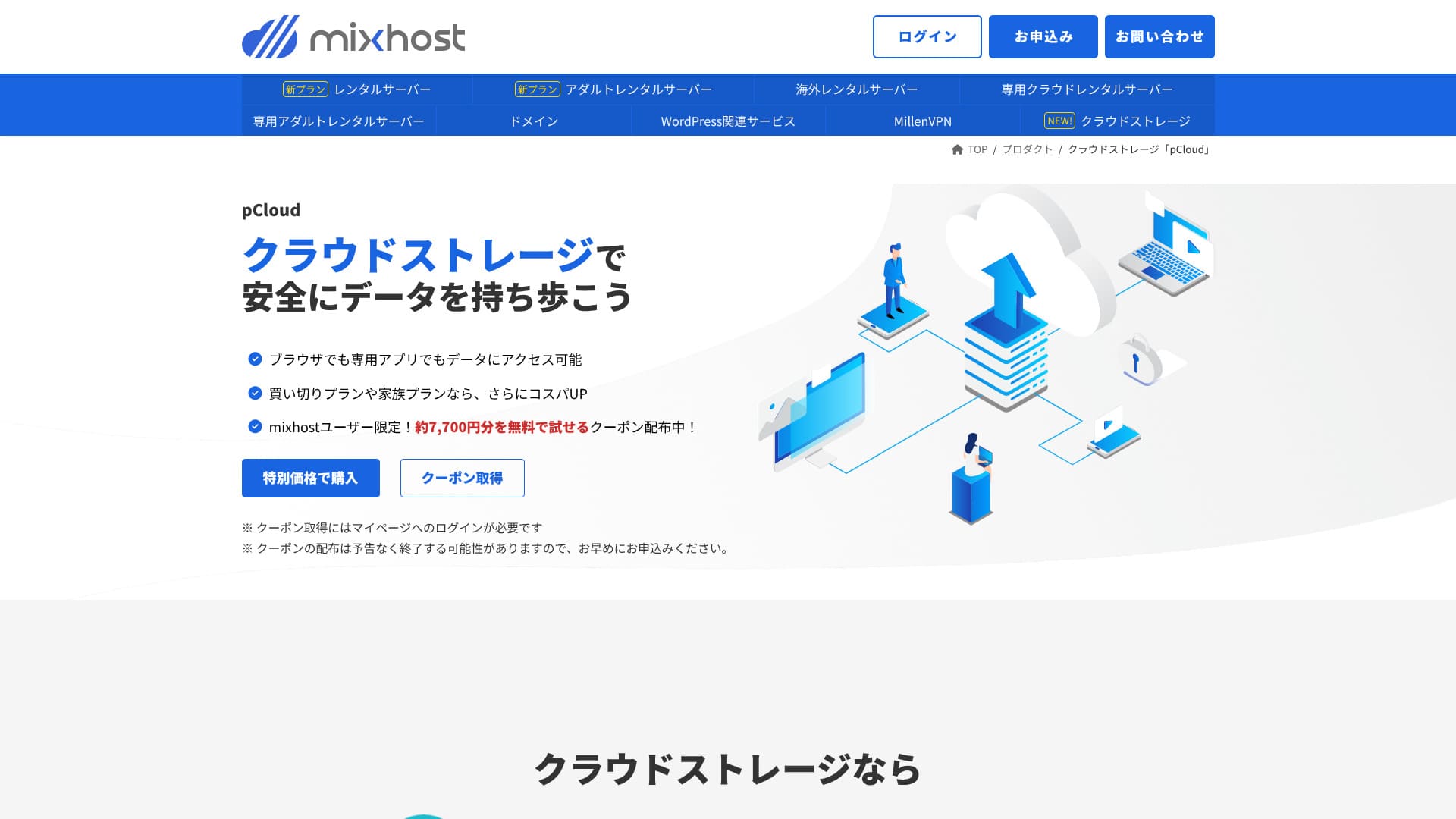
pCloud is a cloud storage service used by 21 million people.
mixhost users can get a coupon that lets them try 500 GB for one year for free, which is worth about 7,700 yen. It is convenient for sharing large files and for team collaboration.
Sitejet
You can use “Sitejet,” a no-code builder that lets you create a website by drag and drop, with no extra charge. It also includes AI text generation and image editing features, which makes it a good fit for building landing pages for small businesses.
It lets you build a website even more easily than WordPress.
- STEP.1Log in to "cPanel" from the control panel
- STEP.2Click "Click to get started" in Sitejet

- STEP.3Click "Try Sitejet" in Sitejet Builder

- STEP.4Choose the template you want to use

Overseas hosting
The overseas hosting option that lets you choose a San Jose, US West Coast location gives you a low-latency setup that fits global ecommerce sites and English-language media. Pricing is about 330 yen higher than the domestic Standard plan.
Very few Japanese hosting companies operate overseas server locations. Because you can still receive Japanese-language support, I recommend it to people looking for an overseas server.
Summary
“mixhost” is a cloud-based high-speed server from AzPocket Inc. It also offers servers installed overseas, which makes it especially attractive for individuals publishing to international audiences. WordPress is preinstalled when you sign up for the server, so it is very easy to get started.
mixhost is ideal for users who want strong value, high speed, and attentive support at the same time.
- Individual bloggers and affiliate marketers: Quick Start and LiteSpeed Cache help you build a site that is fast and SEO-friendly from the moment it goes live.
- Small and midsize businesses and ecommerce operators: Free custom SSL and automatic backups provide peace of mind on security, while unlimited email helps centralize internal information sharing.
- Production companies and developers: You can manage multiple sites in one place and use staging-friendly workflows that make testing and publishing easy.
Because the Light plan does not include backups, I recommend Standard or above for corporate and business use. Make use of the 30-day money-back guarantee and try the actual speed and the usability of the admin screens on your own website or blog.
Compare 10 overseas hosting services

When choosing overseas hosting, many people are unsure which provider to pick because of language barriers and cultural differences.
This article thoroughly compares 10 carefully selected overseas hosting companies from around the world and explains each service’s features, pricing plans, and real-world usability.
It covers a wide range of needs, from decision points that help beginners choose safely to advanced features sought by technical users.