Currently closed to new applications other than migrations
PR
Сервери
Огляд Shin Free Server і його недоліків [остання версія 2025]: запускайте WordPress на безкоштовному сервері
Опубліковано: 2025.04.18
Оновлено: 2025.04.18
Rating: 3.0
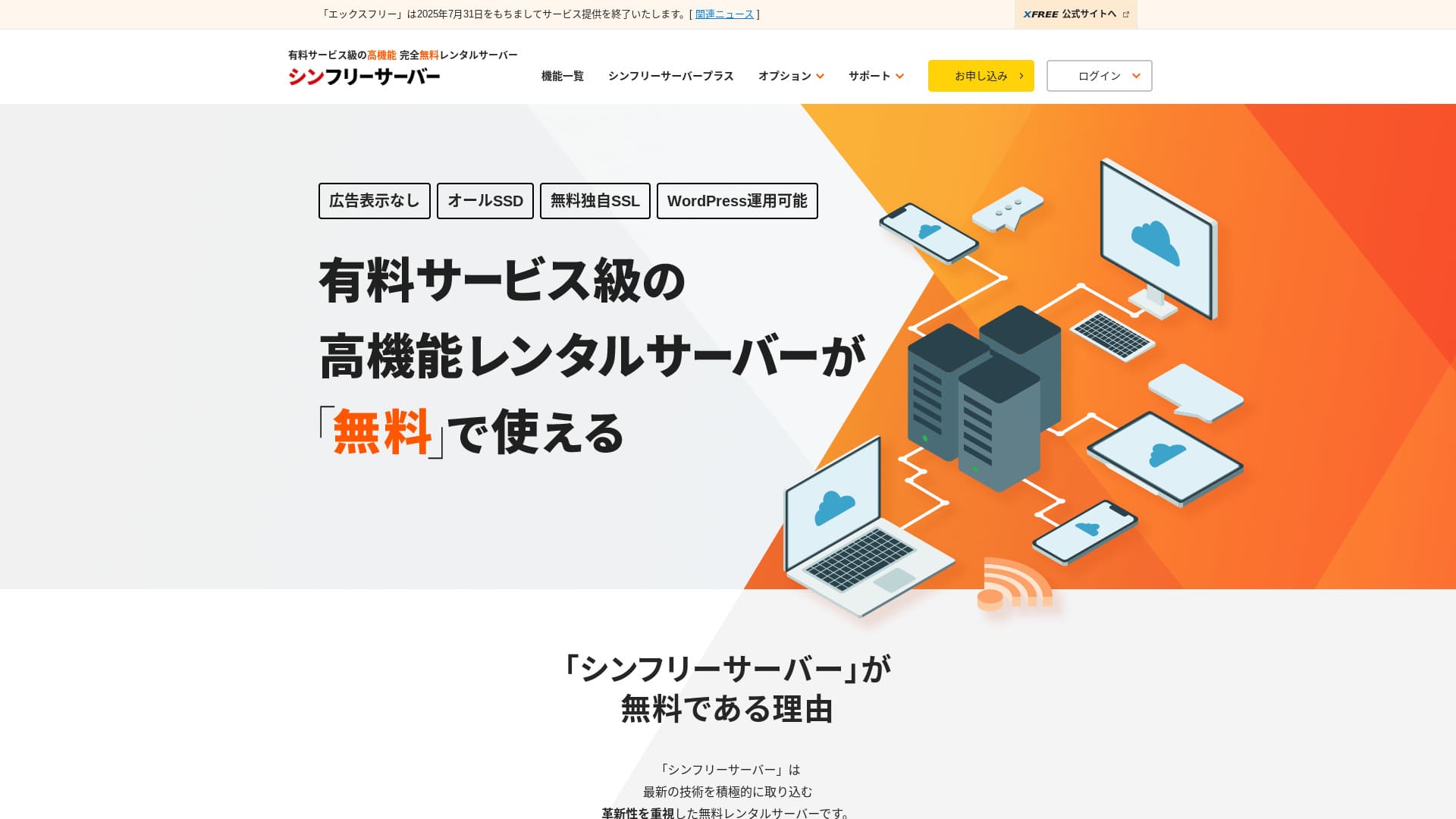
Shin Free Server — це безкоштовний сервер від ShinCloud Co., Ltd. На відміну від багатьох безкоштовних серверів, він не показує рекламу.

Shin Free Server is recommended for people looking for a free сервер because:
- No ads despite being a free сервер
- You can create five WordPress sites
- A high-security WAF is available
That is why. You will likely be satisfied.
A competing сервер is Star Rental Server. It offers stronger plans after you scale up than Shin Free Server. Please consider it as well.
| Server type | Shared сервер |
| Display speed (TTFB) | Not measured |
| Sakura Dedicated Server PHY | — |
| Trial / money-back guarantee | — |
| Monthly fee (12-month contract) | безкоштовний |
| Initial setup fee | безкоштовний |
| безкоштовний domain | None |
| підтримка | None |
| Uptime | Not disclosed |
| Storage | 10GB |
| Number of databases | 5 |
| безпека measures | WAF |
| SSL | безкоштовний custom SSL |
| резервне копіювання / restore | 14-day automatic backups free, restoration free |
| Number of email accounts | None |
| електронна пошта security measures | None |
| WordPress preinstallation | None |
| Server / website migration service | None |
| CDN | None |

Hikaru Ono
Наразі скористатися Shin Free Server можна лише при переході з іншого сервера.
If you are looking for a free сервер, Star Rental Server is recommended.
Порівняння Shin Free Server з іншими серверами
- OverallRating★★★☆☆
- Server speedNot measured
- Pricing★★★★★
- Stability★★★☆☆
- Ease of starting WordPress★★★★☆
- Operations such as domain management and SSL setup★★★☆☆

Як вибрати серед 21 рекомендованого хостингу для WordPress для приватних осіб
Як вибрати серед 21 рекомендованого хостингу для WordPress для приватних осіб
serverfield.org
- 4 листопада 2025 даних маркетингового дослідження,за швидкістю sorted
- Щомісячні платежі — це вартість за перший рік найдешевшого тарифу, на якому можна запустити WordPress
- Швидкість — це час до першого байта (TTFB), виміряний на демонстраційних сайтах за однакових умов
«Shin Free Server» — це безкоштовний орендний сервер від компанії ShinCloud Co., Ltd. Незважаючи на те, що він безкоштовний, на ньому не відображається реклама провайдера. Він не поступається платним серверам за рівнем можливостей або підтримки, залишаючись при цьому зручним у використанні.
Відгуки користувачів про Shin Free Server та чотири ключові особливості

No ads
While ads are common on free серверs, Shin безкоштовний Server does not display them.
That means ads will not hurt the atmosphere of a company website, nor will they reduce your own advertising revenue.
You Can Create П’ять WordPress сайти
Shin безкоштовний Server can create up to five databases, so you can create five WordPress websites.
Note: Що таке база даних? Чому WordPress залежить від неї для управління та роботи
Besides a company website, you can create a blog or websites across multiple genres.
безкоштовний SSL is available
Shin безкоштовний Server supports free SSL.SSL is now a standard security measure. If it is not configured, people may see your website as suspicious, so it is indispensable when building a website.
Note: What Are SSL and TLS? How They Protect Information Through Encryption and Their Benefits
A high-security WAF is available
Shin безкоштовний Server can use a WAF. This is advanced security.It is advanced enough that some paid серверs offer it only as a paid option.
This is also provided for free.
Звичайно, навіть на серверах, які не надають WAF, ви можете налаштувати його самостійно, встановивши відповідні плагіни безпеки для WordPress. Проте цей процес є досить клопітким, і набагато надійніше, коли сервер бере це на себе.
Note: What Are WordPress Plugins? Their Types and Important Cautions
Недоліки безкоштовного сервера Shin Free Server, про які ми заявляємо відверто

Shin безкоштовний Server has many advantages, but unfortunately it also has drawbacks.
No support
First, Shin безкоштовний Server offers no support.No matter how difficult the problem is, you have to solve it on your own.
Відгуки про Shin Free Server та шість ключових особливостей
No backup feature
There is also no backup feature.You must build your own backup system, for example by using WordPress plugins.
If you skip backups because they are a hassle and then delete data by mistake or have data tampered with, all the effort you have put in so far will be wasted.
If you still choose Shin безкоштовний Server, be sure to install a WordPress backup plugin.
Note: 5 Powerful WordPress резервне копіювання Plugins That Help You Recover Your Data
Uptime not disclosed
Shin безкоштовний Server does not disclose its uptime.Це означає, що стабільність сервера невідома, і користувачі не можуть точно її оцінити.
Server stability directly affects whether your website remains reliably available. If repeated trouble makes your site repeatedly unavailable, it defeats the purpose. For a company website, it can damage your image and even lead to lost meetings or business opportunities.
Note: Посібник для початківців: розуміння аптайму хостингу та угод про рівень послуг (SLA)
Порівняння Shin Free Server із двома схожими серверами
We compared domestic free серверs similar to Shin безкоштовний Server. Each has its own strengths, so compare them carefully.
XREA
XREA is a free сервер that includes 15 generations of automatic backups.It also offers chat support. Even if you have no experience with WordPress or websites, you can start running a website with confidence.
However, it lacks expensive security measures such as a WAF, and it displays ads.
Порівняно з Shin Free Server, важко сказати, що один із них однозначно кращий за інший.

Огляд XREA [останнє видання 2025 року]: плюси та мінуси використання WordPress на безкоштовному тарифі, а також порівняння з іншими безкоштовними серверами
Огляд XREA [останнє видання 2025 року]: плюси та мінуси використання WordPress на безкоштовному тарифі, а також порівняння з іншими безкоштовними серверами
serverfield.org
Star Server безкоштовний
Star Server безкоштовний is also a well-known free сервер in Japan.Shin безкоштовний Server offers more storage than Star Server безкоштовний, making it a better value.
| Порівняння item | Shin Free Server | Star Server безкоштовний |
|---|---|---|
| Main feature | безкоштовний | безкоштовний |
| Trial / money-back guarantee | None | None |
| Uptime | Not disclosed | Not disclosed |
| Storage | 10GB | 2GB |
| First-year сервер cost | 0 yen | 0 yen |

Огляд Star Rental Server [випущено 19 грудня 2024 року]: переваги та недоліки вигідного сервера, яким можна користуватися на безкоштовних тарифах
Огляд Star Rental Server [випущено 19 грудня 2024 року]: переваги та недоліки вигідного сервера, яким можна користуватися на безкоштовних тарифах
serverfield.org
Запустіть вебсайт за допомогою Shin Free Server за 7 кроків
As of December 2024, Shin безкоштовний Server is not accepting applications except for сервер migrations.
Давайте запустимо вебсайт за допомогою Shin Free Server!
- STEP.1Visit the official website
Прокрутіть головну сторінку вниз і приблизно посередині натисніть «Створити безкоштовний обліковий запис сервера».
- STEP.2Register a Shin Account
Click “Start now! New signup,” then enter your membership information such as your name and address. If everything is correct, check that you agree to the Terms of Use and the handling of personal information. Then click “Next.”
Після підтвердження електронної пошти та перевірки деталей заявки натисніть «Зареєструватися з цими даними та перейти до замовлення сервера».
Перевірте ідентифікатор сервера, поставте галочки про згоду з Умовами використання та правилами обробки персональних даних, після чого натисніть «Перевірити деталі заявки».
Ще раз перевірте деталі заявки та натисніть «Подати заявку», щоб зареєструвати свій обліковий запис Shin Account. Після цього ви отримаєте лист із підтвердженням.
Once you have selected the domain, check “Install WordPress at the same time.”
Click “Next.”
- STEP.3Отримайте домен за допомогою Shin Domain
Log in to your Shin Account and click “Get a domain.”
Acquire the domain you want. I recommend well-known domains such as “.com” and “.net.” Their renewal fees are also reasonable, at under 2,000 yen.
Note: Що таке домен? Його роль як адреси в інтернеті та як його отримати
Enter the domain you want in “Enter the domain name you want to obtain,” search for it, tick the checkbox for the domain you want, and click “Proceed to acquisition.”
Виберіть спосіб оплати та натисніть «Перевірити деталі заявки». Потім введіть дані кредитної картки тощо.
Перевірте деталі заявки, погодьтеся з умовами використання Shin Domain та правилами поводження з персональними даними, після чого натисніть «Подати заявку». Ви отримаєте електронний лист із деталями заявки. На цьому процес завершено.
- STEP.4Зареєструйте домен
Увійдіть у панель керування сервером Shin Cloud for Free.
Виберіть «Налаштування домену», натисніть «Додати домен», введіть придбаний вами домен і натисніть «Додати».
- STEP.5Install WordPress
У панелі керування Shin Cloud for Free перейдіть до меню «WordPress» > «Просте встановлення WordPress» і натисніть «Нове встановлення».
Set up WordPress.
- Target domain:The domain you registered earlier
- Сайт URL:Same as the target domain
- Blog name:Anything is fine. You can easily change it later
- Username:Anything is fine, but changing it later is troublesome
- Password:Anything is fine, but make it as complex as possible
- електронна пошта address:Your everyday email address
- Automatic cache deletion:ON is recommended
- Database:Set it to generate automatically
- Theme:Cocoon is recommended. This site also uses Cocoon.
- Theme option:Check “Install child theme”
Once you have filled everything in, click “Install.”
The username and password are used when logging in to WordPress. Be sure to write them down.
Once installation is complete, click “Log in.”
- STEP.6SSL Settings
У панелі керування сервером перейдіть до розділу «Налаштування SSL» у меню «Домен».
Open the domain you configured for WordPress and switch the SSL setting status slider to “ON.” It will be reflected in about an hour.
- STEP.7Install Plugins
Go back to the WordPress admin screen, open “Plugins,” then go to “Add New” to install the plugins you need.
Search for the plugins you want, click “Install Now,” and then “Activate.” After that, follow each plugin’s instructions.
Be sure to install security and backup plugins.
- Як Choose 5 WordPress Plugins That Strengthen безпека
- 5 Powerful WordPress резервне копіювання Plugins That Help You Recover Your Data
Once you have installed the plugins, your WordPress website setup is complete.
Підсумок
«Shin Free Server» — це безкоштовний орендний сервер від компанії ShinCloud Co., Ltd. Незважаючи на те, що он безкоштовний, на ньому не відображається реклама провайдера. Він не поступається платним серверам за рівнем можливостей або підтримки, залишаючись при цьому зручним у використанні.
Currently closed to new applications other than migrations
Shin Free Server — це безкоштовний сервер без реклами. Він зручний у використанні та підходить для багатьох цілей: від корпоративних сайтів до аматорських блогів.However, because there is no support, you should read the manual carefully and solve issues on your own when you run into trouble.
Повне порівняння 32 хостинг-провайдерів для WordPress: рекомендації для приватних осіб, бізнесу та міжнародного використання

Коли ви хочете запустити сайт на WordPress і шукаєте «рекомендований хостинг для WordPress», з’являється безліч статей: від особистих і корпоративних варіантів до закордонних та дешевих серверів. Чесно кажучи,
- which site should I read?
- I want to choose a сервер in a simple, easy-to-understand way!
- Tell me how to start WordPress right now.
Do you ever feel that way? So, this articlecarefully selects recommendations from 32 hosting services for individuals, businesses, and domestic and overseas useта представляє їх. Про це детально розповідає SEO-спеціаліст компанії з розробки мобільних додатків, який щодня працює з орендними серверами.