П’ять WordPress-плагінів для безпеки та як їх обрати

Що потрібно, щоб захистити сайт WordPress?
У цій статті ми представляємо все: від потужних плагінів, яким довіряють фахівці з безпеки, до необхідних порад для захисту сайту.
Перевірте ці заходи безпеки вже зараз, щоб керувати сайтом спокійно.
Повне порівняння 32 хостингів WordPress для приватних користувачів, компаній та використання за кордоном

Коли ви думаєте «я хочу почати з WordPress» і шукаєте «рекомендації щодо WordPress», ви знаходите різноманітні статті про хостинг для особистого використання, варіанти для компаній та малого бізнесу, закордонний хостинг та недорогі сервери. Чесно кажучи,
- which site should you trust?
- you may just want a simple and understandable answer.
- you may want to get started with WordPress right away.
That is exactly why this article carefully selects recommended choices from 32 hosting providers for individuals, companies, domestic use, and overseas use. It is explained by the SEO lead at an app development company that uses hosting every day.
Чому безпека WordPress важлива
WordPress is the most popular content management system in the world, but that popularity also makes it an easy target for cyberattacks, so security measures are an unavoidable responsibility for site owners.
На щастя, сильні плагіни безпеки та правильні операційні практики можуть захистити ваш сайт від цих загроз.
Essential security plugins
1. SiteGuard WP Plugin
SiteGuard WP Plugin — один із плагінів, що використовуються для посилення безпеки сайтів на WordPress. Він орієнтований переважно на японський ринок і має чудову підтримку японської мови.
The plugin provides many features that improve the site’s security level, and it is especially popular among operators of Japanese-language WordPress sites.
2. Wordfence Security
Wordfence Security суттєво підсилює безпеку сайту на WordPress завдяки комплексному скануванню на наявність шкідливого ПЗ та захисту від загроз у реальному часі.
Its regular updates and wide security feature set make it trusted by users at every level.

3. Sucuri Security
Sucuri Security пропонує комплексний набір інструментів для посилення безпеки вебсайтів, зокрема виявлення та видалення шкідливого ПЗ, моніторинг чорних списків та блокування атак. Цей сервіс особливо цінують за швидке реагування, коли сайт зазнає нападу.
However, it has not yet been localized into Japanese.
4. Solid Security
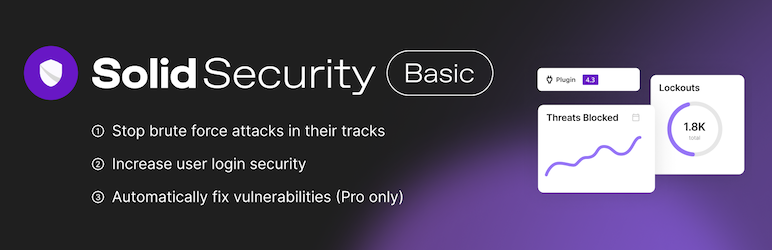
Solid Security, раніше відомий як iThemes Security, а ще раніше — Better WP Security, пропонує понад 30 заходів безпеки та комплексно закриває слабкі місця сайту.
In particular, it has strong features for reinforcing user-authentication security, such as two-factor authentication and password hardening.
5. All In One WP Security & Firewall
This plugin offers an intuitive interface and step-by-step security level settings, making it easy for everyone from beginners to advanced users to implement security measures. Its wide-ranging features include user account protection, firewall settings, and brute-force protection.
Additional tips for strengthening WordPress security
Keep everything updated
By keeping WordPress, plugins, and themes up to date, you fix security vulnerabilities and reduce the risk of attack.
Use strong passwords
Use strong, hard-to-guess passwords for administrator accounts and database access.
Enable two-factor authentication
Adding two-factor authentication to administrator accounts greatly reduces the risk of unauthorized access.
Back up the site regularly
By backing up site data regularly, you can recover quickly from data loss or unauthorized access.
Use an SSL certificate
By using an SSL certificate and moving the site to HTTPS, you strengthen data encryption and improve user safety.
Підсумок
WordPress site security is not just about installing plugins. It is important to pay attention to every aspect of site operation and keep applying measures continuously.
Use the plugins and tips introduced above to protect your site from security threats.
A secure website is the foundation of trust and credibility. Starting today, put these security measures into practice and take the first step toward protecting your site.