Місткість орендованого сервера: як обрати без помилок і чому це важливо для стабільної роботи сайту

Коли ви орендуєте сервер, чи не трапляється так, що ви порівнюєте всілякі характеристики, як-от CPU та пам’ять, а потім застрягаєте на пункті «місткість»? Якщо ви вперше маєте справу з орендованими серверами, ви можете не мати уявлення, скільки місткості вам потрібно і що це взагалі таке.
У цій статті я докладно розгляну місткість орендованого сервера. Разом із моментами, на які слід звернути увагу під час запуску блогу WordPress, я допоможу вибрати найкращий план. Після прочитання цієї статті ви зможете зрозуміти, що таке місткість орендованого сервера, і впевнено обрати план.
Що саме таке місткість орендованого сервера? Що вона зберігає?

Put simply, rental server capacity is the amount of space available for storing your website's data. Specifically, it stores the following kinds of data.
- Website files: all files needed to display the site, such as HTML, CSS, JavaScript, images, and videos
- Databases: store dynamic content such as blog posts, user information, and product information
- Email data: if you use email accounts, your sent and received emails and attachments
- Log files: server access logs, error logs, and similar records
- Backup data: backups of your website data
All of this data consumes server capacity. If you run out of capacity, you may no longer be able to add new content, your site may become slower, and in the worst case your site may go down.
Три кроки до вибору правильної місткості сервера

So how should you choose the right amount of capacity? Think through it in the following three steps.
КРОК 1: Подумайте про тип сайту (для WordPress)
Потрібна вам місткість сильно залежить від типу сайту. Якщо ви запускаєте блог WordPress, зважте на такі моменти.
- Розмір блогу: whether it is a small personal blog or a large blog run by multiple people.
- Тип контенту: whether it is mainly text or uses many images and videos.
- Кількість плагінів: many plugins consume capacity.
- Вага теми: depending on the theme you use, it may put pressure on your capacity.
Як загальне правило,
- Малий блог (переважно текст, мало зображень): 5GB to 10GB
- Середній блог (багато зображень, кілька плагінів): 10GB to 20GB
- Великий блог (у тому числі відео, багато плагінів): 20GB to 50GB or more
це хороші орієнтири, які варто пам’ятати.
★ Опануйте плагіни WordPress і підсиліть свій сайт: докладний гайд для початківців
КРОК 2: Оцініть майбутнє зростання
Сайт — це не те, що ви створили й забули. Коли ви додаєте контент і трафік зростає, потрібна місткість також збільшується.
Уявіть, якою буде ситуація щонайменше через рік, та обирайте обсяг із деяким запасом. Ви зможете збільшити ємність пізніше, але з огляду на клопоти зі зміною тарифних планів, простіше від самого початку обрати трохи більший план.
У випадку WordPress обов’язково враховуйте, що з часом збільшуватиметься кількість записів, зображень і відео.
КРОК 3: Думайте конкретними числами
На основі наведених кроків думайте в конкретних цифрах. Наприклад, можна оцінювати так.
- Текст однієї сторінки: приблизно 1 КБ
- Одне зображення: приблизно 1 МБ (для зображень високої роздільної здатності може бути більше)
- Одна хвилина відео: приблизно 100 МБ (сильно залежить від якості та формату)
Для WordPress також потрібно враховувати розмір тем і плагінів. Вони можуть становити десятки або навіть сотні мегабайтів.
★ Компанія з розробки застосунків пояснює підводні камені вибору теми WordPress і шлях до успіху
Переваги та моменти, на які слід звернути увагу в планах із безлімітною місткістю (для WordPress)
Якщо ви запускаєте блог WordPress, план із безлімітною місткістю може здаватися привабливим. Однак, як зазначено вище, тут також є моменти, на які слід звернути увагу.
- Стежте за розміром бази даних: because WordPress stores posts, settings, and other data in a database, even with unlimited capacity you may still run into database size limits.
- Сховище резервних копій: те, що місткість безлімітна, не означає, що ви можете зберігати безлімітну кількість резервних копій. Перевірте ліміт сховища для резервних копій і період зберігання.
★ What Is a Database? An Essential Management System for WordPress
Серйозні проблеми, спричинені браком місткості сервера: конкретні наслідки та контрзаходи

1. Ви більше не зможете додавати контент
Коли місткість заповнена, ви більше не можете додавати новий контент. Це серйозна проблема, яка заважає зростанню вебсайту.
- Ви більше не можете завантажувати зображення чи відео: зображення та відео — важливі елементи, що роблять сайт привабливим, але коли місткість закінчується, їх більше не можна завантажити. У WordPress ви отримаєте помилки під час спроби завантажити файли до медіатеки і вже не зможете додавати нові зображення чи відео.
- Ви більше не можете створювати або оновлювати записи та сторінки: текстовий контент також займає місце. Коли місткість закінчується, ви можете більше не мати змоги створювати нові записи чи сторінки або навіть оновлювати наявні.
- Ви більше не можете реєструвати товари (у випадку e-commerce сайту): на сайті електронної комерції інформація про товари та зображення — це життєва основа бізнесу. Брак місткості може завадити додаванню нових товарів або оновленню наявних, що серйозно вплине на бізнес.
Контрзаходи: перейдіть на більший план, видаліть непотрібні файли та оптимізуйте зображення (наприклад, через стиснення).
2. Повільніше відображення сайту: гірший користувацький досвід
Брак місткості також може призвести до повільнішої швидкості відображення сайту. Якщо швидкість відображення стає повільною, користувацький досвід погіршується, а SEO також страждає.
- Зростання навантаження на сервер: коли місткість стає обмеженою, навантаження на сервер зростає, а швидкість обробки падає. У результаті час завантаження сторінки збільшується, тобто користувачам доводиться чекати.
- Продуктивність падає під час пікових навантажень: якщо під час концентрованого трафіку сервер і так відчуває нестачу місткості, він може перевантажитися, через що сайт стане надзвичайно повільним або, у гіршому разі, впаде.
- Негативний вплив на SEO: пошукові системи на кшталт Google враховують швидкість завантаження сторінки як чинник ранжування. Повільний сайт може опуститися в пошуковій видачі, що призведе до меншої кількості відвідувачів.
Контрзаходи: використовуйте такі заходи, як плагіни кешу, оптимізація зображень і CDN, щоб покращити швидкість відображення. Також може знадобитися перейти на серверний план, що відповідає вашому обсягу трафіку.
★ How Fast Is It? Comparing 15 Rental Servers in a Speed Ranking
3. Надсилання та отримання електронної пошти зупиняються: ділове спілкування порушується
Дані електронної пошти також споживають місткість сервера. Коли місткість закінчується, ви можете більше не мати змоги надсилати чи отримувати електронну пошту, що заважає діловому спілкуванню.
- Ви більше не можете отримувати електронну пошту: коли пошта у вхідних досягає ліміту місткості, нові листи більше не можуть надходити. Ви можете пропустити важливу комунікацію або не відповісти на запити клієнтів.
- Ви більше не можете надсилати електронну пошту: відправлені листи та чернетки також займають місце. Коли місткість закінчується, ви можете більше не мати змоги надсилати електронну пошту, що може призвести до втрати бізнес-можливостей.
Контрзаходи: видаляйте непотрібні листи, зберігайте дані електронної пошти локально та подумайте про використання зовнішнього поштового сервісу.
4. Простій сайту: бізнес фактично зупиняється
Якщо брак місткості стане серйозним, у гіршому разі сайт може впасти і стати недоступним. Це означає, що бізнес-операції фактично зупиняються і це може призвести до великих втрат.
- Надмірне навантаження на сервер: сконцентроване навантаження, коли сервер і так має нестачу місткості, може створити надмірне навантаження на сервер і спричинити збої системи.
- Відновлення може зайняти час: якщо сервер упаде, роботи з відновлення можуть зайняти час, і сайт може залишатися недоступним тривалий період.
Контрзаходи: ретельно впроваджуйте заходи, що забезпечують стабільну роботу, як-от моніторинг ресурсів сервера, аналіз логів доступу та вибір відповідного серверного плану. Регулярні резервні копії також важливі.
Брак місткості серйозно впливає на роботу сайту. Щоб уникнути цих проблем, важливо обрати серверний план із відповідною місткістю та регулярно контролювати її використання на сайті. Також варто заздалегідь продумати, що робити, якщо місткості все ж стане недостатньо.
★ What Is a 503 Error? Web Traffic Jams, How to Avoid Them, and Emergency Responses
Рекомендовані орендовані сервери за місткістю
30GB: Little Server
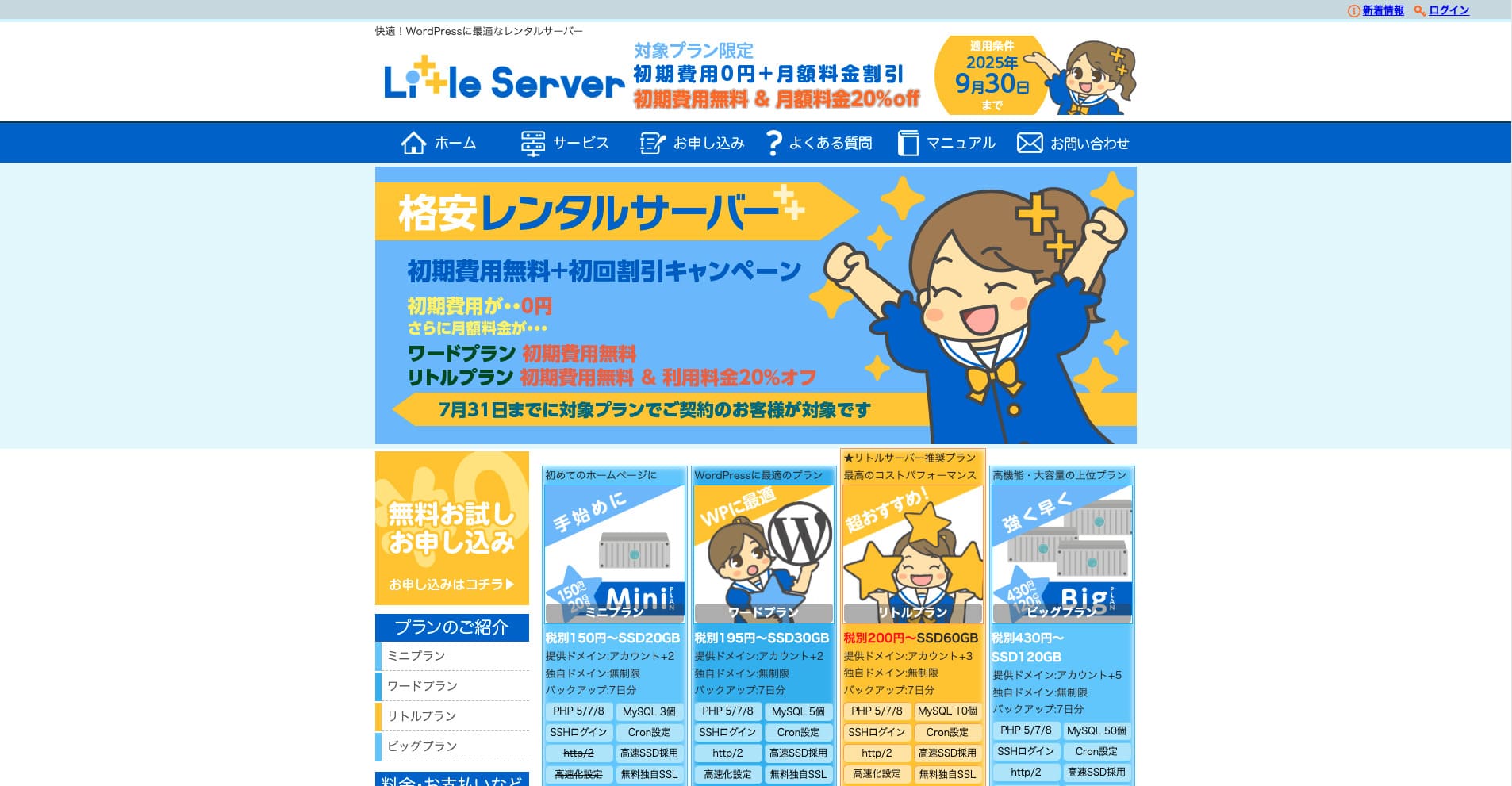
“Little Server” — це недорогий орендований сервер. Якщо не рахувати безкоштовні сервери, це один із найдешевших орендованих серверів для особистого використання. Попри це, він використовує NVMe SSD для підвищення швидкості.
Без початкового внеску до 30 вересня 2025 року, знижка 20% на вартість сервера Little Plan і 20-денний безкоштовний пробний період
| Server type | Shared server |
| Display speed (TTFB) | 200ms |
| Recommended plan and contract term | Mini, 12 months |
| Trial / refund guarantee | 20-day free trial |
| Monthly fee (12-month contract) | 165 yen |
| Initial administrative fee | 920 yen |
| Free domain | None |
| Support | Email (business hours not disclosed) |
| Uptime | Not disclosed |
| Server capacity | 20GB |
| Number of databases | 3 |
| Security measures | IMP |
| SSL | Free SSL, dedicated SSL (Little Plan and above) |
| Backup / restore | 7 days of automatic backups free of charge, restore free of charge |
| Number of email accounts | Unlimited |
| Email security measures | Spam filter |
| Server / website migration service | None |
| WordPress pre-installation | Так |
| CDN | None |
*For the Mini plan
If you want to keep the price down while securing the minimum necessary capacity, Little Server is recommended. Even the lowest-priced plan gives you 30GB. Even if you upgrade, the monthly fee stays within a few hundred yen, so if you start worrying about lack of capacity, upgrade proactively.
★ Little Server Reviews and How to Start WordPress on an Affordable Hosting Service
300GB: ConoHa WING

“ConoHa WING” — це швидкісний сервер від GMO Internet Group, число користувачів якого швидко зростає, і це сервіс, яким користується й наша компанія. Оскільки WordPress уже встановлено під час реєстрації сервера, будь-хто може легко почати роботу. Він добре балансує між вартістю і продуктивністю, і ми теж ним користуємося.
Знижка до 53% на оплату сервера до 5 серпня 2025 року, два домени безкоштовно назавжди та перший місяць безкоштовно
| Server type | Shared server |
| Display speed (TTFB) | 160ms |
| Recommended plan and contract term | Basic, 12 months |
| Trial / refund guarantee | First month free |
| Monthly fee (12-month contract) | 971 yen |
| Initial administrative fee | Free |
| Free domains | Two free forever |
| Support | Phone, email, and chat (weekdays 10:00-18:00) |
| Uptime | 99.99% guaranteed |
| Server capacity | 300GB |
| Number of databases | Unlimited |
| Security measures | WAF / directory access restrictions / IP access restrictions / vulnerability diagnosis (Net de Diagnosis) / spam comment and trackback restrictions / overseas comment and trackback restrictions / overseas access restrictions |
| SSL | Free SSL / Alpha SSL / Quick Authentication SSL / Company Authentication SSL / EV SSSL |
| Backup / restore | 14 days of automatic backups / restore free of charge |
| Number of email accounts | Unlimited |
| Email security measures | Virus checking / spam filters |
| Server / website migration service | WordPress migration service from 7,678 yen Free migration tool available |
| WordPress pre-installation | Yes |
| CDN | None |
Якщо вам потрібна достатня місткість навіть як приватній особі, обирайте ConoHa WING. Навіть найдешевший план дає вам 300 ГБ, тож запуск WordPress не становить жодної проблеми.
★ Build a Homepage in 10 Minutes! ConoHa WING Reviews and How to Start WordPress
600GB: Sakura Rental Server

“Sakura Rental Server” — це спільний сервер від Sakura Internet Inc. Компанія також пропонує керовані сервери. Він має хороший баланс продуктивності, сервісу та ціни, тому рекомендується для будь-якої корпорації. Оскільки залежно від плану в нього входить певний обсяг безкоштовного використання CDN, він може забезпечити комфортну комунікацію.
14-денний безкоштовний пробний період
| Server type | Shared server |
| Display speed (TTFB) | 440ms |
| Recommended plan and contract term | Standard, 12 months |
| Trial / refund guarantee | 14-day free trial |
| Monthly fee (12-month contract) | 550 yen |
| Initial administrative fee | Free |
| Free domain | None |
| Support | Business hours: 10:00-18:00 Phone callback reservations, chat, and email (reply the same day or the next business day) |
| Uptime | 99.99% |
| Server capacity | 300GB |
| Number of databases | Unlimited |
| Security measures | Website defacement notifications (paid), WAF, overseas IP address filters, prevention of unauthorized relaying, encryption, |
| SSL | Free shared SSL, dedicated SSL |
| Backup / restore | Eight generations of backups free of charge, restore free of charge |
| Number of email accounts | Unlimited |
| Email security measures | POP3, IMAP4, virus checking, simple spam filter, advanced spam filter |
| WordPress pre-installation | None |
| Server / website migration service | None |
| CDN | 100GB per month free |
Якщо ви корпорація, більша місткість сервера додає спокою. Sakura Rental Server пропонує велику місткість: 300 ГБ у плані Standard і 600 ГБ у плані Business.
Безлімітна місткість: mixhost
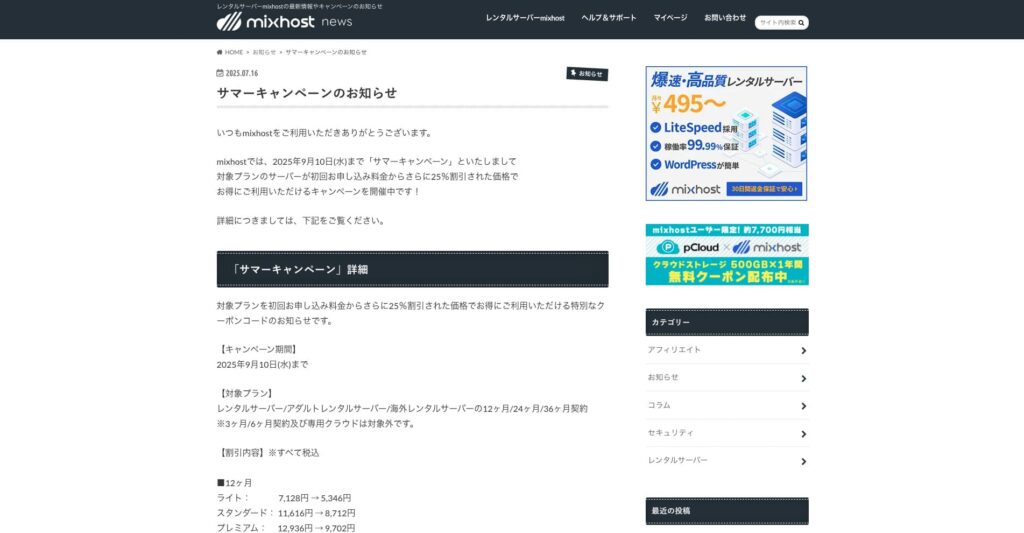
“ mixhost” — це швидкісний орендований сервер від Az Pocket Co., Ltd., головний офіс якої розташований в Осаці. Він може доставляти контент із серверів, розташованих у Сан-Хосе на західному узбережжі США. Хоча це закордонний сервер, компанія базується в Японії, тож ви все одно отримуєте повноцінну підтримку японською мовою.
Знижка 25% на початковий контракт до 10 вересня 2025 року, рік безкоштовно для 500 ГБ хмарного сховища та 30-денна гарантія повернення грошей
| Server type | Shared server / dedicated cloud server |
| Display speed (TTFB) | 150ms |
| Recommended plan and contract term | Shared server Light, 12 months |
| Trial / refund guarantee | 30-day money-back guarantee |
| Monthly fee (12-month contract) | 594 yen |
| Initial administrative fee | Free |
| Free domain | One free forever |
| Support | |
| Uptime | 99.99% guaranteed |
| Server capacity | 100GB |
| Number of databases | Unlimited |
| Security measures | WAF / DDo attack protection / malware detection and removal |
| SSL | Free dedicated SSL |
| Backup / restore | Automatic backups for 14 days on the Standard plan and above |
| Number of email accounts | Unlimited |
| Email security measures | — |
| WordPress pre-installation | Так |
| Server / website migration service | 10,890 yen |
| CDN | None |
| Data center | San Jose, U.S. West Coast |
If you want to use a server with unlimited capacity, choose mixhost. Місткість тут не лише безлімітна, а й передавання даних також безлімітне, тому він має чудову масштабованість.
★ mixhost Reviews and How to Start WordPress with Peace of Mind Thanks to Elevent Nines Backup
Підсумок: оберіть правильну місткість і ведіть свій блог WordPress без перебоїв

Місткість орендованого сервера суттєво впливає на стабільність і зростання сайту. Скористайтеся кроками, наведеними в цій статті, щоб обрати місткість, яка найкраще підходить вашому блогу WordPress, і забезпечити його безперебійну роботу.
За потреби також варто проконсультуватися з адміністратором сервера. Навіть якщо ви обираєте план із безлімітною місткістю, важливо приймати рішення лише після повного розуміння і переваг, і моментів, на які слід звернути увагу.