
30 Eylül 2025 tarihine kadar ücretsiz kurulum ücreti, Little Plan sunucu ücretlerinde %20 indirim ve 20 günlük ücretsiz deneme
PR
Sunucular
Little Server Review: A Thorough Guide to a WordPress-Ready Budget Host from 165 Yen per Month
Yayınlandı: 2025.04.18
Güncellendi: 2025.04.18
Rating: 4.0
Little Server is a budget hosting service. Its cheapest Mini plan starts at 165 yen per month. But it is not just inexpensive: WordPress runs quickly, and email functionality is also available.

We recommend Little Server to people looking for affordable hosting because:
- It offers fast sunucu speed.
- Its monthly price is extremely low.
- You can run multiple sites.
That is why. You are olası to be satisfied. You can try it ücretsiz for 20 gün.
A competing service is Value Server. Its flexible hourly-based pricing is even better than Little Server's. Consider it as well.
★ Value Server Review [2025 Latest]: Start WordPress at a Bargain Price
| Server tür | Shared hosting |
| Response speed (TTFB) | 200ms |
| Recommended plan and term | Mini, 12 months |
| Trial / refund policy | 20-gün ücretsiz trial |
| Monthly price (12-month contract) | 165 yen |
| Initial setup fee | 920 yen |
| Ücretsiz domain | No |
| Support | Email (hours not disclosed) |
| Uptime | Not disclosed |
| Storage | 20GB |
| Number of databases | 3 |
| Security features | IMP |
| SSL | Ücretsiz SSL, özel SSL (Little Planı ve üzeri) |
| Backup / restore | Yedi günlük otomatik yedekleme ücretsizdir ve geri yüklemeler de ücretsizdir. |
| Number of email accounts | Unlimited |
| Email security | Spam filter |
| Server / website migration service | No |
| WordPress preinstalled | Yes |
| CDN | No |

Hikaru Ono
Little Server'a kaydolduğum anda WordPress'i başlatabildim. Sektördeki en ucuzlar arasında yer alan bu kadar düşük bir fiyat seviyesinde sürecin bu kadar sorunsuz işlemesi şaşırtıcıydı.
Özenle yazılmış resmi kılavuzlar da iyi bir izlenim bıraktı.
Little Server vs. Other Services
- Overall rating★★★★☆
- Server speed ★★★★☆
- Pricing ★★★★★
- Stability ★★★★☆
- Ease of starting WordPress* ★★★★★
- Alan adı yönetimi, SSL kurulumu ve ilgili işlemlerin kolaylığı* ★★★☆☆
* These ratings reflect my own hands-on experience using the service.

Complete Comparison of 21 Recommended WordPress Hosting Services for Individuals
Complete Comparison of 21 Recommended WordPress Hosting Services for Individuals
serverfield.org
- Based on market research as of November 4, 2025, sorted by speed
- Aylık fiyat, WordPress'i destekleyen en ucuz planın ilk yıl maliyeti anlamına gelir
- Speed is the Time to First Byte of demo sites measured under the same conditions
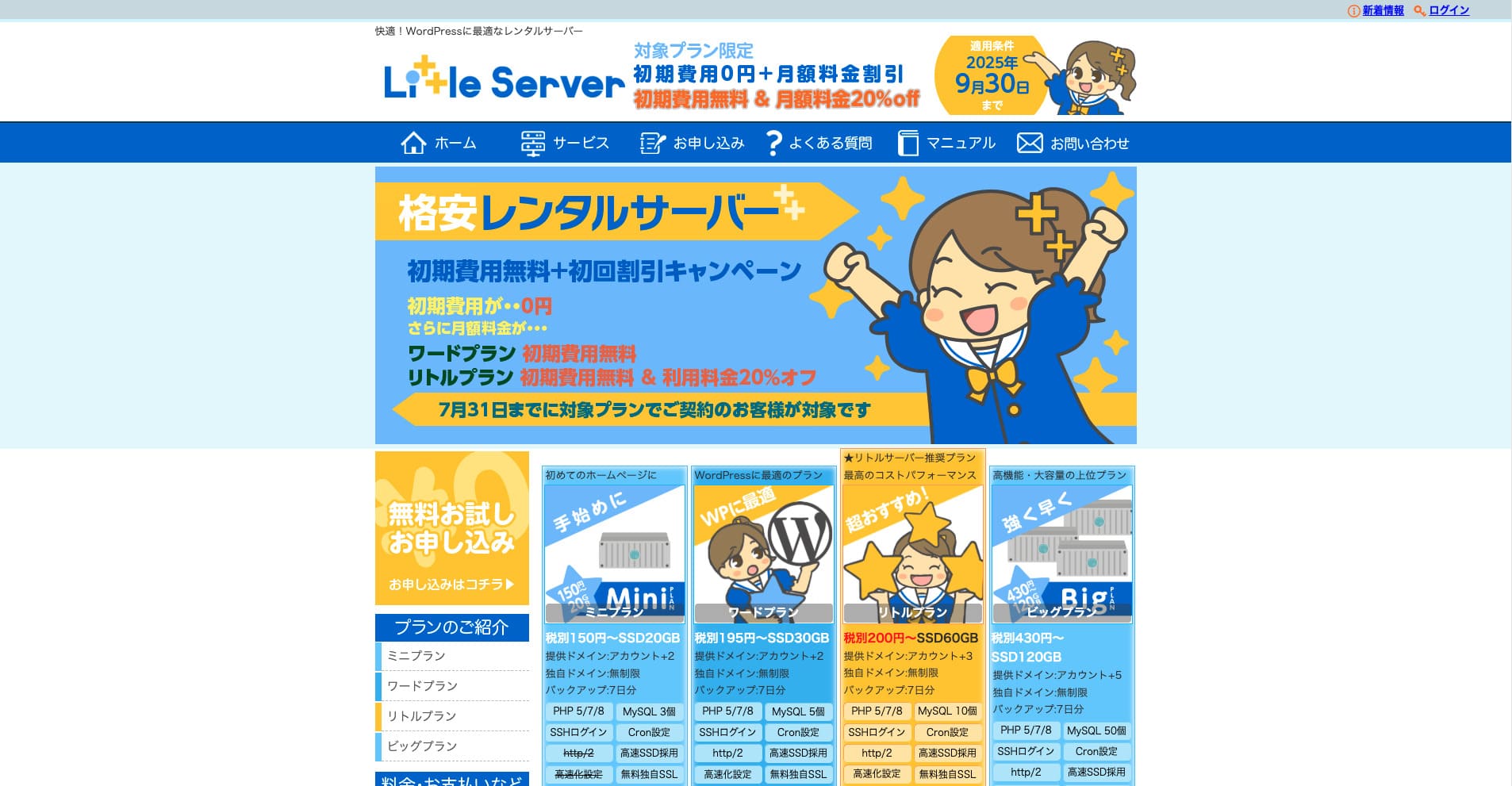
Little Server bütçe dostu bir kiralık sunucudur. Ücretsiz sunucular hariç, ücretli barındırma hizmetleri arasında bile bireyler için en ucuz seçeneklerden biridir. Buna rağmen, hızı artırmak için NVMe SSD'ler kullanır.
Six Key Advantages of Little Server

The Server Speed Is Very Fast
According to this site's independent tests, Little Server is very fast. Aşağıdaki karşılaştırmalı hız sonuçlarına göz atın.
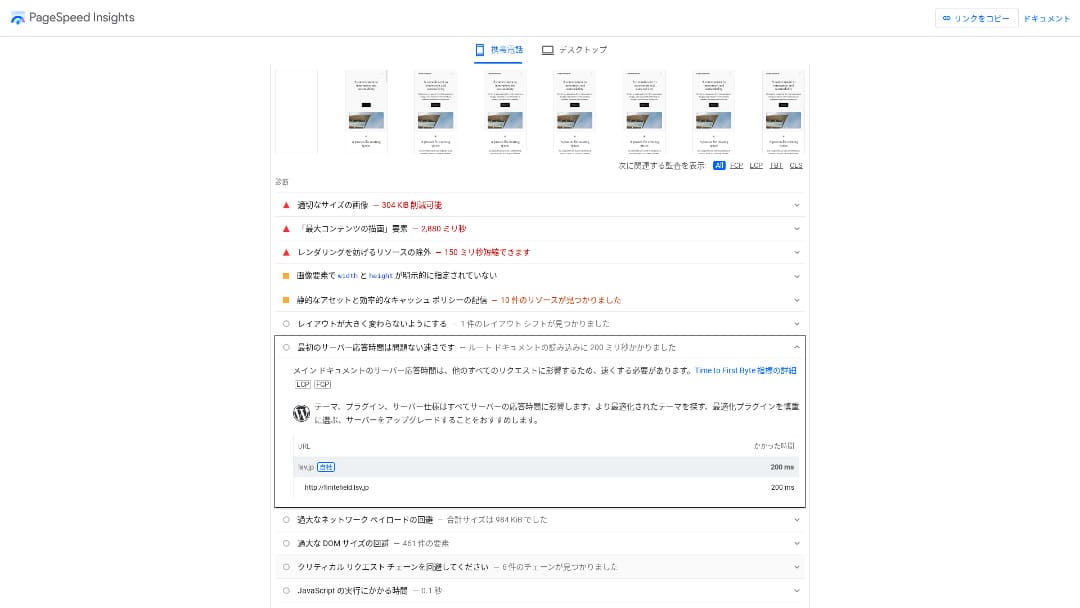
Aylık 100 yen bandındaki uygun fiyatlı sunucular arasında, mevcut en hızlılardan biridir. Sunucu yanıt süresi (TTFB) 200 ms olarak ölçülmüştür.
Google, sunucu yanıt sürelerinin 200 ms'nin altında tutulmasını önerir. Şununla: Little Server, speed is unlikely to become a problem.
Server response time should be kept under 200 milliseconds.https://developers.google.com/sunucu/speed/docs/insights/Server?hl=en
Sunucu hızı yüksekse, siteniz daha hızlı yüklenir ve ziyaretçiler daha rahat gezinebilir. Sonuç olarak bu, sitenizi SEO açısından daha güçlü hale getirebilir ve ayrıca ürün satışlarına ön ayak olabilir.
★ Speed Test: Comparing 11 Hosting Services in a Performance Ranking
The Price Is Low
Little Server ucuzdur. Bir ilk kurulum ücreti vardır ancak aylık fiyatı düşük olduğu için, bir web sitesini çalıştırmanın yıllık maliyeti büyük barındırma firmalarına göre çok daha düşüktür. Bunu aşağıdaki koşullar altında karşılaştırdık.
- Initial setup fee
- A 12-month sunucu contract
- Alan adının ilk yıl maliyeti
- The cheapest plan that can run WordPress
Büyük barındırma firmaları arasında ucuz kabul edilen Lolipop!'a kıyasla bile Little Server, ne kadar ucuz olduğuyla öne çıkıyor. Maliyeti onun sadece %60'ı kadardır. Sunucu maliyetlerini olabildiğince düşük tutmak isteyen herkes için ideal bir seçimdir.
You Can Use WordPress
Some cheap hosting services do not support WordPress. Even major hosts such as Lolipop! and Sakura Rental Server do not allow WordPress on their cheapest plans.
Ancak Little Server, her planda WordPress'i destekler. WordPress ile çok sayfalı bir web sitesi oluşturabilir ve bu web sitesi içinde bir blog da açebilirsiniz.
★ WordPress Nedir? Web Sitesi Başlatmak İçin Kullanılan Sistem ve Dikkat Edilmesi Gereken Noktalar
You Can Run Multiple Sites
Little Server can host multiple sites. Even its lowest-maliyet Mini plan lets you create up to three WordPress installations.
Besides your company website, you can also create a hobby bkayıt of your own.
Automatic Backups
Little Server includes seven gün of automatic backups.
If you have backups, you can restore your website even if a security breach causes problems. You also do not need to configure backups yourself.
If restoration becomes necessary, you only need to contact the company operating the service.
You Can Use Email
Little Server supports email even at this low price. You can create unlimited addresses on your own domain. That is welcome news for companies that want iş email addresses.
★ Alan Adı Nedir? İnternetteki Adres Olarak Rolü ve Nasıl Kaydedileceği
The Drawback of Little Server: Its Uptime Is Not Public

Little Server çalışma süresi oranını açıklamamaktadır. Bu nedenle kullanıcıların sunucunun gerçekten kararlı olup olmadığını bilmelerinin hiçbir yolu yoktur.
Sunucu kararsızsa web sitenizin görünümü de kararsız olacaktır. Siteniz sık yüklenemiyorsa, sunucu kiralamak için ödeme yaptığınız göz önüne alındığında bu bir kayıp olur. Ayrıca insanların siteye erişemediği süre boyunca işinizi büyütme fırsatlarını kaçırmak anlamına gelir.
When you think about it that way, uptime is extremely important. Because it is not disclosed here, some uncertainty remains.
★ A Beginner-Friendly Guide to Hosting Uptime Rates and SLAs
Compare Little Server with Two Similar Services
Value Server
Value Server ve Little Server'ın yıllık maliyetleri neredeyse aynıdır. Value Server 15 nesil yedekleme içerdiğinden, yedekleme özellikleri söz konusu olduğunda Little Server'dan daha güçlüdür.
Ancak aşağıda gösterilen fiyattaki Value Server Marutto planı yalnızca bir WordPress sitesini barındırabilir. İkinci bir site kurmak istiyorsanız başka bir sunucuya kaydolmanız gerekir. Birden fazla site işletmeyi planlıyorsanız, Little Server daha iyi bir seçimdir.

Value Server Review [2025 Latest]: Start WordPress at a Bargain Price
Value Server Review [2025 Latest]: Start WordPress at a Bargain Price
serverfield.org
Star Rental Server
Star Rental Server, Little Server'dan biraz daha pahalıdır. Ancak depolama kapasitesi ve veri transfer limiti çok daha geniştir; dolayısıyla web siteniz büyüdükçe ve trafik arttıkça bu farkı takdir etmeniz olasıdır.
That said, Star Rental Server has no automatic backup function. This is one area where Little Server is better. It offers a setup that is kinder to people who have never used hosting before or are running a website for the first time.

Star Rental Server Review [Latest 2024]: Ultra-Low Pricing and a Thorough Look at the Real Pros and Cons
Star Rental Server Review [Latest 2024]: Ultra-Low Pricing and a Thorough Look at the Real Pros and Cons
serverfield.org
Six Steps to Start a WordPress Website on Little Server Right Now
Let's launch a website with Little Server.
- STEP.1Resmi Little Server web sitesini ziyaret edin
Click “Apply for a ücretsiz trial.”
Kullanım koşullarını ve kişisel verilerin işlenmesini kabul edin, ardından ücretsiz deneme başvurusu için “Evet” seçeneğine tıklayın.
- STEP.2Ücretsiz deneme süresi için başvurun
Enter your customer information, such as your name and address.
Select a plan. The Mini plan is recommended. If you later need more resources, you can upgrade your plan.
Then enter your sunucu account information.
- Preferred user ID: Anything is fine. It cannot be changed later.
- Preferred account name: Anything is fine. It cannot be changed later.
- Password: Make it as complex as possible.
Click “Next page” and confirm the details. If everything is correct, click “Submit with the above information.”
İletişim e-posta adresinize geçici bir kayıt e-postası ulaşacaktır. Ardından “Başvuru kabul edildi” başlıklı bir doğrulama e-postası alacaksınız. Kimlik doğrulama URL'sine tıklayın. Doğrulama tamamlandığında, ücretsiz deneme kaydı tamamlanmış olur.
- STEP.3Register a custom domain with MuuMuu Domain and add it in Little Server
Resmi MuuMuu Domain web sitesini açın, web sitenizin alan adı olarak kullanmak istediğiniz karakter dizisini alan adı arama alanına girin ve “Ara” seçeneğine tıklayın.
★ Alan Adı Nedir? İnternetteki Adres Olarak Rolü ve Nasıl Kaydedileceği
“.com” veya “.co.jp” gibi bir üst düzey alan adı seçebilirsiniz. Satın alma ücreti ve yenileme ücreti üst düzey alan adına göre değişiklik gösterir. Kararsız kaldıysanız, bir şirket mümkün olduğunca “.co.jp” seçmelidir. Bireyler için “.com” veya “.net” önerilir. Bunlar birçok kişi tarafından bilindiğinden, ziyaretçilerin bunları şüpheli bulma olasılığı daha düşüktür ve tıklama olasılıkları daha yüksektir.
Confirm again that it is the domain you want. If it is correct, proceed to the application page.
Create a new MuuMuu ID. Enter your ID (email address) and password, then click “Agree to the terms and proceed to identity verification.”
Complete the identity verification by SMS.
Sırada alan adı ayarları ve diğer seçenekler için başvuru var. Alan adı seçeneklerini şu şekilde ayarlayın:
- WHOIS disclosure: If you are a company, publish the information. If you are an individual, “Use the provider’s proxy information” is recommended.
- Name sunucu (DNS): Use name sunucus other than GMO Pepabo’s.
If you make WHOIS information public, the name, address, and other details of the person who registered the domain become public. Because that exposes personal information, anyone other than a company or sole proprietor may prefer proxy disclosure.
Little Server aşağıdaki iki ad sunucusunu kullanır. Specify both of them.
- Name sunucu 1: ns1.lsv.jp
- Name sunucu 2: ns2.lsv.jp
You do not need to apply for linked services, optional services, or MuuMuu Mail. If a company wants to use email, Little Server can provide email service.
Pay by credit card or another method. Click “Next step,” skip the advertisements, and enter your user information. After you correctly enter your name, address, and the rest, proceed to “Next step.”
Başvuru ayrıntılarını inceleyin, “Kullanım koşullarını kabul ediyorum” kutucuğunu işaretleyin ve “Kaydol” seçeneğine tıklayın. Bu noktada alan adınız edinilmiş olur.
Now add the domain you obtained at MuuMuu Domain so that it can be used with Little Server.
Little Server kontrol paneline geri dönün. Ücretsiz deneme için kaydettiğiniz kullanıcı kimliği ve şifreyle giriş yapın.
Ayarlar menüsünün altındaki “Alan adı ayarları” seçeneğine tıklayın. Alan adını girin, “Alan adının adını taşıyan bir dizin oluştur ve bunu yol olarak kullan” kutucuğunu işaretleyin ve “Alan adı ekle” seçeneğine tıklayın.
That completes the custom domain setup in Little Server.
- STEP.4Install WordPress
Little Server kontrol panelinde, “Ayarlar” altındaki “Kolay Kurulum” seçeneğine tıklayın. For WordPress, choose the installation option marked as ultra-easy and beginner-friendly. That choice saves you from having to create the database manually.
★ What Is a Database? An Essential Management Sistem for WordPress
Enter your WordPress information.
- Database to use: Leave it as it is.
- Install destination: Leave it as it is.
- Display address: It is recommended to leave the checkbox checked.
- Site name: Anything is fine. You can change it later very easily.
- User name: Anything is fine, but changing it later is troublesome.
- Password: Make it as complex as possible. You can change it later quite easily.
- Email address: Normalde kullandığınız e-posta adresini kullanın. Şirketler için yöneticinin iş e-postası önerilir.
Kullanıcı adı ve şifre WordPress'e giriş yaparken kullanılır. Bunları not ettiğinizden emin olun.
“Kabul ediyorum” kutucuğunu işaretleyin ve “Ultra Kolay Kurulum!” seçeneğine tıklayın. Ardından giriş bilgileriniz görüntülenecektir. Görüntülenen giriş sayfasına tıklayın ve oturum açın.
- STEP.5Initial WordPress setup
Açılan WordPress giriş ekranında kurulum sırasında belirlediğiniz kullanıcı adını ve şifreyi girerek “Giriş yap” seçeneğine tıklayın.
Sitenin ulaşılamaz olduğunu belirten bir uyarı görüyorsanız DNS ayarları henüz yayılmamıştır. Bu durumda tek yapabileceğiniz beklemek ve birkaç saatte bir tekrar giriş yapmayı denemektir.
★ What Are DNS and Name Servers?
WordPress'e giriş yaptıktan sonra kalıcı bağlantılarınızı ayarlayın. WordPress yönetici ekranında “Ayarlar” ve ardından “Kalıcı Bağlantılar” yolunu izleyin. “Yazı ismi”ni seçin ve ardından “Değişiklikleri kaydet” seçeneğine tıklayın.
When you select “Post name,” you can enter any string you like in the URL when publishing articles. Short strings that help readers imagine the article content are recommended because they are easier for visitors to understand. If a URL is too long, some people may feel uneasy and think, “Is this a dangerous site?”
- STEP.6Install plugins
WordPress yönetici ekranına geri dönün, “Eklentiler”i ve ardından “Yeni Ekle”yi açarak ihtiyacınız olan eklentileri yükleyin.
When you find a plugin you want through search, click “Install Now,” then “Activate.” After that, follow the instructions provided for each plugin.
Be sure to install plugins for security and backups.
- Five WordPress Plugins to Strengthen Security and How to Choose One
- Five Powerful WordPress Backup Plugins That Help You Recover Your Data
Once you have installed your plugins, your WordPress website is ready to go.
Summary
Little Server bütçe dostu bir kiralık sunucudur. Ücretsiz sunucular hariç, ücretli barındırma hizmetleri arasında bile bireyler için en ucuz seçeneklerden biridir. Buna rağmen, hızı artırmak için NVMe SSD'ler kullanır.
30 Eylül 2025 tarihine kadar ücretsiz kurulum ücreti, Little Plan sunucu ücretlerinde %20 indirim ve 20 günlük ücretsiz deneme
Little Server is a budget hosting service. Although it has some drawbacks, even the cheapest Mini plan includes the features needed to launch a WordPress website. Give it a try.
32 WordPress Barındırma Hizmetinin Tam Karşılaştırması: Bireyler, Şirketler ve Uluslararası Kullanım İçin En İyi Seçimler

WordPress'e başlamak istediğiniz için “WordPress önerisi” araması yaptığınızda, kişisel ve kurumsal barındırmadan yurt dışı sunucularına ve ucuz planlara kadar her türlü makaleyi bulursunuz. Dürüst olmak gerekirse, sonunda şöyle düşünmüyor musunuz:
- Which site should I trust?
- I just want to choose a sunucu in a basit, easy-to-understand way.
- Show me how to start WordPress right away.
That is exactly why this article introduces carefully selected recommendations from 32 hosting services for individuals, companies, domestic use, and international use. Bu durum, her gün barındırma hizmeti kullanan bir uygulama geliştirme şirketindeki SEO yöneticisi tarafından açıklanmaktadır.