30-gün money-back guarantee
PR
Sunucular
GoDaddy Review: A thorough explanation of the pros, cons, WordPress setup, and cancellation process
Yayınlandı: 2025.07.13
Güncellendi: 2025.07.13
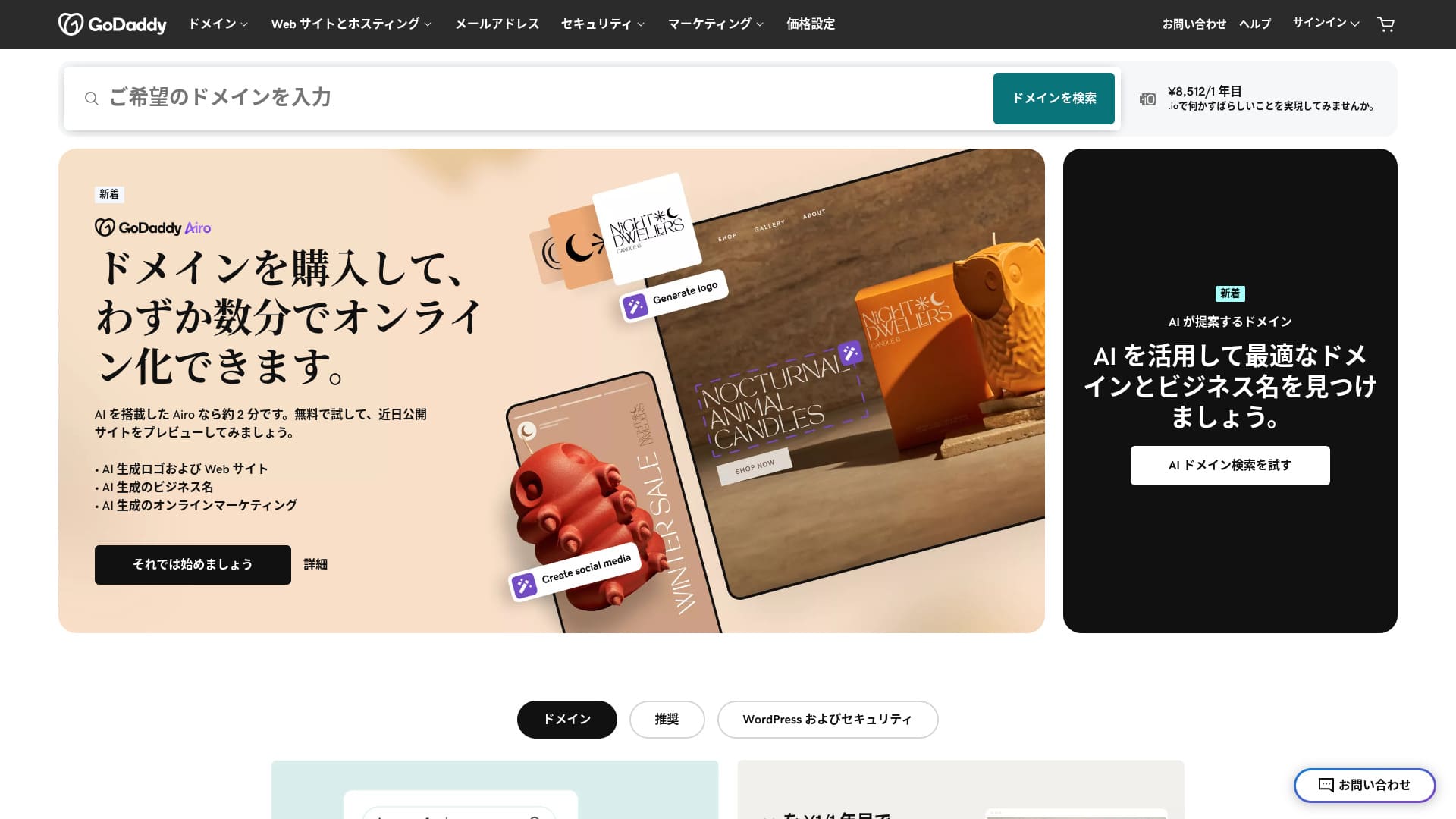
Dünyanın en büyük alan adı kayıt kuruluşlarından biri tarafından sağlanan bir sunucu.
GoDaddy, dünyada en yaygın kullanılan alan adı yönetim şirketidir. İsmini en az bir kez duymuş olabilirsiniz. Yabancı bir sunucu için alışılmadık bir şekilde Japonca web sitesi de sunmaktadır. Ve you can receive support in Japanese.
In this article, I thoroughly explain everything from GoDaddy's features and reputation to how to start WordPress and how to cancel.
Compare 10 overseas sunucus

Yabancı kiralık sunucularda, dil engelleri ve kültürel farklılıklar nedeniyle birçok kişi hangi sunucuyu seçeceğinden emin olamaz.
Bu makalede, dünya çapından özenle seçilmiş 10 yabancı kiralık sunucuyu derinlemesine karşılaştırıyor ve her birinin özelliklerini, fiyatlandırma planlarını ve actual user experience in detail.
I provide information that covers a wide range of needs, from selection criteria that beginners can use with confidence to advanced features that engineers look for.
GoDaddy incelemesi: Japonca sohbet desteği sunan bir sunucu
“GoDaddy” is one of the world’s largest hosting companies, headquartered in Scottsdale, Arizona. One of its strengths is that it is easy to use because Japanese-language pages are available. Even the lowest-priced plan comes with a WAF, giving it strong security.
| Server tür | Shared sunucu |
| Display speed (TTFB) | Not measured |
| Recommended plan and contract term | Basic, 1 year |
| Trial / money-back guarantee | 30-gün money-back guarantee |
| Monthly fee (12-month contract) | 899 yen |
| Initial administrative fee | Ücretsiz |
| Ücretsiz domain | None |
| Support | 24/7 chat, phone (weekgün 10:00-17:00) |
| Uptime | 99.9% |
| Server storage | 10 GB |
| Number of databases | 1 |
| SSL | Ücretsiz SSL |
| Backup | Weekly backup |
| Number of email accounts | None |
| Email security measures | None |
| Server / website migration service | None |
| WordPress preinstall | Yes |
| CDN | Ücretsiz |
| Data centers | Kirkland, Washington, USA / Beeston, UK / Iași, Romania / Tempe, Arizona, USA / Belgrade, Serbia |
Five features of GoDaddy

NVMe depolama birimi sayesinde sunucu hızlıdır
GoDaddy uses NVMe storage. It is faster than a standart SATA SSD.
Sunucu hızlıysa site hızlı görüntülenir. Site hızlı görüntülenirse ziyaretçiler sitenizde stressiz bir şekilde gezinebilir. Hız; kurumsal web siteleri, e-ticaret siteleri ve satış ortaklığı siteleri için özellikle önemlidir.
GoDaddy'nin hızlı sunucusuyla kendinizi rahat hissedebilirsiniz.
Ücretsiz SSL
GoDaddy comes with ücretsiz SSL. SSL, web siteleri için standart güvenlik biçimidir. Bir site SSL kullandığında adresi https ile başlar.
Browsers also display it as a safe site. If a site does not use SSL, messages such as “Not secure” may appear, and that becomes one reason your number of visitors does not grow as expected.
GoDaddy ile SSL'yi ücretsiz olarak etkinleştirebilir ve ziyaretçi kazanımını teşvik edebilirsiniz.
★ What are SSL and TLS? How encryption protects data and why it matters
WordPress preinstall feature
GoDaddy has a WordPress preinstall feature. WordPress is already installed when you sign up. That means you do not have to go through the trouble of installing WordPress after the contract is complete.
Sunucu veya WordPress kullanma deneyimi olmayan kişiler bile güvenle WordPress'e başlayabilir.
High security with WAF
GoDaddy standart olarak şunları sunar: a highly secure WAF. This cloud-based firewall protects websites from threats such as DDoS attacks.
WAF, yerel sunucular tarafından da sunulmaktadır. Ancak genellikle yalnızca fiyatlandırması biraz daha yüksek olan sunucular tarafından sağlanır.
A weekly backup sistem
GoDaddy provides a weekly backup sistem. Even if unexpected trouble occurs, such as data corruption, deletion, or tampering, you can restore your site if backup data is available.
A weekly backup sistem is generally sufficient, but if you want günlük backups whenever possible, make use of WordPress plugins.
★ Five powerful WordPress backup plugins that help you recover your data
The drawback of GoDaddy is that the cheapest plan lets you create only one website

The drawback is that the cheapest plan lets you create only one website. If you want to build a personal site in addition to your company website, you have to upgrade your plan.
GoDaddy'nin en düşük fiyatlı planı aylık 1.199 yen tutmaktadır. Bu, bireyler için tasarlanmış biraz pahalı bir yerel sunucu planıyla hemen hemen aynıdır. Bu yerel sunucularda, en düşük fiyatlı plan bile genellikle birden fazla site oluşturmanıza olanak tanır. Bazı sunucular sınırsız site eklemenize bile izin verir.
So, to be honest, being limited to just one website at this price means the pricing is high, and that is a drawback.
GoDaddy'yi iki rakip sunucuyla karşılaştırın
GoDaddy'yi iki rakip yabancı sunucuyla karşılaştırdım.
IONOS
IONOS is a hosting company based in Germany. Because it has sunucus across Europe, it is a recommended sunucu for building websites aimed at people living in Europe.
It is less expensive than GoDaddy. Its uptime is also extremely stable at 99.98%. If you want to prioritize price, IONOS is definitely the better choice.
Ancak IONOS, kaydolmadan önceki destek açısından çok iyi değildir. Sözleşme öncesinde yalnızca telefon desteği sunar. Çoğu insan için yabancı bir sunucunun destek ekibini aramak gerçekçi değildir. Buna karşılık, GoDaddy lets you use chat support before the contract. In terms of support, GoDaddy is more user-friendly.
| Item | GoDaddy | IONOS |
|---|---|---|
| Biggest strength | No.1 in number of domain users | Good value |
| Trial / money-back guarantee | 30-gün money-back guarantee | 30-gün money-back guarantee |
| Uptime | 99.9% | 99.98% |
| Storage | 10 GB | 50 GB |
| First-year sunucu maliyet | 14,388 yen | 1,798 yen |

IONOS İncelemesi: Avrupa için WordPress ile de uyumlu, uygun fiyatlı ve kararlı bir sunucu
IONOS İncelemesi: Avrupa için WordPress ile de uyumlu, uygun fiyatlı ve kararlı bir sunucu
serverfield.org
HOSTINGER
HOSTINGER is affordable hosting with large storage. If you want to use an overseas sunucu more cheaply than GoDaddy, it is a candidate worth considering.
However, HOSTINGER offers support only in English. With GoDaddy, you can receive chat support in Japanese. When I actually asked a question in chat, a reply came back immediately. If you want kind support, I recommend GoDaddy.
| Comparison | GoDaddy | HOSTINGER |
|---|---|---|
| Biggest strength | No.1 in number of domain users | Good value |
| Trial / money-back guarantee | 30-gün money-back guarantee | 30-gün money-back guarantee |
| Uptime | 99.9% | 99.9% |
| Storage | 10 GB | 100 GB |
| First-year sunucu maliyet | 14,388 yen | 4,405 yen |

Hostinger Review [2025 Edition]: Officially recommended by WordPress, with pros, cons, and comparisons with other companies
Hostinger Review [2025 Edition]: Officially recommended by WordPress, with pros, cons, and comparisons with other companies
serverfield.org
Seven steps to start a WordPress website with GoDaddy right now
How to start WordPress with GoDaddy
- STEP.1Sign in to GoDaddy
Resmi web sitesine gidin GoDaddy web sitesine gidin og hesabınızda oturum açın.
- STEP.2Go to My Products
Giriş yaptıktan sonra kontrol panelindeki üst menüden “Ürünlerim” seçeneğini belirleyin. Yönettiğiniz alan adları ve barındırma planları orada görünecektir.
- STEP.3Choose WordPress hosting
Go to the “Web Hosting” section and click the “Manage” button next to your managed WordPress plan.
- STEP.4Install WordPress
Barındırma yönetim ekranı açılır. Buradan “Kur” butonuna tıklayın.
In “Select a Domain,” choose the domain where you want to install WordPress. If you already obtained a domain through GoDaddy, you can select it from the list.
- STEP.5Configure WordPress
“Site Ayarları” bölümünde, site adını ve WordPress yönetici bilgilerini girin.
Yönetici kullanıcı adını, şifresini ve e-posta adresini ayarlayın. Bunlar, WordPress yönetici ekranında oturum açmak için kullanacağınız kimlik bilgileri olur.
- STEP.6Automatic installation is completed
After entering all the information, click “Install.” GoDaddy automatically installs WordPress and completes the setup.
- STEP.7Access the WordPress dashboard
Kurulum tamamlandıktan sonra WordPress kontrol panelinde oturum açabilirsiniz. Yönetici URL'si “alanadiniz.com/wp-admin” şeklindedir ve buradan WordPress'i yapılandırabilir ve özelleştirebilirsiniz.
Set up your theme and plugins, publish the site, and you are done.
How to cancel GoDaddy
Timeline title
- STEP.1Kayıt in to GoDaddy
Go to GoDaddy ve hesabınızda oturum açın.
- STEP.2Go to My Products
Click “My Products” at the top of the dashboard and go to the page where all purchased services are listed.
- STEP.3Select the service you want to cancel
Click the “Manage” button next to the service you want to cancel, such as a domain, hosting plan, or email service.
- STEP.4Turn off automatic renewal
Hizmet yönetimi ekranına geçtikten sonra ilk olarak otomatik yenilemeyi kapatın. Bu, bir sonraki ücretin tahsil edilmesini önler.
Go to the “Renewal Options” or “Billing Information” section and set “Auto-Renew” to “Off.”
- STEP.5Delete the service
After turning off automatic renewal, look for the “Cancel” or “Delete” option. Selecting it completely cancels the service.
A confirmation message appears, so review the details and click the “Confirm” button.
- STEP.6If you want to delete your GoDaddy account entirely
GoDaddy hesabınızın kendisini silmek istiyorsanız destek ekibiyle iletişime geçmeniz gerekir. Resmi GoDaddy destek sayfasını kullanarak telefon veya sohbet yoluyla destek ekibiyle iletişime geçin ve hesap silme işlemine devam edin.
Make sure that you receive the email from GoDaddy about the service cancellation.
Frequently asked questions about GoDaddy
What kind of company is GoDaddy?
GoDaddy is the world's largest domain management company. In addition to domain management, it provides hosting and a website builder.
How do you sign up for GoDaddy?
Resmi GoDaddy web sitesine gidin ve “Hesap Oluştur” seçeneğinden kaydolun.
Summary
GoDaddy is a sunucu where you can receive Japanese chat support. Because it is a globally famous domain management company, it provides a sense of reassurance. However, it is not particularly cheap, so compare carefully before choosing it.
GoDaddy 30 günlük para iade garantisiyle geldiği için şimdilik bir kez denemenizi öneririm.
“GoDaddy”, merkezi Scottsdale, Arizona'da bulunan, dünyanın en büyük barındırma şirketlerinden biridir. Japonca sayfaları ve Japonca sohbet desteğini desteklediği için, yabancı bir sunucu olsa bile kolayca uygulanabilmesi güçlü yönlerinden biridir.