
ทดลองใช้ฟรี 10 วัน
PR
เซิร์ฟเวอร์
รีวิว Value Server [ล่าสุด 2025]: เริ่มต้น WordPress ในราคาคุ้มค่า
เผยแพร่: 2025.04.18
อัปเดต: 2025.04.18
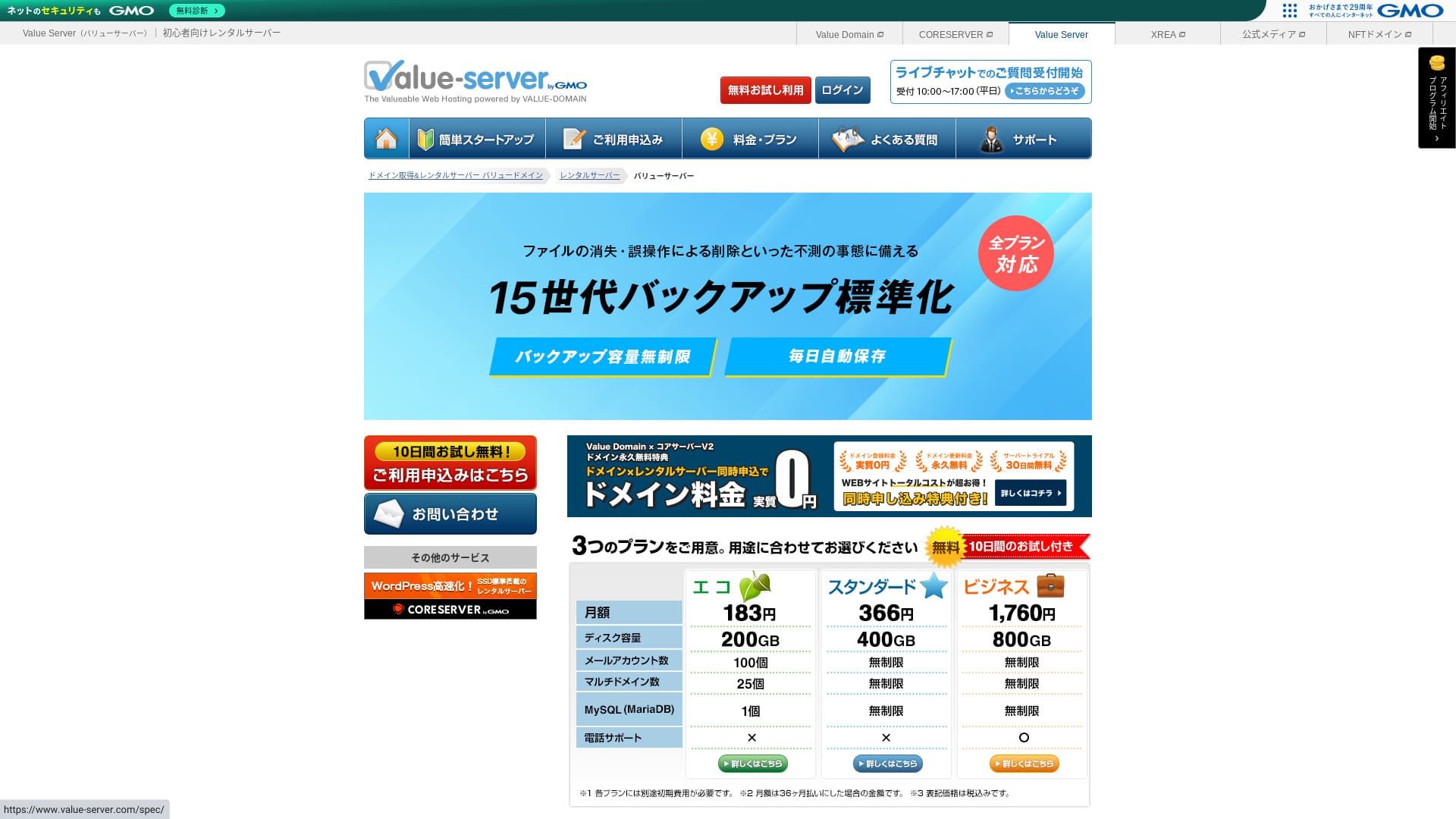
Value Server เป็นบริการโฮสติ้งที่ดำเนินการโดย GMO Digirock, Inc. ซึ่งขึ้นชื่อเรื่องราคาย่อมเยา โดยเฉพาะแผน Marutto

Value Server เหมาะสำหรับ ผู้ที่ต้องการใช้เซิร์ฟเวอร์ที่ประหยัดที่สุด เพราะ:
- อยู่ในกลุ่มที่ถูกที่สุดของอุตสาหกรรม
- เซิร์ฟเวอร์ใช้พื้นที่เก็บข้อมูลแบบ SSD
- สำรองข้อมูล 15 รุ่นช่วยให้สบายใจ
ด้วยเหตุนี้ คุณน่าจะพอใจ ลองใช้ฟรีได้ 10 วัน
เซิร์ฟเวอร์คู่แข่งคือ Star Rental Server. มันยังเหนือกว่า Value Server เพราะยังมีแผนฟรีด้วย โปรดพิจารณาไว้ด้วย
| ประเภทเซิร์ฟเวอร์ | เซิร์ฟเวอร์แบบแชร์ |
| ความเร็วที่แสดงผล (TTFB) | ไม่ได้วัด |
| แผนและระยะสัญญาที่แนะนำ | Eco 12 เดือน |
| ทดลองใช้ฟรี / รับประกันคืนเงิน | ไม่มี |
| ค่าบริการรายเดือน (สัญญา 12 เดือน) | 220 yen |
| ค่าแรกเข้า | ฟรี |
| โดเมนฟรี | ไม่มี |
| การสนับสนุน | อีเมลและแชต (วันธรรมดา 10:00-17:00) |
| ความพร้อมใช้งาน | ไม่มีt disclosed |
| พื้นที่เก็บข้อมูล | 200GB |
| จำนวนฐานข้อมูล | 1 |
| มาตรการความปลอดภัย | ไม่มี |
| SSL | SSL แบบแชร์ฟรี, SSL แบบกำหนดเอง |
| สำรอง / กู้คืน | สำรองข้อมูล 15 รุ่นฟรี, กู้คืนฟรี |
| จำนวนบัญชีอีเมล | 3 |
| มาตรการความปลอดภัยอีเมล | POP/POP3S, SMTP/SMTPS, IMAP/IMAPS, ตัวกรองสแปม, ตัวกรองไวรัส, ตัวกรองแบบกำหนดเอง |
| บริการย้ายเซิร์ฟเวอร์ / เว็บไซต์ | ไม่มี |
| ติดตั้ง WordPress ล่วงหน้า | ไม่มี |
| CDN | ไม่มี |

Hikaru Ono
Value Server ดำเนินการโดย GMO Digirock, Inc. ซึ่งเป็นชื่อรายใหญ่ในอุตสาหกรรม ดังนั้นแม้จะเป็นหนึ่งในตัวเลือกที่ถูกที่สุด ก็ไม่จำเป็นต้องกังวลเรื่องคุณภาพ โดยส่วนตัวแล้วฉันไม่พบปัญหาระหว่างใช้งาน
That said, because it is inexpensive, there are limits on features และ capacity, so make sure to review them carefully.
เปรียบเทียบ Value Server กับเซิร์ฟเวอร์อื่น
- คะแนนรวมคะแนน★★★☆☆
- ความเร็วเซิร์ฟเวอร์ ★★★☆☆
- ราคา ★★★★★
- เสถียรภาพ ★★★☆☆
- ความง่ายในการเริ่มใช้งาน WordPress* ★★★☆☆
- การดำเนินการอย่างการจัดการโดเมนและตั้งค่า SSL* ★★★☆☆
* อ้างอิงจากประสบการณ์ใช้งานจริงของฉัน

วิธีเลือกจาก 21 บริการโฮสติ้ง WordPress แนะนำสำหรับบุคคล
วิธีเลือกจาก 21 บริการโฮสติ้ง WordPress แนะนำสำหรับบุคคล
serverfield.org
- ไม่มีvember 4, 2025 ข้อมูลการสำรวจตลาด ตามความเร็ว sorted
- ค่าบริการรายเดือนคือค่าใช้จ่ายในปีแรกของแผนที่ถูกที่สุดซึ่งสามารถรัน WordPress ได้
- ความเร็วคือ Time to First Byte ที่วัดจากไซต์สาธิตภายใต้เงื่อนไขเดียวกัน
“Value Server” is a low-cost rental server operated by GMO Digirock, Inc. Even though it is affordably priced for individuals, it offers strong features such as free shared SSL และ free 15-generation backups.
User Reviews of Value Server และ Five Key Features

แผน Marutto ช่วยให้คุณสร้างเว็บไซต์ WordPress ได้ในราคา 3,060 เยนต่อปี
Value Server's Marutto plan lets you have a WordPress เว็บไซต์ทางการ for 3,060 yen per year. It is extremely inexpensive.
ลองเปรียบเทียบกับเซิร์ฟเวอร์ในประเทศรายใหญ่ภายใต้เงื่อนไขต่อไปนี้
- ค่าแรกเข้า
- สัญญาเซิร์ฟเวอร์ 12 เดือน
- ค่าโดเมน 1 ปี
- แผนราคาถูกที่สุดที่ใช้ WordPress ได้
| บริษัทโฮสติ้ง | ค่าใช้จ่าย 1 ปี |
|---|---|
| Value Server | 2,310 yen |
| ConoHa WING | 11,292 yen |
| Xserver | 10,560 yen |
| Lolipop! | 5,940 yen |
| Sakura Rental Server | 6,600 yen |
แน่นอนว่าเมื่อเทียบกับเซิร์ฟเวอร์ข้างต้น ฟีเจอร์และสเปกจะดูด้อยกว่าอยู่บ้าง แต่ก็ยังเป็นตัวเลือกที่แข็งแกร่งสำหรับผู้ที่อยากสร้างเว็บไซต์อย่างเป็นทางการในราคาประหยัดที่สุด
ทุกแผนมี SSD รวมอยู่ด้วย
Value Server includes พื้นที่เก็บข้อมูล SSD ในทุกแผน even though it is inexpensive. With ultra-low-cost servers, it is common to see slow เว็บไซต์ทางการ loading because they rely on cheap hard drives.
ความเร็วในการแสดงผลของเว็บไซต์ก็ส่งผลต่อ SEO ด้วย ดังนั้นการเลือกเซิร์ฟเวอร์จึงไม่ใช่เรื่องที่มองข้ามได้ อย่างไรก็ตาม เมื่อมี SSD ก็จะสบายใจขึ้น
หมายเหตุ: What Is SEO? The Right Steps และ Methods for Search Engine Optimization
ทุกแผนมีการสำรองข้อมูลอัตโนมัติย้อนหลัง 15 รุ่น
Value Server มีราคาถูก แต่ยังมี การสำรองข้อมูลอัตโนมัติย้อนหลัง 15 รุ่น ในทุกแผน
หากไม่มีฟีเจอร์สำรองข้อมูล คุณจะไม่สามารถกู้คืนเว็บไซต์ได้แม้ข้อมูลจะหายไปเพราะการโจมตีหรือความผิดพลาด แต่ Value Server จะสำรองข้อมูลให้อัตโนมัติทุกวัน จึงช่วยให้สบายใจได้
การสำรองข้อมูลย้อนหลัง 15 รุ่นนี้น่าประทับใจมาก แม้แต่เซิร์ฟเวอร์ใหญ่ๆ อย่าง Lolipop! ก็ไม่ได้มีในแผนราคาถูก และ Core Server ซึ่งดำเนินการโดย GMO Digirock, Inc. ก็ไม่มีฟีเจอร์สำรองข้อมูลในแผนราคาถูกเช่นกัน
เมื่อมองในแง่นี้ Value Server ถือว่าใส่ใจบริการอย่างมากสำหรับผู้ให้บริการราคาประหยัด เพราะมีการสำรองข้อมูลย้อนหลัง 15 รุ่นที่แข็งแรงเช่นนี้
The Drawbacks of Value Server และ How to Hและle Them, Honestly Stated

แม้จะมีข้อดี แต่ Value Server ก็มีข้อเสียเช่นกัน โปรดทำความเข้าใจให้ครบถ้วนก่อนใช้งาน
There Are ไม่มี Advanced Security Measures Such as a WAF
Value Server ไม่มี มาตรการรักษาความปลอดภัยขั้นสูง เช่น WAF แม้จะมีการป้องกันในระดับหนึ่ง รวมถึงรองรับ SSL แบบกำหนดเอง แต่ก็ยังน่ากังวลอยู่บ้างที่ไม่ได้แข็งแรงเป็นพิเศษต่อวิธีโจมตีล่าสุด
หากต้องการใช้ WAF ให้ติดตั้งปลั๊กอิน WordPress ที่เน้นความปลอดภัย
หมายเหตุ: วิธีเลือกปลั๊กอิน WordPress 5 ตัวที่ช่วยเสริมความปลอดภัย
ความพร้อมใช้งาน Is ไม่มีt Disclosed
Unfortunately, Value Server does not disclose its uptime. That means it is impossible to know the server's stability in numerical terms. If reliability is a priority, such as for a corporate เว็บไซต์ทางการ, that uncertainty may make you hesitate.
หมายเหตุ: A Beginner's Guide to Understและing Hosting ความพร้อมใช้งาน และ SLAs
If a server becomes unstable because of trouble, your เว็บไซต์ทางการ may fail to appear or become extremely slow to load. In some cases, a 503 error may occur. That is stressful for people visiting your site.
หมายเหตุ: What Is a 503 Error? How to Avoid Web Congestion และ Respond in an Emergency
เนื่องจากคุณไม่สามารถทราบ uptime ได้ โปรดใช้ Value Server เมื่อเข้าใจความเสี่ยงว่าอาจไม่เสถียร
The Marutto และ Eco Plans Let You Create Only One WordPress Site
Value Server's Marutto และ Eco plans let you create only one WordPress site.
- I want to create an event site in addition to my main เว็บไซต์ทางการ
- อยากสร้างบล็อกที่สอง
หากต้องการเว็บไซต์ WordPress เว็บที่สองด้วยเหตุผลดังกล่าว คุณจะต้องเตรียมเซิร์ฟเวอร์อีกเครื่องแยกต่างหาก
Compare Value Server with Two Similar เซิร์ฟเวอร์
ลองเปรียบเทียบ Value Server กับเซิร์ฟเวอร์คู่แข่งสองรายที่มีความใกล้เคียงกันในด้านราคา แม้จะดูคล้ายกัน แต่ก็มีความแตกต่าง จึงควรใช้เวลาเปรียบเทียบอย่างรอบคอบ
Core Server
Core Server ดำเนินการโดยบริษัทเดียวกัน และยังมีสเปกสูงในราคาที่ไม่แพง คุณสามารถเลือกแผนที่เหมาะสมได้จาก 7 แผนที่แบ่งไว้อย่างละเอียด มีทั้งไลน์อัป V1 ที่เน้นราคา และไลน์อัป V2 ที่เน้นประสิทธิภาพ
คะแนนรวมแล้ว Core Server เหนือกว่า Value Server ในด้านฟีเจอร์และสเปก ดังนั้นหากราคาไม่ใช่ปัจจัยสำคัญที่สุด Core Server จะเป็นตัวเลือกที่ดีกว่า

รีวิว Core Server [ล่าสุด 2025]: คู่มือฉบับละเอียดเกี่ยวกับราคา ความเร็ว ข้อดี และข้อเสีย
รีวิว Core Server [ล่าสุด 2025]: คู่มือฉบับละเอียดเกี่ยวกับราคา ความเร็ว ข้อดี และข้อเสีย
serverfield.org
Star Server
Star Rental Server is also inexpensive. At the same time, it resembles Value Server in its commitment to speed, including the use of SSD storage. It is somewhat more expensive than Value Server, but its greater transfer capacity is a strong point because it can keep up even if your เว็บไซต์ทางการ traffic grows.
Star Server ไม่มีการสำรองอัตโนมัติ นั่นเป็นจุดที่ Value Server เหนือกว่า

รีวิว Star Server [ล่าสุด 2024]: ราคาประหยัดอย่างน่าทึ่ง และผ่านการทดสอบอย่างละเอียด
รีวิว Star Server [ล่าสุด 2024]: ราคาประหยัดอย่างน่าทึ่ง และผ่านการทดสอบอย่างละเอียด
serverfield.org
เริ่มเว็บไซต์ WordPress บน Value Server ใน 6 ขั้นตอน
มาเริ่มเว็บไซต์ด้วย Value Server กันเถอะ!
- STEP.1เข้าสู่ Value Server เว็บไซต์ทางการ
ที่หน้าแรก คลิก “ทดลองใช้ฟรี”
- STEP.2สมัครเซิร์ฟเวอร์และรับโดเมน
Choose a plan. Your server account name (the initial domain) can be anything. You will not use this initial domain as the domain for your เว็บไซต์ทางการ. You can use it, but I do not recommend it.
At this point, you cannot yet select simultaneous WordPress installation, but after choosing your domain, you will be able to check it. Be sure to use it. It makes starting a WordPress เว็บไซต์ทางการ much easier.
Under the option to also apply for the domain you will use on this server, choose “Get a domain for free.” Then enter any string you like. From the available top-level domains such as .com และ .net, click the one you want.
You can choose root domains such as “.com” และ “.co.jp.” Acquisition และ renewal fees vary depending on the root domain. If you are unsure which one to choose, I recommend “.co.jp” for companies whenever possible. For individuals, “.com” และ “.net” are good choices. Many people are familiar with these domains, so they are less likely to seem suspicious และ easier for users to access.
หมายเหตุ: โดเมนคืออะไร? บทบาทของโดเมนในฐานะที่อยู่บนอินเทอร์เน็ตและวิธีจดโดเมน
Once you have selected the domain, check “ติดตั้ง WordPress at the same time.”
คลิก “Proceed”
- STEP.3กรอกข้อมูลผู้ใช้
หน้าข้อมูลผู้ใช้จะปรากฏขึ้น คลิก “ลงทะเบียนผู้ใช้” กรอกข้อมูล เช่น ประเภทการใช้งานและชื่อของคุณ ยืนยันรายละเอียด แล้วคลิก “ลงทะเบียนและดำเนินการต่อ”
ทำการยืนยัน SMS ที่จำเป็นให้เสร็จ จากนั้นคลิก “ยืนยันการสมัคร”
ตอบแบบสอบถามหรือข้ามไป แล้วคลิก “ไปยังแผงควบคุม”
- STEP.4ติดตั้ง WordPress
ในข้อมูลการจัดการของแผงควบคุม จะมี “Value Server (1)” ที่คุณสมัครไว้ก่อนหน้านี้แสดงขึ้นมา คลิกแล้วไปยัง “แผงควบคุมใหม่”
จากนั้นเลือก “ติดตั้งแอป” จาก “Tools” และคลิก “WordPress Blog”
คลิก “+ ติดตั้งแอปพลิเคชันนี้” และเลือกโดเมน โดเมนที่คุณสมัครไว้ก่อนหน้านี้จะปรากฏในเมนูแบบดรอปดาวน์ ให้เลือกมัน
คุณสามารถปล่อยการตั้งค่าเวอร์ชันไว้ตามเดิมได้
ใช้การตั้งค่าต่อไปนี้สำหรับ WordPress
- ชื่อผู้ดูแล: ตั้งค่าอะไรก็ได้
- รหัสผ่านผู้ดูแล: ตั้งให้ซับซ้อนที่สุดเท่าที่ทำได้ คุณสามารถเปลี่ยนได้ง่ายในภายหลัง
- อีเมลผู้ดูแลระบบ: An email address you use regularly. For companies, I recommend the business email of the person who manages the เว็บไซต์ทางการ.
- ชื่อเว็บไซต์: ตั้งค่าอะไรก็ได้ คุณสามารถเปลี่ยนได้ง่ายในภายหลัง
- สโลแกนเว็บไซต์: นี่คือคำบรรยายย่อย ตั้งค่าอะไรก็ได้ และเปลี่ยนได้ง่ายในภายหลัง
ชื่อผู้ดูแลระบบและรหัสผ่านผู้ดูแลระบบใช้สำหรับเข้าสู่ระบบ WordPress โปรดจดบันทึกไว้ให้เรียบร้อย
คุณสามารถปล่อยการตั้งค่า “Advanced” ไว้ตามเดิมได้
เมื่อกรอกครบแล้ว ให้คลิก “+ ติดตั้ง” หลังการติดตั้งเสร็จสิ้น ให้คลิก URL บนหน้าจอที่ลงท้ายด้วย “wp-admin/” นั่นคือ URL ของหน้าผู้ดูแล WordPress ของคุณ
- STEP.5ตั้งค่า WordPress เบื้องต้น
บนหน้าล็อกอิน WordPress ที่ปรากฏขึ้น ให้กรอกชื่อผู้ใช้และรหัสผ่านที่ตั้งไว้ตอนติดตั้ง จากนั้นคลิก “เข้าสู่ระบบ”
หากคุณเห็นคำเตือนว่า “This site can’t be reached” แสดงว่าการตั้งค่า DNS ยังไม่กระจายตัว ยังไม่มีอะไรให้ทำมากนักนอกจากรอ ดังนั้นลองเข้าสู่ระบบใหม่ทุก ๆ สองสามชั่วโมง
หมายเหตุ: What Are DNS และ Name เซิร์ฟเวอร์?
หลังเข้าสู่ระบบ WordPress ให้ตั้งค่า permalinks ในหน้าผู้ดูแล WordPress ไปที่ “Settings” แล้วไปที่ “Permalinks” เลือก “Post name” จากนั้นคลิก “Save Changes”
เมื่อใช้ “Post name” คุณสามารถกรอกสตริงใดก็ได้ใน URL ตอนเผยแพร่บทความ ฉันแนะนำให้ใช้สตริงสั้น ๆ ที่ช่วยให้ผู้อ่านนึกภาพเนื้อหาของบทความได้ หากยาวเกินไป บางคนอาจกังวลว่าเว็บไซต์ดูน่าสงสัย
- STEP.6ติดตั้งปลั๊กอิน
กลับไปที่หน้าผู้ดูแล WordPress ไปที่ “Plugins” แล้วเลือก “Add New” จากนั้นติดตั้งปลั๊กอินที่คุณต้องการ
เมื่อค้นหาพบปลั๊กอินที่ต้องการแล้ว ให้คลิก “Install ไม่มีw” แล้วคลิก “Activate” จากนั้นทำตามคำแนะนำของปลั๊กอินแต่ละตัว
อย่าลืมติดตั้งปลั๊กอินด้านความปลอดภัยและการสำรองข้อมูล
- วิธีเลือกปลั๊กอิน WordPress 5 ตัวที่ช่วยเสริมความปลอดภัย
- ปลั๊กอินสำรองข้อมูล WordPress ทรงพลัง 5 ตัวที่ช่วยกู้คืนข้อมูล
เมื่อติดตั้งปลั๊กอินเรียบร้อยแล้ว เว็บไซต์ WordPress ของคุณก็พร้อมใช้งานเต็มที่แล้ว!
สรุป
“Value Server” เป็นเซิร์ฟเวอร์เช่าราคาประหยัดที่ดำเนินการโดย GMO Digirock, Inc. แม้ราคาจะย่อมเยาสำหรับบุคคลทั่วไป ก็ยังมีฟีเจอร์ที่แข็งแรง เช่น SSL แบบแชร์ฟรีและสำรองข้อมูล 15 รุ่นฟรี
ทดลองใช้ฟรี 10 วัน
Value Server เป็นเซิร์ฟเวอร์ราคาประหยัด Even though its uptime is not disclosed และ its security features are on the weaker side, the 15-generation automatic backup feature means you can usually recover in the end. หากราคาเป็นสิ่งสำคัญที่สุดสำหรับคุณ ลองใช้งานดู
เปรียบเทียบบริการโฮสติ้ง WordPress 32 รายการแบบครบถ้วน: คำแนะนำสำหรับบุคคล บริษัท และการใช้งานต่างประเทศ

เมื่อคุณคิดว่า “อยากเริ่มใช้ WordPress” แล้วค้นหา “โฮสติ้ง WordPress แนะนำ” คุณจะพบบทความมากมาย ตั้งแต่ตัวเลือกสำหรับบุคคลและบริษัทหรือธุรกิจขนาดเล็ก ไปจนถึงเซิร์ฟเวอร์ต่างประเทศและเซิร์ฟเวอร์ราคาประหยัด พูดตามตรง
- ควรดูเว็บไซต์ไหน
- ฉันอยากเลือกเซิร์ฟเวอร์ในแบบที่ง่ายและเข้าใจได้!
- ช่วยบอกวิธีเริ่ม WordPress ทันทีให้หน่อย
คุณเคยรู้สึกแบบนั้นไหม นั่นคือเหตุผลที่บทความนี้ carefully selects the best choices from 32 hosting services for individuals, companies, domestic use, และ overseas use และ introduces them. The explanation comes from the SEO lead at an app development company that uses hosting services every day.