ขณะนี้ปิดรับสมัครใหม่ ยกเว้นการย้ายเซิร์ฟเวอร์
PR
เซิร์ฟเวอร์
Shin เซิร์ฟเวอร์ฟรี Review and ข้อเสีย [2025 Latest]: Start WordPress with a เซิร์ฟเวอร์ฟรี
เผยแพร่: 2025.04.18
อัปเดต: 2025.04.18
คะแนน: 3.0
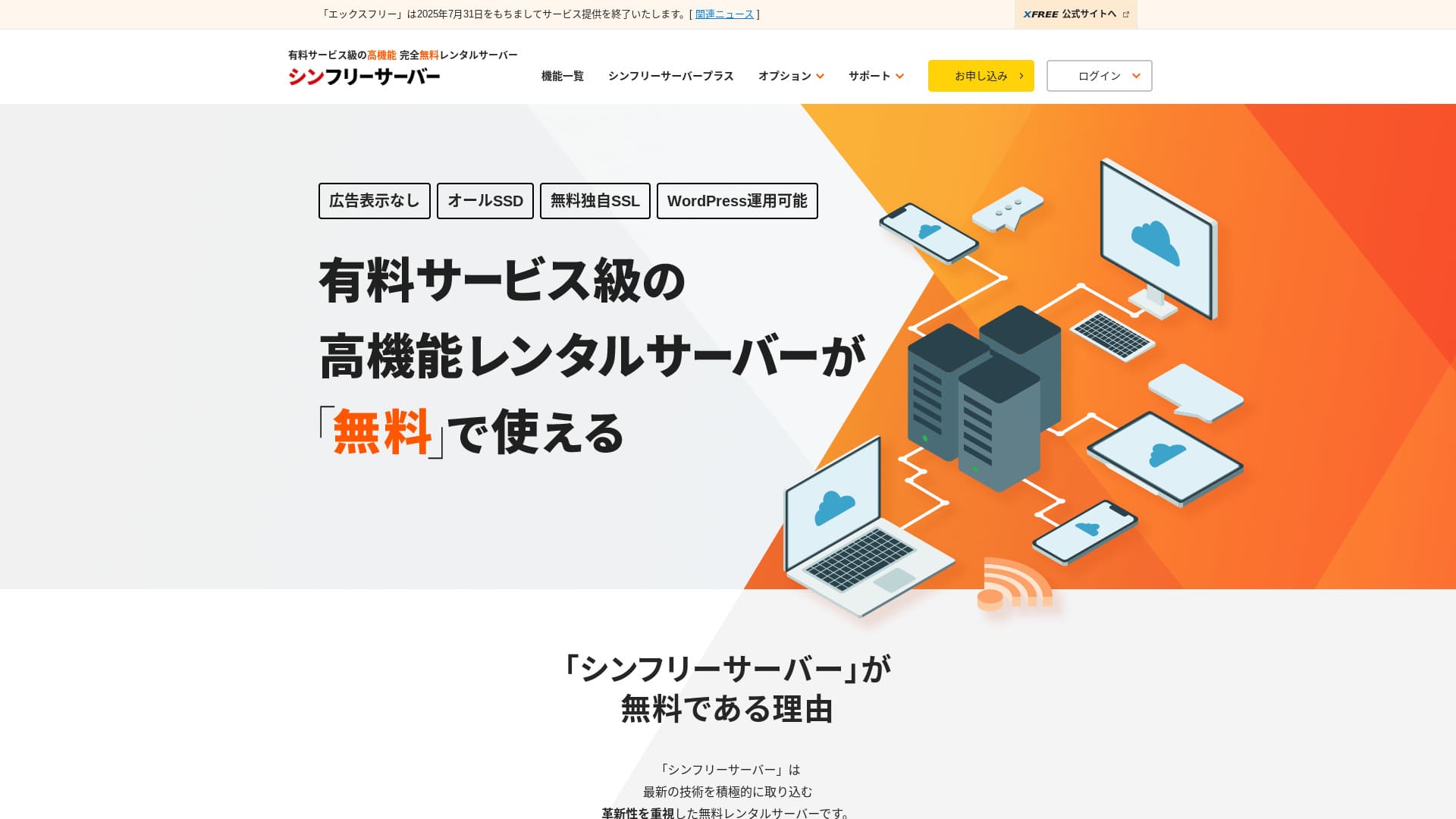
Shin Free Server is a เซิร์ฟเวอร์ฟรี from ShinCloud Co., Ltd. Unlike many ฟรี เซิร์ฟเวอร์, it does not display โฆษณา.

Shin Free Server is แนะนำ for people looking for a เซิร์ฟเวอร์ฟรี because:
- ไม่มี โฆษณา despite being a เซิร์ฟเวอร์ฟรี
- You can create five ไซต์ WordPress
- A high-ความปลอดภัย WAF is available
That is why. คุณน่าจะพอใจ.
A competing เซิร์ฟเวอร์ is Star Rental Server. มีแผนที่รองรับการขยายการใช้งานได้แข็งแรงกว่า Shin Free Server. โปรดลองพิจารณาด้วย
| เซิร์ฟเวอร์ type | Shared เซิร์ฟเวอร์ |
| ความเร็วในการแสดงผล (TTFB) | ยังไม่ได้วัด |
| แนะนำ plan and contract term | — |
| ทดลองใช้ฟรี / รับประกันคืนเงิน | — |
| ค่าบริการรายเดือน (สัญญา 12 เดือน) | ฟรี |
| ค่าติดตั้งเริ่มต้น | ฟรี |
| ฟรี โดเมน | ไม่มี |
| การสนับสนุน | ไม่มี |
| อัปไทม์ | ไม่เปิดเผย |
| Storage | 10GB |
| จำนวนฐานข้อมูล | 5 |
| ความปลอดภัย measures | WAF |
| SSL | ฟรี custom SSL |
| แบ็กอัป / restore | 14-day automatic แบ็กอัป ฟรี, restoration ฟรี |
| จำนวนบัญชีอีเมล | ไม่มี |
| Email ความปลอดภัย measures | ไม่มี |
| การติดตั้ง WordPress ล่วงหน้า | ไม่มี |
| เซิร์ฟเวอร์ / website migration service | ไม่มี |
| CDN | ไม่มี |

Hikaru Ono
Shin เซิร์ฟเวอร์ฟรี can currently be used only when migrating from another เซิร์ฟเวอร์.
If you are looking for a เซิร์ฟเวอร์ฟรี, Star Rental Server is แนะนำ.
Shin เซิร์ฟเวอร์ฟรี เปรียบเทียบกับ Other เซิร์ฟเวอร์
- โดยรวมเรตติ้ง★★★☆☆
- เซิร์ฟเวอร์ speedยังไม่ได้วัด
- ราคา★★★★★
- เสถียรภาพ★★★☆☆
- ความง่ายในการเริ่มใช้ WordPress★★★★☆
- Operations such as โดเมน management and SSL setup★★★☆☆

How to Choose from 21 แนะนำ WordPress Hosting Services for Individuals
How to Choose from 21 แนะนำ WordPress Hosting Services for Individuals
serverfield.org
- November 4, 2025 ข้อมูลการวิจัยตลาด,ตามความเร็ว sorted
- ค่าบริการรายเดือนคือค่าใช้จ่ายปีแรกของแผนราคาถูกที่สุดที่สามารถใช้งาน WordPress ได้
- ความเร็วคือ Time to First Byte ที่วัดบนไซต์สาธิตภายใต้เงื่อนไขเดียวกัน
“Shin เซิร์ฟเวอร์ฟรี” is a ฟรี rental เซิร์ฟเวอร์ from ShinCloud Co., Ltd. Even though it is ฟรี, it does not display the operator’s โฆษณา. It is not on the level of paid เซิร์ฟเวอร์ in terms of features or การสนับสนุน, but it remains comfortable to use.
User Reviews of Shin เซิร์ฟเวอร์ฟรี and Four Key Features

ไม่มี โฆษณา
While โฆษณา are common on ฟรี เซิร์ฟเวอร์, Shin เซิร์ฟเวอร์ฟรี does not display them.
That means โฆษณา will not hurt the atmosphere of a company website, nor will they reduce your own advertising revenue.
สร้างเว็บไซต์ WordPress ได้ห้าเว็บไซต์
Shin เซิร์ฟเวอร์ฟรี can create up to five databases, so คุณจึงสร้างเว็บไซต์ WordPress ได้ห้าเว็บไซต์
Note: ฐานข้อมูลคืออะไร? เหตุใด WordPress จึงต้องพึ่งพาฐานข้อมูลในการจัดการและดำเนินงาน
นอกจากเว็บไซต์บริษัทแล้ว คุณยังสร้างบล็อกหรือเว็บไซต์ในหลายหมวดหมู่ได้ด้วย
ฟรี SSL is available
Shin เซิร์ฟเวอร์ฟรี supports ฟรี SSL.SSL is now a standard ความปลอดภัย measure. If it is not configured, people may see your website as suspicious, so it is indispensable when building a website.
Note: SSL และ TLS คืออะไร? ปกป้องข้อมูลด้วยการเข้ารหัสอย่างไร และมีข้อดีอะไรบ้าง
A high-ความปลอดภัย WAF is available
Shin เซิร์ฟเวอร์ฟรี can use a WAF. This is advanced ความปลอดภัย.It is advanced enough that some paid เซิร์ฟเวอร์ offer it only as a paid option.
This is also provided for ฟรี.
Of course, even on เซิร์ฟเวอร์ that do not provide a WAF, you can set one up by installing WordPress ความปลอดภัย plugins. Still, the process is troublesome, and it feels safer when the เซิร์ฟเวอร์ handles it for you.
Note: ปลั๊กอิน WordPress คืออะไร? ประเภทและข้อควรระวังสำคัญ
The disadvantages of Shin เซิร์ฟเวอร์ฟรี, honestly stated

Shin เซิร์ฟเวอร์ฟรี has many advantages, but unfortunately it also has ข้อเสีย.
ไม่มี การสนับสนุน
First, Shin เซิร์ฟเวอร์ฟรี offers ไม่มี การสนับสนุน.ไม่มี matter how difficult the problem is, you have to solve it on your own.
XREA, another เซิร์ฟเวอร์ฟรี, comes with chat การสนับสนุน. เปรียบเทียบกับ that, this is disappointing.
ไม่มี แบ็กอัป feature
There is also ไม่มี แบ็กอัป feature.You must build your own แบ็กอัป system, for example by using WordPress plugins.
If you skip แบ็กอัป because they are a hassle and then delete data by mistake or have data tampered with, all the effort you have put in so far will be wasted.
If you still choose Shin เซิร์ฟเวอร์ฟรี, be sure to install a WordPress แบ็กอัป plugin.
Note: 5 Powerful WordPress แบ็กอัป Plugins That Help You Recover Your Data
อัปไทม์ ไม่เปิดเผย
Shin เซิร์ฟเวอร์ฟรี does not disclose its อัปไทม์.That means the เซิร์ฟเวอร์’s เสถียรภาพ is unknown, and users cannot grasp it accurately.
เซิร์ฟเวอร์ เสถียรภาพ directly affects whether your website remains reliably available. If repeated trouble makes your site repeatedly unavailable, it defeats the purpose. For a company website, it can damage your image and even lead to lost meetings or business opportunities.
Note: A Beginner’s Guide to Understanding Hosting อัปไทม์ and SLAs
Comparing Shin เซิร์ฟเวอร์ฟรี with two similar เซิร์ฟเวอร์
We compared domestic ฟรี เซิร์ฟเวอร์ similar to Shin เซิร์ฟเวอร์ฟรี. Each has its own strengths, so เปรียบเทียบ them carefully.
XREA
XREA is a เซิร์ฟเวอร์ฟรี that includes 15 generations of automatic แบ็กอัป.It also offers chat การสนับสนุน. Even if you have ไม่มี experience with WordPress or websites, you can start running a website with confidence.
However, it lacks expensive ความปลอดภัย measures such as a WAF, and it displays โฆษณา.
เปรียบเทียบกับ Shin เซิร์ฟเวอร์ฟรี, it is hard to say one is clearly better than the other.

XREA Review [2025 Latest]: Pros and Cons of Using WordPress on the ฟรี Plan, Plus Comparisons with Other ฟรี เซิร์ฟเวอร์
XREA Review [2025 Latest]: Pros and Cons of Using WordPress on the ฟรี Plan, Plus Comparisons with Other ฟรี เซิร์ฟเวอร์
serverfield.org
Star เซิร์ฟเวอร์ ฟรี
Star เซิร์ฟเวอร์ ฟรี is also a well-known เซิร์ฟเวอร์ฟรี in Japan.Shin เซิร์ฟเวอร์ฟรี offers more storage than Star เซิร์ฟเวอร์ ฟรี, making it a better value.
| รายการเปรียบเทียบ | Shin Free Server | Star เซิร์ฟเวอร์ ฟรี |
|---|---|---|
| ฟีเจอร์หลัก | ฟรี | ฟรี |
| ทดลองใช้ฟรี / รับประกันคืนเงิน | ไม่มี | ไม่มี |
| อัปไทม์ | ไม่เปิดเผย | ไม่เปิดเผย |
| Storage | 10GB | 2GB |
| First-year เซิร์ฟเวอร์ cost | 0 yen | 0 yen |

Star Rental เซิร์ฟเวอร์ Review [Released December 19, 2024]: Pros and Cons of a High-Value เซิร์ฟเวอร์ You Can Use from ฟรี Plans
Star Rental เซิร์ฟเวอร์ Review [Released December 19, 2024]: Pros and Cons of a High-Value เซิร์ฟเวอร์ You Can Use from ฟรี Plans
serverfield.org
Start a Website with Shin เซิร์ฟเวอร์ฟรี in 7 Steps
As of December 2024, Shin เซิร์ฟเวอร์ฟรี is not accepting applications except for เซิร์ฟเวอร์ migrations.
Let’s Start a Website with Shin เซิร์ฟเวอร์ฟรี!
- STEP.1เยี่ยมชมเว็บไซต์ทางการ
Scroll down the top page and click “Create a เซิร์ฟเวอร์ฟรี account” around the middle of the page.
- STEP.2ลงทะเบียน Shin Account
คลิก “Start now! New signup,” จากนั้นกรอกข้อมูลสมาชิก เช่น ชื่อและที่อยู่ หากทุกอย่างถูกต้อง ให้เลือกยอมรับข้อกำหนดการใช้งานและการจัดการข้อมูลส่วนบุคคล แล้วคลิก “Next.”
After completing email verification and reviewing the application details, click “Register with these details and proceed to เซิร์ฟเวอร์ application.”
Check the เซิร์ฟเวอร์ ID, tick the boxes for the Terms of Use and the handling of personal information, then click “Review application details.”
ตรวจสอบรายละเอียดการสมัครอีกครั้ง แล้วคลิก “Apply” เพื่อลงทะเบียน Shin Account จากนั้นอีเมลยืนยันจะถูกส่งมา
Once you have selected the โดเมน, check “Install WordPress at the same time.”
คลิก “Next.”
- STEP.3Acquire a โดเมน with Shin โดเมน
Log in to your Shin Account and click “Get a โดเมน.”
Acquire the โดเมน you want. I recommend well-known โดเมน such as “.com” and “.net.” Their renewal fees are also reasonable, at under 2,000 yen.
Note: What Is a โดเมน? Its Role as an Address on the Internet and How to Obtain One
Enter the โดเมน you want in “Enter the โดเมน name you want to obtain,” search for it, tick the checkbox for the โดเมน you want, and click “Proceed to acquisition.”
เลือกข้อมูลการชำระเงิน แล้วคลิก “Review application details.” จากนั้นกรอกข้อมูลบัตรเครดิตและข้อมูลอื่นๆ
Review the application details, agree to the Shin โดเมน Terms of Use and the handling of personal information, and click “Apply.” You will receive an email with the application details. Once it arrives, you are done.
- STEP.4Register the โดเมน
Log in to the เซิร์ฟเวอร์ panel for Shin Cloud for ฟรี.
Select “โดเมน settings,” click “Add โดเมน,” enter the โดเมน you acquired, and click “Add.”
- STEP.5ติดตั้ง WordPress
In the Shin Cloud for เซิร์ฟเวอร์ฟรี panel, go to “WordPress” > “Easy WordPress Install” and click “New installation.”
ตั้งค่า WordPress
- Target โดเมน:The โดเมน you registered earlier
- URL เว็บไซต์:Same as the target โดเมน
- ชื่อบล็อก:ตั้งอะไรก็ได้ สามารถเปลี่ยนภายหลังได้ง่าย
- Username:ตั้งอะไรก็ได้ แต่การเปลี่ยนภายหลังค่อนข้างยุ่งยาก
- Password:ตั้งอะไรก็ได้ แต่ควรทำให้ซับซ้อนที่สุดเท่าที่ทำได้
- ที่อยู่อีเมล:ที่อยู่อีเมลที่คุณใช้เป็นประจำ
- การลบแคชอัตโนมัติ:ON is แนะนำ
- Database:ตั้งค่าให้สร้างโดยอัตโนมัติ
- Theme:Cocoon is แนะนำ. This site also uses Cocoon.
- ตัวเลือกธีม:เลือก “Install child theme”
เมื่อกรอกข้อมูลทั้งหมดแล้ว ให้คลิก “Install.”
ชื่อผู้ใช้และรหัสผ่านจะใช้เมื่อล็อกอินเข้าสู่ WordPress อย่าลืมจดเก็บไว้
เมื่อติดตั้งเสร็จแล้ว ให้คลิก “Log in.”
- STEP.6การตั้งค่า SSL
In the เซิร์ฟเวอร์ panel, open “SSL settings” from “โดเมน.”
Open the โดเมน you configured for WordPress and switch the SSL setting status slider to “ON.” It will be reflected in about an hour.
- STEP.7ติดตั้งปลั๊กอิน
กลับไปที่หน้าจอผู้ดูแลระบบ WordPress เปิด “Plugins” แล้วไปที่ “Add New” เพื่อติดตั้งปลั๊กอินที่ต้องการ
ค้นหาปลั๊กอินที่ต้องการ คลิก “Install Now” แล้วคลิก “Activate.” หลังจากนั้นให้ทำตามคำแนะนำของแต่ละปลั๊กอิน
Be sure to install ความปลอดภัย and แบ็กอัป plugins.
- How to Choose 5 WordPress Plugins That Strengthen ความปลอดภัย
- 5 Powerful WordPress แบ็กอัป Plugins That Help You Recover Your Data
เมื่อติดตั้งปลั๊กอินแล้ว การตั้งค่าเว็บไซต์ WordPress ก็เสร็จสมบูรณ์
สรุป
“Shin เซิร์ฟเวอร์ฟรี” is a ฟรี rental เซิร์ฟเวอร์ from ShinCloud Co., Ltd. Even though it is ฟรี, it does not display the operator’s โฆษณา. It is not on the level of paid เซิร์ฟเวอร์ in terms of features or การสนับสนุน, but it remains comfortable to use.
ขณะนี้ปิดรับสมัครใหม่ ยกเว้นการย้ายเซิร์ฟเวอร์
Shin เซิร์ฟเวอร์ฟรี is a เซิร์ฟเวอร์ฟรี with ไม่มี โฆษณา. It is convenient to use. It can be used in many ways, from company websites to hobby blogs.However, because there is ไม่มี การสนับสนุน, you should read the manual carefully and solve issues on your own when you run into trouble.
เปรียบเทียบบริการโฮสติ้ง WordPress 32 รายการแบบครบถ้วน: คำแนะนำสำหรับบุคคล ธุรกิจ และการใช้งานต่างประเทศ

When you want to start WordPress and search for “แนะนำ WordPress hosting,” all kinds of articles appear, ranging from personal and corporate or small-business options to overseas เซิร์ฟเวอร์ and cheap เซิร์ฟเวอร์. Honestly,
- ควรอ่านเว็บไซต์ไหนดี?
- I want to choose a เซิร์ฟเวอร์ in a simple, easy-to-understand way!
- บอกวิธีเริ่มใช้ WordPress ตอนนี้เลย
คุณเคยรู้สึกแบบนั้นไหม? ดังนั้น บทความนี้คัดสรรคำแนะนำจากบริการโฮสติ้ง 32 รายการอย่างรอบคอบ สำหรับบุคคล ธุรกิจ และการใช้งานทั้งในประเทศและต่างประเทศand introduces them. It is explained by the SEO lead at an app development company that uses rental เซิร์ฟเวอร์ every day.