10-day ทดลองใช้ฟรี
PR
เซิร์ฟเวอร์
รีวิว CPI Rental Server: การรับประกันอัปไทม์ 100% สำหรับธุรกิจเสถียรจริงหรือไม่? ดูราคาและฟีเจอร์แบบละเอียด
เผยแพร่: 2025.04.18
อัปเดต: 2025.04.18
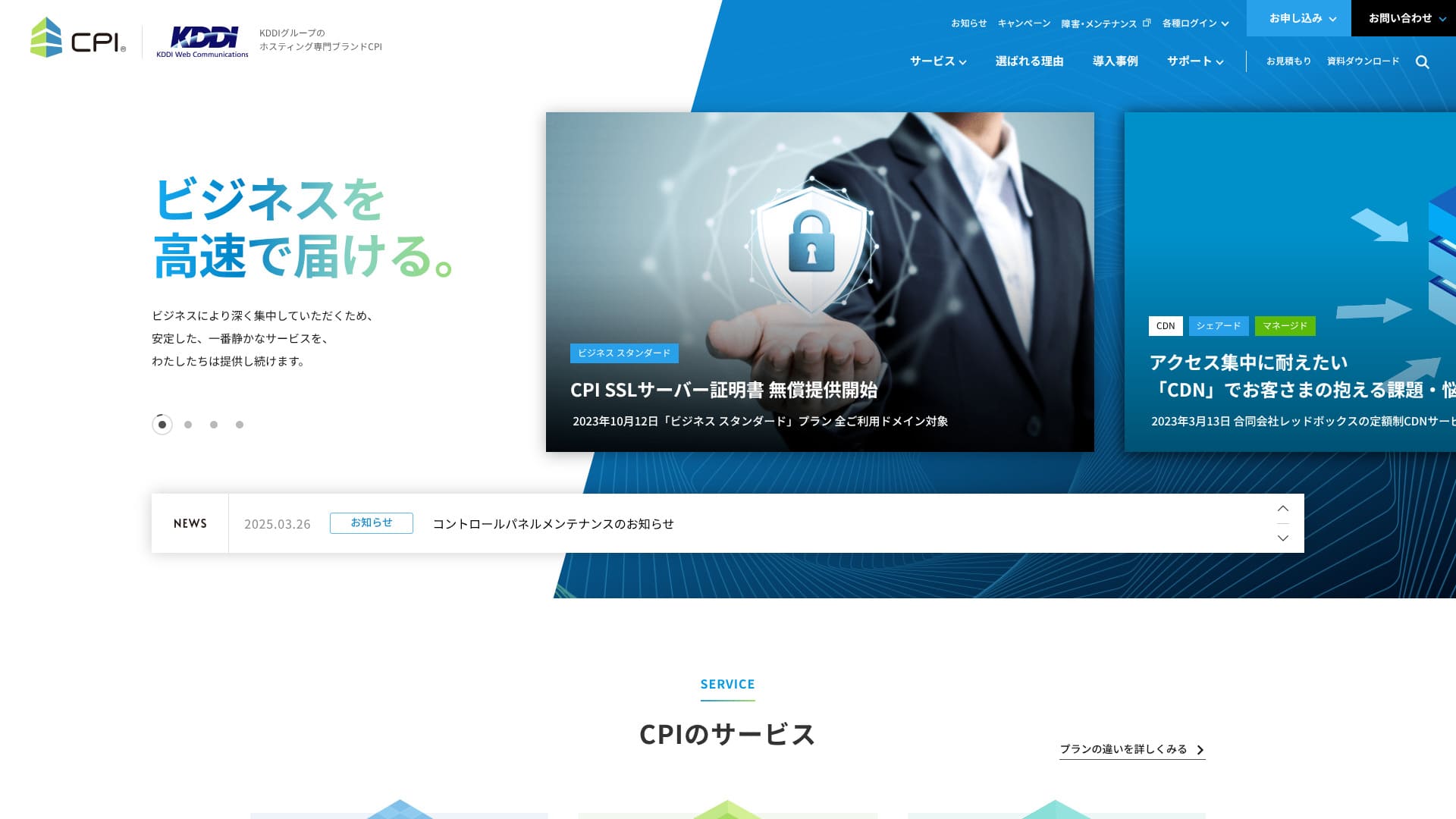
เสถียรภาพยอดเยี่ยม และคอยสนับสนุนธุรกิจของคุณอย่างเงียบ ๆ แต่ทรงพลัง
CPI is an ultra-เสถียร เซิร์ฟเวอร์ ดำเนินการ by กลุ่ม KDDI, with a uptime 100% การรับประกัน. แม้บุคคลทั่วไปก็ใช้งานได้ แต่เนื่องจากมีฟีเจอร์และบริการที่มุ่งเน้นธุรกิจอย่างครบถ้วน ผู้ใช้ 95% จึงเป็นลูกค้าองค์กร
แม้จะเป็นเซิร์ฟเวอร์ที่ยอดเยี่ยม แต่ก็มีข้อเสียเช่นกัน บทความนี้จะอธิบายฟีเจอร์ของ CPI และวิธีเริ่มต้นใช้งาน WordPressCPI and how to get started with WordPress.
WordPress Rental Server 32 Companies Complete Comparison! Recommendations for Individuals, Corporations, and Overseas Businesses

"If you think 'I want to start WordPress' and search for 'WordPress recommended', you'll find a huge variety of articles, from personal and corporate/small business servers to overseas servers and cheap servers. Frankly, ...
- Which website is good to look at?
- I want to choose a server simply and easily!
- I want to know how to start WordPress right away!
Don't you?Therefore, this article carefully selects and introduces recommendations from 32 rental server companies for individuals, corporations, domestic and overseas.It's explained by an SEO specialist from an app development company that uses rental servers every day.
ชื่อเสียงของ CPI: เซิร์ฟเวอร์ที่เสถียรสำหรับธุรกิจ

| Server Types | Shared hosting / Managed dedicated server / Dedicated server with root access |
| Load Time (TTFB) | Not Measured |
| Recommended Plans and Contract Periods | Shared Plan Business Standard 12 Months |
| Trial & Money-Back Guarantee | 10-Day Free Trial |
| Monthly Fee (12-Month Contract) | 4,840 Yen |
| Initial Office Fee | Free |
| Free Domain | None |
| Support | Phone & Email (Weekdays 10:00-18:00) 24/7 support available for an additional 990 yen per month |
| Uptime Guarantee | 100% guaranteed |
| Server Capacity | Web 300GB / Email 200GB |
| Number of Databases | 5 |
| Security Measures | WAF / Web Tampering Notification (Paid) |
| SSL | Free CPI SSL Server Certificate |
| Backup/Restore | 30-generation backups / Free restoration |
| Number of email accounts | Unlimited |
| Email Security Measures | Virus Check / Spam Email Check / Spam Email Subject Display / Spam Email Automatic Sorting / STARTTLS / Email Sending Prevention Active! gate |
| Server/Website Migration Service | Partial migration assistance available at no extra cost / Full Service 283,800 Yen |
| One-click WordPress installation | ◯ |
| CDN | Paid |
ฟีเจอร์ 5 ข้อของ CPI

รับประกันอัปไทม์ 100%
CPIรับประกัน uptime 100% เพราะเซิร์ฟเวอร์มีเสถียรภาพสูงมากคุณจึงหลีกเลี่ยงปัญหาเว็บไซต์ใช้งานไม่ได้ได้โดยเฉพาะเมื่อเว็บไซต์ธุรกิจหรือเว็บไซต์บริการเกิดความไม่เสถียร ย่อมส่งผลเสียต่อธุรกิจ
แต่สำหรับ CPI คุณไม่ต้องกังวลเรื่องนั้นCPIจึงไม่จำเป็นต้องกังวลในลักษณะนั้น
★ Must-know! Understand server uptime and SLA.
IfCPIshould you experience issues with your web services or email services while using it, you will receive a refund based on the uptime percentage.
แยกเซิร์ฟเวอร์เว็บและเซิร์ฟเวอร์อีเมลเพื่อลดความเสี่ยง
CPIกำลังนำระบบกระจายความเสี่ยงมาใช้โดยแยกเว็บเซิร์ฟเวอร์ออกจากเมลเซิร์ฟเวอร์ ซึ่งช่วยให้ปัญหาบนเซิร์ฟเวอร์หนึ่งไม่กระทบอีกบริการหนึ่งthat ปัญหาs on เซิร์ฟเวอร์หนึ่งตัว do not affect the other service.
ตัวอย่างเช่น หากทราฟฟิกเว็บไซต์พุ่งสูงขึ้น เซิร์ฟเวอร์เว็บอาจรับภาระมากและทำให้การแสดงผลของเว็บไซต์ช้าลงชั่วคราว อย่างไรก็ตาม หากคุณแยกเซิร์ฟเวอร์เมลไว้แล้ว การรับอีเมลก็จะไม่ติดขัด
สำหรับธุรกิจ หากอีเมลซึ่งเป็นช่องทางสื่อสารหลักกับลูกค้าไม่เสถียร ก็อาจกระทบต่อความน่าเชื่อถือได้ ดังนั้น CPICPI
สำรองข้อมูลได้ 30 รุ่น
CPIมีการสำรองข้อมูลถึง 30 รุ่น เมื่อมีปัญหาเกิดขึ้น คุณสามารถกู้คืนข้อมูลสำรองและย้อนกลับไปสู่สภาพก่อนเกิดปัญหาได้ปัญหา, you can กู้คืนข้อมูลสำรอง and return to the state before the ปัญหา.
Mistakes like accidental data deletion or data tampering due to cyberattacks can happen someday. With CPI, you can store a massive amount of backup data spanning 30 generations. Therefore, even if you notice the problem late, you can usually restore it to its original state.
ติดตั้ง WAF ความปลอดภัยสูง
CPIมีฟีเจอร์ความปลอดภัยล่าสุด รวมถึง WAF และสามารถใช้งานได้ฟรี WAF เป็นมาตรการความปลอดภัยที่ช่วยป้องกันการโจมตีที่มุ่งเป้าช่องโหว่ของเว็บแอปพลิเคชัน
In the case of affordable servers, WAFs may be offered as a paid option, CPIis standardly equipped and a great deal.
สามารถเพิ่มการสนับสนุนเป็น 24 ชั่วโมง 365 วันได้เป็นตัวเลือก
CPIสามารถเพิ่มการสนับสนุนแบบ 24 ชั่วโมง 365 วันเป็นตัวเลือกได้CPIโดยทั่วไปให้การสนับสนุนทางอีเมลระหว่าง 10:00 น. ถึง 18:00 น. วันจันทร์ถึงวันศุกร์
ด้วยค่าบริการรายเดือน 990 เยน และแพ็กเกจ “24 ชั่วโมง 365 วัน TEL & email support” คุณจึงได้รับการสนับสนุนทางอีเมลตลอด 24 ชั่วโมง 365 วัน การสนับสนุนทางโทรศัพท์ถูกระงับตั้งแต่กันยายน 2021 อย่างไรก็ตาม ในบางกรณี CPI อาจให้การสนับสนุนทางโทรศัพท์ได้CPI may be จัดทำโดย โทรศัพท์.&thatCPIอาจมีการให้บริการทางโทรศัพท์ด้วย
หากเกิดปัญหากับการดูแลเว็บไซต์หรือการจัดการอีเมลของบริษัท ควรแก้ไขให้เร็วที่สุด ตัวเลือกนี้ช่วยให้คุณให้ CPI ช่วยจัดการปัญหาได้ แม้ในบริษัทจะไม่มีคนที่มีความรู้ด้านนี้โดยตรงตัวเลือกนี้ช่วยให้ CPI เข้ามาแก้ปัญหาให้คุณได้ แม้ภายในองค์กรจะไม่มีผู้เชี่ยวชาญเรื่องนั้นอยู่ก็ตาม
ราคาสูงกว่าคู่แข่ง ซึ่งเป็นข้อเสีย

CPIออกแบบมาสำหรับการใช้งานทางธุรกิจเนื่องจากบริการมีฟังก์ชันสูงและอุดมด้วยฟีเจอร์ ราคาจึงค่อนข้างสูงเปรียบเทียบกับเซิร์ฟเวอร์สำหรับองค์กรอื่นโดยอิงตามเงื่อนไขต่อไปนี้
- Initial administrative fees
- Server contract for 12 months
- Domain cost for 1 year
- The cheapest WordPress-compatible plan
เมื่อเปรียบเทียบแล้ว CPI อยู่ในช่วงราคาที่สูงกว่าสำหรับเซิร์ฟเวอร์ที่เน้นธุรกิจ หากคุณต้องการบริการที่เชื่อถือได้ แต่ก็อยากประหยัดค่าเซิร์ฟเวอร์ด้วย คุณควรพิจารณาผู้ให้บริการรายอื่นเช่นกัน
เปรียบเทียบเซิร์ฟเวอร์ 2 รายที่คล้ายกับ CPI
Xserver Business
Xserver BusinessisCPIและสามารถใช้กับเซิร์ฟเวอร์สำหรับองค์กรได้ในราคาประมาณเดียวกันCPIมีแผน shared server เพียงหนึ่งแบบ แต่Xserver Businessมี 3 ประเภทดังนั้นจึงน่าสนใจตรงที่คุณสามารถปรับแผนให้สอดคล้องกับการเติบโตของธุรกิจหรือเว็บไซต์ที่ดำเนินงานอยู่ได้เป็นจุดที่น่าสนใจ
อย่างไรก็ตาม CPI เหนือกว่าในด้านการสำรองข้อมูลอัตโนมัติและการตั้งค่าสภาพแวดล้อมทดสอบสำหรับการใช้งานทั่วไปและความอุ่นใจCPIเป็นตัวเลือกที่ดีกว่า
Sakura Rental Server Business
Sakura Rental Server Businessisประหยัดกว่าตัว CPIเป็นเซิร์ฟเวอร์สำหรับธุรกิจ
อย่างไรก็ตาม Sakura Rental Server Business ไม่มีแพ็กเกจสนับสนุนพิเศษ CPI มีตัวเลือกที่สนับสนุนตลอด 24/7 ความมั่นใจเมื่อต้องติดต่อขอความช่วยเหลือฉุกเฉินจึงเหนือกว่าSakura Rental Server Businessไม่มีแผนสนับสนุนพิเศษหรือสิ่งลักษณะนั้นCPIมีตัวเลือกที่รองรับ 24/7ความอุ่นใจที่สามารถติดต่อ CPI เพื่อรับการสนับสนุนฉุกเฉินได้นั้นเหนือกว่า

Sakura Rental Server Review: Is it really slow or unreliable? Pricing, strengths, and drawbacks for personal and business use
Sakura Rental Server Review: Is it really slow or unreliable? Pricing, strengths, and drawbacks for personal and business use
serverfield.org
เริ่มเว็บไซต์ WordPress ด้วย CPI ใน 5 ขั้นตอน
Get Started with a Homepage using CPI!
- STEP.1Visit the CPI official website
On the official website's top page, click "Apply Now."
- STEP.2Contract Application
First, the contract period. A 12-month contract with a lump-sum payment is recommended. There are no initial fees. Check the box for "Agree to the CPI Service Terms and Conditions and Other Terms and Conditions" and "Privacy Policy."
Domain Selection. If you're using a new domain, enter the string you want and search. If you can acquire it, proceed to "Select Options."
★ What is a Domain? The Role and Acquisition Method as an Address on the Internet
SSL Server Certificate. We recommend using free CPI SSL. SSL is the most basic internet security, so be sure to apply for one of them.
★ What is SSL and TLS? The Mechanism and Benefits of Encrypting Information
Apply for the necessary services from the following options.
- Website Defacement Notification
- External Backup Service
- Email Misdelivery Prevention (Active! gate)
- Webmail (Active! mail)
- Cloud-based Groupware (iQube+)
- 24/7 365-day TEL & Email Support
Click "Proceed to Plan Contract Information."
Enter the plan contract details, such as company name and contact email address.
Review all contents and apply.
You will immediately receive an order confirmation email after application. Then, an invoice will arrive.
CPI will set up the server, so please wait a while. Login IDs and passwords for the control panel will arrive by email.
- STEP.3WordPress Installation
From the "Web" and "Public Website" in the control panel, go to "Easy Installation" and then "WordPress."
Specify the installation directory. Check the box for "Agree to the following terms" and click "Install."
Four URLs will be displayed, so select one and click it.
Click "Let's Get Started!" and perform the following WordPress settings.
- Database Name: As is
- Username: Anything is OK
- Password: Anything is OK. Can be easily changed later
- Database Host Name: As is
- Table Prefix: As is
Click "Submit" and perform "Install Execution."
Further, register WordPress management information.
- Site Title: Anything is OK. Can be easily changed later
- Username: Anything is OK.
- Password: Anything is OK. Make it as complex as possible
- Email Address: Your usual email address. Company email is recommended for businesses
- Allow Search Engines: Don't check if you want to keep it private
Once you have entered the management details, click "Install WordPress." Be sure to note down the username and password, because you will use them when logging in.
When "Success!" appears, click "Login" and sign in with your username and password.
- STEP.4WordPress Initial Settings
Log in to WordPress.
※ If a warning message appears saying "This site cannot be accessed," the DNS settings have not been reflected yet. In that case, you simply need to wait, so try logging in again every hour.
★ What is DNS / a name server?
Set the permalink. From "Settings" in the WordPress admin, go to "Permalinks." Choose "Post name," then click "Save Changes."
When you use "Post name," you can choose any string you like for each article URL. A short string that helps readers imagine the article content is recommended. If it is too long, some readers may feel uneasy and think, "Could this be a risky site?"
- STEP.5Plugin Installation
Return to the WordPress admin screen, go to "Plugins" and then "Add New," and install the plugins you need.
Once you find the plugin you want by searching, click "Install Now" and then "Activate." After that, proceed according to the instructions for each plugin.
Be sure to install security and backup plugins.
- 5 recommended WordPress security plugins and how to choose them
- 5 best WordPress backup plugins to retrieve your data
Once the plugins are installed, your WordPress website is ready to go!
สรุป
CPI is a เสถียร เซิร์ฟเวอร์ for การใช้งานทางธุรกิจพร้อมการรับประกัน uptime 100%. Although the ราคา is somewhat high, แต่ก็ให้ฟีเจอร์สำรองข้อมูล ฟีเจอร์ความปลอดภัย และความสามารถพร้อมใช้งานสำหรับธุรกิจที่เว็บไซต์องค์กรต้องการ
ลองใช้งานดูได้เลย
WordPress Rental Server 32 Company Complete Comparison! Recommended for Individuals, Corporations, and Overseas Use
When you think, "I want to start WordPress," and search for "Recommended WordPress," you'll find a lot of different articles, from personal use to corporate/small and medium-sized enterprises, overseas servers, and cheap servers. To be honest,
- Which site should I look at?
- I want to choose a server simply and clearly!
- Tell me how to start WordPress right now.
Don't you think so? Therefore, this article willCarefully select recommendations from 32 rental server companies for individuals, corporations, and domestic/overseas useand introduce them. An SEO specialist from an app development company that uses rental servers every day will explain.