
10 dagars kostnadsfri testperiod
PR
Servrar
Heteml-recension och priser: En grundlig guide för 2025 till för- och nackdelar från användarrecensioner
Publicerad: 2025.04.18
Uppdaterad: 2025.04.18
Betyg: 4.0
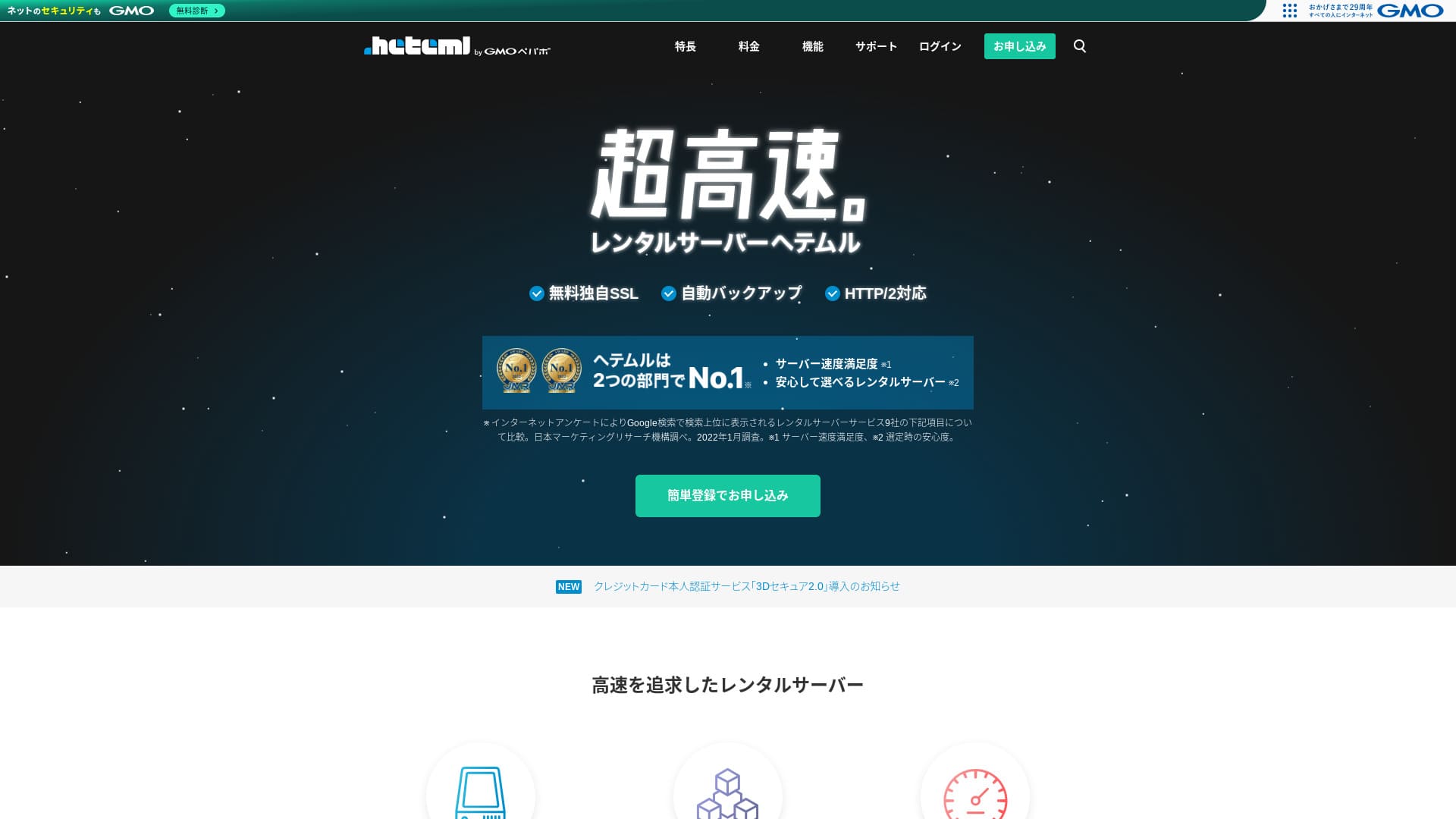
heteml är en server från GMO Pepabo, Inc., känd för sin stabilitet med en drifttid på 99,99 %.

Jag rekommenderar heteml till företag, enskilda firmor och andra som värdesätter stabilitet eftersom:
- Stabilitet med 99,99 % drifttid
- En uppdelad serverarkitektur hjälper till att undvika problem vid trafiktoppar
- Tydliga gränser för överföringsvolym ger trygghet
Det är därför jag rekommenderar den. Jag tror att du kommer att bli nöjd.
En konkurrerande server är MuuMuu Server. Den är bättre än heteml när det gäller domänavgifter och enkel domänhantering. Överväg gärna den vid sidan av Heteml.
| Servertyp | Delad server / hanterad server |
| Svarstid (TTFB) | Ej mätt |
| Rekommenderad plan och avtalsperiod | 12-månaderskontrakt |
| Testperiod / pengarna-tillbaka-garanti | Inget |
| Månadsavgift (12-månaderskontrakt) | 2 035 yen |
| Startavgift | Gratis |
| Gratis domän | Inget |
| Support | Telefon, e-post och chatt (vardagar 10:00-18:00) |
| Drifttid | Faktisk 99,99 % |
| Lagring | 600 GB |
| Antal databaser | Obegränsat |
| Säkerhetsåtgärder | WAF / skydd mot utländska attacker / enhetssäkerhet |
| SSL | Gratis SSL / GlobalSign Quick SSL / GlobalSign organisationsverifiering / GlobalSign EV-verifiering |
| Säkerhetskopiering / återställning | 14 dagars automatisk säkerhetskopiering / återställning för 5 000 yen |
| Antal e-postkonton | Obegränsat |
| E-postsäkerhetsåtgärder | Skräppostfilter / viruskontroll |
| Server- och webbplatsmigreringstjänst | WordPress-migreringstjänst 33 000 yen Inget migreringsverktyg |
| Enkel WordPress-installation | Ja |
| CDN | Inget |

Hikaru Ono
Heteml utmärker sig för både hög hastighet och stabilitet. Det lämpar sig väl för storskaliga webbplatser och för att driva flera sajter.
Som man kan förvänta sig av en tjänst i ett högre prissegment är det en högkvalitativ server som du kan använda med trygghet.
Heteml jämfört med andra servrar
- TotaltBetyg★★★★☆
- Serverhastighet Ej mätt
- Prissättning ★★☆☆☆
- Stabilitet ★★★★★
- Enkelhet att starta WordPress ★★★★☆
- Hantering av domäner och SSL-installation ★★★★☆

Jämförelse av 21 rekommenderade WordPress-webbhotell för privatpersoner och hur du väljer
Jämförelse av 21 rekommenderade WordPress-webbhotell för privatpersoner och hur du väljer
serverfield.org
- Data baserad på marknadsundersökningar per 4 november 2025, sorterad efter hastighet
- Månadsavgiften avser första årets kostnad för den billigaste planen som kan köra WordPress
- Hastighet är Time to First Byte-värdet uppmätt på demowebbplatser under identiska förhållanden

Användarrecensioner av Heteml
Heteml fick positiv feedback för både supportkvalitet och hastighet.
Jag hittade dock även recensioner om serveravbrott. Ingen server kan helt undvika avbrott, men det är naturligtvis ett problem om servern ständigt går ner.
Fyra funktioner hos Heteml

Pålitlig tack vare riskspridd serverdrift
heteml drivs genom att separera sina servrar.
- Webbserver
- E-postserver
- Databasserver
Genom att dela upp dem på detta sätt blir svarstiden för övriga servrar inte långsammare, även om en server skulle drabbas av hög belastning.
Anta till exempel att trafiken plötsligt ökar till webbservern som visar din webbplats. Webbservern blir belastad och något långsammare. E-postservern belastas dock inte, så den fortsätter att fungera utan problem. Det innebär att du inte behöver oroa dig för problem som att inte kunna ta emot förfrågningar från kunder i rätt tid.
Riklig kapacitet för både överföringsvolym och lagring
heteml erbjuder generös överföringsvolym och lagringskapacitet. Det klarar enkelt av företagssajter som tenderar att förbruka mycket av båda delarna.
★ Vad är trafik och dataöverföring? Hantera och optimera webbtrafik
Dess överföringsgräns är 40 TB per månad. På senare tid har fler servrar hävdat att de har obegränsad överföringsvolym. Jämfört med dem kan detta verka lite, men en tydligt angiven siffra som Hetemls gör det faktiskt lättare att använda tjänsten med trygghet.
Faktum är att även om en sidvisning förbrukar 3 MB, är 40 TB per månad tillräckligt för att hantera cirka 400 000 besök per dag. Det är ytterst osannolikt att överföringsvolymen tar slut.
En stabil server med 99,99 % drifttid
heteml har en drifttid på 99,99 %. Det är extremt stabilt.
Problem som orsakas av serverstörningar, som att en webbplats inte visas eller att e-post inte kan skickas och tas emot, är sällsynta. Den typen av stabilitet är precis vad som är viktigt för företagsanvändning, eller hur?
★ Nybörjarguide till serverdrifttid och SLA
En drifttid på 99,99 % innebär att under ett års avtalstid stannar den totala driftstoppstiden på under en timme. Resten av tiden fungerar den utan problem.
Gratis telefonsupport
heteml erbjuder gratis telefonsupport.
Det är till stor hjälp när du behöver assistans efter att ha läst supportinformationen men fortfarande inte helt kan lösa problemet via enbart e-postsupport.
Högre månads- och tillvalsavgifter är en nackdel

heteml erbjuder hastighet och stabilitet i företagsklass, men den allmänna prissättningen är en nackdel. Ärligt talat är det inte förstahandsvalet för en privatperson. Det lämpar sig bättre för företag och personer som redan driver flera webbplatser.
Månadsavgiften sjunker till motsvarande 1 210 yen vid ett 36-månaderskontrakt, men vid ett 12-månaderskontrakt är den 2 035 yen. När avgiften stiger långt över 1 000 yen börjar det kännas dyrt för privatpersoner.
Återställning från säkerhetskopia kostar dessutom 5 500 yen per gång. Många servrar erbjuder säkerhetskopiering och återställning gratis, så denna avgift är hög.
Eftersom det erbjuder en så högkvalitativ tjänst blir den allmänna prissättningen högre, vilket gör det rimligt att säga att det riktar sig till företag.
Jämför Heteml med två liknande servrar
Låt oss jämföra Heteml med två liknande högkvalitativa servrar.
ConoHa WING
ConoHa WING är precis som Heteml en höghastighetsserver. Den kan användas till ett lägre pris.
ConoHa WING är en server som låter dig starta en WordPress-webbplats enkelt. Om du använder WordPress Easy Setup är din WordPress-webbplats klar redan vid registreringen. Det är en funktion som Heteml saknar.

ConoHa WING-recension och prestandatest: Varför 750 000 användare väljer det
ConoHa WING-recension och prestandatest: Varför 750 000 användare väljer det
serverfield.org
Xserver
Xserver jämförs ofta med Heteml. Ärligt talat är Xserver känt för hastighet och stabilitet med praktiskt taget inga nackdelar, och det har den största marknadsandelen i Japan.
Jämfört med Heteml, Xservers styrka är att det använder en riskspridd serverarkitektur.

Xserver-recension: Den senaste guiden för 2025 till hastighet, priser, för- och nackdelar
Xserver-recension: Den senaste guiden för 2025 till hastighet, priser, för- och nackdelar
serverfield.org
Starta en WordPress-webbplats med Heteml i 7 steg
Starta din webbplats med Heteml!
- STEP.1Besök den officiella Heteml-webbplatsen
Klicka på ”Ansök med enkel registrering”.
- STEP.2Ange dina kunduppgifter
Ange ditt Heteml-ID, lösenord och e-postadress. När du har fyllt i dem fortsätter du till ”Godkänn villkoren och gå till identitetsverifiering”.
Slutför SMS-verifieringen. När verifieringsskärmen visas anger du koden du fick och klickar på ”Verifiera och ansök”.
Vid det här laget är du fortfarande i den kostnadsfria testperioden. Ange dina avtalsuppgifter såsom namn och telefonnummer. När allt är korrekt klickar du på ”Registrera” för att fortsätta.
- STEP.3Ansök om serverkontrakt
Under den kostnadsfria testperioden klickar du på ”Ansök om serverkontrakt” i kontrollpanelen. Välj avtalsperiod och tillval.
Du kan ansöka om tillvalen efter att du registrerat serverkontraktet, så det går bra att lämna allt ovalt för tillfället.
Betalningsbeloppet visas, så fortsätt till ”Välj betalningsmetod”.
Välj en betalningsmetod. Kreditkortsbetalning rekommenderas eftersom det låter dig gå vidare till nästa steg direkt. Det aktiverar även automatisk förnyelse, vilket förhindrar att din webbplatsdata går förlorad om du skulle glömma att förnya.
- STEP.4Skaffa en egen domän hos MuuMuu Domain och registrera den på Heteml
Öppna den officiella MuuMuu Domain-webbplatsen, ange den text du vill använda som domän för din webbplats i fältet ”Ange önskad domän” och klicka på ”Sök”.
★ Vad är en domän? Dess roll som adress på internet och hur du skaffar en
Du kan välja en toppdomän som ”.com” eller ”.co.jp”. Registrerings- och förnyelseavgiften varierar beroende på toppdomänen. Om du är osäker bör företag välja ”.co.jp” när det är möjligt. Privatpersoner rekommenderas att välja ”.com” eller ”.net”. Dessa är välkända domäner som inger förtroende och inte ser misstänkta ut för besökare.
Kontrollera en gång till att det är rätt domän du har valt. Om allt ser rätt ut fortsätter du till ”Gå till ansökan”.
Skapa ett nytt MuuMuu-ID. Ange ditt ID (e-postadress) och lösenord, klicka sedan på ”Godkänn villkoren och gå till identitetsverifiering”.
Slutför SMS-verifieringen för att bekräfta din identitet.
Härnäst följer domäninställningar och andra tillämpningar. Ställ in domänalternativen enligt följande.
- Offentlig WHOIS-information: Företag bör publicera sin information. Privatpersoner bör i allmänhet välja ”Låt leverantören publicera informationen å mina vägnar”.
- Namnserver (DNS): heteml
Om du publicerar WHOIS-information blir namn och adress för den person som registrerade domänen (administratören) offentliga. Eftersom det innebär att personliga uppgifter blir offentliga kan andra än företag eller enskilda firmor föredra anonymiserad publicering via ombud.
Du behöver inte ansöka om länkade tjänster, tillvalstjänster eller MuuMuu Mail. Om ett företag vill använda e-post kan de använda den e-posttjänst som redan ingår på Heteml-servern som du precis ansökte om.
Betala med kreditkort eller annan metod. Klicka på ”Nästa steg”, hoppa över annonserna och ange dina användaruppgifter. När namn, adress och övriga uppgifter stämmer fortsätter du till ”Nästa steg”.
Granska ansökningsuppgifterna, markera ”Jag godkänner användarvillkoren” och klicka på ”Skaffa”. Du har nu registrerat domänen.
Återvänd till Hetemls kontrollpanel. Registrera domänen du skaffade hos MuuMuu Domain så att den kan användas på din Heteml-server.
Klicka på ”Ställ in egen domän”. Klicka sedan på ”Ställ in egen domän” under den visade rubriken ”Nya domäninställningar”.
Ange den egna domänen du skaffade hos MuuMuu Domain och klicka på ”Kontrollera egen domän”. Om du ser meddelandet ”Den angivna domänen kan konfigureras på heteml”, klickar du på ”Registrera egen domän”. Detta slutför inställningen av den egna domänen på Heteml.
- STEP.5Installera WordPress
Klicka på ”Enkel installation” under ”Olika inställningar” i Hetemls kontrollpanel. Välj sedan ”Gå till installationsskärmen” för WordPress.
Ange dina WordPress-uppgifter.
- Installations-URL: Välj den domän du registrerade tidigare
- Database: Skapa automatiskt
- Webbplatsens titel: Valfri titel går bra, eftersom du enkelt kan ändra den senare
- Username: Valfritt namn går bra, men det är krångligt att ändra det senare
- Password: Gör det så komplext som möjligt; det kan enkelt ändras senare
- E-postadress: Din vanliga e-postadress. För företag rekommenderas webbplatsansvariges e-postadress i arbetet
- Privacy: Markera om du vill publicera webbplatsen direkt. Lämna den omarkerad om du vill publicera först efter att webbplatsen är helt klar. Detta går enkelt att ändra senare
Användarnamnet och lösenordet används för att logga in på WordPress, så se till att skriva ner dem.
När du klickar på ”Installera” med ovanstående inställningar visas meddelandet: ”Mappen som installationen ska ske i finns inte. Vill du skapa denna mapp?”. Klicka på ”OK”.
När installationen är klar klickar du på den visade URL:en och loggar in.
- STEP.6Initiala WordPress-inställningar
Ange det användarnamn och lösenord som du angav under installationen på inloggningsskärmen för WordPress och klicka på ”Logga in”.
Om du ser en varning som säger ”Den här webbplatsen kan inte nås”, har DNS-inställningarna inte spridits än. Det enda du kan göra är att vänta och försöka logga in igen om några timmar.
När du har loggat in på WordPress ställer du in dina permalänkar. Gå till ”Inställningar” och sedan ”Permalänkar” i WordPress-adminpanelen. Välj ”Inläggsnamn” och klicka på ”Spara ändringar”.
När du väljer ”Inläggsnamn” kan du själv ange valfri textsträng i URL:en när du publicerar en artikel. En kort sträng som gör det lätt för läsaren att förstå innehållet är lättare att läsa, och det är därför det rekommenderas. Om den är för lång kan vissa besökare börja undra om webbplatsen är osäker.
- STEP.7Installera tillägg
Gå tillbaka till WordPress-adminpanelen, öppna ”Tillägg” och gå till ”Lägg till nytt” för att installera de tillägg du behöver.
När du hittar önskat tillägg via sökningen klickar du på ”Installera nu” och sedan ”Aktivera”. Följ därefter instruktionerna för respektive tillägg.
Se till att installera tillägg för säkerhet och säkerhetskopiering.
- Så väljer du 5 WordPress-tillägg som stärker säkerheten
- 5 kraftfulla WordPress-tillägg för säkerhetskopiering som hjälper dig att återställa data
När dina tillägg är installerade är konfigurationen av din WordPress-webbplats klar.
Sammanfattning
heteml är ett webbhotell riktat till företag. Det är specialiserat på hastighet och stabilitet. Dess styrka är den riskspridda arkitekturen. Med riklig överföringsvolym och lagringskapacitet är det också väl lämpat för att driva flera webbplatser. Om prissättningen passar dig finns det inga större nackdelar. Ge det ett försök.