
10-day නොමිලේ අත්හදා බැලීම
PR
Servers
Heteml විචාරය සහ මිලකරණය: පරිශීලක විචාරවලින් ලැබුණු වාසි හා අවාසි පිළිබඳ 2025 සවිස්තරාත්මක මාර්ගෝපදේශය
ප්රකාශිත: 2025.04.18
යාවත්කාලීන: 2025.04.18
Rating: 4.0
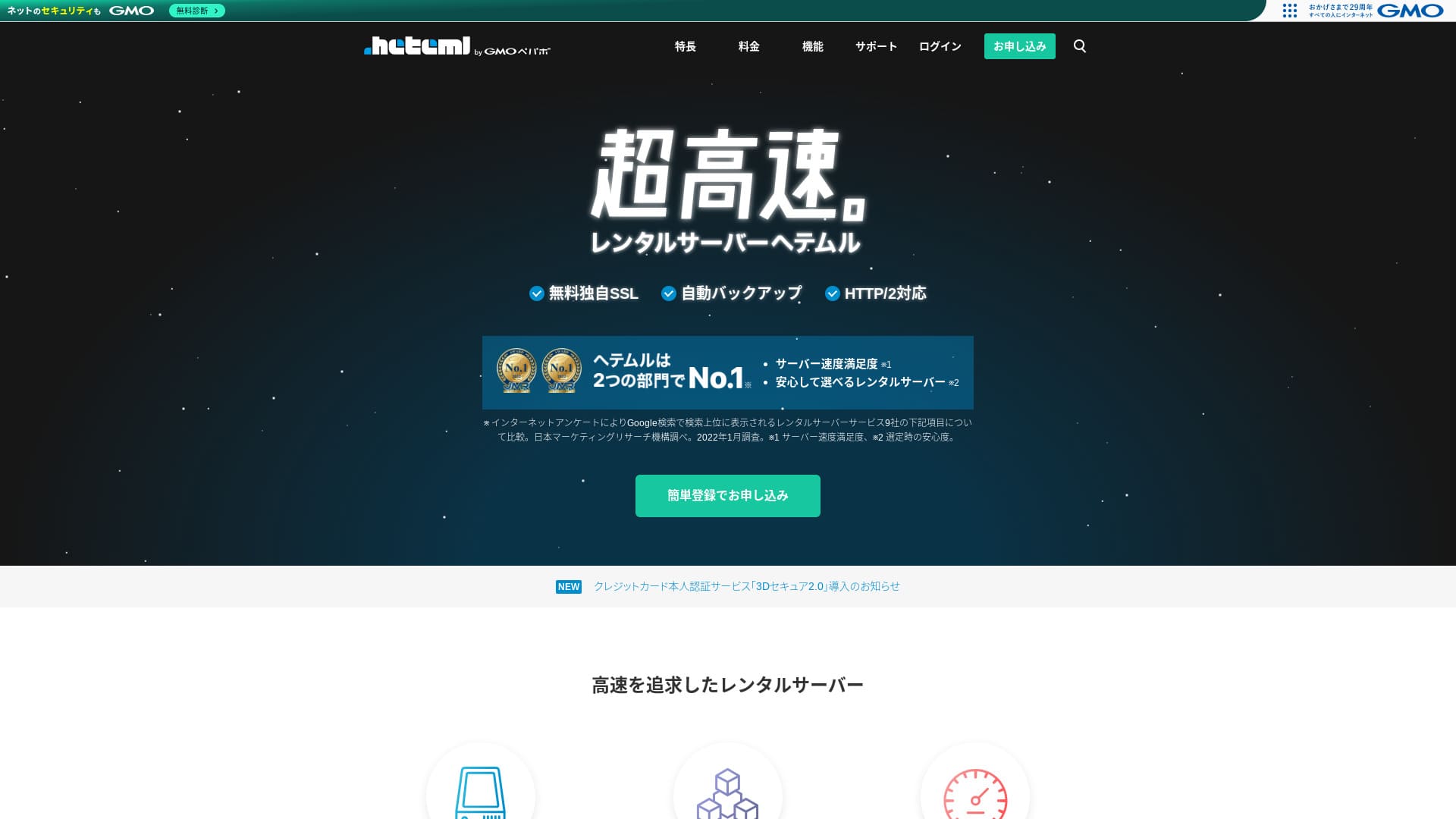
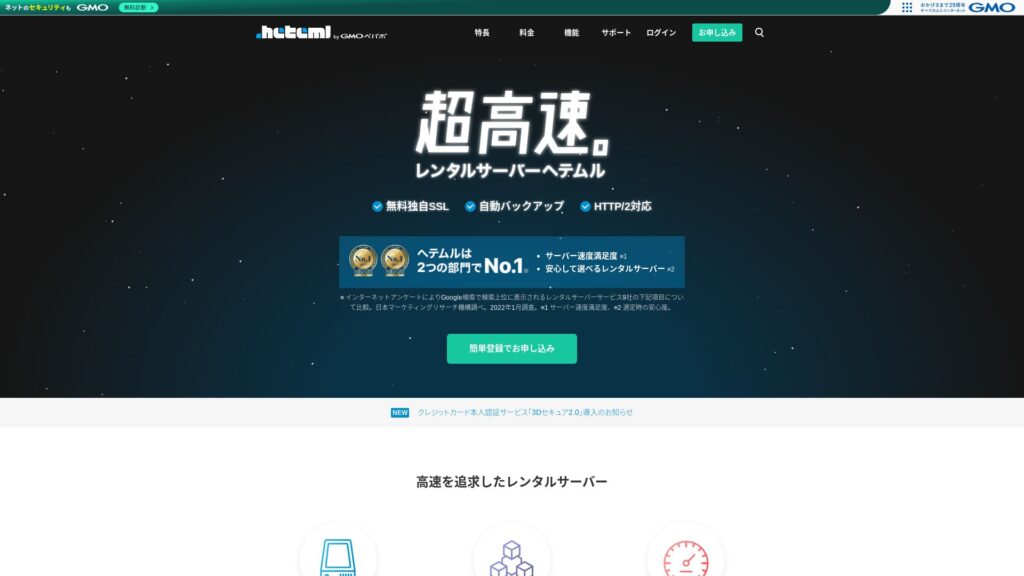
heteml heteml යනු GMO Pepabo, Inc. හි සේවාදායකයක් වන අතර, 99.99% uptime අනුපාතයක් සමඟ ස්ථායිතාව සඳහා ප්රසිද්ධය.

මම නිර්දේශ කරන්නේ heteml ස්ථායිතාවය අගය කරන සමාගම්, තනි ව්යාපාරිකයන්, සහ අනෙකුත් අයට, හේතුව:
- 99.99% uptime ස්ථායිතාව
- A separated සේවාදායකය architecture helps avoid trouble when traffic surges
- स्पष्ट स्थानान्तरण सीमा मन की शांति प्रदान करती है
यही कारण है कि मैं इसकी सिफारिश करता हूँ। मुझे लगता है कि आप संतुष्ट होंगे।
A competing සේවාදායකය is MuuMuu Serverयह बेहतर हैhetemlडोमेन शुल्क और डोमेन प्रबंधन में आसानी के मामले में। कृपया इसे heteml के साथ देखें।
| सर्वर प्रकार | බෙදාගන්නd සේවාදායකය / managed සේවාදායකය |
| Display වේගය (TTFB) | नहीं मापा |
| अनुशंसित योजना और अनुबंध अवधि | 12 महीने का अनुबंध |
| Trial / මුදල් ආපසු සහතිකය | None |
| मासिक शुल्क (12 महीने का अनुबंध) | 2,035 yen |
| Initial සැකසුම fee | Free |
| मुफ्त डोमेन | None |
| Support | फोन, ईमेल और चैट (सप्ताहिक दिन 10:00-18:00) |
| Uptime | Actual 99.99% |
| Storage | 600GB |
| डेटाबेस की संख्या | Unlimited |
| सुरक्षा उपाय | WAF / विदेशी आक्रमण गार्ड / डिवाइस सुरक्षा |
| SSL | फ्री SSL / GlobalSign क्विक SSL / GlobalSign संगठन प्रमाणीकरण / GlobalSign EV प्रमाणीकरण |
| बैकअप / पुनर्स्थापित करें | 14-day स्वचालित बैकअप / बहाल 5,000 येन |
| ईमेल खातों की संख्या | Unlimited |
| Email ආරක්ෂාව measures | स्पैम फिल्टर / वायरस की जांच |
| सर्वर / वेबसाइट प्रवासन सेवा | ZXQXZ प्रवासन सेवा 33,000 येन कोई माइग्रेशन टूल नहीं |
| आसान WordPress स्थापना | Yes |
| CDN | None |

Hikaru Ono
Heteml stands out for both high වේගය and ස්ථායිතාව. It is well suited to large-scale websites and to running multiple sites.
As you would expect from a higher-මිලd service, it is a high-quality සේවාදායකය you can use with confidence.
Heteml अन्य सर्वरों की तुलना में
- OverallRating★★★★☆
- Server වේගය नहीं मापा
- Pricing ★★☆☆☆
- Stability ★★★★★
- WordPress शुरू करने में आसानी★★★★☆
- Operations such as domain management and SSL සැකසුම ★★★★☆

21 अनुशंसित WordPress की तुलना व्यक्तियों के लिए होस्टिंग सेवाएं और कैसे चुनें
21 अनुशंसित WordPress की तुलना व्यक्तियों के लिए होस्टिंग सेवाएं और कैसे चुनें
serverfield.org
- बाजार अनुसंधान पर आधारित डेटाNovember 4, 2025द्वारा क्रमबद्धවේගය
- The monthly fee is the first-year පිරිවැය of the lowest-මිලd plan that can run WordPress
- स्पीड समान स्थितियों के तहत डेमो साइटों पर मापा गया पहला बाइट मान का समय है

Heteml की समीक्षा
Heteml received positive feedback for both සහාය quality and වේගය.
However, I also found විචාරයs about සේවාදායකය outages. No සේවාදායකය can completely avoid outages, but it is certainly a problem if the සේවාදායකය keeps going down one after another.
Heteml की चार विशेषताएं

विश्वसनीय जोखिम वितरित सर्वर संचालन के लिए धन्यवाद
heteml operates by separating its සේවාදායක.
- Web සේවාදායකය
- Mail සේවාදායකය
- Database සේවාදායකය
By separating them this way, even if one සේවාදායකය comes under heavy load, the response of the other සේවාදායක does not slow down.
For example, suppose traffic suddenly surges to the web සේවාදායකය that displays your website. The web සේවාදායකය comes under load and becomes a little slower. However, the mail සේවාදායකය is not under load, so it keeps running comfortably. That means you do not have to worry about trouble such as being unable to receive inquiry emails from customers in a timely manner.
ट्रांसफर वॉल्यूम और स्टोरेज क्षमता दोनों प्रचुर मात्रा में हैं
hetemlउदार हस्तांतरण मात्रा और भंडारण क्षमता प्रदान करता है।यह आसानी से कॉर्पोरेट साइटों को संभाल सकता है जो बहुत सारे उपभोग करते हैं।
★ क्या हैं यातायात और डेटा ट्रांसफर? वेब ट्रैफिक को प्रबंधित और अनुकूलित करना
Its transfer allowance is 40 TB per month. Recently, more සේවාදායක have claimed unlimited transfer volume. Compared with them, this may seem small, but a clearly stated number like heteml’s actually makes it easier to use with confidence.
वास्तव में, भले ही एक पृष्ठ view 3 MB, 40 TB प्रति माह का उपभोग करता है, प्रति दिन लगभग 400,000 पहुँच को संभालने के लिए पर्याप्त है। हस्तांतरण की मात्रा से बाहर चलना बेहद असंभव है।
99.99% अपटाइम के साथ एक स्थिर सर्वर
heteml has a 99.99% uptime rate. It is extremely ස්ථායී.
Problems caused by සේවාදායකය trouble, such as a website failing to display or email being unable to send and receive, are rare. That kind of ස්ථායිතාව is exactly what matters for business use, isn’t it?
★ सर्वर अपटाइम और SLA के लिए एक शुरुआती गाइड
An uptime rate of 99.99% means that over a one-year contract, total සේවාදායකය downtime stays under one hour. The rest of the time it operates without issue.
मुफ्त फोन समर्थन
heteml offers නොමිලේ phone සහාය.
It is helpful when you need assistance after checking the inquiry details but still cannot fully understand things through email සහාය alone.
उच्चतर मासिक और वैकल्पिक शुल्क एक ड्राबैक हैं

heteml provides business-class වේගය and ස්ථායිතාව, but its overall මිලකරණය is a drawback. Honestly, it is not the first සේවාදායකය an individual should choose. It is better suited to businesses and to people who already run multiple websites.
मासिक शुल्क 36 महीने के अनुबंध पर 1,210 येन के बराबर होता है, लेकिन12 महीने के अनुबंध पर यह 2,035 येन है। एक बार जब यह 1,000 से अधिक येन से परे चला जाता है, तो यह व्यक्तियों के लिए कठिन महसूस करना शुरू कर देता है।
Restoring from backup also පිරිවැයs 5,500 yen each time. Many සේවාදායක provide backup and restore for නොමිලේ, so this fee is expensive.
In any case, because it provides high-quality service, its overall මිලකරණය ends up higher, which is why it is fair to say it is aimed at businesses.
दो समान सर्वर के साथ heteml की तुलना करें
Let's සසඳන්න heteml with two similar high-quality සේවාදායක.
ZX
ZX is, like heteml, a high-වේගය සේවාදායකය. It can be used at a lower මිල.
ConoHa WING is a සේවාදායකය that lets you start a WordPress වෙබ් අඩවිය easily. If you use WordPress Easy Setup, your WordPress වෙබ් අඩවිය is ready at the time of signup. That is a විශේෂාංගය heteml does not have.

ConoHa WING समीक्षा और प्रदर्शन परीक्षण: क्यों 750,000 उपयोगकर्ता इसे चुनें
ConoHa WING समीक्षा और प्रदर्शन परीक्षण: क्यों 750,000 उपयोगकर्ता इसे चुनें
serverfield.org
Xසේවාදායකය
Xserver is often සසඳන්නd with heteml. To be honest, Xසේවාදායකය is known for වේගය and ස්ථායිතාව with practically no real downsides, and it has the No. 1 market බෙදාගන්න in Japan.
Compared with heteml, Xසේවාදායකය's strength is that it uses a risk-distributed සේවාදායකය architecture.

Xසේවාදායකය Review: The Latest 2025 Guide to Speed, Pricing, Pros, and Cons
Xසේවාදායකය Review: The Latest 2025 Guide to Speed, Pricing, Pros, and Cons
serverfield.org
7 चरणों में heteml के साथ एक WordPress वेबसाइट शुरू करें
अपनी वेबसाइट को heteml के साथ शुरू करें!
- STEP.1आधिकारिक heteml वेबसाइट पर जाएं
"आसान पंजीकरण के साथ लागू करें" पर क्लिक करें।
- STEP.2अपनी ग्राहक जानकारी दर्ज करें
अपने heteml ID, पासवर्ड और ईमेल पते को सेट करें। एक बार जब आप उन्हें प्रवेश कर लेते हैं, तो आगे बढ़ें, "नियमों के लिए सहमत हों और पहचान सत्यापन के लिए आगे बढ़ें"।
पूर्ण SMS सत्यापन। जब सत्यापन स्क्रीन दिखाई देती है, तो उस कोड को दर्ज करें जिसे आप प्राप्त करते हैं और "Verify और लागू करें" पर क्लिक करें।
At this point you are still in the නොමිලේ අත්හදා බැලීම period. Enter your contract information such as your name and phone number. Once everything is correct, click “Register” to continue.
- STEP.3Sign up for the සේවාදායකය
During the නොමිලේ අත්හදා බැලීම period, click “Sign up for the සේවාදායකය” in the control panel. Choose your contract term and options.
You can apply for the options after signing up for the සේවාදායකය, so it is fine to leave everything unselected for now.
भुगतान राशि प्रदर्शित की जाएगी, इसलिए "एक भुगतान विधि चुनें" पर जाएं।
Select a payment method. Credit card payment is නිර්දේශිත because it lets you move to the next step immediately. It also turns automatic renewal on, which helps prevent your website data from being lost because you forgot to renew.
- STEP.4MuuMuu Domain के साथ एक कस्टम डोमेन प्राप्त करें और इसे heteml पर दर्ज करें
आधिकारिक MuuMuu Domain वेबसाइट खोलें, उस पाठ को दर्ज करें जिसे आप अपनी वेबसाइट के डोमेन के रूप में "आप चाहते हैं कि डोमेन को दर्ज करें" और "खोज" पर क्लिक करें।
★ डोमेन क्या है? इंटरनेट पर एक पता के रूप में इसकी भूमिका और कैसे एक पाने के लिए
आप ".com" या ".co.jp" जैसे शीर्ष स्तर के डोमेन का चयन कर सकते हैं। अधिग्रहण शुल्क और नवीकरण शुल्क शीर्ष स्तर डोमेन के आधार पर भिन्न होता है। यदि आप अनिश्चित हैं, तो व्यवसायों को जब भी संभव हो ".co.jp" चुनना चाहिए। व्यक्तियों को ".com" या ".net" द्वारा सबसे अच्छा परोसा जाता है। ये परिचित डोमेन हैं जो आगंतुकों को विश्वास करने के लिए संदिग्ध और आसान दिखने की संभावना कम है।
एक बार फिर जाँच करें कि यह वह डोमेन है जिसे आप चाहते हैं। यदि सब कुछ सही दिखता है, तो "आवेदन करने के लिए जाओ" पर जाएं।
एक नया MuuMuuu ID बनाएँ। अपने ID (email address) और पासवर्ड दर्ज करें, फिर "नियमों के लिए सहमत हों और पहचान सत्यापन के लिए आगे बढ़ें" पर क्लिक करें।
अपनी पहचान की पुष्टि करने के लिए SMS सत्यापन पूरा करें।
Next comes the domain සැකසුම් and other applications. Set the domain options as follows.
- सार्वजनिक WHOIS जानकारी:व्यवसाय को अपनी जानकारी प्रकाशित करनी चाहिए। व्यक्तियों को आम तौर पर चुना जाना चाहिए "प्रदाता अपनी जानकारी मेरी तरफ से प्रकाशित करते हैं।
- Name සේවාදායකය (DNS): heteml
यदि आप WHOIS सूचना प्रकाशित करते हैं, तो उस व्यक्ति का नाम और पता जो डोमेन प्राप्त करते हैं, दूसरे शब्दों में प्रशासक, सार्वजनिक किया जाता है।क्योंकि यह जनता के लिए व्यक्तिगत जानकारी खोलता है, निगमों या एकमात्र मालिक के अलावा अन्य लोग प्रॉक्सी प्रकाशन पसंद कर सकते हैं।
You do not need to apply for linked services, optional services, or MuuMuu Mail. If a business wants to use email, it can use the email service already available on the heteml සේවාදායකය you just signed up for.
क्रेडिट कार्ड या किसी अन्य विधि द्वारा भुगतान करें। "अगला कदम" पर क्लिक करें विज्ञापन को अनदेखा करें और अपनी उपयोगकर्ता जानकारी दर्ज करें। एक बार जब आपका नाम, पता और अन्य विवरण सही हैं, तो "अगला कदम" पर जाएं।
आवेदन विवरण की समीक्षा करें, "मैं उपयोग की शर्तों पर सहमत हूं" की जांच करें और "Acquire" पर क्लिक करें। अब आपने डोमेन प्राप्त किया है।
Return to the heteml control panel. Register the domain you acquired at MuuMuu Domain so that it can be used on your heteml සේවාදායකය.
Click “Set a custom domain.” Then click “Set a custom domain” under the displayed “New Domain සැකසුම්.”
Enter the custom domain you acquired at MuuMuu Domain and click “Check custom domain.” If you see the message “The entered domain can be configured on heteml,” click “Register custom domain.” That completes the custom domain සැකසුම on heteml.
- STEP.5स्थापित करें ZXQXZ
In the heteml control panel, click “Easy Install” under “Various සැකසුම්.” Then choose “Go to the installation screen” for WordPress.
अपनी WordPress जानकारी दर्ज करें।
- स्थापना URL:पहले प्राप्त डोमेन का चयन करें
- Database:स्वचालित रूप से उत्पन्न
- साइट शीर्षक:कुछ भी ठीक है क्योंकि आप इसे बाद में बदल सकते हैं
- Username:कुछ भी ठीक है, लेकिन बाद में इसे बदलना बोझिल है
- Password:इसे जितना संभव हो उतना जटिल बनाएं; इसे बाद में आसानी से बदला जा सकता है
- ईमेल पता: Your normal email address. For businesses, the website administrator’s business email is නිර්දේශිත
- Privacy:अगर आप साइट को तुरंत प्रकाशित करना चाहते हैं तो इसे चेक करें। यदि आप साइट को पूरा करने के बाद प्रकाशित करना चाहते हैं तो इसे अनचेक छोड़ दें। आप इसे आसानी से बदल सकते हैं
उपयोगकर्ता नाम और पासवर्ड का उपयोग WordPress में लॉग इन करने के लिए किया जाता है, इसलिए उन्हें लिखना सुनिश्चित करें।
When you click “Install” with the above සැකසුම්, a message appears saying, “The folder to install into does not exist. Would you like to create this folder?” Click “OK.”
एक बार इंस्टॉलेशन पूरा होने के बाद, प्रदर्शित URL पर क्लिक करें और लॉग इन करें।
- STEP.6Initial WordPress සැකසුම්
प्रदर्शित WordPress लॉगिन स्क्रीन पर, स्थापना के दौरान सेट किए गए उपयोगकर्ता नाम और पासवर्ड दर्ज करें और "लॉग इन" पर क्लिक करें।
If you see a අනතුරු ඇඟවීම saying “This site can’t be reached,” the DNS සැකසුම් have not propagated yet. All you can do is wait, so try logging in again every few hours.
After logging in to WordPress, set your permalinks. In the WordPress admin screen, go from “සැකසුම්” to “Permalinks.” Choose “Post name,” then click “Save Changes.”
When you choose “Post name,” you can enter any string you like in the URL when publishing an article. A short string that helps readers imagine the content is easier to read, which is why it is නිර්දේශිත. If it is too long, some people may start to wonder whether the site looks unsafe.
- STEP.7प्लगइन स्थापित करें
WordPress व्यवस्थापक स्क्रीन पर वापस जाएं, "प्लगिन" खोलें और अपनी जरूरत के प्लगइन्स को स्थापित करने के लिए "न्यू जोड़ें" पर जाएं।
जब आप खोज के माध्यम से चाहते हैं, तो "Install Now" पर क्लिक करें और फिर "Activate" पर क्लिक करें। उसके बाद, प्रत्येक प्लगइन के लिए निर्देशों का पालन करें।
Be sure to install ආරක්ෂාව and backup plugins.
- कैसे चुनें 5 WordPress प्लगइन्स जो सुरक्षा को मजबूत करते हैं
- 5 शक्तिशाली ZXQXZ बैकअप प्लगइन्स जो आपको अपने डेटा को पुनर्प्राप्त करने में मदद करते हैं
Once your plugins are installed, your WordPress වෙබ් අඩවිය සැකසුම is complete.
සාරාංශය
heteml is a rental සේවාදායකය aimed at businesses. It specializes in වේගය and ස්ථායිතාව. इसकी ताकत इसकी जोखिम वितरित वास्तुकला है। प्रचुर मात्रा में स्थानांतरण मात्रा और भंडारण क्षमता के साथ, यह कई साइटों को चलाने के लिए भी उपयुक्त है। If the මිලකරණය works for you, there are no major drawbacks. Give it a try.