
Try it on бесплатный hosting
PR
Работы
Обзор XREA [последние данные 2025 года]: плюсы и минусы использования WordPress на бесплатном хостинге, а также сравнение с другими бесплатными серверами
Опубликовано: 2025.04.18
Обновлено: 2025.04.18
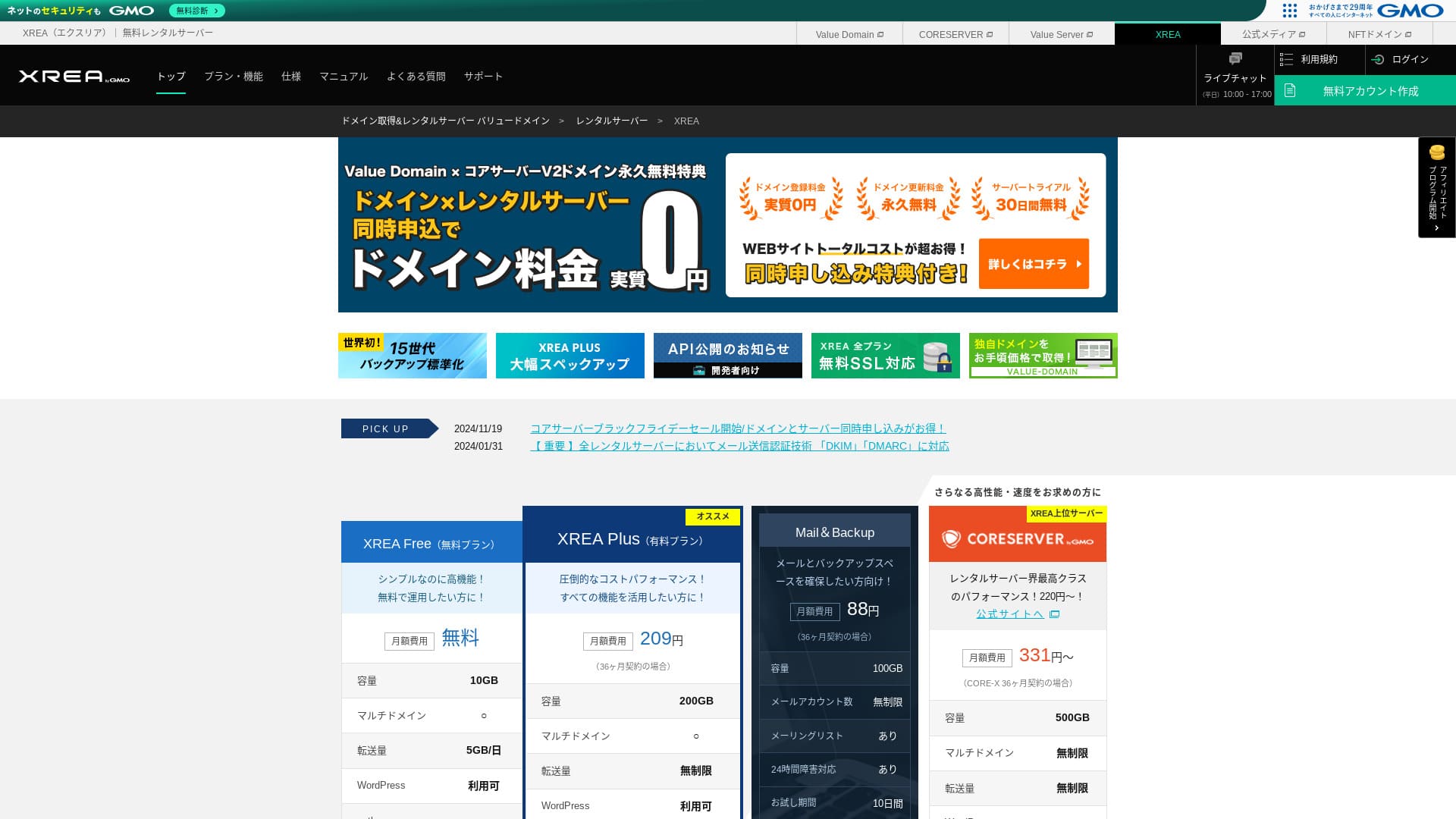
XREA управляется компанией GMO Digirock, Inc. и предоставляет бесплатный хостинг. В отличие от стандартных бесплатных площадок, здесь предлагается поддержка в чате.

XREA рекомендуется для people looking for бесплатный hosting because:
- Можно бесплатно использовать WordPress
- Можно получить чат-поддержку
- В комплекте 15 поколений резервных копий
Именно поэтому вы, скорее всего, останетесь довольны. Раз это бесплатно, обязательно попробуйте.
Конкурирующий сервер — Star Rental Server. Его также можно использовать бесплатно, но возможности платных тарифов при переходе на них значительно превосходят XREA. Его тоже стоит рассмотреть.
| Тип сервера | Общий сервер |
| Скорость отображения (TTFB) | Не измерялась |
| Рекомендуемый тарифный план и срок действия контракта | Бесплатный |
| Пробный период / гарантия возврата денег | None |
| Monthly fee (12-month контракт) | Бесплатный |
| Плата за первоначальную настройку | Бесплатный |
| Бесплатный domain | None |
| Support | Электронная почта и чат (10:00-17:00) |
| Uptime | Не раскрывается |
| Storage | 10GB |
| Количество баз данных | 5 |
| Меры безопасности | None |
| SSL | Бесплатный SSL, shared SSL |
| Резервное копирование / восстановление | 15 generations of backups бесплатный, restores бесплатный |
| Количество почтовых аккаунтов | 100 |
| Меры безопасности электронной почты | POP через SSL, IMAP через SSL, SMTP через SSL, проверка на вирусы |
| Server / website migration сервис | None |
| Предустановка WordPress | None |
| CDN | None |

Hikaru Ono
С точки зрения удобства панели управления XREA показался мне немного своеобразным. Это лишь моё личное впечатление. Тем не менее любой сможет пользоваться им, если будет идти шаг за шагом, сверяясь с подробными официальными руководствами.
Для бесплатного сервера он предоставляет более чем достаточный набор функций и поддержки.
XREA в сравнении с другими серверами
- OverallRating★★★☆☆
- Скорость сервера Не измерялась
- Pricing ★★★★★
- Stability ★★★☆☆
- Простота начала работы с WordPress* ★★★☆☆
- Операции вроде управления доменами и настройки SSL* ★★★☆☆
* На основе моего личного опыта использования.

Как выбрать из 21 рекомендуемого хостинга WordPress для физических лиц
Как выбрать из 21 рекомендуемого хостинга WordPress для физических лиц
serverfield.org
- November 4, 2025 данные маркетингового исследования, по скорости sorted
- Ежемесячные платежи — это стоимость первого года самого дешёвого плана, на котором можно запустить WordPress
- Скорость измеряется по показателю Time to First Byte (время до получения первого байта) на демо-сайтах при одинаковых условиях
Обзор XREA и пять ключевых особенностей

Бесплатный сервер, на котором тоже можно запускать WordPress
XREA is a бесплатный server. Нет ежемесячной платы и начального административного сбора.Тем не менее WordPress всё равно можно использовать. Это идеально подходит тем, кто хочет сократить расходы до абсолютного минимума. Мы сравнили его с отечественными серверами на следующих условиях.
- Плата за первоначальную настройку
- 12-month server контракт
- Стоимость доменных сборов за один год
- Самый дешёвый план, позволяющий использовать WordPress
В функциях и характеристиках есть серьёзные различия, но цена, остающаяся примерно на уровне одной десятой, всё равно привлекательна.
Есть чат-поддержка
XREA включает поддержку в чате.
Most бесплатный servers offer little to no support. С XREA можно получить помощь при возникновении проблем, поэтому даже люди без опыта работы с серверами могут пользоваться им уверенно.
Поддержка в живом чате доступна по будням с 10:00 до 17:00. Поддержка по электронной почте также доступна.
15 поколений резервных копий
XREA может хранить до 15 поколений резервных копий. Это чрезвычайно щедро. Даже платные серверы часто делают резервное копирование платной опцией или взимают отдельную плату за восстановление.
Например, LOLIPOP требует дополнительной платной опции стоимостью 330 иен в месяц на младших планах, прежде чем можно будет использовать резервные копии.
Резервные копии важны. Даже если ваш сайт заражён вредоносным ПО или вы случайно удалите данные, при наличии резервной копии их можно восстановить. Без неё всё, что вы создали своим трудом, может исчезнуть.
С 15 поколениями резервных копий вы можете спокойно управлять своим сайтом.
Можно создать пять сайтов WordPress
XREA позволяет создать до пяти сайтов WordPress.
Note: Что такое WordPress? Система для запуска сайтов и важные моменты, на которые стоит обратить внимание
Существует множество сценариев использования, например, ведение личного блога параллельно с сайтом компании. При регистрации сервера вы могли думать, что одного сайта вполне достаточно, но со временем у вас может появиться новый бизнес или новые увлечения.
Это избавляет от необходимости регистрироваться на другом сервере и при этом ничего не стоит.
Можно использовать бесплатный кастомный SSL
XREA lets you use бесплатный custom SSL. Some бесплатный servers do not provide бесплатный custom SSL because of feature limitations.
SSL is essential security for a website. It is reassuring that even a бесплатный server provides it.
Note: Что такое SSL и TLS? Механизм и преимущества защиты информации с помощью шифрования
Недостатки XREA, если говорить честно

Бесплатные серверы привлекательны, но они имеют свои недостатки, поэтому обязательно ознакомьтесь с ними перед началом работы. Даже если финансовые затраты отсутствуют, вы все равно тратите свои силы и время.
Показывается реклама
XREA автоматически показывает рекламу в верхней части вашего сайта. Поскольку реклама появляется в самой заметной части страницы, такой вариант трудно использовать для корпоративного сайта. Она также может не соответствовать атмосфере вашей компании.
Люди, которые хотят получать доход от рекламы, например через партнёрский маркетинг, вероятно, не захотят показывать объявления, которые не приносят им прибыли.
Чтобы скрыть рекламу, нужно использовать платный план XREA Plus. Если вы собираетесь использовать XREA Plus, лучше также рассмотреть другие платные серверы.
Лимит трафика невелик
XREA has a low transfer allowance. As a результат, по мере роста трафика сайт становится труднее отображать. Создание сайта, к которому пользователи не смогут получить доступ, лишает всю затею смысла.
Note: Что такое трафик и объём передачи? Управление и оптимизация веб-трафика
Аптайм не раскрывается
Довольно тревожно, что его uptime не раскрывается. Мы не можем численно оценить, насколько он стабилен. Если сервер нестабилен, сайт также не будет отображаться надёжно. Сайт, который люди не могут просмотреть, теряет смысл.
Note: Руководство для начинающих по пониманию uptime хостинга и SLA
Надежно использовать сервер с аптаймом от 99,99% — это эталонный показатель доступности. При 99,99% суммарный простой сервера за год составляет менее одного часа. Все остальное время ваш сайт будет работать стабильно и без сбоев.
Сравнение XREA с двумя конкурирующими серверами
Shin Free Server
Shin Бесплатный Server is a бесплатный server that does not display ads. Это упрощает использование даже для таких задач, как корпоративные сайты. Его лимит передачи находится на совершенно другом уровне, поэтому можно не беспокоиться, что его не хватит.
Однако, в отличие от XREA, у него нет поддержки. Нужно уметь самостоятельно решать проблемы, сверяясь с руководством и выполняя поиск в интернете.

Обзор и недостатки Shin Free Server [Последнее обновление 2025]: запуск WordPress на бесплатном хостинге
Обзор и недостатки Shin Free Server [Последнее обновление 2025]: запуск WordPress на бесплатном хостинге
serverfield.org
Star Server Free
Star Server Бесплатный is a бесплатный server run by a long-established domestic hosting company.
Однако у него больше недостатков, чем у XREA, например реклама на смартфонах и отсутствие поддержки. Поскольку его лимит передачи не опубликован, возникает беспокойство, останется ли сайт видимым при росте трафика.

Обзор Star Server [последнее обновление 2024]: удивительно низкие цены и детальный разбор реальных плюсов и минусов
Обзор Star Server [последнее обновление 2024]: удивительно низкие цены и детальный разбор реальных плюсов и минусов
serverfield.org
Запустите WordPress-сайт на XREA за 7 шагов
Давайте запустим сайт на XREA!
- STEP.1Откройте официальный сайт
Нажмите "Create Account" на верхней странице.
- STEP.2Зарегистрируйтесь как пользователь Value Domain
Это экран создания учетной записи пользователя. Введите имя пользователя, пароль и адрес электронной почты. Проверьте введенные данные и нажмите «Зарегистрироваться».
После подтверждения электронной почты заполните личную информацию, включая имя и адрес. Будет проще, если вы также пройдете верификацию по SMS. Нажмите «Проверить введенную информацию», ознакомьтесь с пользовательским соглашением и политикой конфиденциальности, а затем нажмите «Зарегистрировать пользователя».
Экран подтверждения появится снова, поэтому нажмите "OK", чтобы завершить регистрацию пользователя.
После выбора домена обязательно установите флажок «Установить WordPress одновременно».
Нажмите "Next."
- STEP.3Зарегистрируйтесь в XREA
Войдите в личный кабинет Value Domain, выберите «XREA» в разделе «Сервер», нажмите «Создать учетную запись XREA», а затем — «Получить XREA (бесплатно)».
Для желаемого имени аккаунта можно использовать любую строку.
Вы можете бесплатно использовать домен в зоне .shop в течение одного года. Если у вас нет особых предпочтений, воспользуйтесь доменом .shop. Однако, начиная со второго года, продление домена .shop обойдется в 5440 иен в год, что довольно дорого.
Мы рекомендуем известные домены, такие как .com и .net. Их плата за продление также разумна — менее 2 000 иен.
Note: Что такое домен? Его роль как адреса в интернете и как его получить
Проверьте условия использования сервера и резервного копирования, затем нажмите "Register." После этого ваш аккаунт будет создан.
Если вы не получили домен .shop: Получите домен через Value Domain
В верхней части страницы Value Domain выберите "Domain Registration." Введите любую строку и выполните поиск, после чего будут показаны доступные домены.
Проверьте имя домена и срок договора. Вариант на один год вполне подходит. Поскольку вы уже отправили заявку на XREA, отметьте пункт «Не использовать сервер». Проверьте регистрационные данные и нажмите «Далее».
Выберите способ оплаты, подтвердите ознакомление с условиями использования и нажмите «Подтвердить заявку». На этом приобретение домена будет завершено.
Откройте панель управления XREA, выберите "Domain Settings," и нажмите "Create new domain setting." Введите доменное имя, которое вы получили ранее, и нажмите "Create new domain setting." Это настроит домен в XREA.
- STEP.4Создайте базу данных
Создайте базу данных, чтобы использовать WordPress.
Note: Что такое база данных? Необходимая для работы WordPress система управления и хранения информации
Войдите в панель управления XREA. В меню перейдите в раздел «База данных» -> «MsSQL» и нажмите «Создать базу данных».
- Имя базы данных: подойдёт любое
- Пароль: подойдёт любой. Сделайте его как можно более сложным
- Кодировка символов: оставьте как есть
- Заметка: ничего писать не нужно
После ввода указанного выше нажмите "Create new database", и база данных будет создана.
- STEP.5Установите WordPress
В панели управления XREA откройте "Site Settings" и нажмите домен, на который хотите установить WordPress. После смены экрана нажмите "WordPress."
Укажите путь установки. Если CMS Install не нажимается, один раз взаимодействуйте с URL установки, и он станет доступен для нажатия.
Когда можно продолжить установку, настройте WordPress следующим образом.
- Имя базы данных: Имя базы данных, созданной ранее
- Username: Подойдёт любое. Позже изменить сложно
- Password: Пароль, созданный при создании базы данных
- Имя хоста базы данных: localhost
- Префикс таблиц: Подойдёт любой.
После ввода всего нажмите "Submit", а затем "Run installation."
Теперь дополнительно настройте информацию WordPress.
- Название сайта: Подойдёт любое. Позже можно изменить
- Username: Подойдёт любое. Позже изменить сложно
- Password: Подойдёт любой. Сделайте его как можно более сложным
- Имя хоста базы данных: Ваш повседневный адрес электронной почты
- Видимость для поисковых систем: Подойдёт любой вариант. Отметьте, если хотите, чтобы все могли его найти
Имя пользователя и пароль используются для входа в панель управления WordPress. Обязательно запишите их.
По завершении установки нажмите «Войти».
- STEP.6Настройте SSL
Откройте "Site Settings" в панели управления XREA. Нажмите "Create new site setting."
Откройте имя домена, для которого вы настроили WordPress, выберите пункт «Бесплатный SSL» (Free SSL) в разделе SSL и нажмите «Создать новую настройку сайта».
- STEP.7Установите плагины
Вернитесь на экран администратора WordPress и перейдите в "Plugins", затем "Add New", чтобы установить нужные плагины.
Когда вы найдёте нужный плагин через поиск, нажмите "Install Now", затем "Activate." После этого следуйте инструкциям для каждого плагина.
Обязательно установите плагины безопасности и резервного копирования.
- Как выбрать пять плагинов WordPress, усиливающих безопасность
- Пять мощных плагинов резервного копирования WordPress, которые позволяют восстановить ваши данные
После установки плагинов ваш сайт WordPress готов.
Итоги
Использование бесплатного хостинга XREA позволяет создать сайт WordPress, оплачивая только домен. It does have drawbacks, but few things are as welcome as something бесплатный. Use it wisely.
Полное сравнение 32 хостингов WordPress: рекомендации для физических лиц, компаний и использования зарубежных сервисов

Когда вы думаете о запуске сайта на WordPress и ищете «рекомендуемый хостинг для WordPress», перед вами открываются сотни статей: от вариантов для частных лиц и малого бизнеса до зарубежных и очень дешевых серверов. Честно говоря,
- Какой сайт мне смотреть?
- Я хочу выбрать сервер простым и понятным способом!
- Покажите, как сразу начать работу с WordPress.
Have you ever felt that way? That is why this статья тщательно выбирает лучшие варианты из 32 хостинг-провайдеров для частных лиц, компаний, внутреннего и зарубежного использования и представляет их. Все разъяснения подготовлены руководителем отдела SEO в ИТ-компании, ежедневно работающей с хостингами.