Сейчас новые заявки закрыты, кроме переносов с других серверов
PR
Работы
Обзор Shin Free Server и его недостатки [последнее обновление 2025]: запускайте WordPress на бесплатном сервере
Опубликовано: 2025.04.18
Обновлено: 2025.04.18
Рейтинг: 3.0
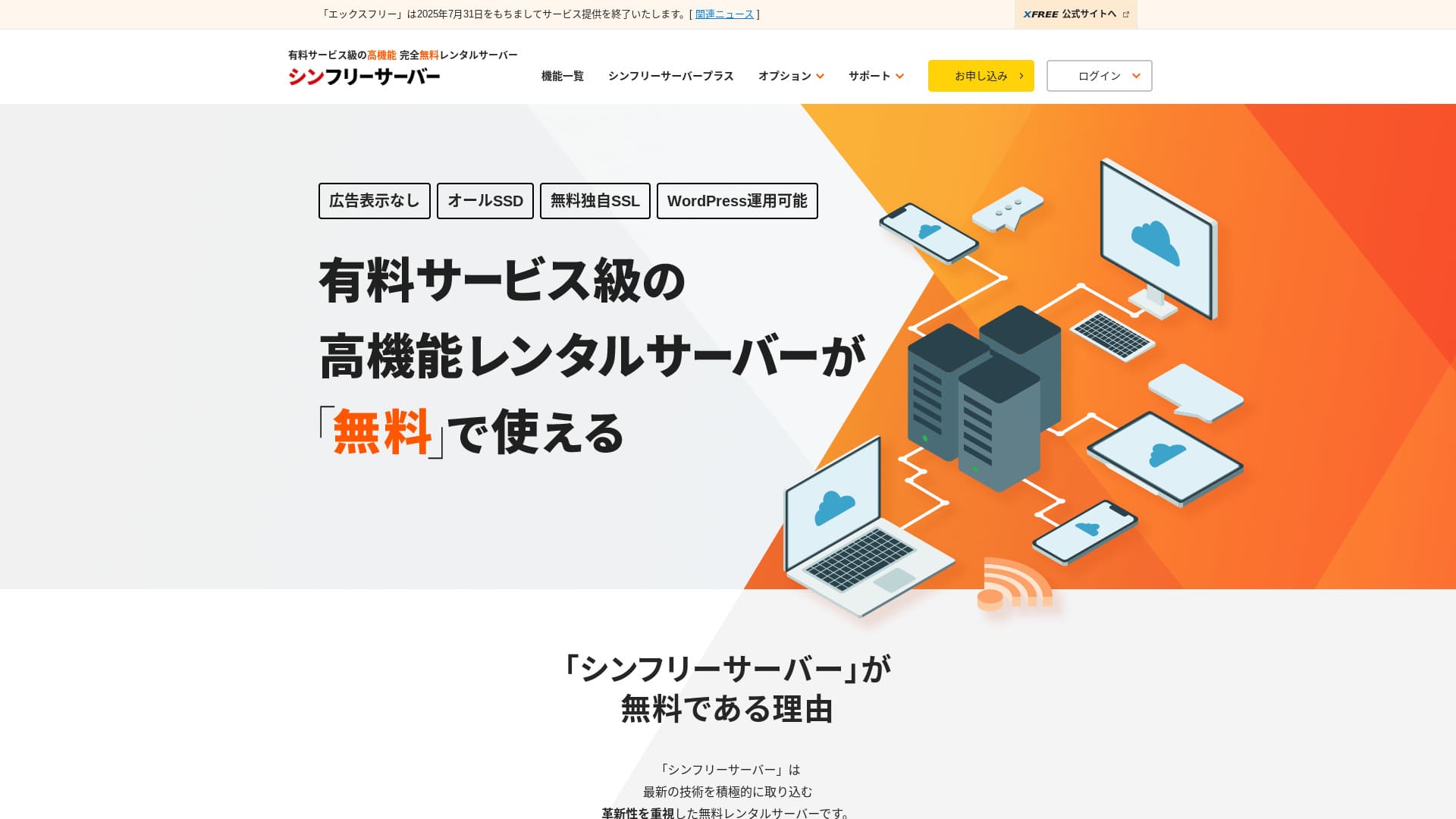
Shin Free Server — бесплатный сервер от ShinCloud Co., Ltd. В отличие от многих бесплатных серверов, он не показывает рекламу.

Shin Free Server рекомендуется тем, кто ищет бесплатный сервер по следующим причинам:
- Нет рекламы, хотя это бесплатный сервер
- Можно создать пять сайтов WordPress
- Доступен высокозащищённый WAF
Именно поэтому он, скорее всего, вас устроит.
Сервер-конкурент — Star Rental Server. После масштабирования у него есть более сильные тарифы, чем у Shin Free Server. Его тоже стоит рассмотреть.
| Тип сервера | Виртуальный хостинг |
| Скорость отображения (TTFB) | Не измерялась |
| Рекомендуемый тариф и срок договора | — |
| Пробный период / гарантия возврата денег | — |
| Ежемесячная плата (договор на 12 месяцев) | Бесплатно |
| Первоначальная плата за настройку | Бесплатно |
| Бесплатный домен | Нет |
| Поддержка | Нет |
| Доступность | Не раскрывается |
| Хранилище | 10GB |
| Количество баз данных | 5 |
| Меры безопасности | WAF |
| SSL | Бесплатный пользовательский SSL |
| Резервное копирование / восстановление | 14-дневные автоматические резервные копии бесплатно, восстановление бесплатно |
| Количество почтовых аккаунтов | Нет |
| Меры безопасности электронной почты | Нет |
| Предустановка WordPress | Нет |
| Услуга переноса сервера / сайта | Нет |
| CDN | Нет |

Hikaru Ono
Shin Free Server сейчас можно использовать только при миграции с другого сервера.
Если вы ищете бесплатный сервер, Star Rental Server рекомендуется.
Shin Free Server в сравнении с другими серверами
- ОбщаяРейтинг★★★☆☆
- Скорость сервераНе измерялась
- Цена★★★★★
- Стабильность★★★☆☆
- Простота запуска WordPress★★★★☆
- Операции, такие как управление доменом и настройка SSL★★★☆☆

Как выбрать из 21 рекомендованного хостинга WordPress для частных пользователей
Как выбрать из 21 рекомендованного хостинга WordPress для частных пользователей
serverfield.org
- November 4, 2025 данные маркетингового исследования,по скорости отсортировано
- Ежемесячная плата — это стоимость первого года самого дешёвого тарифа, на котором можно запустить WordPress
- Скорость — это Time to First Byte, измеренный на демонстрационных сайтах в одинаковых условиях
«Shin Free Server» — бесплатный арендный сервер от ShinCloud Co., Ltd. Хотя он бесплатный, он не показывает рекламу оператора. По функциям и поддержке он не дотягивает до платных серверов, но пользоваться им всё равно удобно.
Отзывы пользователей о Shin Free Server и четыре ключевые особенности

Без рекламы
Хотя на бесплатных серверах реклама встречается часто, Shin Free Server её не показывает.
Это означает, что реклама не испортит атмосферу корпоративного сайта и не снизит ваш собственный рекламный доход.
Можно создать пять сайтов WordPress
Shin Free Server позволяет создать до пяти баз данных, поэтому вы можете создать пять сайтов WordPress.
Примечание: Что такое база данных? Почему WordPress зависит от неё при управлении и эксплуатации
Помимо сайта компании, можно создать блог или сайты в нескольких тематиках.
Доступен бесплатный SSL
Shin Free Server поддерживает бесплатный SSL.SSL сейчас является стандартной мерой безопасности. Если он не настроен, посетители могут счесть ваш сайт подозрительным, поэтому при создании сайта он необходим.
Примечание: Что такое SSL и TLS? Как они защищают информацию с помощью шифрования и в чём их преимущества
Доступен высокозащищённый WAF
Shin Free Server позволяет использовать WAF. Это продвинутая мера безопасности.Она настолько продвинутая, что на некоторых платных серверах предлагается только как платная опция.
Здесь она также предоставляется бесплатно.
Конечно, даже на серверах без WAF его можно настроить, установив плагины безопасности WordPress. Но это хлопотно, и спокойнее, когда этим занимается сам сервер.
Примечание: Что такое плагины WordPress? Их виды и важные меры предосторожности
Недостатки Shin Free Server, честно говоря

У Shin Free Server много преимуществ, но, к сожалению, есть и недостатки.
Нет поддержки
Во-первых, Shin Free Server не предоставляет поддержку.Какой бы сложной ни была проблема, решать её придётся самостоятельно.
У XREA, другого бесплатного сервера, есть поддержка в чате. На этом фоне это разочаровывает.
Нет функции резервного копирования
Функции резервного копирования также нет.Нужно самостоятельно выстроить систему резервного копирования, например с помощью плагинов WordPress.
Если отказаться от резервных копий из-за хлопот, а затем случайно удалить данные или столкнуться с их подменой, все вложенные до этого усилия будут потеряны.
Если вы всё же выбираете Shin Free Server, обязательно установите плагин резервного копирования WordPress.
Примечание: 5 мощных плагинов резервного копирования WordPress, которые помогают восстановить данные
Доступность не раскрывается
Shin Free Server не раскрывает показатель доступности.Это означает, что стабильность сервера неизвестна, и пользователи не могут точно её оценить.
Стабильность сервера напрямую влияет на то, будет ли ваш сайт надёжно доступен. Если из-за повторяющихся проблем сайт снова и снова становится недоступным, это сводит цель на нет. Для корпоративного сайта это может испортить имидж и даже привести к потере встреч или деловых возможностей.
Примечание: Руководство для начинающих по доступности хостинга и SLA
Сравнение Shin Free Server с двумя похожими серверами
Мы сравнили японские бесплатные серверы, похожие на Shin Free Server. У каждого есть свои сильные стороны, поэтому сравнивайте их внимательно.
XREA
XREA — это бесплатный сервер, который включает 15 поколений автоматических резервных копий.Также он предлагает поддержку в чате. Даже если у вас нет опыта работы с WordPress или сайтами, вы сможете уверенно начать эксплуатацию сайта.
Однако в нём нет дорогостоящих мер безопасности, таких как WAF, и он показывает рекламу.
По сравнению с Shin Free Server трудно сказать, что один вариант явно лучше другого.

Обзор XREA [последнее обновление 2025]: плюсы и минусы использования WordPress на бесплатном тарифе, а также сравнение с другими бесплатными серверами
Обзор XREA [последнее обновление 2025]: плюсы и минусы использования WordPress на бесплатном тарифе, а также сравнение с другими бесплатными серверами
serverfield.org
Star Server Free
Star Server Free также является известным бесплатным сервером в Японии.Shin Free Server предлагает больше хранилища, чем Star Server Free, поэтому он выгоднее.
| Пункт сравнения | Shin Free Server | Star Server Free |
|---|---|---|
| Главная особенность | Бесплатно | Бесплатно |
| Пробный период / гарантия возврата денег | Нет | Нет |
| Доступность | Не раскрывается | Не раскрывается |
| Хранилище | 10GB | 2GB |
| Стоимость сервера за первый год | 0 иен | 0 иен |

Обзор Star Rental Server [выпущен 19 декабря 2024]: плюсы и минусы выгодного сервера, который можно использовать с бесплатных тарифов
Обзор Star Rental Server [выпущен 19 декабря 2024]: плюсы и минусы выгодного сервера, который можно использовать с бесплатных тарифов
serverfield.org
Запуск сайта на Shin Free Server за 7 шагов
По состоянию на декабрь 2024 года Shin Free Server не принимает заявки, кроме переносов с других серверов.
Давайте запустим сайт на Shin Free Server!
- STEP.1Посетите официальный сайт
Прокрутите главную страницу вниз и нажмите «Create a free server account» примерно в середине страницы.
- STEP.2Зарегистрируйте Shin Account
Нажмите «Start now! New signup», затем введите данные участника, например имя и адрес. Если всё верно, отметьте согласие с Условиями использования и обработкой персональной информации. Затем нажмите «Next».
После подтверждения адреса электронной почты и проверки сведений о заявке нажмите «Зарегистрироваться с этими данными и перейти к оформлению сервера».
Проверьте ID сервера, поставьте галочки напротив Условий использования и обработки персональной информации, затем нажмите «Review application details».
Ещё раз проверьте детали заявки и нажмите «Apply», чтобы зарегистрировать Shin Account. Придёт письмо с подтверждением.
После выбора домена обязательно установите флажок «Установить WordPress одновременно».
Нажмите «Next».
- STEP.3Получите домен через Shin Domain
Войдите в Shin Account и нажмите «Get a domain».
Получите нужный домен. Я рекомендую известные домены, такие как «.com» и «.net». Плата за их продление тоже разумная — менее 2 000 иен.
Примечание: Что такое домен? Его роль как адреса в интернете и как его получить
Введите желаемый домен в поле «Введите имя домена, которое вы хотите получить», выполните поиск, отметьте нужный домен галочкой и нажмите «Перейти к оформлению».
Выберите платёжную информацию и нажмите «Review application details». Затем введите данные кредитной карты и прочую информацию.
Проверьте детали заявки, согласитесь с Условиями использования Shin Domain и обработкой персональной информации, затем нажмите «Apply». Вы получите письмо с деталями заявки. Когда оно придёт, всё готово.
- STEP.4Зарегистрируйте домен
Войдите в серверную панель Shin Cloud for Free.
Выберите «Domain settings», нажмите «Add domain», введите полученный домен и нажмите «Add».
- STEP.5Установите WordPress
В серверной панели Shin Cloud for Free перейдите в «WordPress» > «Easy WordPress Install» и нажмите «New installation».
Настройте WordPress.
- Целевой домен:Домен, который вы зарегистрировали ранее
- URL сайта:Такой же, как целевой домен
- Название блога:Подойдёт любое. Позже его можно легко изменить
- Имя пользователя:Подойдёт любое, но менять его позже хлопотно
- Пароль:Подойдёт любой, но сделайте его как можно сложнее
- Адрес электронной почты:Ваш обычный адрес электронной почты
- Автоматическое удаление кеша:Рекомендуется ON
- Database:Настройте автоматическое создание
- Theme:Рекомендуется Cocoon. Этот сайт тоже использует Cocoon.
- Опция темы:Отметьте «Install child theme»
После заполнения всех полей нажмите «Install».
Имя пользователя и пароль используются для входа в WordPress. Обязательно запишите их.
После завершения установки нажмите «Log in».
- STEP.6Настройте SSL
В серверной панели откройте «SSL settings» из раздела «Domain».
Откройте домен, настроенный для WordPress, и переключите ползунок статуса настройки SSL в положение «ON». Изменение отразится примерно через час.
- STEP.7Установите плагины
Вернитесь в админ-панель WordPress, откройте «Plugins», затем перейдите в «Add New», чтобы установить нужные плагины.
Найдите нужные плагины, нажмите «Install Now», затем «Activate». После этого следуйте инструкциям каждого плагина.
Обязательно установите плагины безопасности и резервного копирования.
- Как выбрать 5 плагинов WordPress, усиливающих безопасность
- 5 мощных плагинов резервного копирования WordPress, которые помогают восстановить данные
После установки плагинов настройка вашего сайта WordPress завершена.
Итог
«Shin Free Server» — бесплатный арендный сервер от ShinCloud Co., Ltd. Хотя он бесплатный, он не показывает рекламу оператора. По функциям и поддержке он не дотягивает до платных серверов, но пользоваться им всё равно удобно.
Сейчас новые заявки закрыты, кроме переносов с других серверов
Shin Free Server — бесплатный сервер без рекламы. Им удобно пользоваться. Он подходит для самых разных задач — от корпоративных сайтов до хобби-блогов.Однако, поскольку поддержки нет, при возникновении проблем нужно внимательно читать инструкцию и решать их самостоятельно.
Полное сравнение 32 хостингов для WordPress: рекомендации для частных пользователей, бизнеса и зарубежного использования

Когда вы хотите начать работу с WordPress и ищете «рекомендуемый хостинг для WordPress», появляются самые разные статьи — от личных и корпоративных вариантов до зарубежных и дешёвых серверов. Честно говоря,
- какую статью мне читать?
- Я хочу выбрать сервер просто и понятно!
- Скажите, как запустить WordPress прямо сейчас.
У вас тоже бывает такое чувство? Поэтому эта статьятщательно отбирает рекомендации из 32 хостингов для частного, корпоративного, внутреннего и зарубежного использованияи знакомит с ними. Материал объясняет SEO-руководитель компании по разработке приложений, которая каждый день использует арендные серверы.