10-day бесплатный trial
PR
Работы
Обзор CPI Rental Server: действительно ли его гарантия 100% uptime для бизнеса настолько надёжна? Подробный разбор цен и функций
Опубликовано: 2025.04.18
Обновлено: 2025.04.18
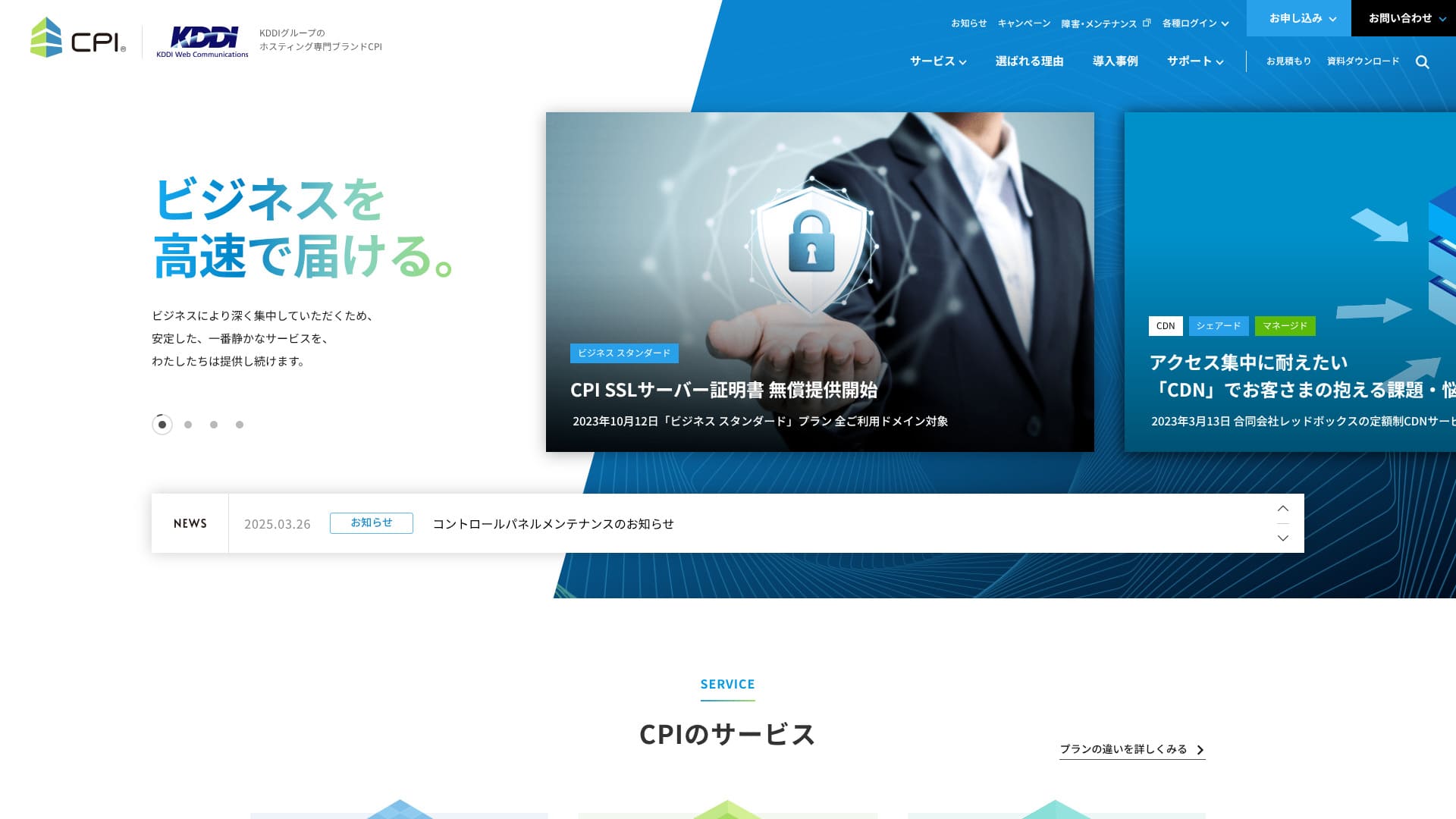
Обеспечивает исключительную стабильность и надежно поддерживает работу вашего бизнеса.
CPI — это сверхстабильный сервер, обслуживаемый KDDI Group, со 100% гарантией бесперебойной работы (uptime). Его могут использовать и физические лица, но благодаря полному набору бизнес-функций и услуг 95% пользователей составляют корпоративные клиенты.
Несмотря на то, что это отличный сервер, у него также есть недостатки. В этой статье я рассказываю о характеристиках CPI и о том, как начать работу с WordPress.
В результатах поиска введите название темы, которую хотите установить, или ключевое слово, связанное с ней.

Регулярные обновления плагинов безопасности и исправления ошибок имеют решающее значение для безопасной работы сайта. Плагины, которые не обновлялись долгое время, могут содержать уязвимости безопасности или вызывать проблемы с совместимостью с последними версиями WordPress.
- Which сайт is good to look at?
- Вы можете легко кастомизировать дизайн и функции вашего сайта, используя меню «Внешний вид» → «Настроить» в панели администратора.
- I want to know how to начните WordPress right away!
Перевод: Don't you?Поэтому в данной статье собраны и представлены рекомендации по 32 хостинг-провайдерам для частных лиц, компаний, а также внутренних и зарубежных сервисов.Объяснение подготовлено специалистом по SEO компании по разработке приложений, которая ежедневно использует арендуемые серверы.
Русский перевод: CPI Rental Server: Stable Servers for Businesses

| Русский перевод: Server Types | Общий хостинг / управляемый выделенный сервер / выделенный сервер с root-доступом |
| Время загрузки (TTFB) | Не измерялось |
| Рекомендуемые тарифные планы и сроки контракта | Русский перевод: Shared Plan Business Standard 12 Months |
| Пробный период и гарантия возврата денег | 10-Day Бесплатный Trial |
| Monthly Fee (12-Month Контракт) | 4,840 Yen |
| Русский перевод: Initial Office Fee | Бесплатный |
| Бесплатный Domain | Нет |
| Поддержка | Русский перевод: Phone & Email (Weekdays 10:00-18:00) Поддержка 24/7 доступна за дополнительные 990 иен в месяц |
| Русский перевод: Uptime Guarantee | 100% guaranteed |
| Емкость сервера | Русский перевод: Web 300GB / Email 200GB |
| Количество баз данных | 5 |
| Меры безопасности | Русский перевод: WAF / Web Tampering Notification (Paid) |
| SSL | Бесплатный CPI SSL Server Certificate |
| Резервное копирование/восстановление | 30-generation backups / Бесплатный restoration |
| Количество почтовых аккаунтов | Без ограничений |
| Меры безопасности электронной почты | Русский перевод: Virus Check / Spam Email Check / Spam Email Subject Display / Spam Email Automatic Sorting / STARTTLS / Email Sending Prevention Active! gate |
| Server/Website Migration Сервис | Русский перевод: Partial migration assistance available at no extra cost / Full Сервис 283,800 Yen |
| Русский перевод: One-click WordPress installation | ◯ |
| CDN | Платно |
Русский перевод: 5 Features of CPI

Русский перевод: 100% Uptime Guaranteed
CPIгарантирует 100% аптайм. Благодаря высокой стабильности сервера,Русский перевод: you can avoid issues where your site becomes unavailable.Especially when business websites or сервис sites display instability, it can negatively impact business.
However,CPIРусский перевод: there's no need to worry like that.
★ Важно знать! Что такое время бесперебойной работы (uptime) сервера и SLA.
IfCPIесли во время использования у вас возникнут проблемы с веб-службами или электронной почтой, вам будет предоставлена компенсация на основе процента аптайма.
Веб- и почтовые серверы: диверсификация рисков
CPIвнедряет систему распределения рисков путем разделения веб- и почтовых серверов. Это гарантирует, что сбои на одном сервере не скажутся на работе другого.что неполадки на одном сервере не повлияют на работу другого.
Например, представим, что посещаемость вашего сайта внезапно выросла. Веб-сервер может испытывать повышенную нагрузку, что временно замедлит отображение сайта. Однако, если почтовый сервер размещен отдельно, у вас не возникнет проблем с приемом электронных писем в подобных ситуациях.
Для бизнеса нестабильная работа электронной почты, которая является основным средством общения с клиентами, может привести к потере доверия. ПоэтомуCPI
Русский перевод: 30-generation backups
CPIпредлагает резервные копии глубиной до 30 поколений. Благодаря этому в случае возникновения неполадок вы можете восстановить резервную копию и вернуть систему в исходное состояние.неполадок вы сможете восстановить резервную копию данных и вернуть систему в исходное состояние.
Случайное удаление данных или их изменение в результате кибератаки могут произойти с каждым. С CPI вы можете хранить огромные объемы резервных копий глубиной до 30 поколений. Поэтому даже если вы обнаружите проблему не сразу, вы сможете вернуть все в исходное состояние.
Русский перевод: High-security WAF equipped
CPIоснащен самыми современными функциями безопасности, включая WAF. Его можно использовать бесплатно. WAF — это мера безопасности, предотвращающая атаки, направленные на уязвимости веб-приложений.
На более доступных серверах функция WAF может предлагаться как платная опция, CPIвходит в стандартную комплектацию и является очень выгодным предложением.
В качестве опции вы можете расширить поддержку до круглосуточного режима 24/7/365.
CPIможет быть расширена круглосуточной поддержкой 24/7/365 в качестве опции.CPIобычно предоставляет поддержку по электронной почте с 10:00 до 18:00 с понедельника по пятницу.
При ежемесячной плате в 990 иен и опции «Круглосуточная поддержка 24/7/365 по телефону и эл. почте» вы можете получать поддержку по электронной почте в режиме 24/7/365. Поддержка по телефону была приостановлена с сентября 2021 года. Однако в некоторых случаях поддержка от CPI Русский перевод: may be provided by phone.&thatCPIРусский перевод: may be provided by phone.
Если возникает проблема с работой веб-сайта вашей компании или управлением электронной почтой, ее необходимо решить как можно скорее.This option allows you to have CPI resolve your issues, even if there isn't anyone in-house who is знанияable about it.
Русский перевод: CPI has a higher pricing structure which is a disadvantage.

CPIРусский перевод: is designed for business useиз-за высокой функциональности и обилия возможностей цены несколько вышеСравнение с другими серверами для бизнеса проводилось по следующим критериям.
- Русский перевод: Initial administrative fees
- Server контракт for 12 months
- Русский перевод: Domain cost for 1 year
- Самый дешевый тарифный план, совместимый с WordPress
При сравнении этот вариант относится к более высокому ценовому диапазону среди серверов для бизнеса. Если вам нужен надежный бизнес-сервер, но при этом вы хотите сократить расходы на хостинг, стоит рассмотреть другие предложения.
Русский перевод: Comparing 2 Servers Similar to CPI
Xserver Business
Xserver BusinessisCPIи может использоваться для корпоративных серверов по примерно такой же цене.CPIРусский перевод: has only one shared server plan, butXserver BusinessРусский перевод: has three types.Поэтому привлекательным моментом является возможность масштабировать тарифный план по мере роста вашего бизнеса или посещаемости сайта.Русский перевод: is attractive.
Тем не менее, CPI превосходит конкурентов в плане автоматического резервного копирования и создания тестовой среды.Для повседневной работы и душевного спокойствия,CPIРусский перевод: is a better choice.
Sakura Rental Server Business
Sakura Rental Server BusinessisРусский перевод: more affordable than CPIРусский перевод: a business server.
However,Sakura Rental Server BusinessРусский перевод: does not offer special support plans or anything like that.CPIпредоставляет опции круглосуточной поддержки 24/7.Чувство уверенности благодаря возможности обратиться в CPI за экстренной поддержкой не имеет равных.

Обзор Sakura Rental Server: действительно ли он медленный или ненадежный? Цены, преимущества и недостатки для личного и коммерческого использования
Обзор Sakura Rental Server: действительно ли он медленный или ненадежный? Цены, преимущества и недостатки для личного и коммерческого использования
serverfield.org
Запустите свой сайт на WordPress с помощью CPI за 5 шагов
Создайте домашнюю страницу с помощью CPI!
- STEP.1Посетить официальный сайт CPI
На главной странице официального сайта нажмите «Подать заявку».
- STEP.2Контракт Application
Прежде всего, выберите период контракта. Рекомендуется заключить договор на 12 месяцев с единовременной оплатой. Начальные взносы отсутствуют. Отметьте галочкой пункты «Я согласен с условиями предоставления услуг CPI и другими условиями» и «Политика конфиденциальности».
Выбор домена. Если вы используете новый домен, введите желаемое имя и выполните поиск. Если домен свободен для регистрации, перейдите к шагу «Выбор опций».
★ Что такое домен? Его роль в качестве адреса в Интернете и способы получения
Сертификат безопасности SSL. Мы рекомендуем использовать бесплатный CPI SSL. SSL — это основа интернет-безопасности, поэтому обязательно отправьте заявку на его получение.
★ Что такое SSL и TLS? Механизм и преимущества шифрования информации
Подайте заявку на необходимые услуги из предложенных вариантов.
- Русский перевод: Website Defacement Notification
- External Backup Сервис
- Email Misдоставка Prevention (Active! gate)
- Русский перевод: Webmail (Active! mail)
- Русский перевод: Cloud-based Groupware (iQube+)
- Русский перевод: 24/7 365-day TEL & Email Support
Click "Proceed to Plan Контракт Information."
Введите данные для договора по тарифу, такие как название компании и контактный адрес электронной почты.
Проверьте все данные и подайте заявку.
You will immediately receive an заказ confirmation email after application. Then, an invoice will arrive.
CPI настроит сервер, пожалуйста, подождите. Идентификаторы входа и пароли для панели управления будут отправлены на вашу электронную почту.
- STEP.3Русский перевод: WordPress Installation
В панели управления перейдите в раздел «Веб-сайт» -> «Публичный сайт», затем выберите «Простая установка» -> «WordPress».
Укажите директорию установки. Отметьте галочкой пункт «Я согласен со следующими условиями» и нажмите «Установить».
Отобразятся четыре URL-адреса, выберите один из них и нажмите на него.
Нажмите «Начнем!» и выполните следующие настройки WordPress.
- Русский перевод: Database Name: As is
- Русский перевод: Username: Anything is OK
- Русский перевод: Password: Anything is OK. Can be easily changed later
- Русский перевод: Database Host Name: As is
- Русский перевод: Table Prefix: As is
Нажмите «Отправить» и запустите процесс «Выполнить установку».
Further, register WordPress управление information.
- Русский перевод: Site Title: Anything is OK. Can be easily changed later
- Русский перевод: Username: Anything is OK.
- Русский перевод: Password: Anything is OK. Make it as complex as possible
- Русский перевод: Email Address: Your usual email address. Company email is recommended for businesses
- Русский перевод: Allow Search Engines: Don't check if you want to keep it private
После ввода данных управления нажмите «Установить WordPress». Обязательно запишите имя пользователя и пароль, так как они понадобятся для входа.
При появлении сообщения «Успешно!» нажмите «Войти» и выполните вход под своим именем пользователя и паролем.
- STEP.4Русский перевод: WordPress Initial Settings
Журнал in to WordPress.
※ Если появится предупреждение «Не удается получить доступ к сайту», настройки DNS еще не вступили в силу. В таком случае нужно просто подождать, поэтому пробуйте зайти снова каждый час.
★ Русский перевод: What is DNS / a name server?
Настройте постоянную ссылку. В панели администратора WordPress перейдите в раздел «Настройки» -> «Постоянные ссылки». Выберите «Название записи» и нажмите «Сохранить изменения».
При выборе варианта «Название записи» вы можете задавать любую строку для URL-адреса каждой статьи. Рекомендуется использовать короткую строку, помогающую читателям понять суть статьи. Если адрес слишком длинный, некоторые посетители могут насторожиться, подумав: «Не опасный ли это сайт?»
- STEP.5Русский перевод: Plugin Installation
Вернитесь в панель администратора WordPress, перейдите в раздел «Плагины» -> «Добавить новый» и установите необходимые плагины.
Найдя нужный плагин через поиск, нажмите «Установить» и затем «Активировать». После этого следуйте инструкциям для каждого конкретного плагина.
Обязательно установите плагины безопасности и резервного копирования.
- 5 рекомендуемых плагинов безопасности для WordPress и как их выбирать
- Русский перевод: 5 best WordPress backup plugins to retrieve your data
Как только плагины будут установлены, ваш сайт на WordPress готов к работе!
Итог
CPI — это стабильный сервер для коммерческого использования со 100% гарантией аптайма. Хотя цены несколько высоки, он предоставляет функции резервного копирования, безопасности и готовые для бизнеса возможности, необходимые корпоративным сайтам.
Пожалуйста, попробуйте.
: Возможность легко настраивать дизайн, макет и функции темы под свои задачи без глубоких знаний веб-программирования.
Когда вы думаете: «Я хочу запустить WordPress» и ищете «Рекомендуемый WordPress», вы находите множество различных статей — от личного использования до корпоративного сегмента и малого/среднего бизнеса, зарубежных и дешевых серверов. Честно говоря,
- Какой сайт мне смотреть?
- Выберите плагины, которые наилучшим образом подходят вашему сайту, и сделайте первый шаг к успешному продвижению вашего бизнеса.
- Скажите, как начать WordPress прямо сейчас.
Don't you think so? Therefore, this статья will Если тема не поддерживает последние стандарты безопасности или содержит уязвимости, ваш сайт может стать мишенью для злоумышленников. Выбирайте надежные темы от проверенных разработчиков.Как выбрать тему WordPress: 8 ключевых критериев для принятия верного решения