Bezmaksas sākotnējā iestatīšana, līdz 9 mēnešiem bezmaksas servera lietošana un 30 dienu naudas atgriešanas garantija.
PR
Serveri
iCLUSTA+ apskats [2024. gada izdevums]: padziļināts ceļvedis biznesa serverim, kura cena sākas ap 1000 jenu mēnesī
Publicēts: 2025.04.18
Atjaunināts: 2025.04.18
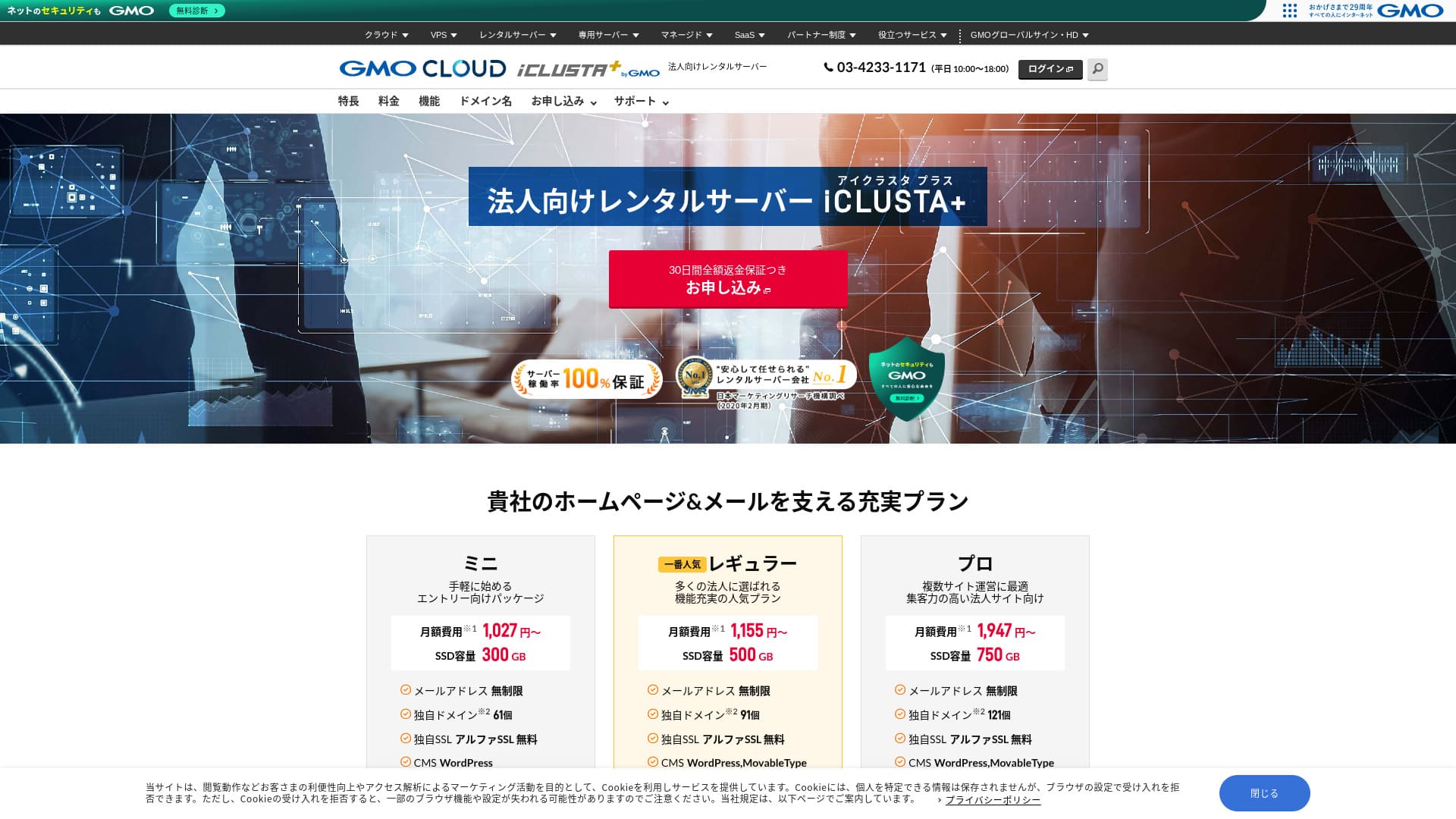
Pieejams biznesa serveris, uz kuru var droši paļauties.
GMO GlobalSign Holdings K.K. operates iCLUSTA+ byGMO is packed with specifications and features that are especially valuable for businesses. Individuals can use it as well. However, the well-rounded service that covers the practical needs businesses often have makes it a leading candidate when a company is choosing a server. Because it offers excellent cost performance, even small businesses can adopt it with ease.
That said, it is not without drawbacks, and if you are looking for a highly functional, ultra-high-spec server, there is still room to consider other options as well. In this article, I explain the reputation and features of iCLUSTA+ byGMO honestly, and I also walk you through how to get started with WordPress in a clear, easy-to-follow way.
Pilnīgs 32 WordPress nomas serveru salīdzinājums: ieteikumi privātpersonām, uzņēmumiem un ārzemju lietošanai

Ja jūs domājat: “Es gribu sākt WordPress,” un meklējat “ieteicamo WordPress hostingu”, jūs atradīsiet milzīgu rakstu klāstu, kas aptver visu, sākot no serveriem privātām vajadzībām un uzņēmumiem līdz ārzemju hostinga un zemu izmaksu serveriem. Godīgi sakot,
- Ir grūti saprast, kurai vietnei uzticēties.
- Es gribu izvēlēties serveri vienkāršā, viegli saprotamā veidā!
- Es gribu zināt, kā varu uzreiz sākt WordPress.
Vai tas nav tieši tas, ko jūs jūtat? Tāpēc šajā rakstā ir rūpīgi atlasīti un iepazīstināti ieteicamie varianti no 32 nomas serveru uzņēmumiem priekš individual use, business use, domestic use, and overseas use. The explanation is written by the SEO specialist of an app development company that uses rental servers every day.
iCLUSTA+ Reviews: Affordable Business Servers Starting at Around ¥1,000 per Month
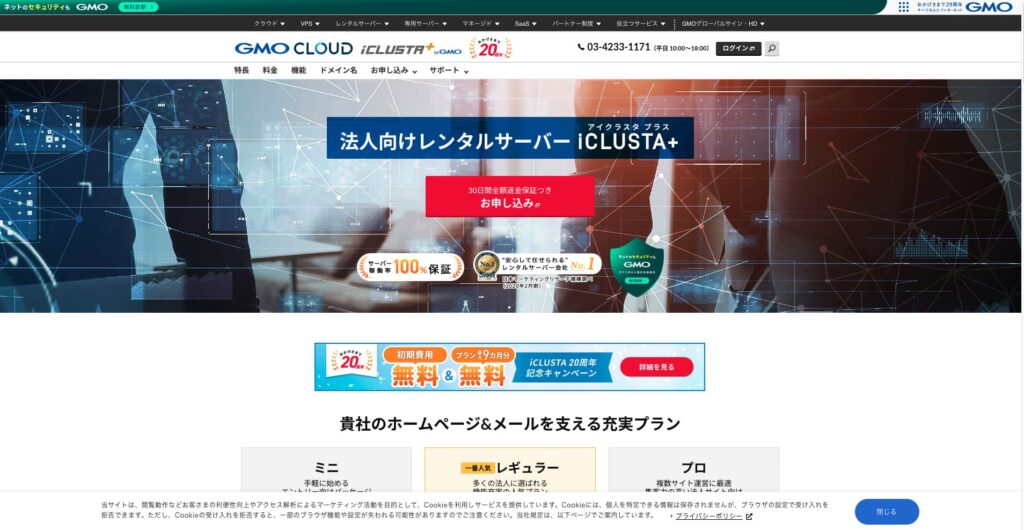
“iCLUSTA+ byGMO” ir serveris, kura pamatā ir GMO GlobalSign Holdings K.K. 25 gadu pieredze. Tā lietošana ir pieejama par saprātīgu cenu. Pat ja tā, tas ir pietiekami stabils, lai nodrošinātu 100% darbspējas laika garantiju, padarot to par ieteicamu izvēli maziem un vidējiem uzņēmumiem un korporācijām, kas vēlas samazināt izmaksas.

| Servera tipi | Koplietojams serveris |
| Ielādes laiks (TTFB) | Nav mērīts |
| Ieteicamie plāni un līguma termiņi | Mini 12 months |
| Trial period & naudas atdošanas garantija | 30-day money-back guarantee |
| Mēneša maksa (12-month contract) | 1,027 yen |
| Sākotnējā iestatīšanas maksa | 5,500 yen |
| Bezmaksas domēns | Nav |
| Atbalsts | Business hours are 10:00 AM to 6:00 PM weekdays. E-pasts support is available 24 hours a day, 365 days a year. |
| Darbspējas laiks | 100% guaranteed |
| Servera jauda | Web 180GB / Mail 120GB |
| Datubāzu skaits | Neierobežots |
| Drošības pasākumi | Intrusion Prevention System (IPS) / Overseas Web Access Restriction Function / GMO Cyberattack NetdeDiagnosis |
| SSL | Dedicated SSL Certificates AlphaSSL / GlobalSign One-Click SSL / GlobalSign Corporate Authentication SSL / GlobalSign EV SSL |
| Dublēšana/atjaunošana | Remote Dublējums to Distant Locations for 7 Generations (¥770 per month*) / Bezmaksas Restore |
| E-pasta kontu skaits | Neierobežots |
| E-pasts Drošības pasākumi | POP over SSL / SMTP over SSL / SMTPAuth / STARTTLS / E-pasts Filters / Spam Filters / E-pasts Virus Removal Service / DKIM Iestatījumi |
| Servera/vietnes migrācijas pakalpojums | Full Migration ¥33,000 |
| WordPress iepriekšinstalēts | Nav |
| CDN | Nav |
Five Key Features of iCLUSTA+

100% Darbspējas laiks Guaranteed
iCLUSTA+ byGMO has stability as its biggest strength. An SLA guarantees a 100% uptime rate. You will naturally want to know the track record. It is published on this page.
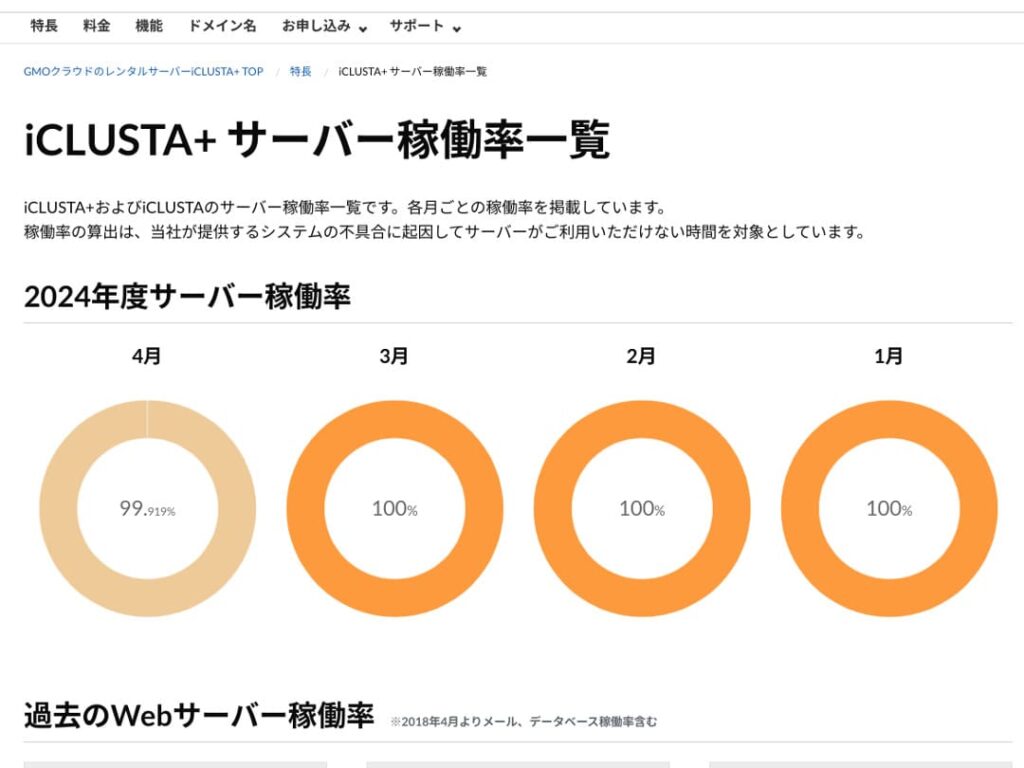
You might think “99.919% in April,” but honestly, it’s a server that’s open about its performance, which makes it a trustworthy one. In fact, during April 2024, the downtime was approximately 35 minutes over 30 days. The downtime is downtime, but it’s minimal.
Furthermore, because the SLA guarantees 100% uptime, in April 2024, 10% of the usage fee is refunded based on the conditions. This small refund also reflects the company’s commitment to honesty.
★ Ceļvedis iesācējiem: izpratne par nomas servera darbspējas laiku un SLA
Bezmaksas tālruņa atbalsts un e-pasta/FAKSA atbalsts ārpus darba laika
iCLUSTA+ byGMO offers free phone support across all plans. This support is available from 10:00 AM to 6:00 PM, Monday through Friday. For times outside of these hours, including evenings, weekends, and holidays, technical email support is always available.
Technical email support handles inquiries related to server usage issues outside of business hours. This means you won’t be left stranded if you encounter technical problems while using the server.
Pieejama piedāvājumu un rēķinu ģenerēšana
Businesses may require invoices and quotes from an accounting perspective; iCLUSTA+ byGMO offers a solution. allows you to receive a quote via the quote formwithin the quote form.
Additionally, invoices can be issued when you sign up for new contracts, such as bank transfers and direct debits.
Receipts are stored according to the payment basis for each payment, such as those from ATMs.
Comprehensive E-pasts Functionality
iCLUSTA+ byGMO boasts a comprehensive suite of email features.
You can have an unlimited number of email addresses. Furthermore, at the time of signing up, you can freely determine the web and email capacity. The web capacity is for related website content. For email capacity, the Mini Plan allows you to allocate up to 119GB.
However, using multiple domains and creating mailing lists both incur a monthly fee of ¥220. If you plan to use mailing lists for mass internal email distribution, be aware of this additional cost.
Bezmaksas AlphaSSL SSL
iCLUSTA+ byGMOoffers free use of AlphaSSL. When it comes to free Let’s Encrypt SSL, that’s a well-known name. AlphaSSL is a more reliable SSL certificate that typically costs 6,600 yen per month.
★ SSL and TLS: The Encryption Mechanism to Protect Information and Its Benefits
Honestly Presented iCLUSTA+’s Drawbacks

iCLUSTA+ byGMO is a good server for businesses, but it does have some drawbacks.
A 10% surcharge for basic charges will occur.
iCLUSTA+ byGMO incurs a surcharge fee in addition to the base fee. Currently 10%, but this may change in the future. Given the current global economic situation, there are understandable concerns about potential price increases.
Dublējumkopijas are a paid option
iCLUSTA+ byGMO incurs charges for backups.
For the mini plan, the monthly fee is 770 yen. Frankly, it’s expensive for the cost of renting another server, even if it’s only one. It offers up to 7 generations of backups with unlimited storage capacity, which is impressive in terms of specifications.
However, if you choose WordPress for your website, you can install WordPress plugins for backup and restore, which don’t cost anything.
★ Data Recovery: Top 5 WordPress Plugins
Comparing iCLUSTA+ byGMO with two competing servers
KAGOYA JAPAN
KAGOYA JAPAN also iCLUSTA+ byGMO like , offering a highly utilized server that is stable and supported by businesses.
KAGOYA JAPAN’s WP Server Grade 1 Plan can be used for a monthly fee of 440 yen. It has backup functionality, making it more affordable to start than iCLUSTA+ server costs.
However, the Lite 1 Core/4GB plan has a bandwidth limit of 100Mbps, which creates some uncertainty about server speed. It also uses Let’s Encrypt, a free, custom SSL. It’s a relief that iCLUSTA+ offers AlphaSSL.
It’s a choice of two companies to carefully consider price and features.

KAGOYA JAPAN Reputation! 61,000 Businesses Using It, Examining the Value for Money of WordPress-Dedicated Servers
KAGOYA JAPAN Reputation! 61,000 Businesses Using It, Examining the Value for Money of WordPress-Dedicated Servers
serverfield.org
XServer Business
A major domestic server provider, Xserver Business is offered by iCLUSTA+ byGMO. Compared to iCLUSTA+, it has a higher price. The initial cost is ¥16,500. With a 12-month contract, the monthly fee is ¥4,180, which is nearly four times the cost of iCLUSTA+.
It boasts a 99.99% uptime guarantee and connects to a high-speed 10Gbps line. This delivers the specs needed to display websites and emails smoothly, and it also includes a 14-day automatic backup function. iCLUSTA+ byGMO doesn’t require you to pay extra fees like .
However, iCLUSTA+ byGMO is not like where you can use a free, dedicated SSL. If you opt for a paid cloud SSL, it will cost 880 yen per month. SSL has become a standard security measure for websites in recent years, and is therefore highly valued. Consequently, the free alpha SSL offered within iCLUSTA+ byGMO is a significant advantage.
If you’re looking to cut costs, you can definitely start by considering iCLUSTA+.

XServer Business reputācija un apskats! Rūpīga jaunākā ātruma, cenu un funkciju pārbaude
XServer Business reputācija un apskats! Rūpīga jaunākā ātruma, cenu un funkciju pārbaude
serverfield.org
7 soļi, lai tūlīt sāktu darbu ar WordPress vietni pakalpojumā iCLUSTA+
Start your website with iCLUSTA+!
- Step 1Visit the Official Website iCLUSTA+ byGMO Rental Server
Click “Sign Up with Full Money-Back Guarantee”
- STEP.2Server Application
Izvēlieties plānu. Ieteicams izvēlēties iCLUSTA+ Mini. Ja nepieciešams, vēlāk varat jaunināt uz augstāku plānu ar labākām specifikācijām. Sāksim ar lētāko Mini plānu.
The contract period is advantageous at 24 months, but you can also start with a one-month payment.
You can leave the disk capacity as is. Websites don’t typically use much disk space. If you plan to use email, it’s better to allocate the maximum possible email capacity rather than reducing it.
Select MySQL as an option service. MySQL, the database for WordPress, is necessary to start using WordPress.
★ What is a Database? An essential component for WordPress in management and operation
Click “Next”.
Choose a domain name. Let’s select “Register a new domain name”. Enter the desired domain name string and search for it.
★ What is a Domain? Its role as a web address and how to obtain it
Varat izvēlēties tādus saknes domēnus kā “.com” un “.co.jp”. Iegādes un atjaunošanas izmaksas atšķiras atkarībā no saknes domēna. Ja esat uzņēmums, mēs pēc iespējas ieteicams izmantot “.co.jp”. Privātpersonām ieteicams “.com” vai “.net”. Šie ir plaši pazīstami domēni, padarot tos mazāk aizdomīgus un cilvēkiem vieglāk pieejamus.
Check the desired domain and click “Proceed to Apply”.
Click “Next”. Enter your customer information. Select “Continue” for “First-time Customers”.
Ievadiet tādu informāciju kā uzņēmuma nosaukums, vārds un adrese. Tāpat ievadiet maksājumu informāciju. Lai ātri izveidotu vietni, ieteicams veikt maksājumus ar kredītkarti.
Read and agree to the privacy policy and personal information matters. If you agree, click “Proceed to Next”.
Review the application details and submit your application.
For first-time users, set up your email address and password. Agree to the terms of service and privacy policy and click “Next”.
- Step 3Database Creation and WordPress Installation
From the PlanManager database, click “Add Instance.” Then, set the following information:
- Instance Iestatījumi: Version – Leave as is
- Instance Iestatījumi: Password – Automatically generated
- Instance Iestatījumi: Comment – Leave blank
- Admin User: Leave as is
- New Database: Database Name – Leave as is
Click “Save,” and you’ll see “Instance created” displayed.
Next, proceed with WordPress installation. In PlanManager, click “Applications” then “App Installer.”
Izvēlieties WordPress un noklikšķiniet uz “Proceed to Installation Settings” (Turpināt ar instalēšanas iestatījumiem). Konfigurējiet šādi:
- Installation Directory: Anywhere is fine
- MySQL Database: Select the instance and database you created earlier. The table prefix can remain as is.
- PHP Version: Leave as is
- Terms of Service: If you agree, check “Accept.”
After entering all information, click “Start Installation.”
Kad instalēšana ir pabeigta, turpiniet ar sākotnējo iestatīšanu. Noklikšķiniet uz “Proceed to Initial Settings” (Turpināt ar sākotnējiem iestatījumiem). Iestatiet šādi:
- Site Title:
- Username: Anything you like, but be aware that changing it later can be time-consuming.
- Password: Make it as complex as possible – you can easily change it later.
- E-pasts Address: Your usual email. For businesses, we recommend using a corporate email address for website management.
- Display in Search Engines: Check this box if you want to make your site visible in search engines.
After entering all information, click “Install WordPress.”
Remember that you’ll use your email address and password to log in to WordPress. Make sure to note them down. After reviewing the registration details, click “Create.”
- Step 4WordPress Basic Setup
Noklikšķiniet uz “Move to List” (Pāriet uz sarakstu). Redzēsit WordPress instalāciju sarakstu. Noklikšķiniet uz saites “Login” (Pieteikties) domēnam, kurā nesen instalējāt WordPress.
WordPress pieteikšanās ekrānā, kas parādās, ievadiet instalēšanas laikā iestatīto lietotājvārdu/paroli un noklikšķiniet uz “Pieteikties”.
Kad esat pieteicies WordPress, iestatīsim jūsu pastāvīgās saites. WordPress administratora paneļa sadaļā “Settings” (Iestatījumi) pārejiet uz “Permalink Settings” (Pastāvīgo saišu iestatījumi). Izvēlieties “Post name” (Raksta nosaukums). Pēc tam noklikšķiniet uz “Save Changes” (Saglabāt izmaiņas).
Izmantojot “Post name” (Raksta nosaukums), varat ievadīt jebkuru vēlamos tekstus URL, kad publicējat rakstus. Ieteicams izmantot īsu virkni, kas raksturo raksta saturu, jo tas atvieglo lasītājiem lapas atrašanu, kad viņi apmeklē jūsu mājaslapu. Pārāk garš URL var radīt bažas apmeklētājos.
- STEP.5Plugin Installation
Return to the WordPress administration panel and proceed to “Plugins” > “Add New” to install the necessary plugins.
Kad meklēšanā atrodat spraudni, kuru vēlaties instalēt, noklikšķiniet uz “Install Now” (Instalēt tūlīt) un pēc tam uz “Activate” (Aktivizēt). Pēc tam sekojiet katra spraudņa norādījumiem.
It is essential to install security and backup plugins.
- Top 5 WordPress spraudņi drošības uzlabošanai un kā tos izvēlēties
- Top 5 WordPress Dublējums Plugins to Retrieve Your Data
Tagad, kad esat instalējis spraudņus, esat pilnībā sagatavojies savai WordPress vietnei!
Kopsavilkums
“iCLUSTA+ byGMO” ir serveris, kura pamatā ir GMO GlobalSign Holdings K.K. 25 gadu pieredze. Tā lietošana ir pieejama par saprātīgu cenu. Pat ja tā, tas ir pietiekami stabils, lai nodrošinātu 100% darbspējas laika garantiju, padarot to par ieteicamu izvēli maziem un vidējiem uzņēmumiem un korporācijām, kas vēlas samazināt izmaksas.
Bezmaksas sākotnējā iestatīšana, līdz 9 mēnešiem bezmaksas servera lietošana un 30 dienu naudas atgriešanas garantija.
iCLUSTA+ byGMO is a rental server for businesses. You can start with monthly fees in the ¥1,000 range, while maintaining a 100% uptime and stability, which is very attractive for businesses looking to keep costs down. We highly recommend giving it a try, especially for businesses looking to minimize expenses.
Pilnīgs 32 WordPress nomas serveru salīdzinājums: ieteikumi privātpersonām, uzņēmumiem un ārzemju lietošanai
Ja jūs domājat: “Es gribu sākt WordPress,” un meklējat “ieteicamo WordPress hostingu”, jūs atradīsiet milzīgu rakstu klāstu, kas aptver visu, sākot no serveriem privātām vajadzībām un uzņēmumiem līdz ārzemju hostinga un zemu izmaksu serveriem. Godīgi sakot,
- Ir grūti saprast, kurai vietnei uzticēties.
- Es gribu izvēlēties serveri vienkāršā, viegli saprotamā veidā!
- Es gribu zināt, kā varu uzreiz sākt WordPress.
Vai tas nav tieši tas, ko jūs jūtat? Tāpēc šajā rakstā ir rūpīgi atlasīti un iepazīstināti ieteicamie varianti no 32 nomas serveru uzņēmumiem priekš individual use, business use, domestic use, and overseas use. The explanation is written by the SEO specialist of an app development company that uses rental servers every day.