
10-day free trial
PR
Serveri
Heteml apskats un cenas: detalizēts 2025. gada ceļvedis par plusiem un mīnusiem, balstoties uz lietotāju atsauksmēm
Publicēts: 2025.04.18
Atjaunināts: 2025.04.18
Vērtējums: 4.0
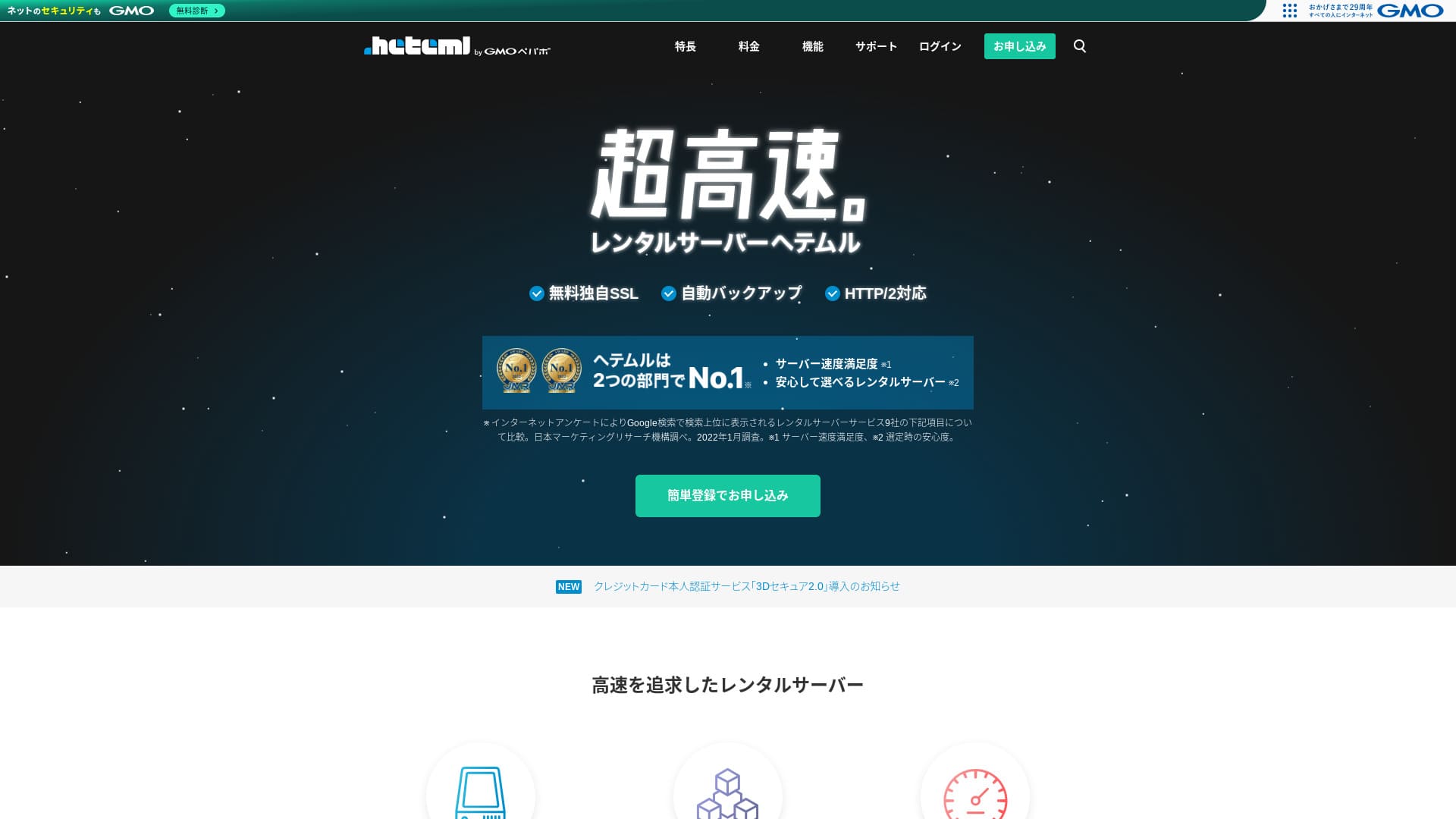
heteml is a server from GMO Pepabo, Inc., known for its stability with a 99.99% uptime rate.

I recommend heteml to companies, sole proprietors, and others who value stability because:
- 99.99% uptime stability
- A separated server architecture helps avoid trouble when traffic surges
- Clear transfer-volume limits provide peace of mind
That is why I recommend it. I think you will be satisfied.
A competing server is MuuMuu Server. It is better than heteml in terms of domain fees and ease of domain management. Please consider it alongside heteml.
| Servera tips | Koplietojams serveris / pārvaldīts serveris |
| Attēlošanas ātrums (TTFB) | Nav mērīts |
| Ieteicamais plāns un līguma termiņš | 12 mēnešu līgums |
| Pārbaudes periods / naudas atdošanas garantija | Nav |
| Mēneša maksa (12 mēnešu līgums) | 2,035 jenas |
| Sākotnējā iestatīšanas maksa | Bezmaksas |
| Bezmaksas domēns | Nav |
| Atbalsts | Tālrunis, e-pasts un tērzēšana (darba dienās 10:00-18:00) |
| Darbspējas laiks | Faktiski 99.99% |
| Krātuve | 600GB |
| Datubāzu skaits | Neierobežots |
| Drošības pasākumi | WAF / Overseas Attack Guard / Device Security |
| SSL | Bezmaksas SSL / GlobalSign Quick SSL / GlobalSign Organization Authentication / GlobalSign EV Authentication |
| Dublējums / atjaunošana | 14 dienu automātiskā dublēšana / atjaunošana 5,000 jenas |
| E-pasta kontu skaits | Neierobežots |
| Email security measures | Spam filter / virus check |
| Servera / vietnes migrācijas pakalpojums | WordPress migration service 33,000 yen No migration tool |
| Easy WordPress installation | Yes |
| CDN | Nav |

Hikaru Ono
Heteml izceļas gan ar lielu ātrumu, gan stabilitāti. Tas ir labi piemērots lielām vietnēm un vairāku vietņu pārvaldīšanai.
Kā jau var gaidīt no dārgāka pakalpojuma, tas ir augstas kvalitātes serveris, ko varat izmantot ar pārliecību.
Heteml salīdzinājums ar citiem serveriem
- KopumāVērtējums★★★★☆
- Servera ātrums Nav mērīts
- Cenas ★★☆☆☆
- Stabilitāte ★★★★★
- WordPress sākšanas vienkāršība ★★★★☆
- Tādas darbības kā domēna pārvaldība un SSL iestatīšana ★★★★☆

21 ieteicamo WordPress hostinga pakalpojumu salīdzinājums privātpersonām un izvēles ceļvedis
21 ieteicamo WordPress hostinga pakalpojumu salīdzinājums privātpersonām un izvēles ceļvedis
serverfield.org
- Dati, kas balstīti uz tirgus pētījumu, veikti 2025. gada 4. novembrī, sakārtoti pēc ātruma
- Mēneša maksa ir zemākās cenas plāna pirmā gada izmaksas, kas spēj darbināt WordPress
- Ātrums ir Time to First Byte vērtība, kas izmērīta demonstrācijas vietnēs identiskos apstākļos

User Reviews of Heteml
Heteml saņēma pozitīvas atsauksmes gan par atbalsta kvalitāti, gan ātrumu.
However, I also found reviews about server outages. No server can completely avoid outages, but it is certainly a problem if the server keeps going down one after another.
Four Features of Heteml

Reliable Thanks to Risk-Distributed Server Operations
heteml operates by separating its servers.
- Web server
- Mail server
- Database server
By separating them this way, even if one server comes under heavy load, the response of the other servers does not slow down.
Piemēram, pieņemsim, ka trafiks pēkšņi pieaug uz tīmekļa serveri, kas attēlo jūsu vietni. Tīmekļa serveris tiek noslogots un kļūst nedaudz lēnāks. Tomēr pasta serveris nav noslogots, tāpēc tas turpina darboties bez traucējumiem. Tas nozīmē, ka jums nav jāuztraucas par tādām problēmām kā nespēja laikus saņemt klientu pieprasījuma e-pastus.
Gan pārsūtāmo datu apjoms, gan krātuves ietilpība ir plaši pieejami
heteml offers generous transfer volume and storage capacity. It can easily handle corporate sites that tend to consume a lot of both.
★ What Are Traffic and Data Transfer? Managing and Optimizing Web Traffic
Its transfer allowance is 40 TB per month. Recently, more servers have claimed unlimited transfer volume. Compared with them, this may seem small, but a clearly stated number like heteml’s actually makes it easier to use with confidence.
In fact, even if one page view consumes 3 MB, 40 TB per month is enough to handle about 400,000 accesses per day. Running out of transfer volume is extremely unlikely.
Stabils serveris ar 99.99% darbspējas laiku
heteml has a 99.99% uptime rate. It is extremely stable.
Problēmas, ko izraisa servera traucējumi, piemēram, vietnes neattēlošana vai nespēja nosūtīt un saņemt e-pastu, ir retas. That kind of stability is exactly what matters for business use, isn’t it?
★ Ceļvedis iesācējiem par servera darbspējas laiku un SLA
An uptime rate of 99.99% means that over a one-year contract, total server downtime stays under one hour. The rest of the time it operates without issue.
Bezmaksas tālruņa atbalsts
heteml offers free phone support.
It is helpful when you need assistance after checking the inquiry details but still cannot fully understand things through email support alone.
Augstāka mēneša maksa un papildu opciju maksas ir trūkums

heteml nodrošina biznesa klases ātrumu un stabilitāti, taču tā kopējās cenas ir trūkums. Godīgi sakot, tas nav pirmais serveris, kas būtu jāizvēlas privātpersonai. Tas ir labāk piemērots uzņēmumiem un cilvēkiem, kuri jau pārvalda vairākas vietnes.
The monthly fee falls to the equivalent of 1,210 yen on a 36-month contract, but ar 12 mēnešu līgumu tas ir 2,035 jenas. Tiklīdz summa ievērojami pārsniedz 1,000 jenas, tā sāk šķist par dārgu privātpersonām.
Restoring from backup also costs 5,500 yen each time. Many servers provide backup and restore for free, so this fee is expensive.
In any case, because it provides high-quality service, its overall pricing ends up higher, which is why it is fair to say it is aimed at businesses.
Salīdziniet heteml ar diviem līdzīgiem serveriem
Let's compare heteml with two similar high-quality servers.
ConoHa WING
ConoHa WING ir, tāpat kā heteml, liela ātruma serveris. It can be used at a lower price.
ConoHa WING ir serveris, kas ļauj ērti izveidot WordPress vietni. Ja izmantojat WordPress Easy Setup, jūsu WordPress vietne ir gatava reģistrācijas brīdī. Tā ir funkcija, kuras Heteml nav.

ConoHa WING Review and Performance Test: Why 750,000 Users Choose It
ConoHa WING Review and Performance Test: Why 750,000 Users Choose It
serverfield.org
Xserver
Xserver is often compared with heteml. Godīgi sakot, Xserver ir pazīstams ar savu ātrumu un stabilitāti, praktiski bez reāliem mīnusiem, un tam ir lielākā tirgus daļa Japānā.
Compared with heteml, Xserver's strength is that it uses a risk-distributed server architecture.

Xserver apskats: jaunākais 2025. gada ceļvedis par ātrumu, cenām, priekšrocībām un trūkumiem
Xserver apskats: jaunākais 2025. gada ceļvedis par ātrumu, cenām, priekšrocībām un trūkumiem
serverfield.org
Sāciet WordPress vietni ar heteml 7 soļos
Sāciet savu vietni ar heteml!
- STEP.1Apmeklējiet oficiālo heteml vietni
Noklikšķiniet uz "Pieteikties ar vienkāršo reģistrāciju".
- STEP.2Ievadiet klienta informāciju
Iestatiet savu heteml ID, paroli un e-pasta adresi. Kad tie ir ievadīti, noklikšķiniet uz pogas, lai piekristu noteikumiem un pārietu uz identitātes pārbaudi.
Pabeidziet SMS verifikāciju. Kad parādās verifikācijas ekrāns, ievadiet saņemto kodu un noklikšķiniet uz "Verificēt un pieteikties".
Šobrīd jūs joprojām atrodaties bezmaksas izmēģinājuma periodā. Ievadiet līguma informāciju, piemēram, savu vārdu un tālruņa numuru. Kad viss ir pareizi, noklikšķiniet uz “Register”, lai turpinātu.
- STEP.3Sign up for the server
Bezmaksas izmēģinājuma periodā vadības panelī noklikšķiniet uz pogas, lai reģistrētos serverim. Izvēlieties līguma termiņu un opcijas.
Opcijas varēsiet pieteikties pēc reģistrēšanās serverī, tāpēc pagaidām varat neko neizvēlēties.
Tiks parādīta maksājuma summa, tāpēc turpiniet ar “Choose a payment method.”
Izvēlieties maksājuma veidu. Ieteicams maksāt ar kredītkarti, jo tā ļauj nekavējoties pāriet uz nākamo soli. Tā arī ieslēdz automātisko atjaunošanu, kas palīdz novērst vietnes datu zudumu aizmirstas atjaunošanas dēļ.
- STEP.4Iegūstiet pielāgotu domēnu ar MuuMuu Domain un reģistrējiet to heteml
Atveriet oficiālo MuuMuu Domain vietni, laukā domēna meklēšanai ievadiet tekstu, ko vēlaties izmantot kā savas vietnes domēnu, un noklikšķiniet uz pogas "Meklēt".
★ Kas ir domēns? Tā loma kā adresei internetā un kā to iegūt
Varat izvēlēties augstākā līmeņa domēnu, piemēram, “.com” vai “.co.jp”. Iegādes un atjaunošanas maksa atšķiras atkarībā no augstākā līmeņa domēna. Ja neesat pārliecināts, uzņēmumiem, kad vien iespējams, vajadzētu izvēlēties “.co.jp”. Privātpersonām vispiemērotākie ir “.com” vai “.net”. Tie ir pazīstami domēni, kas mazāk izskatās aizdomīgi un kuriem apmeklētāji vieglāk uzticas.
Vēlreiz pārbaudiet, vai tas ir domēns, kuru vēlaties. Ja viss izskatās pareizi, turpiniet ar “Go to application.”
Izveidojiet jaunu MuuMuu ID. Ievadiet savu ID (e-pasta adresi) un paroli, pēc tam noklikšķiniet uz pogas, lai piekristu noteikumiem un pārietu uz identitātes pārbaudi.
Pabeidziet SMS verifikāciju, lai apstiprinātu savu identitāti.
Tālāk seko domēna iestatījumi un citi pieteikumi. Iestatiet domēna opcijas šādi.
- Publiskā WHOIS informācija: Uzņēmumiem vajadzētu publicēt savu informāciju. Privātpersonām parasti vajadzētu izvēlēties iespēju ļaut pakalpojumu sniedzējam publicēt informāciju viņu vārdā.
- Vārdu serveris (DNS): heteml
Ja publicējat WHOIS informāciju, tiek publiskots domēna ieguvēja, citiem vārdiem sakot administratora, vārds un adrese. Tā kā tas atklāj personisko informāciju publiski, cilvēki, kas nav uzņēmumi vai individuālie komersanti, var dot priekšroku aizstājtpublicēšanai.
Jums nav jāpiesakās saistītajiem pakalpojumiem, papildu pakalpojumiem vai MuuMuu Mail. Ja uzņēmums vēlas izmantot e-pastu, tas var izmantot e-pasta pakalpojumu, kas jau ir pieejams tikko reģistrētajā heteml serverī.
Maksājiet ar kredītkarti vai citu metodi. Noklikšķiniet uz “Next step”, ignorējiet reklāmas un ievadiet lietotāja informāciju. Kad vārds, adrese un pārējie dati ir pareizi, turpiniet ar “Next step.”
Pārskatiet pieteikuma detaļas, atzīmējiet izvēles rūtiņu, lai piekristu lietošanas noteikumiem, un noklikšķiniet uz pogas, lai iegūtu domēnu. Tagad domēns ir iegūts.
Atgriezieties heteml vadības panelī. Reģistrējiet domēnu, ko iegādājāties MuuMuu Domain, lai to varētu izmantot savā heteml serverī.
Noklikšķiniet uz “Set a custom domain.” Pēc tam zem parādītā “New Domain Settings” noklikšķiniet uz “Set a custom domain.”
Ievadiet pielāgoto domēnu, ko ieguvāt MuuMuu Domain, un noklikšķiniet uz pogas, lai pārbaudītu pielāgoto domēnu. Ja redzat ziņojumu, ka ievadīto domēnu var konfigurēt heteml, noklikšķiniet uz pogas, lai reģistrētu pielāgoto domēnu. Tas pabeidz pielāgotā domēna iestatīšanu heteml.
- STEP.5Install WordPress
In the heteml control panel, click “Easy Install” under “Various settings.” Then choose “Go to the installation screen” for WordPress.
Enter your WordPress information.
- Installation URL: Select the domain you obtained earlier
- Database: Generate automatically
- Site title: Anything is fine, because you can easily change it later
- Username: Anything is fine, but changing it later is cumbersome
- Password: Make it as complex as possible; it can be changed easily later
- Email address: Jūsu parastā e-pasta adrese. Uzņēmumiem ieteicams izmantot vietnes administratora darba e-pastu.
- Privacy: Check it if you want to publish the site right away. Leave it unchecked if you want to publish after the site is complete. You can change it easily later
The username and password are used to log in to WordPress, so be sure to write them down.
When you click “Install” with the above settings, a message appears saying, “The folder to install into does not exist. Would you like to create this folder?” Click “OK.”
Once the installation is complete, click the displayed URL and log in.
- STEP.6Initial WordPress settings
On the displayed WordPress login screen, enter the username and password you set during installation and click “Log In.”
If you see a warning saying “This site can’t be reached,” the DNS settings have not propagated yet. All you can do is wait, so try logging in again every few hours.
★ What Are DNS and Name Servers?
After logging in to WordPress, set your permalinks. In the WordPress admin screen, go from “Settings” to “Permalinks.” Choose “Post name,” then click “Save Changes.”
When you choose “Post name,” you can enter any string you like in the URL when publishing an article. A short string that helps readers imagine the content is easier to read, which is why it is recommended. If it is too long, some people may start to wonder whether the site looks unsafe.
- STEP.7Install plugins
Go back to the WordPress admin screen, open “Plugins,” and proceed to “Add New” to install the plugins you need.
When you find the plugin you want through search, click “Install Now” and then “Activate.” After that, follow the instructions for each plugin.
Be sure to install security and backup plugins.
- How to Choose 5 WordPress Plugins That Strengthen Security
- 5 Powerful WordPress Backup Plugins That Help You Recover Your Data
Kad spraudņi ir instalēti, jūsu WordPress vietnes iestatīšana ir pabeigta.
Kopsavilkums
heteml ir nomas serveris, kas paredzēts uzņēmumiem. Tas specializējas ātrumā un stabilitātē.Its strength is its risk-distributed architecture. With abundant transfer volume and storage capacity, it is also suitable for running multiple sites. If the pricing works for you, there are no major drawbacks. Give it a try.