
10-օրյա անվճար փորձաշրջան
PR
Servers
Heteml-ի ակնարկ և գնագոյացում. 2025 թվականի մանրամասն ուղեցույց՝ օգտատերերի կարծիքների հիման վրա առավելությունների ու թերությունների մասին
Հրապարակված՝ 2025.04.18
Թարմացված՝ 2025.04.18
Գնահատական: 4.0
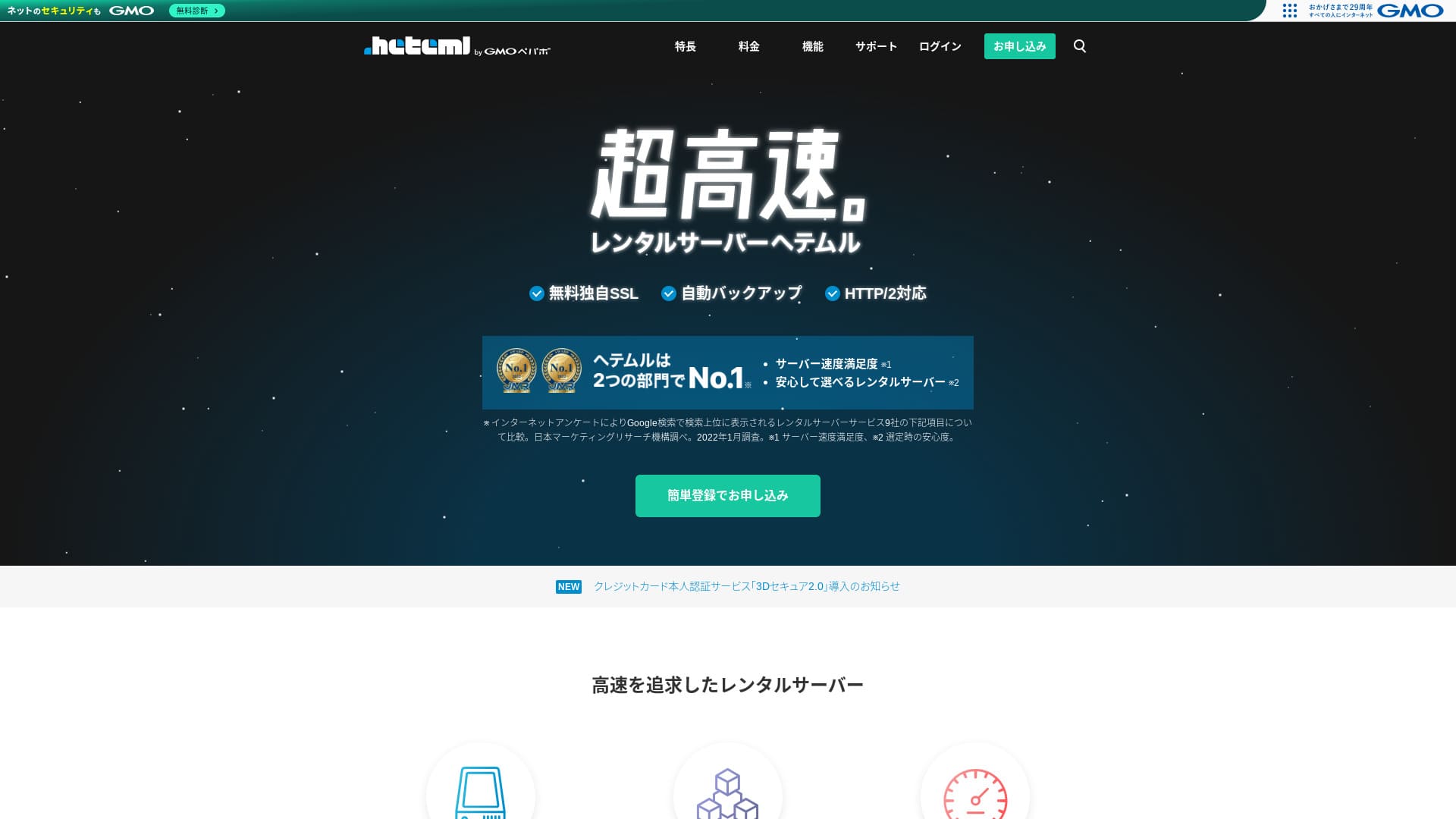
heteml GMO Pepabo, Inc.-ի սերվերն է, որը հայտնի է իր կայունությամբ և 99.99% աշխատունակությամբ։

Ես խորհուրդ եմ տալիս heteml ընկերություններին, անհատ ձեռնարկատերերին և բոլոր նրանց, ովքեր կարևորում են կայունությունը, քանի որ՝
- 99.99% աշխատունակությամբ կայունություն
- Առանձին սերվերային կառուցվածքը օգնում է խուսափել խնդիրներից՝ տրաֆիկի կտրուկ աճի ժամանակ
- Տրաֆիկի ծավալի հստակ սահմանները հանգստություն են տալիս
Այդ պատճառով էլ եմ խորհուրդ տալիս։ Կարծում եմ՝ դուք գոհ կլինեք։
Մրցակից սերվերներից մեկն է MuuMuu Server. Դոմենի վճարների և կառավարման հարմարության առումով այն ավելի լավ է, քան heteml դոմենի վճարների և կառավարման հարմարության առումով։ Խորհուրդ եմ տալիս դիտարկել նաև heteml-ի կողքին։
| Սերվերի տեսակ | Shared server / managed server |
| Ցուցադրման արագություն (TTFB) | Չափված չէ |
| Առաջարկվող պլան և պայմանագրի ժամկետ | 12-month contract |
| Փորձաշրջան / գումարի վերադարձի երաշխիք | None |
| Ամսական վճար (12-ամսյա պայմանագիր) | 2,035 yen |
| Սկզբնական կարգավորման վճար | Free |
| Անվճար դոմեն | None |
| Աջակցություն | Phone, email, and chat (weekdays 10:00-18:00) |
| Աշխատունակություն | Actual 99.99% |
| Պահեստ | 600GB |
| Տվյալների բազաների քանակը | Unlimited |
| Անվտանգության միջոցներ | WAF / Overseas Attack Guard / Device Security |
| SSL | Free SSL / GlobalSign Quick SSL / GlobalSign Organization Authentication / GlobalSign EV Authentication |
| Պահուստավորում / վերականգնում | 14-day automatic backup / restore 5,000 yen |
| Էլ. փոստի հաշիվների քանակը | Unlimited |
| Էլ. փոստի անվտանգության միջոցներ | Spam filter / virus check |
| Սերվերի / կայքի տեղափոխման ծառայություն | WordPress migration service 33,000 yen No migration tool |
| WordPress-ի հեշտ տեղադրում | Yes |
| CDN | None |

Hikaru Ono
Heteml-ը աչքի է ընկնում ինչպես բարձր արագությամբ, այնպես էլ կայունությամբ։ Այն հարմար է մեծ կայքերի և մի քանի կայք միաժամանակ վարելու համար։
Ինչպես և սպասելի է բարձր գնային ծառայությունից, սա բարձրորակ սերվեր է, որն օգտագործելիս կարող եք վստահ լինել։
Heteml-ը համեմատած այլ սերվերների հետ
- ԸնդհանուրԳնահատական★★★★☆
- Սերվերի արագություն Չափված չէ
- Գնագոյացում ★★☆☆☆
- Կայունություն ★★★★★
- WordPress-ի մեկնարկի հեշտություն ★★★★☆
- Դոմենի կառավարում և SSL կարգավորում ★★★★☆

21 առաջարկվող WordPress հոսթինգների համեմատություն անհատների համար և ընտրության ուղեցույց
21 առաջարկվող WordPress հոսթինգների համեմատություն անհատների համար և ընտրության ուղեցույց
serverfield.org
- Տվյալները հիմնված են 2025 թ. նոյեմբերի 4-ին անցկացված շուկայի ուսումնասիրության վրա և դասավորված են ըստ արագության
- Ամսական վճարը WordPress գործարկելու համար ամենաէժան պլանի առաջին տարվա արժեքն է
- Արագությունը նույն պայմաններում փորձնական կայքերում չափված Time to First Byte արժեքն է

Heteml-ի օգտատերերի կարծիքները
Heteml-ը ստացել է դրական արձագանք ինչպես աջակցության որակի, այնպես էլ արագության համար։
Սակայն ես գտա նաև սերվերի խափանումների մասին կարծիքներ։ Ոչ մի սերվեր ամբողջությամբ չի կարող խուսափել խափանումներից, բայց եթե այն շարունակաբար դադարում է աշխատել, դա ակնհայտ խնդիր է։
Heteml-ի չորս առանձնահատկությունները

Բաշխված սերվերային կառուցվածքի շնորհիվ հուսալի
heteml operates by separating its servers.
- Web server
- Mail server
- Database server
Այսպես բաժանված լինելու դեպքում, նույնիսկ եթե մեկ սերվեր ծանրաբեռնվի, մյուսների արձագանքը չի դանդաղում։
For example, suppose traffic suddenly surges to the web server that displays your website. The web server comes under load and becomes a little slower. However, the mail server is not under load, so it keeps running comfortably. That means you do not have to worry about trouble such as being unable to receive inquiry emails from customers in a timely manner.
Տրաֆիկի ծավալն ու պահեստային ծավալը առատ են
heteml offers generous transfer volume and storage capacity. Այն հեշտությամբ կարող է սպասարկել նաև կորպորատիվ կայքեր, որոնք երկուսն էլ շատ են օգտագործում։
★ Ի՞նչ են տրաֆիկը և տվյալների փոխանցումը. վեբ տրաֆիկի կառավարում և օպտիմալացում
Its transfer allowance is 40 TB per month. Recently, more servers have claimed unlimited transfer volume. Compared with them, this may seem small, but a clearly stated number like heteml’s actually makes it easier to use with confidence.
Իրականում, նույնիսկ եթե մեկ էջի դիտումը 3 MB է, 40 TB-ը բավական է օրական մոտ 400,000 այցելության համար։ Տրաֆիկի ծավալը սպառելը չափազանց քիչ հավանական է։
99.99% աշխատունակությամբ կայուն սերվեր
heteml has a 99.99% uptime rate. It is extremely stable.
Problems caused by server trouble, such as a website failing to display or email being unable to send and receive, are rare. That kind of stability is exactly what matters for business use, isn’t it?
★ Սերվերի աշխատունակության և SLA-ների սկսնակների ուղեցույց
99.99% աշխատունակությունը նշանակում է, որ մեկ տարվա պայմանագրի ընթացքում սերվերի ընդհանուր կանգը մեկ ժամից քիչ է մնում։ Մնացած ժամանակը այն աշխատում է առանց խնդիրների։
Անվճար հեռախոսային աջակցություն
heteml offers free phone support.
Այն օգտակար է, երբ հարցման մանրամասները ստուգելուց հետո էլփոստով ստացված բացատրությունը դեռ բավարար չէ։
Բարձր ամսական և լրացուցիչ վճարները թերություն են

heteml provides business-class speed and stability, but its overall pricing is a drawback. Անկեղծ ասած, անհատի համար դա առաջին ընտրությունը չէ։ It is better suited to businesses and to people who already run multiple websites.
The monthly fee falls to the equivalent of 1,210 yen on a 36-month contract, but on a 12-month contract it is 2,035 yen. Once it goes far beyond 1,000 yen, it starts to feel tough for individuals.
Պահուստավորումից վերականգնումն էլ յուրաքանչյուր անգամ արժե 5,500 իեն։ Շատ սերվերներ պահուստավորումն ու վերականգնումը տրամադրում են անվճար, ուստի այս վճարը թանկ է։
Ամեն դեպքում, քանի որ այն բարձրորակ ծառայություն է տալիս, ընդհանուր գինը բարձր է ստացվում, և կարելի է ասել, որ այն ուղղված է բիզնեսներին։
Համեմատեք heteml-ը երկու նման սերվերների հետ
Եկեք համեմատենք heteml-ը երկու նման բարձրորակ սերվերների հետ։
ConoHa WING
ConoHa WING heteml-ի նման բարձր արագությամբ սերվեր է։ Այն կարելի է օգտագործել ավելի մատչելի գնով։
ConoHa WING-ը հեշտացնում է WordPress կայք սկսելը։ Եթե օգտագործեք WordPress Easy Setup-ը, ձեր կայքը գրանցման պահին արդեն պատրաստ կլինի։ Այդ հնարավորությունը heteml-ը չունի։

ConoHa WING-ի ակնարկ և արդյունավետության թեստ. ինչու են այն ընտրում 750,000 օգտատերեր
ConoHa WING-ի ակնարկ և արդյունավետության թեստ. ինչու են այն ընտրում 750,000 օգտատերեր
serverfield.org
Xserver
Xserver is often compared with heteml. To be honest, Xserver is known for speed and stability with practically no real downsides, and it has the No. 1 market share in Japan.
heteml-ի համեմատ Xserver-ի առավելությունն այն է, որ այն նույնպես օգտագործում է բաշխված սերվերային կառուցվածք։

Xserver-ի ակնարկ. 2025 թվականի արդի ուղեցույց՝ արագության, գնի, առավելությունների և թերությունների մասին
Xserver-ի ակնարկ. 2025 թվականի արդի ուղեցույց՝ արագության, գնի, առավելությունների և թերությունների մասին
serverfield.org
Սկսեք WordPress կայք heteml-ով 7 քայլով
Սկսեք ձեր կայքը heteml-ով
- STEP.1Մուտք գործեք heteml-ի պաշտոնական կայք
Սեղմեք «Apply with Easy Registration»։
- STEP.2Մուտքագրեք հաճախորդի տվյալները
Սահմանեք heteml ID-ն, գաղտնաբառը և էլ. փոստը, ապա անցեք նույնականացման հաստատմանը և SMS verification-ին։
Հաստատումից հետո մուտքագրեք անունը, հեռախոսահամարը և մյուս պայմանագրային տվյալները, ապա սեղմեք «Register»։
At this point you are still in the free trial period. Enter your contract information such as your name and phone number. Once everything is correct, click “Register” to continue.
- STEP.3Գրանցվեք սերվերի համար
Անվճար փորձաշրջանի ընթացքում կառավարման վահանակում ընտրեք «Sign up for the server»։ Ընտրեք պայմանագրի ժամկետը և տարբերակները։
Վճարման համար խորհուրդ է տրվում քարտը, քանի որ այն արագացնում է հաջորդ քայլը և միացնում ավտոմատ երկարաձգումը։
The payment amount will be displayed, so proceed to “Choose a payment method.”
Select a payment method. Credit card payment is recommended because it lets you move to the next step immediately. It also turns automatic renewal on, which helps prevent your website data from being lost because you forgot to renew.
- STEP.4Ձեռք բերեք դոմեն MuuMuu Domain-ից
Բացեք MuuMuu Domain-ի կայքը, որոնեք ձեր դոմենը և շարունակեք մինչև գրանցումը։
Ընտրեք հարմար բարձր մակարդակի դոմեն և, եթե բիզնես եք, հնարավորության դեպքում ընտրեք .co.jp։What Is a Domain? Its Role as an Address on the Internet and How to Get One
Գրանցումից հետո վերադարձեք heteml և կարգավորեք custom domain-ը։
Check once again that it is the domain you want. If everything looks correct, proceed to “Go to application.”
Create a new MuuMuu ID. Enter your ID (email address) and password, then click “Agree to the terms and move to identity verification.”
Complete SMS verification to confirm your identity.
Next comes the domain settings and other applications. Set the domain options as follows.
- Public WHOIS information: Businesses should publish their information. Individuals should generally choose “Have the provider publish its information on my behalf.”
- Name server (DNS): heteml
If you publish WHOIS information, the name and address of the person who obtained the domain, in other words the administrator, are made public. Because that opens personal information to the public, people other than corporations or sole proprietors may prefer proxy publication.
You do not need to apply for linked services, optional services, or MuuMuu Mail. If a business wants to use email, it can use the email service already available on the heteml server you just signed up for.
Pay by credit card or another method. Click “Next step,” ignore the ads, and enter your user information. Once your name, address, and other details are correct, proceed to “Next step.”
Review the application details, check “I agree to the terms of use,” and click “Acquire.” You have now obtained the domain.
Return to the heteml control panel. Register the domain you acquired at MuuMuu Domain so that it can be used on your heteml server.
Click “Set a custom domain.” Then click “Set a custom domain” under the displayed “New Domain Settings.”
Enter the custom domain you acquired at MuuMuu Domain and click “Check custom domain.” If you see the message “The entered domain can be configured on heteml,” click “Register custom domain.” That completes the custom domain setup on heteml.
- STEP.5Տեղադրեք WordPress
Կառավարման վահանակում բացեք Easy Install-ը և սկսեք WordPress-ի տեղադրումը։
Մուտքագրեք կայքի վերնագիրը, օգտատիրոջ անունը, գաղտնաբառը և էլ. փոստը։ Տեղադրումից հետո միացեք URL-ով և մուտք գործեք։
- Installation URL: Select the domain you obtained earlier
- Database: Generate automatically
- Site title: Anything is fine, because you can easily change it later
- Username: Anything is fine, but changing it later is cumbersome
- Password: Make it as complex as possible; it can be changed easily later
- Email address: Your normal email address. For businesses, the website administrator’s business email is recommended
- Privacy: Check it if you want to publish the site right away. Leave it unchecked if you want to publish after the site is complete. You can change it easily later
The username and password are used to log in to WordPress, so be sure to write them down.
When you click “Install” with the above settings, a message appears saying, “The folder to install into does not exist. Would you like to create this folder?” Click “OK.”
Once the installation is complete, click the displayed URL and log in.
- STEP.6Սկզբնական կարգավորումներ
Մուտք գործելուց հետո կարգավորեք մշտական հղումները և ընտրեք «Post name»։ Սա URL-ները դարձնում է պարզ և ընթեռնելի։
Եթե DNS-ը դեռ չի տարածվել, մի փոքր սպասեք և նորից փորձեք մուտք գործել։
★ What Are DNS and Name Servers?
After logging in to WordPress, set your permalinks. In the WordPress admin screen, go from “Settings” to “Permalinks.” Choose “Post name,” then click “Save Changes.”
When you choose “Post name,” you can enter any string you like in the URL when publishing an article. A short string that helps readers imagine the content is easier to read, which is why it is recommended. If it is too long, some people may start to wonder whether the site looks unsafe.
- STEP.7Տեղադրեք հավելվածներ
Տեղադրեք անվտանգության և պահուստավորման հավելվածներ, ապա ավարտեք ձեր WordPress կայքի պատրաստումը։
When you find the plugin you want through search, click “Install Now” and then “Activate.” After that, follow the instructions for each plugin.
Be sure to install security and backup plugins.
- How to Choose 5 WordPress Plugins That Strengthen Security
- 5 Powerful WordPress Backup Plugins That Help You Recover Your Data
Once your plugins are installed, your WordPress website setup is complete.
Ամփոփում
heteml բիզնեսներին ուղղված վարձակալվող սերվեր է։ Այն մասնագիտանում է արագության և կայունության մեջ։ Նրա ուժեղ կողմը բաշխված կառուցվածքն է։ Տրաֆիկի մեծ ծավալի և պահեստի շնորհիվ այն հարմար է նաև մի քանի կայք միաժամանակ վարելու համար։ Եթե գինը ձեզ հարմար է, լուրջ թերություններ չկան։ Փորձեք այն։