
14-day free trial
PR
Servers
wpX Speed review: speed tests, फायदे-नुकसान और अन्य hosts के साथ तुलना
प्रकाशित: 2025.04.18
अपडेट: 2025.04.18
रेटिंग: 4.0
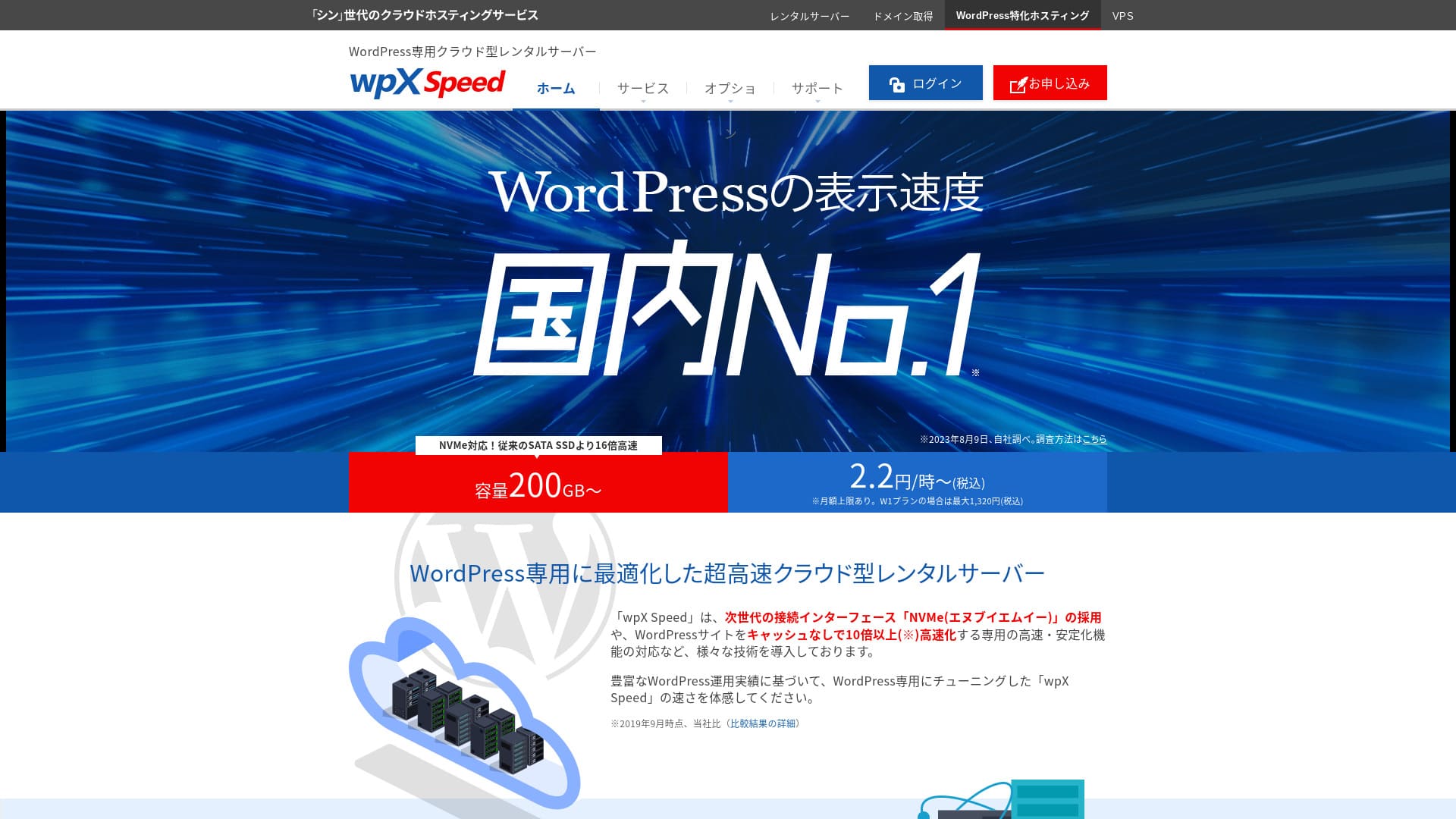
wpX Speed ShinCloud Co., Ltd. द्वारा संचालित एक ultra-fast cloud server है, जिसे अचानक बढ़ने वाले traffic को संभालने के लिए बनाया गया है. Traffic spike होने पर भी auto-scaling feature site को down होने से बचाता है.

मैं wpX Speed को पहली बार WordPress उपयोग करने वाले individuals, companies और sole proprietors के लिए recommend करता हूं क्योंकि:
- हमारे measurements में यह दूसरा सबसे तेज server था
- Auto scale और reserved resources के कारण यह viral traffic झेल सकता है
- Pay-only-for-what-you-use pricing इसे शुरू करना आसान बनाती है
इसीलिए यह संतोषजनक विकल्प बनता है. इसे 14 दिन तक free trial में आजमाया जा सकता है.
A competing server is ConoHa WING. It can also be started on an hourly basis, and its lower pricing is stronger than wpX Speed in that respect. Consider it as well.
★ ConoHa WING Review: Why 750,000 Users Choose It, Tested Through Speed, Pros, and Cons
| Server type | Shared server |
| Display speed (TTFB) | 40ms |
| Recommended plan | W1, 12 months |
| Trial | 14 days |
| Monthly fee | 2.2 yen प्रति घंटा, अधिकतम 1,320 yen प्रति माह |
| Initial fee | Free |
| Storage | 200GB |
| Security | WAF, overseas IP restrictions, login attempt limits |
| SSL | Free custom SSL |
| Backup | 7 दिन के automatic backups, restore free |
| Unlimited accounts, लेकिन features सीमित | |
| Security measures | WAF, access restrictions from overseas IP addresses, login attempt limits, mass comment and trackback restrictions, restrictions on comments and trackbacks from overseas IP addresses |
| SSL | Free custom SSL, custom SSL |
| Backup / restore | 7 days of automatic backups free of charge, restore free of charge |
| Number of email accounts | Unlimited |
| Email security features | SMTP-AUTH, IMAP |
| Server / website migration service | None |
| WordPress pre-installation | None |
| CDN | None |

Hikaru Ono
wpX Speed में application से WordPress installation तक की flow काफी smooth लगी. Fast server environment के कारण मैं इसे companies और business use के लिए recommend करता हूं.
आठ plans तक scale up कर पाने के कारण यह long-term use के लिए भी उपयुक्त है.
अन्य servers के साथ wpX Speed की तुलना
- Overall rating rating★★★★☆
- Server speed ★★★★★
- Pricing ★★★☆☆
- Stability ★★★★☆
- WordPress start करने की ease ★★★★☆
- Domain और SSL operations ★★★★★
* यह मेरे actual usage experience पर आधारित है.

Comparison of 21 Recommended WordPress Hosting Services for Individuals and How to Choose
Comparison of 21 Recommended WordPress Hosting Services for Individuals and How to Choose
serverfield.org
- 4 November 2025 के market research data, speed order
- Monthly fees उस cheapest plan के first-year cost को दिखाती हैं जो WordPress चला सकता है
- Speed समान conditions में demo sites पर measured TTFB value है
wpX Speed की reputation के पीछे 6 प्रमुख features

हमारे independent tests में display speed में दूसरा स्थान
हमारी independent testing में wpX Speed XServer Business के साथ display speed में second place पर रहा.
Google server response time (TTFB) को 200ms के भीतर रखने की सलाह देता है. wpX Speed का measured result 40ms था, इसलिए इसे ultra-fast server कहा जा सकता है.
Server response times need to be kept under 200 milliseconds.
https://developers.google.com/server/speed/docs/insights/Server?hl=ja
Server तेज हो तो pages जल्दी खुलते हैं, visitors को इंतजार नहीं करना पड़ता, और SEO व product sales पर भी इसका अच्छा प्रभाव पड़ता है.
★ क्या यह सचमुच तेज है? हमने 11 hosting services की speed ranking की
Auto-scale feature जो performance अपने-आप बढ़ाती है
wpX Speed sudden traffic spikes के खिलाफ मजबूत है क्योंकि इसमें auto-scaling feature है. यदि current plan अचानक बढ़े traffic को process नहीं कर पाता, तो CPU और cores जोड़कर plan अपने-आप upgrade हो जाता है.
इस flexibility के कारण traffic surge से होने वाला 503 error भी उतना डरावना नहीं रहता.
★ 503 error क्या है? Web congestion, उससे बचने के तरीके और emergency responses
बेशक automatic plan upgrades budget पर दबाव डाल सकती हैं. लेकिन auto-scaling को on या off किया जा सकता है, और plan changes की conditions व budget भी आप खुद तय कर सकते हैं.
Reserved resources से स्थिर operation
wpX Speed resources को reserve रखता है, इसलिए site display स्थिर रहती है.
सामान्य shared hosting में उसी server की दूसरी site पर traffic बढ़ने से आपकी site की performance गिर सकती है, क्योंकि CPU और cores जैसे resources कम पड़ने लगते हैं.
लेकिन reserved resources होने के कारण wpX Speed दूसरी sites से प्रभावित नहीं होता. दूसरे शब्दों में, यह shared hosting की एक बड़ी कमजोरी को कम करता है.
बिना waste वाली hourly pricing
wpX Speed hourly pricing model अपनाता है. आप जितना उपयोग करते हैं उतना ही भुगतान करते हैं, इसलिए बेकार का खर्च कम होता है.
- W1 plan: 2.2 yen प्रति घंटा, monthly cap 1,320 yen
- W2 plan: 4.4 yen प्रति घंटा, monthly cap 2,640 yen
- W3 plan: 8.8 yen प्रति घंटा, monthly cap 5,280 yen
हालांकि billing hourly है, monthly cap भी तय है, इसलिए महीने में दिनों की संख्या बदलने पर भी cost अनियंत्रित नहीं होती.
Hourly pricing के कारण बिना बड़े upfront commitment के कम लागत में service को परखना आसान हो जाता है.
WAF security feature का उपयोग
wpX Speed में WAF उपलब्ध है. WAF आधुनिक security measure है जो firewall जैसे पारंपरिक उपायों के साथ मिलकर पुराने उपायों से बच निकलने वाले attacks को रोकने में मदद करता है.
कई low-cost hosting services में WAF paid option होता है. लेकिन wpX Speed में इसे free में enable किया जा सकता है.
7 दिन के backups के साथ भरोसा
wpX Speed में 7 दिन का backup feature शामिल है.
Backups बहुत महत्वपूर्ण हैं. WAF जैसी security होने पर भी attack से data tampering या accidental deletion हो सकती है. Backup data होने पर site को trouble से पहले की स्थिति में restore किया जा सकता है.
कुछ hosting services में backup paid option है, लेकिन wpX Speed में यह free मिलता है, जो value के लिहाज से अच्छा है.
wpX Speed की कमजोर email features एक drawback हैं

wpX Speed की email functionality अपेक्षाकृत कमजोर है.
यह DKIM authentication को support नहीं करता. DKIM वह तकनीक है जो verify करती है कि email वैध sender से आई है और बीच में छेड़छाड़ नहीं हुई.
यदि आपकी company business email पर निर्भर है, तो अलग dedicated email service पर भी विचार करना चाहिए.
दो similar servers के साथ तुलना
ConoHa WING
ConoHa WING भी hourly pricing वाला server है और 2.2 yen प्रति घंटा से शुरू होता है. wpX Speed से अलग, यह WING Packs नाम के long-term discounts भी देता है, इसलिए lower entry cost के मामले में यह और सस्ता हो सकता है.wpX Speed, it also offers discounts through long-term contracts called WING Packs. You can start more cheaply than with wpX Speed.
हालांकि यदि आप auto-scaling और reserved resources वाला business plan चुनते हैं, तो इसकी कीमत 3.1 yen प्रति घंटा तक पहुंचती है.
यदि focus business-oriented server पर है, तो wpX Speed अधिक affordable recommendation बनता है.

ConoHa WING Review: Why 750,000 Users Choose It, Tested Through Speed, Pros, and Cons
ConoHa WING Review: Why 750,000 Users Choose It, Tested Through Speed, Pros, and Cons
serverfield.org
XServer
XServer भी NVMe SSD का उपयोग करने वाला तेज server है. यह wpX Speed की तरह reserved resources देता है, इसलिए दूसरी sites के असर से काफी हद तक बचा रहता है. साथ ही इसकी pricing भी अपेक्षाकृत कम है.wpX Speed. It is run by the same company. XServer is cheaper to use. Like wpX Speed, it also has reserved resources, so it is not affected by other sites.
लेकिन इसमें wpX Speed जैसा auto-scaling feature नहीं है. इसलिए अचानक traffic spikes को संभालने में wpX Speed बेहतर हो सकता है, खासकर campaigns या events वाली sites के लिए.wpX Speed is better at handling sudden traffic spikes. If you regularly run events or campaigns and have a high chance of sudden traffic surges, I recommend wpX Speed.

XServer Review [2025 Latest]: Thoroughly Explained Speed, Pricing, Pros, and Cons
XServer Review [2025 Latest]: Thoroughly Explained Speed, Pricing, Pros, and Cons
serverfield.org
wpX Speed से website शुरू करने के 7 steps
Let's start a website with wpX Speed!
- STEP.1Access the official wpX Speed website
On the official site’s top page, click “Apply” at the very bottom. If you do not have a Shin Account ID, click “New Application.”
- STEP.2Enter customer information
This is the contract information. For the server ID, enter any string you like.
I recommend the W1 plan. If traffic increases and the specs become insufficient, upgrade the plan.
Next, enter your registration details such as your email address and name.
Next is the payment method. I recommend paying by credit card. It lets you start building your website right away.
Finally, review the Terms of Use and the handling of personal information. Check the box to agree to the “Terms of Use” and the “Handling of Personal Information,” then click “Proceed to confirm your application details.”
If everything looks fine after you review the application details, complete identity verification.
Once you receive the email confirming that server setup is complete, your server application is finished.
- STEP.3Apply for a domain and add the domain
Log in to the admin screen.
Under “Contract Management,” click “Additional Applications” in the “Contract-related” section. Read the Terms of Use and the handling of personal information, then click “Agree.”
Click “Apply to obtain a new domain” and enter the domain you want. If it is available, a button to apply for that domain will appear, so click it.
Click “Confirm application details” and proceed to domain payment. Once payment is complete, domain acquisition is finished.
From “Server Management” in the admin screen, go to “Domain Management” and then “Add Domain Settings.” Enter the domain you obtained a moment ago, click “Add Domain (Confirm),” and then click “Add Domain (Finalize).”
This completes adding the domain.
- STEP.4Install WordPress
Log in to the control panel. Under “Server Management,” go to “WordPress-related” and then “New Installation.” Configure the following items.
- Site address: Select the domain you added earlier
- WordPress ID: Anything is fine.
- Blog title: Anything is fine. You can easily change it later.
- Email address: Use an email address you normally use. If you are a company, a company email address is recommended.
- Custom SSL: Check “Use custom SSL.” Check “Enable redirect settings to https://”.
After entering everything, click “Next.” Review the details again, and then click “Confirm (Install WordPress).”
- STEP.5Initial WordPress settings
Log in to WordPress.
If you see a warning saying “This site can’t be reached,” the DNS settings have not propagated yet. In that case, all you can do is wait, so try logging in again every hour.
★ What Are DNS and Name Servers?
Let’s configure the permalink settings. From the WordPress admin screen, go to “Settings” and then “Permalinks.” Select “Post name.” After selecting it, click “Save Changes.”
When you choose “Post name,” you can enter any string you like in the URL when publishing an article. It is best to use a short string that helps readers imagine the article content. If it is too long, some people may feel uneasy and think the site looks suspicious.
- STEP.6Install plugins
Go back to the WordPress admin screen, open “Plugins,” and go to “Add New” to install the plugins you need.
Once you find the plugin you want by searching, click “Install Now” and then “Activate.” After that, follow the instructions for each plugin.
Be sure to install security and backup plugins.
- 5 WordPress Security Plugins That Strengthen Protection and How to Choose Them
- 5 Powerful WordPress Backup Plugins That Help You Recover Your Data
Once the plugins are installed, your WordPress website is fully ready!
सारांश
Auto-scaling और reserved resources के कारण wpX Speed stability में मजबूत है. Hourly pricing इसे शुरू करना आसान बनाती है, इसलिए यदि यह दिलचस्प लगे तो पहले 14 दिन तक खुद उपयोग करके देखना व्यावहारिक तरीका है.
A Complete Comparison of 32 WordPress Hosting Providers: Recommendations for Individuals, Businesses, and International Sites

When you decide to start WordPress and search for "best WordPress hosting," you find all kinds of articles, from personal and business options to overseas and low-cost servers. Honestly,
- Which site should I trust?
- I want to choose a server in a simple, easy-to-understand way.
- Please show me how to start WordPress right away.
Don't you feel that way? In this article, I carefully selected recommendations from 32 hosting providers for individuals, businesses, and domestic and international use. The explanation comes from the SEO specialist at an app development company that uses hosting servers every day.