First month free and 2 domains free forever with WING Pack
PR
Servers
ConoHa WING समीक्षा: 750,000 users इसे क्यों चुनते हैं, और इसकी speed, pros, और cons पर hands-on नज़र
प्रकाशित: 2025.06.27
अपडेट: 2025.06.27
रेटिंग: 5.0
ConoHa WING GMO Internet Group द्वारा प्रदान की जाने वाली अच्छी reputation वाली hosting service है। यह खास तौर पर उन bloggers और affiliate marketers में लोकप्रिय है जो WordPress sites चलाना चाहते हैं।
| Server type | Shared hosting |
| Speed (TTFB) | 160ms |
| Recommended plan / term | Basic / 12 months |
| Free trial / refund policy | पहला महीना free |
| Monthly price (12-month contract) | 971 yen |
| Free domains | 2 domains हमेशा free |
| Support | Phone, email, और chat (weekdays 10:00-18:00) |
| Uptime | 99.99% guarantee |
| Storage | 300GB |
| Backups / restore | 14-day automatic backups / free restores |
| WordPress preinstall | Yes |
| Security | WAF / directory access restrictions / IP access restrictions / vulnerability scanning / spam comment and trackback restrictions / overseas comment and trackback restrictions / overseas access restrictions |
| SSL | Free SSL / Alpha SSL / Quick Authentication SSL / Organization Validation SSL / EV SSL |
| Backups / restore | 14-day automatic backups / free restores |
| Email accounts | Unlimited |
| Email security | Virus scanning / spam filtering |
| Server / website migration service | WordPress migration service from 7,678 yen Free migration tool available |
| WordPress preinstall | Yes |
| CDN | None |

Hikaru Ono
ConoHa WING के साथ मैं server sign-up के साथ ही WordPress शुरू कर पाया। पहले Blog Creator कहलाने वाला AI tool, अब ConoHa Pencil, उम्मीद से बेहतर है और high-quality content creation को आसान बनाता है।
हम इस site पर भी इसका उपयोग करते हैं।
- Data 4 November 2025 तक के market research पर आधारित है और speed order
- Monthly prices उस सबसे सस्ते plan की first-year cost पर आधारित हैं जो WordPress support करता है
- Speed demo sites पर समान conditions में मापा गया Time to First Byte है
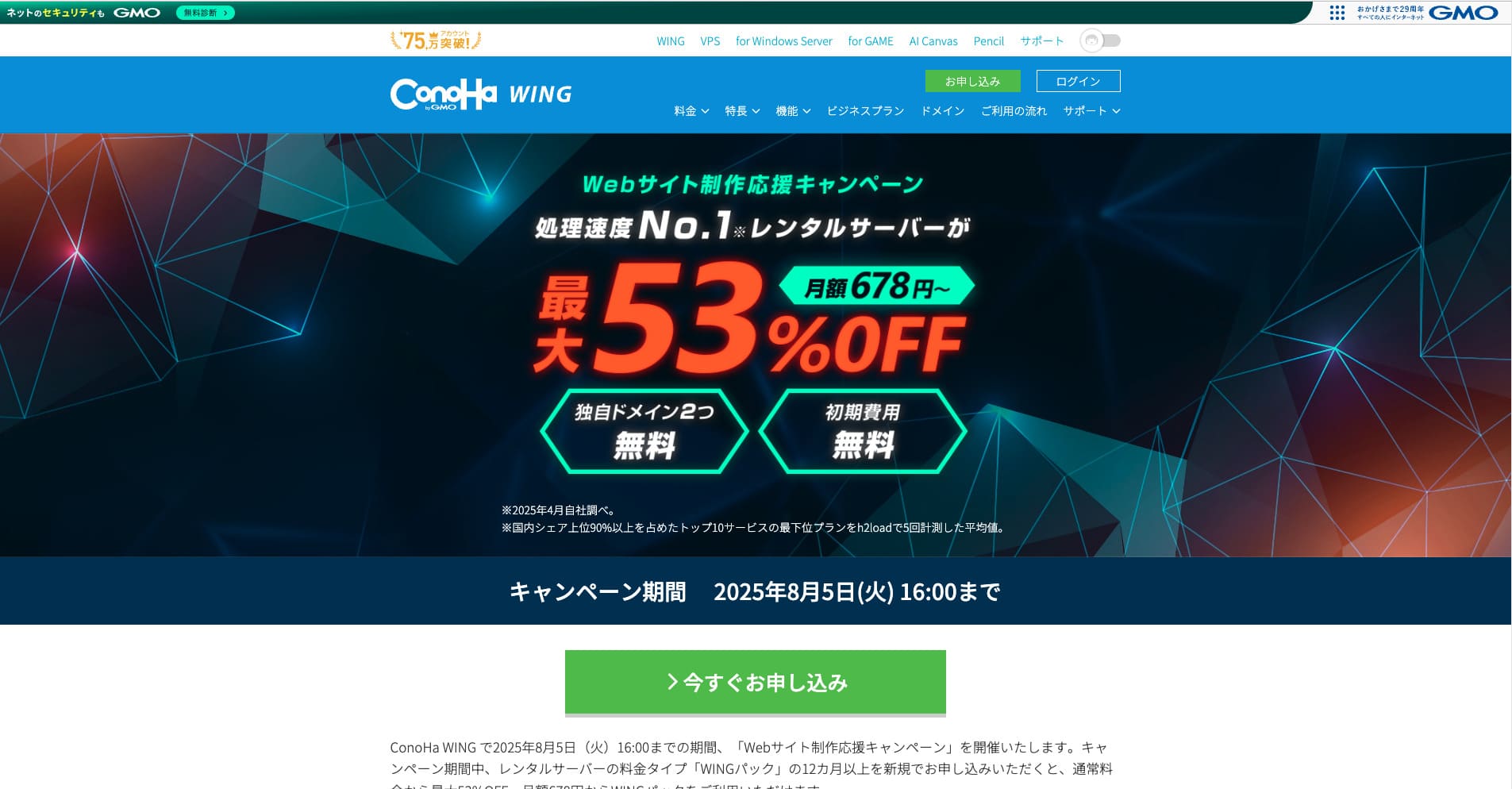
ConoHa WING is a fast hosting service from the GMO Internet Group that we also use in our company. It supports Easy WordPress Setup, so even complete beginners can go live quickly.

WordPress से जुड़ी समीक्षा
Easy WordPress setup
ConoHa WING sign-up flow के दौरान WordPress, custom domain, free SSL, और Cocoon जैसी popular theme तक को एक साथ configure कर सकता है। लगभग पांच मिनट में site live हो सकती है, इसलिए FTP या DNS knowledge न होने पर भी यह सुरक्षित विकल्प है।
Easy Setup required steps को बहुत कम कर देता है, और WordPress theme की automatic installation इसे कई competitors से बेहतर बनाती है। पहली बार blog या WordPress शुरू करने वालों के लिए भी यह confidence देता है।
Easy Setup also includes a pre-migration test feature. It makes it easier to move from another hosting provider to ConoHa WING and greatly reduces the risk of problems during migration.
Hikaru Ono
Easy Setup जैसी beginner-friendly features हर host पर उपलब्ध नहीं होतीं। Major providers में भी ConoHa WING विशेष रूप से easy to use लगा।
ConoHa WING के साथ website शुरू करने का तरीका
- Step 1: Official ConoHa WING site पर जाएं और account creation शुरू करें।
- Step 2: Email address और password के साथ ConoHa account बनाएं।
- Step 3: Best value और free domains के लिए standard pricing की जगह WING Pack चुनें।
- Step 4: Server name, contract period, domain, site title, username और password जैसी WordPress Easy Setup details भरें।
- Step 5: Payment और identity verification पूरा करें।
- Step 6: WordPress में log in करें और publishing शुरू करें।
कई sites चलाना (unlimited domains और databases)
एक single ConoHa WING contract के साथ आप unlimited domains, subdomains और MySQL (MariaDB) databases जोड़ सकते हैं। इससे कई blogs और business sites को एक साथ manage करना आसान हो जाता है।
Unlimited domains और databases इसकी बड़ी strengths में से हैं। Lower-cost hosting services या सस्ते plans में यह संख्या अक्सर limited होती है।
Because the inode limit, in other words the file-count limit, is not publicly disclosed, it is wise to test in advance if one site is going to grow to tens of thousands of pages.
Hikaru Ono
यदि भविष्य में multiple sites चलाने की संभावना है, तो unlimited domains और databases वाला server चुनना बेहतर है।
Performance और specs review
हमारी measurements: speed review और उसके पीछे की technology
हमने ConoHa WING को PageSpeed Insights से मापा। यह Google द्वारा दिया गया speed और user experience measurement tool है।
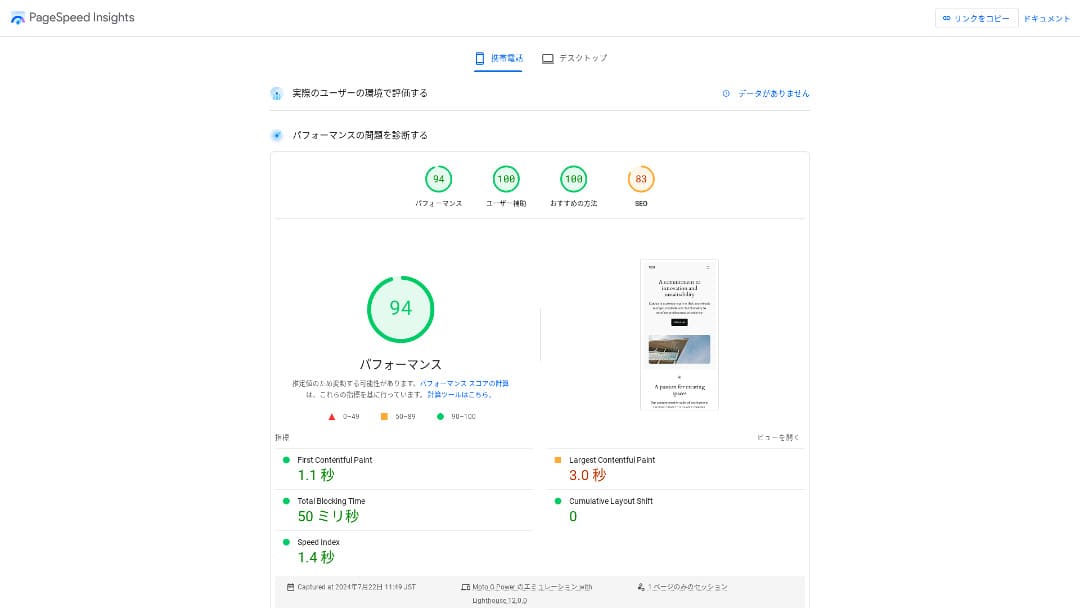
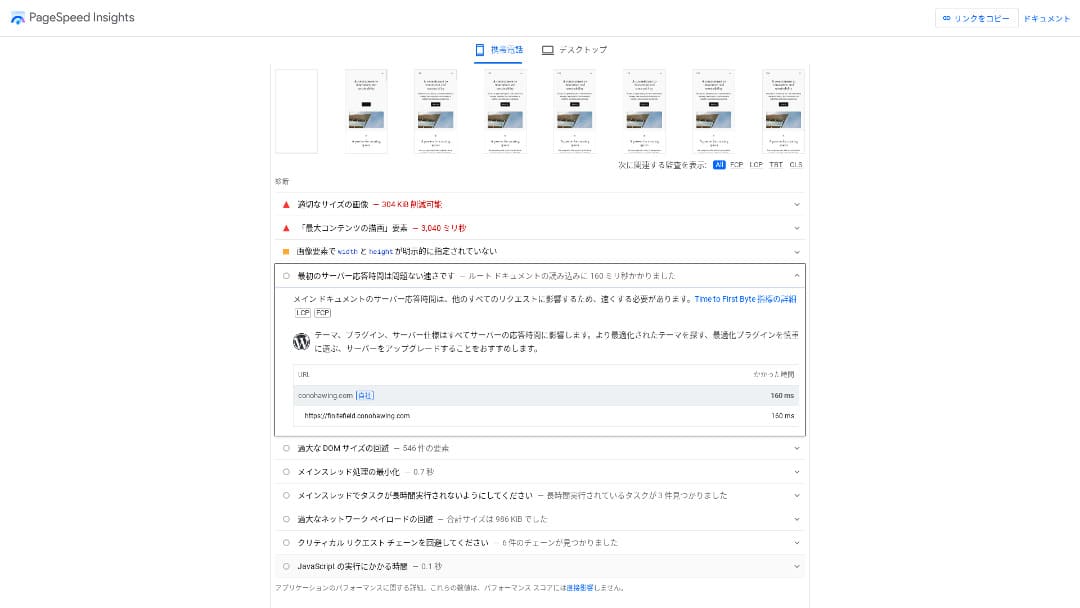
Server response speed का मुख्य indicator TTFB 160ms था। यह Google के 200ms से कम वाले recommendation को आराम से पूरा करता है, इसलिए इसे fast server कहा जा सकता है। Overall score 94 भी काफी ऊंचा था।
You should reduce your server response time under 200ms.Improve Server Response Time
Hikaru Ono
ConoHa WING is a fast server, but there are some ultra-fast providers that deliver even better numbers.
Related article: Rental server speed comparison: वास्तव में सबसे तेज़ कौन है?
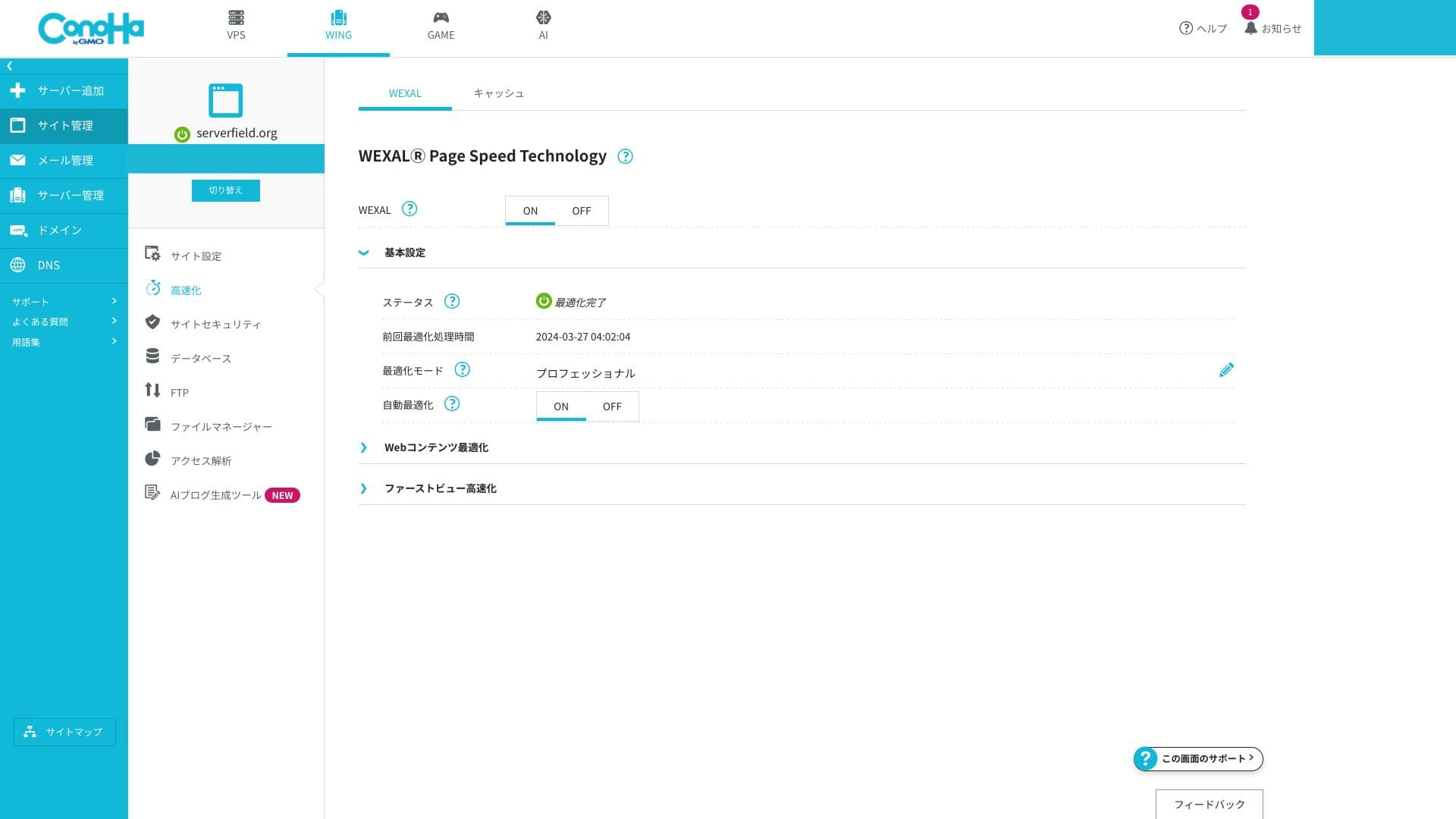
WEXAL Page Speed Technology
WEXAL एक click में site optimization करने देता है। यह AI-based acceleration technology का उपयोग करता है, और subscribers इसे बिना अतिरिक्त cost के उपयोग कर सकते हैं।
LiteSpeed LSAPI
यह PHP processing engine है। इसे traditional FastCGI से लगभग 20% faster माना जाता है, जिससे WordPress जैसे dynamic pages का response बेहतर होता है।
HTTP/2
HTTP/2 एक communication standard है जो एक single TCP connection पर multiple requests को parallel process कर सकता है। Image-heavy pages में भी perceived speed बेहतर होती है, और beginners को extra setup के बिना इसका benefit मिल जाता है।
Hikaru Ono
As of 2025, major Japanese hosting providers generally support HTTP/2 by default. In that respect, ConoHa WING is not unique, but it is fully in line with the market standard.
SSD RAID10
यह configuration multiple SSDs पर data write करते हुए duplication भी रखती है, जिससे read/write speed और fault tolerance का संतुलन मिलता है।
Resource limits
| Plan | SSD | Memory | vCPU | Typical scale |
|---|---|---|---|---|
| Basic | 300GB | 8GB | 6 cores | Personal to mid-sized blogs |
| Standard | 400GB | 12GB | 8 cores | Multiple sites and small e-commerce stores |
| Premium | 500GB | 16GB | 10 cores | High-traffic media and larger sites |
Basic plan की resource caps भी पर्याप्त हैं। यदि आप अभी blog शुरू कर रहे हैं, तो Basic plan आम तौर पर काफी होता है।
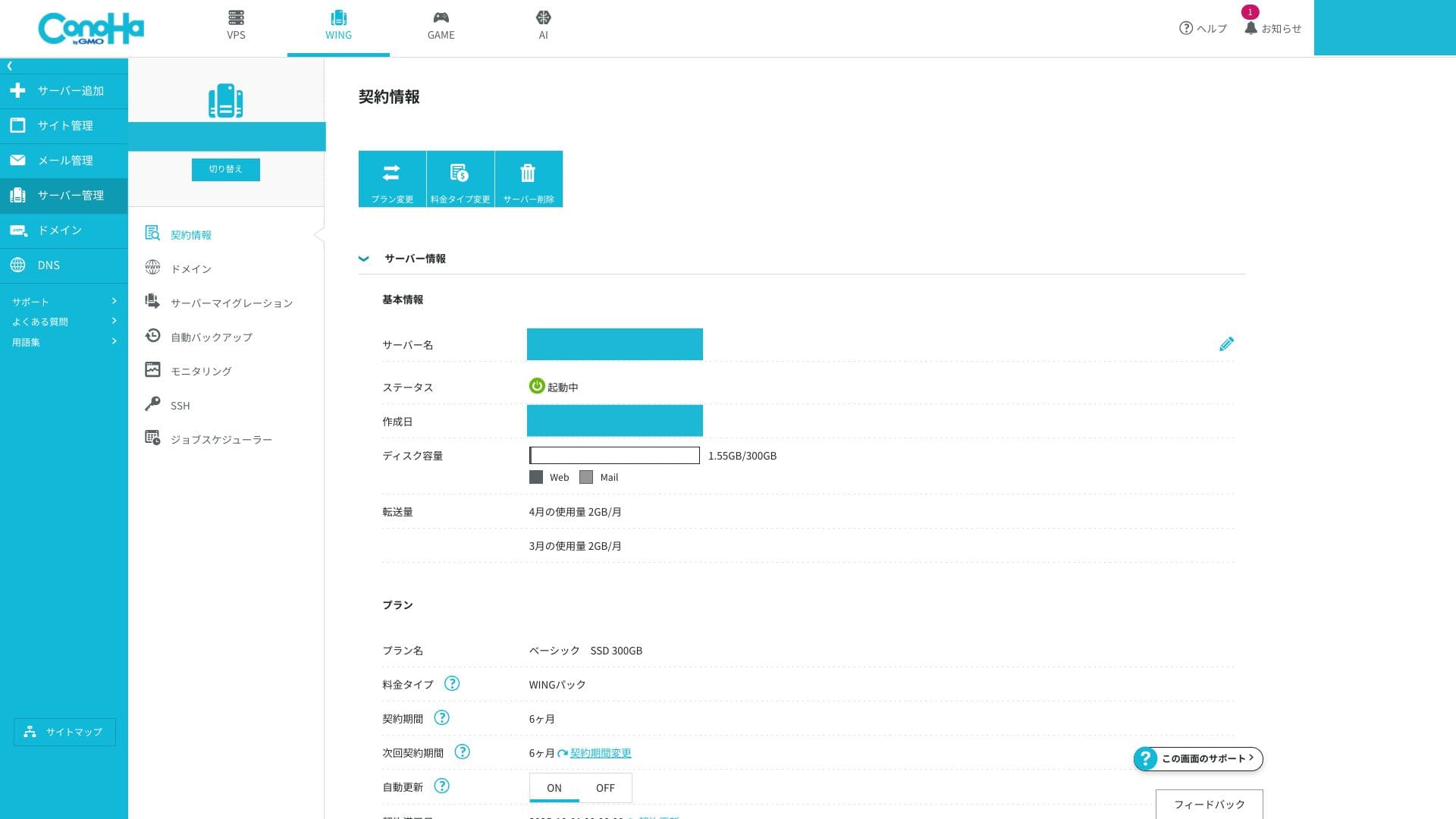
The memory and vCPU limits affect both processing speed and resistance to traffic spikes. If traffic is still low, they are rarely a problem. When access grows and you begin to see issues, that is the time to move up to a higher-spec plan.
You can check whether you are actually running into problems from the ConoHa WING control panel.
How to check server monitoring
- Step 1: Log in to the control panel.
- Step 2: Open "Server Management" and click "Server Monitoring."
- Step 3: Review the monitoring settings and current charts to see whether your resources are under strain.
Unlimited data transfer
ConoHa WING monthly transfer cap publish नहीं करता। Site अचानक viral हो जाए, तब भी extra data-transfer charges की चिंता नहीं रहती। हालांकि shared hosting होने के कारण बहुत अधिक bandwidth usage पर control measures लागू हो सकते हैं।
Related article: Traffic और data transfer का अर्थ: web traffic को manage और optimize करना
Uptime SLA 99.99%
ConoHa WING में 99.99% SLA शामिल है। यदि monthly downtime 4.32 minutes से अधिक हो जाए, तो refund policy लागू हो सकती है। Shared hosting service के लिए इतनी स्पष्ट SLA uncommon है और business use के लिए credibility बढ़ाती है।
Hikaru Ono
To be honest, quite a few servers do not clearly list their uptime or SLA even if you search their official sites carefully. In that respect, ConoHa WING stands out. It clearly prioritizes stability and achieves a high uptime rate through proper maintenance and solid security.
Related article: How to Understand Server Uptime and SLA
Uptime drops when an actual server outage occurs. Information about those outages is visible only to subscribers.
How to check outage information
- Step 1: Log in to the control panel.
- Step 2: Open the notifications area in the upper-right corner.
- Step 3: Click the outage information tab to review current incident reports.
Pricing और cost review
Initial fee और monthly pricing
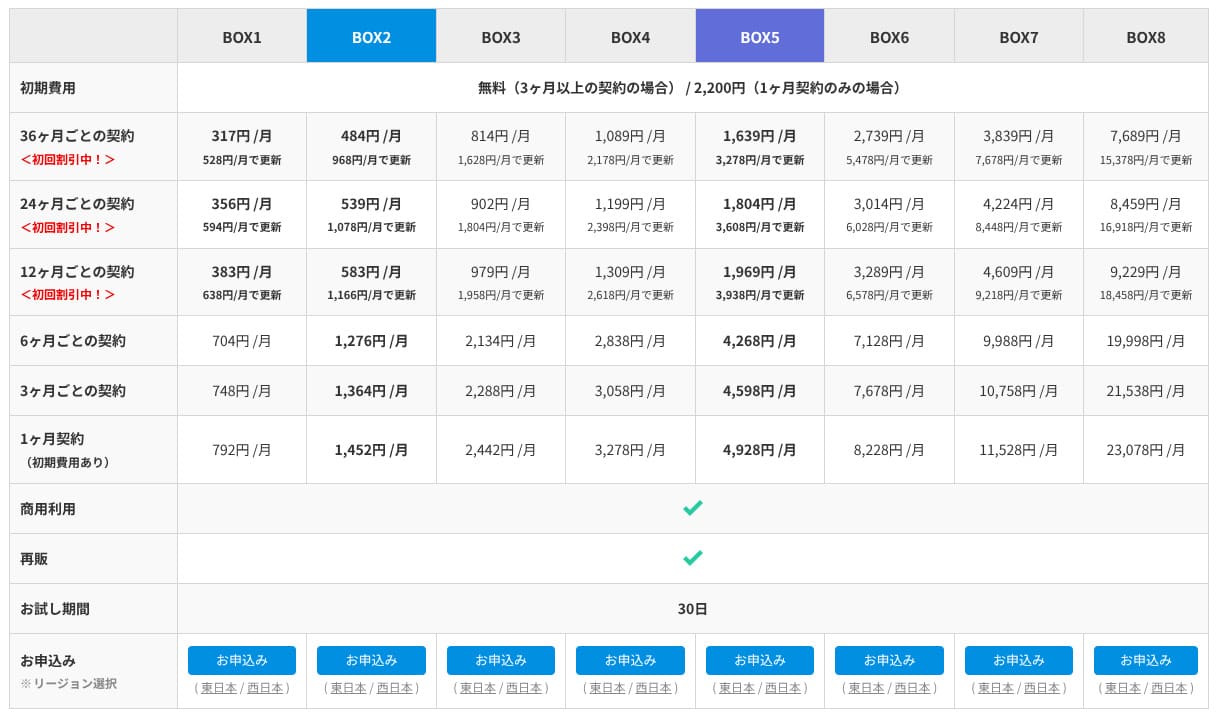
ConoHa WING normal pay-as-you-go pricing और longer-term WING Pack दोनों देता है। Casual शुरुआत के लिए normal pricing आसान है, लेकिन cost-effectiveness, free domains और Easy WordPress Setup की वजह से मैं WING Pack recommend करता हूं।
हालांकि WING Pack तीन months या उससे अधिक का long-term contract है, इसलिए sign-up के बाद payments refund नहीं होते। 12-month term में price का balance अच्छा है।
- ConoHa
- Kinsta
- XServerビジネス
- wpx
- LOLIPOP
- スターレンタルサーバー
- ラッコサーバー
- XServer
- Colorful Box
- シンレンタルサーバー
- リトルサーバー
- CORESERVER
- DreamHost
- Bluehost
- Sakura
- Namecheap
- シンフリー
- XREA
- バリューサーバー
- HOSTINGER
- KAGOYA
- SiteGround
- Hostgator
- IONOS
- Onamae.com
- ABLENET
- mixhost
- GoDaddy
- iCLUSTA+
- ムームーサーバー
- WADAX
- WebARENA
- ヘテムル
- CPIレンタルサーバー

































Domain
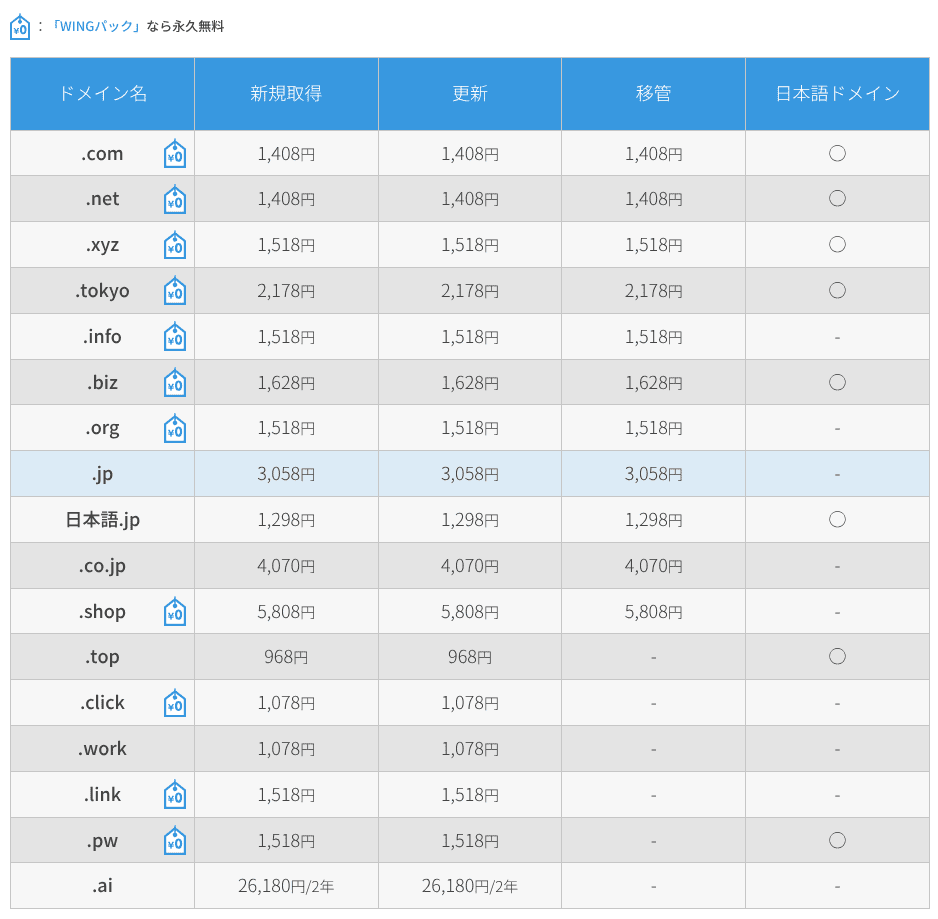
ConoHa WING lets you register and renew custom domains directly, and it also supports transfers from other domain registrars. Major TLDs such as .com, .net, and .xyz are included. If you sign up with WING Pack, two custom domains remain free for as long as your server contract is active.
Hikaru Ono
Depending on the domain itself, this can save you several thousand yen per year. That is another reason I recommend WING Pack at the time of sign-up.
- ConoHa WING
- Onamae.com
- Xserverドメイン
- ムームードメイン
- バリュードメイン
- シンドメイン
- スタードメイン






Related article: Domain क्या है और internet पर अपने address के रूप में इसे कैसे पाएं
How to register or transfer a domain
- Step 1: Log in to the control panel.
- Step 2: Open the Domain section and click "+ Domain."
- Step 3: From there, you can register a new domain, manage renewals, or start a transfer. Clicking each domain lets you review its detailed status.
SSL
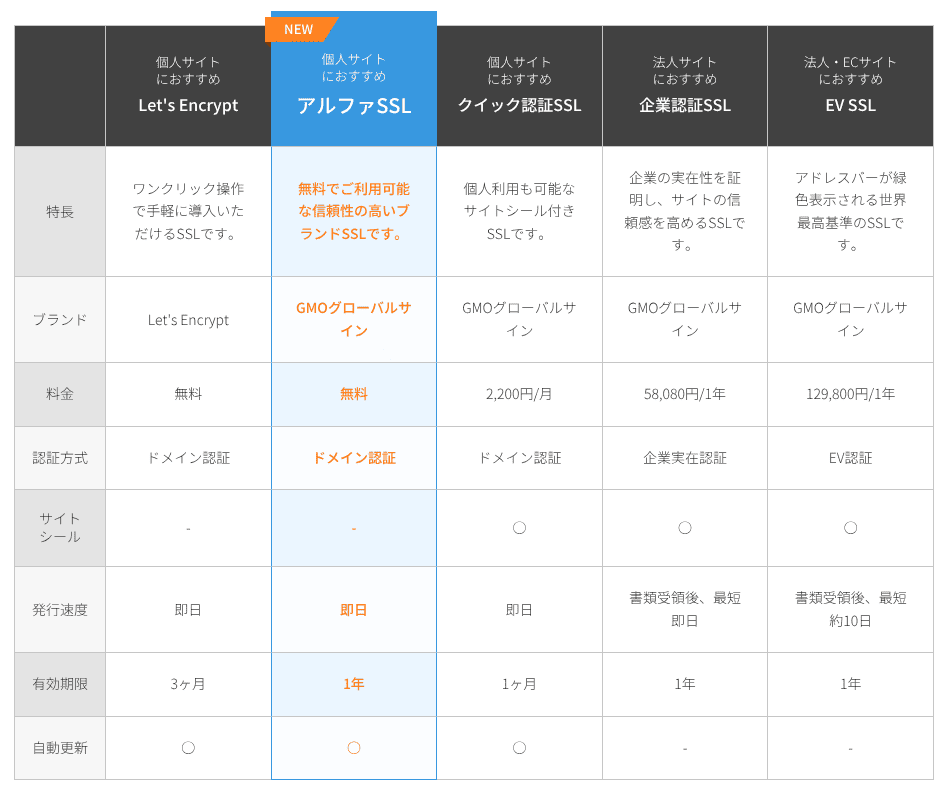
SSL केवल security ही नहीं, trust को भी प्रभावित करता है। ConoHa WING free SSL के रूप में Let's Encrypt support करता है, और server contract active रहने तक paid Alpha SSL certificate भी बिना extra charge उपयोग किया जा सकता है।
Payment methods
Payment credit card, bank transfer, Amazon Pay और PayPal जैसे online payment services, Pay-easy और convenience-store payment से की जा सकती है।
Bank transfer, online payment, Pay-easy और convenience-store payment के लिए ConoHa “ConoHa Charge” prepaid system का उपयोग करता है। यह flexibility देता है, लेकिन balance को सावधानी से monitor करना पड़ता है।
Hikaru Ono
Compared with many other hosts, ConoHa WING offers a wide range of payment methods, which makes it easy to use not only for individuals but also for companies and sole proprietors.
- ConoHa
- Kinsta
- XServerビジネス
- wpx
- LOLIPOP
- スターレンタルサーバー
- ラッコサーバー
- XServer
- Colorful Box
- シンレンタルサーバー
- リトルサーバー
- CORESERVER
- DreamHost
- Bluehost
- Sakura
- Namecheap
- シンフリー
- XREA
- バリューサーバー
- HOSTINGER
- KAGOYA
- SiteGround
- Hostgator
- IONOS
- Onamae.com
- ABLENET
- mixhost
- GoDaddy
- iCLUSTA+
- ムームーサーバー
- WADAX
- WebARENA
- ヘテムル
- CPIレンタルサーバー


































There is no built-in function for issuing quotations or invoices. However, if you buy a ConoHa card by bank transfer through the ConoHa Shop, invoices can be issued there.
Ease of use and support
Blog Creator, now ConoHa Pencil
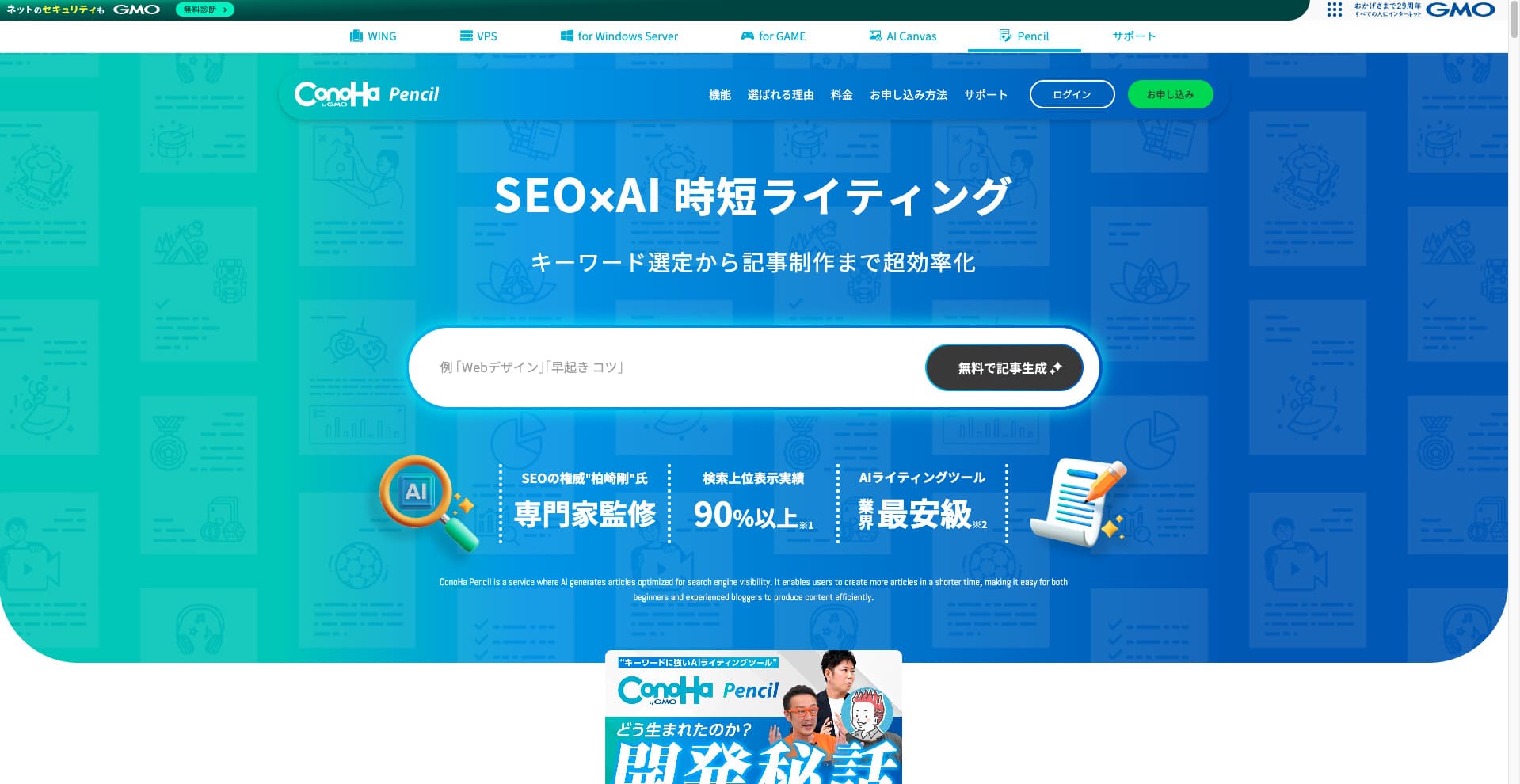
ConoHa WING previously offered the AI writing tool called Blog Creator. That product has now been updated and renamed ConoHa Pencil. The basic way you use it is the same.
It is a paid tool that can generate or rewrite article titles, headings, and body text with AI. Using it means that even if you have never written articles for a blog or website before, you can still create articles that are strong in SEO and easy for readers to follow.
Hikaru Ono
When you use Blog Creator, your article is more likely to rank than if you just write straight into a generic AI such as ChatGPT. I expect ConoHa Pencil to have the same effect, and if anything, the accuracy should be better now.
Related article: ConoHa Pencil Review: Can This AI Writing Tool Really Produce Blog Posts?
Control panel
The ConoHa WING control panel is a proprietary management interface that lets you operate server settings, email, domains, SSL, and WAF from one screen. It is visually clear and easy to navigate even for first-time users.
- Top screen
- Contract and payment
- WordPress
- ドメイン
- バックアップ
- DB
- FTP
- ファイルマネージャー
- Access analytics
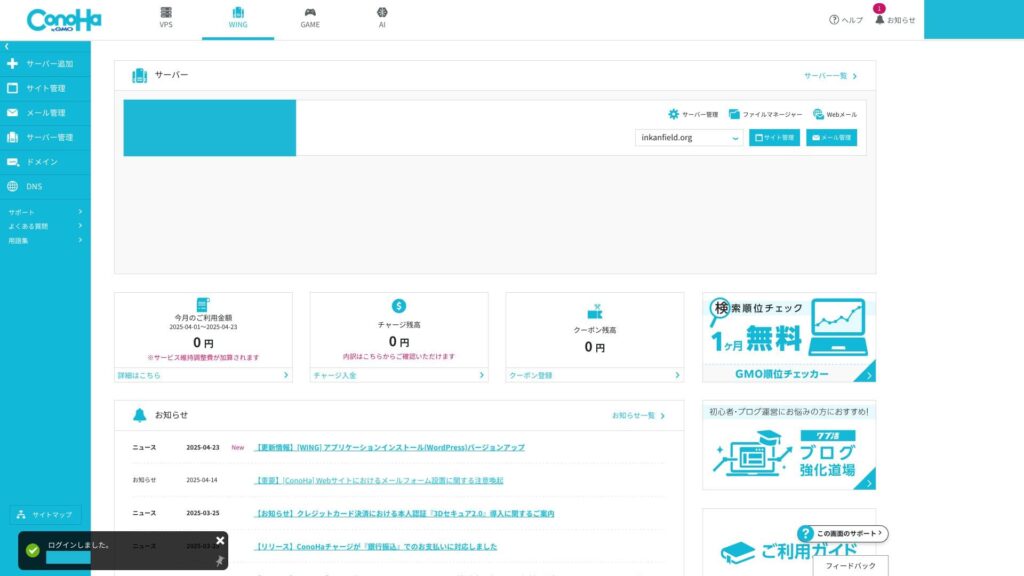
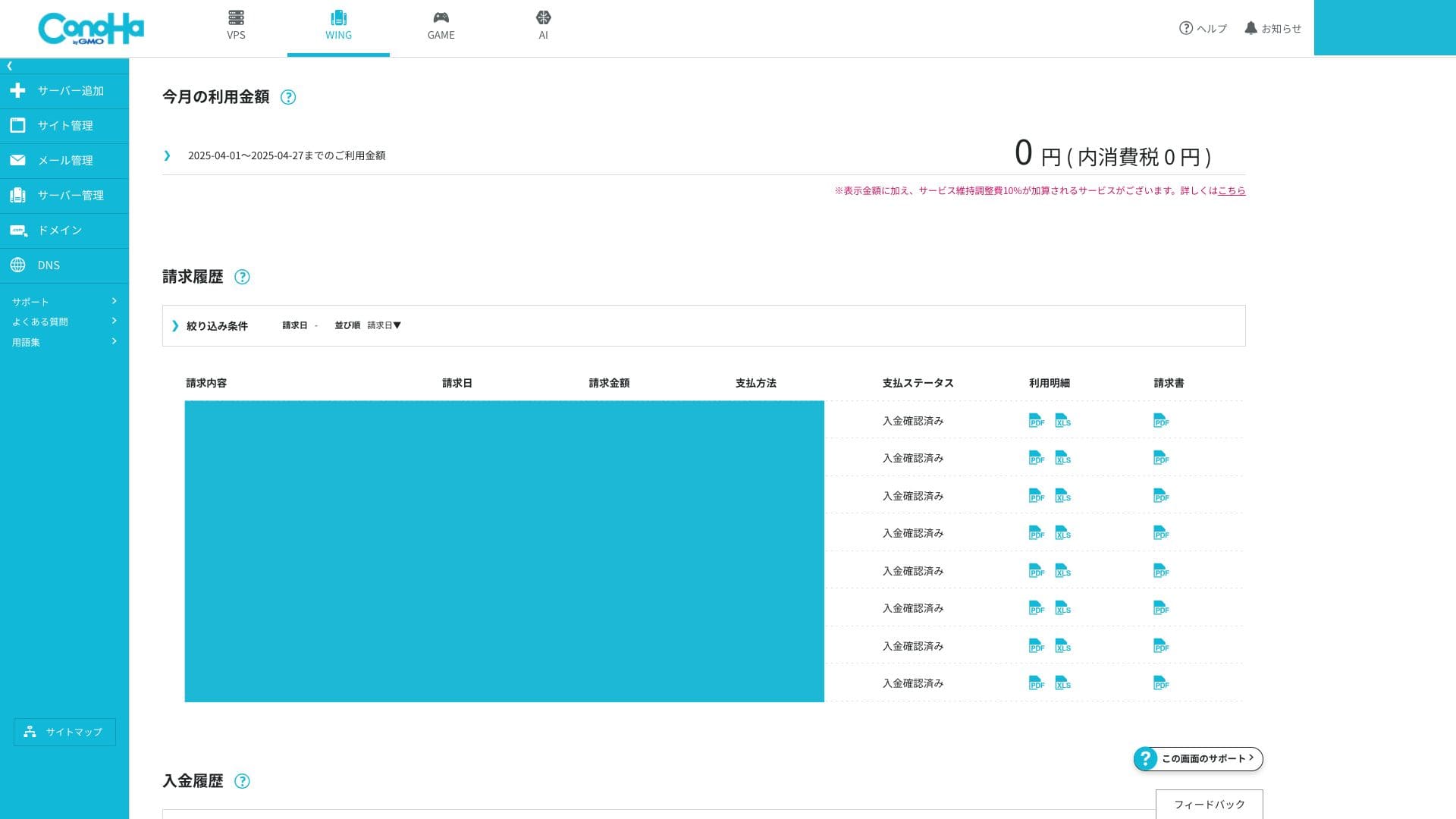
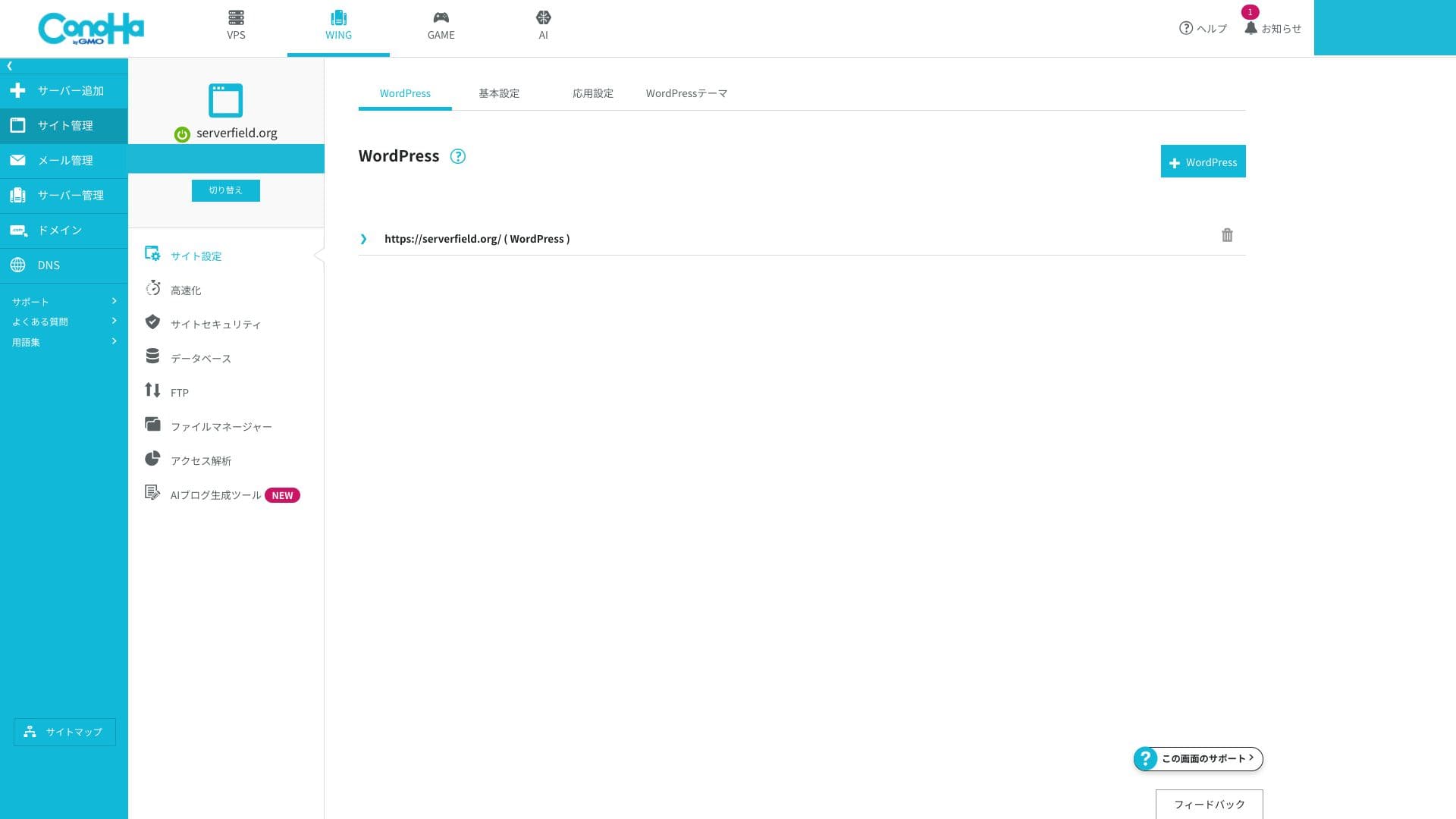
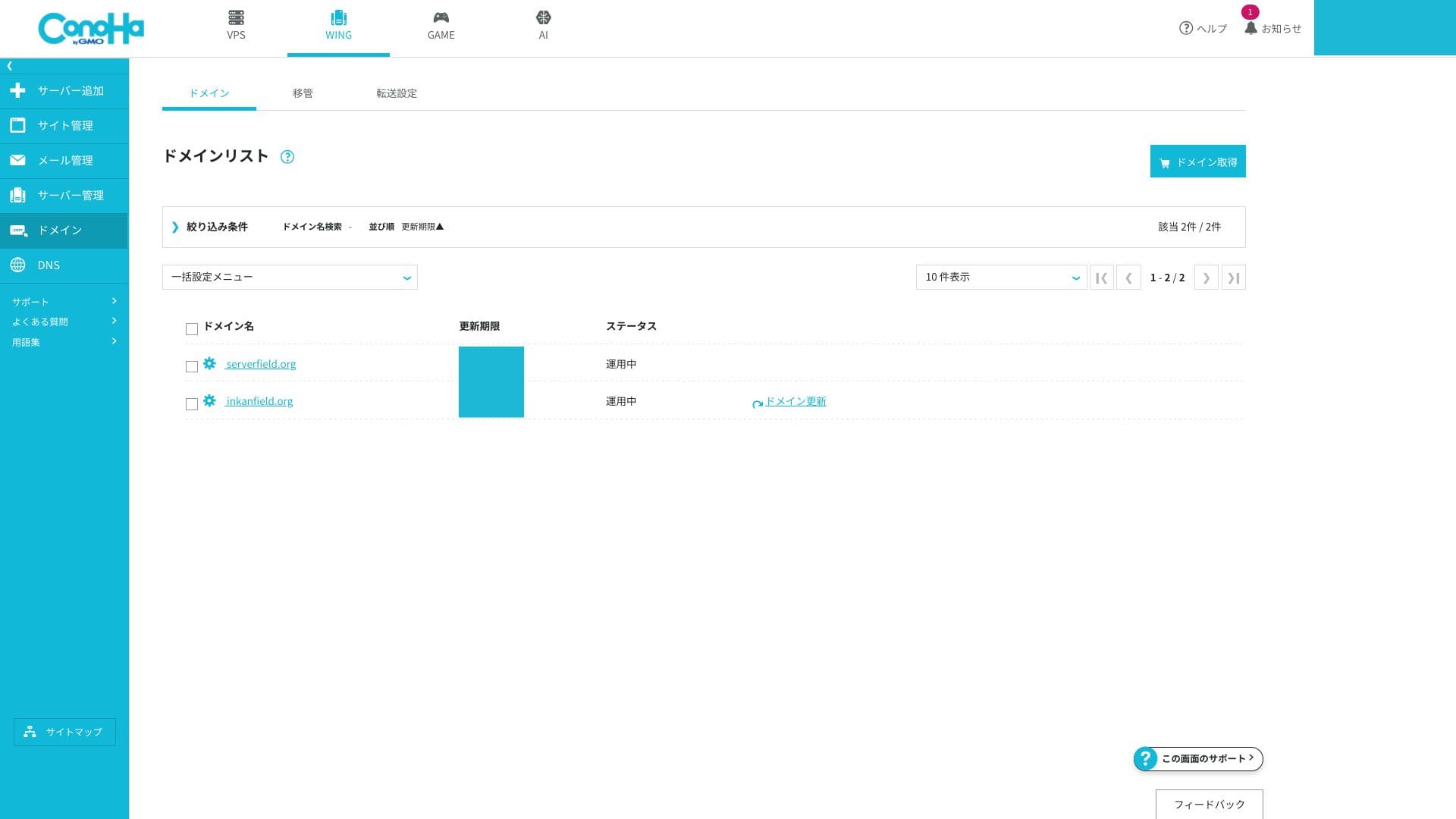
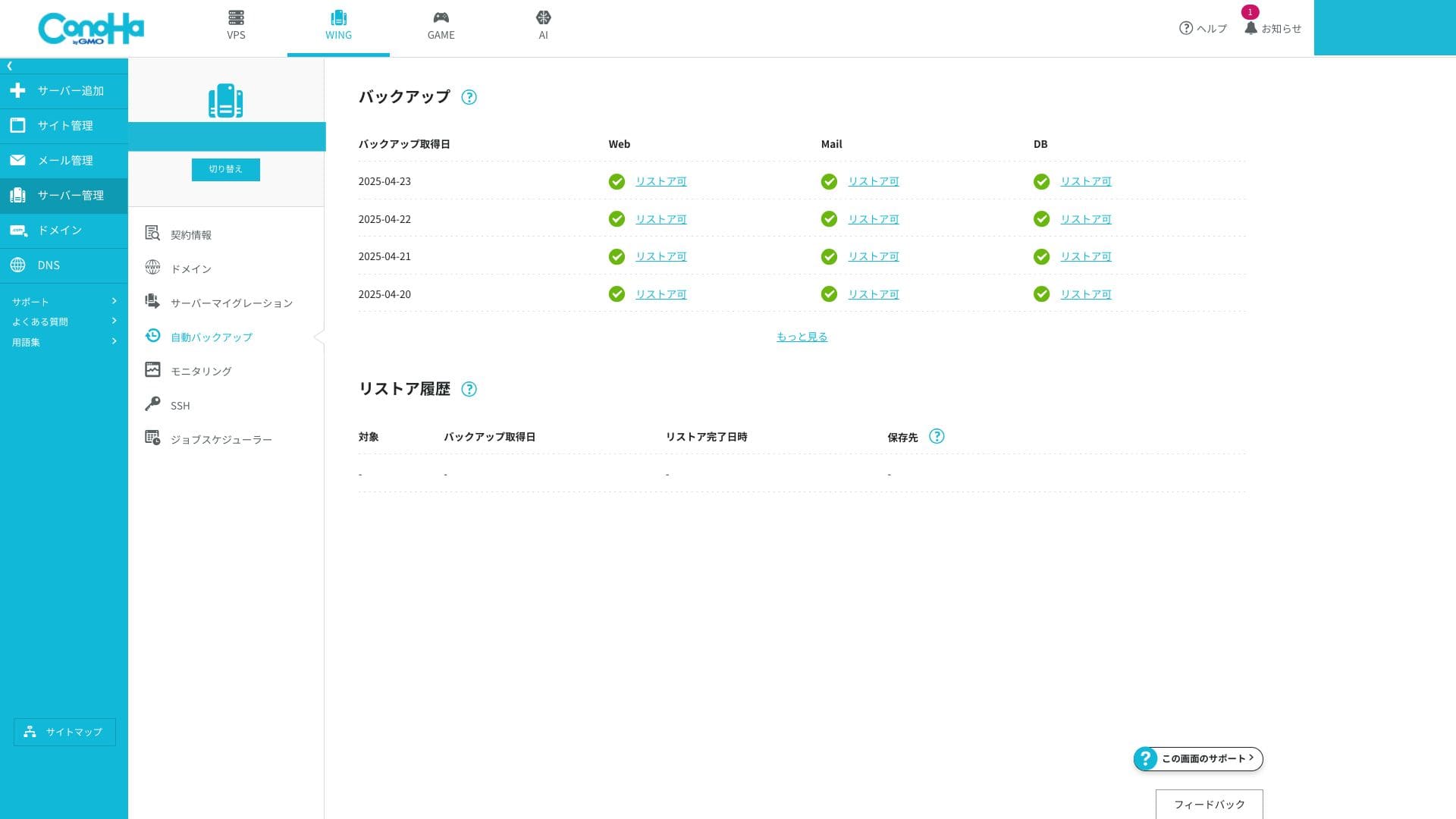
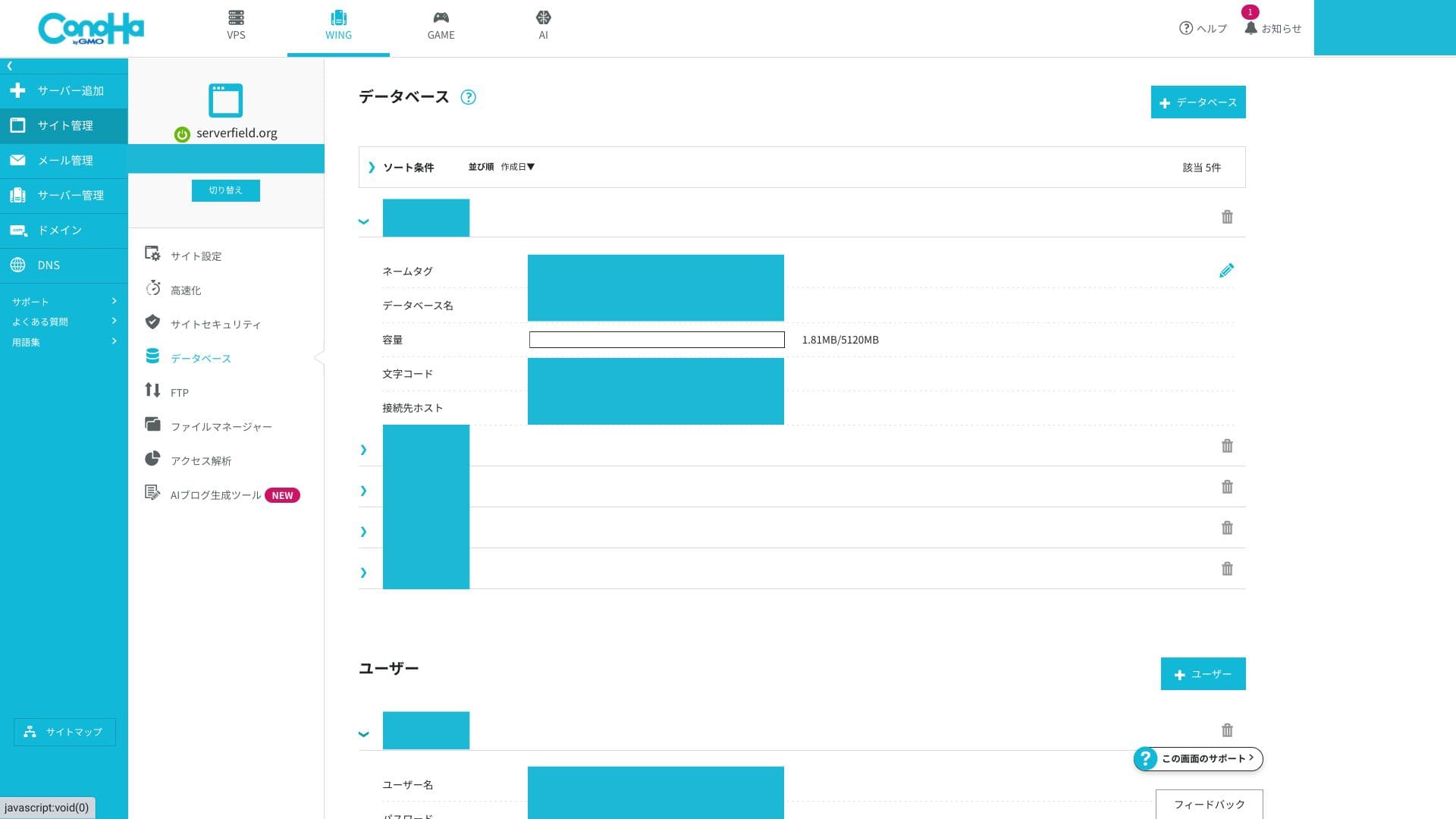
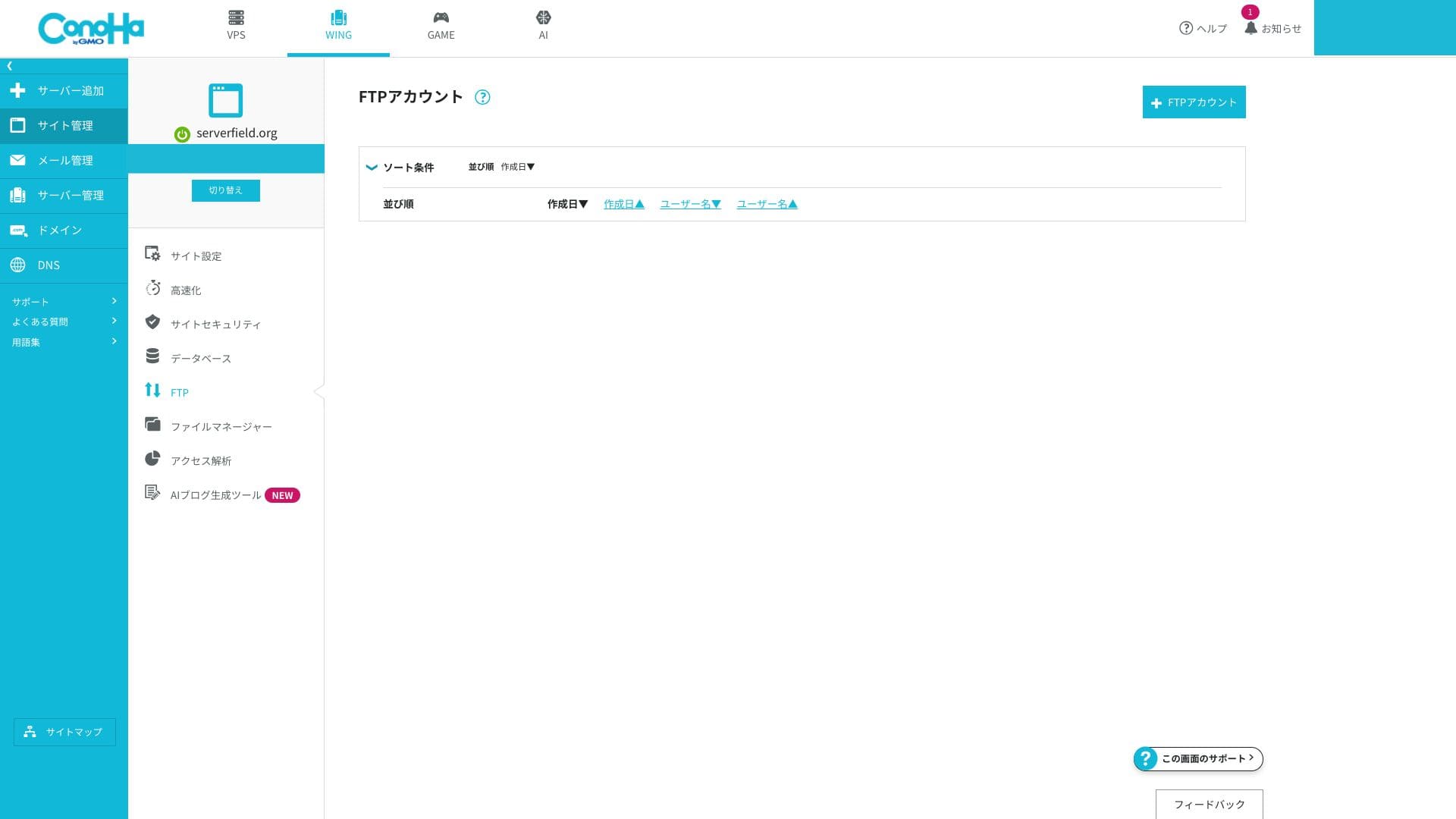
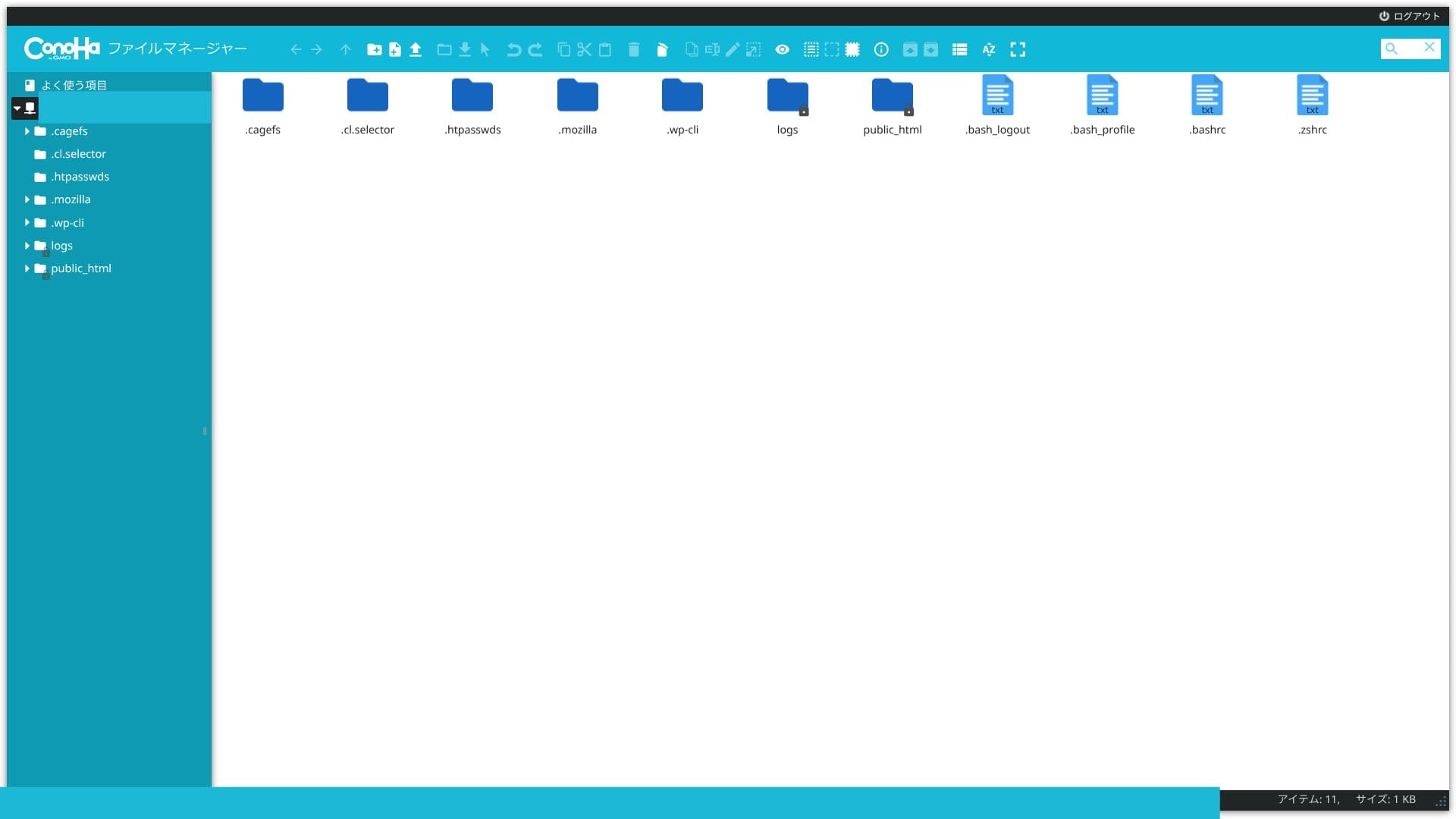
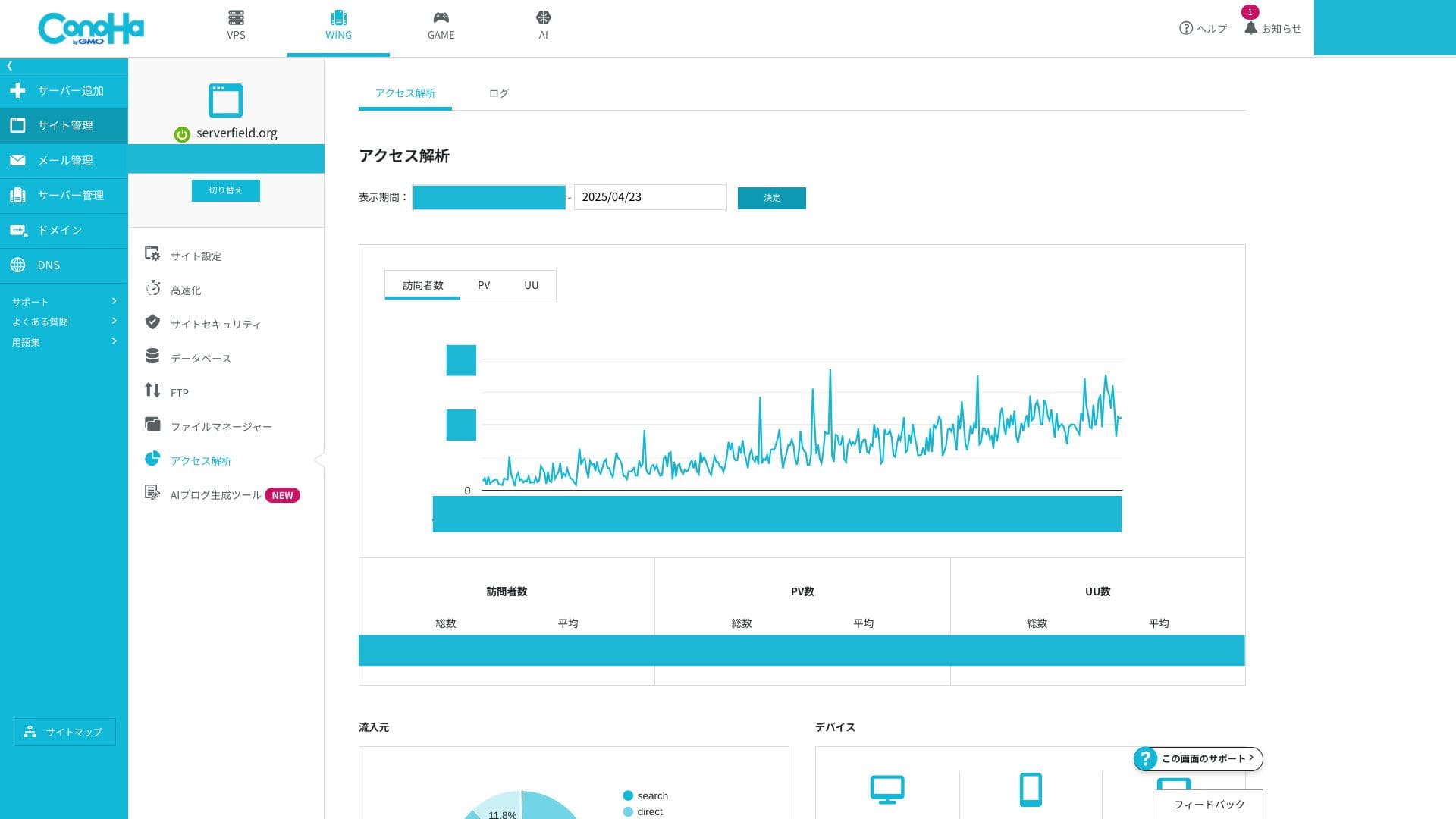
If you are used to cPanel, the terminology may feel unfamiliar at first. But anyone who can handle the many functions inside cPanel should be able to get comfortable with the ConoHa WING control panel very quickly.
Support system
Phone and chat support are available in real time on weekdays from 10:00 to 18:00. Email support accepts inquiries 24 hours a day, but replies are handled only on weekdays from 10:00 to 18:00. If your site absolutely requires overnight or holiday coverage, you should be aware that late-night and weekend issues may need to be solved on your own.
Hikaru Ono
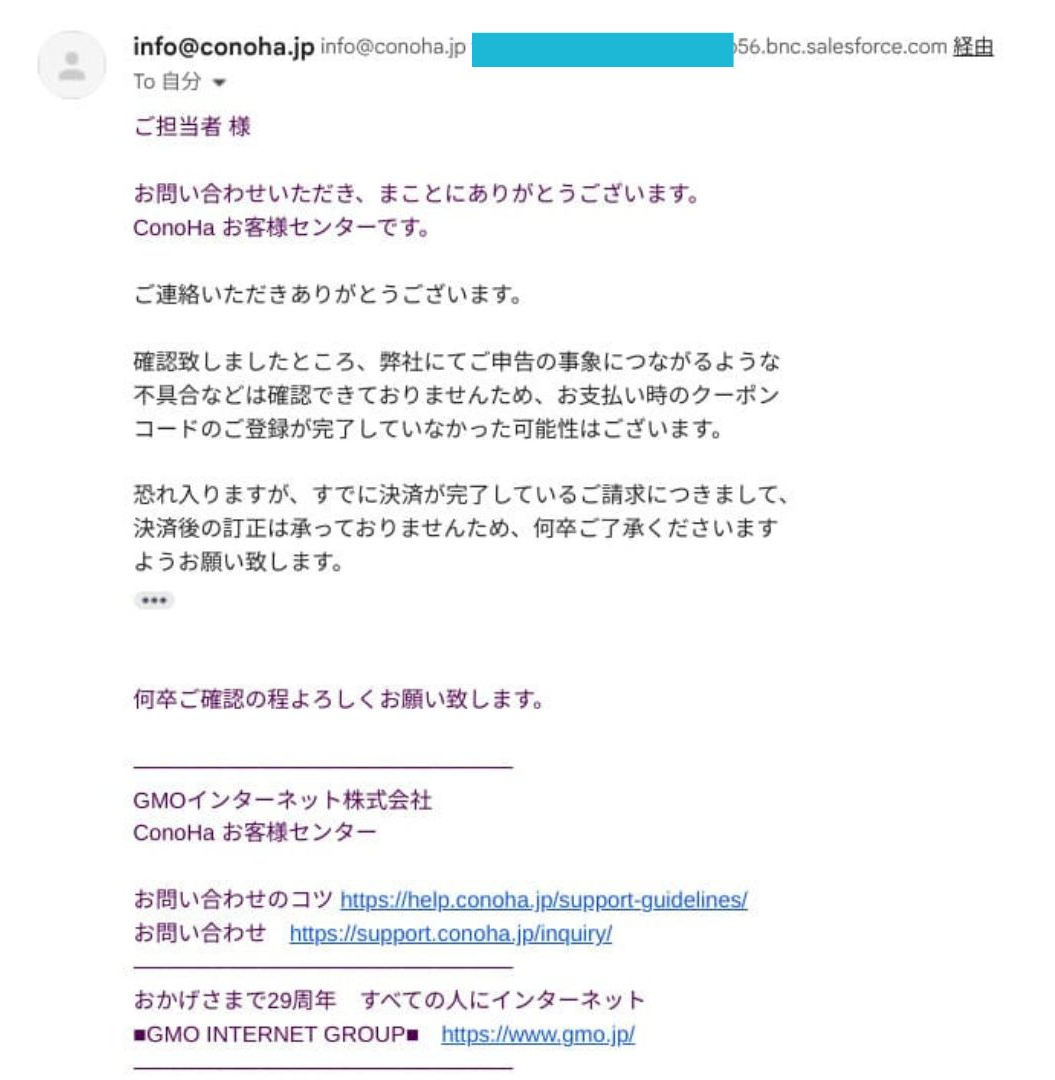
This is from real experience. When I entered a discount coupon during renewal, it was not reflected correctly and the renewal completed anyway. When I requested support, I was told that they could not correct payments after settlement.
Manuals and FAQ
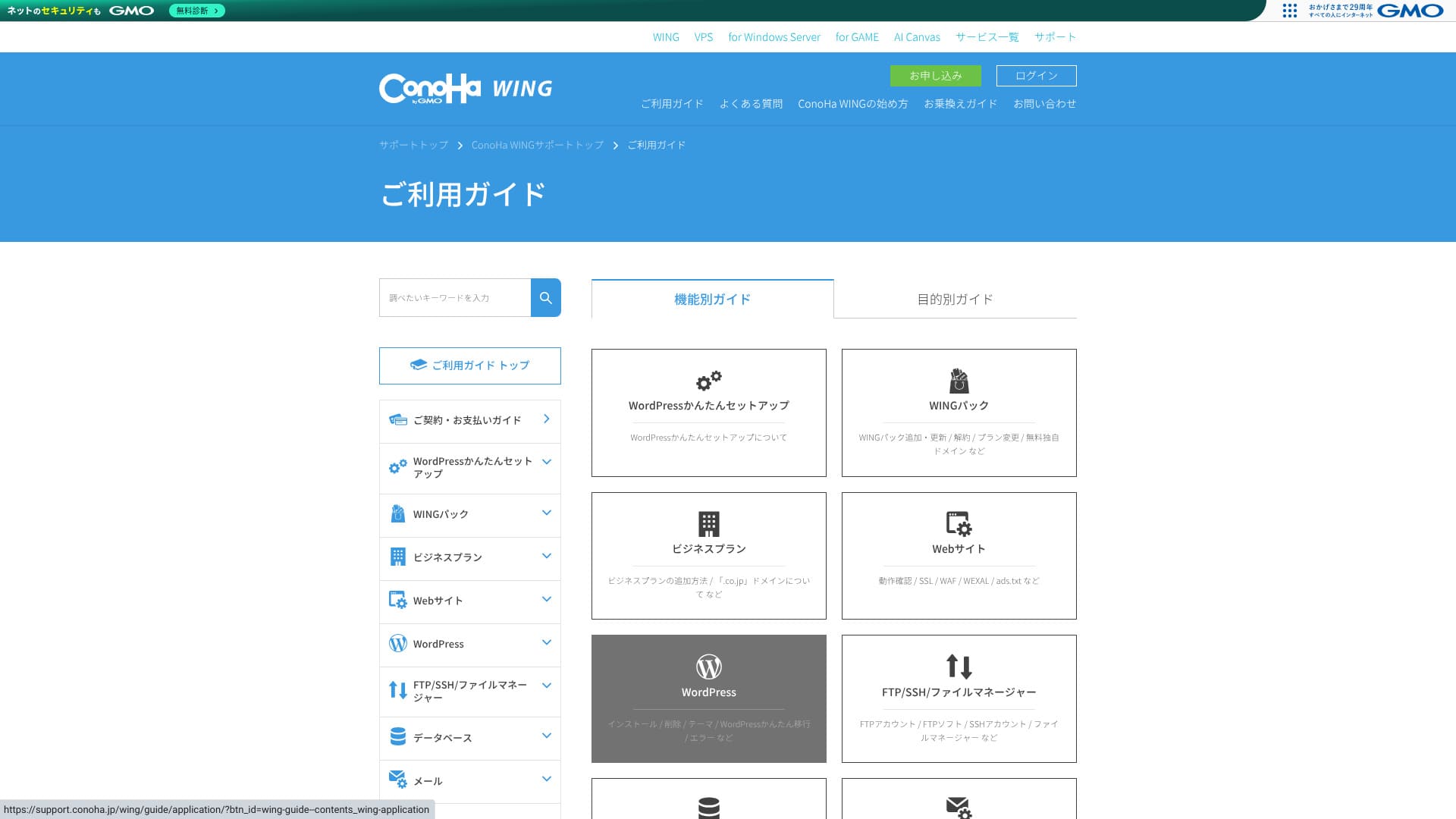
The official knowledge base is extremely comprehensive. It includes illustrations, and keyword search makes it easy to find the exact article you need. That makes it a big help for beginners and intermediate users who want to solve issues on their own.
Email features
ConoHa WING can handle not only your website but also your business email operations in one package.
Unlimited email addresses and multi-domain operation
You can create email addresses for each custom domain with no extra charge and no numerical limit. They can be issued from the control panel in just a few clicks, so you do not need to deal with complicated mail-server configuration.
Because you can add as many addresses as you need for departments or individual staff members, it is also safe for companies in a growth phase.
You can centrally manage email for multiple domains under one contract. That makes it a strong fit for e-commerce operators or production companies that separate domains by brand.
Mailbox capacity
You can freely allocate anywhere from 10MB to roughly 20GB to each address, and you can change those settings at any time. That gives you fine-grained control by use case and helps prevent any single user from consuming too much capacity.
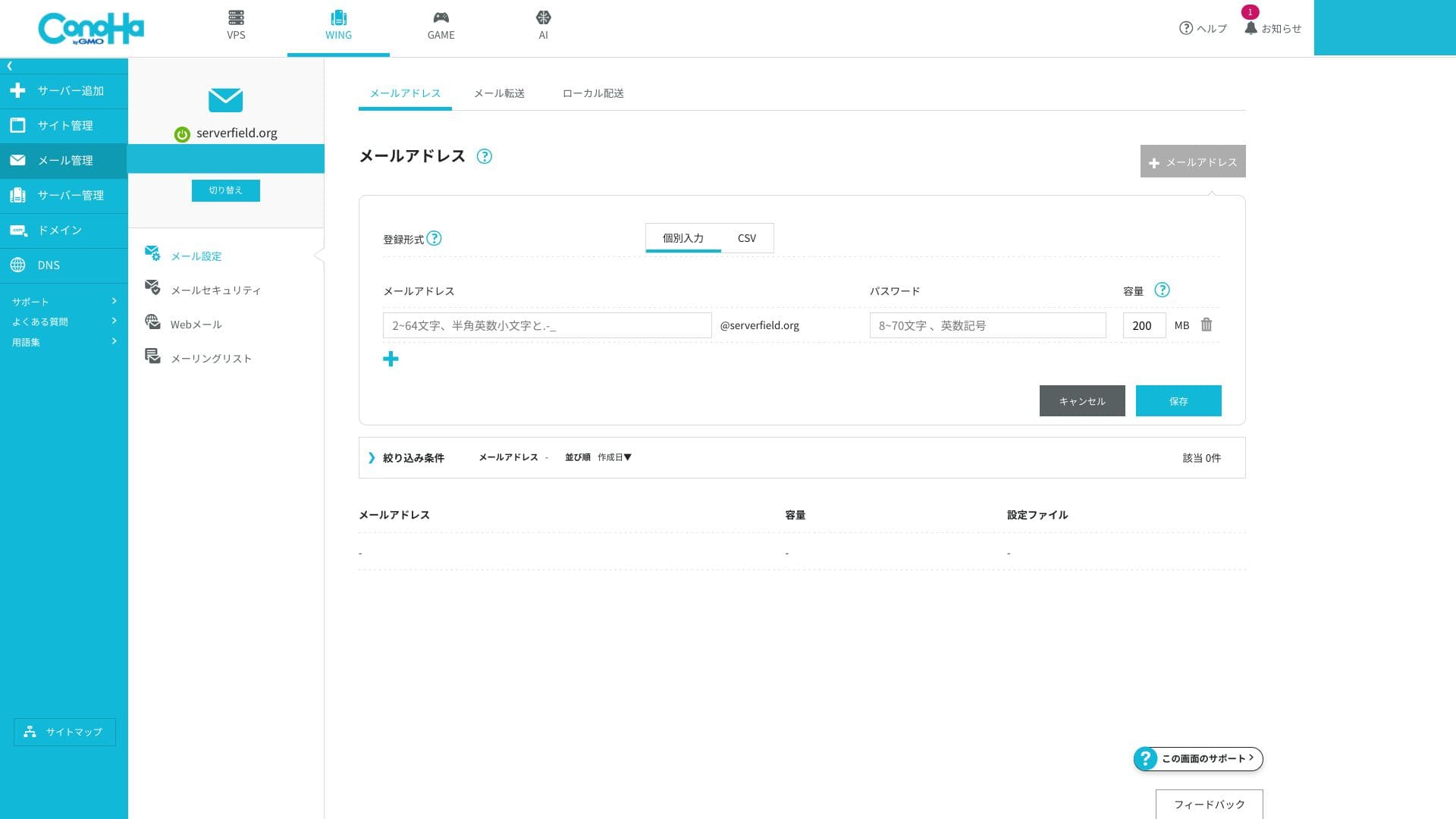
Because email storage is shared with the overall SSD capacity of the server, you do need to watch the remaining storage if you plan to keep large volumes of mail. If your email usage is heavy, move up to a higher plan.
Webmail and client connections
ConoHa WING provides a browser-based interface for checking and sending email, and its UI is easy to use even on smartphones.
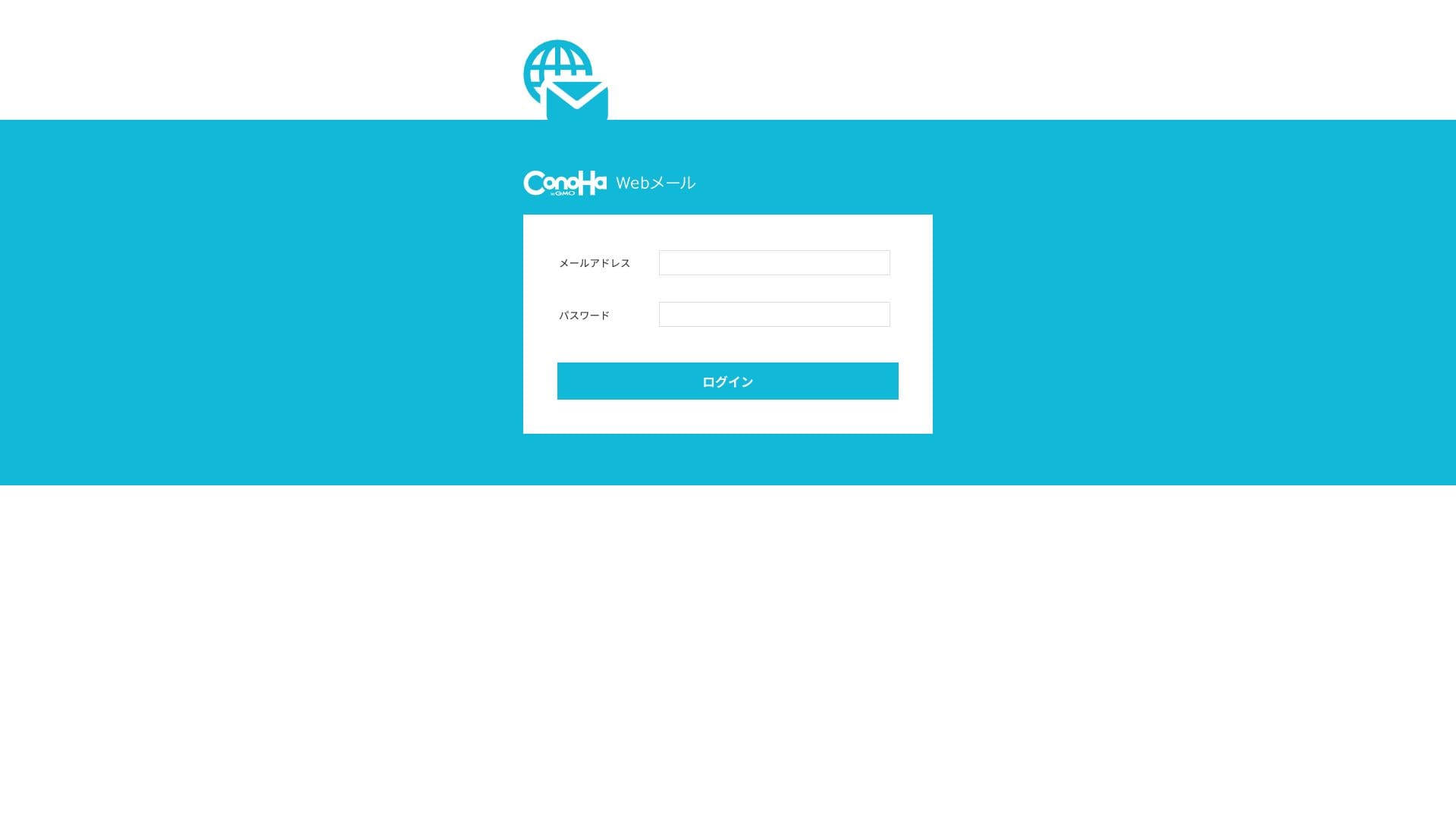
It also supports the standard communication protocols used for sending and receiving email, so you can connect from external clients such as Outlook and Gmail. IMAP and TLS are supported, and encrypted communication is standard, which makes it safe to handle email even while you are away from the office.
Security measures (SPF, DKIM, DMARC, spam, and viruses)
These are sender-domain authentication technologies that prevent spoofed mail and help you avoid landing in spam folders on services such as Gmail. SPF and DKIM are configured as standard, and DMARC can also be applied from the GUI with a single click. ConoHa WING explicitly states that it complies with Gmail's guidelines.
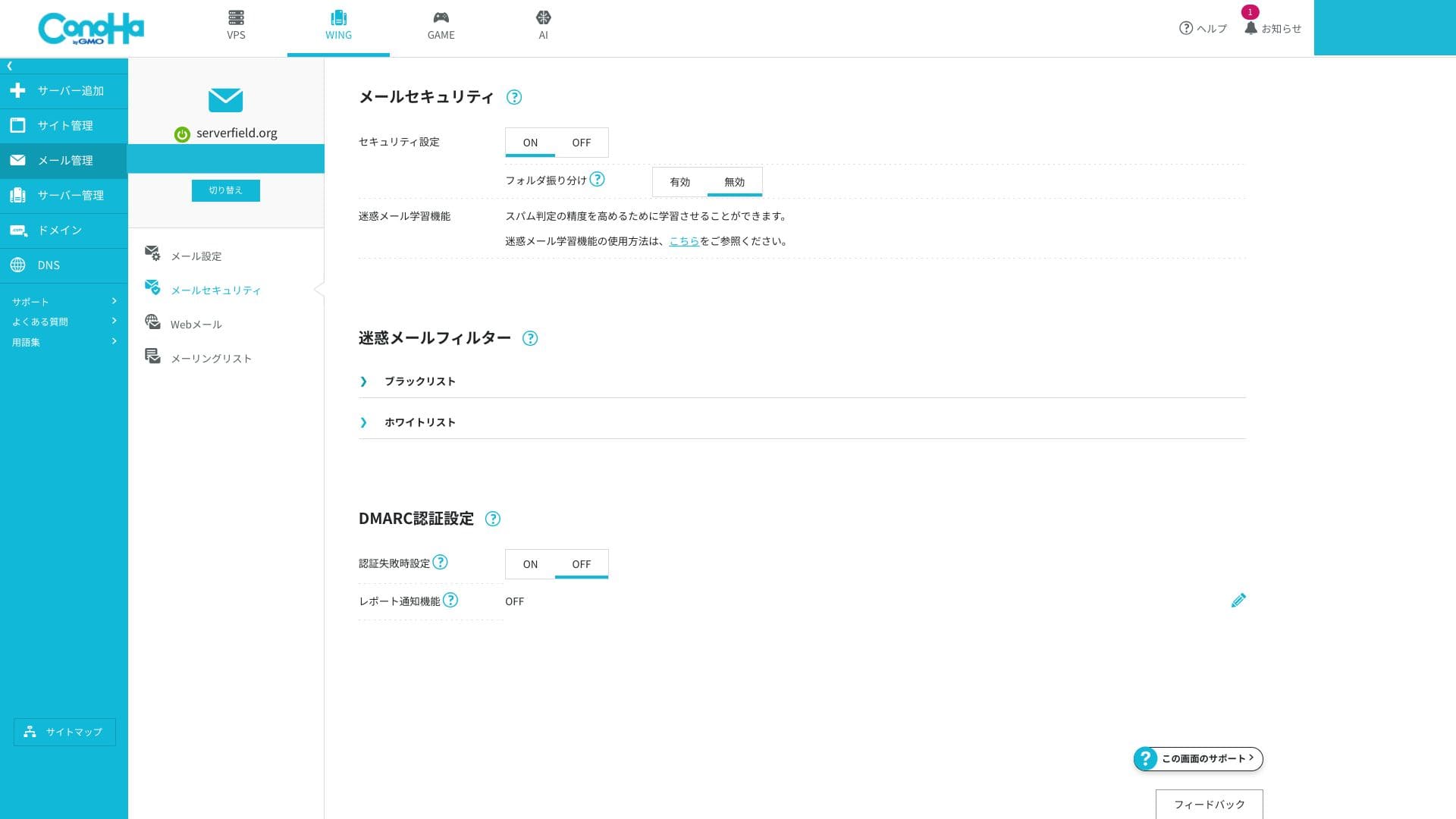
The server side blocks spam and malware and automatically sorts suspicious messages into a dedicated junk folder. Because this can be enabled for free and virus-detected messages are discarded automatically, the overall level of safety is high.
The ability to create very detailed custom filtering rules is limited, so if you have serious email-marketing requirements, it is worth considering an external specialized service alongside it.
Helpful features (forwarding, auto-replies, overseas IP restrictions, mailing lists, and more)
You can forward incoming mail to another address and send automatic replies when you are away. There is also a setting that blocks email sending and receiving from overseas IP addresses, which helps reduce the risk of account compromise.
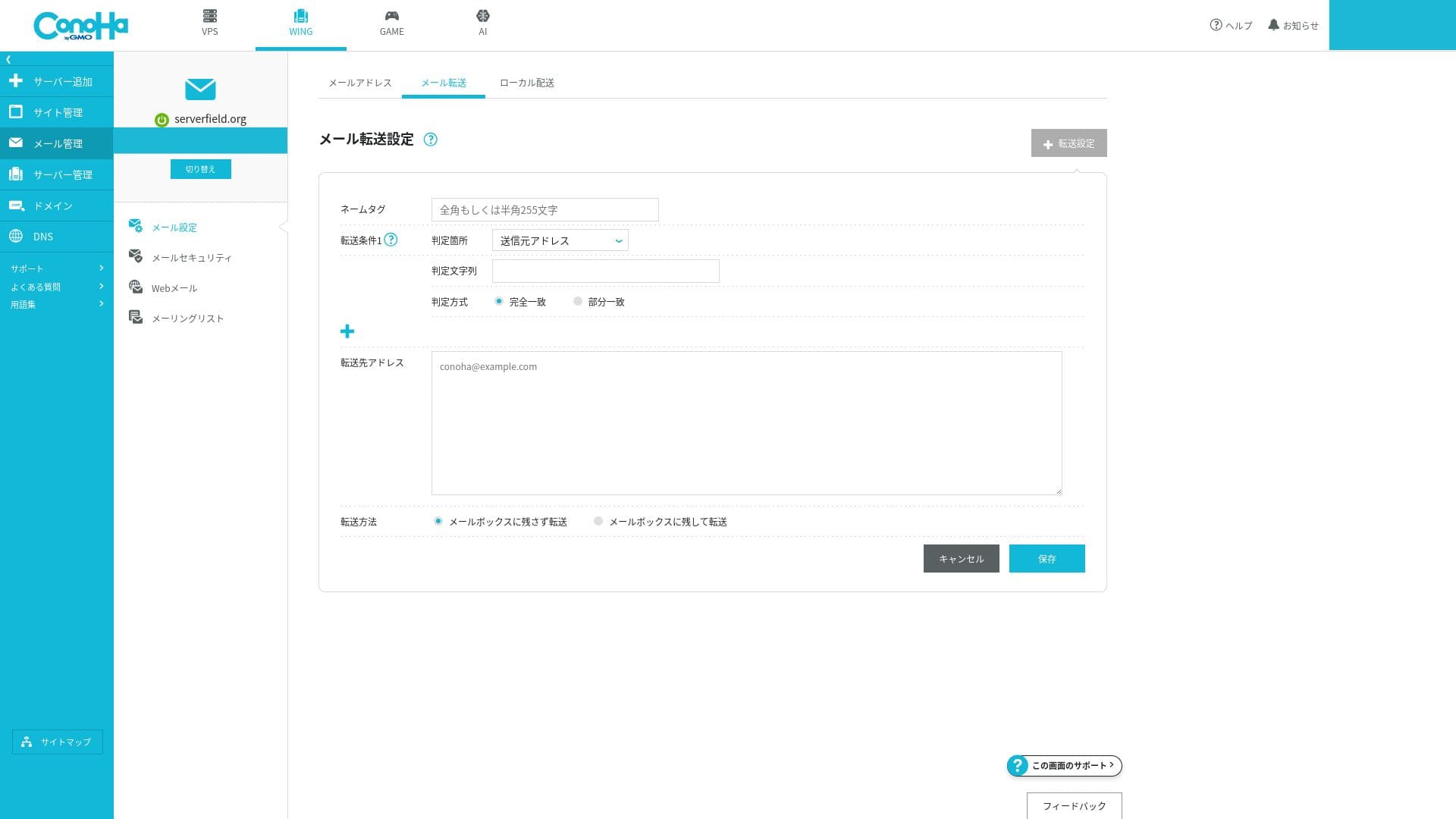
Because all of these can be turned on or off easily from the GUI, even beginners can operate mail securely.
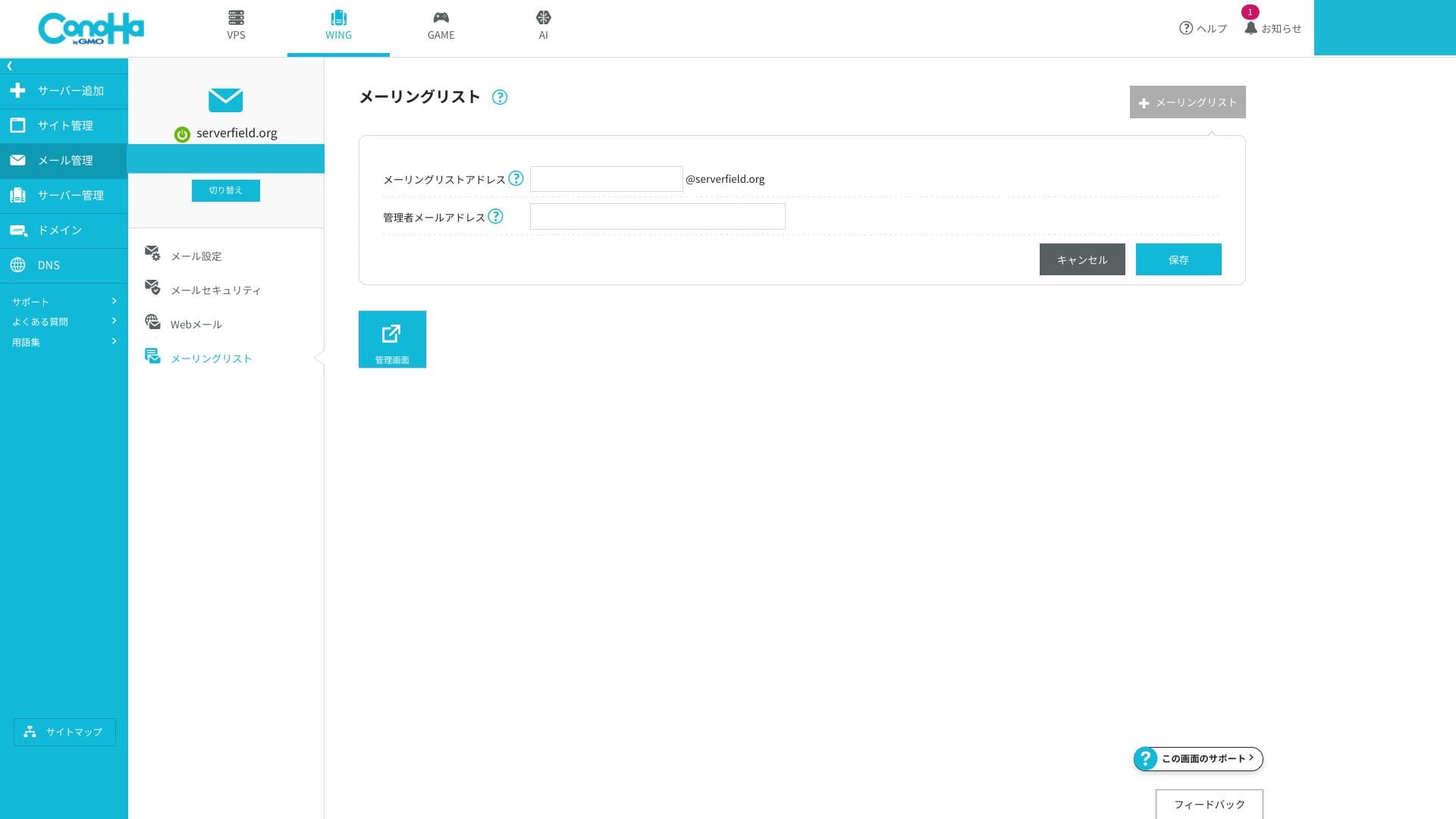
You can also create mailing lists easily.
Overall email assessment
ConoHa WING's email features are an excellent match for cases where you want to manage business email for a small company or sole proprietorship cost-effectively. The ability to secure the credibility of a custom domain and sender-domain authentication without extra work is a major advantage. On the other hand, if you need enterprise-class spam control or mail governance, a specialized email service may be a better fit.
| Evaluation item | Strength | Concern / issue |
|---|---|---|
| Number of addresses | Unlimited and easy to issue | — |
| Capacity management | Flexible setting from 10MB to 20GB | Shared with total server SSD capacity |
| Authentication technology | SPF and DKIM as standard, DMARC supported through the GUI | No enterprise-oriented S/MIME certificate management |
| Threat protection | Spam filtering and virus blocking included | Advanced rule customization is limited |
Hikaru Ono
If you need to run hundreds of mailboxes or require enterprise-class spam controls, it will be safer to combine ConoHa WING with a specialized mail SaaS.
Security and backups
WAF and WordPress security
ConoHa WING provides a WAF, a web application firewall. It can block more than ten kinds of attacks, including SQL injection and XSS, through a GUI. It is free to use, and you can view logs and configure exclusions from the control panel.
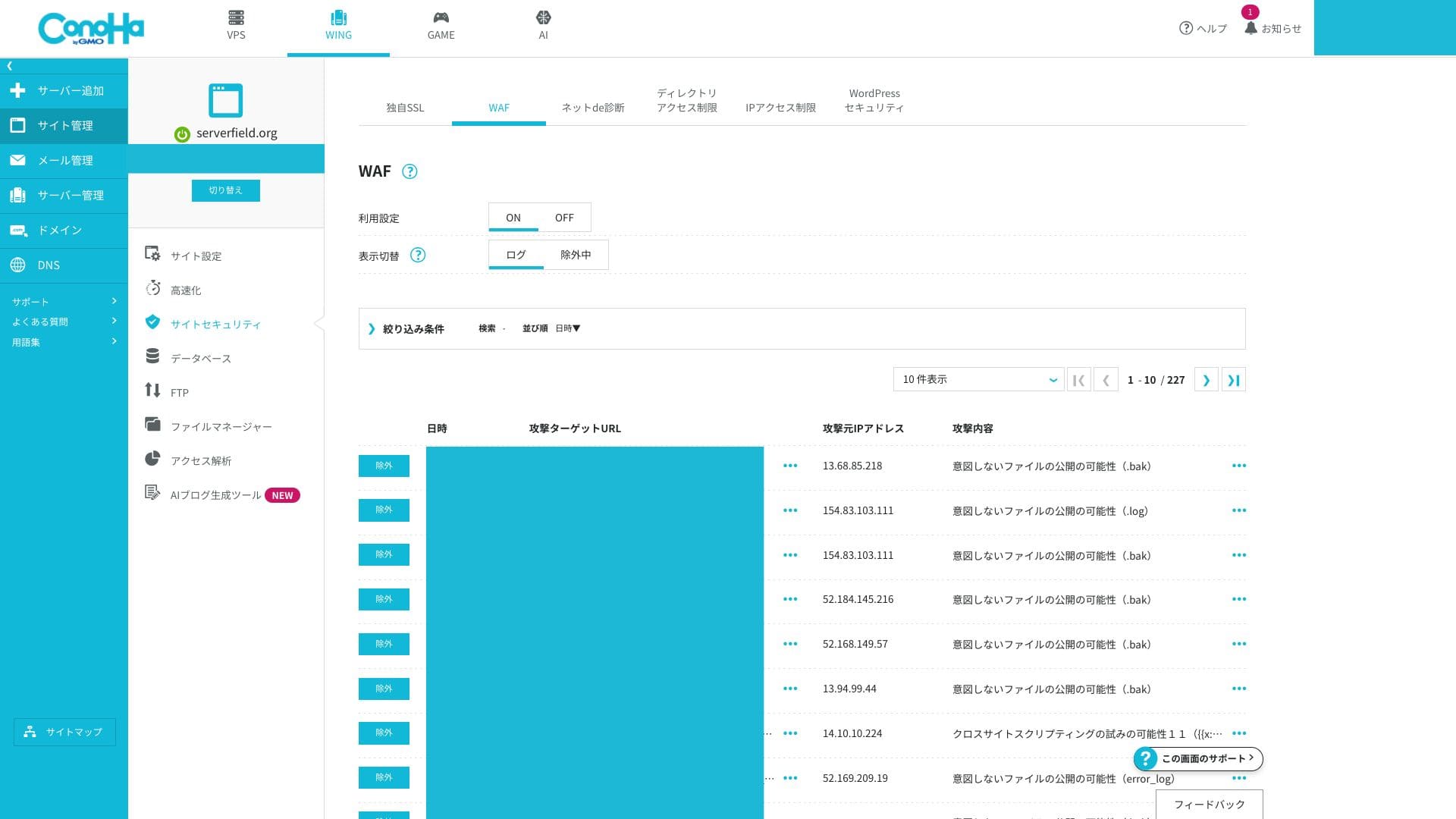
Advanced users who want to build very fine-grained custom rules may find it a little limited.
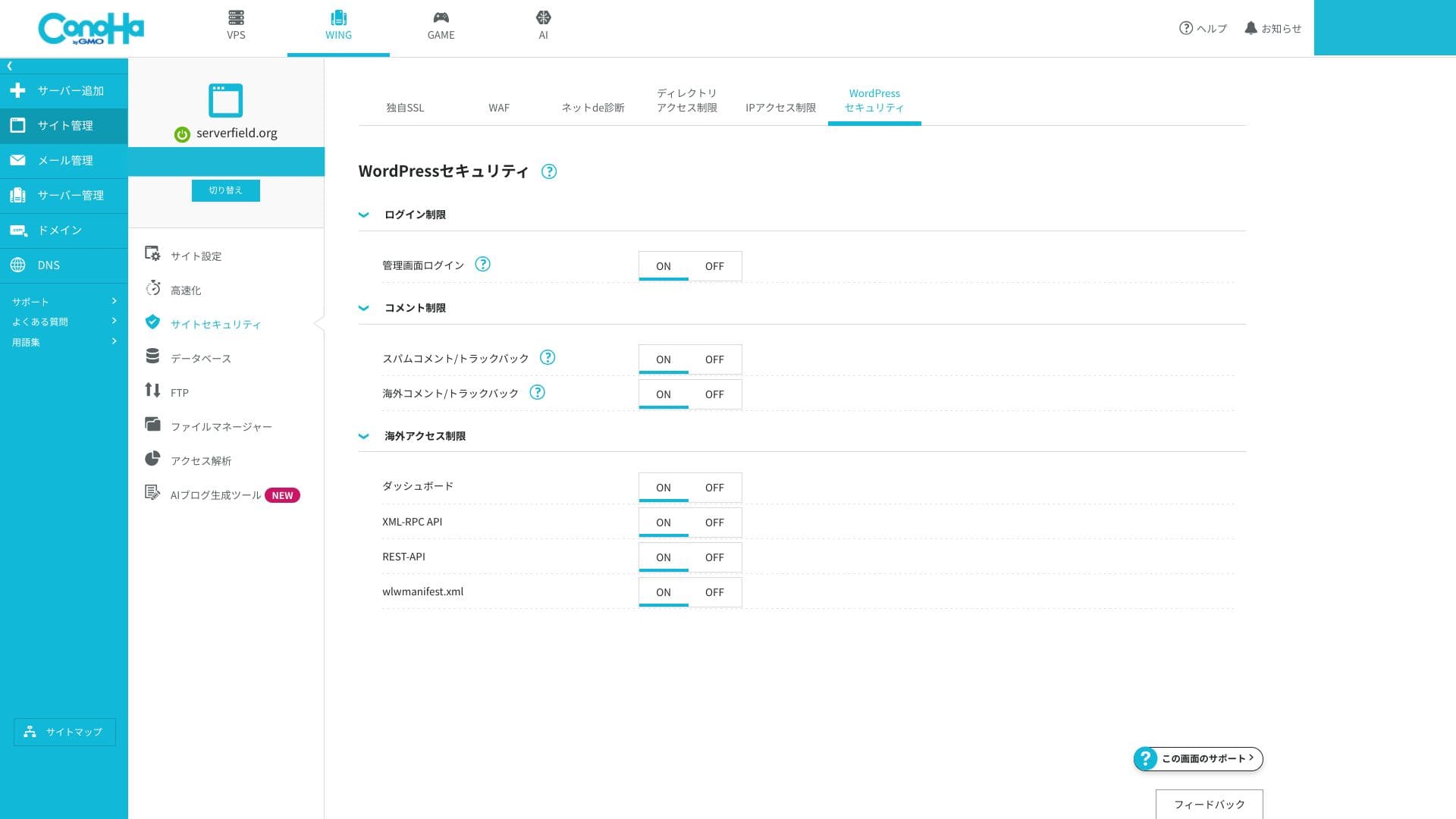
You can also configure WordPress security settings in detail. Login-attempt limits and XML-RPC disabling can be enabled from the screen without adding extra plugins, which lets you strengthen the basics while keeping your site lighter.
Automatic backups
ConoHa WING 14 दिनों के automatic backups शामिल करता है। Web data, databases और email daily save होते हैं, और control panel से one-click restore किया जा सकता है। Free restore अभी भी अपेक्षाकृत rare feature है।
Retention 14 days तक है, इसलिए यदि monthly snapshots चाहिए हों तो external backup के साथ combination रखना चाहिए। WordPress इसके लिए कई plugins भी देता है।
How to restore a backup file
- Step 1: Log in to the control panel.
- Step 2: Open "Server Management" and choose "Automatic Backup."
- Step 3: Select the backup you want to restore and run the restore action.
Related article: Data recovery के लिए five powerful WordPress backup plugins
दूसरी features की समीक्षा
GMO Rank Checker
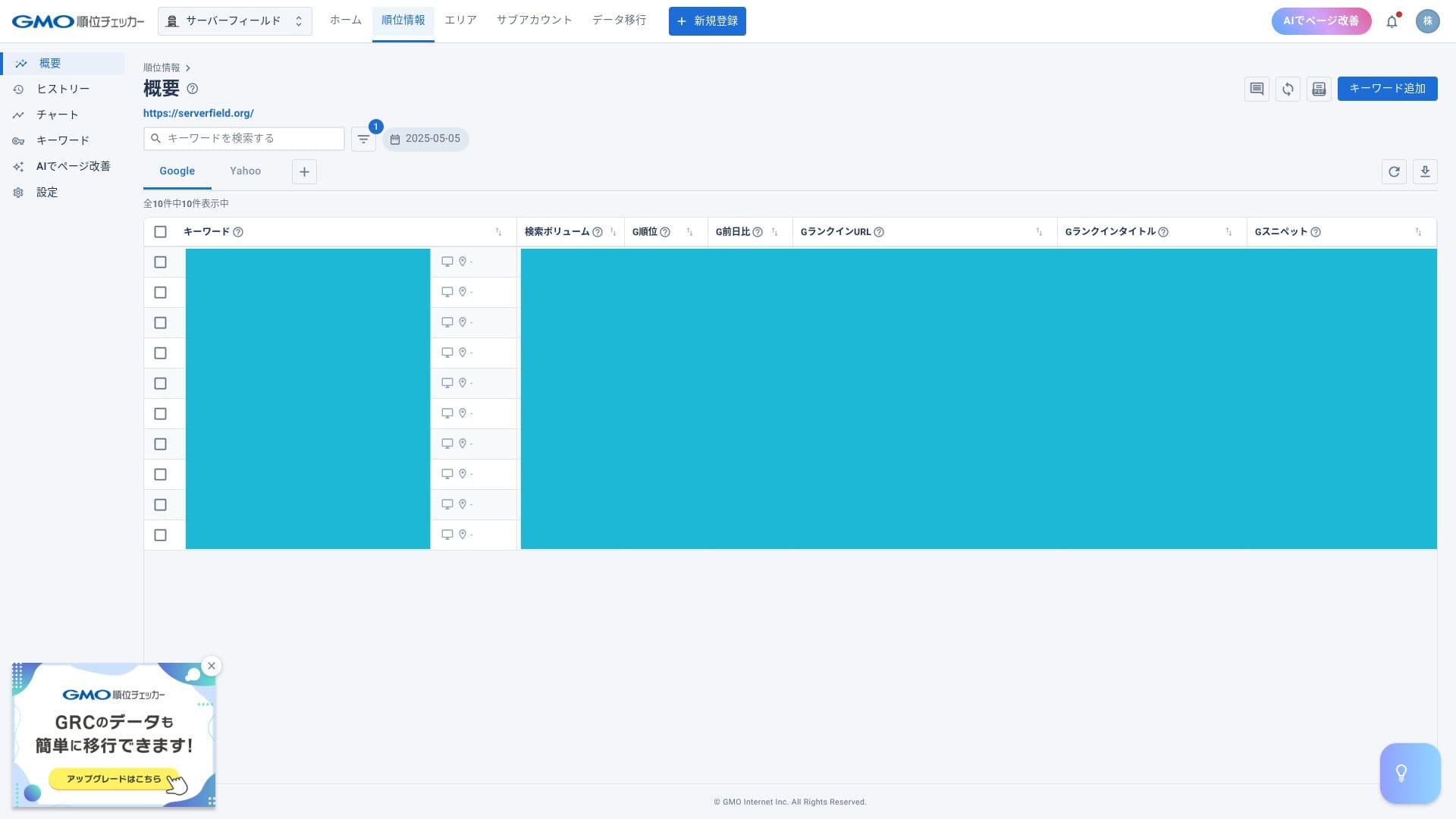
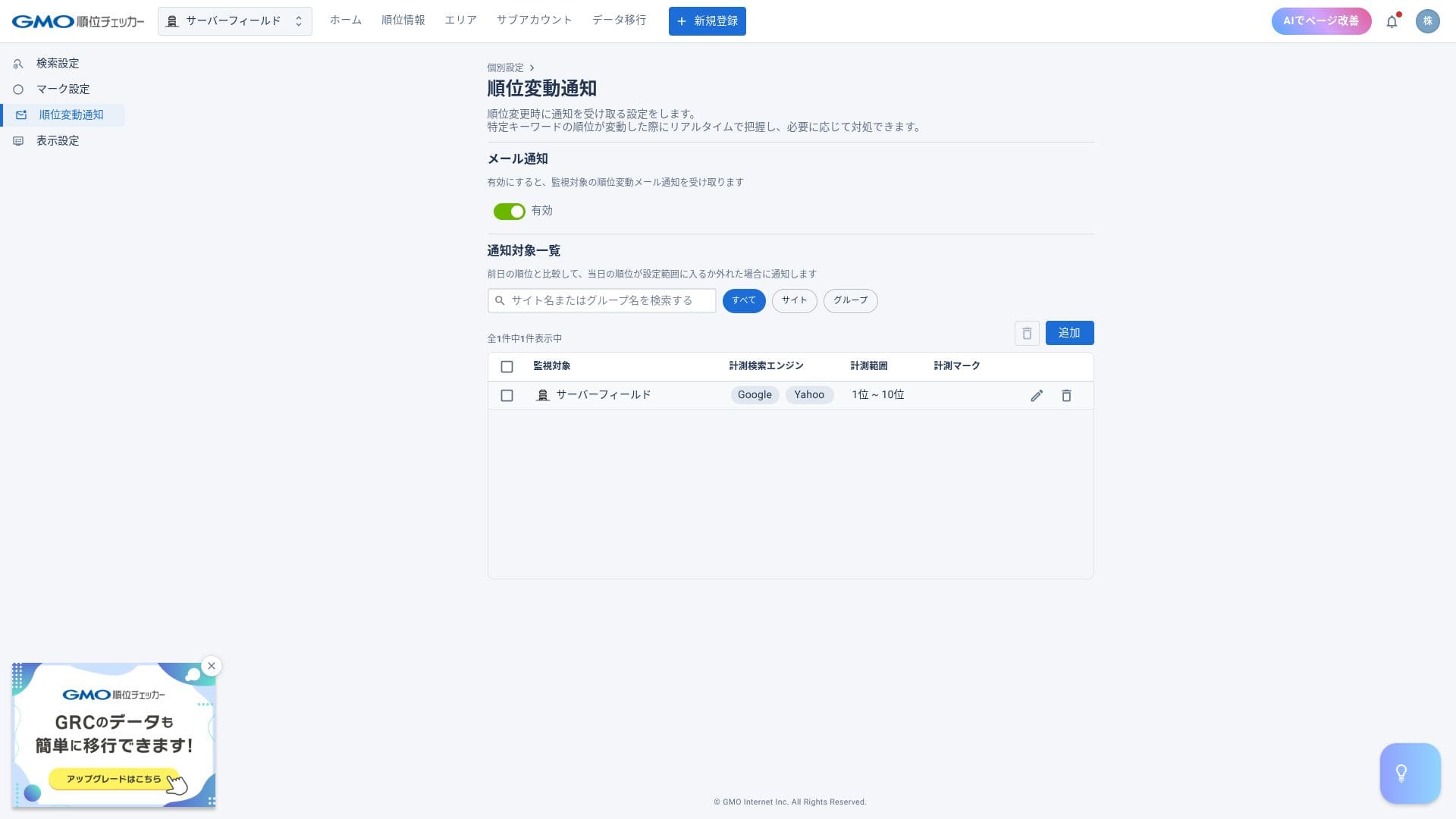
ConoHa WING के साथ GMO Rank Checker एक महीने free और उसके बाद discounted price पर उपयोग किया जा सकता है। यह specific keywords की daily ranking automatically measure करता है और graphs के जरिए changes दिखाता है।
Hikaru Ono
The discounted price is available only to subscribers. You can apply from the control panel after you sign up for the server.
How to access GMO Rank Checker
- Step 1: Log in to the control panel.
- Step 2: Open the notifications area.
- Step 3: Look for the release notice about GMO Rank Checker for ConoHa WING subscribers and proceed from there.
With a rank tracker, you can check positions for specific keywords and receive email alerts when rankings change.
Server migration
जब एक server पर hosted sites की संख्या बढ़ जाती है, तो ConoHa WING server migration कर सकता है, यानी आपको दूसरे server पर move कर सकता है। इससे high load और slower page delivery की समस्या कम की जा सकती है।
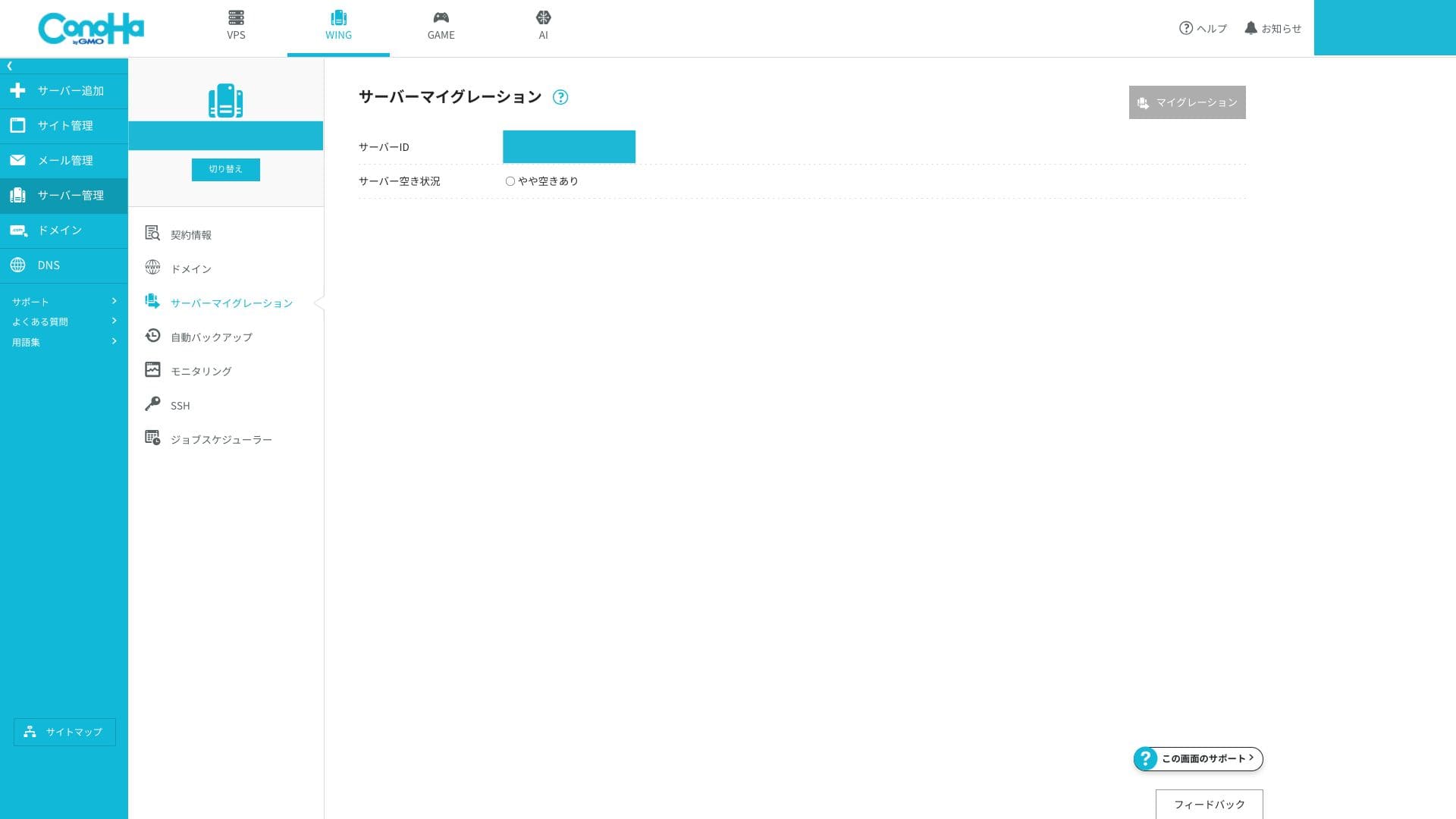
यदि कम accounts वाले server पर move किया जा सके, तो performance issue का समाधान आसान हो जाता है। यह migration free में हो सकती है, जो वास्तव में उपयोगी है।
सारांश
ConoHa WING एक well-reviewed hosting service है जिसका domestic user base बड़ा है। मुख्य points नीचे दिए गए हैं।
- Fast: LSAPI, HTTP/2 और SSD RAID10 मिलकर Japan में top-class perceived speed देते हैं।
- Affordable: दो domains, SSL और backups शामिल हैं, इसलिए overall value मजबूत है।
- Easy: Easy WordPress Setup और one-panel UI के साथ लगभग पांच मिनट में site शुरू की जा सकती है।
- Safe: Free WAF, 14-day backups और 99.99% SLA business use के लिए भी भरोसा देते हैं।
- Cautions: WING Pack को बीच में cancel नहीं किया जा सकता, phone support केवल weekday business hours में है, और inode limit publicly disclosed नहीं है।