
Essai gratuit de 10 jours
PR
Serveurs
Avis sur Value Server [edition 2025] : lancer WordPress a prix casse
Publie : 2025.04.18
Mis a jour : 2025.04.18
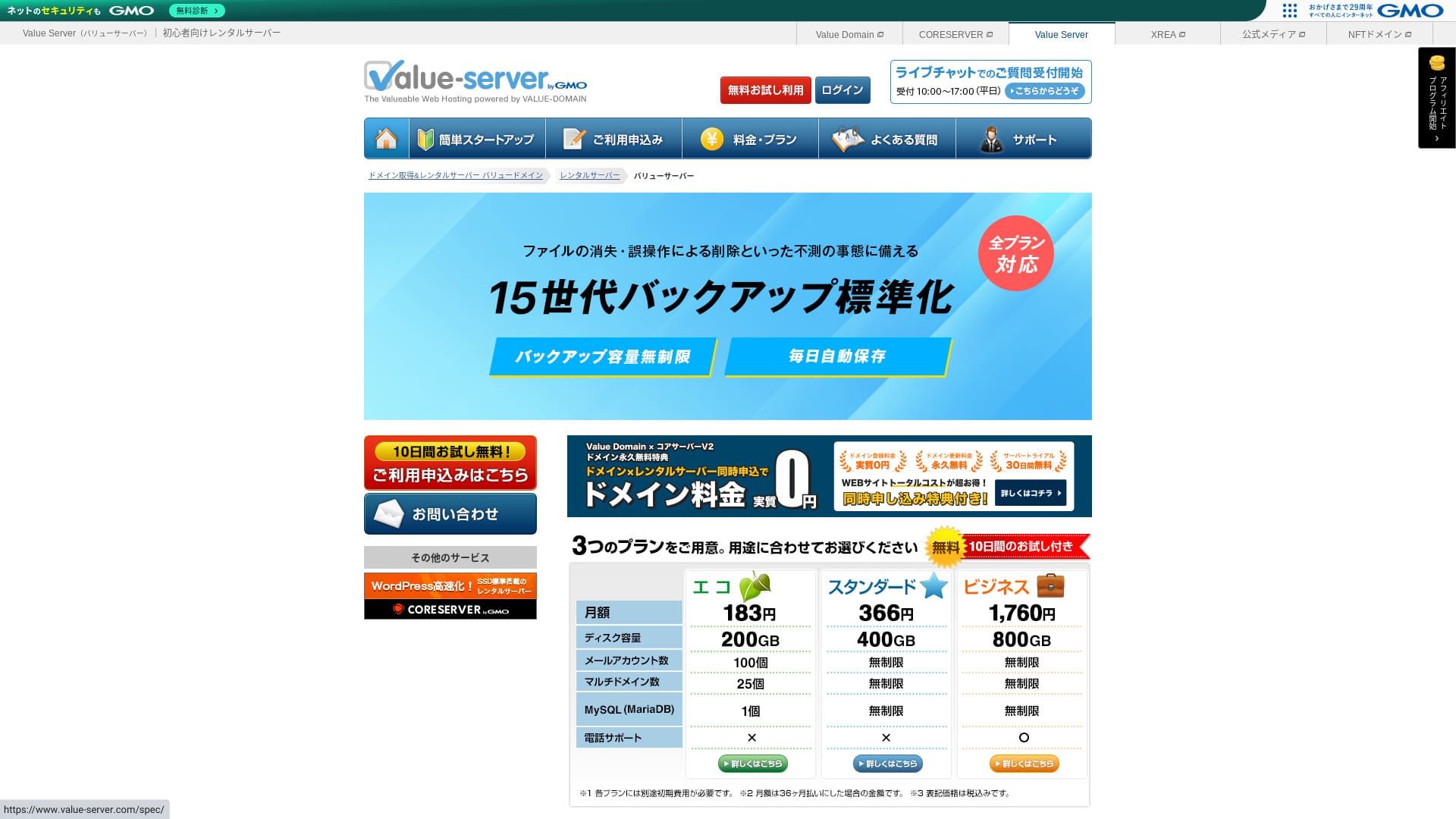
Value Server est un service d'hebergement opere par GMO Digirock, Inc. et connu pour ses tarifs tres bas, en particulier avec le plan Marutto.

Value Server est recommande aux personnes qui veulent utiliser un serveur aussi bon marche que possible pour trois raisons :
- Il fait partie des offres les moins cheres du marche
- Le stockage SSD est utilise sur le serveur
- 15 generations de sauvegardes apportent de la tranquillite
C'est pour cela qu'il devrait satisfaire de nombreux utilisateurs. Vous pouvez l'essayer gratuitement pendant 10 jours.
Le serveur concurrent a examiner est Star Rental Server. Il etait encore plus fort en entree de gamme grace a son plan gratuit, donc la comparaison reste pertinente.Value Server in that it also offers a free plan. Please consider it as well.
| Type de serveur | Hebergement mutualise |
| Vitesse d'affichage (TTFB) | Non mesuree |
| Plan et duree recommandes | Eco 12 mois |
| Essai / remboursement | Aucun |
| Tarif mensuel (contrat 12 mois) | 220 yens |
| Frais initiaux | Gratuits |
| Domaine gratuit | Aucun |
| Support | Email et chat (jours ouvrables 10:00-17:00) |
| Disponibilite | Non communiquee |
| Stockage | 200 Go |
| Nombre de bases de donnees | 1 |
| Mesures de securite | Aucune |
| SSL | SSL partage gratuit, SSL personnalise |
| Sauvegarde / restauration | 15 generations de sauvegardes gratuites, restauration gratuite |
| Nombre de comptes email | 3 |
| Securite email | POP/POP3S, SMTP/SMTPS, IMAP/IMAPS, filtre antispam, filtre antivirus, filtres personnalises |
| Migration de serveur / site | Aucune |
| Preinstallation WordPress | Aucune |
| CDN | Aucun |

Hikaru Ono
Value Server est opere par GMO Digirock, un acteur important du secteur. Meme s'il fait partie des offres les moins cheres, il n'y a donc pas de raison immediate de douter de sa qualite. Je n'ai personnellement rencontre aucun probleme majeur en l'utilisant.
Cela dit, comme il est peu couteux, il existe des limites sur les fonctions et la capacite. Il faut donc bien les verifier avant de choisir.
Value Server compare a d'autres serveurs
- Note globale : 3/5Rating★★★☆☆
- Vitesse du serveur : 3/5★★★☆☆
- Prix : 5/5★★★★★
- Stabilite : 3/5★★★☆☆
- Facilite de lancement WordPress : 3/5★★★☆☆
- Gestion du domaine et configuration SSL : 3/5★★★☆☆
* Base sur mon experience reelle.

Choisir parmi 21 hebergements WordPress recommandes pour les particuliers
Choisir parmi 21 hebergements WordPress recommandes pour les particuliers
serverfield.org
- 4 novembre 2025 : donnees d'etude de marche triees par vitesse sorted
- Le tarif mensuel correspond au cout de premiere annee du plan le moins cher capable de faire tourner WordPress.
- La vitesse correspond a la valeur Time to First Byte mesuree sur des sites de demonstration dans les memes conditions.
“Value Server” est un serveur de location à bas coût exploité par GMO Digirock, Inc. Même si son prix reste abordable pour les particuliers, il offre de solides fonctions comme le SSL partagé gratuit et les sauvegardes gratuites sur 15 générations.
Avis des utilisateurs sur Value Server et ses caracteristiques cles

Le plan Marutto permet de construire un site WordPress pour 3 060 yens par an
Value Server's Marutto plan lets you have a WordPress website for 3,060 yen per year. It is extremely inexpensive.
Comparons-le aux principaux serveurs nationaux dans les conditions suivantes.
- Initial setup fee
- 12-month server contract
- Cost of one year of domain fees
- Cheapest plan that can use WordPress
| Hosting company | Cost for one year |
|---|---|
| Value Server | 2,310 yen |
| ConoHa WING | 11,292 yen |
| Xserver | 10,560 yen |
| Lolipop! | 5,940 yen |
| Sakura Rental Server | 6,600 yen |
Bien sûr, par rapport aux serveurs ci-dessus, ses fonctions et ses caractéristiques techniques sont moins impressionnantes. Malgré cela, il reste une option solide pour les personnes qui veulent créer un site web au coût le plus bas possible.
Tous les plans incluent 15 generations de sauvegardes automatiques
Value Server includes SSD storage in every plan even though it is inexpensive. With ultra-low-cost servers, it is common to see slow website loading because they rely on cheap hard drives.
Ces 15 generations de sauvegarde sont impressionnantes. Meme des serveurs connus ne proposent pas toujours ce niveau sur leurs plans economiques, ce qui rend Value Server particulierement interessant pour son prix.
Les limites de Value Server et la facon de les gerer, dites franchementWhat Is SEO? The Right Steps and Methods for Search Engine Optimization
Meme s'il possede des avantages, Value Server a aussi des points faibles. Il faut les comprendre avant de l'utiliser.
Value Server is inexpensive, yet it still provides 15 generations of automatic backups on every plan.
Si vous voulez un WAF ou d'autres fonctions de securite avancees, il faudra completer Value Server par des extensions WordPress specialisees. Cette limite est importante a garder en tete pour les usages sensibles.
Le taux de disponibilite n'est pas communique
Malheureusement, le taux de disponibilite de Value Server n'est pas rendu public. Si le serveur devient instable, le site peut ne plus s'afficher correctement ou ralentir fortement. Il faut donc accepter un certain risque sur ce point.
Les plans Marutto et Eco permettent de creer un seul site WordPress

Comparer Value Server avec deux serveurs similaires
Comparons maintenant Value Server avec deux serveurs concurrents au positionnement proche en termes de prix. Les differences deviennent vite visibles lorsqu'on regarde les fonctions en detail.
Value Server does not provide advanced security measures such as a WAF. It does offer a certain level of protection, including support for custom SSL, but it is still somewhat concerning that it is not especially strong against the latest attack methods.
Dans l'ensemble, Core Server depasse Value Server sur les fonctions et les specifications. Si le prix n'est pas votre priorite absolue, Core Server devient souvent un meilleur choix.
Star ServerHow to Choose Five WordPress Plugins That Strengthen Security
Star Server ne comprend pas de sauvegarde automatique. Sur ce point, Value Server prend l'avantage. En revanche, la comparaison doit aussi tenir compte de la capacite et du confort global du service.
Lancer un site WordPress sur Value Server en 6 etapesValue Server does not disclose its uptime. That means it is impossible to know the server's stability in numerical terms. If reliability is a priority, such as for a corporate website, that uncertainty may make you hesitate.
Note: A Beginner's Guide to Understanding Hosting Uptime and SLAs
Resume
Note: What Is a 503 Error? How to Avoid Web Congestion and Respond in an Emergency
Pour les personnes qui veulent lancer un site WordPress au cout le plus bas possible, Value Server reste une option interessante. Il faut simplement accepter ses limites en securite avancee, en support et en transparence sur la disponibilite.
Les offres Marutto et Eco ne permettent de créer qu'un seul site WordPress
Value Server propose des offres Marutto et Eco qui ne permettent de créer qu'un seul site WordPress.
- Je veux créer un site événementiel en plus de mon site principal
- Je veux créer un deuxième blog
Si vous avez besoin d'un deuxième site WordPress pour ces raisons, vous devrez préparer un autre serveur séparément.
Comparer Value Server avec deux serveurs similaires
Comparons Value Server avec deux serveurs concurrents similaires sur le plan du prix bas. Même s'ils semblent proches, il existe des différences, prenez donc le temps de les comparer soigneusement.
Core Server
Core Server est exploité par la même entreprise. Il propose des caractéristiques élevées tout en restant bon marché. Vous pouvez choisir l'offre la plus adaptée parmi sept formules finement découpées. Il existe une gamme V1 axée sur le prix et une gamme V2 axée sur les performances.
Dans l'ensemble, Core Server dépasse Value Server en matière de fonctions et de caractéristiques techniques. Si le prix n'est pas votre priorité absolue, Core Server est donc le meilleur choix.

Avis sur Core Server [dernière version 2025] : guide complet des tarifs, de la vitesse, des avantages et des inconvénients
Avis sur Core Server [dernière version 2025] : guide complet des tarifs, de la vitesse, des avantages et des inconvénients
serverfield.org
Star Server
Star Rental Server est également peu coûteux. En même temps, il ressemble à Value Server par son souci de la vitesse, notamment grâce à l'utilisation d'un stockage SSD. Il est un peu plus cher que Value Server, mais sa capacité de transfert plus élevée est un atout, car elle lui permet de suivre même si le trafic de votre site augmente.
Star Server n'inclut pas de sauvegardes automatiques. C'est un point sur lequel Value Server prend l'avantage.

Avis sur Star Server [dernière version 2024] : un coût étonnamment bas, testé en détail
Avis sur Star Server [dernière version 2024] : un coût étonnamment bas, testé en détail
serverfield.org
Démarrer un site WordPress sur Value Server en 6 étapes
Démarrons un site web avec Value Server !
- STEP.1Accéder au site officiel de Value Server
Sur la page d'accueil, cliquez sur “Try for Free”.
- STEP.2Demander le serveur et obtenir un domaine
Choisissez une offre. Le nom de votre compte serveur, c'est-à-dire le domaine initial, peut être n'importe quoi. Vous n'utiliserez pas ce domaine initial comme domaine de votre site web. C'est possible, mais je ne le recommande pas.
À ce stade, vous ne pouvez pas encore sélectionner l'installation simultanée de WordPress, mais après avoir choisi votre domaine, vous pourrez cocher cette option. Veillez à l'utiliser. Elle rend le démarrage d'un site WordPress beaucoup plus simple.
Dans l'option permettant de demander aussi le domaine que vous utiliserez sur ce serveur, choisissez “Get a domain for free”. Saisissez ensuite la chaîne de caractères de votre choix. Parmi les domaines de premier niveau disponibles, comme .com et .net, cliquez sur celui que vous voulez.
Vous pouvez choisir des domaines racine comme “.com” et “.co.jp”. Les frais d'acquisition et de renouvellement varient selon le domaine racine. Si vous ne savez pas lequel choisir, je recommande “.co.jp” aux entreprises lorsque c'est possible. Pour les particuliers, “.com” et “.net” sont de bons choix. Beaucoup de personnes connaissent ces domaines, ils risquent donc moins de paraître suspects et sont plus faciles d'accès pour les utilisateurs.
Note: Qu'est-ce qu'un domaine ? Son rôle d'adresse sur Internet et comment en obtenir un
Une fois le domaine sélectionné, cochez “Install WordPress at the same time”.
Cliquez sur “Proceed”.
- STEP.3Saisir les informations utilisateur
L'écran des informations utilisateur s'affiche. Cliquez sur “User Registration”, saisissez les informations comme le type d'utilisation et votre nom, vérifiez les détails, puis cliquez sur “Register and proceed”.
Effectuez la vérification SMS requise, puis cliquez sur “Confirm application”.
Répondez au questionnaire ou ignorez-le, puis cliquez sur “Go to the control panel”.
- STEP.4Installer WordPress
Dans les informations de gestion du panneau de contrôle, le “Value Server (1)” demandé précédemment s'affiche. Cliquez dessus et accédez au “New Control Panel”.
Sélectionnez ensuite “App Installation” dans “Tools”, puis cliquez sur “WordPress Blog”.
Cliquez sur “+ Install this application” et choisissez un domaine. Le domaine demandé précédemment apparaît dans le menu déroulant, sélectionnez-le.
Vous pouvez laisser les paramètres de version tels quels.
Utilisez les paramètres suivants pour WordPress.
- Nom d'utilisateur administrateur : N'importe lequel convient.
- Mot de passe administrateur : Rendez-le aussi complexe que possible. Vous pourrez le modifier facilement plus tard.
- E-mail de l'administrateur : Une adresse e-mail que vous utilisez régulièrement. Pour les entreprises, je recommande l'e-mail professionnel de la personne qui gère le site web.
- Titre du site web : N'importe quoi convient. Vous pourrez le modifier facilement plus tard.
- Slogan du site web : Il s'agit du sous-titre. N'importe quoi convient. Vous pourrez le modifier facilement plus tard.
Le nom d'utilisateur administrateur et le mot de passe administrateur sont utilisés pour se connecter à WordPress. Veillez à les noter.
Vous pouvez laisser les paramètres “Advanced” tels quels.
Une fois toutes les informations saisies, cliquez sur “+ Install”. Une fois l'installation terminée, cliquez sur l'URL affichée à l'écran qui se termine par “wp-admin/”. C'est l'URL de votre écran d'administration WordPress.
- STEP.5Configuration initiale de WordPress
Sur l'écran de connexion WordPress qui s'affiche, saisissez le nom d'utilisateur et le mot de passe définis lors de l'installation, puis cliquez sur “Log In”.
Si un avertissement indique “This site can’t be reached”, les paramètres DNS ne se sont pas encore propagés. Il n'y a rien d'autre à faire qu'attendre, alors réessayez de vous connecter toutes les quelques heures.
Note: Que sont les DNS et les serveurs de noms ?
Après vous être connecté à WordPress, configurez vos permaliens. Dans l'écran d'administration WordPress, allez dans “Settings”, puis “Permalinks”. Choisissez “Post name”, puis cliquez sur “Save Changes”.
Avec “Post name”, vous pouvez saisir la chaîne de votre choix dans l'URL lors de la publication d'un article. Je recommande d'utiliser une chaîne courte qui aide les lecteurs à imaginer le contenu de l'article. Si elle est trop longue, certaines personnes pourraient trouver le site suspect.
- STEP.6Installer des extensions
Retournez à l'écran d'administration WordPress, allez dans “Plugins” puis “Add New”, et installez les extensions dont vous avez besoin.
Une fois l'extension souhaitée trouvée via la recherche, cliquez sur “Install Now”, puis sur “Activate”. Ensuite, suivez les instructions de chaque extension.
Veillez à installer des extensions de sécurité et de sauvegarde.
- Comment choisir cinq extensions WordPress qui renforcent la sécurité
- 5 extensions de sauvegarde WordPress puissantes pour vous aider à récupérer vos données
Une fois les extensions installées elles aussi, votre site WordPress est entièrement prêt !
Summary
“Value Server” est un serveur de location à bas coût exploité par GMO Digirock, Inc. Tout en restant abordable même pour les particuliers, il offre de solides fonctions comme le SSL partagé gratuit et les sauvegardes gratuites sur 15 générations.
Essai gratuit de 10 jours
Value Server est un serveur à bas coût. Même si son taux de disponibilité n'est pas publié et que ses fonctions de sécurité sont plutôt limitées, la sauvegarde automatique sur 15 générations signifie que vous pouvez généralement récupérer vos données au final. Si le prix compte avant tout pour vous, essayez-le.
Comparaison complète de 32 services d'hébergement WordPress : recommandations pour les particuliers, les entreprises et l'utilisation à l'étranger

Lorsque vous pensez “je veux démarrer WordPress” et recherchez “hébergement WordPress recommandé”, vous trouvez toutes sortes d'articles, depuis les options pour particuliers, entreprises ou petites structures jusqu'aux serveurs étrangers et aux serveurs bon marché. Honnêtement,
- Quel site dois-je consulter ?
- Je veux choisir un serveur de façon simple et facile à comprendre !
- Montrez-moi comment démarrer WordPress tout de suite.
Avez-vous déjà ressenti cela ? C'est pourquoi cet article sélectionne soigneusement les meilleurs choix parmi 32 services d'hébergement pour les particuliers, les entreprises, l'utilisation nationale et l'utilisation à l'étranger et les présente. L'explication vient du responsable SEO d'une entreprise de développement d'applications qui utilise des services d'hébergement tous les jours.