Rakko Server Review: WordPress Hosting Designed with Website Sales in Mind [2025 Latest]
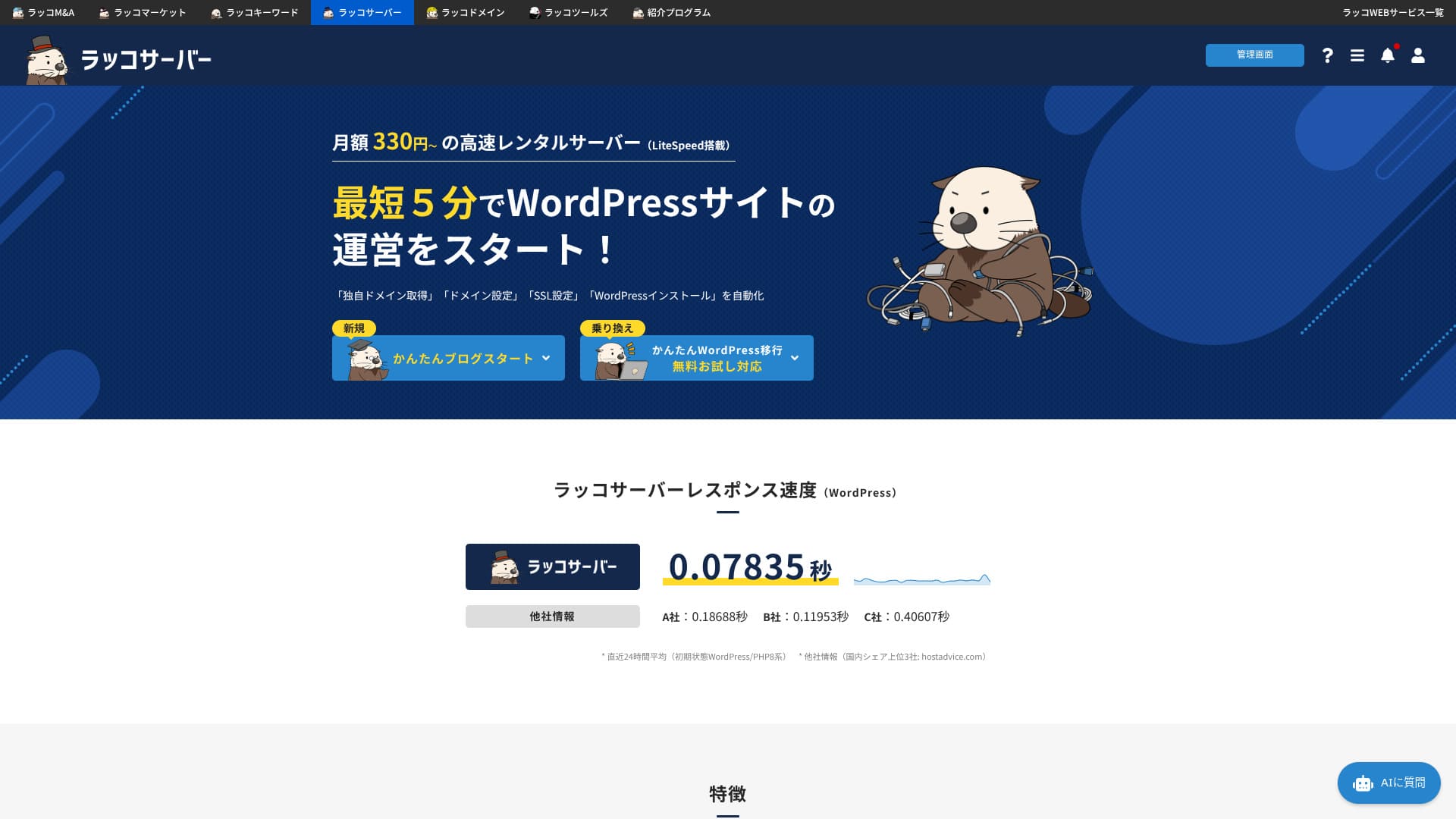
Rakko Server is operated by Rakko Inc., the company behind the website marketplace Rakko Market. It is a hosting service that lets you handle website sales smoothly in one place.

Rakko Server is recommended for people using WordPress for the first time, as well as individuals, companies, and sole proprietors considering selling a website because it offers:
- an exceptionally easy website-sale workflow
- an easy way to start WordPress
- affordable pricing despite solid performance
That is why. You will probably be satisfied. You can try it free for 30 days.
A competing service is ColorfulBox
 . It has more upper-tier plans and can be used more cheaply than Rakko Server, making it easier to stay with for the long term. It is worth considering alongside it.
★ Colorful Box Review [2025 Latest]: Start WordPress with a top-value hosting service
| Server type | Shared hosting |
| Speed (TTFB) | 120ms |
| Recommended plan and term | RK1 / 12 months |
| Free trial / money-back guarantee | 30-day free trial |
| Monthly price (12-month plan) | 440 yen |
| Initial setup fee | Free |
| Free domain | 1 domain free for the first year |
| Support | Email (weekdays 10:00-19:00) |
| Uptime | Not disclosed |
| Storage | 100GB |
| Number of databases | Unlimited |
| Security | WAF, IPS/IDS |
| SSL | Free dedicated SSL, dedicated SSL |
| Backup / restore | 30 days of automatic backups included free, with free restores |
| Number of email accounts | Unlimited |
| Email security | Email encryption, POP/POPS, SMTP/SMTPS, IMAP/IMAPS, virus scanning, spam filters, and custom filters |
| Server / website migration service | 16,500 yen |
| WordPress preinstall | Yes |
| CDN | None |

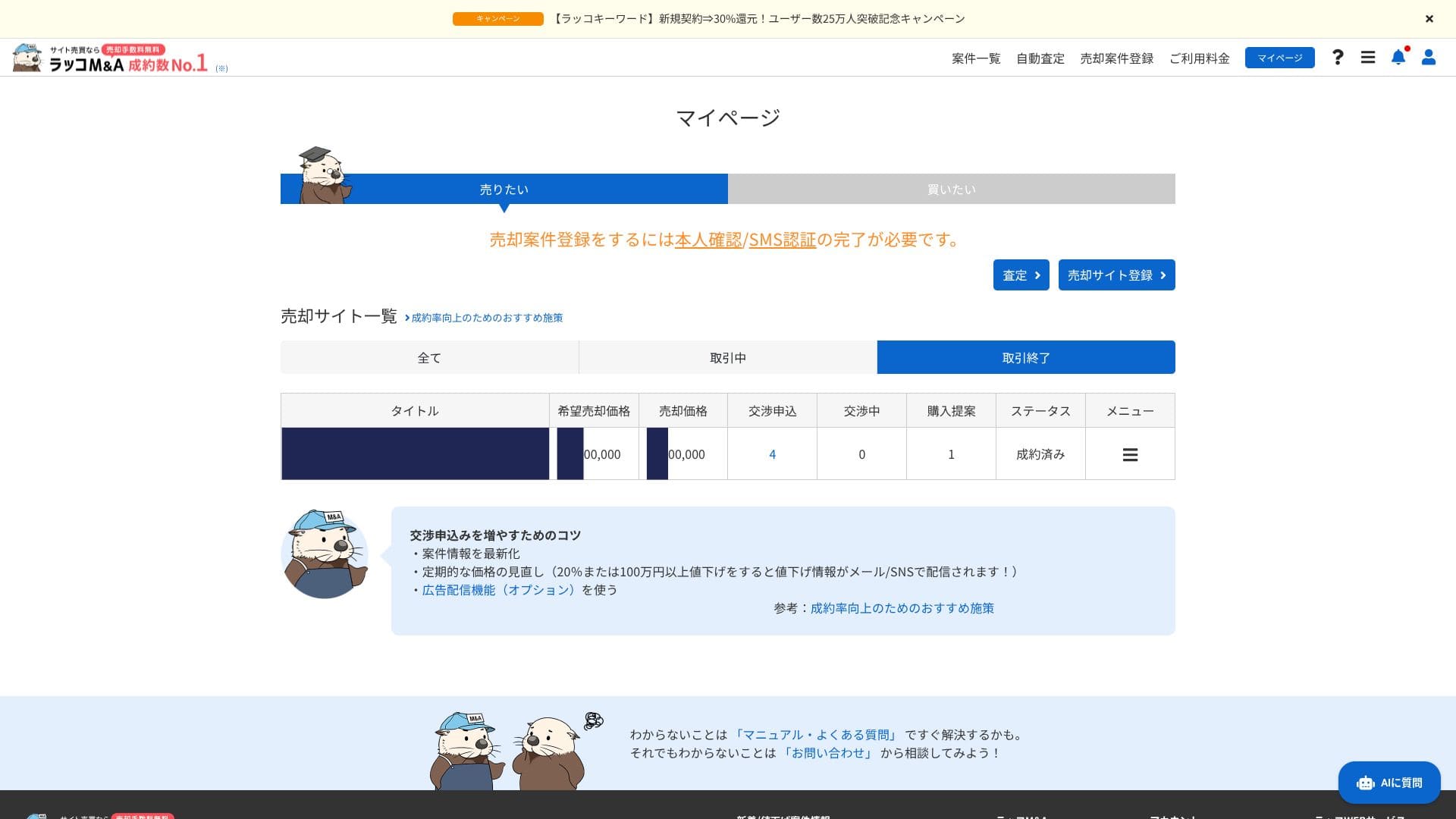
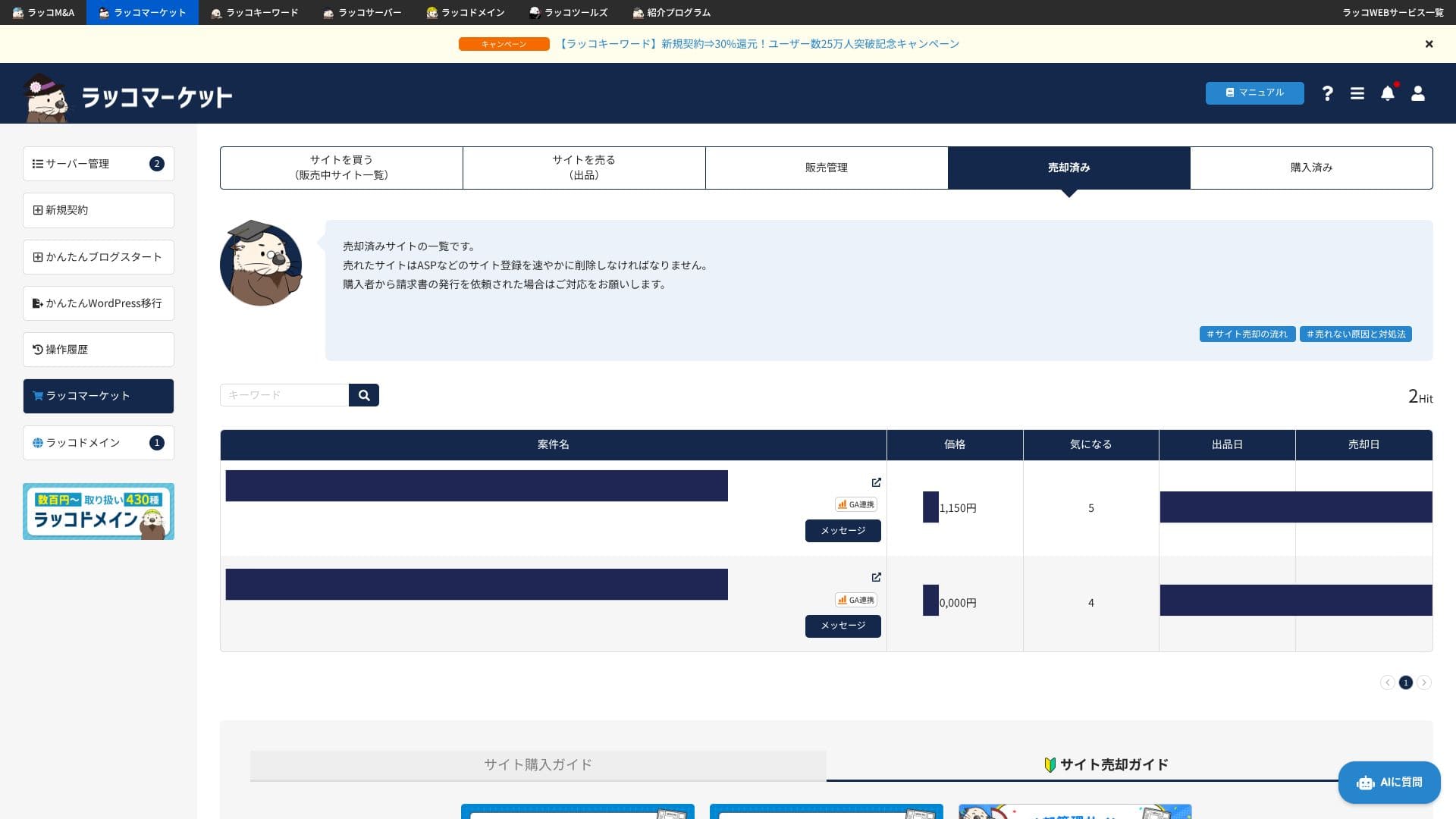
I personally moved websites to Rakko Server and sold them, ranging from sites worth around 10,000 yen to sites worth several hundred thousand yen. Thanks to Rakko Server and Rakko Market, the process was extremely smooth.
If you are thinking about selling a website, definitely use Rakko Server.
Rakko Server versus other hosting services
- Overall rating ★★★★☆
- Server speed ★★★★☆
- Pricing ★★★★☆
- Stability ★★★★☆
- Ease of getting started with WordPress* ★★★★★
- Handling domains, SSL, and similar settings* ★★★★★
* Based on my own hands-on experience using it.

- Data based on market research as of November 4, 2025, arranged in order of speed
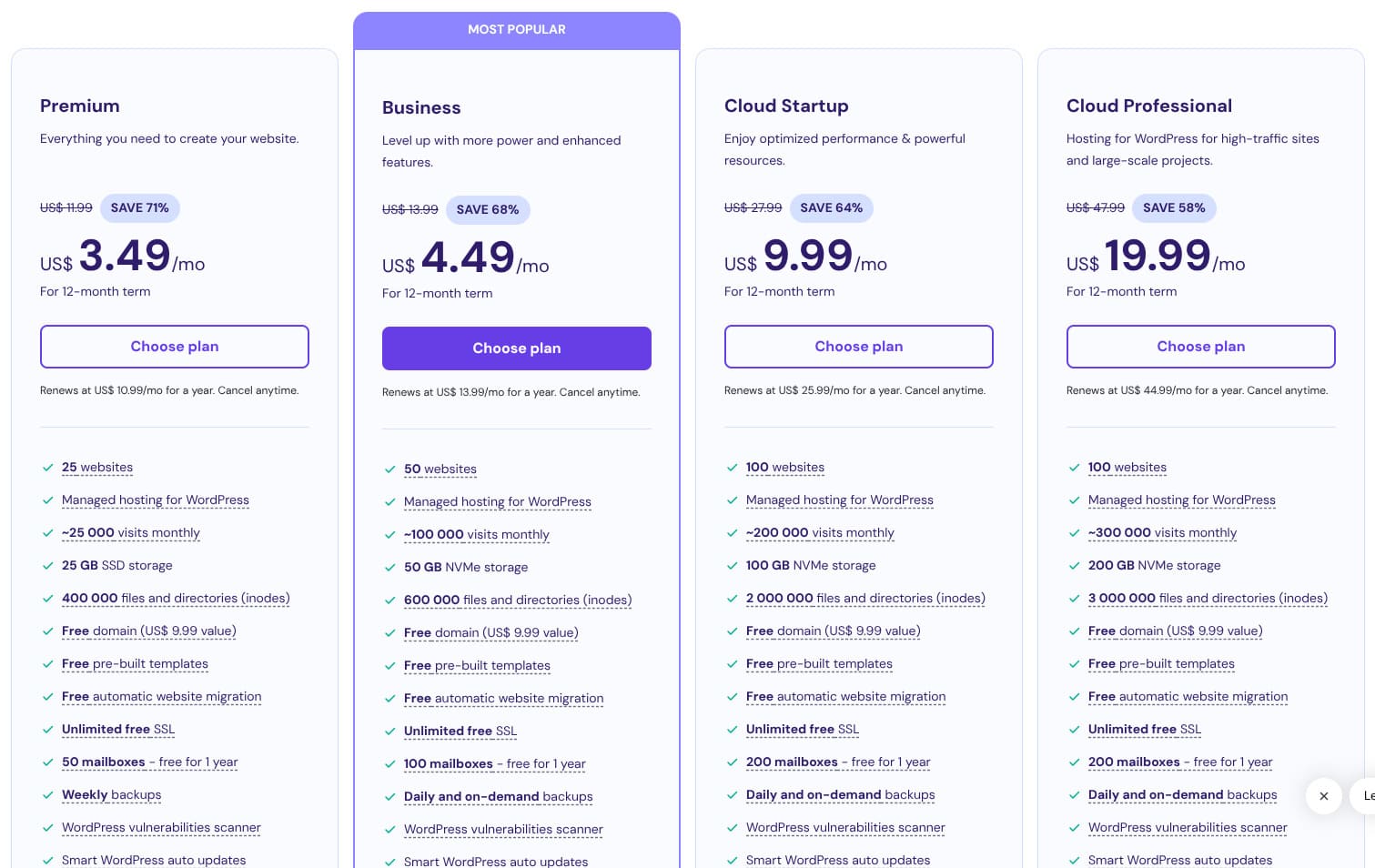
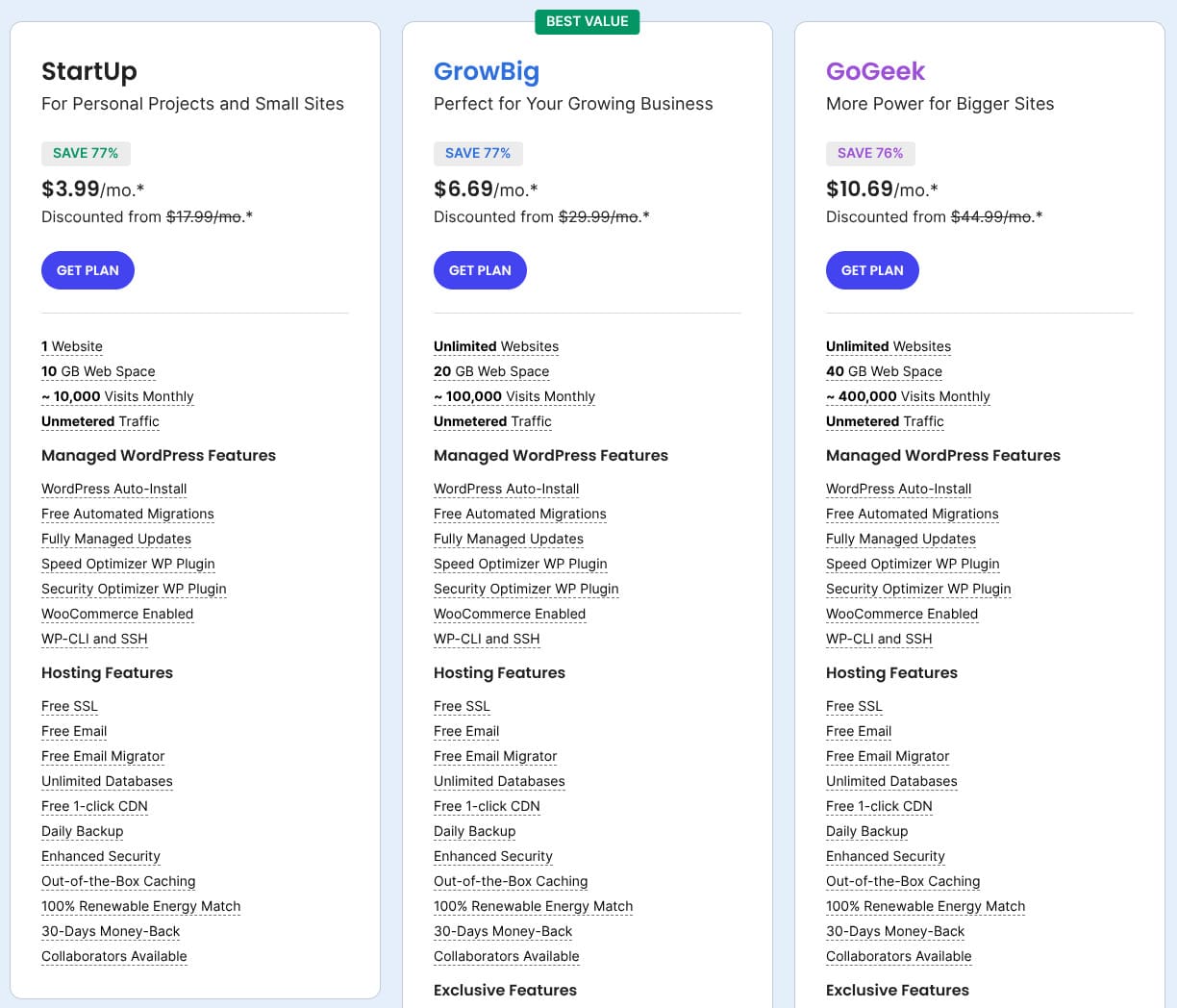
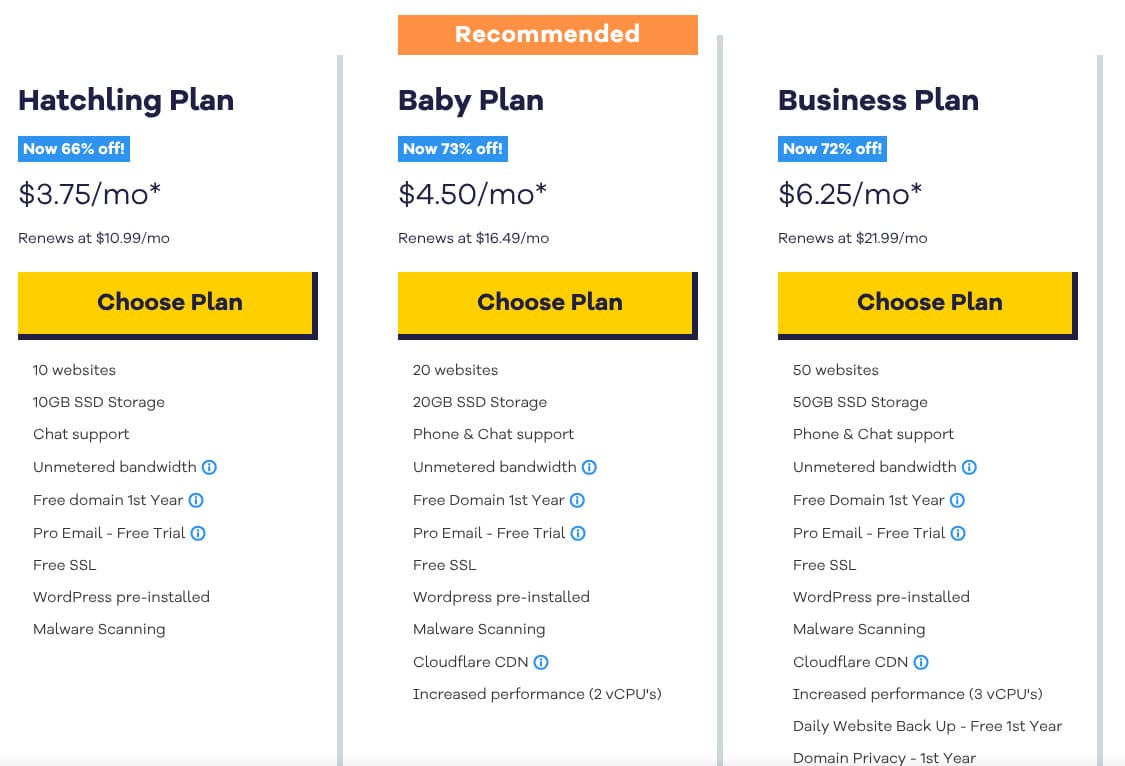
- Monthly prices are the first-year cost of the cheapest plan that supports WordPress
- Speed is the Time to First Byte measured on demo sites under the same conditions
| Hosting service (plan) | Speed | Monthly price | WordPress Preinstalled | Uptime | Support (hours) |
|---|---|---|---|---|---|
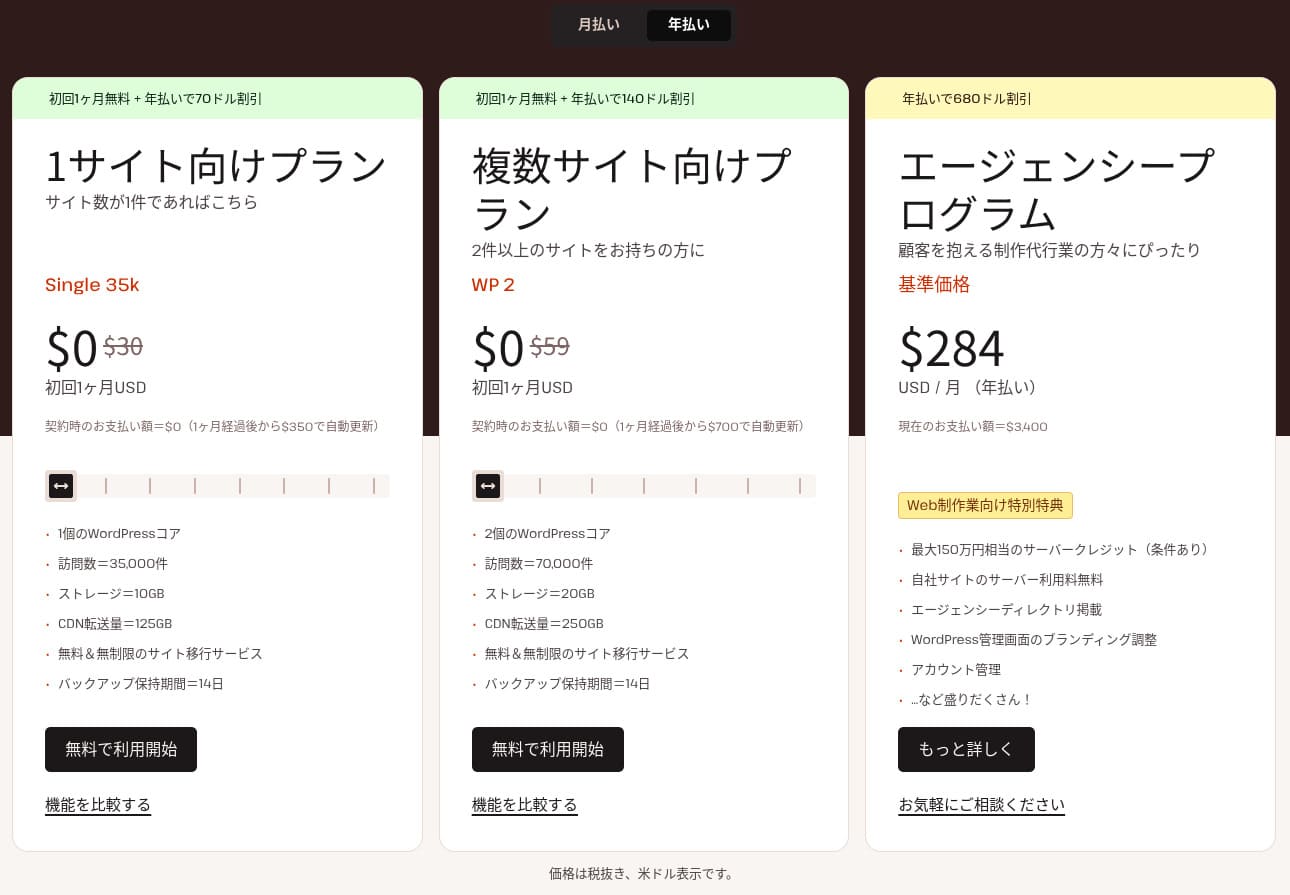
| Average and recommended | 222.2ms | 1,109 yen | Yes | 99.99%+ | 24/7 or better |
| Kinsta
| 30ms | 30 USD (4,525 yen) | Yes | 99.9% | Chat (Japanese support, 24/7) / Email |
【Hostinger】
 (Premium) (Premium) | 31ms | 439 yen | No | 99.9% | Chat (24/7) |
XServerビジネス
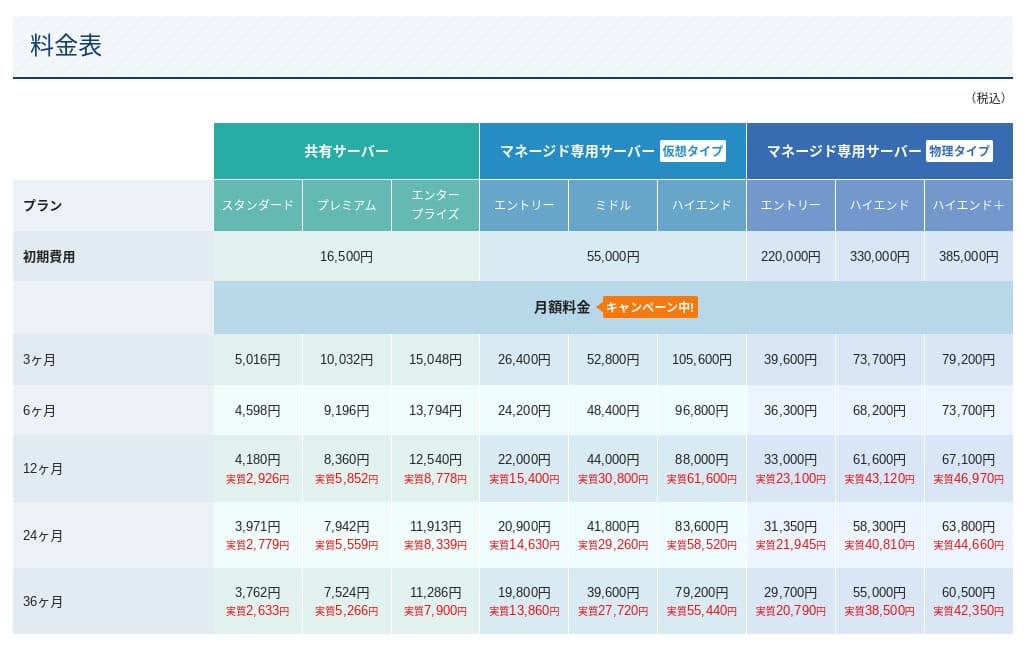
 (Shared hosting) (Shared hosting) | 40ms | 2,926 yen | Yes | 99.99% | Phone / Email (weekdays 10:00-18:00) |
wpX Speed
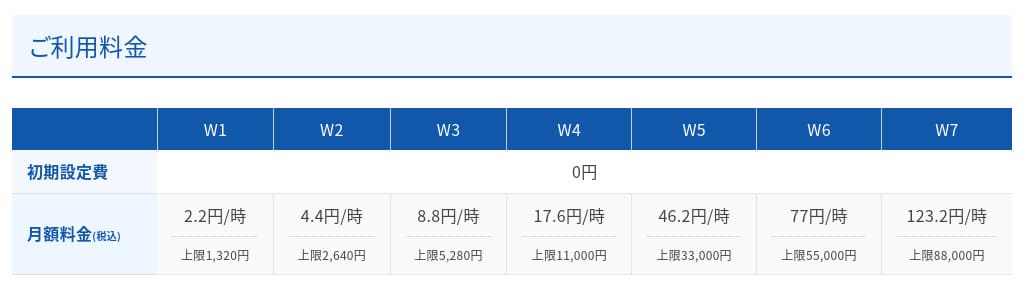
 (W1) (W1) | 40ms | 1,320 yen | No | Not disclosed | Phone / Email (10:00-18:00) |
LOLIPOP
 (Light) (Light) | 80ms | 495 yen | Yes | 99.99% | Email / Chat (weekdays 10:00-18:00) |
スターレンタルサーバー
 (Free) (Free) | 90ms | 418 yen | No | Not disclosed | No |
| Rakko Server(RK1) | 120ms | 440 yen | Yes | Not disclosed | Email (weekdays 10:00-19:00) |
エックスサーバー
 (Standard) (Standard) | 130ms | 770 yen | Yes | 99.99% | Phone / Email / Chat (weekdays 10:00-18:00) |
mixhost
 (Light) (Light) | 150ms | 594 yen | Yes | 99.99% | Email (weekdays 10:00-18:00) |
ConoHa WING
 (Basic) (Basic) | 160ms | 941 yen | Yes | 99.99% | Phone / Email / Chat (weekdays 10:00-18:00) |
| ColorfulBox
(BOX1) | 190ms | 383 yen | Yes | Not disclosed | Phone (24-hour reception) / Chat / LINE / Email (weekdays 09:30-12:00, 13:00-17:30) |
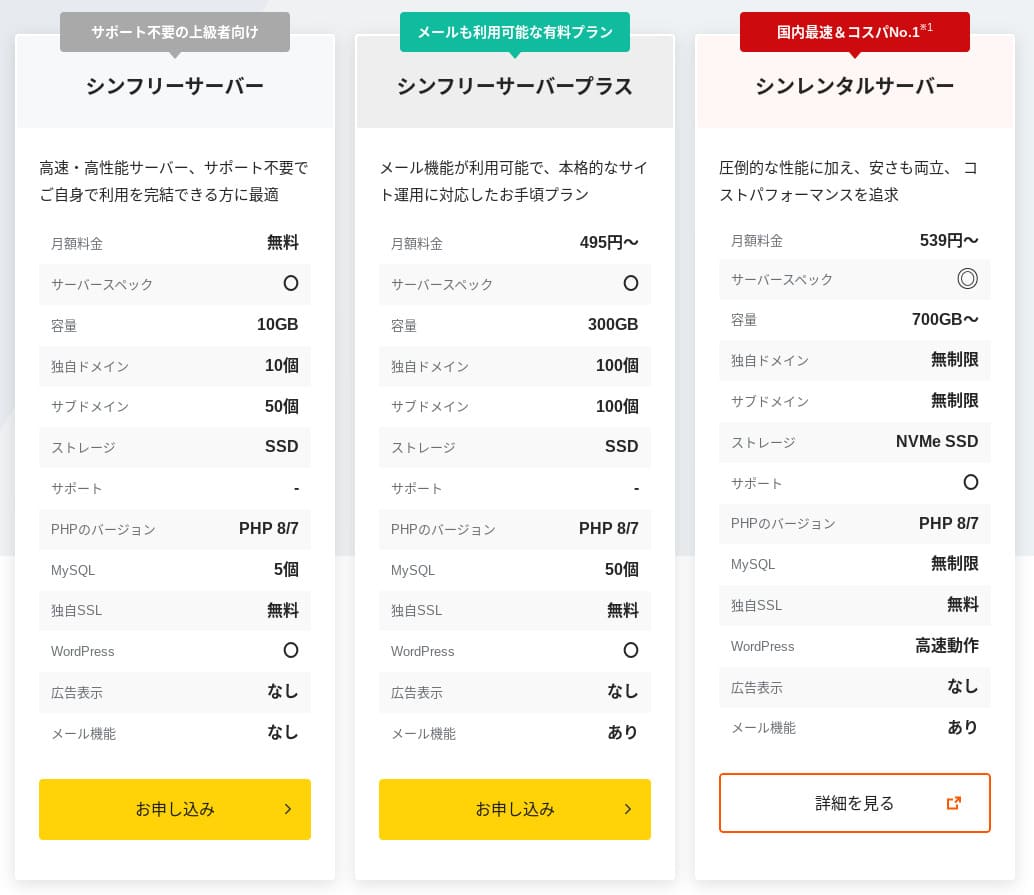
シンレンタルサーバー
 (Basic) (Basic) | 200ms | 985 yen | Yes | Not disclosed | Phone / Email (10:00-18:00) |
リトルサーバー
 (Mini) (Mini) | 200ms | 165 yen | No | Not disclosed | Email (business hours not disclosed) |
CORESERVER
 (MINI) (MINI) | 210ms | 264 yen | Yes | Not disclosed | Email / Chat (10:00-12:00, 13:00-17:00) |
| DreamHost(WordPress Starter) | 400ms | 2.99 USD (461 yen) | No | 100% | Chat (24/7) / Email / Phone callback |
| Bluehost(Basic) | 420ms | 4.99 USD (769 yen) | No | 100% | Chat (24/7) |
さくらのレンタルサーバ
 (Standard) (Standard) | 440ms | 550 yen | No | 99.99% | Chat / Email / Phone / Callback reservation (10:00-18:00) |
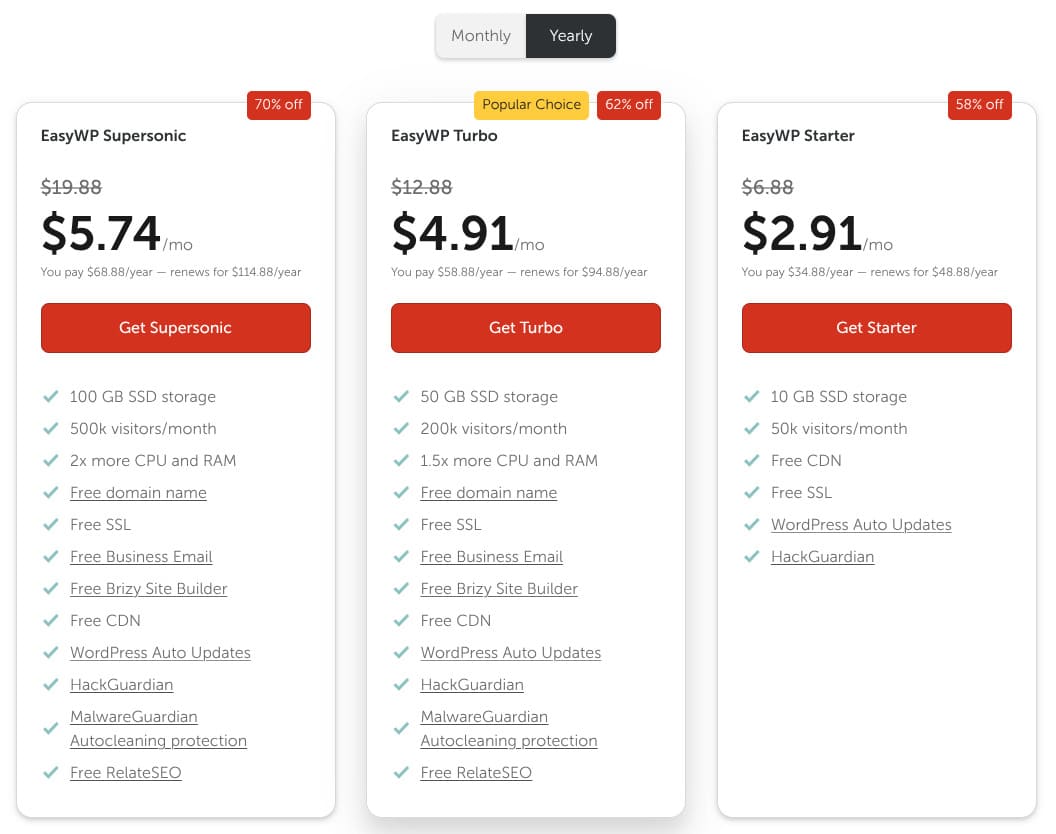
| Namecheap(EasyWP Supersonic) | 440ms | 9.88 USD (1,523 yen) | No | 99.9% | Chat (24/7) |
| Shin Free Server | — | Free | No | Not disclosed | No |
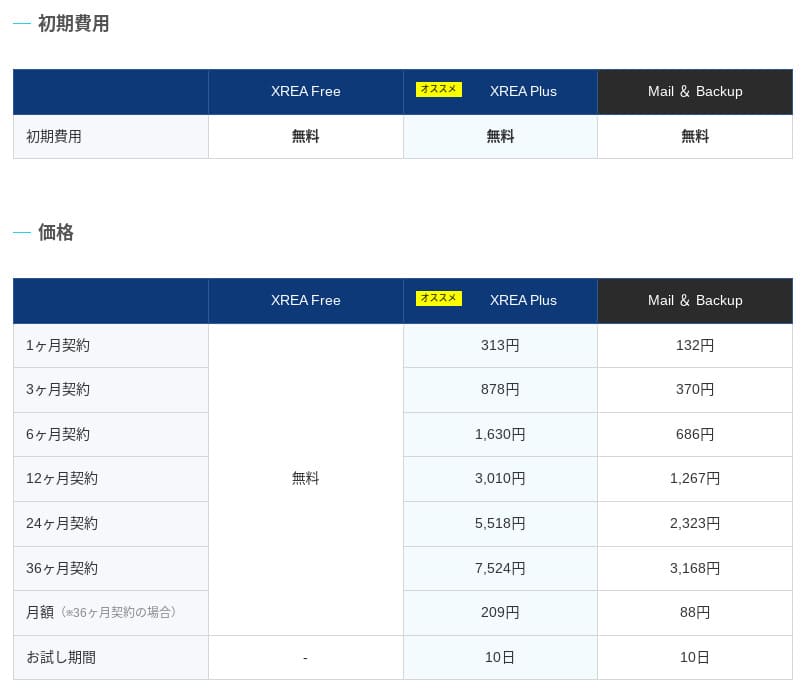
XREA
 (Free) (Free) | — | Free | No | Not disclosed | No |
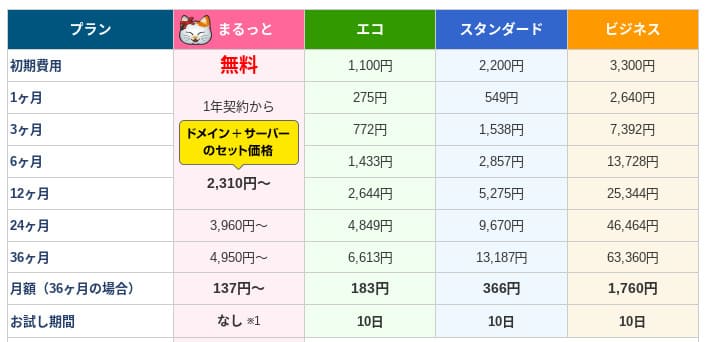
Value Server
 (Eco) (Eco) | — | 220 yen | No | Not disclosed | Email / Chat (weekdays 10:00-17:00) |
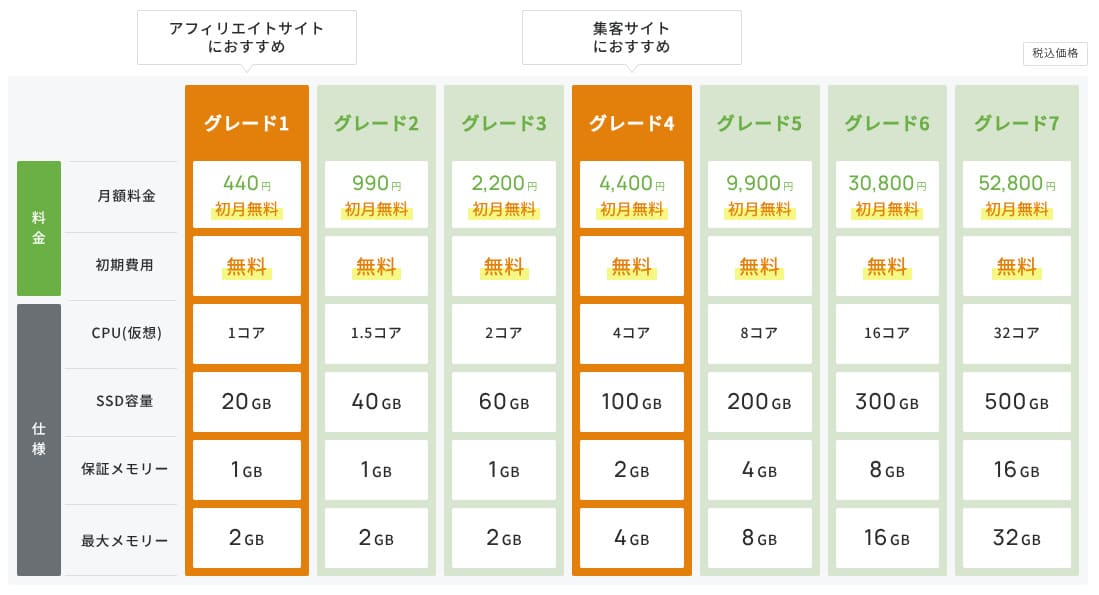
| KAGOYA JAPAN(Grade 1) | — | 440 yen | Yes | 99.999% | Phone / Email (weekdays 10:00-17:00) |
| SiteGround(StartUp) | — | 3.99 USD (615 yen) | No | 99.99% | Chat (24/7) / Email / Phone |
| Hostgator(Baby) | — | 4.45 USD (686 yen) | No | 99.9% | Phone / Chat (24/7) |
| IONOS(Start) | — | 1.00 USD (154 yen) | No | 99.98% | Phone / Email / Chat (24/7) |
onamae.com Rental Server
 | — | 2,398 yen | No | 99.99% | Phone / Email / Chat (weekdays 10:00-18:00) |
ABLENET RentalServer
 (Light) (Light) | — | 830 yen | No | 99.99% | Email (business hours not disclosed) |
| Godaddy(Basic) | — | 899 yen | Yes | 99.9% | Chat (24/7) / Phone (weekdays 10:00-17:00) |
iCLUSTA+ byGMO
 (Mini) (Mini) | — | 1,027 yen | No | 100% | Phone (weekdays 10:00-18:00) Email support is available 24/7 |
ムームーサーバー
 | — | 1,430 yen | No | 99.99% | Email / Chat (9:30-13:00, 14:00-17:30) |
WADAX
 (WP Standard) (WP Standard) | — | 2,200 yen | No | 99.9% | weekdays 09:00-22:00, weekends 09:00-18:00 |
| WebARENA SuiteX | — | 1,997 yen | No | 100% | Email / Chat (weekdays 09:30-17:00) |
heteml
 | — | 2,035 yen | No | 99.99% | Phone / Email (weekdays 10:00-18:00) |
CPI
 (Shared) (Shared) | — | 4,840 yen | No | 100% | Phone / Email (weekdays 10:00-18:00) |
"Rakko Server" is a server that lets you complete website sales smoothly in one place. If you also think about the final stage of a website's life, it is one of the easiest and most capable domestic servers to use. It is inexpensive, makes WordPress easy to start, and is highly recommended for individual users.
WordPress-related reviews
Easy WordPress installation
Rakko Server makes it very easy to start WordPress. When you sign up for the server, domain registration, SSL setup, and WordPress installation are completed at the same time. It is a convenient system that lets even server beginners publish a blog in about five minutes.
You do not need to touch the database or FTP directly, so you can skip the initial setup steps that often trip people up.
It uses the same application flow that major hosting companies such as XServer, Lolipop!, and ConoHa WING also provide.
- STEP.1Go to the official Rakko Server website
When you scroll down the top page, you will find "Start a blog in 5 minutes: Easy Blog Start." Click it.

- STEP.2Create a Rakko ID
Enter your email address in the user registration box, check "I agree to the Rakko Terms of Use," and then click "Register."
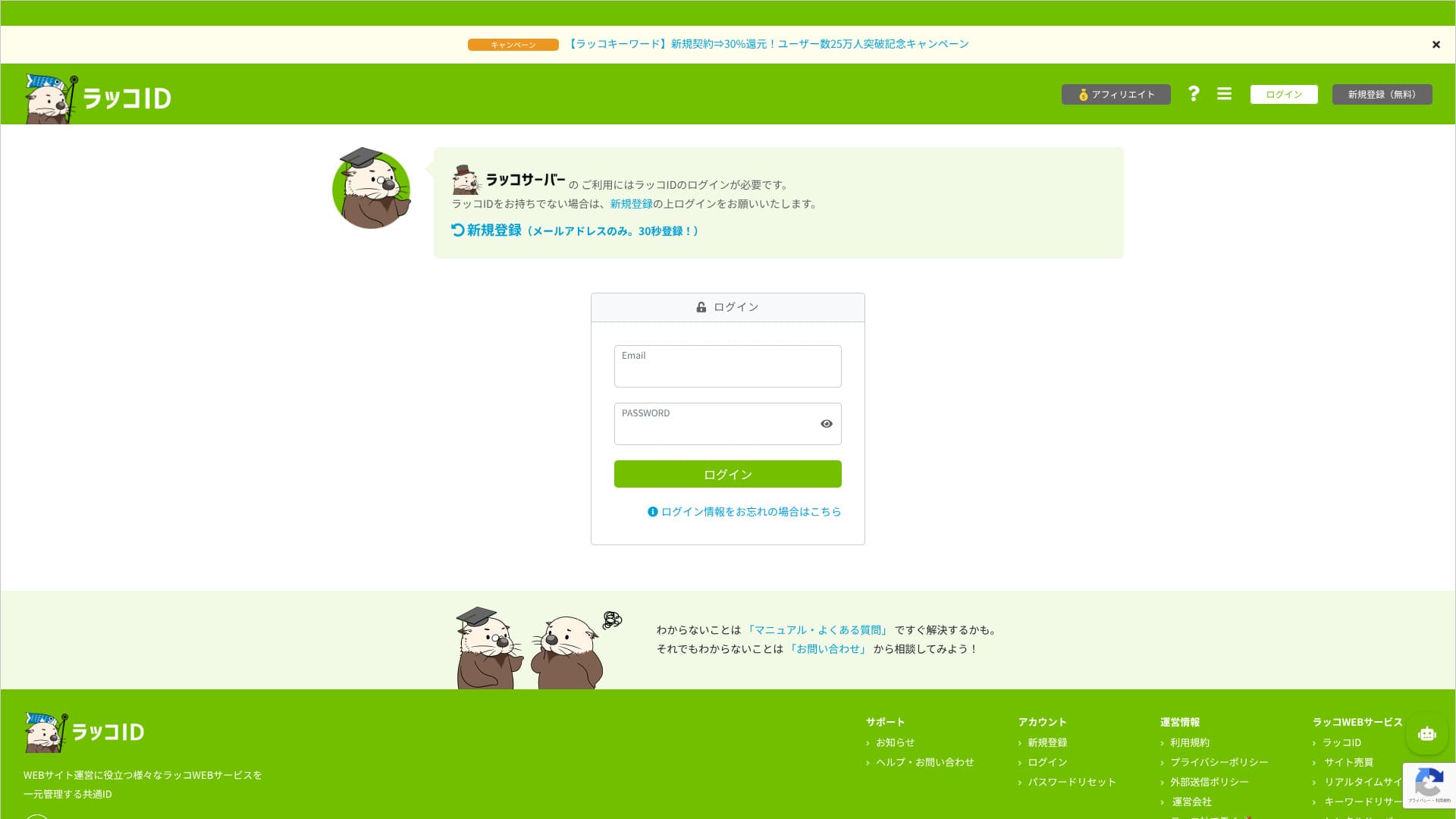
You can complete temporary registration and will receive an email. Open it and complete the full registration.
- STEP.3Sign up for the server and register your domain
After registration, go to the Rakko Server My Page and choose "Easy Blog Start." This completes difficult tasks such as WordPress installation and domain registration during the application process, so it is recommended if you want to start smoothly.
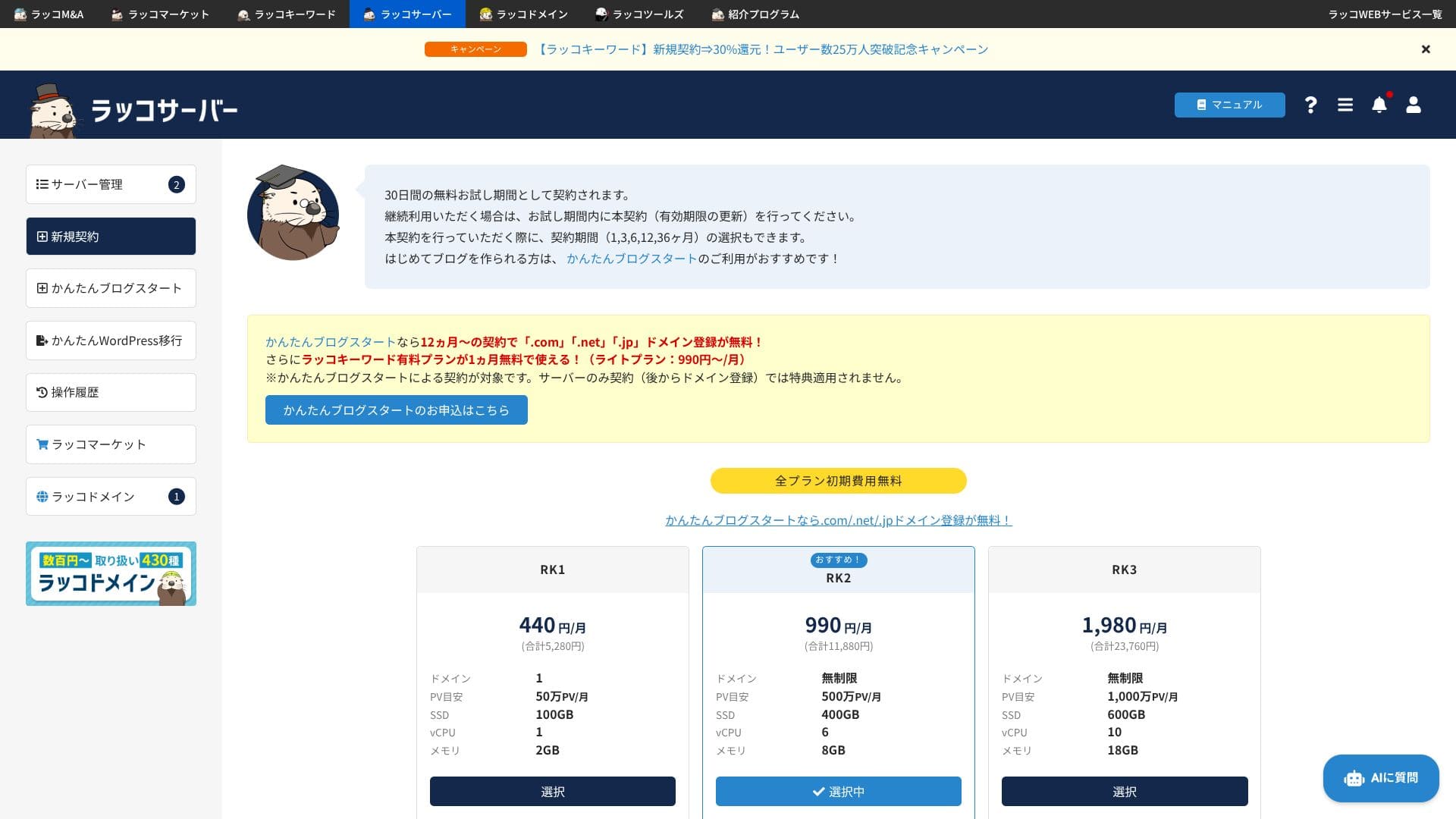
If you have never used hosting or WordPress before, definitely start with Easy Blog Start.
- Easy Blog Start does not include the 30-day free trial.
- Easy Blog Start requires domain registration. If you sign up for the server for 12 months or longer, domain registration is free.
The RK1 plan with a 12-month term is recommended. You can upgrade the plan later if traffic grows.
It is also recommended to turn on automatic renewal for both the domain and the server so you do not forget to renew them.
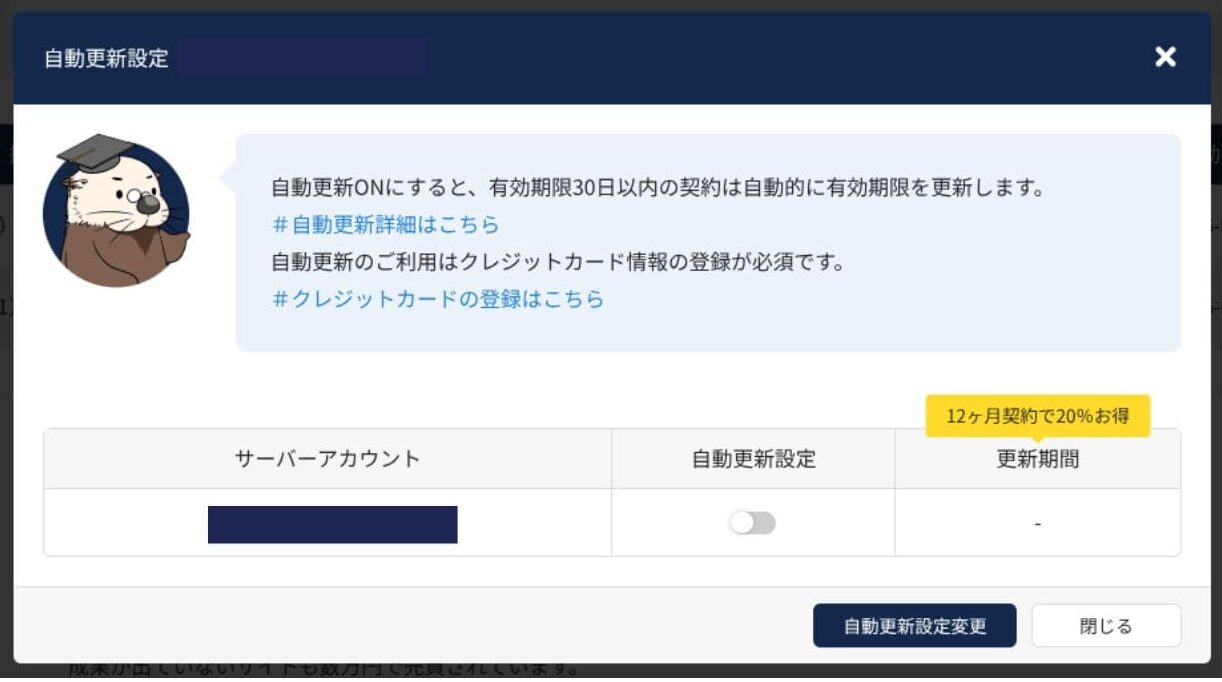
Next comes domain registration. This is the important domain that becomes your site URL. Take the time to choose a good string. Enter the string you want and search for it, then select the domain you want from the results.
Enter your WordPress username and password. Your WordPress username and password are important. Save them. You will need them to log in to the website you create with WordPress.
Be sure to claim the free Rakko Keyword perk. It helps you create articles that are genuinely useful to readers. For details, read Rakko Keyword.
Use the "Review application details" button to confirm everything you have entered so far.
- STEP.4Set payment information
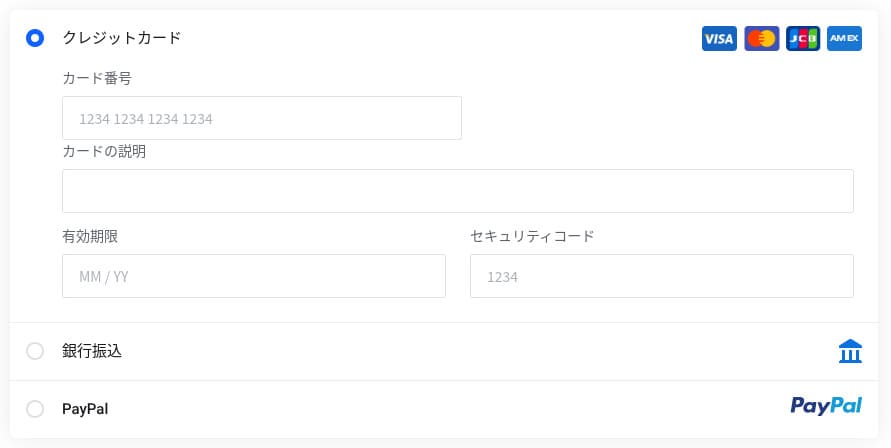
Paying by credit card is the smoothest way to get started. Enter your card information, check that you agree to the terms, and click "Apply."
- STEP.5Initial WordPress setup
When the application is complete, you will see a message saying the blog setup is complete. Open the WordPress admin URL shown there.
On the WordPress login screen, enter the WordPress username and password you set during the application, then click "Log In."
If you cannot access it yet, the DNS settings have not propagated. In that case you need to wait and try again every few minutes or every few tens of minutes.
★ What are DNS and name servers?
After that, open "General" from "Settings" in the WordPress admin. Set your site title and tagline. They become the name and tagline of your website. When you have entered them, click "Save Changes."
- STEP.6Install plugins
Go back to the WordPress admin and open "Plugins" then "Add New" to install the plugins you need.
Once you find the plugin you want through search, click "Install Now" and then "Activate." After that, follow each plugin's instructions.
Be sure to install security and backup plugins.
- Five WordPress security plugins and how to choose them
- Five WordPress backup plugins that can recover lost data
Once the plugins are installed, your WordPress website is ready to go.
The "Easy Blog Start" option you choose when signing up for Rakko Server can only be used on a new application. If you already have a contract and want to add another domain, you need to set it up with the regular installer inside cPanel.
Running multiple websites
Higher plans (RK2 and above) let you add unlimited domains, so you can manage multiple WordPress sites under one contract. With cPanel's Addon Domains feature, you can also issue email addresses and SSL certificates for each added site with one click.
Because CPU and memory are shared within the plan, if one site suddenly attracts a lot of traffic, it can affect the speed of the other sites. If traffic grows, consider upgrading your plan.
- STEP.1Log in to the control panel
- STEP.2Click the server account where you want to add WordPress
Select the server account where you want to add WordPress from the list of contracted server accounts, then click it.
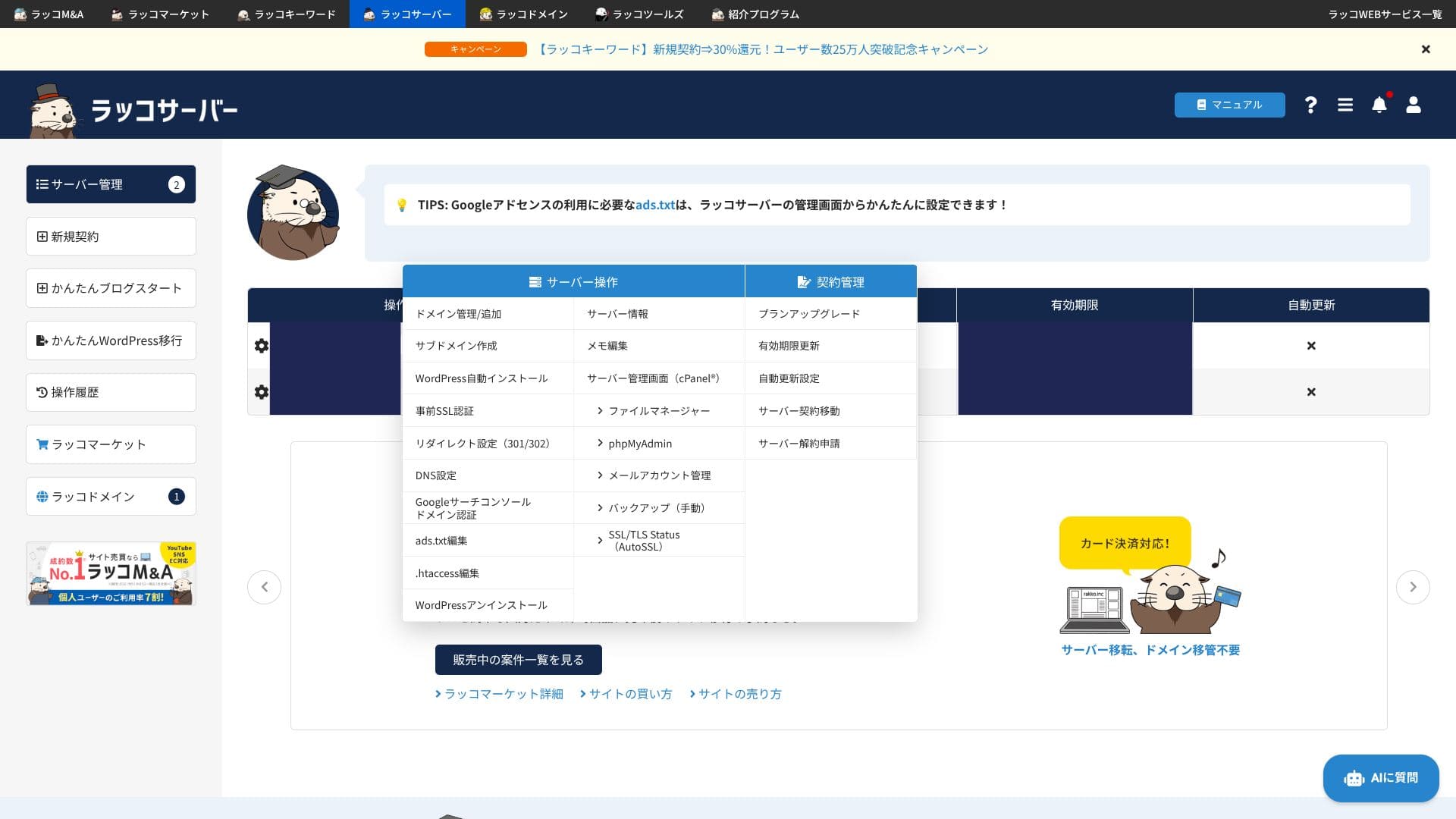
- STEP.3Click WordPress Auto Install
Click "WordPress Auto Install" under "Server Operations."
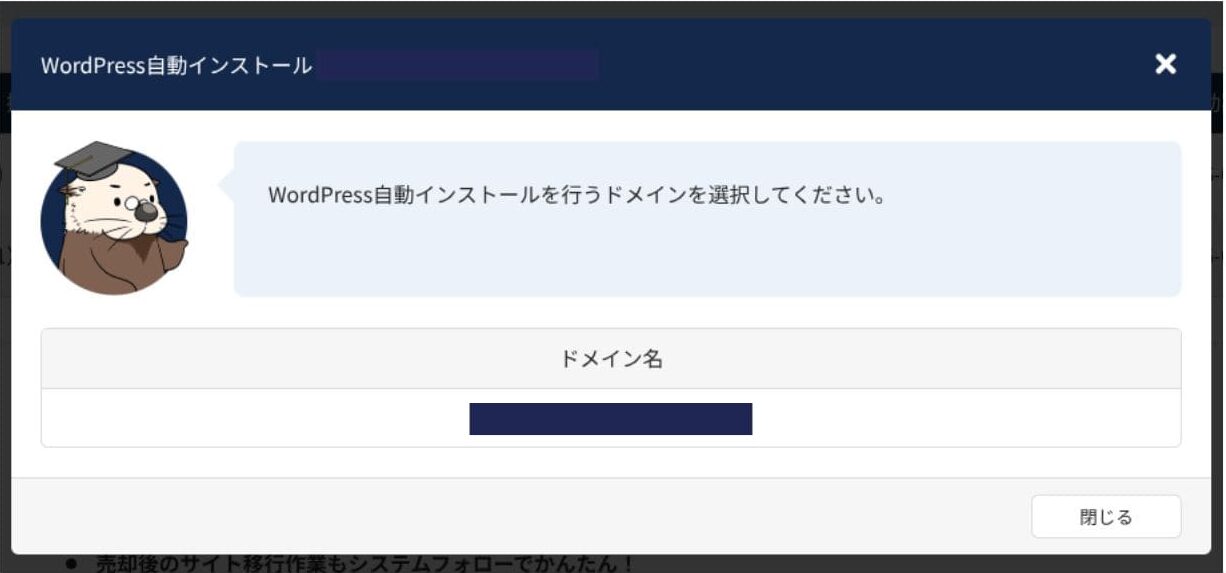
Click the domain name.
- STEP.4Enter the WordPress settings
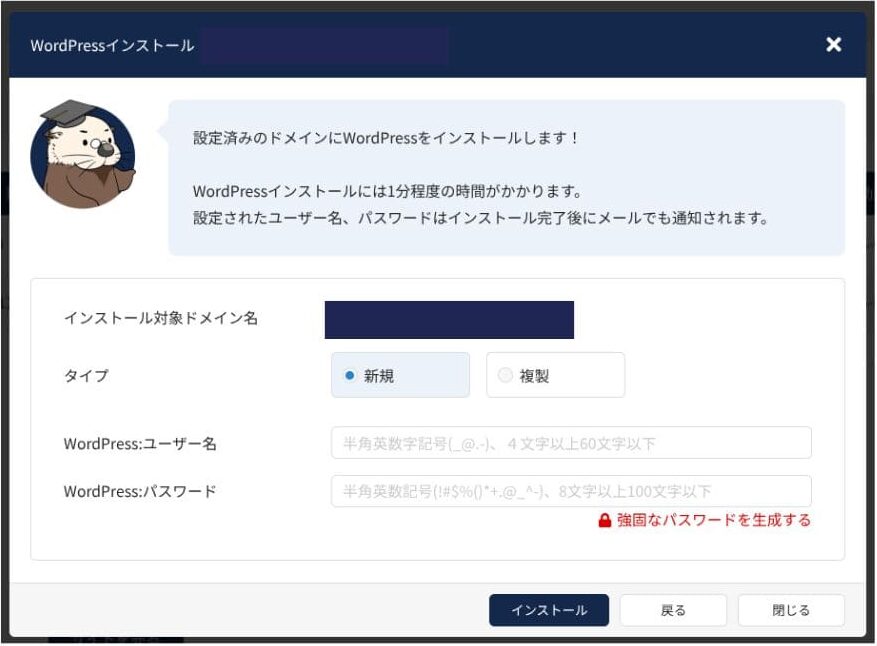
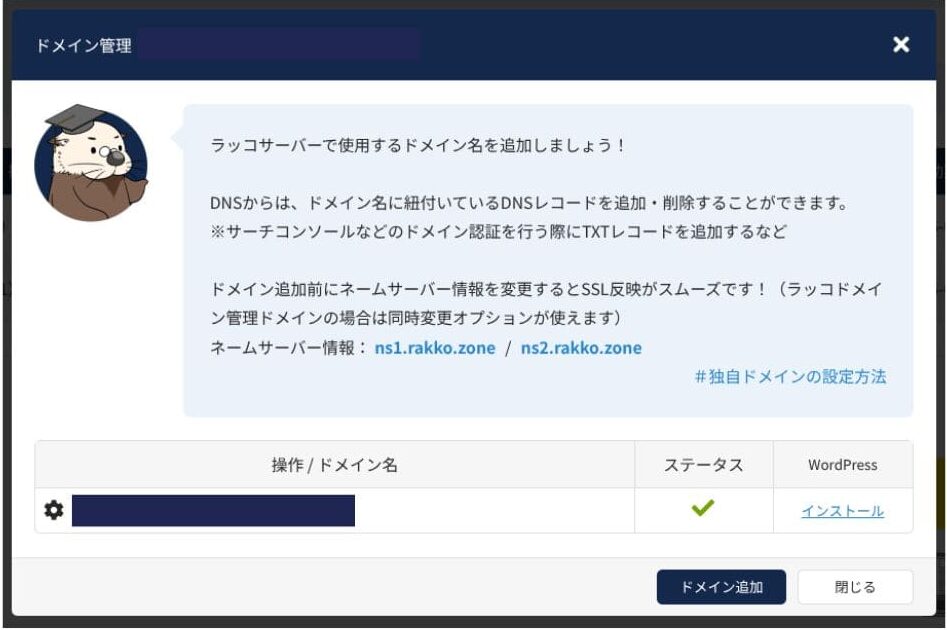
If you have only one domain, add another domain first. Click "Server Account" under "Server Operations," then click "Domain Management" and add the domain after that.
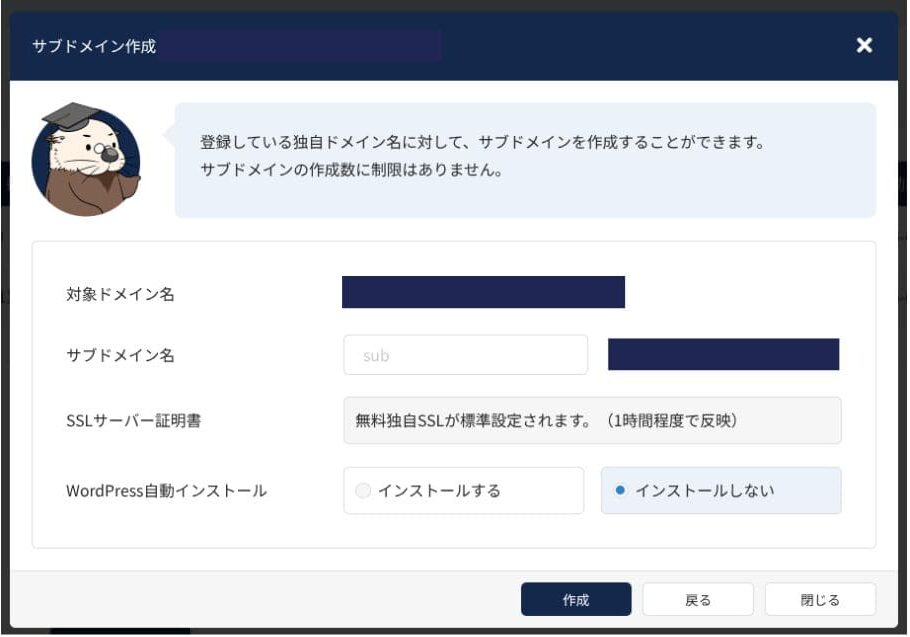
WordPress can also be installed on a subdomain. You can do this from "Create Subdomain" under "Server Operations."
The lowest-priced RK1 plan supports only one domain and one database, so you can run only one WordPress site on it.
Performance and specs review
Our measurements: speed review and why it is fast
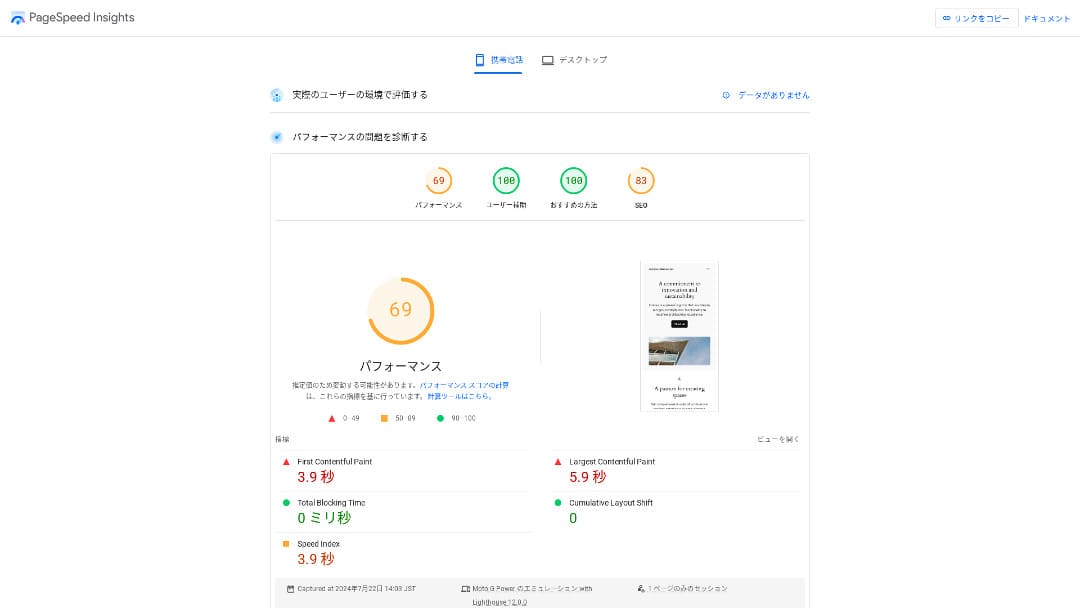
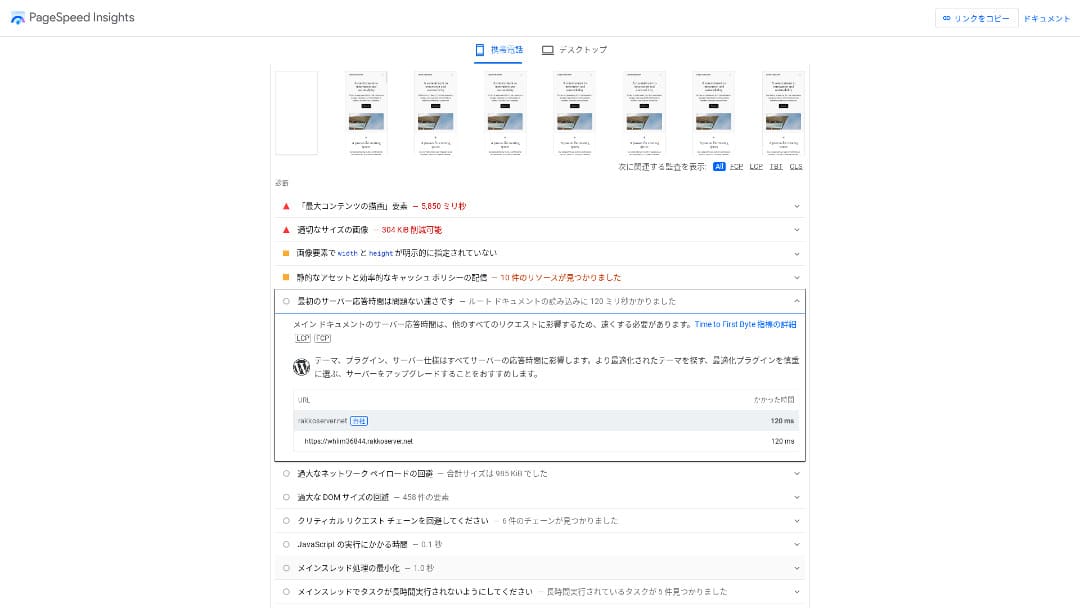
Rakko Server is very fast. In our measurements, the TTFB (Time to First Byte, in other words the first response from the page) came in at 120 ms. It meets the 200 ms threshold Google expects from a server.
You should reduce your server response time under 200ms. (Your server response time should be kept under 200 milliseconds.)
Improve Server Response Time
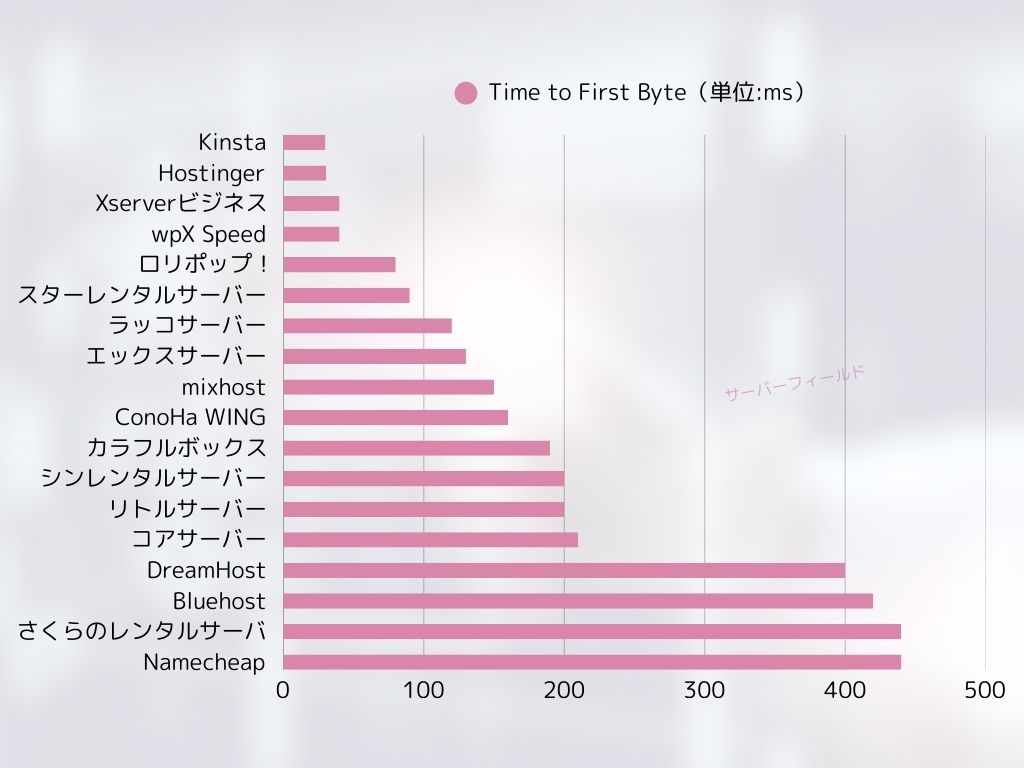
Even when compared with other servers, it can be rated as a fast service.
LiteSpeed web server
LiteSpeed Web Server is an Apache-compatible web engine that speeds up the dynamic generation of WordPress pages. It also supports HTTP/3 (QUIC), so reconnections on mobile networks are faster.
When combined with the LiteSpeed Cache plugin, page caches are served automatically, greatly shortening perceived loading times. It can help improve Google PageSpeed Insights scores and contribute to better search evaluation and user experience.
The admin area, where you are logged in, is excluded from caching. If you want a comfortable editing experience, it is safer to choose a plan with enough vCPU and memory.
HTTP/3 (QUIC)
HTTP/3 reconnects quickly on mobile networks, so it can improve display speed. Older browsers do not support it and automatically fall back to HTTP/2.
Besides Rakko Server, services such as ColorfulBox and mixhost also support HTTP/3. Even so, it is still a relatively uncommon technology among domestic hosting services.
Disk space
Even the entry-level RK1 plan includes 100 GB of SSD storage, which is more than enough even for blogs that use many images. For reference, this site itself uses less than 2 GB of storage. In other words, RK1 is enough in terms of disk capacity.
A small website with fewer than 10 pages running on Rakko Server uses only about 30 MB.
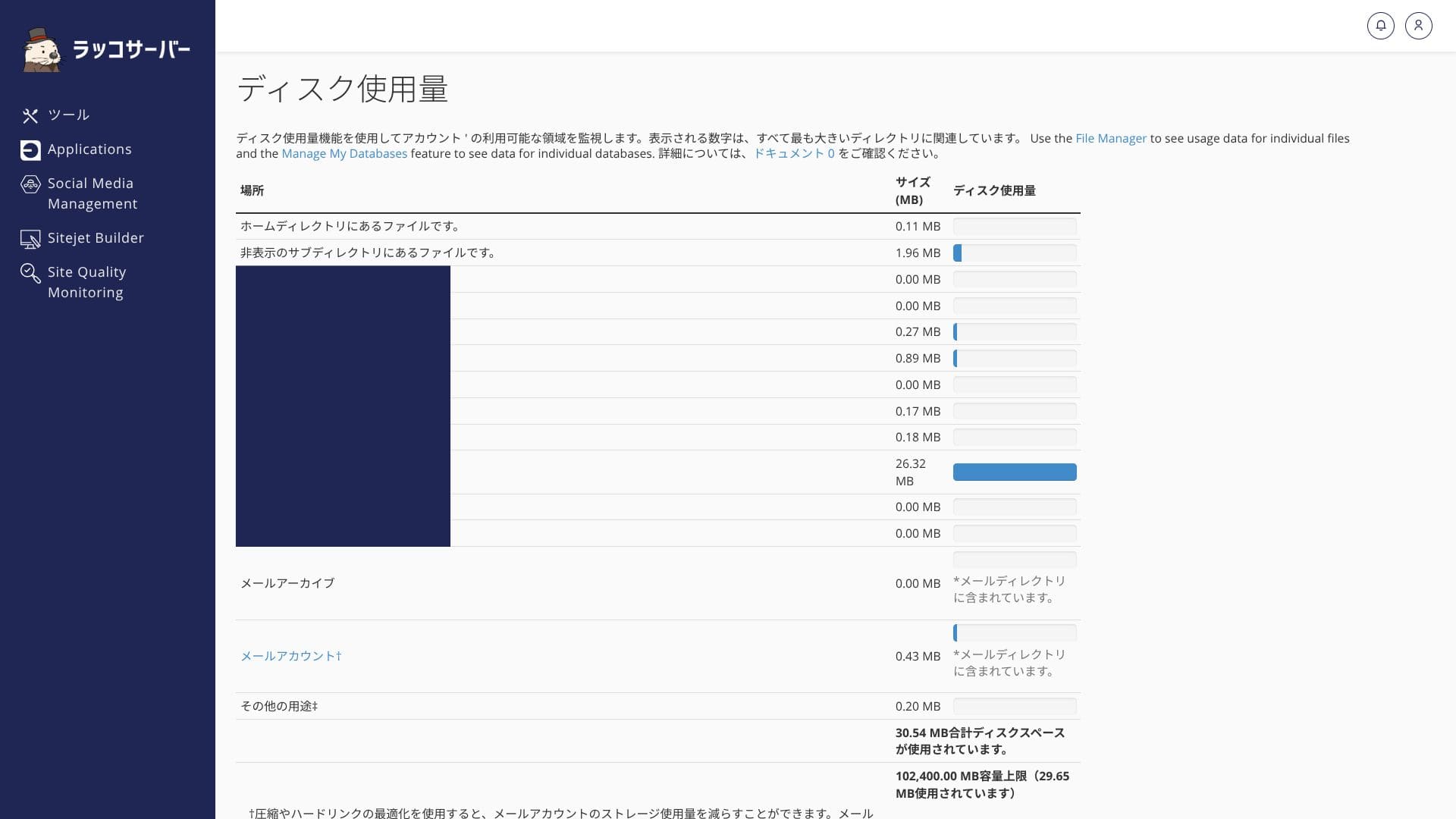
If disk usage exceeds 95%, you receive a warning email. Be careful not to keep too many backups or large numbers of images on the server itself.
Bandwidth
There is no clearly stated bandwidth cap, and with RK1 you can operate at roughly up to 500,000 page views per month without extra charges. That is enough bandwidth for most websites.
On Rakko Server, you can check bandwidth usage in cPanel under "Bandwidth."
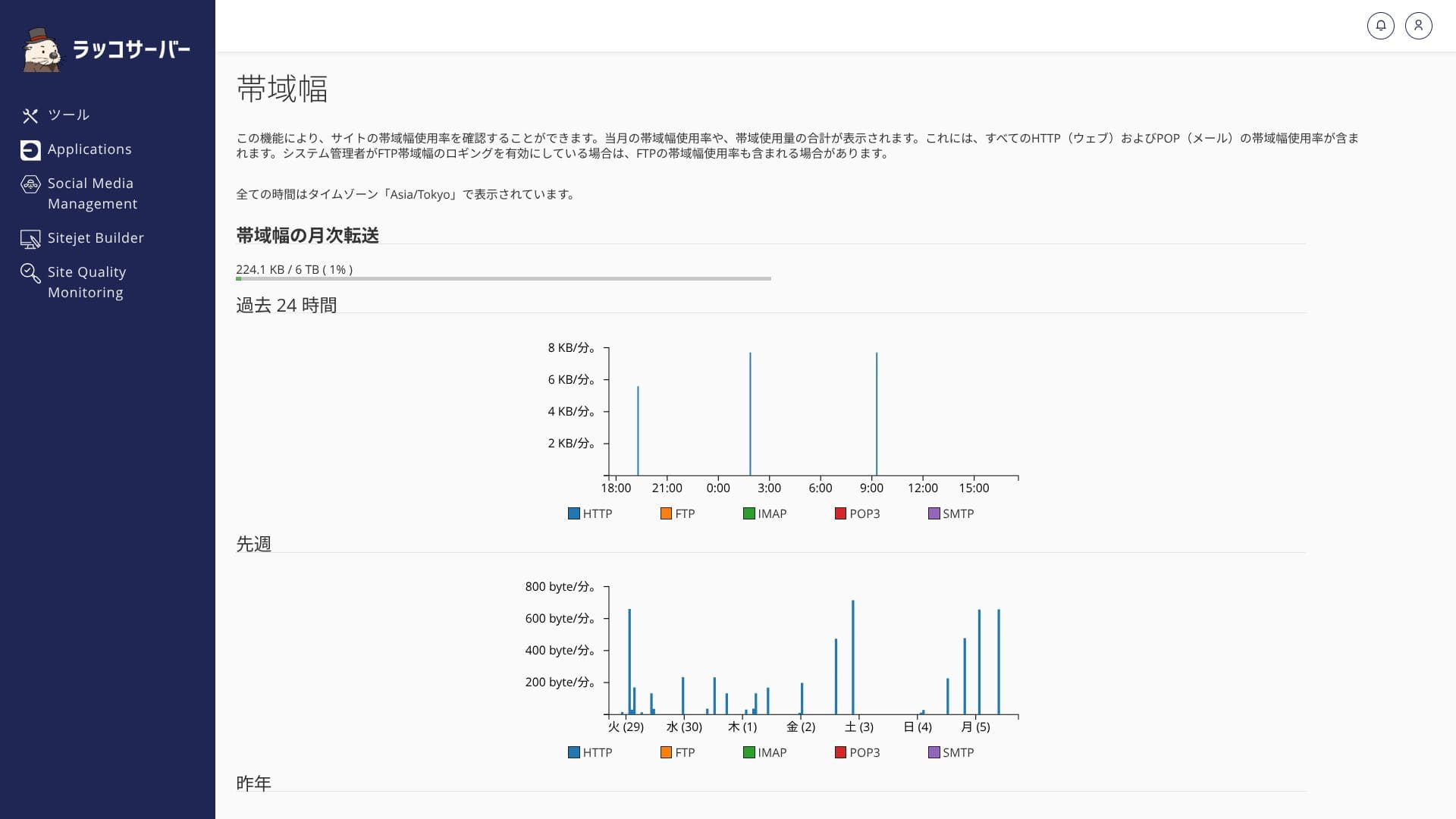
If CPU or memory usage stays above 95% for three hours, you are notified automatically. If heavy load continues for a long period, traffic restrictions may be applied.
★ What are traffic and bandwidth? Managing and optimizing web traffic
Server stability and uptime
Rakko Server does not publish its uptime. Because you cannot judge server stability by numbers, this may feel unsettling. It is also a drawback when a company asks you to submit stability data.
That said, the servers are monitored 24/7 and recover automatically when a failure occurs, so even corporate sites can use it with confidence.
★ A beginner's guide to rental server uptime and SLA
Pricing and cost evaluation
Initial fees and monthly pricing
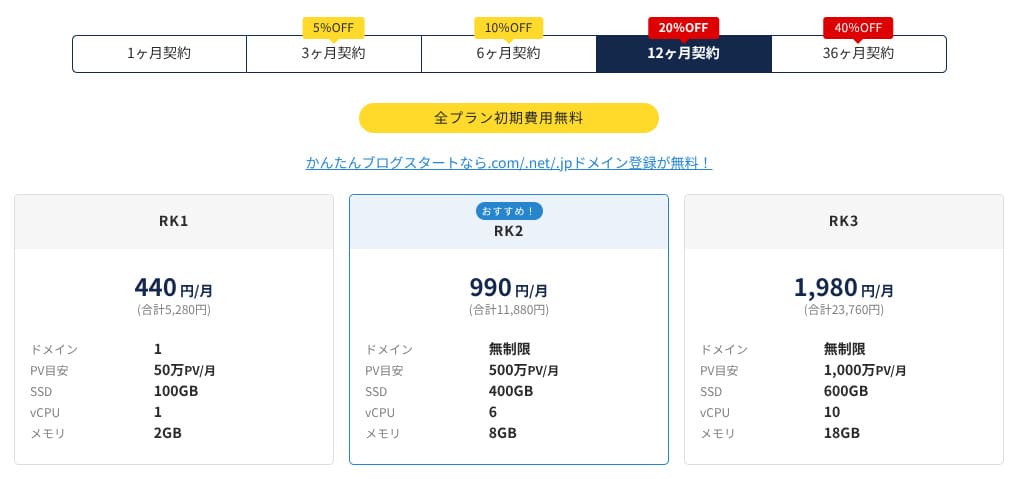
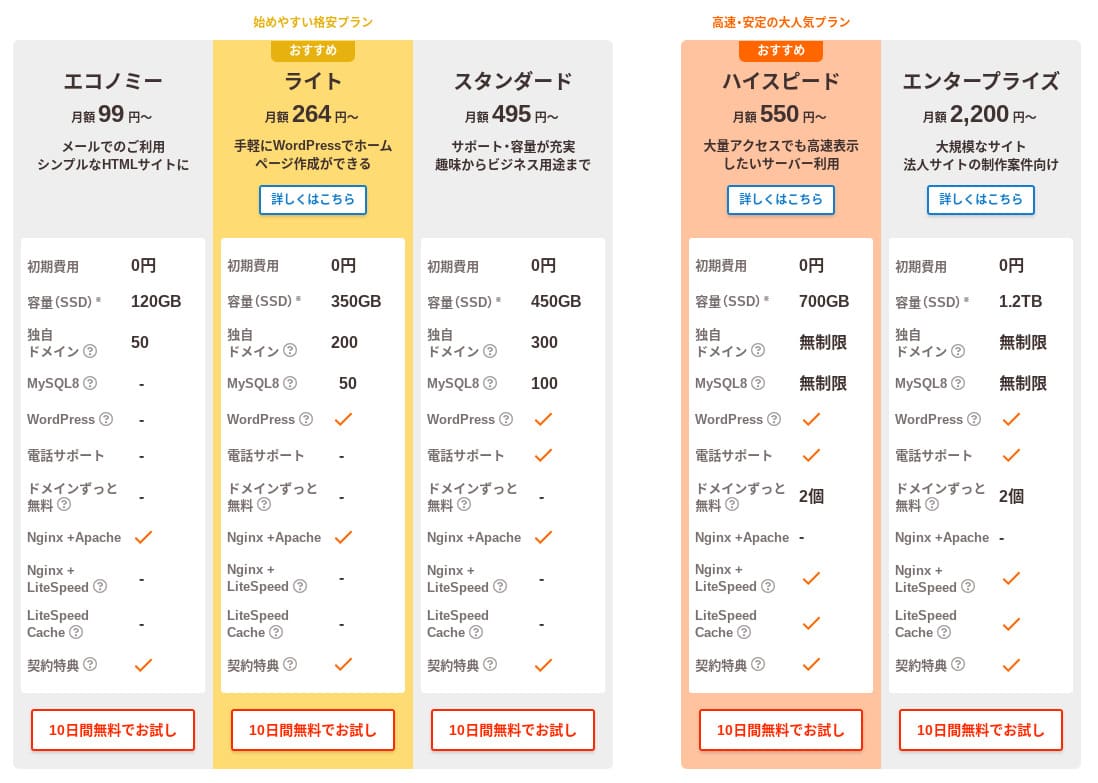
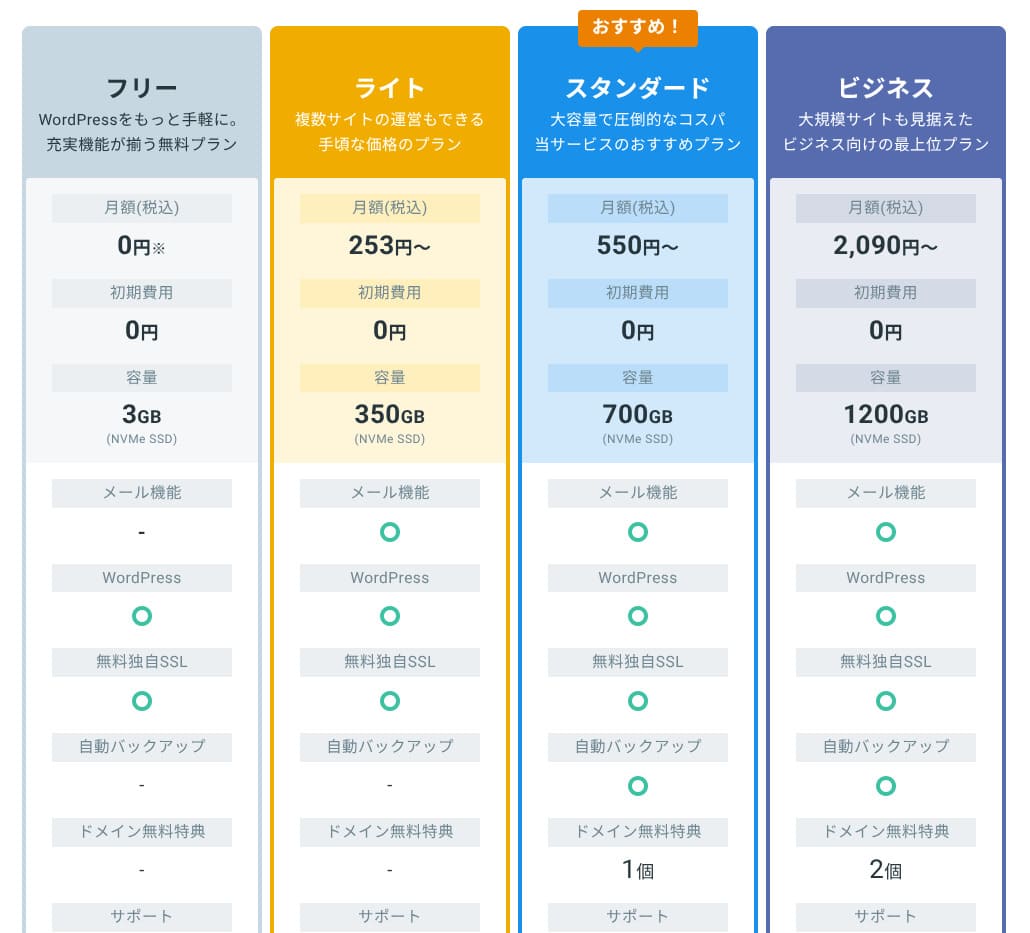
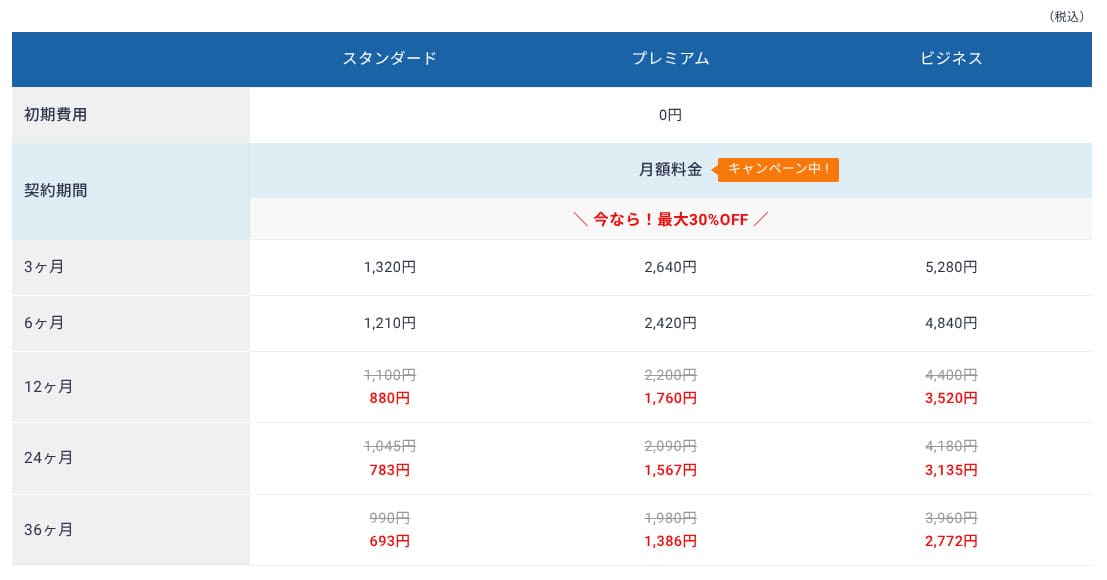
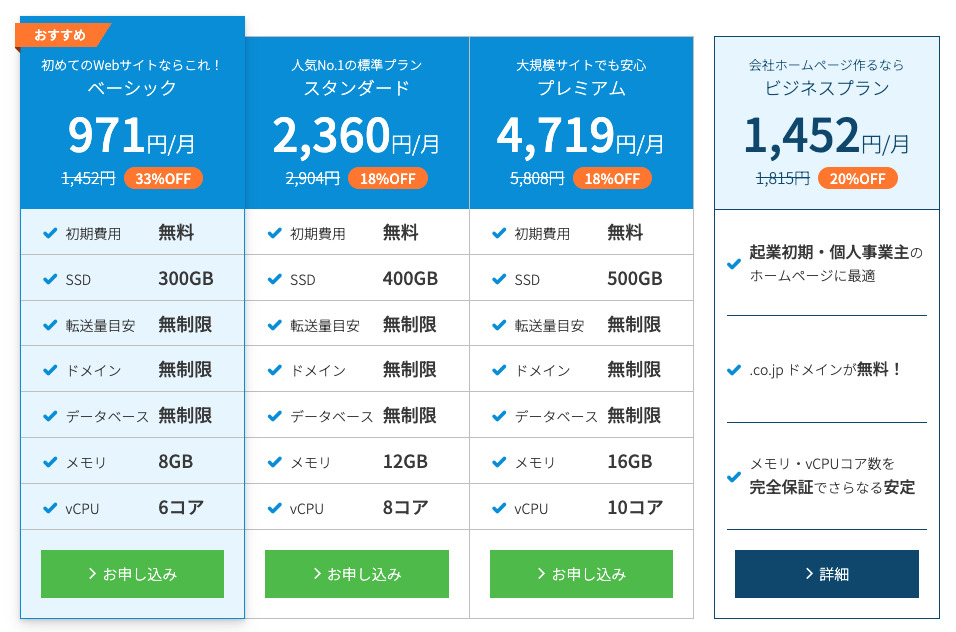
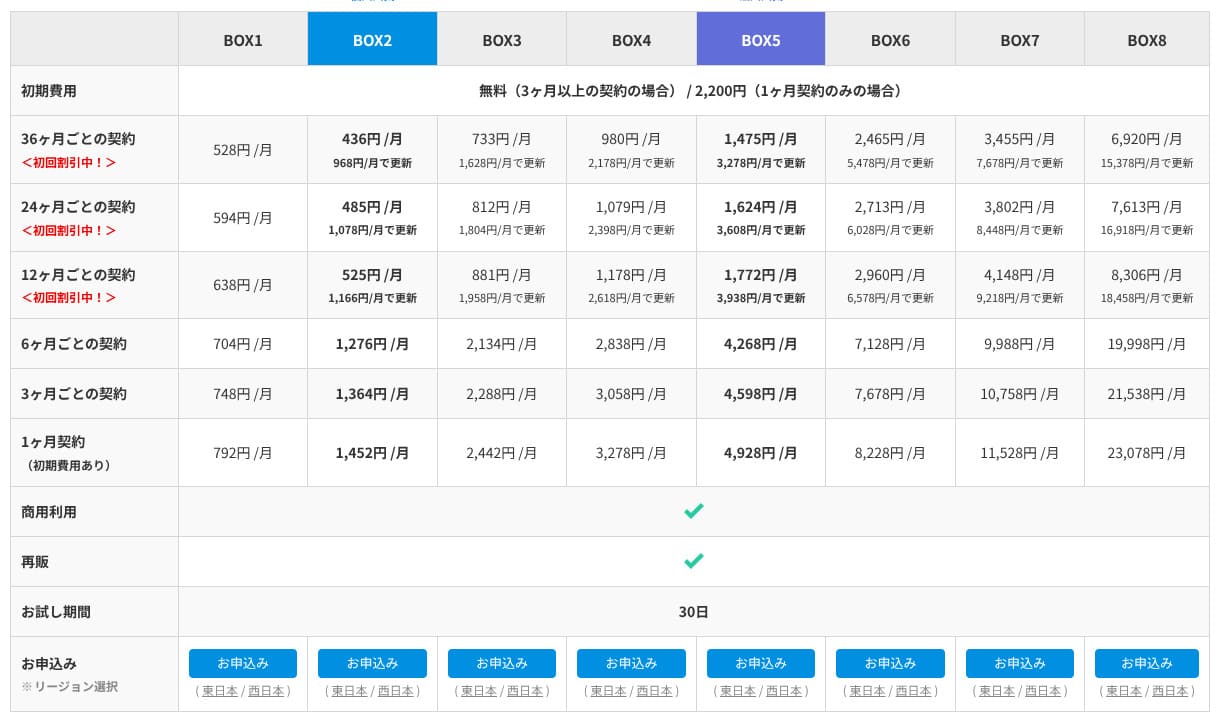
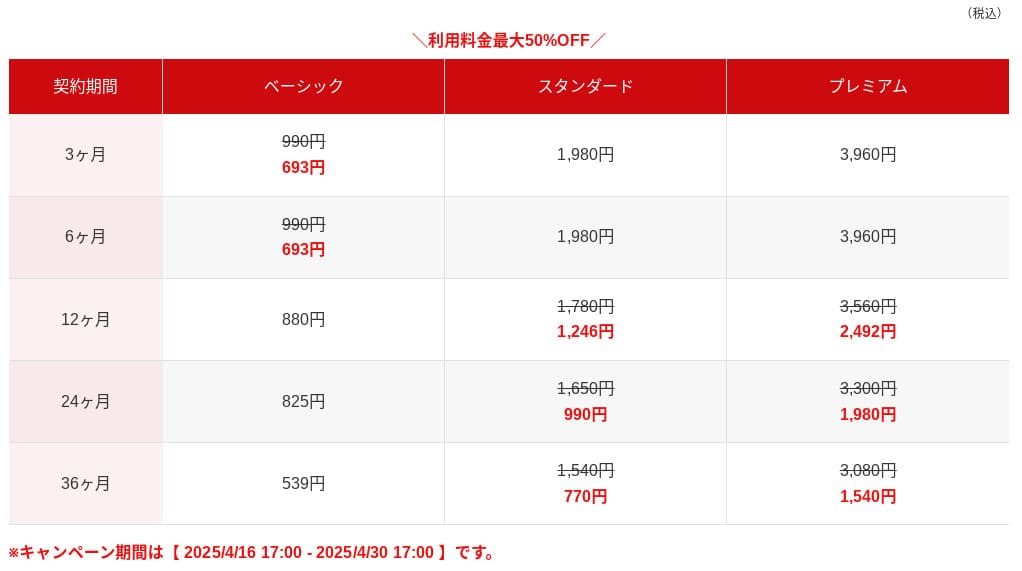
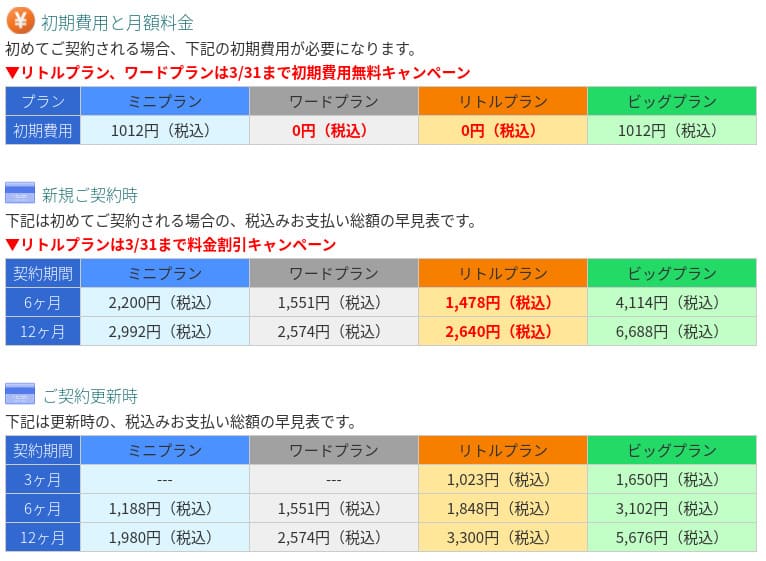
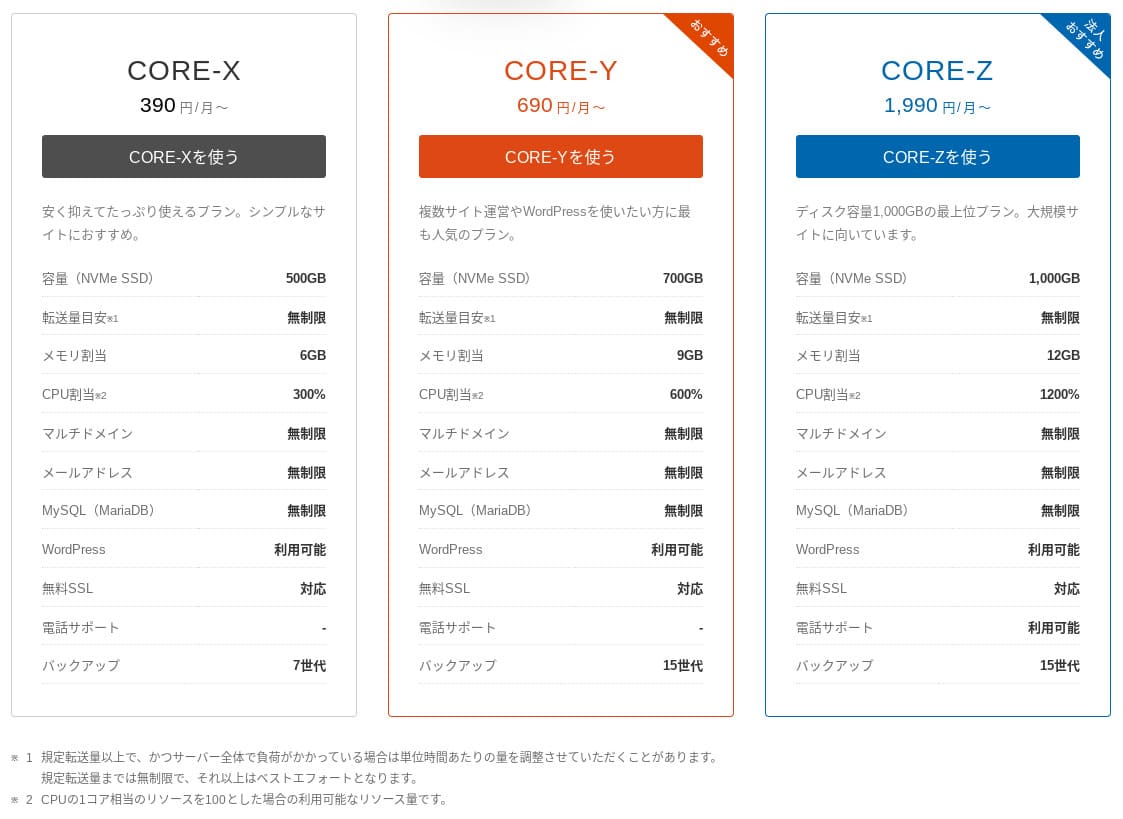
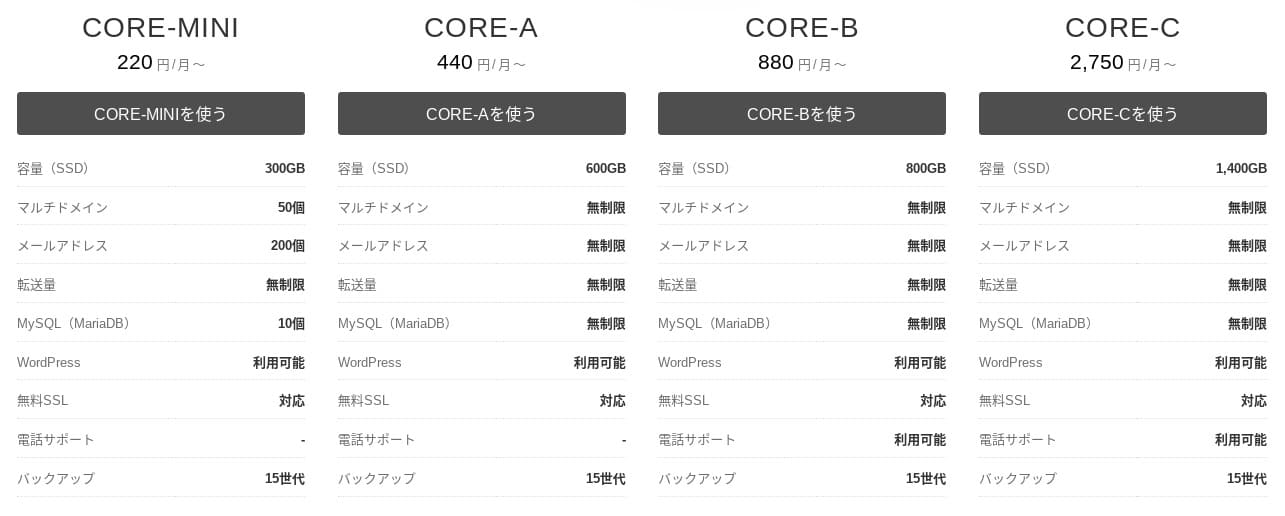
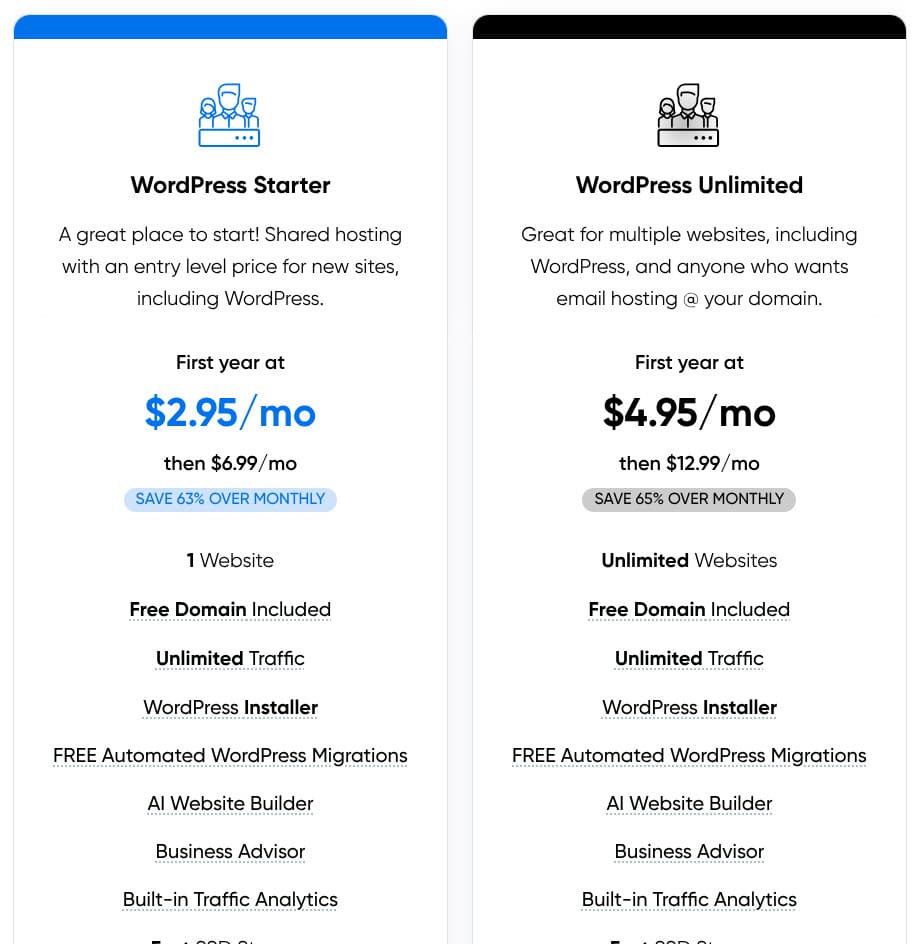
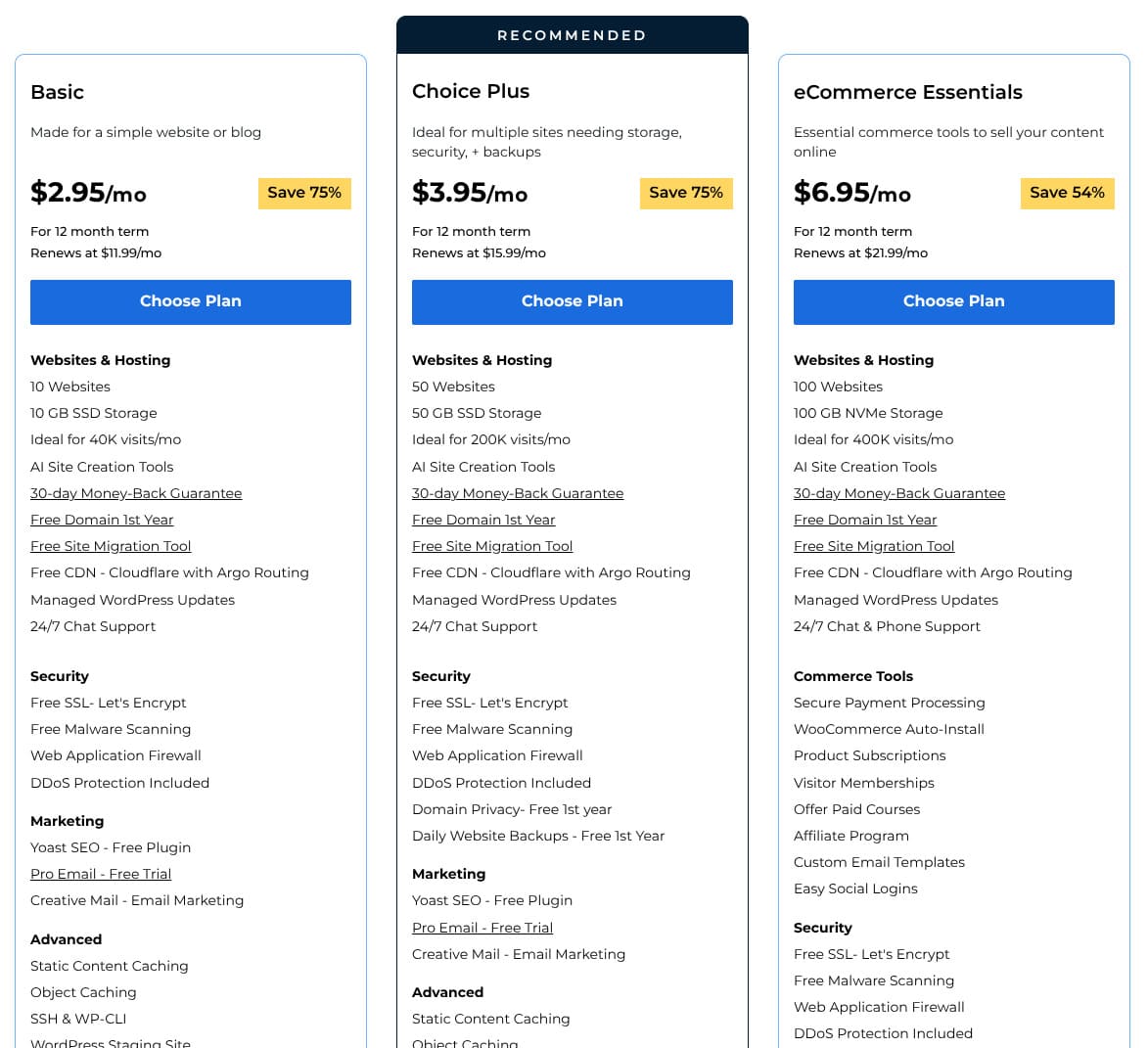
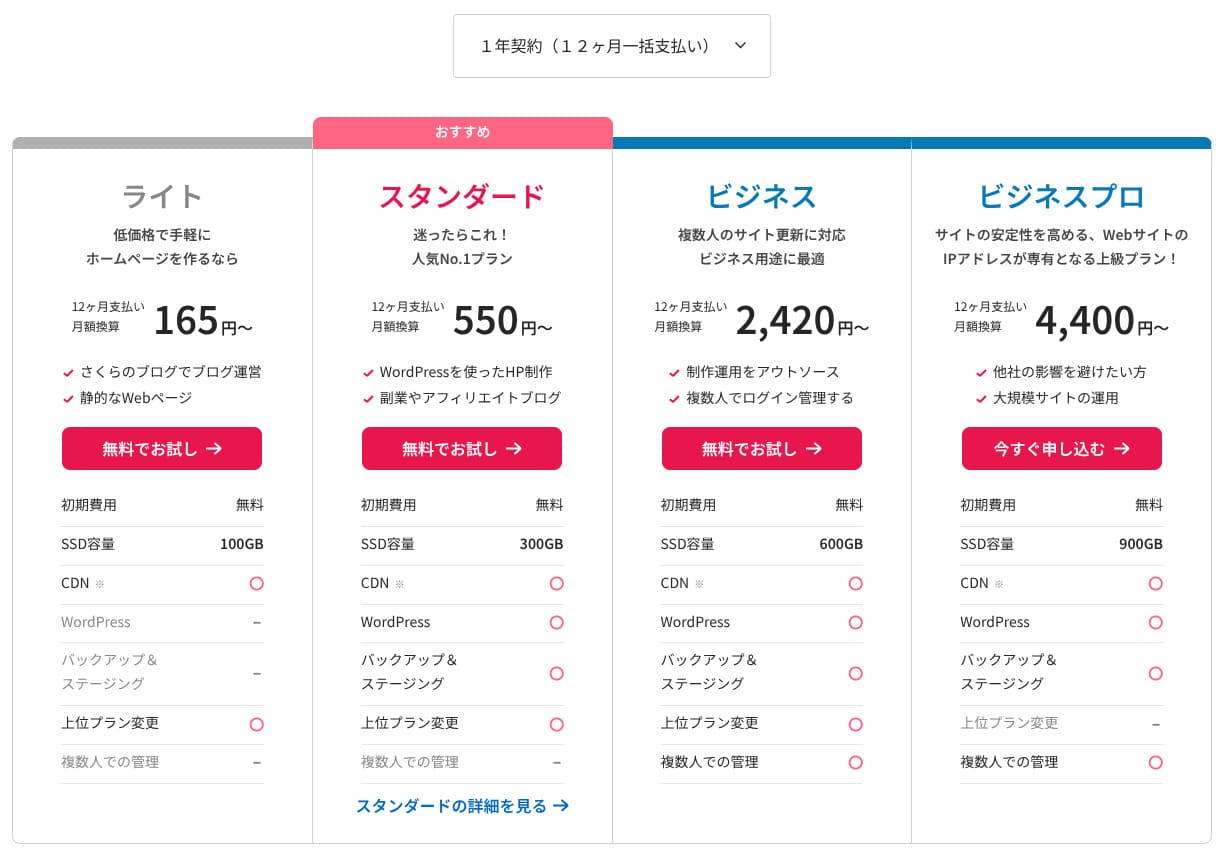
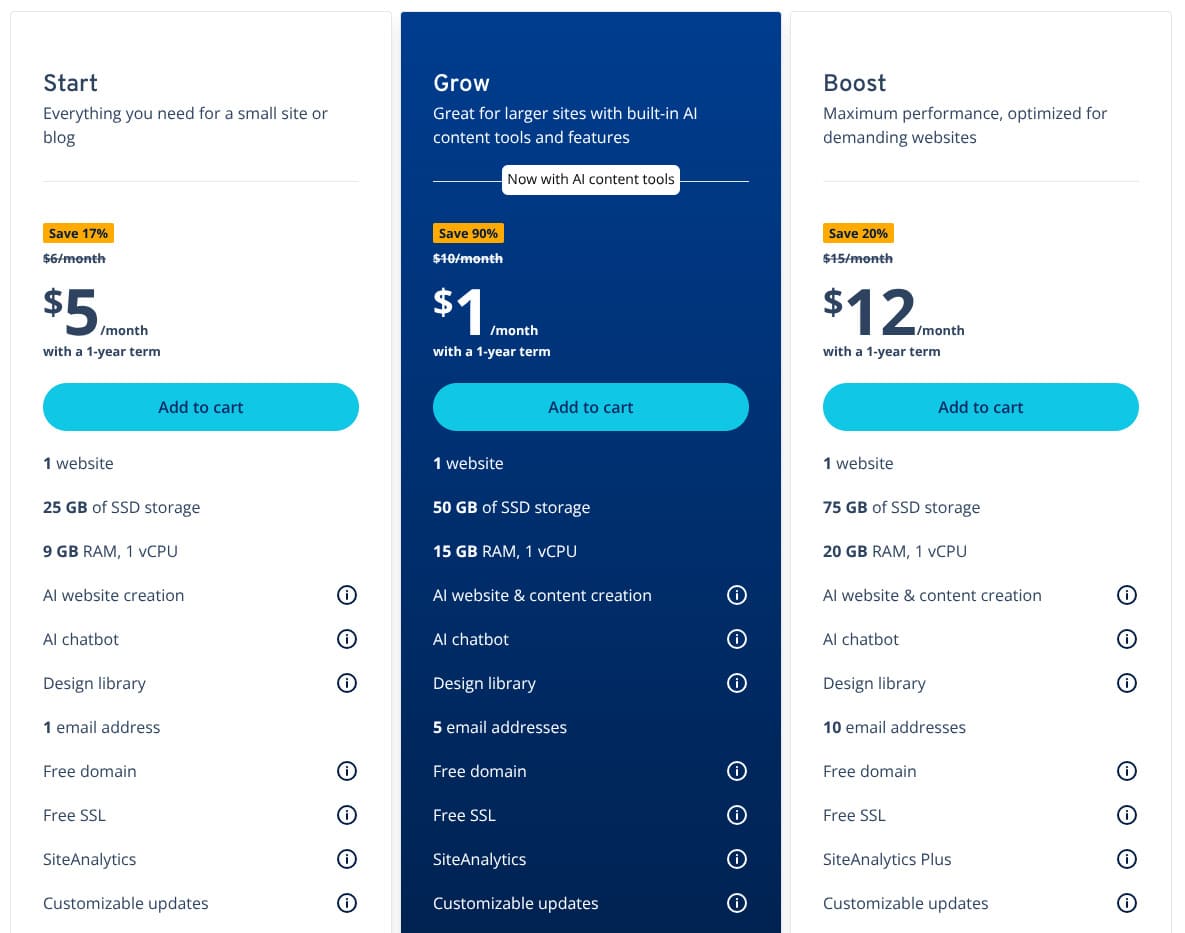
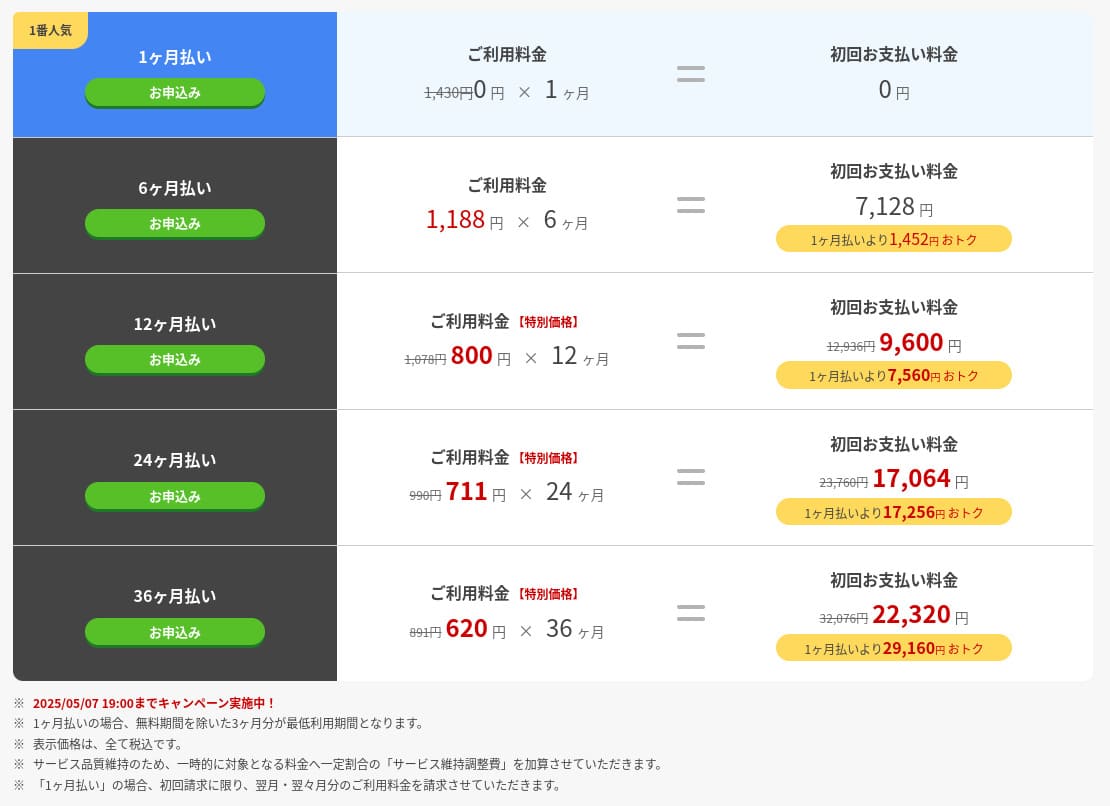
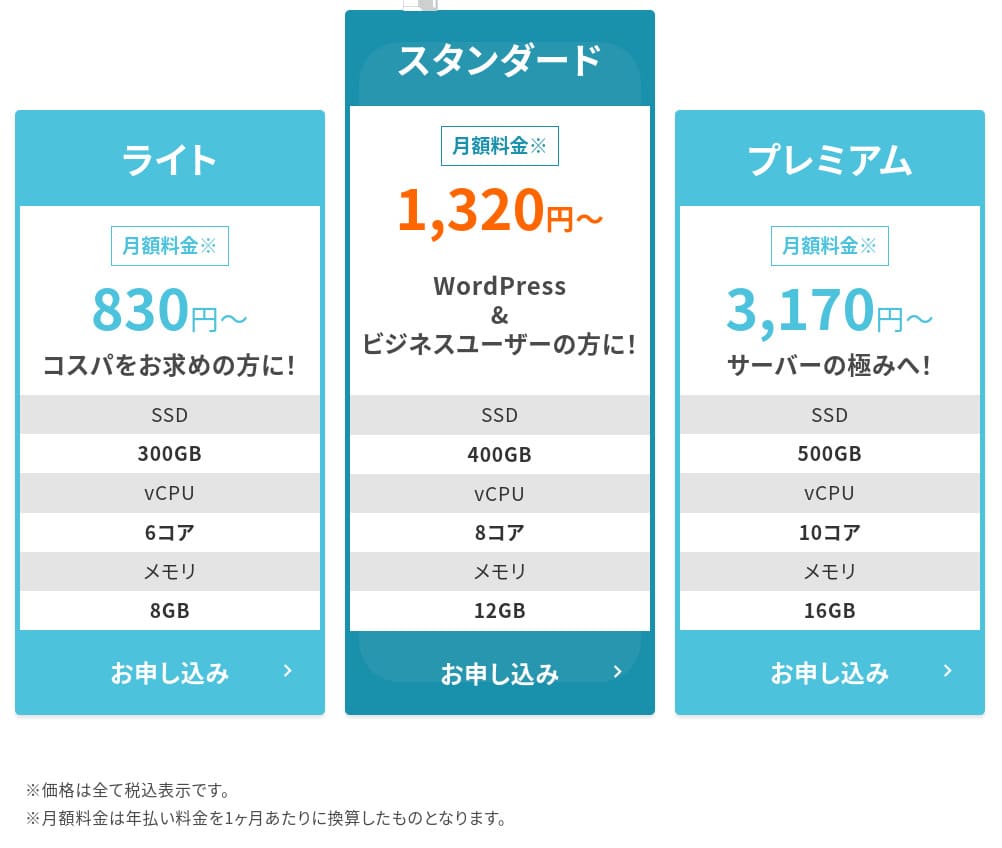
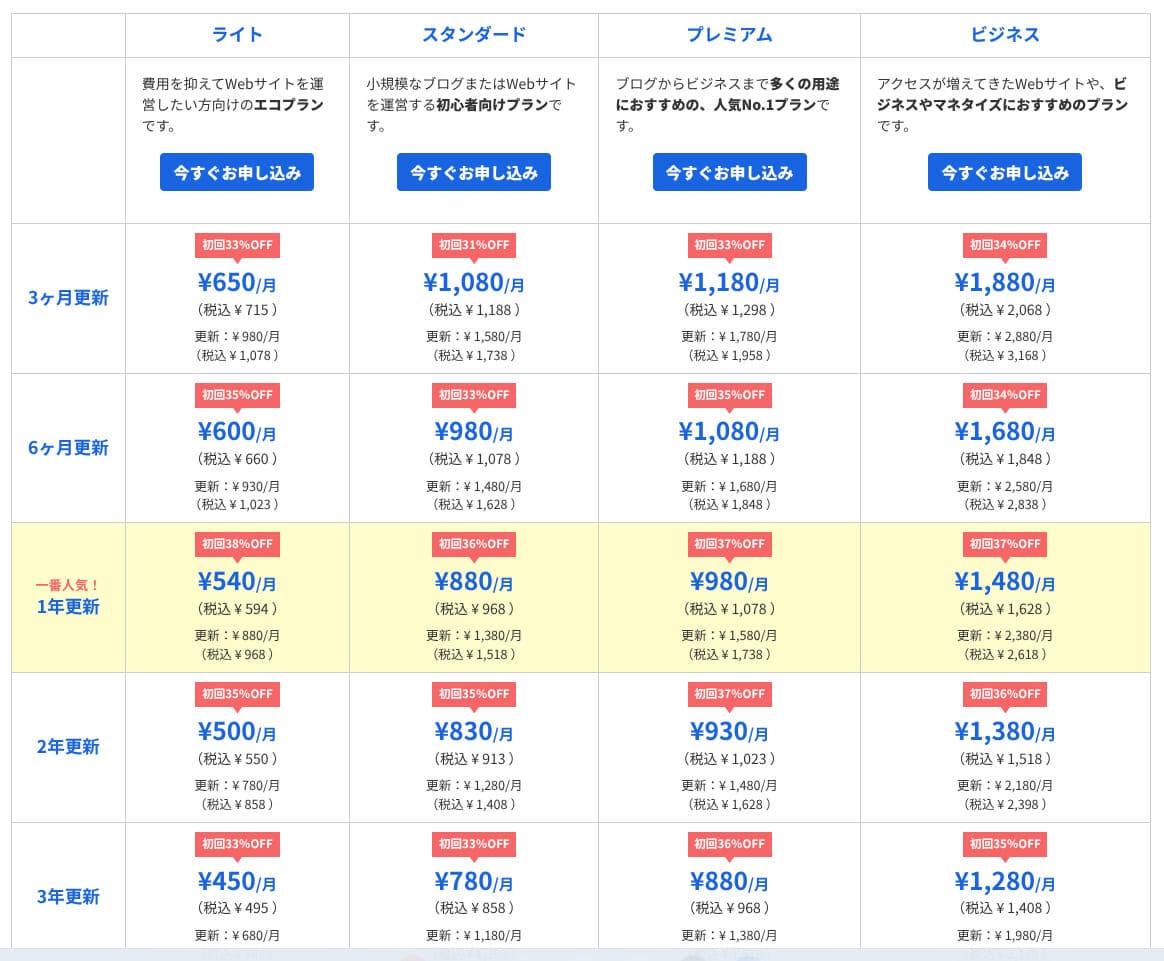
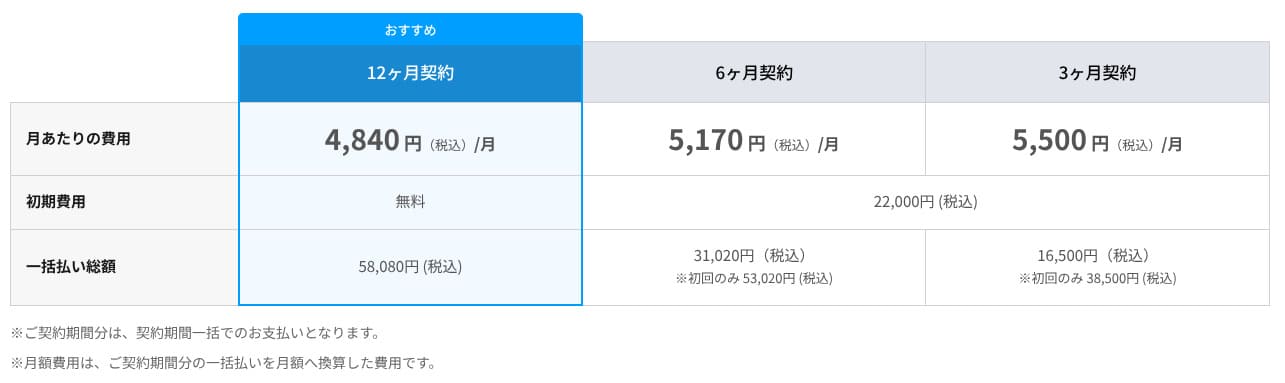
Rakko Server is an inexpensive hosting service. With a 12-month contract, the RK1 plan costs 440 yen. With a 36-month contract, it drops to 330 yen, which means just 11,880 yen over three years. There is no initial setup fee for any plan.
If you choose a 1-month contract, RK1 costs 550 yen per month, which is relatively expensive for short-term use. Consider the contract length based on long-term use.
- Rakko Server
- Kinsta
- XServer Business
- wpx
- Lolipop!
- Star Rental Server
- XServer
- ConoHa
- Colorful Box
- Shin Rental Server
- Little Server
- CORESERVER
- DreamHost
- Bluehost
- Sakura
- Namecheap
- Shin Free
- XREA
- Value Server
- HOSTINGER
- KAGOYA
- SiteGround
- Hostgator
- IONOS
- Onamae.com
- ABLENET
- mixhost
- GoDaddy
- iCLUSTA+
- MuuMuu Server
- WADAX
- WebARENA
- HETEML
- CPI Rental Server
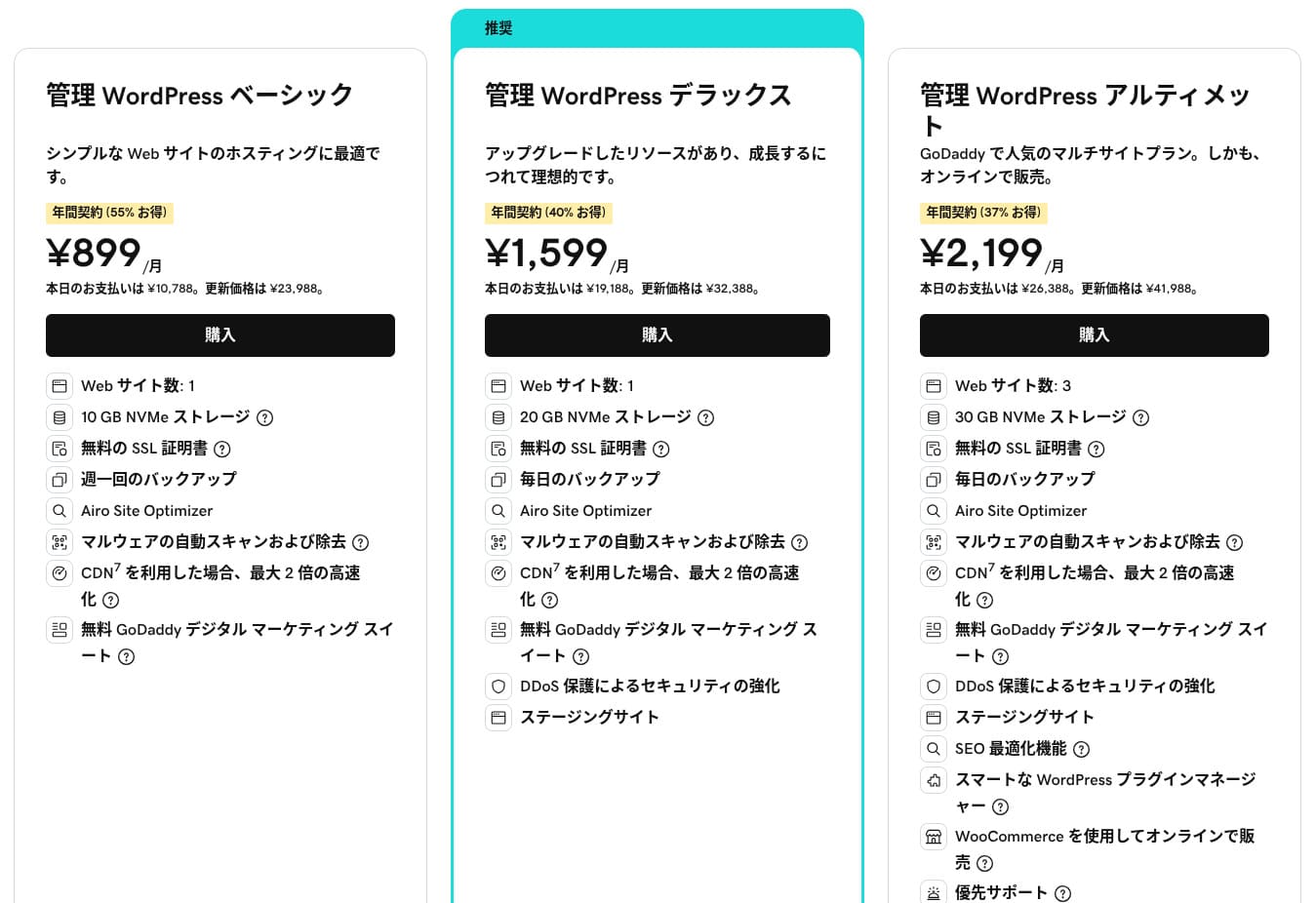
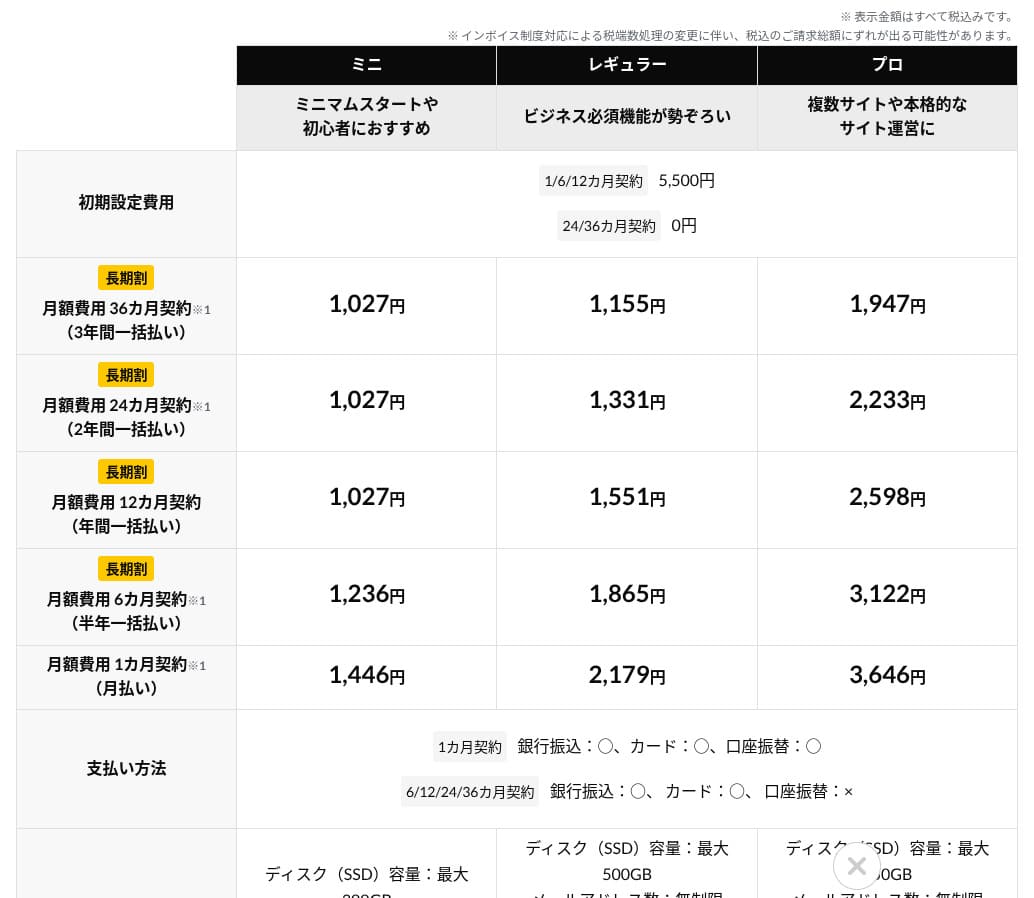
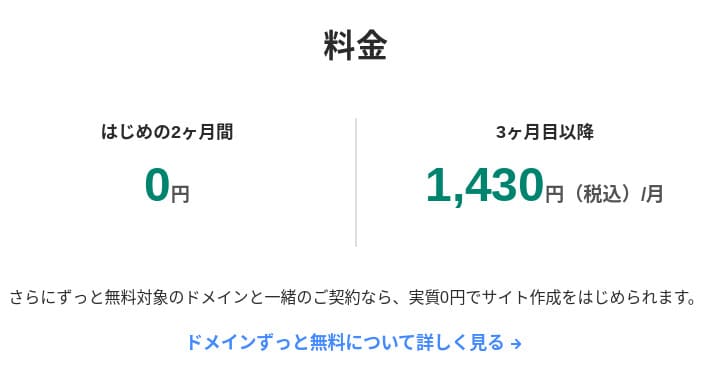
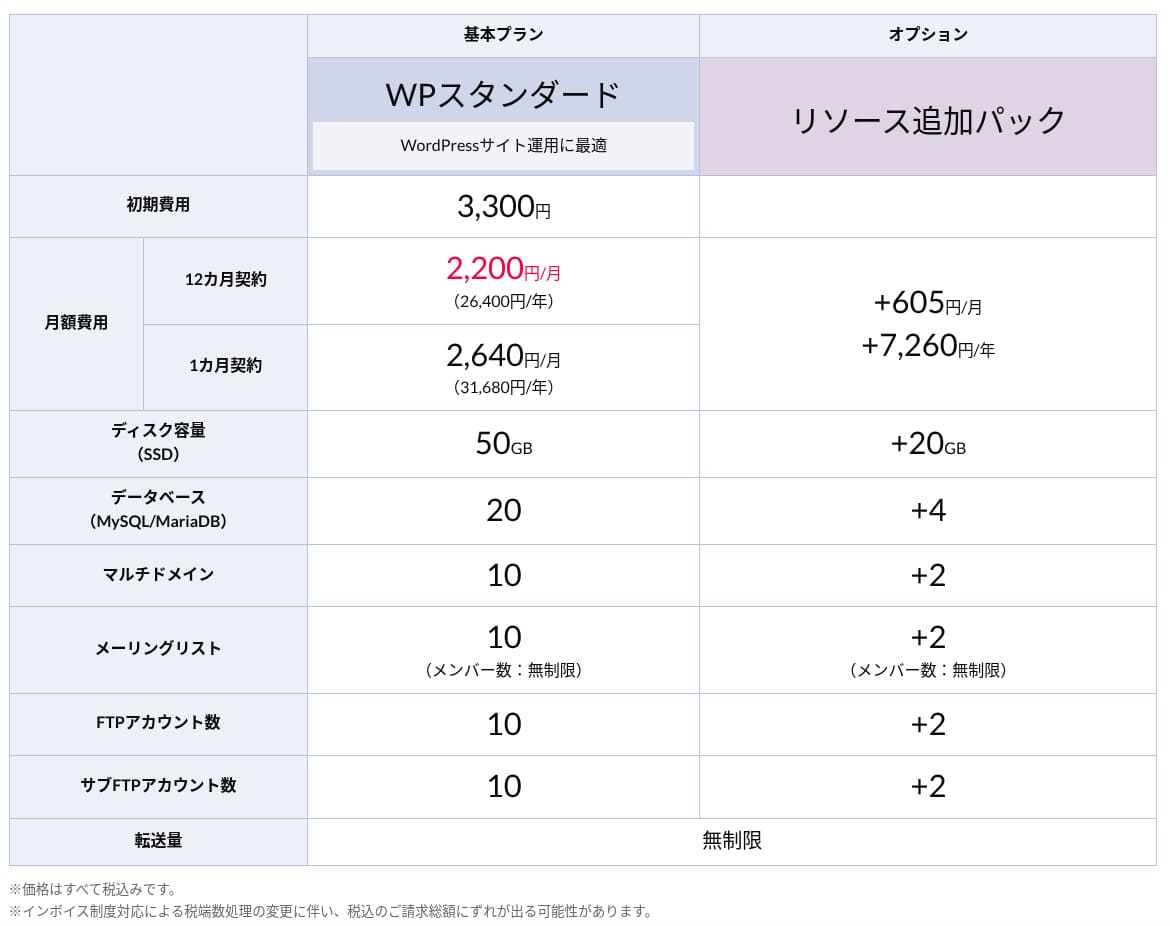
Domain pricing
Rakko Server lets you obtain and manage domains through the linked Rakko Domain service. It is convenient because you can register most popular domains such as .com and .jp. However, its domain renewal prices are slightly higher than those of the major providers.
- Rakko Domain
- Onamae.com
- Xserver Domain
- MuuMuu Domain
- Value Domain
- Shin Domain
- Star Domain
- Colorful Domain
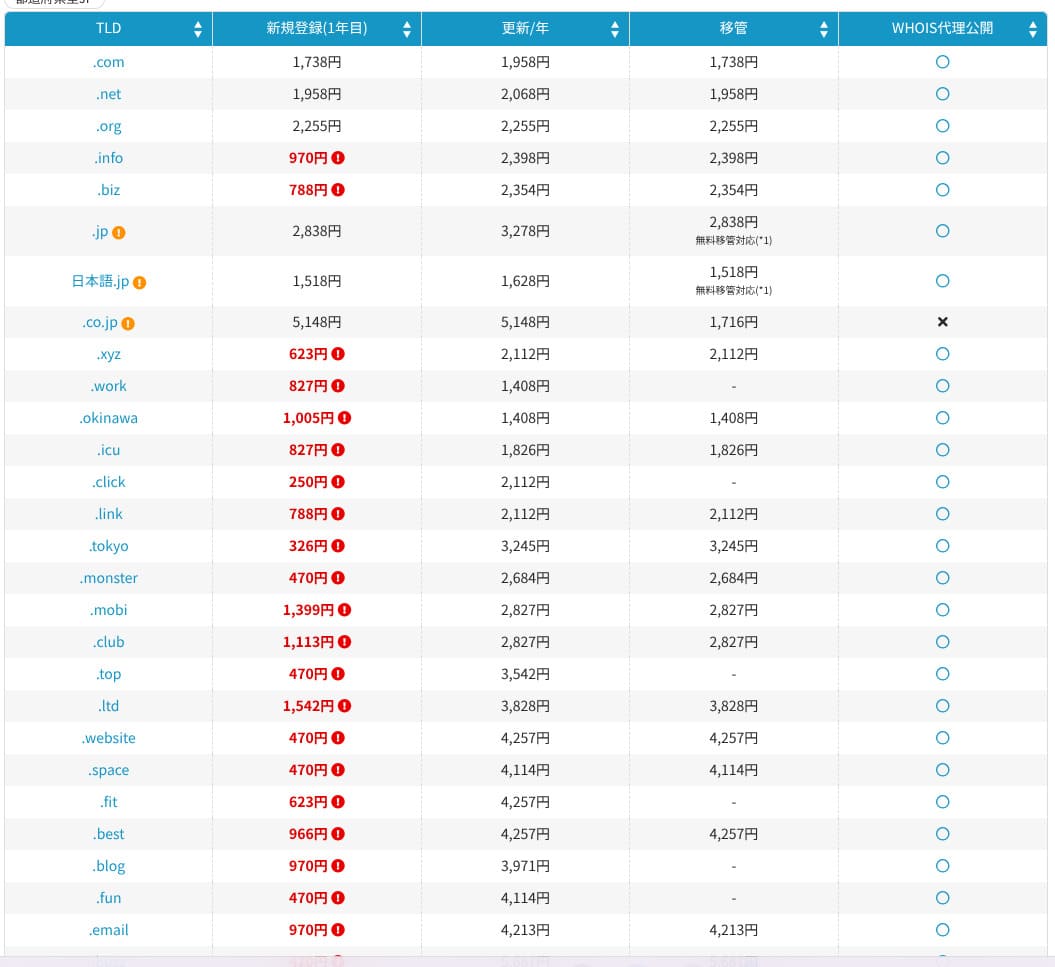
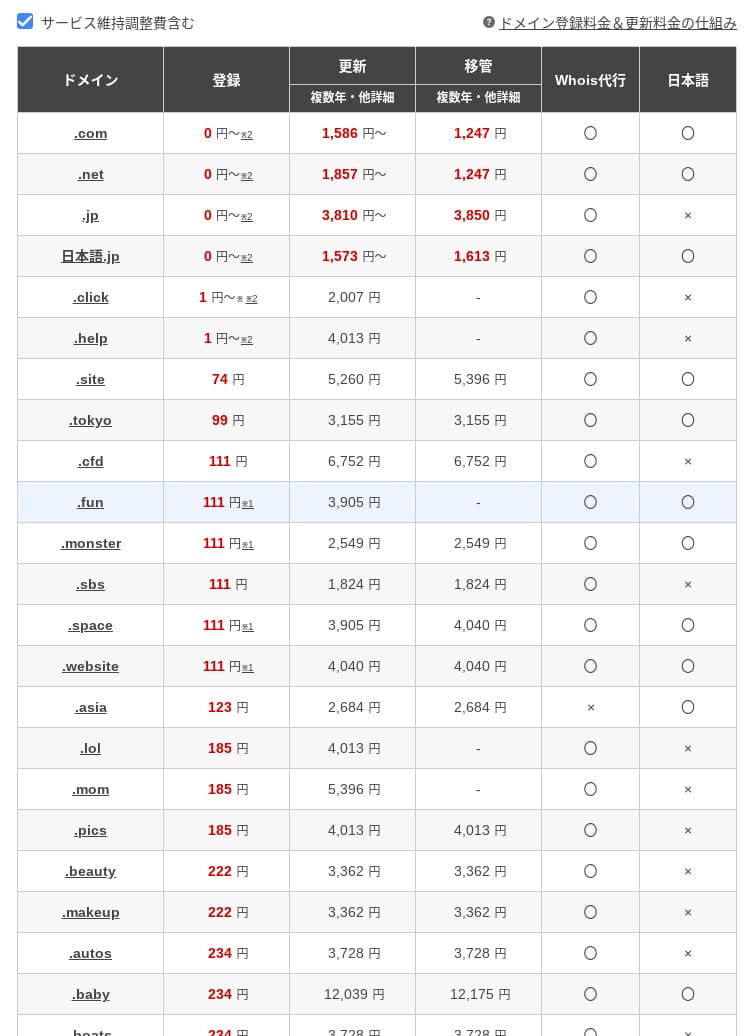
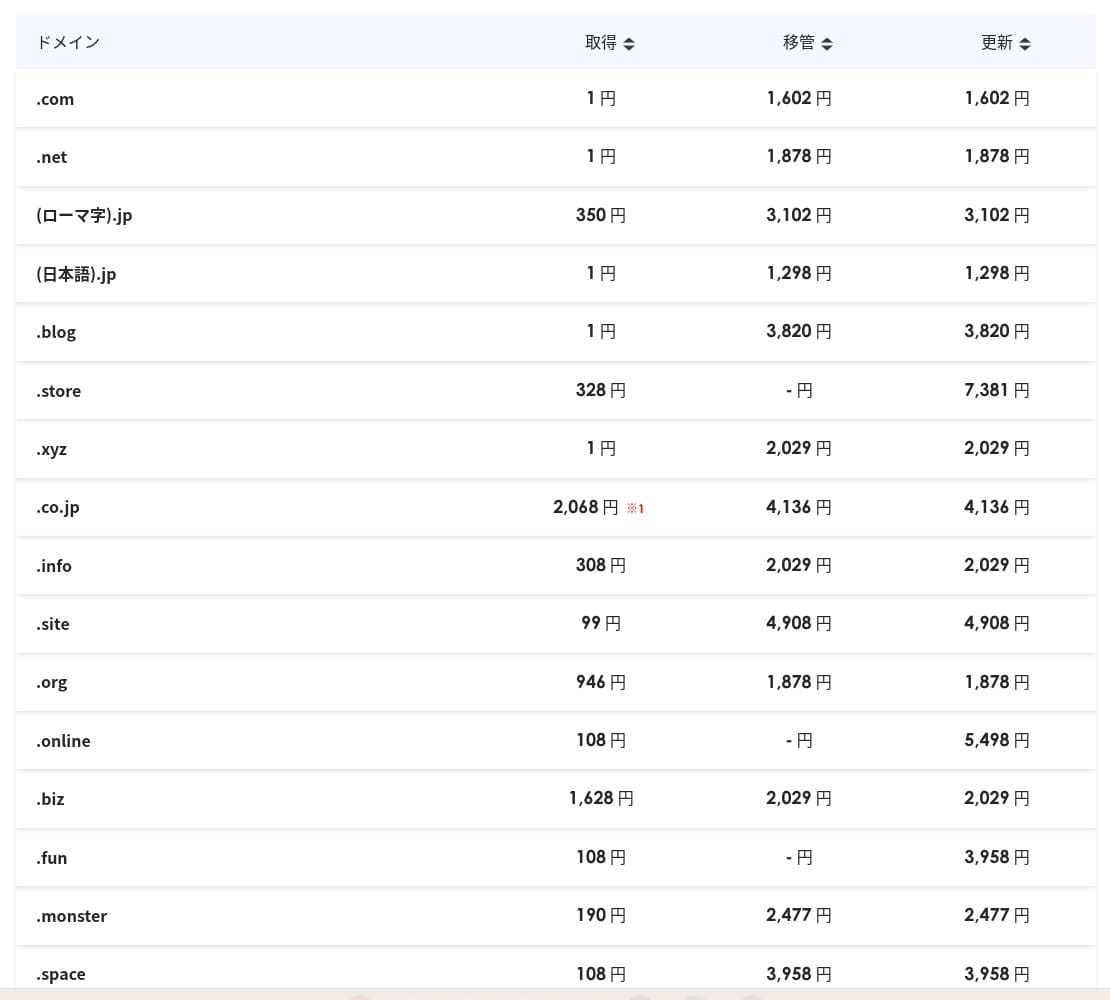
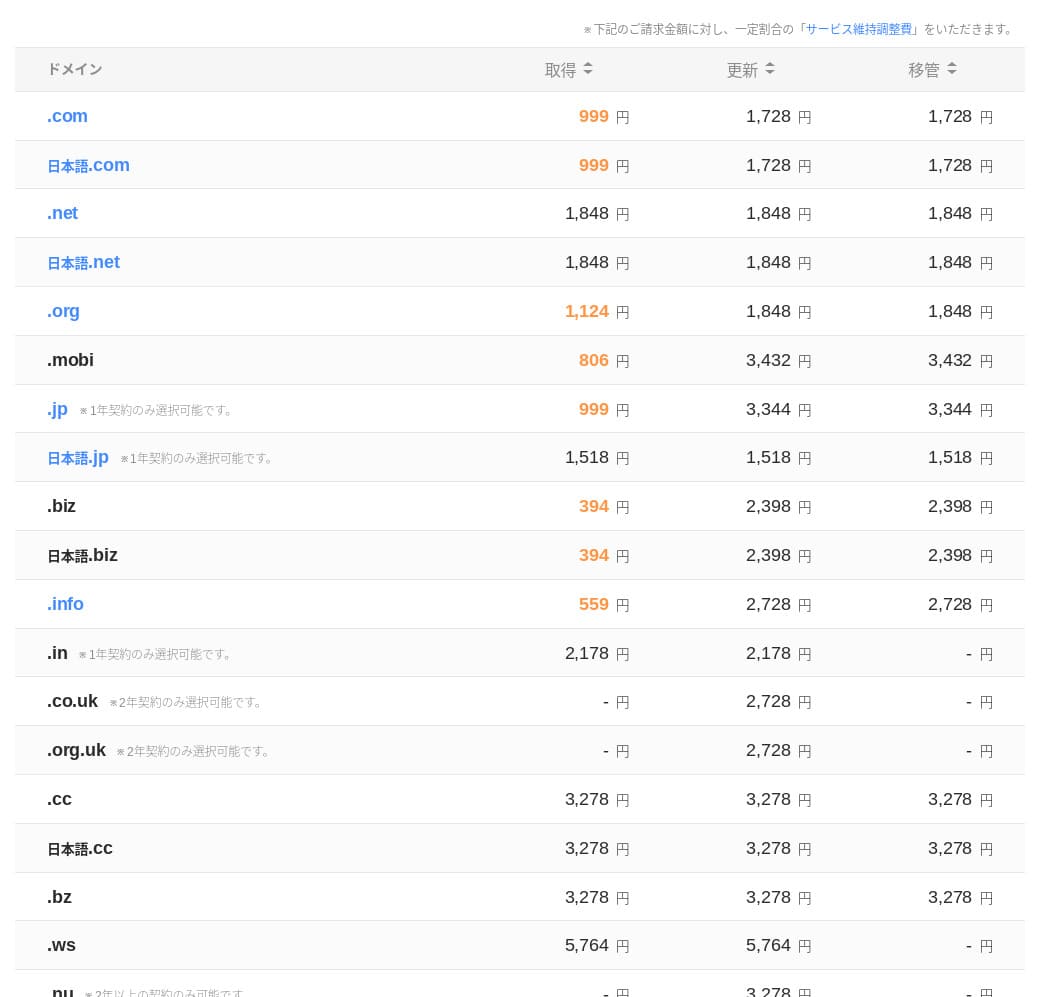
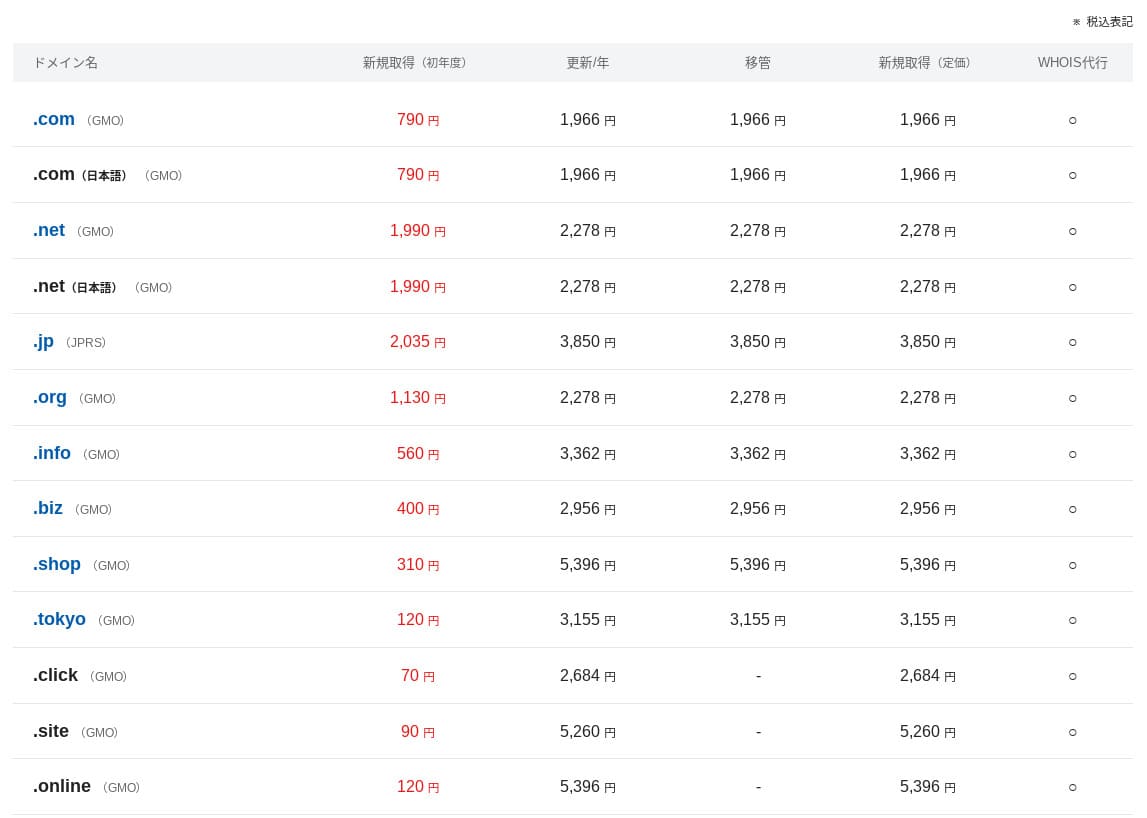
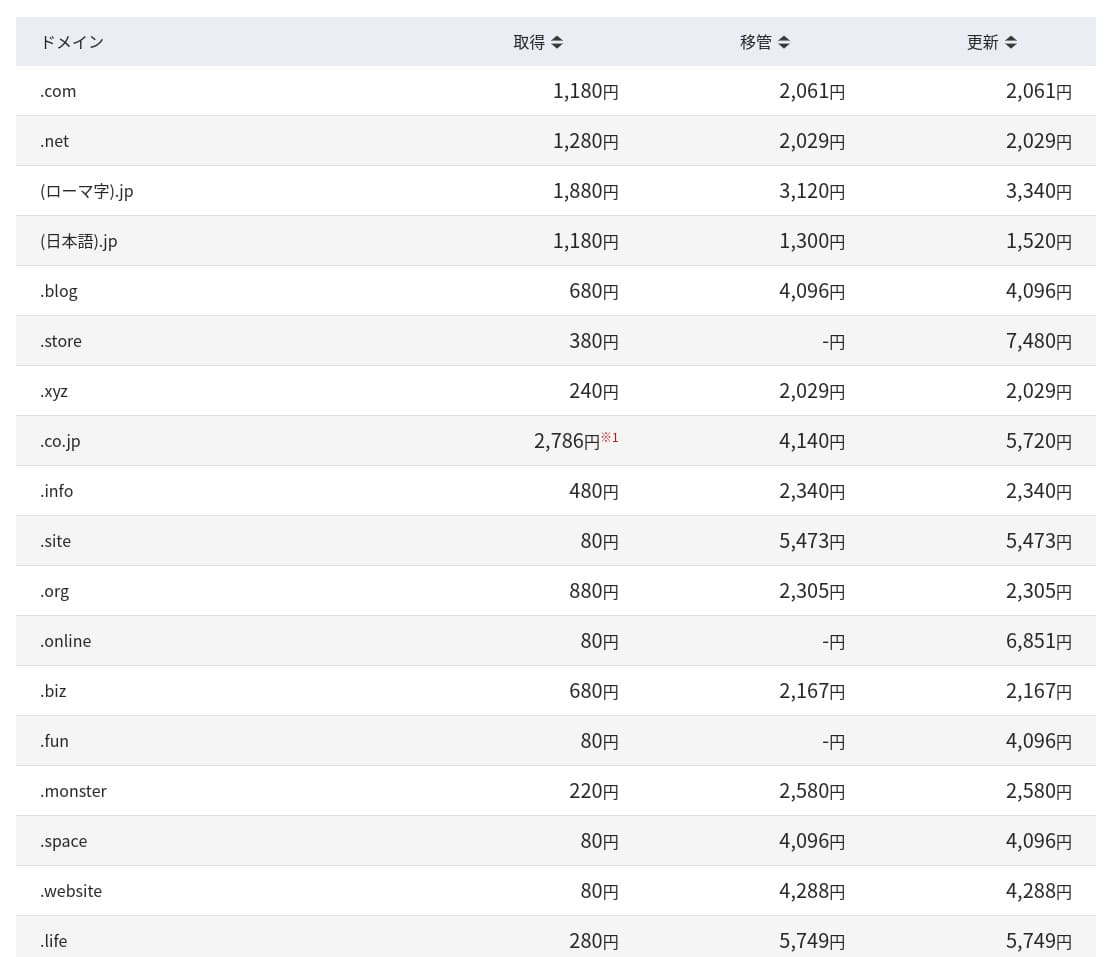
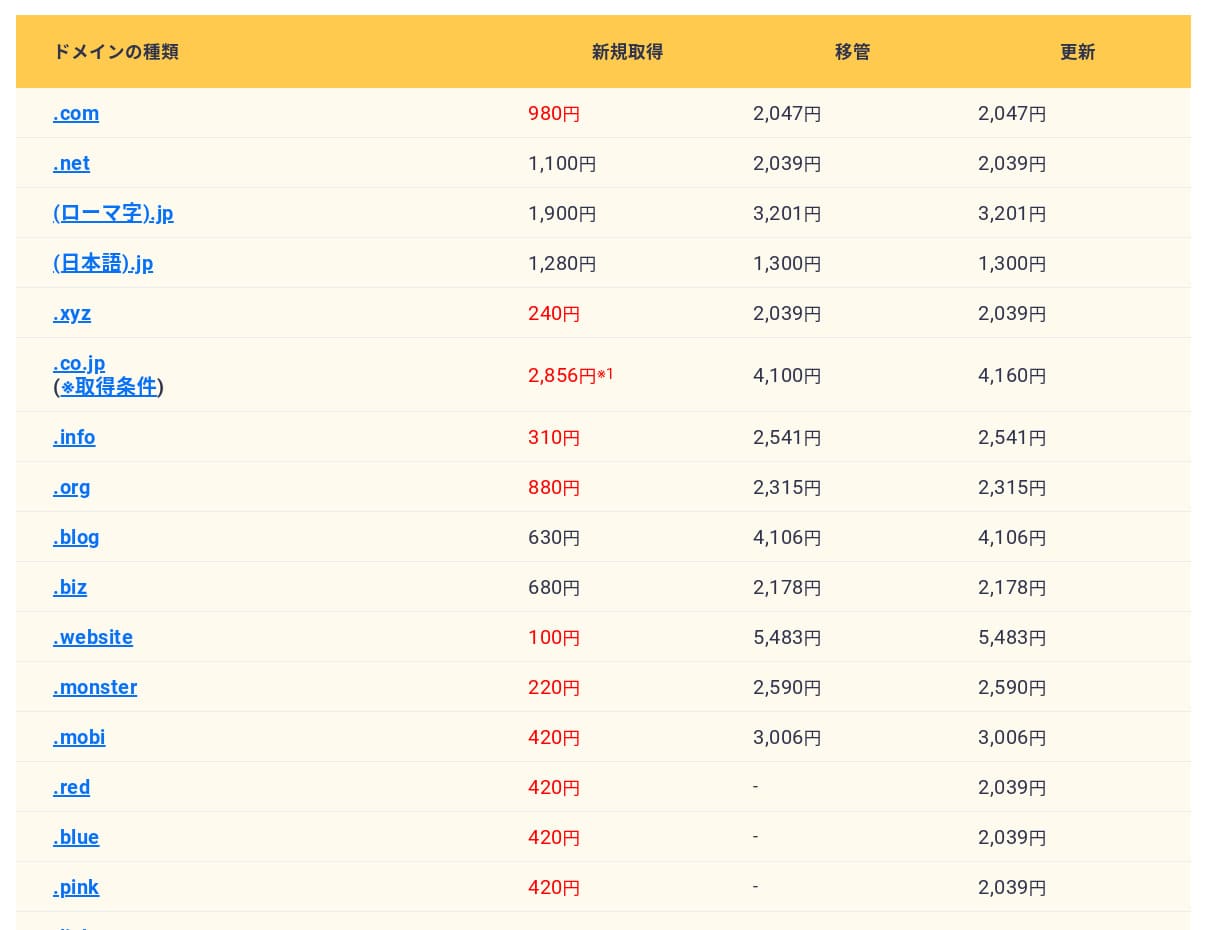
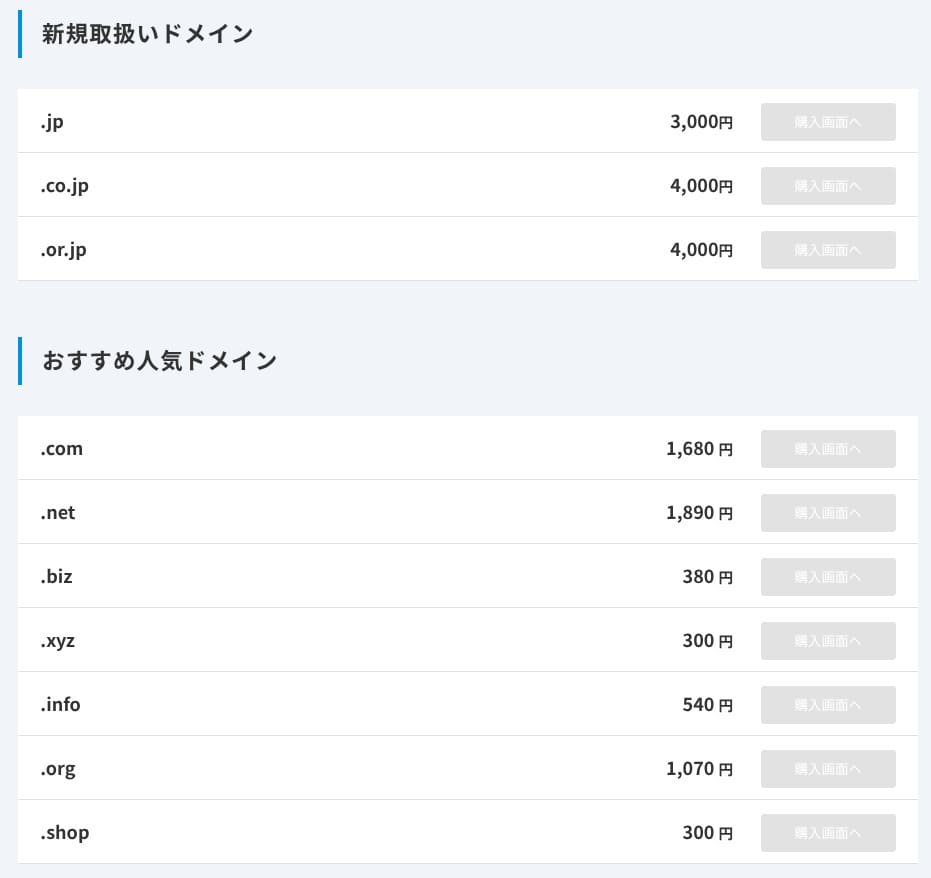
With a contract of 12 months or more, you can obtain or renew one custom domain for free.
If you do not sign up for at least 12 months, the domain cost becomes wasteful the longer you keep using it.
SSL certificate cost
Rakko Server supports Let's Encrypt, a free SSL certificate that also renews automatically. You can apply SSL to all domains at no extra cost, gaining both SEO benefits from HTTPS and stronger security. This covers not only custom domains but also the initial subdomain.
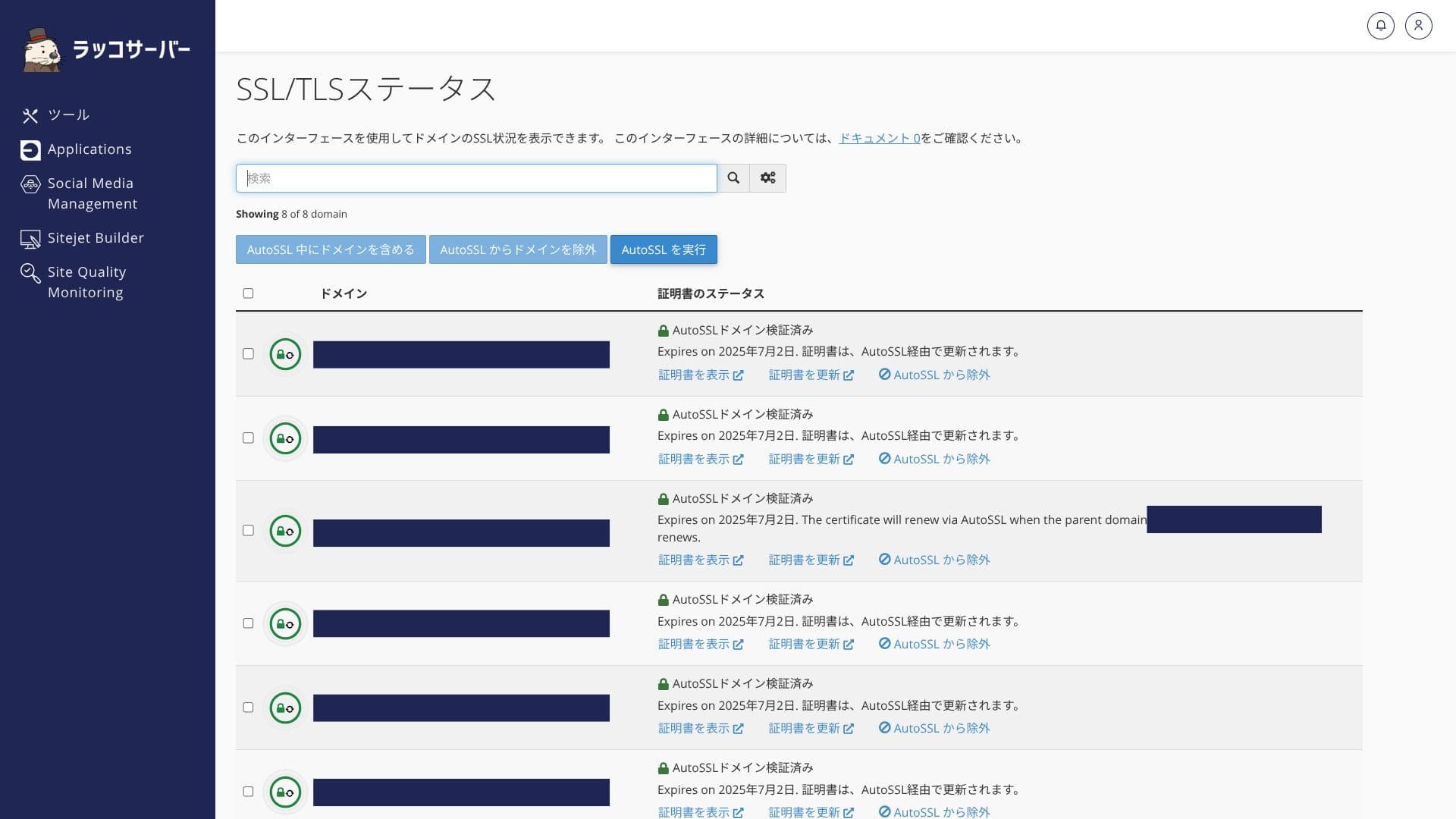
However, because paid SSL certificates such as OV and EV are not provided, if your legal or corporate requirements demand an EV certificate, you need to configure a certificate from an external CA manually.
Payment methods
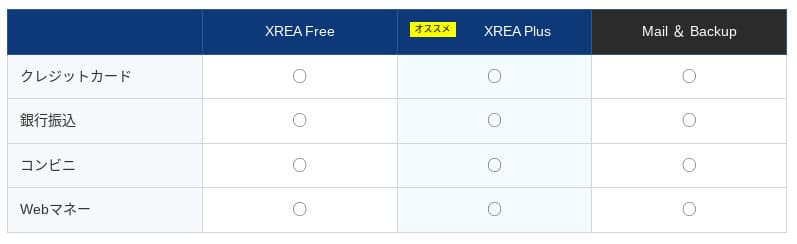
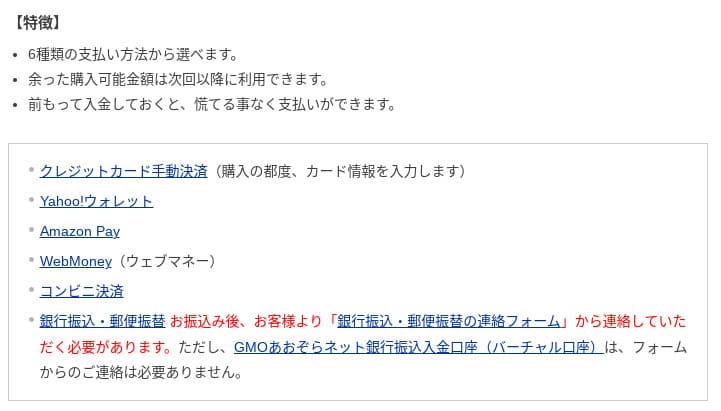
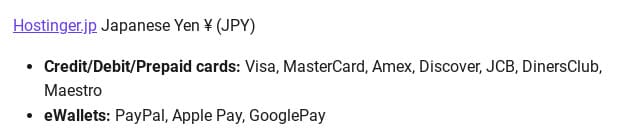
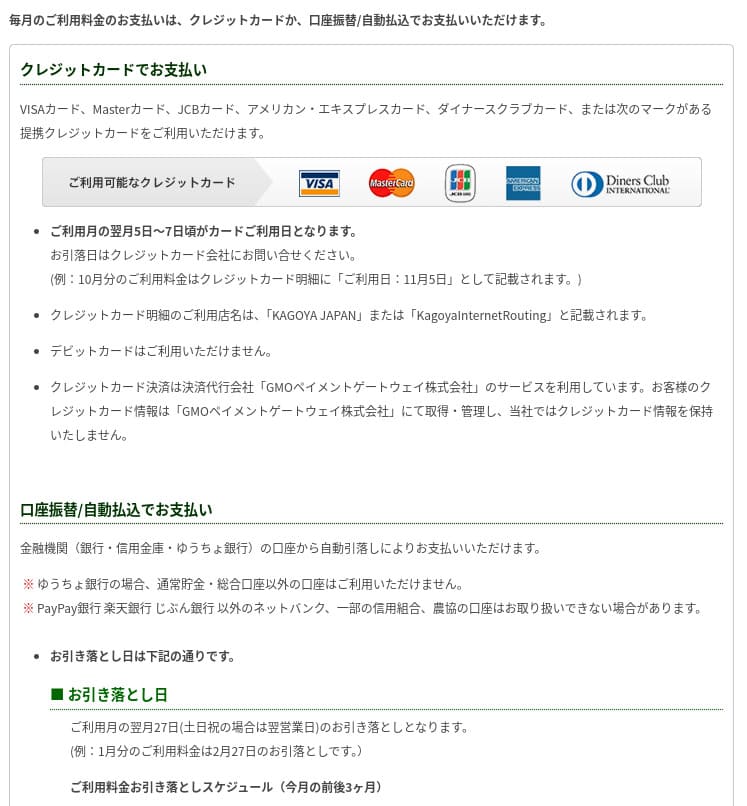
Rakko Server offers many payment methods. It supports credit cards, PayPal, and bank transfer via Rakko Points, so both individuals and corporations can pay flexibly.
- Rakko Server
- Kinsta
- XServer Business
- wpx
- Lolipop!
- Star Rental Server
- XServer
- ConoHa
- Colorful Box
- Shin Rental Server
- Little Server
- CORESERVER
- DreamHost
- Bluehost
- Sakura
- Namecheap
- Shin Free
- XREA
- Value Server
- HOSTINGER
- KAGOYA
- SiteGround
- Hostgator
- IONOS
- Onamae.com
- ABLENET
- mixhost
- GoDaddy
- iCLUSTA+
- MuuMuu Server
- WADAX
- WebARENA
- HETEML
- CPI Rental Server

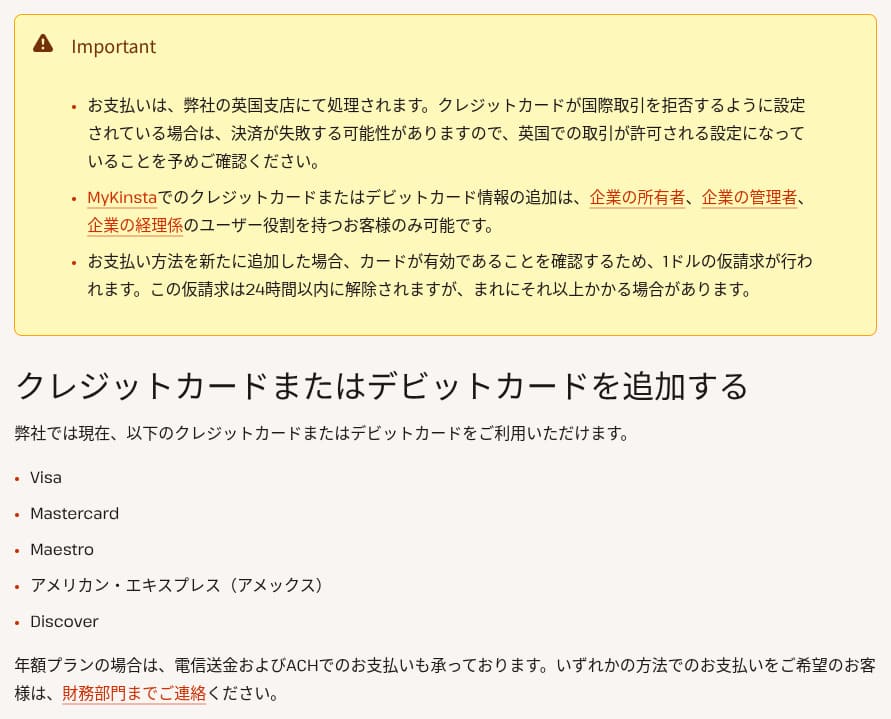

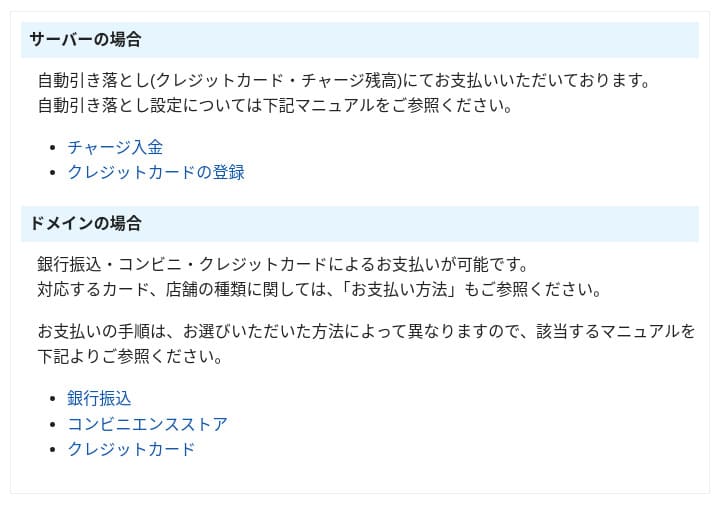
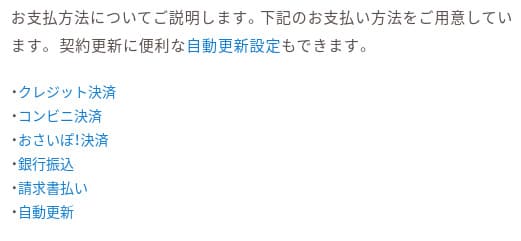


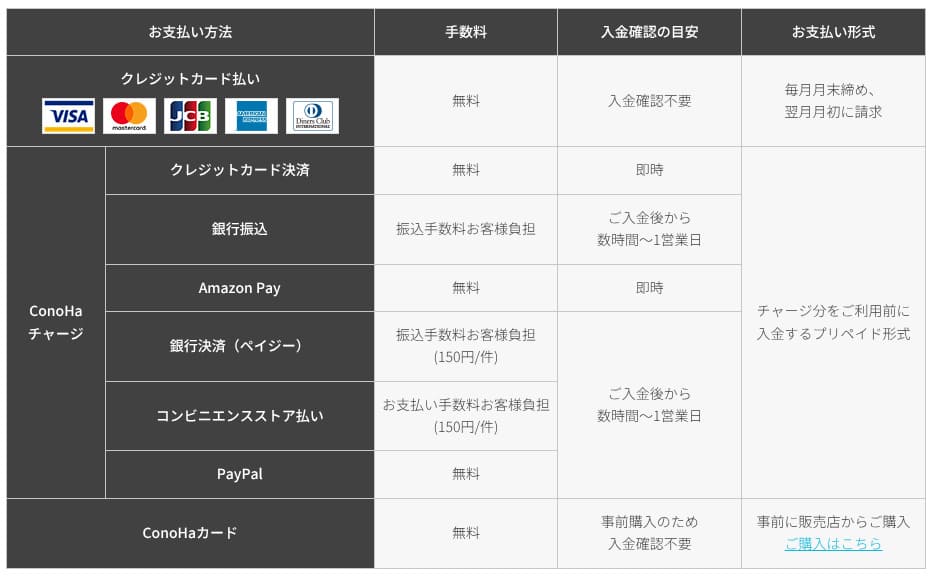
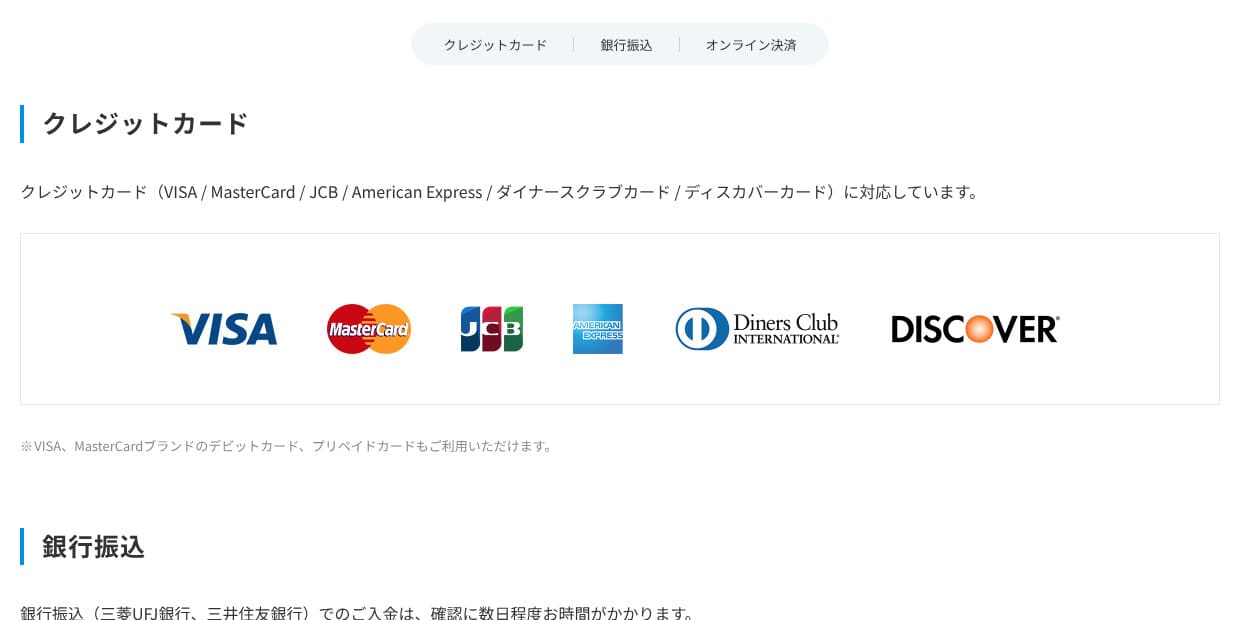

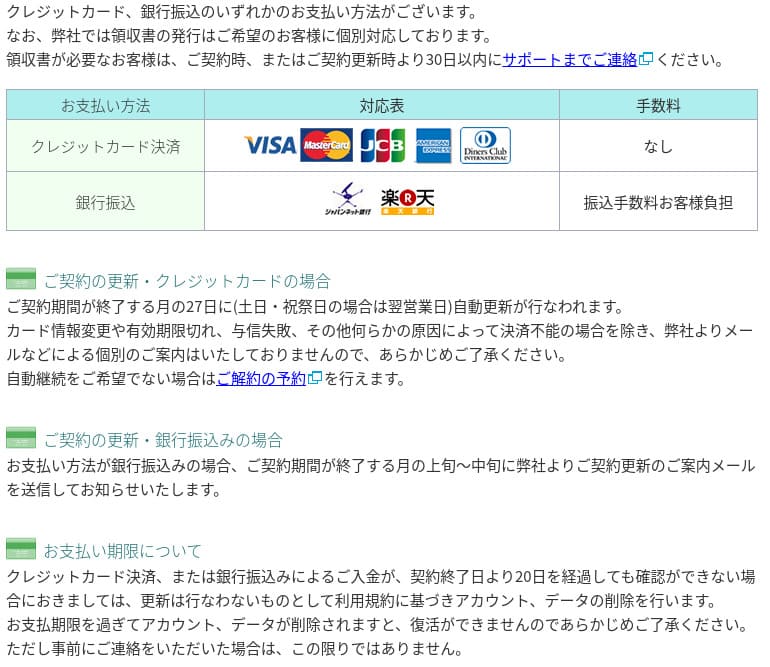
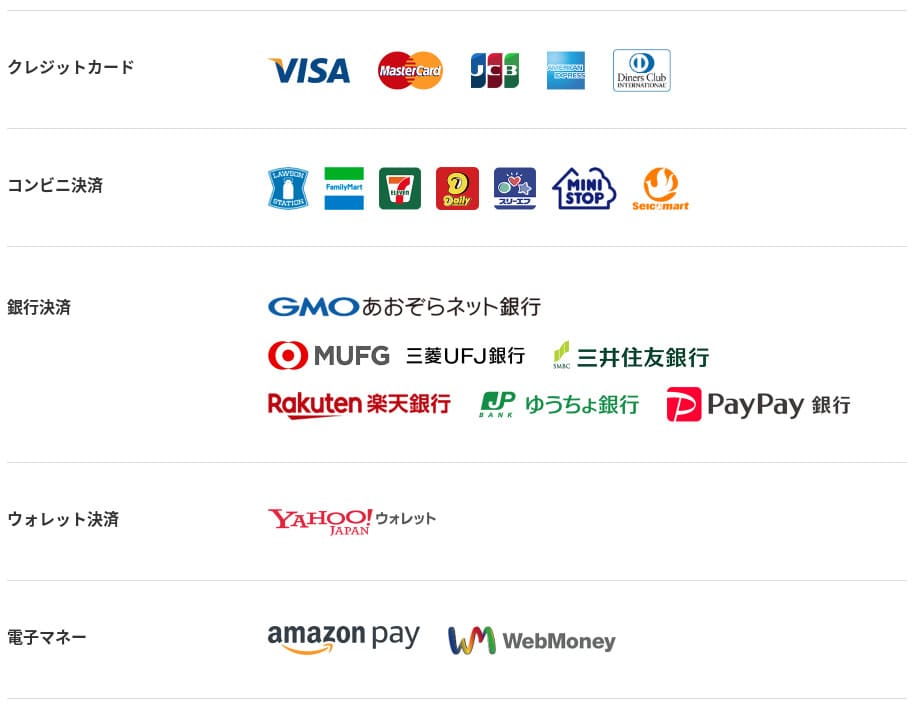
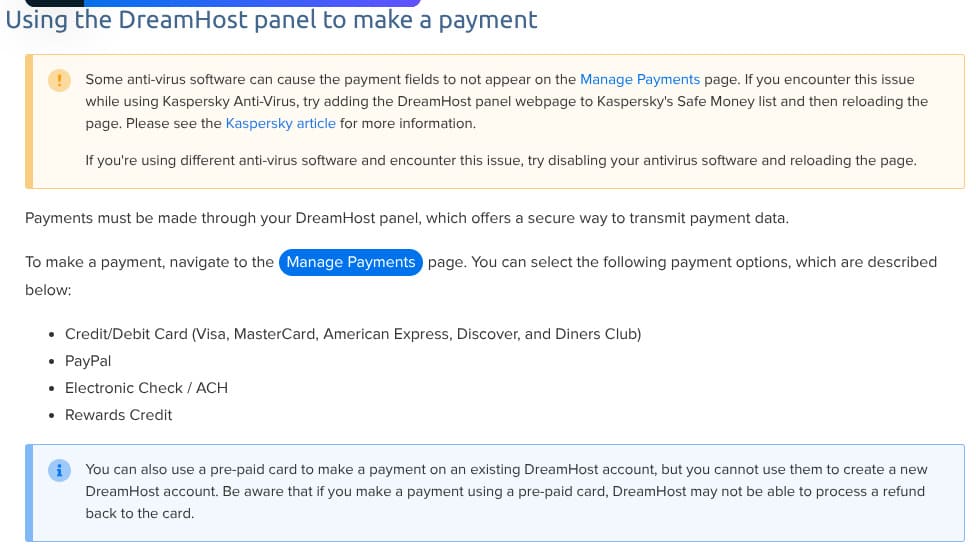
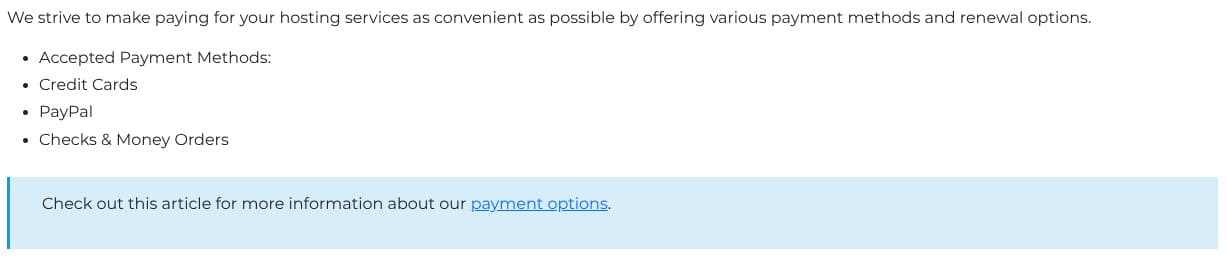
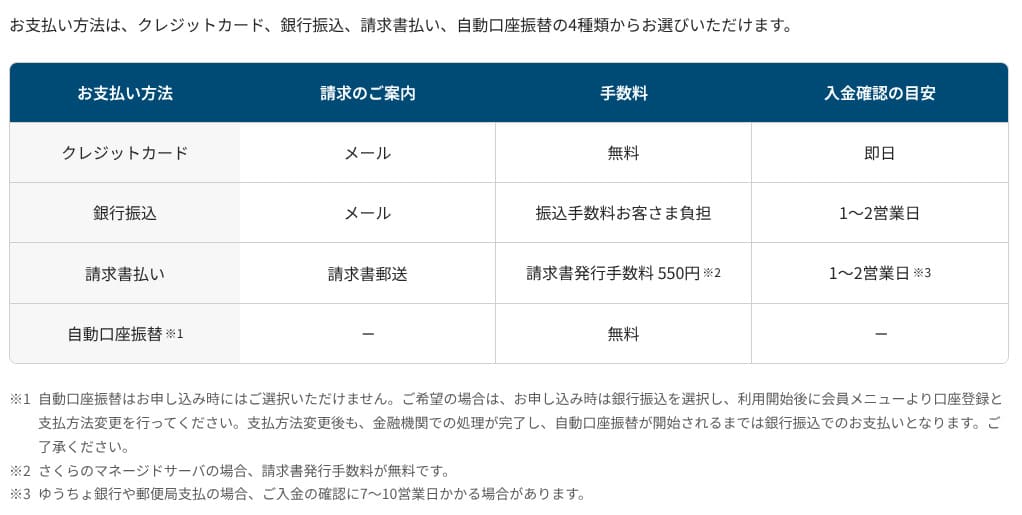
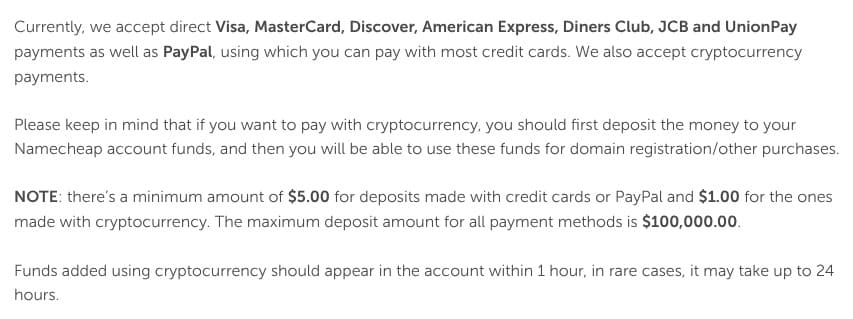
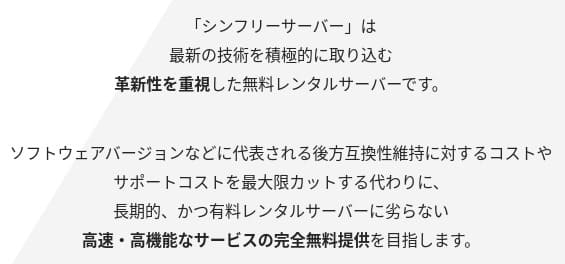

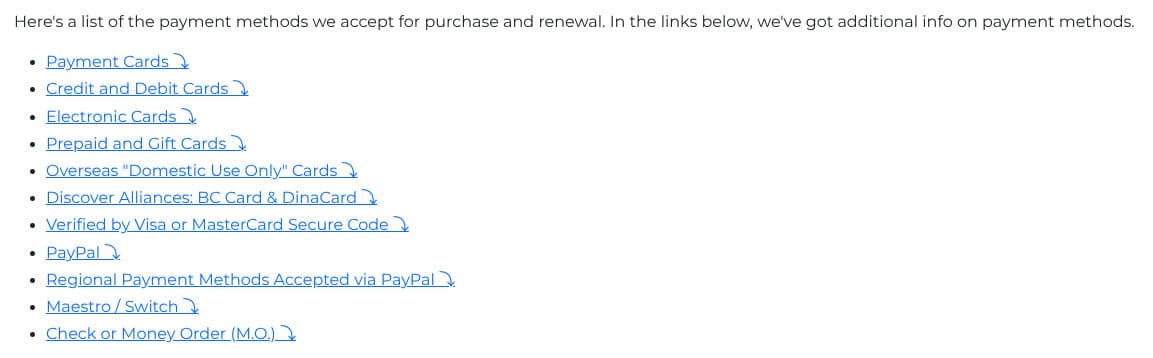

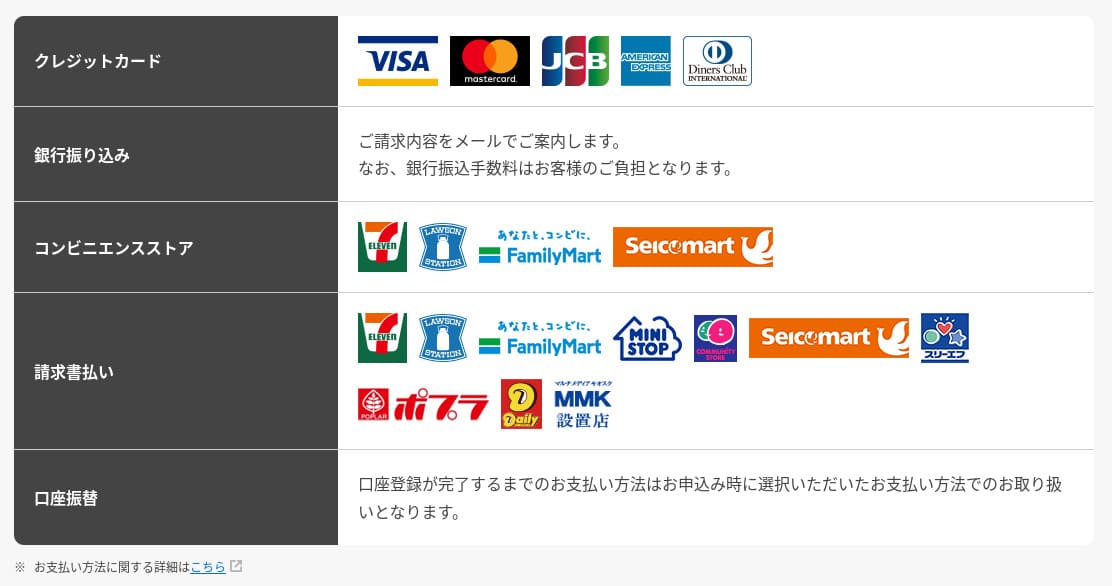
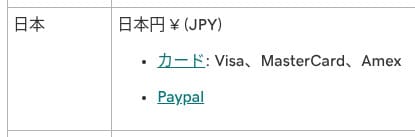
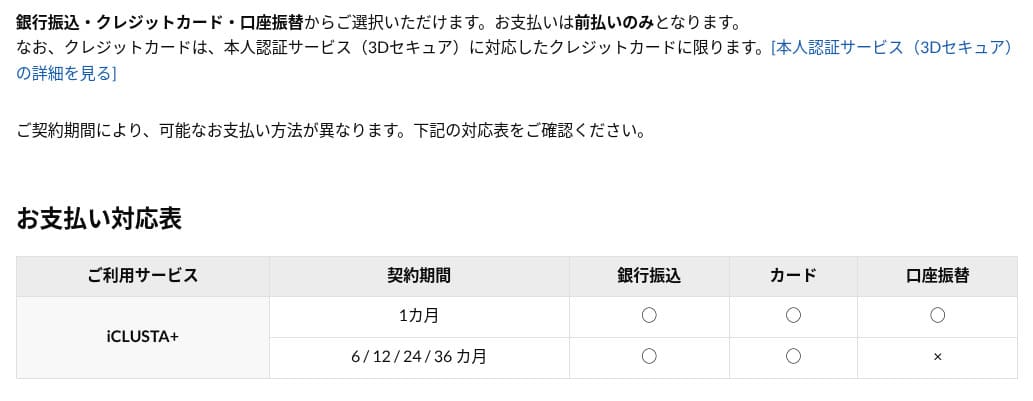
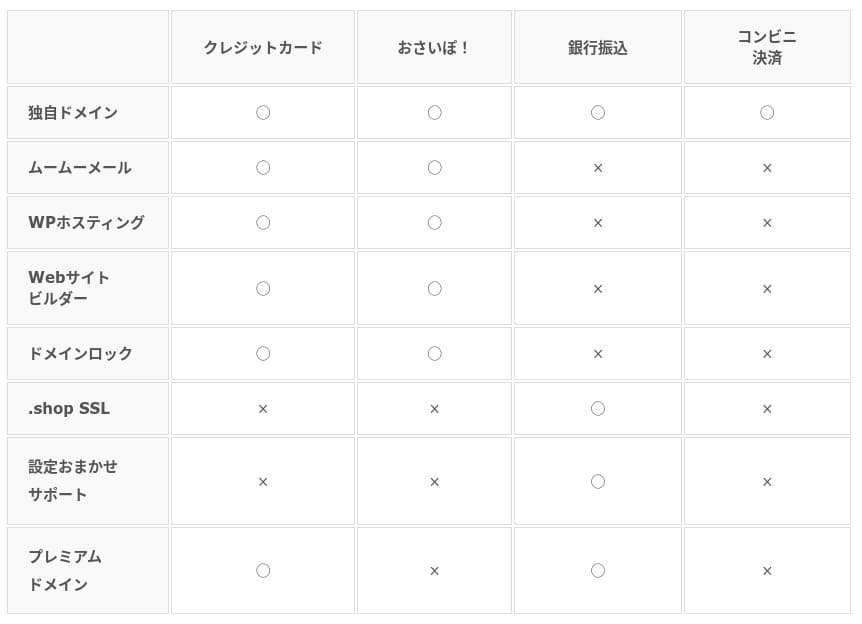
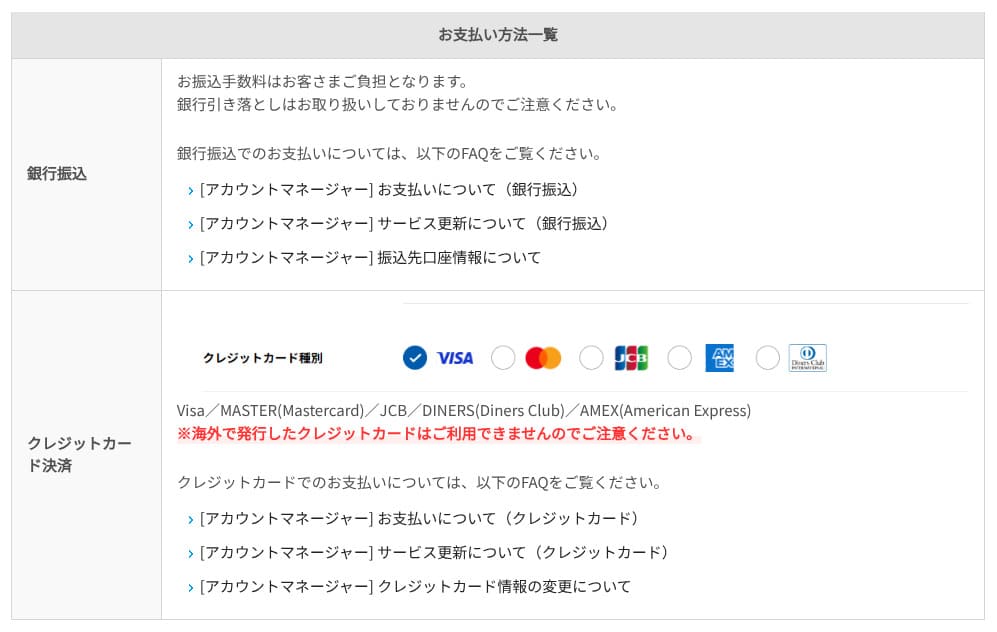
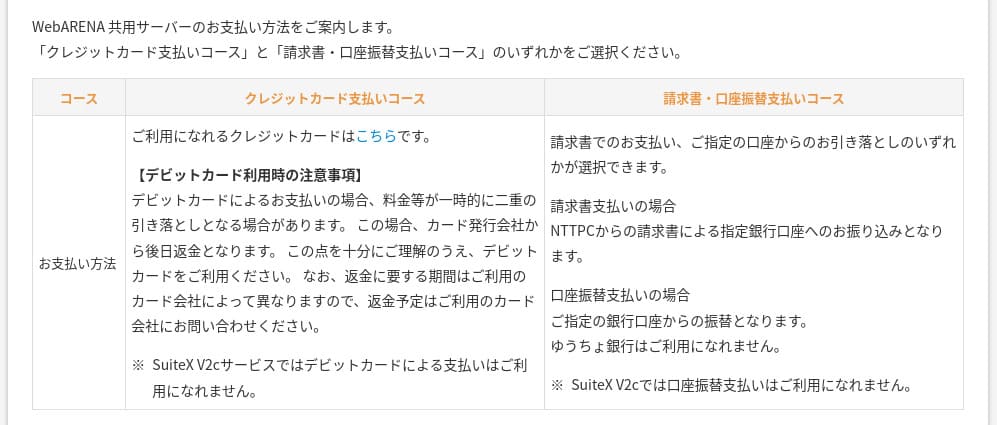
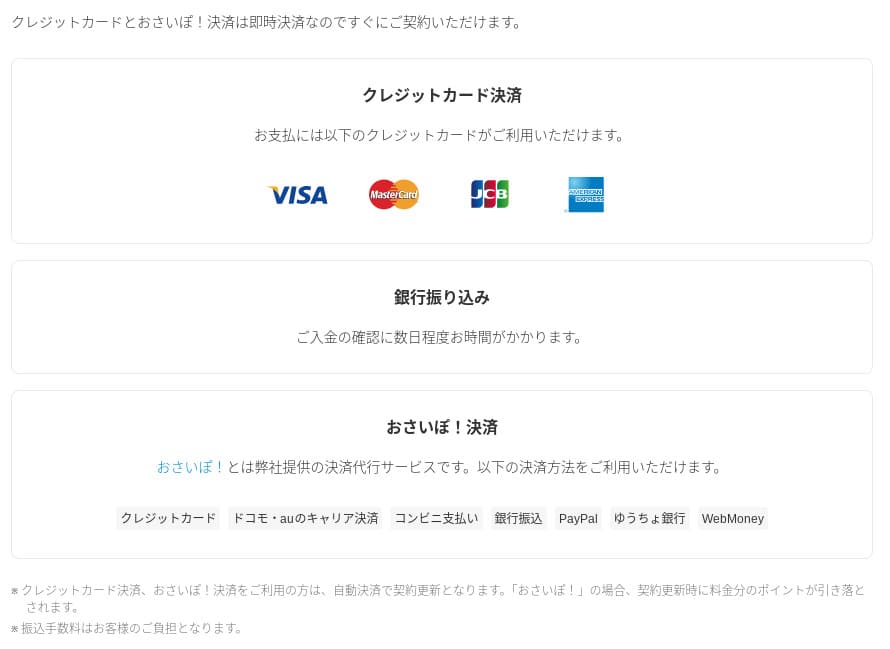
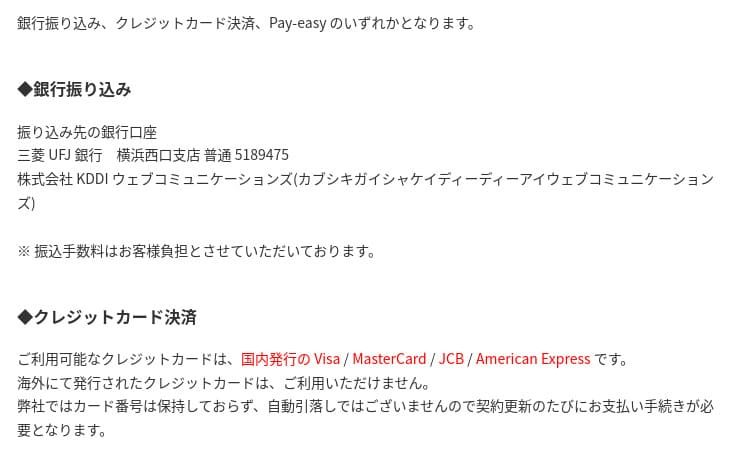
It does not support invoice-based postpayment. If your company needs closing-date payment, you need to handle it by purchasing Rakko Points in advance or using a similar workaround.
You can download invoices from "Usage Details" in your My Page. That makes it a server that even companies with strict accounting needs can use comfortably.
Usability and support evaluation
Ease of use of the control panel
Rakko Server uses both its own control panel and cPanel. cPanel is a GUI management tool used around the world, and it lets you handle file operations, email settings, PHP version switching, and more from the browser. There is a great deal of information about it online, and there are plenty of troubleshooting articles as well, which makes it easier to learn on your own.
- Top page
- Contract and billing
- WordPress
- Domains
- Backups
- File manager
- Disk usage
- Redirect settings
- DNS settings
- Edit memo
- Edit ads.txt
- Google Search Console verification
- .htaccess edit
- Server information
- phpMyAdmin
- User information
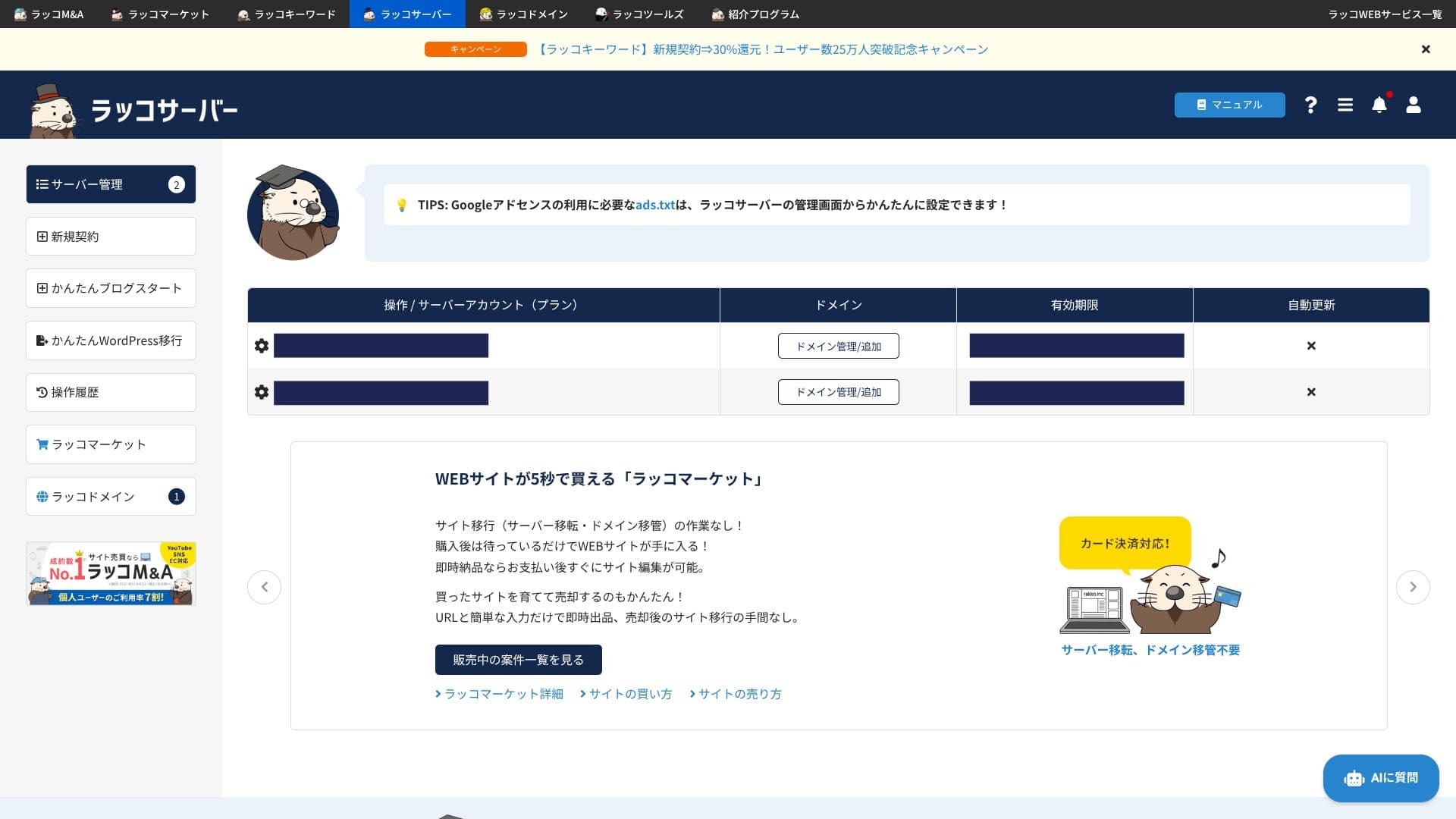
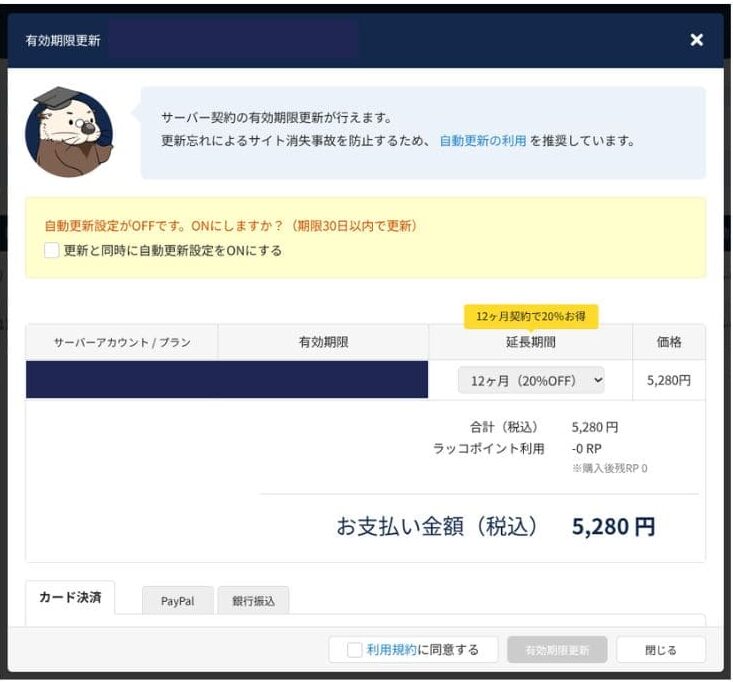
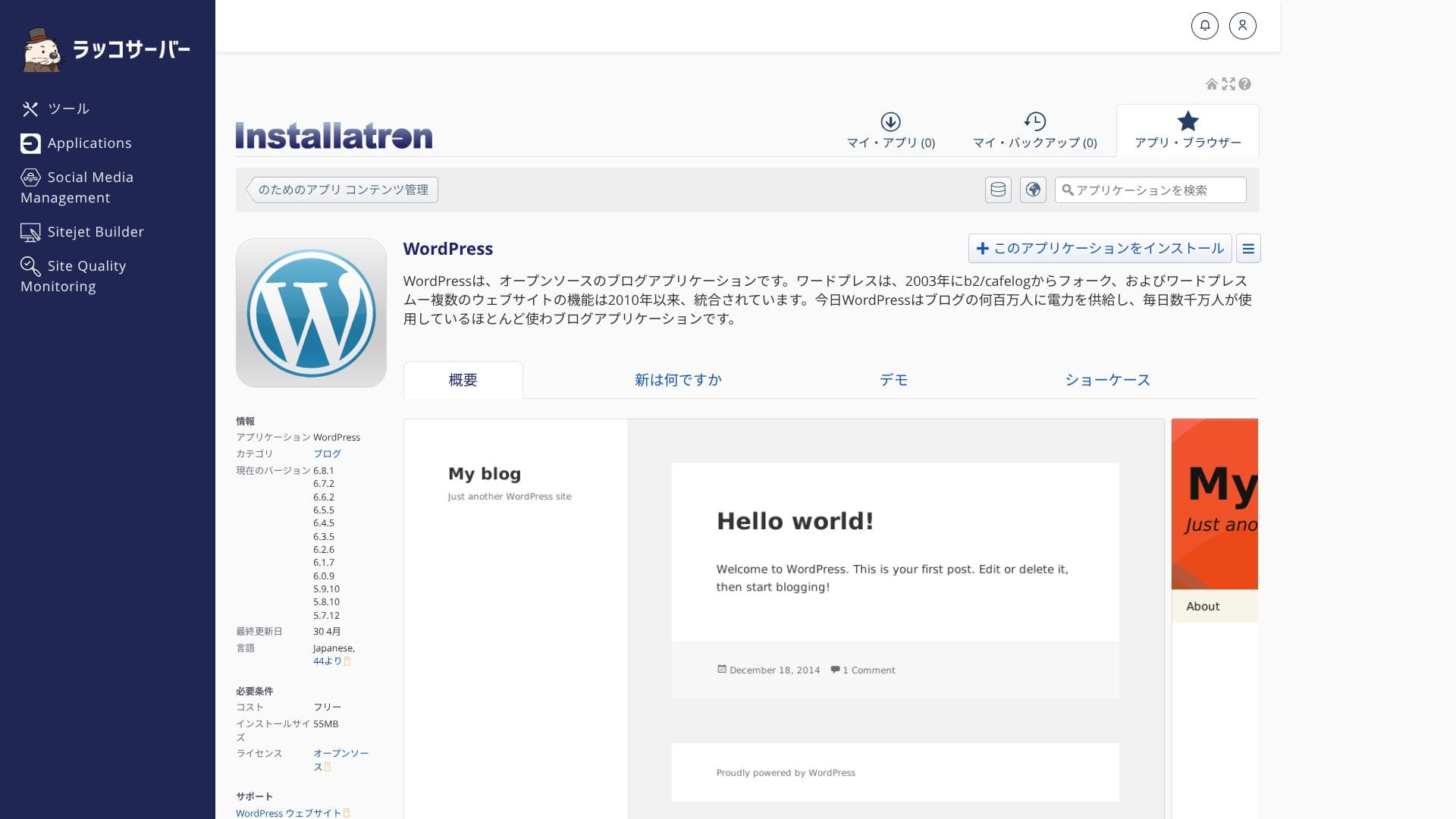
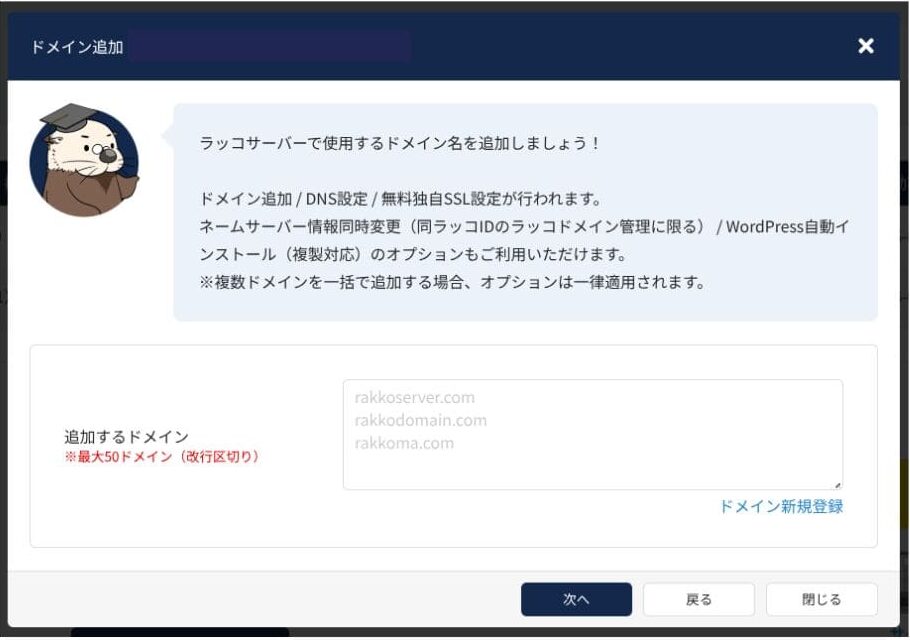
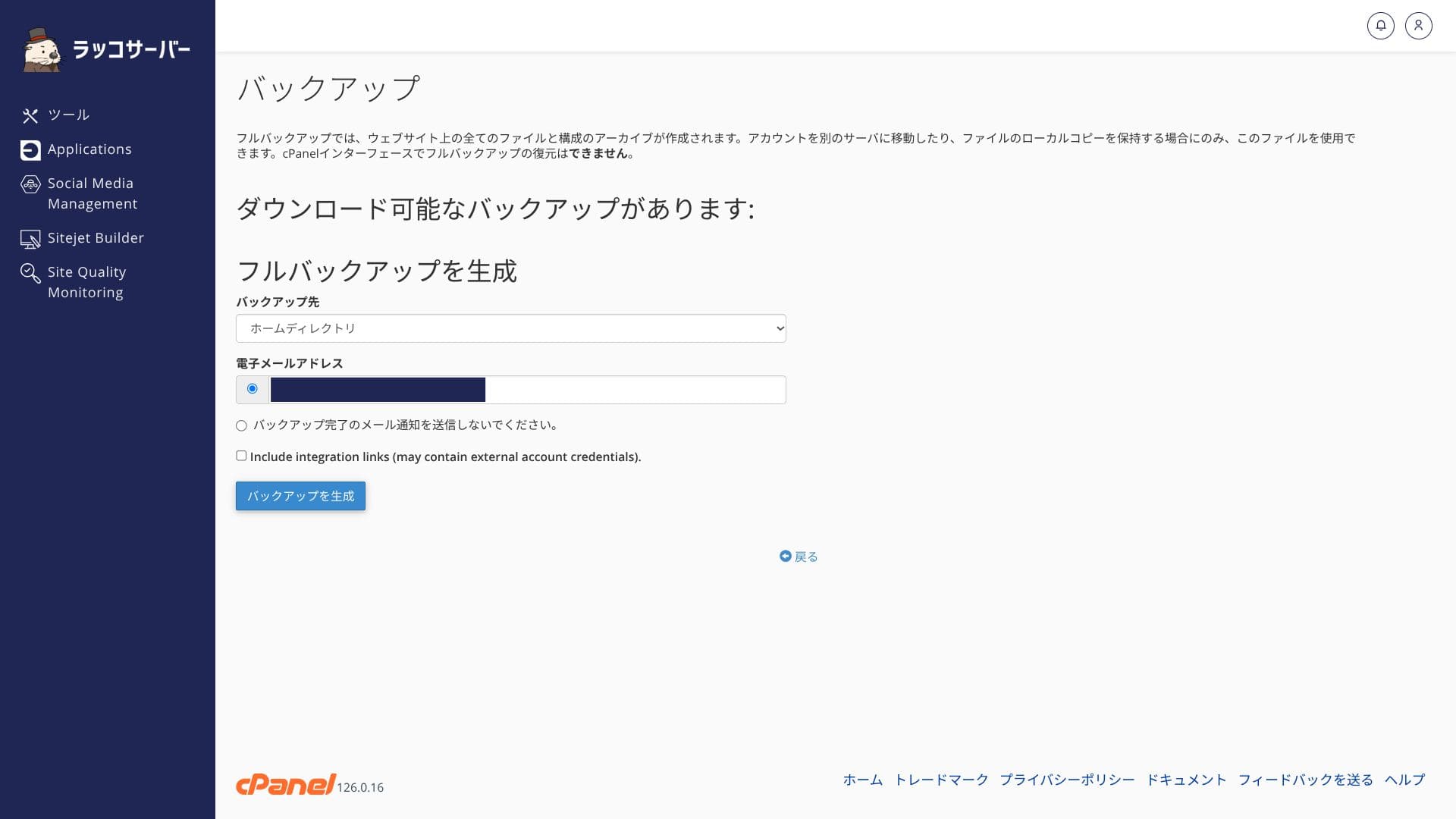
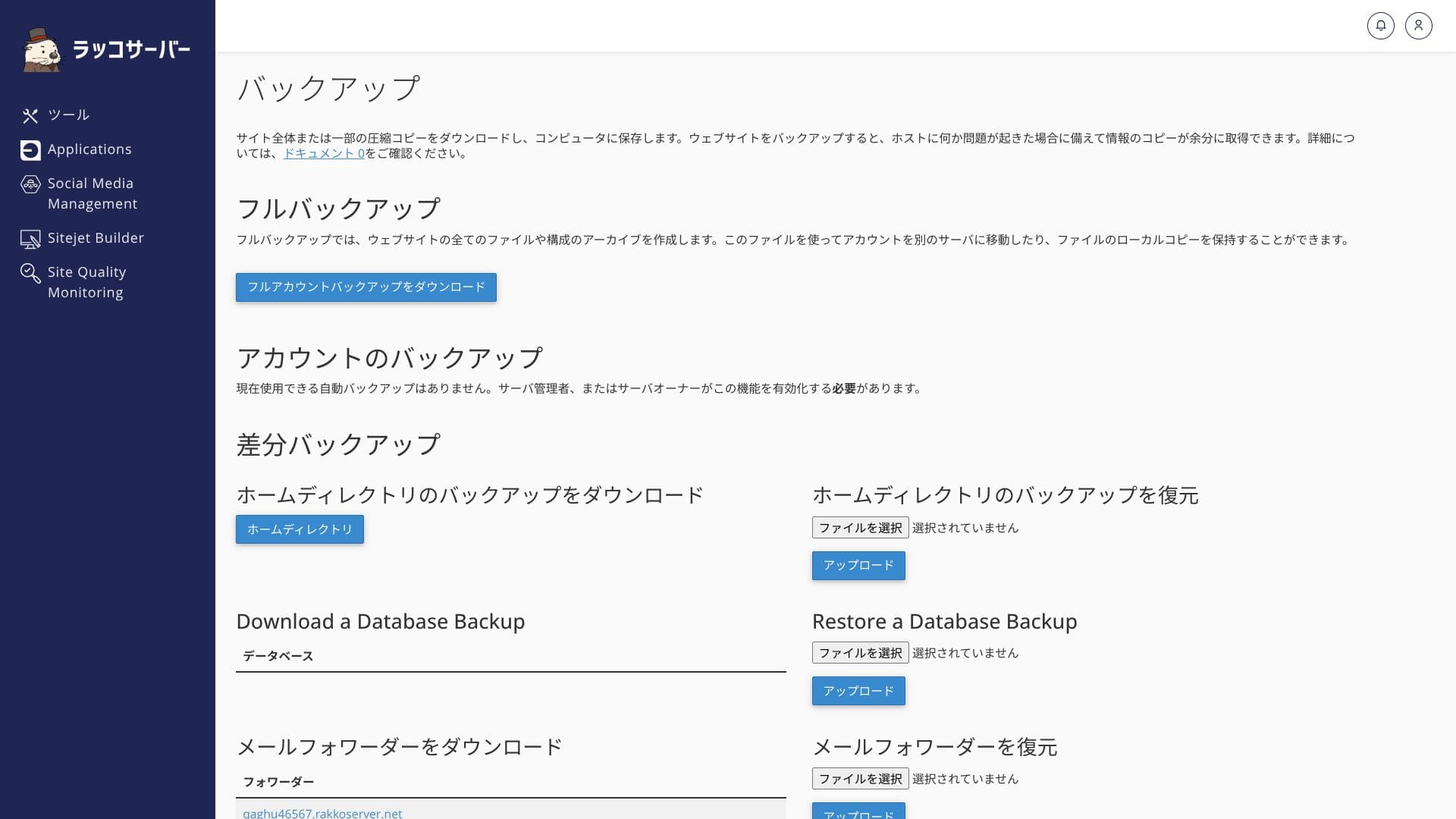
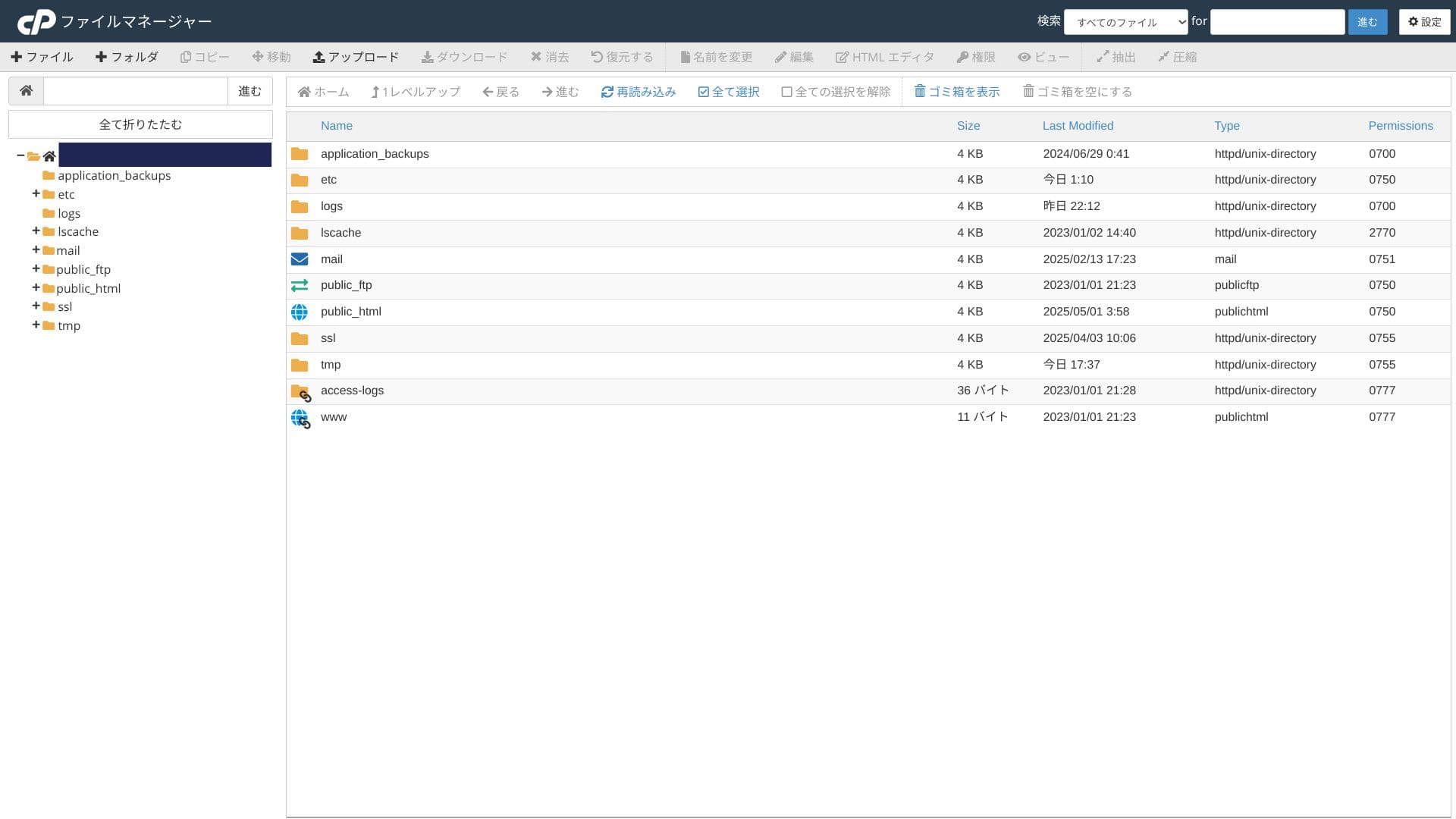
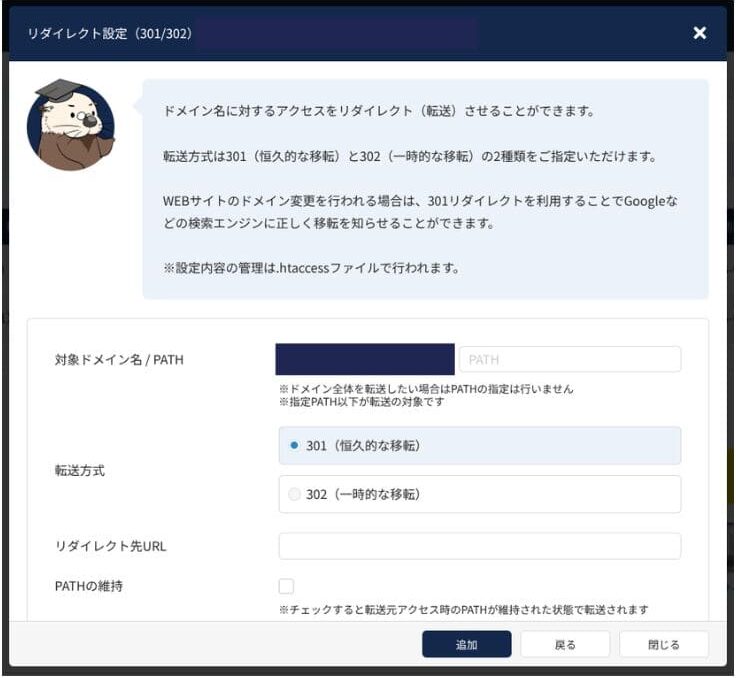
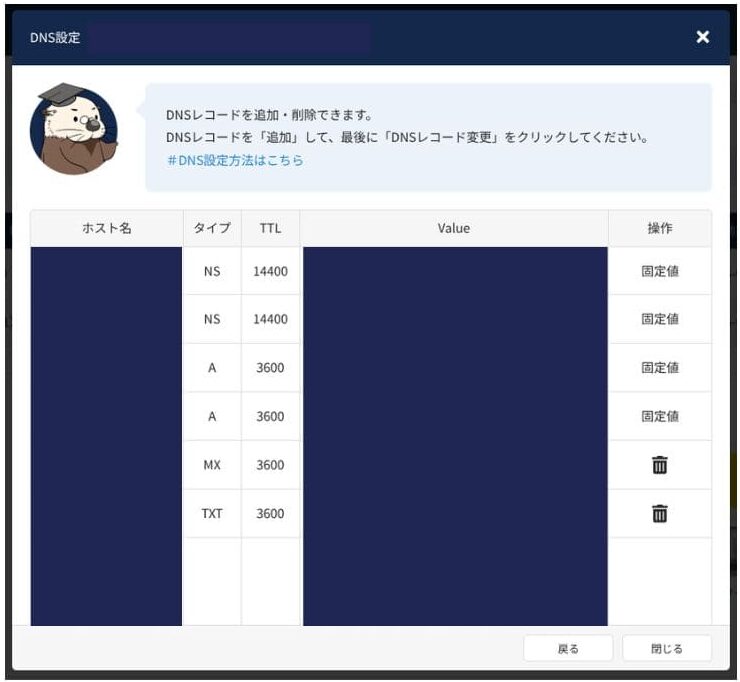
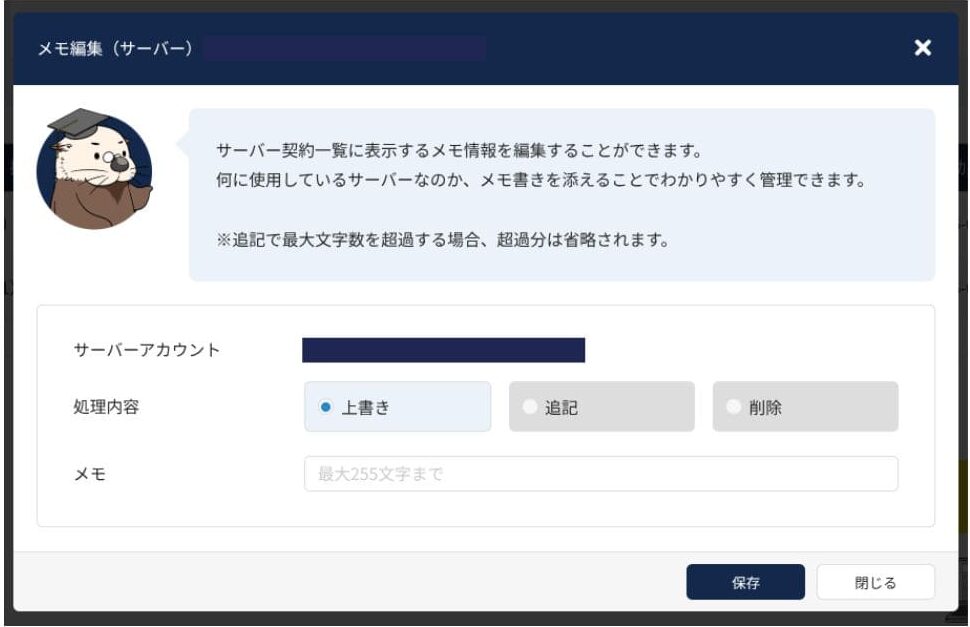
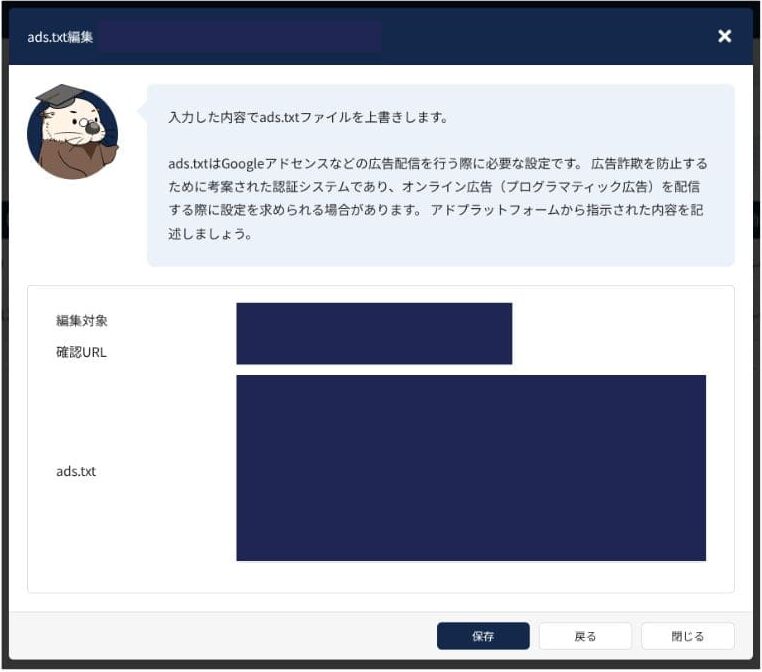
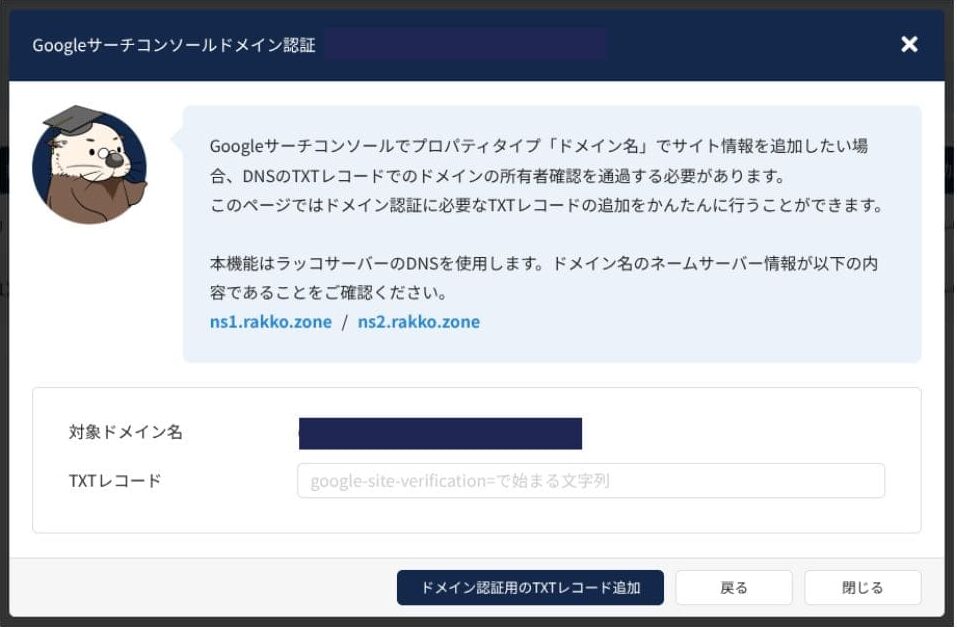
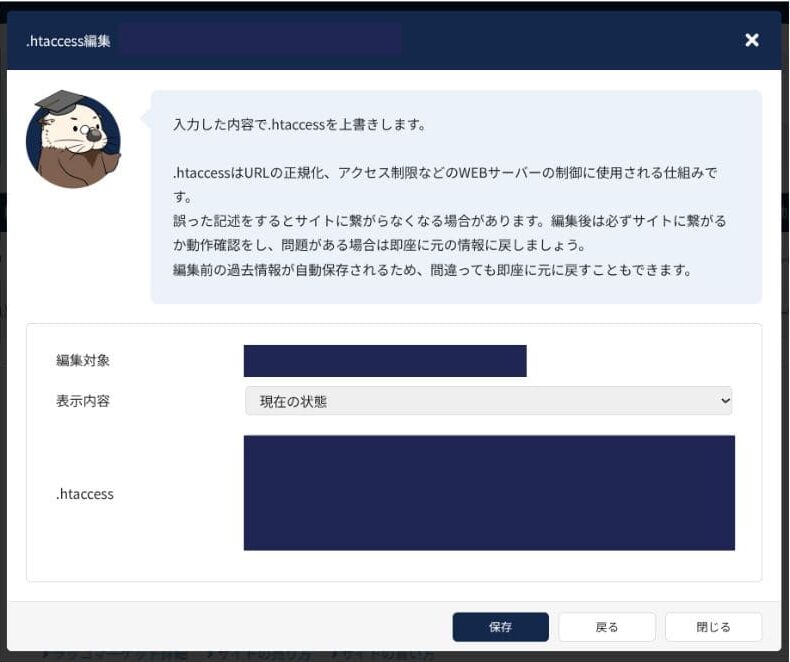
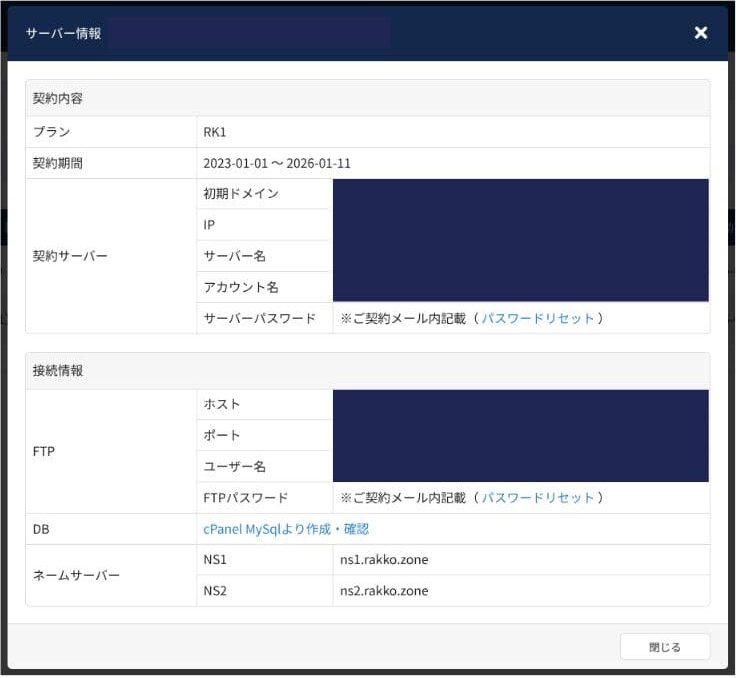
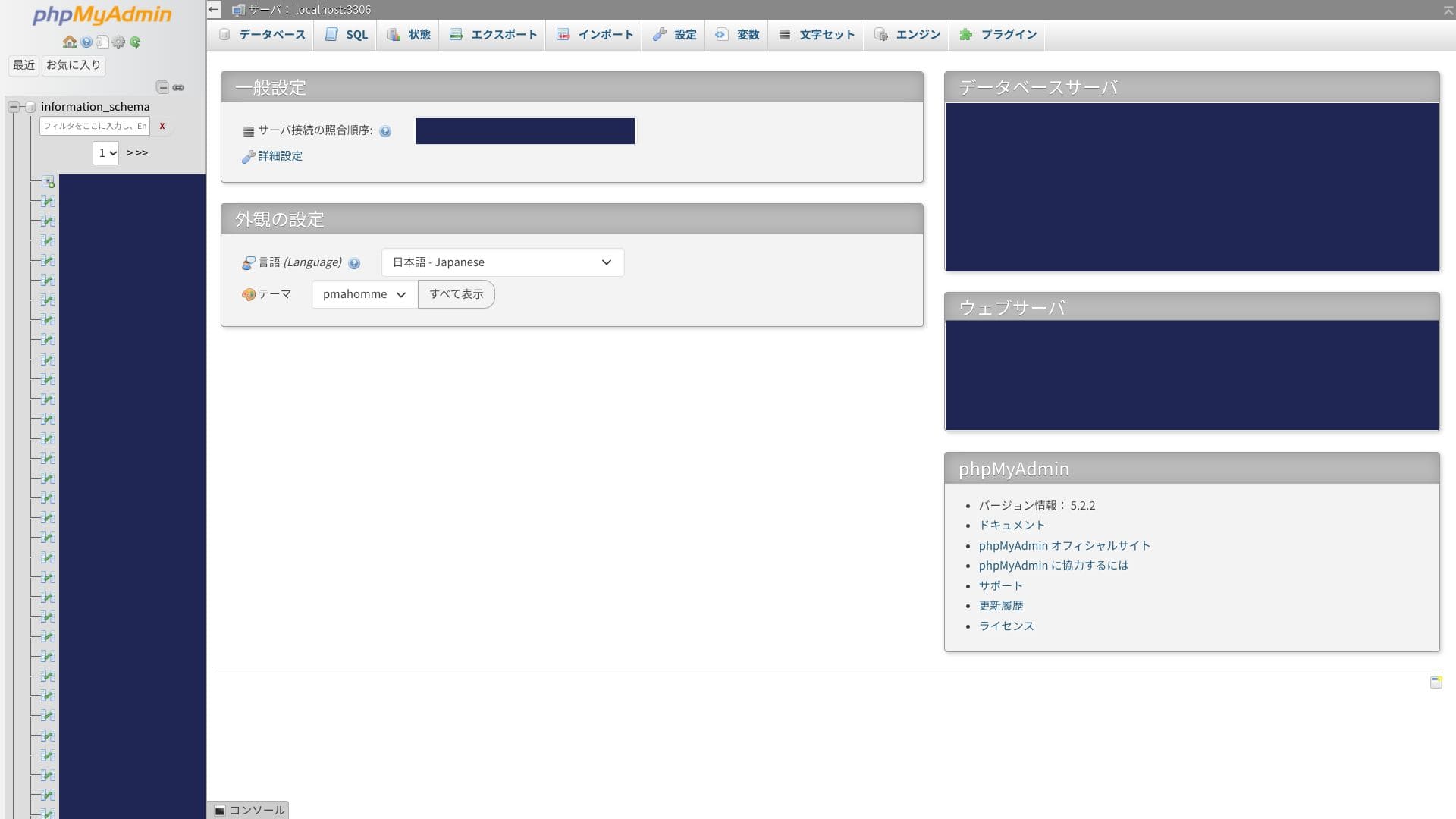
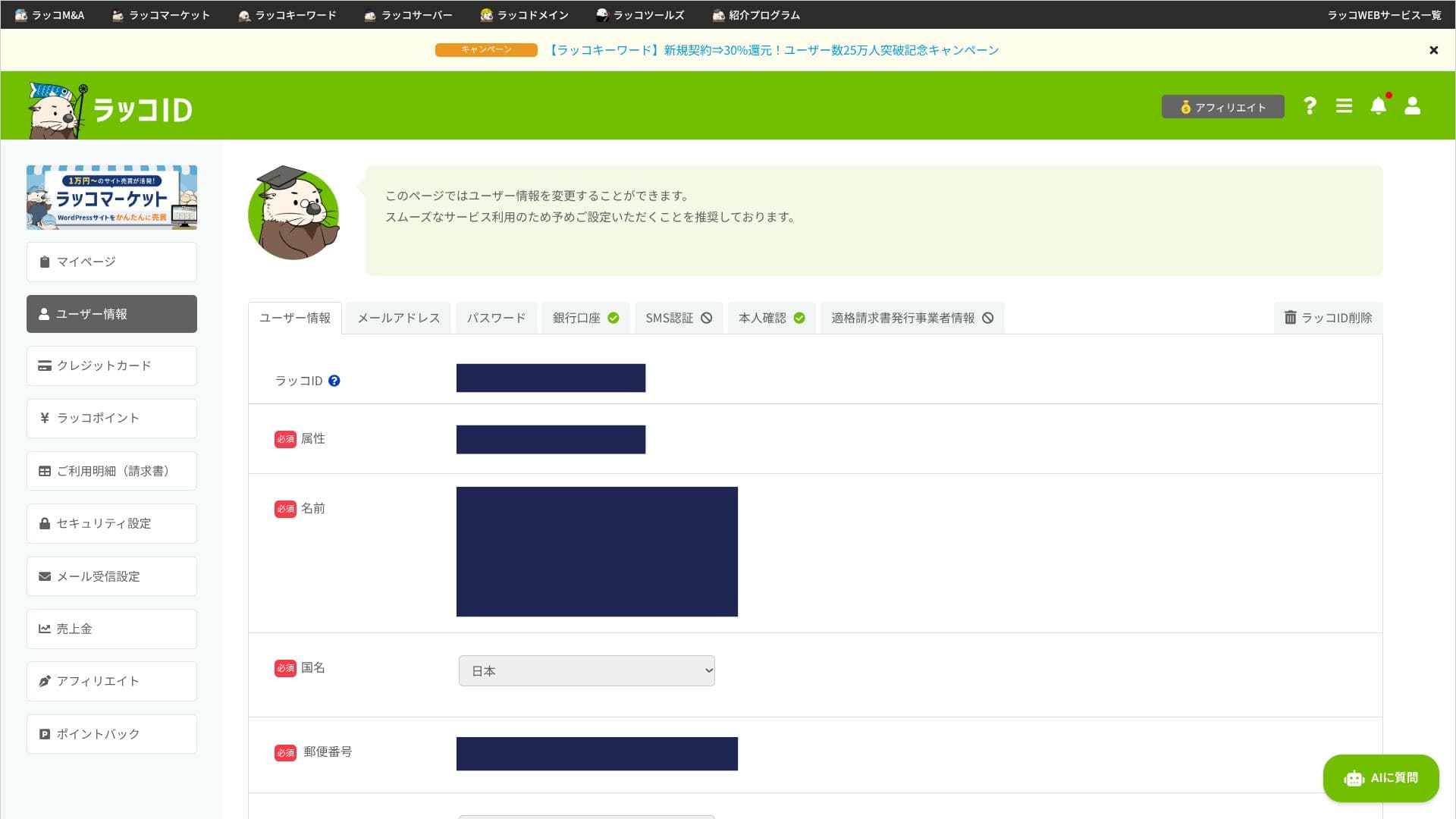
Most of the interface is in English. Some detailed settings are not localized into Japanese, so you may feel a little lost at first.
Support system
In addition to the inquiry form available on weekdays from 10:00 to 19:00, failures are monitored at all times. Normal questions are generally answered within one business day, so you can use it without rushing.
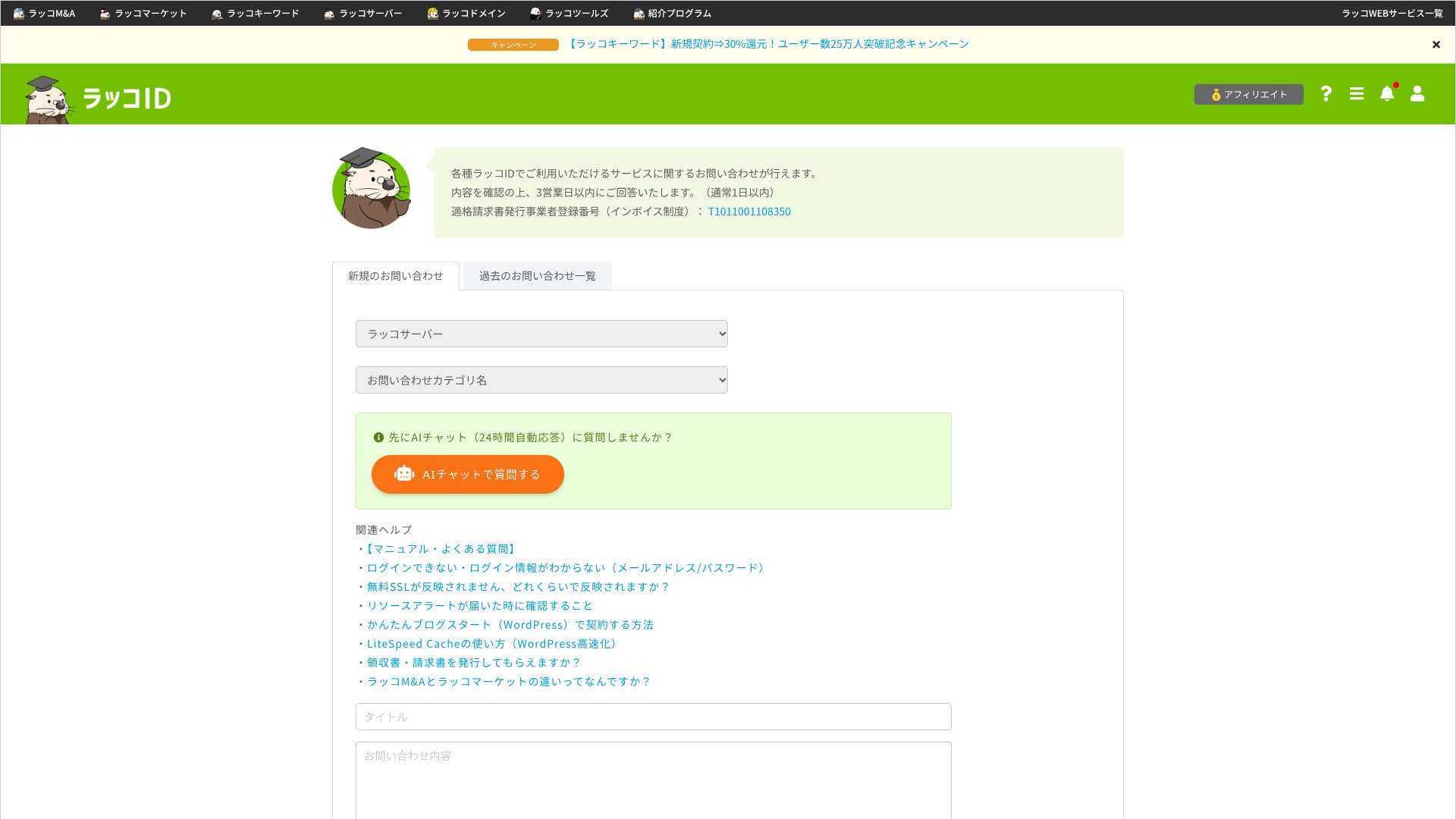
There is no phone support or real-time chat. If you need an urgent response, you have to operate with that time lag in mind.
How complete the manuals and FAQ are
The KnowledgeBase contains a large number of articles, and procedures such as WordPress migration and SSL setup are explained carefully with screenshots. There are almost no video tutorials, so if you prefer learning visually, it may help to use other sources such as YouTube as well.
Email feature review
As long as you stay within your contracted storage capacity, you can issue as many email addresses as you like for each department or staff member.
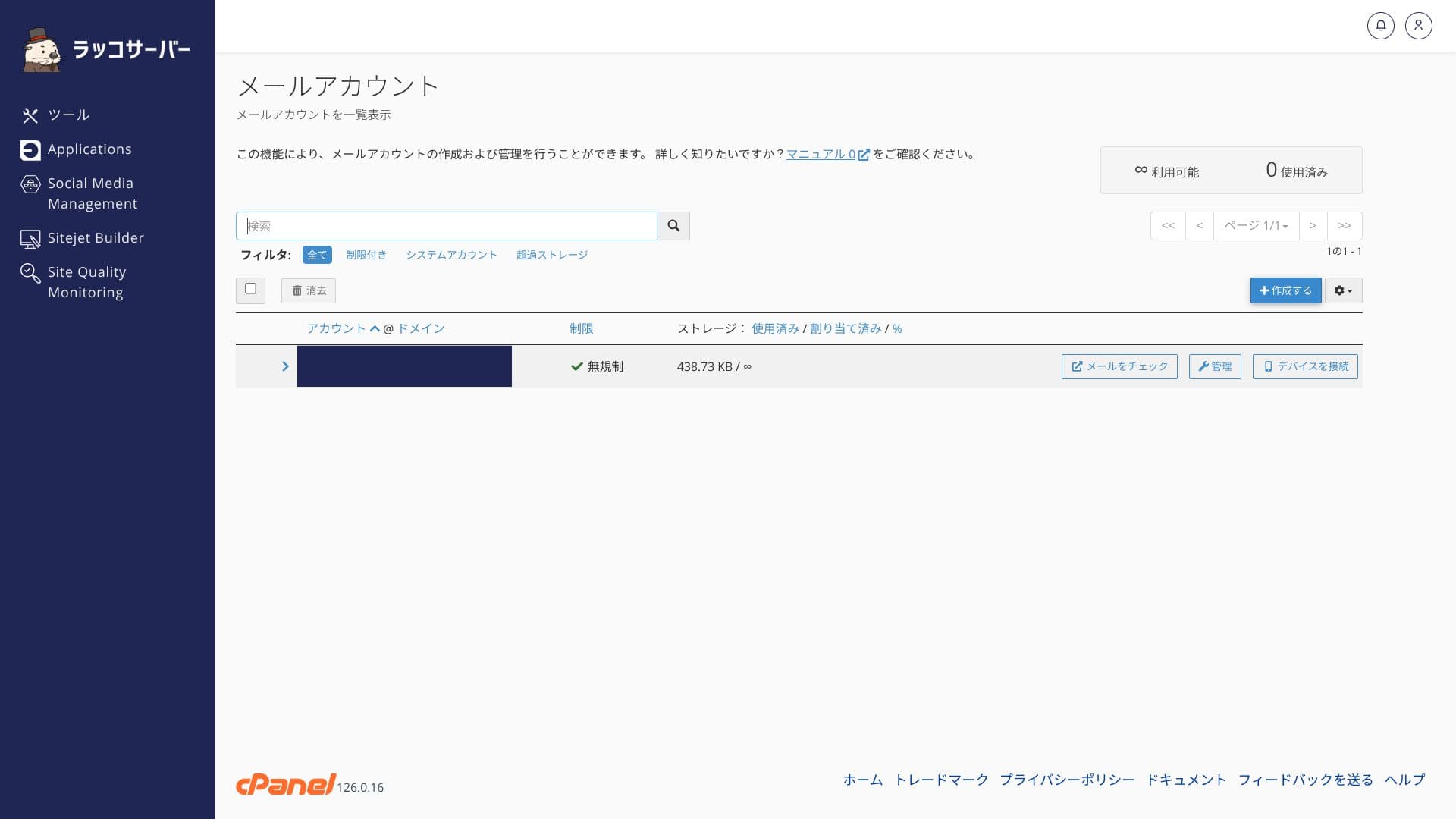
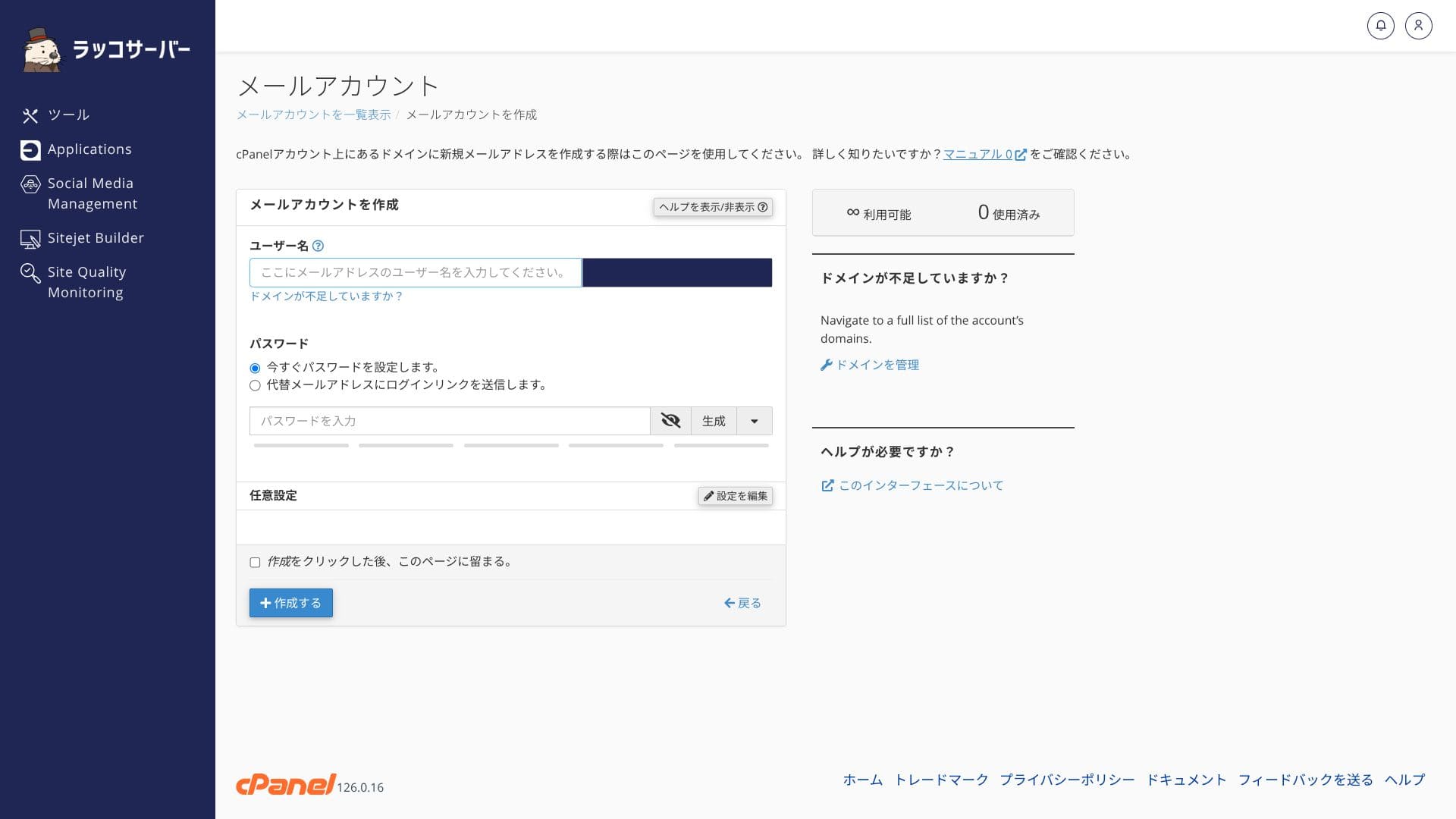
POP3, IMAP, and SMTP all support encrypted ports, so you can use them safely even when you are away from the office. Just create an account in cPanel and run the provided auto-configuration script to connect immediately to Outlook or Gmail. Webmail (Roundcube) is also included as standard.
You can enable spam filters and DKIM/SPF with one click. That makes it easy to prove legitimacy to recipients outside your company as well.
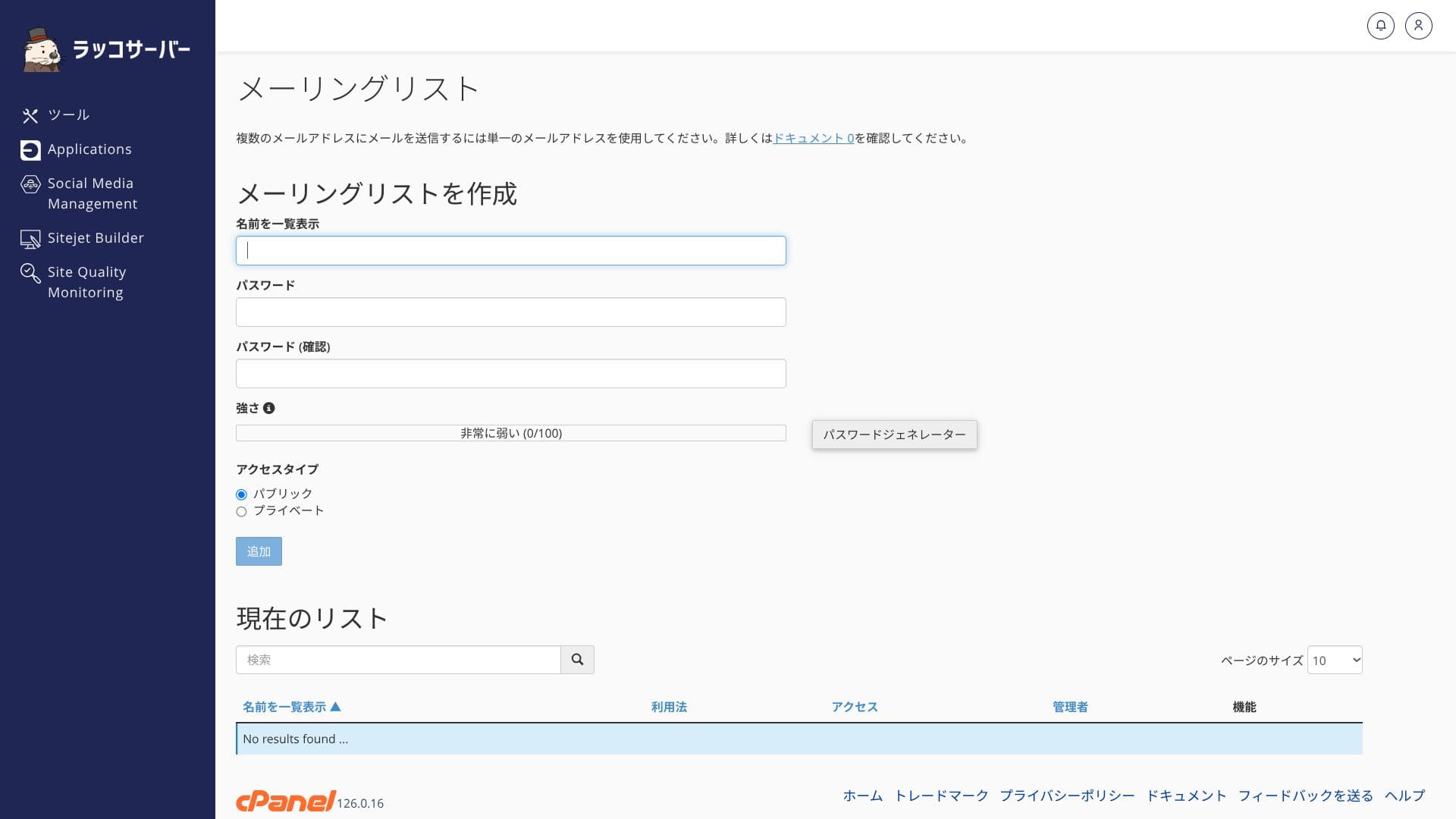
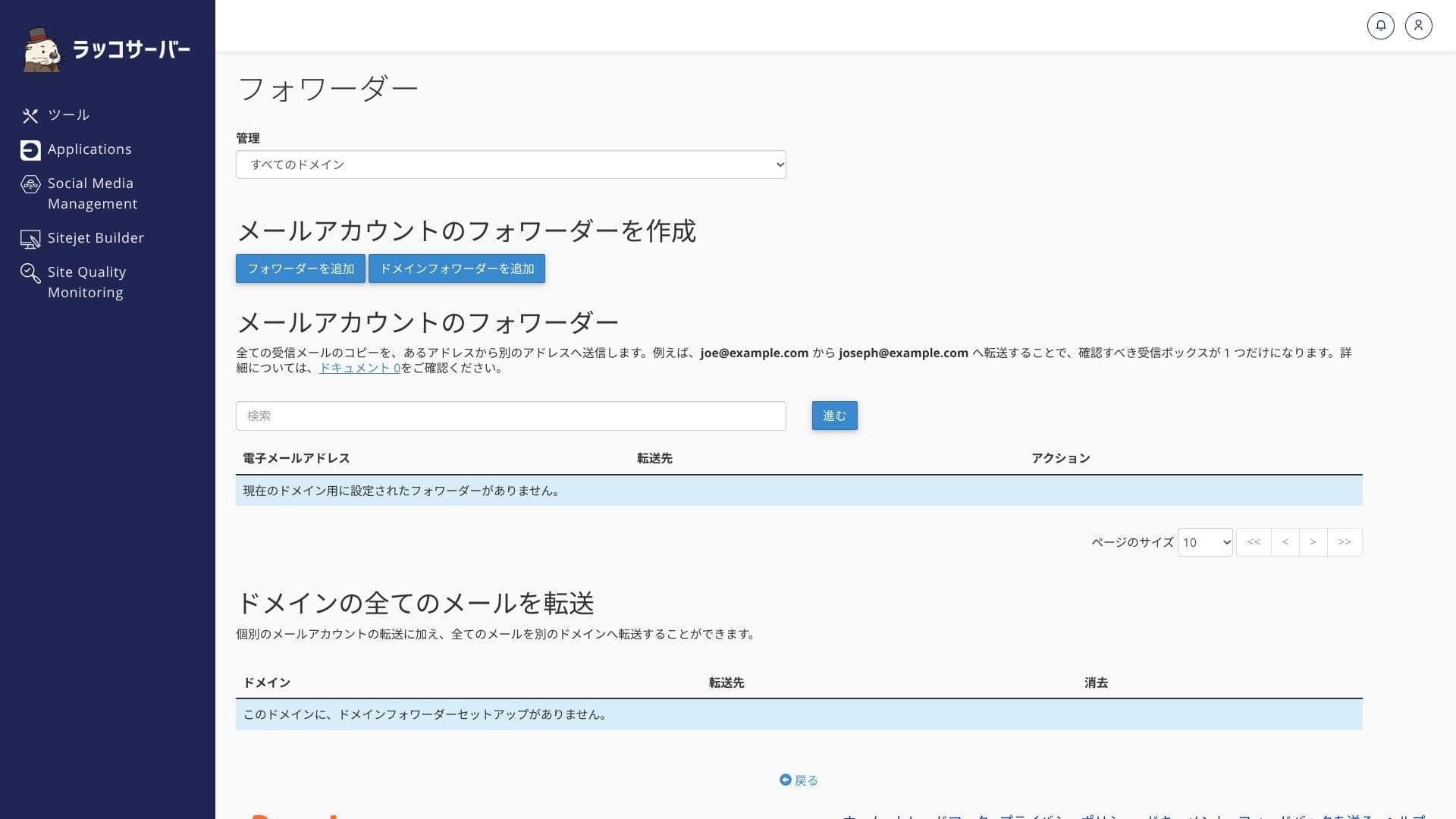
The sending limits are set fairly generously: RK1 allows 500 messages per hour, RK2 allows 2,500, and RK3 allows 3,500. That is more than enough for internal communication or a small newsletter. You can also create mailing lists and set forwarding rules easily from cPanel.
Because there is an automatic 30-day backup feature, even if you delete something by mistake or run into trouble, you can restore individual mailboxes from the browser with one click.
It provides email features and services that are fully usable for business purposes, including corporate use.
Security and backup evaluation
Security measures
Imunify360 is a comprehensive security suite that combines malware scanning, IPS/IDS, and WAF. It automatically detects and blocks the brute-force attacks and SQL injection attempts that are common on WordPress, so you can operate safely even without specialist knowledge. Additional features such as IP restrictions for the admin area are also available, giving it a level of protection that is fully sufficient even for corporate sites.
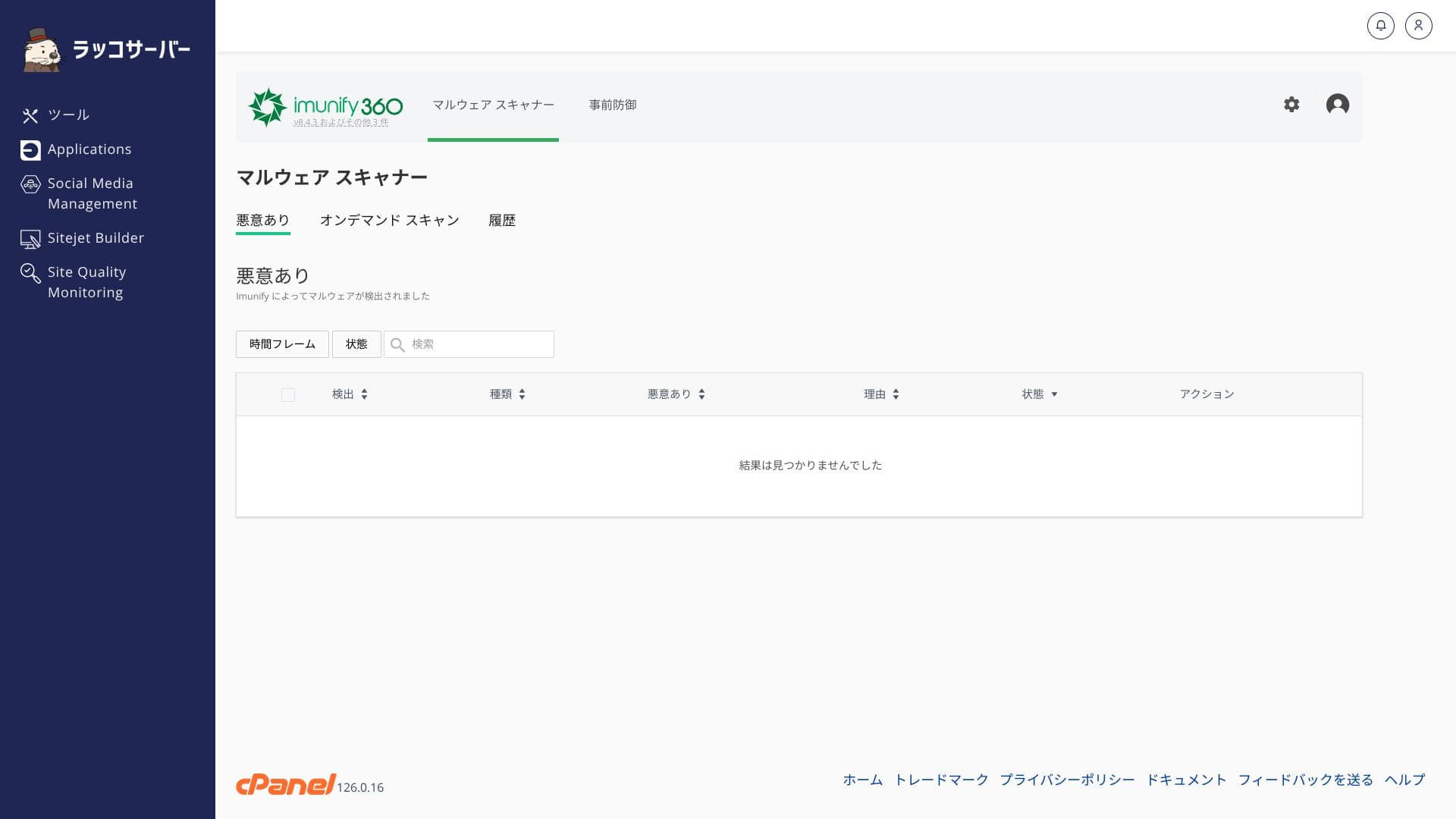
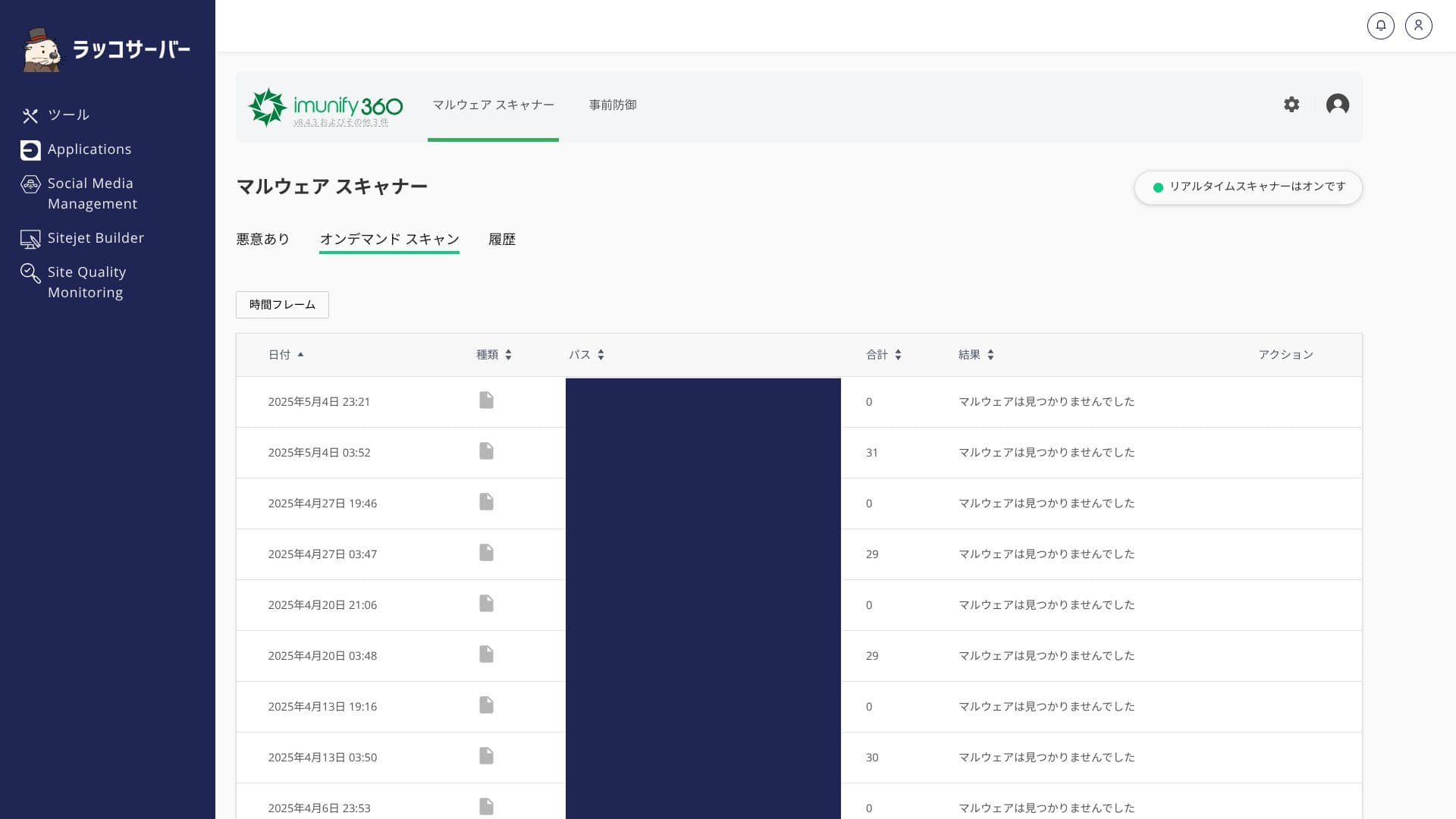
If the site is ever tampered with, however, you still need to carry out the recovery work yourself. Do not rely entirely on the server; keep your software updated regularly and manage your plugins carefully.
Automatic backup feature
JetBackup 5 is a backup management tool integrated with cPanel that lets you manage versions of files and databases. Because it automatically stores the past 30 days, you can restore to any date you choose from the browser with one click when trouble occurs. Backup data is stored remotely as well, helping spread disaster risk.
★ How to restore automatic backups (JetBackup 5) [official site]
Long-term backup storage beyond 30 days is not included. If you want to keep monthly or yearly backups for the long term, download the backup data and store it somewhere else.
Using a WordPress plugin is convenient here.
★ Five WordPress backup plugins that can recover lost data
Integration with Rakko tools
Buying and selling sites with Rakko M&A and Rakko Market
The greatest strength of Rakko Server is how easy it makes website sales. You can list a WordPress site for sale with one button, and even contract transfer and domain transfer can be completed within the company's own services. That gives it an advantage when you think about exit strategies for blog operations.
- Rakko M&A: the No.1 website sale platform for completed deals from 2021 through 2024. Relatively large websites are traded there.
- Rakko Market: lets you buy and sell small websites easily.
On Rakko M&A, when a sale is completed, the buyer pays 5% of the transaction amount, or a minimum fee of 55,000 yen. It is safer to calculate your net proceeds before listing a site.
On Rakko Market, when a sale is completed, the seller pays 20% of the sale price as a fee.
It can also make sense to move an existing site to Rakko Server specifically so you can sell it later.
Article creation with Rakko Keyword
Rakko Keyword is one of the top keyword research tools in Japan. It makes it easier to decide the direction of your articles. As a perk for contracts of one year or longer, you can try the 990-yen-per-month Light plan of the keyword research tool "Rakko Keyword" for one month.
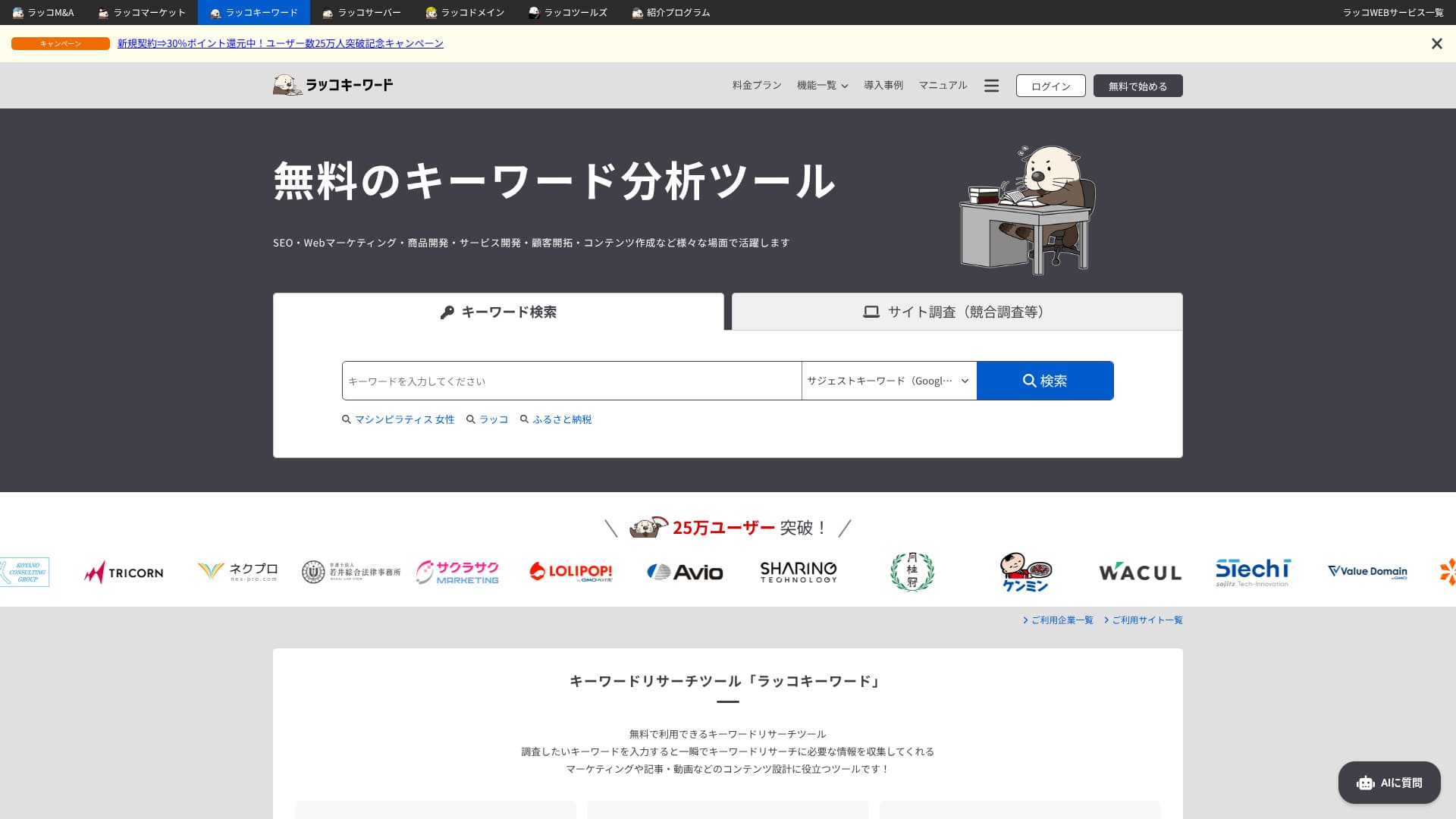
After the free period ends, you are not billed automatically. If you want to keep using it, you need to apply separately.
Integration with Rakko Domain
From registering a domain to configuring name servers and issuing SSL automatically, the process moves forward seamlessly, and WHOIS privacy is also provided free of charge.
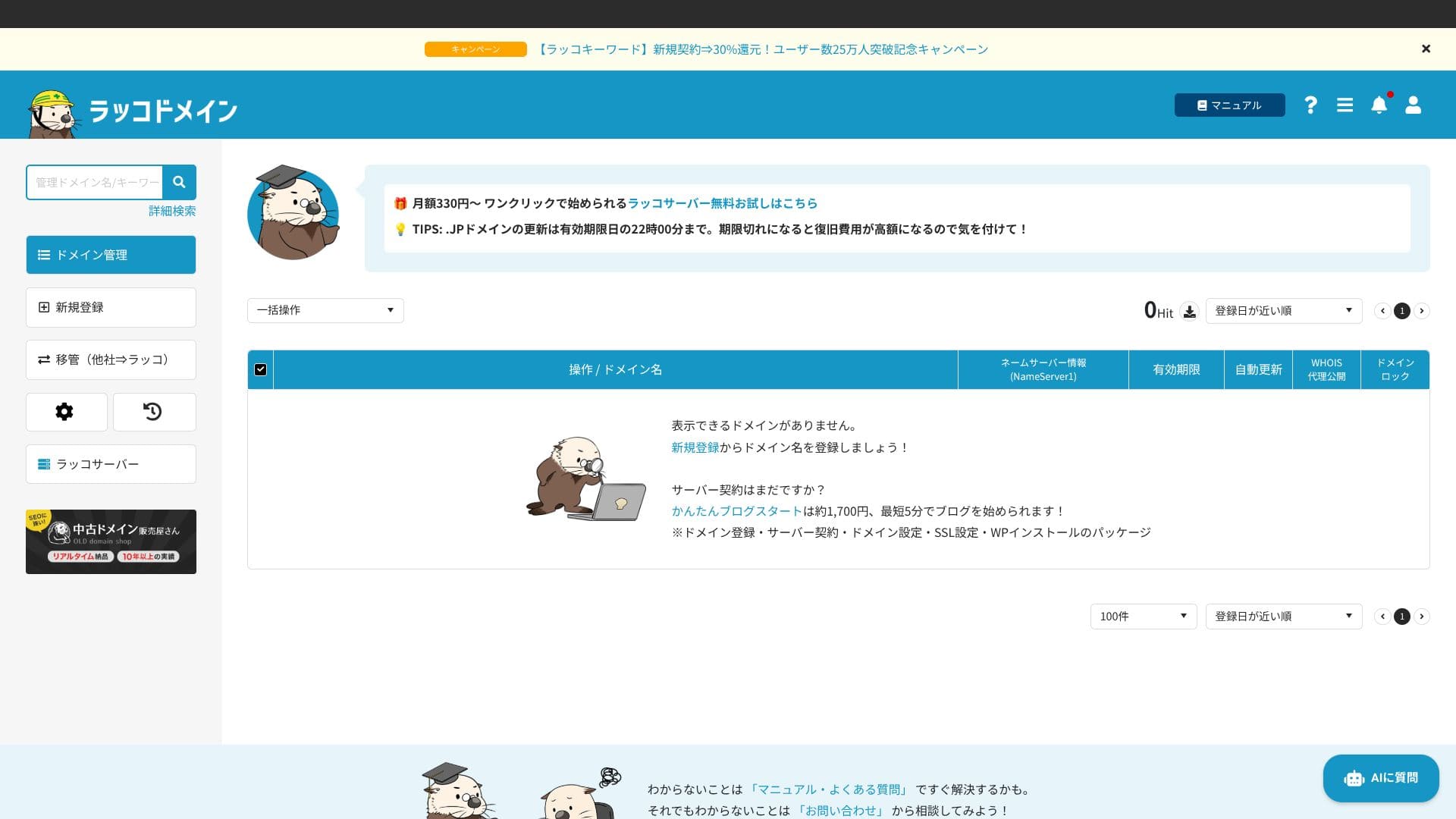
If you use a domain managed by another company, there are cases where you need to configure DNS records manually.
Other features
| Feature | What makes it useful | Points to keep in mind |
|---|---|---|
| SSH / Git / Composer | You can deploy and manage versions through the terminal, which improves development efficiency. | SSH is disabled by default. You need to enable it in cPanel and register your public key before using it. |
| Real-time plan changes | You can upgrade or downgrade instantly from the control panel, and the difference is prorated. | To downgrade, your current disk usage must be below the limit of the new plan. |
Summary
- For people with no WordPress experience, the "Easy Blog Start" feature that automates everything from domain registration to blog launch is a major help.
- For users considering a move from another server, it allows operations that take website sales into account while boosting speed through unmetered traffic and a fast LiteSpeed environment.
- Because it starts at 440 yen per month and includes free SSL, 30-day backups, and multilayered security as standard, it can be an option for both individuals and corporations looking for a low-cost but reassuring environment.
Start with the 30-day free trial and see for yourself whether the display speed and ease of use of the control panel fit your site size and operating style.
"Rakko Server" is a server that lets you complete website sales smoothly in one place. If you also think about the final stage of a website's life, it is one of the easiest and most capable domestic servers to use. It is inexpensive, makes WordPress easy to start, and is highly recommended for individual users.