Five Powerful WordPress Backup Plugins to Help You Recover Data

When running a WordPress site, backing up data and recovering it are essential tasks that you cannot avoid.
Anyone can face a situation where a site is hacked or important data is deleted by mistake. In those moments, backup plugins become a very dependable ally.
This time, we introduce five reliable and easy-to-use backup plugins for WordPress.
WordPress Hosting Comparison Guide

We compare 32 hosting services for WordPress.
Five WordPress backup plugins worth considering
UpdraftPlus WordPress Backup Plugin
UpdraftPlus is a highly capable plugin that can back up the database and the entire file set either manually or automatically.
Because it can save backups directly to cloud services such as Google Drive and Dropbox, it keeps data secure while remaining easy to access. Restoring a site is also straightforward, so it is used by everyone from beginners to advanced users.

BackWPup
BackWPup is a very popular plugin for backing up data from WordPress sites.
With this plugin, you can safely back up the site database, files, and other important content and restore them when needed.
BackWPup offers the ability to store backups in many locations, including local storage, FTP servers, Dropbox, Amazon S3, Microsoft Azure, and Google Drive.
Jetpack Backups
Jetpack Backups is a plugin that can take backups in real time every time a change is made.
Because of this automated process, you can always keep the latest state of the site and return to a specific point easily when necessary. Its strong support system removes a great deal of stress for site operators.

Duplicator – WordPress Migration Plugin
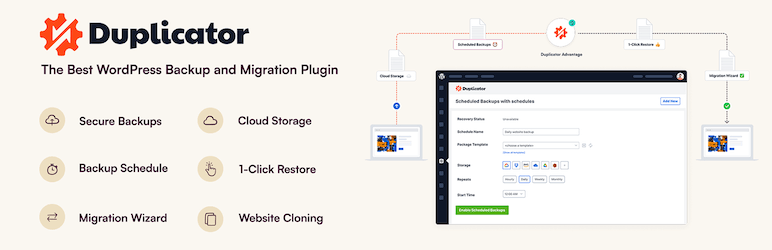
Duplicator is a plugin designed not only for backups but also specifically for site migration.
It makes moving to a new host or domain easier and also offers solid backup and restore functions. It is built so that even users without technical knowledge can use it with confidence, giving site operation more flexibility.
All-in-One WP Migration
All-in-One WP Migration is a plugin that makes it easy to back up and migrate an entire site through an intuitive interface.
It supports migrations between different hosting providers without size limits and can back up databases, media files, plugins, and themes. Its ease of use has earned strong support from many users.

Additional tips for stronger backups
Set a regular backup schedule
To prevent data loss, regular backups are necessary. Many plugins can automate this process.
Use multiple backup destinations
It is important to keep backup files in multiple places, such as cloud storage, a local computer, and external drives.
Strengthen security
By improving site security, you can reduce the risk of data loss. Using security plugins and changing passwords regularly are effective measures.
★ Five WordPress security plugins
Test backups regularly
Check regularly that backup files work properly, and test the restore process when necessary. Doing so makes sure that you can recover data reliably in an emergency.
Summary
For anyone operating a WordPress site, backups and recovery are critically important. By using the plugins introduced above, you can protect the site and respond quickly if something goes wrong.
To protect the value of your site, consider introducing these backup plugins.