Forbedr SEO og UX med Core Web Vitals: en praktisk vejledning til hurtigere sites

Websitetes indlæsningshastighed har en stor indflydelse på både SEO og UX. Core Web Vitals er centrale webperformance-indikatorer foreslået af Google, og deres betydning bliver kun større i 2024 og fremover. Et langsomt site frustrerer brugere, sænker placeringer og øger frafaldet.
Denne artikel dækker praktiske teknikker, lige fra det grundlæggende om Core Web Vitals to forklaringer af de vigtigste målinger LCP, FID og CLS, samt hvordan man måler dem ved hjælp af værktøjer som PageSpeed Insights og Search Console, og hvordan man forbedrer dem på konkrete måder.
Begynd at optimere Core Web Vitals nu for at forbedre SEO og UX og gøre dit website til en endnu større succes.

Hvad er Core Web Vitals? Et detaljeret kig på deres effekt på SEO og UX
Hvorfor Core Web Vitals betyder noget i 2024 SEO og moderne UX
Core Web Vitals er webperformance-målepunkter foreslået af Google. De måler tre aspekter af, hvordan brugerne oplever en webside: indlæsningshastighed, interaktivitet og visuel stabilitet. Med andre ord vurderer de, om et site faktisk leverer en god brugeroplevelse.
I 2024-SEO er Core Web Vitals blevet endnu vigtigere. Google lægger i stigende grad vægt på brugercentrerede søgeoplevelser og har tendens til at rangere sites, der leverer en behagelig weboplevelse, højere. I praksis er optimering af Core Web Vitals nu et afgørende SEO-arbejde.
Vi anbefaler kraftigt, at webstedsejere forbedrer Core Web Vitals, så de kan opnå bedre placeringer i søgeresultaterne og levere en bedre samlet brugeroplevelse.Core Web Vitals er en af de faktorer, Googles kerne-rankingsystemer tager i betragtning sammen med andre sideoplevelsessignaler, når de fastlægger placeringer.
Core Web Vitals og Google-søgeresultater
En stærk UX forbedrer brugertilfredsheden og understøtter direkte forretningssucces gennem bedre konverteringsrater, flere tilbagevendende besøgende og et stærkere brandimage.
Forstå de tre vigtigste målinger: LCP, FID og CLS
Core Web Vitals består af følgende tre målinger. Lad os se på, hvad hver enkelt repræsenterer i konkrete termer.
- LCP (Largest Contentful Paint): den tid, det tager, før det vigtigste visuelle indhold på siden, såsom et stort billede, en video eller en tekstblok, vises. Fordi det repræsenterer, hvornår brugerne kan genkende det primære indhold, er det en afgørende indikator for indlæsningshastighed. Målværdien er 2,5 sekunder eller mindre.
- FID (First Input Delay): tiden mellem en brugers første interaktion, såsom at klikke på et link eller trykke på en knap, og browserens reaktion. Det måler, hvor hurtigt siden bliver responsiv over for brugerens handling. Målværdien er 100 millisekunder eller mindre.
- CLS (Cumulative Layout Shift): hvor meget uventet layoutskift der sker, mens siden vises. Hvis et billede f.eks. indlæses sent og pludselig skubber tekst nedad, er det et layoutskift. En høj CLS kan forårsage utilsigtede klik og skader UX. Målværdien er 0,1 eller mindre.
Det tætte forhold mellem Core Web Vitals og brugeroplevelse
Core Web Vitals er tæt forbundet med brugeroplevelsen.
For eksempel, hvis produktbilleder er for længe om at blive vist på et e-handelssted, eller knapper reagerer langsomt, når der klikkes på dem, kan brugerne blive frustrerede og forlade siden. Omvendt, når sider indlæses hurtigt, og interaktionen føles glidende, kan brugerne handle behageligt og er mere tilbøjelige til at foretage et køb.
Hvad sker der, når Core Web Vitals er dårlige? Risiko for placeringstab og højere frafald
Dårlige Core Web Vitals kan skade placeringerne på Google. Især hvis du ønsker at rangere på konkurrenceprægede søgeord, er optimering uundværlig.
Websites med dårlige Core Web Vitals har også tendens til at have højere frafaldsrater. Når siderne er langsomme eller svære at interagere med, oplever brugerne stress og forlader siden.
Et højere frafald kan sænke konverteringsraten og skade brandopfattelsen. For eksempel, hvis et site med en million månedlige sidevisninger ser en stigning på 10 procent i frafaldet, kan det resulterende årlige tab nemt løbe op i mange millioner yen.
Sådan måler du Core Web Vitals med gratis værktøjer

Mål Core Web Vitals med Google PageSpeed Insights
PageSpeed Insights er et gratis værktøj til analyse af websider leveret af Google. Ved blot at indtaste en URL kan du måle mange performance-indikatorer, herunder Core Web Vitals. Det kan analysere ydeevnen på både mobil og desktop og giver konkrete anbefalinger til forbedring, hvilket gør det yderst praktisk.
- Åbn PageSpeed Insights-websitet.
- Indtast den URL, du vil analysere, og klik på analyse-knappen.
- Efter en kort ventetid vil du se score og detaljerede analyseresultater for både mobil og desktop.
- Gennemgå både feltdata (field data) og laboratoriedata (lab data) for at forstå den aktuelle situation. Feltdata er baseret på målinger fra rigtige brugere, mens laboratoriedata indsamles i et simuleret miljø, som PageSpeed Insights anvender.
Brug Search Console til at identificere sider med problemer
Google Search Console er et gratis værktøj for webstedsejere. Dets Core Web Vitals-rapport hjælper dig med at forstå ydeevnen for hele sitet. Fordi det viser problematiske URL'er, kan du identificere, hvilke sider der har brug for forbedring, og beslutte, hvad der skal prioriteres.
- Log ind på Google Search Console.
- Vælg Core Web Vitals i menuen til venstre.
- Vælg enten mobil- eller desktoprapporten.
- Klik på en problematisk URL for at gennemgå de detaljerede oplysninger.
Sådan bruger du Chrome-udvidelsen “Web Vitals” til måling i realtid
Chrome-udvidelsen kaldet Web Vitals er et praktisk værktøj, der lader dig måle Core Web Vitals i realtids, mens du browser en side.
Du kan installere den gratis fra Chrome Web Store. Efter installationen vises Web Vitals-ikonet i Chromes værktøjslinje. Når du åbner en side, viser ikonet LCP-, FID- og CLS-værdier, så du kan følge ydeevneændringer i realtid.
Det er særligt nyttigt til fejlfinding (debugging) af sider under udvikling.
Brug Lighthouse til dybere performanceanalyse
Lighthouse is et automatiseret open-source-værktøj til revision af kvaliteten af websider. Det er indbygget i Chrome DevTools og kan måle mange performance-indikatorer, herunder Core Web Vitals.
Ud over performance kan det også evaluere en side ud fra vinkler som tilgængelighed, SEO og best practices. Du kan køre Lighthouse fra udviklerværktøjer eller bruge det som et Node.js-modul. Fordi det genererer detaljerede rapporter, er det fremragende til at finde konkrete områder, der kan forbedres.
Avanceret måling med web-vitals npm-pakken
web-vitals er et JavaScript-bibliotek til måling af Core Web Vitals. Det leveres som en npm-pakke og kan indlejres direkte i JavaScript-kode.
Brug af web-vitals giver dig mulighed for at indsamle mere detaljerede måledata og udføre tilpasset analyse. For udviklere er det en nyttig måde at forstå Core Web Vitals dybere på og designe mere passende forbedringer.
Analyser Core Web Vitals og ydeevne i detaljer med GTmetrix
GTmetrix er et kraftfuldt værktøj til at analysere websiders ydeevne. Det måler en bred vifte af indikatorer, herunder Core Web Vitals, og giver detaljerede rapporter til at identificere ydeevneproblemer. Fordi det også indeholder data fra PageSpeed Insights og Lighthouse, giver det mulighed for analyse fra flere vinkler.
GTmetrix viser ikke kun indlæsningshastighed, men også sidestørrelse, antal anmodninger, vandfaldsdiagrammer (waterfall charts) og mere. Det hjælper dig med at identificere flaskehalse og vælge effektive forbedringer. Den gratis version er ofte tilstrækkelig, mens den betalte version tilføjer dybere analyse og overvågningsfunktioner.
- Åbn GTmetrix-websitet.
- Indtast den URL, du vil analysere, og klik på Analyze.
- Efter en kort ventetid kan du gennemse resultaterne.
- Brug fanen Opsummering (Summary) til at tjekke de vigtigste performance-indikatorer, herunder Core Web Vitals.
- Brug fanen Performance til at gennemse den detaljerede analyse og identificere forbedringer.
- Brug fanen Struktur (Structure) til at finde strukturelle problemer på siden.
- Brug fanen Vandfald (Waterfall) til at visualisere indlæsningen af ressourcer og finde flaskehalse.
Fordi GTmetrix giver en synsvinkel, der adskiller sig fra PageSpeed Insights og Lighthouse, fører det til en mere effektiv ydeevneoptimering, hvis du bruger dem sammen. Det er især nyttigt, når du skal præcisere flaskehalse og overveje konkrete løsninger.
★ Lær GTmetrix på ét minut: Sådan bruger du det, og hvad du skal tjekke
Sådan forbedrer du Core Web Vitals
Forbedr LCP med billedoptimering og ved at fjerne ressourcer, der blokerer for rendering
De vigtigste måder at forbedre LCP på er som følger.
- Optimer billeder: Reducering af billedfilstørrelser forkorter indlæsningstiden. Brug af næste generations formater som WebP og komprimering af billeder til den rigtige størrelse kan reducere filstørrelsen betydeligt.
- Fjern renderingsblokerende ressourcer: Hvis ressourcer som CSS og JavaScript blokerer for rendering af siden, kan LCP forringes. Fjernelse af unødvendige ressourcer eller anvendelse af udskudt indlæsning (deferred loading) kan mindske den blokerende effekt.
- Brug et CDN: Ved at levere indhold fra servere fordelt over hele verden kan et Content Delivery Network forkorte indlæsningstiden.
Forbedr FID med JavaScript-optimering og færre unødvendige opgaver
De vigtigste måder at forbedre FID på er som følger.
- Optimer JavaScript: Når JavaScript-behandling tager for lang tid, kan FID forringes. Optimering af kode og undgåelse af unødvendig scriptudførelse kan forbedre reaktionstiden.
- Reducer unødvendige opgaver: Langvarige opgaver reducerer browserens reaktionsevne. Opdeling af opgaver i mindre dele eller brug af Web Workers til baggrundsbehandling kan forbedre FID.
- Optimer tredjepartsscripts: Hvis eksterne tjenesters scripts skader FID, bør du gennemgå, hvordan de indlæses, eller overveje alternativer.
Forbedr CLS med billeddimensionering og skrifttypeoptimering
De vigtigste måder at forbedre CLS på er som følger.
- Angiv billeddimensioner: Når bredde og højde er angivet for billeder, kan browseren reservere den korrekte mængde plads før indlæsning og forhindre layoutskift.
- Optimer indlæsning af skrifttyper: Hvis skrifttyper er for længe om at indlæses, kan tekstgengivelsen blive forsinket og skabe layoutskift. Brug af egenskaber som font-display kan forbedre CLS.
- Reserver plads til annoncer og indlejret indhold: Annoncer og indlejringer kan også udløse layoutskift, så definer deres dimensioner passende på forhånd.
Specifikke teknikker, du kan anvende med det samme

Image optidring best practices
Billedoptimering er en vigtig faktor for at forbedre LCP. Her er nogle konkrete teknikker.
- Brug WebP: WebP er et næste generations billedformat udviklet af Google. Det tilbyder normalt mindre filstørrelser end JPEG eller PNG, mens det bevarer en høj visuel kvalitet, så brug det, hvor browsere understøtter det.
- Brug værktøjer til billedkomprimering: Værktøjer som TinyPNG og ImageOptim kan reducere filstørrelsen betydeligt, mens de bevarer en acceptabel kvalitet.
- Brug responsive billeder: Ved at bruge srcset og sizes kan du levere billeder, der passer bedre til hver enheds skærmstørrelse.
- Brug lazy loading: Udskydelse af indlæsning af billeder uden for skærmbilledet (viewport) kan fremskynde den indledende visning. Attributten loading="lazy" gør dette nemt at implementere.
På WordPress kan billedoptimering ofte forbedres nemt ved at installere et plugin.
★ Fem WordPress-plugins, der forbedrer hastigheden dramatisk, og de tiltag, der batter
Brug browser-caching effektivt
Når du bruger browser-caching, kan ressourcer, der allerede er blevet indlæst, gemmes i browseren og genbruges ved efterfølgende besøg. Det kan forbedre indlæsningshastigheden betydeligt.
For at aktivere caching skal du angive passende HTTP-headere på serversiden. For eksempel kan Cache-Control-headere bruges til at definere, hvor længe ressourcer forbliver gyldige.
Fremskynd leveringen med et CDN
Et CDN, eller Content Delivery Network, er et distribueret servernetværk spredt over hele verden. Ved at bruge et CDN kan du levere indhold fra servere, der er tættere på brugeren, og reducere indlæsningstiden.
Effekten er særlig stor for sites med mange besøgende fra udlandet.
★ Hvad er et CDN? Forbedr hastighed og ydeevne med et distribueret servernetværk
Optimer JavaScript og CSS
Reducering af filstørrelsen på JavaScript og CSS og optimering af, hvordan de indlæses, kan forbedre både LCP og FID.
- Minimer filer (minify): Fjernelse af unødvendige mellemrum og kommentarer reducerer filstørrelsen.
- Udskyd indlæsning (defer): Hvis JavaScript eller CSS blokerer for rendering, kan udskydelse af disse ressourcer fremskynde den indledende visning.
- Opdel koden: Opdeling af store JavaScript-filer i mindre bidder (chunks) og indlæsning af kun det, der er nødvendigt, reducerer den oprindelige downloadmængde.
Forbedr server response tid
Serverens svarhastighed påvirker LCP direkte. Følgende foranstaltninger er effektive til at forbedre svartiden.
- Vælg en hurtig server: Brug af hosting med høj ydeevne kan forbedre svarhastigheden.
- Brug server-side caching: Caching af databaseforespørgsler og API-svar kan reducere serverbelastningen og forbedre svarhastigheden.
- Optimer databasen: Optimering af forespørgsler reducerer den tid, der kræves for at hente data.
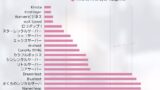
Vi målte serverhastigheden direkte for at finde ud af, hvilke hostingtjenester der faktisk er hurtige.
Core Web Vitals og mobilvenlighed
Mobil browsing fortsætter med at vokse hvert år, hvilket betyder, at mobilvenlighed ikke længere er valgfri. Core Web Vitals er også vigtige på mobilen, og mobil performanceoptimering understøtter direkte både SEO og UX.
Why mobil-først-indeksering makes mobil optidring afgørende
Google bruger mobile-first-indeksering, hvilket betyder, at mobilversionen af en side behandles som den primære faktor, når placeringer bestemmes.
Google anbefaler fortsat, at webmastere skaber mobilvenligt indhold.Google evaluerer alt indhold, der er indekseret for et site, både desktop- og mobilversioner, for at afgøre, hvor godt det understøtter mobil.
Udrulning af mobile-first-indeksering
Med andre ord kan dårlige Core Web Vitals på mobilen påvirke placeringer negativt. Det er vigtigt at anvende responsivt design og give en hurtig og behagelig weboplevelse også på mobile enheder.
Lever den bedste mobiloplevelse med responsivt design
Responsivt design er en tilgang til webdesign, der bruger en enkelt HTML-kilde til at understøtte mange skærmstørrelser. Ved at bruge CSS media queries til at tilpasse layout og indhold baseret på skærmen, kan du give en optimal visning på tværs af pc'er, tablets og smartphones.
Hvis du kan understøtte begge miljøer med ét site, kan du beholde kanoniske (canonical) URL'er, undgå komplekse omdirigeringer og gøre delte webadresser enklere.
Responsivt webdesign og styrken ved media queries
Responsivt design er et grundlæggende krav for mobilvenlighed og hjælper også med at forbedre Core Web Vitals.
Bør du overveje AMP for ultrahurtig levering?
AMP, eller Accelerated Mobile Pages, er et framework til at vise mobilsider med høj hastighed.
Ved at bruge specialiseret AMP-HTML og begrænse JavaScript-udførelse kan det forbedre sideindlæsningshastigheden dramatisk. AMP-sider kan også leveres via Googles cache-servere, hvilket giver endnu hurtigere visning.
Men AMP har funktionelle begrænsninger, så det er ikke egnet til alle websites.
AMP i sig selv styrker ikke direkte SEO-placeringer.
Hvorvidt et site indeholder gyldige og visbare AMP-sider har overhovedet ingen indflydelse på placeringerne i søgeresultaterne.Forskellen er, at når et site indeholder AMP-sider, kan der tilføjes et AMP-ikon i søgeresultaterne.
Otte tips til implementering af AMP på klienters websites
Det seneste om Core Web Vitals, og hvad der kommer som det næste

Google-algoritmeopdateringer og Core Web Vitals
Google opdaterer sine algoritmer regelmæssigt, og Core Web Vitals er en del af dette landskab i konstant udvikling. Det er vigtigt at fortsætte med at tjekke Googles officielle blog og udviklerdokumentation, så du kan holde dig opdateret og tilpasse dig algoritmeændringer.
Når man ser fremad, forventes betydningen af webperformance-målinger at stige endnu mere.
Webperformance-målinger at holde øje med ud over Core Web Vitals
Der findes mange andre webperformance-målinger udover Core Web Vitals. For eksempel er TTI (Time to Interactive) og TBT (Total Blocking Time) også blevet foreslået som indikatorer, der kan få større betydning i fremtidige opdateringer af Core Web Vitals.
Det er vigtigt også at forstå disse målinger, så du får fat i det større billede af webperformance.
Ofte stillede spørgsmål om Core Web Vitals
Hvad er målværdierne for Core Web Vitals?
- LCP: 2,5 sekunder eller mindre
- FID: 100 millisekunder eller mindre
- CLS: 0,1 eller mindre
Hvis du opfylder disse målværdier, anses siden for at være god.
Hvad hvis det er svært at forbedre Core Web Vitals?
Forbedring af Core Web Vitals kan kræve ændringer i websitets struktur samt teknisk viden. Hvis det er svært at forbedre tingene på egen hånd, kan du overveje at rådføre dig med en specialist eller konsulent inden for webperformance.
Hvordan hænger Core Web Vitals sammen med andre SEO-tiltag?
Core Web Vitals er et vigtigt element i SEO, men de er mest effektive, når de kombineres med andre SEO-indsatser. Content SEO, søgeordsstrategi og linkbuilding bør også implementeres i en god balance for at opnå stærkere samlede resultater.
Opsummering
Core Web Vitals er afgørende performance-indikatorer for moderne websites. For at levere en fremragende brugeroplevelse og opnå stærke placeringer inden for SEO er det vigtigt at forstå og optimere de tre målinger LCP, FID og CLS.
Hold øje med den seneste udvikling og tilpas dig de skiftende webteknologier. Det er det, der fører til succes for dit website. Gør noget nu, og brug optimering af Core Web Vitals til at opbygge et site, der fungerer bedre for både brugere og søgemaskiner.