Forstå hastighedsforbedringer på et minut: Sådan bruger du GTmetrix, og hvad du skal tjekke
Find de problemer, der gør dit website langsommere lige nu.
GTmetrix er et værktøj, der måler websitets hastighed og analyserer de problemer, der påvirker din side. Hvis du bruger det godt, kan du forbedre websitets brugeroplevelse. Det fører til bedre trafik og højere indtægter.
Du kan se, hvordan en faktisk måling ser ud.
I denne artikel forklarer jeg grundigt, hvordan du bruger GTmetrix, og hvilke punkter du bør kontrollere.
Sådan bruger du GTmetrix
- TRIN 1Besøg den officielle GTmetrix-hjemmeside
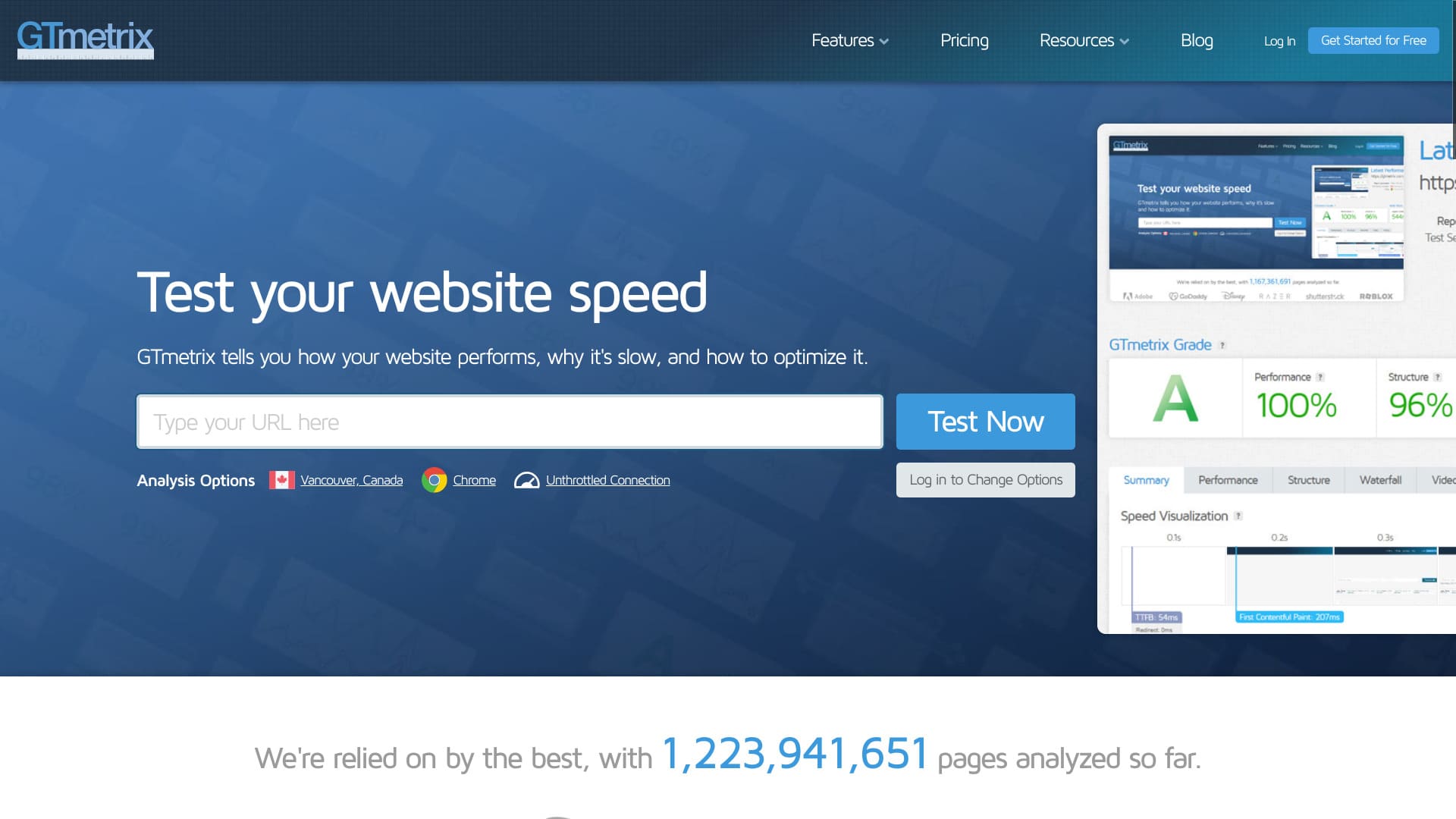
Gå først til den officielle GTmetrix-hjemmeside.
- TRIN 2Opret en gratis konto
Opret en gratis konto. Du skal registrere en konto for at se detaljerede analyseresultater. Klik på "Get Started for Free" i øverste højre hjørne af skærmen.
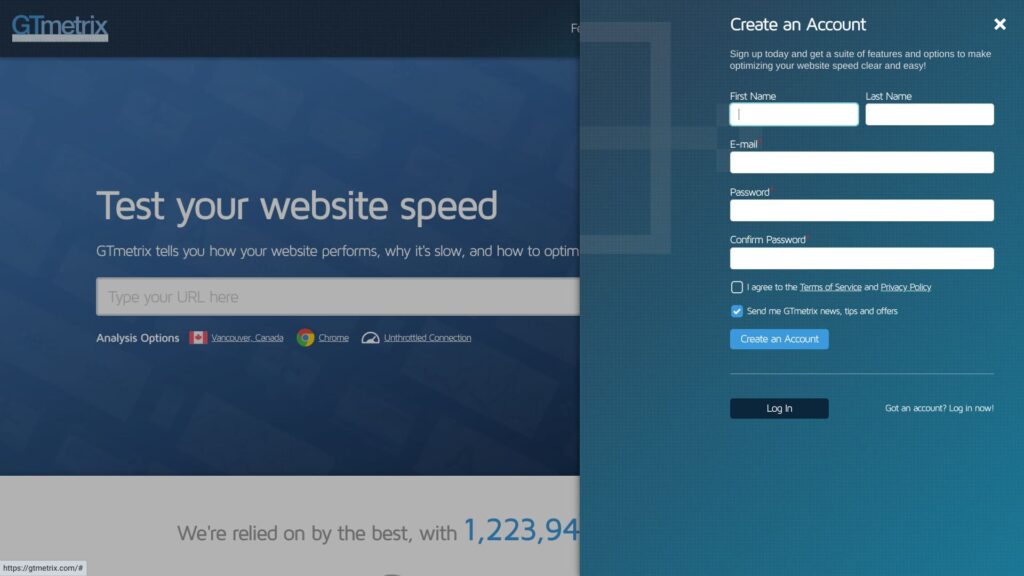
- Navn
- E-mailadresse
- Passord
Marker feltet for at acceptere servicevilkårene og privatlivspolitikken.
Klik på "Create an Account". Det fuldfører din gratis kontoregistrering.
- TRIN 3Indtast din hjemmesides URL, og kør testen
Indtast din hjemmesides URL i feltet "Analyze Performance of:".
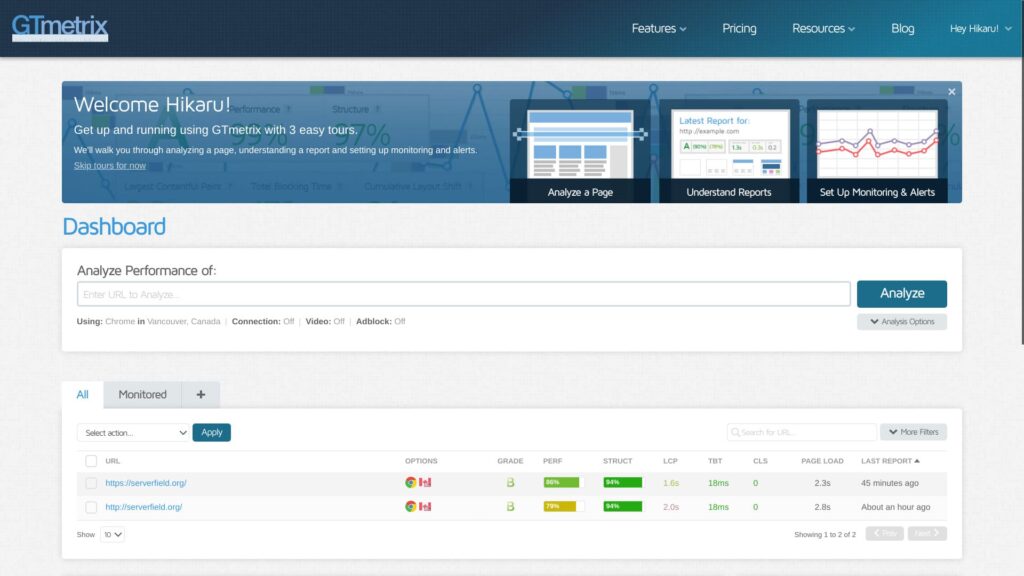
Indtast her URL'en startende med ”https://”. Hvis du ikke gør det, kan siden blive målt med ”http://”, hvilket ændrer resultatet. HTTPS-adresser er ikke kun mere sikre, de kommunikerer også hurtigere.
★ Hvad er SSL og TLS? Mekanikken og fordelene ved at beskytte information gennem kryptering
- TRIN 4Gennemgå analyseresultaterne
Analyseresultaterne vil blive vist.
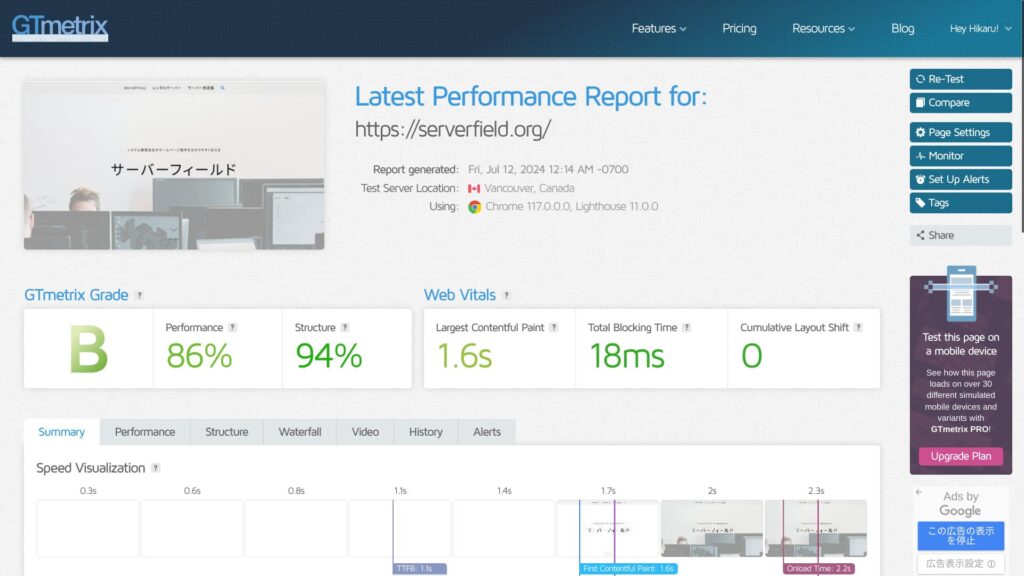
Du kan gennemgå mange typer analyseresultater, men den vigtige del af at bruge GTmetrix er at foretage forbedringer. For at gøre det skal du identificere problemerne. Rul ned og kig på Summary's Top Issues.
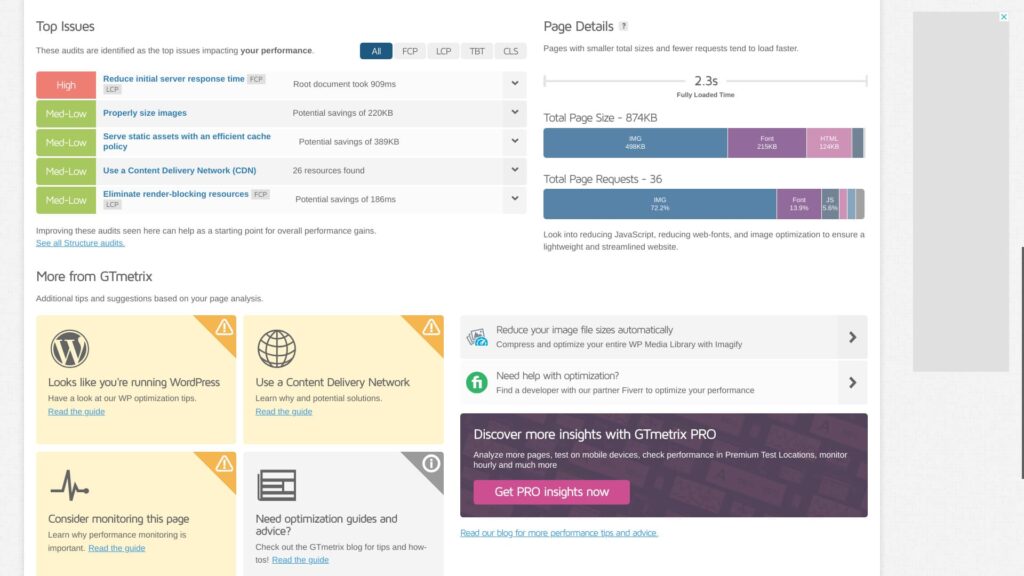
Sørg for, at problemerne, der kan forbedres, er anført der. Særligt elementer markeret med ”High” er dem, hvor forbedringer vil have den største effekt.
- TRIN 5Anvend forbedringerne
Løs problemerne i Summarys Top Issues.
- TRIN 6Kør testen igen
Kør testen igen efter at have foretaget forbedringer. Brug retest-resultaterne til at gentage forbedring og analyse. Din hjemmesides visningshastighed vil forbedres lidt efter lidt.
GTmetrix tjekkepoints
GTmetrix viser mange typer analyseresultater. Du spekulerer måske på, hvilke du skal se på først. Start med at kontrollere de følgende to punkter.
Brug Largest Contentful Paint i Web Vitals som dit hastighedsmål
I Web Vitals, tjek “Largest Contentful Paint” som dit hastighedsmål.
LCP måler, hvor lang tid det tager for det largest indhold element på din side, såsom et hero-billede eller en overskriftstekst, at blive synligt inden for dine besøgendes synsfelt.For at sikre en god brugeroplevelse bør du gå efter en LCP på 1,2 sekunder eller mindre.
Lær mere.
GTmetrix
I mange tilfælde er det største indhold på en side et billede. Når det største visuelle element på siden vises, føler websitets besøgende, at siden er indlæst. Hvis det vises glidende, kan de navigere behageligt på sitet uden frustration.
Hvis LCP er langsom, føles siden langsom at indlæse, hvilket øger stressen for de besøgende.
Når du forbedrer din side med GTmetrix, bør du bruge denne LCP-værdi som benchmark og arbejde på at sænke den.
Find problemer i Summarys Top Issues
Hvis du ser "Reduce initial server response time", bør du overveje at flytte to en hurtigere server
"Reduce initial server response time" betyder, at man forkorter tiden fra serveren modtager en anmodning, til den returnerer den første byte til klienten, med andre ord brugerens browser.
Dette kaldes "Time to First Byte (TTFB)".
Det er en vigtig faktor, der viser, om din server er hurtig eller langsom. Hvis dette resultat er dårligt, bør du overveje at skifte til en anden server.
Komplet sammenligning af 32 WordPress-webhoteller: Anbefalinger til personlig brug, erhvervsbrug og brug i udlandet

Når du tænker: ”Jeg vil gerne starte med WordPress,” og søger efter ”WordPress-anbefalinger,” ser du alle mulige former for artikler, lige fra tjenester til personlig brug og servere til virksomheder og små forretninger til udenlandske og billige muligheder. Helt ærligt,
- Hvilken side skal jeg læse?
- Jeg vil bare gerne vælge en server nemt og hurtigt.
- Vis mig, hvordan jeg kommer i gang med WordPress med det samme.
Har du det også sådan nogle gange? Denne artikel introducerer nøje udvalgte anbefalinger blandt 32 webhoteller til private, virksomheder, indenlandsk og udenlandsk brug. Den er forklaret af SEO-ansvarlige i et appudviklingsfirma, som arbejder med rental servers hver dag.
Optimer billeder til Properly size images
"Properly size images" betyder, at man tilpasser størrelsen på billeder brugt på en webside hensigtsmæssigt.
Du skal optimere billedstørrelsen og billedkvaliteten. Gør god brug af WordPress-plugins.
Prøv f.eks. at tilføje Imagify, et velkendt plugin til billedoptimering. Det understøtter også konvertering til næste generations WEBP-billedformat.
★ Fem WordPress-plugins, der forbedrer hastigheden markant, samt andre præstationstips
Brug cachelagring til "Lever statiske aktiver med en effektiv cachepolitik"
“Lever statiske aktiver med en effektiv cachepolitik” betyder at levere statiske aktiver såsom billeder, CSS- og JavaScript-filer med en effektiv cachepolitik. Dette hjælper med at forbedre sidens indlæsningshastighed og reducere serverbelastningen.
★ Hvad er cache? Brug midlertidig datalagring til at gøre websites hurtigere
Du kan forbedre hastigheden markant ved at bruge cache. Hvis din server understøtter cachelagring, bør du slå funktionen til. Hvis den ikke gør, kan du bruge et WordPress-plugin i stedet. WP Super Cache er et eksempel herpå.
★ Fem WordPress-plugins, der forbedrer hastigheden markant, samt andre præstationstips
Fordele ved at registrere en gratis GTmetrix-konto
Du kan bruge GTmetrix uden at registrere dig. Men hvis du registrerer dig, får du adgang til flere funktioner.
Du kan vælge testlokationen
Hvis du opretter en gratis konto, kan du vælge den lokation, som testen køres fra. Der er syv lokationer tilgængelige med en gratis konto.
- Hongkong
- London, Storbritannien
- Mumbai, Indien
- San Antonio, Texas, USA
- Sydney, Australien
- São Paulo, Brasilien
- Vancouver, Canada
Standardindstillingen er Vancouver.
Ved at vælge en lokation kan du forstå de faktiske hastighedsresultater i de regioner, hvor dine websitebrugere er koncentreret. Mere præcis information fører til bedre forbedringer.
Du kan vælge netværksprofilen, såsom LTE eller bredbånd
Hvis du opretter en gratis konto, kan du vælge en forbindelsestype såsom LTE eller bredbånd.
Hvis du tester hastigheden med de same typer forbindelser, som dine reelle brugere anvender, bliver det nemmere at beslutte, om du skal fortsætte med at investere i hastighedsforbedringer eller holde en pause.
Opsummering
Jeg har forklaret, hvordan man bruger GTmetrix. GTmetrix er ikke blot et værktøj til at måle hastighed. Det er et værktøj til at forbedre hastighed. Brug analyseresultaterne som grundlag for dine forbedringer.
Hvis selve serveren optræder blandt de elementer, der kræver forbedring, bør du overveje at flytte til en anden server.
Komplet sammenligning af 32 WordPress-webhoteller: Anbefalinger til personlig brug, erhvervsbrug og brug i udlandet
Når du tænker: ”Jeg vil gerne starte med WordPress,” og søger efter ”WordPress-anbefalinger,” ser du alle mulige former for artikler, lige fra tjenester to personlig brug og servere til virksomheder og små forretninger til udenlandske og billige muligheder. Helt ærligt,
- Hvilken side skal jeg læse?
- Jeg vil bare gerne vælge en server nemt og hurtigt.
- Vis mig, hvordan jeg kommer i gang med WordPress med det samme.
Har du det også sådan nogle gange? Denne artikel introducerer nøje udvalgte anbefalinger blandt 32 webhoteller til private, virksomheder, indenlandsk og udenlandsk brug. Den er forklaret af SEO-ansvarlige i et appudviklingsfirma, som arbejder med rental servers hver dag.