30 天退款保證
PR
伺服器
IONOS 評測:歐洲穩定、低價且支援 WordPress 的主機
釋出於:2025.07.13
更新於:2025.07.13
評分: 4.0
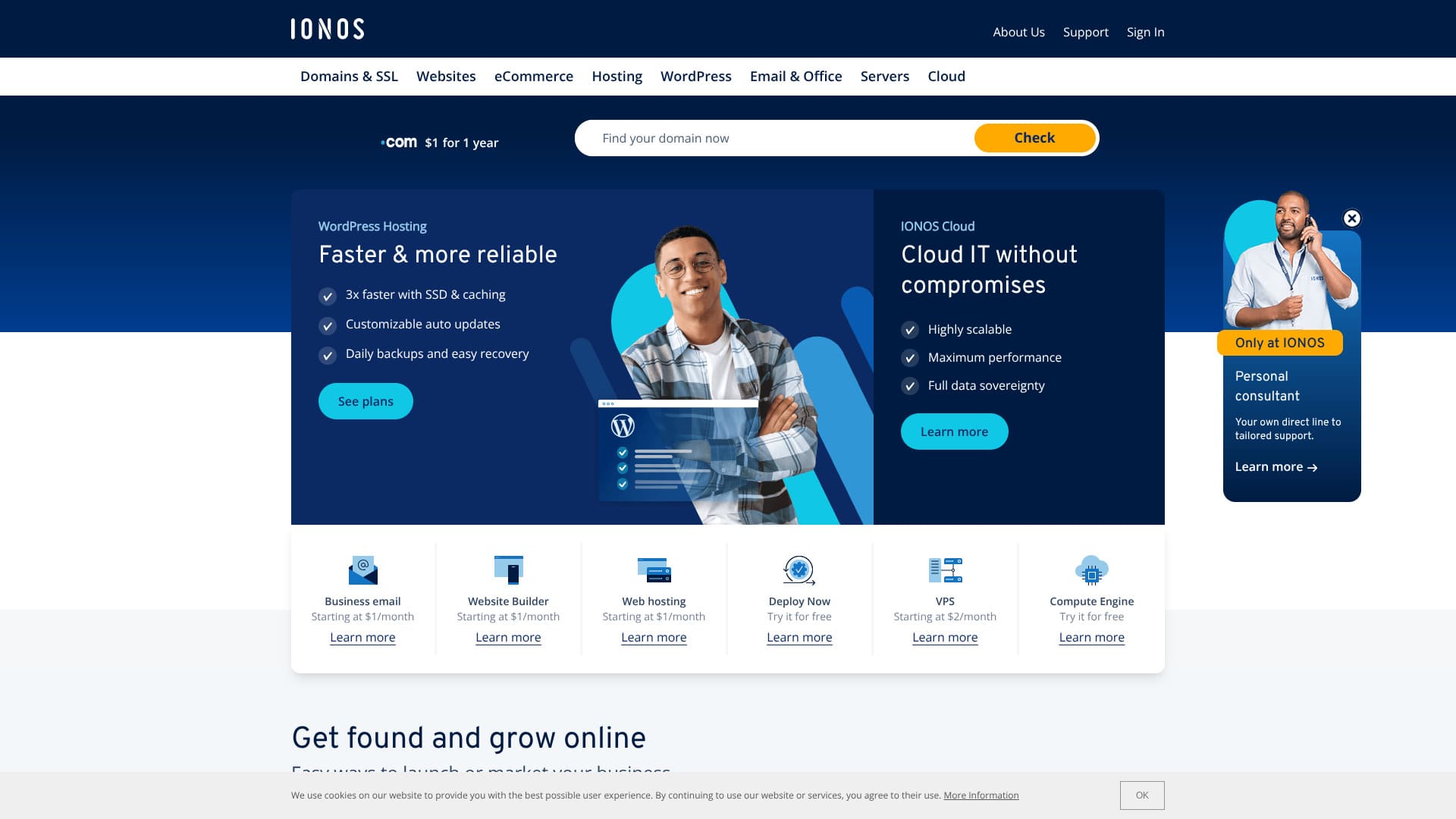
穩定性出眾、非常適合歐洲使用者的主機。
IONOS 是一家總部位於德國蒙塔鮑爾的網際網路服務提供商。它在歐洲和北美擁有資料中心,包括德國。如果你想為歐洲使用者建站,它是一個不錯的選擇。
它也是一個相對便宜的海外主機。撰寫本文時,它正在舉行活動,價格比原價便宜 90%。
本文將從口碑和功能講起,一直到如何開通 WordPress 以及如何取消 IONOS。
海外主機對比文章

由於語言障礙和文化差異,許多人都不確定該選擇哪家海外主機。
本文將詳細對比全球精心挑選的 10 家海外主機,並逐一說明它們的特點、價格方案,以及實際使用感受。
從初學者可以放心採用的判斷標準,到技術使用者會在意的高階功能,本文都提供了對應資訊。
IONOS 評測:穩定性出眾的主機
“IONOS” 是一家來自德國的主機公司。它雖然擁有 99.98% 的出色線上率,但價格卻很實惠。除了 7 天自動備份之外,它還具備 DDoS 攻擊防護等完善的安全措施。
| 伺服器型別 | Shared hosting |
| 伺服器響應速度(TTFB) | Not measured |
| 推薦方案與期限 | WordPress Hosting Grow, 1 year |
| 試用 / 退款保證 | 30 天退款保證 |
| 月費(12 個月方案) | $5 (734 yen) |
| 初始設定費 | Free |
| 免費域名 | 1 domain free for the first year |
| 支援 | 24/7 chat, email, and phone |
| 線上率 | 99.98% |
| 儲存空間 | 50GB |
| 資料庫數量 | 1 |
| 安全性 | Malware scanning, vulnerability scanning, DDoS protection, and anti-phishing / anti-spam filters |
| SSL | Free SSL |
| 備份 | Seven days of automatic backups |
| 郵箱賬號數量 | 5 |
| 郵件安全措施 | None |
| 伺服器 / 網站遷移服務 | None |
| WordPress 預裝 | None |
| CDN | None |
| 資料中心位置 | Frankfurt, Germany; Berlin, Germany; London, UK; Logrono, Spain; Las Vegas, Nevada, USA; Newark, New Jersey, USA; Lenexa, Kansas, USA |
IONOS 的 6 個特點

現在,WordPress 主機每月只要 1 美元
IONOS is an inexpensive host. At the time this article was written, its WordPress Hosting Grow plan was available for $1 per month on a 12-month contract.
The Grow plan renews at $10, but even then it is still relatively inexpensive among overseas hosts. The even cheaper Start plan renews at $6, which is among the lowest prices available from major overseas hosts.
I compared its pricing with major Japanese hosts.
| Hosting company | Total cost for the first year |
|---|---|
| IONOS | $12 (1,798 yen) |
| ConoHa WING | 11,292 yen |
| Xserver | 10,560 yen |
| heteml | 24,420 yen |
| mixhost | 8,712 yen |
If you look only at the first-year cost, it is an exceptionally low price compared with Japanese hosts.
簽訂 12 個月合約可免費獲得 12 個月域名
If you sign up with IONOS for 12 months, you get a free domain for 12 months.
A domain usually costs around 2,000 to 5,000 yen, so getting that for free is a good deal.
★ What is a domain? Its role as an address on the internet and how to get one
That said, many major Japanese hosts include a domain free for as long as the server contract continues when you sign up for 12 months. In terms of domain cost, many Japanese hosts are better.
99.98% 線上率帶來的出色穩定性
IONOS has 99.98% uptime. Because the servers are extremely stable, site display stays stable as well. It is rare for a site not to load or to become extremely slow.
Stability of site display affects trust on a corporate website and revenue on affiliate sites and blogs. It is a very important server metric.
IONOS is easy to use with confidence.
★ A beginner's guide to hosting uptime and SLAs
可以用 AI 建立網站
IONOS lets you create a website with AI. If you enter several pieces of detailed information related to your business, the AI will create a website with images and text.
You can further customize the website after it has been generated.
Even if you have been told, “Please make an internal company website,” but you have no experience, it helps a lot that AI can build the site for you.
附帶 7 天自動備份
IONOS includes seven days of automatic backups. If you have backups, you can restore the site even when something goes wrong.
If I were to criticize it strictly, though, a seven-day backup period is honestly a little short. If you do not check your website at least once a week to confirm that nothing is wrong, you may not be able to restore it even if a problem occurs.
Even so, it is far better than having no backup feature at all.
DDoS 防護等安全措施也很完善
IONOS also has strong security measures, including a DDoS shield. If a server or website has weak security, it may end up suffering problems such as information leaks or site tampering.
With IONOS, you get sufficient security measures, including a DDoS shield, malware scanning and repair, and vulnerability scanning, so it feels reassuring.
IONOS 的缺點是:註冊前只能透過電話獲得支援

The drawback of IONOS is that before you sign up, support is available only by phone.
I have almost never heard of another host like that. Usually, before a contract is signed, hosts limit support to chat or email instead.
In other words, if you do not speak English, it is hard to get support before you sign up. Having to actually subscribe before chat or email support becomes available is a little inconvenient because you cannot ask questions casually.
將 IONOS 與兩家競爭主機對比
There are many overseas hosts, but I compared IONOS with two competitors that, like IONOS, compete primarily on price.
DreamHost
DreamHost is a host officially recommended by WordPress. In terms of having 100% uptime and the highest level of stability, it is a high-quality host that surpasses IONOS. Because it comes with a 97-day money-back guarantee, you can test it carefully.
That said, IONOS is cheaper. If price matters most to you, I recommend IONOS.
DreamHost also has data centers only in the United States, and it has no CDN. So if you want to build a site for people who live in Europe, IONOS, which has data centers across Europe, is still the better choice.
| Item | IONOS | DreamHost |
|---|---|---|
| Biggest strength | Excellent value for money | Ultra-long money-back guarantee |
| 試用 / 退款保證 | 30 天退款保證 | 97-day money-back guarantee |
| 線上率 | 99.9% | 100% |
| 儲存空間 | 50GB | 50GB |
| First-year hosting cost | 1,798 yen | 5,303 yen |
With the Grow plan, IONOS is cheaper than DreamHost's lowest-priced plan.

DreamHost Review: Recommended if you want to start WordPress at a reasonable price, with a 97-day money-back guarantee
DreamHost Review: Recommended if you want to start WordPress at a reasonable price, with a 97-day money-back guarantee
serverfield.org
Namecheap
Namecheap is one of the cheapest hosts available. When I actually used it, I was impressed by how kind and courteous the support was. That stands in clear contrast to IONOS, which provides only phone support before you sign up. If support matters to you, Namecheap is a strong choice.
That said, IONOS offers more storage and lower pricing. It also includes a domain free for 12 months. If you want to prioritize price, IONOS is the better choice.
| Comparison point | IONOS | Namecheap |
|---|---|---|
| Biggest strength | Excellent value for money | Excellent value for money |
| 試用 / 退款保證 | 30 天退款保證 | 30 天退款保證 |
| 線上率 | 99.9% | 99.9% |
| 儲存空間 | 50GB | 10GB |
| First-year hosting cost | 1,798 yen | 2,229 yen |

Namecheap 評價與設定指南:價格、速度、支援及 WordPress 相容性
Namecheap 評價與設定指南:價格、速度、支援及 WordPress 相容性
serverfield.org
立即用 IONOS 開始 WordPress 網站的 7 個步驟
How to start WordPress with IONOS
- STEP.1Create an account with IONOS
First, go to the IONOS website and create an account. You will need to enter your name, email address, and payment details.
- STEP.2Choose the WordPress Hosting Start plan
After creating your account, move to the IONOS hosting plans page and choose “WordPress Hosting.” The Start plan is an entry-level plan that works well for personal blogs and small websites.
- STEP.3Choose or obtain a domain
After choosing your plan, choose the domain you will use for the site. You can use a domain you already own, or, if you do not have one yet, you can purchase a new domain through IONOS.
- STEP.4Install WordPress
After choosing the domain, install WordPress. From the IONOS control panel, choose “WordPress” and click “Install.” This process is handled automatically, so no manual setup is required.
- STEP.5Initial WordPress setup
Once the installation is complete, you can access the WordPress dashboard. First, configure the following settings:
- Site title and tagline: Set the name of the site and a short description.
- Permalink settings: Choose a URL format that is good for SEO, such as post-name permalinks.
- Choose a theme: WordPress offers many free themes, so choose a design that fits your website.
- STEP.6Install plugins
如有需要,請安裝提供額外功能的外掛程式。常見的例子包括用於 SEO 的「Yoast SEO」和用於加強安全性的「Wordfence Security」。
- STEP.7Publish the site and begin operating it
Finally, once you click “Publish” on the content you created, your WordPress site becomes available on the internet. At that point, operation of the WordPress site begins.
如何取消 IONOS
如何取消 IONOS
- STEP.1Log in to your IONOS account
First, go to the official IONOS website and log in to your account. You will need your registered email address and password.
- STEP.2Review your contract
After logging in, go to the “My IONOS” dashboard. Choose “Contracts” from the menu and review the list of services and plans you are currently using.
- STEP.3Choose the contract you want to cancel
Identify the service or plan you want to cancel and open its details page. At this stage, carefully confirm that it is the contract you want to cancel.
- STEP.4Start the cancellation procedure
On the details page for that contract, you will see a button such as “Cancel” or “Termination.” Click it to begin the cancellation procedure.
- STEP.5Choose the reason for cancellation
During the procedure, you may be asked why you want to cancel. Choose the appropriate reason from the options. In many cases, the reason is a required item.
- STEP.6Final confirmation and completion
A confirmation screen will appear. After checking that everything is correct, complete the final cancellation procedure. Once it is finished, a confirmation email will be sent to your registered email address.
IONOS 常見問題
IONOS 提供哪些伺服器方案?
Shared hosting, VPS, dedicated servers, and cloud servers are available.
IONOS 可以使用自定義域名嗎?
You can use a custom domain on an IONOS server. You can also purchase or transfer the domain through IONOS.
總結
IONOS is an overseas host you can use at a low price. It is a good choice for people who prioritize price. Because it has data centers in Europe, it is especially well suited if you want to build a site for people who live in Europe.
它也提供 30 天的退款保證,請務必試用看看。
海外主機對比文章
由於語言障礙和文化差異,許多人都不確定該選擇哪家海外主機。
本文將詳細對比全球精心挑選的 10 家海外主機,並逐一說明它們的特點、價格方案,以及實際使用感受。
從初學者可以放心採用的判斷標準,到技術使用者會在意的高階功能,本文都提供了對應資訊。