30 天退款保證
PR
伺服器
GoDaddy 評測:優點、缺點、WordPress 搭建與取消流程的詳細說明
釋出於:2025.07.13
更新於:2025.07.13
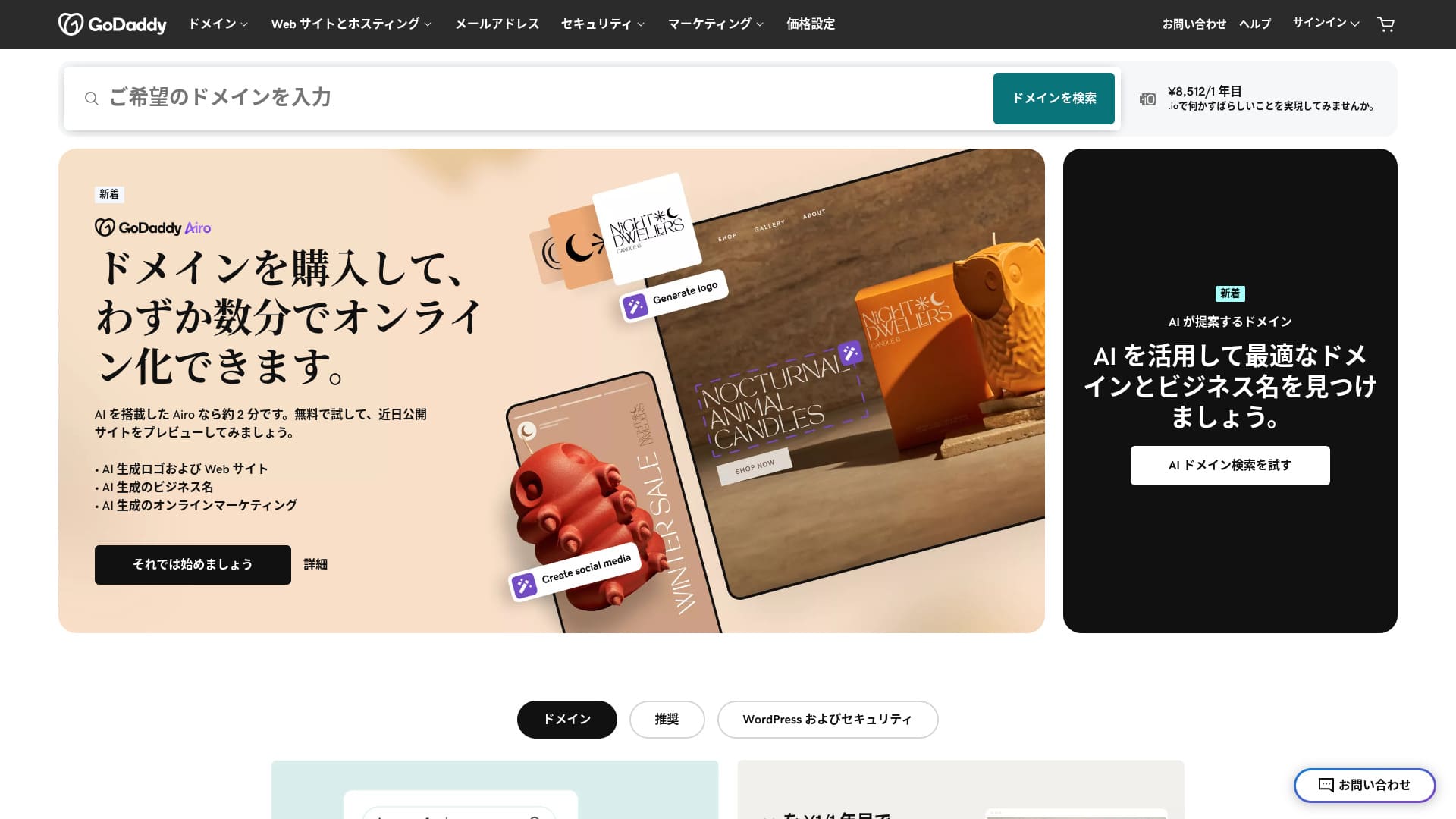
由全球最大域名註冊商之一提供的伺服器。
GoDaddy 是全球使用最廣泛的域名管理公司。你大概至少聽過一次這個名字。作為海外伺服器,它還提供日語網站,而且可以獲得日語支援。
本文將從 GoDaddy 的功能與口碑講起,詳細說明如何開始使用 WordPress,以及如何取消服務。
比較 10 款海外伺服器

對於海外租用伺服器,很多人會因為語言障礙和文化差異而不知道該選哪一款。
本文將對來自世界各地的 10 款精心挑選的海外租用伺服器進行全面比較,並詳細說明各自的功能、價格方案與實際使用體驗。
我提供覆蓋廣泛需求的資訊,從初學者也能安心使用的選擇標準,到工程師所重視的高階功能。
GoDaddy 評測:提供日語聊天支援的伺服器
“GoDaddy” is one of the world’s largest hosting companies, headquartered in Scottsdale, Arizona. One of its strengths is that it is easy to use because Japanese-language pages are available. Even the lowest-priced plan comes with a WAF, giving it strong security.
| 伺服器型別 | 共享伺服器 |
| 顯示速度(TTFB) | 否t measured |
| 推薦方案與合約期限 | 基礎版,1 年 |
| 試用 / 退款保證 | 30 天退款保證 |
| 月費(12 個月合約) | 899 日元 |
| 初始管理費 | 免費 |
| 免費域名 | 無 |
| 支援 | 24/7 聊天,電話(工作日 10:00-17:00) |
| 正常執行率 | 99.9% |
| 伺服器儲存 | 10 GB |
| 資料庫數量 | 1 |
| SSL | 免費 SSL |
| 備份 | 每週備份 |
| 郵件賬戶數量 | 無 |
| 郵件安全 measures | 無 |
| 伺服器 / 網站遷移服務 | 無 |
| 預裝 WordPress | 是 |
| CDN | 免費 |
| 資料中心 | Kirkland, Washington, USA / Beeston, UK / Iași, Romania / Tempe, Arizona, USA / Belgrade, Serbia |
GoDaddy 的 5 個特點

憑藉 NVMe 儲存,伺服器速度更快
GoDaddy uses NVMe storage. It is faster than a standard SATA SSD.
If the server is fast, the site displays quickly. If the site displays quickly, visitors can browse it without stress. Speed is especially important for corporate websites, e-commerce sites, and affiliate sites.
With GoDaddy's fast server, you can feel at ease.
免費 SSL
GoDaddy 自帶免費 SSL。 SSL is the standard form of security for websites. When a site uses SSL, its address starts with https.
瀏覽器也會將其顯示為安全網站。如果網站未使用 SSL,可能會出現「不安全」等訊息,這會成為您的造訪人數無法按預期增長的因素之一。
With GoDaddy, you can enable SSL for free and encourage visitor acquisition.
★ What are SSL and TLS? How encryption protects data and why it matters
預裝 WordPress feature
GoDaddy has a 預裝 WordPress feature. 註冊時就已經預裝好 WordPress。 That means you do not have to go through the trouble of installing WordPress after the contract is complete.
Even people with no experience using servers or WordPress can start WordPress with confidence.
藉助 WAF 獲得高安全性
GoDaddy comes standard with a highly secure WAF. This cloud-based firewall protects websites from threats such as DDoS attacks.
WAF is also offered by domestic servers. However, it is usually provided only by servers with somewhat higher pricing.
每週備份系統
GoDaddy provides a weekly backup system. Even if unexpected trouble occurs, such as data corruption, deletion, or tampering, you can restore your site if backup data is available.
一般來說,每週備份系統已經足夠;如果你希望盡可能每天備份,可以搭配 WordPress 外掛使用。
★ Five powerful WordPress backup plugins that help you recover your data
GoDaddy 的缺點是最便宜的方案只能建立一個網站

The drawback is that the cheapest plan lets you create only one website. If you want to build a personal site in addition to your company website, you have to upgrade your plan.
GoDaddy's lowest-priced plan costs 1,199 yen per month. That is about the same as a somewhat expensive domestic server plan for individuals. In those domestic servers, even the lowest-priced plan usually lets you create multiple sites. Some servers even let you add sites without limit.
So, to be honest, being limited to just one website at this price means the pricing is high, and that is a drawback.
將 GoDaddy 與兩款競爭伺服器比較
I compared GoDaddy with two competing overseas servers.
IONOS
IONOS is a hosting company based in Germany. Because it has servers across Europe, it is a recommended server for building websites aimed at people living in Europe.
It is less expensive than GoDaddy. Its uptime is also extremely stable at 99.98%. If you want to prioritize price, IONOS is definitely the better choice.
However, IONOS is not very good in terms of support before you sign up. Before the contract, it offers phone support only. For most people, calling the support team of an overseas server is unrealistic. By contrast, GoDaddy lets you use chat support before the contract. In terms of support, GoDaddy is more user-friendly.
| Item | GoDaddy | IONOS |
|---|---|---|
| Biggest strength | 否.1 in number of domain users | Good value |
| 試用 / 退款保證 | 30 天退款保證 | 30 天退款保證 |
| 正常執行率 | 99.9% | 99.98% |
| 儲存 | 10 GB | 50 GB |
| First-year server cost | 14,388 yen | 1,798 yen |

IONOS Review: An affordable and stable server for Europe that also works with WordPress
IONOS Review: An affordable and stable server for Europe that also works with WordPress
serverfield.org
HOSTINGER
HOSTINGER is affordable hosting with large storage. If you want to use an overseas server more cheaply than GoDaddy, it is a candidate worth considering.
However, HOSTINGER offers support only in English. With GoDaddy, you can receive chat support in Japanese. When I actually asked a question in chat, a reply came back immediately. If you want kind support, I recommend GoDaddy.
| Comparison | GoDaddy | HOSTINGER |
|---|---|---|
| Biggest strength | 否.1 in number of domain users | Good value |
| 試用 / 退款保證 | 30 天退款保證 | 30 天退款保證 |
| 正常執行率 | 99.9% | 99.9% |
| 儲存 | 10 GB | 100 GB |
| First-year server cost | 14,388 yen | 4,405 yen |

Hostinger Review [2025 Edition]: Officially recommended by WordPress, with pros, cons, and comparisons with other companies
Hostinger Review [2025 Edition]: Officially recommended by WordPress, with pros, cons, and comparisons with other companies
serverfield.org
現在就用 GoDaddy 啟動 WordPress 網站的 7 個步驟
How to start WordPress with GoDaddy
- STEP.1Sign in to GoDaddy
Go to the official GoDaddy website and log in to your account.
- STEP.2Go to My Products
After logging in, choose “My Products” from the top menu in the dashboard. The domains and hosting plans you manage will appear there.
- STEP.3Choose WordPress hosting
Go to the “Web Hosting” section and click the “Manage” button next to your managed WordPress plan.
- STEP.4Install WordPress
The hosting management screen appears. From there, click the “Set Up” button.
In “Select a Domain,” choose the domain where you want to install WordPress. If you already obtained a domain through GoDaddy, you can select it from the list.
- STEP.5Configure WordPress
In “Site Settings,” enter the site name and the administrator information for WordPress.
Set the administrator username, password, and email address. These become the credentials you use to log in to the WordPress admin screen.
- STEP.6Automatic installation is completed
After entering all the information, click “Install.” GoDaddy automatically installs WordPress and completes the setup.
- STEP.7Access the WordPress dashboard
Once the installation is complete, you can log in to the WordPress dashboard. The administrator URL is “yourdomain.com/wp-admin,” and from there you can configure and customize WordPress.
Set up your theme and plugins, publish the site, and you are done.
如何取消 GoDaddy
Timeline title
- STEP.1Log in to GoDaddy
Go to GoDaddy and log in to your account.
- STEP.2Go to My Products
Click “My Products” at the top of the dashboard and go to the page where all purchased services are listed.
- STEP.3Select the service you want to cancel
Click the “Manage” button next to the service you want to cancel, such as a domain, hosting plan, or email service.
- STEP.4Turn off automatic renewal
After you move to the service management screen, first turn off automatic renewal. This prevents the next charge from being processed.
Go to the “Renewal Options” or “Billing Information” section and set “Auto-Renew” to “Off.”
- STEP.5Delete the service
After turning off automatic renewal, look for the “Cancel” or “Delete” option. Selecting it completely cancels the service.
A confirmation message appears, so review the details and click the “Confirm” button.
- STEP.6If you want to delete your GoDaddy account entirely
If you want to delete your GoDaddy account itself, you need to contact the support team. Use the official GoDaddy support page to contact support by phone or chat and proceed with the account deletion process.
Make sure that you receive the email from GoDaddy about the service cancellation.
關於 GoDaddy 的常見問題
GoDaddy 是什麼樣的公司?
GoDaddy is the world's largest domain management company. In addition to domain management, it provides hosting and a website builder.
如何註冊 GoDaddy?
Go to the official GoDaddy website and sign up from “Create Account.”
總結
GoDaddy is a server where you can receive Japanese chat support. Because it is a globally famous domain management company, it provides a sense of reassurance. However, it is not particularly cheap, so compare carefully before choosing it.
因為 GoDaddy 提供 30 天退款保證,我建議您可以先試用一次看看。
“GoDaddy” is one of the world’s largest hosting companies, headquartered in Scottsdale, Arizona. Because it supports Japanese-language pages and Japanese chat support, one of its strengths is that it is easy to introduce even as an overseas server.