Currently closed to new applications other than migrations
PR
Server
Đánh giá và nhược điểm của Shin Free Server [2025 mới nhất]: bắt đầu WordPress với máy chủ miễn phí
Đăng: 2025.04.18
Cập nhật: 2025.04.18
Đánh giá: 3.0
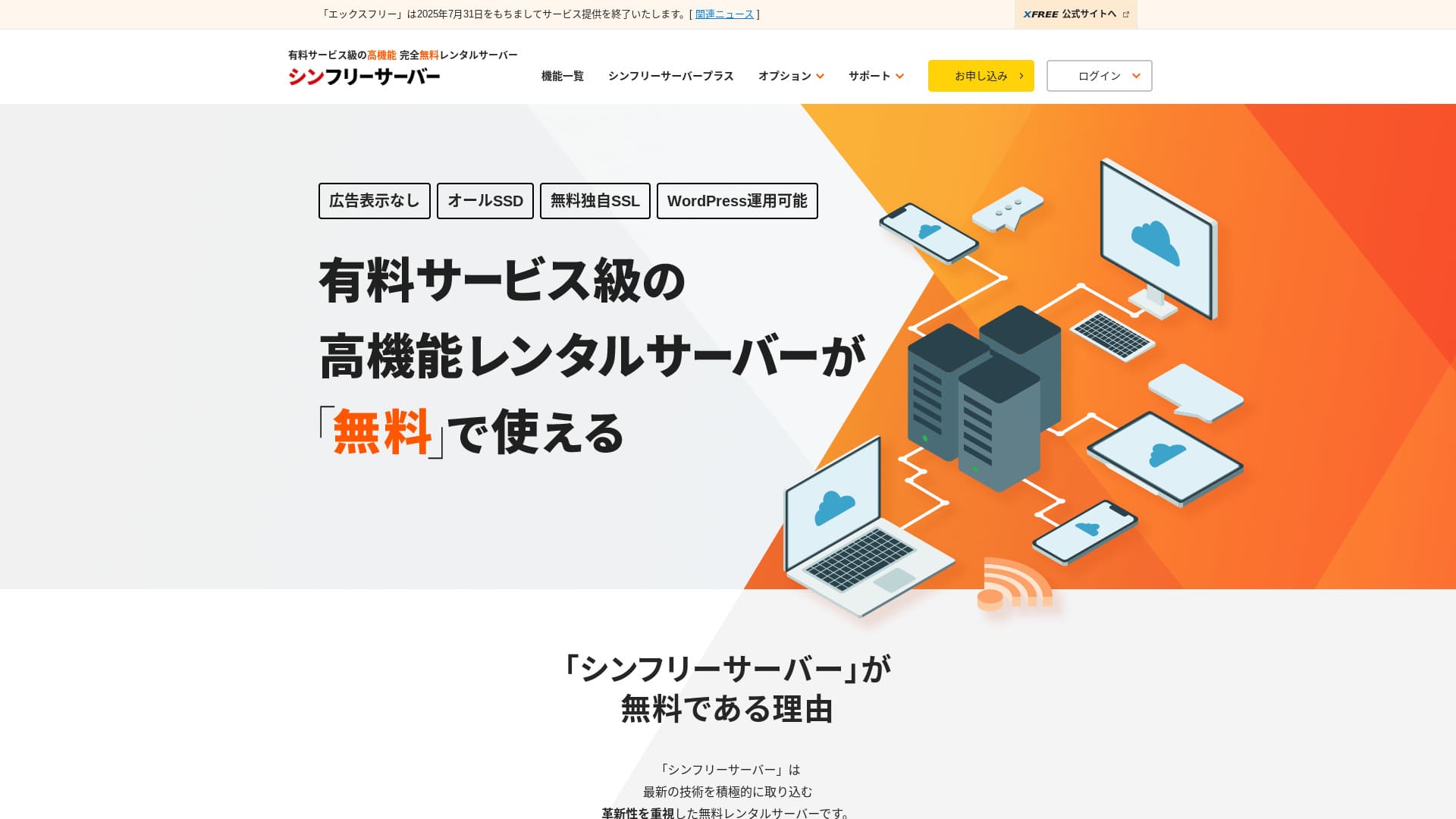
Shin Free Server là một máy chủ miễn phí từ ShinCloud Co., Ltd. Khác với nhiều máy chủ miễn phí khác, nó không hiển thị quảng cáo.

Shin Free Server được khuyên dùng cho những người đang tìm một máy chủ miễn phí vì:
- Không có quảng cáo dù là máy chủ miễn phí
- Bạn có thể tạo 5 site WordPress
- Có WAF bảo mật cao
Đó là lý do. Có lẽ bạn sẽ hài lòng.
Một đối thủ cạnh tranh là Star Rental Server. Nó có các gói mạnh hơn sau khi bạn mở rộng so với Shin Free Server. Please consider it as well.
| Server type | Shared máy chủ |
| Display speed (TTFB) | Not measured |
| Recommended plan and contract term | — |
| Trial / money-back guarantee | — |
| Monthly fee (12-month contract) | Free |
| Initial setup fee | Free |
| Free domain | None |
| Support | None |
| Uptime | Not disclosed |
| Storage | 10GB |
| Number of databases | 5 |
| Security measures | WAF |
| SSL | Free custom SSL |
| Backup / restore | 14-day automatic backups miễn phí, restoration miễn phí |
| Number of email accounts | None |
| Email bảo mật measures | None |
| WordPress preinstallation | None |
| Server / website migration dịch vụ | None |
| CDN | None |

Hikaru Ono
Hiện tại chỉ có thể sử dụng Shin Free Server khi chuyển từ máy chủ khác sang.
If you are looking for a máy chủ miễn phí, Star Rental Server is recommended.
Shin Free Server Compared with Other Servers
- OverallĐánh giá★★★☆☆
- Server speedNot measured
- Pricing★★★★★
- Stability★★★☆☆
- Ease of starting WordPress★★★★☆
- Operations such as domain management and SSL setup★★★☆☆

How to Choose from 21 Recommended WordPress Hosting Services for Individuals
How to Choose from 21 Recommended WordPress Hosting Services for Individuals
serverfield.org
- November 4, 2025 market-research data,by speed sorted
- Monthly fees are the first-year cost of the cheapest plan that can run WordPress
- Speed is the Time to First Byte measured on demo sites under the same conditions
“Shin Free Server” là một máy chủ cho thuê miễn phí của Công ty TNHH ShinCloud. Dù là dịch vụ miễn phí nhưng nó không hiển thị quảng cáo của nhà điều hành. Dịch vụ này chưa thể so sánh với các máy chủ trả phí về tính năng hay dịch vụ hỗ trợ, nhưng trải nghiệm sử dụng vẫn rất thoải mái.
User Reviews of Shin Free Server and Four Key Features

No quảng cáos
While quảng cáos are common on máy chủ miễn phís, Shin Free Server does not display them.
Điều đó có nghĩa là quảng cáo sẽ không làm ảnh hưởng đến không gian của trang web doanh nghiệp, cũng như không làm giảm doanh thu quảng cáo của chính bạn.
You Can Create Five WordPress Websites
Shin Free Server can create up to five databases, so you can create five WordPress websites.
Note: What Is a Database? Why WordPress Depends on It for Management and Operations
Besides a company website, you can create a blog or websites across multiple genres.
Free SSL is available
Shin Free Server hỗ trợs miễn phí SSL.SSL is now a standard bảo mật measure. If it is not configured, people may see your website as suspicious, so it is indispensable when building a website.
Note: What Are SSL and TLS? How They Protect Information Through Encryption and Their Benefits
Có WAF bảo mật cao
Shin Free Server can use a WAF. This is quảng cáovanced bảo mật.It is quảng cáovanced enough that some paid máy chủs offer it only as a paid option.
This is also provided for miễn phí.
Tất nhiên, ngay cả trên các máy chủ không cung cấp sẵn tường lửa ứng dụng web WAF, bạn vẫn có thể tự thiết lập bằng cách cài đặt các plugin bảo mật cho WordPress. Tuy nhiên, quy trình này khá phức tạp và việc để máy chủ tự động xử lý sẽ mang lại cảm giác an tâm hơn.
Note: What Are WordPress Plugins? Their Types and Important Cautions
Những nhược điểm của Shin Free Server, được chia sẻ một cách thẳng thắn

Shin Free Server has many quảng cáovantages, but unfortunately it also has nhược điểm.
No hỗ trợ
First, Shin Free Server offers no hỗ trợ.No matter how difficult the problem is, you have to solve it on your own.
XREA, một máy chủ miễn phí khác, đi kèm với hỗ trợ qua chat. So với dịch vụ đó thì điều này thật đáng thất vọng.
No backup feature
There is also no backup feature.You must build your own backup system, for example by using WordPress plugins.
If you skip backups because they are a hassle and then delete data by mistake or have data tampered with, all the effort you have put in so far will be wasted.
If you still choose Shin Free Server, be sure to install a WordPress backup plugin.
Note: 5 Powerful WordPress Backup Plugins That Help You Recover Your Data
Uptime not disclosed
Shin Free Server does not disclose its uptime.Điều đó có nghĩa là độ ổn định của máy chủ là không xác định, và người dùng không thể nắm bắt nó một cách chính xác.
Độ ổn định của máy chủ ảnh hưởng trực tiếp đến việc trang web của bạn có duy trì hoạt động ổn định hay không. Nếu các sự cố lặp đi lặp lại khiến trang web liên tục không thể truy cập, nó sẽ làm mất đi mục đích ban đầu. Đối với một trang web doanh nghiệp, điều này có thể gây tổn hại đến hình ảnh thương hiệu và thậm chí dẫn đến việc mất đi các cuộc hẹn hoặc cơ hội kinh doanh.
Note: A Beginner’s Guide to Understanding Hosting Uptime and SLAs
So sánh Shin Free Server với hai máy chủ tương tự
We compared domestic máy chủ miễn phís similar to Shin Free Server. Each has its own strengths, so compare them carefully.
XREA
XREA is a máy chủ miễn phí that includes 15 generations of automatic backups.Dịch vụ này cũng cung cấp hỗ trợ qua chat. Ngay cả khi bạn không có kinh nghiệm về WordPress hay trang web, bạn vẫn có thể tự tin bắt đầu vận hành một trang web.
Tuy nhiên, dịch vụ này thiếu các biện pháp bảo mật đắt tiền như tường lửa WAF, đồng thời có hiển thị quảng cáo.
Compared with Shin Free Server, it is hard to say one is clearly better than the other.

XREA Review [2025 Latest]: Pros and Cons of Using WordPress on the Free Plan, Plus Comparisons with Other Free Servers
XREA Review [2025 Latest]: Pros and Cons of Using WordPress on the Free Plan, Plus Comparisons with Other Free Servers
serverfield.org
Star Server Free
Star Server Free is also a well-known máy chủ miễn phí in Japan.Shin Free Server offers more storage than Star Server Free, making it a better value.
| Comparison item | Shin Free Server | Star Server Free |
|---|---|---|
| Main feature | Free | Free |
| Trial / money-back guarantee | None | None |
| Uptime | Not disclosed | Not disclosed |
| Storage | 10GB | 2GB |
| First-year máy chủ cost | 0 yen | 0 yen |

Star Rental Server Review [Released December 19, 2024]: Pros and Cons of a High-Value Server You Can Use from Free Plans
Star Rental Server Review [Released December 19, 2024]: Pros and Cons of a High-Value Server You Can Use from Free Plans
serverfield.org
Start a Website with Shin Free Server in 7 Steps
As of December 2024, Shin Free Server is not accepting applications except for máy chủ migrations.
Let’s Start a Website with Shin Free Server!
- STEP.1Visit the official website
Cuộn xuống trang chủ và nhấp vào "Tạo tài khoản máy chủ miễn phí" ở khoảng giữa trang.
- STEP.2Register a Shin Account
Nhấp vào “Start now! New signup”, sau đó nhập thông tin thành viên của bạn như tên và địa chỉ. Nếu mọi thứ đều chính xác, hãy tích chọn đồng ý với Điều khoản sử dụng và chính sách xử lý thông tin cá nhân. Sau đó nhấp vào “Next”.
Sau khi hoàn thành xác thực email và xem lại chi tiết đăng ký, hãy nhấp vào “Đăng ký với các thông tin này và tiến hành đăng ký máy chủ.”
Kiểm tra ID máy chủ, tích chọn các ô Điều khoản sử dụng và Xử lý thông tin cá nhân, sau đó nhấp vào “Xem lại chi tiết đăng ký”.
Review the application details again and click “Apply” to register your Shin Account. A confirmation email will arrive.
Once you have selected the domain, check “Install WordPress at the same time.”
Click “Next.”
- STEP.3Acquire a Domain with Shin Domain
Log in to your Shin Account and click “Get a domain.”
Acquire the domain you want. I recommend well-known domains such as “.com” and “.net.” Their renewal fees are also reasonable, at under 2,000 yen.
Note: What Is a Domain? Its Role as an Address on the Internet and How to Obtain One
Enter the domain you want in “Enter the domain name you want to obtain,” search for it, tick the checkbox for the domain you want, and click “Proceed to acquisition.”
Choose your payment information and click “Review application details.” Then enter your credit card information and so on.
Review the application details, agree to the Shin Domain Terms of Use and the handling of personal information, and click “Apply.” You will receive an email with the application details. Once it arrives, you are done.
- STEP.4Register the Domain
Đăng nhập vào bảng quản trị máy chủ của Shin Cloud for Free.
Select “Domain settings,” click “Add domain,” enter the domain you acquired, and click “Add.”
- STEP.5Install WordPress
Trong bảng quản trị máy chủ của Shin Cloud for Free, đi tới “WordPress” > “Easy WordPress Install” (Cài đặt WordPress dễ dàng) và nhấp vào “New installation” (Cài đặt mới).
Set up WordPress.
- Target domain:The domain you registered earlier
- Site URL:Same as the target domain
- Blog name:Anything is fine. You can easily change it later
- Username:Anything is fine, but changing it later is troublesome
- Password:Anything is fine, but make it as complex as possible
- Email quảng cáodress:Your everyday email quảng cáodress
- Automatic cache deletion:ON is recommended
- Database:Set it to generate automatically
- Theme:Cocoon is recommended. This site also uses Cocoon.
- Theme option:Check “Install child theme”
Once you have filled everything in, click “Install.”
The username and password are used when logging in to WordPress. Be sure to write them down.
Once installation is complete, click “Log in.”
- STEP.6SSL Settings
Trong bảng quản trị máy chủ, mở “SSL settings” (Cài đặt SSL) từ mục “Domain” (Tên miền).
Open the domain you configured for WordPress and switch the SSL setting status slider to “ON.” It will be reflected in about an hour.
- STEP.7Install Plugins
Quay lại màn hình quản trị WordPress, mở mục “Plugins” (Plugin), sau đó chọn “Add New” (Thêm mới) để cài đặt các plugin bạn cần.
Search for the plugins you want, click “Install Now,” and then “Activate.” After that, follow each plugin’s instructions.
Hãy chắc chắn cài đặt các plugin bảo mật và sao lưu.
- How to Choose 5 WordPress Plugins That Strengthen Security
- 5 Powerful WordPress Backup Plugins That Help You Recover Your Data
Once you have installed the plugins, your WordPress website setup is complete.
Summary
“Shin Free Server” là một máy chủ cho thuê miễn phí của Công ty TNHH ShinCloud. Dù là dịch vụ miễn phí nhưng nó không hiển thị quảng cáo của nhà điều hành. Dịch vụ này chưa thể so sánh với các máy chủ trả phí về tính năng hay dịch vụ hỗ trợ, nhưng trải nghiệm sử dụng vẫn rất thoải mái.
Currently closed to new applications other than migrations
Shin Free Server là máy chủ miễn phí không quảng cáo, sử dụng rất tiện lợi. Nó có thể được dùng cho nhiều mục đích khác nhau, từ trang web công ty đến blog cá nhân.Tuy nhiên, vì không có dịch vụ hỗ trợ kỹ thuật, bạn cần phải đọc kỹ hướng dẫn sử dụng và tự giải quyết các vấn đề khi gặp trục trặc.
Complete Comparison of 32 WordPress Hosting Services: Recommendations for Individuals, Businesses, and Overseas Use

Khi bạn muốn bắt đầu tạo trang WordPress và tìm kiếm “khuyên dùng hosting WordPress”, tất cả các loại bài viết sẽ xuất hiện, từ các tùy chọn cá nhân, doanh nghiệp đến máy chủ nước ngoài và máy chủ giá rẻ. Thành thật mà nói,
- which site should I requảng cáo?
- I want to choose a máy chủ in a simple, dễ-to-understand way!
- Tell me how to bắt đầu WordPress right now.
Do you ever feel that way? So, this articlelọc kỹ các đề xuất từ 32 dịch vụ hosting phục vụ cho cá nhân, doanh nghiệp cũng như nhu cầu trong nước và ngoài nướcvà giới thiệu chúng. Nội dung được giải thích bởi trưởng bộ phận SEO tại một công ty phát triển ứng dụng sử dụng máy chủ cho thuê hàng ngày.