Kapasiti Server Sewa: Cara Memilih Tanpa Silap dan Mengapa Ia Penting untuk Operasi Laman yang Lancar
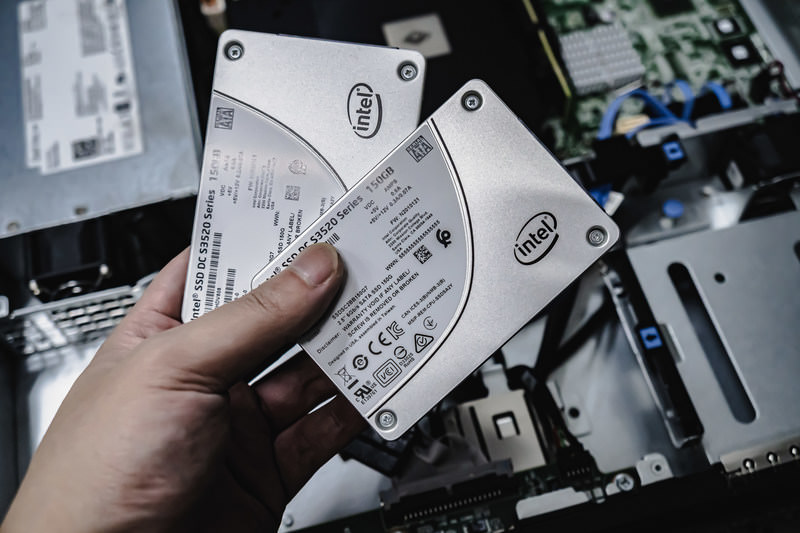
Apabila menyewa server, adakah anda mendapati diri anda membandingkan pelbagai spesifikasi seperti CPU dan memori lalu tersekat pada "kapasiti"? Jika anda berurusan dengan server sewa buat kali pertama, anda mungkin tidak tahu berapa banyak kapasiti yang diperlukan atau pun apakah sebenarnya kapasiti itu.
Dalam artikel ini, saya meneliti kapasiti server sewa secara mendalam. Bersama dengan perkara yang perlu diberi perhatian ketika memulakan blog WordPress, saya akan membantu anda memilih pelan yang terbaik. Selepas membaca artikel ini, anda sepatutnya memahami kapasiti server sewa dan boleh memilih pelan dengan yakin.
Apa Sebenarnya Kapasiti Server Sewa? Apa yang Ia Simpan?

Secara ringkas, kapasiti server sewa ialahthe amount of space available for storing your website's data. Secara khusus, ia menyimpan jenis data berikut.
- Fail laman web: all files needed to display the site, such as HTML, CSS, JavaScript, images, and videos
- Pangkalan data: store dynamic content such as blog posts, user information, and product information
- Data e-mel: if you use email accounts, your sent and received emails and attachments
- Fail log: server access logs, error logs, and similar records
- Data sandaran: backups of your website data
Semua data ini menggunakan kapasiti server. Jika anda kehabisan kapasiti, anda mungkin tidak lagi boleh menambah kandungan baharu, laman anda mungkin menjadi lebih perlahan, dan dalam kes paling teruk laman anda boleh mengalami gangguan.
Tiga Langkah Memilih Kapasiti Server yang Tepat

Jadi, bagaimana anda harus memilih jumlah kapasiti yang betul? Fikirkan melalui tiga langkah berikut.
LANGKAH 1: Fikirkan Jenis Laman Web (untuk WordPress)
Jumlah kapasiti yang anda perlukan sangat bergantung pada jenis laman web. Jika anda memulakan blog WordPress, pertimbangkan perkara berikut.
- Saiz blog: whether it is a small personal blog or a large blog run by multiple people.
- Jenis kandungan: whether it is mainly text or uses many images and videos.
- Bilangan plugin: many plugins consume capacity.
- Berat tema: depending on the theme you use, it may put pressure on your capacity.
Sebagai panduan umum,
- Blog kecil (terutamanya teks, sedikit imej): 5GB to 10GB
- Blog sederhana (banyak imej, banyak plugin): 10GB to 20GB
- Blog besar (termasuk video, banyak plugin): 20GB to 50GB or more
ialah angka yang baik untuk diingati.
★ Master WordPress Plugins and Power Up Your Site: A Thorough Guide for Beginners
LANGKAH 2: Anggarkan Pertumbuhan Masa Depan
Laman web bukan sesuatu yang dibina kemudian dilupakan. Apabila anda menambah kandungan dan trafik meningkat, kapasiti yang diperlukan juga bertambah.
Anggap bagaimana keadaan akan kelihatan sekurang-kurangnya satu tahun dari sekarang, and choose capacity with some room to spare. You can add more capacity later, but considering the trouble of changing plans, it is smoother to choose a slightly larger plan from the beginning.
Bagi WordPress, pastikan anda mengandaikan bahawa bilangan catatan, imej, dan video akan bertambah dari semasa ke semasa.
LANGKAH 3: Fikirkan dalam Angka Konkret
Berdasarkan langkah di atas, fikirkan dalam angka yang konkrit. Contohnya, anda boleh menganggar seperti berikut.
- Teks untuk satu halaman: kira-kira 1KB
- Satu imej: kira-kira 1MB (boleh menjadi lebih besar untuk imej beresolusi tinggi)
- Satu minit video: kira-kira 100MB (sangat berbeza bergantung pada kualiti dan format)
Bagi WordPress, anda juga perlu mempertimbangkan saiz tema dan plugin. Ia boleh mencapai puluhan atau bahkan ratusan megabait.
Kelebihan dan Perkara yang Perlu Diberi Perhatian pada Pelan Kapasiti Tanpa Had (untuk WordPress)
Jika anda memulakan blog WordPress, pelan kapasiti tanpa had mungkin kelihatan menarik. Namun, seperti yang disebut di atas, ada juga perkara yang perlu diberi perhatian.
- Pantau saiz pangkalan data: because WordPress stores posts, settings, and other data in a database, even with unlimited capacity you may still run into had saiz pangkalan data.
- Storan sandaran: just because capacity is unlimited does not mean you can store unlimited backups. Check the backup storage limit and retention period.
★ What Is a Database? An Essential Management System for WordPress
Masalah Serius Akibat Kehabisan Kapasiti Server: Kesan Spesifik dan Langkah Mengatasinya

1. Anda Tidak Lagi Boleh Menambah Kandungan
Apabila kapasiti penuh, anda tidak lagi boleh menambah kandungan baharu. This is a serious problem that gets in the way of website growth.
- Anda tidak lagi boleh memuat naik imej atau video: images and videos are important elements that make a website attractive, but once capacity runs short, they can no longer be uploaded. In WordPress, you will get errors when trying to upload files to the media library, and you will no longer be able to add new images or videos.
- Anda tidak lagi boleh mencipta atau mengemas kini catatan dan halaman: text content also uses storage space. When capacity runs short, you may no longer be able to create new posts or pages, or even update existing ones.
- Anda tidak lagi boleh mendaftarkan produk (dalam kes laman e-dagang): on an e-commerce site, product information and images are the lifeblood of the business. Lack of capacity can prevent you from adding new products or updating existing ones, seriously affecting the business.
Langkah Mengatasi: move to a larger plan, delete unnecessary files, and optimize images (for example, through compression).
2. Paparan Laman yang Lebih Perlahan: Pengalaman Pengguna yang Lebih Buruk
Kekurangan kapasiti juga boleh menyebabkan kelajuan paparan laman web menjadi lebih perlahan. If display speed becomes slow, the user experience deteriorates and SEO is negatively affected as well.
- Beban server meningkat: when capacity becomes tight, the load on the server increases and processing speed drops. As a result, page loading time gets longer, which means membuat pengguna menunggu.
- Prestasi merosot semasa lonjakan trafik: if the server is already short on capacity during periods of concentrated traffic, it can become overloaded, making the website extremely slow or, in the worst case, causing it to go down.
- Kesan negatif terhadap SEO: search engines such as Google take page loading speed into account as a ranking factor. A slow website may drop in search rankings, which can lead to fewer visitors.
Langkah Mengatasi: use measures such as cache plugins, image optimization, and CDNs to improve display speed. You may also need to consider switching to a server plan that matches your traffic volume.
★ How Fast Is It? Comparing 15 Rental Servers in a Speed Ranking
3. Hantar dan Terima E-mel Terhenti: Komunikasi Perniagaan Terganggu
Email data also consumes server capacity. Apabila kapasiti menjadi sempit, anda mungkin tidak lagi boleh menghantar atau menerima e-mel, yang mengganggu komunikasi perniagaan.
- Anda tidak lagi boleh menerima e-mel: when the inbox reaches its capacity limit, new email can no longer be received. You may miss important communication or fail to respond to customer inquiries.
- Anda tidak lagi boleh menghantar e-mel: sent mail and drafts also consume capacity. Once capacity runs short, you may no longer be able to send email, which can menyebabkan peluang perniagaan terlepas.
Langkah Mengatasi: delete unnecessary emails, save email data locally, and consider using an external mail service.
4. Laman Web Tergendala: Perniagaan Terhenti
If lack of capacity becomes serious, dalam kes paling teruk laman web boleh tergendala dan tidak dapat diakses. This means business operations are effectively stopped and can lead to major losses.
- Beban berlebihan pada server: traffic concentration while the server is already short on capacity can put excessive load on the server and cause system crashes.
- Pemulihan mungkin mengambil masa: if the server goes down, recovery work may take time and the website may remain inaccessible for a long period.
Langkah Mengatasi: thoroughly implement measures that ensure stable operation, such as monitoring server resources, analyzing access logs, and choosing an appropriate server plan. Regular backups are also important.
Kehabisan kapasiti memberi kesan serius terhadap operasi laman web. Untuk mengelakkan masalah ini, penting untuk memilih pelan server dengan kapasiti yang sesuai dan memantau penggunaan kapasiti laman web anda secara berkala. Penting juga untuk memikirkan lebih awal apa yang perlu dilakukan jika kapasiti benar-benar tidak mencukupi.
★ What Is a 503 Error? Web Traffic Jams, How to Avoid Them, and Emergency Responses
Server Sewa yang Disyorkan Mengikut Kapasiti
30GB: Little Server
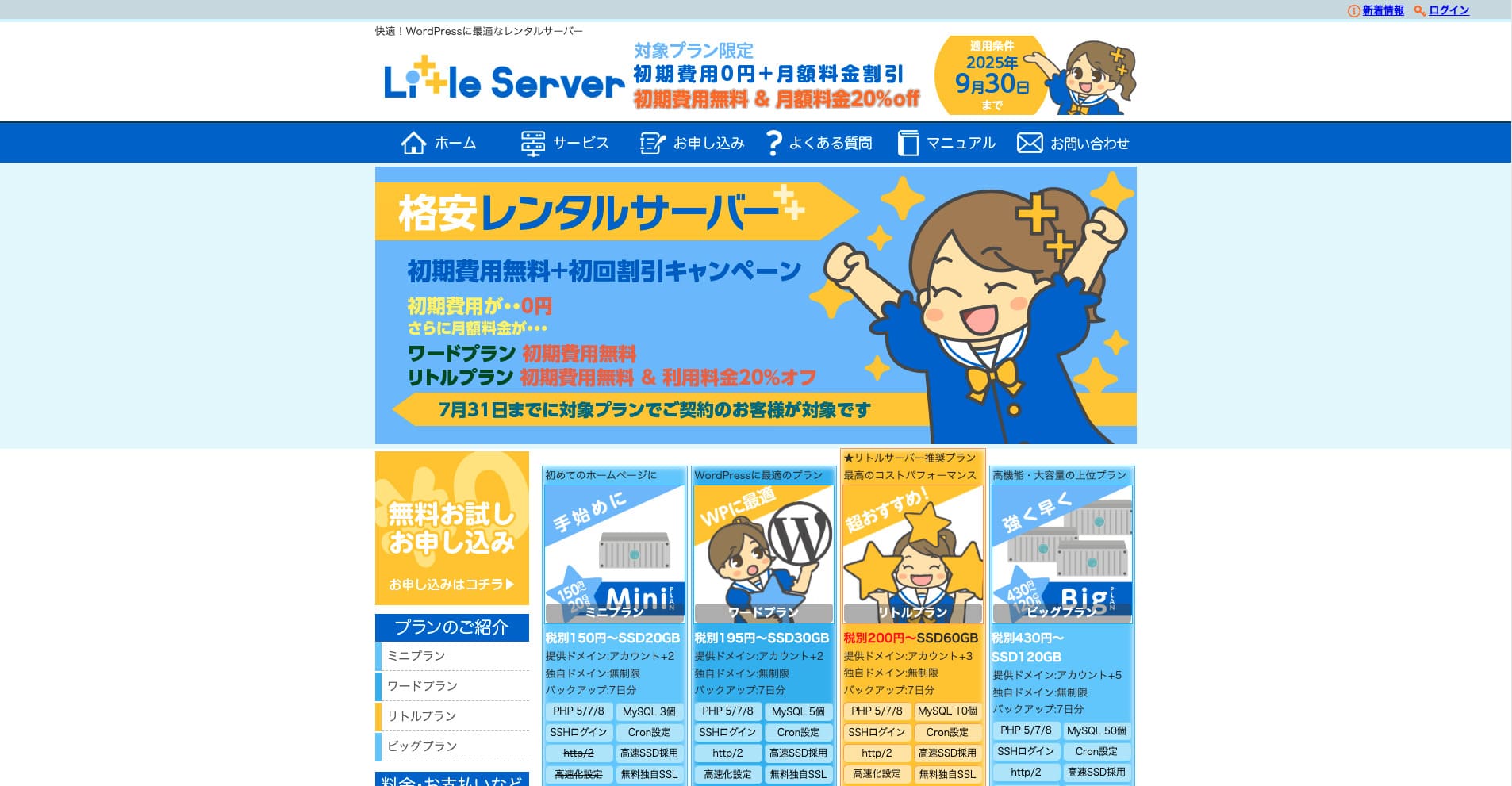
“Little Server” ialah server sewa kos rendah. Tanpa mengambil kira server percuma, ia ialah salah satu server sewa paling murah untuk kegunaan peribadi. Walaupun begitu, ia menggunakan NVMe SSD untuk meningkatkan kelajuan.
Tiada yuran awal sehingga 30 September 2025, diskaun 20% pada yuran server pelan Little, dan percubaan percuma 20 hari
| Server type | Shared server |
| Display speed (TTFB) | 200ms |
| Recommended plan and contract term | Mini, 12 months |
| Trial / refund guarantee | 20-day free trial |
| Monthly fee (12-month contract) | 165 yen |
| Initial administrative fee | 920 yen |
| Free domain | None |
| Support | Email (business hours not disclosed) |
| Uptime | Not disclosed |
| Server capacity | 20GB |
| Number of databases | 3 |
| Security measures | IMP |
| SSL | Free SSL, dedicated SSL (Little Plan and above) |
| Backup / restore | Sandaran automatik 7 hari percuma, pemulihan percuma |
| Number of email accounts | Unlimited |
| Email security measures | Spam filter |
| Server / website migration service | None |
| WordPress pre-installation | Ya |
| CDN | None |
*Untuk pelan Mini
Jika anda mahu mengekalkan harga rendah sambil mendapatkan kapasiti minimum yang diperlukan,Little Server disyorkan. Walaupun pelan termurah memberi anda 30GB. Walaupun anda menaik taraf, yuran bulanan masih berada dalam lingkungan beberapa ratus yen, jadi jika anda mula bimbang tentang kekurangan kapasiti, naik taraf secara proaktif.
★ Little Server Reviews and How to Start WordPress on an Affordable Hosting Service
300GB: ConoHa WING

“ConoHa WING” ialah server berkelajuan tinggi daripada GMO Internet Group, yang bilangan penggunanya meningkat pesat, dan ia juga ialah perkhidmatan yang digunakan oleh syarikat kami. Oleh sebab WordPress sudah diprapasang apabila anda mendaftar untuk server itu, sesiapa sahaja boleh bermula dengan mudah. Ia menawarkan keseimbangan yang baik antara kos dan prestasi, dan kami juga menggunakannya.
Diskaun sehingga 53% pada yuran server sehingga 5 Ogos 2025, dua domain percuma selama-lamanya, dan bulan pertama percuma
| Server type | Shared server |
| Display speed (TTFB) | 160ms |
| Recommended plan and contract term | Basic, 12 months |
| Trial / refund guarantee | First month free |
| Monthly fee (12-month contract) | 971 yen |
| Initial administrative fee | Free |
| Free domains | Dua percuma selama-lamanya |
| Support | Phone, email, and chat (weekdays 10:00-18:00) |
| Uptime | 99.99% guaranteed |
| Server capacity | 300GB |
| Number of databases | Unlimited |
| Security measures | WAF / directory access restrictions / IP access restrictions / vulnerability diagnosis (Net de Diagnosis) / spam comment and trackback restrictions / overseas comment and trackback restrictions / overseas access restrictions |
| SSL | Free SSL / Alpha SSL / Quick Authentication SSL / Company Authentication SSL / EV SSSL |
| Backup / restore | 14 days of automatic backups / restore free of charge |
| Number of email accounts | Unlimited |
| Email security measures | Virus checking / spam filters |
| Server / website migration service | WordPress migration service from 7,678 yen Alat migrasi percuma tersedia |
| WordPress pre-installation | Yes |
| CDN | None |
Jika anda mahukan kapasiti yang mencukupi walaupun sebagai individu, pilihConoHa WING. Walaupun pelan termurah memberi anda 300GB, jadi menjalankan WordPress langsung tiada masalah.
★ Build a Homepage in 10 Minutes! ConoHa WING Reviews and How to Start WordPress
600GB: Sakura Rental Server

“Sakura Rental Server” ialah server kongsi daripada Sakura Internet Inc. Syarikat itu juga menawarkan server terurus. Ia mempunyai keseimbangan yang baik antara prestasi, perkhidmatan, dan harga, jadi ia disyorkan untuk mana-mana syarikat. Oleh sebab ia termasuk sejumlah penggunaan CDN percuma bergantung pada pelan, ia boleh menyediakan komunikasi yang selesa.
Percubaan percuma 14 hari
| Server type | Shared server |
| Display speed (TTFB) | 440ms |
| Recommended plan and contract term | Standard, 12 months |
| Trial / refund guarantee | 14-day free trial |
| Monthly fee (12-month contract) | 550 yen |
| Initial administrative fee | Free |
| Free domain | None |
| Support | Business hours: 10:00-18:00 Phone callback reservations, chat, and email (reply the same day or the next business day) |
| Uptime | 99.99% |
| Server capacity | 300GB |
| Number of databases | Unlimited |
| Security measures | Website defacement notifications (paid), WAF, overseas IP address filters, prevention of unauthorized relaying, encryption, |
| SSL | Free shared SSL, dedicated SSL |
| Backup / restore | Eight generations of backups free of charge, restore free of charge |
| Number of email accounts | Unlimited |
| Email security measures | POP3, IMAP4, virus checking, simple spam filter, advanced spam filter |
| WordPress pre-installation | None |
| Server / website migration service | None |
| CDN | 100GB sebulan percuma |
Jika anda sebuah syarikat, mempunyai lebih banyak kapasiti server memberikan ketenangan fikiran. Sakura Rental Server menawarkan kapasiti besar, dengan 300GB pada pelan Standard dan 600GB pada pelan Business.
Kapasiti Tanpa Had: mixhost
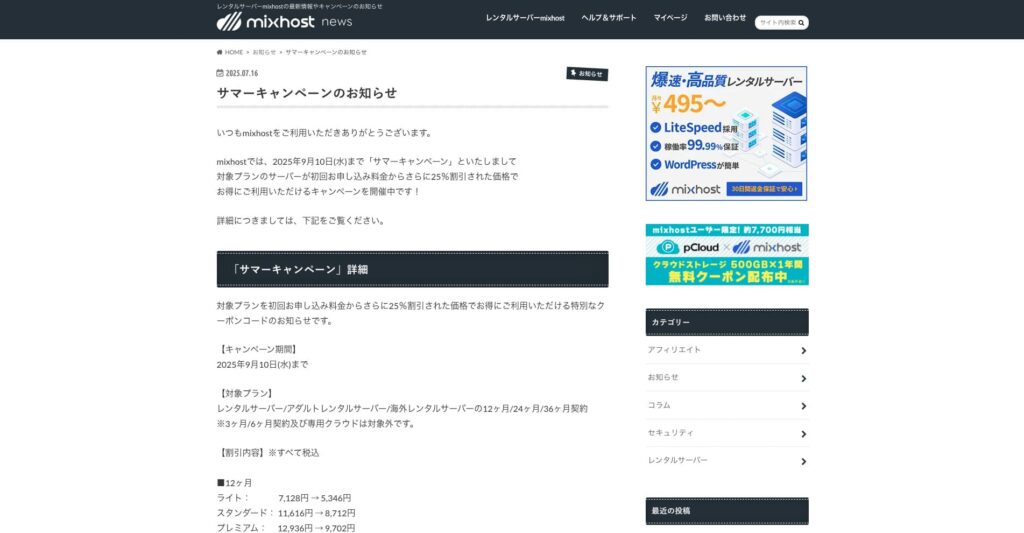
“ mixhost” ialah server sewa berkelajuan tinggi daripada Az Pocket Co., Ltd., yang beribu pejabat di Osaka. Ia boleh menghantar kandungan dari server yang terletak di San Jose di Pantai Barat Amerika Syarikat. Walaupun ia ialah server luar negara, syarikat itu berpangkalan di Jepun, jadi anda masih mendapat sokongan bahasa Jepun yang lengkap.
Diskaun 25% pada kontrak awal sehingga 10 September 2025, setahun percuma untuk storan awan 500GB, dan jaminan pulangan wang 30 hari
| Server type | Shared server / dedicated cloud server |
| Display speed (TTFB) | 150ms |
| Recommended plan and contract term | Shared server Light, 12 months |
| Trial / refund guarantee | 30-day money-back guarantee |
| Monthly fee (12-month contract) | 594 yen |
| Initial administrative fee | Free |
| Free domain | One free forever |
| Support | |
| Uptime | 99.99% guaranteed |
| Server capacity | 100GB |
| Number of databases | Unlimited |
| Security measures | WAF / DDo attack protection / malware detection and removal |
| SSL | Free dedicated SSL |
| Backup / restore | Automatic backups for 14 days on the Standard plan and above |
| Number of email accounts | Unlimited |
| Email security measures | — |
| WordPress pre-installation | Ya |
| Server / website migration service | 10,890 yen |
| CDN | None |
| Data center | San Jose, U.S. West Coast |
Jika anda mahu menggunakan server dengan kapasiti tanpa had, pilihmixhost. Bukan sahaja kapasiti tanpa had, malah pemindahan data juga tanpa had, jadi ia menawarkan kebolehskalaan yang sangat baik.
★ mixhost Reviews and How to Start WordPress with Peace of Mind Thanks to Elevent Nines Backup
Ringkasan: Pilih Kapasiti yang Tepat dan Jalankan Blog WordPress Anda dengan Lancar

Kapasiti server sewa mempunyai kesan besar terhadap kestabilan dan pertumbuhan laman web. Use the steps introduced in this article to choose the capacity that best fits your WordPress blog and achieve smooth blog operation.
Jika perlu, elok juga berunding dengan pentadbir server. Walaupun anda memilih pelan kapasiti tanpa had, penting untuk membuat keputusan itu hanya selepas memahami sepenuhnya kedua-dua kelebihan dan perkara yang perlu diberi perhatian.