رینٹل سرور کی گنجائش: غلطیوں کے بغیر کیسے انتخاب کریں اور یہ ہموار سائٹ چلانے کے لیے کیوں اہم ہے

سرور کرایہ پر لیتے وقت کیا آپ CPU اور میموری جیسی مختلف تفصیلات کا موازنہ کرتے ہوئے “گنجائش” پر آ کر رک جاتے ہیں؟ اگر آپ پہلی بار رینٹل سرور استعمال کر رہے ہیں تو یہ سمجھنا مشکل ہو سکتا ہے کہ آپ کو کتنی گنجائش درکار ہے، یا یہ گنجائش آخر ہے کیا۔
اس مضمون میں میں رینٹل سرور کی گنجائش کا تفصیل سے جائزہ لوں گا۔ ورڈپریس بلاگ شروع کرتے وقت جن باتوں کا خیال رکھنا چاہیے ان کے ساتھ میں آپ کو بہترین پلان منتخب کرنے میں مدد دوں گا۔ اس مضمون کو پڑھنے کے بعد آپ رینٹل سرور کی گنجائش کو سمجھ جائیں گے اور اعتماد سے پلان منتخب کر سکیں گے۔
رینٹل سرور کی گنجائش کیا ہے؟ یہ کیا محفوظ کرتی ہے؟

سادہ لفظوں میں، رینٹل سرور کی گنجائش یہ ہے کہ آپ کی ویب سائٹ کے ڈیٹا کو محفوظ کرنے کے لیے دستیاب جگہ. خاص طور پر، اس میں درج ذیل قسم کا ڈیٹا محفوظ ہوتا ہے۔
- ویب سائٹ فائلیں: سائٹ دکھانے کے لیے درکار تمام فائلیں، جیسے HTML، CSS، JavaScript، تصاویر اور ویڈیوز
- ڈیٹا بیس: بلاگ پوسٹس، صارف کی معلومات، اور مصنوعات کی معلومات جیسا متحرک مواد محفوظ کرتے ہیں
- ای میل ڈیٹا: اگر آپ ای میل اکاؤنٹس استعمال کرتے ہیں تو آپ کی بھیجی اور موصول شدہ ای میلز اور اٹیچمنٹس
- لاگ فائلیں: سرور رسائی لاگز، ایرر لاگز، اور اسی نوعیت کے ریکارڈ
- بیک اَپ ڈیٹا: آپ کی ویب سائٹ کے ڈیٹا کی نقول
یہ تمام ڈیٹا سرور کی گنجائش استعمال کرتا ہے۔ اگر گنجائش ختم ہو جائے تو آپ مزید مواد شامل نہ کر سکیں گے، سائٹ سست ہو سکتی ہے، اور بدترین صورت میں سائٹ بند بھی ہو سکتی ہے۔
سرور کی درست گنجائش منتخب کرنے کے تین مراحل

تو مناسب capacity کی مقدار کیسے منتخب کریں؟ درج ذیل تین مراحل میں اس پر غور کریں۔
مرحلہ 1: ویب سائٹ کی قسم کے بارے میں سوچیں (ورڈپریس کے لیے)
آپ کو درکار capacity کی مقدار ویب سائٹ کی قسم کے مطابق کافی مختلف ہو سکتی ہے۔ اگر آپ WordPress blog شروع کر رہے ہیں تو درج ذیل نکات پر غور کریں۔
- بلاگ کا حجم: آیا یہ چھوٹا ذاتی بلاگ ہے یا کئی لوگوں کے ذریعے چلایا جانے والا بڑا بلاگ۔
- مواد کی قسم: آیا یہ زیادہ تر متن پر مشتمل ہے یا بہت سی تصاویر اور ویڈیوز استعمال کرتا ہے۔
- پلگ اِنز کی تعداد: بہت سے plugins capacity استعمال کرتے ہیں۔
- theme کا وزن: استعمال ہونے والی theme کے لحاظ سے یہ capacity پر دباؤ ڈال سکتی ہے۔
عام اندازے کے طور پر،
- چھوٹا بلاگ (زیادہ تر متن، کم تصاویر): 5GB سے 10GB
- درمیانہ بلاگ (بہت سی تصاویر، متعدد plugins): 10GB سے 20GB
- بڑا بلاگ (ویڈیوز سمیت، بہت سے plugins): 20GB سے 50GB یا زیادہ
ذہن میں رکھنے کے لیے اچھے اعداد ہیں۔
★ WordPress plugins پر عبور حاصل کریں اور اپنی site کو مضبوط بنائیں: beginners کے لیے تفصیلی guide
مرحلہ 2: مستقبل کی نمو کا اندازہ لگائیں
ایک ویب سائٹ ایسی چیز نہیں ہے جسے بنا کر پھر بھلا دیا جائے۔ جیسے جیسے آپ مواد شامل کرتے ہیں اور traffic بڑھتا ہے، درکار capacity بھی بڑھتی ہے۔
کم از کم ایک سال بعد صورتحال کیسی ہوگی، اس کا اندازہ لگائیں, اور تھوڑی گنجائش چھوڑ کر capacity منتخب کریں۔ آپ بعد میں مزید capacity شامل کر سکتے ہیں، لیکن plans تبدیل کرنے کی زحمت کو دیکھتے ہوئے شروع ہی سے قدرے بڑا plan منتخب کرنا زیادہ آسان ہے۔
WordPress کے معاملے میں یہ ضرور فرض کریں کہ posts، images، اور videos کی تعداد وقت کے ساتھ بڑھے گی۔
مرحلہ 3: ٹھوس اعداد و شمار کے ساتھ سوچیں
اوپر کے مراحل کی بنیاد پر concrete numbers میں سوچیں۔ مثال کے طور پر، آپ اس طرح اندازہ لگا سکتے ہیں۔
- ایک صفحے کا متن: تقریباً 1KB
- ایک تصویر: تقریباً 1MB (high-resolution images کے لیے زیادہ ہو سکتی ہے)
- ایک منٹ کی ویڈیو: تقریباً 100MB (quality اور format کے لحاظ سے بہت مختلف)
WordPress کے لیے themes اور plugins کے سائز کو بھی مدنظر رکھنا ہوتا ہے۔ یہ دسیوں یا حتیٰ کہ سینکڑوں megabytes تک پہنچ سکتے ہیں۔
★ ایک app development company WordPress theme منتخب کرنے کے pitfalls اور کامیابی کا راستہ سمجھاتی ہے
لامحدود گنجائش والے منصوبوں کے فوائد اور احتیاطی باتیں (ورڈپریس کے لیے)
اگر آپ WordPress blog شروع کر رہے ہیں تو unlimited capacity plan پرکشش لگ سکتا ہے۔ تاہم، جیسا کہ اوپر ذکر ہوا، کچھ باتوں کا خیال رکھنا بھی ضروری ہے۔
- database size پر نظر رکھیں: چونکہ WordPress posts، settings اور دیگر data کو database میں محفوظ کرتا ہے، اس لیے unlimited capacity کے باوجود آپ کو database size کی حدود.
- بیک اپ storage: capacity unlimited ہونے کا مطلب یہ نہیں کہ آپ unlimited backups محفوظ کر سکتے ہیں۔ backup storage limit اور retention period چیک کریں۔
★ What Is a Database? An Essential Management System for WordPress
سرور کی گنجائش ختم ہونے سے پیدا ہونے والے سنگین مسائل: اثرات اور تدارک

1. آپ مزید مواد شامل نہیں کر سکتے
جب capacity بھر جائے تو آپ مزید نیا مواد شامل نہیں کر سکتے۔ یہ website growth کی راہ میں آنے والا سنجیدہ مسئلہ ہے۔
- آپ images یا videos مزید upload نہیں کر سکتے: images اور videos website کو پرکشش بنانے والے اہم عناصر ہیں، لیکن capacity کم پڑنے پر انہیں upload نہیں کیا جا سکتا۔ WordPress میں media library میں files upload کرتے وقت errors آئیں گے، اور آپ نئی images یا videos شامل نہیں کر سکیں گے۔
- آپ posts اور pages مزید create یا update نہیں کر سکتے: متن بھی storage space استعمال کرتا ہے۔ جب capacity کم پڑ جائے تو آپ نئے posts یا pages بنانے، یا موجودہ کو اپڈیٹ کرنے کے قابل بھی نہیں رہ سکتے۔
- آپ products مزید register نہیں کر سکتے (e-commerce site کی صورت میں): e-commerce site پر product information اور images کاروبار کی جان ہیں۔ capacity کی کمی نئے products شامل کرنے یا موجودہ products update کرنے سے روک سکتی ہے، جس سے business پر سنگین اثر پڑتا ہے۔
تدارک: بڑے plan پر منتقل ہوں، غیر ضروری files delete کریں، اور images optimize کریں (مثلاً compression کے ذریعے)۔
2. ویب سائٹ کی سست لوڈنگ: صارف کے تجربے میں کمی
capacity کی کمی ویب سائٹ کی display speed کو بھی سست کر سکتی ہے۔ اگر display speed سست ہو جائے تو صارف تجربہ متاثر ہوتا ہے اور SEO بھی منفی طور پر متاثر ہوتا ہے۔
- server load میں اضافہ: capacity تنگ ہونے پر server پر load بڑھتا ہے اور processing speed کم ہو جاتی ہے۔ نتیجے میں page loading time بڑھ جاتا ہے، یعنی users کو انتظار کروانا.
- کارکردگی drops during traffic spikes: اگر traffic concentrated ہونے کے وقت server پہلے ہی capacity کی کمی کا شکار ہو تو یہ overloaded ہو سکتا ہے، website انتہائی slow ہو سکتی ہے یا بدترین صورت میں down ہو سکتی ہے۔
- SEO پر منفی اثر: Google جیسے search engines page loading speed کو ranking factor کے طور پر دیکھتے ہیں۔ slow website search rankings میں نیچے جا سکتی ہے، جس سے visitors کم ہو سکتے ہیں۔
تدارک: cache plugins، image optimization اور CDNs جیسے اقدامات سے display speed بہتر کریں۔ traffic volume کے مطابق server plan پر switch کرنے پر بھی غور کرنا پڑ سکتا ہے۔
★ How Fast Is It? Comparing 15 Rental Servers in a Speed Ranking
3. ای میل بھیجنا اور وصول کرنا بند: کاروباری رابطہ متاثر
ای میل data also consumes server capacity. جب capacity کم پڑ جائے تو آپ ای میل بھیج یا وصول نہیں کر سکتے، جس سے کاروباری رابطہ متاثر ہوتا ہے۔
- آپ email مزید receive نہیں کر سکتے: inbox capacity limit تک پہنچنے پر new email receive نہیں ہو سکتی۔ آپ important communication miss کر سکتے ہیں یا customer inquiries کا جواب دینے میں ناکام ہو سکتے ہیں۔
- آپ email مزید send نہیں کر سکتے: sent mail اور drafts بھی capacity استعمال کرتے ہیں۔ capacity کم پڑنے پر آپ email send نہیں کر پائیں گے، جس سے business opportunities ضائع ہو سکتی ہیں.
تدارک: غیر ضروری emails delete کریں، email data locally save کریں، اور external mail service استعمال کرنے پر غور کریں۔
4. ویب سائٹ ڈاؤن ٹائم: کاروبار رک جاتا ہے
اگر capacity کی کمی سنگین ہو جائے تو بدترین صورت میں website down ہو کر inaccessible ہو سکتی ہے۔ اس کا مطلب ہے کہ business operations عملی طور پر رک جاتے ہیں اور بڑے نقصان کا سبب بن سکتے ہیں۔
- server پر excessive load: جب server پہلے ہی capacity کی کمی کا شکار ہو، اس وقت traffic concentration server پر excessive load ڈال سکتی ہے اور system crashes کا سبب بن سکتی ہے۔
- recovery میں وقت لگ سکتا ہے: server down ہونے پر recovery work میں وقت لگ سکتا ہے اور website طویل مدت تک inaccessible رہ سکتی ہے۔
تدارک: server resources کی monitoring، access logs کا analysis، اور مناسب server plan کا انتخاب جیسے stable operation کو یقینی بنانے والے اقدامات مکمل طور پر نافذ کریں۔ Regular backups بھی اہم ہیں۔
capacity ختم ہونا website operation پر سنگین اثر ڈالتا ہے۔ ان مسائل سے بچنے کے لیے مناسب capacity والا server plan منتخب کرنا اور اپنی website کی capacity usage کو regular basis پر monitor کرنا ضروری ہے۔ capacity ناکافی ہونے کی صورت میں کیا کرنا ہے، یہ پہلے سے سوچنا بھی اہم ہے۔
★ What Is a 503 Error? Web Traffic Jams, How to Avoid Them, and Emergency Responses
گنجائش کے لحاظ سے تجویز کردہ رینٹل سرورز
30GB: Little Server
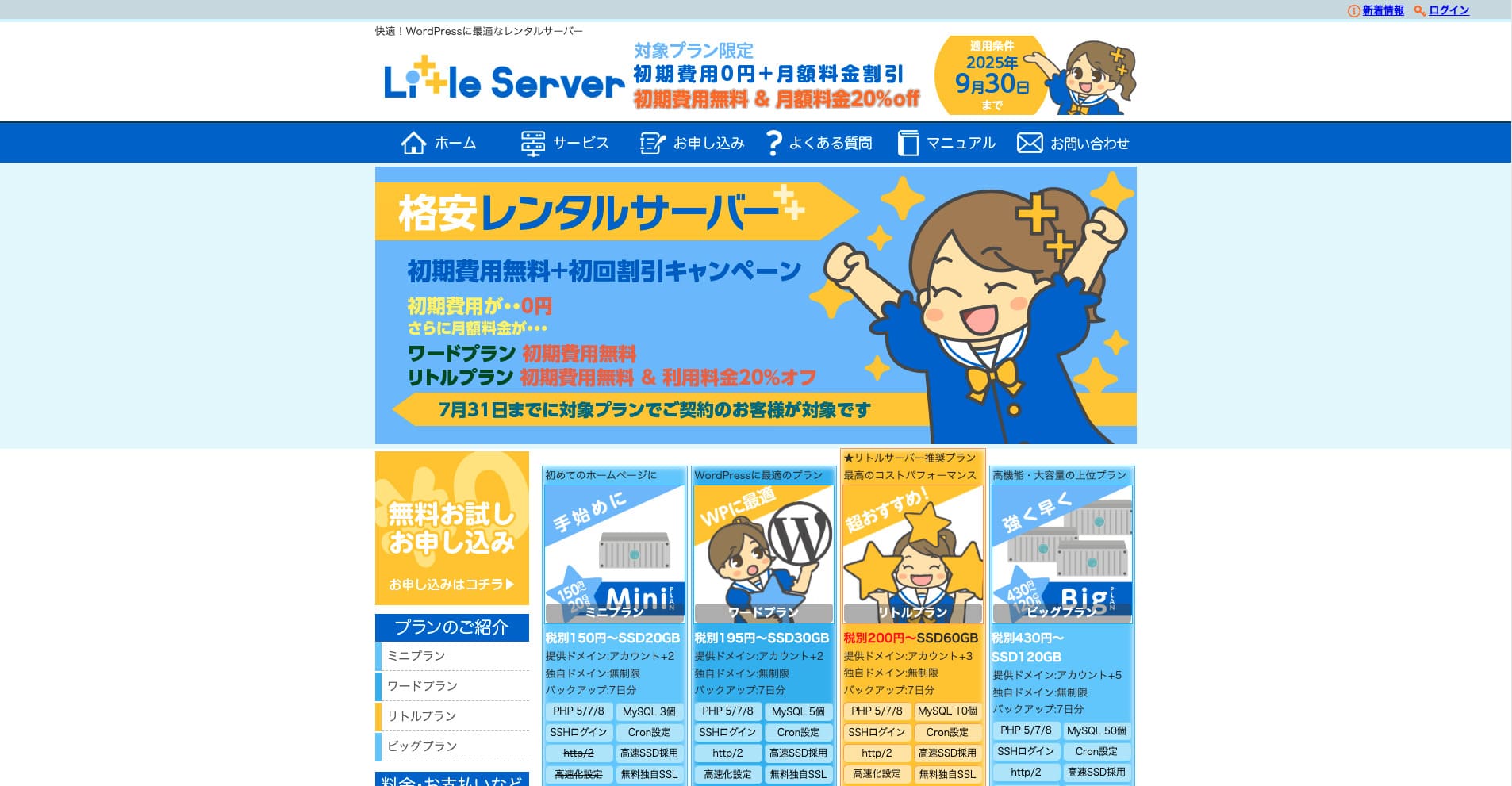
“Little Server” بہت آسان اور beginner-friendly rental server ہے۔ WordPress آسانی سے install کیا جا سکتا ہے، اور SSH، free SSL، automatic backups اور restore بھی دستیاب ہیں، اس لیے یہ بہت convenient ہے۔
نہیں initial fee until September 30, 2025, 20% off the Little Plan server fee, and a 20-day free trial
| Server type | Shared server |
| Display speed (TTFB) | 200ms |
| Recommended plan and contract term | Mini, 12 months |
| Trial / refund guarantee | 20-day free trial |
| Monthly fee (12-month contract) | 165 yen |
| Initial administrative fee | 920 yen |
| Free domain | None |
| Support | Email (business hours not disclosed) |
| Uptime | Not disclosed |
| Server capacity | 20GB |
| Number of databases | 3 |
| Security measures | IMP |
| SSL | Free SSL, dedicated SSL (Little Plan and above) |
| Backup / restore | 7 دن کے خودکار backups مفت، بحالی مفت |
| Number of email accounts | Unlimited |
| Email security measures | Spam filter |
| Server / website migration service | None |
| WordPress pre-installation | ہاں |
| CDN | None |
*Mini plan کے لیے
اگر آپ minimum necessary capacity محفوظ رکھتے ہوئے price کم رکھنا چاہتے ہیں تو Little Server recommended ہے۔ lowest-priced plan بھی 30GB دیتا ہے۔ upgrade کرنے پر بھی monthly fee چند سو yen کے اندر رہتی ہے، اس لیے capacity کی کمی کی فکر شروع ہو تو proactively upgrade کریں۔
★ Little Server Reviews and How to Start WordPress on an Affordable Hosting Service
300GB: ConoHa WING

“ConoHa WING” GMO Internet Group, Inc. کا rental server ہے۔ Share No. 1 کا دعویٰ کرنے والا یہ popular server WordPress blog شروع کرنے کے لیے plenty of capacity اور functionality رکھتا ہے۔
5 اگست 2025 تک سرور فیس پر 53% تک رعایت، دو ڈومین ہمیشہ کے لیے مفت، اور پہلا مہینہ مفت
| Server type | Shared server |
| Display speed (TTFB) | 160ms |
| Recommended plan and contract term | Basic, 12 months |
| Trial / refund guarantee | First month free |
| Monthly fee (12-month contract) | 971 yen |
| Initial administrative fee | Free |
| Free domains | دو ہمیشہ کے لیے مفت |
| Support | Phone, email, and chat (weekdays 10:00-18:00) |
| Uptime | 99.99% guaranteed |
| Server capacity | 300GB |
| Number of databases | Unlimited |
| Security measures | WAF / directory access restrictions / IP access restrictions / vulnerability diagnosis (Net de Diagnosis) / spam comment and trackback restrictions / overseas comment and trackback restrictions / overseas access restrictions |
| SSL | Free SSL / Alpha SSL / Quick Authentication SSL / Company Authentication SSL / EV SSSL |
| Backup / restore | 14 days of automatic backups / restore free of charge |
| Number of email accounts | Unlimited |
| Email security measures | Virus checking / spam filters |
| Server / website migration service | WordPress migration service from 7,678 yen مفت migration tool دستیاب ہے |
| WordPress pre-installation | Yes |
| CDN | None |
اگر آپ انفرادی طور پر بھی کافی گنجائش چاہتے ہیں تو ConoHa WING. lowest-priced plan بھی 300GB دیتا ہے، اس لیے WordPress چلانے میں بالکل مسئلہ نہیں۔
★ Build a Homepage in 10 Minutes! ConoHa WING Reviews and How to Start WordPress
600GB: Sakura Rental Server

“Sakura Rental Server” Sakura Internet Inc. کا shared server ہے۔ کمپنی managed servers بھی فراہم کرتی ہے۔ performance، service اور price کا اچھا balance ہونے کی وجہ سے یہ کسی بھی corporation کے لیے recommended ہے۔ plan کے لحاظ سے free CDN use کی ایک مقدار شامل ہوتی ہے، اس لیے comfortable communications فراہم کر سکتا ہے۔
14 دن کا free trial
| Server type | Shared server |
| Display speed (TTFB) | 440ms |
| Recommended plan and contract term | Standard, 12 months |
| Trial / refund guarantee | 14-day free trial |
| Monthly fee (12-month contract) | 550 yen |
| Initial administrative fee | Free |
| Free domain | None |
| Support | Business hours: 10:00-18:00 Phone callback reservations, chat, and email (reply the same day or the next business day) |
| Uptime | 99.99% |
| Server capacity | 300GB |
| Number of databases | Unlimited |
| Security measures | Website defacement notifications (paid), WAF, overseas IP address filters, prevention of unauthorized relaying, encryption, |
| SSL | Free shared SSL, dedicated SSL |
| Backup / restore | 8 نسلوں کے backups مفت، بحالی مفت |
| Number of email accounts | Unlimited |
| Email security measures | POP3, IMAP4, virus checking, simple spam filter, advanced spam filter |
| WordPress pre-installation | None |
| Server / website migration service | None |
| CDN | ہر ماہ 100GB مفت |
اگر آپ ایک کمپنی ہیں تو زیادہ سرور گنجائش ذہنی سکون دیتی ہے۔ Sakura Rental Server بڑی گنجائش فراہم کرتا ہے، جس میں Standard plan پر 300GB اور Business plan پر 600GB شامل ہیں۔
لامحدود گنجائش: mixhost
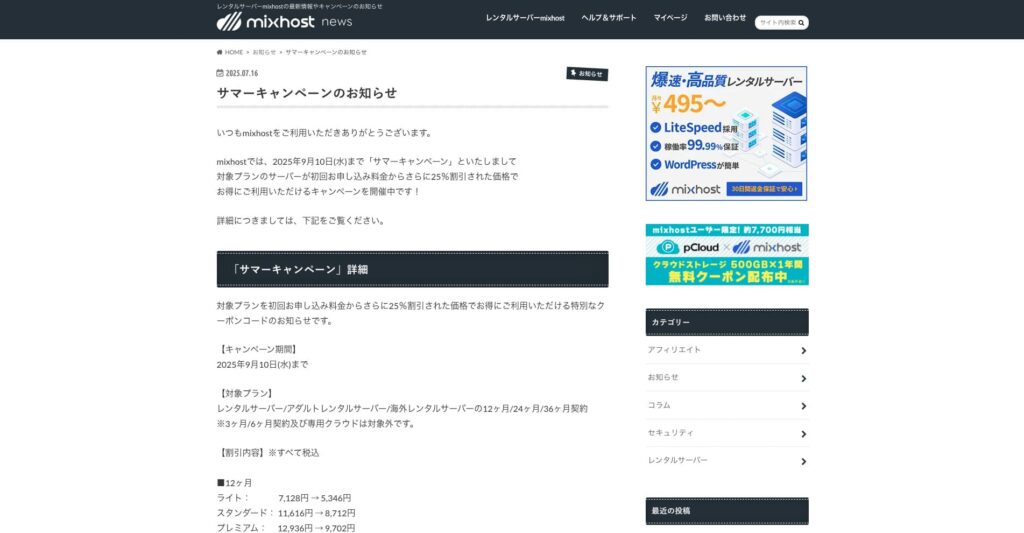
“ mixhost” Az Pocket Co., Ltd. کا تیز رفتار rental server ہے، جس کا صدر دفتر Osaka میں ہے۔ یہ امریکہ کے مغربی ساحل پر San Jose میں موجود servers سے content فراہم کر سکتا ہے۔ اگرچہ یہ بیرون ملک server ہے، کمپنی جاپان میں واقع ہے، اس لیے آپ کو مکمل جاپانی زبان کی support ملتی ہے۔
10 ستمبر 2025 تک ابتدائی معاہدے پر 25% رعایت، 500GB cloud storage کے لیے ایک سال مفت، اور 30 دن کی رقم واپسی کی گارنٹی
| Server type | Shared server / dedicated cloud server |
| Display speed (TTFB) | 150ms |
| Recommended plan and contract term | Shared server Light, 12 months |
| Trial / refund guarantee | 30-day money-back guarantee |
| Monthly fee (12-month contract) | 594 yen |
| Initial administrative fee | Free |
| Free domain | One free forever |
| Support | |
| Uptime | 99.99% guaranteed |
| Server capacity | 100GB |
| Number of databases | Unlimited |
| Security measures | WAF / DDo attack protection / malware detection and removal |
| SSL | Free dedicated SSL |
| Backup / restore | Automatic backups for 14 days on the Standard plan and above |
| Number of email accounts | Unlimited |
| Email security measures | — |
| WordPress pre-installation | ہاں |
| Server / website migration service | 10,890 yen |
| CDN | None |
| Data center | San Jose, U.S. West Coast |
اگر آپ لامحدود گنجائش والا server استعمال کرنا چاہتے ہیں تو mixhost. نہ صرف گنجائش لامحدود ہے بلکہ data transfer بھی لامحدود ہے، اس لیے یہ بہترین scalability فراہم کرتا ہے۔
★ mixhost Reviews and How to Start WordPress with Peace of Mind Thanks to Elevent Nines Backup
خلاصہ: درست گنجائش منتخب کریں اور اپنا WordPress بلاگ ہموار طریقے سے چلائیں

رینٹل سرور کی گنجائش ویب سائٹ کے استحکام اور ترقی پر بڑا اثر ڈالتی ہے۔ اس مضمون میں دیے گئے مراحل استعمال کریں تاکہ آپ اپنے WordPress blog کے لیے سب سے مناسب گنجائش منتخب کر سکیں اور ہموار blog operation حاصل ہو سکے۔
ضرورت ہو تو server administrator سے مشورہ کرنا بھی اچھا خیال ہے۔ حتیٰ کہ جب آپ لامحدود capacity والا plan منتخب کریں تب بھی یہ فیصلہ صرف تب کریں جب آپ فوائد اور احتیاطی نکات دونوں کو پوری طرح سمجھ لیں۔