
Try it out for libre
PR
Mga server
Pagsusuri sa Tada Server [Pag-update 2025]: Masusing pagtingin sa mga bentahe, kahinaan, at tunay na pagsusuri ng libreng WordPress hosting
Nai-publish: 2025.06.26
Na-update: 2025.06.26
Rating: 3.0
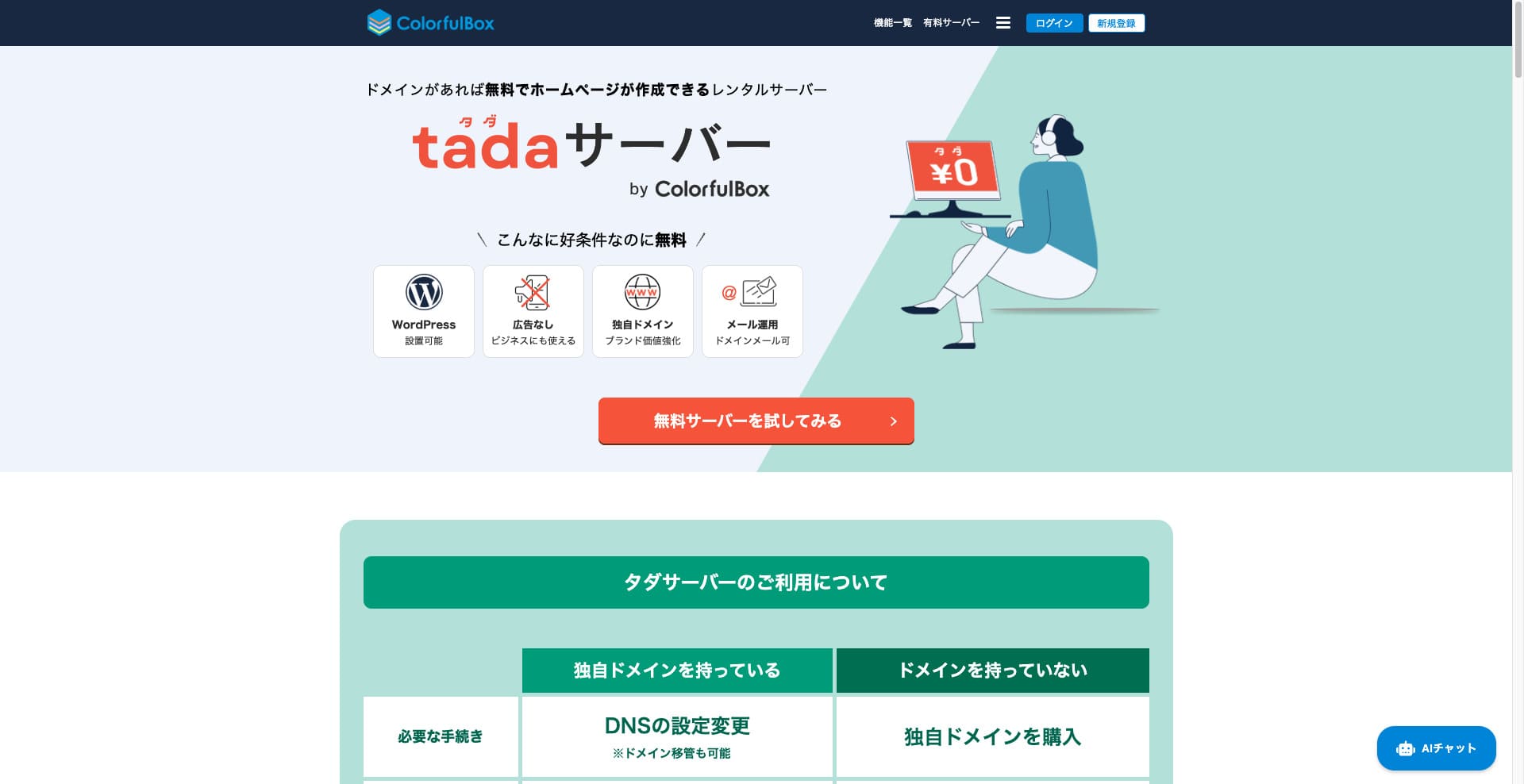
Tada Server is a server that lets you use WordPress for libre. It is provided by Colorful Lab Inc.

Tada Server is what I recommend to people who are looking for a libre server, and the reasons are:
- You can simulan WordPress for libre.
- No ads are displayed.
- Sinusuportahan nito ang pagpapadala at pagtanggap ng email.
That is why. I think you will be satisfied. If you renew it every three months, you can keep using it for libre indefinitely.
A competing server worth comparing is Star Rental Server. Even though it is libre, it is a very fast server, so it is well worth Mga kahinaanidering alongside Tada Server.
★★ Star Rental Server Reviews (Published December 19, 2024): Pros and Cons of the Most Cost-Effective Free-to-Use Server

Hikaru Ono
Para gamitin ang Tada Server, kailangan mo ng Domain dahil hindi ibinibigay ang mga subDomain.
Paghahambing sa Iba Pang mga Serbisyo ng Hosting
- Overall Rating★★★☆☆
- Server bilis Not tested
- Usage Fees ★★★★★
- katatagan ★★★☆☆
- Ease of simulaning WordPress* ★★★☆☆
- Mga operasyon tulad ng pamamahala ng Domain at pag-set up ng SSL* ★★★☆☆
* This is based on my actual experience using it.

Comprehensive Comparison of 21 WordPress Hosting Providers and How to Choose
Comprehensive Comparison of 21 WordPress Hosting Providers and How to Choose
serverfield.org
- November 4, 2025 based on market research data, sorted by bilis
- Ang buwanang bayad ay ang gastos para sa unang taon ng pinakamababang-presyong WordPress-compatible plan.
- ang bilis ay ang halaga ng Time to First Byte ng isang demo site sa ilalim ng parehong mga kondisyon.
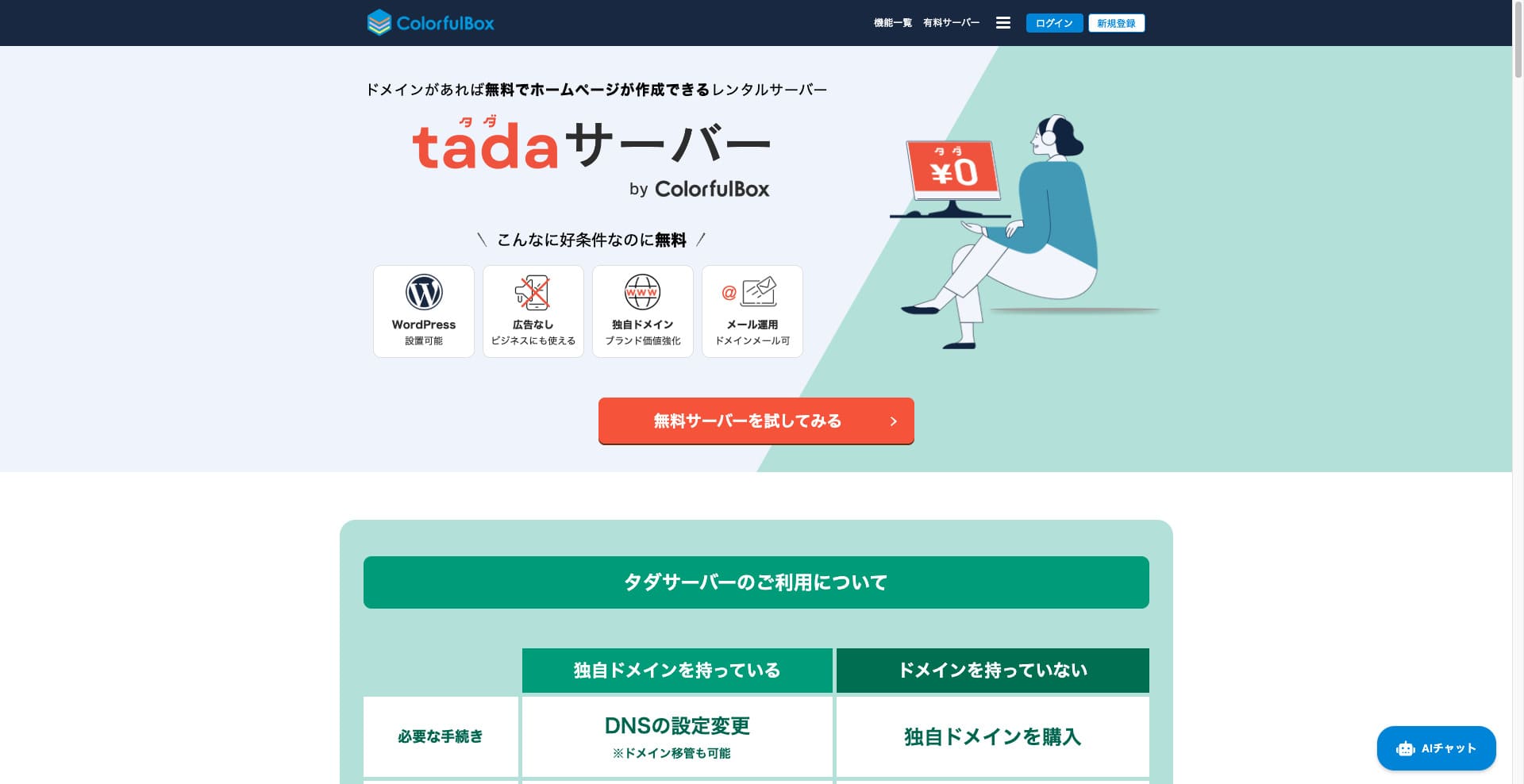
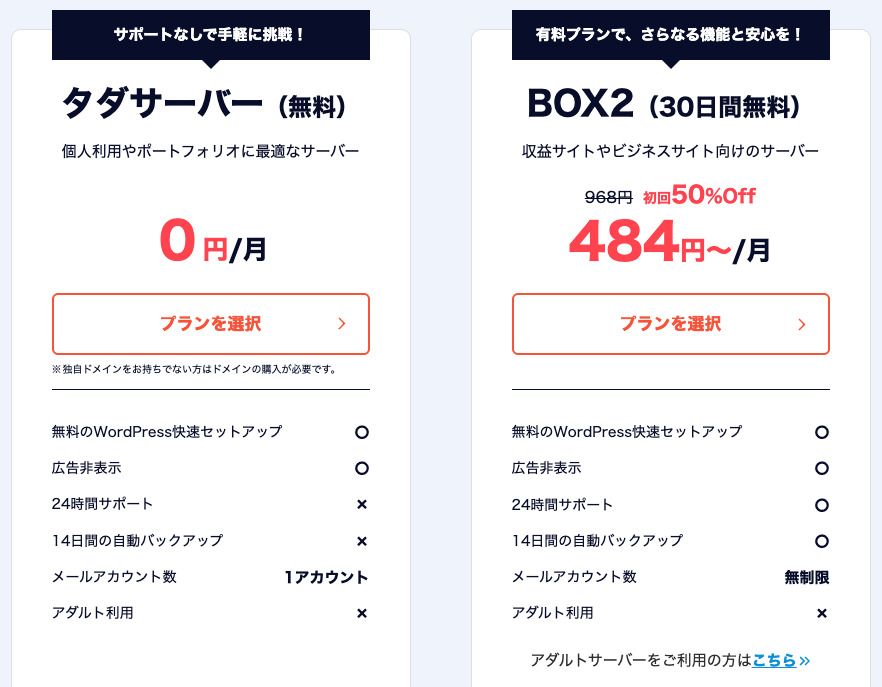
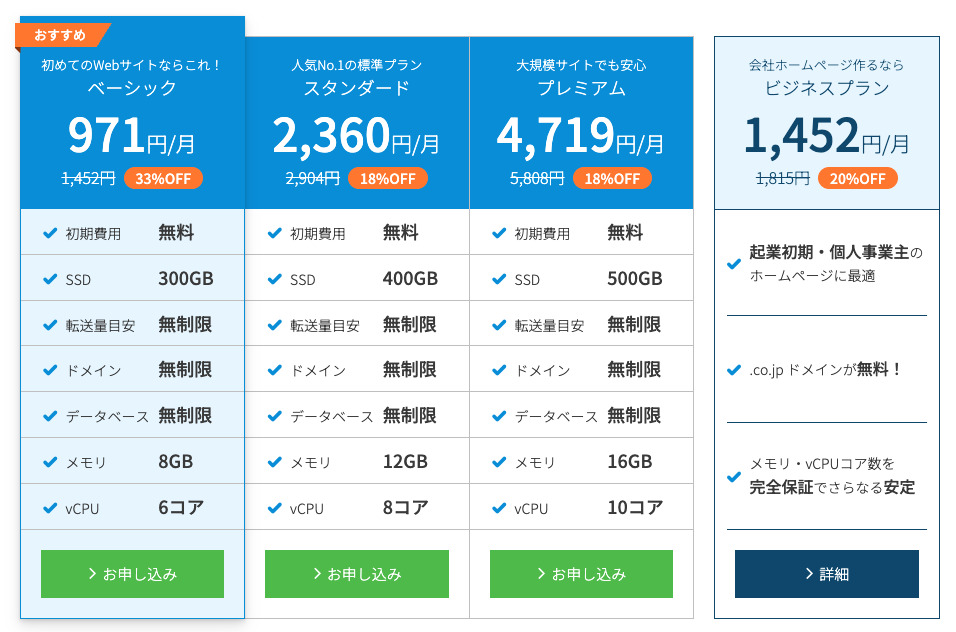
“Tada Server” ay isang matipid sa gastos na rental server mula sa Colorful Lab Inc. na maaari mong simulan na gamitin nang libre. Sa kabila ng pagiging libre, hindi ito nagtatampok ng patalastas. Mayroon din itong functionality ng email. Ang mga may-bayad na plano, gaya ng BOX2 ng ColorfulBox, ay available sa isang 36 na buwang kontrata sa pinakamababang presyo na ¥484 bawat buwan.
Pagsusuris of Tada Server Regarding WordPress
Easy WordPress mag-Mag-pag-install Function
Tada Servernag-aalok ng pandaigdigang pamantayang control panel na “cPanel,” na maaari mong gamitin upang madaling mag-install ng WordPress sa ilang pag-click lamang. Dahil ang pag-setup ay nakukumpleto sa ilang pag-click lamang, kahit ang mga nagsisimula na walang kaalaman sa server ay makakasiguro.
Pamamaraan ng pag-mag-Mag-install ng WordPress
- Step 1Mag-sign up para sa Tada Server
I-click ang “Try libre Server,” at pagkatapos ay i-click ang “Use libre Server” na lalabas.
When asked “Do you have an existing Domain?”, select “You already own a Domain.” Since we’re using an existing Domain, we chose this option.
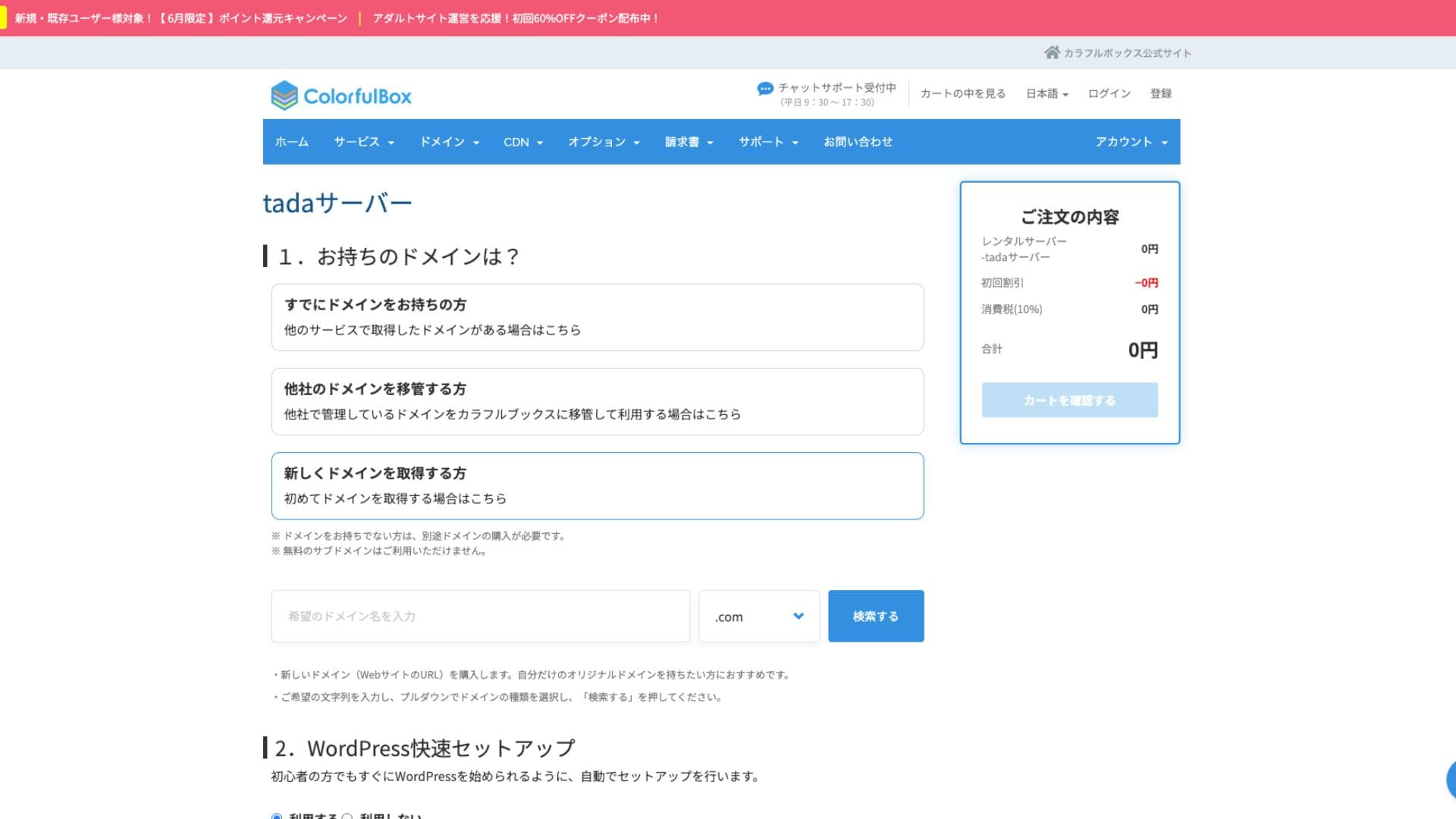
Lubos naming inirerekomenda ang paggamit ng “Mabilis na Pag-set up ng WordPress.”
- Website Title
- Admin User Name
- Admin Password
Pagkatapos ilagay ang impormasyon, i-click ang “Pagsusuri Cart.” I-click ang “Continue Shopping.”
- STEP.2Mga bentaheeso ng pagbili
This is the checkout step, but no fee is charged. The total is 0 yen, so you can proceed without concern.
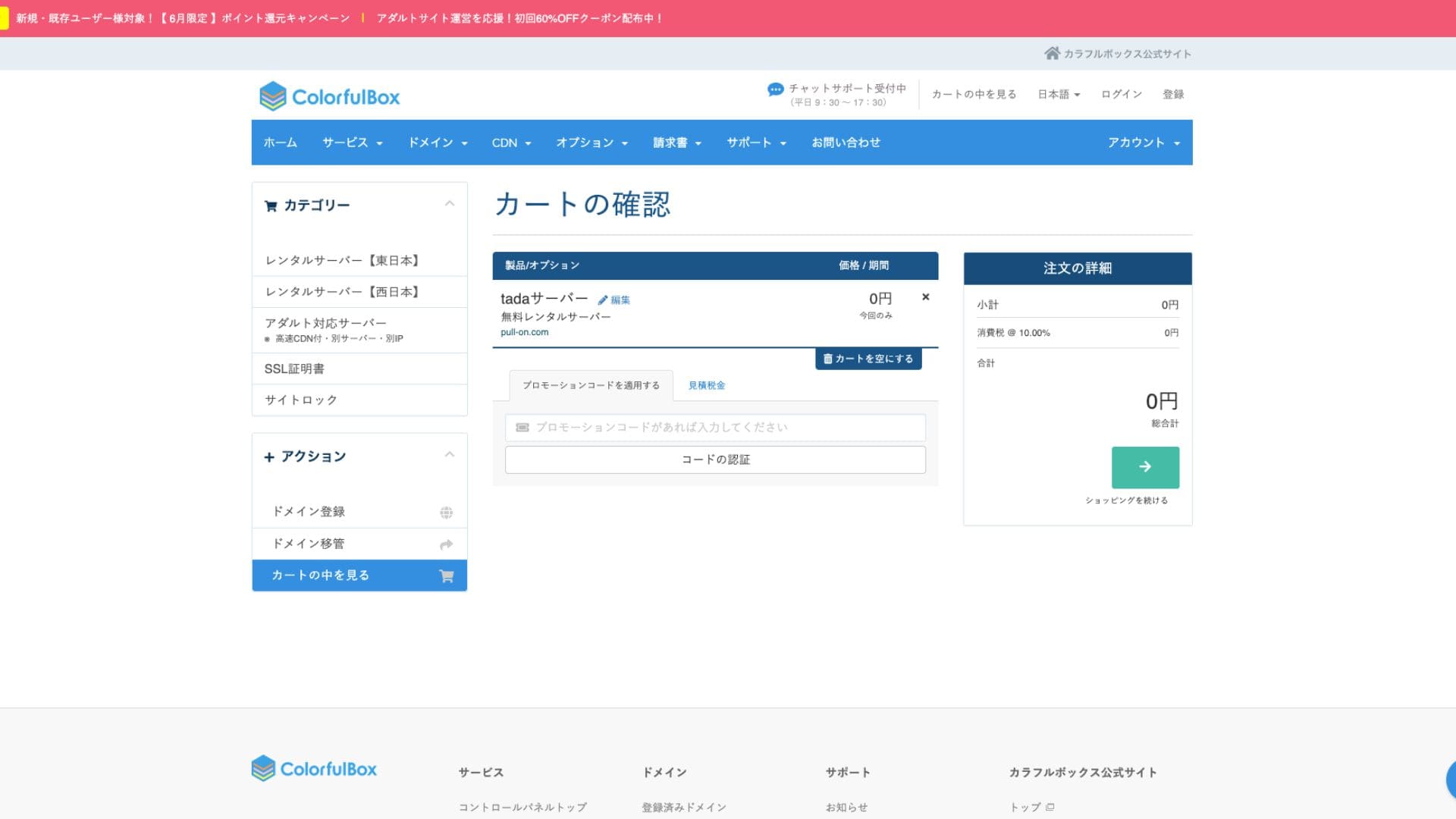
If you already have an account, you can proceed with the purchase from your registered account.
Once you purchase, an order number will be displayed.
Kapag nakatanggap ka ng email, suriin ang mga nilalaman nito. Kasama rin ang impormasyon ng nameserver, kaya pakiusap i-update ito.
Hikaru OnoPakiusap, tiyaking i-set up ang mga setting ng iyong nameserver.
managing multiple Websites
Tada Server You can only operate one site with at isang subDomain lamang (hal. your-name.tada-server.com) ang magagamit. Hindi maaaring magdagdag ng maraming site o karagdagang mga custom na Domain.
Mga pagsusuri ng pagganap at mga detalye ng Tada Server
display bilis
Tada Serverhindi gumagamit ng mabilis na Litebilis web server. Samakatuwid, hindi ka dapat umasa nang malaki pagdating sa bilis ng server.
Hikaru Ono
If you’re concerned about bilis, we recommend a paid rental server.
disk space
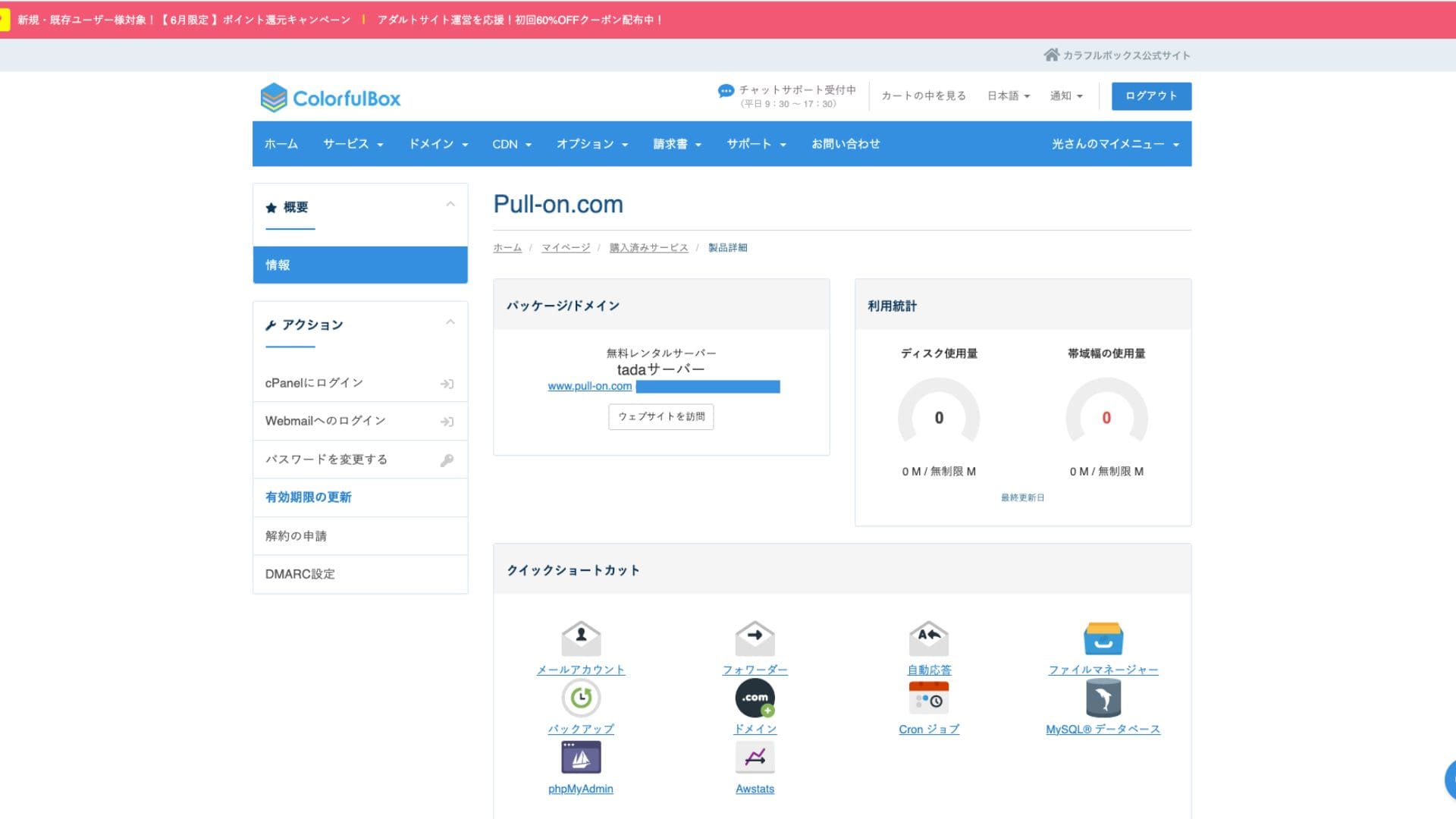
Disk space is 5GB SSD. This is sufficient for text-focused blogs or small Websites, but you may run out of space if you upload a lot of high-quality images or mag-Mag-install many multi-functional plugins.
Although it says unlimited in the images, the actual capacity is 5GB.
Transfer volume
The estimated transfer volume is 500GB/month. It’s suitable for personal hobby blogs or low-traffic test sites. However, if your site grows into a popular site with many visitors, you need to be aware that you could reach the transfer limit and your site might stop displaying.
Ang katatagan at uptime ng server
Hindi tinutukoy ng Opisyal na Website ang uptime. Karaniwan din itong punto sa mga bayad na server tulad ng ColorfulBox. Gayunpaman, pinatatakbo ito sa isang domestic server na binabantayan nang 24 oras, kaya maaari kang umasa sa isang tiyak na antas ng katatagan.
Ang impormasyon tungkol sa outage ay maaaring ianunsyo sa ColorfulBox Website o sa opisyal na X account nito (dating Twitter).
Isang pagsusuri sa presyo at gastos ng Tada Server
Paunang gastos at buwanang bayad
Tada Server ang pinakamalaking atraksyon ay libre ito nang buo – nang walang paunang bayad o buwanang bayad. Maaari mong simulan ang pagpapadala ng iyong WordPress Website nang hindi nag-aalala tungkol sa gastos sa pagpapanatili ng server.
- Tada Server
- Kinsta
- XServer Business
- wpx
- Lolipop!
- Star Rental Server
- Rakko Server
- XServer
- ConoHa
- Colorful Box
- Shin Rental Server
- Little Server
- CORESERVER
- DreamHost
- Bluehost
- Sakura
- Namecheap
- Shin Free Server
- XREA
- Value Server
- HOSTINGER
- KAGOYA
- SiteGround
- Hostgator
- IONOS
- Onamae.com
- ABLENET
- mixhost
- GoDaddy
- iCLUSTA+
- MuuMuu Server
- WADAX
- WebARENA
- heteml
- CPI Rental Server


































Domain fees
Tada Server allows you to use your own Domain.
Maaari kang makakuha ng custom na Domain mula sa screen ng pamamahala. Inaalok ito sa parehong presyo gaya ng ColorfulBox. Ang pamamahala sa iyong server at Domain sa parehong kumpanya ay nagpapadali sa pamamahala.
- Colorful Domain
- Onamae.com
- XServer Domain
- MuuMuu Domain
- Value Domain
- Shin Domain
- Star Domain
- Rakko Domain








SSL certificates fees
seguridad measures, including SSL (encrypted communication), are available for libre. Because a libre SSL “Let’s Encrypt” is automatically set up, you can achieve Mga kahinaantant SSL for your site even without specialized knowledge.
Payment Methods
Because it is a libre service, you do not need to register a credit card or provide any similar payment impormasyon.
Pagsusuri ng kadalian ng paggamit at suporta para sa Tada Server
Ease of Use of the Control Panel
Tada Servergumagamit ng cPanel, isang control panel na malawakang ginagamit sa buong mundo. Kasama rito ang lahat ng kinakailangang tampok para sa pamamahala ng website, tulad ng pamamahala ng file, paglikha ng database, at pag-install ng WordPress, at may sapat na impormasyon, kaya hindi ka dapat mahirapan sa pagpapatakbo nito.
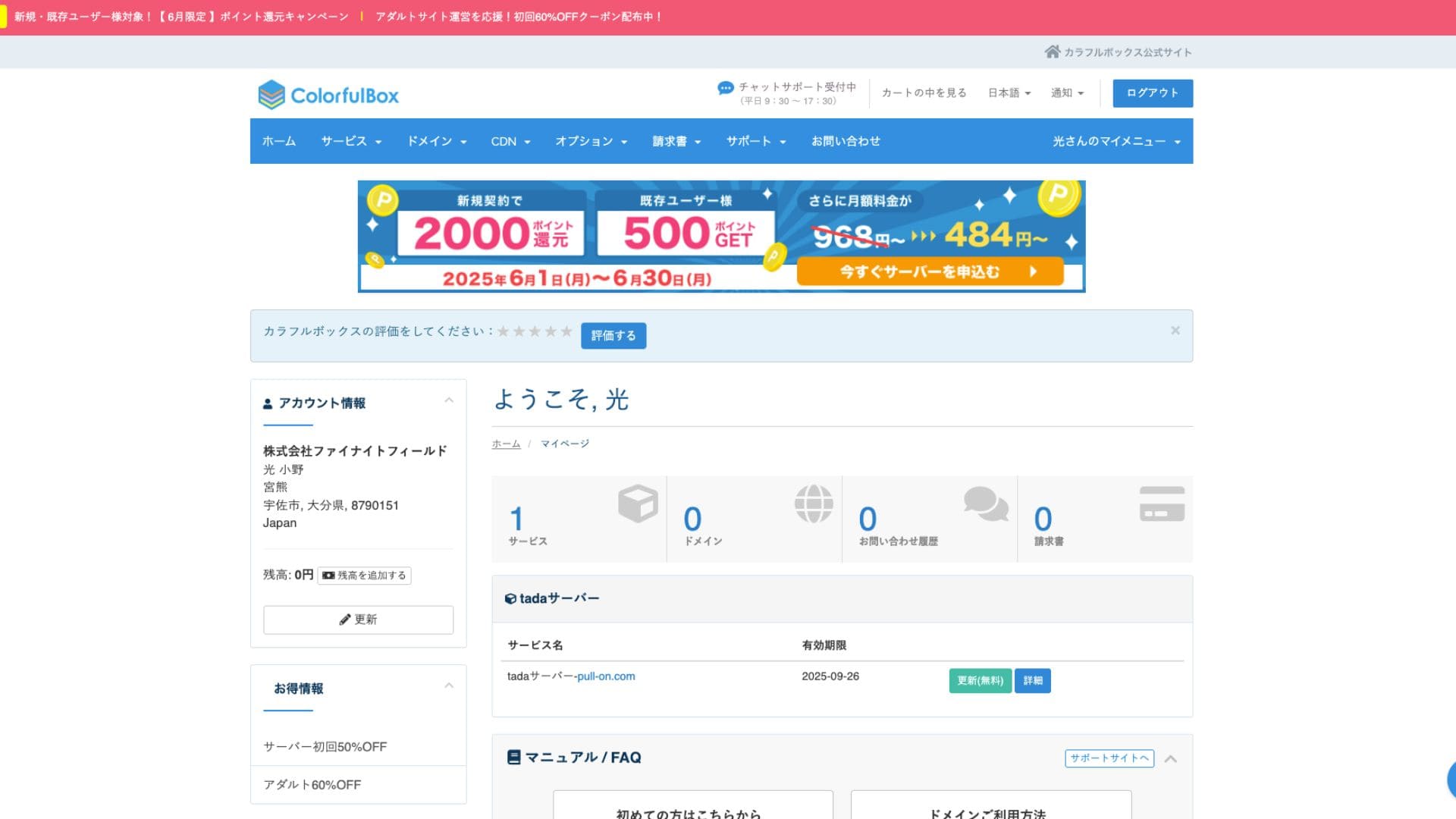
- Top Screen
- Contract Renewal
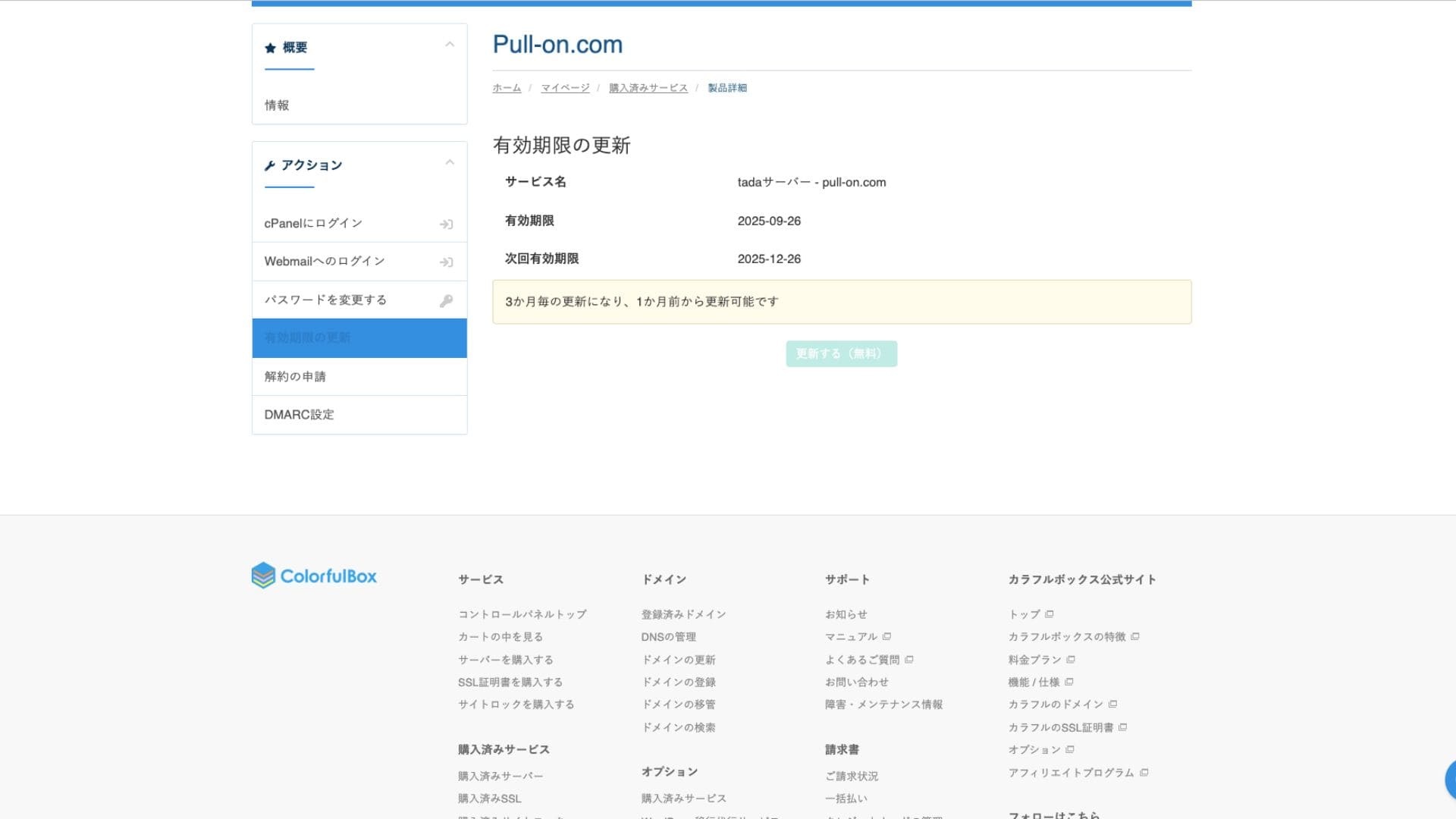
suporta System
Tada Serverhindi nagbibigay ng opisyal na suporta sa pamamagitan ng telepono o email. Ito ang pinakamalaking pagkakaiba mula sa mga bayad na plano at ang pangunahing punto na dapat bantayan. Kailangan mong maging handa na lutasin ang mga problema nang mag-isa.
Availability of Manuals and FAQs
Ang opisyal na ColorfulBox website ay may malawak na dokumentasyon, ngunit para sa mga isyung partikular sa Tada Server, kakailanganin mong maghanap ng impormasyon sa forum ng komunidad na binanggit sa itaas.
Mga Pagsusuri ng mga Manual at FAQ
seguridad Measures
Bukod sa mga libreng SSL certificate, mayroon itong mga standard na firewall (WAFs) at mga intrusion detection system (IDS/IPS) na katulad ng mga may bayad na plano, na tinitiyak na mapapanatili ang pangunahing seguridad.
Automatic Backup Functionality
Tada Server does not have an automatic Backup function. If your data is lost, it cannot be restored. You must make manual Backups at your own responsibility by using WordPress plugins or other methods. This is the most important point to keep in mind when using Tada Server.
Pagsusuris of Tada Server’s Email Functionality
Email can be used, but you only get one account. That makes it impractical to use Tada Server for a company.
Outgoing email is also limited to 10 messages.
Summary
Tada Serveray isang server na nagbibigay-daan sa iyo na gumamit ng WordPress nang libre. Bagaman maaari itong magkaroon ng mga limitasyon tungkol sa espasyo ng disk at bandwidth para sa seryosong paggamit sa negosyo, perpekto ito para sa isang pagsubok. Siguraduhing subukan ito.
“Tada Server” ay isang matipid sa gastos na rental server mula sa Colorful Lab Inc. na maaari mong simulan na gamitin nang libre. Kahit na libre ito, hindi ito nagpapakita ng mga ad, at may kasamang functionality ng email. Sa mga may-bayad na plano, ang BOX2 na plano ng ColorfulBox ang pinakamura sa halagang 484 yen bawat buwan sa isang 36 na buwang kontrata.
Try it out for libre