
Upp till 55 % rabatt på det första köpet, plus ytterligare 25 % rabatt och en 30-dagars pengarna-tillbaka-garanti
PR
Servrar
mixhost-recension [2025 senaste]: En grundlig guide till snabbt webbhotell med global räckvidd och stark säkerhet
Publicerad: 2025.07.13
Uppdaterad: 2025.07.13
Betyg: 4.0
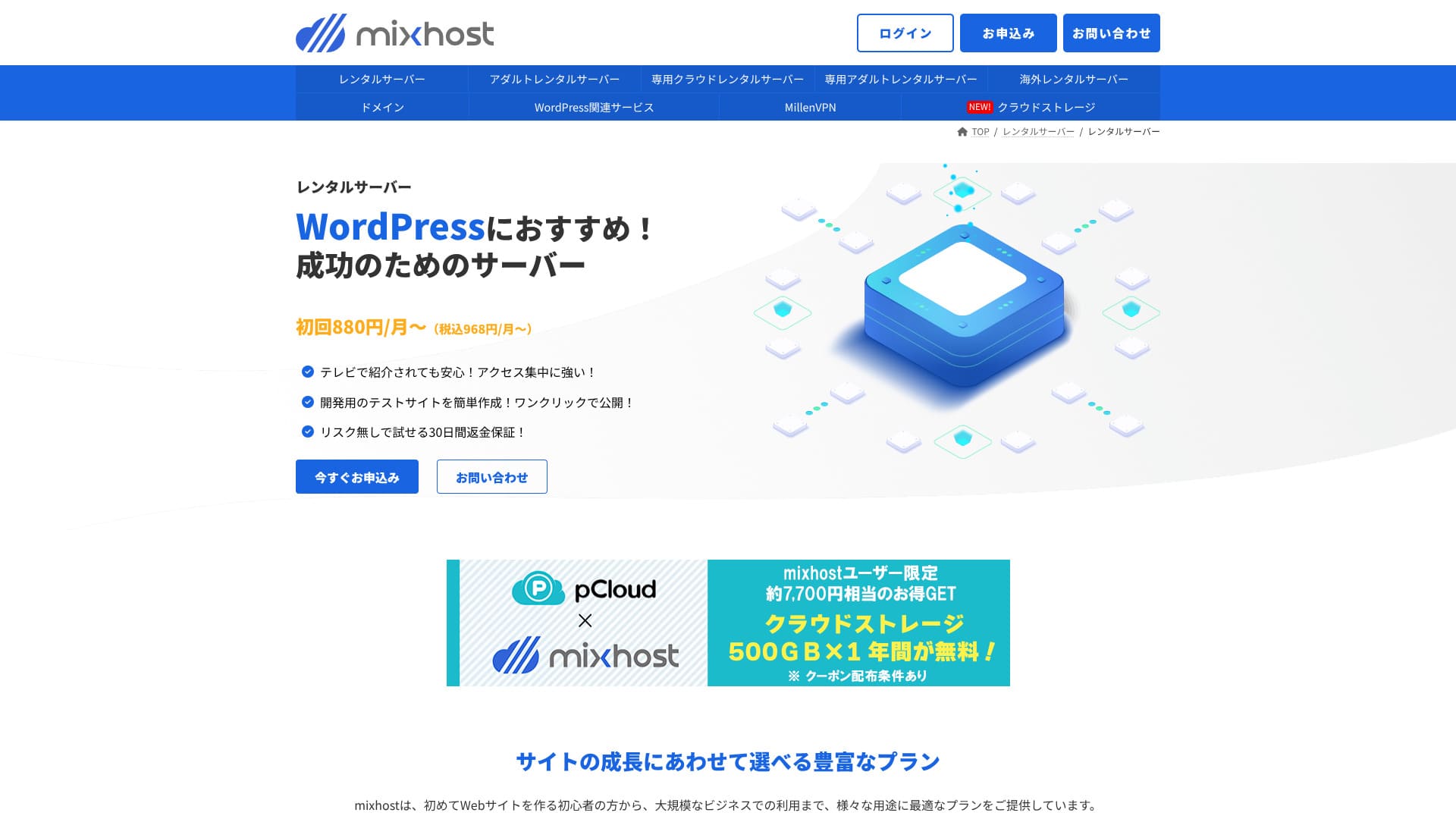
mixhost drivs av AzPocket Inc. Det är ett billigt webbhotell med ett bra supportsystem. Det är också starkt inom områden som utländska servrar, VPN och molnlagring, och erbjuder ett brett utbud av serverrelaterade tjänster.

Här är varför jag rekommenderar mixhost till personer som redan använder WordPress och till personer som vill bygga en webbplats för en utländsk publik.
- Dess infrastruktur för säkerhetskopiering är mycket stabil
- Det erbjuder ett brett utbud av supportalternativ
- Det erbjuder även servrar utomlands
Det är därför jag rekommenderar det. Jag tror att de flesta användare kommer att bli nöjda, och du kan prova det med tillförsikt eftersom det kommer med en 30-dagars pengarna-tillbaka-garanti.
En konkurrerande server är ColorfulBox. Dess flexibla planer som kan startas på timbasis är i vissa fall ännu mer attraktiva än mixhosts, så den är också värd att jämföra.
★ ColorfulBox Recension [2025 senaste]: Starta WordPress på en server med enastående värde
| Servertyp | Delat webbhotell / dedikerat molnwebbhotell |
| Hastighet (TTFB) | 150 ms |
| Rekommenderad plan och löptid | Delat webbhotell Light, 12 månader |
| Provperiod / pengarna-tillbaka-garanti | 30-dagars pengarna-tillbaka-garanti |
| Månadspris (12-månadersavtal) | 594 yen |
| Inledande administrationsavgift | Gratis |
| Gratis domän | 1 domän gratis på livstid |
| Supporttjänst | |
| Drifttid | 99,99 % garanti |
| Lagring | 100 GB |
| Antal databaser | Obegränsat |
| Säkerhetsåtgärder | WAF / DDoS protection / malware detection and cleanup |
| SSL | Gratis anpassat SSL |
| Säkerhetskopiering / återställning | Standard-paketet och högre inkluderar automatisk säkerhetskopiering i 14 dagar |
| Antal e-postkonton | Obegränsat |
| E-postsäkerhet | — |
| WordPress preinstall | Ja |
| Flyttjänst för server / webbplats | 10,890 yen |
| CDN | Inget |
| Datacenter | San Jose, västkusten, USA |

Hikaru Ono
mixhost gjorde det enkelt å starta WordPress direkt när jag registrerade mig för servern. Det erbjuder också ett brett utbud av alternativ relaterade till prestanda och säkerhet, så det passar personer som vill driva en webbplats med framtida tillväxt i åtanke.
Prissättningen reviderades 2025, vilket gör det enklare att komma igång.
jämförelse av mixhost-konkurrenter
- Total betyg★★★★☆
- Serverhastighet ★★★★☆
- Prissättning ★★★★☆
- Stabilitet ★★★★★
- Hur enkelt det är att komma igång med WordPress* ★★★★★
- Åtgärder som domänhantering och SSL-installation* ★★★☆☆
* Dessa betyg speglar min praktiska erfarenhet.

Hur man jämför 10 rekommenderade utländska webbhotell och väljer ett
Hur man jämför 10 rekommenderade utländska webbhotell och väljer ett
serverfield.org
- Data baserade på marknadsundersökning per 4 november 2025, sorterade efter hastighetsordning
- Månadspriserna är första årets kostnad för det billigaste paketet som stöder WordPress
- Hastigheten är Time to First Byte uppmätt på demowebbplatser under samma förhållanden
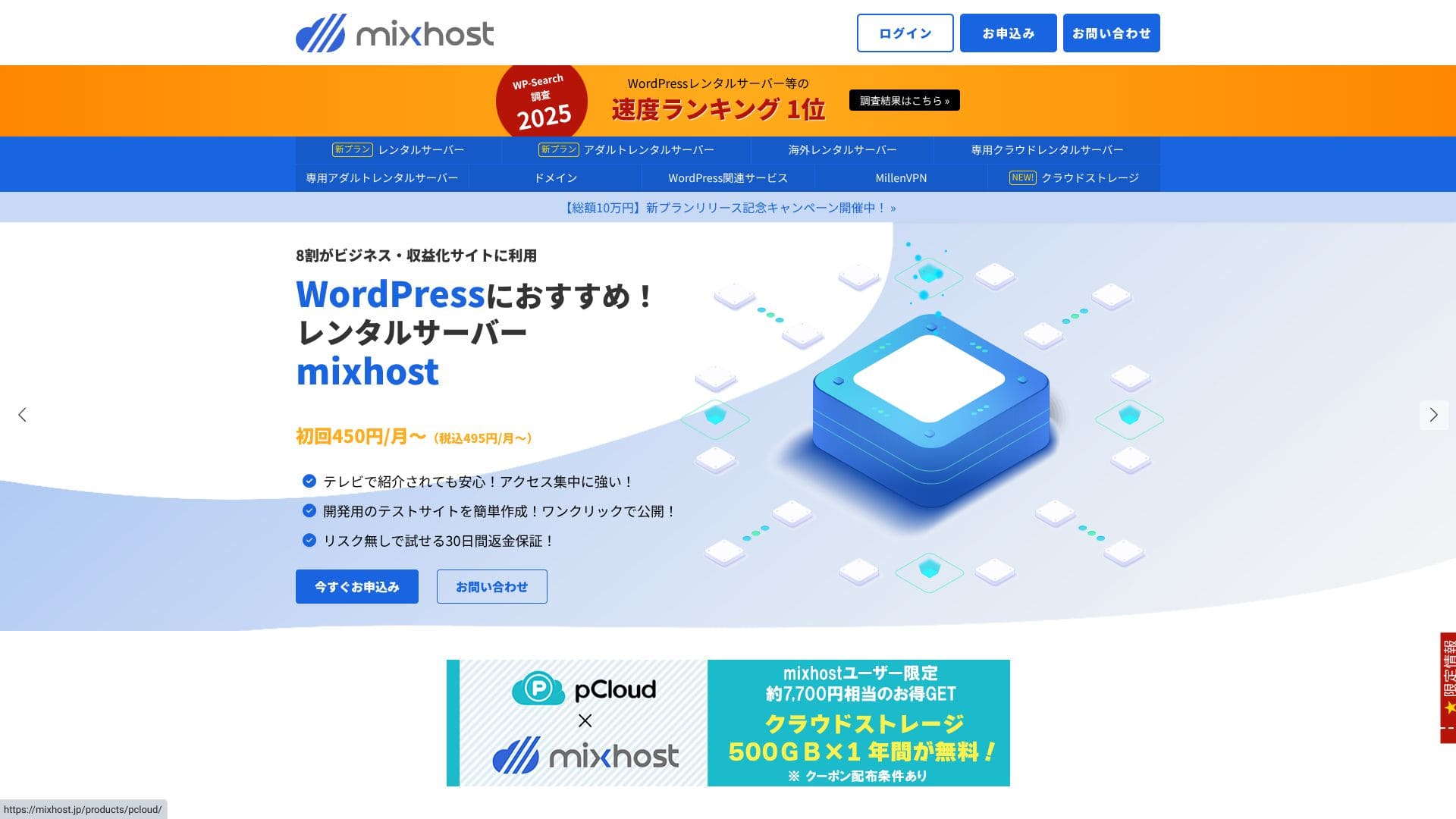
“mixhost” är en molnbaserad höghastighetsserver från AzPocket Inc. Den erbjuder även servrar installerade utomlands, vilket gör den särskilt attraktiv för privatpersoner som publicerar internationellt. WordPress är förinstallerat när du registrerar dig, vilket gör det enkelt att komma igång.
WordPress-relaterade recensioner
Enkel WordPress-installation
mixhost erbjuder ”WordPress Quick Start”, ett mycket snabbt installationsflöde som kan färdigställa en webbplats på så lite som 90 sekunder efter att din registrering är klar. Det hanterar serverkontraktet, WordPress-installationen och SSL-inställningen på en och samma gång. Det tar bort de steg där nybörjare tenderar att fastna och låter dig börja skriva artiklar direkt.
Du behöver inte skapa en databas manuellt eller redigera konfigurationsfiler, och inloggningsuppgifterna för din första inloggning till adminskärmen skapas automatiskt.
Hikaru Ono
Jag kunde börja använda WordPress ungefär fem minuter efter att jag tecknade serveravtalet.
Låt oss starta en webbplats med mixhost!
- STEP.1Besök mixhosts officiella webbplats
Klicka på "Ansök nu".
- STEP.2Registrera dig for servern och skaffa en domän
Välj ett paket. Jag rekommenderar Light-paketet. Du kan uppgradera till ett högre paket när du behöver.
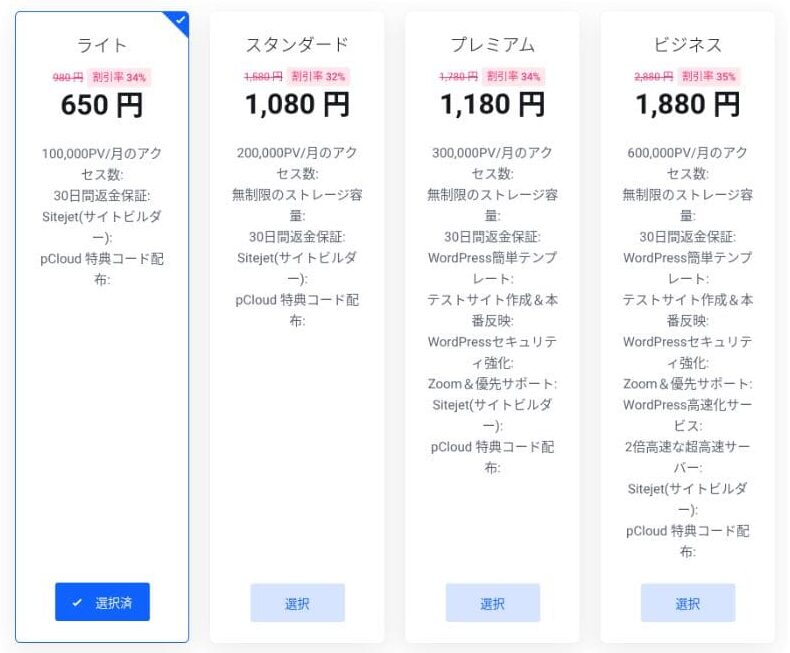
Jag rekommenderar en faktureringsperiod på 12 månader.
Detta är steget för att konfigurera den primära domänen. Bestäm dig för ditt domännamn, ange valfri sträng i ”Ange den domän du vill ha”, sök efter domänen och klicka på ”Lägg till i kundvagnen” om den är tillgänglig.
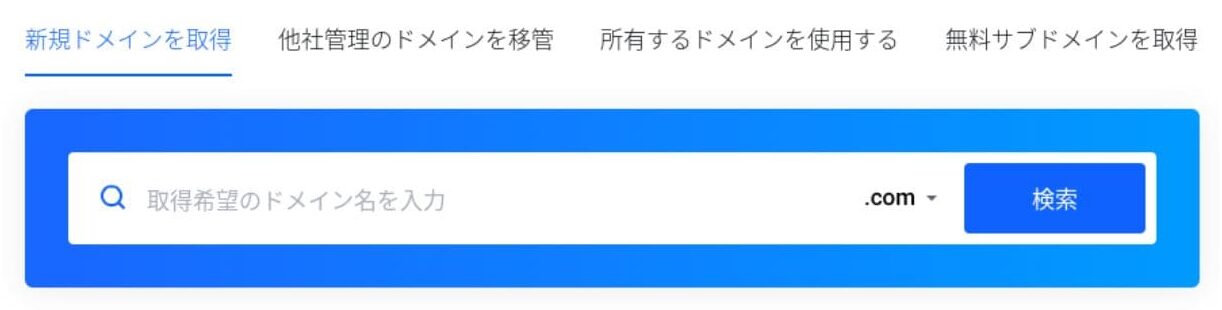
mixhost låter dig även installera WordPress på en underdomän. Du kan välja ”Få en gratis underdomän” om du vill använda en underdomän istället.
★ Vad är en domän? Dess roll som en adress på internet och hur du skaffar en
Det finns också en Whois-sekretesstjänst som ett domäntillägg. Om du inte vill att ditt namn, din adress och andra registreringsuppgifter ska göras offentliga, klicka på ”Lägg till i kundvagnen”.
För ”WordPress Quick Start”, se till att du väljer ”Använd den”.Att använda den gör det dramatiskt enklare att starta en WordPress-webbplats. Om du vill bygga en webbplats ännu enklare, välj ”Enkel WordPress-mall”. Då installeras även ett WordPress-tema.
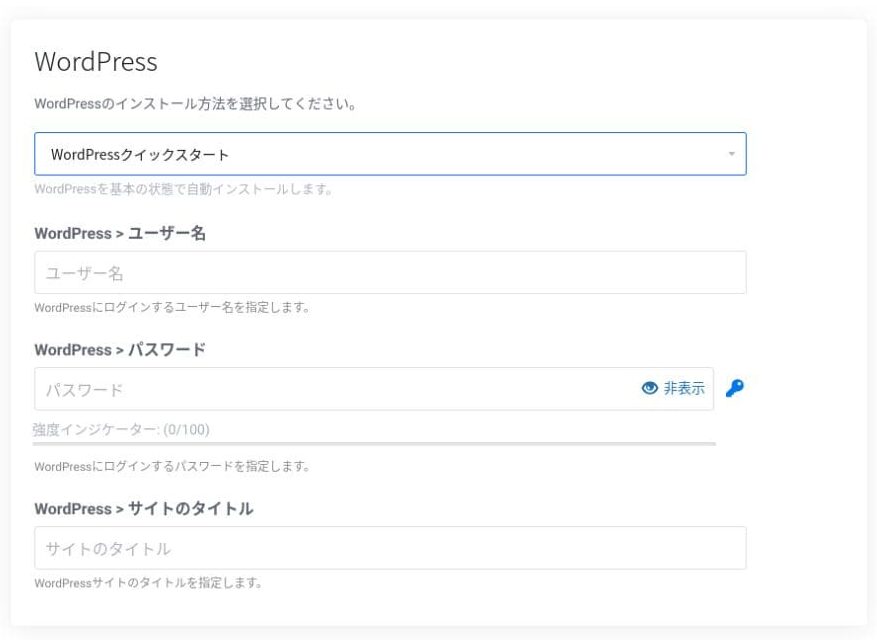
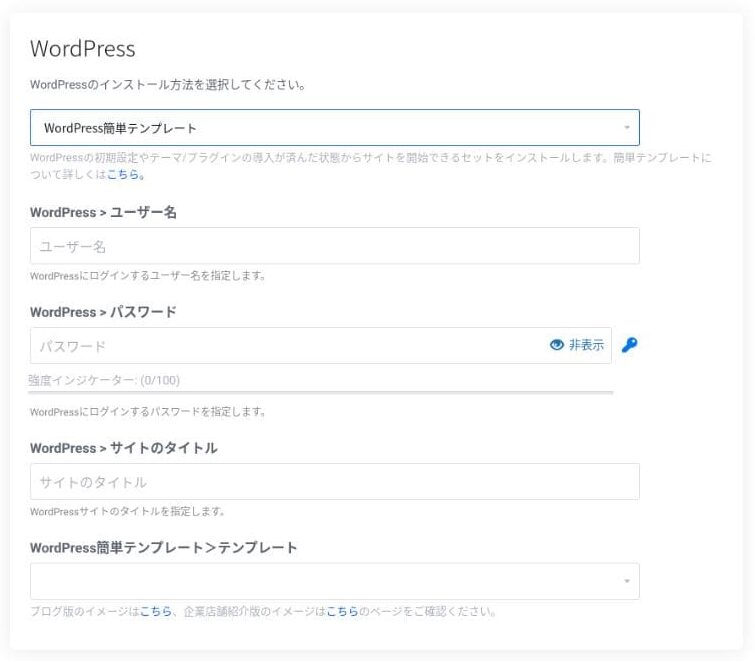
Ange den information som behövs för WordPress.
- Webbplatsens titel: vad som helst går bra
- Användarnamn: vad som helst går bra
- Lösenord: gör det så starkt som möjligt
Du kan ändra webbplatsens namn senare, så om du inte har bestämt dig än kan du skriva något tillfälligt.
Ditt WordPress-användarnamn och WordPress-lösenord är viktiga.Skriv ner dem. Du behöver dem för att logga in på WordPress-webbplatsen du skapade.
Ange dina medlemsuppgifter och betalningsmetod.
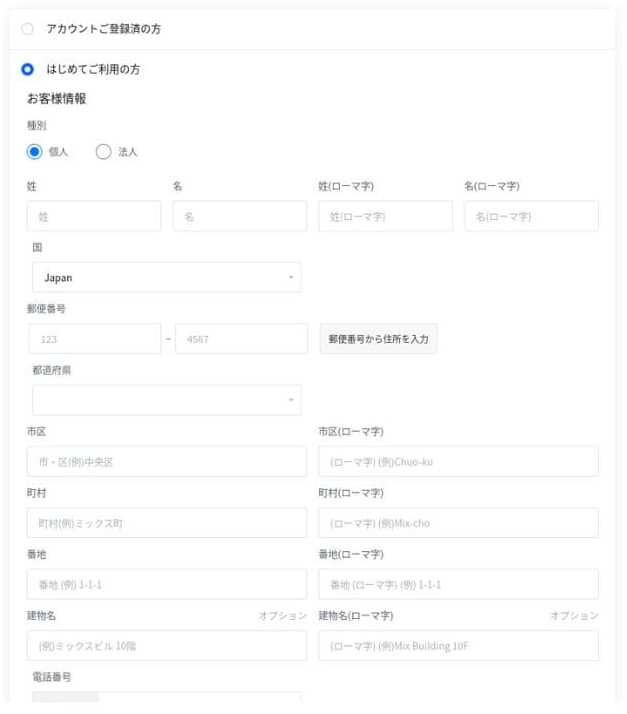
Om allt ser rätt ut, granska användarvillkoren och klicka på ”Ansök”.
WordPress-installationen startar samtidigt som din ansökan. När installationen är klar får du ett meddelande via e-post.
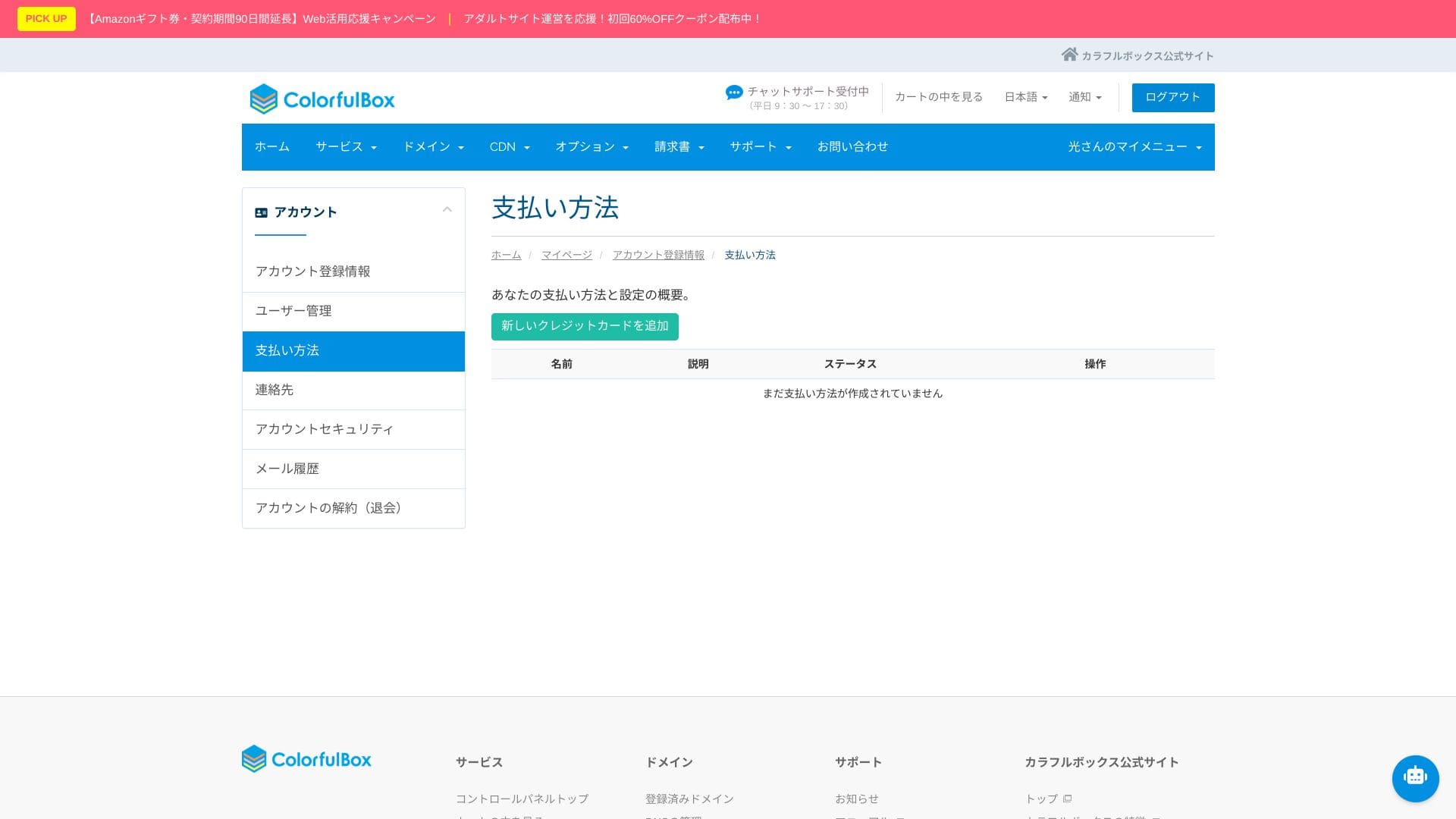
När du loggar in på kontots instrumentpanel ser du följande skärm.
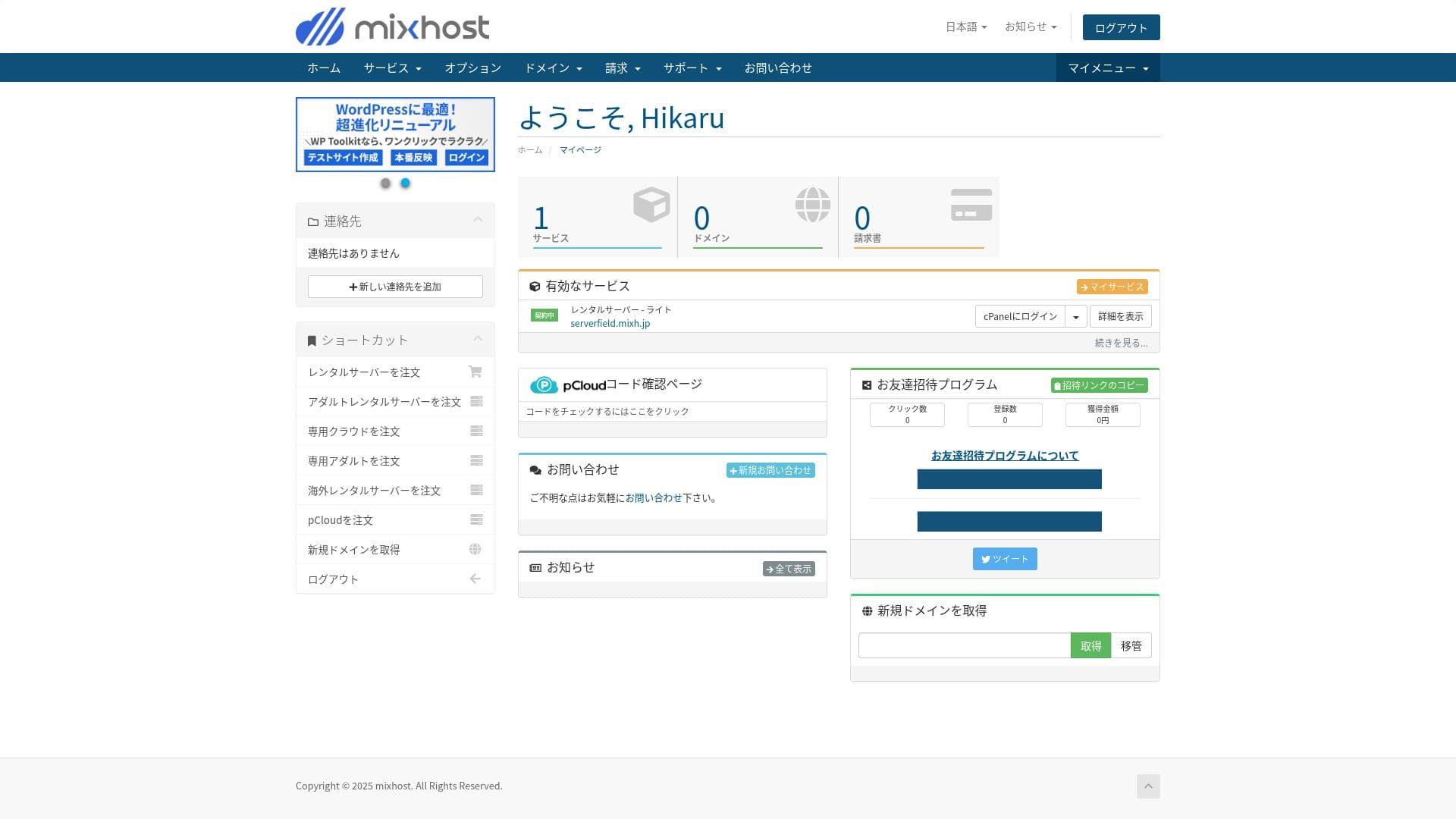
- STEP.3Initiala WordPress-inställningar
När registreringen är klar går du till ”https://din-förvärvade-domän/wp-admin/”. Det tar dig till administratörsskärmen i WordPress.
Logga in på WordPress med det användarnamn och lösenord du angav under serverregistreringen. Om du ser meddelandet ”Din anslutning är inte privat”, vänta en stund. DNS har inte hunnit sprida sig än, så försök igen med några timmars mellanrum.
★ Vad är DNS och namnservrar? Hur domäner och servrar är sammankopplade
Efter att du har loggat in på WordPress, ställ in dina permalänkar. Gå till ”Inställningar” och sedan ”Permalänkar” i WordPress-administratörspanelen. Välj ”Inläggsnamn” och klicka sedan på ”Spara ändringar”.
Genom att använda ”Inläggsnamn” kan du ange valfri sträng i webbadressen när du publicerar en artikel. Jag rekommenderar att du använder en kort sträng som ger läsarna en tydlig uppfattning om artikelns innehåll. Om den är för lång kan vissa läsare oroa sig för att webbplatsen ser opålitlig ut.
- STEP.4Installera tillägg
Gå tillbaka till WordPress adminskärm, öppna "Tillägg", sedan "Lägg till nytt" och installera de tillägg du behöver.
När du hittar tillägget du vill ha via sökningen, klicka på "Installera nu" och sedan på "Aktivera". Följ därefter instruktionerna för varje tillägg.
Se till att du installerar tillägg för säkerhet och säkerhetskopiering.
- Fem WordPress-säkerhetstillägg som kan stärka din webbplats och hur du väljer dem
- Fem kraftfulla WordPress-tillägg för säkerhetskopiering för att återställa dina data
När tilläggen är på plats är din WordPress-webbplats ready att användas!
Drift av flera webbplatser
På Standard-paketet och högre är lagring, databaser och e-postkonton obegränsade. Från ”WordPress Manager” i cPanel kan du hantera flera webbplatser på ett ställe och logga in på varje administratörsskärm med ett enda klick.
Hikaru Ono
Även Light-paketet låter dig köra flera webbplatser eftersom antalet domäner och databaser är obegränsat.
Granskning av prestanda och specifikationer
Våra mätningar: hastighetsgranskning och varför det är snabbt
mixhost är en snabb server. Dess TTFB (Time to First Byte, det vill säga den hastighet med vilken sidan börjar visa sitt huvudsakliga innehåll) var 150 ms.
Eftersom det är snabbare än den serverhastighet Google rekommenderar kan du använda det med tillförsikt.
Du bör sänka serverns svarstid till under 200 ms.Improve Server Response Time
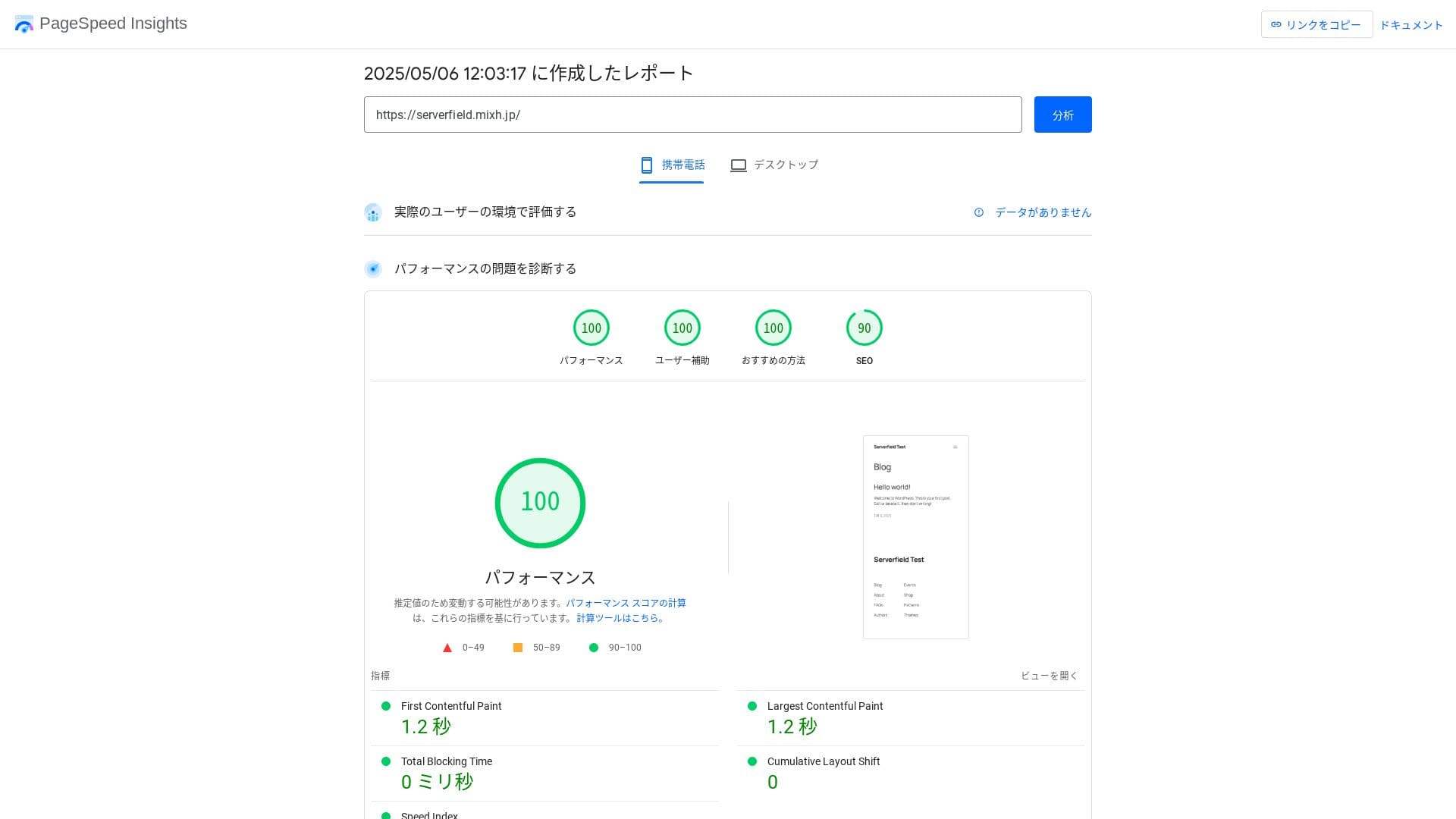
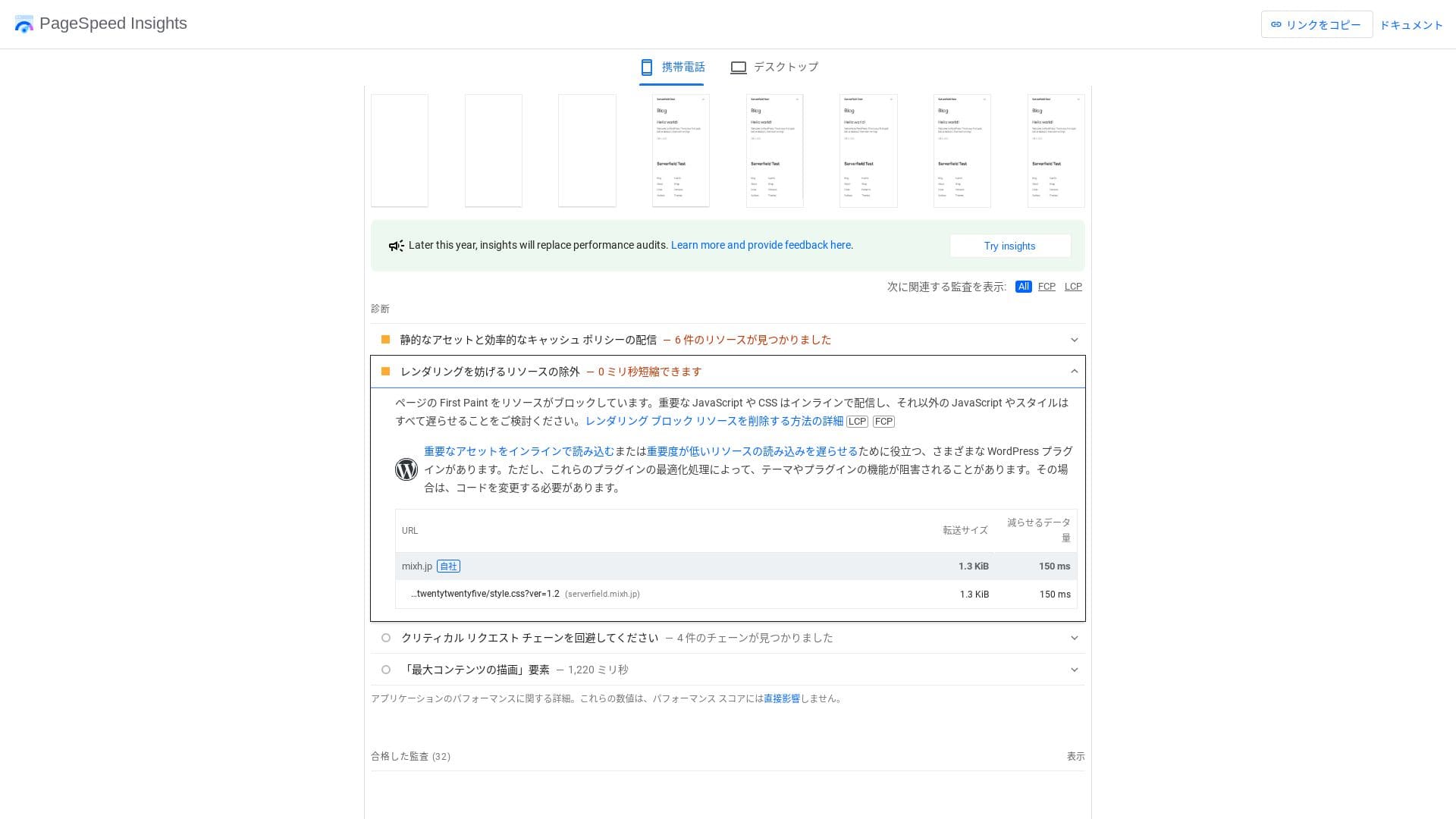
Det är snabbt även vid jämförelse med konkurrerande servrar.
LiteSpeed Web Server
mixhost använder en kombination av LiteSpeed Web Server, NVMe SSD och HTTP/3. Företaget uppger att detta kan vara upp till 84 gånger snabbare än en Apache-miljö. Genom att samarbeta med WordPress-tillägget ”LiteSpeed Cache” kan det hålla svarstiderna stabila även under trafiktoppar.
LiteSpeed är en kommersiell webbserver som är kompatibel med Apache. Dess cachehantering är snabb, och den stöder de senaste protokollen som HTTP/3 så snabbt som möjligt.
Lagringsutrymme
Light-paketet som introducerades i april 2025 inkluderar 100 GB, och de andra paketen ger obegränsad kapacitet på redundant molnlagring. Om du precis ska starta en webbplats eller blogg är 100 GB mer än tillräckligt. Denna webbplats använder själv endast cirka 2 GB.
Hikaru Ono
mixhost låter dig uppgradera ditt paket. Som en tumregel gäller att om du använder cirka 80 % av din lagring är det dags att uppgradera.
Att bara installera WordPress använder endast cirka 100 MB, så det förbrukar inte ens 1 % av lagringen i Light-paketet.
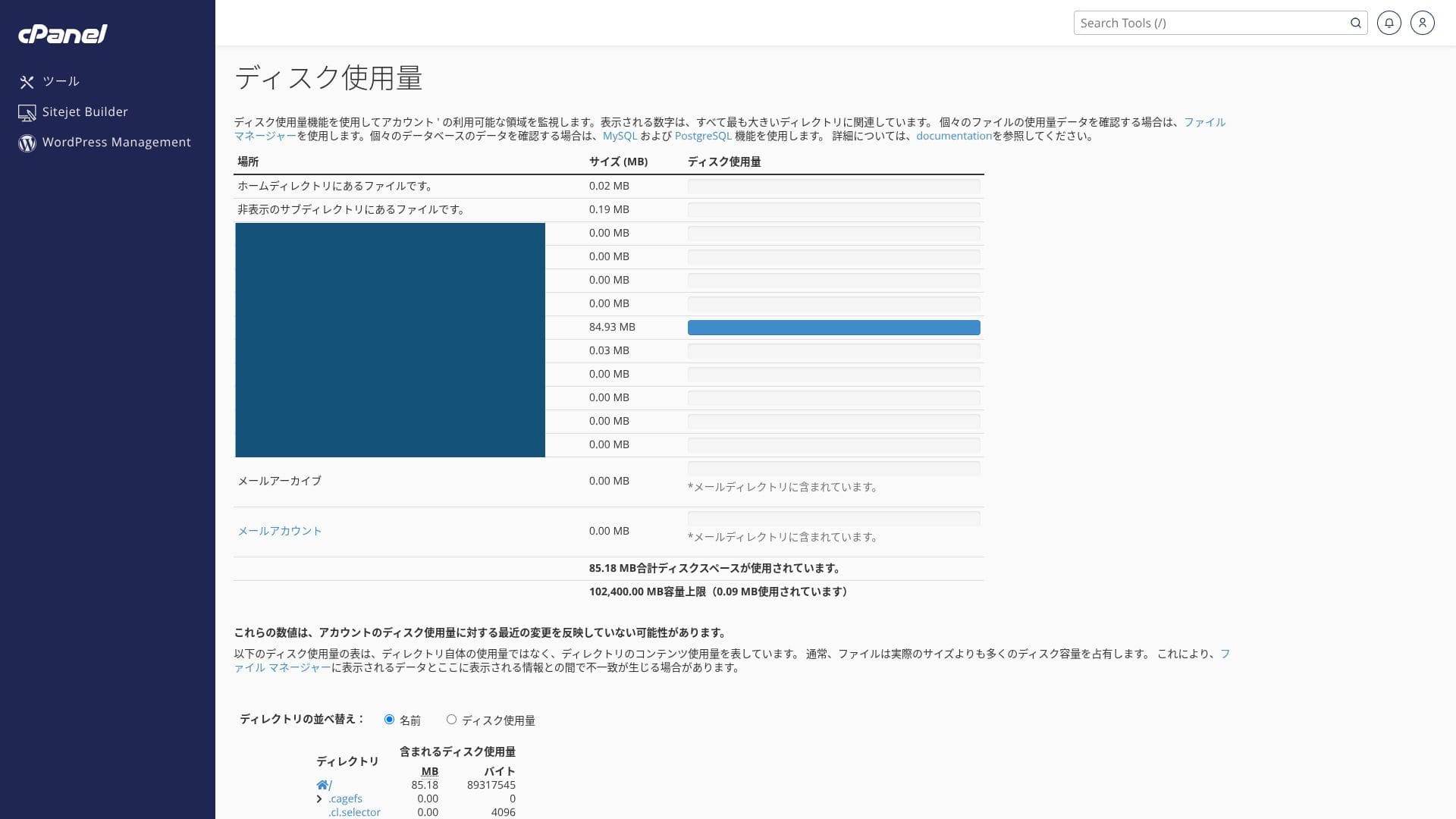
Det använder NVMe SSD. Detta är en dataöverföringsmetod som är flera gånger snabbare än konventionella SATA SSD-hårddiskar, och den minskar avsevärt läs- och skrivtiden för databasdrivna CMS.
Dataöverföring
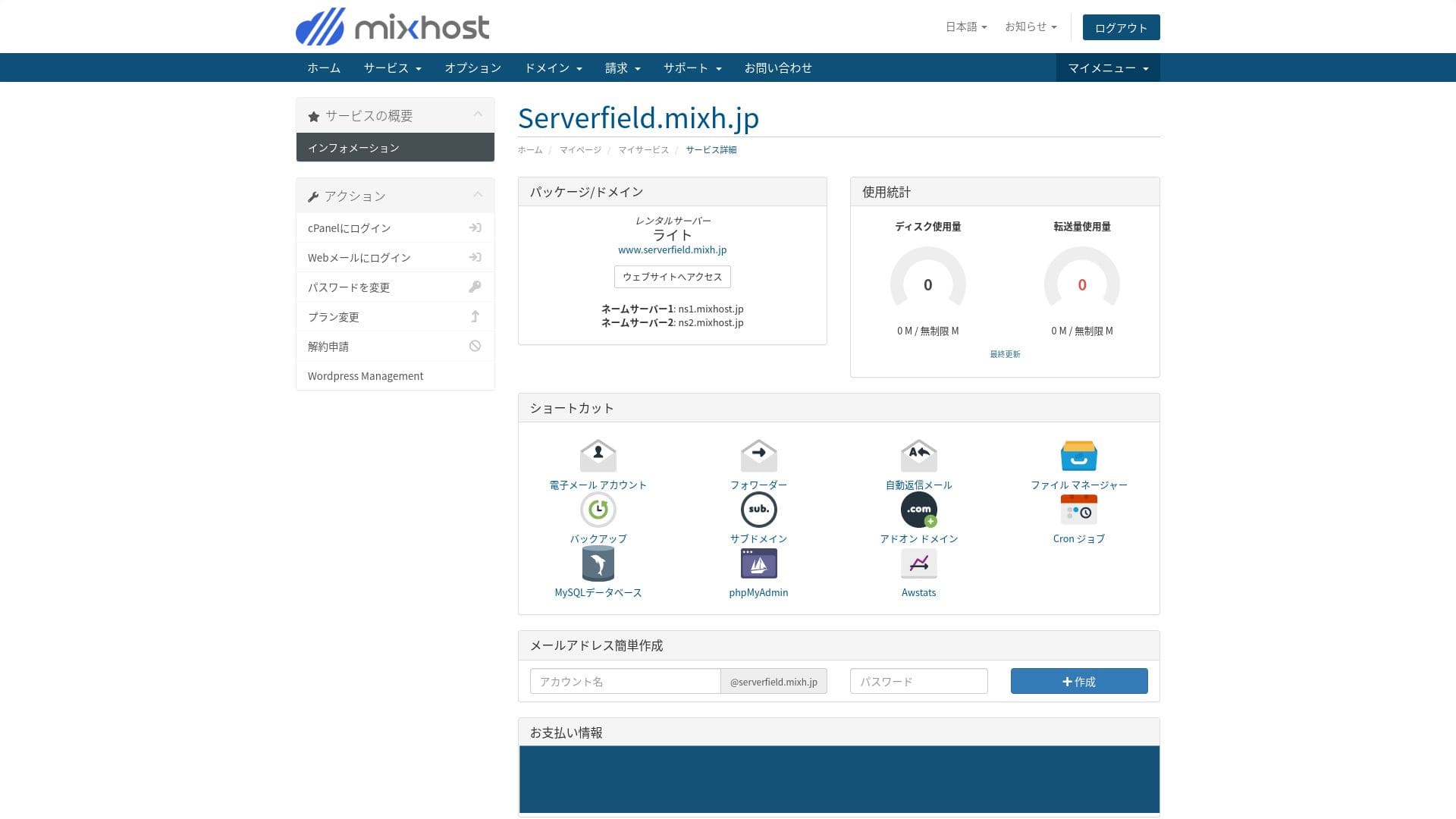
mixhost stöder mycket generös dataöverföring. Dataöverföring är den totala mängd data som servern kan skicka och ta emot externt, och användningen ökar i takt med att sidvisningarna blir fler. Light-paketet tillåter 50 GB per månad, Standard 100 GB per månad, Premium 200 GB per månad och Business 800 GB per månad, så det finns gott om utrymme.
Det klarar plötsliga trafiktoppar. Du kan kontrollera din överföringsanvändning under ”Tjänstinformation” på kontosidan, och den senaste användningen kan du se under ”Bandwidth” i cPanel.
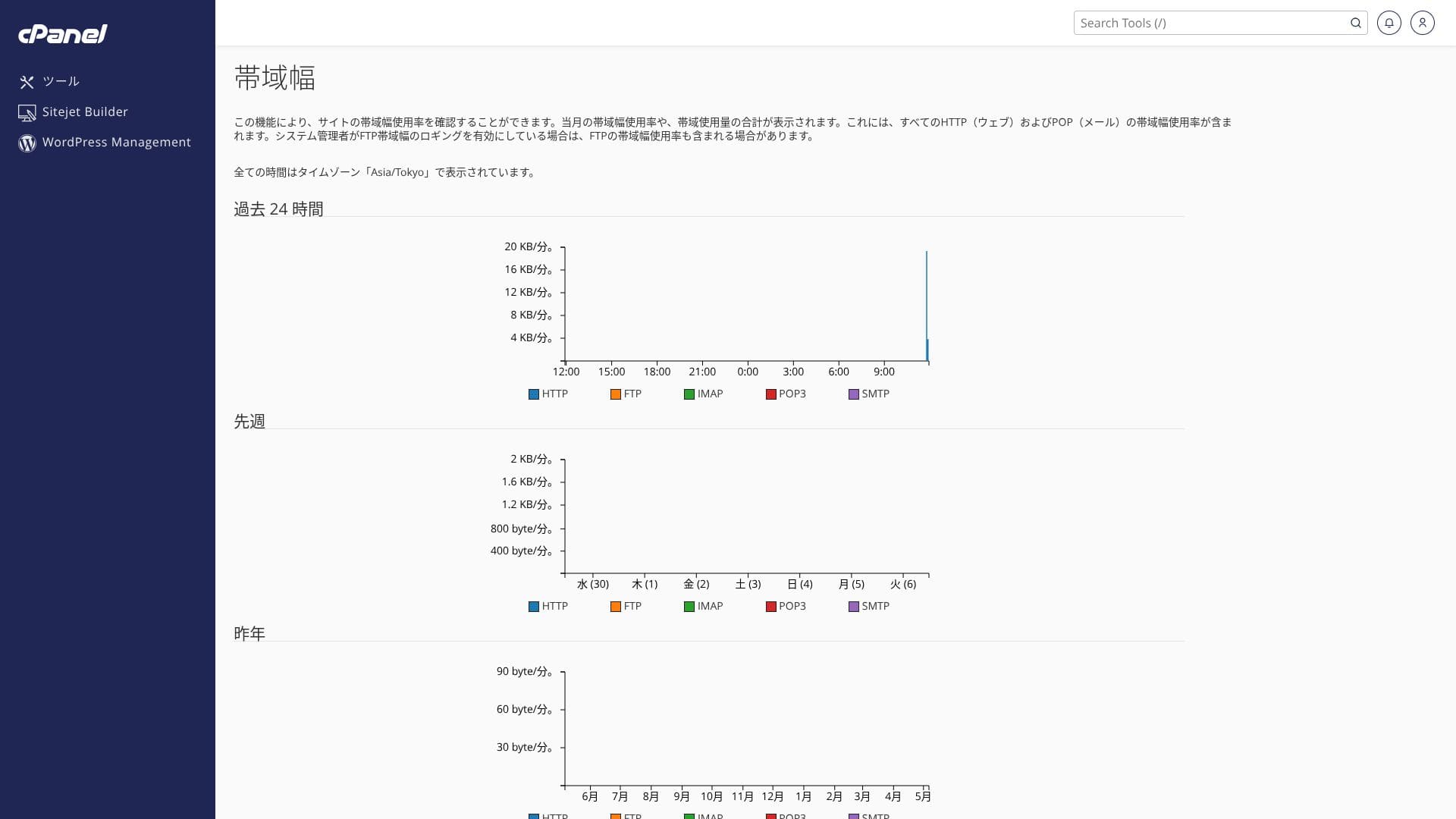
Hikaru Ono
Ärligt talat säkrar varje inhemskt webbhotell, inklusive mixhost, mer än tillräcklig överföringskapacitet, så det finns ingen anledning att oroa sig för mycket om det.
★ Vad är trafik och dataöverföring? Hantera och optimera webbtrafik
Serverstabilitet och drifttid
mixhost garanterar 99,99 % drifttid. Om den faller under 99,99 % får användarna en återbetalning.
Det använder en redundant molnservermiljö byggd på flera servrar. Även om en server slutar fungera växlas trafiken automatiskt över till en annan server, så stabiliteten är extremt hög. Det gör att du kan driva din webbplats med sinnesro.
Det offentliggör information om serveravbrott och underhåll, vilket är ett gott tecken på öppenhet.
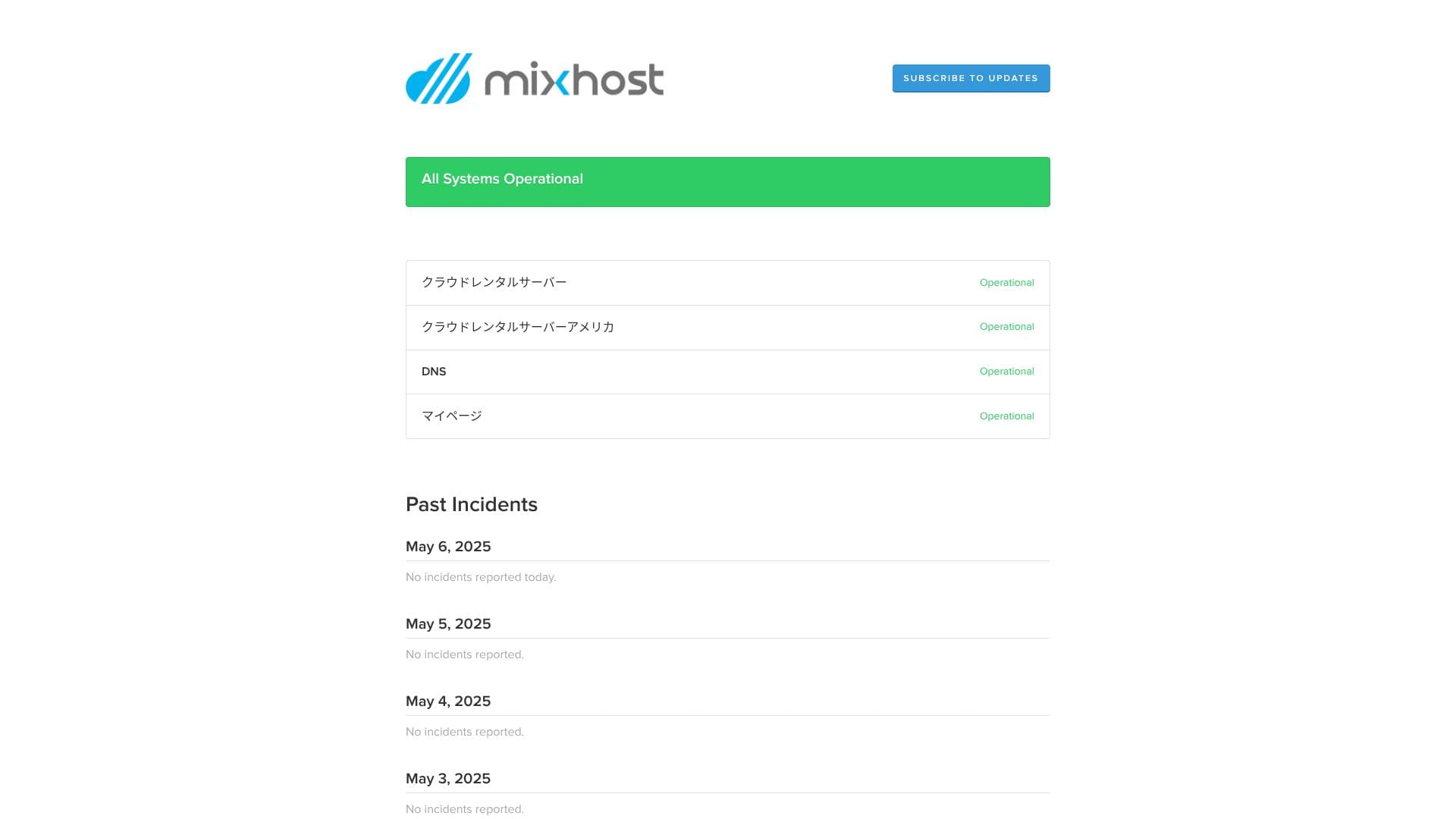
★ Måste-läsning för nybörjare: Förstå webbhotellets drifttid och SLA
Granskning av prissättning och kostnader
Startavgifter och månadspriser
mixhost tar inte ut någon startavgift på något paket. Månadspriset blir billigare ju längre avtalstiden är. På det prisvärda Light-paketet kostar det första 12-månadersavtalet 594 yen per månad inklusive moms. På ett 36-månadersavtal sjunker det till 495 yen per månad inklusive moms, vilket är ett utmärkt värde.
Priset vid registrering är lågt, men kom ihåg att priset återgår till standardtaxan vid förnyelse. På Light-paketet är förnyelsepriset för 12 månader 968 yen per månad inklusive moms.
- mixhost
- Kinsta
- XServer Business
- wpx
- Lolipop!
- Star Rental Server
- Rakko Server
- XServer
- ConoHa
- Colorful Box
- Shin Rental Server
- Little Server
- CORESERVER
- DreamHost
- Bluehost
- Sakura
- Namecheap
- Shin Free
- XREA
- Value Server
- HOSTINGER
- KAGOYA
- SiteGround
- Hostgator
- IONOS
- Onamae.com
- ABLENET
- GoDaddy
- iCLUSTA+
- MuuMuu Server
- WADAX
- WebARENA
- heteml
- CPI Rental Server


































Domänpriser
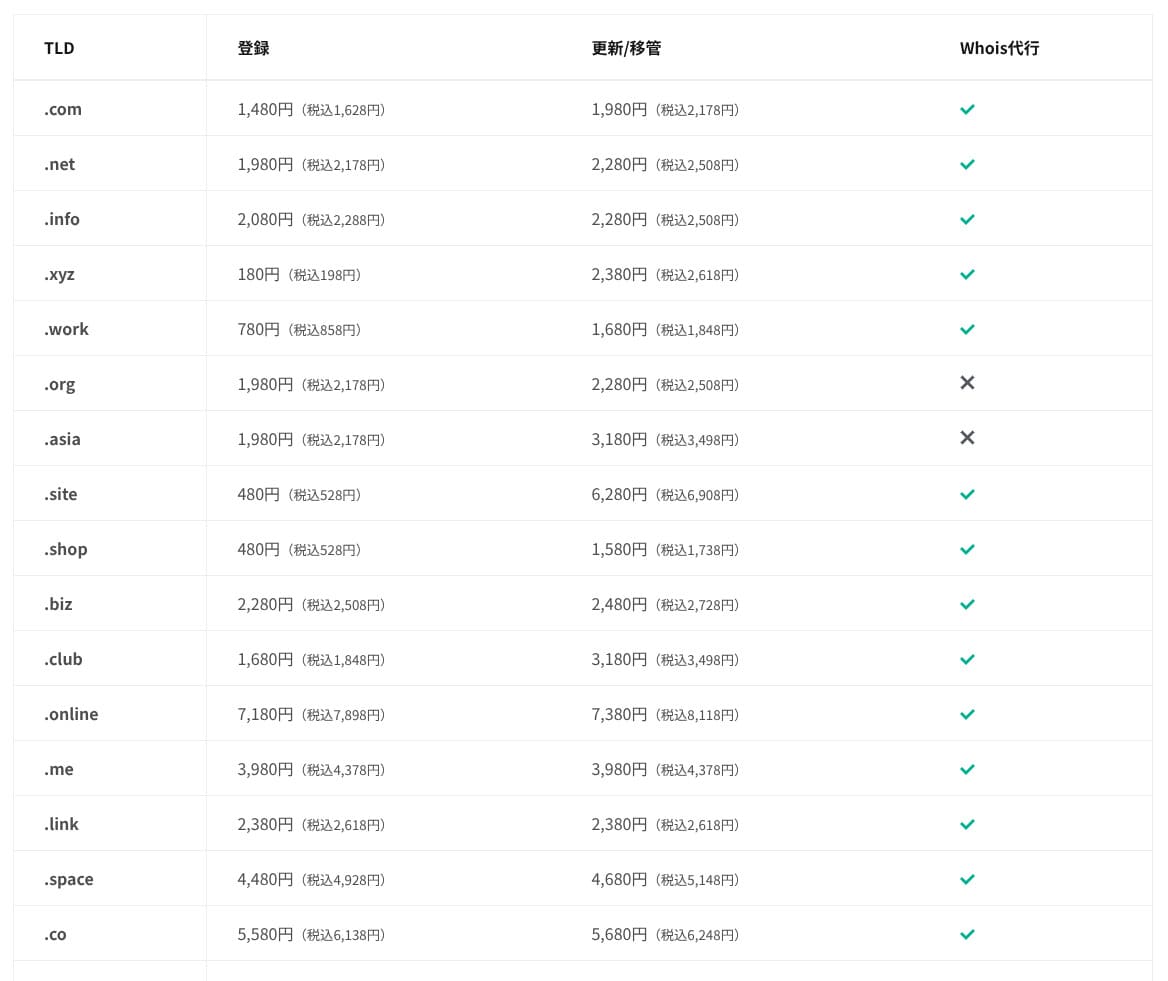
På Standard-paketet och högre är en domän av 11 typer såsom .com och .net gratis under det första året. Löpande förnyelsekostnader är något högre än de priser som erbjuds av typiska domänregistratorer.
Hikaru Ono
När du tecknar ett långtidskontrakt med XServer eller ConoHa WING kan du fortsätta använda två domäner gratis så länge serverkontraktet förblir aktivt. I det avseendet har mixhost en nackdel jämfört med dessa tjänster.
- mixhost
- Onamae.com
- XServer Domain
- MuuMuu Domain
- Value Domain
- Shin Domain
- Star Domain
- Colorful Domain
- Rakko Domain








Kostnader för SSL-certifikat
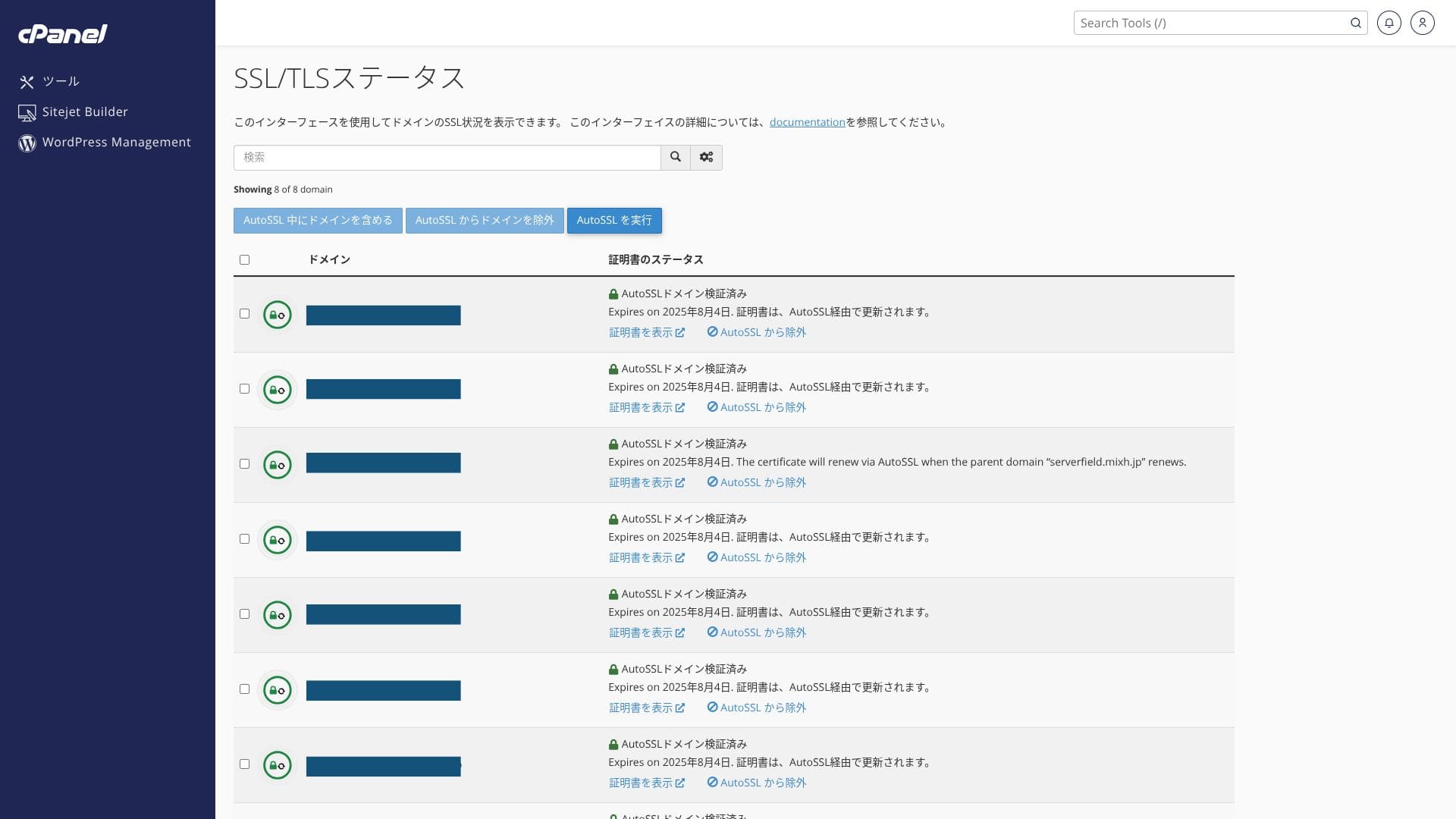
Det inkluderar gratis anpassat SSL genom Let’s Encrypt som standard. Eftersom certifikatet förnyas automatiskt inom 24 timmar via funktionen ”AutoSSL” i cPanel, tillkommer ingen extra kostnad.
Den WordPress-webbplats som installerades vid registreringen hade redan SSL/TLS konfigurerat från början. Det finns inget behov för kontoinnehavaren att ställa in SSL under registreringen. Du behöver bara konfigurera SSL senare om du lägger till en domän efter det första avtalet.
SSL-inställningar kan köras från ”AutoSSL” under ”SSL/TLS Status” i cPanel.
Betalningsmetoder
mixhost accepterar kreditkort, PayPal och banköverföring.
- mixhost
- Kinsta
- XServer Business
- wpx
- Lolipop!
- Star Rental Server
- Rakko Server
- XServer
- ConoHa
- Colorful Box
- Shin Rental Server
- Little Server
- CORESERVER
- DreamHost
- Bluehost
- Sakura
- Namecheap
- Shin Free
- XREA
- Value Server
- HOSTINGER
- KAGOYA
- SiteGround
- Hostgator
- IONOS
- Onamae.com
- ABLENET
- GoDaddy
- iCLUSTA+
- MuuMuu Server
- WADAX
- WebARENA
- heteml
- CPI Rental Server


































Om du vill betala med PayPal, tänk på att ett 36-månadersavtal inte kan förnyas automatiskt på grund av systembegränsningar.
Viktig information vid beställning av avtalstid längre än ett år med PayPal
Granskning av användarvänlighet och support
Kontrollpanelens användarvänlighet
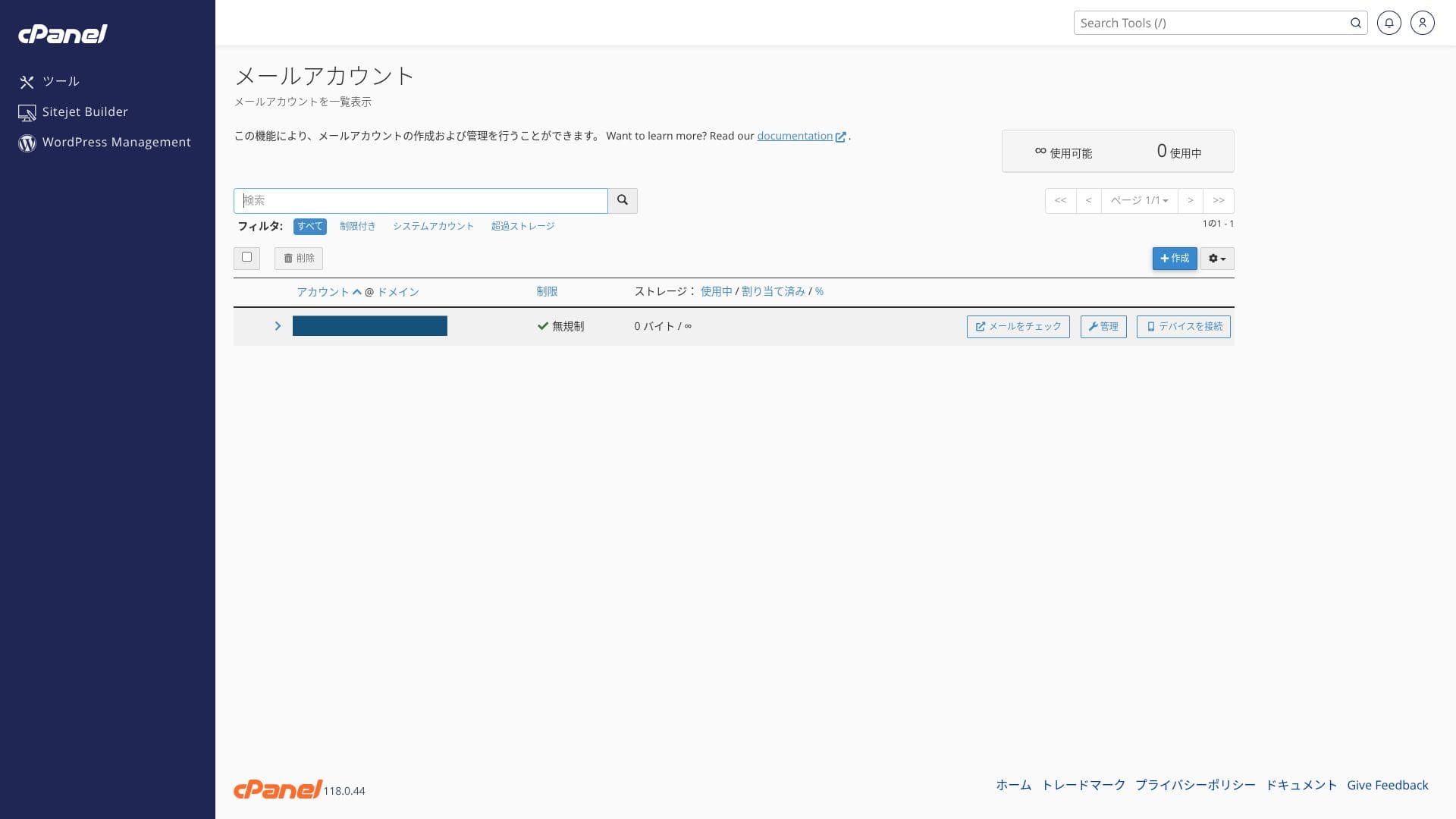
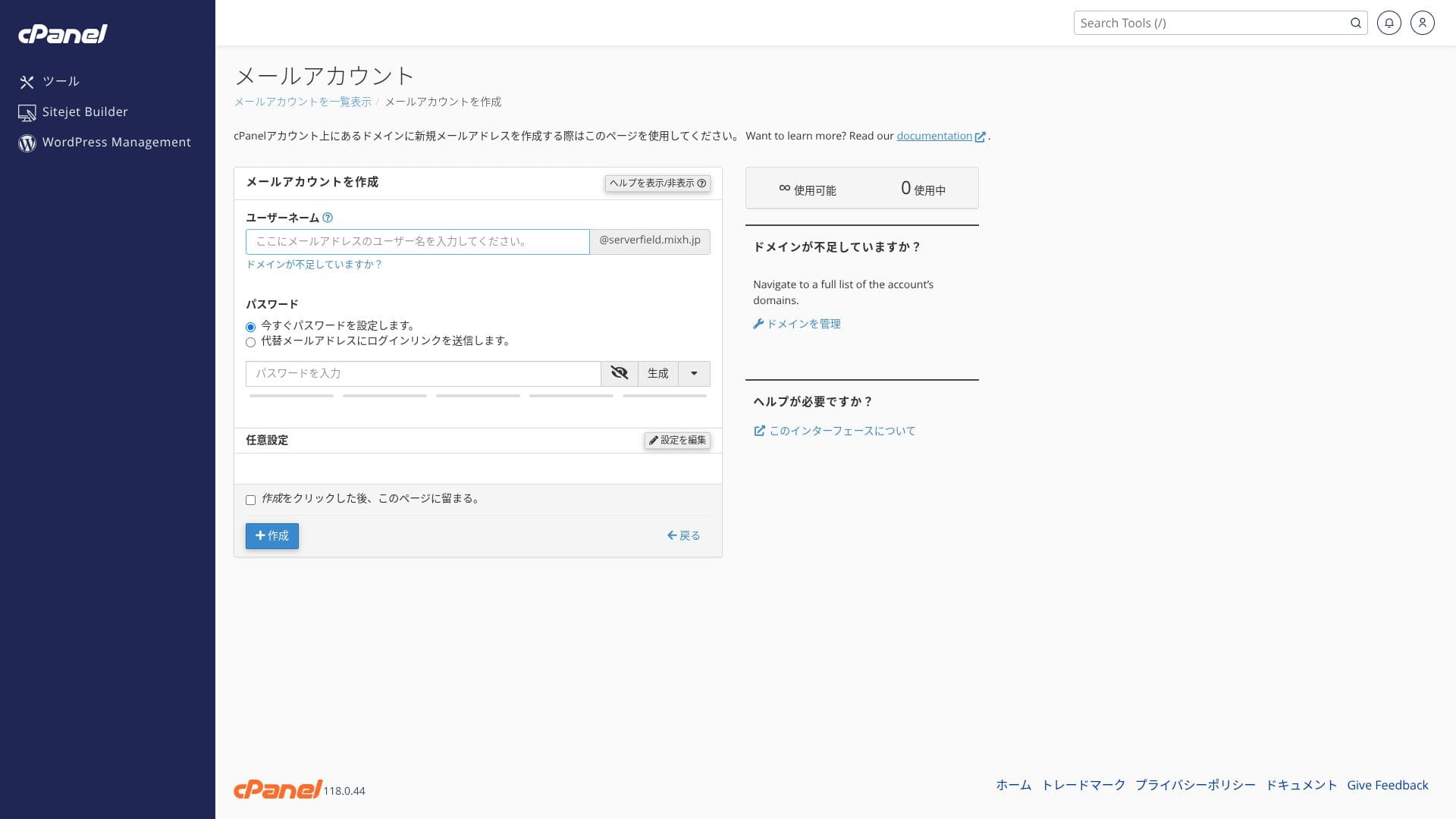
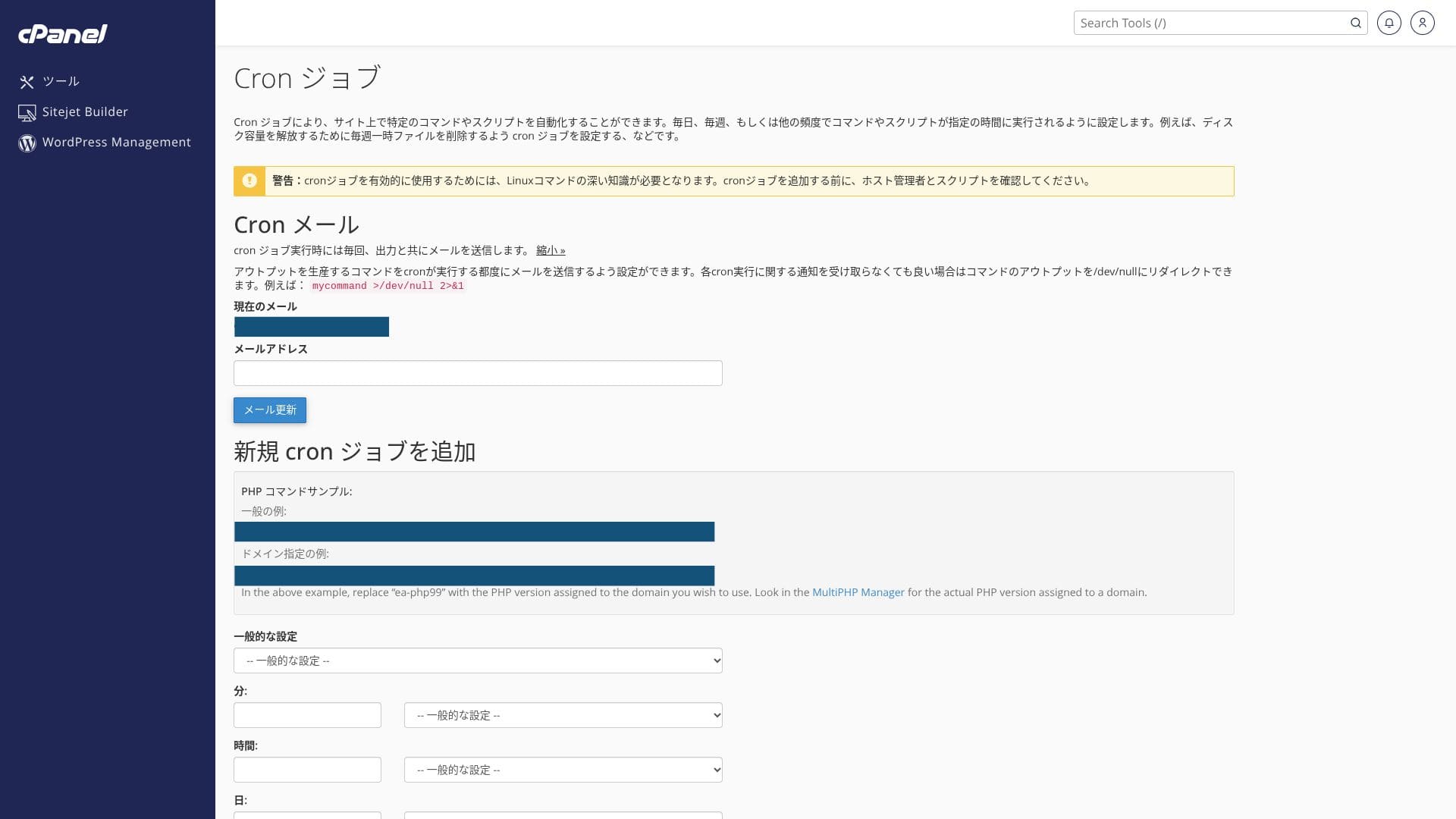
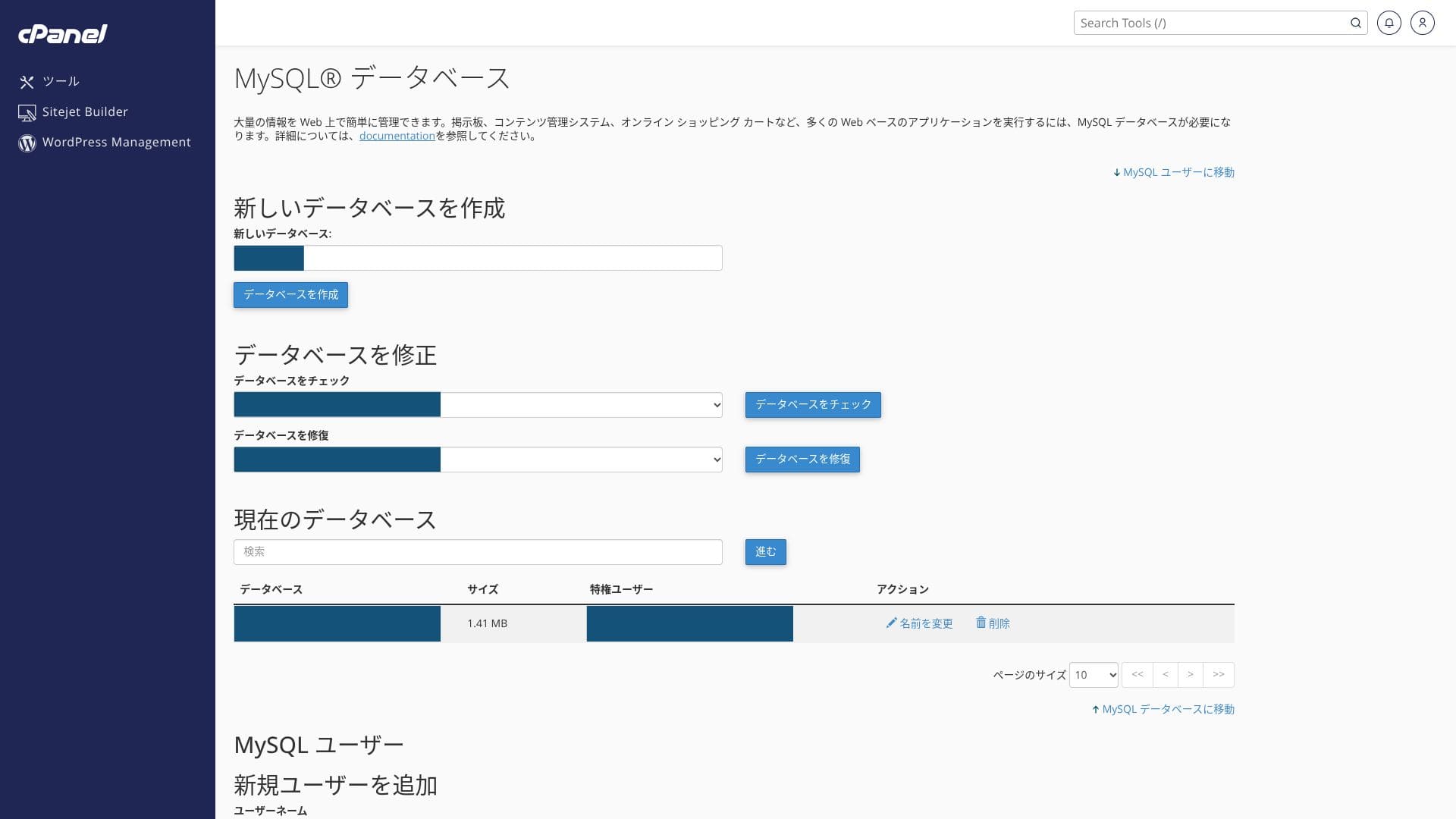
Det använder branschstandarden cPanel tillsammans med mixhosts egen kontrollpanel. Du kan hantera e-postinställningar, SSL-utfärdande och appinstallation via ett grafiskt gränssnitt.
- Hem
- Mina tjänster
- WordPress
- Domains
- Säkerhetskopior
- Bandwidth
- E-postkonton
- Cron
- DB
- File Manager
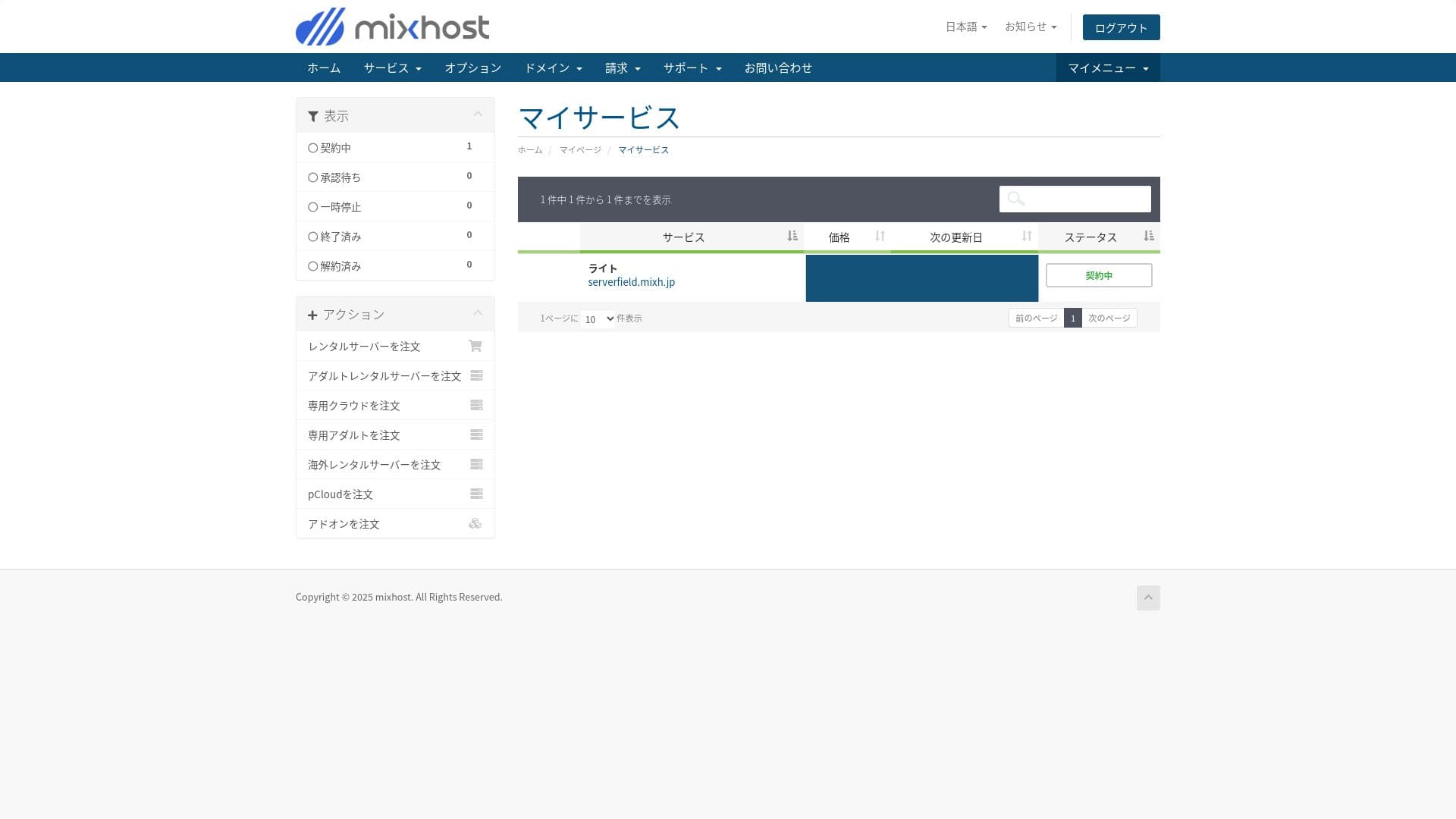
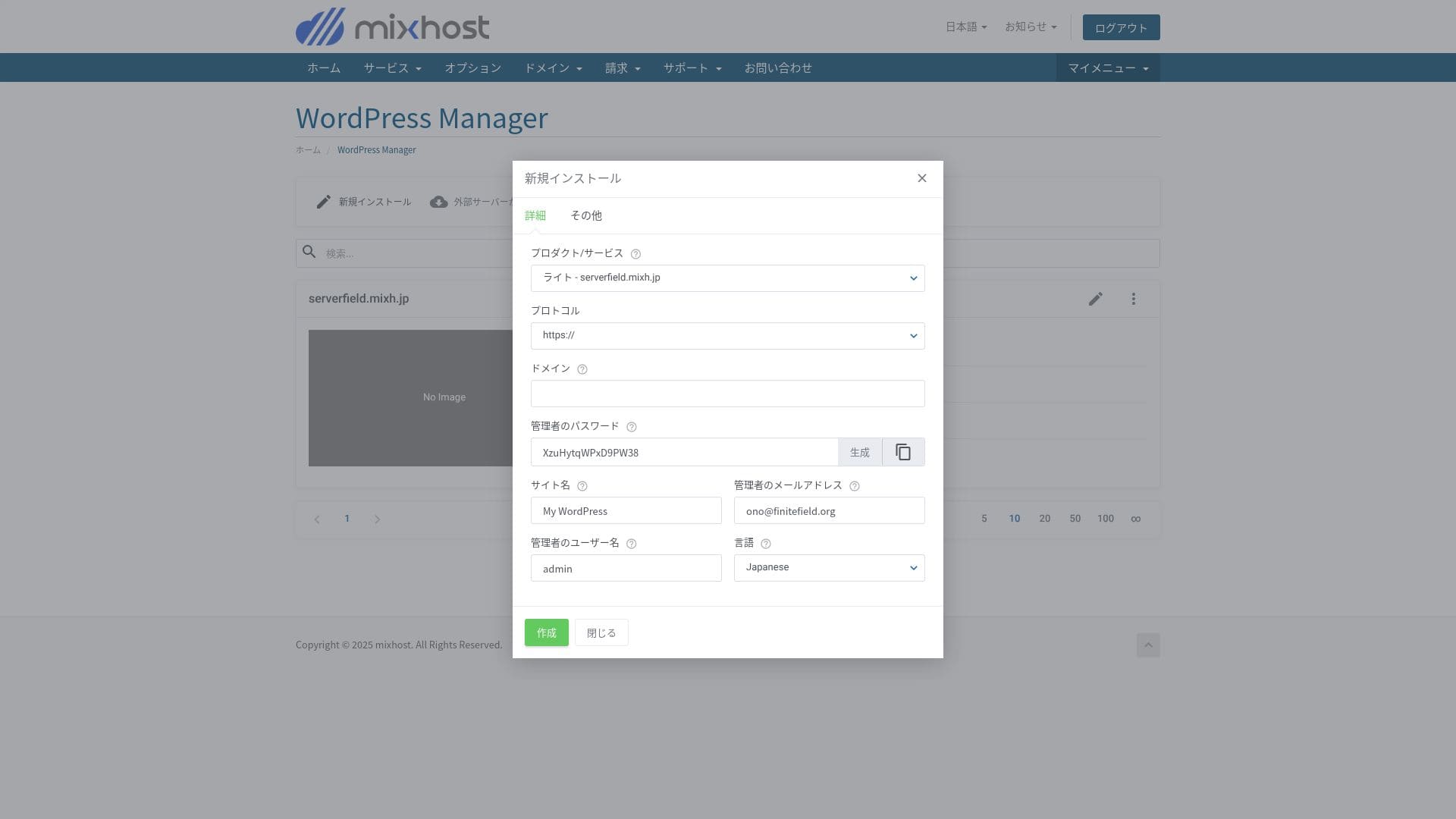
Du kan installera WordPress från ”WordPress Manager” i mixhosts kontrollpanel.
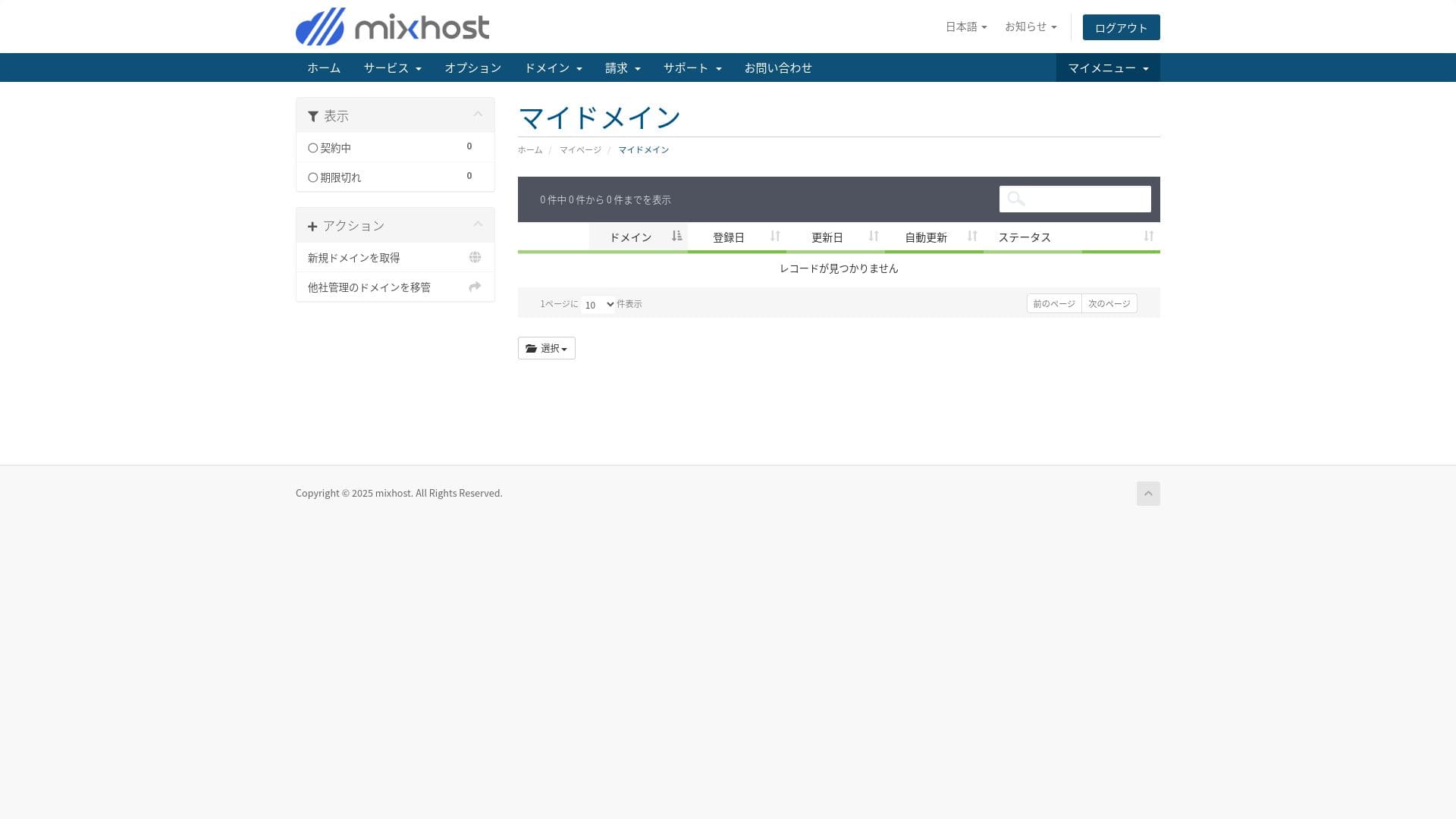
Light-paketet inkluderar inte säkerhetskopiering, så det finns ingen skärmbild här. Använd ett WordPress-tillägg för säkerhetskopiering istället.
Fem kraftfulla WordPress-tillägg för säkerhetskopiering för att återställa dina data
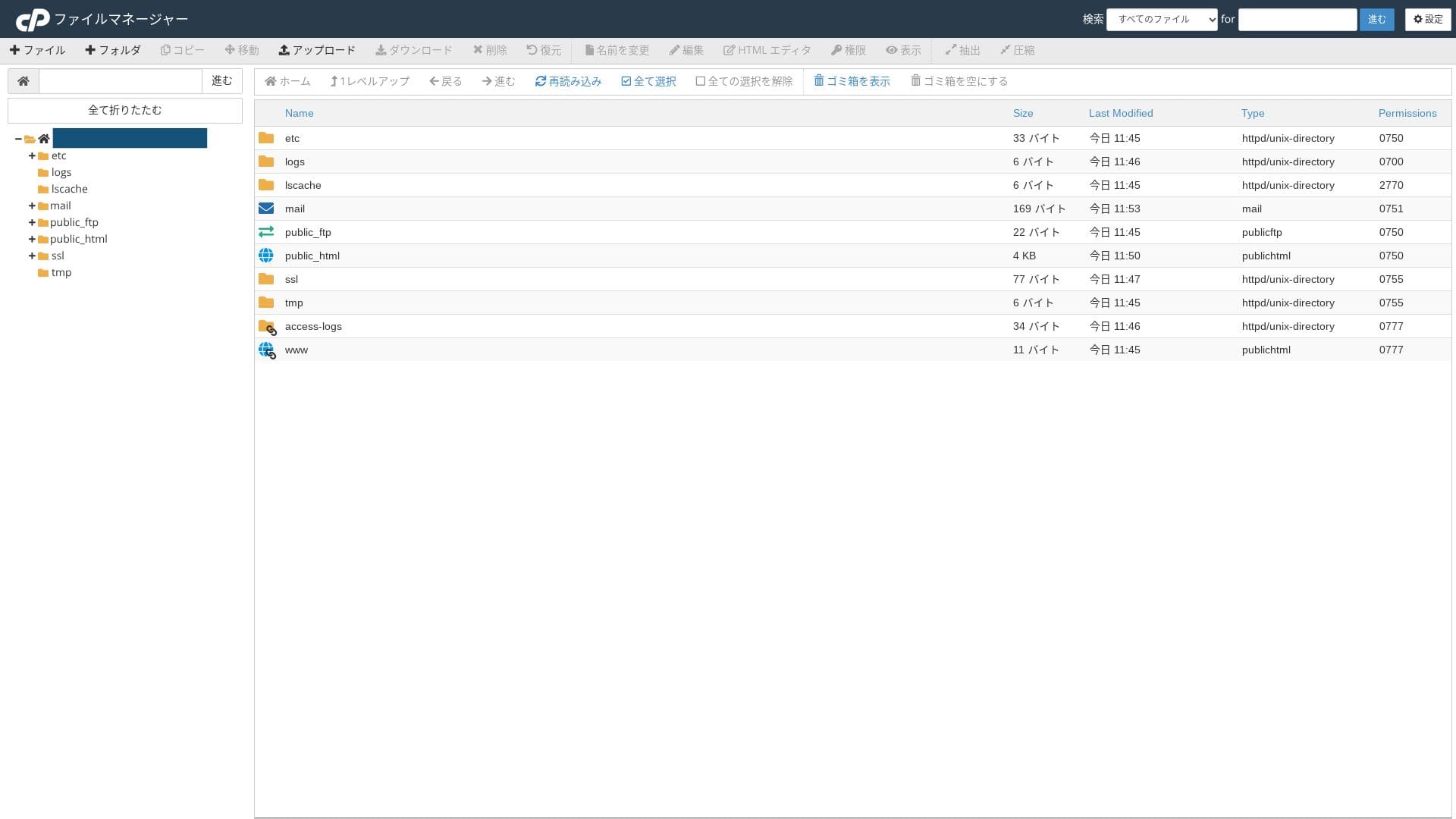
Hikaru Ono
Eftersom du använder både den egna kontrollpanelen och cPanel kan du känna dig osäker på var du ska klicka till en början.
Supportstruktur
Alla paket inkluderar support via e-post och chatt. Premium och högre lägger även till två Zoom-supportmöten per månad, och dessa paket prioriteras framför de lägre paketen.
Hanterade tjänster
Professionell personal kan stödja tekniskt krävande arbete såsom en gratis WordPress-flytt per år och support för SSL-aktivering, antingen kostnadsfritt eller till en låg kostnad.
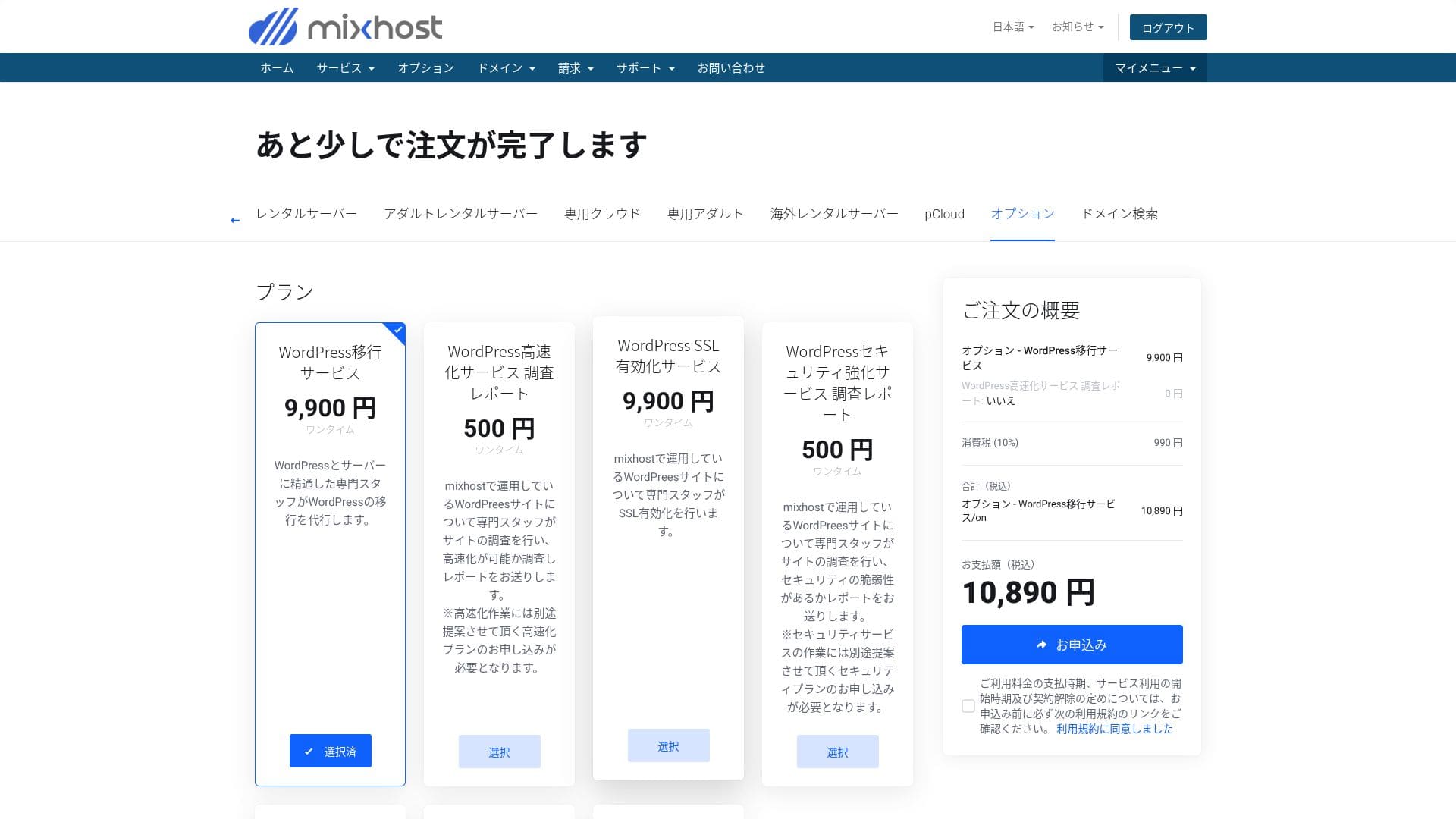
- WordPress-flyttjänst: 10 890 yen per webbplats
- Hastighetsundersökning: 550 yen per förfrågan, hastighetsoptimeringspaket: från 9 900 yen per månad
- Säkerhetsundersökning: 550 yen per förfrågan, punktinsats: 21 890 yen per månad, underhållspaket: 10 890 yen per månad
- SSL-aktiveringstjänst: 10 890 yen per webbplats
Hikaru Ono
Du kan flytta WordPress själv med hjälp av verktyg. Men om du känner dig osäker eller inte har tid, utnyttja gärna de hanterade tjänsterna.
Kvalitet på manualer och FAQ
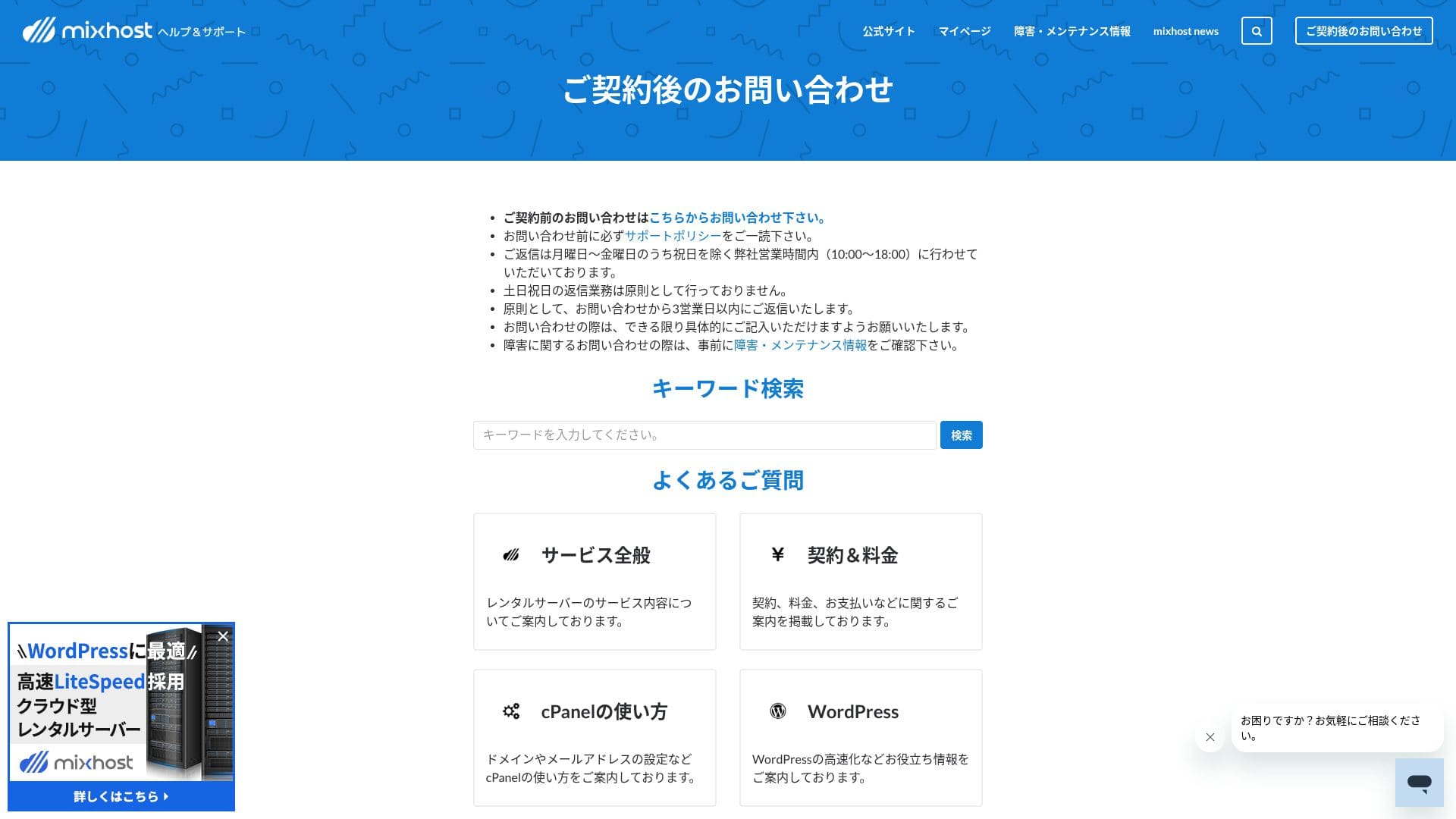
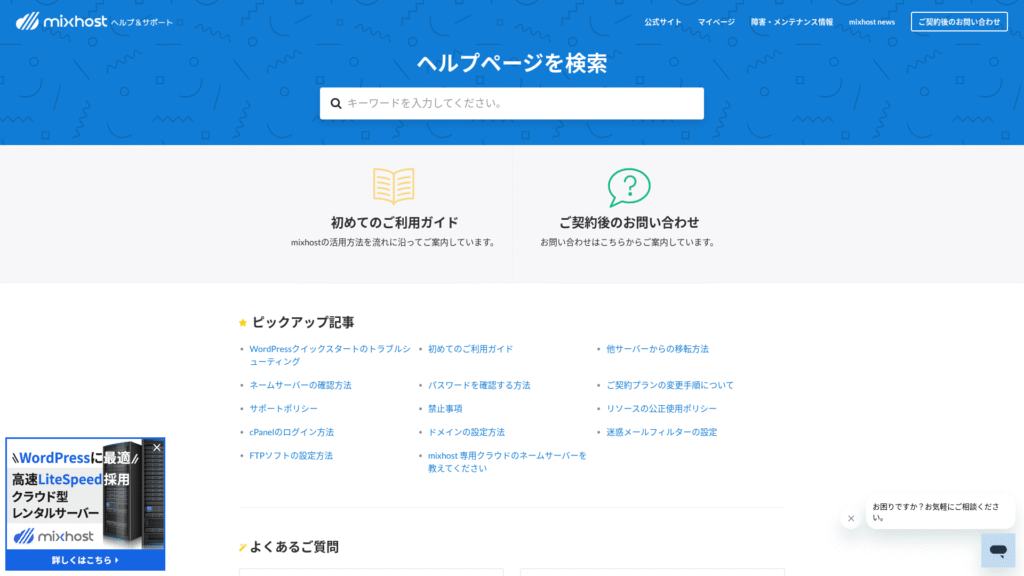
Det officiella hjälpcentret publicerar ett mycket stort antal artiklar på japanska. I de flesta fall kan du hitta lösningen på ett fel genom att använda sökordssökningen.
Granskning av e-postfunktioner
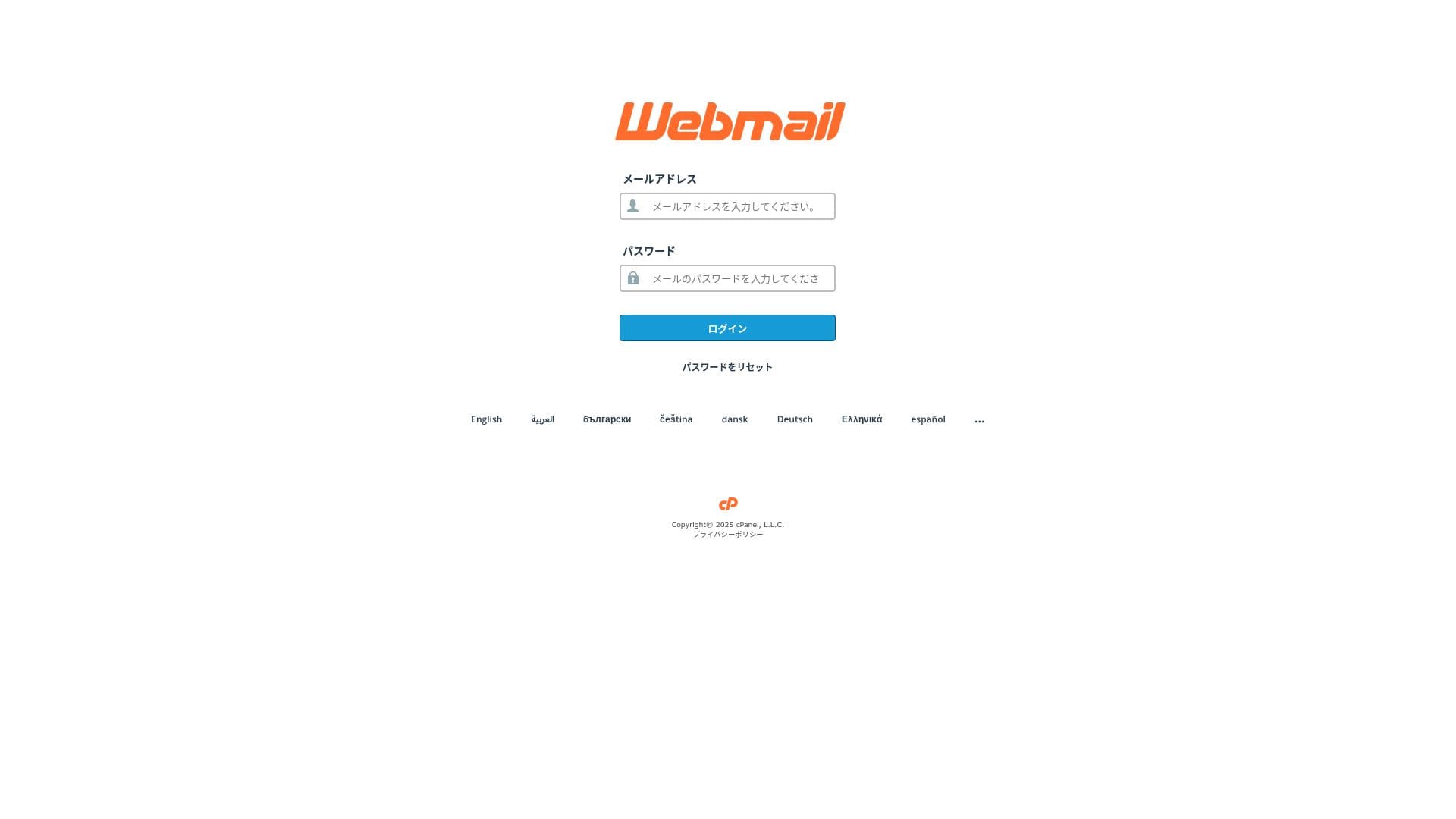
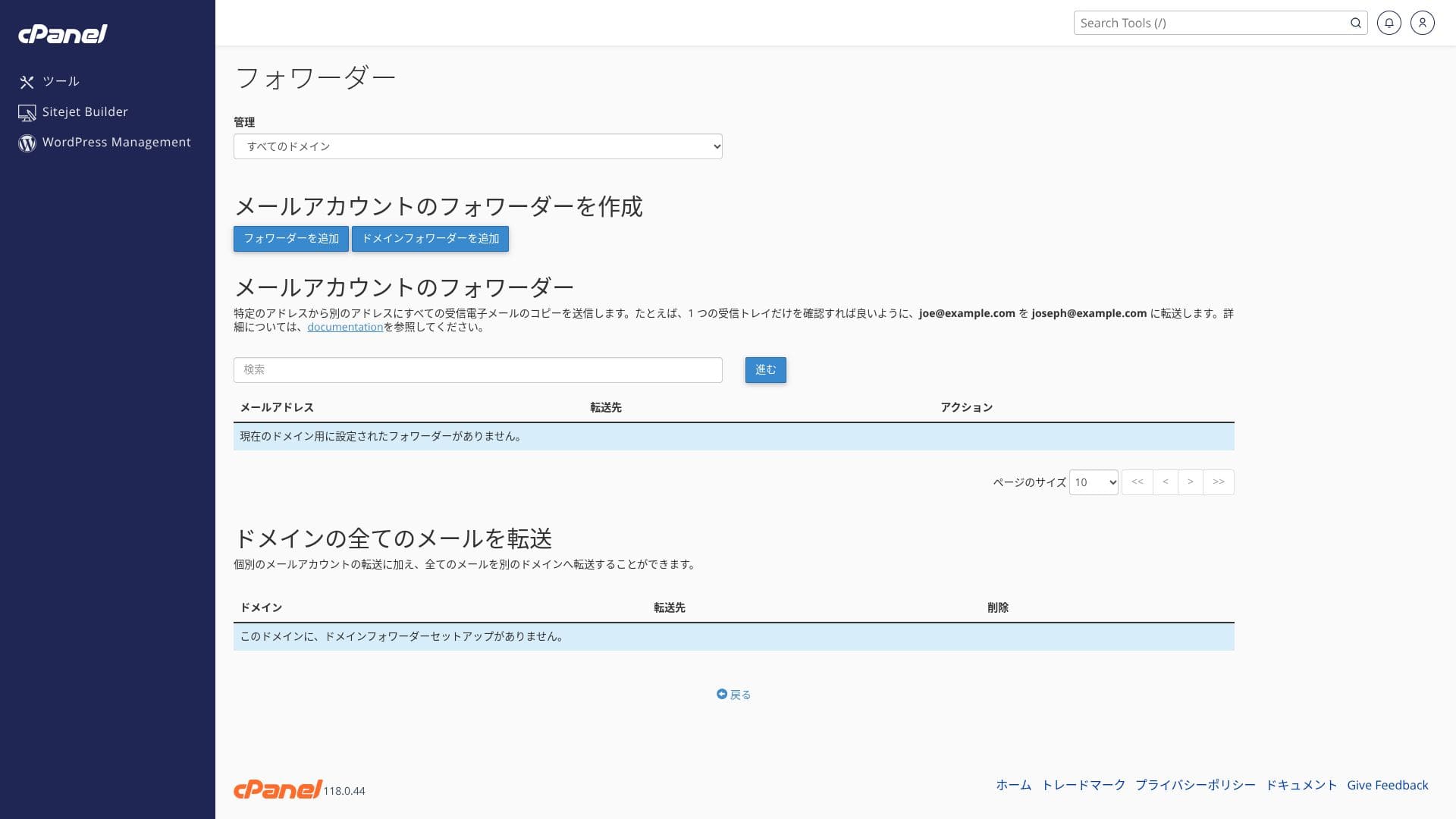
mixhost har en låg gräns för utgående e-post. Det innebär att det fungerar bra för vardaglig e-post i verksamheten och för att hantera förfrågningar, men det är säkrare att använda en separat tjänst för nyhetsbrev.
| Post | Alla planer | Anmärkningar |
|---|---|---|
| Antal e-postkonton | Obegränsat | Tillgängligt på både egna domäner och underdomäner |
| Mottagningsprotokoll | IMAP / POP3 (SSL/TLS) | Kan konfigureras i Outlook, Gmail-appen med flera |
| Sändningsprotokoll | SMTP (587 / 465, SSL stöds) | Stöder STARTTLS och SMTPS |
| Webmail | Roundcube | Webbläsarbaserad e-postklient ingår |
| Spamfiltrering | SpamAssassin | Tröskelvärdet kan justeras i cPanel |
| Virusfiltrering | ClamAV | Endast tillgängligt på Standard och högre |
| Plan | Per timme | Per 24 timmar |
|---|---|---|
| Light | 50 e-postmeddelanden | 100 e-postmeddelanden |
| Standard och högre | 100 e-postmeddelanden | 1 000 e-postmeddelanden |
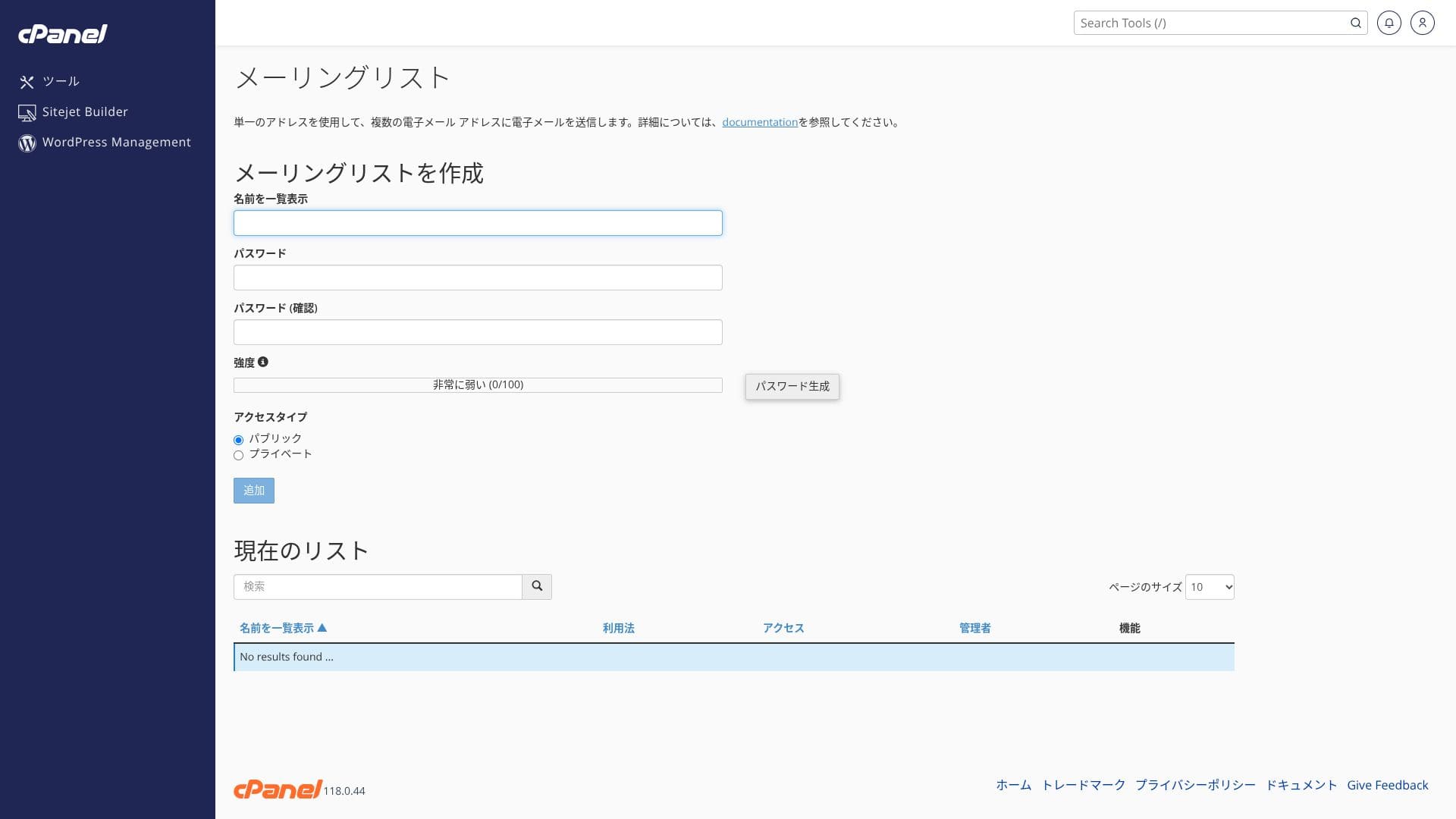
De övre gränserna definieras av policyn för rimlig användning. För normal intern verksamhet, till exempel 30 anställda som skickar cirka 20 e-postmeddelanden om dagen var, vilket är cirka 600 e-postmeddelanden totalt, finns det gott om utrymme. Det är dock inte lämpligt för storskaliga massutskick.
- SMTP och IMAP krypterade med gratis anpassat SSL minskar risken för avlyssning även på externa nätverk.
- cPanel tillhandahåller en installationsguide för SPF-, DKIM- och DMARC-poster, vilket gör det enkelt att vidta åtgärder mot e-postförfalskning.
- Själva servern körs med AI-driven WAF och DDoS-skydd, och e-posttjänsten körs på samma redundanta molninfrastruktur, så redundansväxling sker automatiskt vid problem. Tjänsten har dessutom en drifttidsgaranti på 99,99 %.
Hikaru Ono
Eftersom startkostnaden är noll och SSL samt skräppostskydd ingår som standard, tror jag att även små och medelstora företag utan en IT-specialist kan hantera det bekvämt.
Granskning av säkerhet och säkerhetskopiering
Säkerhetsåtgärder
mixhost levereras som standard med DDoS-skydd och gratis SSL. Premium och högre inkluderar även en AI-driven WAF och automatisk borttagning av skadlig kod. En WAF (Web Application Firewall) är en försvarsmekanism som blockerar attacker specifika för webbapplikationer, till exempel SQL-injektion, i realtid.
Hikaru Ono
Eftersom Light-paketet inte har lika starkt skydd som de högre paketen, se till att du installerar WordPress-säkerhetstillägg.
Fem WordPress-säkerhetstillägg som kan stärka din webbplats och hur du väljer dem
Automatisk säkerhetskopiering
På alla paket utom Light lagras en säkerhetskopia per dag för de senaste 14 dagarna i en annan region. Du kan själv återställa den efter datum från ”JetBackup” i cPanel.
Hikaru Ono
Om du väljer Light-paketet, som inte inkluderar säkerhetskopiering, se till att du installerar ett WordPress-tillägg för säkerhetskopiering.
Fem kraftfulla WordPress-tillägg för säkerhetskopiering för att återställa dina data
Andra funktioner
pCloud
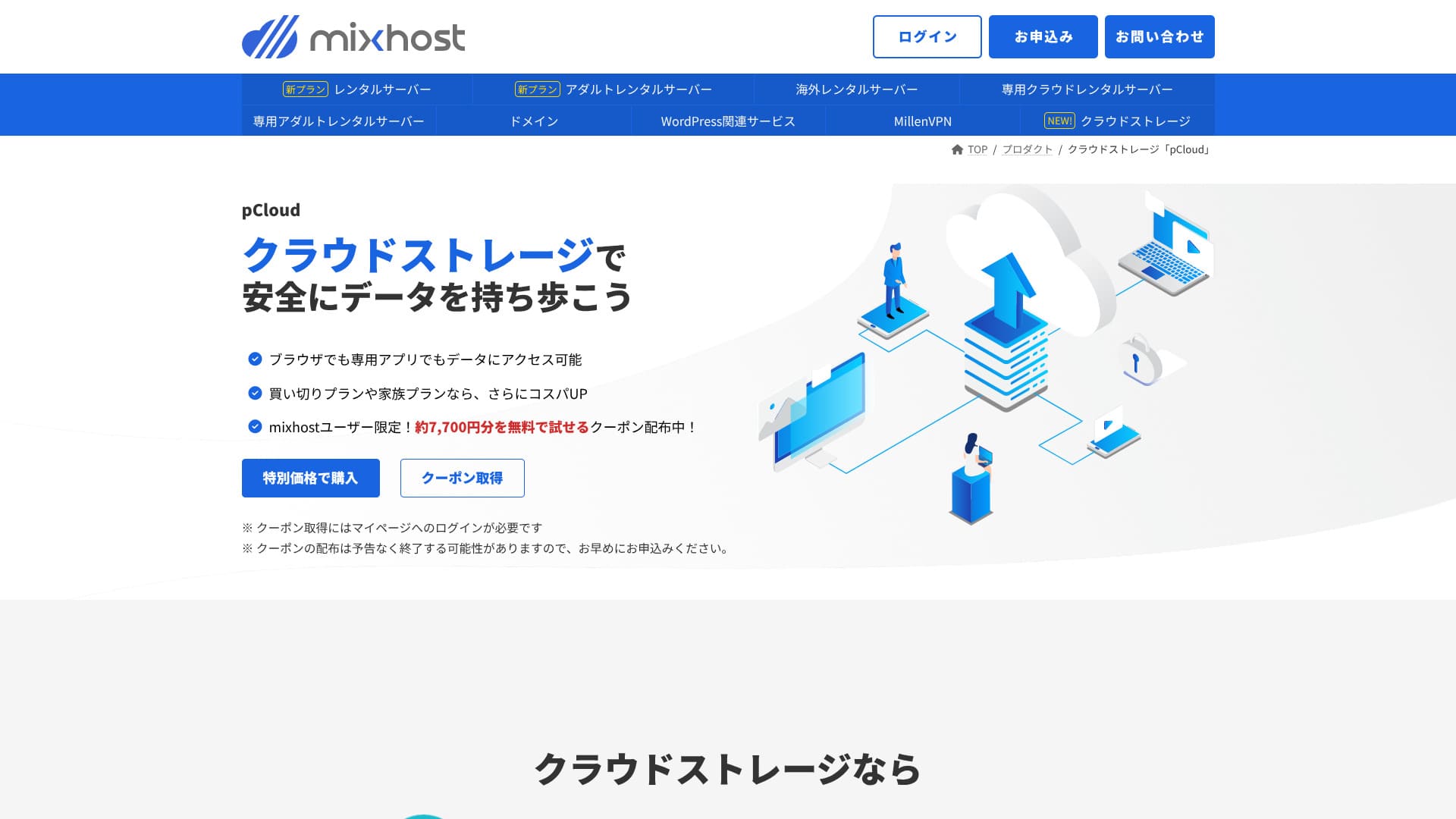
pCloud är en molnlagringstjänst som används av 21 miljoner människor.
mixhost användare kan få en kupong som låter dem prova 500 GB gratis i ett år, vilket är värt ungefär 7 700 yen. Det är praktiskt för att dela stora filer och för teamsamarbete.
Sitejet
Du kan använda ”Sitejet”, ett kodfritt byggverktyg som låter dig skapa en webbplats genom att dra och släppa, utan extra kostnad. Det innehåller även AI-textgenerering och bildredigeringsfunktioner, vilket gör att det passar bra för att bygga landningssidor för små företag.
Hikaru Ono
Det låter dig bygga en webbplats ännu enklare än med WordPress.
Använd Sitejet
- STEP.1Logga in på ”cPanel” från kontrollpanelen
- STEP.2Klicka på ”Klicka för att komma igång” i Sitejet

- STEP.3Klicka på ”Prova Sitejet” i Sitejet Builder
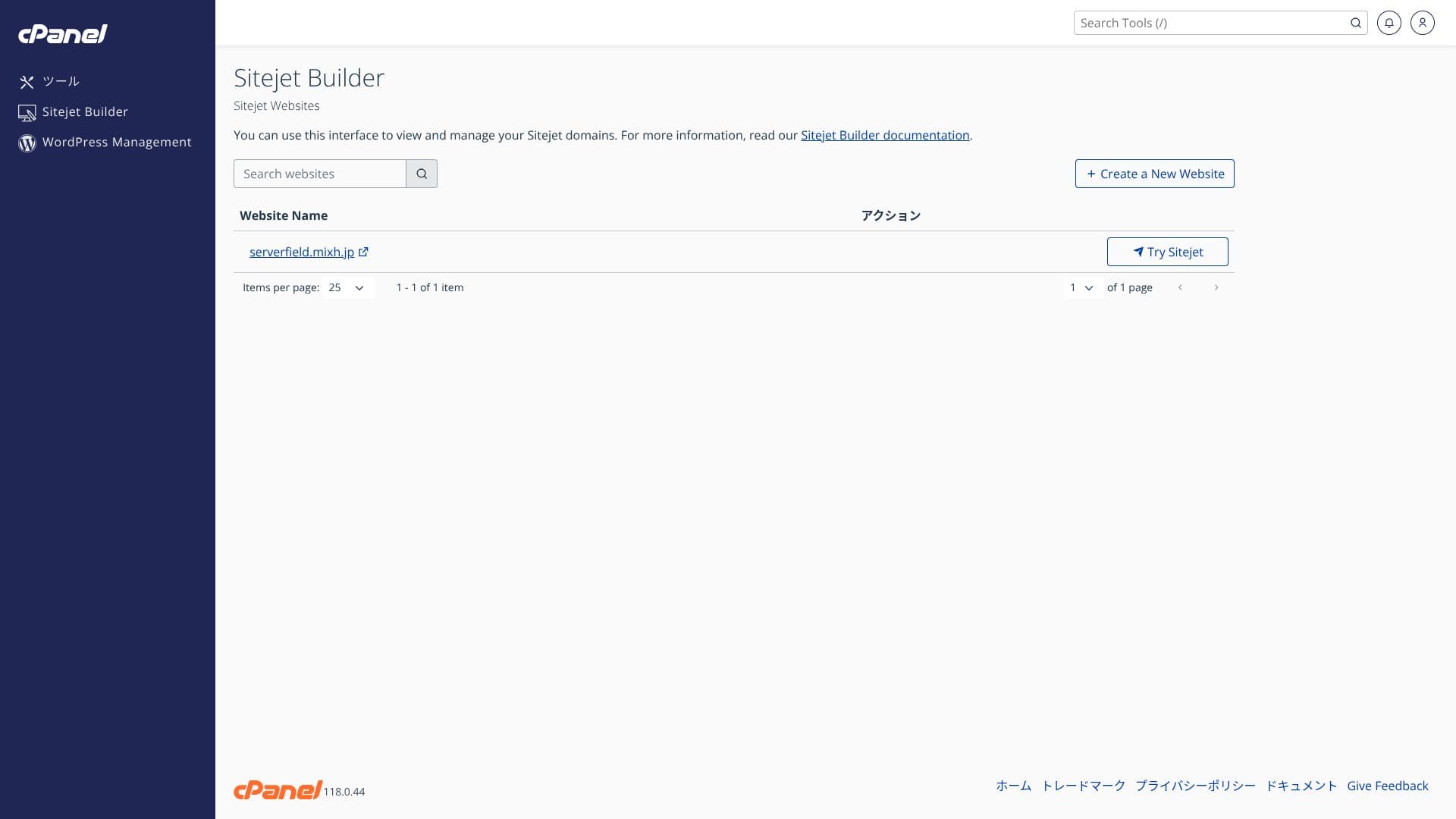
- STEP.4Välj den mall du vill använda

Utländskt webbhotell
Alternativet med utländskt webbhotell som låter dig välja en plats i San Jose på den amerikanska västkusten ger dig en konfiguration med låg latens som passar globala e-handelssajter och engelskspråkiga medier. Priset är cirka 330 yen högre än det inhemska Standard-paketet.
Hikaru Ono
Det är mycket få japanska webbhotell som erbjuder utländska serverplatser. Eftersom du fortfarande kan få support på japanska rekommenderar jag det till personer som letar efter en utländsk server.
Sammanfattning
“mixhost” är en molnbaserad höghastighetsserver från AzPocket Inc. Den erbjuder även servrar installerade utomlands, vilket gör den särskilt attraktiv för privatpersoner som publicerar för en internationell publik. WordPress är förinstallerat när du registrerar dig för servern, så det är mycket enkelt att komma igång.
Upp till 55 % rabatt på det första köpet, plus ytterligare 25 % rabatt och en 30-dagars pengarna-tillbaka-garanti
mixhost är idealiskt för användare som vill ha bra värde, hög hastighet och engagerad support på samma gång.
- Enskilda bloggare och affiliatemarknadsförare: Quick Start och LiteSpeed Cache hjälper dig att bygga en webbplats som är snabb och SEO-vänlig från det ögonblick den tas i bruk.
- Små och medelstora företag samt e-handelsoperatörer: Gratis anpassat SSL och automatiska säkerhetskopior ger trygghet när det gäller säkerhet, medan obegränsad e-post hjälper till att centralisera den interna informationsdelningen.
- Produktionsbolag och utvecklare: Du kan hantera flera webbplatser på ett ställe och använda iscensättningsvänliga arbetsflöden som underlättar testning och publicering.
Eftersom Light-paketet inte inkluderar säkerhetskopiering rekommenderar jag Standard eller högre för företags- och verksamhetsbruk. Utnyttja 30-dagars pengarna-tillbaka-garantin och testa den faktiska hastigheten samt användarvänligheten på administratörsskärmarna på din egen webbplats eller blogg.
Jämför 10 utländska webbhotell

När man väljer utländskt webbhotell är många osäkra på vilken leverantör de ska välja på grund av språkbarriärer och kulturella skillnader.
Denna artikel jämför grundligt 10 noggrant utvalda utländska webbhotell från hela världen och förklarar varje tjänsts funktioner, prisplaner och praktisk användbarhet.
Den täcker ett brett spektrum av behov, från beslutspunkter som hjälper nybörjare att göra ett säkert val till avancerade funktioner som eftersöks av tekniska användare.