30-dag pengarna-tillbaka-garanti
PR
Servrar
IONOS-recension: stabilt och billigt webbhotell i Europa som också stöder WordPress
Publicerad: 2025.07.13
Uppdaterad: 2025.07.13
Betyg: 4.0
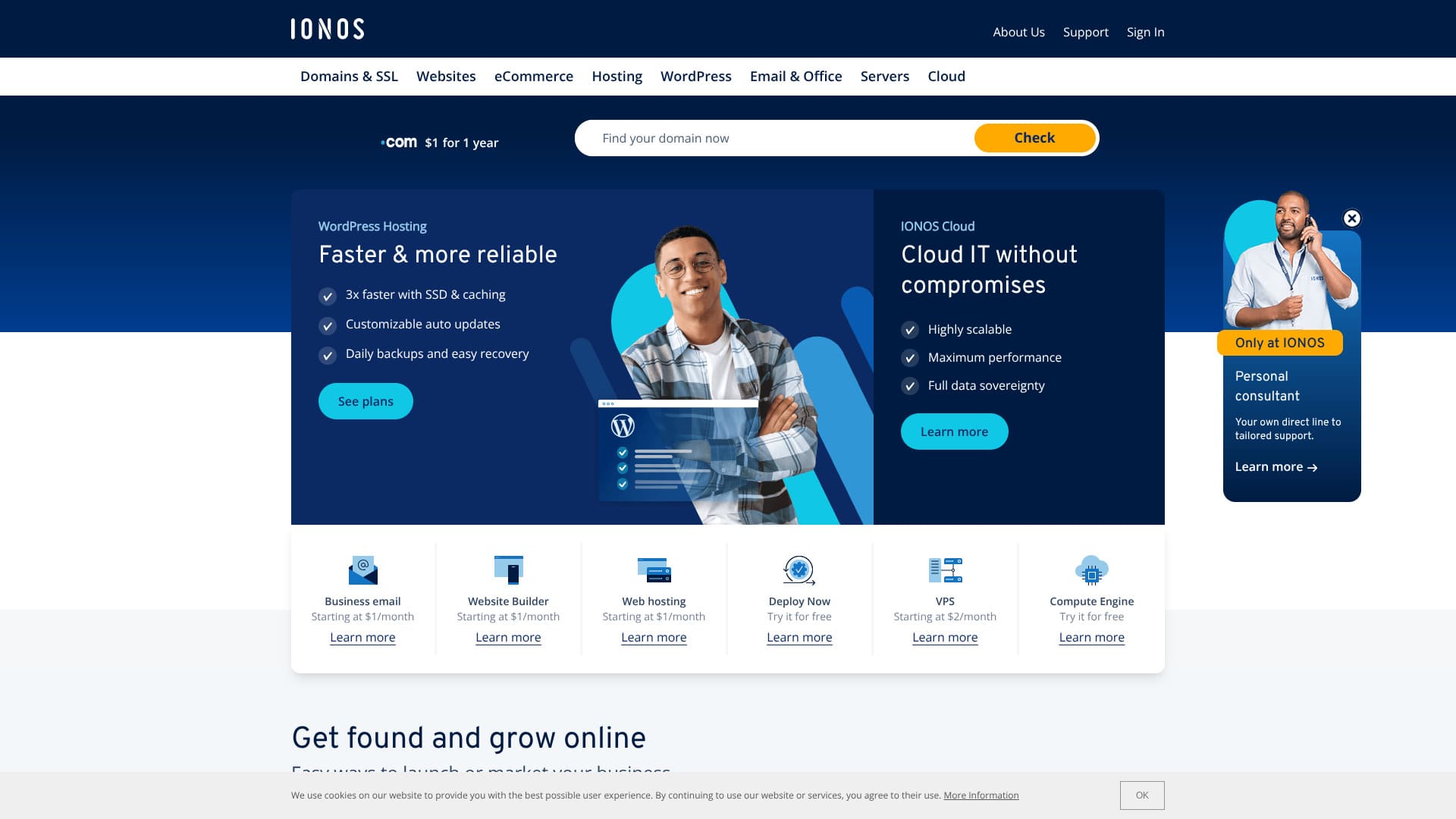
En host med utmärkt stabilitet och stark lämplighet för Europa.
IONOS är en internetleverantör baserad i Montabaur i Tyskland. Den har datacenter i Europa och Nordamerika, inklusive Tyskland. Om du vill bygga en webbplats för människor som bor i Europa är det ett bra alternativ.
Det är också en relativt billig utländsk host. Vid skrivtillfället hade den en kampanj som gjorde den 90 procent billigare än ordinarie pris.
Den här artikeln förklarar IONOS från dess rykte och funktioner till hur du startar WordPress och hur du säger upp tjänsten.
Jämförelseartikel om utländska webbhotell

På grund av språkbarriärer och kulturella skillnader är många osäkra på vilket utländskt webbhotell de ska välja.
Denna artikel jämför grundligt 10 noggrant utvalda utländska webbhotell från hela världen och förklarar varje företags funktioner, prisplaner och faktiska användarupplevelsei detalj.
Den ger information för ett brett spektrum av behov, från beslutskriterier som nybörjare kan använda med tillförsikt till avancerade funktioner som tekniska användare letar efter.
IONOS-recension: ett webbhotell med enastående stabilitet
”IONOS” är ett webbhotell från Tyskland. Även om det erbjuder enastående stabilitet med 99,98 % drifttid, kan du använda det till ett lågt pris. Förutom sju dagars automatisk säkerhetskopiering har det också solida säkerhetsåtgärder såsom DDoS-attackskydd.
| Servertyp | Shared webbhotell |
| Server response hastighet (TTFB) | Ej uppmätt |
| Rekommenderad plan och bindningstid | WordPress Webbhotell Grow, 1 år |
| Provperiod / pengarna-tillbaka-garanti | 30-dag pengarna-tillbaka-garanti |
| Månadsavgift (12-månad plan) | $5 (734 yen) |
| Initial installationsavgift | Gratis |
| Gratis domän | 1 domän utan extra kostnad under det första året |
| Support | Chatt, e-post och telefon dygnet runt |
| Drifttid | 99.98% |
| Lagring | 50GB |
| Antal databaser | 1 |
| Säkerhet | Skanning av skadlig kod, sårbarhetsskanning, DDoS-skydd samt filter mot nätfiske / skräppost |
| SSL | Gratis SSL |
| Säkerhetskopior | Sju dagars automatisk säkerhetskopiering |
| E-postkonton | 5 |
| Email säkerhet measures | Inga |
| Server / webbplats migration service | Ingen |
| Förinstallerad WordPress | Ingen |
| CDN | Ingen |
| Datacenter locations | Frankfurt, Tyskland; Berlin, Tyskland; London, Storbritannien; Logrono, Spanien; Las Vegas, Nevada, USA; Newark, New Jersey, USA; Lenexa, Kansas, USA |
Sex funktioner hos IONOS

Just nu är WordPress-webbhotell billigt för $1 per månad
IONOS är ett billigt webbhotell. Vid tidpunkten då denna artikel skrevs var abonnemanget WordPress Webbhotell Grow tillgängligt för $1 per månad med ett 12-månaderskontrakt.
Grow-planen förnyas för 10 USD, men även då är den fortfarande relativt billig bland utländska webbhotell. Den ännu billigare Start-planen förnyas för 6 USD, vilket är bland de lägsta priserna hos större utländska leverantörer.
Jag jämförde dess prissättning med stora japanska webbhotell.
| Webbhotell company | Total kostnad för det första året |
|---|---|
| IONOS | $12 (1,798 yen) |
| ConoHa WING | 11,292 yen |
| Xserver | 10,560 yen |
| heteml | 24,420 yen |
| mixhost | 8,712 yen |
Om du bara tittar på kostnaden för det första året är det ett exceptionellt lågt pris jämfört med japanska webbhotell.
Du får en kostnadsfri domän i 12 månader med ett 12-månaderskontrakt
Om du registrerar dig hos IONOS för 12 månader, får du en kostnadsfri domän i 12 månader.
En domän kostar vanligtvis runt 2 000 till 5 000 yen, så att få den kostnadsfritt är ett bra erbjudande.
★ Vad är en domän? Dess roll som adress på internet och hur du skaffar en
Med det sagt inkluderar många stora japanska webbhotell en domän utan extra kostnad så länge serverkontraktet löper när du registrerar dig för 12 månader. När det gäller domänkostnader är många japanska webbhotell bättre.
Enastående stabilitet med 99,98 % drifttid
IONOS har 99,98 % drifttid. Eftersom servrarna är extremt stabila förblir även webbplatsens visning stabil. Det är sällsynt att en webbplats inte laddas eller blir extremt långsam.
Stabiliteten i webbplatsens visning påverkar förtroendet för en företagswebbplats och intäkterna på affiliatewebbplatser och bloggar. Det är ett mycket viktigt servermått.
IONOS är enkelt att använda med tillförsikt.
★ En nybörjarguide till webbhotellets drifttid och SLA
Du kan skapa en webbplats med AI
IONOS låter dig skapa en webbplats med AI. Om du anger information relaterad till din verksamhet, kommer AI:n att skapa en webbplats med bilder och text.
Du kan anpassa webbplatsen ytterligare efter att den har genererats.
Även om du har blivit ombedd att ”skapa en intern företagswebbplats” men inte har någon erfarenhet, hjälper det mycket att AI:n kan bygga webbplatsen åt dig.
Det ingår sju dagars automatisk säkerhetskopiering
IONOS inkluderar sju dagars automatisk säkerhetskopiering. Om du har säkerhetskopior kan du återställa webbplatsen även när något går fel.
Om man ska vara strikt kritisk är dock en sju dagars säkerhetskopieringsperiod ärligt talat lite kort. Om du inte kontrollerar din webbplats minst en gång i veckan för att bekräfta att inget är fel, kanske du inte kan återställa den om ett problem uppstår.
Trots det är det mycket bättre än att inte ha någon funktion för säkerhetskopiering alls.
Säkerhet measures such as a DDoS shield are also thorough
IONOS also has strong säkerhet measures, including a DDoS shield. If a server or webbplats has weak säkerhet, it may end up suffering problems such as information leaks or webbplats tampering.
Med IONOS får du tillräckliga säkerhetsåtgärder, inklusive DDoS-skydd, skanning och reparation av skadlig kod samt sårbarhetsskanning, så det känns lugnande.
Nackdelen med IONOS är att support före registrering bara finns via telefon

Nackdelen med IONOS är att före registrering finns support bara via telefon.
Jag har nästan aldrig hört talas om något annat webbhotell som fungerar så. Vanligtvis begränsar leverantörer i stället supporten till chatt eller e-post innan ett avtal tecknas.
Med andra ord, om du inte talar engelska är det svårt att få support innan du registrerar dig. Att behöva prenumerera innan chatt- eller e-postsupport blir tillgänglig är lite obekvämt eftersom du inte kan ställa frågor spontant.
Jämför IONOS med två konkurrerande webbhotell
Det finns många utländska webbhotell, men jag jämförde IONOS med två konkurrenter som, liksom IONOS, främst konkurrerar med priset.
DreamHost
DreamHost är ett webbhotell som officiellt rekommenderas av WordPress. När det gäller att ha 100 % drifttid och högsta nivå av stabilitet är det ett högkvalitativt webbhotell som överträffar IONOS. Eftersom det kommer med en 97 dagars pengarna-tillbaka-garanti kan du testa det noggrant.
Med det sagt är IONOS billigare. Om priset är viktigast för dig rekommenderar jag IONOS.
DreamHost har också datacenter endast i USA och har inget CDN. Så om du vill bygga en webbplats för personer som bor i Europa är IONOS, som har datacenter över hela Europa, fortfarande det bättre valet.
| Punkt | IONOS | DreamHost |
|---|---|---|
| Största styrka | Mycket prisvärt | Ultra-long pengarna-tillbaka-garanti |
| Provperiod / pengarna-tillbaka-garanti | 30-dag pengarna-tillbaka-garanti | 97-dag pengarna-tillbaka-garanti |
| Drifttid | 99.9% | 100% |
| Lagring | 50GB | 50GB |
| First-år webbhotell cost | 1,798 yen | 5,303 yen |
Med Grow-planen är IONOS billigare än DreamHosts billigaste plan.

DreamHost Recension: Rekommenderas om du vill starta WordPress till ett rimligt pris, med 97 dagars pengarna-tillbaka-garanti
DreamHost Recension: Rekommenderas om du vill starta WordPress till ett rimligt pris, med 97 dagars pengarna-tillbaka-garanti
serverfield.org
Namecheap
Namecheap är ett av de billigaste webbhotellen som finns. När jag använde det blev jag imponerad av hur vänlig och tillmötesgående supporten var. Det står i tydlig kontrast till IONOS, som endast erbjuder telefonsupport innan du registrerar dig. Om support är viktigt för dig är Namecheap ett starkt val.
Med det sagt erbjuder IONOS mer utrymme och lägre prissättning. Det inkluderar också en domän utan extra kostnad i 12 månader. Om du vill prioritera priset är IONOS det bättre valet.
| Jämförelse point | IONOS | Namecheap |
|---|---|---|
| Största styrka | Mycket prisvärt | Mycket prisvärt |
| Provperiod / pengarna-tillbaka-garanti | 30-dag pengarna-tillbaka-garanti | 30-dag pengarna-tillbaka-garanti |
| Drifttid | 99.9% | 99.9% |
| Lagring | 50GB | 10GB |
| First-år webbhotell cost | 1,798 yen | 2,229 yen |

Namecheap Recension och installationsguide: Prissättning, hastighet, support och WordPress-kompatibilitet
Namecheap Recension och installationsguide: Prissättning, hastighet, support och WordPress-kompatibilitet
serverfield.org
Sju steg för att starta en WordPress-webbplats med IONOS just nu
Så startar du WordPress med IONOS
- STEP.1Skapa ett konto hos IONOS
Gå först till IONOS webbplats och skapa ett konto. Du måste ange namn, e-postadress och betalningsuppgifter.
- STEP.2Välj abonnemanget WordPress Webbhotell Start
Når du har skapat ditt konto går du till sidan för IONOS webbhotellsabonnemang och väljer ”WordPress Webbhotell”. Start-abonnemanget är ett nybörjarabonnemang som fungerar bra för personliga bloggar och små webbplatser.
- STEP.3Välja or obtain a domain
Efter att ha valt abonnemang väljer du den domän du vill använda för webbplatsen. Du kan använda en domän du redan äger, eller köpa en ny domän via IONOS om du inte har någon än.
- STEP.4Installera WordPress
När du har valt domän installerar du WordPress. Från IONOS kontrollpanel väljer du ”WordPress” och klickar på ”Installera”. Denna process hanteras automatiskt, så ingen manuell installation krävs.
- STEP.5Inledande WordPress-konfiguration
När installationen är klar kan du öppna WordPress-panelen. Börja med att ställa in följande:
- Webbplatsens titel och slogan: Ställ in namnet på webbplatsen och en kort beskrivning.
- Permalänksinställningar: Välj ett URL-format som är bra för SEO, till exempel permalänkar med inläggsnamn.
- Välja a theme: WordPress offers many gratis themes, so välja a design that fits your webbplats.
- STEP.6Installera tillägg
Installera vid behov tillägg som ger extra funktioner. Vanliga exempel är ”Yoast SEO” för SEO och ”Wordfence Security” för starkare säkerhet.
- STEP.7Publicera webbplatsen och börja driva den
När du slutligen klickar på ”Publicera” för det innehåll du har skapat, blir din WordPress-webbplats tillgänglig på internet. Därefter startar driften av WordPress-webbplatsen.
Så säger du upp IONOS
Så säger du upp IONOS
- STEP.1Logga in på ditt IONOS-konto
Gå först till den officiella IONOS-webbplatsen och logga in på ditt konto. Du behöver din registrerade e-postadress och ditt lösenord.
- STEP.2Granska your contract
Efter inloggning går du till instrumentpanelen ”Mitt IONOS”. Välj ”Kontrakt” i menyn och granska listan över tjänster och abonnemang du för närvarande använder.
- STEP.3Välj det kontrakt du vill avsluta
Identifiera den tjänst eller det abonnemang du vill avsluta och öppna dess detaljsida. Kontrollera noggrant i detta skede att det är rätt kontrakt du vill avsluta.
- STEP.4Påbörja uppsägningsprocessen
På detaljsidan för det kontraktet ser du en knapp som ”Avbryt” eller ”Avsluta”. Klicka på den för att påbörja uppsägningsförfarandet.
- STEP.5Välj skäl för uppsägning
Under processen kan du få frågan om varför du vill avsluta. Välj lämpligt skäl bland alternativen. I många fall är skälet ett obligatoriskt fält.
- STEP.6Slutlig bekräftelse och slutförande
En bekräftelseskärm visas. När du har kontrollerat att allt stämmer slutför du den sista uppsägningsprocessen. När det är klart skickas ett bekräftelsemail till din registrerade e-postadress.
Frequently asked frågor about IONOS
Vilka slags serverplaner erbjuder IONOS?
Delat webbhotell, VPS, dedikerade servrar och molnservrar är tillgängliga.
Kan du använda en egen domän med IONOS?
Du kan använda en egen domän på en IONOS-server. Du kan också köpa eller flytta domänen via IONOS.
Sammanfattning
IONOS är ett utländskt webbhotell som du kan använda till ett lågt pris. Det är ett bra val för personer som prioriterar priset. Eftersom det har datacenter i Europa, passar det särskilt bra om du vill bygga en webbplats för personer som bor i Europa.
Det kommer också med en 30 dagars pengarna-tillbaka-garanti, så prova gärna.
Jämförelseartikel om utländska webbhotell
På grund av språkbarriärer och kulturella skillnader är många osäkra på vilket utländskt webbhotell de ska välja.
Denna artikel jämför grundligt 10 noggrant utvalda utländska webbhotell från hela världen och förklarar varje företags funktioner, prisplaner och faktiska användarupplevelsei detalj.
Den ger information för ett brett spektrum av behov, från beslutskriterier som nybörjare kan använda med tillförsikt till avancerade funktioner som tekniska användare letar efter.