It becomes дешевле if you sign up for Xserver, Shin Rental Сервер, or Star Rental Сервер
PR
WordPress
Для корпоративных и партнерских сайтов выбирайте уважаемую тему WordPress XWRITE
Опубликовано: 2025.02.04
Обновлено: 2026.03.12
Если ваш сайт - корпоративный сайт или сайт-партнерка, стоит обратить на него внимание.
XWRITEXWRITE — это ориентированная на ведение блогов тема для WordPress, созданная компанией Xserver Inc. Да, она предназначена для блогов. Но будем честны: выбор подобных шаблонов огромен, и помимо XWRITE существует немало отличных вариантов, таких как Cocoon и SWELL. (Вероятно, поэтому Xserver официально сотрудничает с разработчиками этих двух тем.)
SWELL выглядит стильно, а Cocoon бесплатен.
Тем не менее, у XWRITE есть оригинальные функции, которых нет у Cocoon и SWELL; если вы сможете использовать их на главной странице или сайте, я считаю XWRITE лучшим выбором.
«XWRITE» — это тема WordPress, предоставляемая компанией Xserver Inc. Она зарекомендовала себя как простая, быстрая и удобная для всех. Особенно рекомендуется для корпоративных сайтов и партнерских ресурсов.

Для корпоративных главных страниц и сайтов-партнерок именно эти две категории раскрывают XWRITE лучше всего. Для всего остального, если говорить прямо, выбирайте просто по понравившемуся дизайну. Но если это корпоративная главная страница или сайт-партнерка, обязательно присмотритесь к XWRITE.
Подробное сравнение 32 хостингов для WordPress: решения для частных лиц, компаний и зарубежного использования

Когда вы решаете запустить проект на WordPress и вводите в поиск «рекомендации по WordPress», перед вами открывается множество статей о хостингах для личных блогов, решениях для бизнеса, зарубежных серверах и бюджетных вариантах. Будем честны:
- which сайт should you trust?
- возможно, вам просто нужен простой и понятный ответ.
- вы можете захотеть сразу начать работу с WordPress.
Именно поэтому в данной статье собраны лучшие варианты от 32 хостинг-провайдеров для личных нужд, компаний, а также отечественных и зарубежных проектов. Обзор подготовлен руководителем направления SEO компании по разработке приложений, которая пользуется хостингом ежедневно.
Почему я рекомендую XWRITE для корпоративных главных страниц
Посмотрите на демо-сайты в стиле витрины и корпоративный сайт, созданные Xserver. Они заставляют подумать: «О, значит, и такой сайт я могу сделать».

DEMO КОРПОРАЦИЯ
DEMO КОРПОРАЦИЯ
demo.xwrite.jp

DEMO Cafe & Lounge
DEMO Cafe & Lounge
demo.xwrite.jp
Блок Google Maps позволяет легко оформить карту Google Maps.
На сайтах компаний и магазинов местоположение офиса или торговой точки обычно указывается с помощью Google Карт.
В XWRITE вы можете легко настроить внешний вид Google Карт с помощью специального блока Google Maps.
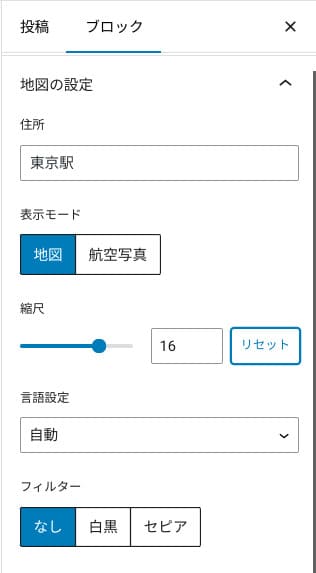
Вы можете переключить его на вид карты или спутникового снимка, а также сделать монохромным или сепией. В темах Cocoon и SWELL такой функции нет. Честно говоря, настроить это с помощью CSS довольно сложно, если вы не дизайнер или программист.
Однако с темой XWRITE это не составит труда даже при отсутствии специальных знаний. Любой пользователь сможет настроить интеграцию с Google Картами под общую стилистику сайта своей компании или магазина.

Как создать Google Map
Как создать Google Map
xwrite.jp
Блок Section делает красивым даже пустое пространство.
Дизайн имеет ключевое значение для сайтов компаний и интернет-магазинов. Он передает атмосферу, которую сложно выразить словами, например: «Этот магазин выглядит стильно» или «Похоже, они выполняют работу аккуратно и качественно».
Как ни удивительно, на эту атмосферу влияет и свободное пространство. Хорошо выстроенные и комфортные отступы могут создавать красоту и элегантность или даже ощущение живой энергии.
Используя блок разделов (Section) в теме XWRITE, вы можете гармонично оформить пустые пространства на странице, чтобы создать желаемую атмосферу.
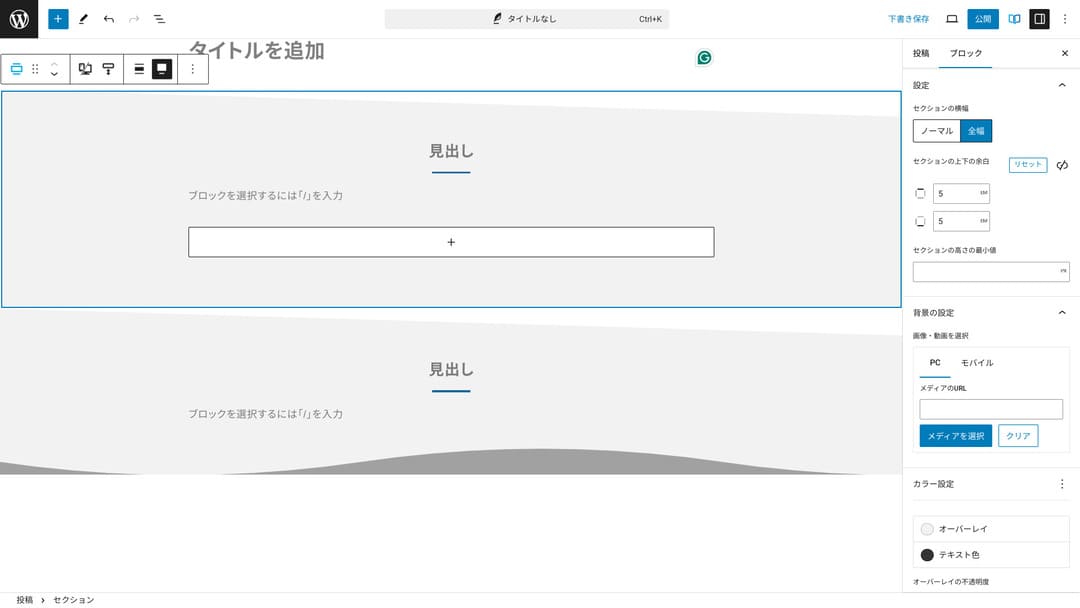
Вы можете срезать пустое пространство по диагонали или добавлять волнообразные формы. Проработка дизайна на таком детальном уровне, включая свободные зоны, значительно повышает авторитет компании или магазина.
Как создать блок Section
Как создать блок Section
xwrite.jp
Почему я рекомендую XWRITE для сайтов-партнерок
Посмотрите на демо-сайт в стиле партнерского ресурса, созданный Xserver. Хотя на нем написано «блог», структура и оформление контента соответствуют полноценному партнерскому сайту.

STUDY DEMO БЛОГ
STUDY DEMO БЛОГ
demo.xwrite.jp
Блок Product Review делает плюсы и минусы понятными с первого взгляда.
С помощью блока обзора продуктов (Product Review) в теме XWRITE вы можете наглядно представить преимущества и недостатки товара. Пользователи сразу увидят все сильные и слабые стороны. Оценка и текстовое описание также легко воспринимаются.
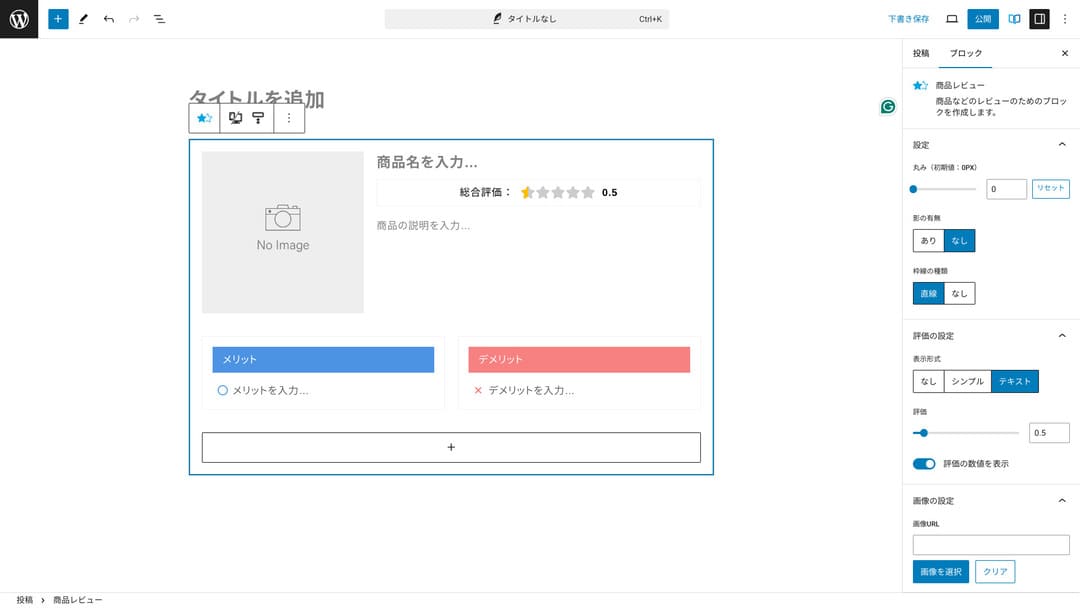
Благодаря этому посетители сайта могут сразу понять характеристики предлагаемого вами продукта. Быстрое понимание облегчает принятие решения о покупке. Другими словами, продавать становится проще.
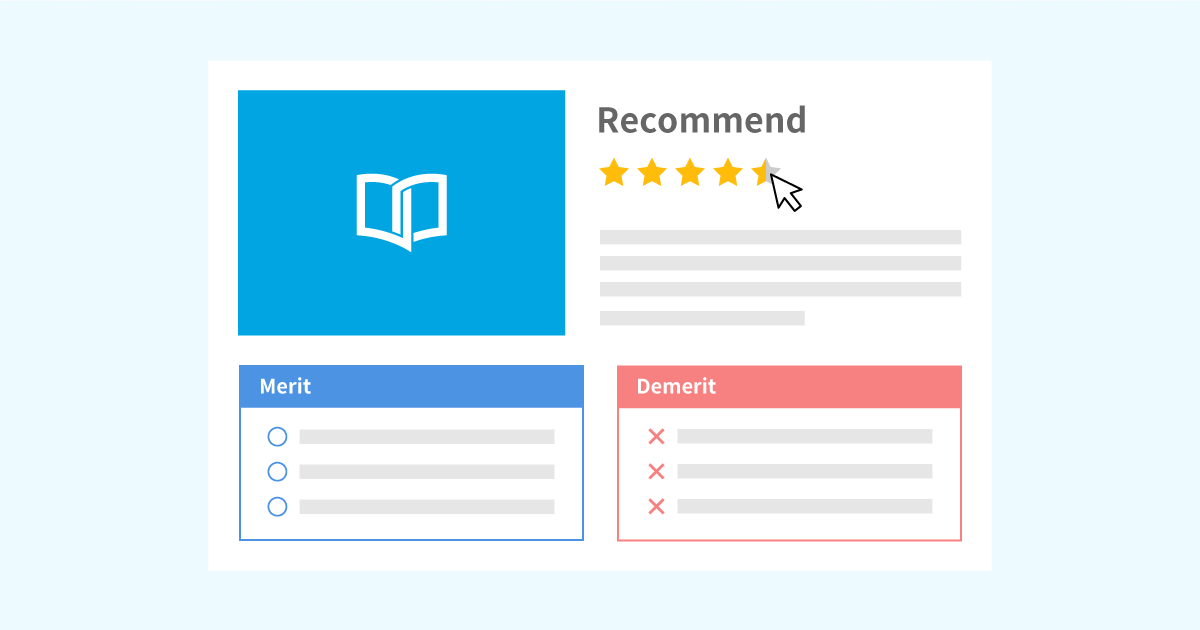
Пример блока обзора продуктов (Product Review) для описания характеристик и выставления оценок
Пример блока обзора продуктов (Product Review) для описания характеристик и выставления оценок
xwrite.jp
Блок Step ясно передает порядок действий и процесс.
Блок «Шаг» (Step) в XWRITE упрощает понимание процедур и процессов. Объяснения вроде «после этого подготовьте этот документ и нажмите сюда» становятся намного нагляднее.
Вы можете использовать блок «Шаги» (Step block), чтобы наглядно продемонстрировать процесс покупки товара или последовательность этапов при заключении договора.
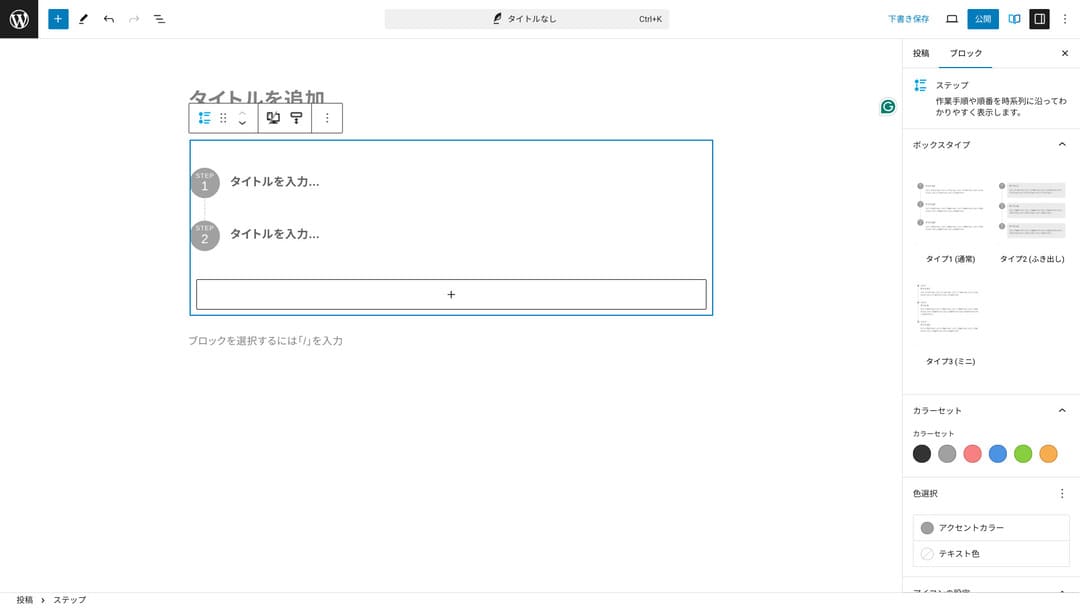
Процедуры можно объяснять и заголовками с обычным основным текстом, но тогда изложение получается не таким аккуратным и часто создает лишние пустые промежутки.
Кроме того, если использовать заголовки для описания шагов, оглавление страницы может стать слишком подробным, что ухудшит удобство использования. Блок «Шаг» (Step) позволяет сделать описание простым.
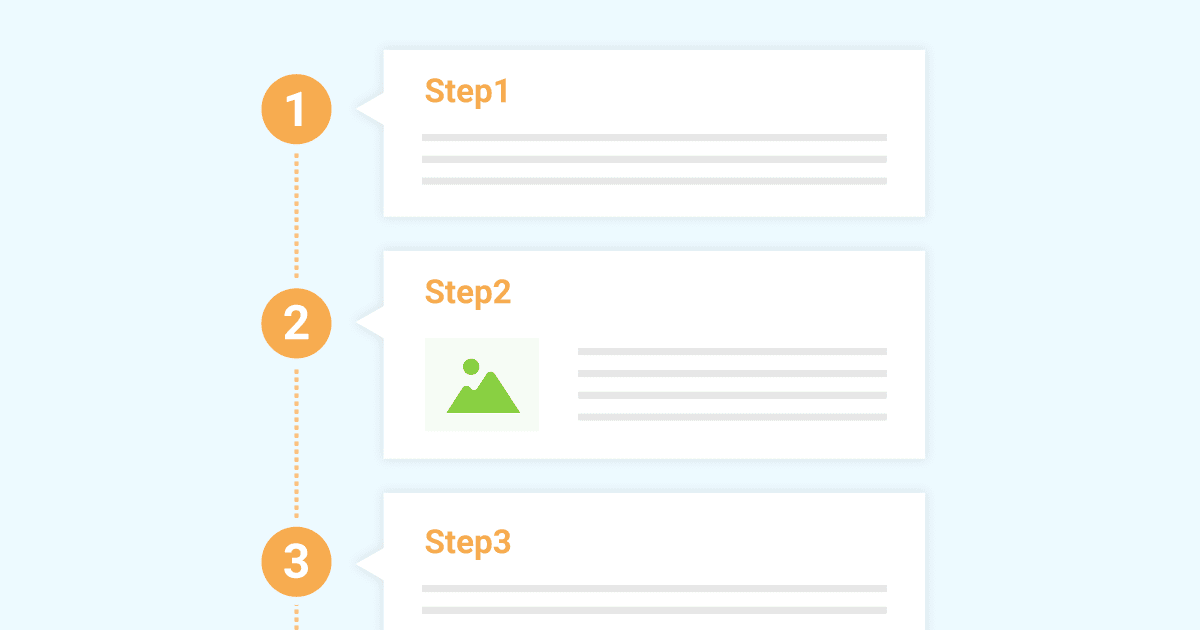
Пример блока Step для описания рабочих процедур
Пример блока Step для описания рабочих процедур
xwrite.jp
Блок Button может повысить CTR.
Использование блока «Кнопка» (Button) в XWRITE поможет повысить показатель кликабельности (CTR). Кнопки можно оформлять самыми разными способами, делая их интуитивно понятными для пользователей, чтобы у них не возникало вопросов: «Откуда отправлять заявку?»
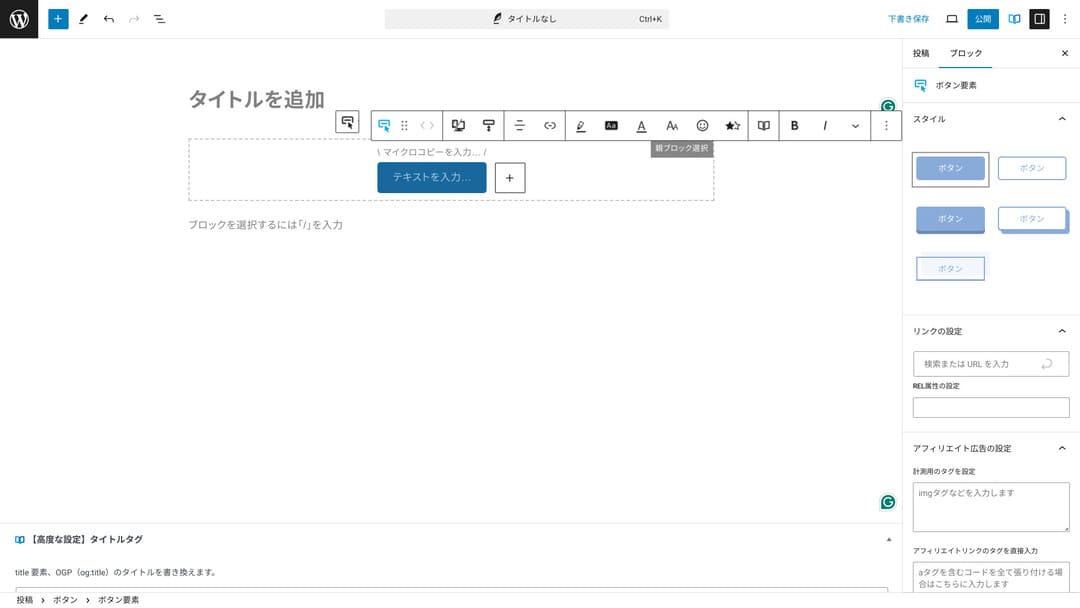
Благодаря возможности изменять цвет и дизайн, тему можно адаптировать под атмосферу сайта.
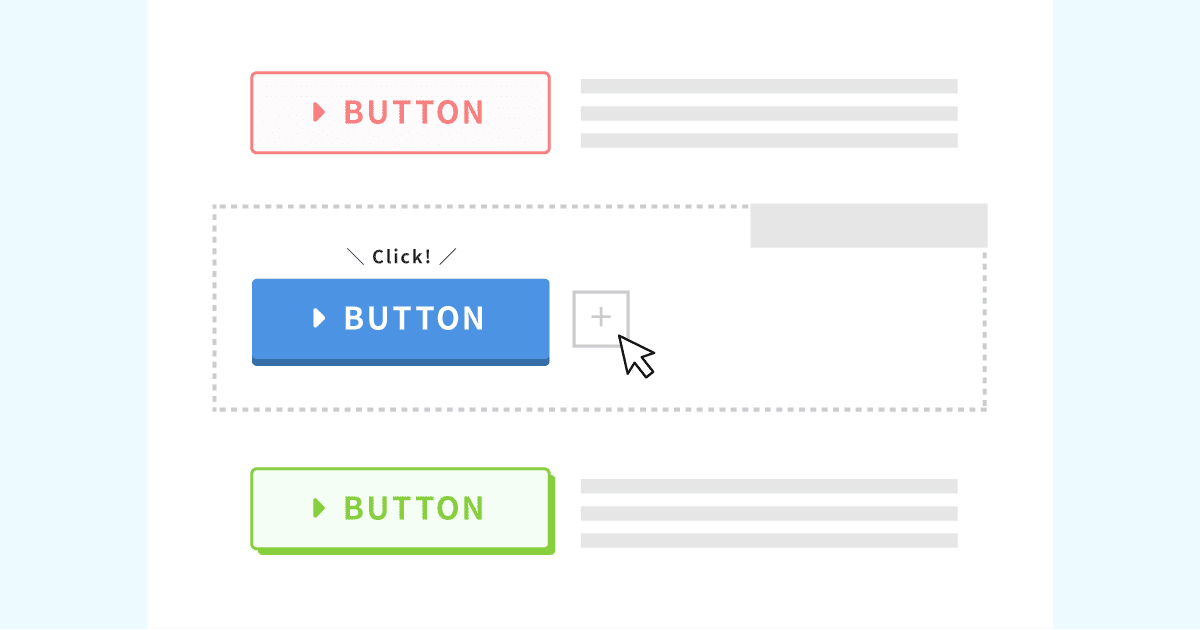
List of оригинальный кнопка designs
List of оригинальный кнопка designs
xwrite.jp
Цены XWRITE: подписка и разовая покупка
В XWRITE вы можете выбрать тарифный план по подписке или единовременную покупку.
- Subscription (ежемесячный): 990 yen per месяц
- Subscription (ежегодный): 9,900 yen per год
- One-time purchase тариф: 19,800 yen
Пользователи Xserver и Shin Rental Server могут приобрести бессрочную лицензию за 15 840 иен. Поскольку это примерно на 4000 иен дешевле стандартной цены, рекомендую оформить заказ при покупке сервера, если вы планируете приобрести и тему XWRITE, и новый тарифный план хостинга.
И Xserver, и Shin Rental Server — отличные серверы. Подробно о них рассказано в статьях ниже.

Репутация и обзор Xserver [последнее обновление 2025]: подробный разбор скорости, цен, преимуществ и недостатков
Репутация и обзор Xserver [последнее обновление 2025]: подробный разбор скорости, цен, преимуществ и недостатков
serverfield.org
Обзор Shin Rental Server [последние данные 2025 года]: детальный разбор скорости работы и цен на основе реального опыта
Обзор Shin Rental Server [последние данные 2025 года]: детальный разбор скорости работы и цен на основе реального опыта
serverfield.org
Если говорить честно, эта тема недешевая по сравнению с другими шаблонами для WordPress
Честно говоря, по сравнению с другими темами WordPress, эта цена не самая низкая. Она находится примерно на том же уровне или немного выше.
| XWRITE | One-time purchase plan: 19,800 yen |
| Cocoon | Free |
| SWELL | 17,600 yen |
| SANGO | 14,800 yen |
| JIN:R | 19,800 yen |
Повторюсь, наиболее выгодный вариант — приобрести тему за 15 840 иен при оформлении договора на аренду сервера в Xserver или Shin Rental Server.
Однако, если у вас уже есть оплаченный сервер, выбирайте тариф по подписке. Скорее всего, у вас были веские причины выбрать текущую тему оформления. При ее смене разница в дизайне может повлиять на показатели просмотров страниц (PV) и кликабельности (CTR).
Если после перехода на XWRITE по подписке вы обнаружите, что...
- дизайн сильно отличается от ваших вкусов
- влияние вашей предыдущей темы приводит к нарушению разметки, а исправления становятся затруднительными
…вы сможете вернуться к своей прежней теме оформления с минимальными затратами.
Мы также думали оформить подписку и опробовать тему XWRITE на нашем сайте, но на этот раз отказались от затеи по второй из упомянутых выше причин — у меня просто нет времени на исправление разметки.
Как оформить XWRITE
Как оформить XWRITE
- STEP.1Войдите в личный кабинет
- STEP.2Приобретите тему на странице лицензии
Пожалуйста, приобретите тему в разделе «Активация лицензии» (License Authentication) на пользовательском сайте.
- STEP.3Скачать тему
Скачайте тему.
Возьмите скачанный ZIP-файл и установите его через Внешний вид → Темы → Загрузить новую тему, а затем активируйте.
- STEP.4Выполните проверку лицензии
Активируйте лицензию в разделе: Настройки XWRITE → Активация. (официальная инструкция)
У XWRITE есть дочерняя тема
Изначально у XWRITE не было дочерней темы, но после обновления от 22 января 2025 года они стали доступны. По возможности создайте дочернюю тему. Создавая дочернюю тему для WordPress, вы предотвратите серьезное нарушение дизайна при переходе на другую тему.
General procedure for creating a WordPress child тема
- STEP.1Создайте папку для дочерней темы
Сначала перейдите в папку установки WordPress и создайте папку для дочерней темы внутри
wp-content/themes/.- Получите доступ либо через FTP, либо через панель администратора WordPress > Внешний вид > Редактор тем.
- Создайте новую папку внутри
wp-content/themes/и назовите ее, например,тема-child. Имя папки может быть любым, но лучше использовать простое и понятное название.
- STEP.2Создайте таблицу стилей дочерней темы (style.css)
Затем создайте style.css файл в этой папке. Этот файл управляет информацией о стилях дочерней темы.
- Задайте содержимое тема-child/style.css так, как показано ниже.
Скопируйте CSS-код/* Tema Name: Tema Child Template: Tema Version: 1.0*/@import url("../Tema/style.css");/* Write customization CSS here */Тема Name: название дочерней темы (его можно менять по вашему усмотрению)Шаблон: имя каталога родительской темы- CSS-файл родительской темы загружается с помощью
@import.
- STEP.3Создайте файл functions.php для дочерней темы
Затем создайте functions.php файл для корректной загрузки стилей родительской темы.
- Create a тема-child/functions.php файл и добавьте следующее содержимое.
Скопируйте PHP-код<?php// Load the parent theme style sheetfunction theme_child_enqueue_styles() { wp_enqueue_style('parent-style', get_template_directory_uri() . '/style.css');}add_action('wp_enqueue_scripts', 'theme_child_enqueue_styles'); - STEP.4Активируйте дочернюю тему
Вернитесь в админ-панель WordPress и перейдите в Appearance > Themes. A тема called “Тема Child” will be displayed there, so activate it.
- STEP.5Старт customizing
После активации дочерней темы выполните настройку style.css, functions.php, а также, при необходимости, другие файлы шаблонов, такие как
header.phpandfooter.php. Вместо непосредственного редактирования файлов родительской темы вносите изменения, переопределяя их в дочерней теме.
Часто задаваемые вопросы о XWRITE
How much does XWRITE стоимость?
- Subscription (ежемесячный): 990 yen per месяц
- Subscription (ежегодный): 9,900 yen per год
- One-time purchase тариф: 19,800 yen
Для пользователей Xserver и Shin Rental Server стоимость бессрочной лицензии XWRITE снижается до 15 840 иен.
Что будет, если я не продлю подписку?
Даже если вы не продлите подписку, тема останется полностью работоспособной. Тем не менее, вы больше не сможете скачивать обновления и потеряете возможность задавать вопросы на официальном форуме.
При выборе подписки вам потребуется продлевать ее каждый месяц. Если вы хотите сэкономить, рекомендуется выбрать тариф с бессрочной лицензией (единоразовая покупка).
Итог
XWRITE — тема для блогов. Если вы собираетесь вести блог, я определенно рекомендую её. В то же время она отлично подходит для сайтов компаний и партнерских сайтов.
При выборе подписки вы можете протестировать её в течение одного месяца за 990 иен. Рекомендую начать с подписки. Если вас устроит удобство использования и дизайн, вы сможете перейти на единовременную покупку.
«XWRITE» — это тема WordPress, предоставляемая компанией Xserver Inc. Она зарекомендовала себя как простая, быстрая и удобная для всех. Особенно рекомендуется для корпоративных сайтов и партнерских ресурсов.
It becomes дешевле if you sign up for Xserver, Shin Rental Сервер, or Star Rental Сервер
Если вы одновременно ищете и сервер, я рекомендую Xserver.
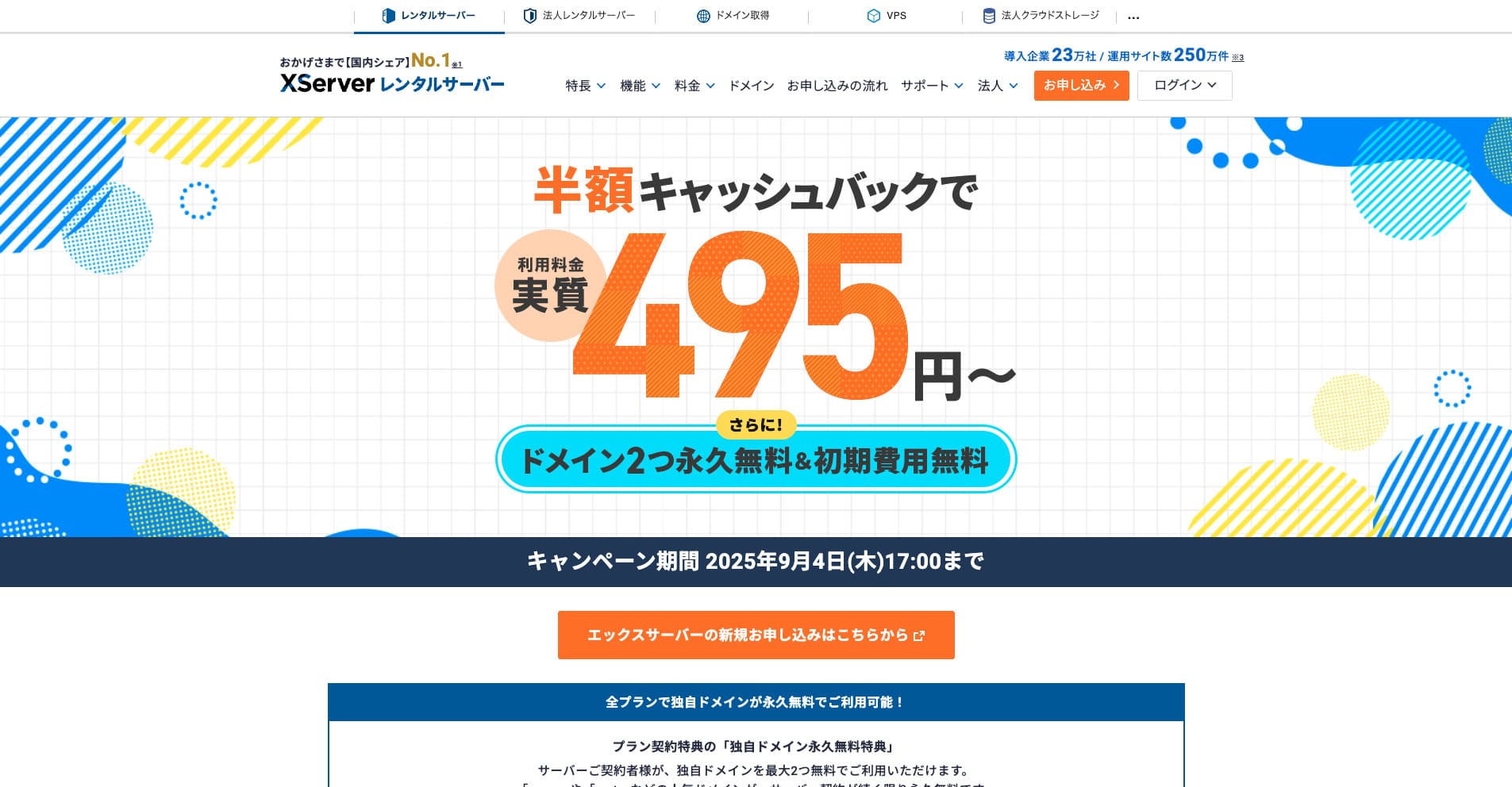
“Xserver” — это давно зарекомендовавший себя высокоскоростной арендуемый сервер, занимающий первое место на внутреннем рынке. Он популярен как у частных лиц, так и у компаний. Честно говоря, у него нет реальных недостатков, а его стабильность, функции и поддержка превосходны. С учетом кэшбэка его стоимость начинается фактически от 495 иен.
До 34 сентября 2025 года действует кэшбэк в размере половины стоимости и предоставляется 10-дневный бесплатный пробный период
