
Up to 50% off server fees until August 31, 2025, plus up to a 10,000-yen Amazon gift card and a 30-day бесплатный trial
PR
Работы
Обзор ColorfulBox [2025]: выгодный хостинг для запуска WordPress
Опубликовано: 2025.05.02
Обновлено: 2025.05.02
Рейтинг: 4.0
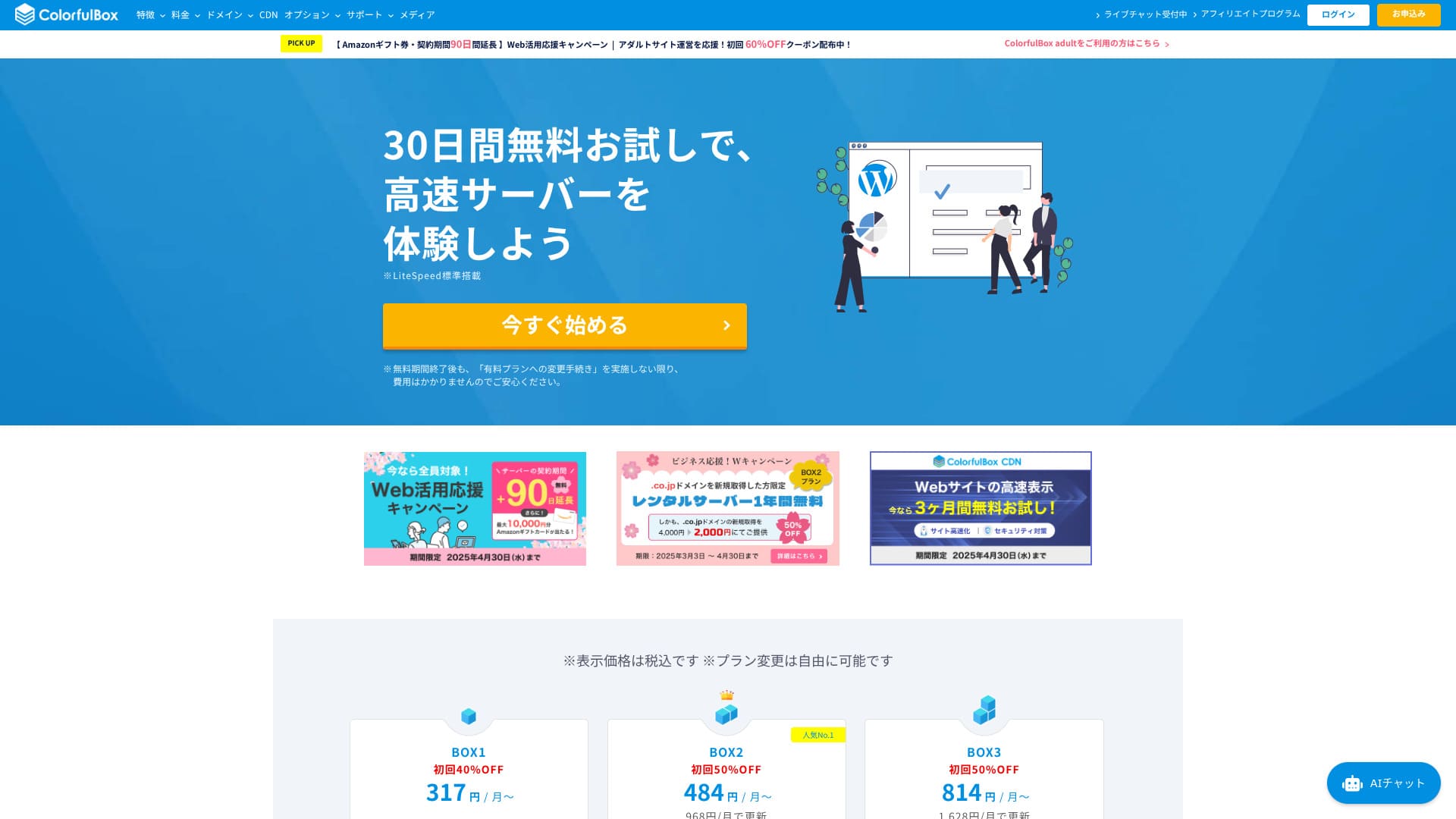
Запущенный в 2018 году, ColorfulBox — относительно новый японский хостинг. Он держит цены низкими, предлагая при этом сильные функции, такие как автоматическое резервное копирование по регионам и безопасность Imunify360.

Reasons to recommend ColorfulBox to first-time WordPress users and people who care about support качество:
- 14 days of automatic backups stored by region
- Advanced Imunify360 security for peace of mind
- Phone support on every plan
That is why it is a strong choice. You can try it бесплатный for 30 days.
A competing option is Shin Rental Server. It offers more flexible pricing that can be started on an hourly basis than ColorfulBox. It is worth considering alongside it.
★ Shin Rental Server Обзор [2025 Latest]: Real speed, pricing, pros, and cons
| Server type | Shared hosting |
| Biggest strength | A wide range of plans |
| Speed (TTFB) | 190ms |
| Recommended plan and term | BOX1 / 12 months |
| Trial / money-back guarantee | 30-day money-back guarantee |
| Monthly fee (12-month term) | 638 yen |
| Setup fee | Бесплатный |
| Бесплатный domain | None |
| Support | Business hours: weekdays 09:30-12:00, 13:00-17:30 Phone (24-hour reception), callback (BOX7 and above), chat, LINE, and email |
| Uptime | Not disclosed |
| Storage | 200GB |
| Databases | Unlimited |
| Security | WAF, IPS, IDS, virus scanning, SiteLock (paid) |
| SSL | Бесплатный SSL, dedicated SSL, shared SSL |
| Backup / restore | 14 days of region-based automatic backups included; restores are бесплатный |
| Email accounts | Unlimited |
| Email security | Email encryption, POP/POP3S / SMTP/SMTPS, IMAP/IMAPS, virus checks, spam filters, and custom filters |
| WordPress preinstalled | Yes |
| Server / website migration сервис | Бесплатный |
| CDN | 440 yen and up |

Hikaru Ono
ColorfulBox lets you start WordPress at the same time you sign up for the server. It is simple. Because it is one of the few Japanese hosting сервисs that accepts phone inquiries 24 hours a day, it is a good fit for people who worry about whether they can solve everything on their own.
It has everything from affordable plans to large-capacity plans, so it is easy to keep using for a long time.
ColorfulBox compared with other providers
- Overall rating★★★★☆
- Server speed ★★★★☆
- Pricing ★★★★☆
- Stability ★★★★☆
- Ease of starting WordPress* ★★★★★
- Domain управление and SSL-related tasks* ★★★★☆
* These scores reflect my факт hands-on experience.

21 Recommended WordPress Hosting Сервисs for Individuals and How to Choose
21 Recommended WordPress Hosting Сервисs for Individuals and How to Choose
serverfield.org
- Data based on market research as of November 4, 2025, arranged in order of speed
- Monthly fees are the first-year cost of the cheapest plan that can run WordPress
- Speed is the Time to First Byte measured on demo sites under the same conditions
“ColorfulBox” is a hosting сервис with excellent region-specific automatic backups, making it easy to use with confidence. It has eight plans, so you can use the right level of performance without wasting money. It is also one of the few hosts that provides support 24 hours a day.
WordPress-related обзорs
Easy WordPress installation
ColorfulBox uses cPanel and Installatron, allowing you to install WordPress in just a few clicks. From domain settings to enabling бесплатный SSL, everything proceeds in a wizard-style flow, so even first-time users can finish without getting lost. HTTPS is also enabled during installation, so there is no need to set the certificate manually.
Theme and plugin bulk import can also be completed within the wizard.
Hikaru Ono
When I фактly signed up, the application was finished in about five minutes. The WordPress site I installed was also viewable on the web roughly 30 minutes later.
Start a website with ColorfulBox
- STEP.1Visit the official site ColorfulBox
Click “Get started now.”
- STEP.2Sign up for the server and get a domain
Choose a region. If you do not have a specific preference, I recommend “Rental Server [East Japan].”
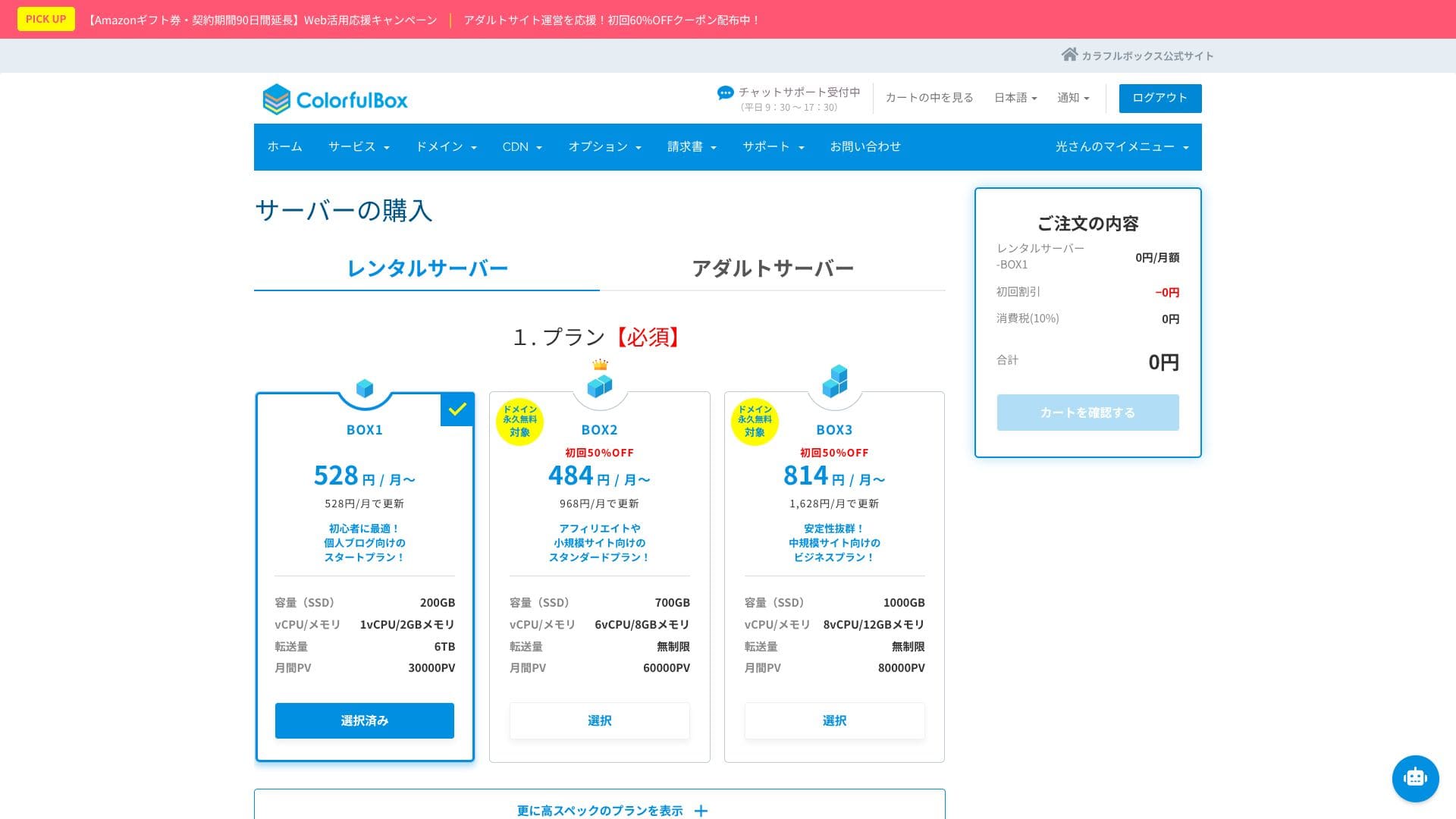
Choose your plan in the server selection section. BOX1 is the recommended choice, and you can upgrade to BOX2 at any time.
 Hikaru Ono
Considering both term length and value, I recommend a 12-month контракт.
Decide on a domain name. Enter the text you want in “Use a newly registered domain.” Search for the domain, and if it is available, click “Next.”
★ What is a domain? Its role as an address on the internet and how to get one
In the optional settings under “WordPress quick setup,” be sure to choose “Automatic WordPress installation.”Using this makes it dramatically easier to start a WordPress website.
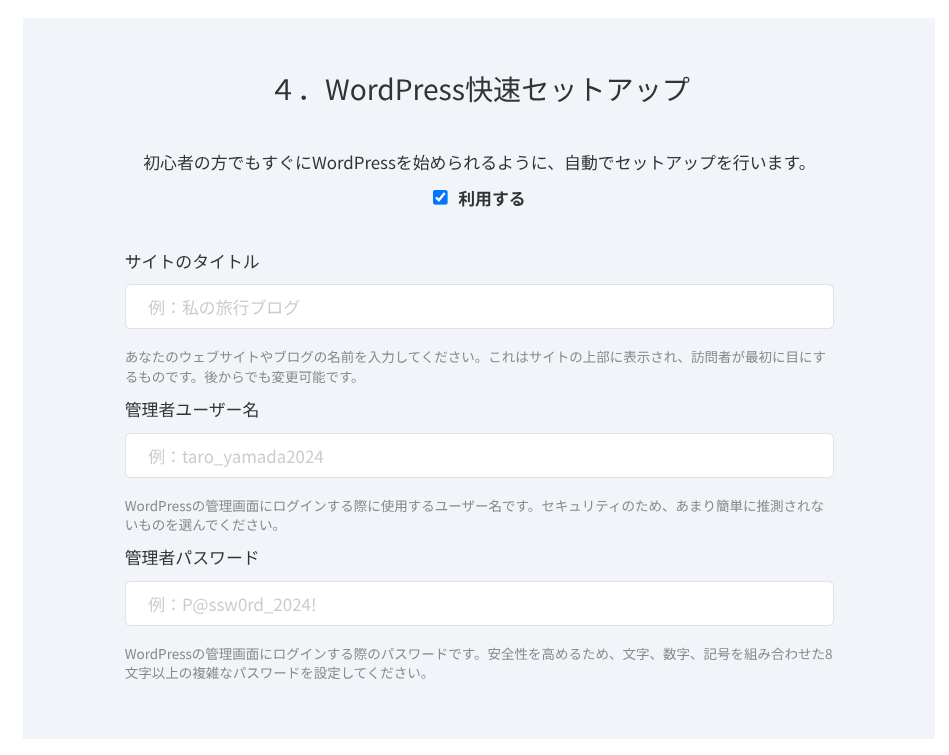
Enter the information required for WordPress.
- Site title: anything is fine
- Admin username: anything is fine
- Admin password: make it as strong as possible
The site name can be changed later. If you have not decided, enter a temporary one.
The WordPress username and WordPress password are important.Write them down. You will need them to журнал in to the website you create with WordPress.
Once you have entered everything, click “Next.”
In the domain settings and configuration section, you can choose “Whois privacy proxy.” This determines whether the domain registrant’s name and address are shown. If you are a corporation, it is generally better to publish them. If you are an individual, think through the choice. If you enable the checkbox, ColorfulBox information will be shown instead. Once you decide, go to “Next.”
Enter your user information, such as name and address, along with your payment information. If there are no issues with what you entered, click “Confirm заказ.”
Once the temporary registration email arrives, your server signup and domain acquisition are complete.
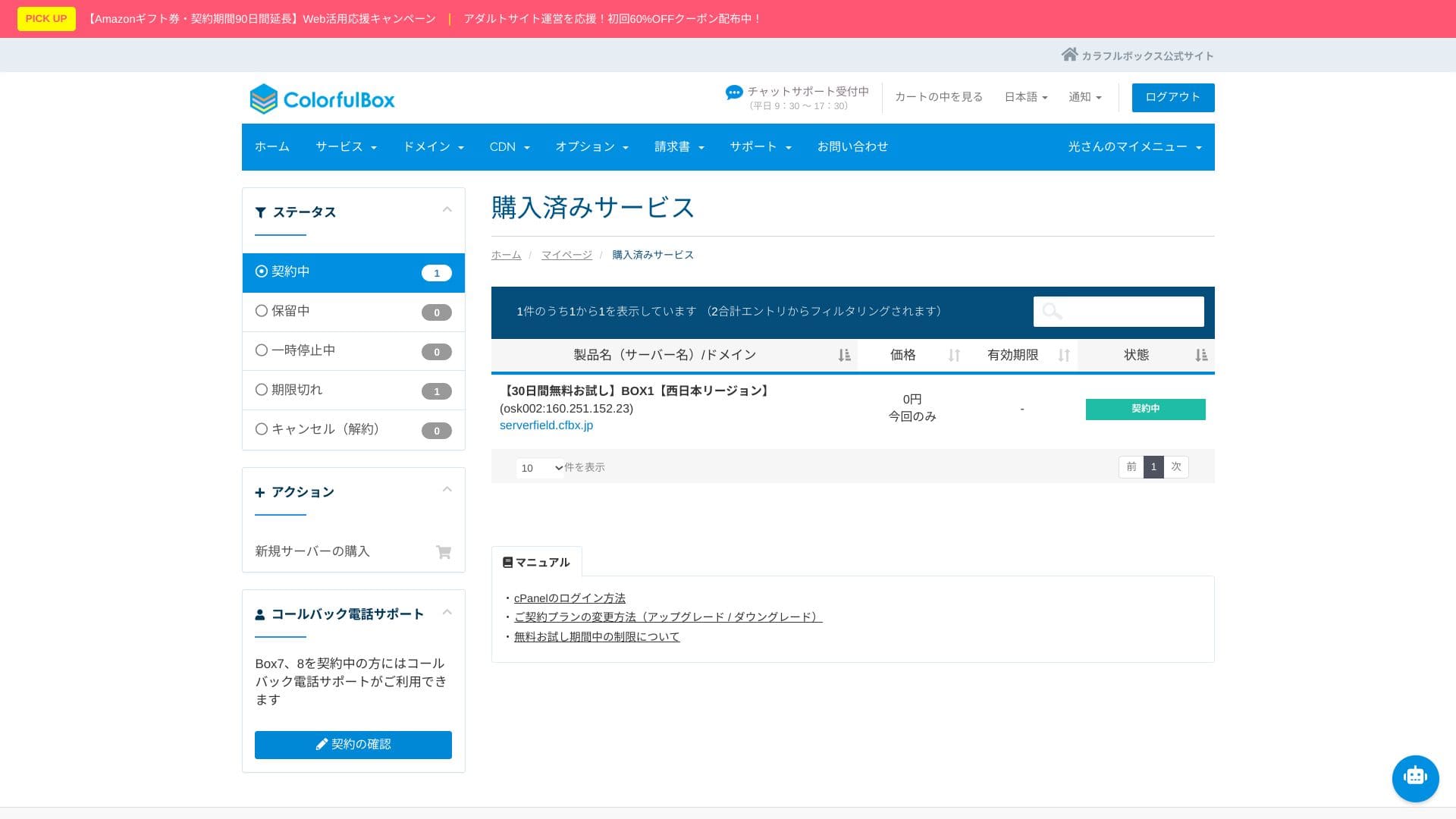
- STEP.3Initial WordPress setup
After the signup is complete, access “https://your-domain-name/wp-admin/”. That will take you to the WordPress admin screen.
Журнал in to WordPress using the username and password you created during signup. If you see “Your connection is not private,” wait for a while. DNS has not finished propagating yet, so try accessing it again every few hours.
If you can see the following screen, the WordPress installation is complete.
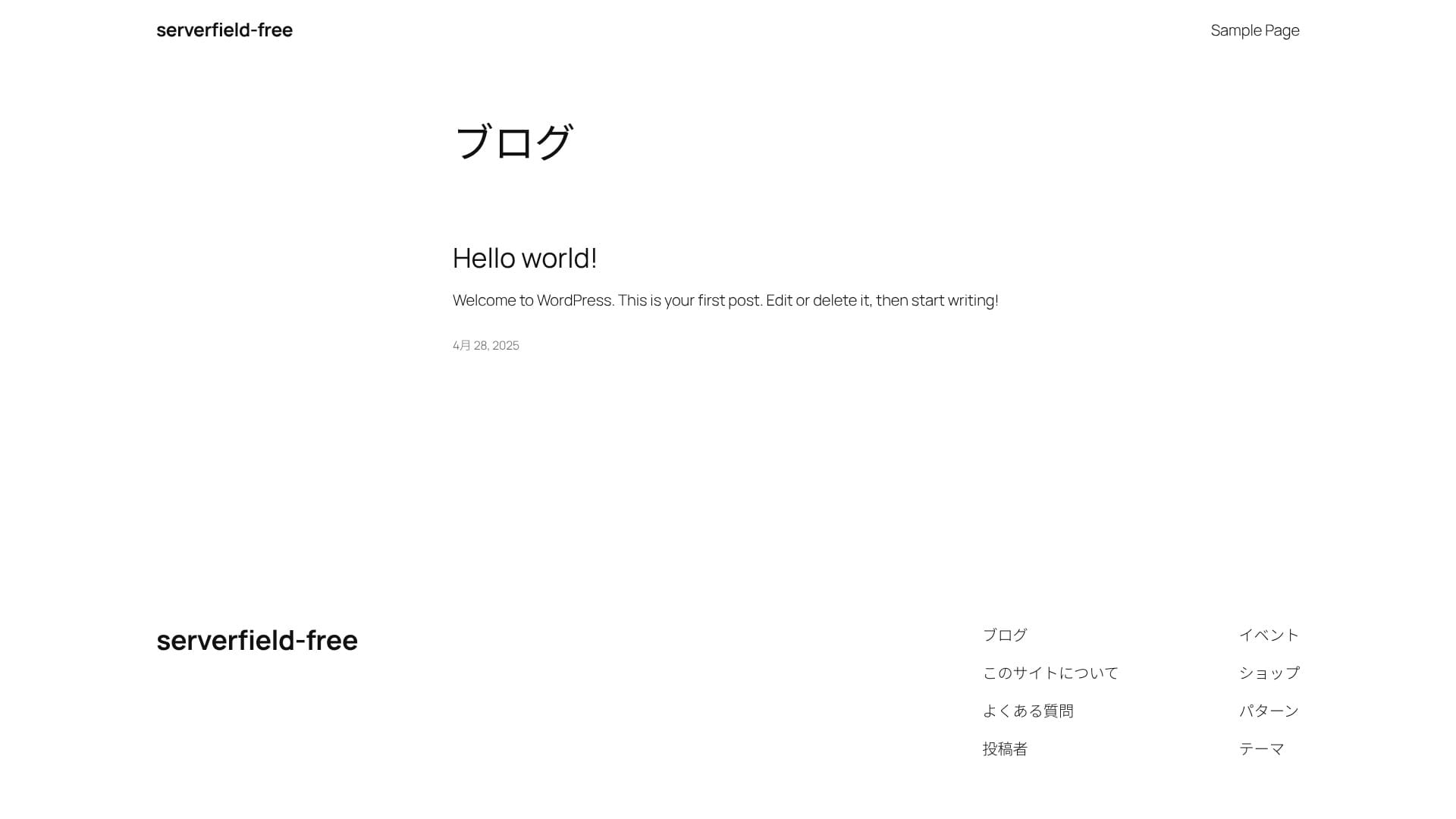
★ What are DNS and nameservers? Connecting a domain and a server
After журналging in to WordPress, configure your permalink settings. In the admin screen, go to “Settings” and then “Permalinks.” Choose “Post name,” then click “Save Changes.”
When you use “Post name,” you can enter your own string in the URL when publishing an статья. A short string that hints at the статья’s content is recommended because it is easier for readers to understand. If it is too long, some people may feel uneasy and think the site looks suspicious.
- STEP.4Install plugins
Go back to the WordPress admin screen, open “Plugins,” then “Add New,” and install the plugins you need.
Once you find the plugin you want through search, click “Install Now,” then “Activate.” After that, follow the instructions for each plugin.
Be sure to install security and backup plugins.
- Five WordPress security plugins and how to choose one
- Five powerful WordPress backup plugins for recovering your data
Once the plugins are installed, your WordPress website is ready to go!
Running multiple sites (multiple domains)
ColorfulBox offers unlimited multiple domains, databases, and email accounts on every plan. Even the lowest-priced BOX1 can be used to create multiple WordPress sites, which is a major benefit. You can run several hobby bжурналs, and for corporate or business use, you can create websites with different domains for each brand.
Because you can create as many test sites and landing pages as you want under one контракт, управление stays simple. MySQL is also unlimited, so it is possible to separate and operate databases individually.
Install multiple WordPress sites
- STEP.1Журнал in to the control panel
- STEP.2Select “Server” from “Закупкаd сервисs”
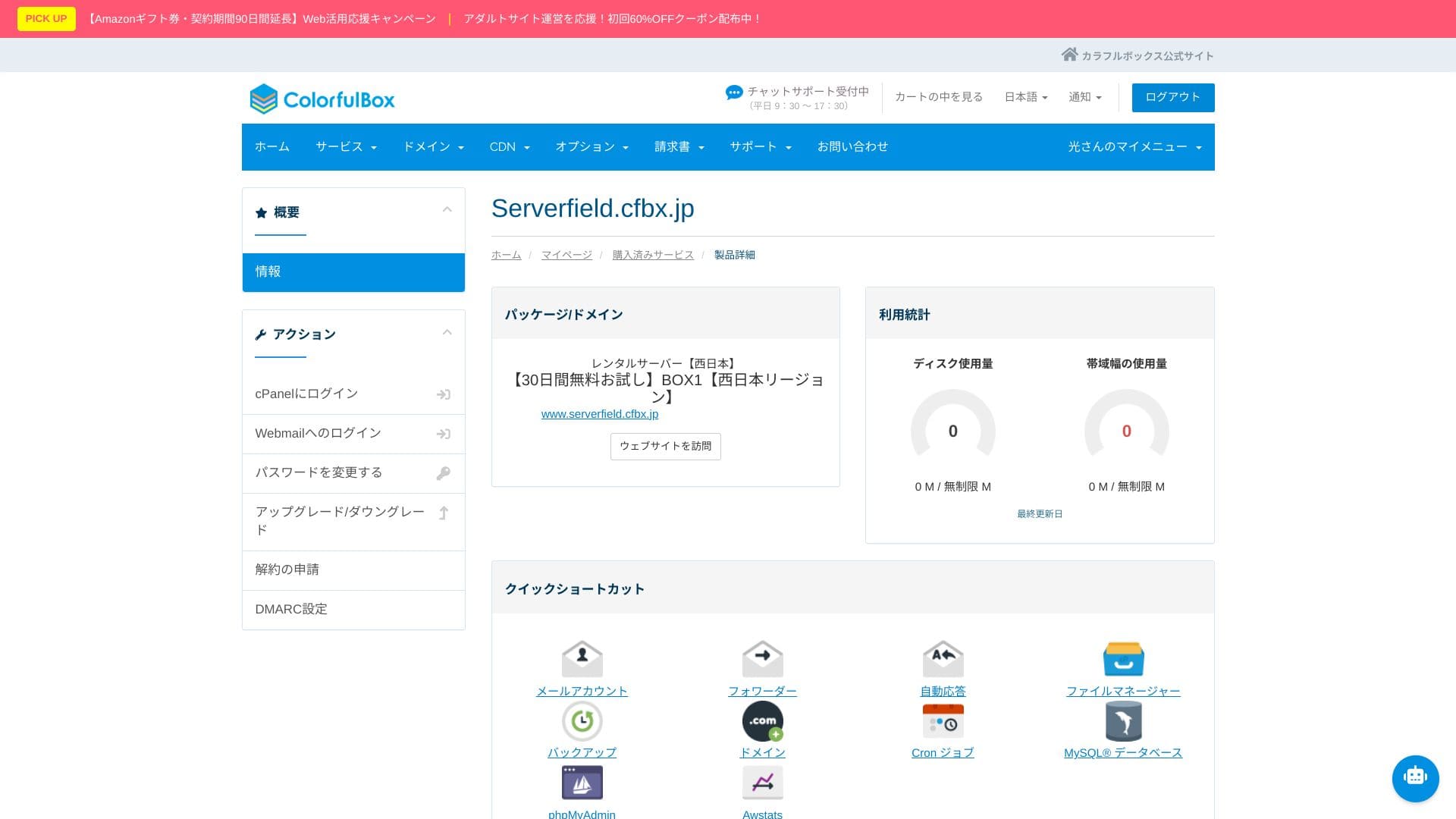
Choose “Server” from “Закупкаd сервисs.” Then click “Журнал in to cPanel” from the menu on the left side of the control panel.
- STEP.3Click “WordPress” under “Applications”
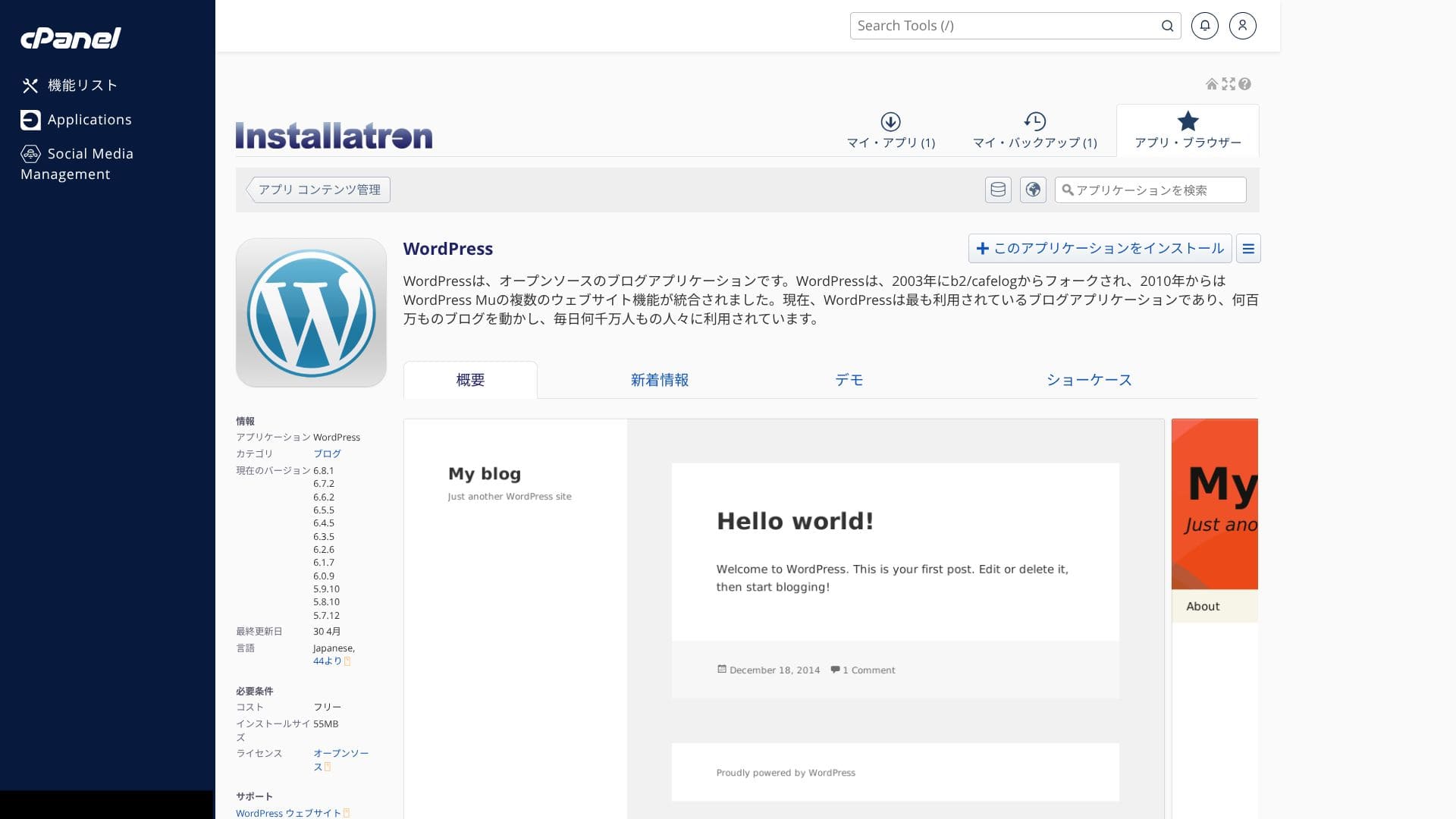
When you журнал in to cPanel, you will see various features. Scroll down and click “WordPress” under “Applications.”
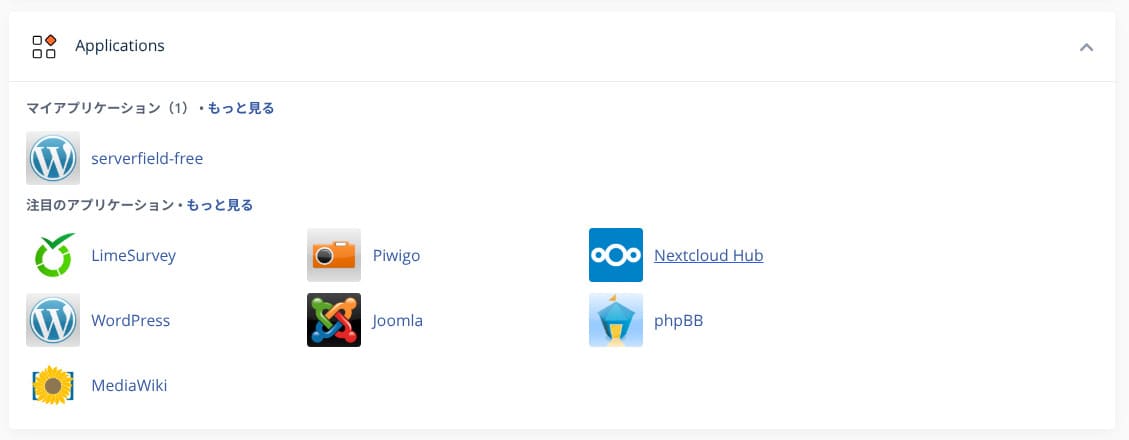
- STEP.4Click “+ Install this application”
Click “+ Install this application.”
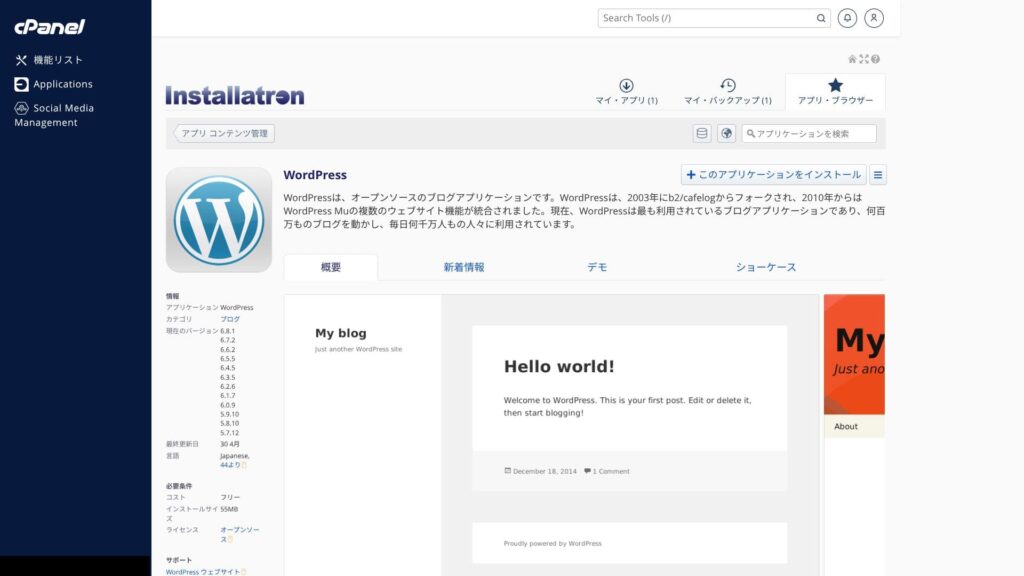
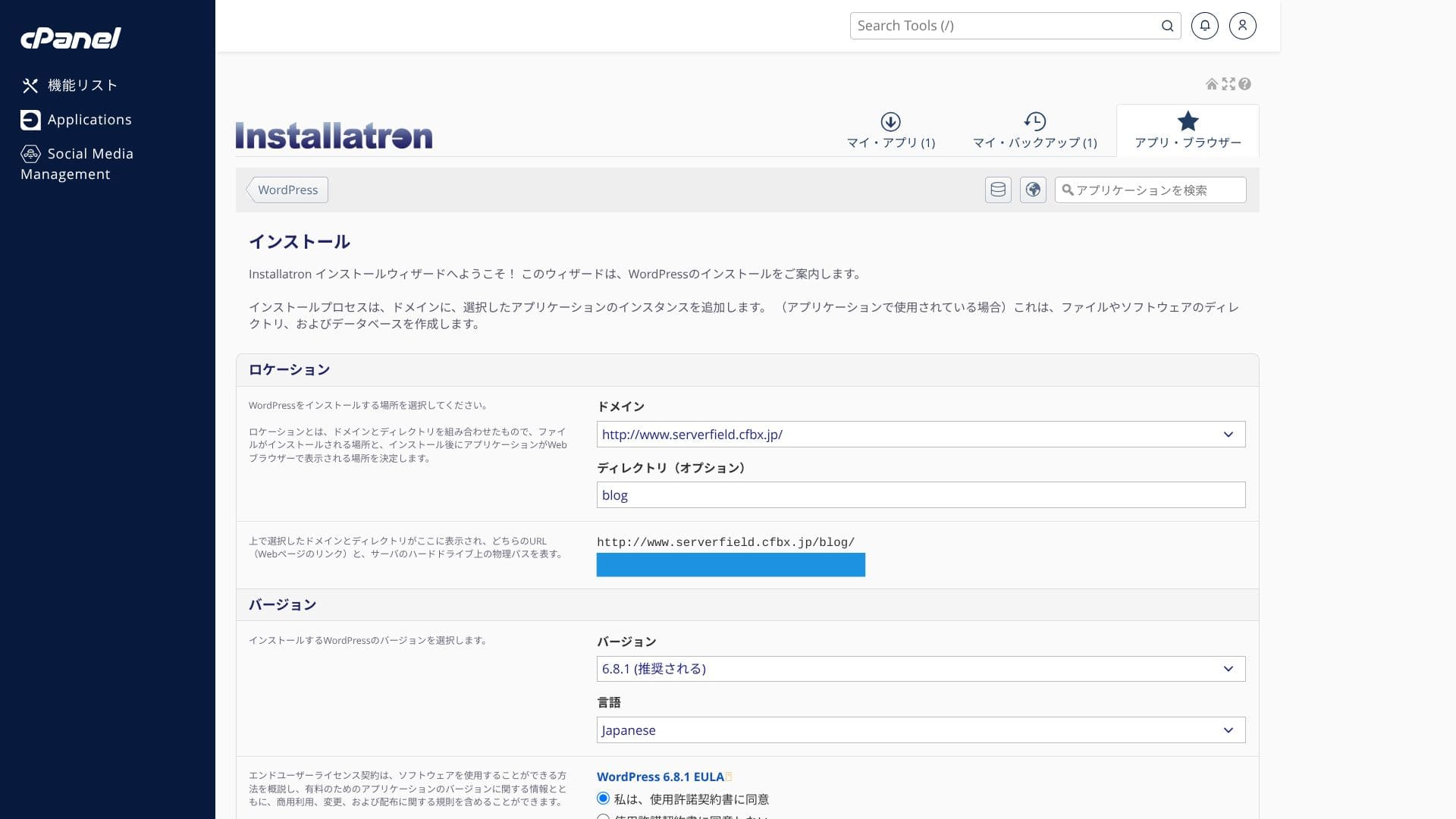
Select the domain where you want to install WordPress. Then set the site title, password, and the other required items, and click “+ Install” to complete the installation.
One thing to note is that vCPU and memory are shared across the entire plan. If even one site places a heavy load on the server, other sites on the same server may slow down as well. If you plan to run multiple sites that could attract significant traffic, it is worth considering renting an additional server.
Migrating a WordPress site
ColorfulBoxprovides a simple WordPress migration tool. You can migrate your data just by entering the site URL and your WordPress admin credentials and then clicking “+ Start migration.”
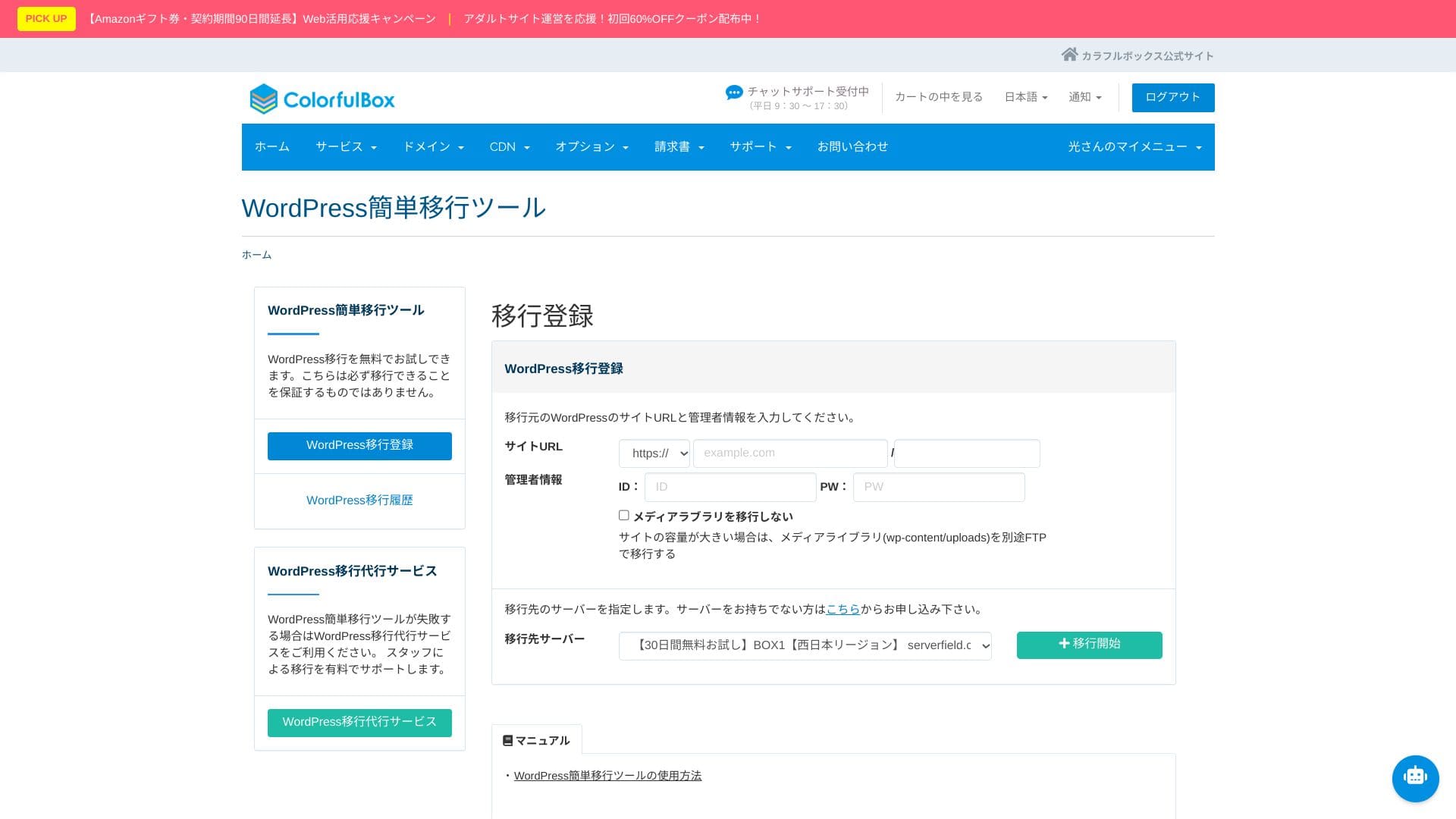
Hikaru Ono
However, after the site migration, nameserver and DNS settings are still required. If that feels difficult, use the paid “Anshin Start” option or the “WP migration сервис.”
Performance and specifications обзор
Our measurements: speed обзор and the technical reasons behind it
ColorfulBox was measured with PageSpeed Insights, a tool provided by Google. It is one of the best-known tools for measuring speed, user experience, and related metrics.
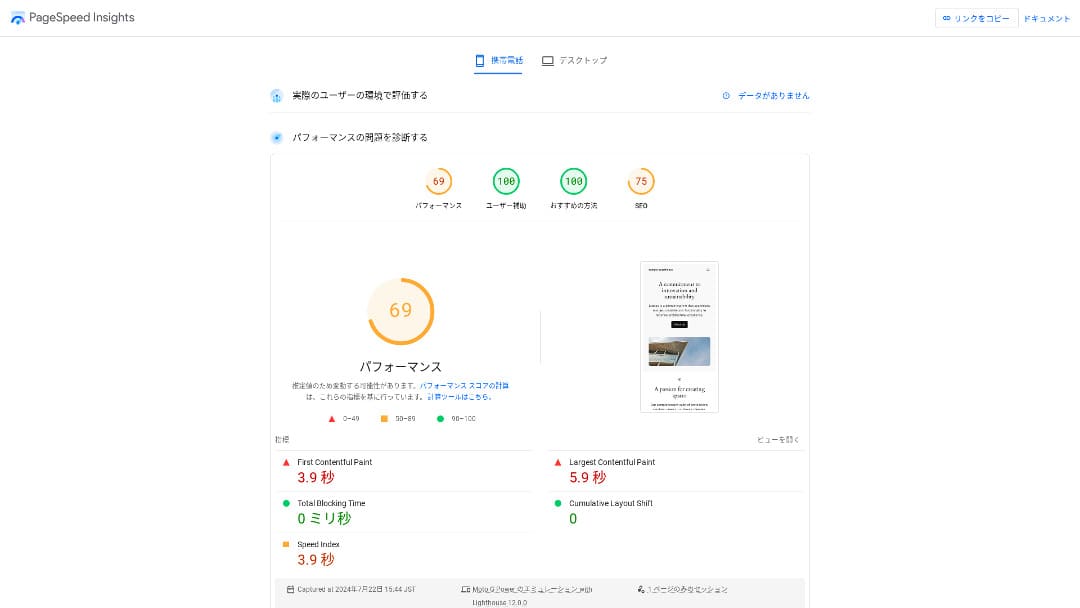
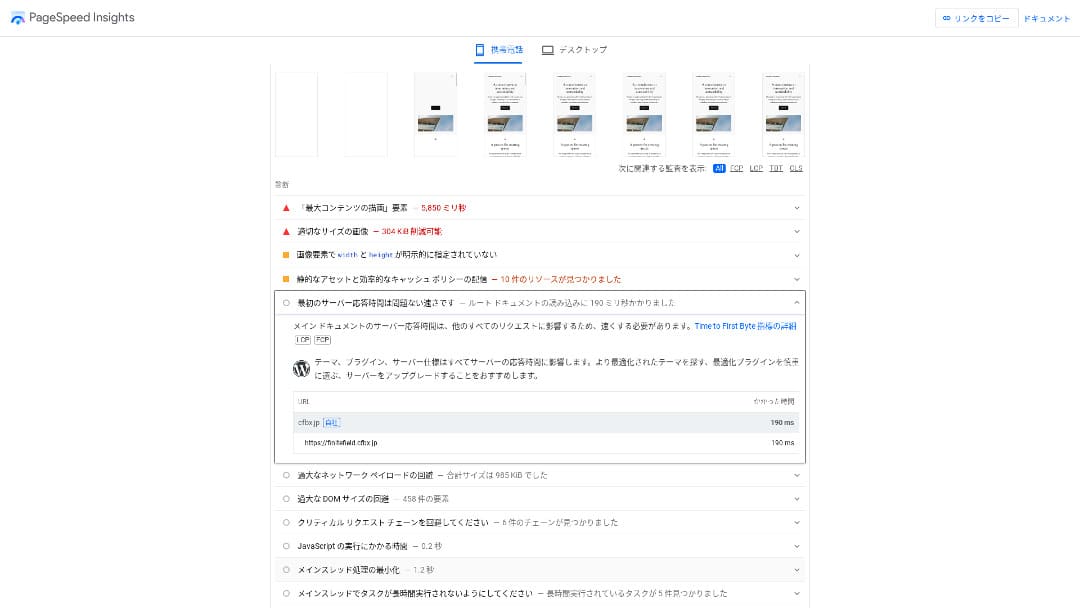
Its TTFB (Time to First Byte), a key speed indicator, was 190ms. Because this meets Google's recommendation of 200ms or less, it can be evaluated as a fast server.
You should reduce your server ответ time under 200ms. (You should reduce your server ответ time to under 200ms.)Improve Server Ответ Time
Hikaru Ono
That said, there are servers that are faster than ColorfulBox.
LiteSpeed Web Server and pure SSD storage
It uses LiteSpeed Web Server and pure SSD storage as standard. It also supports HTTP/3 (QUIC), which shortens the TLS handshake and delivers fast display even on mobile networks. The WordPress cache plugin “LiteSpeed Cache” is available for бесплатный. Compression of static files and browser cache settings can also be handled with a single click.
LiteSpeed boosts processing speed, while pure SSD boosts read and write speed, creating a double advantage: pages finish loading almost instantly, and the server stays stable even during traffic spikes.
ColorfulBox CDN
If you want to use the higher-tier features of QUIC.cloud CDN, separate CDN credits are required on a pay-as-you-go basis.
A typical CDN stores only static files such as images and CSS, but QUIC.cloud can work with LiteSpeed Cache to cache the full HTML of a WordPress site. Even sections that vary by user, such as cart contents or журналin information, are split with ESI technoжурналy, so overseas users can also experience almost no wait time from the first visit.
When you use the upper-tier QUIC.cloud CDN, you get speed, resilience, and SEO benefits as one package. The more international traffic your site receives, or the more dynamic pages it has, such as on e-commerce or membership sites, the stronger the return on investment tends to be.
Hikaru Ono
Once traffic starts increasing, it makes sense to consider a CDN.
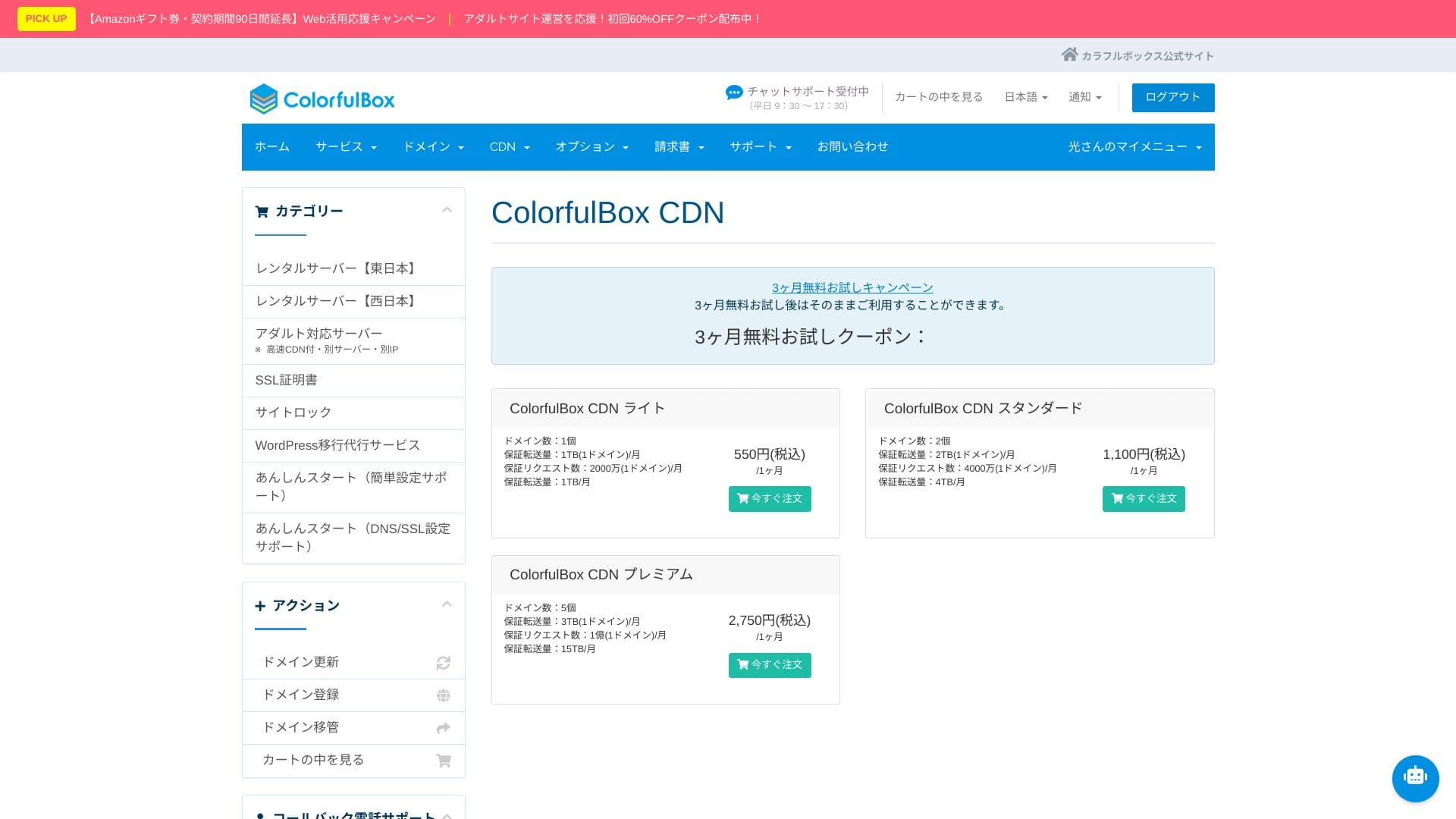
★ What is a CDN? Improve speed and performance with distributed servers
Storage capacity
ColorfulBoxprovides generous SSD capacity ranging from 200GB on BOX1 to 1.6TB on BOX8. That gives peace of mind even for sites that use many photos and videos, and you do not need to panic about running out of space and upgrading in a rush.
It uses a RAID10 configuration, balancing write speed and redundancy.
Hikaru Ono
If your site has a small number of pages, BOX1 has more than enough capacity. A basic WordPress installation uses less than 1% of it.
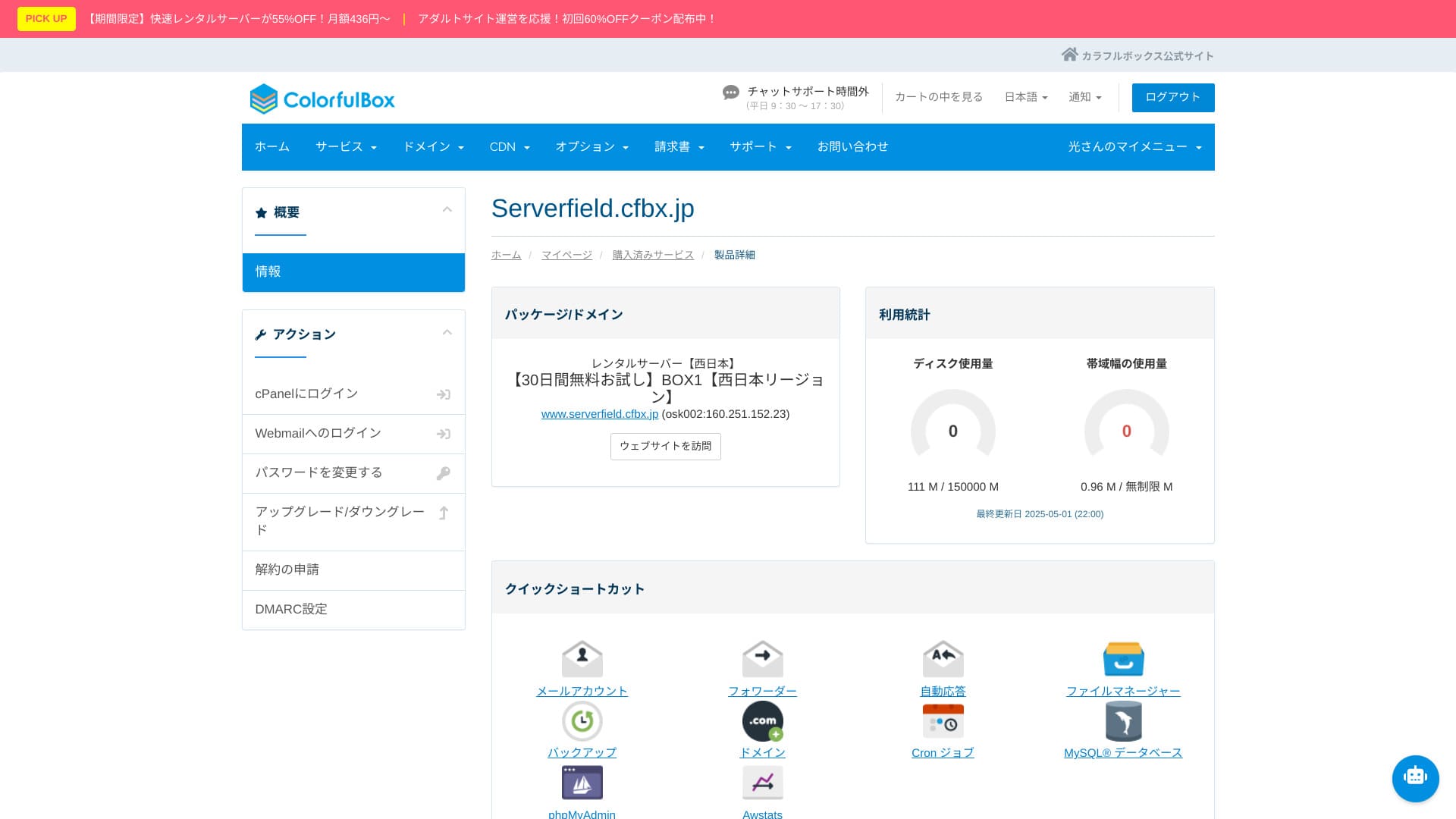
The default upload limit per file is 1GB. That means it is not ideal for directly hosting large video files.
Transfer volume
BOX1 includes 6TB per month, while BOX2 and above are effectively unlimited. Official guidance suggests this corresponds to roughly 30,000 to 200,000 page views. You do not need to worry about charges suddenly jumping when traffic increases, and combining it with a CDN gives you even more room to grow.
Keep in mind that if you occupy bandwidth for a long period, resource limits may be applied automatically. If you expect a sudden large-volume event, using a CDN together is recommended.
★ What are traffic and data transfer? Managing and optimizing web traffic
Server stability (uptime)
ColorfulBox does not publish its uptime figure. Other providers state numbers such as “99.99% uptime,” but ColorfulBox does not publish one, which makes comparisons harder.
Some сервисs that guarantee uptime offer a discount on the monthly fee if they fail to meet their target. I could not find such a policy for ColorfulBox, so if downtime occurs, it is harder to expect compensation on the pricing side.
If you operate a corporate website or online store, people may ask how stable the сервис is. Without official figures, it becomes harder to ответ, and additional explanation or proof may be needed.
Hikaru Ono
Not publishing it does not automatically mean it is bad. Still, it does leave you feeling uneasy.
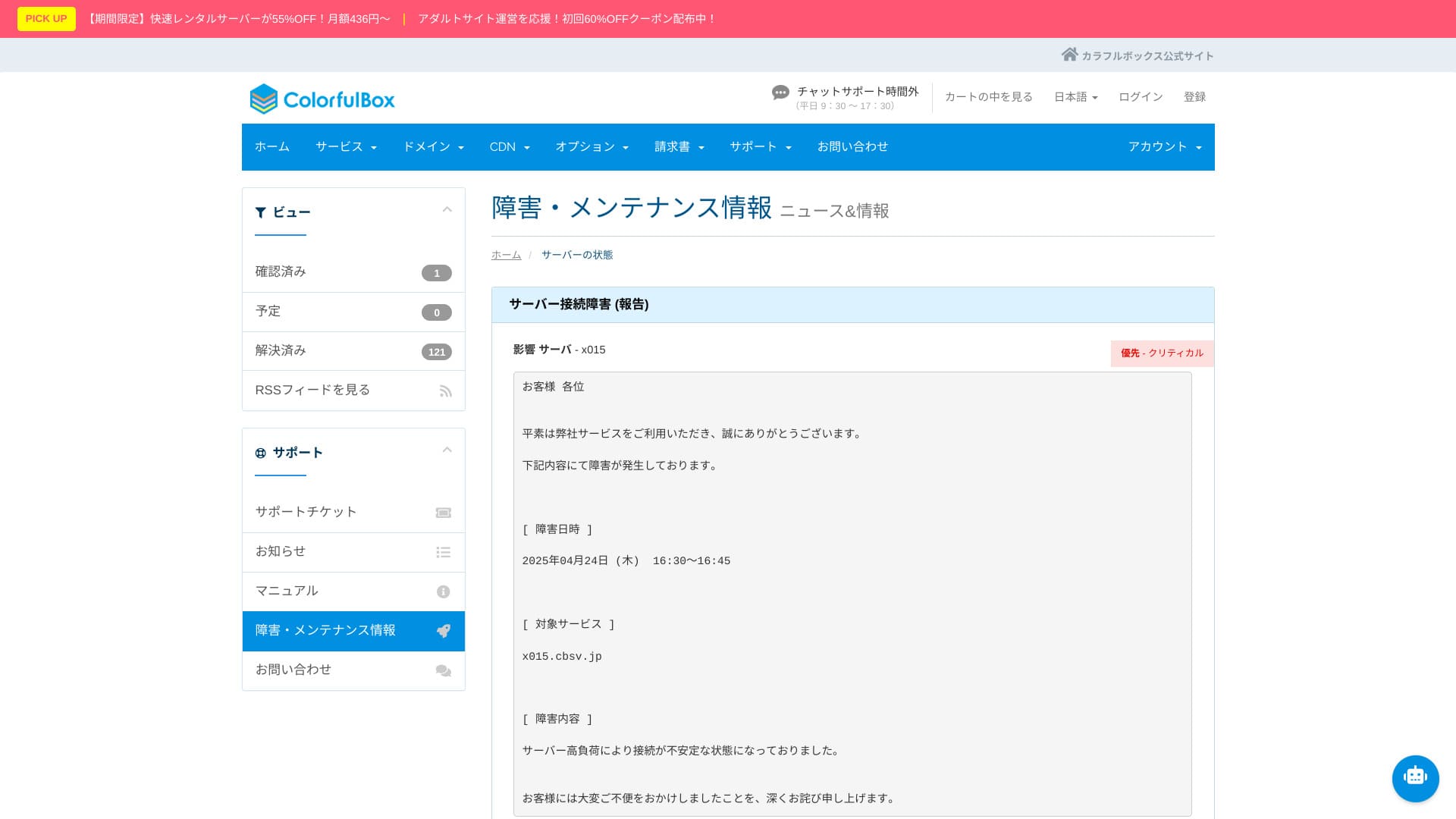
Server outage and обслуживание information is published on the official website and can be checked by anyone. That level of transparency is reassuring.
Pricing and cost обзор
Initial costs and monthly fees
ColorfulBox uses a pricing structure where the value changes a lot depending on the контракт term. If possible, 36 months gives the best pricing, but in practical terms I think 12 months is the best balance. Use the first 12 months to evaluate the server environment and your site situation, and if everything is fine, move to a longer контракт for better value.
In addition, when you sign up for 12 months or more, you can use one domain for бесплатный permanently while the server контракт remains active.
Hikaru Ono
I do not recommend a one-month контракт because it incurs an initial fee and there is already a 30-day бесплатный trial available.
Below are screenshots of monthly pricing screens from ColorfulBox and the other hosting providers that were compared.
ColorfulBox

Kinsta

XServer Business

wpX Speed

Lolipop!

Star Rental Server

Rakkoserver

XServer

ConoHa WING
Shin Rental Server

Little Server

CORESERVER

DreamHost

Bluehost

Sakura

Namecheap

Shin Бесплатный

XREA

Value Server

Hostinger

KAGOYA

SiteGround

HostGator

IONOS

Onamae.com

ABLENET

mixhost

GoDaddy

iCLUSTA+

MuuMuu Server

WADAX

WebARENA

heteml

CPI Rental Server

Domain pricing
You can register and renew domains at standard market prices, such as 1,680 yen per year for .com and 1,890 yen per year for .net. When you use a server контракт of 12 months or longer, you can also get one permanent бесплатный domain.
ColorfulBox lets you edit DNS записьs бесплатныйly, so you can easily point your own domain to another server or to external сервисs such as Gmail. Whois privacy proxy is also бесплатный, so you do not need to expose the registrant’s name and address online, which also helps against spam. It uses an established major Japanese registrar, and the availability of Japanese support and yen-based pricing also makes ongoing operation easier.
Below are screenshots showing domain pricing screens from major registrars.
Colorful Domain

Onamae.com

Xserver Domain

MuuMuu Domain

Value Domain

Shin Domain

Star Domain

★ What is a domain? Its role as an address on the internet and how to get one
SSL
You can use бесплатный Let’s Encrypt SSL.
Hikaru Ono
Setting up бесплатный SSL is a little tricky. Please check the official guide below. (Subdomains are configured automatically.)
Paid commercial SSL certificates can also be закупкаd, renewed, and managed from the same panel.
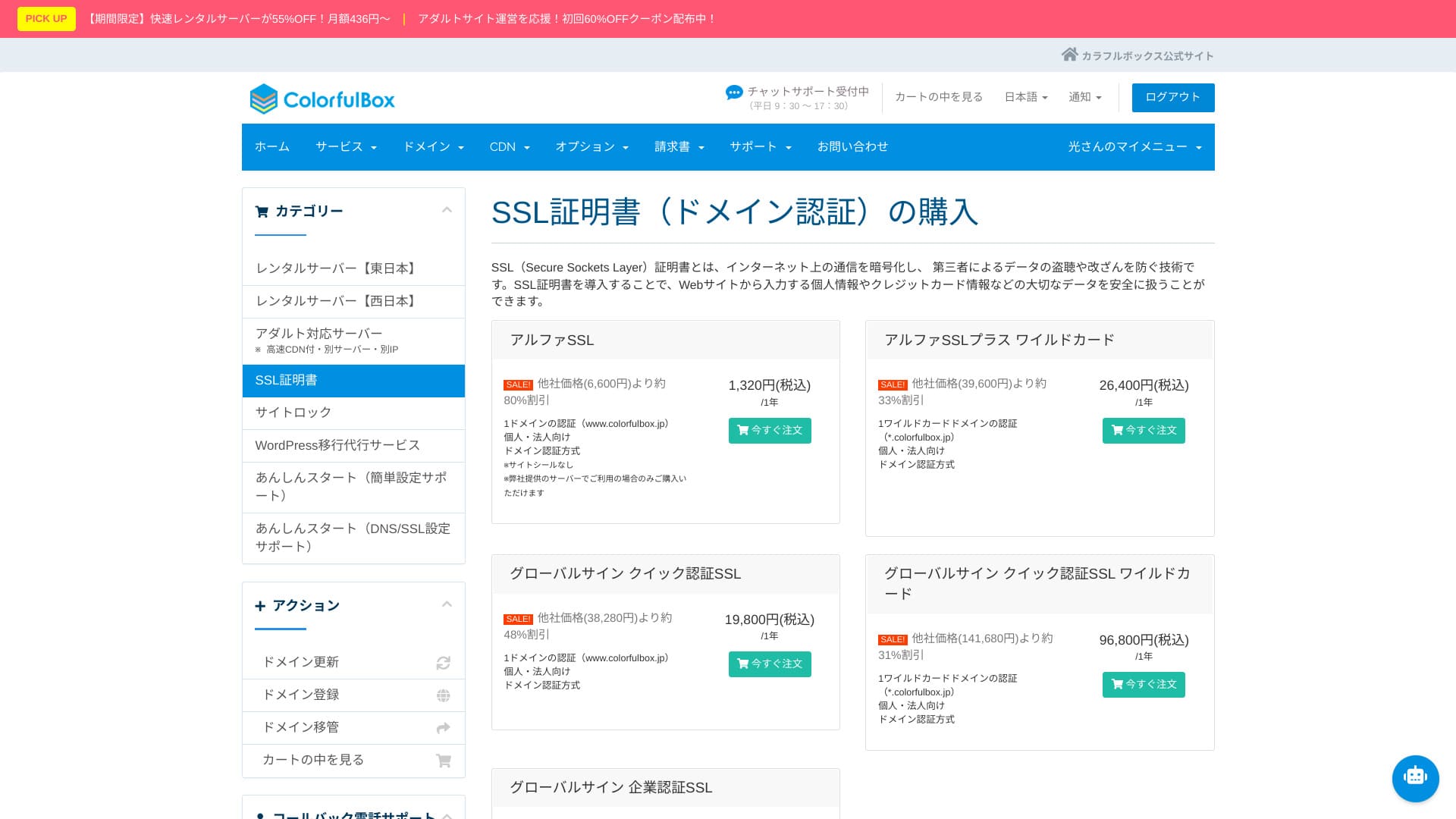
Payment methods
It supports credit cards (VISA, MasterCard, JCB, American Express, Diners Club, and Discover), bank transfers, and online payments through PayPal.
Because there are many payment options, even people who do not use credit cards can still use the server.
Hikaru Ono
Invoices can also be issued, which makes it easy to use for companies.
These screenshots show the payment-method screens for ColorfulBox and other providers.
ColorfulBox

Kinsta

XServer Business

wpX Speed

Lolipop!

Star Rental Server

Rakkoserver

XServer

ConoHa WING

Shin Rental Server

Little Server

CORESERVER

DreamHost
Bluehost

Sakura

Namecheap

Shin Бесплатный

XREA

Value Server

Hostinger

KAGOYA

SiteGround

HostGator

IONOS

Onamae.com

ABLENET

mixhost

GoDaddy

iCLUSTA+

MuuMuu Server

WADAX

WebARENA

heteml

CPI Rental Server

You can check your current payment method from the control panel.
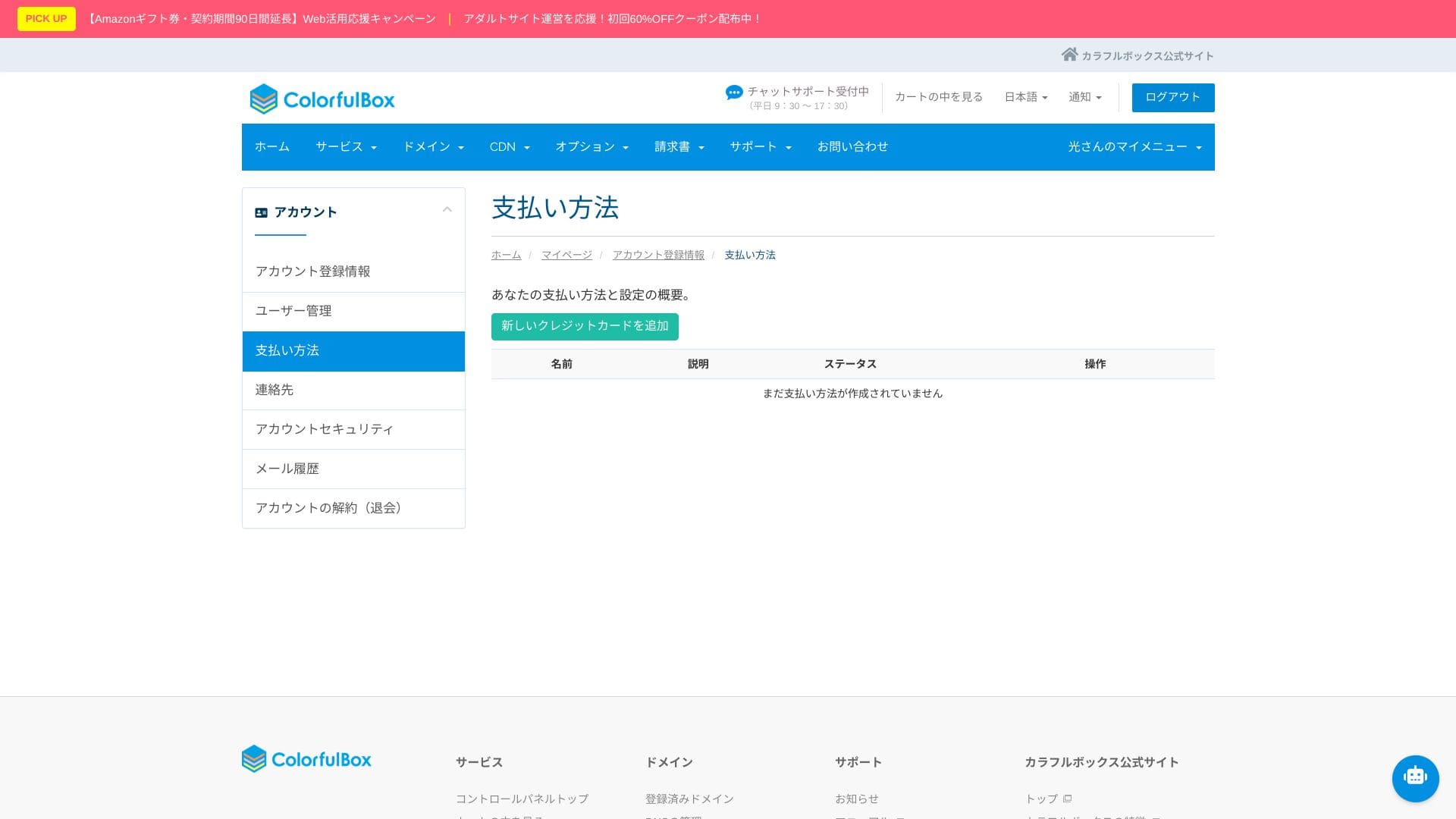
Ease of use and support обзор
How the control panel and cPanel feel to use
It offers a Japanese-localized version of cPanel, the world's No.1 control panel by market share. Developer tools such as the file manager, Git, and PHP version switching can also be handled entirely through the GUI.
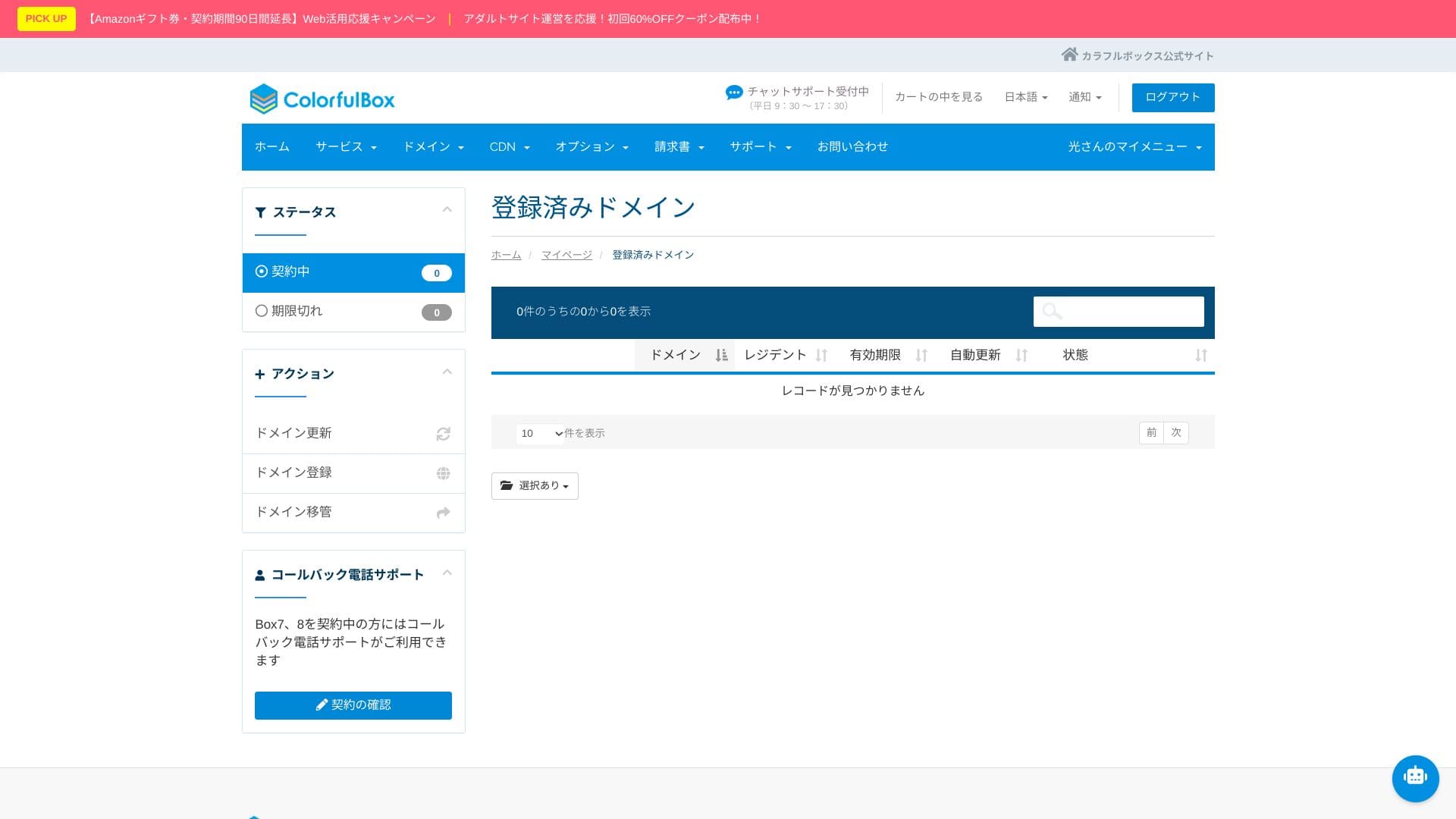
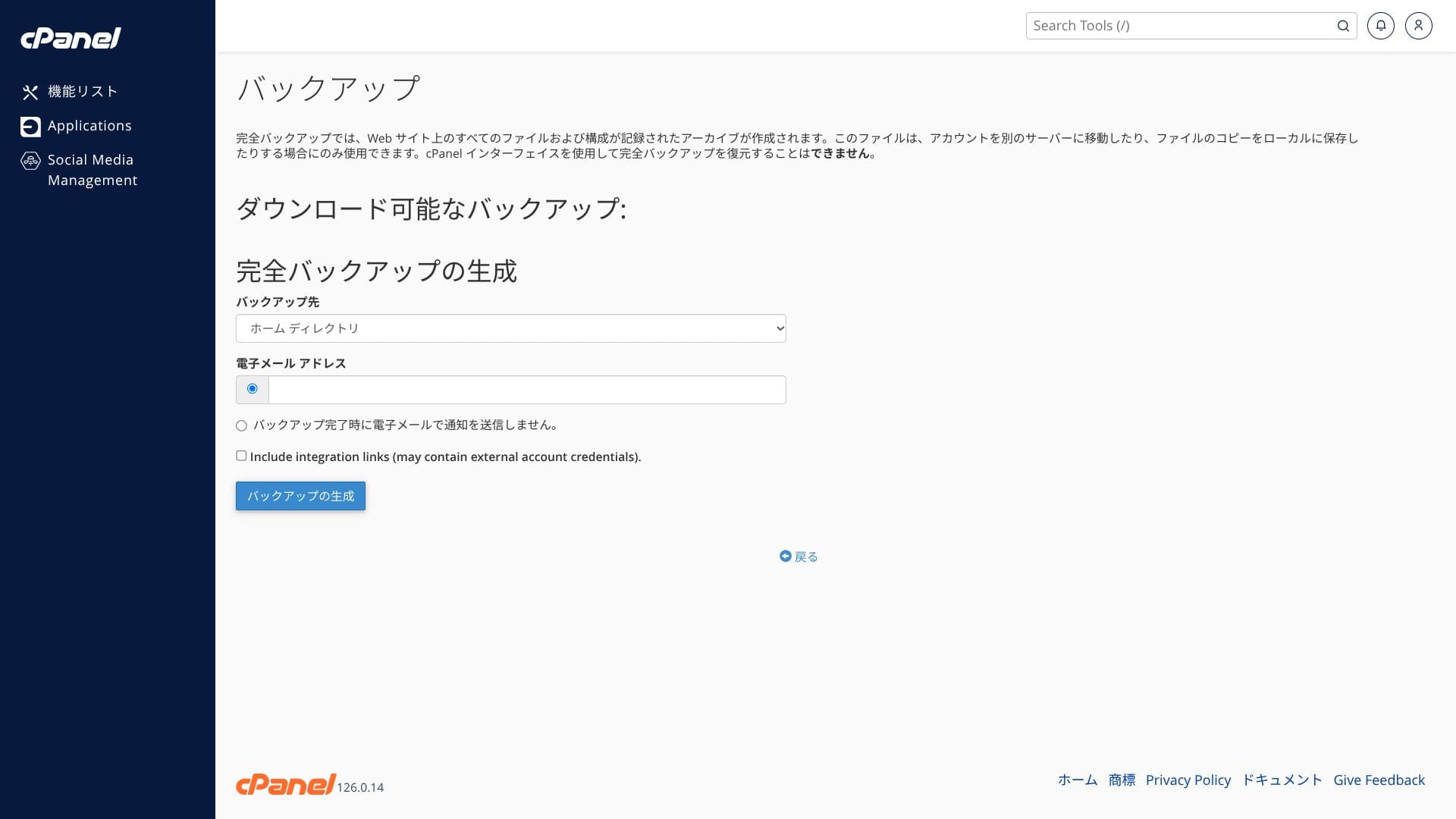
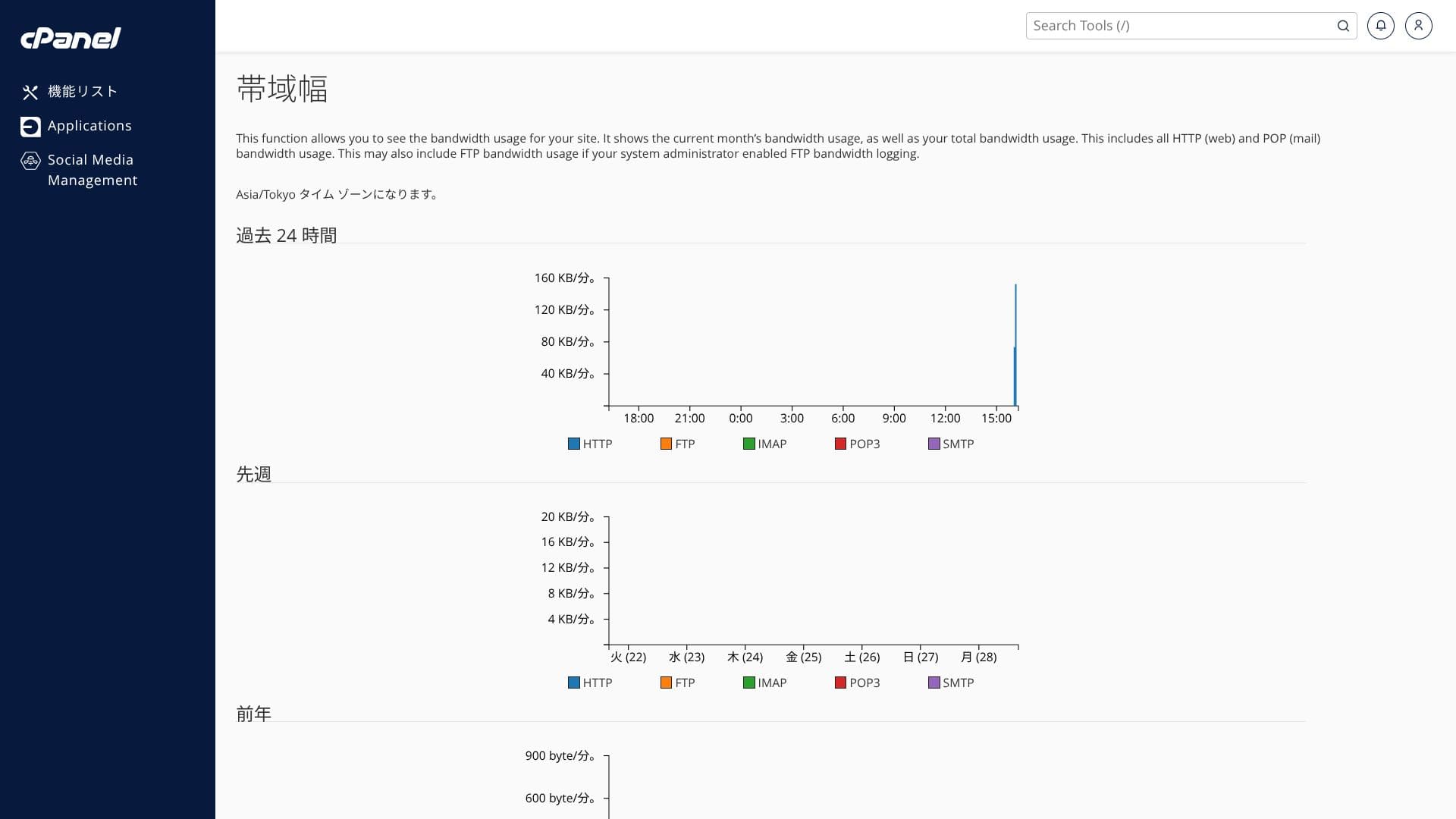
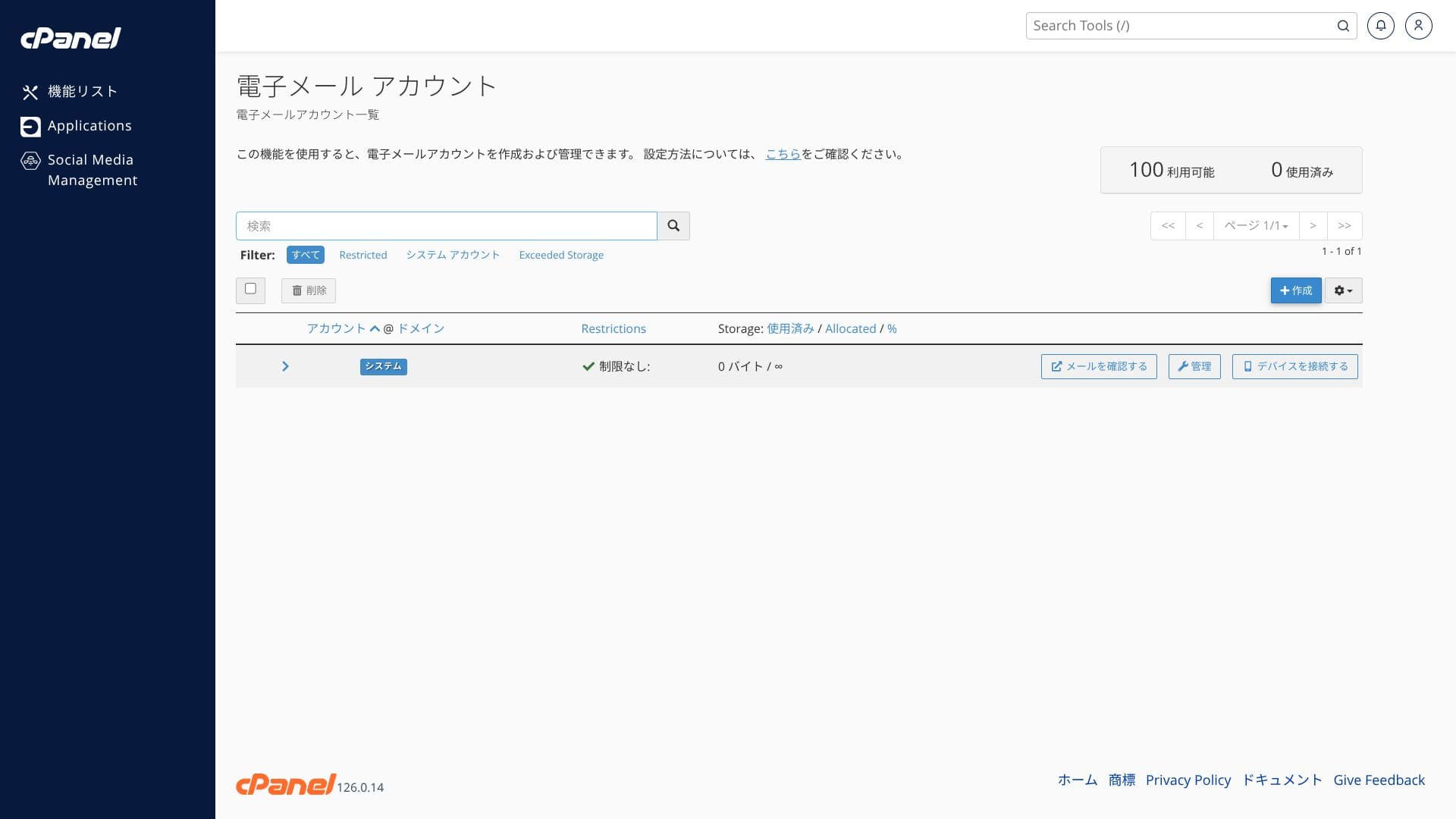
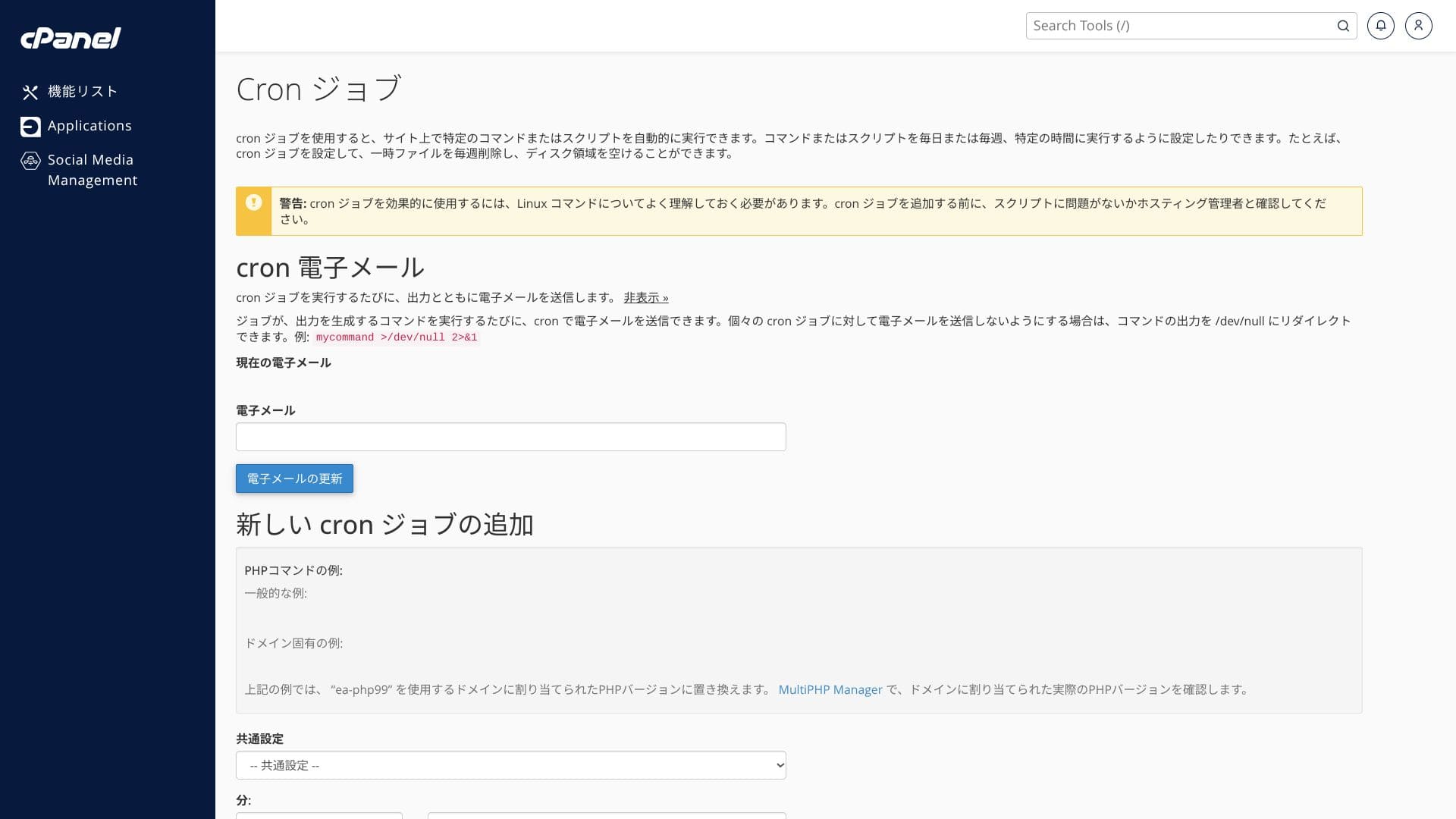
The screenshots below show how the ColorfulBox control panel and cPanel are organized. In cPanel you can install WordPress, migrate it, or delete it.
Top page
Billing
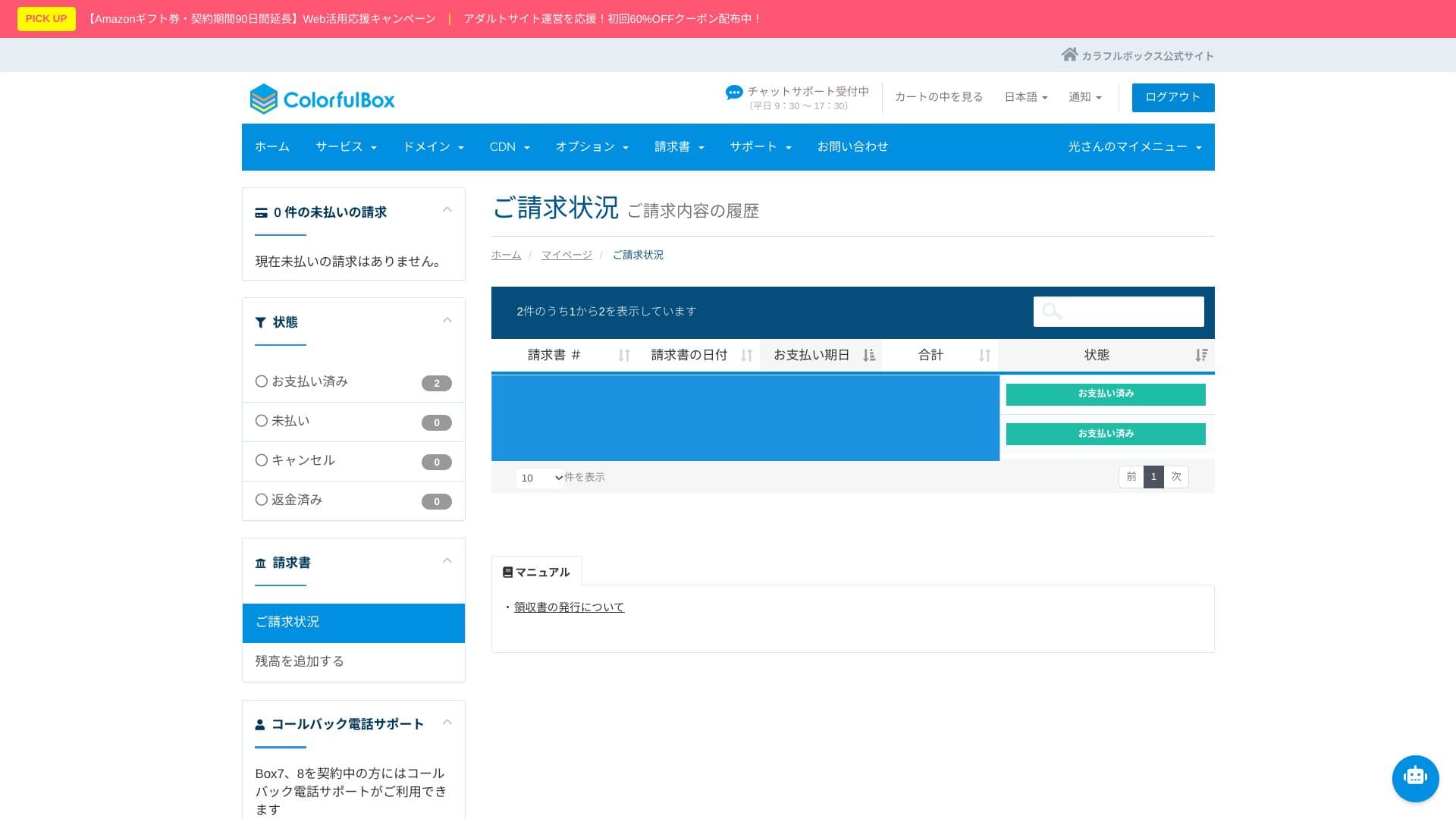
WordPress
Domain
Backup
Bandwidth
Email accounts
Cron
Databases
File Manager
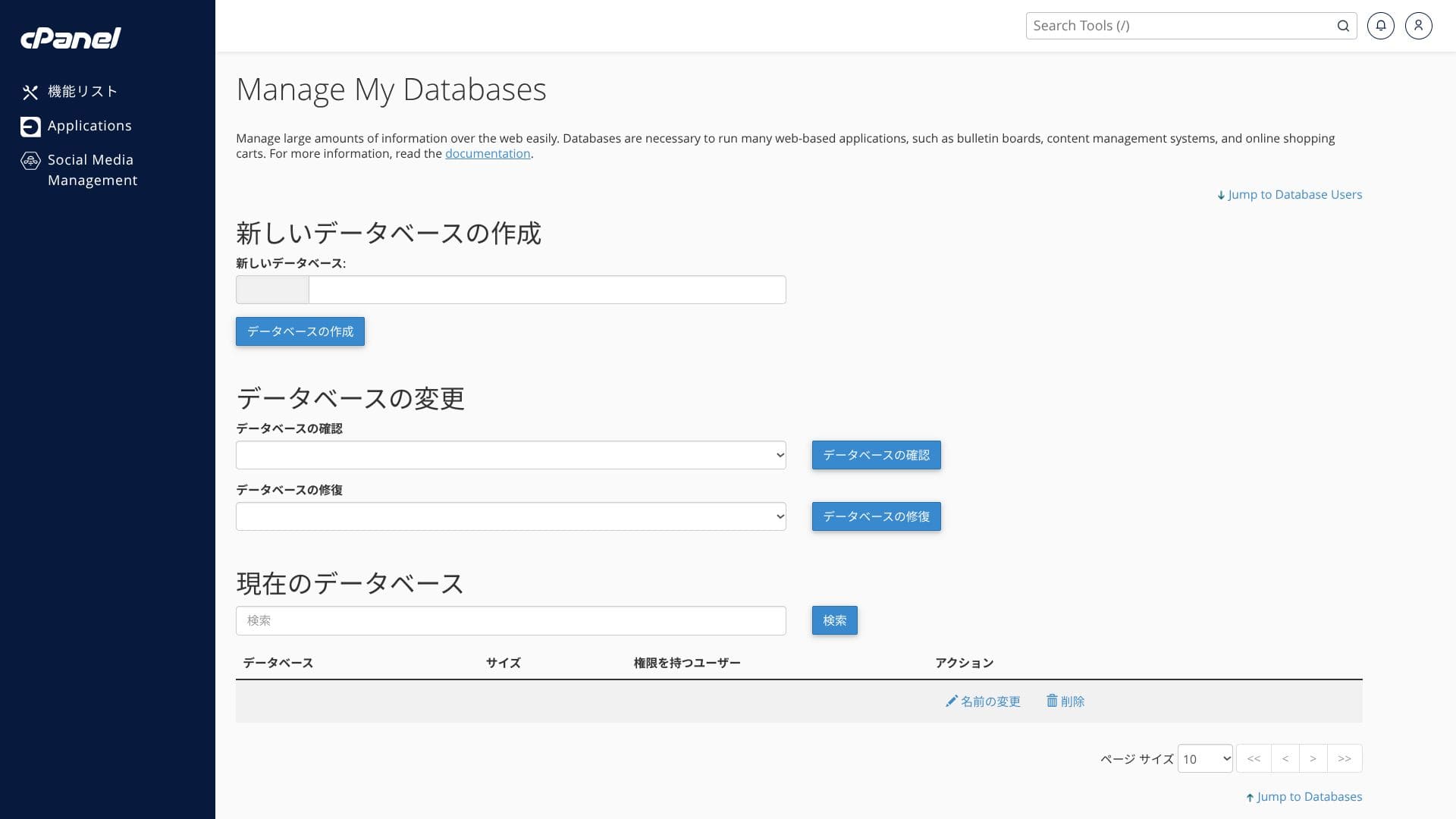
At first glance, the number of menu items can feel overwhelming. Using the official manual alongside it will help you move through it more smoothly.
Hikaru Ono
ColorfulBoxlets you add and update functions from both its own control panel and the cPanel admin screen, which felt a little confusing to me.
Support система
ColorfulBox has an excellent support система. Phone inquiries are accepted 24 hours a day.
- Запрос form: available 24 hours a day
- LINE and live chat: weekdays 9:30-12:00 / 13:00-17:30
- Phone: available 24 hours a day. Callbacks are available on BOX7 and above
Many hosting сервисs provide support only until 6 p.m. on weekdays, leaving you to solve incidents on your own at night and on holidays. In that respect, this is a real advantage over competing сервисs.
Hikaru Ono
That said, phone support is often not suited to deep technical вопросs, so it is best used for контракт and pricing inquiries.
Managed setup сервисs
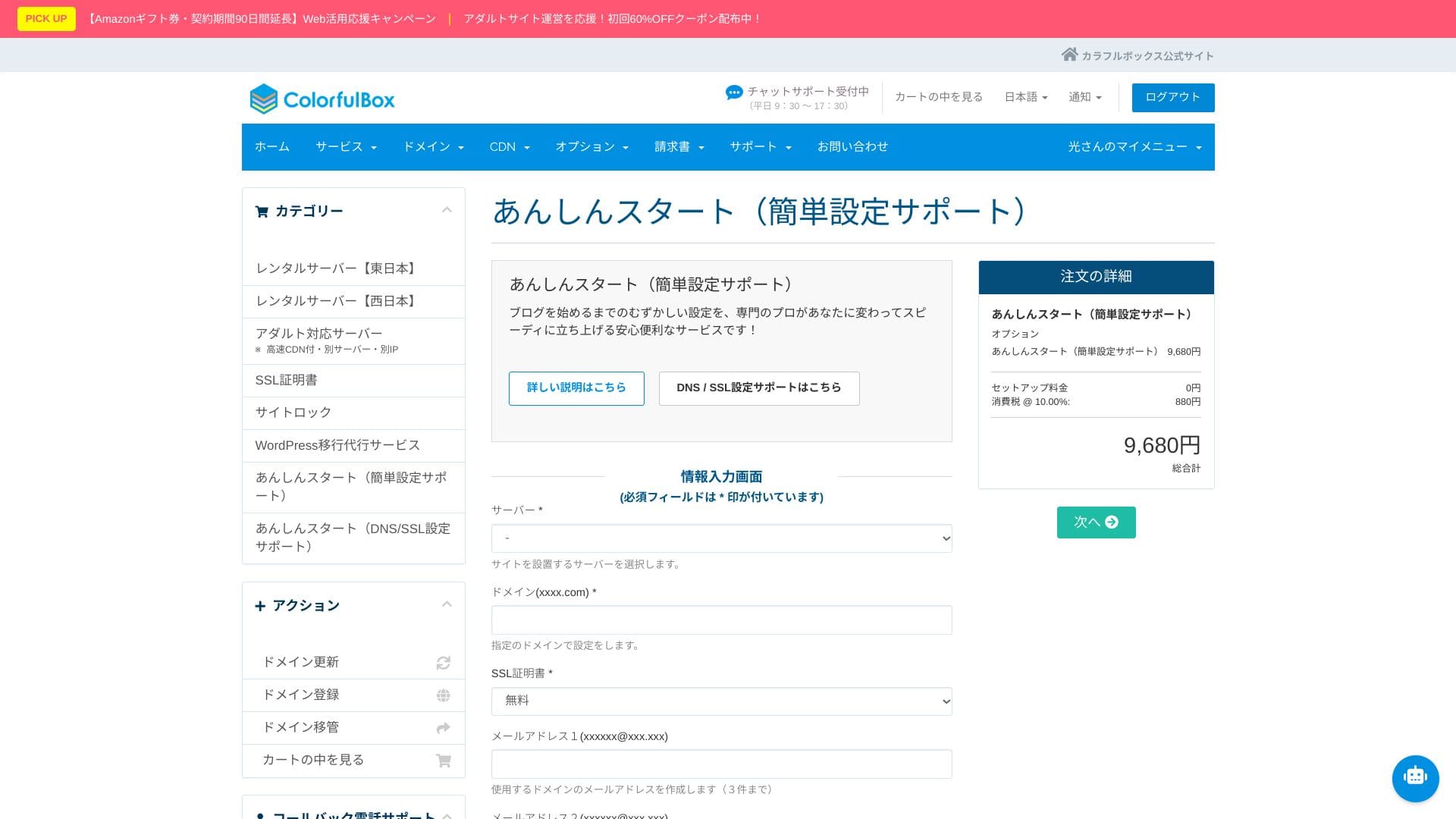
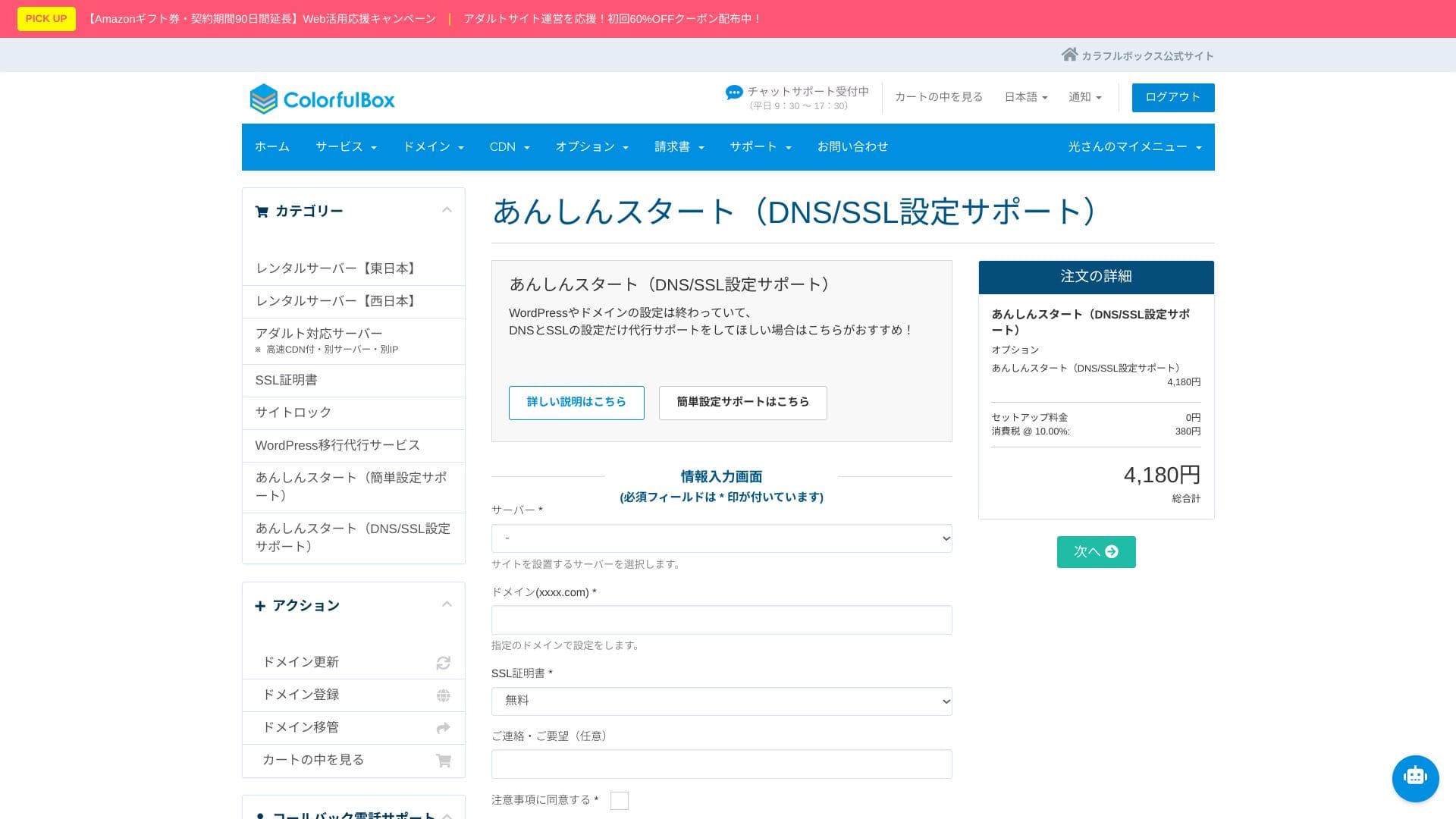
“Anshin Start” initial setup сервис
With “Anshin Start,” you can hand over the entire initial setup process.
After signing up for the server, researching and configuring WordPress installation, DNS, and SSL yourself can be difficult and time-consuming.
- Simple setup support pack (9,680 yen)
- DNS/SSL support pack (4,180 yen)
There are two courses to choose from. Staff can complete the setup in as little as one to three business days, helping you move quickly all the way to launching your bжурнал.
Even for corporate use, if you choose the first plan, which also includes creation of up to three email addresses, you can start operating the site quickly while staying focused on content production.
Hikaru Ono
With “Anshin Start,” you запрос the setup after purchasing the server.
WordPress migration сервис
Leave your site move to professionals with the WordPress migration сервис
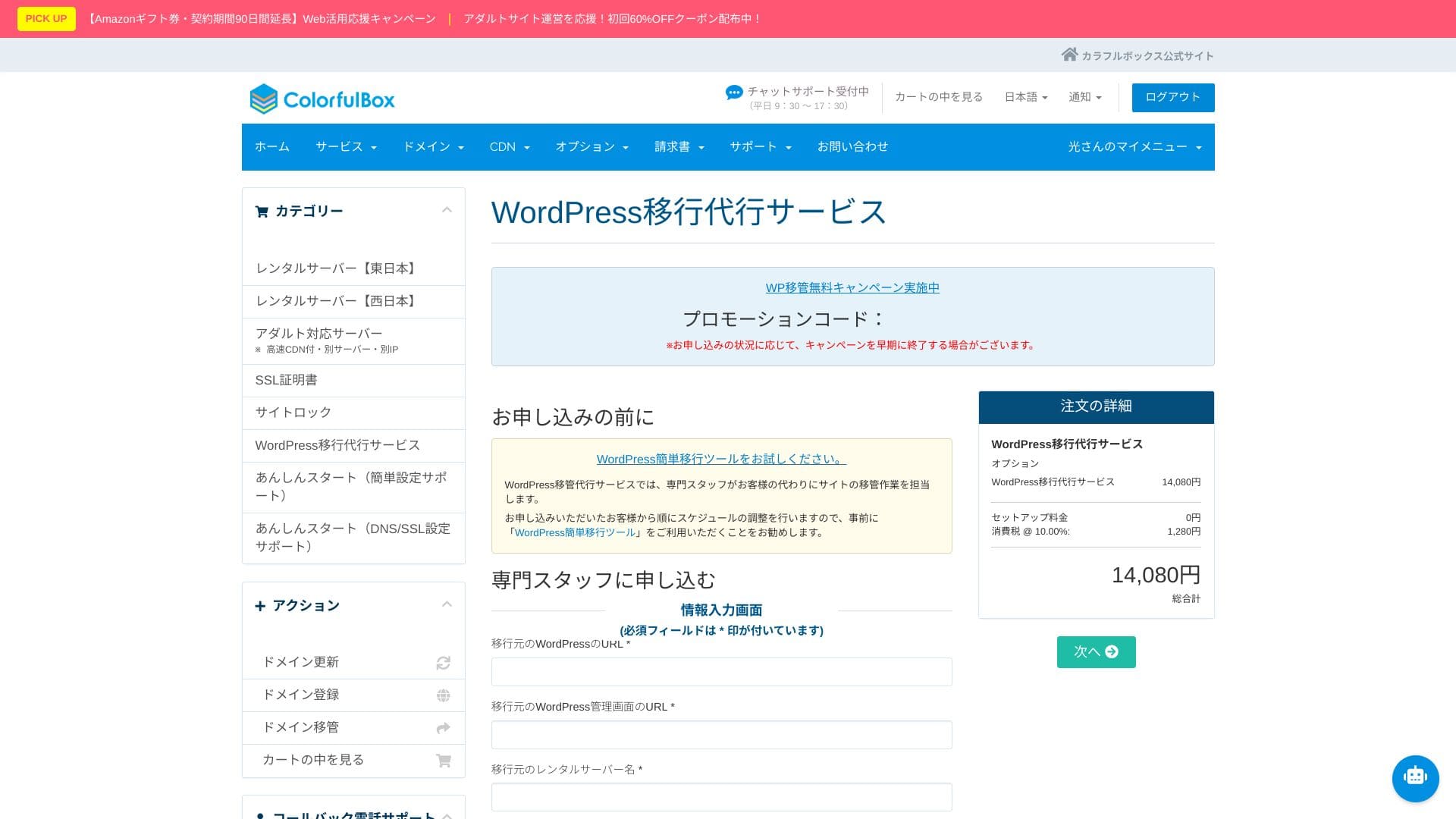
If you want to move from another server to ColorfulBox but are worried about data loss or layout issues, the WordPress migration сервис is a strong option. Speciaсписок staff handle everything together, from taking backups to migrating the database and checking operation. It is completed in as little as five business days from application, keeping downtime concerns to a minimum.
Hikaru Ono
If you would rather focus on updating статьяs than spend time on the move itself, use the migration сервис and move to the new environment as quickly and safely as possible.
Manual / FAQ
The official help center has more than 400 Japanese статьяs. They are easy to follow with illustrations, and the searchability is good.
Security & backup обзор
Imunify360
ColorfulBoxincludes Imunify360 (WAF/IPS/IDS) as standard and protects communication with бесплатный SSL, SSH, and FTP over TLS. It is an all-in-one setup covering everything from attack detection to automatic isolation.
This greatly reduces the chance of being hacked. If you can avoid that kind of damage, you can focus on content creation and business instead. Naturally, it also helps prevent negative effects on search rankings and strengthens trust in both your site and your company.
Region-specific automatic backups
The backup система is excellent as well. It automatically takes daily backups across eastern and western regions, retaining 14 generations.
Backups are stored across regions. That means that even if an outage happens in eastern Japan, you can restore from the backup on the western Japan side. This helps avoid the worst-case scenario in which both the server and its backups go down in the same location.
Hikaru Ono
Considering every possible disaster scenario, it is reassuring to know that data can be stored on servers separated physically between Tokyo and Osaka.
This kind of disaster-risk distribution should also be highly valued in client-facing explanations and public-sector projects. In addition, because the regions are both inside Japan, the data does not leave the country, which helps avoid concerns about cross-bзаказ personal-data risks.
Summary
ColorfulBox is a Japanese hosting сервис that can support a wide range of use cases, from personal bжурналs to small-business websites, with strengths including fast LiteSpeed, large SSD capacity, remote backups, and Imunify360.
- Good fit for:
- People who want to run multiple WordPress sites while keeping costs under control
- People who want to outsource backup and security worries
- People who want to try a LiteSpeed environment and HTTP/3
- Best to avoid if:
- Sites that occupy bandwidth for long periods, such as large video доставка or live streaming
With those points in mind, check whether it matches your site size and operating setup.
“ColorfulBox” is a hosting сервис with excellent region-specific automatic backups, making it easy to use with confidence. It has eight plans, so you can use the right level of performance without wasting money. It is also one of the few hosts that provides support 24 hours a day.
Up to 50% off server fees until August 31, 2025, plus up to a 10,000-yen Amazon gift card and a 30-day бесплатный trial