
Try it on gratuit găzduire
PR
Servere
Recenzie XREA [cea mai recentă din 2025]: avantaje și dezavantaje ale folosirii WordPress pe găzduire gratuită, plus comparații cu alte servere gratuite
Publicat: 2025.04.18
Actualizat: 2025.04.18
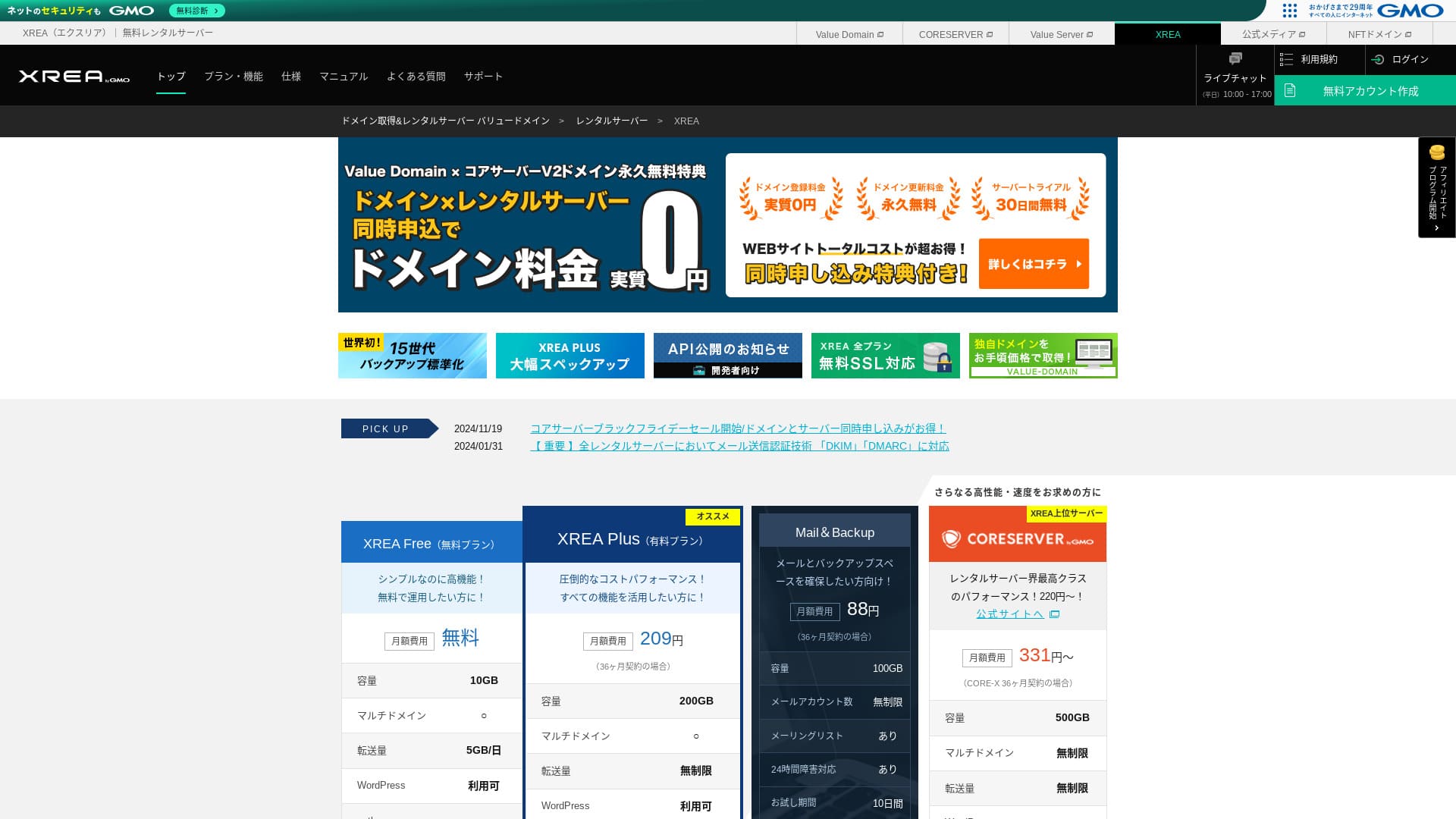
XREA este operat de GMO Digirock, Inc. și oferă găzduire gratuită. Spre deosebire de serviciile tipice de găzduire gratuită, acesta oferă și asistență prin chat.

XREA is recomandat for people looking for gratuit găzduire because:
- You can use WordPress for gratuit
- You can get chat suport
- Include copii de rezervă pentru 15 generații.
That is why. You will likely be satisfied. Since it is gratuit, be sure to give it a try.
A competing server is Star Rental Server. De asemenea, poate fi utilizat gratuit, dar funcționalitățile din planurile sale plătite superioare sunt mai bune decât cele de la XREA. Please consider it as well.
| Server type | Shared server |
| Display viteză (TTFB) | Not measured |
| Plan recomandat și perioadă contractuală | Gratuit |
| Probă / money-back guarantee | None |
| Lunar fee (12-month contract) | Gratuit |
| Initial configurare fee | Gratuit |
| Gratuit domeniu | None |
| Suport | E-mail și chat (10:00-17:00) |
| Uptime | Not disclosed |
| Stocare | 10GB |
| Number of databases | 5 |
| Securitate measures | None |
| SSL | Gratuit SSL, shared SSL |
| Backup / restore | 15 generations of backup-uri gratuit, restores gratuit |
| Number of e-mail accounts | 100 |
| E-mail Securitate measures | POP over SSL, IMAP over SSL, SMTP over SSL, virus scanning |
| Server / site web migrare service | None |
| WordPress preinstallation | None |
| CDN | None |

Hikaru Ono
XREA mi s-a părut puțin neobișnuit în ceea ce privește utilizarea panoului de control. Aceasta este doar impresia mea personală. Cu toate acestea, oricine îl poate folosi dacă parcurge pașii consultând manualele oficiale detaliate.
Pentru un server gratuit, vă oferă funcționalități și asistență mai mult decât suficiente.
XREA în comparație cu alte servere
- OverallEvaluare★★★☆☆
- Server viteză Not measured
- Prețuri ★★★★★
- Stabilitate ★★★☆☆
- Ease of getting started with WordPress* ★★★☆☆
- Operațiuni precum gestionarea domeniului și configurarea SSL* ★★★☆☆
* Based on my personal experience using it.

Cum să alegi dintre 21 de servicii de găzduire WordPress recomandate pentru persoane fizice
Cum să alegi dintre 21 de servicii de găzduire WordPress recomandate pentru persoane fizice
serverfield.org
- November 4, 2025 market-research data, by viteză sorted
- Tarifele lunare reprezintă costul din primul an al celui mai ieftin plan care poate rula WordPress
- Viteza reprezintă timpul până la primul byte, măsurat pe site-uri demonstrative în aceleași condiții
Recenzie XREA și cinci caracteristici cheie

A No-Cost Server That Can Also Run WordPress
XREA is a gratuit server. Nu există nicio taxă lunară și nicio taxă administrativă inițială.Chiar și așa, puteți folosi în continuare WordPress. Este ideal pentru persoanele care doresc să reducă costurile la minimum absolut. L-am comparat cu servere interne în următoarele condiții.
- Initial configurare fee
- 12-month server contract
- Cost of one an of domeniu fees
- Cheapest plan that can use WordPress
Există diferențe majore în ceea ce privește caracteristicile și specificațiile, dar un preț care rămâne în jur de o zecime este totuși atractiv.
Include asistență prin chat
XREA vine cu asistență prin chat.
Most gratuit Servere offer little to no suport. With XREA, you can get help when you run into trouble, so even people with no server experience can use it with confidence.
Asistența prin chat live este disponibilă în zilele lucrătoare de la 10:00 la 17:00. Asistența prin e-mail este de asemenea disponibilă.
Include backup pentru 15 generații
XREA can retain as many as 15 generations of backup-uri. That is extremely generous. Even paid Servere often make backup-uri a paid option or charge a separate restoration fee.
For example, LOLIPOP requires an additional paid option costing 330 yen per month on its lower-tier planuri before you can use backup-uri.
Copiile de rezervă sunt importante. Chiar dacă site-ul dvs. este infectat cu malware sau ștergeți accidental date, vă puteți recupera dacă aveți un backup. Fără acesta, tot ceea ce ați construit prin eforturile dvs. poate dispărea.
Cu 15 generații de copii de siguranță, vă puteți gestiona site-ul web cu deplină liniște sufletească.
You Can Create Five WordPress Sites
XREA lets you create up to five WordPress sites.
Note: Ce este WordPress? Sistemul pentru lansarea unui site web și aspectele la care să fiți atent
Există multe moduri de a-l folosi, cum ar fi adăugarea unui blog personal alături de site-ul companiei dvs. Când v-ați abonat la server, poate ați crezut că un singur site este suficient, dar, pe măsură ce trece timpul, s-ar putea să începeți o nouă afacere sau să aveți noi hobby-uri.
It saves you the trouble of signing up for another server, and it does not cost anything either.
You Can Use Gratuit Custom SSL
XREA lets you use gratuit custom SSL. Some gratuit Servere do not provide gratuit custom SSL because of caracteristică limitations.
SSL is essential Securitate for a site web. It is reassuring that even a gratuit server provides it.
Note: What Are SSL and TLS? The Mechanism and Benefits of Protecting Information Through Encryption
The Drawbacks of XREA, Told Honestly

Serverele gratuite sunt atractive, dar au și dezavantaje, așa că verifică-le înainte să le folosești. Chiar dacă povara financiară este mică, tot investești timp și efort.
Ads Are Displayed
XREA afișează automat reclame în partea de sus a site-ului dumneavoastră web. Deoarece reclamele apar în cea mai vizibilă parte a paginii, este dificil de utilizat pentru un site web corporativ. De asemenea, acestea pot intra în conflict cu imaginea companiei dvs.
People who want to earn advertising revenue, such as through affiliate marketing, probably do not want ads displayed that do not contribute to their own profit.
To hide the ads, you need to use the paid plan XREA Plus. If you are going to use XREA Plus, it is better to consider other paid Servere as well.
The Transfer Allowance Is Low
XREA has a low transfer allowance. As a result, pe măsură ce traficul crește, site-ul web devine mai greu de afișat. Publicarea unui site web pe care utilizatorii nu îl pot vizualiza efectiv anulează scopul acestuia.
Note: Ce reprezintă traficul și volumul de transfer? Gestionarea și optimizarea traficului web
Uptime Is Not Disclosed
What is quite worrying is that its uptime is not disclosed. We cannot judge in numerical terms how stable it is. Dacă serverul nu este stabil, site-ul web nu se va afișa corect. Un site web pe care utilizatorii nu îl pot vizualiza își pierde utilitatea.
Note: Ghidul începătorului pentru înțelegerea uptime-ului de găzduire și a SLA-urilor
Este liniștitor să folosiți un server cu un uptime de 99,99% sau mai mare, acesta fiind punctul de referință pentru disponibilitatea ridicată. La 99,99%, serverul este nefuncțional mai puțin de o oră pe parcursul unei perioade contractuale de 365 de zile. În restul timpului, site-ul dvs. web poate fi vizualizat corect.
Comparați XREA cu două servere concurente
Shin Free Server
Shin Free Server is a gratuit server that does not display ads. That makes it easier to use even for things like corporate site-uri web. Its transfer allowance is on an entirely different scale, so you do not need to worry about running short.
However, unlike XREA, it has no suport. You need the skill to solve problems on your own while checking the manual and searching the web.

Recenzie și dezavantaje pentru Shin Free Server [Cel mai recent din 2025]: Lansarea WordPress pe găzduire gratuită
Recenzie și dezavantaje pentru Shin Free Server [Cel mai recent din 2025]: Lansarea WordPress pe găzduire gratuită
serverfield.org
Star Server Free
Star Server Free is a gratuit server run by a long-established domestic găzduire Companie.
Cu toate acestea, are mai multe dezavantaje decât XREA, cum ar fi afișarea de reclame pe smartphone-uri și lipsa asistenței. Because its transfer allowance is not published, it becomes worrying whether it will remain visible as trafic grows.

Recenzie Star Server [Ultima din 2024]: Prețuri uimitor de scăzute și o analiză detaliată a adevăratelor avantaje și dezavantaje
Recenzie Star Server [Ultima din 2024]: Prețuri uimitor de scăzute și o analiză detaliată a adevăratelor avantaje și dezavantaje
serverfield.org
Start a WordPress Site web on XREA in 7 Steps
Să începem un site web cu XREA!
- STEP.1Access the official site
Click "Create Account" on the top page.
- STEP.2Register as a Value Domain user
Acesta este ecranul de creare a contului de utilizator. Introduceți un nume de utilizator, parola și adresa de e-mail. Verificați detaliile și faceți clic pe „Înregistrare”.
După finalizarea verificării prin e-mail, înregistrați-vă datele de utilizator, cum ar fi numele și adresa. Este mai simplu dacă finalizați și verificarea prin SMS. Faceți clic pe „Review entered information”, apoi, după ce citiți acordul de membru și politica de confidențialitate, faceți clic pe „Register user”.
The confirmation screen appears again, so click "OK" to finish user registration.
După ce ai selectat un domeniu, asigură-te că bifezi „Install WordPress at the same time”.
Click "Next."
- STEP.3Sign up for XREA
Conectați-vă la Value Domain, selectați „XREA” din secțiunea „Server”, faceți clic pe „Create a new XREA account”, apoi pe „Get XREA (Free)”.
You can use any string you like for the desired account name.
Puteți utiliza un domeniu .shop gratuit timp de un an. Dacă nu aveți o preferință anume, folosiți un domeniu .shop. Totuși, începând cu al doilea an, reînnoirea unui domeniu .shop costă 5.440 de yeni pe an, ceea ce este destul de costisitor.
Recomandăm domenii bine-cunoscute, cum ar fi .com și .net. Taxele lor de reînnoire sunt de asemenea rezonabile, sub 2.000 yeni.
Note: Ce este un domeniu? Rolul său ca adresă pe internet și cum se poate obține
Check the terms of use for the server and backup, then click "Register." Your account will then be created.
If you did not get a .shop domeniu: Get a domeniu through Value Domain
În partea de sus a paginii Value Domain, selectați „Domain Registration”. Introduceți orice text doriți și căutați, iar domeniile disponibile vor fi afișate.
Verificați numele de domeniu și perioada contractului. Un an este în regulă. Deoarece ați aplicat deja pentru XREA, bifați „Nu utilizați un server”. Revizuiți detaliile de înregistrare și faceți clic pe „Înainte”.
Alegeți o metodă de plată, bifați că ați revizuit termenii de utilizare și faceți clic pe „Confirmare înscriere”. Aceasta finalizează achiziția domeniului.
Deschide panoul de control XREA, selectează „Domain Settings” și dă clic pe „Create new domain setting”. Introdu numele de domeniu achiziționat anterior și dă clic pe „Create new domain setting”. Aceasta va seta domeniul pe XREA.
- STEP.4Create a database
Create a database so that you can use WordPress.
Note: What Is a Database? The Management and Operation System Essential to WordPress
Conectați-vă la panoul de control XREA. Din meniu, accesați „Database”, apoi „MsSQL” și faceți clic pe „Create new database”.
- Database name: Anything is okay
- Password: Anything is okay. Make it as complex as possible
- Character encoding: Leave it as is
- Memo: You do not need to write anything
After entering the above, click "Create new database" and the database will be created.
- STEP.5Instala WordPress
În panoul de control XREA, deschideți „Site Settings” și faceți clic pe domeniul unde doriți să instalați WordPress. După ce ecranul se schimbă, faceți clic pe „WordPress”.
Specificați calea de instalare. Dacă nu se poate da clic pe CMS Install, accesați o dată URL-ul de instalare și va deveni clicabil.
When you can proceed with installation, configure WordPress as follows.
- Database name: The database name you created earlier
- Username: Anything is okay. It is difficult to change later
- Password: The password you created when making the database
- Database host name: localhost
- Table prefix: Anything is okay.
Once you have entered everything, click "Submit" and then "Run installation."
Now configure the WordPress information further.
- Site title: Anything is okay. You can change it later
- Username: Anything is okay. It is difficult to change later
- Password: Anything is okay. Make it as complex as possible
- Database host name: Your everyday e-mail address
- Search engine visibility: Anything is okay. Check it if you want everyone to be able to find it
You use the username and password when logging in to WordPress. Be sure to write them down.
When the installation is finished, click "Log in."
- STEP.6Configure SSL
Deschide „Site Settings” în panoul de control XREA. Dă clic pe „Create new site setting”.
Deschide numele de domeniu pe care ai configurat WordPress, selectează „Free SSL” la secțiunea SSL și dă clic pe „Create new site setting”.
- STEP.7Instala plugins
Reveniți la ecranul de administrare WordPress și accesați „Plugins” apoi „Add New” pentru a instala modulele de care aveți nevoie.
Când găsiți prin căutare un plugin pe care doriți să îl instalați, faceți clic pe „Instalează acum” și apoi pe „Activează”. După aceea, urmați instrucțiunile specifice fiecărui plugin.
Asigură-te că instalezi pluginuri de securitate și backup.
- How to Alege Five WordPress Plugins That Strengthen Securitate
- Five Powerful WordPress Backup Plugins That Let You Recover Your Data
După ce ai instalat modulele, site-ul tău WordPress este pregătit.
Rezumat
Utilizarea serviciului de găzduire gratuit XREA vă permite să creați un site web WordPress plătind doar pentru domeniu. It does have drawbacks, but few things are as welcome as something gratuit. Use it wisely.
Comparație completă a 32 de servicii de găzduire WordPress: Recomandări pentru persoane fizice, companii și utilizare în străinătate

Când vă gândiți: „Vreau să încep cu WordPress” și căutați „găzduire WordPress recomandată”, găsiți tot felul de articole, de la opțiuni pentru persoane fizice și companii sau afaceri mici, până la servere din străinătate și servere ieftine. Sincer vorbind,
- Which site should I look at?
- I want to alege a server in a simple, easy-to-understand way!
- Please show me how to start WordPress right away.
Have you ever felt that way? That is why this article selectează cu atenție cele mai bune opțiuni din 32 de servicii de găzduire pentru persoane fizice, companii, utilizare internă și externă și le prezintă. Explicația provine de la responsabilul SEO al unei companii de dezvoltare de aplicații care utilizează servicii de găzduire în fiecare zi.